Replace the Head Unit
Before you begin ensure you check the following:
-
Refer to the site drawings and identify the charging station to be serviced.
-
End all charging sessions and activity for the station to be serviced.
Refer to the diagram below for the location and order of each component to be removed.
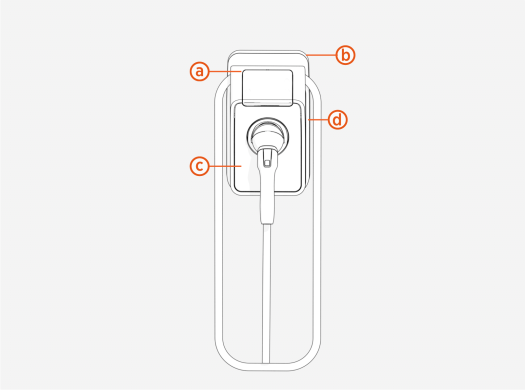
(b) Backplate
(c) Faceplate
(d) Energy Management Accessory
Steps to Replace Head Unit
To replace the head unit, follow the instructions below:
-
Remove the station from the backplate.
-
Insert a screwdriver into the leftmost hole underneath the station.
-
Pull the screwdriver towards you to release the security latch.
_491x367.png "Loosen the screws (x4, two at front and two at rear).")
-
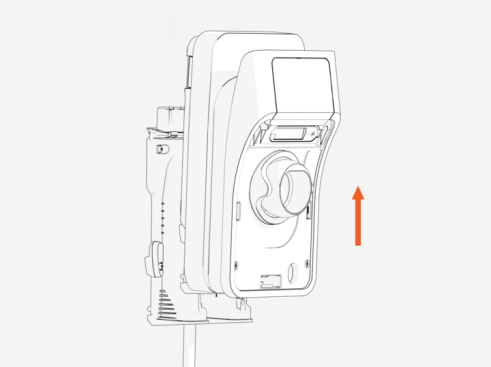
Push the station upward to detach it from the backplate.
-
-
Attach the new station by sliding it onto the backplate until it locks.
