Install Overhead Mounted Power Link 1000
Follow these instructions to anchor, install, and wire each Power Link 1000 onto a wall or gantry.
DANGER: Check the site plans for the number and type of fasteners required to install the mounting plate and the Power Link 1000.
Fasteners must be appropriate and rated for the type of surface and the combined weight of the Power Link 1000 and all charging cables and accessories. If not, the Power Link 1000 could fall and injure people, damage property, or both.
Disconnect Power
To disconnect power, complete the following steps:
- Before any procedure, disconnect the power.
- Follow local code and site lockout/tagout procedure to de-energize the station.
- Wait for energy to dissipate (approximately five minutes).
- Keep power off until all covers and panels are reinstalled and the work is complete.
-
Disconnect power at the site electrical panel.
Follow standard practice and local code to de-energize the applicable circuit and lock out/tag out the disconnect before proceeding.
-
Use a multimeter to test that the unit is de-energized.
Install and Secure to the Mounting Plate
Mark Location
-
Use a multimeter to test each DC conductor for continuity.
-
If not already done, pull service wiring through the wall or conduit as described in the Express Plus Site Design Guide.
-
Measure the distance above grade that the Power Link 1000 will sit.
CAUTION: Check your specific site plans and the Site Design Guide to ensure the Power Link 1000 mounting location meets minimum clearances above ground to comply with ADA regulations and above grade to comply with flood regulations.
-
Use the mounting plate as a template to determine position. Measure position and ensure level placement. Mark the mounting holes.
-
Consult site plans for any site-specific requirements.
-
Attach the mounting plate to the surface. Install six M8 bolts or studs spaced 400 mm (16 in) center to center.
Torque to the specification indicated in the site plans.
Contractor provides fasteners. Site plans must specify fasteners appropriate for and rated to secure the weight to the material.
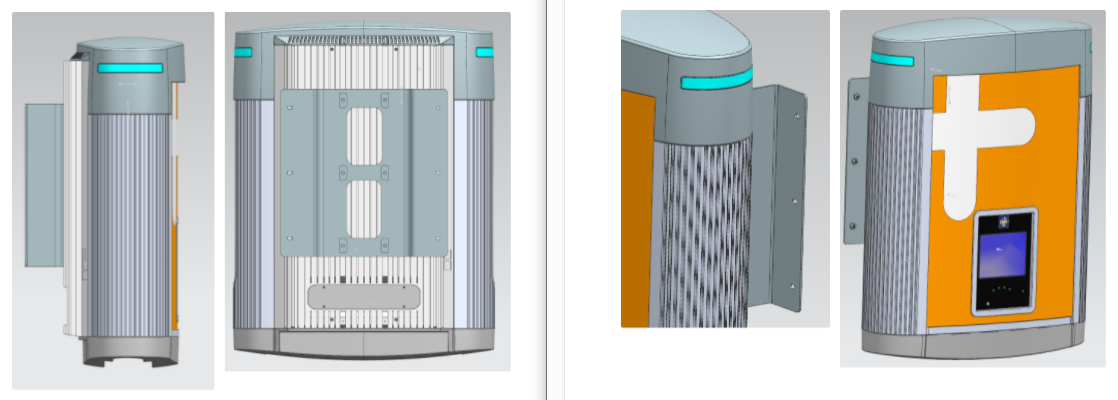
IMPORTANT: Align the vertical center of the mounting plate with the wiring that enters from the ground or rear of the installation site.
Unpack
-
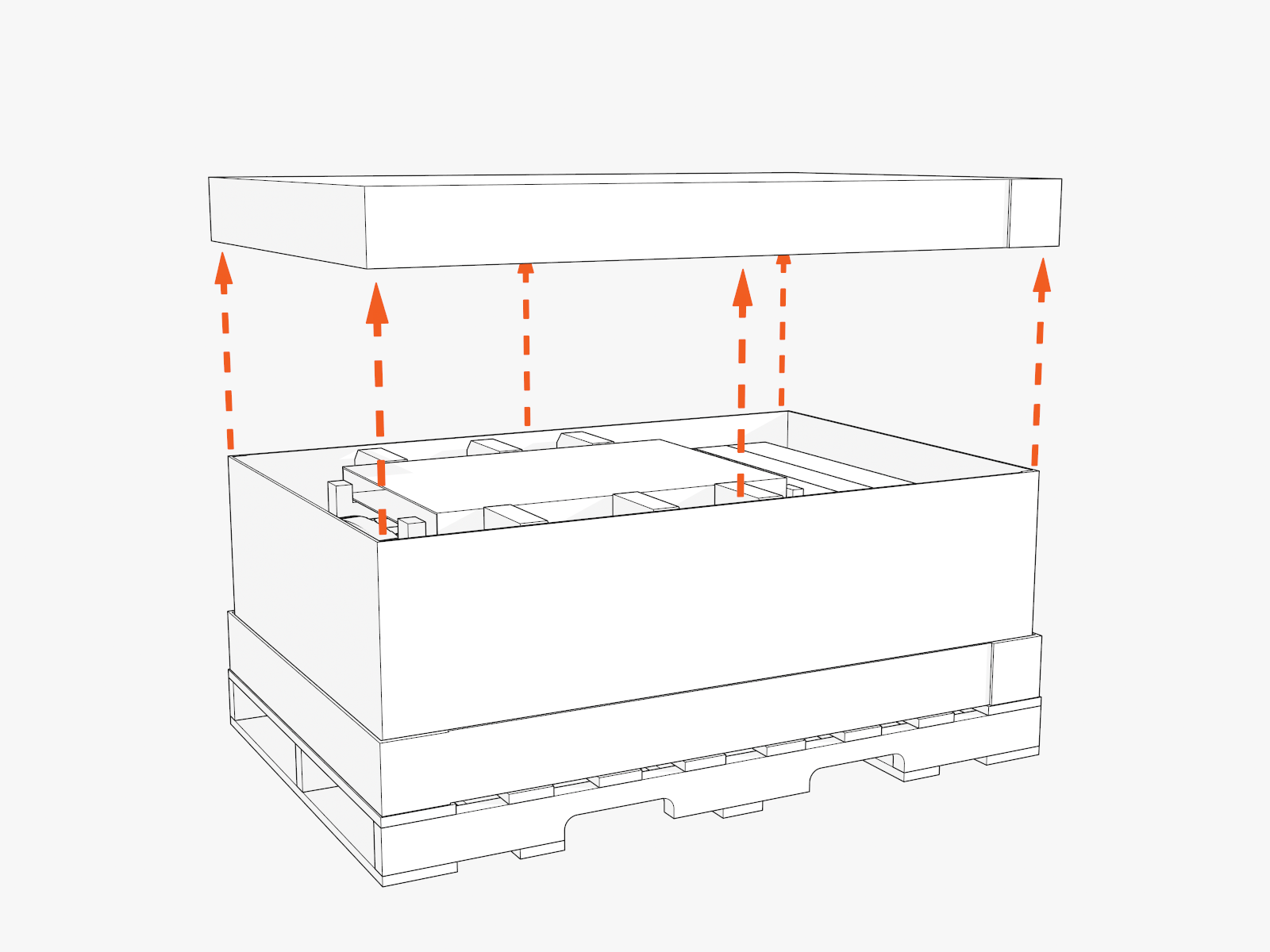
Lift off the crate cover.
-
Set aside the separate packages that are inside the crate.
These packages contain vinyl signs, trims, and top cover to be installed later.
-
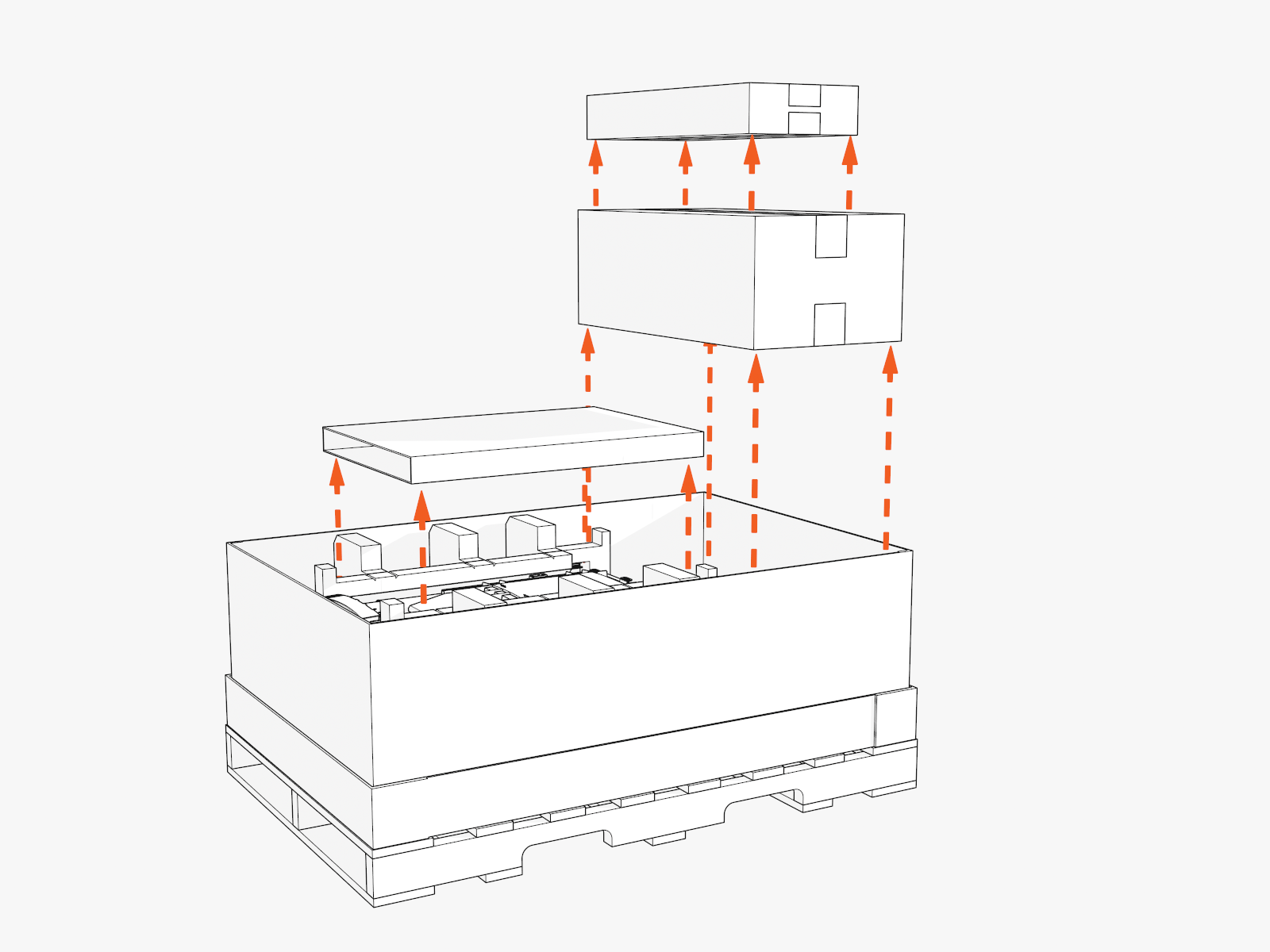
Remove the top foam inserts.
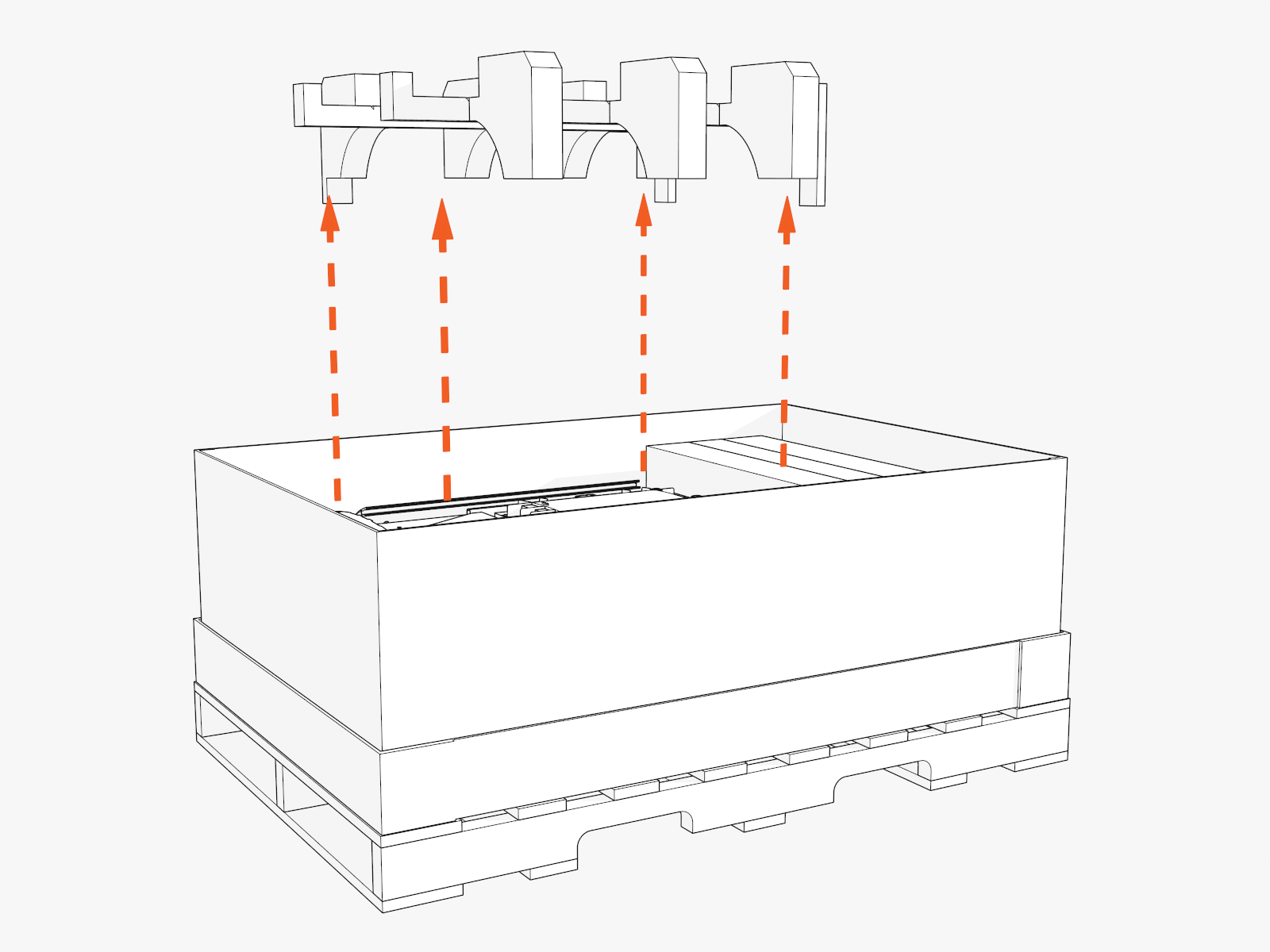
-
At the top of the Power Link 1000, locate four preinstalled eye bolts and lifting straps.
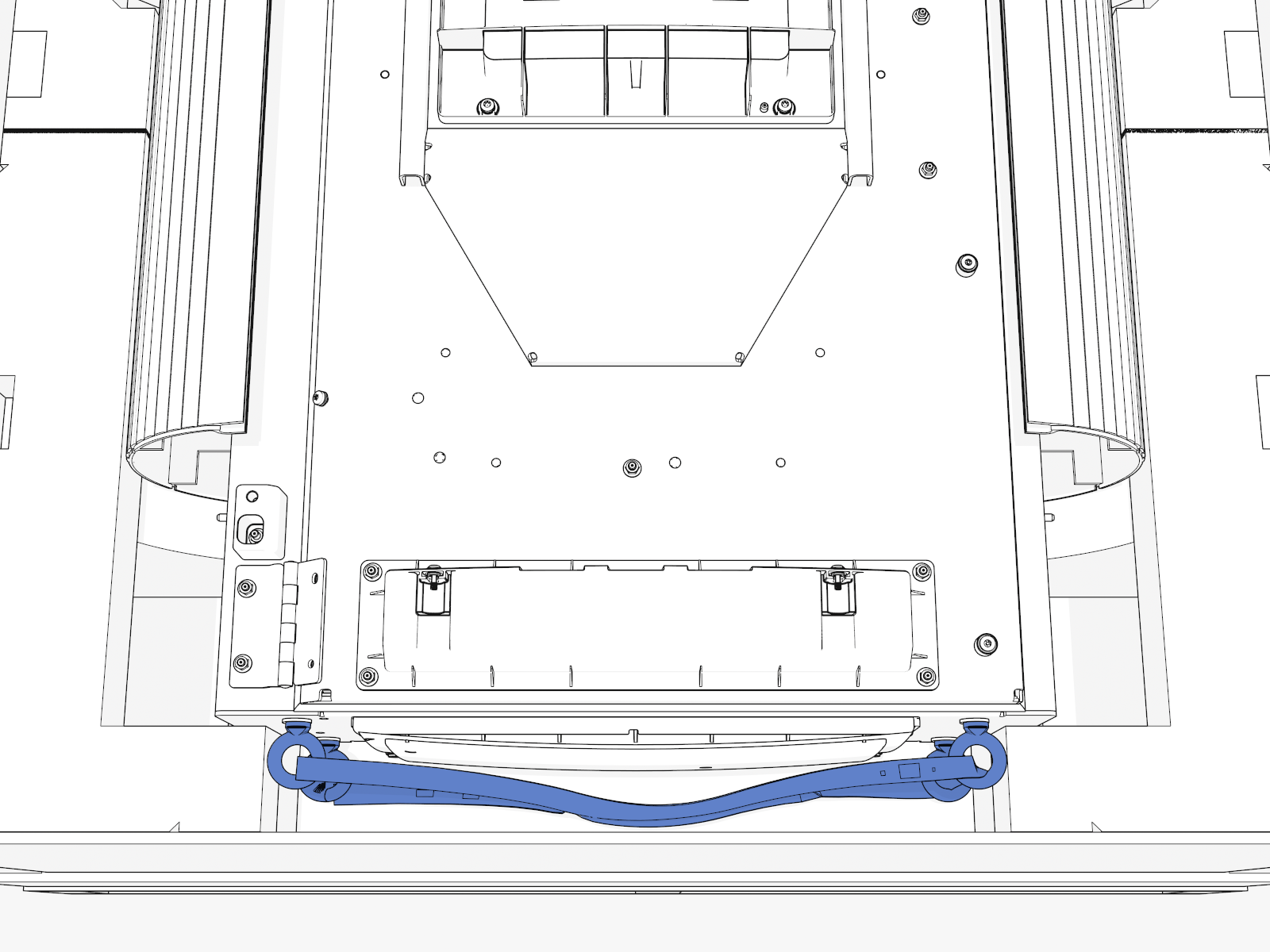
Access Inside
IMPORTANT: Keep components in a cool area out of direct sunlight until you reinstall them.
-
Lift up the Power Link 1000 by the lifting straps.
Use a forklift or service cart with retaining straps.
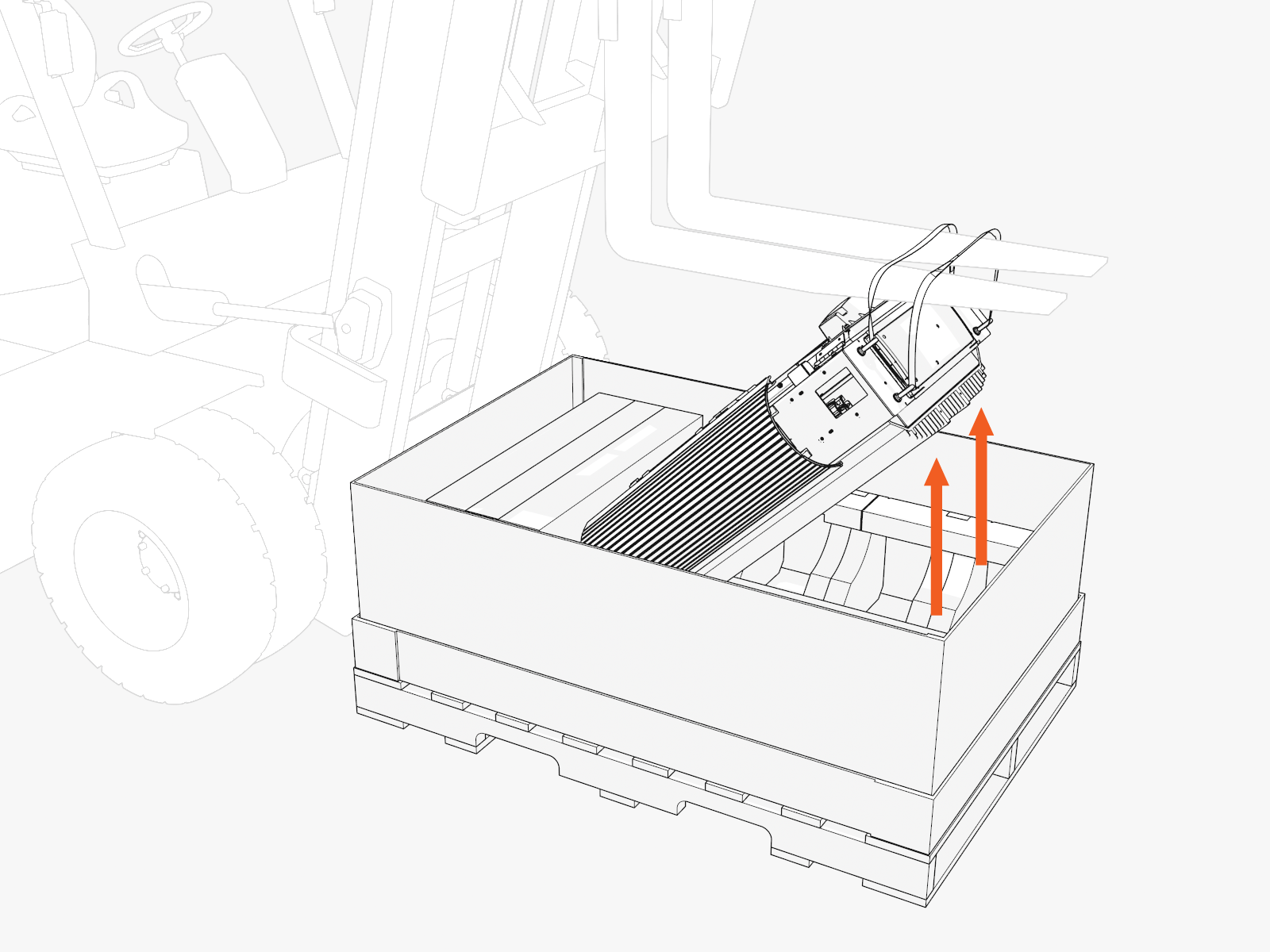
-
Loosen the two screws from the door bracket (only if covers are B. Install Vinyl Signs, Trims, and Top Cover).
Hold the middle of the door bracket. Lift and tilt out.
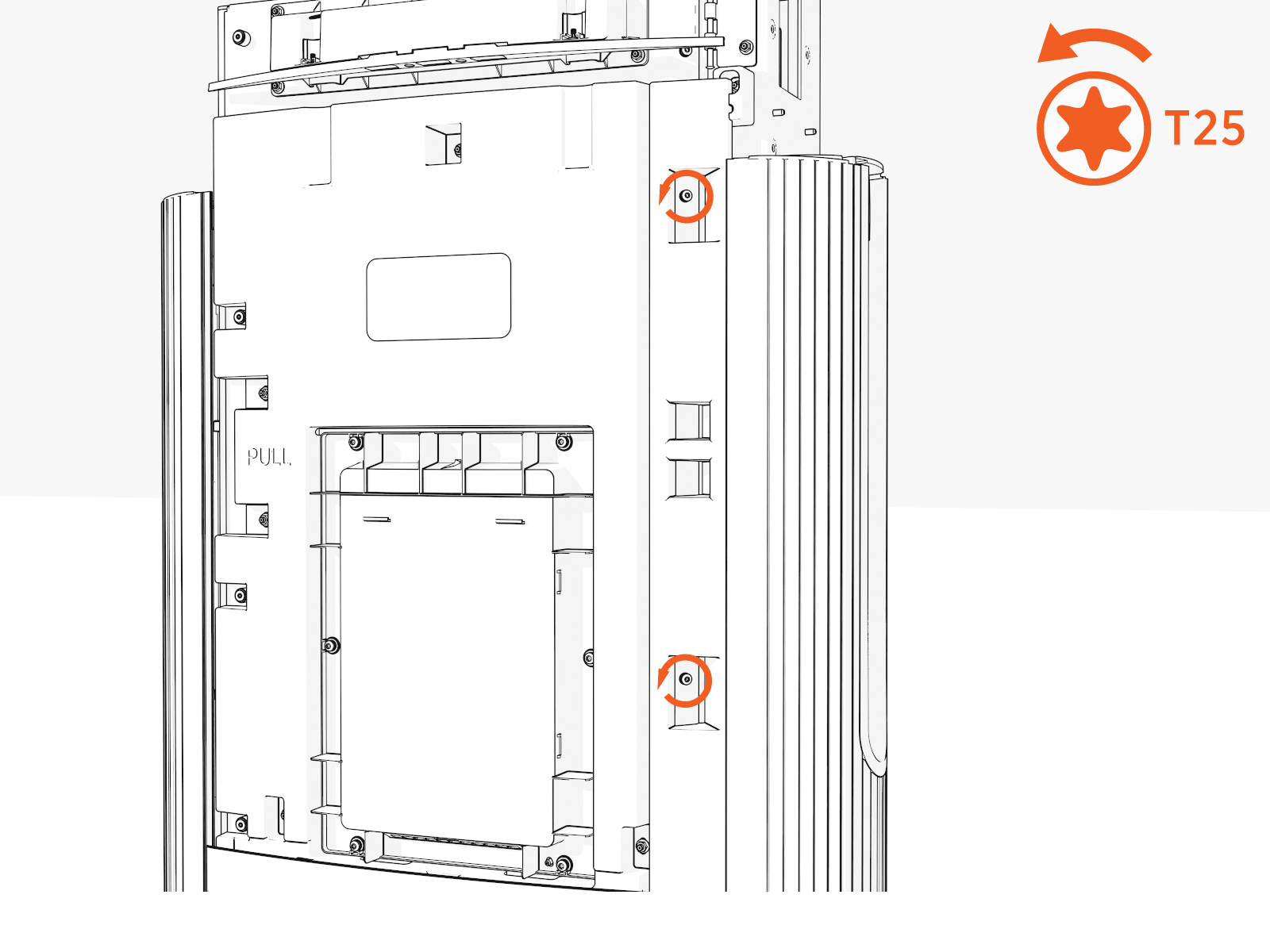
-
Uninstall the four screws along the left side to open the door.
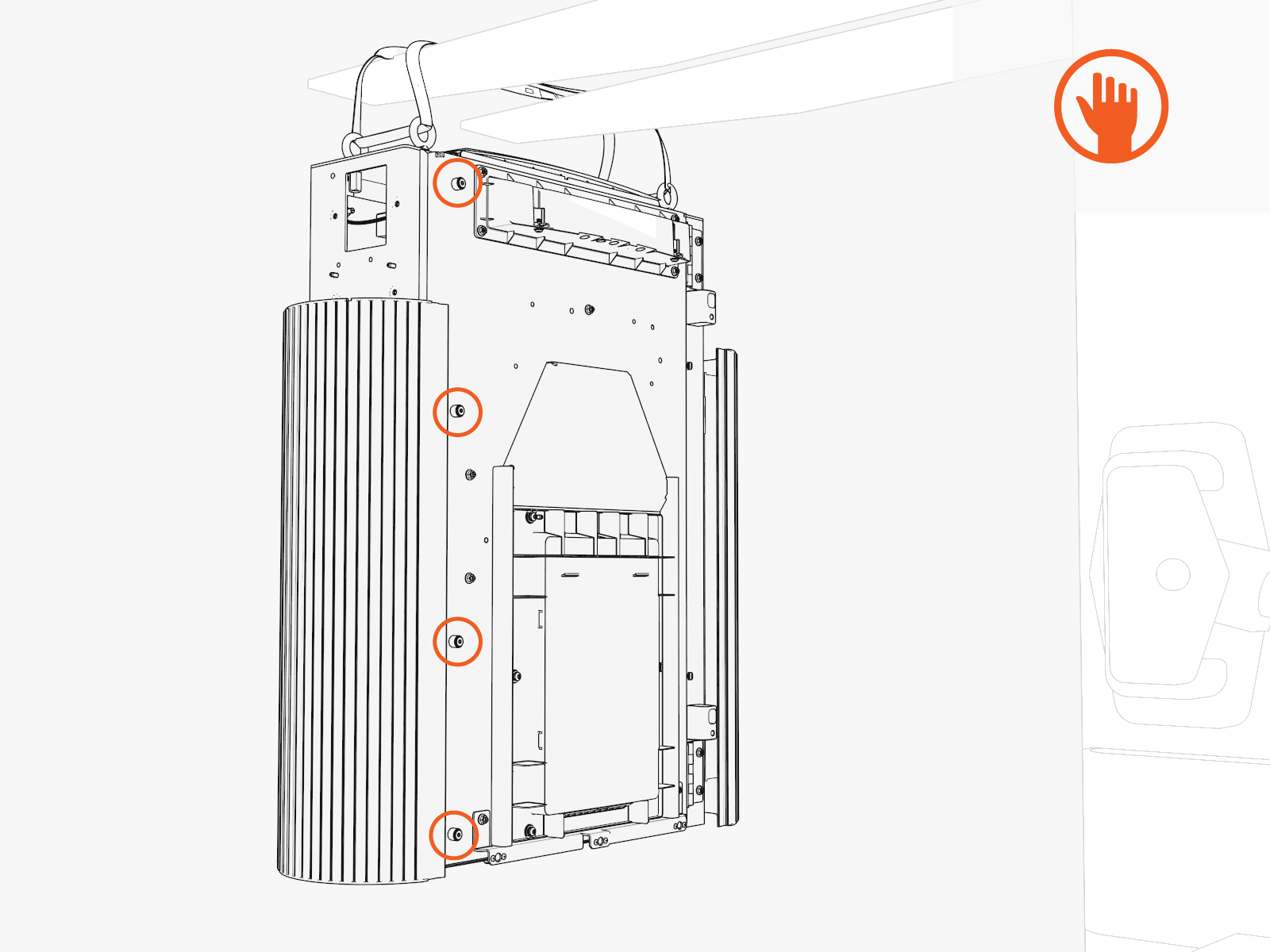
-
At the hinges inside the door, rotate the orange-colored wind stops into the door gap (to prevent the door from accidentally closing while you work).
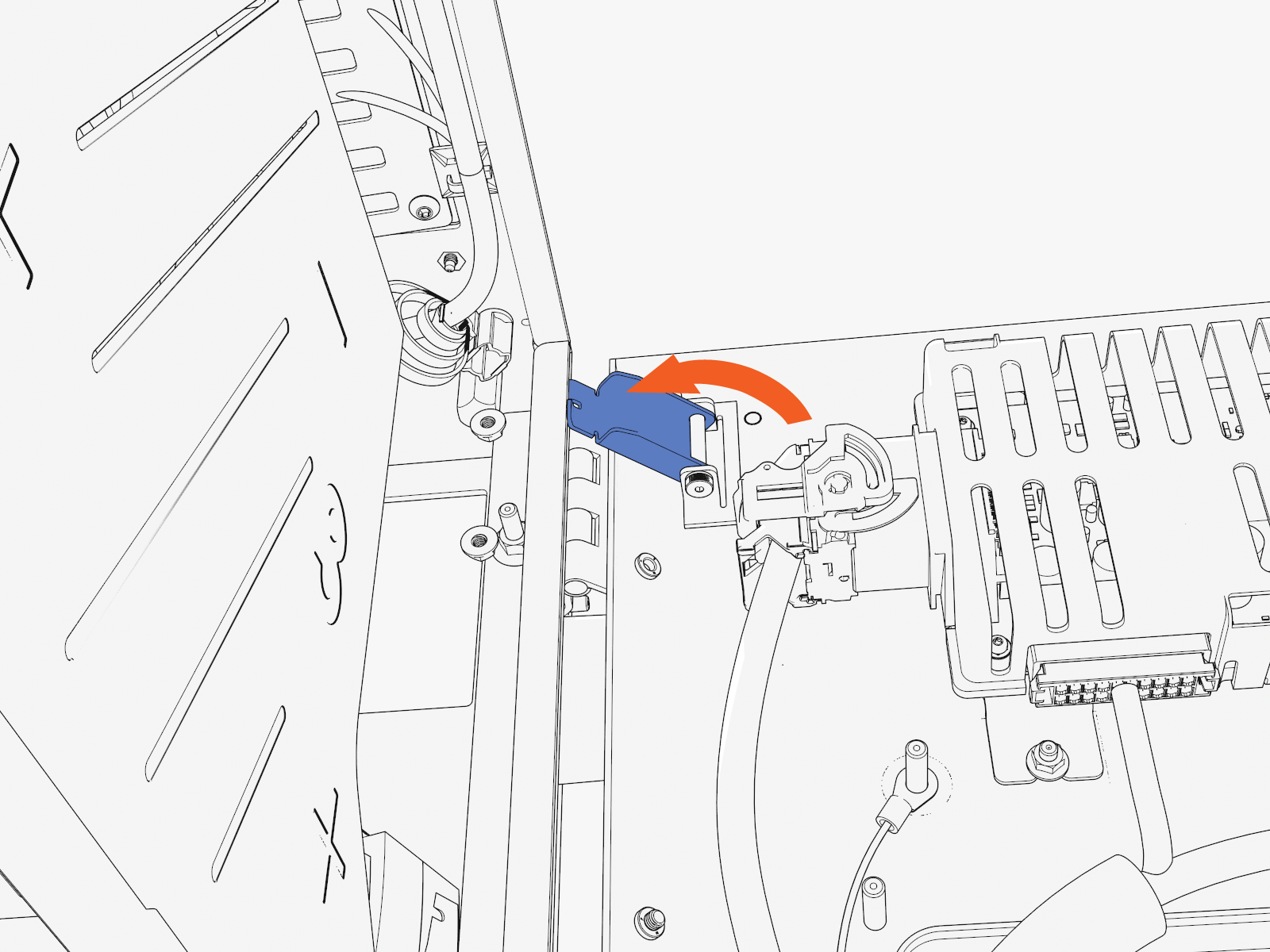
Gland Plate
-
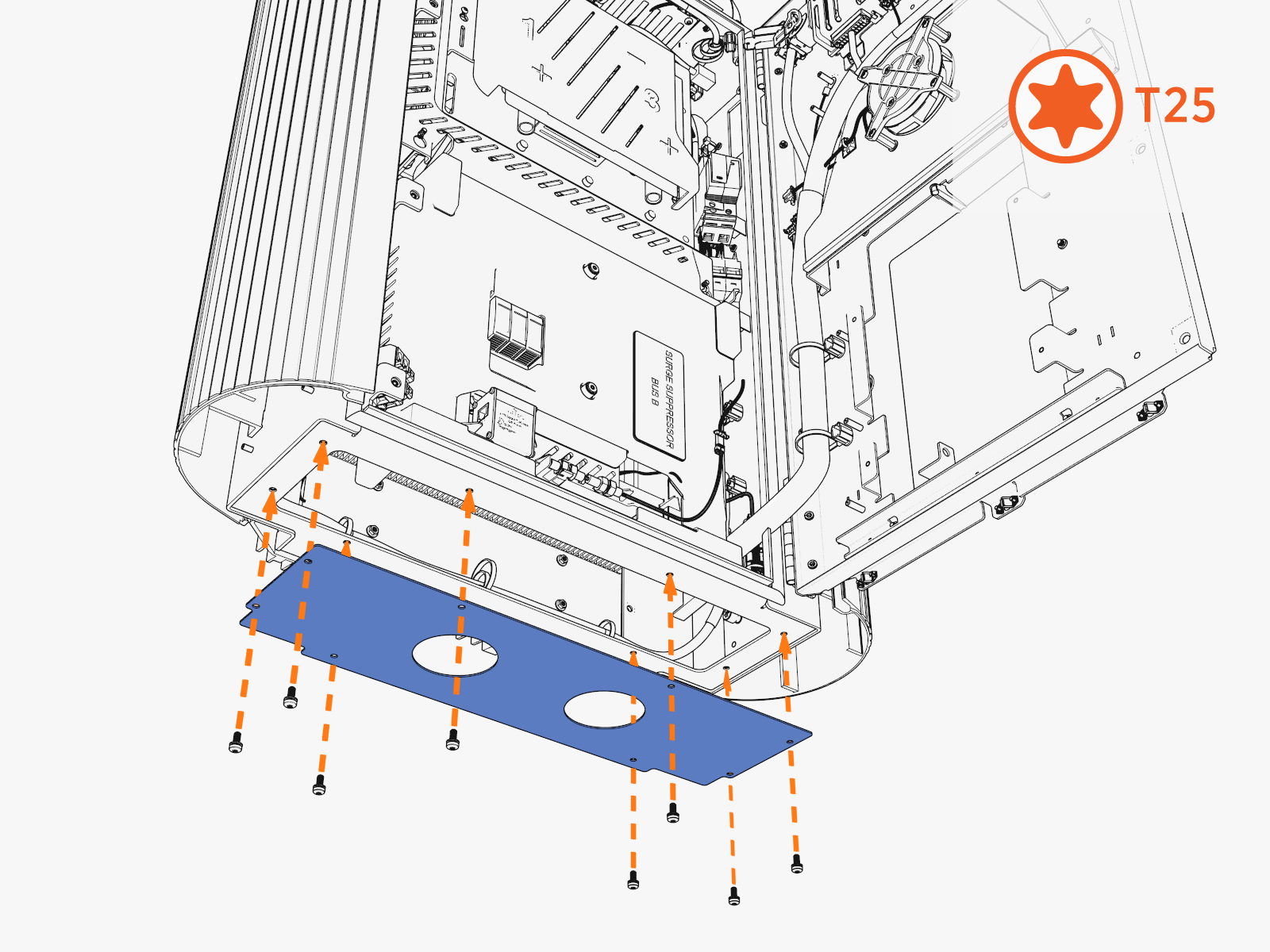
Uninstall the screws from the gland plate located at the bottom.
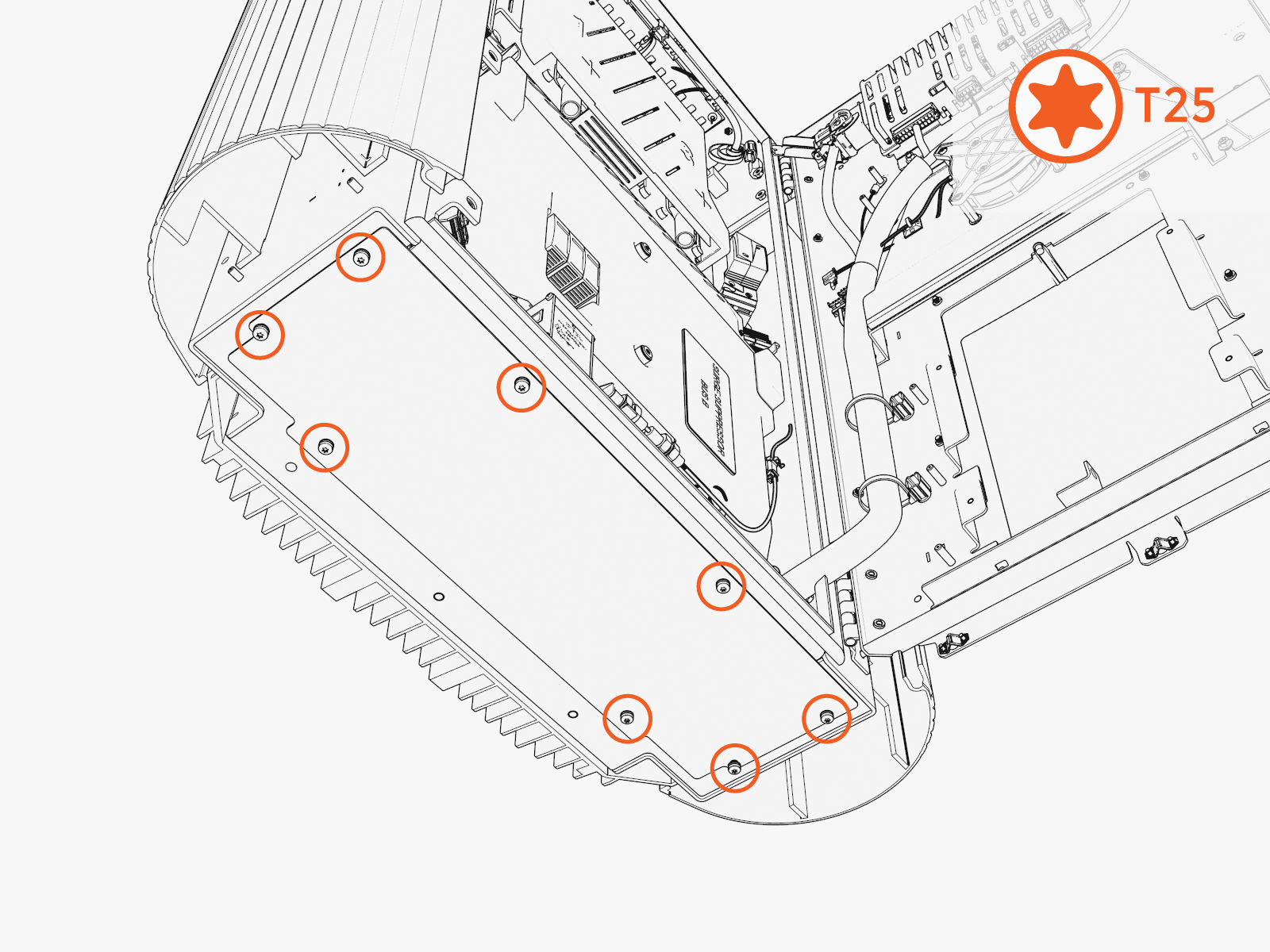
-
Remove the gland plate.
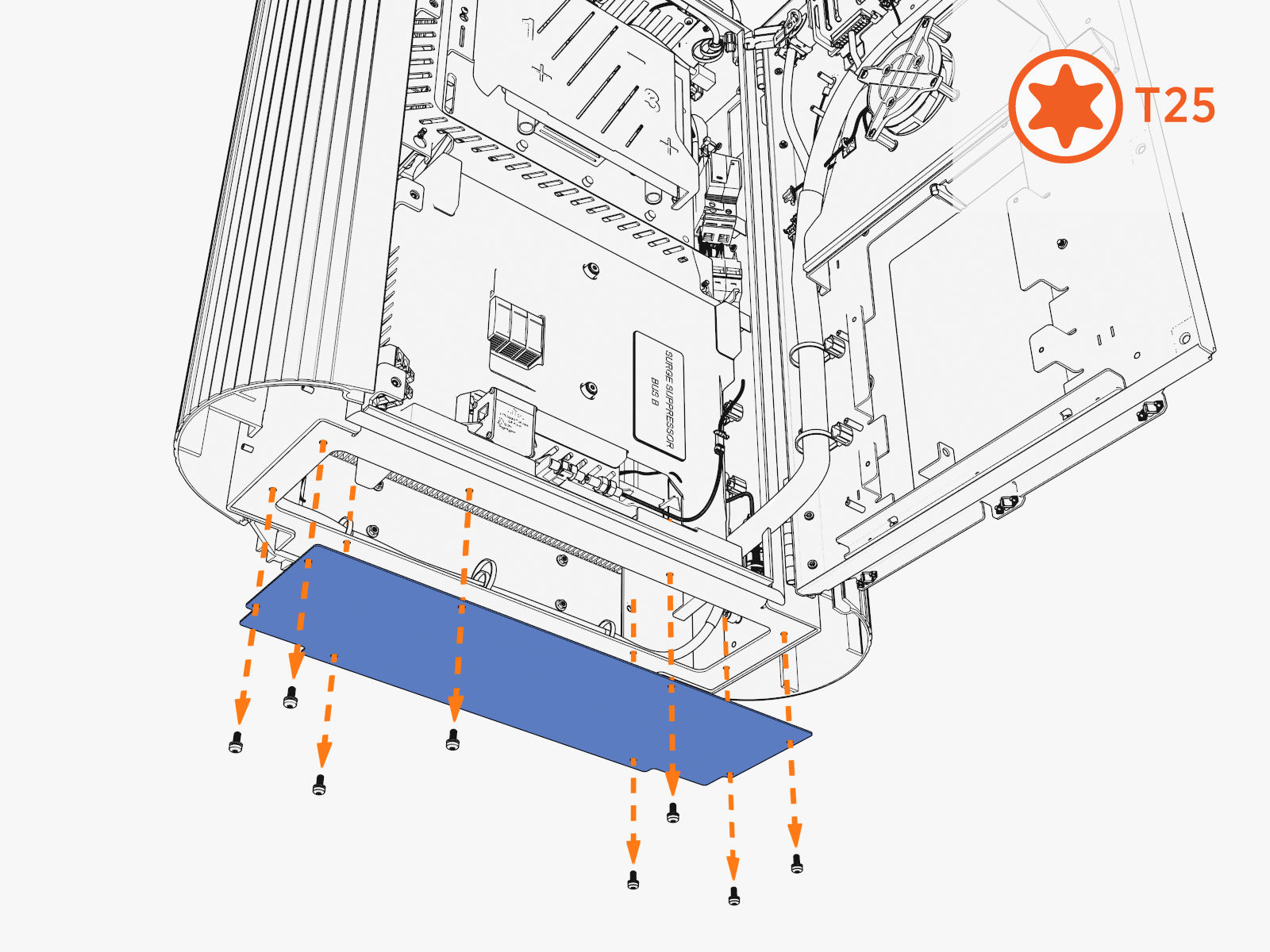
-
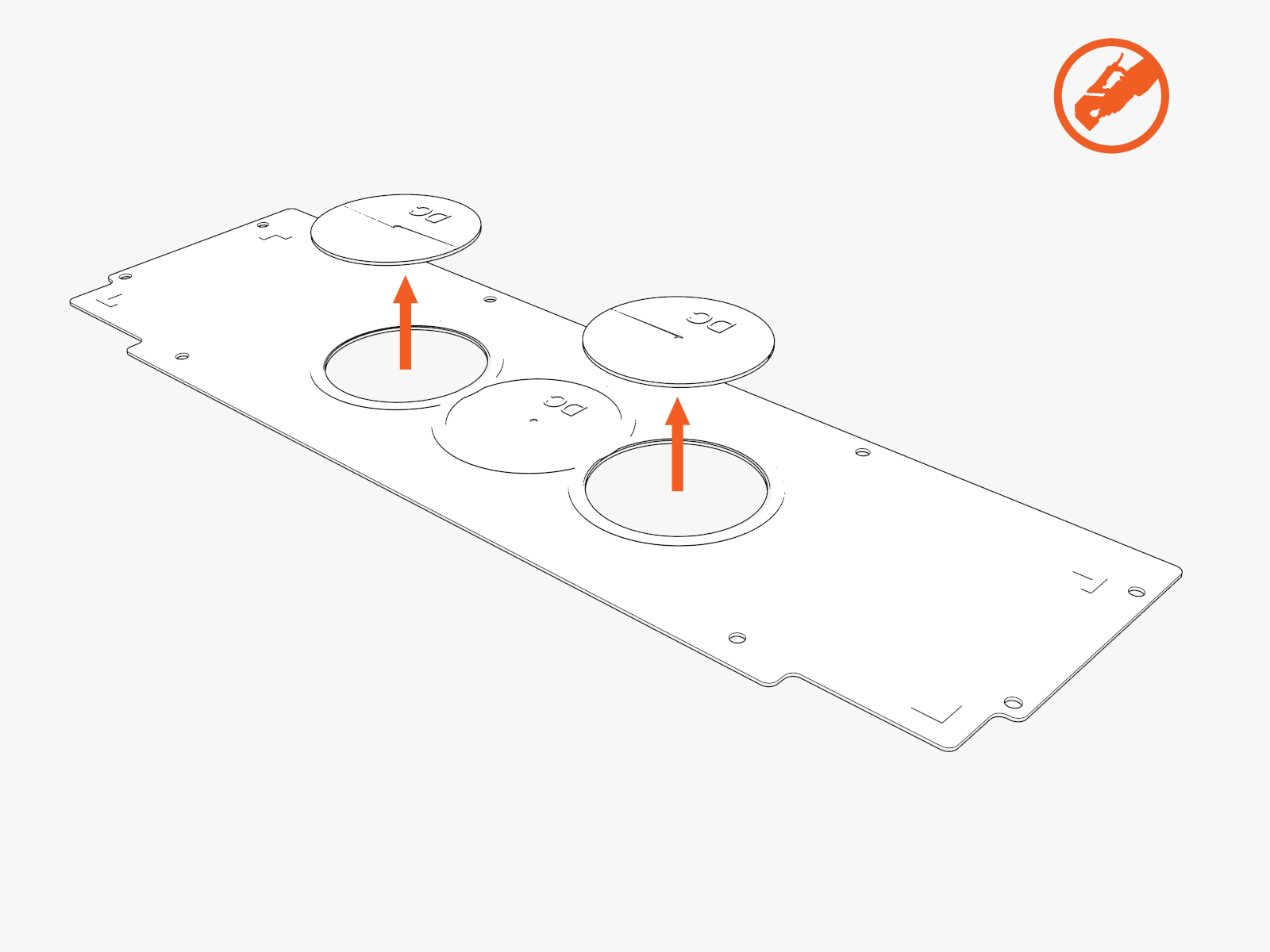
Use a hydraulic hole punch to create openings in the gland plate for this wiring:
-
DC input conduits
-
Check if the site plans require one or two DC conduits.
-
Use the gland plate pilot holes as a guide.
-
Punch out one or two DC opening(s).
-
-
48 V DC and Ethernet conduits
-
Check if the site plans require one, two, or three conduits.
-
Punch out the correct number of 48 V DC and Ethernet opening(s).
-
-
-
Reinstall the gland plate.
Mount
-
Disengage windstops and close the door. Install screws into the door.
-
Move the wiring out of the way.
-
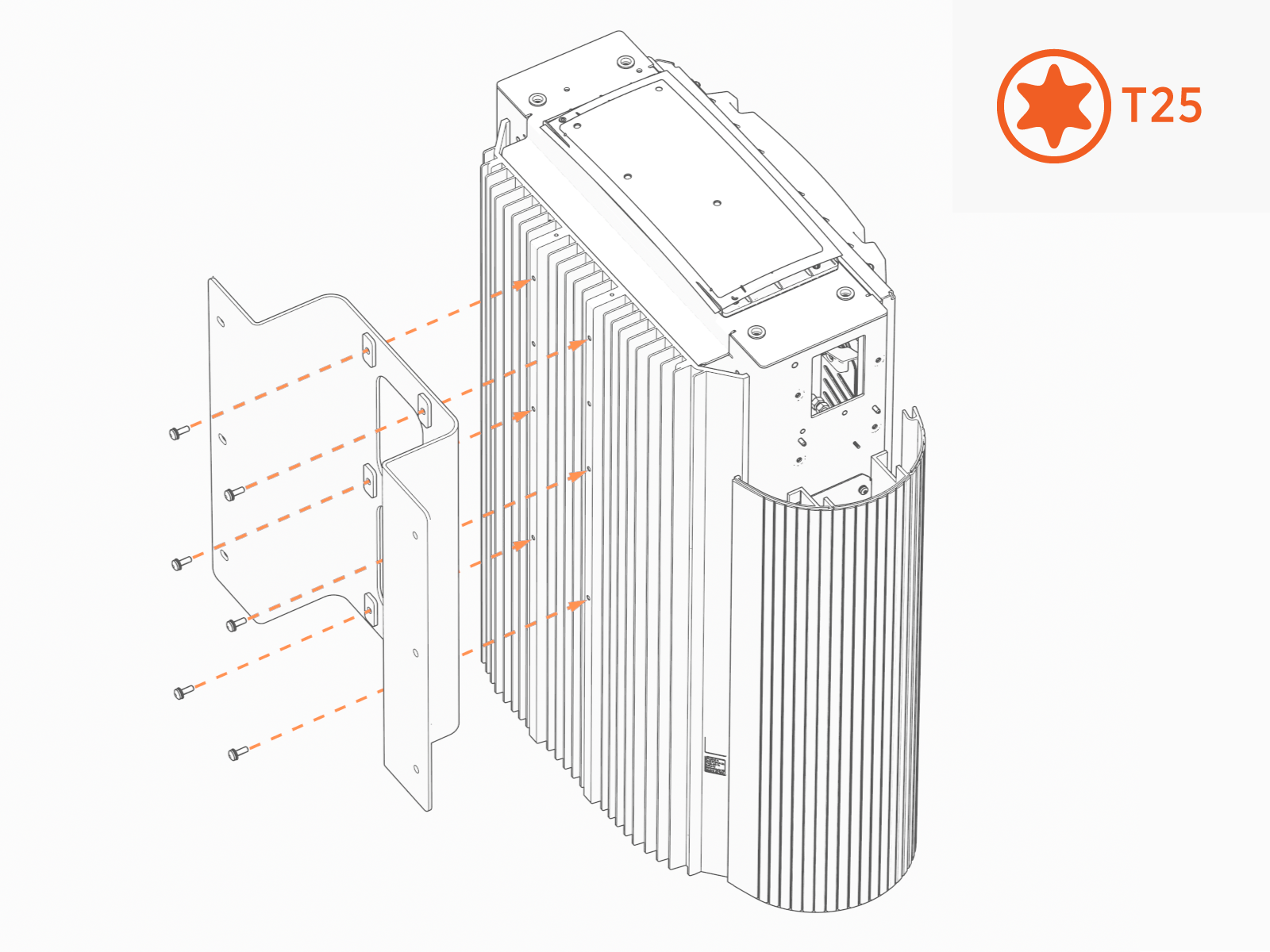
Install the wall mount bracket onto the back of the Power Link 1000.
-
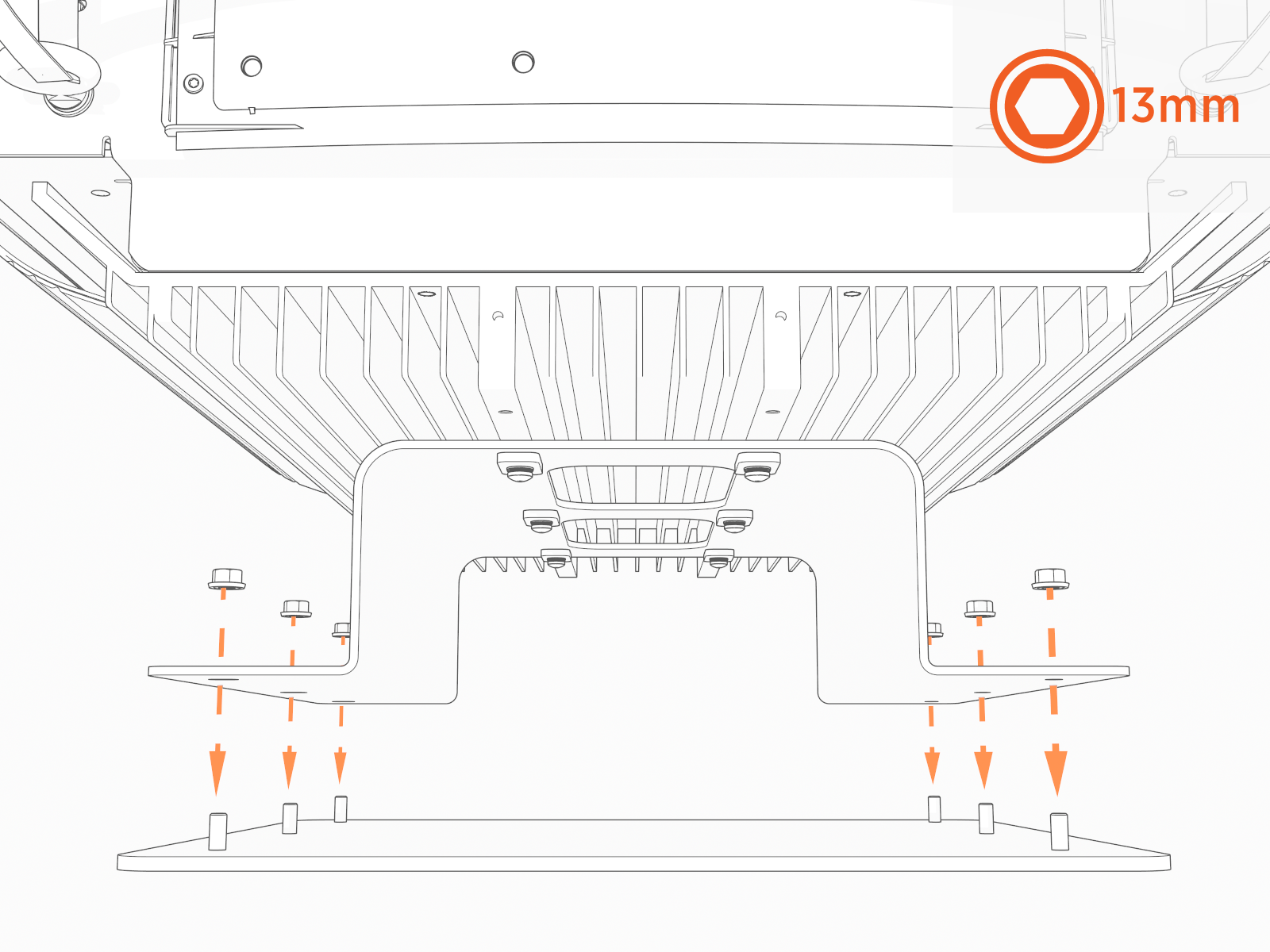
Attach the wall mount plate onto the bracket. Install fasteners called for by the site plans.
Torque to the specification indicated in the site plans. Mount as preferred.Contractor provides fasteners. Site plans must specify fasteners appropriate for and rated to secure the weight to the material.
-
Remove the four outer screws from the gland plate (if previously reinstalled).
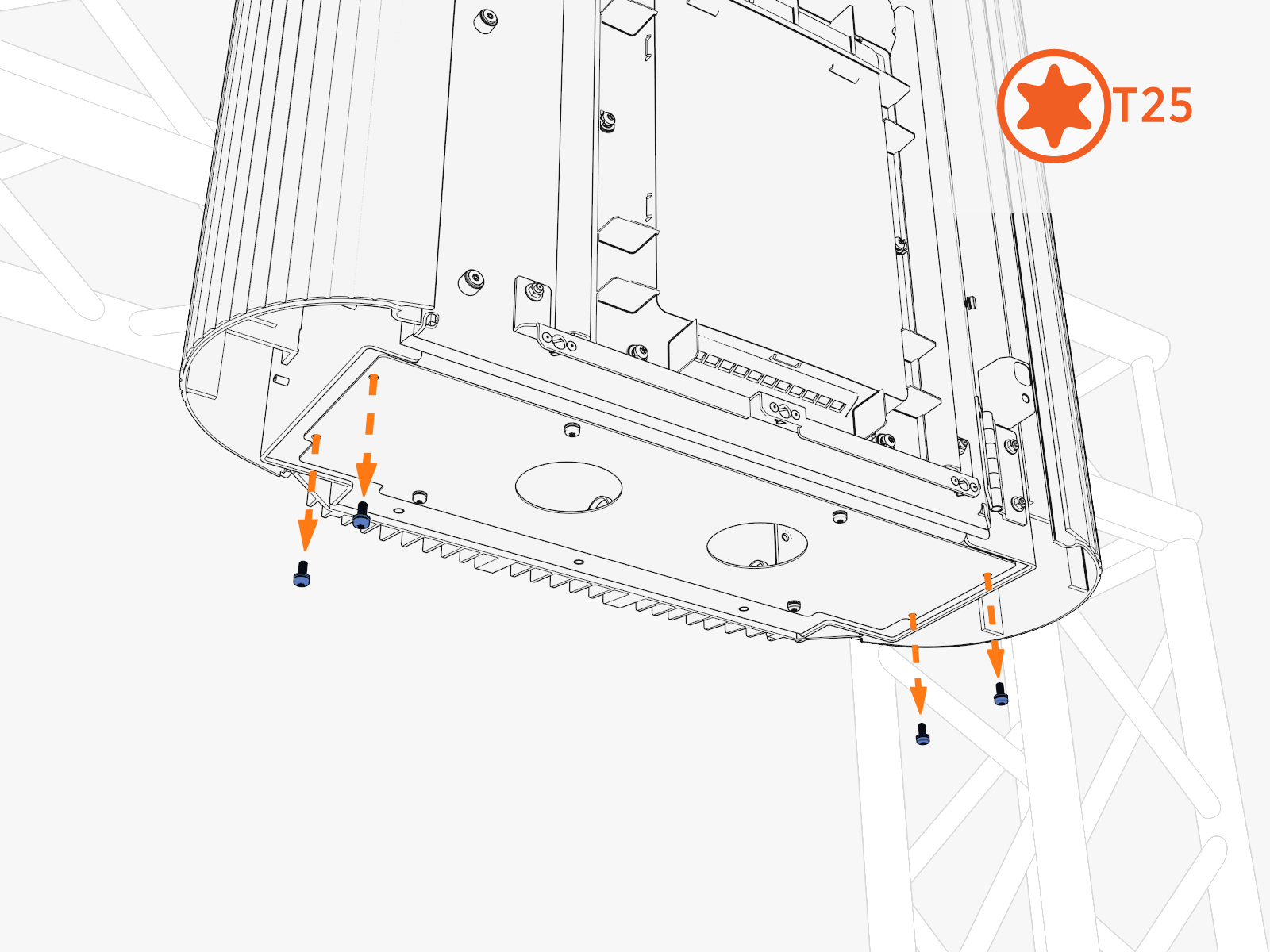
-
Use those screws to install the bottom cap.
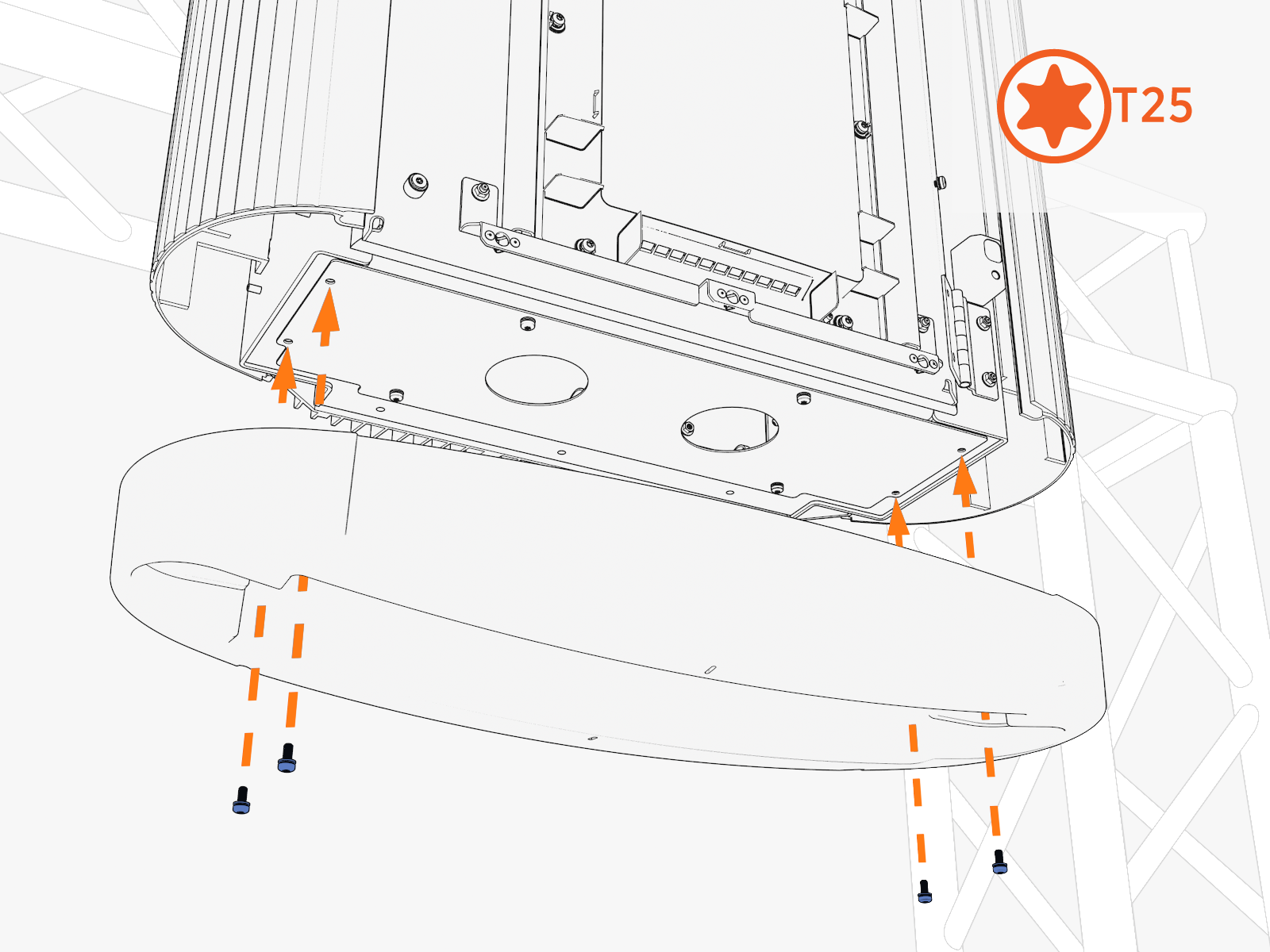
-
Disengage windstops and close the door. Install screws into the door.
-
Reopen the door.
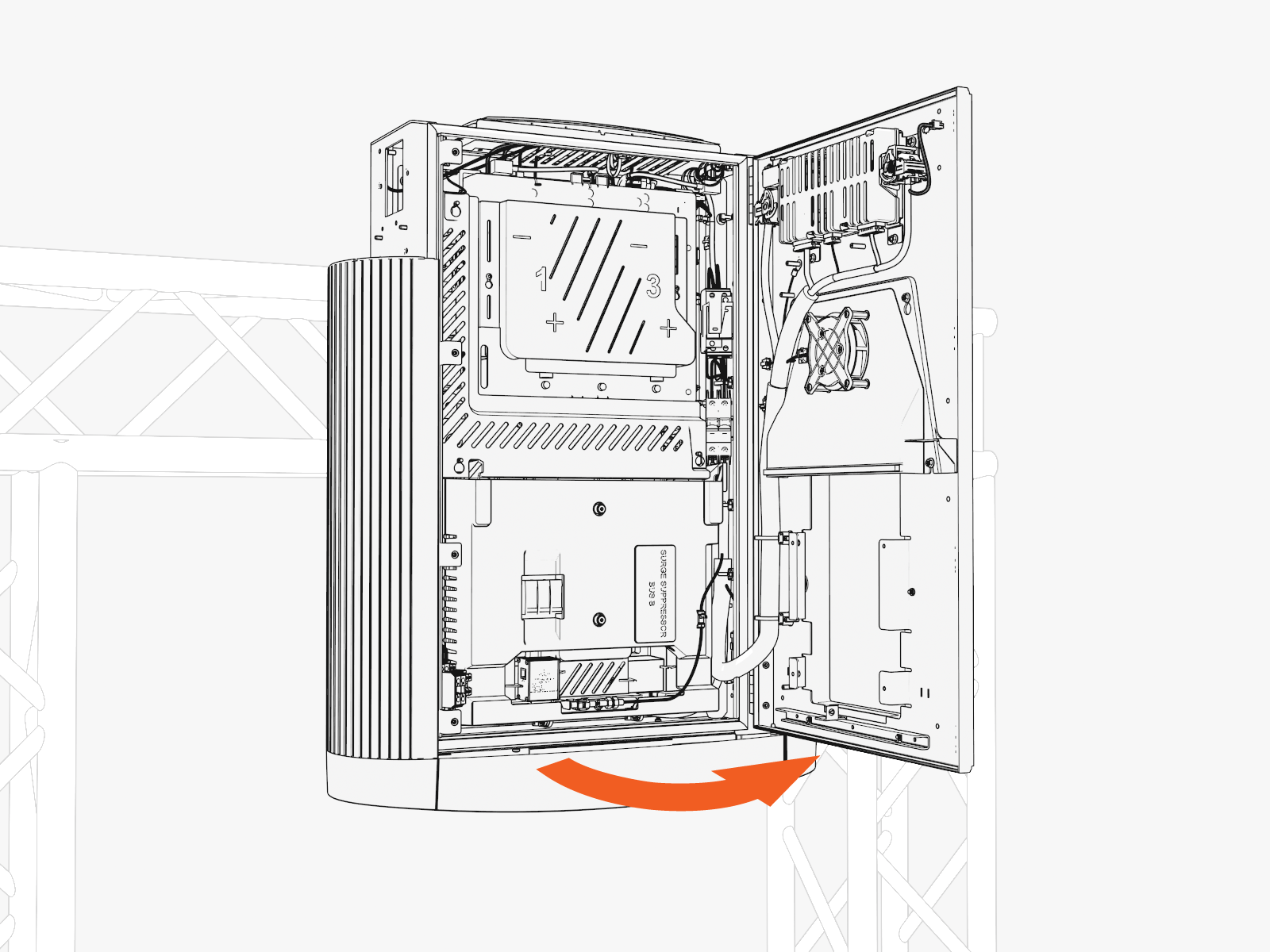
-
Route the wiring through the bottom.
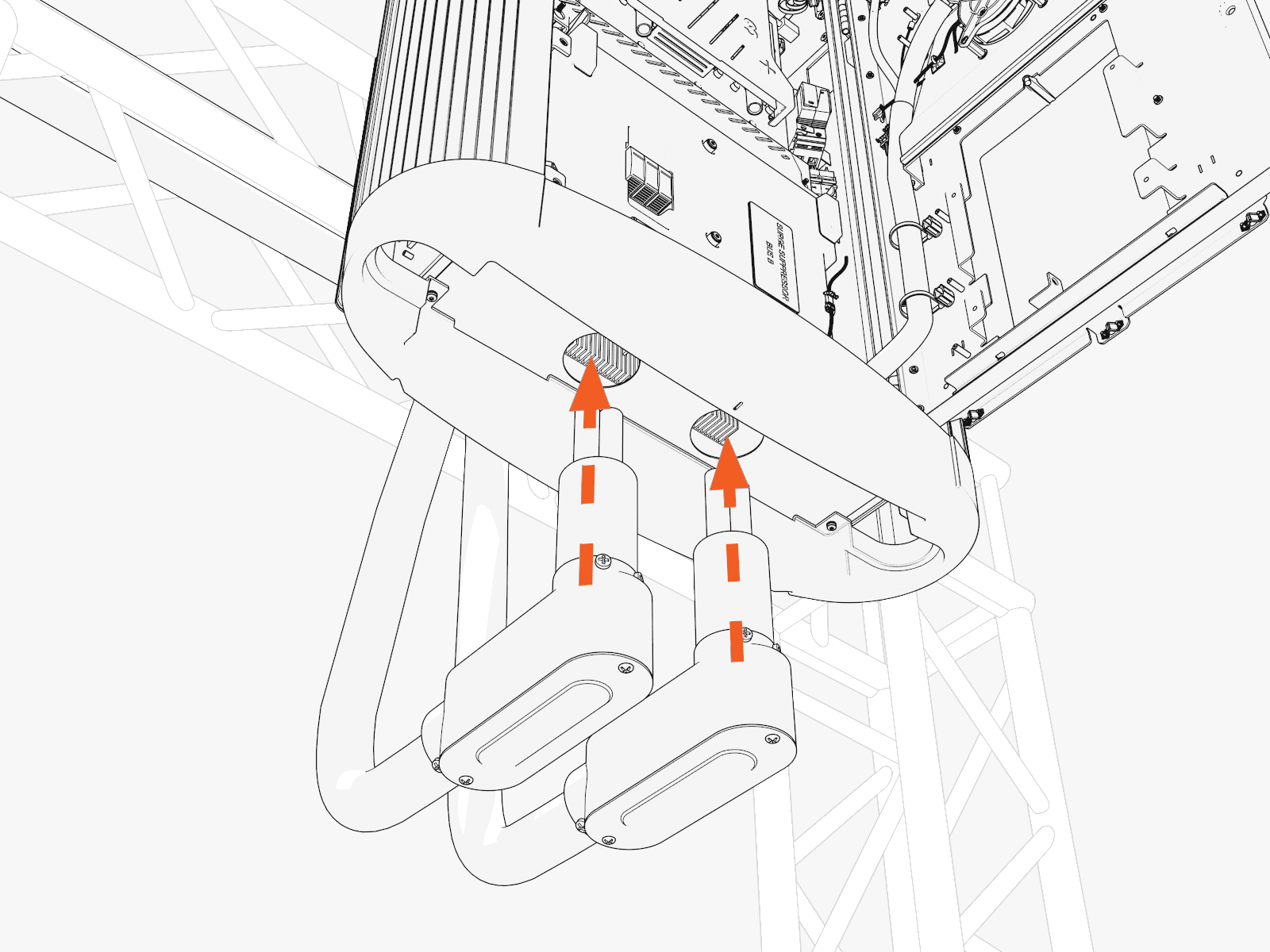
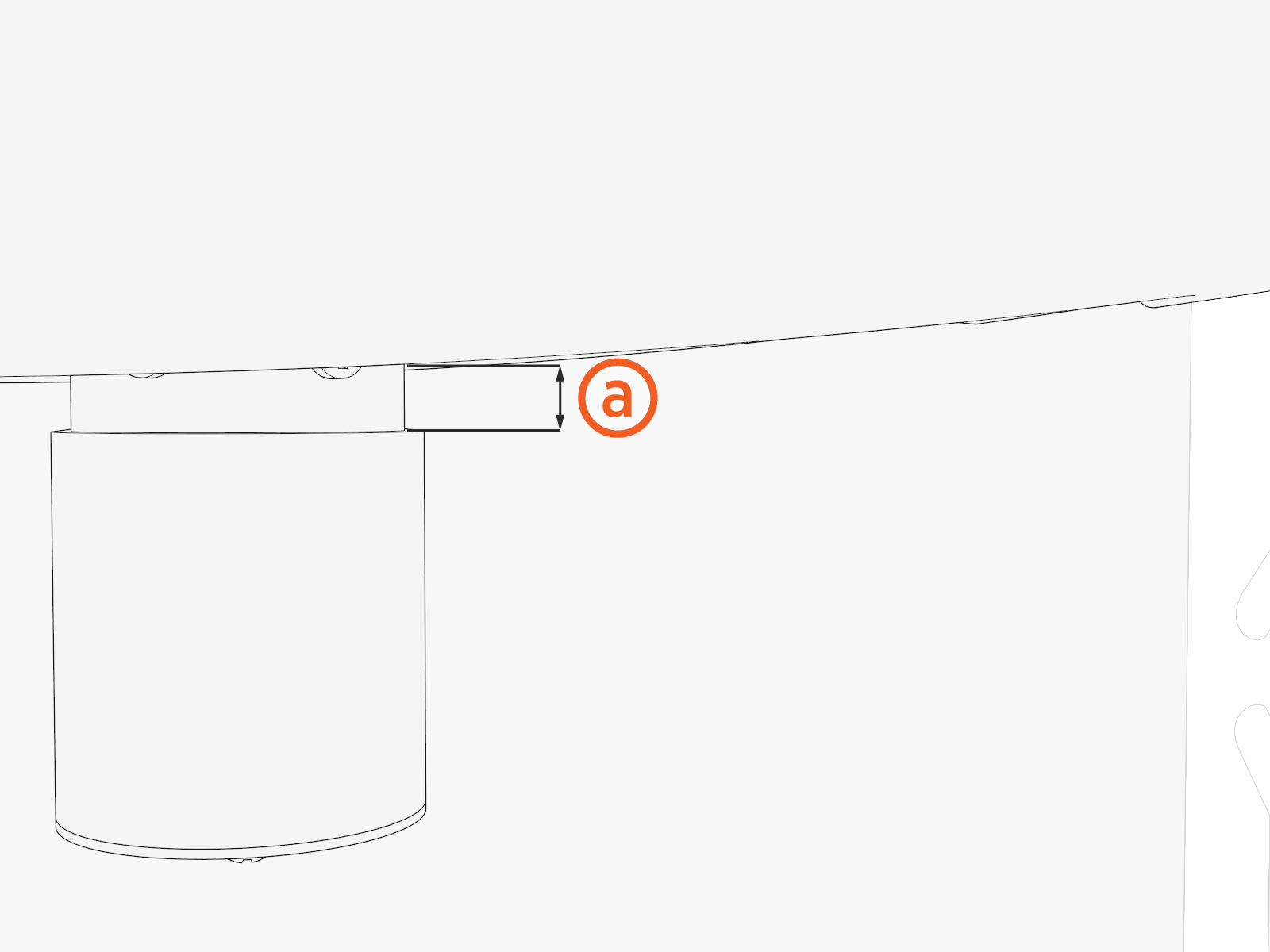
Ensure that there is (a) 12 mm (1/2 in) clearance between the bottom cap and the conduit.