Service Bulletin: Express Plus Power Block Fuse Installation
Bulletin Published: April 2026.
Affected Models and Down Version: All Power Block models.
Required Action: When installing Power Block fuses, loosen the lower fuse-mounting hardware as needed to create sufficient clearance for the updated fuse body.
Failure: Failure to comply with this issue will result in delays in installation. This issue does not impact currently installed and commissioned units.
This service bulletin applies to all ChargePoint Express Plus Power Blocks undergoing installation.
- If the charging station is not installed, commissioned, or serviced by a ChargePoint certified technician using a ChargePoint-approved method, it is excluded from all ChargePoint and other warranties and ChargePoint is not responsible.
- You must be a licensed electrician and complete training at https://www.chargepoint.com/partners/training-certification to become ChargePoint certified and to access ChargePoint's web-based installer tools or ChargePoint Installer app.
Contact ChargePoint at chargepoint.com/support with any questions related to this bulletin.
Required Tools
|
|
|
|
17 mm socket |
|
|
T30 Torx screwdriver |
|
|



Introduction
As part of the Power Block installation process, installers must install a set of DC fuses. For details, refer to the Express Plus Power Block Installation Guide > Install Power Block > Connect Power Block Wiring > Install DC Fuse Kits.
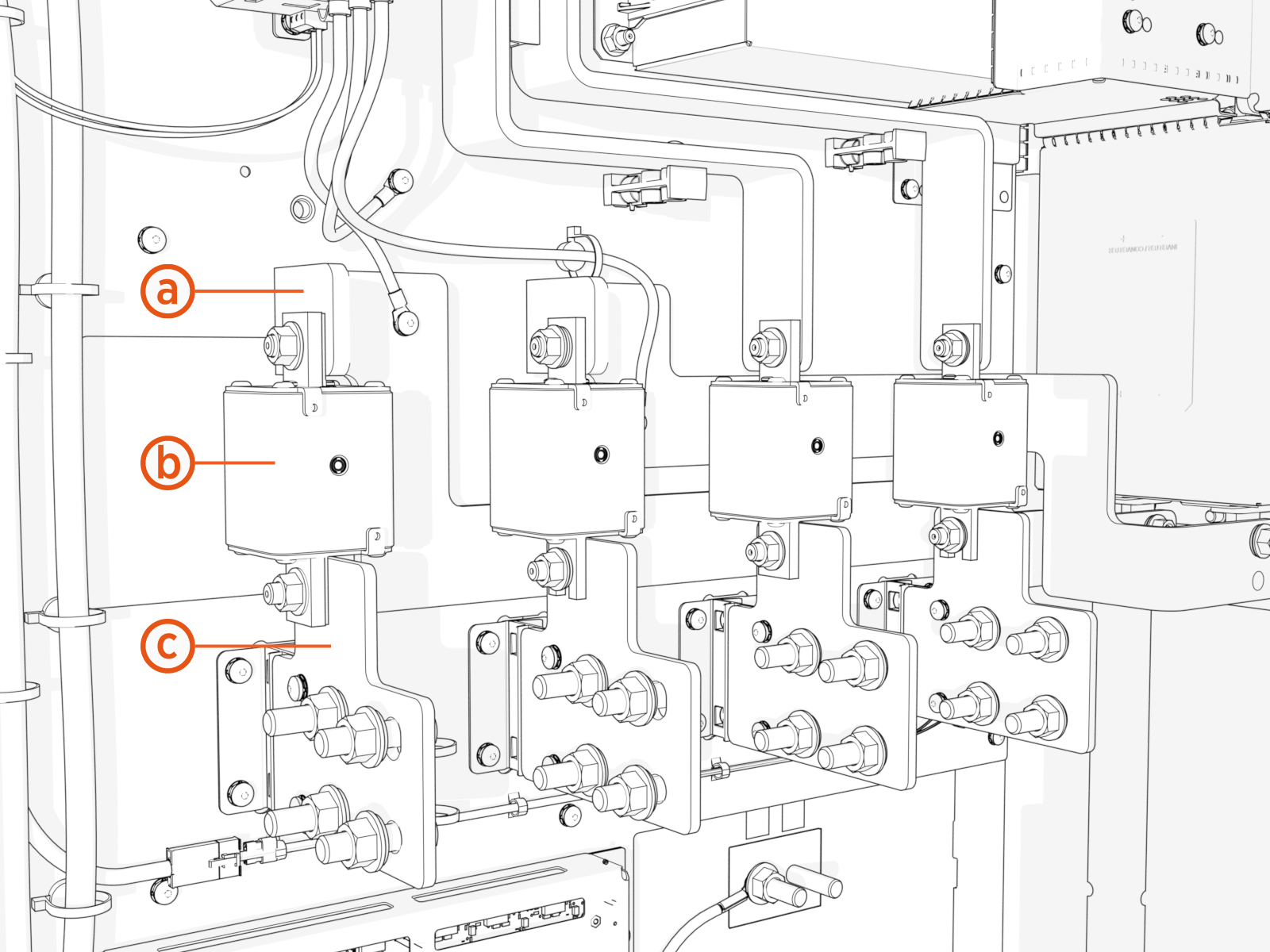
Each fuse is installed between a DC bus bar and a DC output landing bus bar, as illustrated below.
-
DC bus bar
-
Fuse
-
DC output landing bus bar
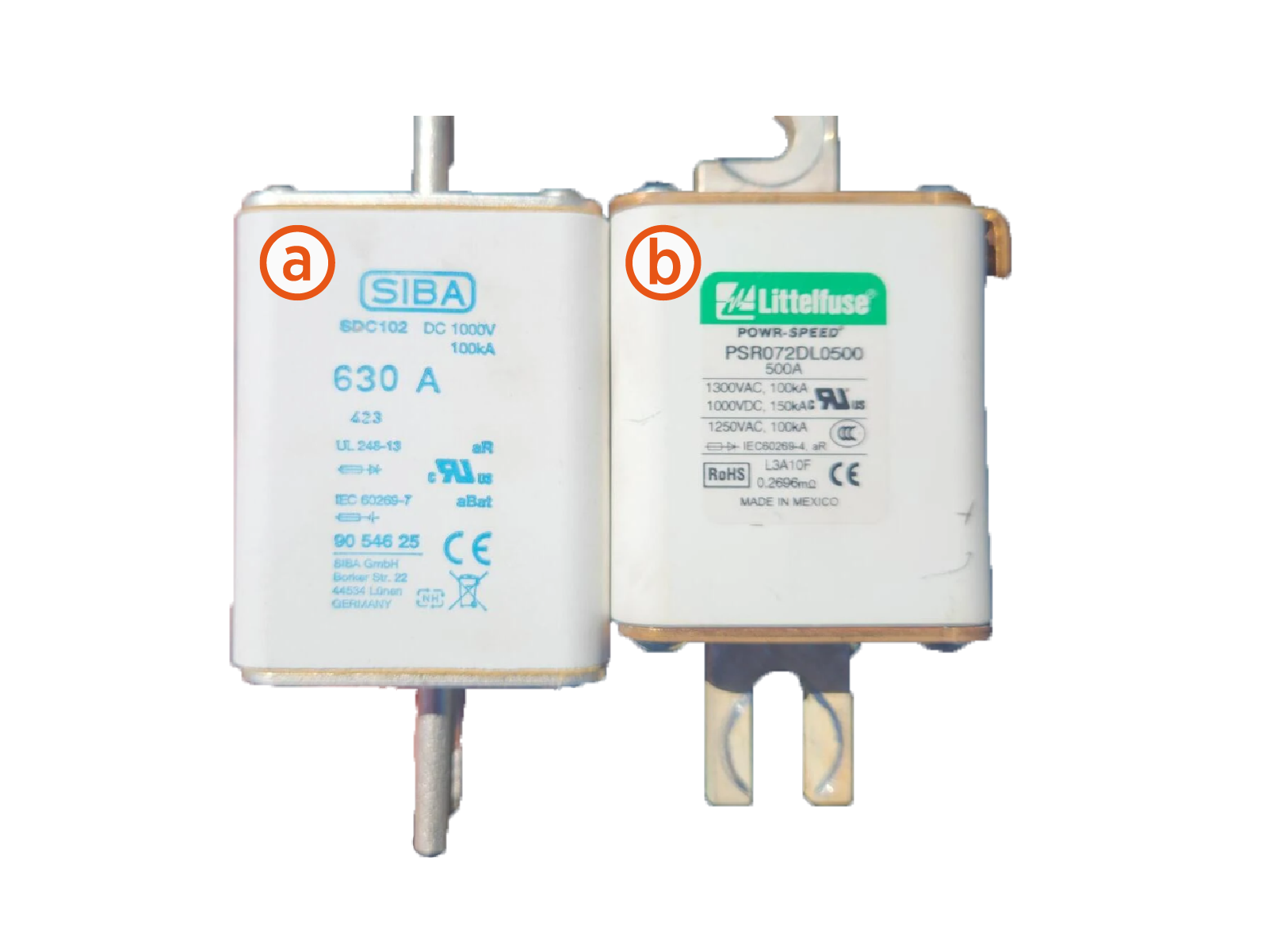
Due to a recent vendor change, the fuses now supplied with the Power Block have a taller body than the original components, as shown below. Due to tight tolerances in design, installers may find that the new fuse can not easily fit between the bus bars.
-
Current vendor fuse
-
Original vendor fuse
A small adjustment to the DC output landing bus bar may be required to provide the necessary clearance.
Corrective Procedure
At each fuse install location experiencing a tight fit, follow the instructions below to install the fuse.
-
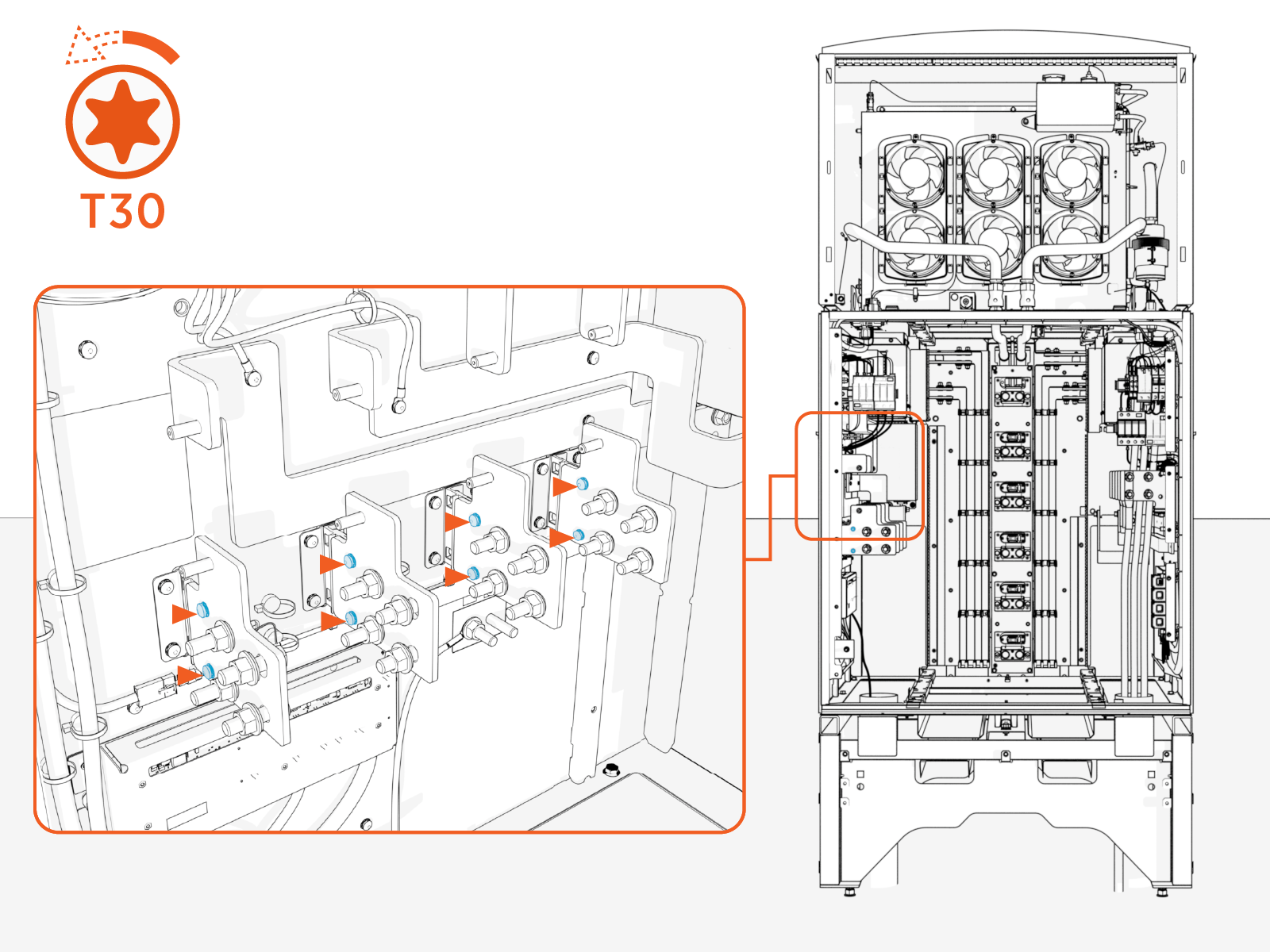
Loosen (do not remove) the DC output bus bar mount screws (x2 per bus bar).
-
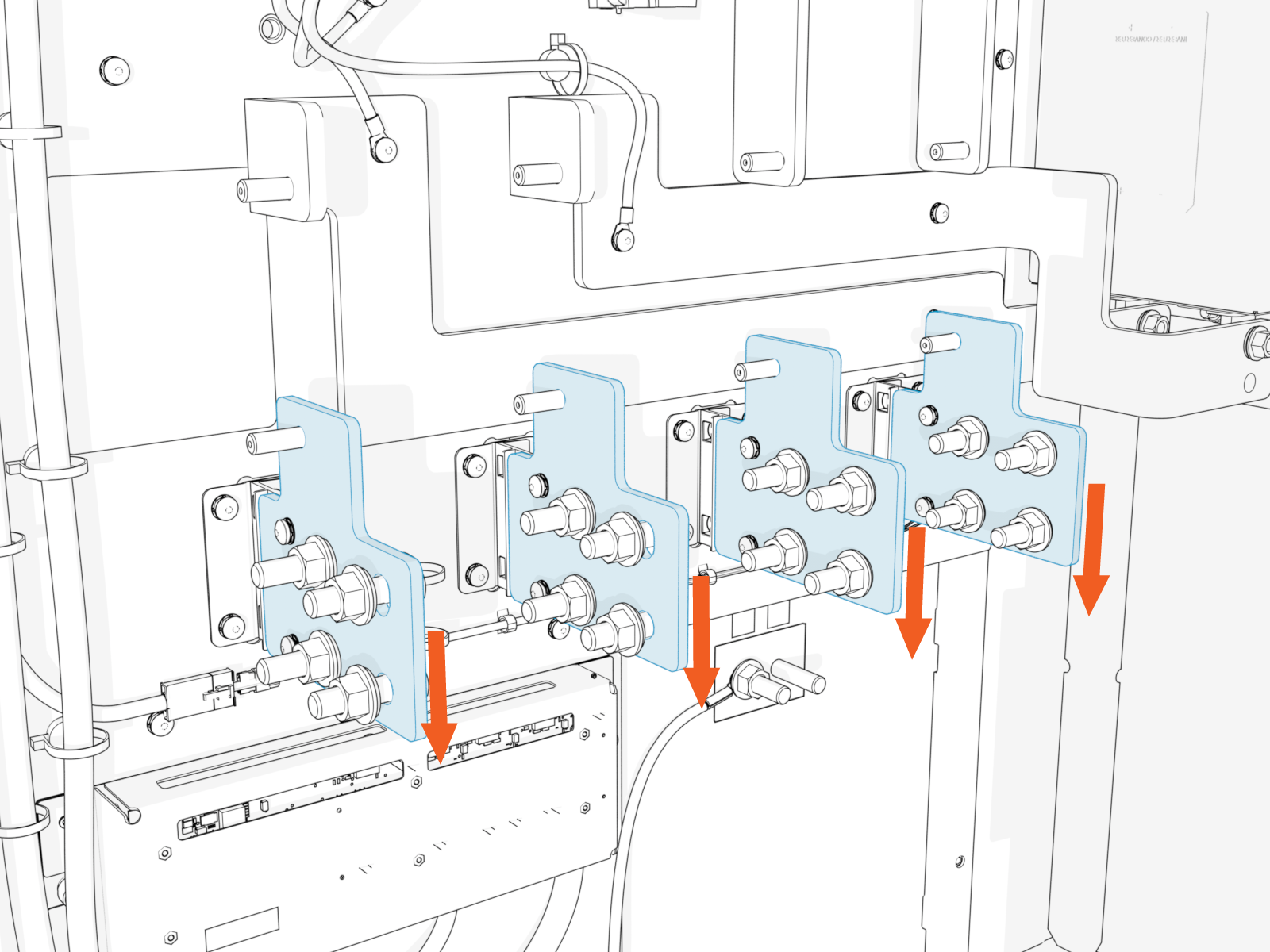
Apply slight downward pressure on the bus bars as needed to provide clearance for fuse insertion.
-
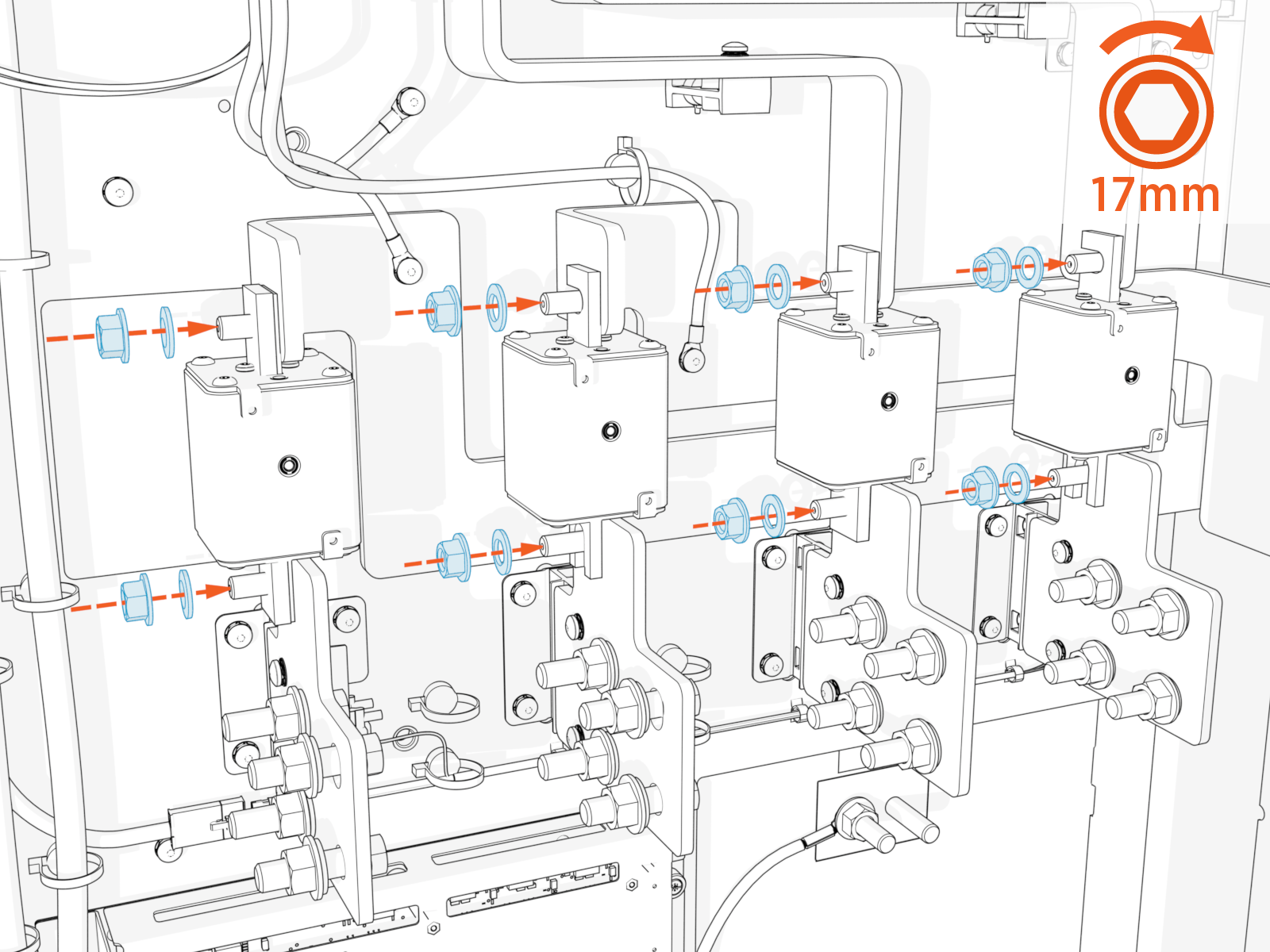
Install the fuses. When seating the fuses, do not use excessive pressure or force on any components. Torque the fastening nuts (two per fuse) to 19 Nm (14 ft-lb).
-
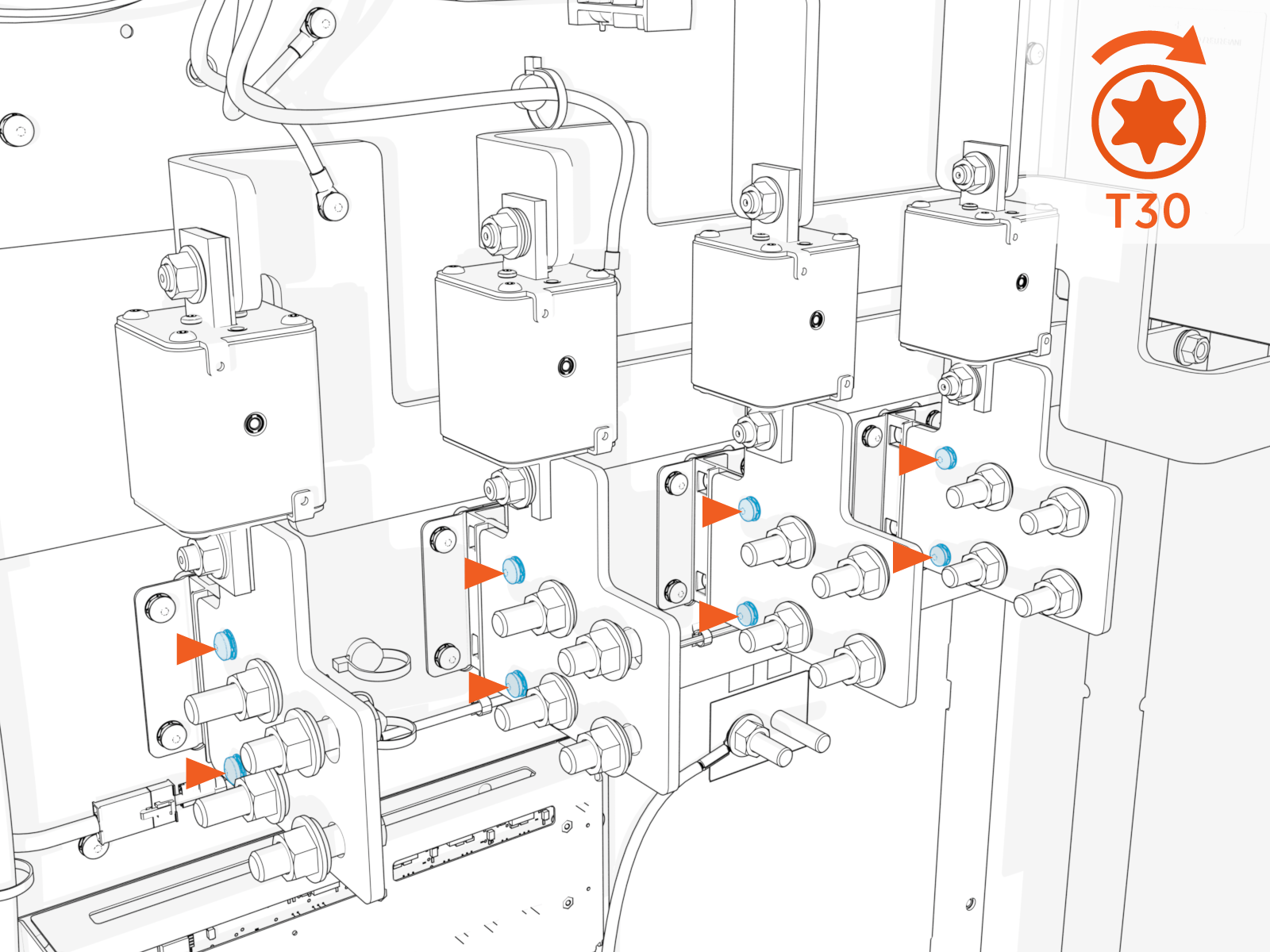
Tighten the DC output bus bar fasteners. Torque to 4.5 Nm (40 in-lb).
This completes the corrective action. Continue following the procedures in the Express Plus Power Block Installation Guide to complete the installation.
