Install Tall Cable Management Kits
Install the Mast
-
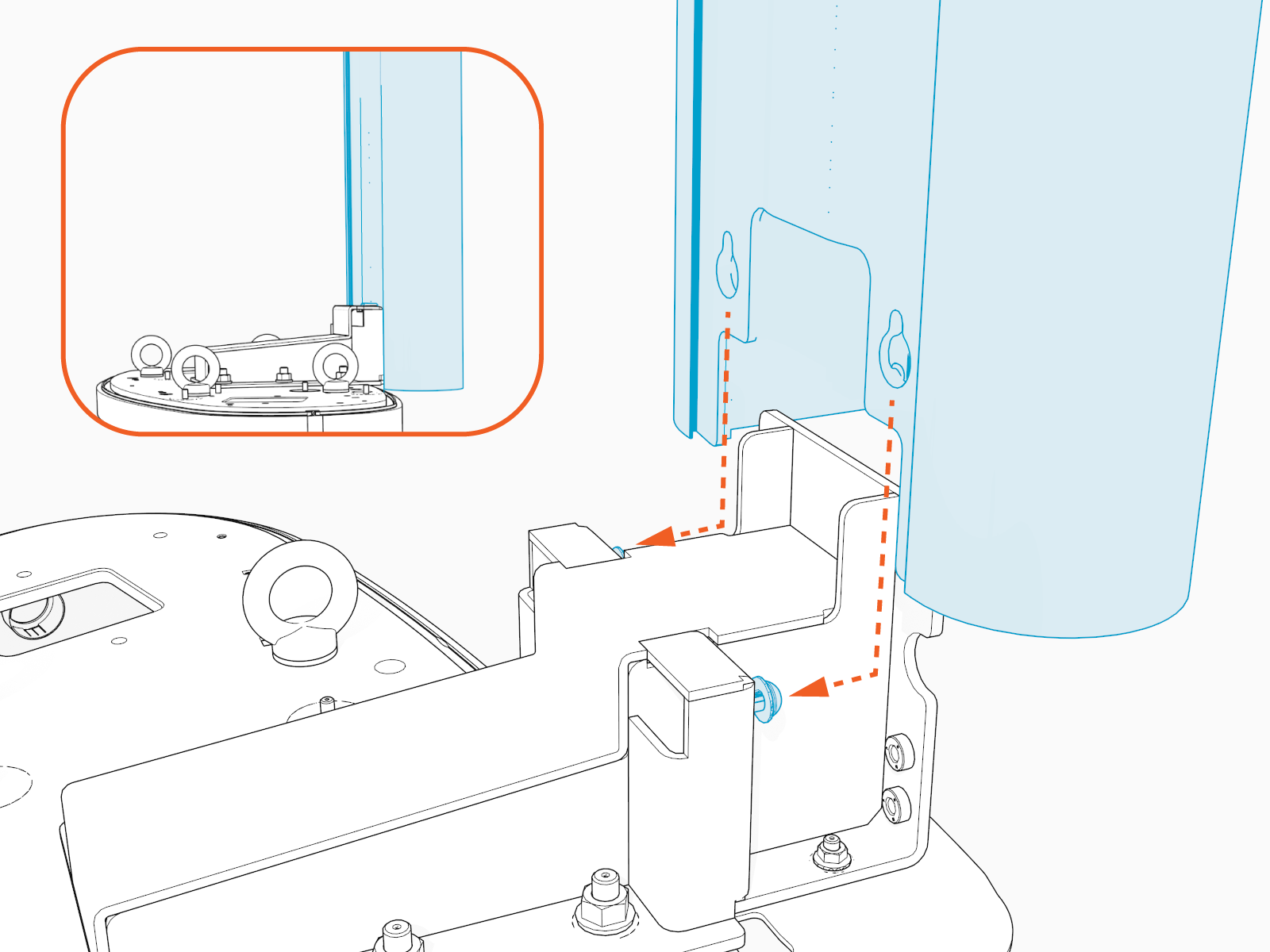
Use a T25 Torx screwdriver to loosen the preinstalled screws on the mast. Hook the mast to the screws.
-
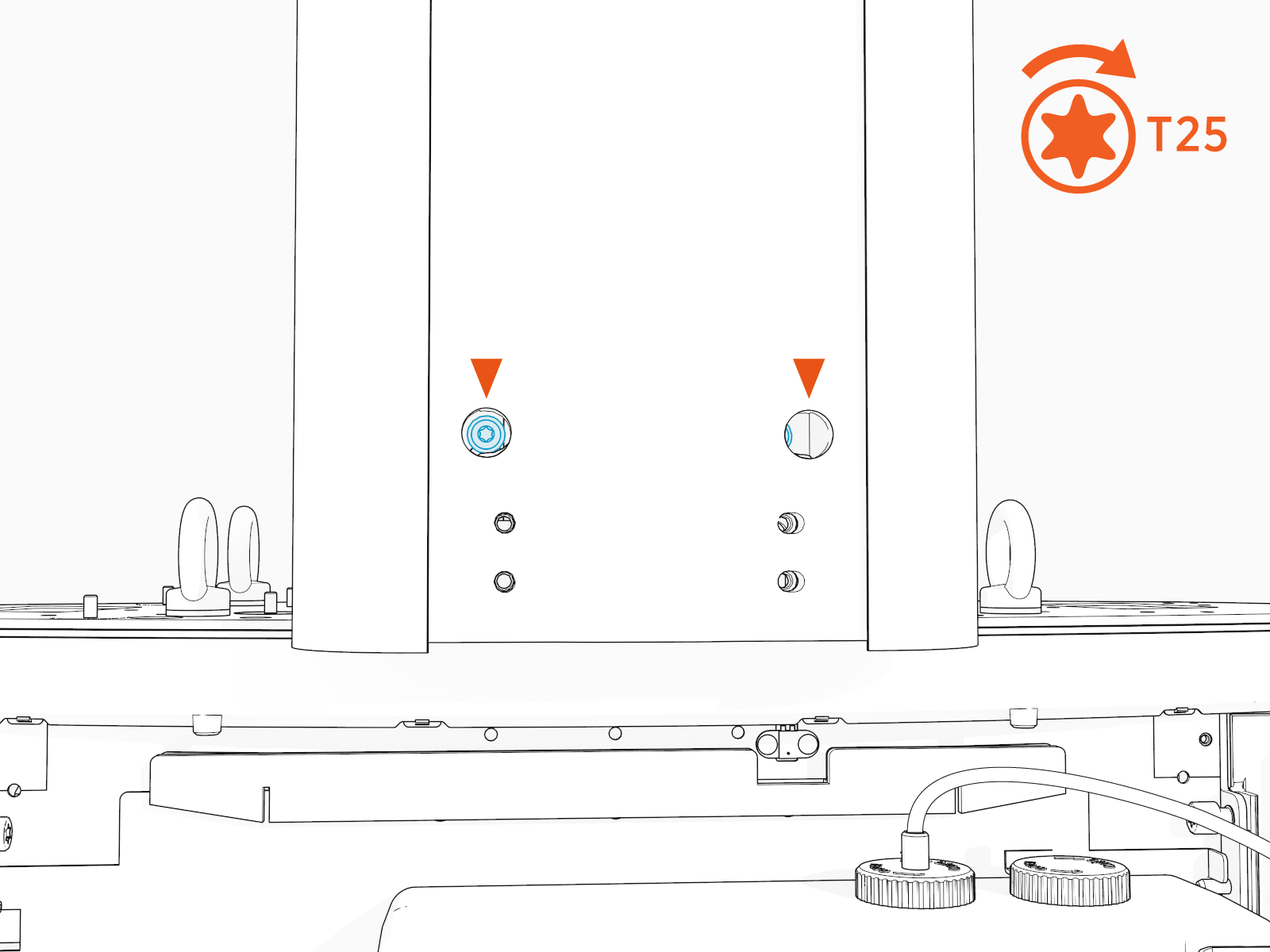
Using a T25 Torx screwdriver, torque the two screws to 5.6 Nm (50 in-lb).
Install the Tall CMK
-
Find the M10 hex screws (x4) included in the tall CMK
 Cable Management Kit package.
 -
Slide the tall CMK
Cable Management Kit assembly onto the mast.
-
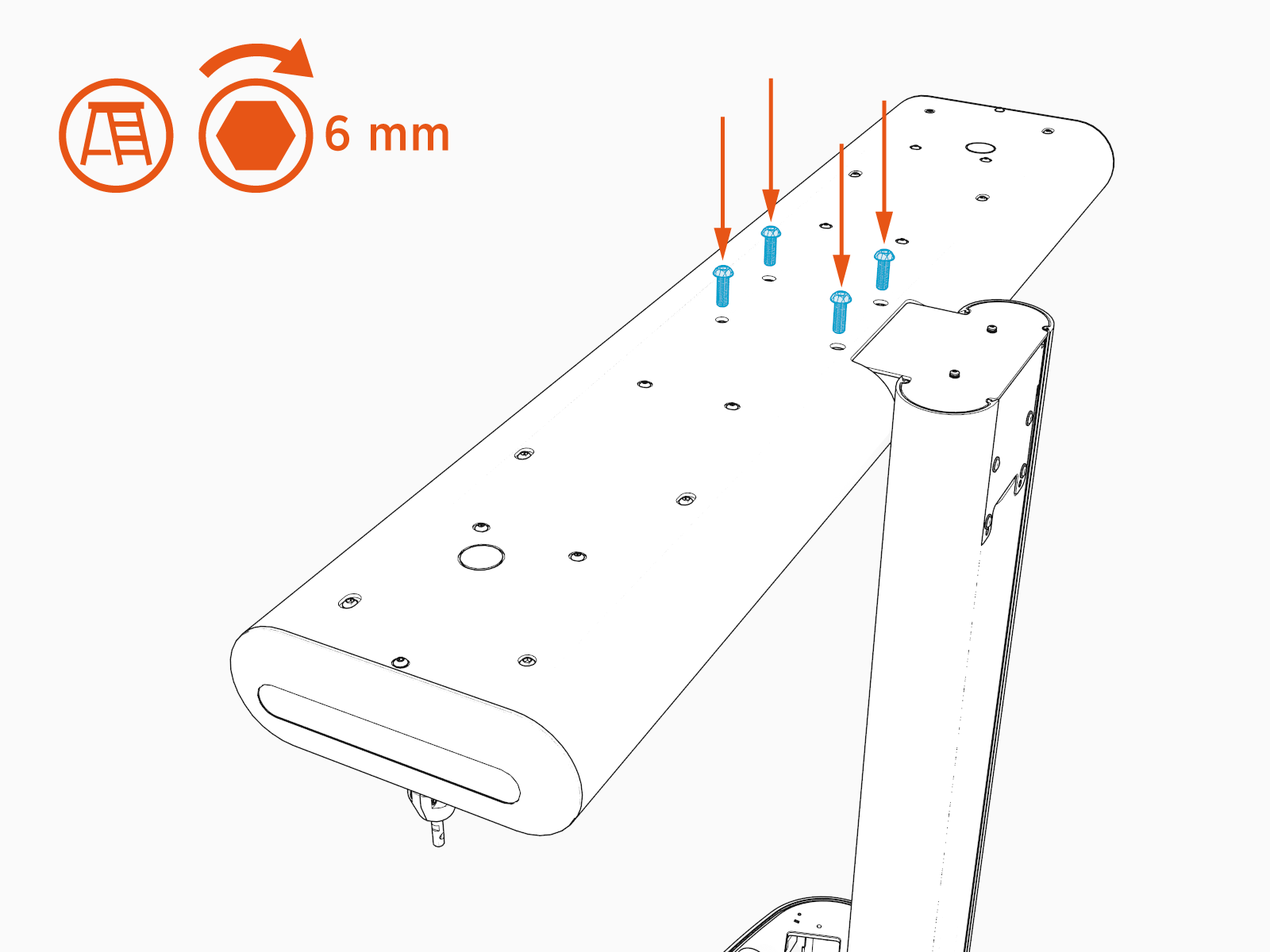
Use a 6 mm hex driver and four screws to secure the swingarm to the mounting bracket. Torque to 5.6 Nm (50 in-lb).
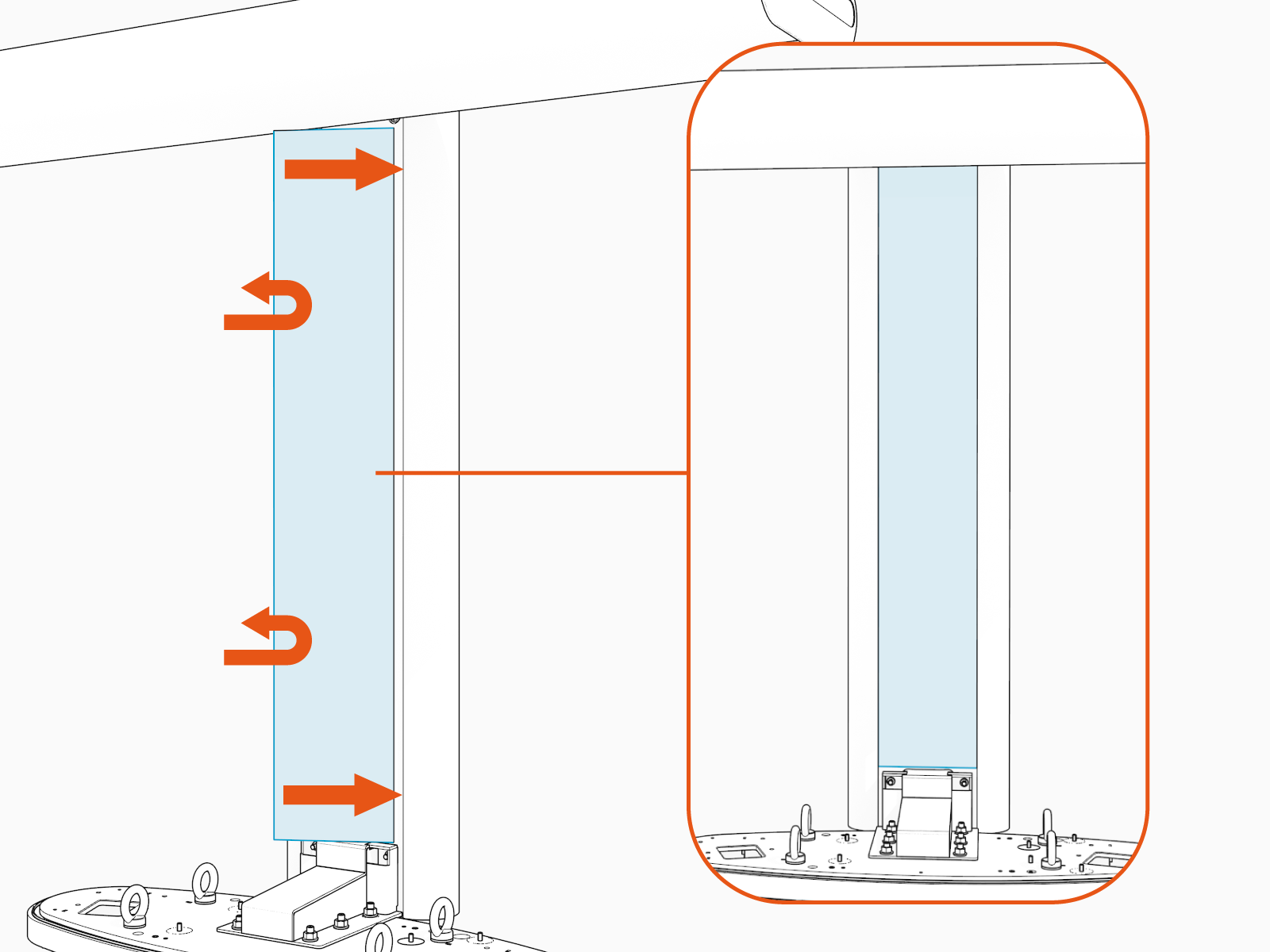
Install CMK Covers
-
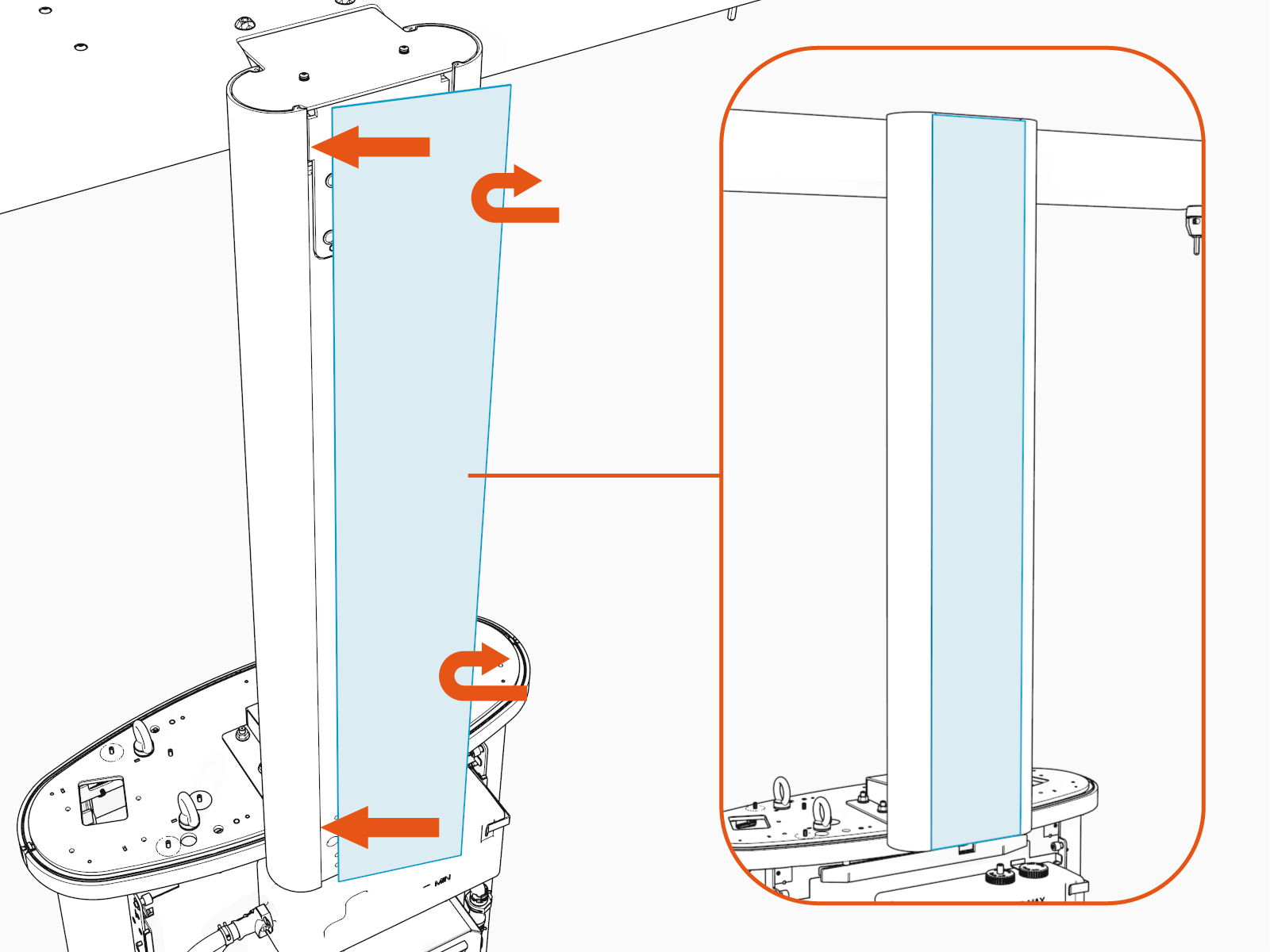
Insert one side of the rear cover into the groove on the rear side of mast.
Bend the other side of the cover into the groove on the other rear side of mast.
-
Repeat for the front cover.
-
Go to Install Charging Cables.
