Assemble the Concrete Mounting Template
The template has sharp edges. Wear cut-resistant gloves.
Before pouring concrete, install the anchor bolts, washers, and nuts into the template.
Install the anchor bolts in the locations indicated by the diagrams in this guide.
To assemble the Concrete Mounting Template, configure the following steps:
-
Hold a mounting bolt by its plastic cap.
Ensure the plastic cap is pressed down fully onto the bolt. Leave the cap on to protect the threads.
The caps stay on until the day you install the charging station. -
Insert the uncapped end through the hole in the top plate only.
Do not pass through to the bottom yet.
-
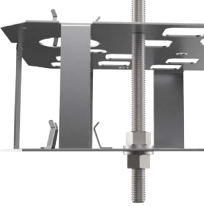
Between the top and bottom plate, install a nut onto the bolt from below.
-
Place a washer below the nut.
-
Place the nut and washer flush against the bottom plate
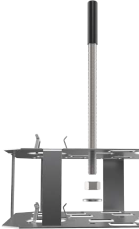
-
Turn the bolt thread through the nut, washer, and bottom plate.
Stop when the bottom of the plastic cap is 51 mm (2 in) from the top plate.
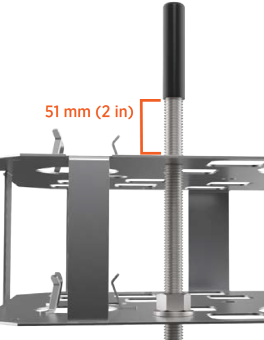
-
Repeat the previous steps to partially install the remaining three corner bolts.
-
From under the bottom plate, install a washer and nut onto the end of each bolt (until washer and nut are flush with the bottom plate).
Torque each nut to 5.6 Nm (50 in-lb).