Install Covers and Close Station
To install safety covers and close the station, carry out the following steps:
Reinstall Safety Shields
Follow procedures below to reinstall all safety shields.
DC Terminals Safety Cover (Intake Side)
-
Seat the cover back into its original place. Slide the cover downward so the keyholes lock behind the retaining nuts.
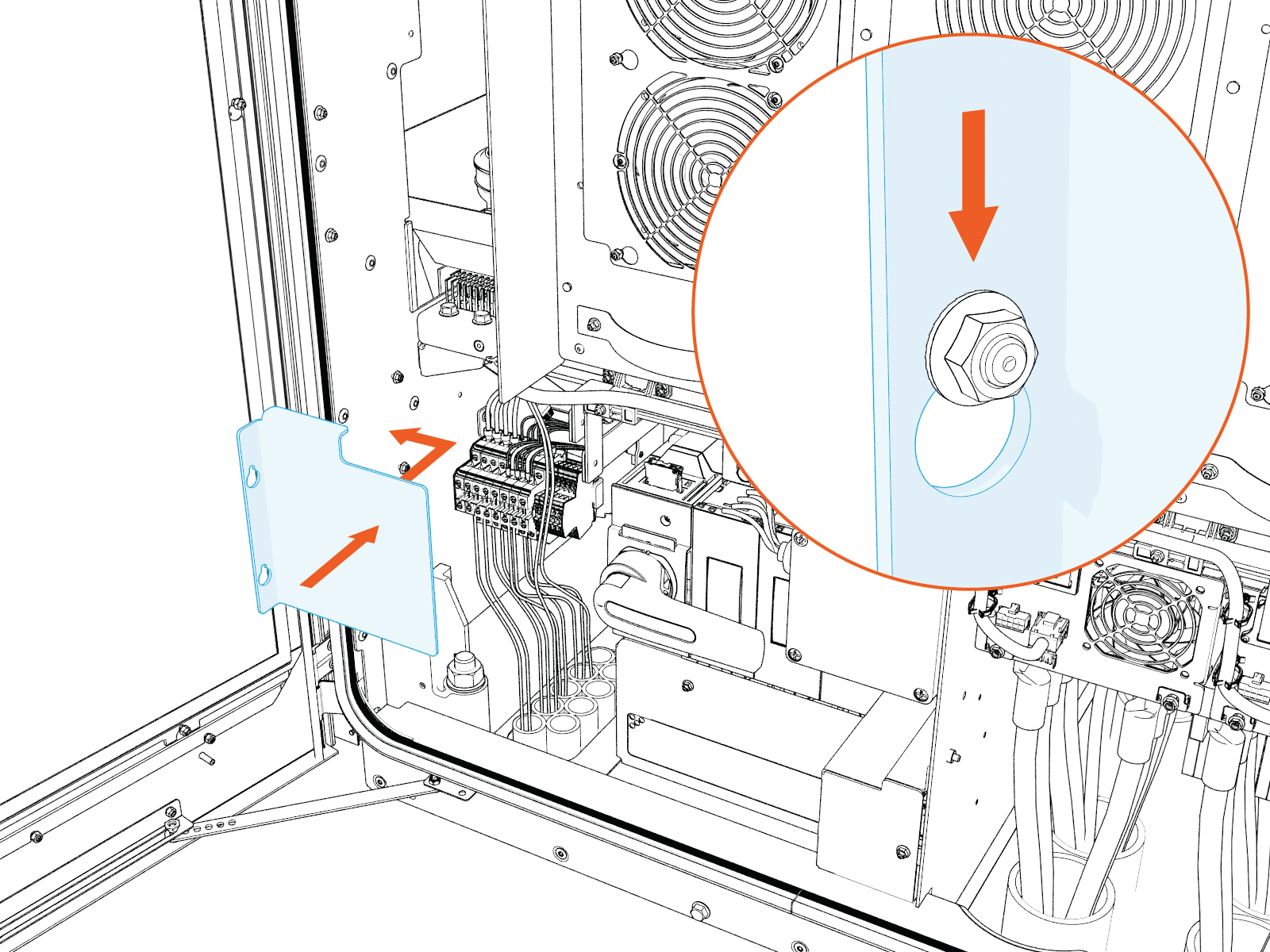
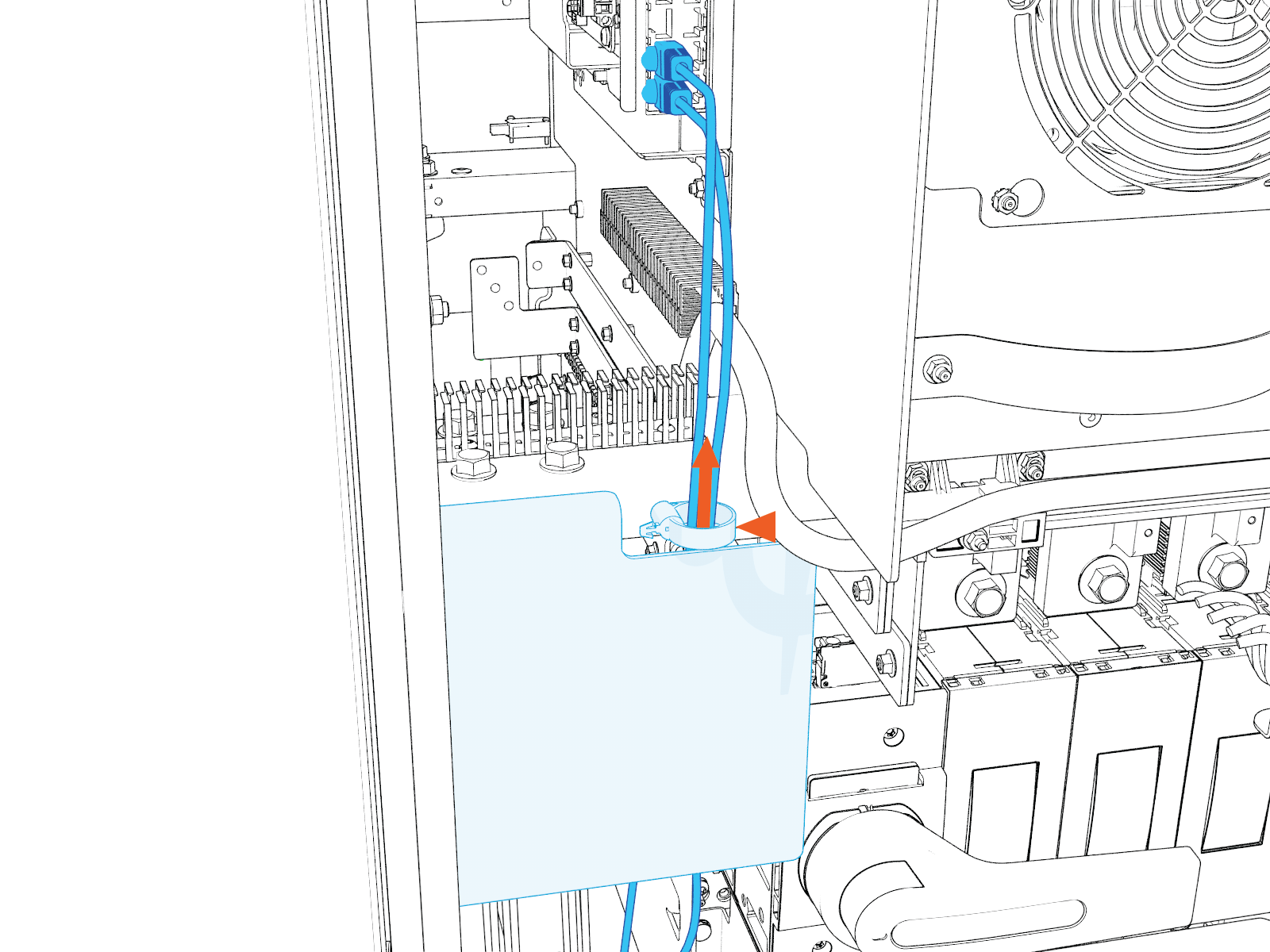
Route the Ethernet cables behind the cover and up through the cutout located in the upper right corner of the cover. See image below for details. Ensure cables are routed through the cable clip. Make sure the cables are not pinched or excessively bent as they pass through the cutout.
-
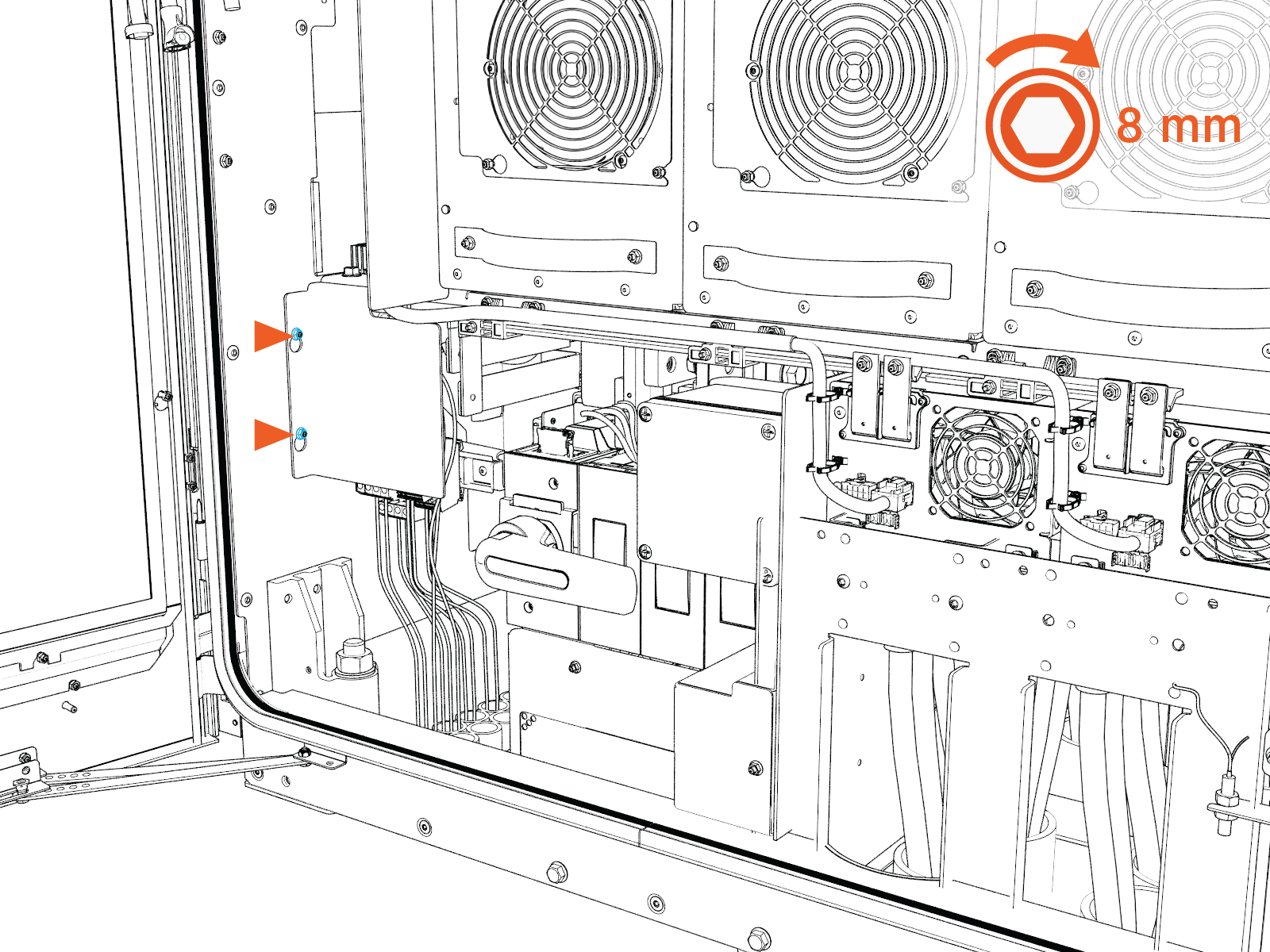
Tighten the nuts (x2) to 4.5 Nm (40 in-lb).
DC Bus Bars Safety Cover (Intake Side)
-
Seat the cover back into its original place. Slide the cover downward so the keyholes lock behind the retaining nuts.
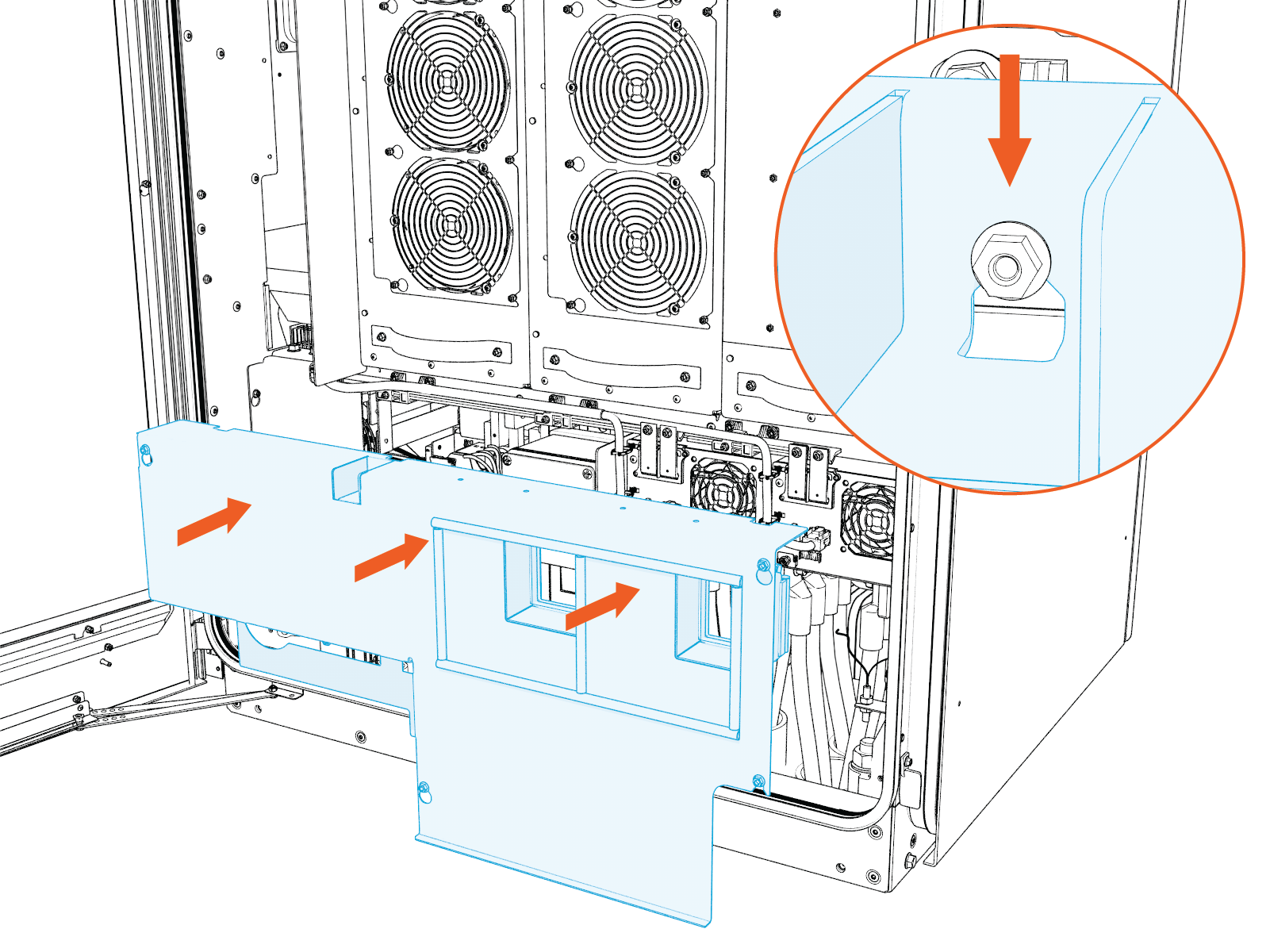
-
Tighten the nuts (x6) to 4.5 Nm (40 in-lb). Use a socket extender as needed.
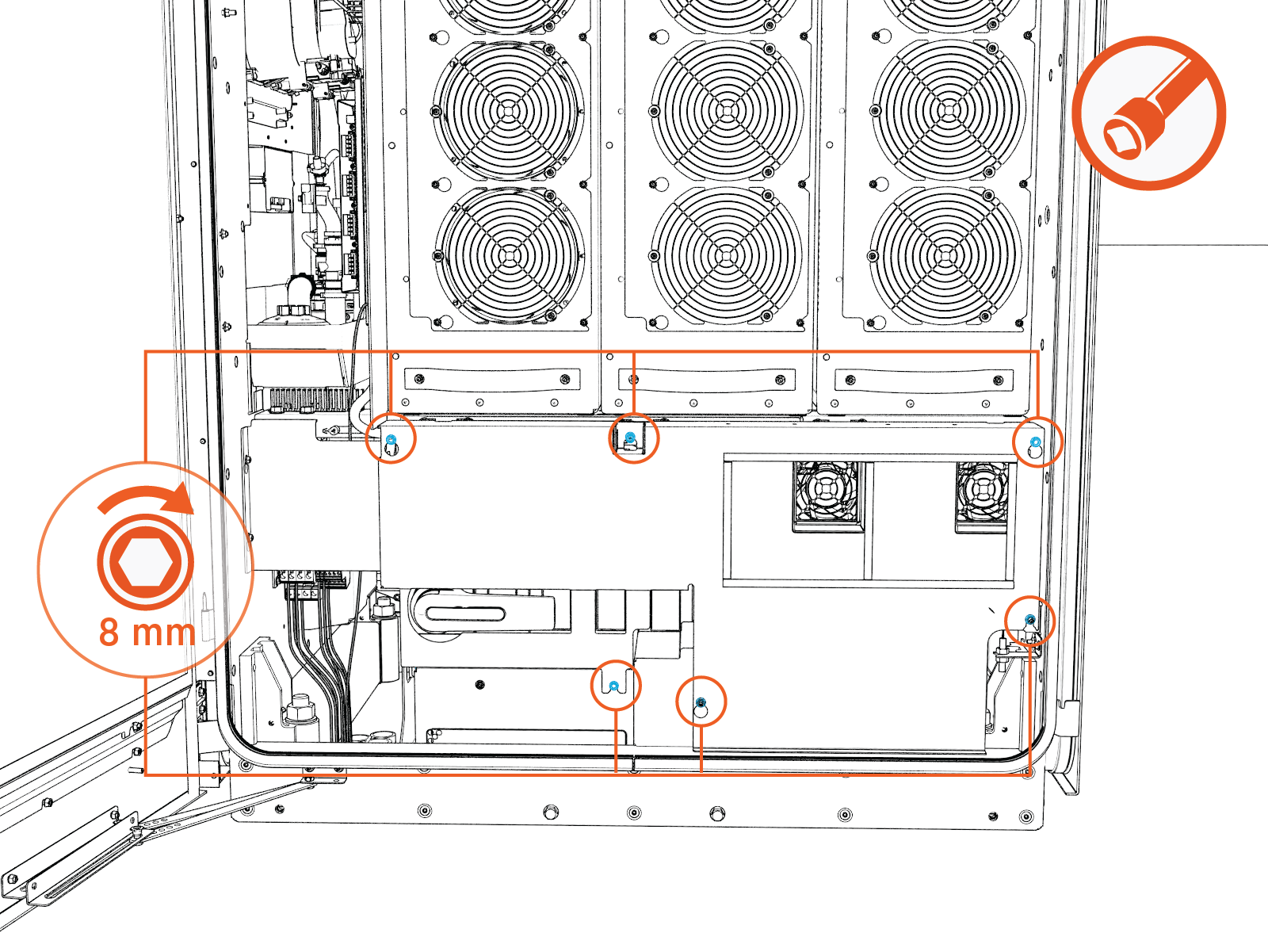
Shunt Trip Terminals Safety Cover (Intake Side)
TBD: Instructions shall be provided in a future release.
DC Fuse Block Safety Cover (Exhaust Side)
-
Seat the cover back into its original place. Slide the cover downward so the keyholes lock behind the retaining nuts.
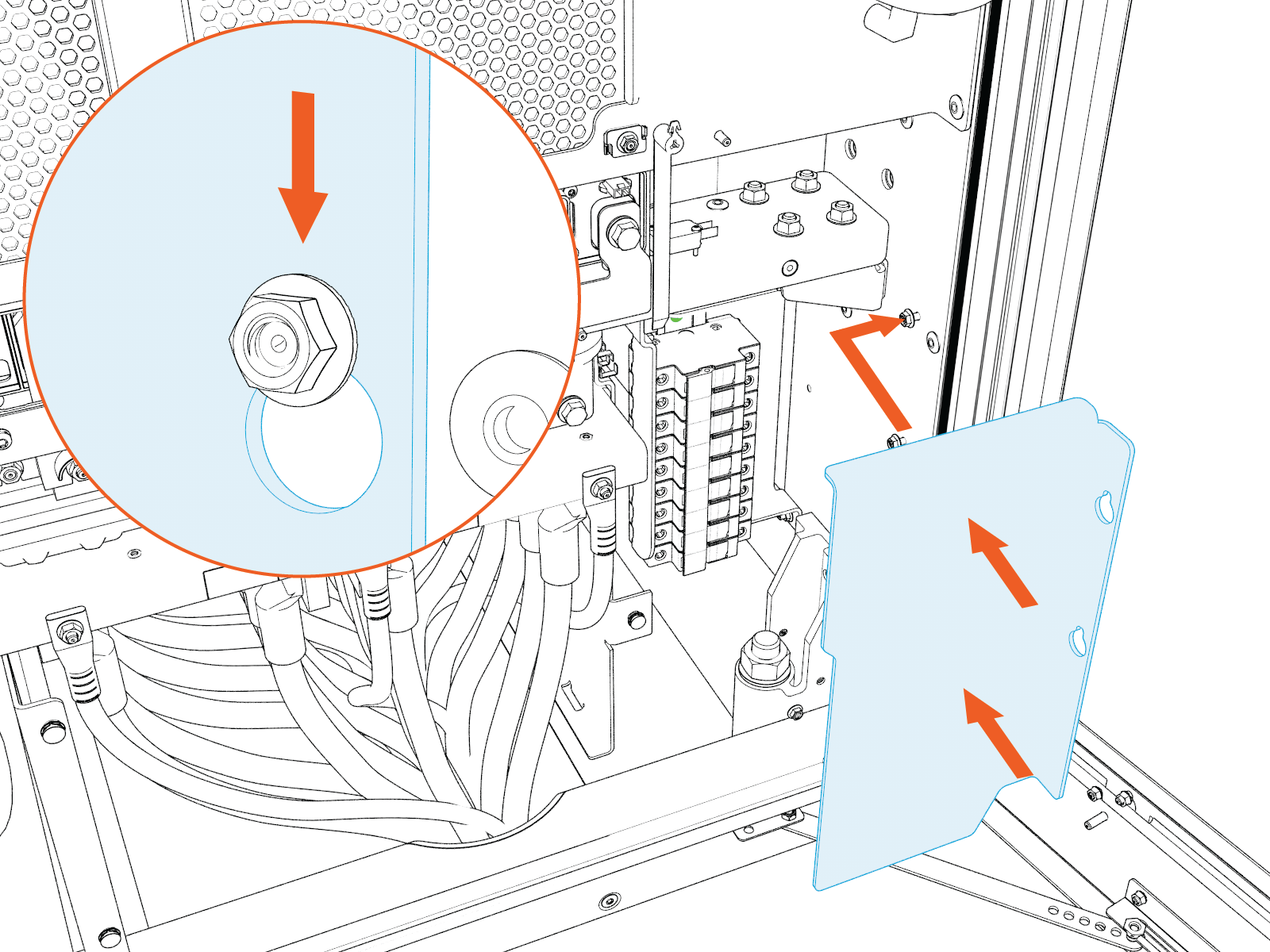
-
Tighten the nuts (x2) to 2.8 Nm (25 in-lb) . Use an 8 mm socket.
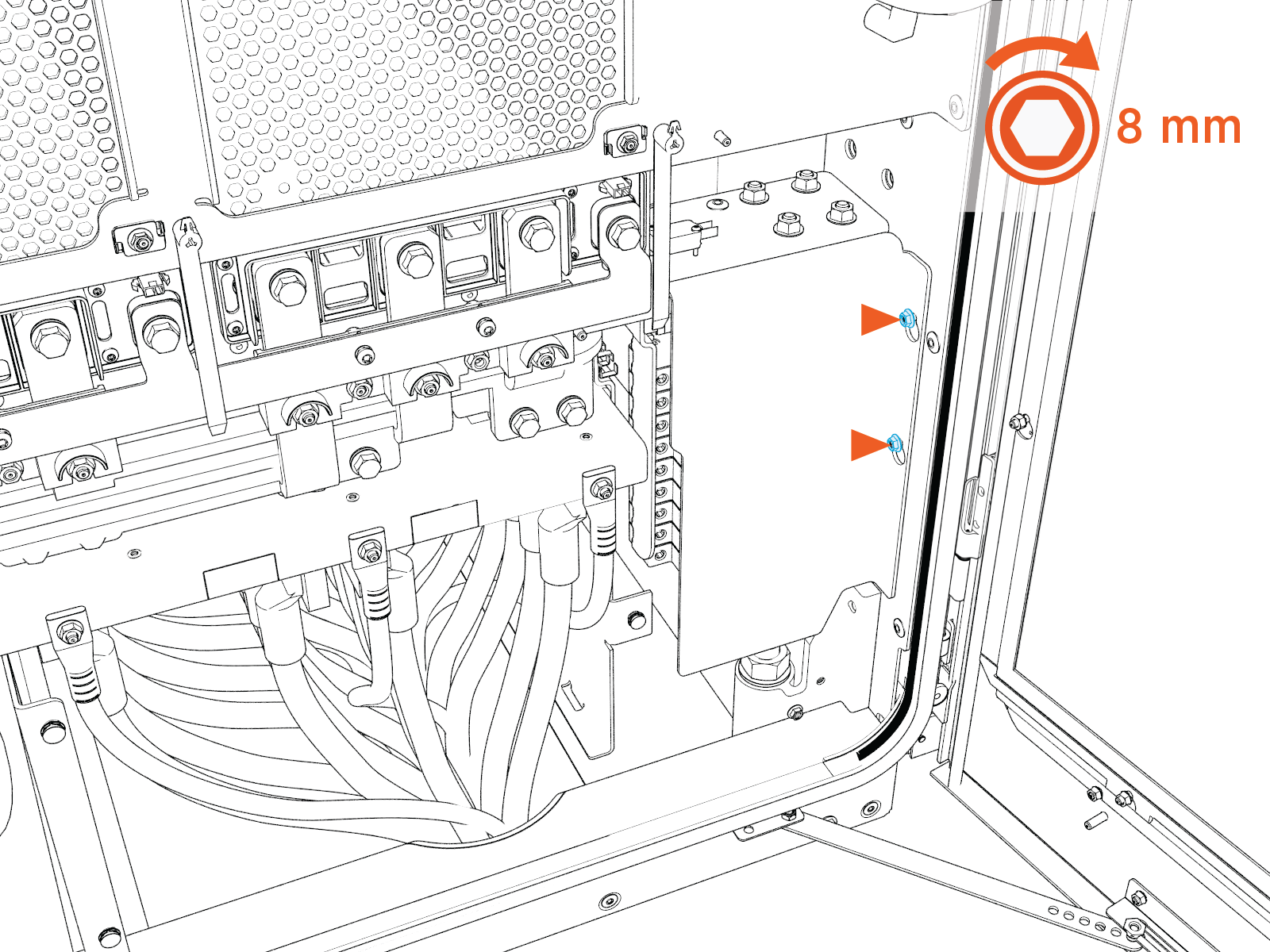
AC Bus Bars Safety Cover (Exhaust Side)
-
Seat the cover back into its original place. Slide the cover downward so the keyholes lock behind the retaining screws.
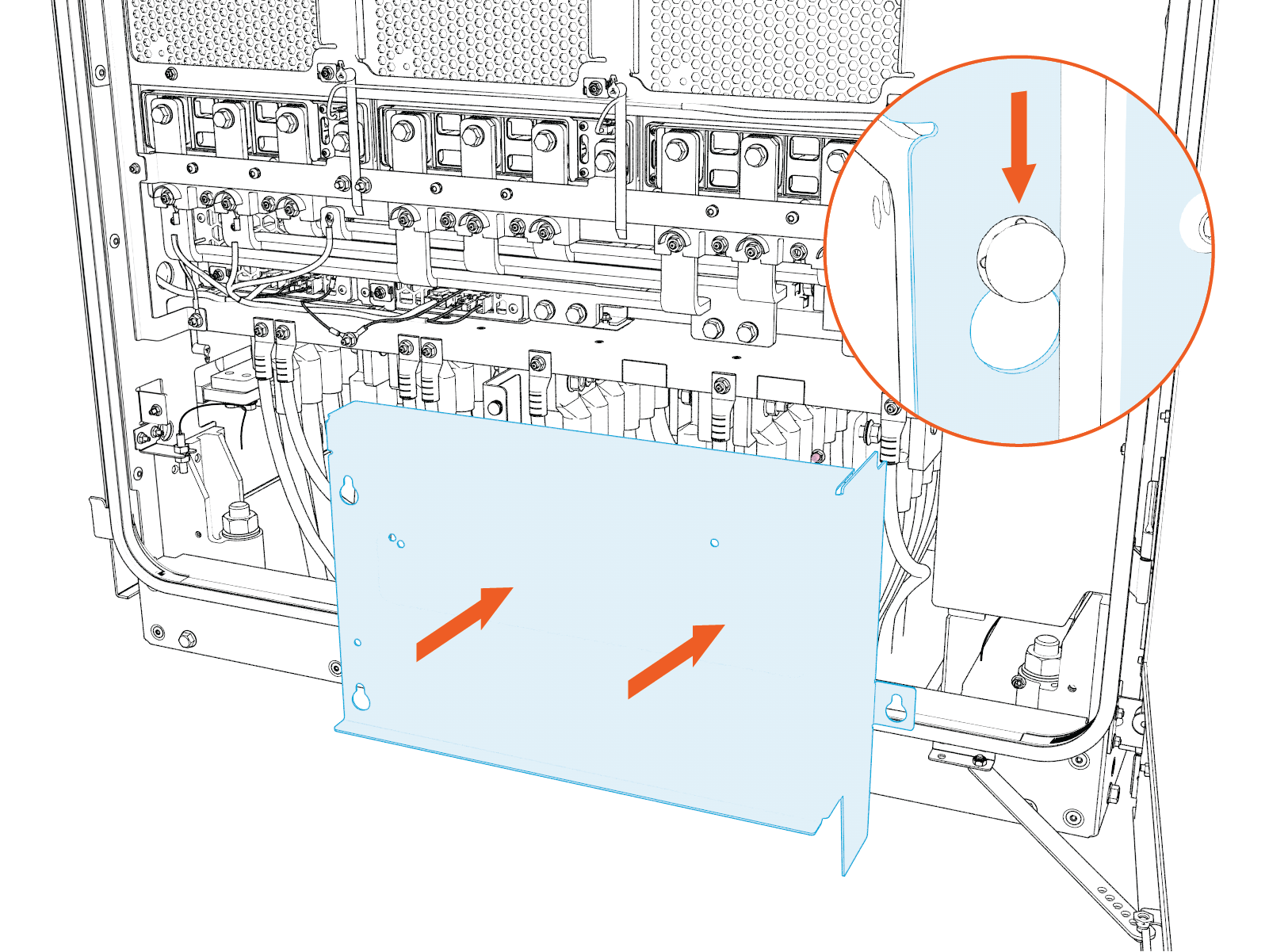
-
Tighten the screws (x3) to 5.6 Nm (50 in-lb).
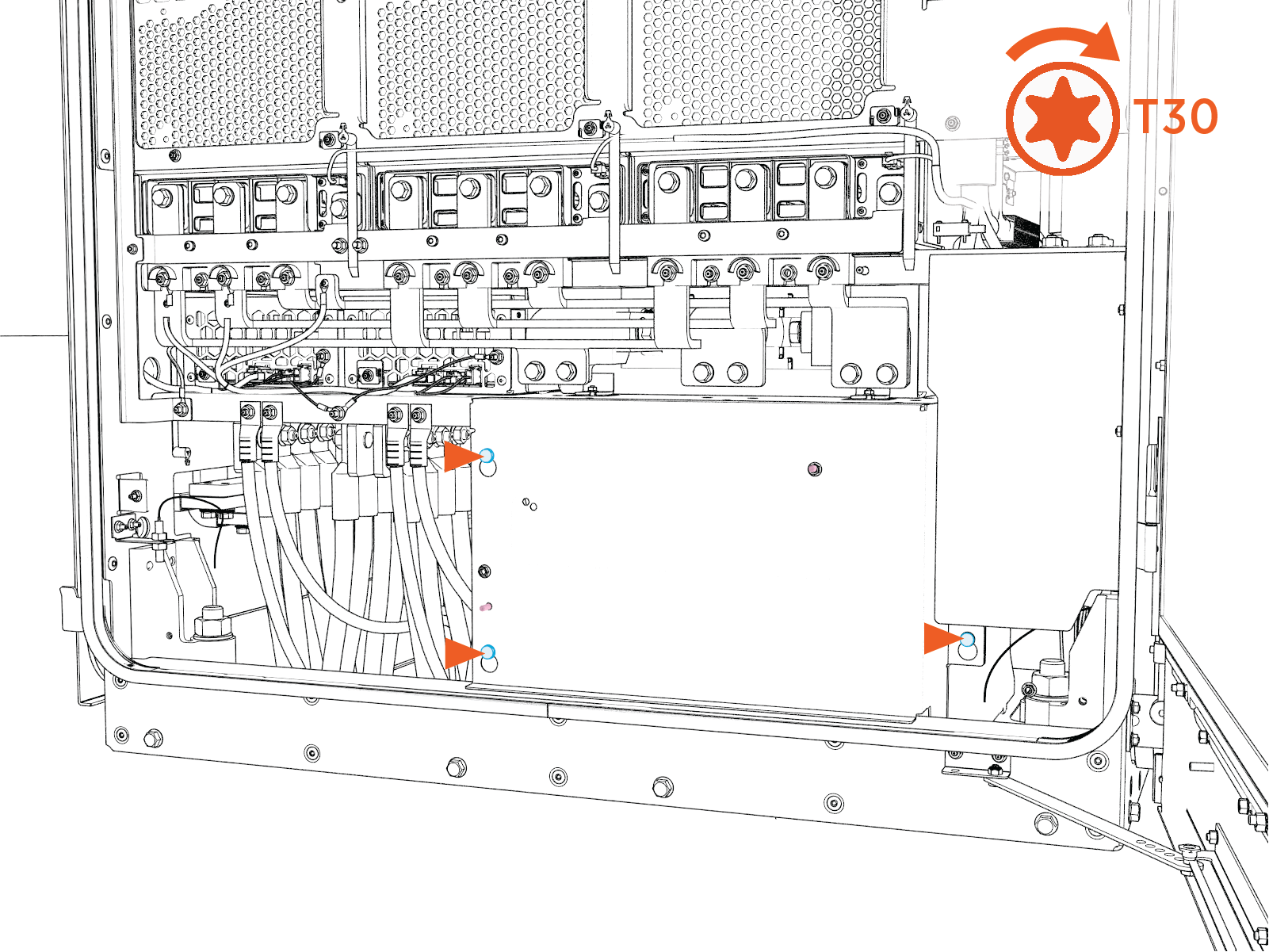
DC Bus Bars Safety Cover (Exhaust Side)
-
Seat the cover back into its original place. Slide the cover downward so the keyholes lock behind the retaining nuts.
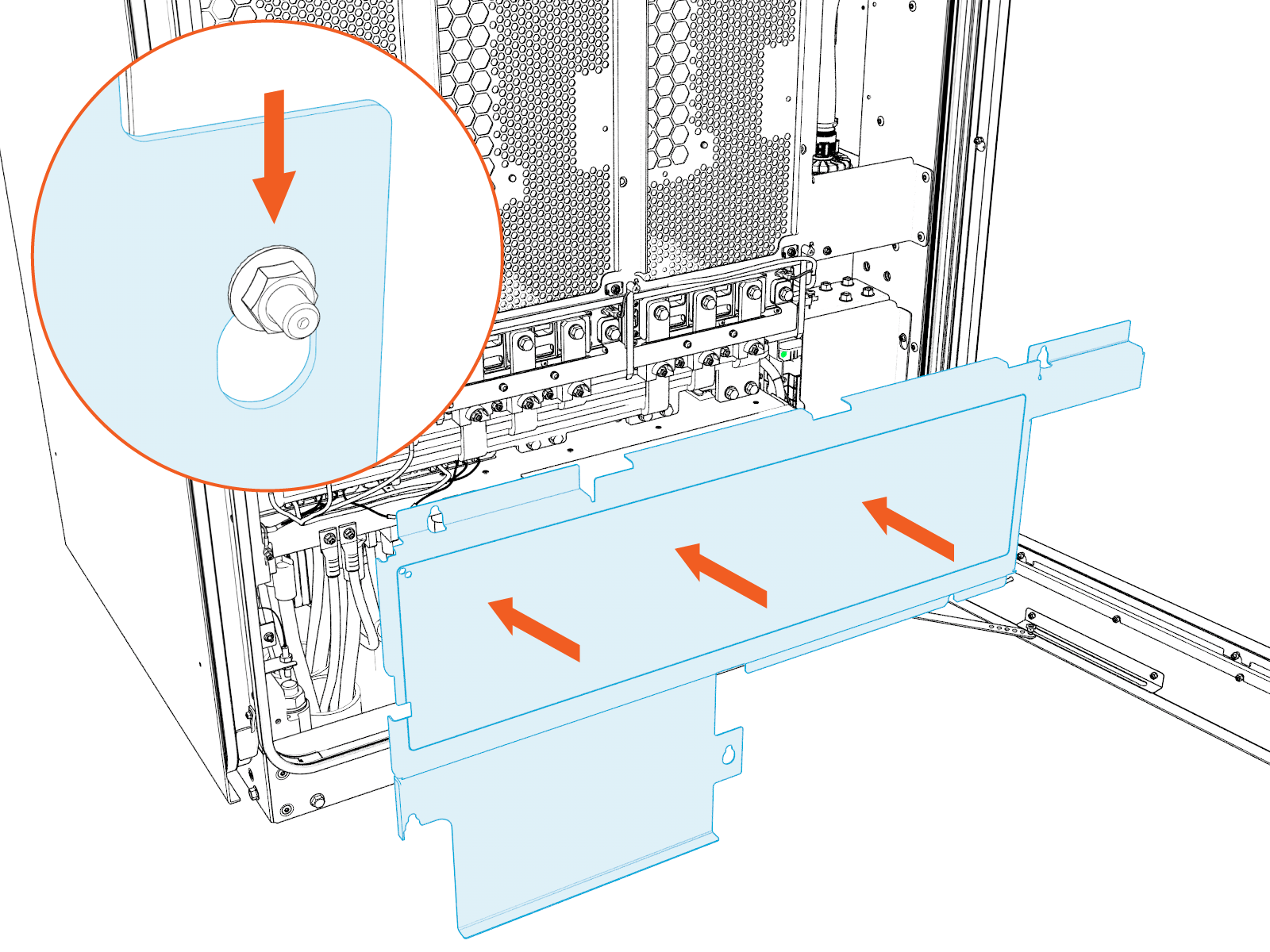
-
Tighten the nuts (x5) to 4.5 Nm (40 in-lb).
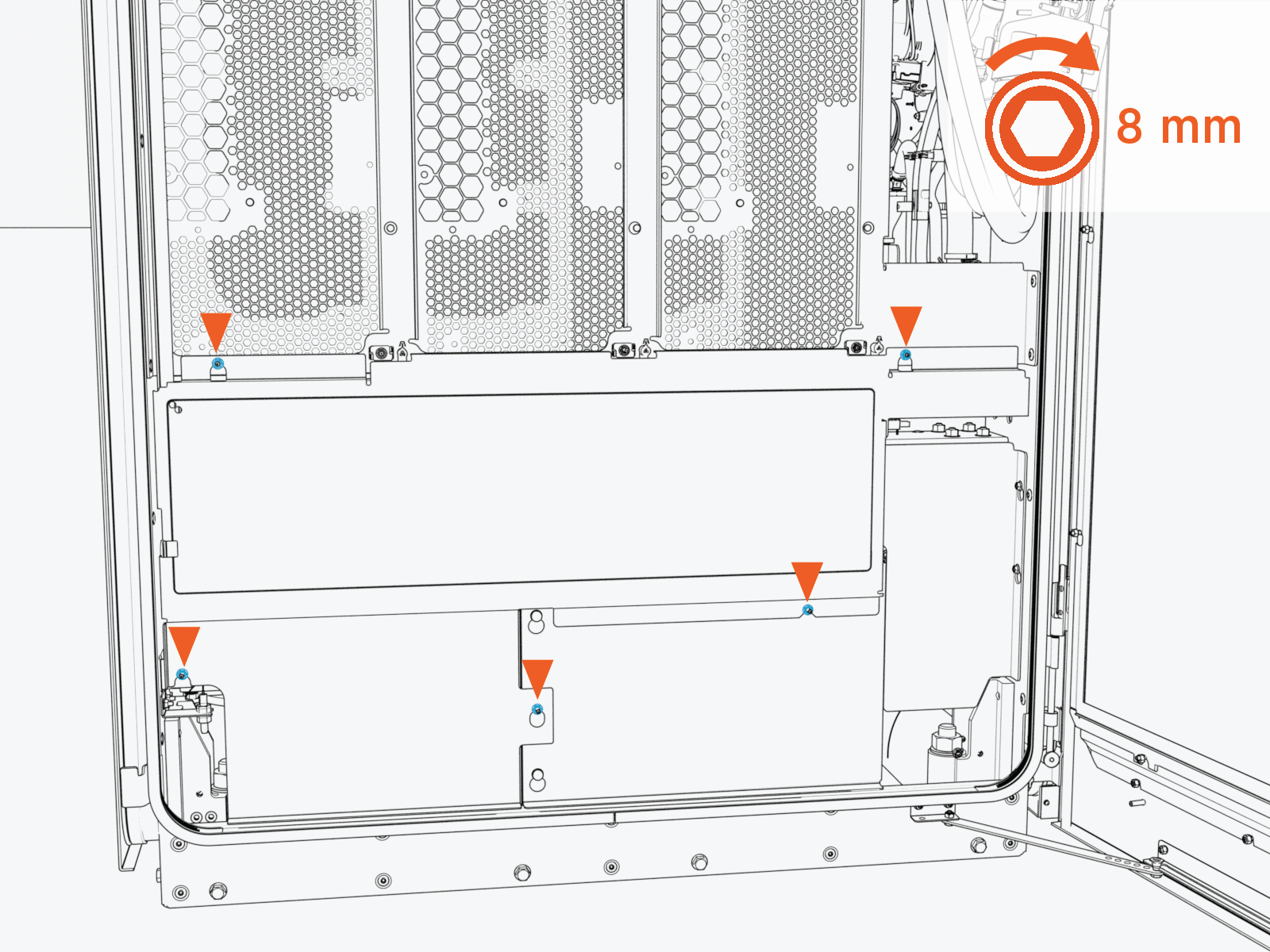
Close Up Power Block 2000
-
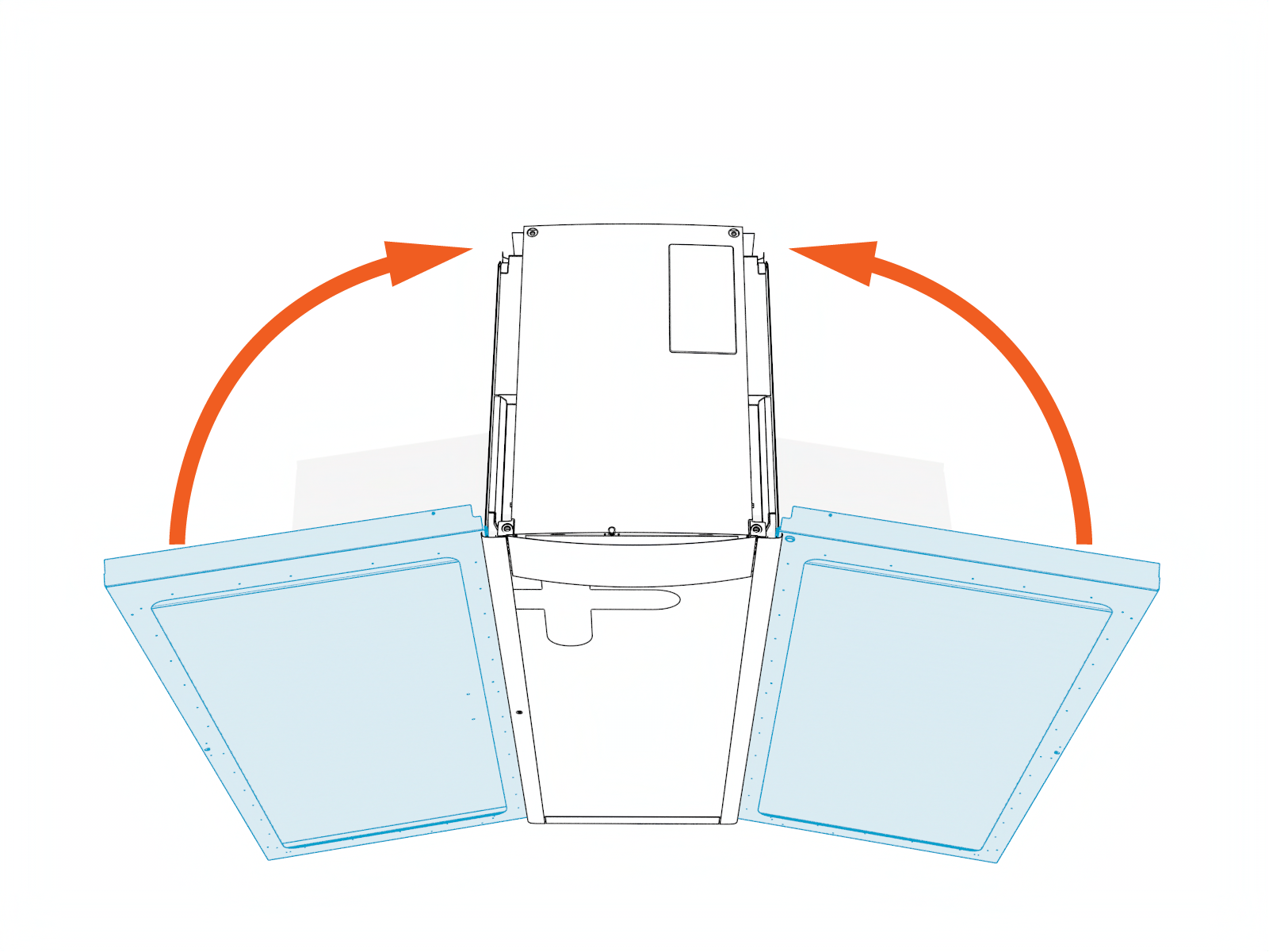
Disengage the door stoppers and close the cabinet doors.
-
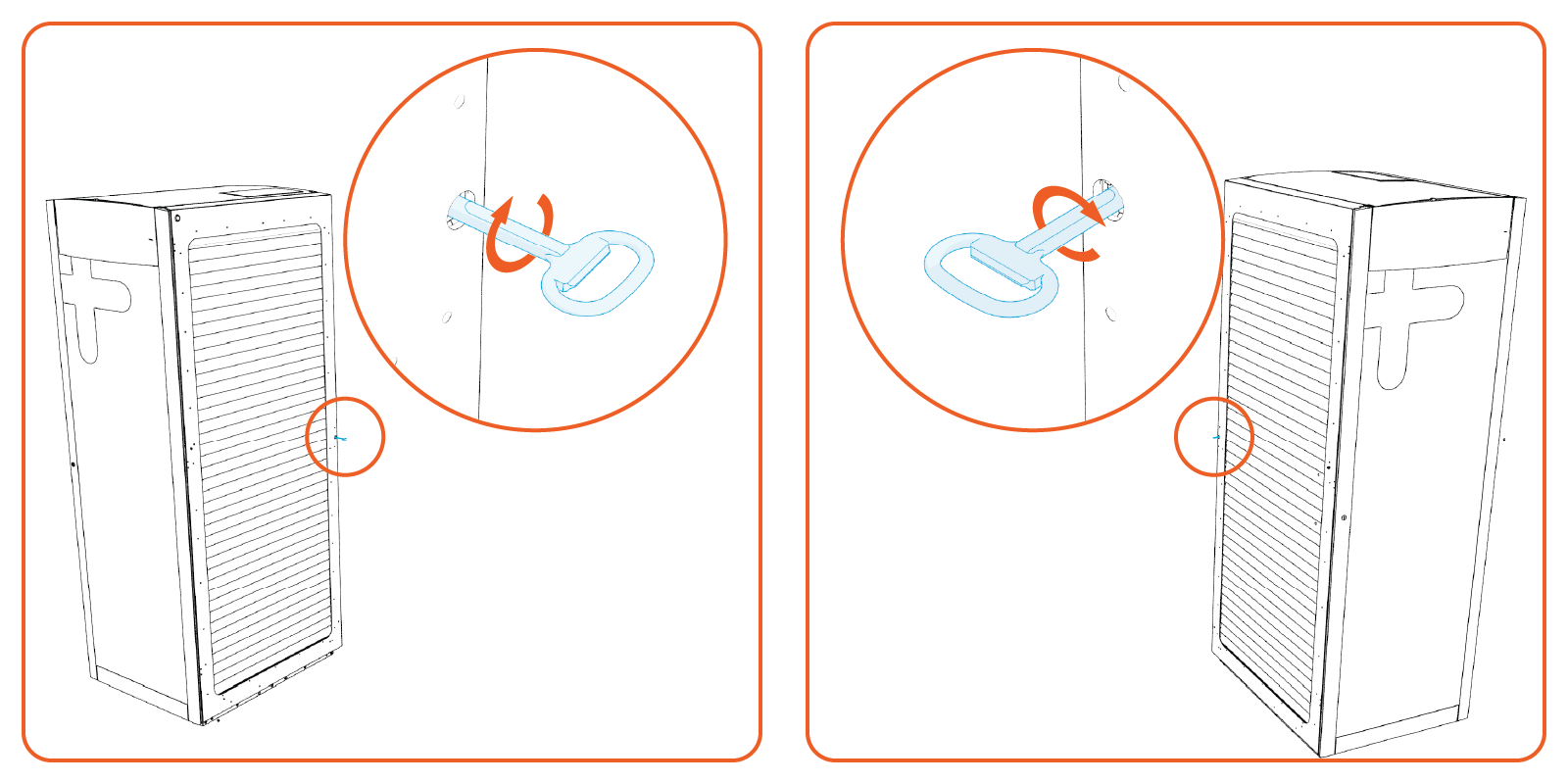
Lock the cabinet doors.
-
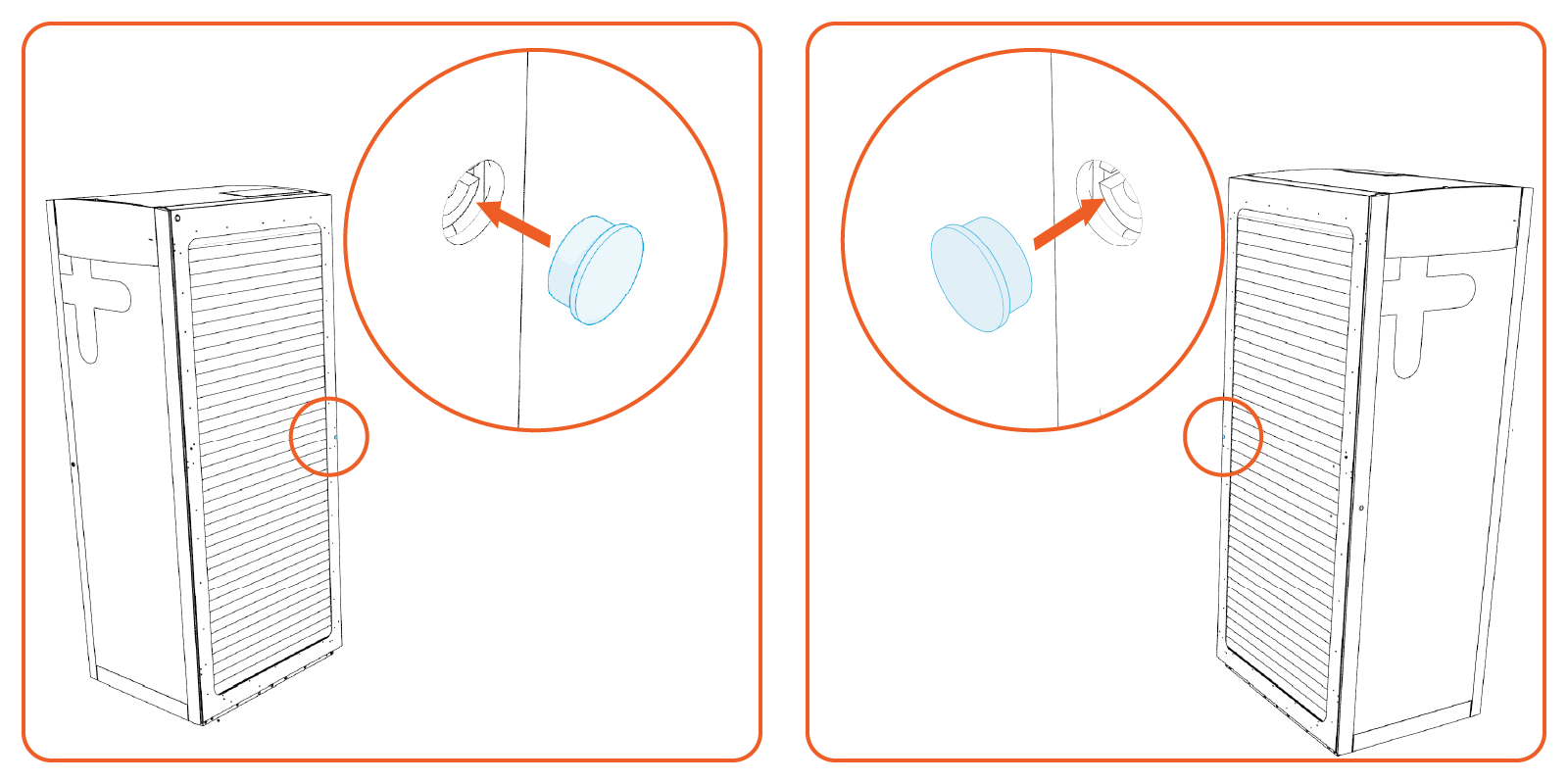
Plug the locks on the side doors.