Maintenance
Pantograph Down 2000 needs minimal preventive maintenance over its lifetime. ChargePoint’s network connection monitors for system health and sends an alert when corrective maintenance might be required (see View Station and Diagnostics Information).
For pantograph-specific maintenance procedures, refer to Schunk document repository and search for your pantograph model number.
-
Follow local code and refer to the site lockout/tagout procedure and Pantograph Down 2000 Service Guide to power off and de-energize Pantograph Down 2000.
-
If you find any damage, excessive wear, part impairment, or improper functioning, contact ChargePoint for assistance and replacement parts.
-
Use only ChargePoint- authorized parts and refer to the Pantograph Down 2000 Service Guide for part replacement instructions.
- If the charging station is not installed, commissioned, or serviced by a ChargePoint Certified Technician using a ChargePoint-approved method, it is excluded from all ChargePoint and other warranties and ChargePoint is not responsible.
- You must be a licensed electrician and complete the training at https://www.chargepoint.com/partners/training-certification to become ChargePoint certified and to access the ChargePoint web or app-based installer tools.
Site Manager’s Responsibilities
The site or facility manager has a few duties for general site maintenance:
-
Establish site lockout/tagout procedure per local code and in compliance with the Service Guide.
-
Maintain an up-to-date copy of the site's as-built and single line diagram (SLD) that includes the naming of all control elements (circuit breakers, fuses, overcurrent devices, and disconnect switches). Documentation to include but not be limited to the localizations, permanent panel schedules, and means or methods required to de-energize the charging station.
-
To ensure proper ventilation, make sure nothing is blocking each station's exterior vents, including any snow buildup (remove if present).
-
Regularly clean each station's exterior with a damp and lint-free cloth to prevent the accumulation of debris, dust, or dirt. Perform this maintenance more frequently in high pollution environments.
-
Check each station (including the charging cable and connector, as applicable) monthly for vandalism and any signs of wear or damage.
Preventive Maintenance
ChargePoint, or a ChargePoint-certified technician, should perform maintenance checks at the intervals listed below.
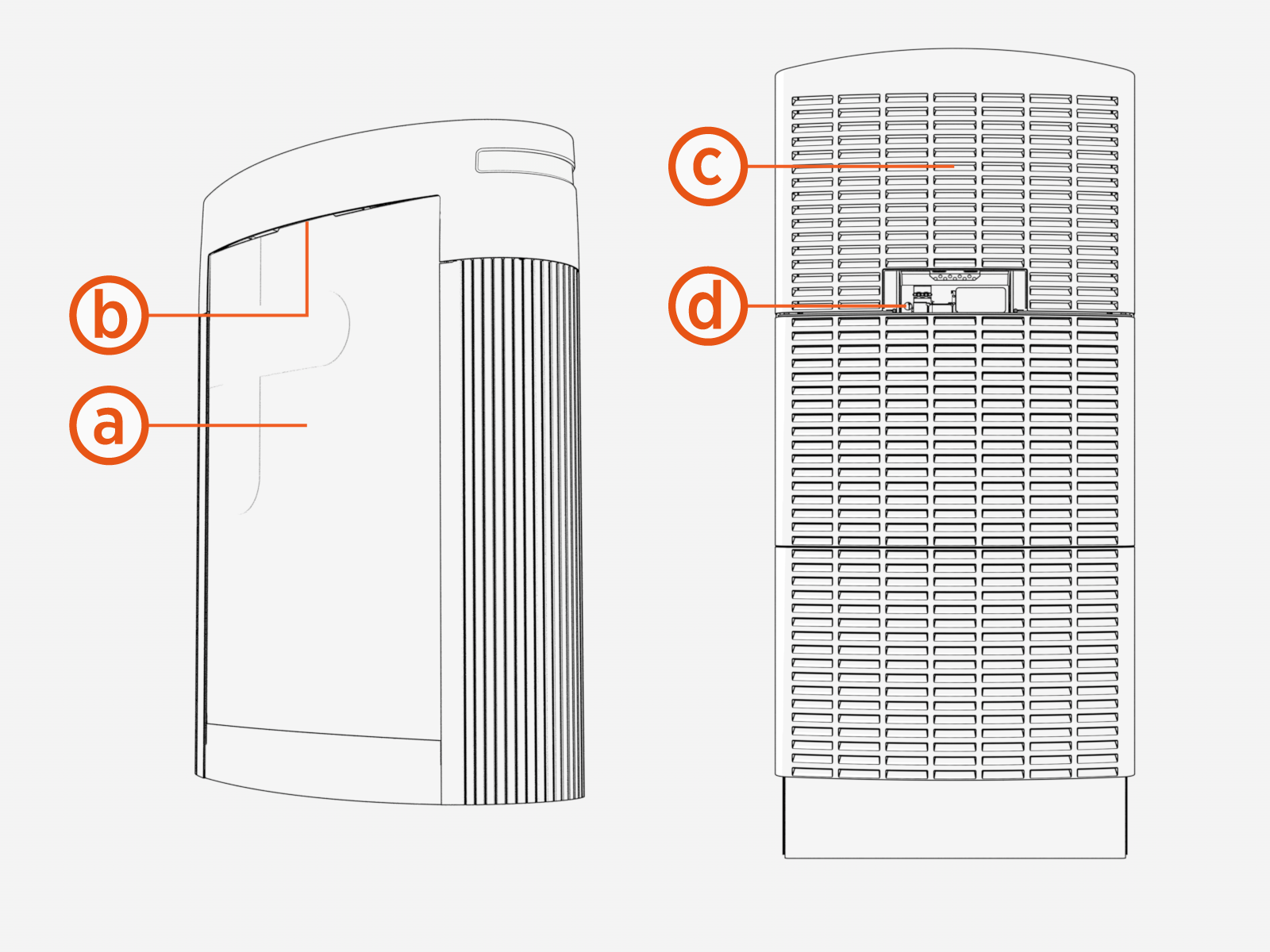
|
Part |
Every |
Action C = Check, R = Replace |
|
|
1 year |
5 year |
||
|
(a) Vinyls |
C |
|
Check if these are vandalized, faded, or peeling off. |
|
(b) Area light |
C |
|
Check if it is functioning. |
|
(c) Airflow vents |
C |
|
Check for the accumulation of debris, dust, or dirt. |
|
(d) Status lights |
C |
|
Check for proper functioning (see Status LED Auxiliary Lights) |
|
Fans |
C |
|
Check for the accumulation of dust. |
|
Mounting anchors |
|
C |
Check for the correct torque. |
|
Bus bar lug nuts |
|
C |
|
Pantograph Manual Operation
The pantograph may be manually extended or retracted for maintenance purposes.
Manual operation of the Pantograph is done using a toggle switch and (in some cases) a power override circuit breaker within the PD Controller.
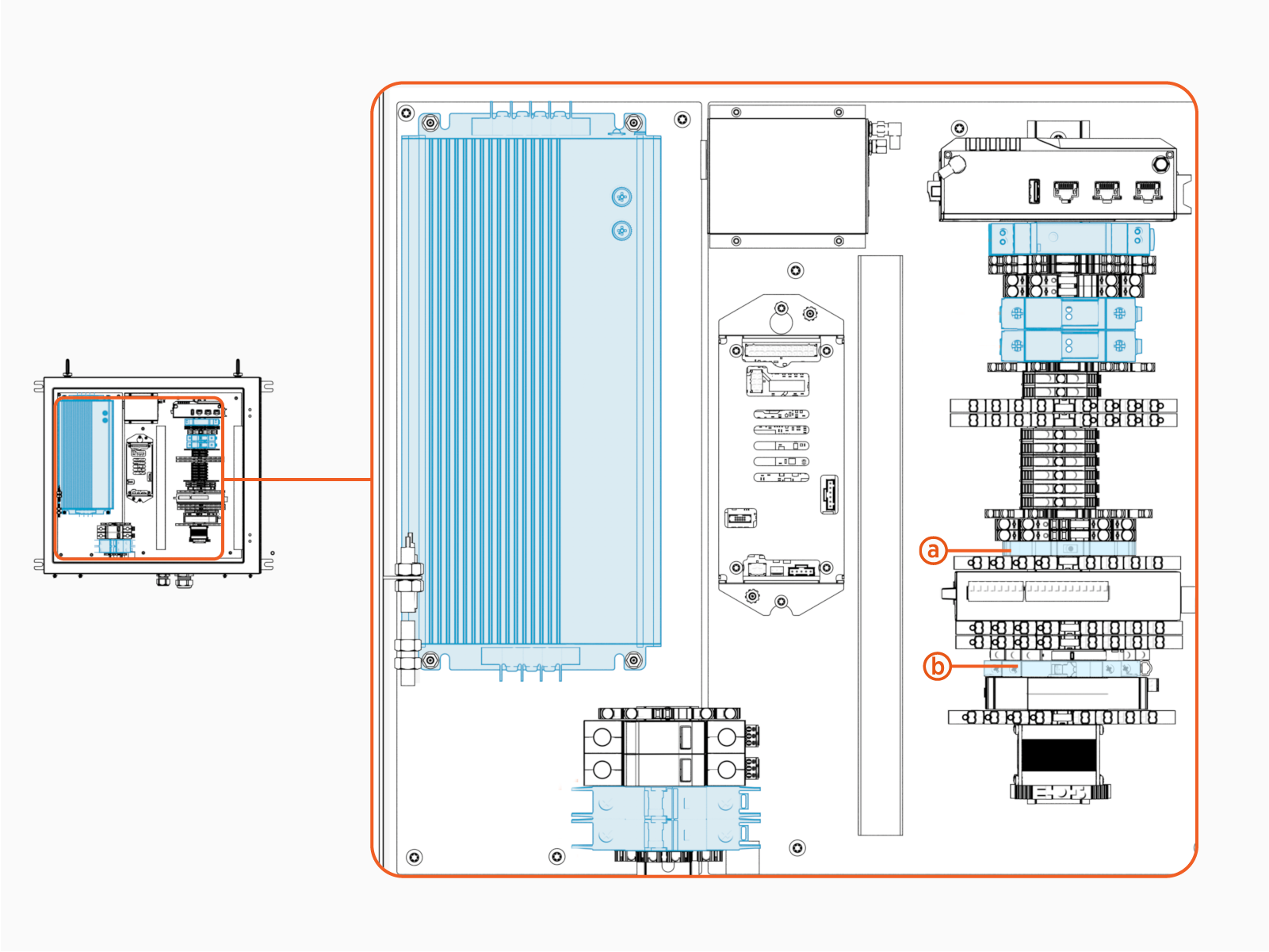
-
Manual operation toggle switch
-
Power override circuit breaker
To extend or retract the Pantograph, toggle the manual operation switch as follows:
|
Toggle Switch Direction |
Manual Operation of Pantograph |
|---|---|
|
Left |
Extend the Pantograph |
|
Right |
Retract the Pantograph |
|
Center |
Exit manual operation mode, enable normal operating mode |
If the Pantograph Down 2000 is not powered or is rebooting, the PD Controller will not be powered in the normal operating mode. To override this for manual Pantograph operation, switch the power override circuit breaker to the ON position and allow approximately five minutes for the PD Controller to power on. Then use the manual operation toggle switch to raise or lower the Pantograph as described above.
