Install the Power Share Kit
Use the contents of the Power Share kit to connect a dual port charging station to a single circuit.
Contents
If you ordered a Power Share kit, it contains:
-
Junction box (1)
-
Cover (1)
-
6 mm (1/4 in) self-tapping screws to attach junction box to pedestal (2)
-
Screws to attach cover (2)
-
Wire nuts (2)
-
Installation instructions (repeated below)
Before performing any procedure, the technician must disconnect the power to the charging station at the service panel. Follow local code to de-energize the applicable circuit and lockout/tagout the upstream breaker before proceeding. Use a multimeter and check that the power is off. Keep power off for the circuit until all cover panels are correctly reinstalled and the work is complete.
FAILURE TO FOLLOW THESE INSTRUCTIONS CAN RESULT IN SERIOUS INJURY, LOSS OF LIFE, OR PROPERTY DAMAGE.
Install the Power Share Kit
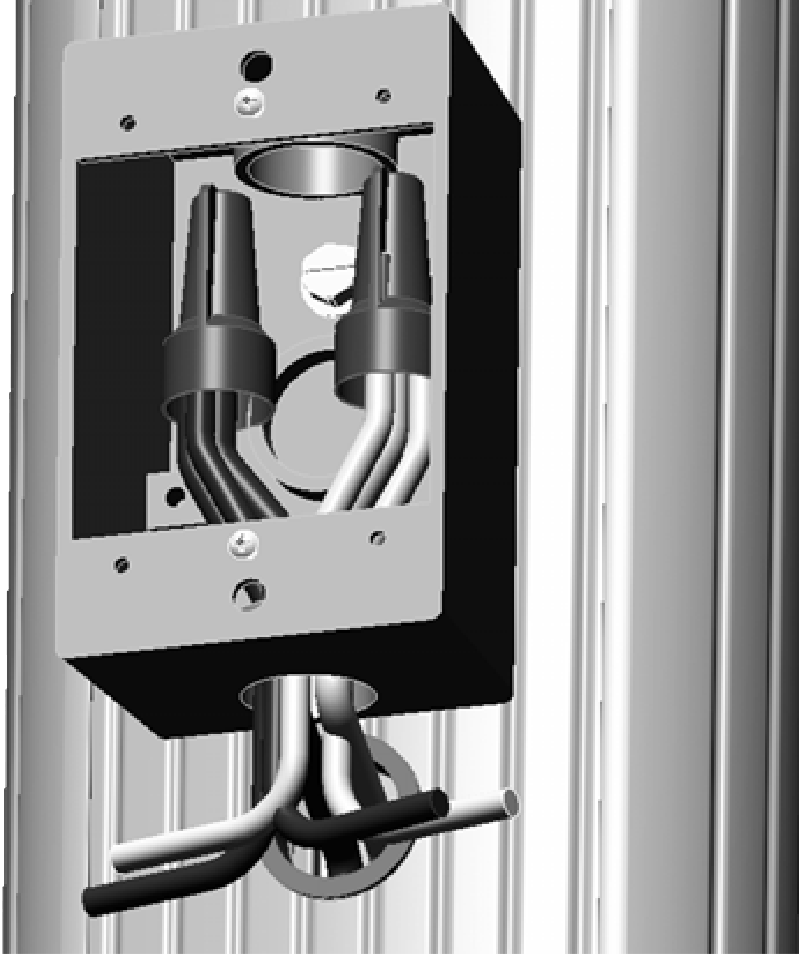
-
Using the two supplied screws, attach the junction box to the pedestal as shown.
-
Run the L1 and L2 service wires into the hole in the bottom of the junction box.
The maximum wire size is 13 mm2 (6 AWG
 American Wire Gauge).
 -
Twist two 6 mm2 (10 AWG
American Wire Gauge) wires approximately 457 mm (18 in) long onto each of the service wires and secure them using wire nuts. -
Route a 6 mm2 (10 AWG
American Wire Gauge) wire to each of the charging stations. -
Attach the cover to the junction box by hand- tightening the two supplied screws.
