Cable Management Kit Tetherball Upgrade
Bulletin Published: June, 2023
Affected Models and Down Version: 99-006301-05-FT, 99-006305-03-FT, 99-006307-05-FT, 99-006309-03-FT, 99-006310-03-FT, 99-006320-03-FT, 99-006321-04-FT, 99-006322-04-FT, 99-006326-05-FT, 99-006375-02-FT, 99-006376-05-FT, 99-006377-05-FT, 99-008504-01-FT, 99-008505-01-FT, 99-008506-01-FT
Required Action: Upgrade Cable Management Kit (CMK Cable Management Kit) tetherball to include a set screw.
Failure: Functional and safety impact. Tetherballs without a set screw can fall off the CMK Cable Management Kit, which could lead to a safety hazard or bodily harm.
This service bulletin applies to all ChargePoint Express Plus Power Link 1000 charging stations purchased with a CMK Cable Management Kit, whether installed in the field, or still awaiting installation prior to factory implementation.
- If the charging station is not installed, commissioned, or serviced by a ChargePoint certified technician using a ChargePoint-approved method, it is excluded from all ChargePoint and other warranties and ChargePoint is not responsible.
- You must be a licensed electrician and complete training at https://www.chargepoint.com/partners/training-certification to become ChargePoint certified and to access ChargePoint's web-based installer tools or ChargePoint Installer app.
Contact ChargePoint at chargepoint.com/support with any questions related to this bulletin.
Required Tools and Materials
Tools

|
Torx screwdriver (T20, T25) |

|
Flathead screwdriver |

|
Marker |

|
Magnet tray |

|
Ladder |
Materials
CMK Cable Management Kit Tetherball Upgrade Kit:
-
Upgrade half tetherball
-
Upgrade tether shaft
-
Set screw
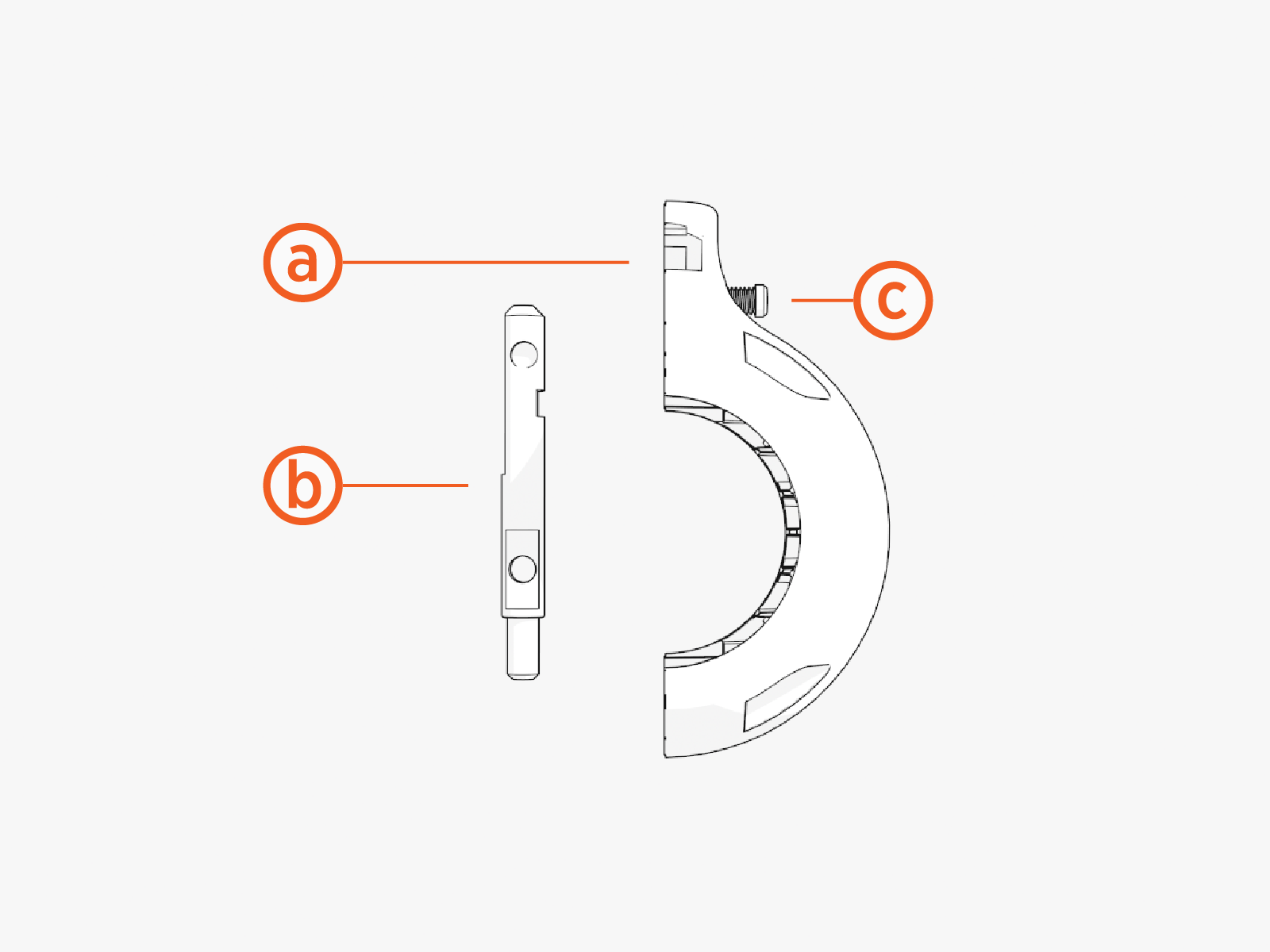
If necessary, contact ChargePoint at chargepoint.com/support to request the CMK Cable Management Kit Tetherball Upgrade Kit. One kit is required per affected tetherball.
Introduction
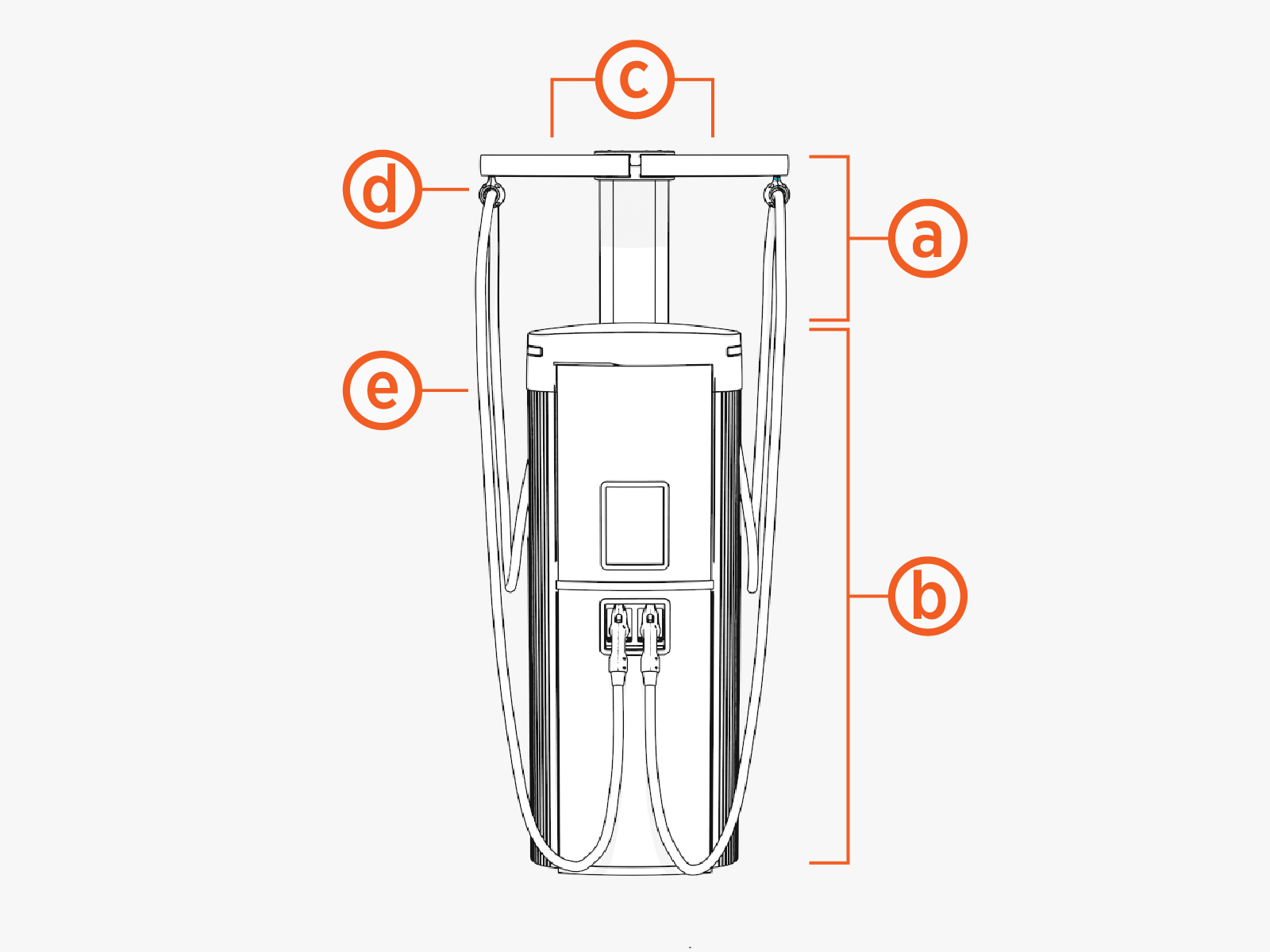
The CMK Cable Management Kit attaches to the back of a charging station. Its function is to hold charging cables off the ground.
|
|
The charging cable (a) is held to the CMK Cable Management Kit swing arm (b) through the use of a tetherball (c). The tetherball is made of two halves that clamp onto a charging cable, secured by four T20 Torx screws (d). The top of the tetherball installs onto a tether shaft (e) on the CMK Cable Management Kit swing arm.
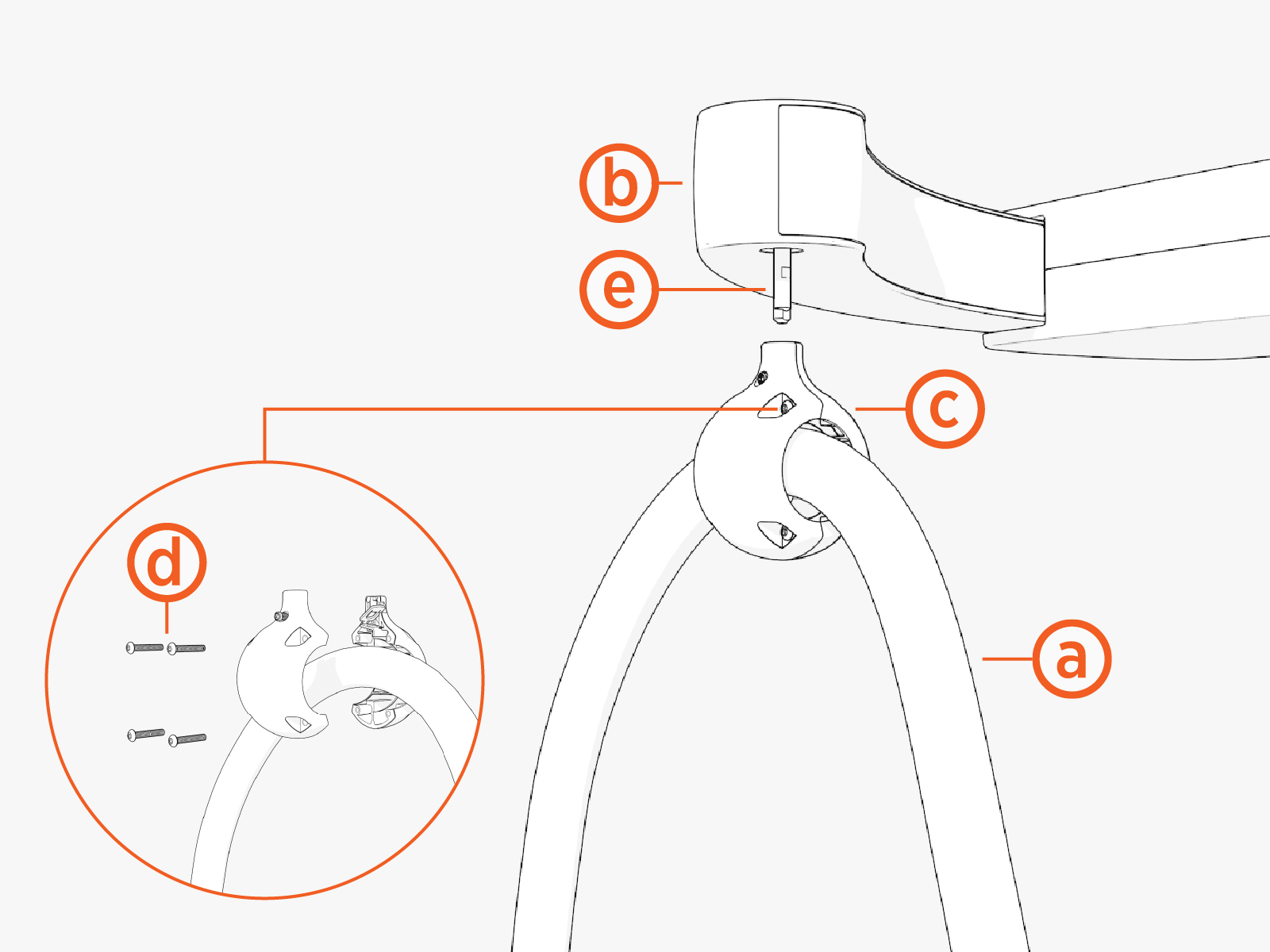
The CMK Cable Management Kit tetherball upgrade must be performed on all affected units, whether they are installed in the field or still awaiting installation. There are two parts to the upgrade:
If you are performing the upgrade for units not yet installed in the field, please note:
-
The CMK
Cable Management Kit is packaged in its own shipping box, and must be removed from the shipping box for upgrade. -
Tetherballs are packaged with charging cables, and must be removed from the charging cable shipping box for upgrade.
Field upgrade is performed directly at the installed unit, and does not require charging station power off.
Field upgrade does require removal of screws from parts that are high off the ground. Be careful screws do not get dropped and lost during the process. Use of a magnet tray for managing loose screws is highly recommended.
Procedure
Prepare Component and Work Area
-
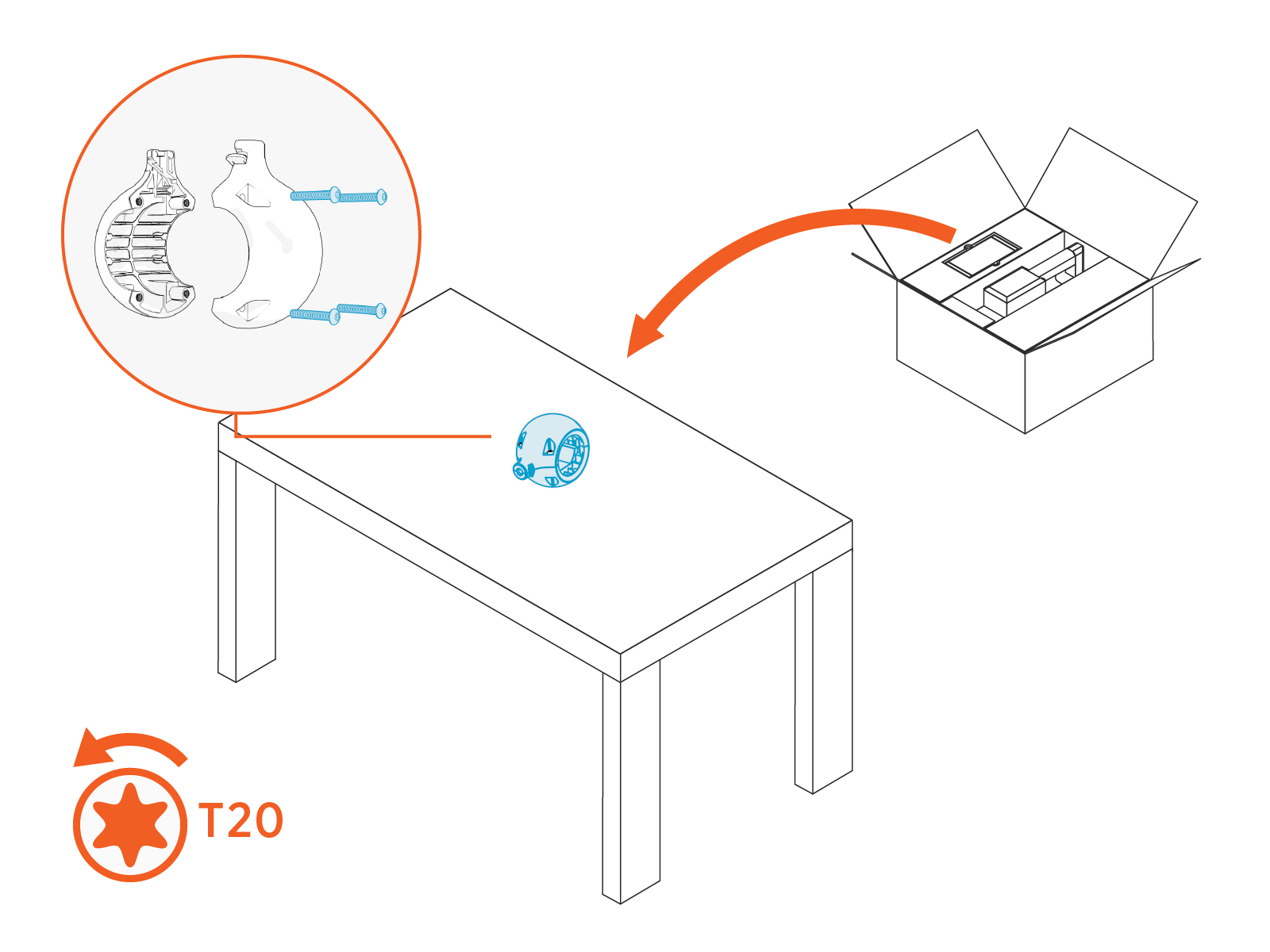
For uninstalled CMKs, unpack the CMK
Cable Management Kit swingarm assembly from the CMK Cable Management Kit shipping box and set it on a work table or on top of the closed shipping box. All upgrade work will take place with the swing arm laid upside down on the table.Be mindful not to damage cosmetic parts when unpacking box contents.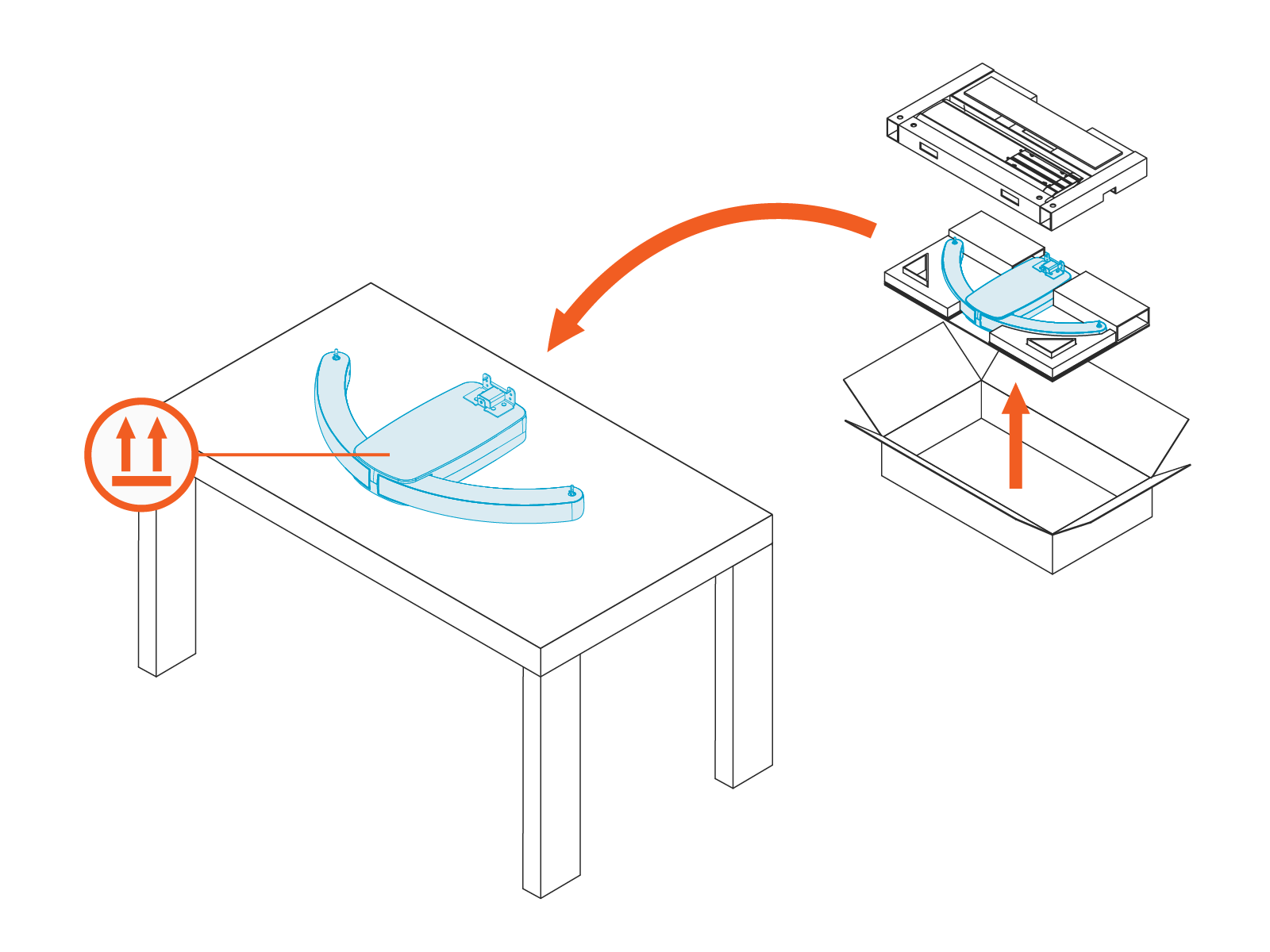
-
For uninstalled tetherballs, unpack all tetherballs from their associated charging cable shipping boxes. Unassemble each tetherball by removing T20 Torx screws (x4).
-
For a CMK
Cable Management Kit with tetherball and charging cable already installed in the field:-
Using a flat head screwdriver, depress the spring clip on the tetherball to release it from the CMK
Cable Management Kit.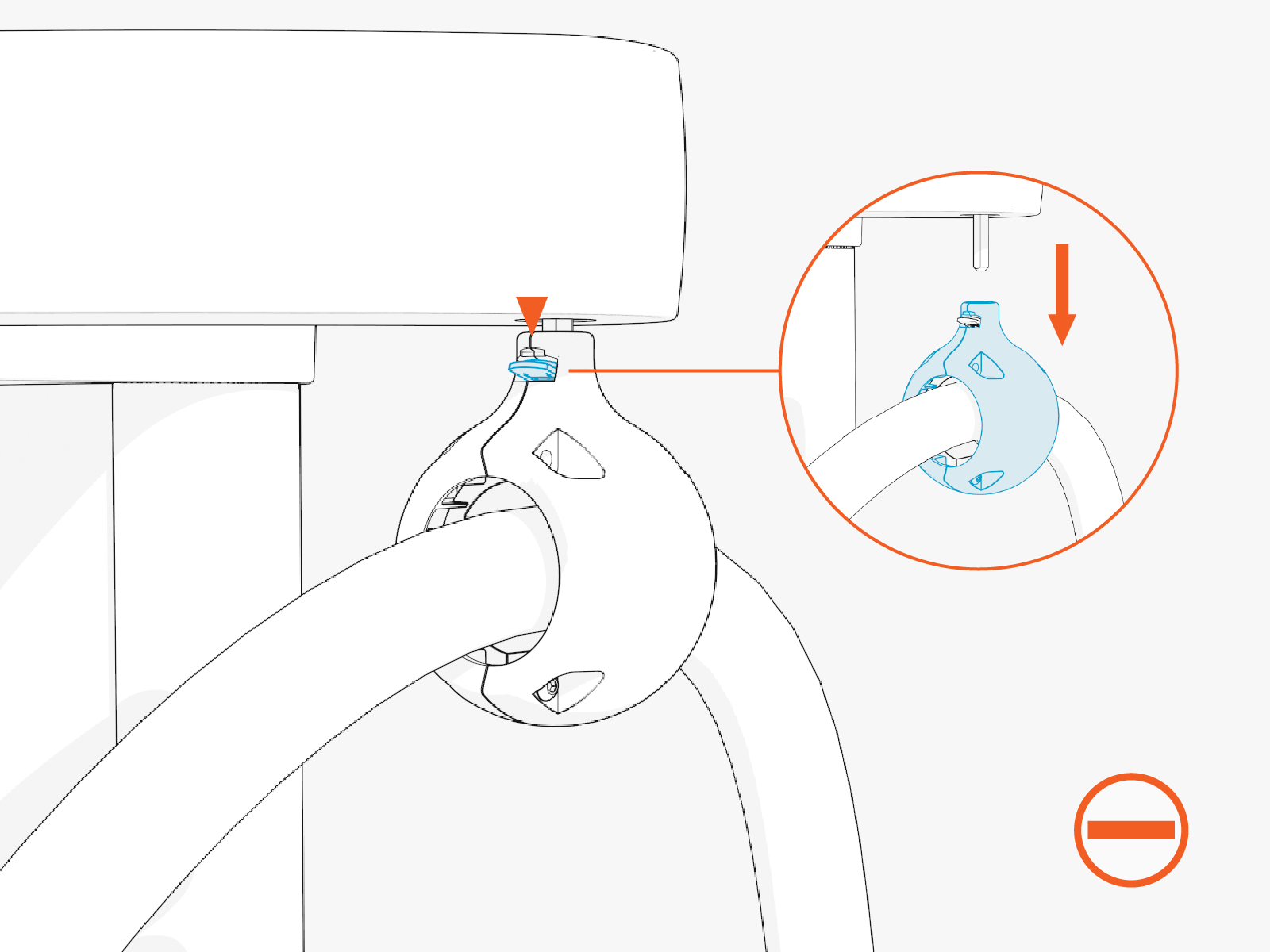
-
Remove the tetherball from the charging cable.
Note or mark where the tetherball was attached on the charging cable. This will be important when reinstalling the upgraded tetherball on the cable.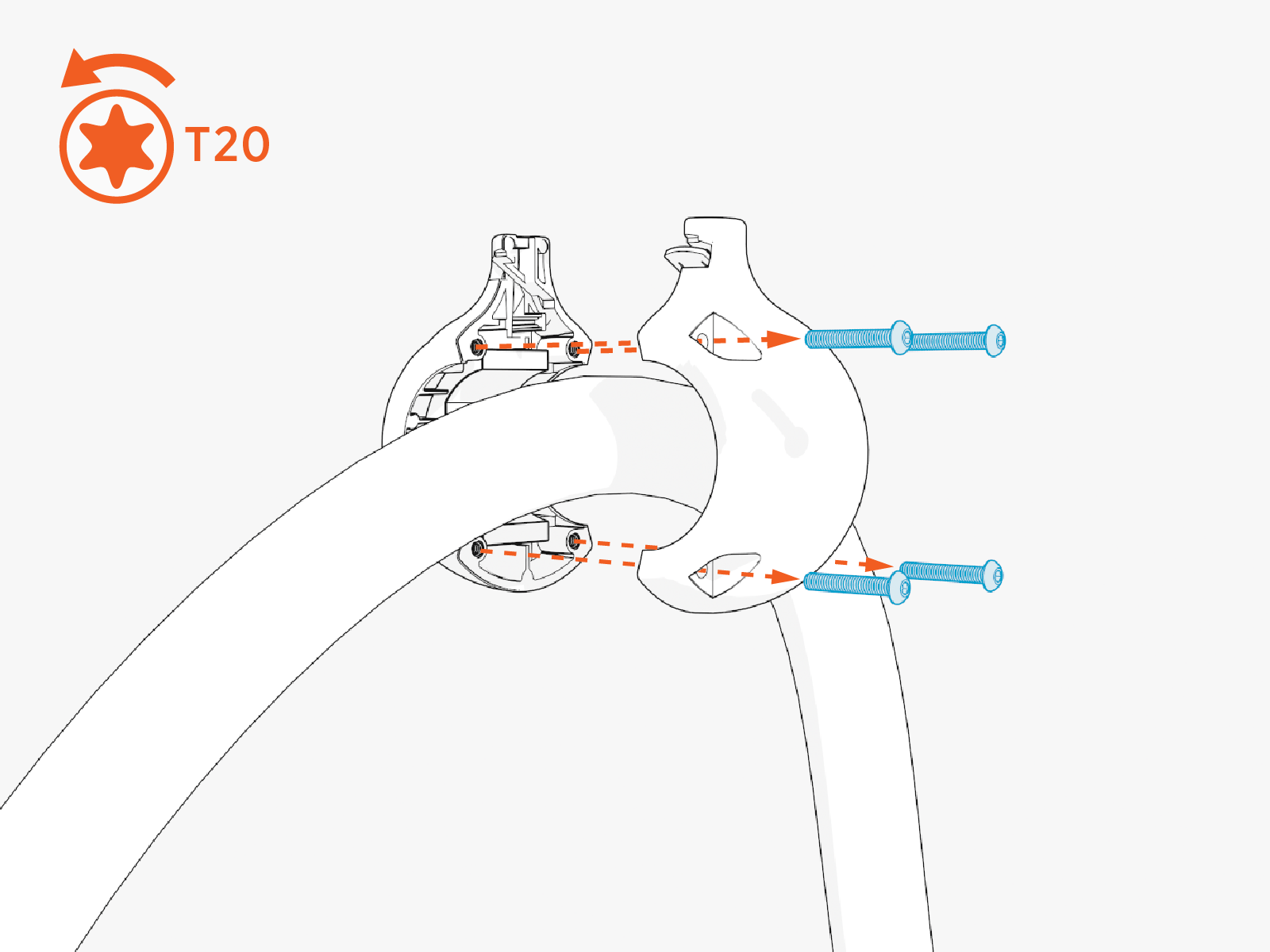
-
Upgrade CMK Swing Arm
-
Swing out one CMK
Cable Management Kit arm.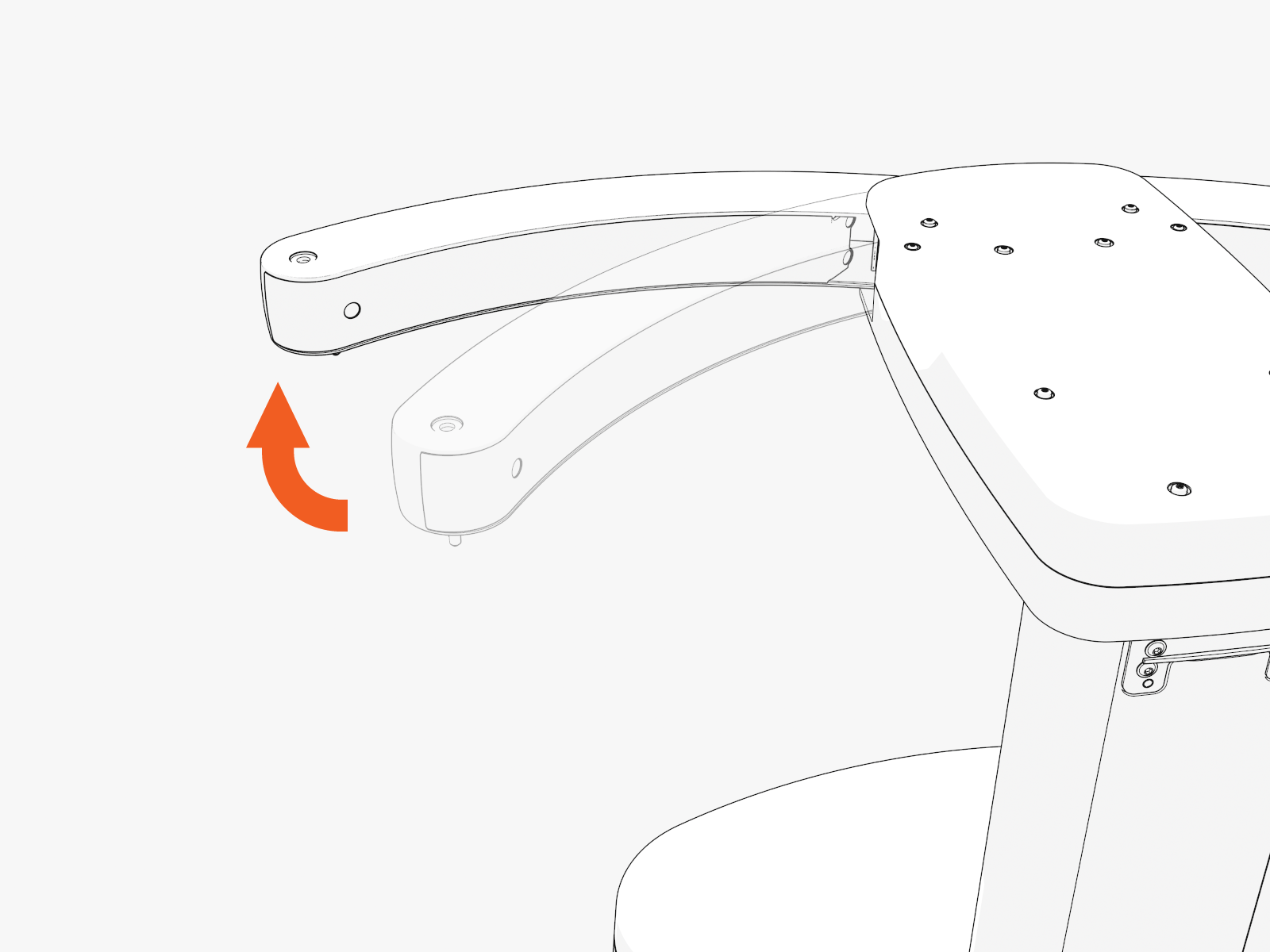
-
Uninstall T25 Torx screws (x3) to remove the rear panel of the CMK
Cable Management Kit arm.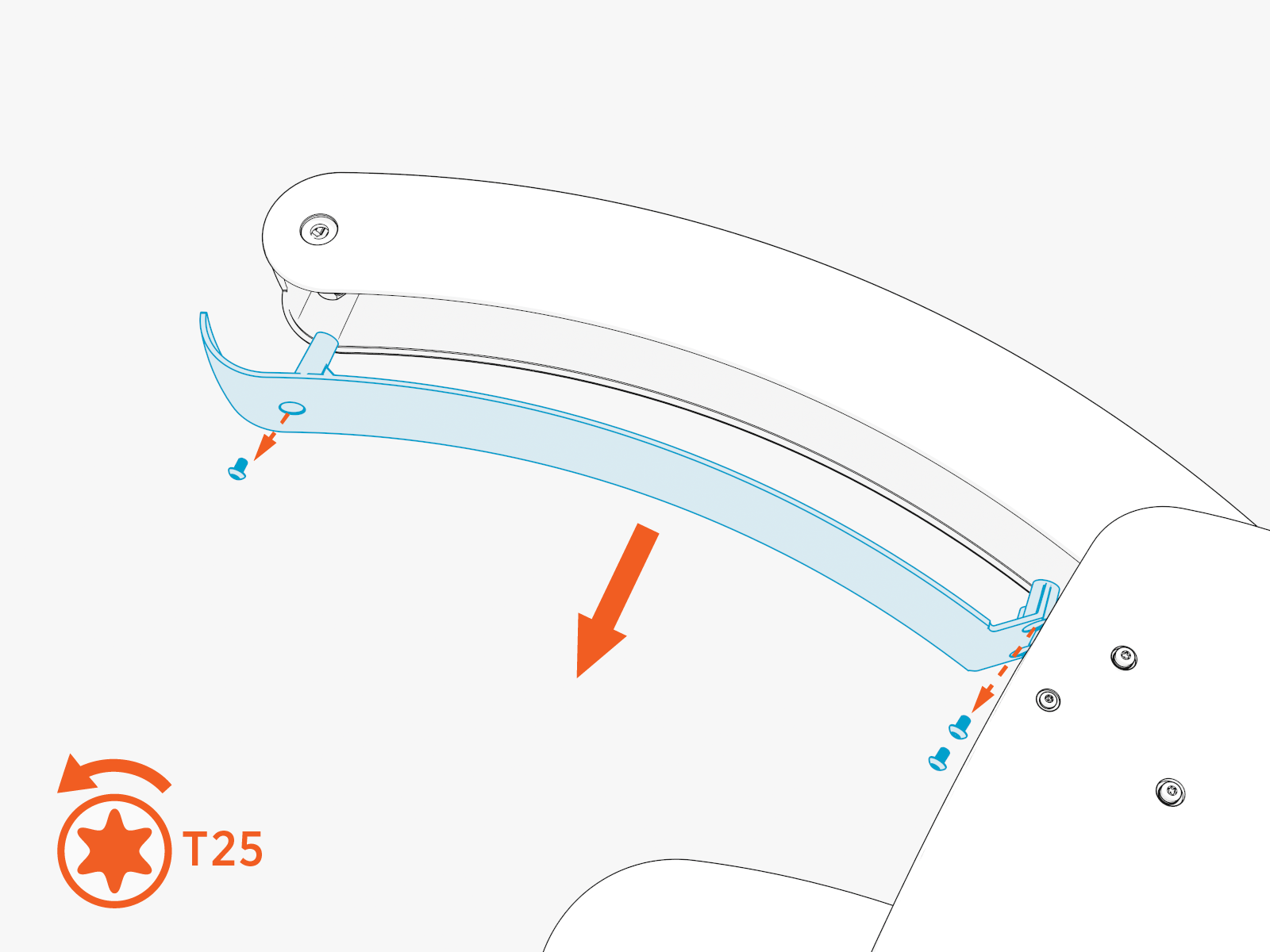
-
Release the tether shaft assembly from inside the CMK
Cable Management Kit arm by removing T25 Torx screws (x2). Set aside screws for later re-use.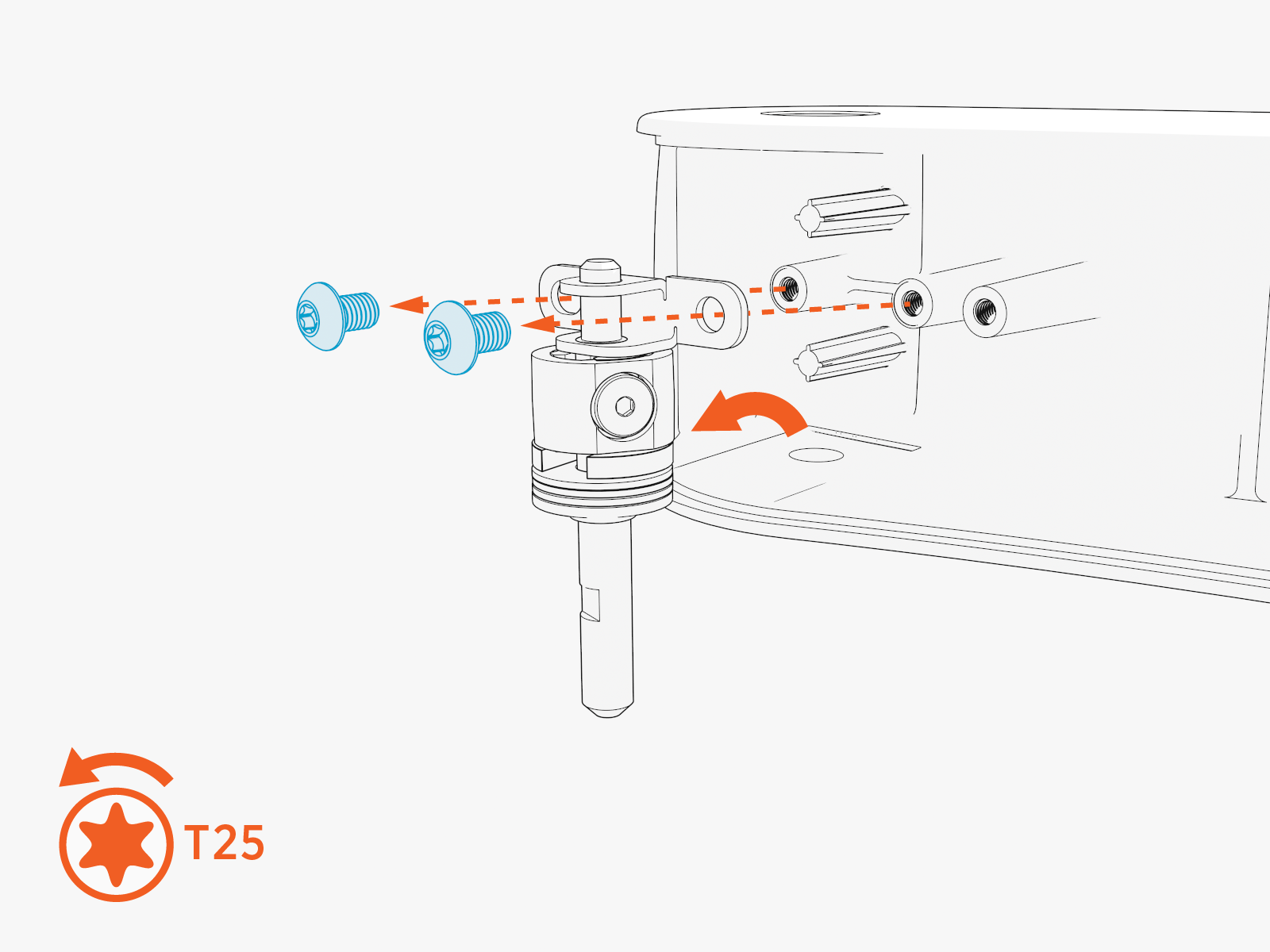
-
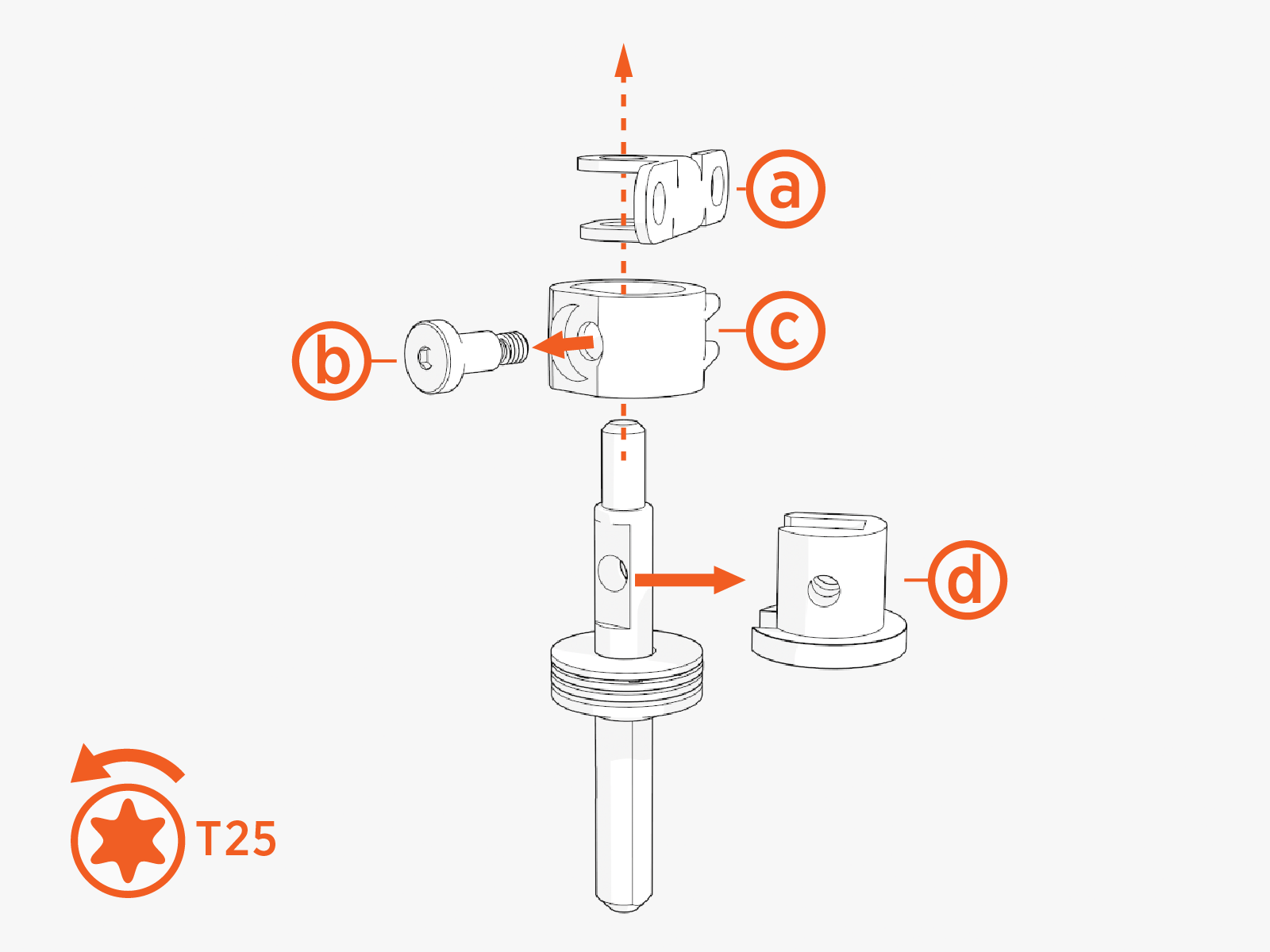
From the tether shaft assembly, remove:
-
Tether shaft retainer
-
T25 Torx screw
-
Rubber stop
-
Tether hat
-
-
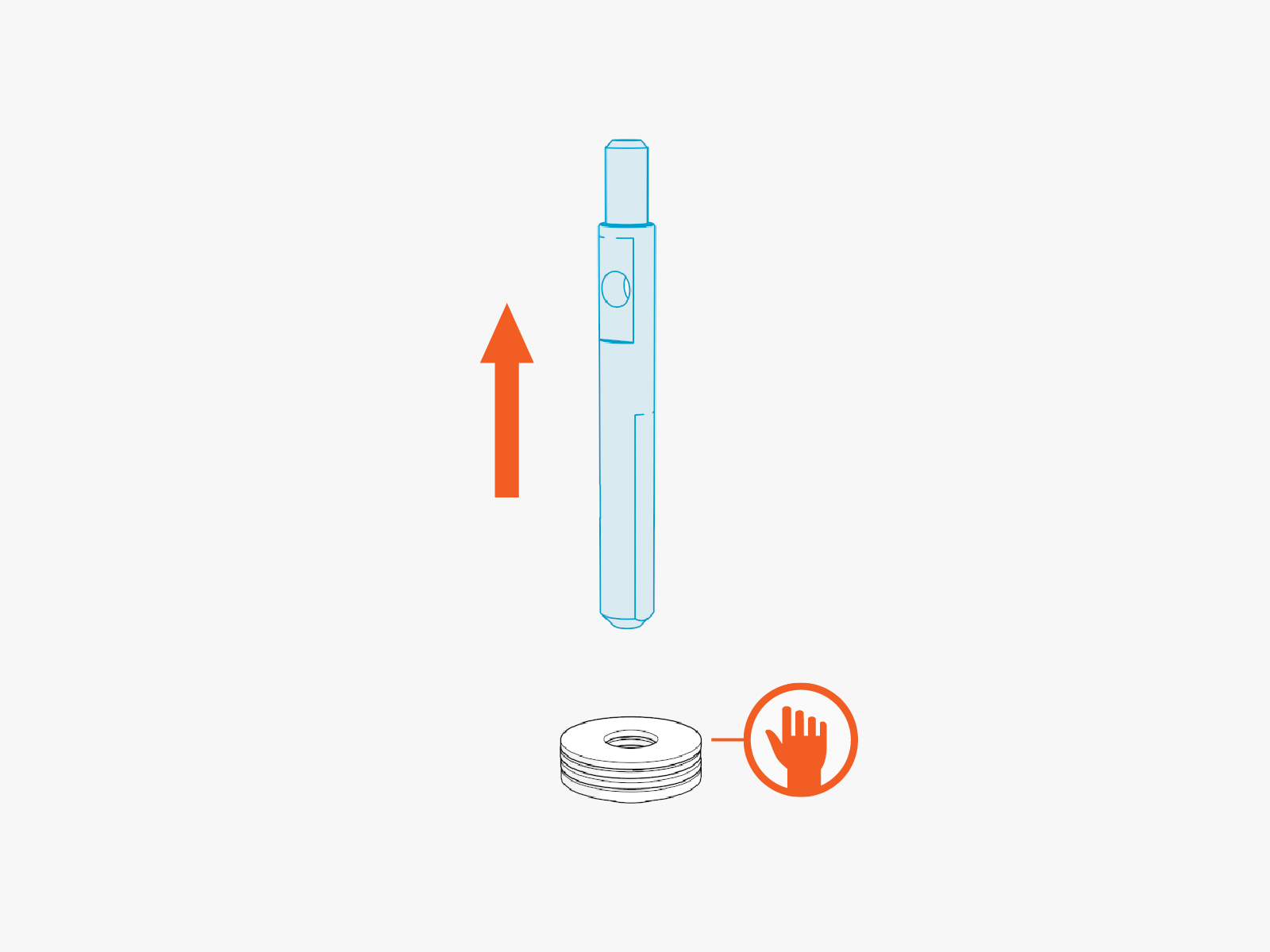
Holding on to the washer stack, slide out the tether shaft.
-
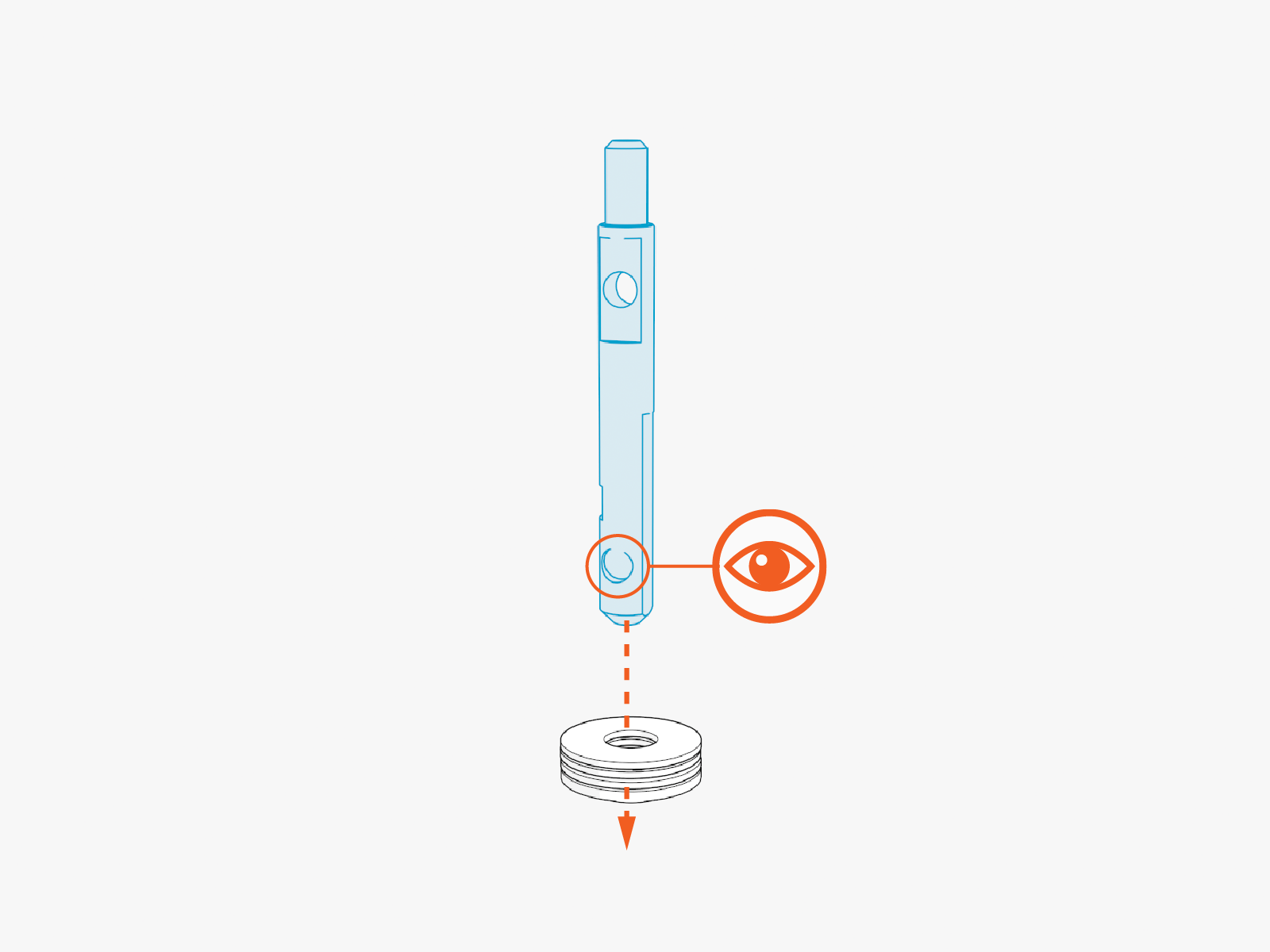
Still holding on to the washer stack, slide in the upgrade tether shaft.
The upgrade tether shaft has a round divot on one side.
-
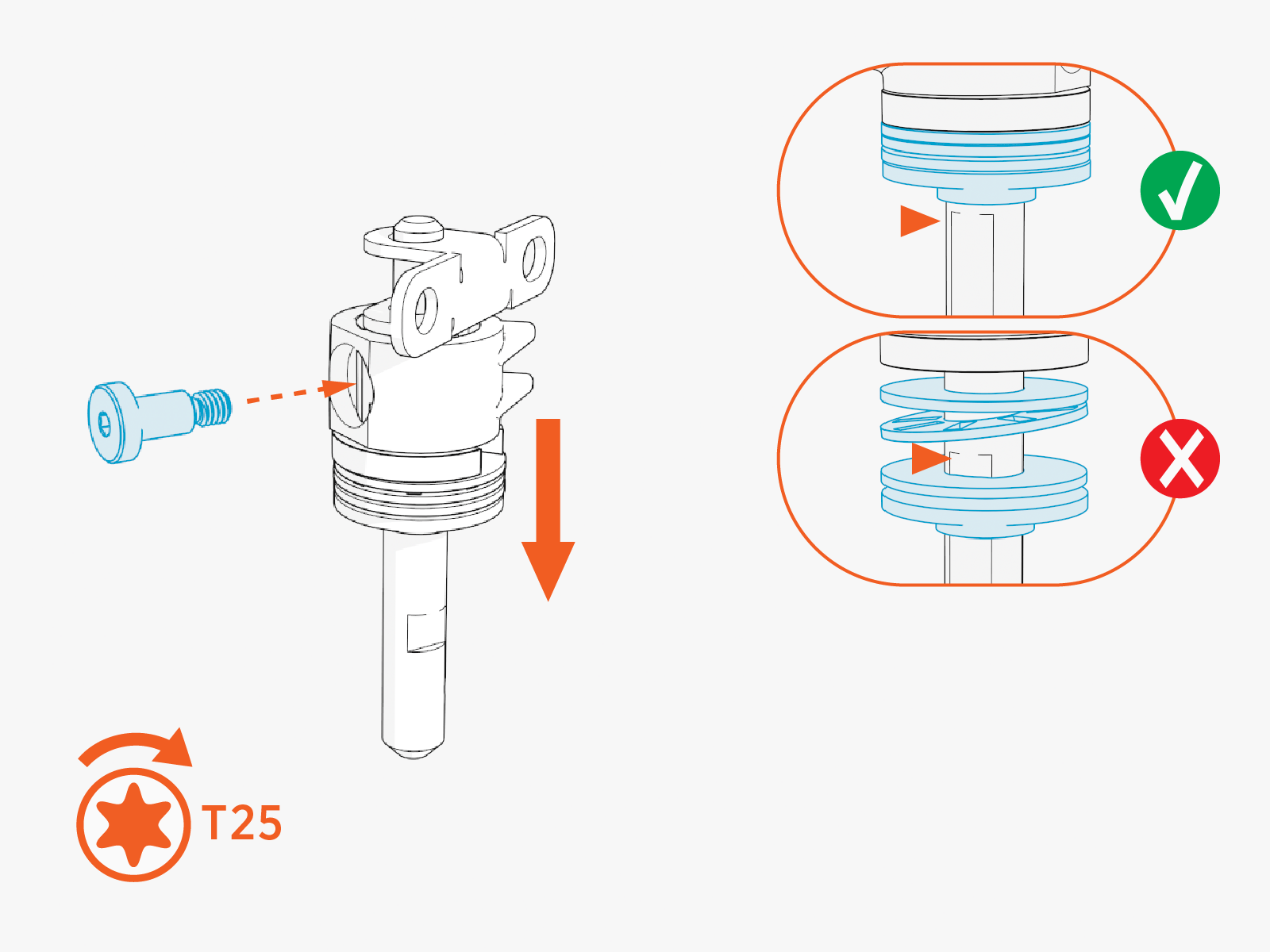
Reinstall the tether hat, rubber stop, T25 Torx screw, and tether shaft retainer. Hand tighten the screw.
Make sure the washer stack is pushed up against rubber stop.
-
Replace and secure the tether shaft assembly in the CMK
Cable Management Kit arm. Torque T25 Torx screws (x2) to 4.5 Nm (40 in-lb).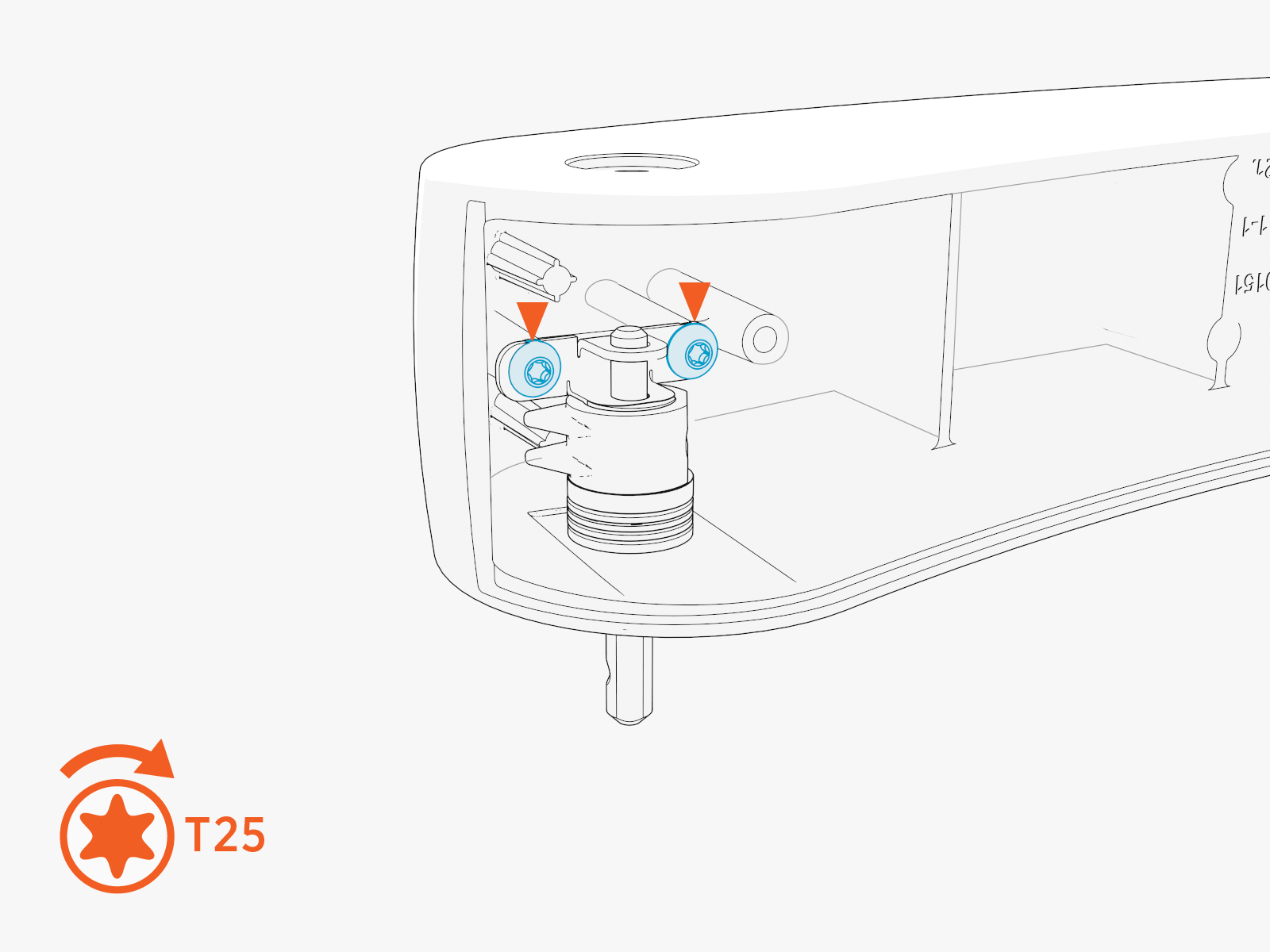
-
Replace the back panel of the CMK
Cable Management Kit arm. Torque T25 Torx screws (x3) to 4.5 Nm (40 in-lb).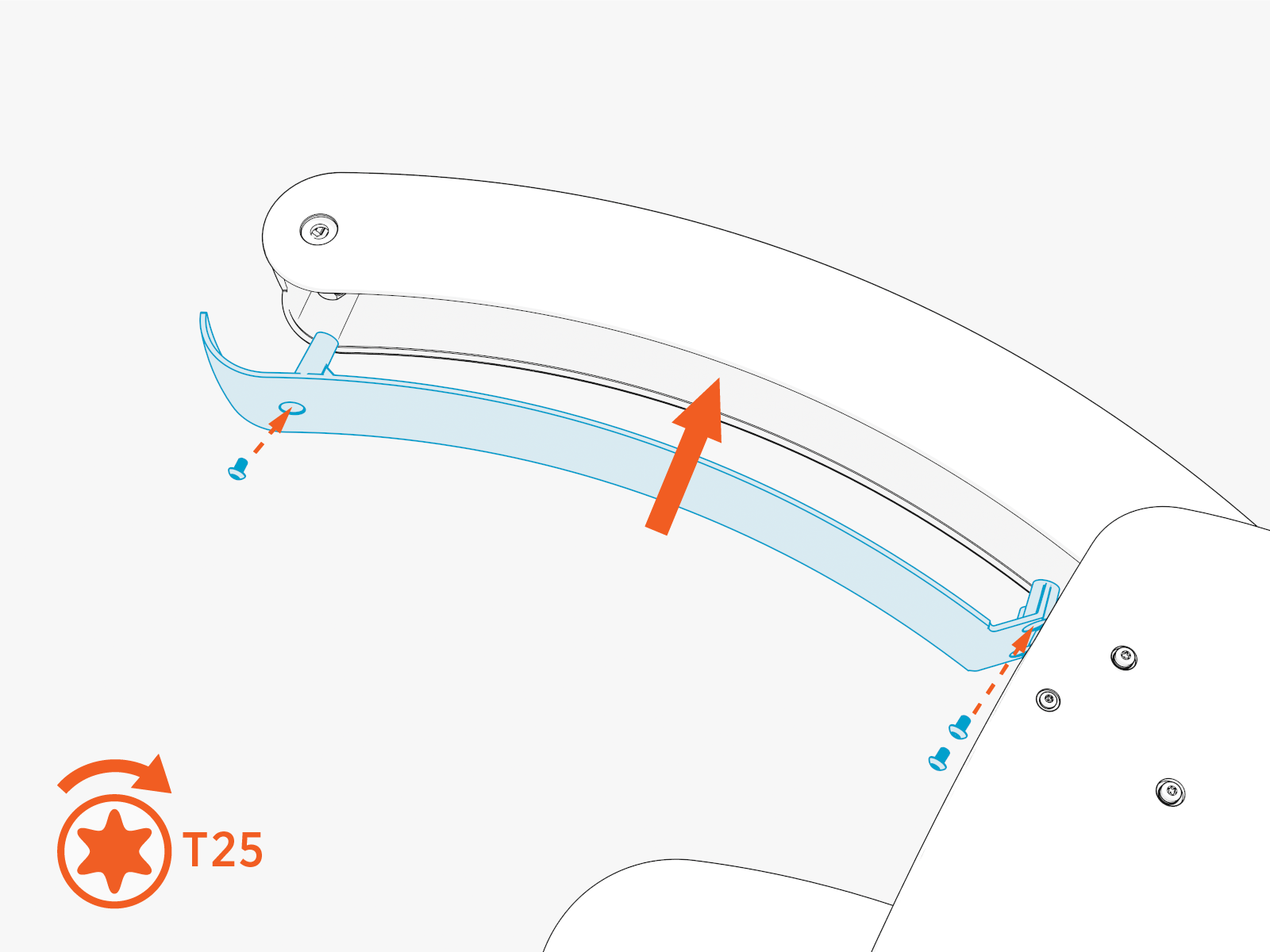
Upgrade Tetherball
-
Pick up the old tetherball, which should be in two pieces:
-
The tetherball half holding the spring clip is Tetherball Half 1.
-
The other half is Tetherball Half 2.
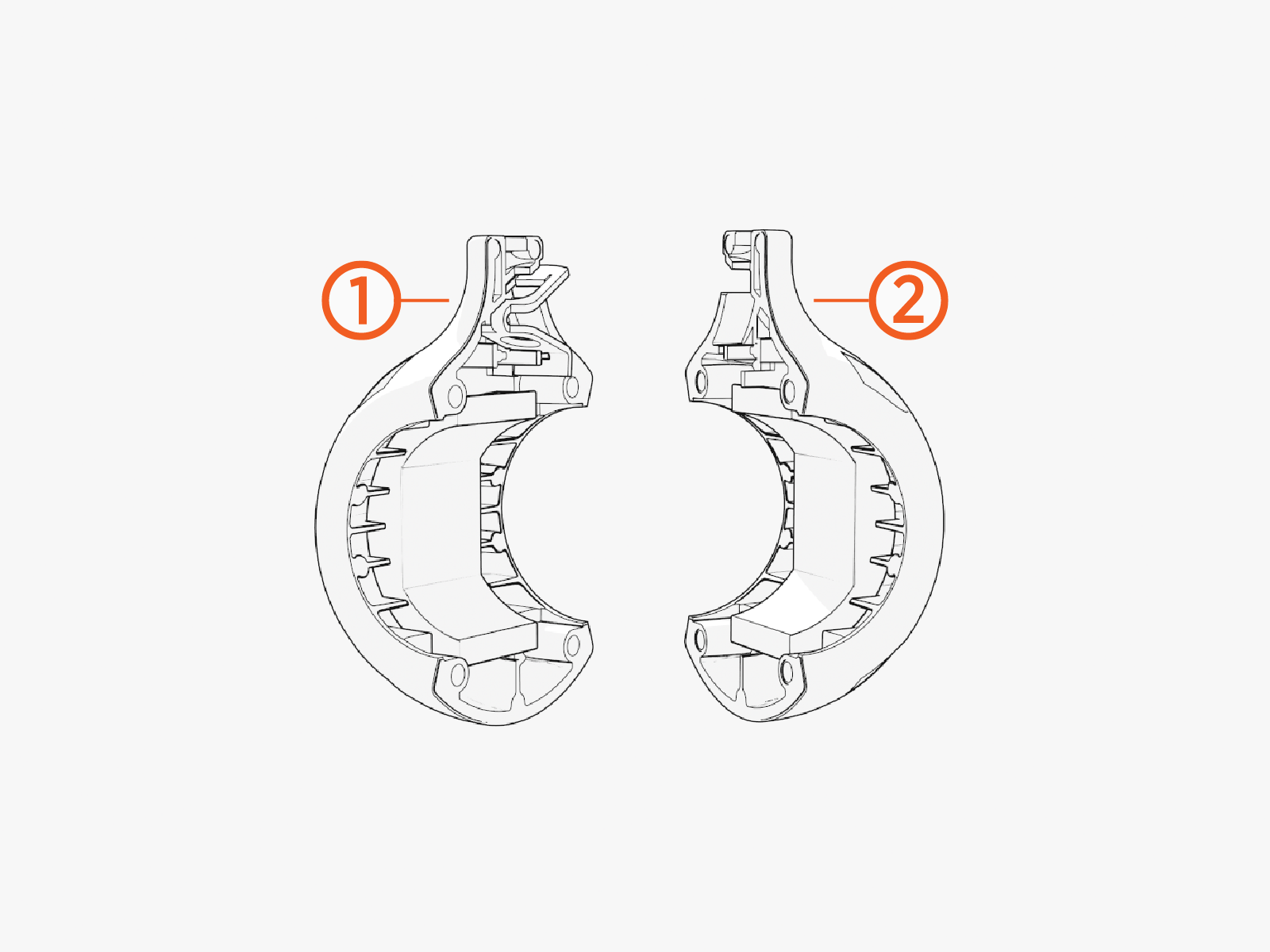
-
-
Remove and set aside the spring clip and compression pad (if present) from Tetherball Half 1. Discard Tetherball Half 1.
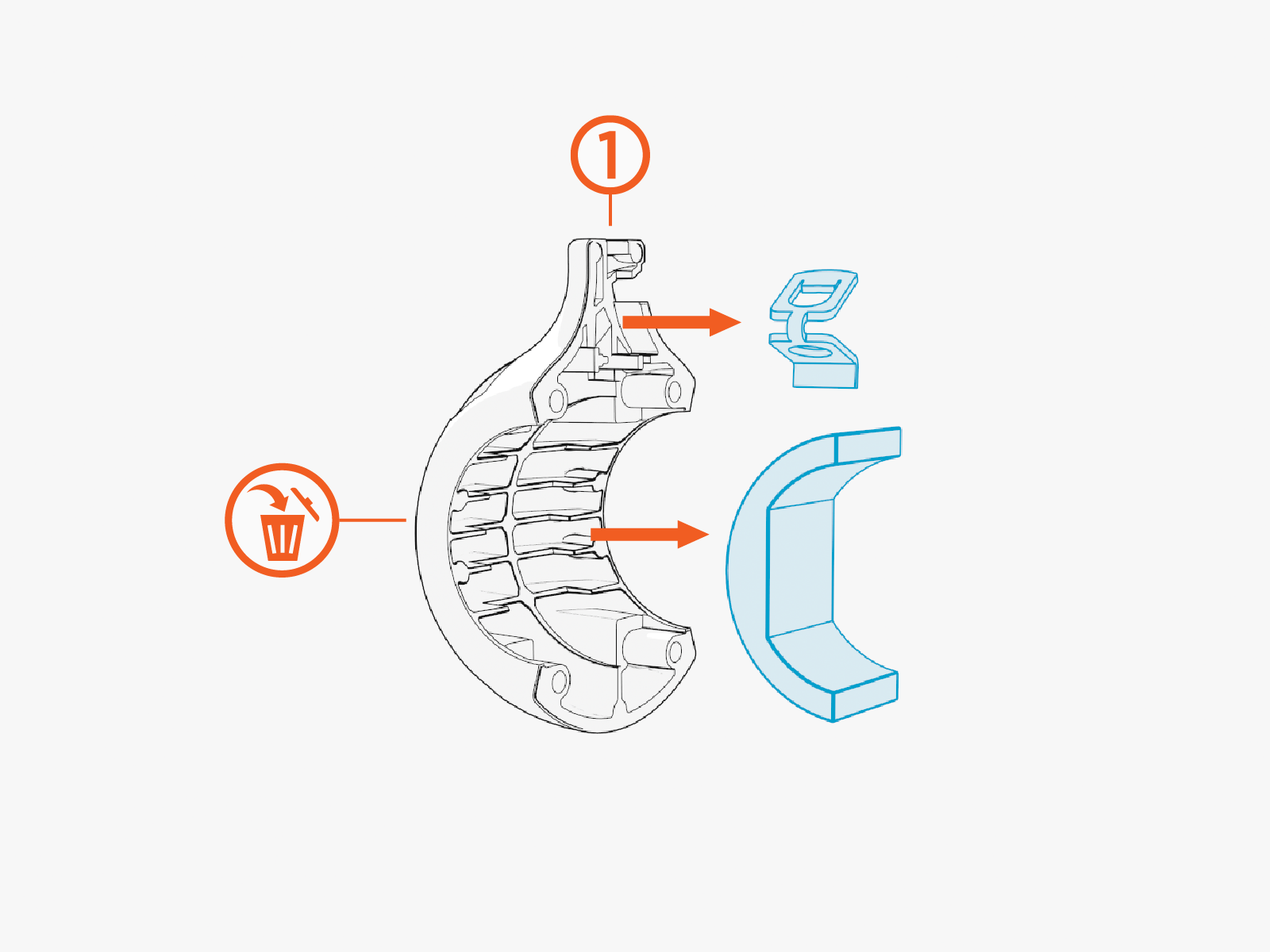
-
Pick up the Upgrade Tetherball Half 3. Insert the spring clip and compression pad (if present).
Make sure the set screw does not protrude into the tetherball half.
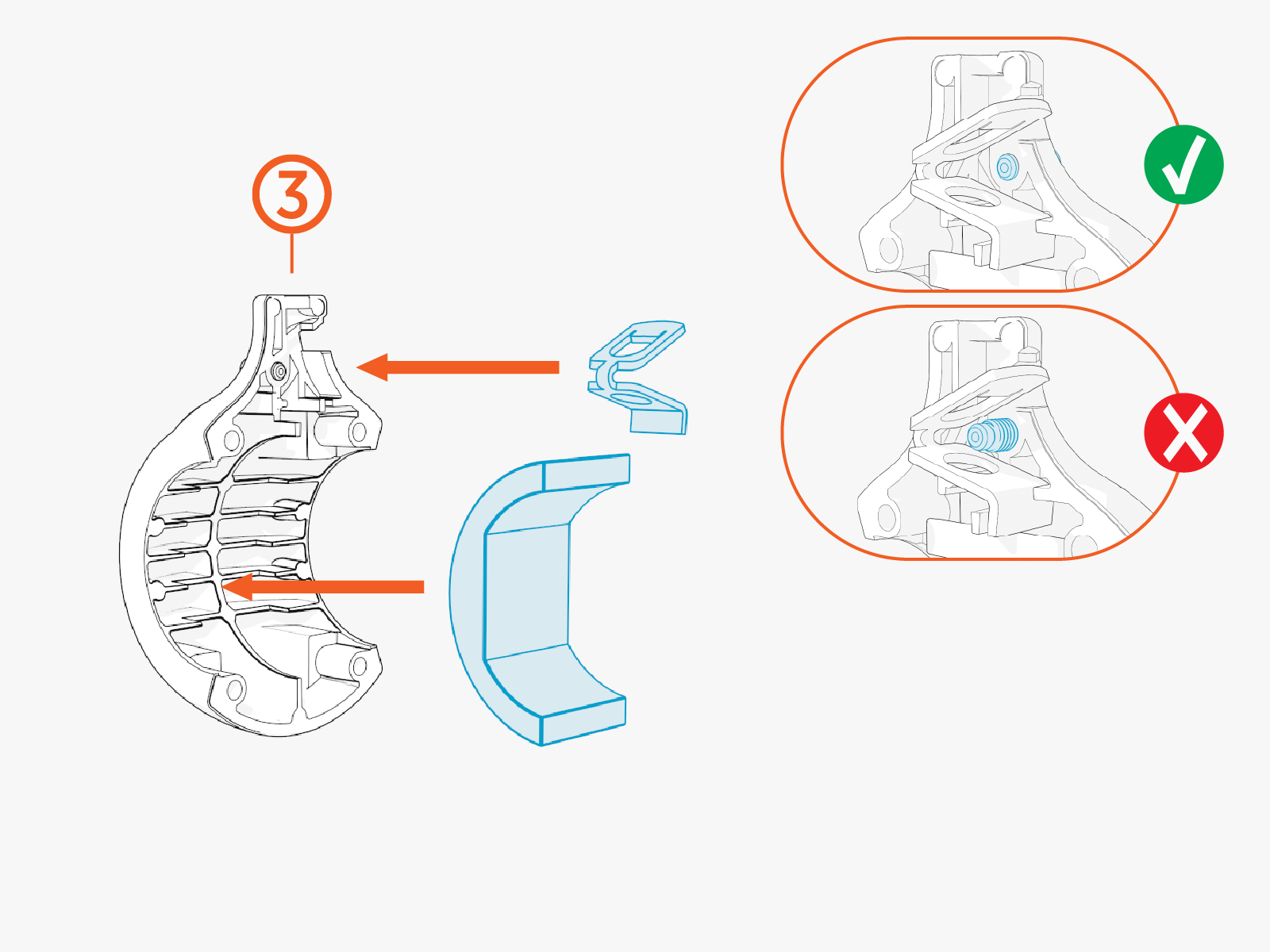
-
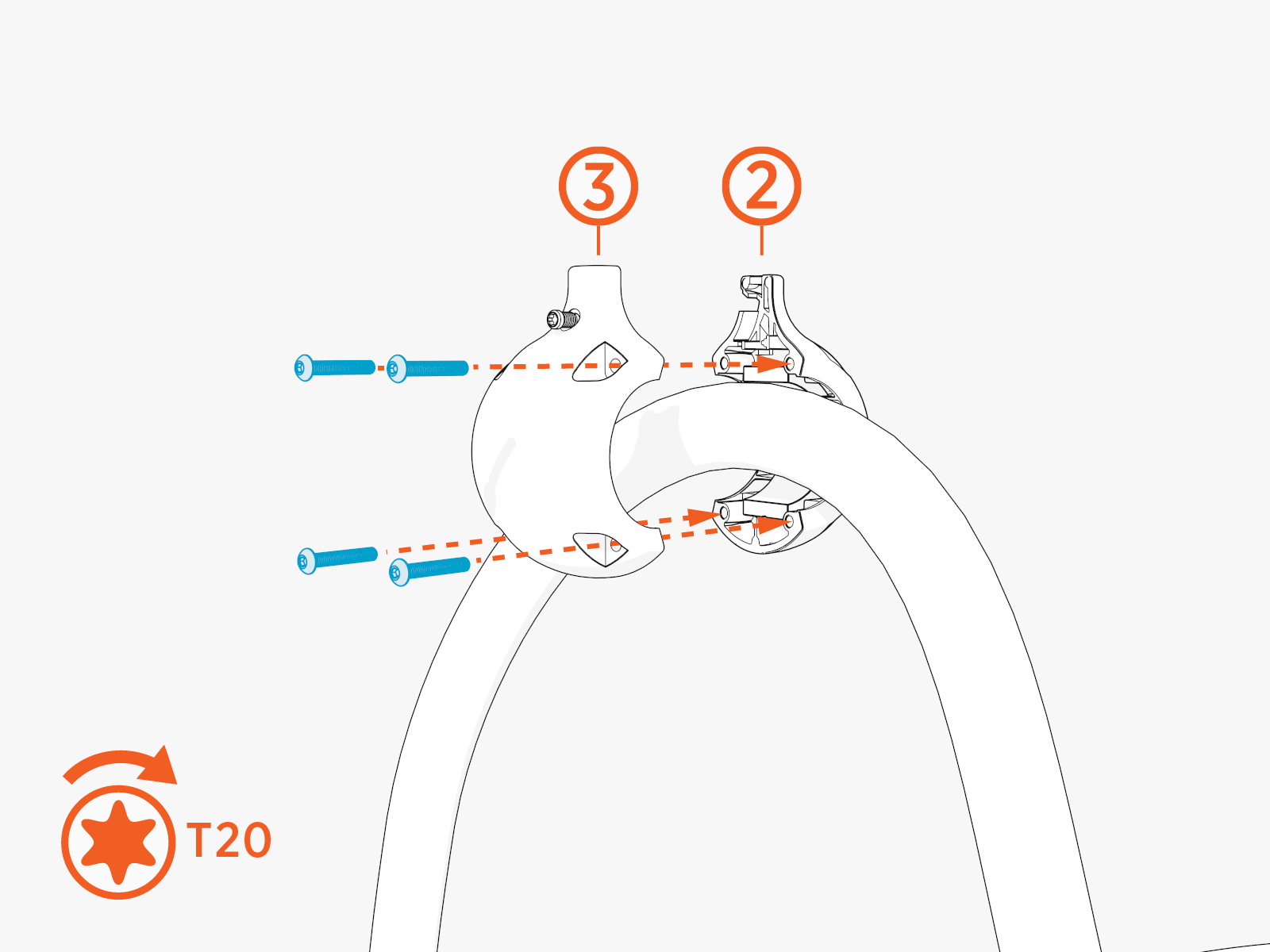
Assemble two tetherball halves back together:
-
Upgrade Tetherball Half 3
-
Tetherball Half 2
-
Reinstall the tetherball at its original position on the charging cable.
-
Ensure there is no gap between the two halves.
-
Ensure both halves are fully seated on the cable.
-
Torque screws (x4) to 2.8 Nm (25 in-lb).
-
For field upgrade:
-
Reattach the tetherball onto the CMK
Cable Management Kit tether shaft. Push the ball onto tether shaft until you hear a click.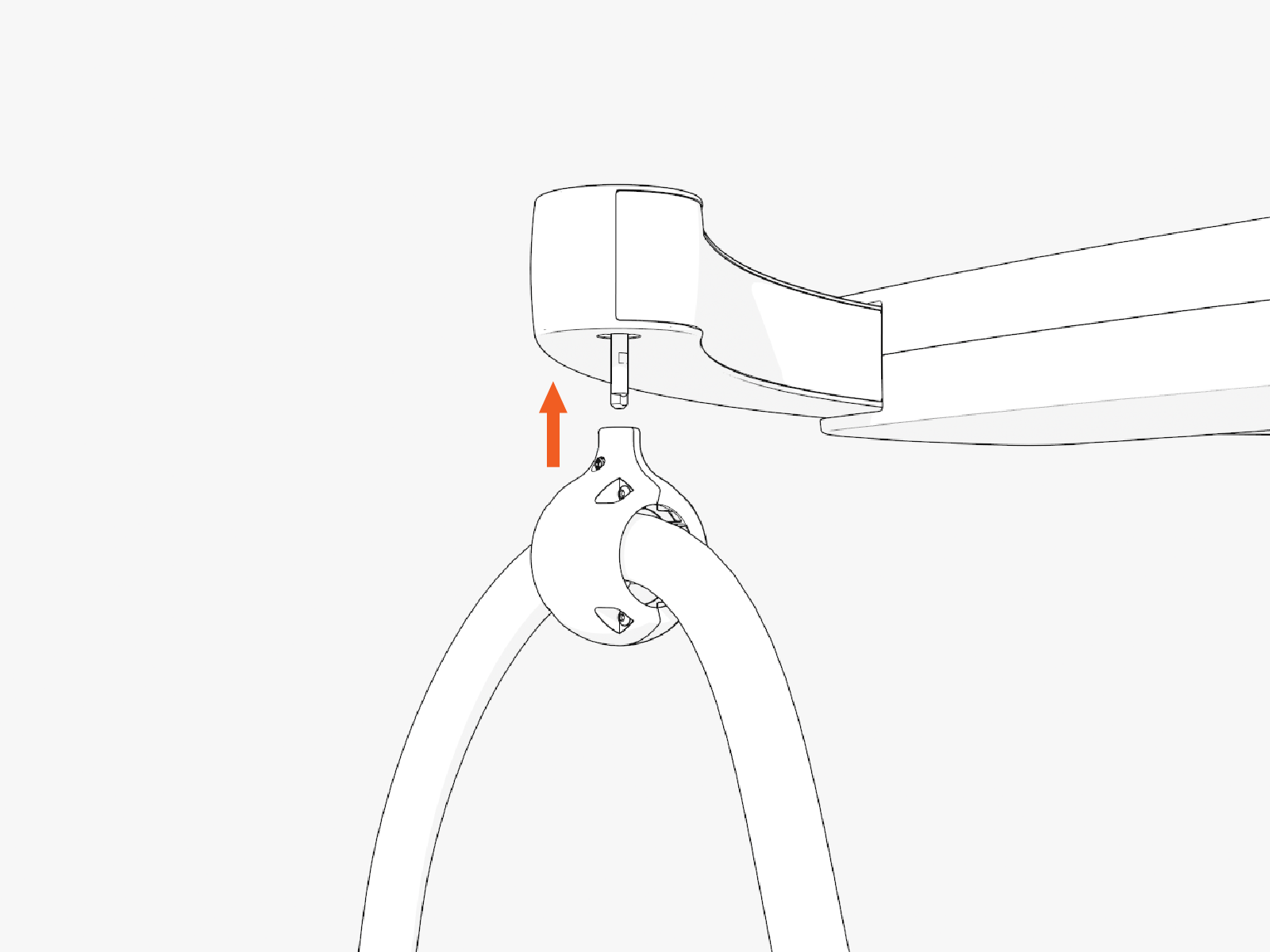
-
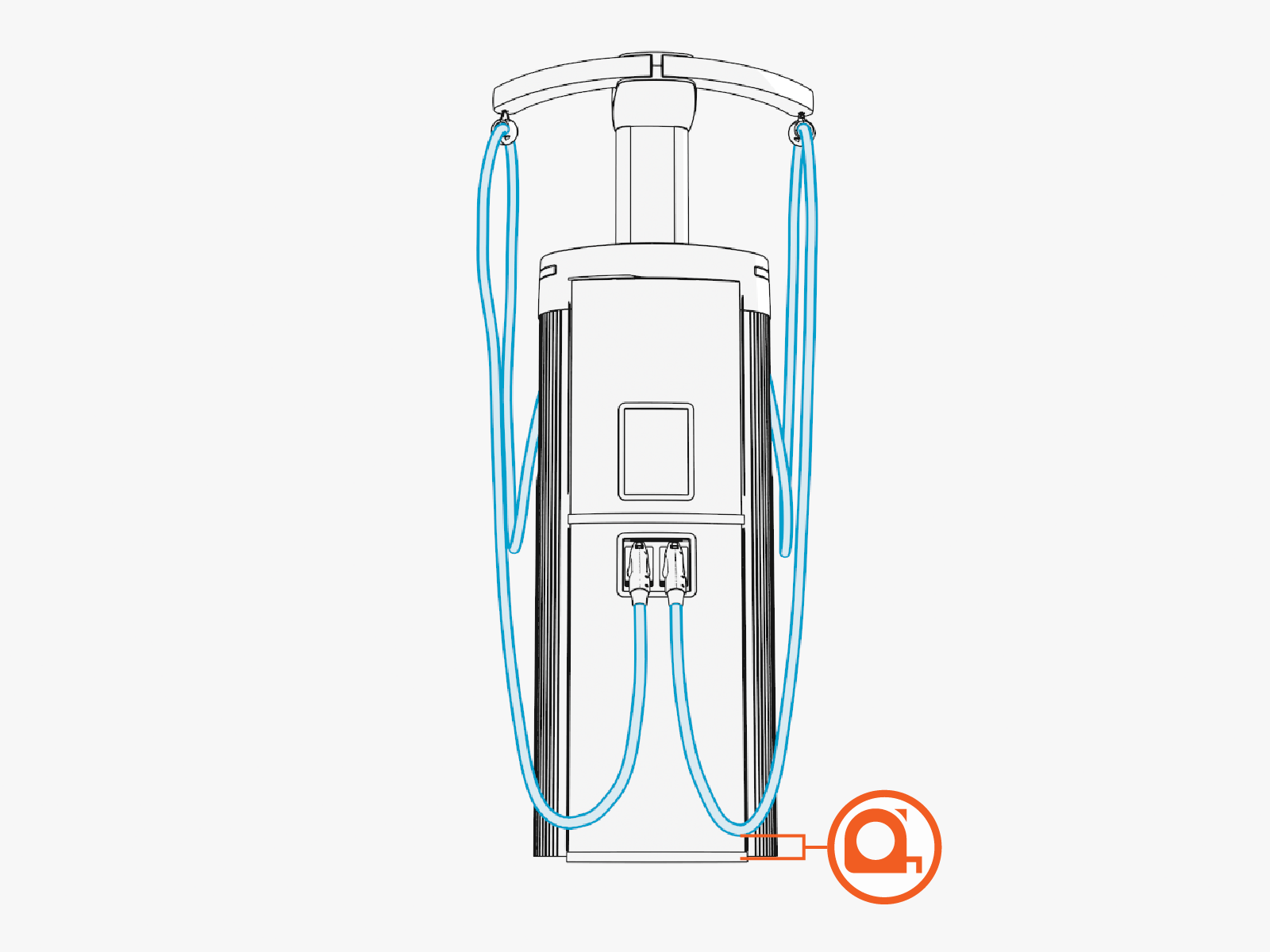
Check the lowest point of the cable. It should be a few inches above the ground. Adjust the position of tetherball if necessary.
-
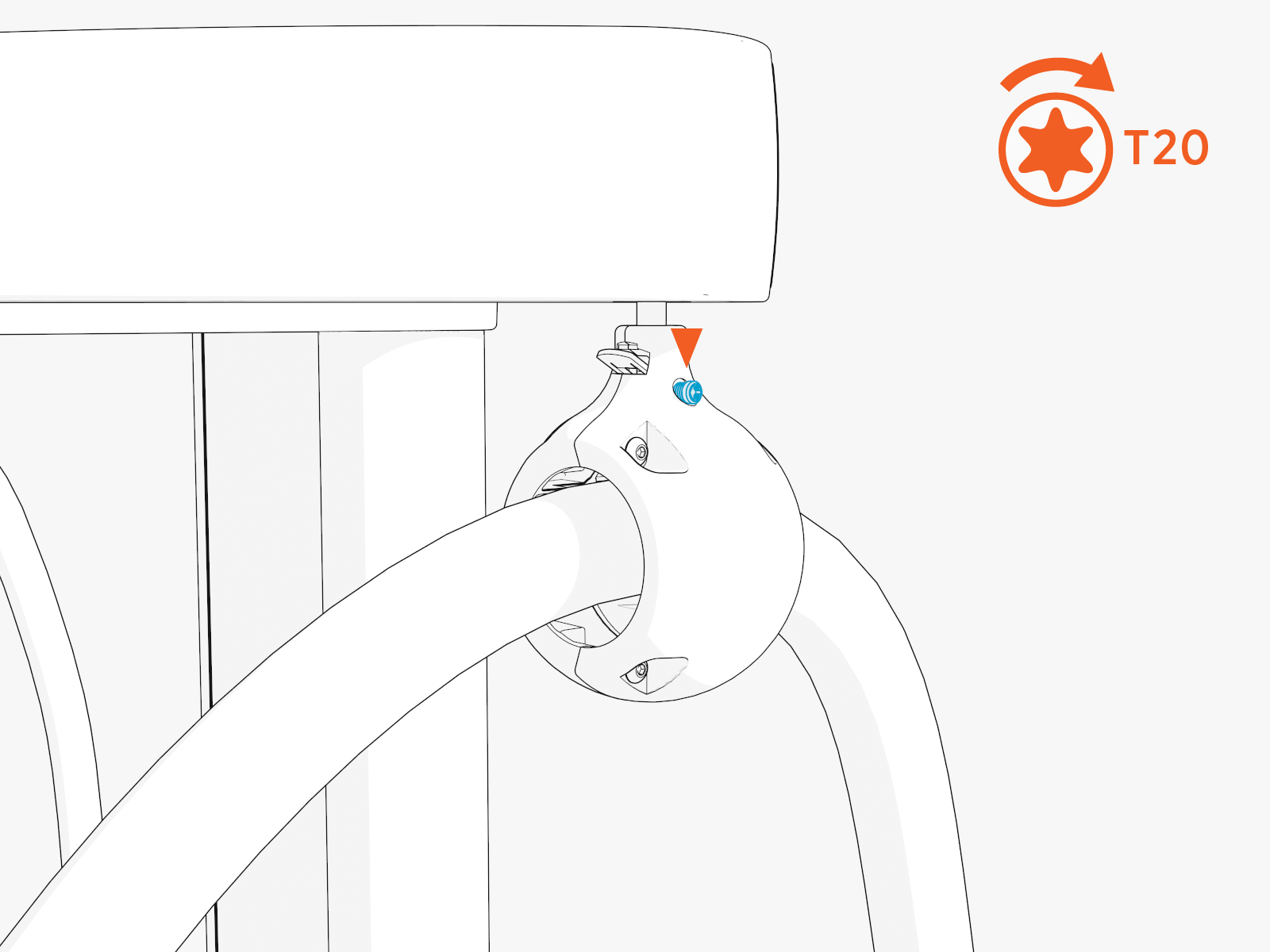
Tighten the set screw on the tether ball. Hand tighten.
-
For field upgrade:
If the tetherball came from a shipping box, return the assembled tetherball to the shipping box.
Report Completion to ChargePoint
-
Apply the upgrade to all affected tetherballs, whether installed in the field or awaiting installation.
-
Contact ChargePoint Support at chargepoint.com/support to report completion of the repair procedures, and any negative findings during the station inspection.
