CMK Vinyl Retention Screws
Bulletin Published: April, 2023
Affected Models: 99-006309-02, 99-006309-02-FT, 99-006310-02
Required Action: Add two missing screws to front face of the Cable Management Kit (CMK Cable Management Kit).
Failure: No functional impact. Missing screws allow the CMK Cable Management Kit front vinyl to potentially slide down.
This service bulletin applies to ChargePoint Express Plus Power Link 1000 charging stations that are not yet installed, but are planned for install with a CMK Cable Management Kit.
- If the charging station is not installed, commissioned, or serviced by a ChargePoint certified technician using a ChargePoint-approved method, it is excluded from all ChargePoint and other warranties and ChargePoint is not responsible.
- You must be a licensed electrician and complete training at https://www.chargepoint.com/partners/training-certification to become ChargePoint certified and to access ChargePoint's web-based installer tools or ChargePoint Installer app.
Contact ChargePoint at chargepoint.com/support with any questions related to this bulletin.
Required Tools and Materials
Tools

|
Torx screwdriver (T25) |
Materials
M4-0.7 x 4.5 mm, 5.0 x 4.0 mm shoulder, T25 Torx, stainless steel screw (x2 required per Power Link 1000)
If necessary, contact ChargePoint at chargepoint.com/support to request screws.
Repair Procedures
-
Open the CMK
Cable Management Kit shipping box and remove the CMK Cable Management Kit mast.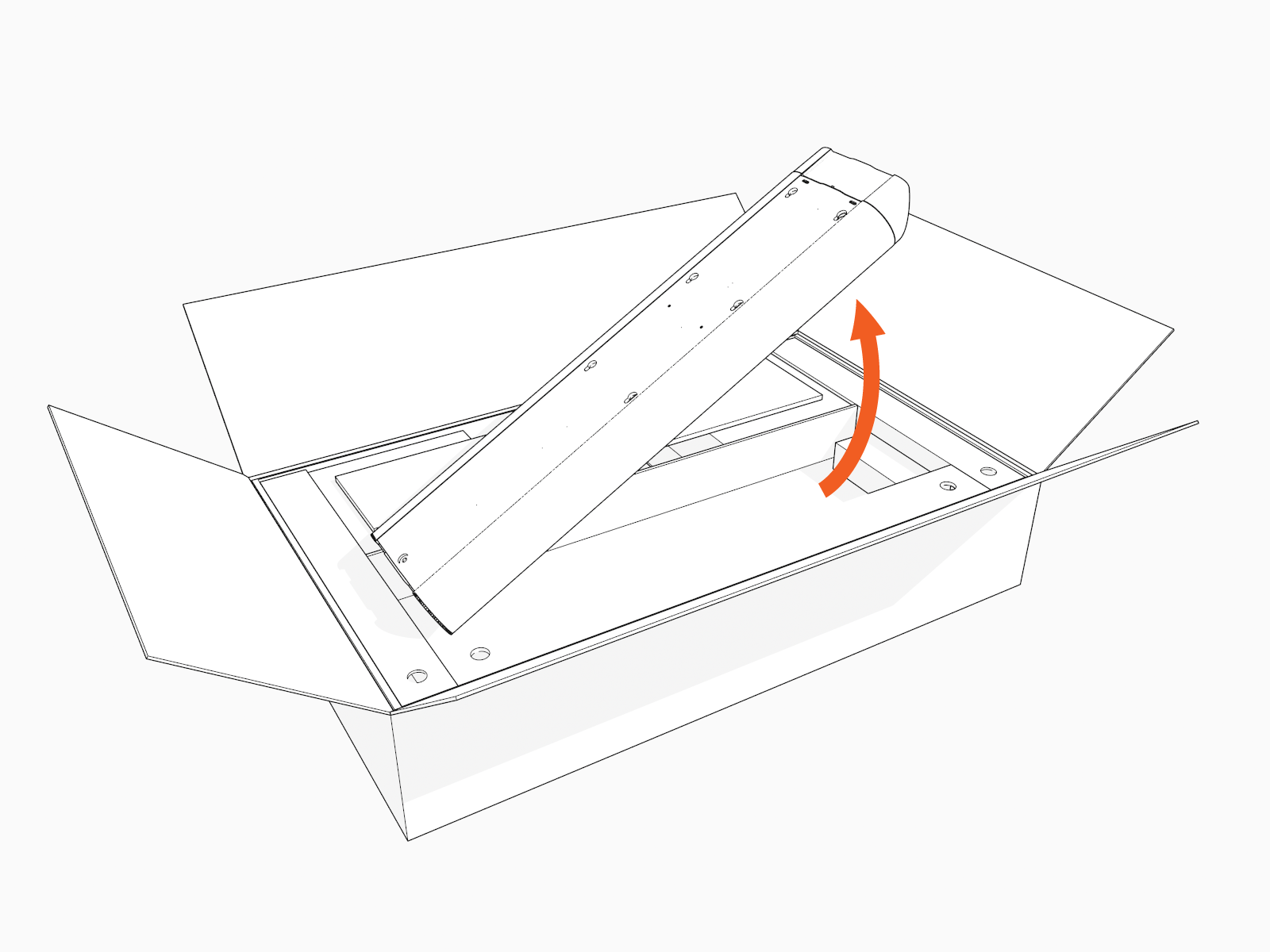
-
Locate two circular screw holes on the front face of the CMK
Cable Management Kit mast. 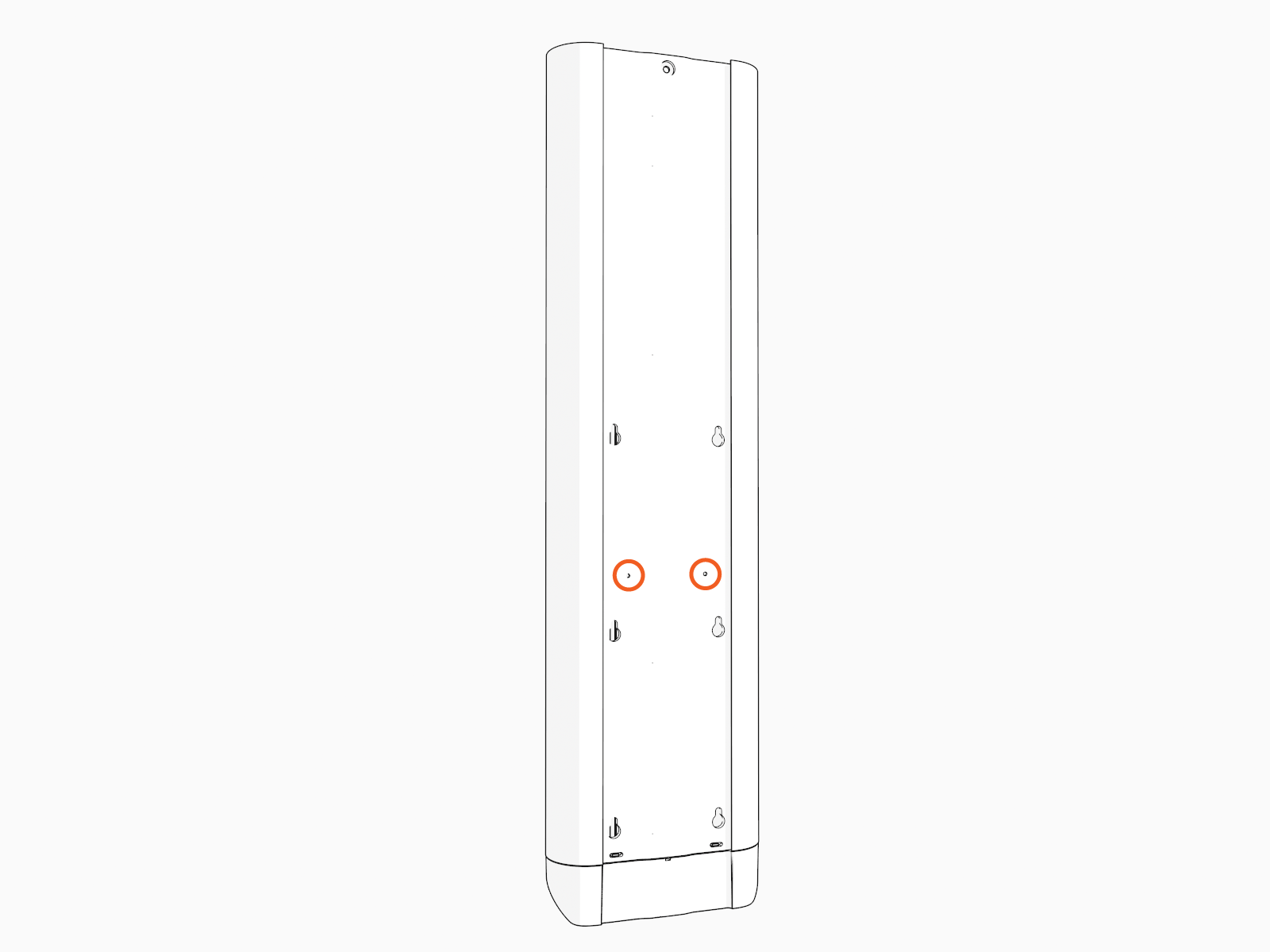
-
Install the screws into the holes. Hand-tighten.
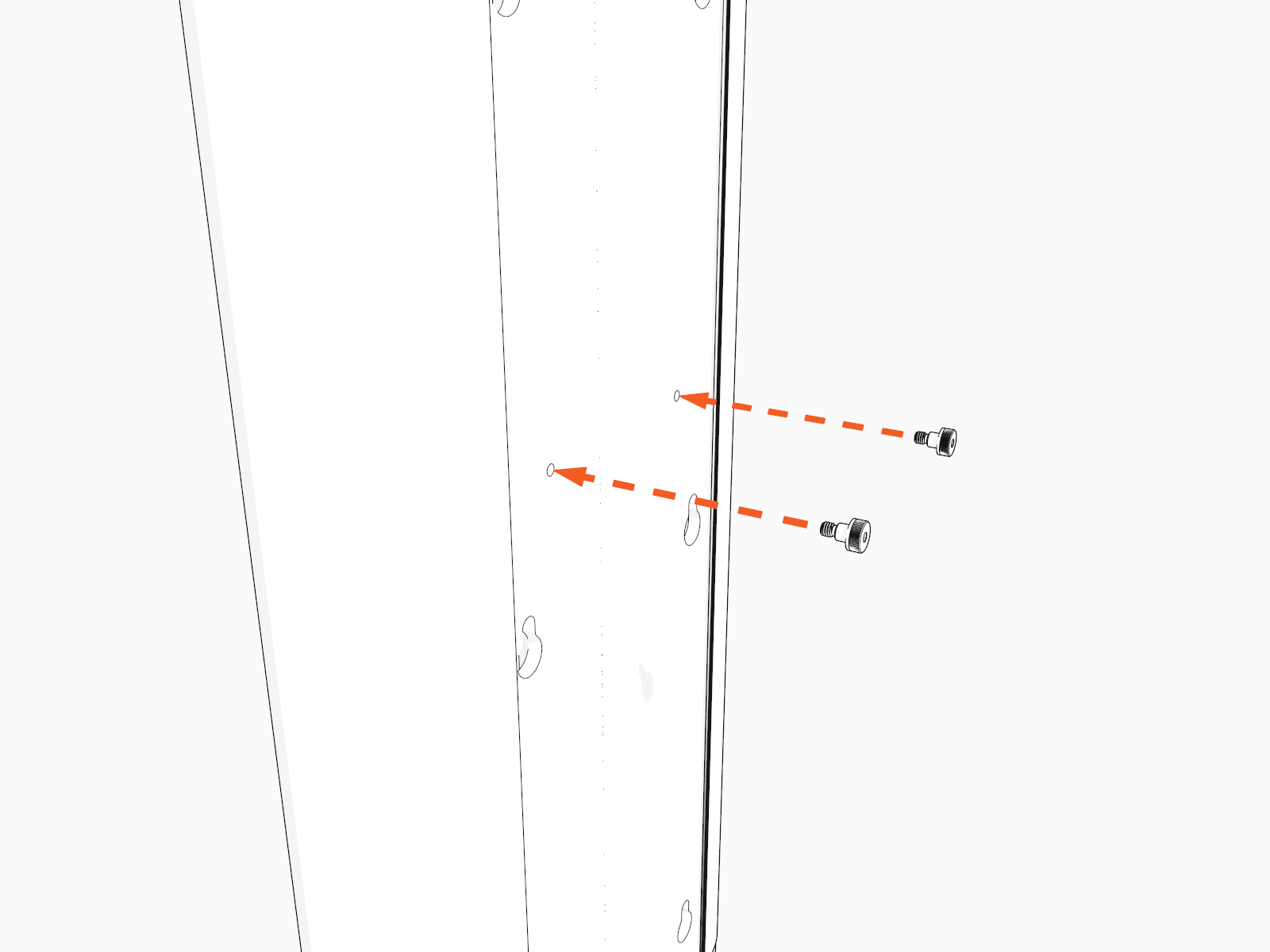
-
Place the CMK
Cable Management Kit mast back into its shipping box until needed. -
This concludes the repair procedure. Proceed to install the Power Link 1000 as instructed by the Express Plus Installation Guide.
Report Completion to ChargePoint
Contact ChargePoint Support at chargepoint.com/support to report completion of the repair procedures, and any negative findings during the station inspection.
