Service Bulletin: Express PlusPower Block Pedestal Installation
Bulletin Published: January 2024.
Affected Models and Down Version: Express Plus Power Block 99-004408-01, 99-004408-02, and 99-004408-03 with manufacture dates prior to 02-Nov-2023.
Required Action: Confirm the orientation of the front marking of the Power Block pedestal as well as the orientation of the alignment wedges of the Power Block pedestal. Since these issues have been corrected at the factory as of 02-Nov-2023, so the required action only applies to manufacture dates prior to that date.
Failure: Failure to comply with these issues will result in delays in installation and does not impact currently installed and commissioned units.
This service bulletin applies to all ChargePoint Express Plus Power Block units.
- If the charging station is not installed, commissioned, or serviced by a ChargePoint certified technician using a ChargePoint-approved method, it is excluded from all ChargePoint and other warranties and ChargePoint is not responsible.
- You must be a licensed electrician and complete training at https://www.chargepoint.com/partners/training-certification to become ChargePoint certified and to access ChargePoint's web-based installer tools or ChargePoint Installer app.
Contact ChargePoint at chargepoint.com/support with any questions related to this bulletin.
Tools and Materials
Tools and materials required:
Tools
|
|
|
|
15 mm socket |
|
|
Marker |
|
Box cutter or Razor blade |
|
|
Magnet tray |
|
|


Materials
IMPORTANT: A Repair Kit is not needed unless a problem occurs with the installation.
IMPORTANT: No action is needed on already installed Power Block units. This service bulletin only applies to units that are in the process of being installed.
There are two issues to be addressed where you need to confirm the orientation of the Power Block pedestal:
IMPORTANT: If you are performing the upgrade for units not yet installed in the field, please note the following: Orientation of the pedestal Orientation of the alignment wedges
The service procedures given below do not require the charging station to be powered off since these procedures are done prior to the charging station being installed.
Field repair does require removal of screws. Be careful that the screws do not get dropped and lost during the process. Use of a magnet tray for managing loose screws is highly recommended.
Procedures
Follow the instructions below to install the pedestal:
Before Bolting the Pedestal to the Ground
-
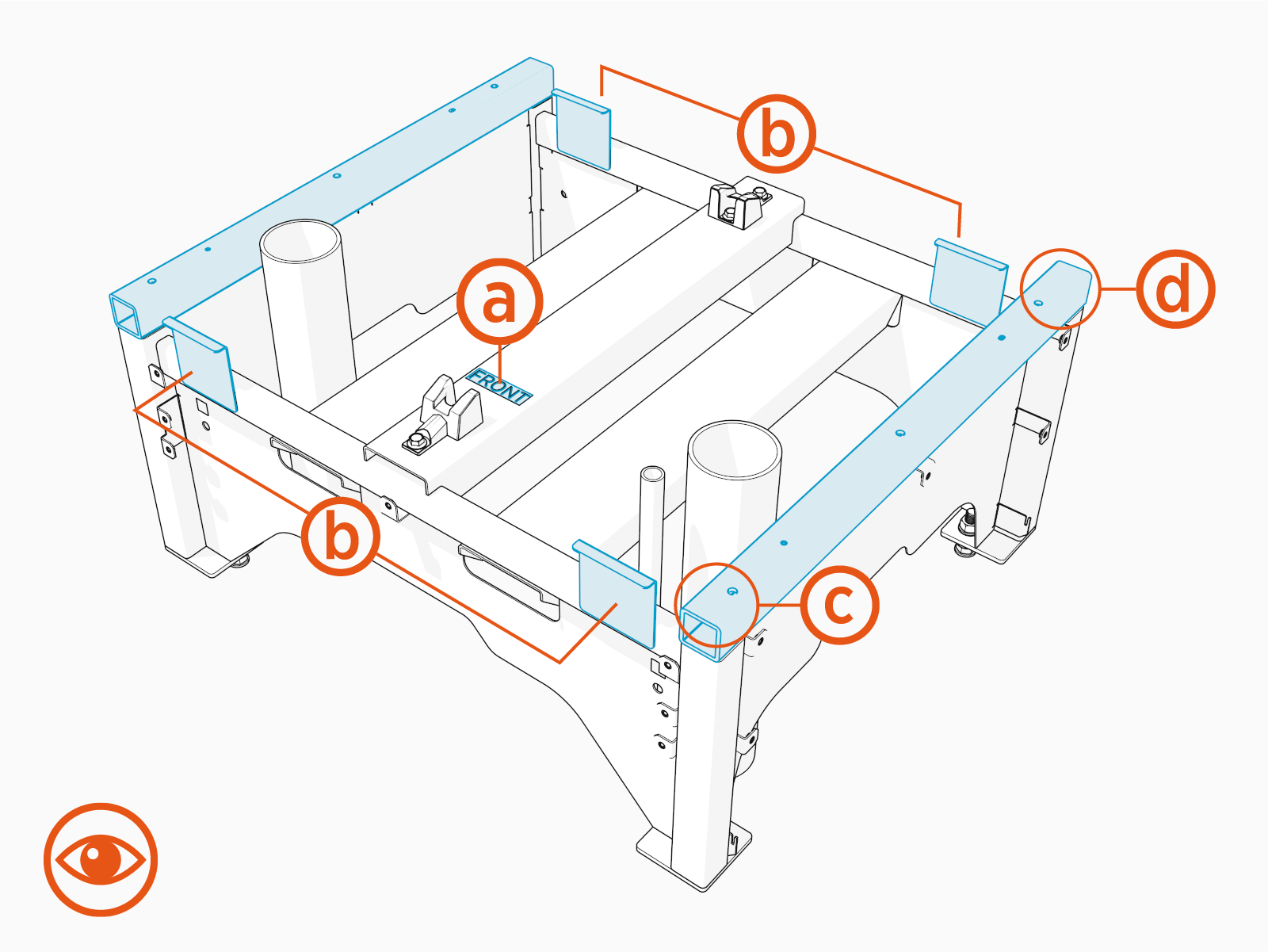
Confirm that the front marking of the Power Block pedestal matches the orientation shown.
-
Label
-
Bent tabs facing the correct direction
-
Distance from hole to edge is smaller
-
Distance from hole to edge is larger
-
-
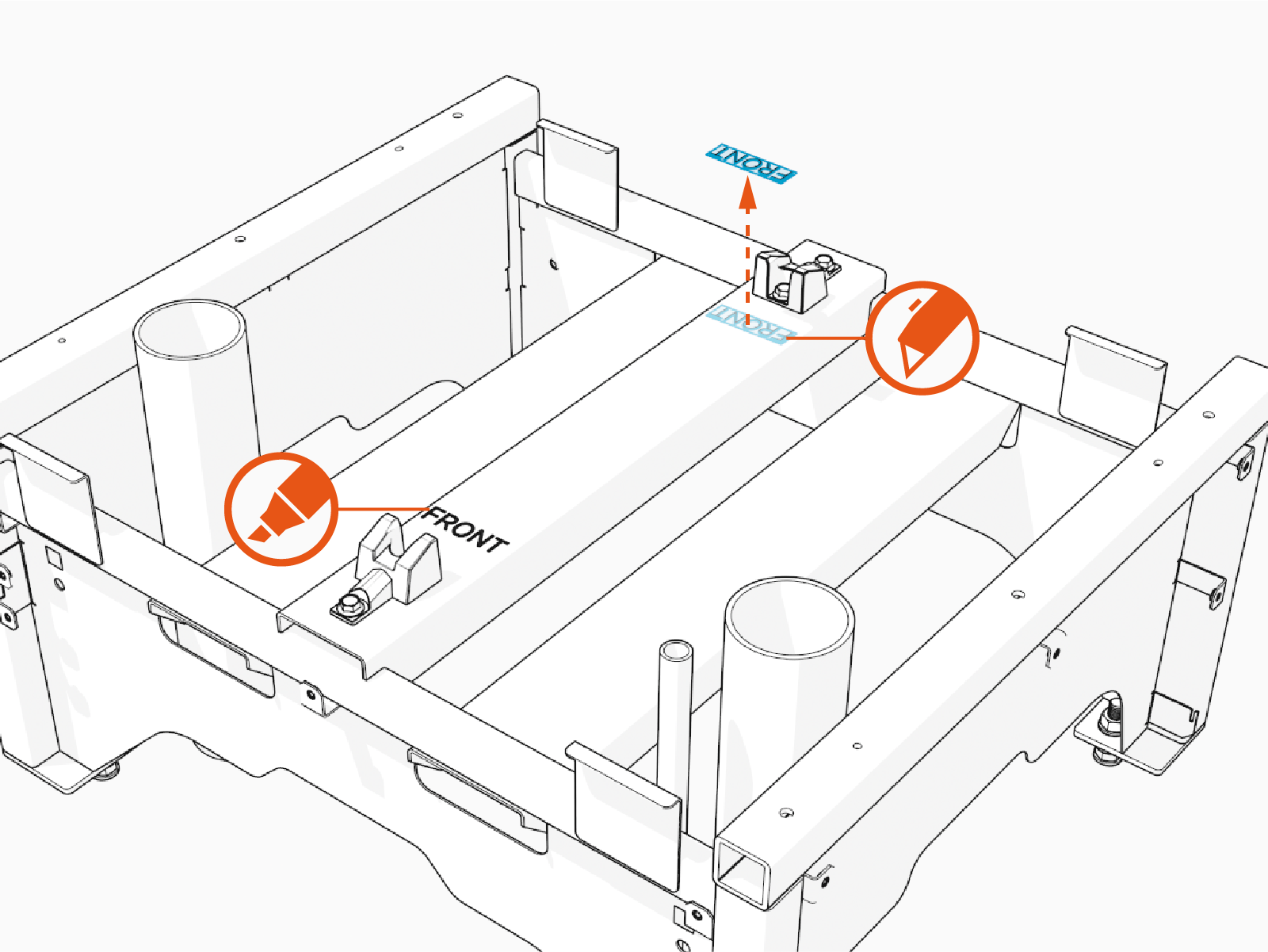
If the orientation of the Power Block pedestal does not match, then remove the label using the box cutter and indicate front with the marker.
-
Before Placing the Power Block on the Pedestal
-
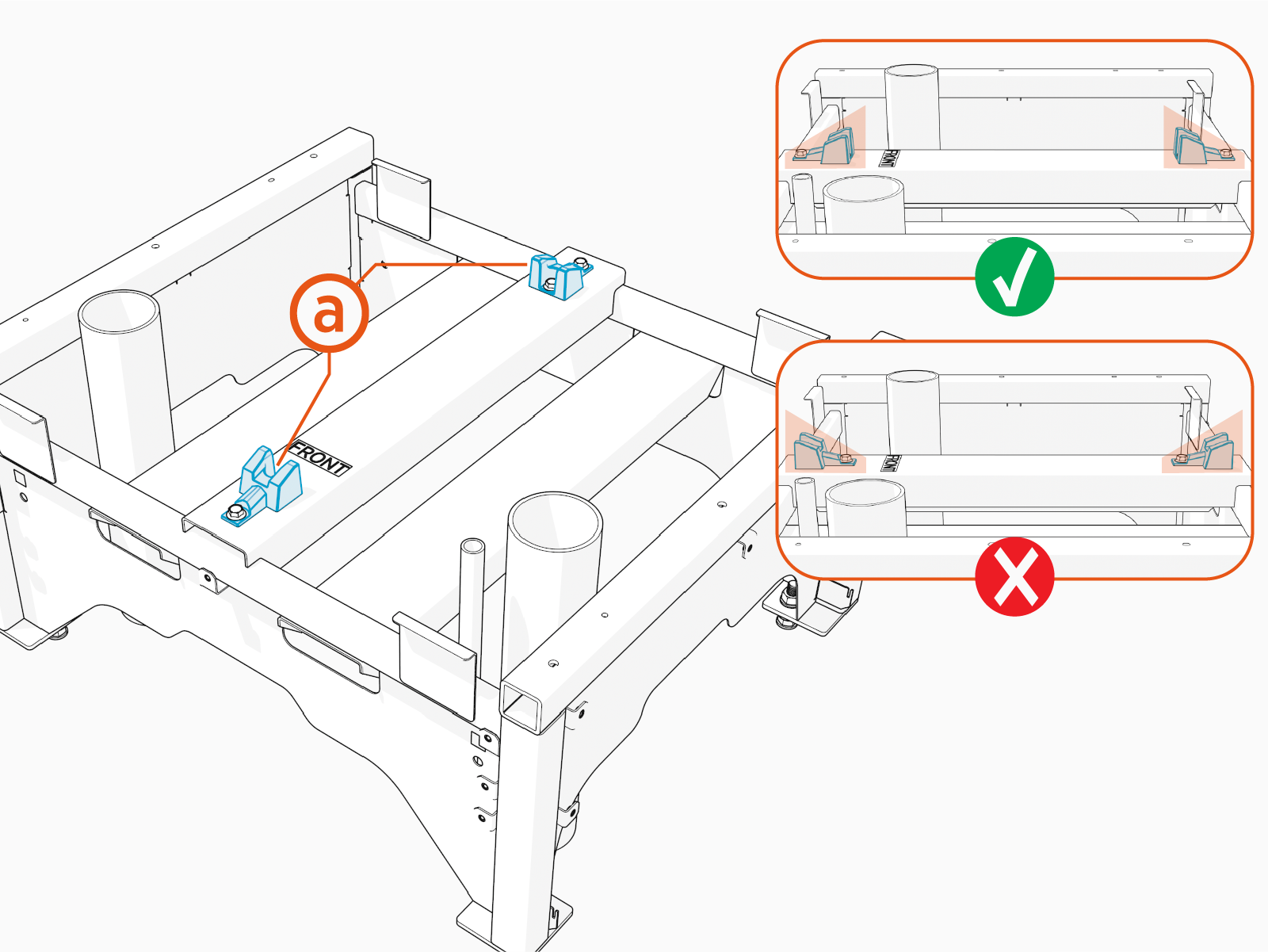
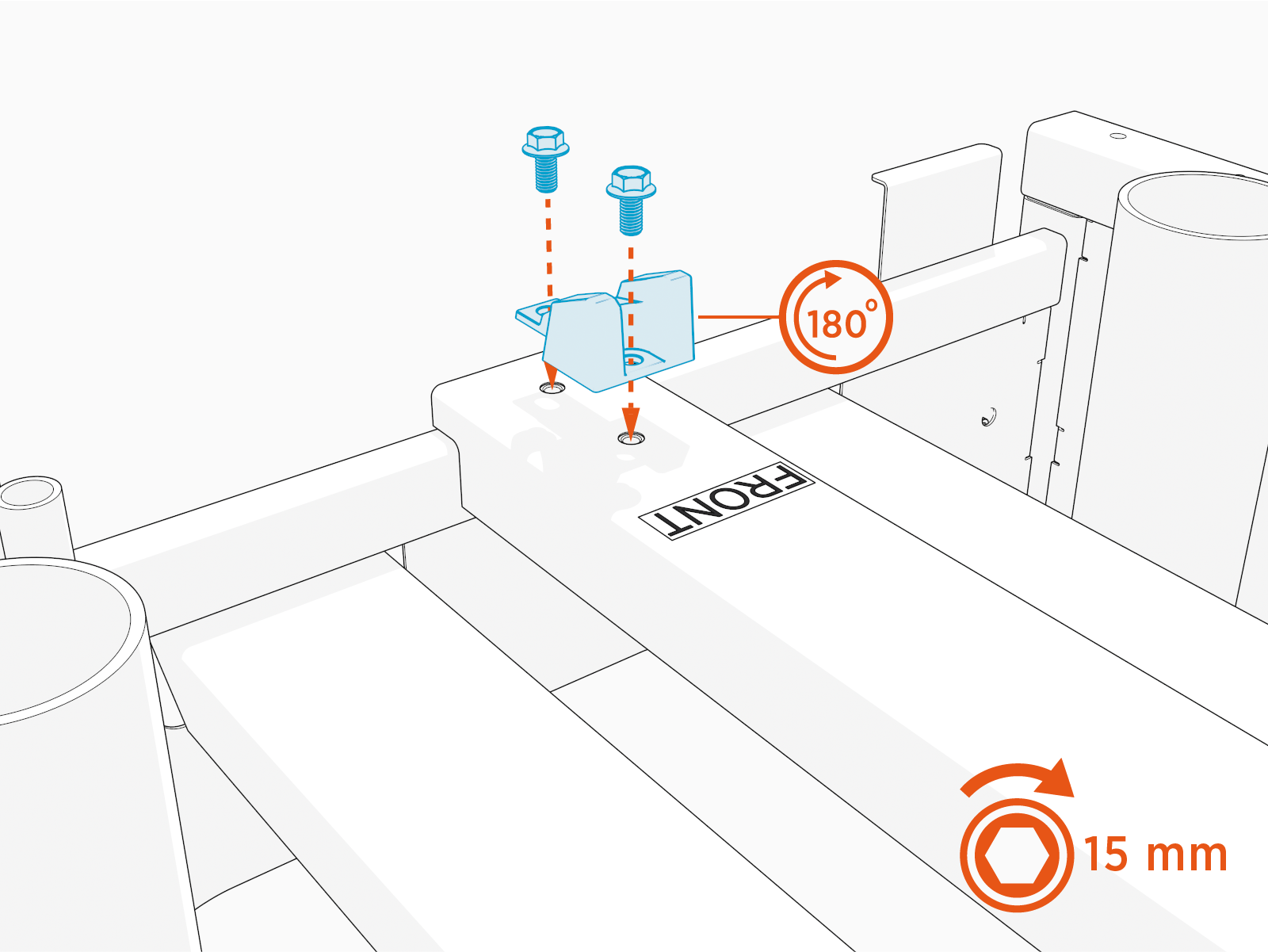
Confirm the orientation of the alignment wedges of the Power Block pedestal. Both should face inward as shown.
-
Wedges in the correct direction
-
-
If not, follow these steps:
-
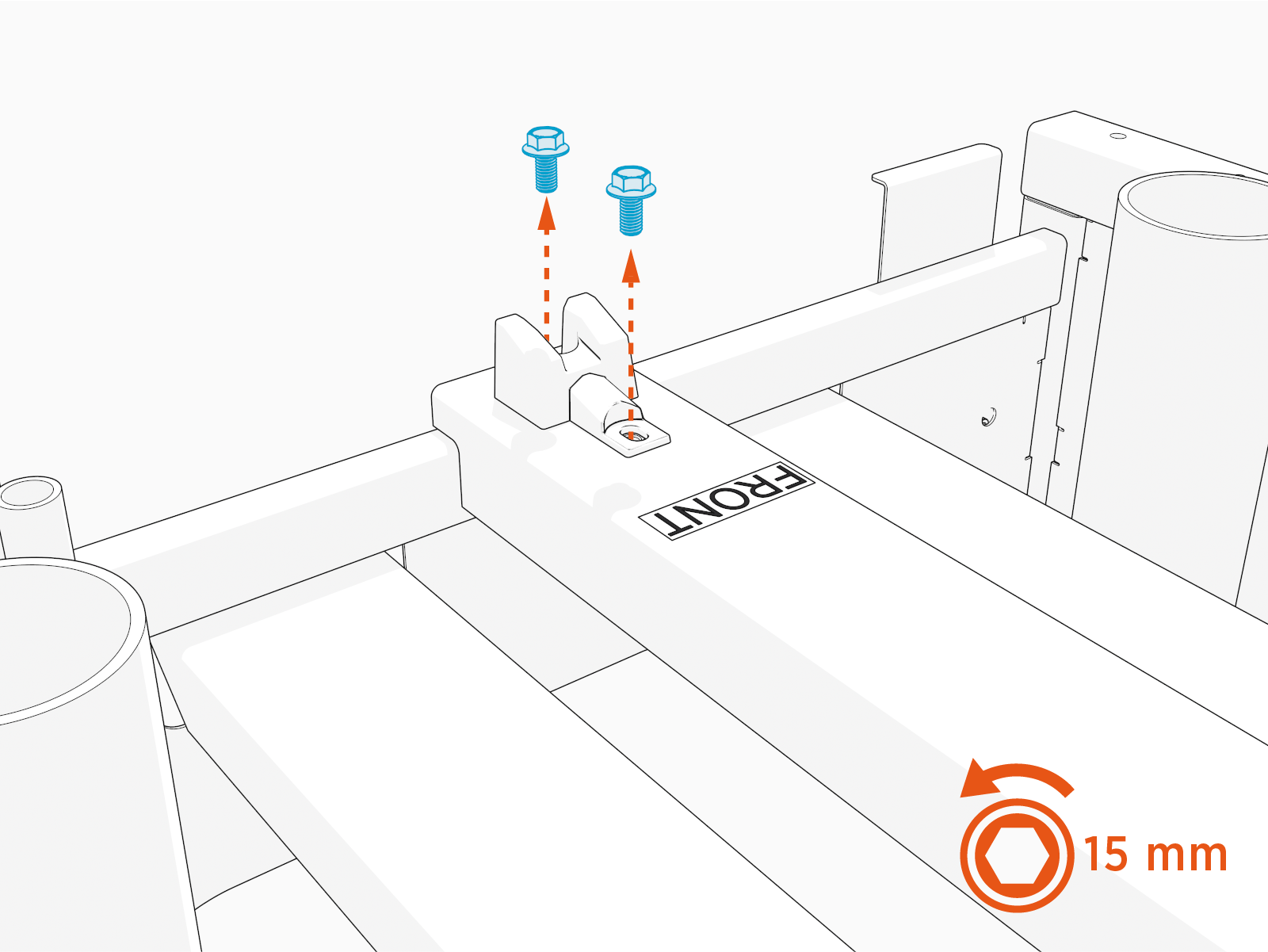
Remove the wedge using a 15 mm socket.
-
Reinstall to get the correct orientation of the Power Block pedestal and tighten to 19 Nm (14 ft-lb).
-
Report Completion to ChargePoint
-
Apply the above procedures to all Power Block units that are in the process of being installed in the field.
-
Contact ChargePoint Support at chargepoint.com/support to report completion of the installation procedures, and report any negative findings during the installation.
