Coolant
To refill or top off coolant, complete the following steps:
Always refill or top off coolant when you service a part of the cooling system or remove, reinstall, or replace a Power Module.
Tools and Materials
The following ChargePoint coolant draining hoses can be used to drain the coolant from the cooling system.
-
Partial draining hose (upper cooling system only)
-
Full draining hose (both upper and lower cooling system)
| Icon | Description | Icon | Description |
|---|---|---|---|
|
|
Stepladder |
|
#5 Phillips screwdriver |
|
|
Funnel (to pour in coolant) |
|
Clean rags |
|
|
ChargePoint coolant
|
|
Empty five gallon bucket (to collect and dispose drained coolant) |





Before You Begin
-
Determine which level of service you will provide:
-
Remove the front upper panel.
-
Only for full drain:
-
Remove the mid and lower panels.
-
Remove the front door.
-
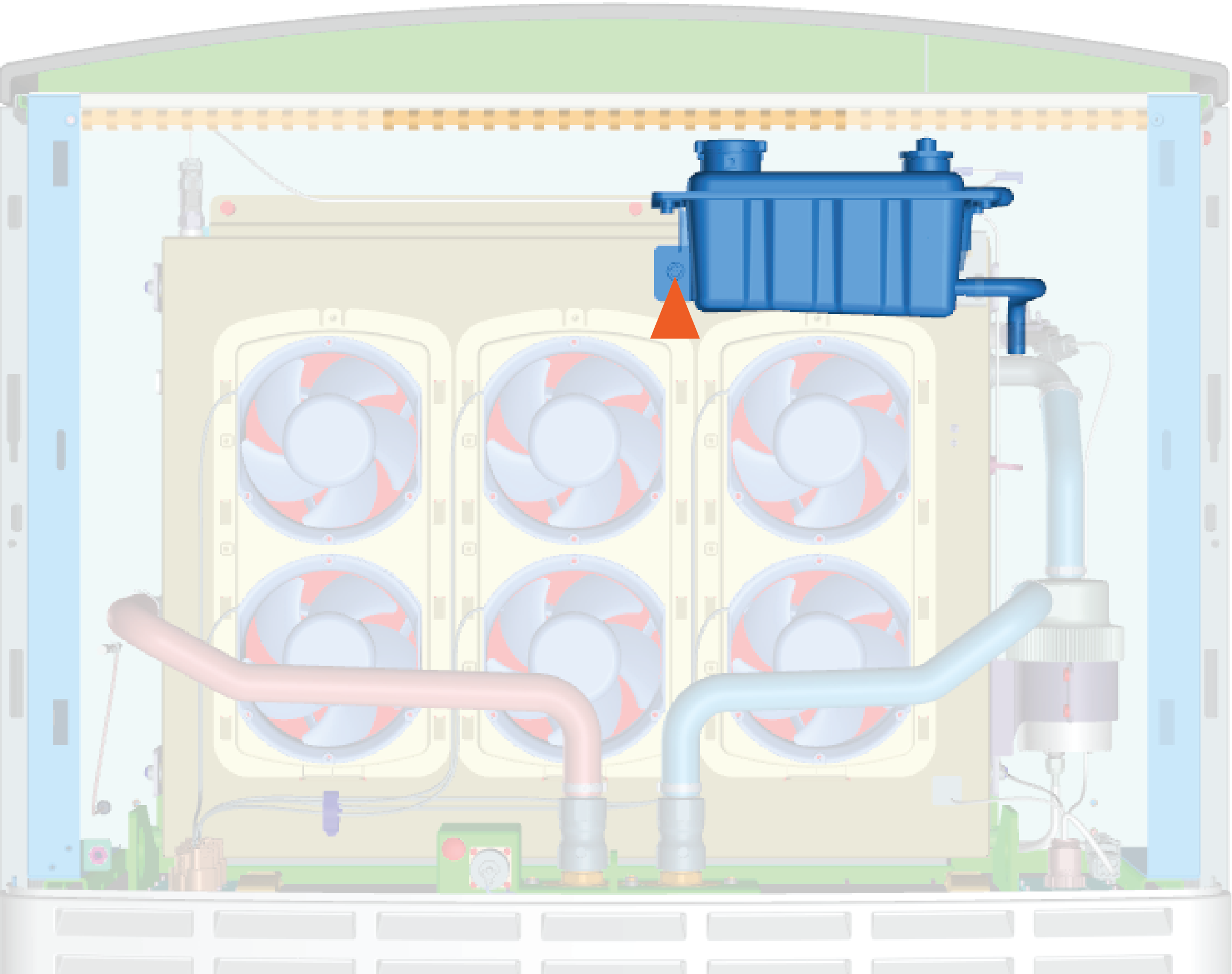
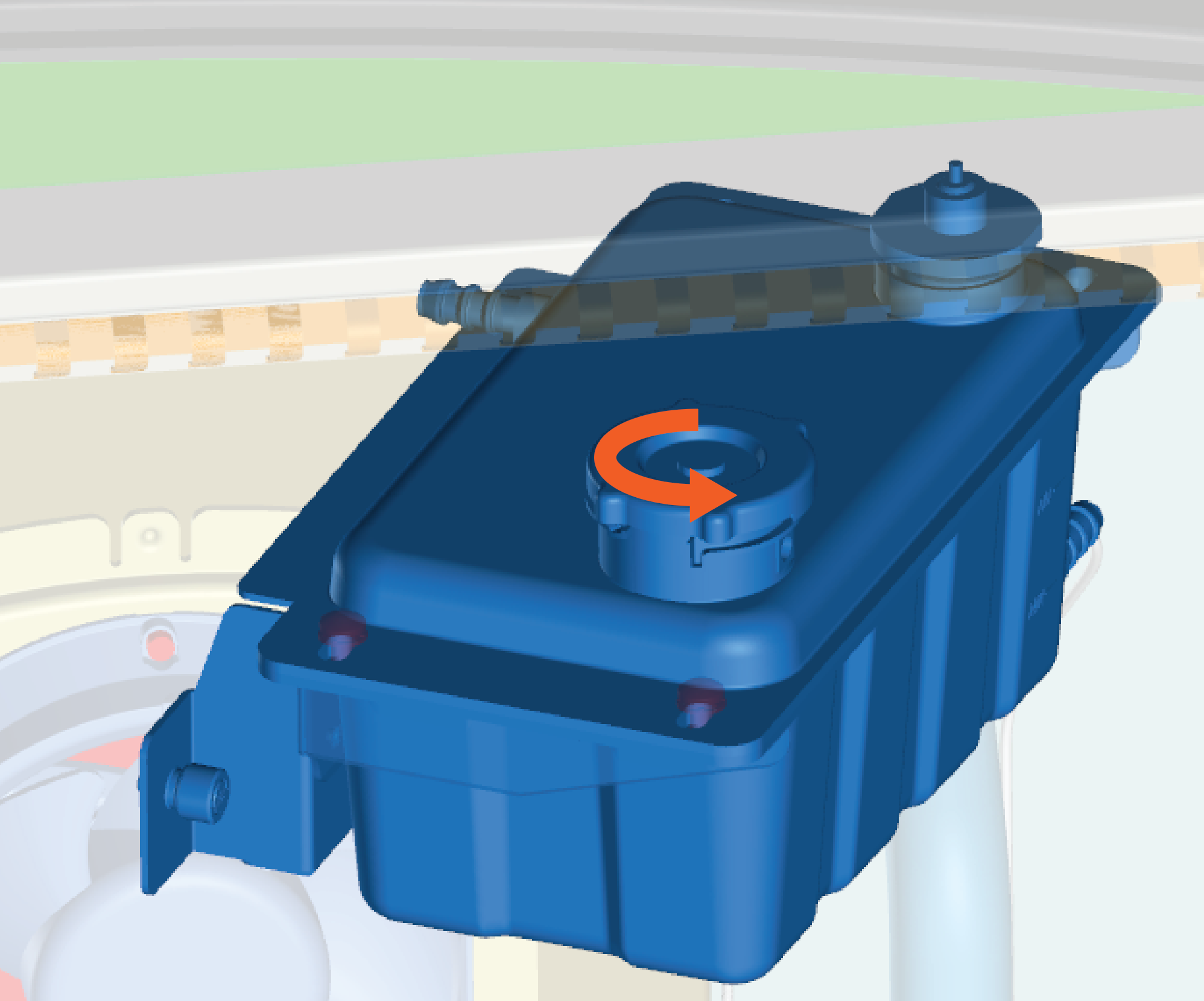
Open Coolant Reservoir
-
Loosen the captive screw.
-
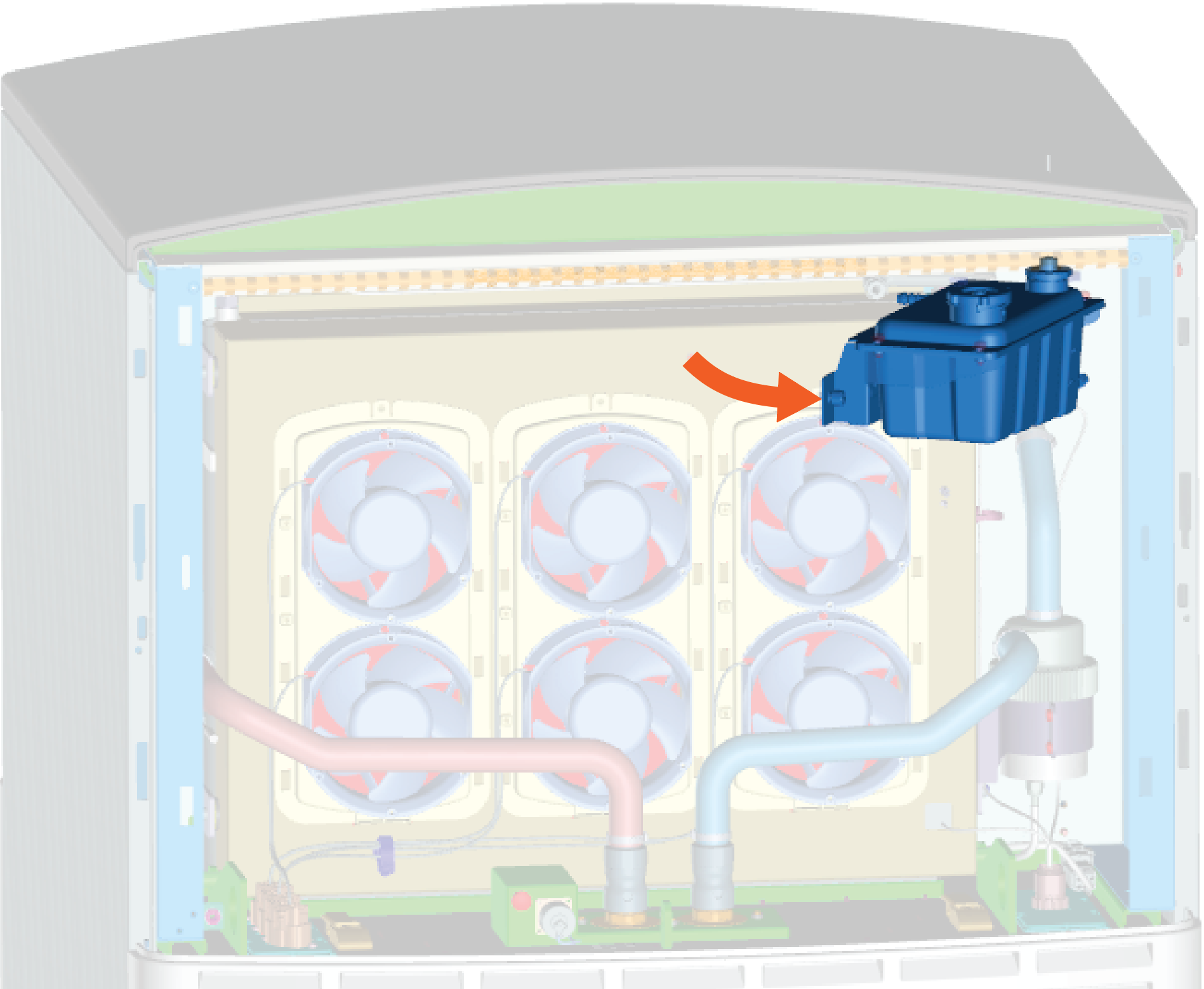
Rotate out the reservoir and hold it in place.
-
Push down and unscrew the reservoir cap.
Top Off Coolant
For annual maintenance, it may be sufficient to top off coolant.
However, for service involving a Power Module or the coolant system (such as a heat exchanger or lower fan tray), you must follow the refill procedure.
-
Position the stepladder so that you can view the top of the coolant reservoir.
-
Open the coolant reservoir. Hold it open.
-
Check coolant level. If below the neck of the reservoir, add coolant.
-
Continue to hold the reservoir open. Place the funnel into the reservoir.
-
Pour in new coolant through the funnel. Fill to the bottom of the neck of the reservoir.
-
Replace the cap.
-
Slowly release the reservoir back into position. Tighten the captive screw by hand.
Drain Coolant
You can either partial drain or full drain the cooling system.
Partial Drain (upper cooling system only)
-
Open the coolant reservoir to release the pressure.
-
Place an empty bucket nearby and place the end of the partial draining hose into the empty bucket.
-
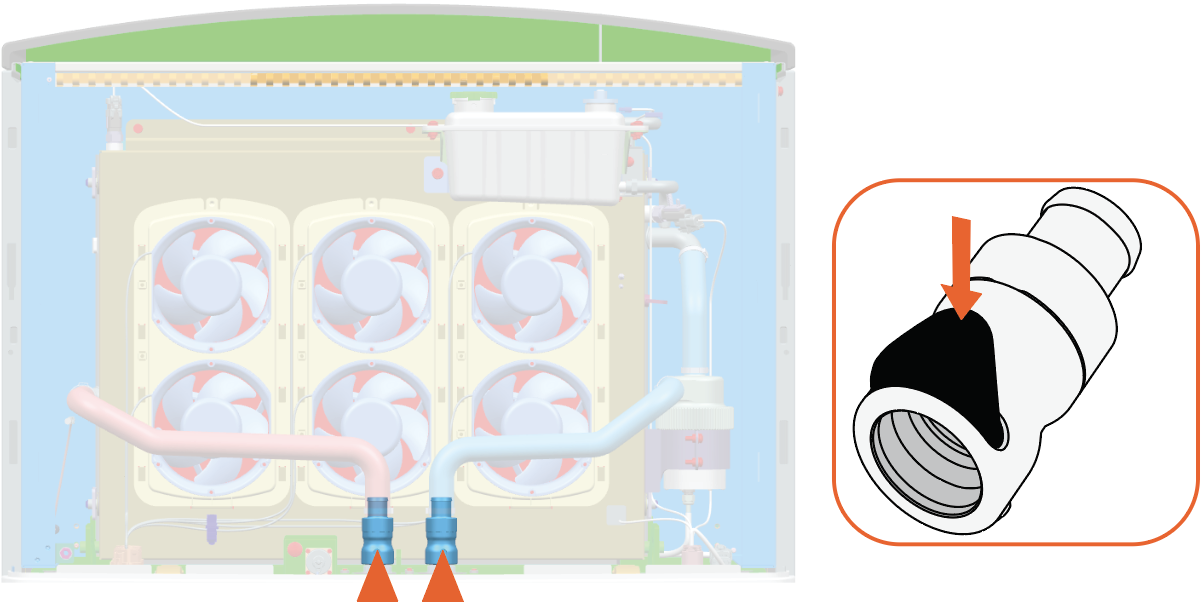
Hold the draining hose connector by the upper heat exchanger's right side coolant hose.
-
Press the black latch on the valve and then pull it up to disconnect the coolant hose.
-
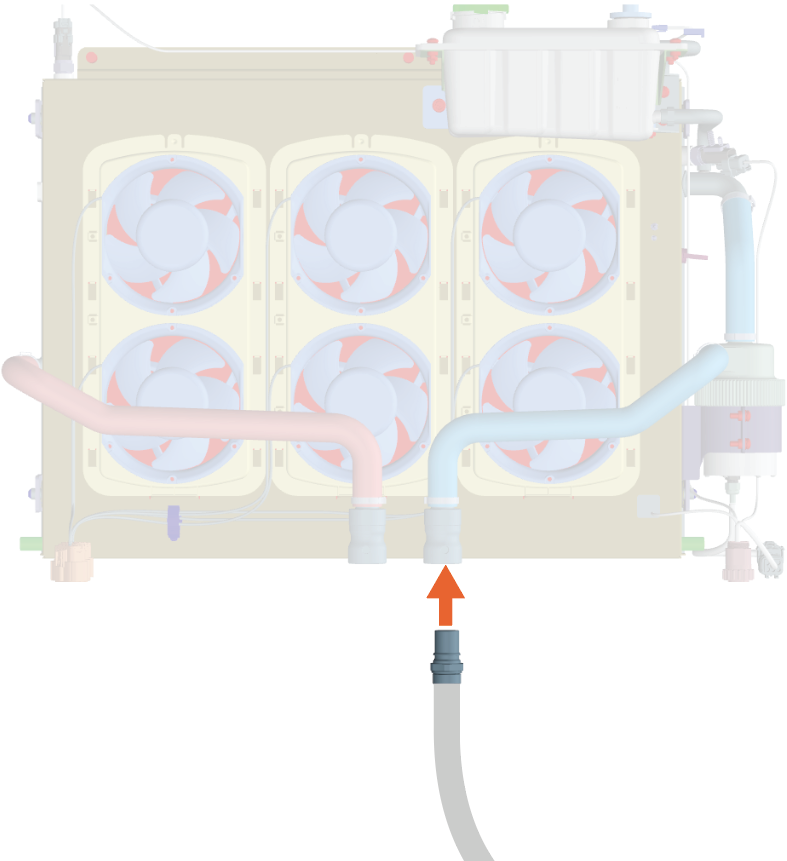
Connect the draining hose connector to the coolant hose valve. Push the connector into the valve to engage.
-
Allow the coolant to drain into the bucket.
-
Once the draining is complete, press the black latch on the valve and pull the draining hose connector to disconnect.
-
Reconnect the coolant hose. Push the valve down to secure.
-
Repeat for the left side coolant hose.
Full Drain (upper and lower cooling system)
-
Open the coolant reservoir to release the pressure.
-
Remove lower heat exchanger and all Power Modules to access the coolant port.
-
Place an empty bucket nearby and place the end of the full draining hose into the empty bucket.
-
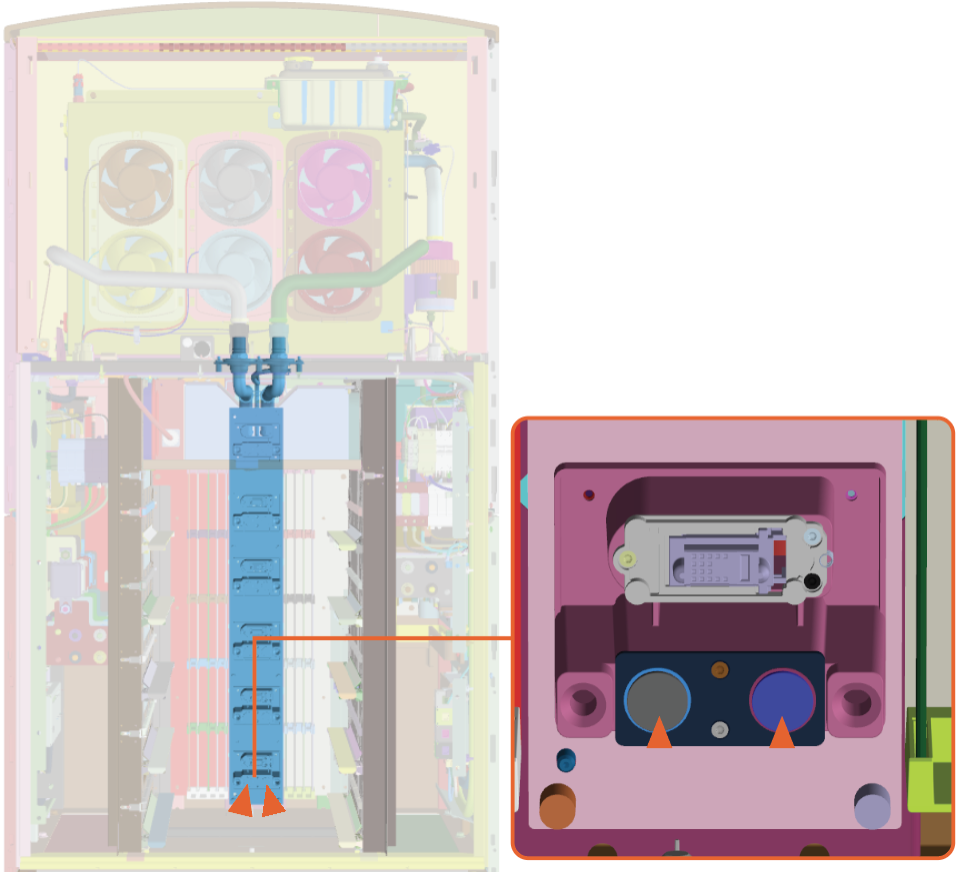
Connect the draining hose connector to the lowest coolant port on the right side of the module mate assembly.
-
Hold the draining hose connector connected to the port while the coolant drains into the bucket.
IMPORTANT: The draining hose connector does not lock into the port. You must hold the connector into the port for a minute or two while the coolant drains. -
Once the draining is complete, remove the draining hose connector from the port.
-
Repeat for the lowest coolant port on the left side of the module mate assembly.
IMPORTANT: Wipe off any coolant residue using a clean rag. -
Reinstall all Power Modules and lower heat exchanger.
Refill Coolant, Deaerate, and Top Off
Refill
-
Position the stepladder so you can view the top of the coolant reservoir.
-
Hold the reservoir open and place the funnel into it.
-
Pour in new coolant. Fill to the bottom of the neck or to the maximum level indicated on the reservoir.
CAUTION: To deaerate, do not replace the cap.
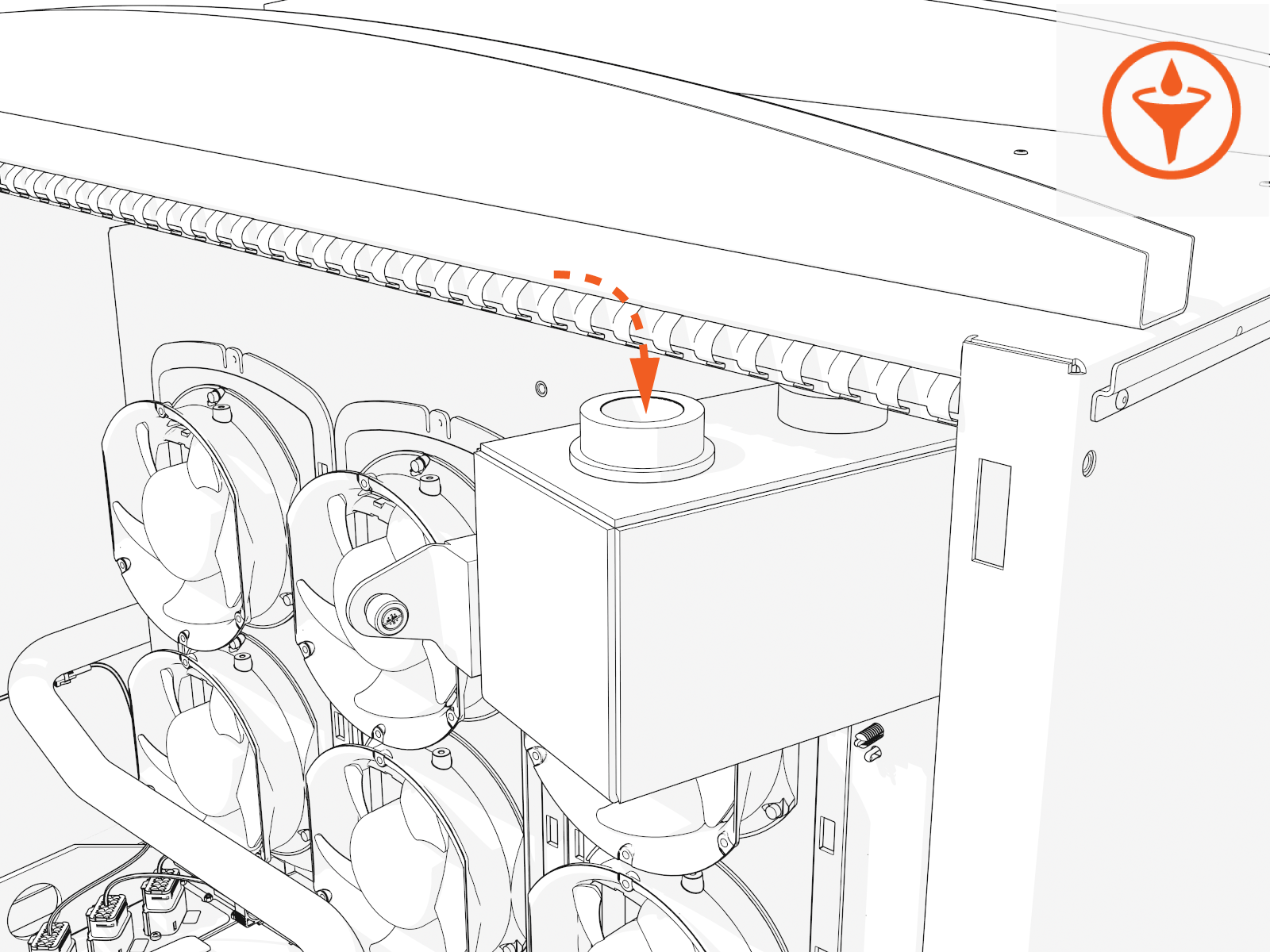
-
Replace the cap.
-
Slowly release the reservoir back into position. Tighten the captive screw by hand.
Deaerate
IMPORTANT: Deaerate to clear any trapped air that may have entered the coolant hoses during service. You must power on the Power Block to do this. If you fail to do so, you may impair performance and damage components.
-
If you removed them, reinstall all Power Modules. (For details, see the Power Module topic (in this guide) or under the Power Block Service Guide.)
-
If you removed it, reinstall the front door. (For details, see the Panels, Doors, and Safety Shields topic under the Power Block Service Guide.)
-
Reinstall the removed panels. (For details, see the Panels, Doors and Safety Shields topic under the Power Block Service Guide.)
-
Power on. (For details, see the Power On topic under Appendix A of this guide.)
RISK OF SHOCK
-
Do not turn on Power Block if other people are installing or servicing any other connected units.
-
First check that all connected units are off and no work is being performed. Inform everyone on-site of your plan and timing, follow lock out/tag out procedures, and ensure that everyone remains safe.
-
Alternatively, you may postpone the step to drawdown and deaerate until it is safe to do so. Continue to close up the Power Block now. Then after all units are installed and the site is clear to power on the Power Block, follow the steps to drawdown and deaerate.
-
-
The Power Block startup runs the deaeration sequence.
-
Alternatively, log in to the ChargePoint Platform Dashboard (na.chargepoint.com or eu.chargepoint.com).
-
Find and select the Power Block you are servicing.
-
Go to Status/Actions tab and select the Purge Coolant System button.
-
If coolant level is low, top off the coolant.
Top Off
-
Remove the front upper panel. (For details, see the Panels, Doors and Safety Shields topic under the Power Block Service Guide.)
-
Top off the coolant.
-
Replace the cap.
-
Slowly release the reservoir back into position. Tighten the captive screw by hand.
Complete Service and Dispose
-
Reinstall the covers you removed.
-
After you power on, the status light (on left) should turn on (light up yellow, then green).
-
Dispose of coolant in compliance with your local laws.
