Power Off
This section provides instructions for powering off the Power Block.
Required Tools and Materials
|
|
Multimeter
|
|
Lockout or tagout equipment |

-
Before any procedure, disconnect the power.
-
Depending on the Express Plus architecture used at the site, the Power Block may be electrically connected to other Power Block HV DC
 High Voltage Direct Current power sources through a Power Link or Power Hub. Consult the site drawings to ensure power is disconnected from all connected Power Blocks.
-
Depending on the Express Plus architecture used at the site, the Power Block may be electrically connected to other Power Block HV DC
- Follow local code and site lockout/tagout procedure to de-energize the station.
- Wait for energy to dissipate (approximately five minutes).
- Keep power off until all covers and panels are reinstalled and the work is complete.
Power Off the Station
-
Refer to the site drawings and identify the components to be serviced.
-
End all charging sessions and activity.
Failure to end the charging session before beginning service could damage hardware components. Such damaged components may need to be replaced, and this may be costly. -
Power off all upstream components as follows:
Powering off all upstream components will power off all components at the site. Powering off the 48 V input is not required.-
Disconnect power at the site electrical panel.
-
Wait the required time for energy to dissipate (see label on the product).
-
-
Use a multimeter to confirm that power is off.
-
Perform service or maintenance.
Disconnect Power
Disconnect power at the site electrical panel and use a lockout equipment to test that power is off.

Check Power Block Status Light
-
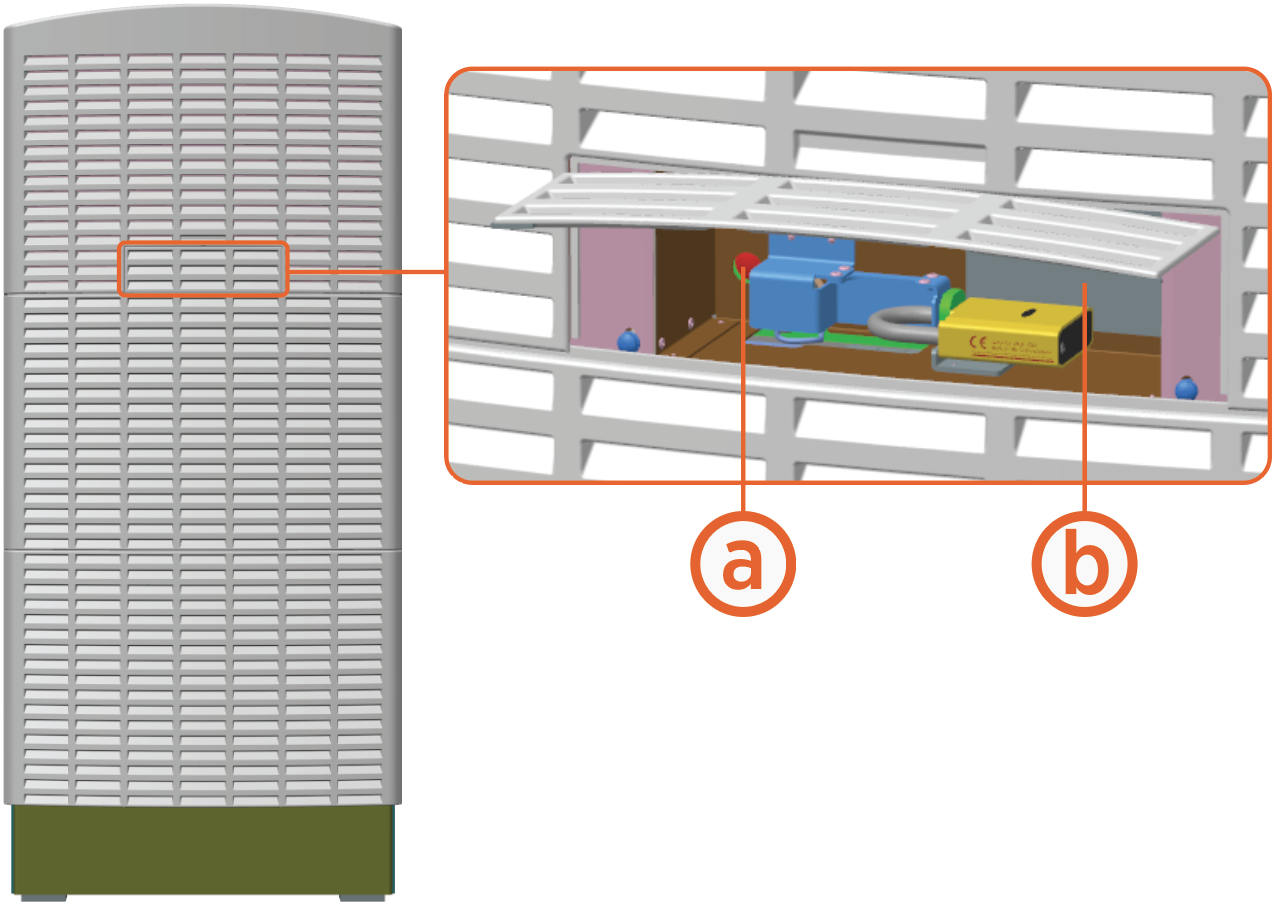
Open the security panel.
-
The status light (a) must be off (unlit). If the status light is on (glowing any color), do not proceed further with servicing. Wait the required time for energy to dissipate (see safety label (b) on the product).
