Auxiliary Power Supply (Aux PS)
This section provides instructions for replacing the auxiliary power supply (Aux PS) in the Power Block.
Required Tools and Materials
|
|
Stepladder |
|
T25 Torx screwdriver |


Before You Begin
Before servicing the component, complete the following steps:
-
Remove rear upper panel.
AFTER REPLACING THE COMPONENTS, REVERSE THE ABOVE STEPS TO COMPLETE THE SERVICE.
Replace the Auxiliary Power Supply
-
Disconnect the cables (x6).
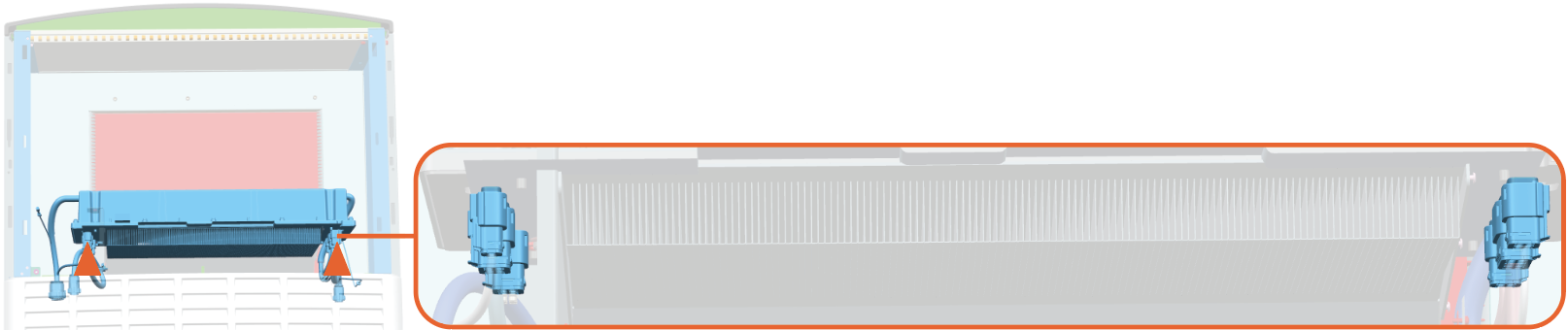
-
Pull the white color latch on the connector.
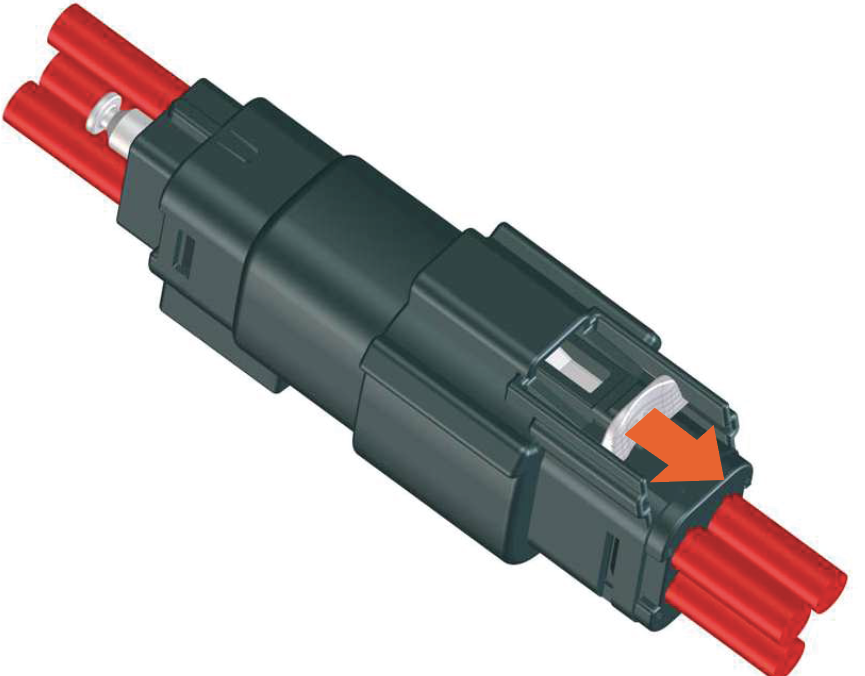
-
Press down on the latch and then pull the connector to disconnect.
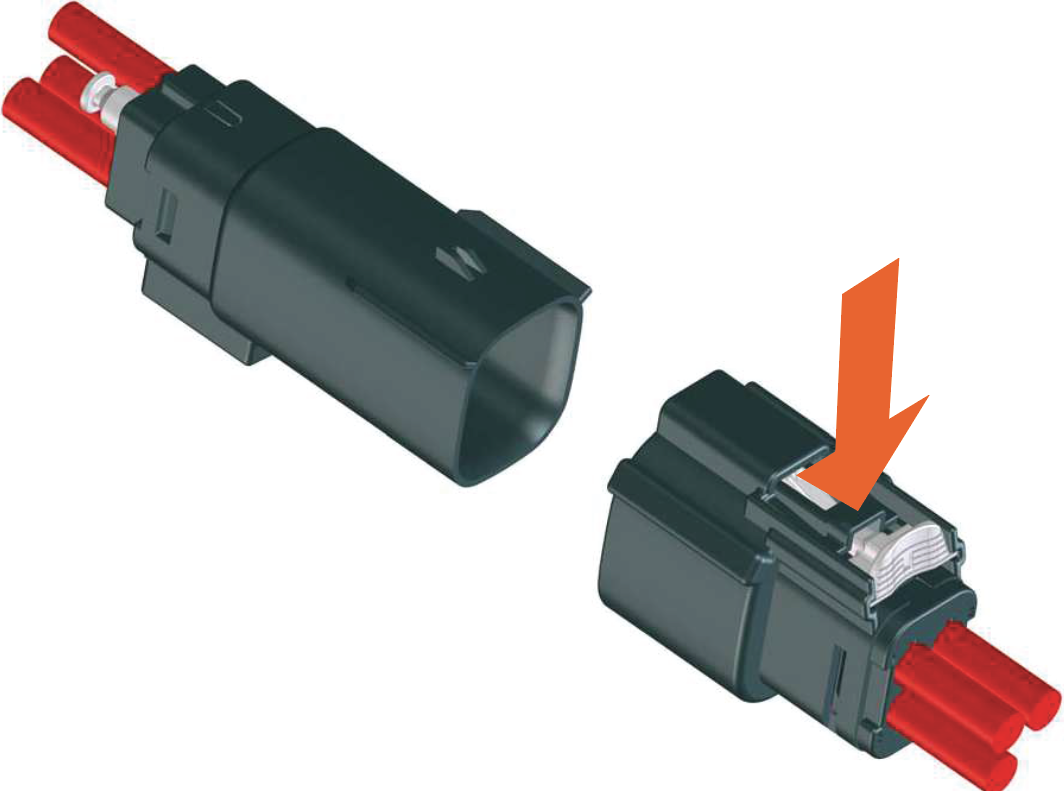
-
-
Disconnect the ground wire. Remove the screw to disconnect and then reinstall the screw. Use T25 Torx screwdriver.
Torque the screw to 8 Nm (70.8 in-lb) when reinstalling.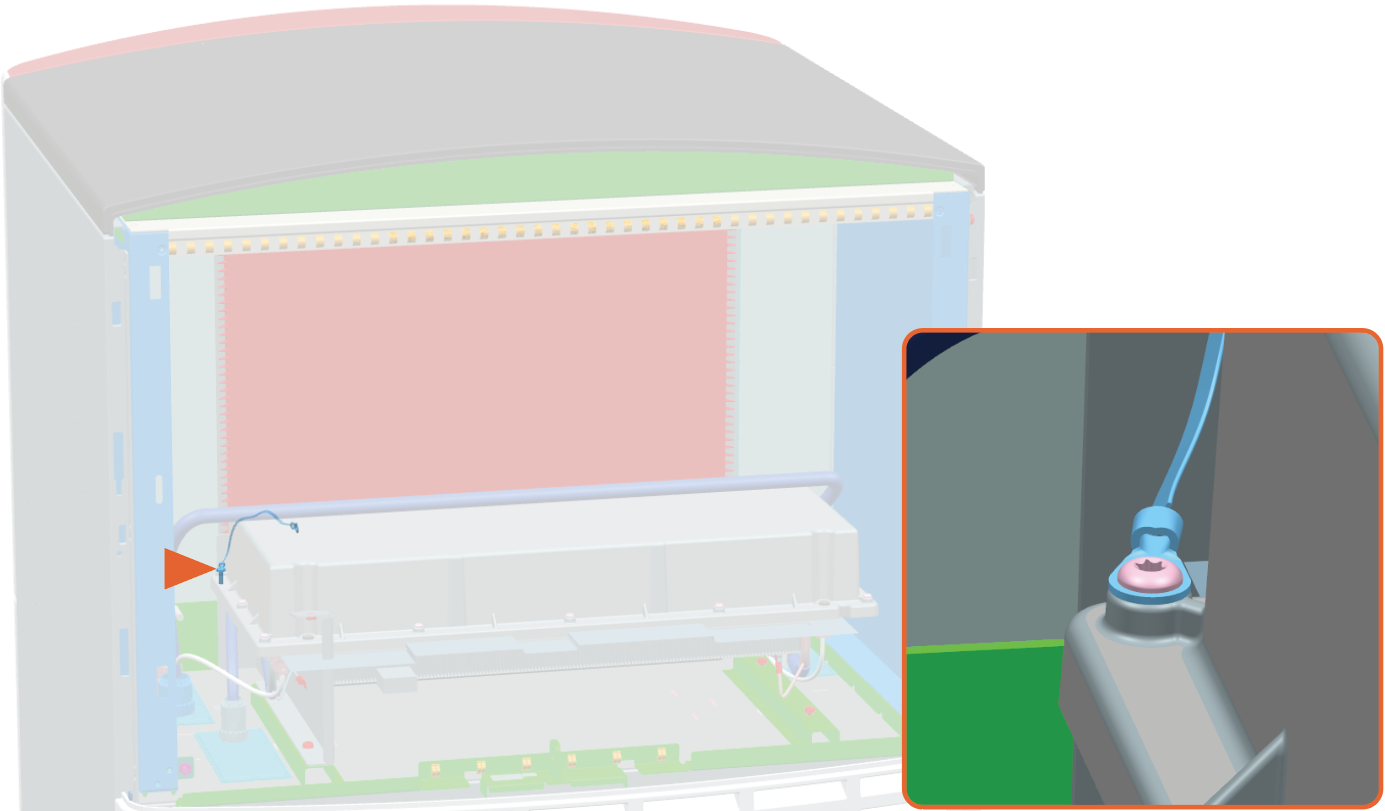
-
Remove the screws (x4). Use T25 Torx screwdriver.
Torque these screws to 10 Nm (88.5 in-lb) when reinstalling.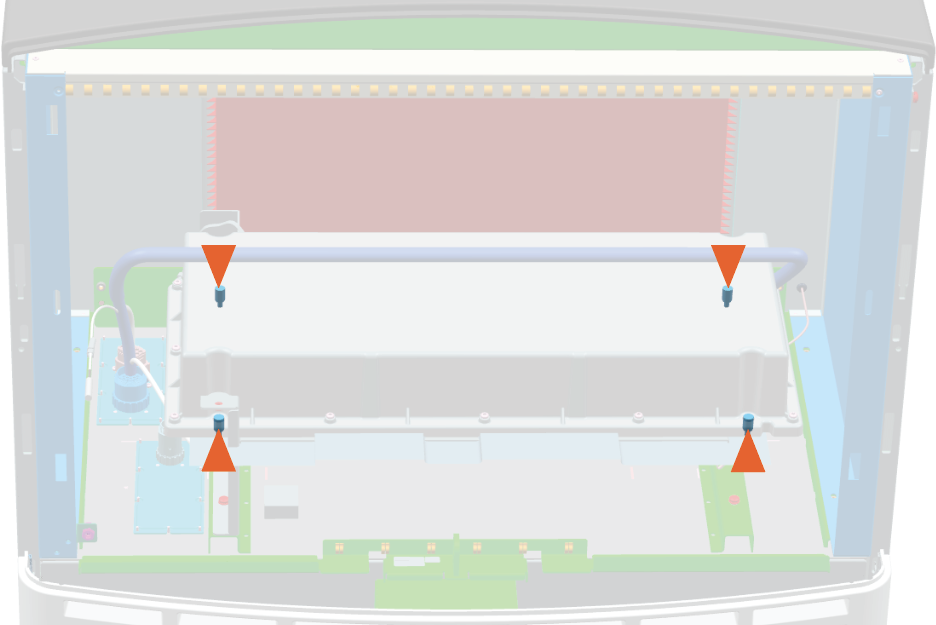
-
Lift the auxiliary power supply off the upper cabinet.
Take help of a service partner to lift the component.Make sure not to damage the heat fins underneath. Place the auxiliary power supply on a padded surface.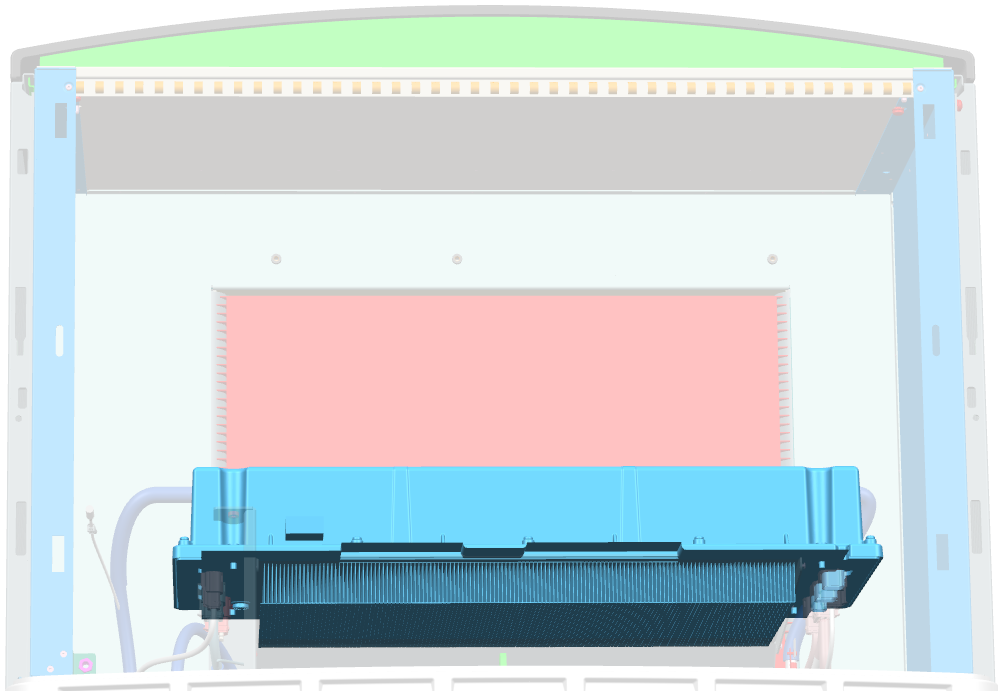
Reverse the above steps to reinstall with replacement FRU Field Replaceable Unit.
- To adhere to ChargePoint best practices, complete the post-service checklist before you leave the site.
-
For assistance or to return a faulty part to ChargePoint, go to chargepoint.com/support and contact technical support using the appropriate region-specific number.
