Upper Fan Tray
This section provides instructions for replacing the upper fan tray in the Power Block.
Required Tools and Materials
|
|
Stepladder |

Before You Begin
Before servicing the component, complete the following steps:
-
Remove front upper panel.
AFTER REPLACING THE COMPONENTS, REVERSE THE ABOVE STEPS TO COMPLETE THE SERVICE.
Remove the Upper Fan Tray
-
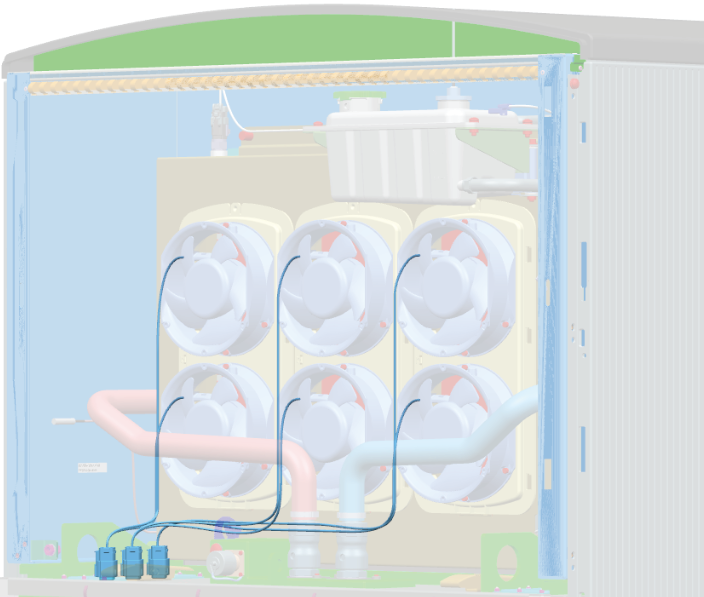
Determine which fan you need to remove.
-
Disconnect the fan cable.
-
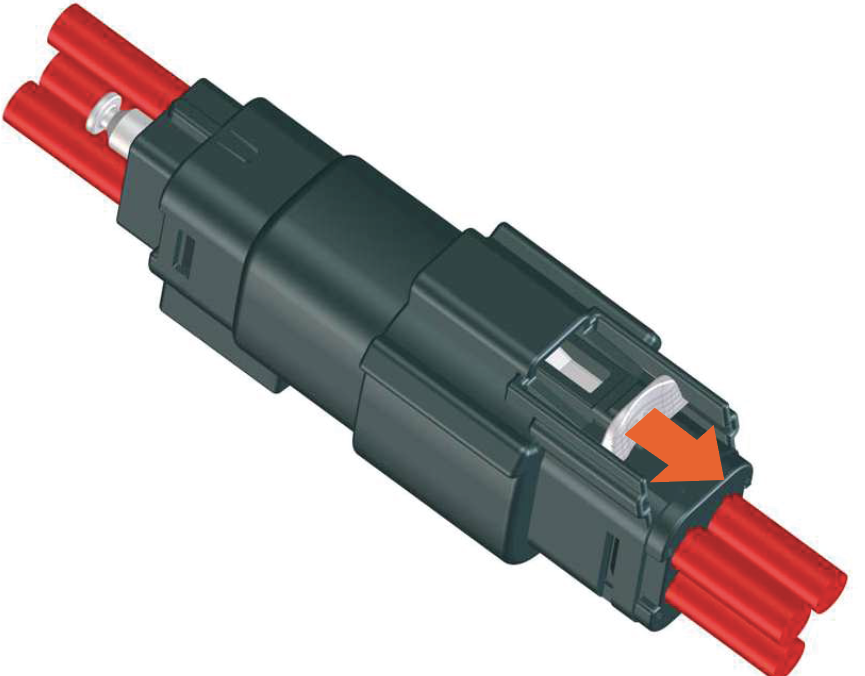
Pull the white color latch on the connector.
-
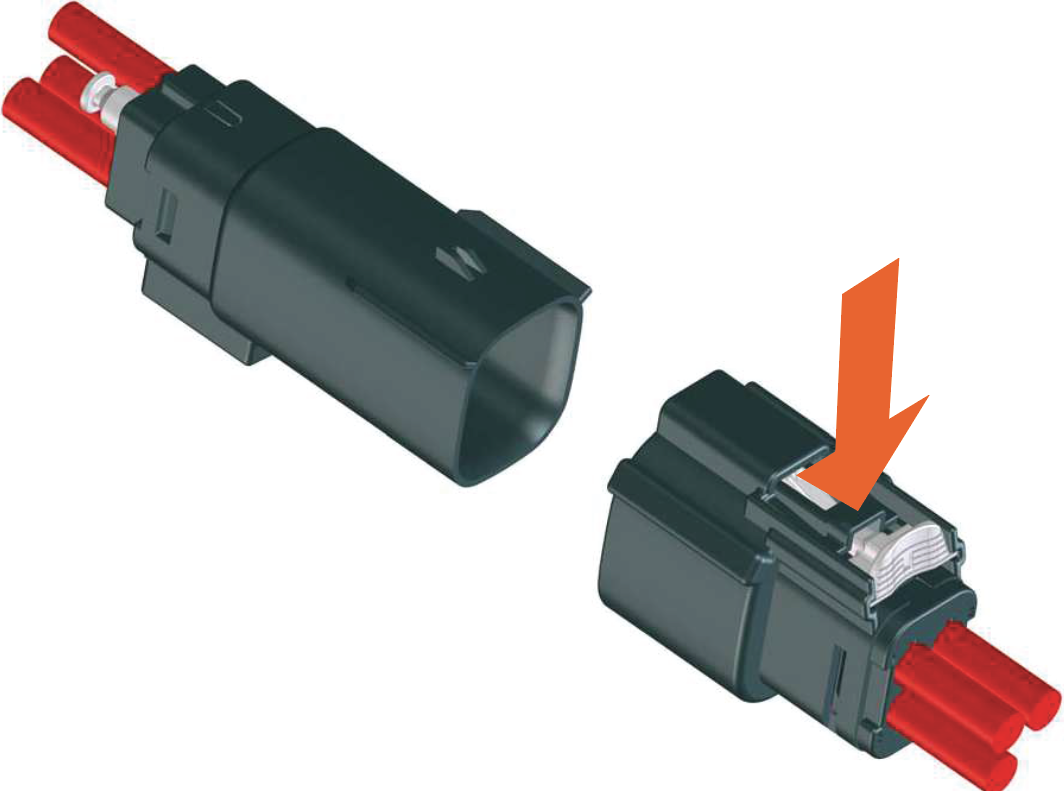
Press down on the latch and then pull the connector to disconnect.
-
-
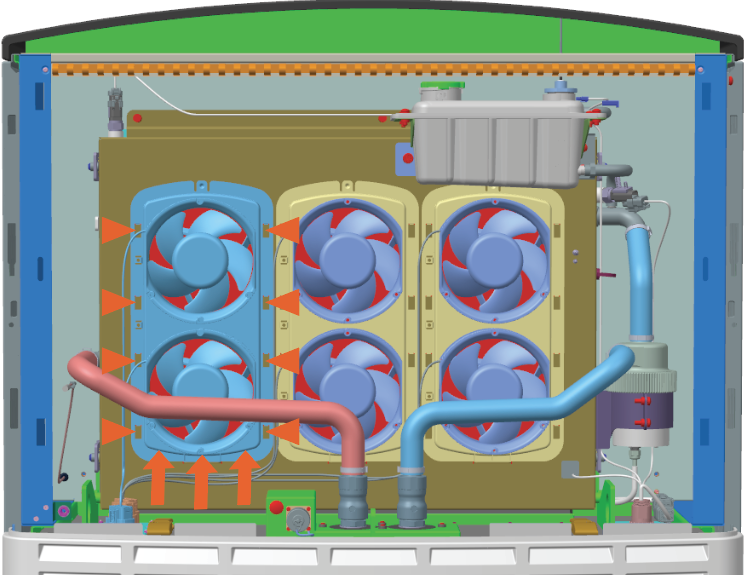
Slowly push lower side of the fan tray up to disengage the hooks (x8) behind the fan tray and remove it.
Reinstall the Upper Fan Tray
-
Align and insert the hooks (x8) behind the fan tray.
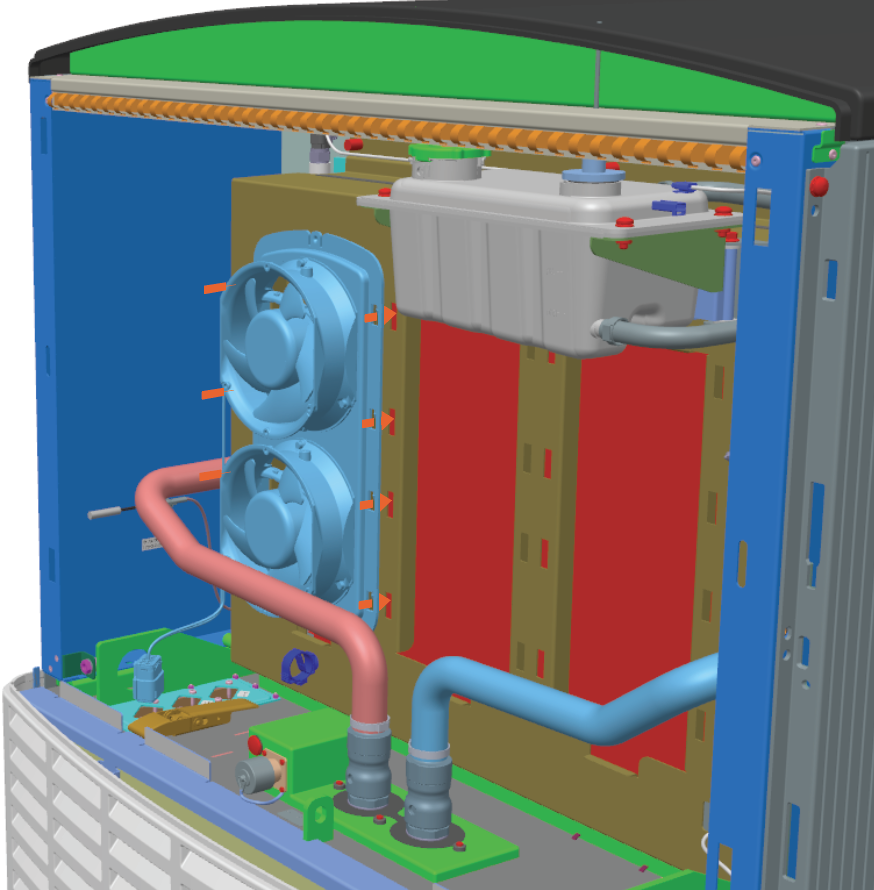
-
Push upper side of the fan tray down until the hooks (x8) secure into place and the fan tray is resting on the flange at the lower side.
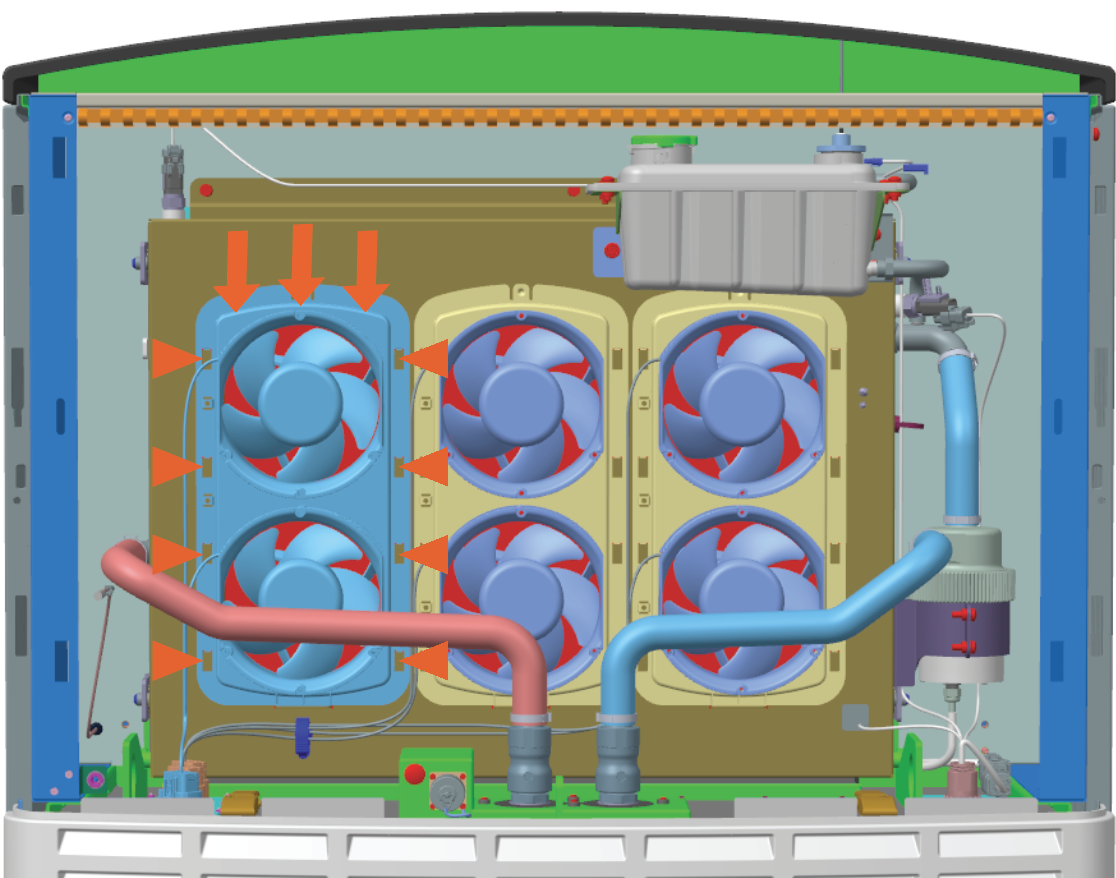
-
Connect the fan's cable connector. Plug in the connector and then push the white color latch on the connector.
Fan's Cable Connector White Color Latch
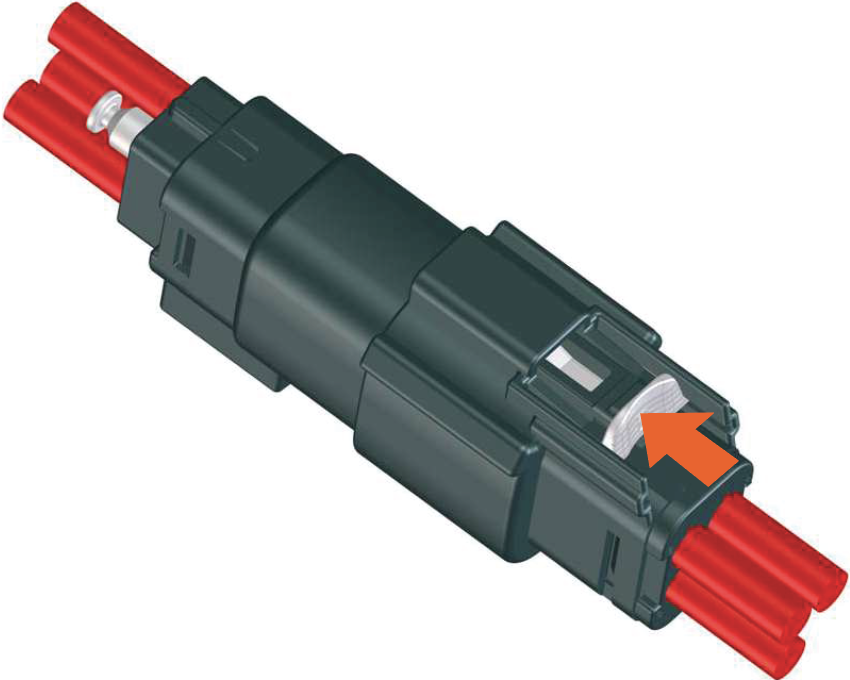
-
Route cable through the cable clamp to secure it.
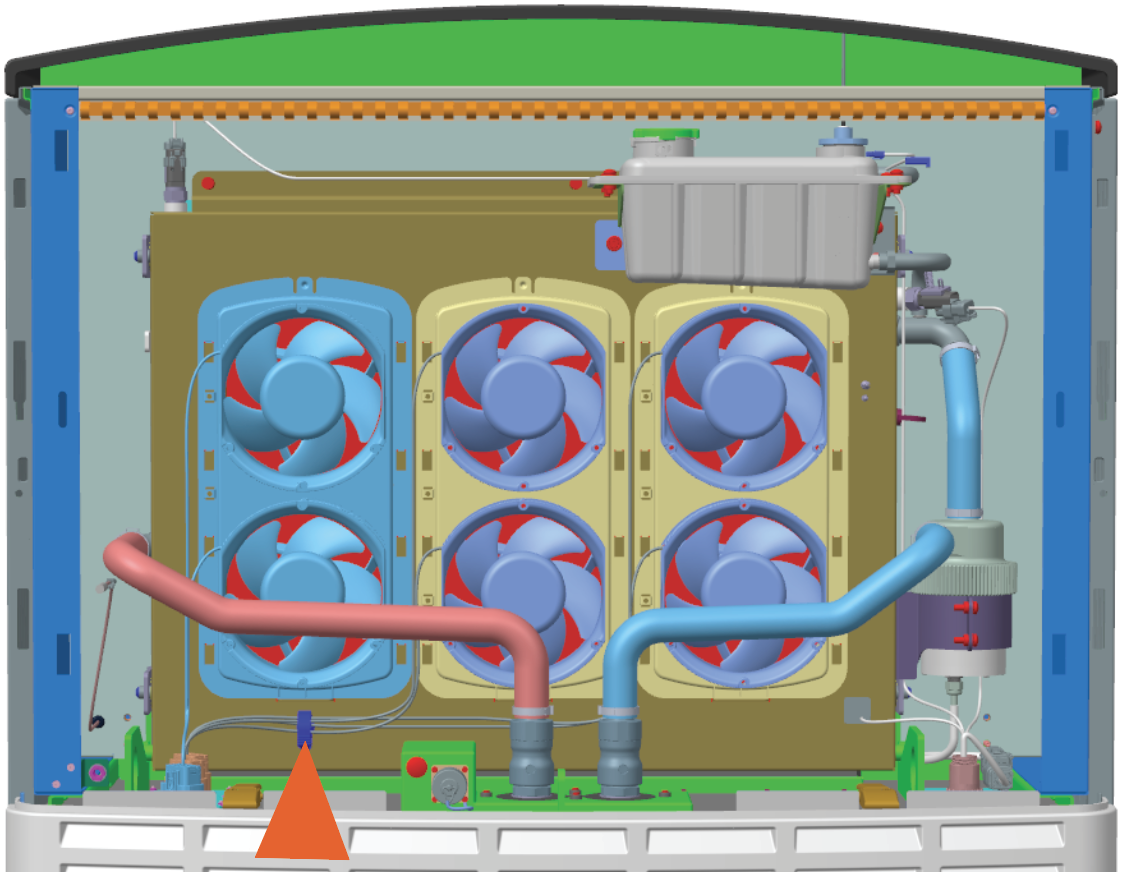
- To adhere to ChargePoint best practices, complete the post-service checklist before you leave the site.
-
For assistance or to return a faulty part to ChargePoint, go to chargepoint.com/support and contact technical support using the appropriate region-specific number.
