Cooling Controller Board (CCB)
This section provides instructions for replacing the cooling controller board (CCB) in the Power Block.
Required Tools and Materials
|
|
90° #5 Phillips screwdriver or ratchet |

Before You Begin
Before servicing the component, complete the following steps:
-
Remove front upper, mid, and lower panels.
-
Remove front door.
-
Remove the left side transparent shield.
AFTER REPLACING THE COMPONENTS, REVERSE THE ABOVE STEPS TO COMPLETE THE SERVICE.
Replace the Cooling Controller Board (CCB)
-
Disconnect the cables (x5).
Do not pull the cable. Pull the connector.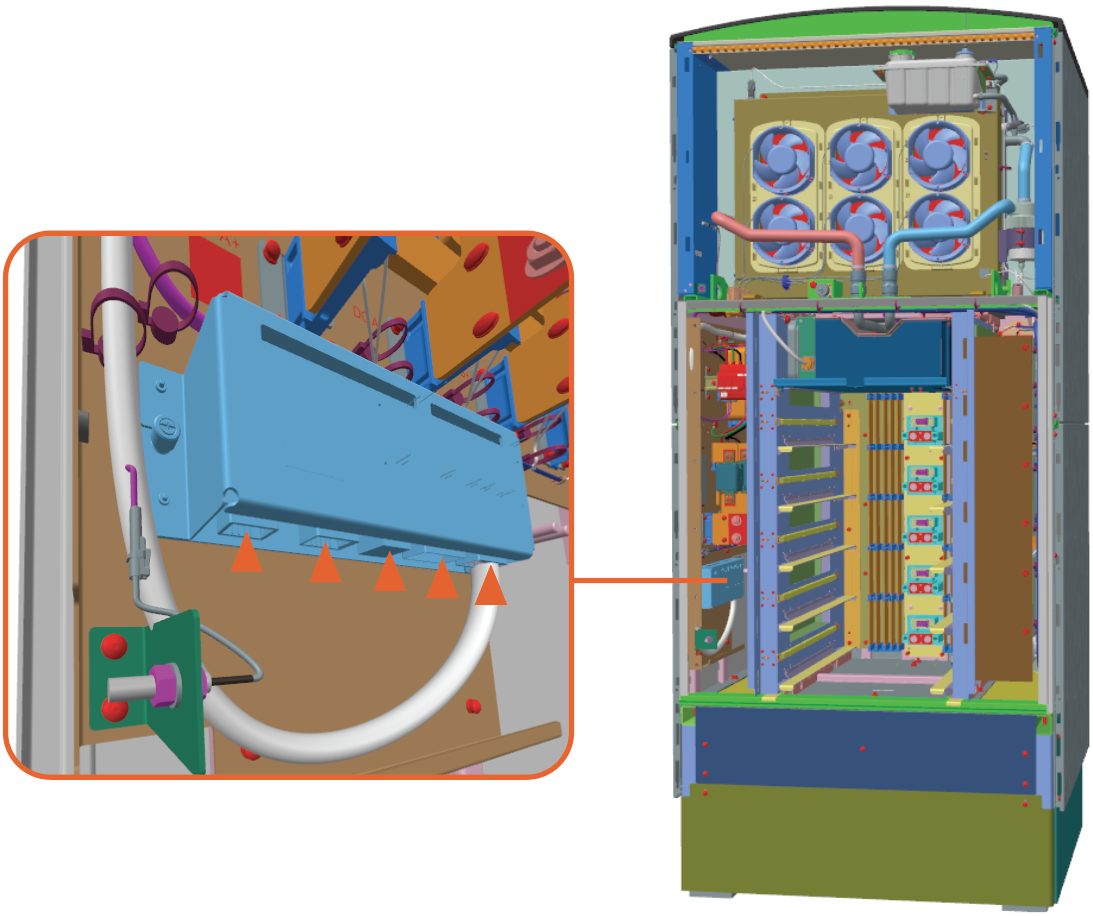
-
Remove the screws (x2). If necessary, use #5 Phillips screwdriver.
Hand tight these screws when reinstalling.
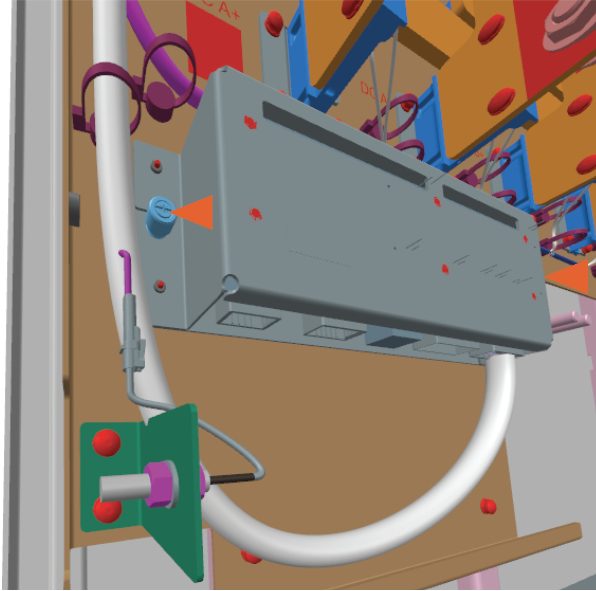
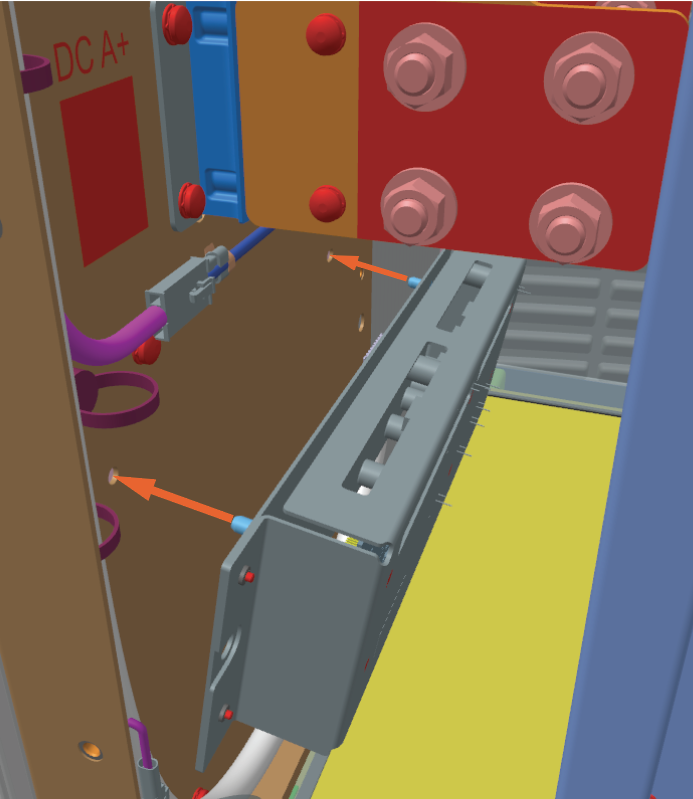
Reverse the above steps to reinstall with replacement FRU Field Replaceable Unit.
While reinstalling, align and seat the CCB using the alignment pins behind the CCB.
- To adhere to ChargePoint best practices, complete the post-service checklist before you leave the site.
-
For assistance or to return a faulty part to ChargePoint, go to chargepoint.com/support and contact technical support using the appropriate region-specific number.
