Fuse Kit
This section provides instructions for replacing the fuse kit in the Power Block.
Required Tools and Materials
|
|
17 mm hex socket |
|
17 mm hex wrench |


Kit Components
This kit is for replacing the fuses to upgrade the power rating of a Power Block or replacing the existing fuses.
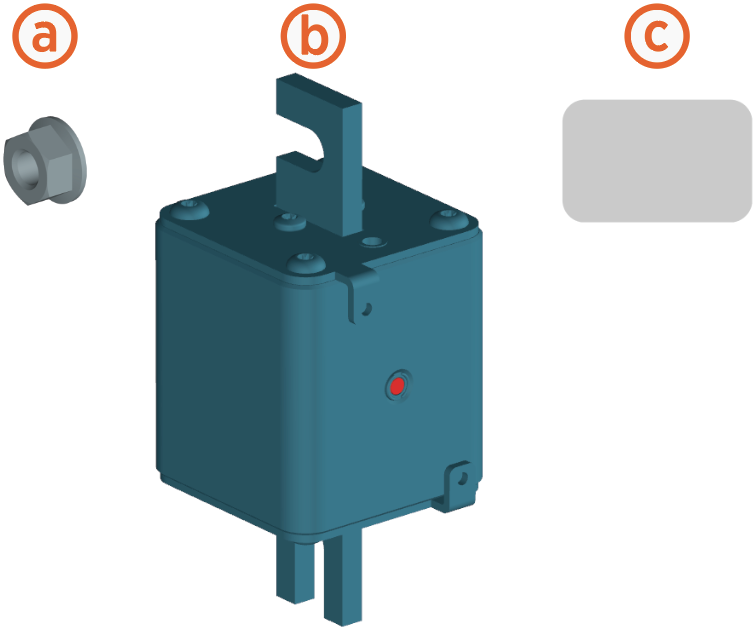
-
M10 nut (x8, two per fuse)
-
Fuses for 500 A, 350 A, 300 A, 250 A, or 200 A (x4, one per pole or two per output)
-
Power rating label (x2, for front and rear)
Before You Begin
Before servicing the component, complete the following steps:
-
Remove front upper, mid, and lower panels.
-
Remove rear upper panel to install the new power rating label.
-
Remove front door.
-
Remove the left side transparent shield.
AFTER REPLACING THE COMPONENTS, REVERSE THE ABOVE STEPS TO COMPLETE THE SERVICE.
Replace the Fuse
-
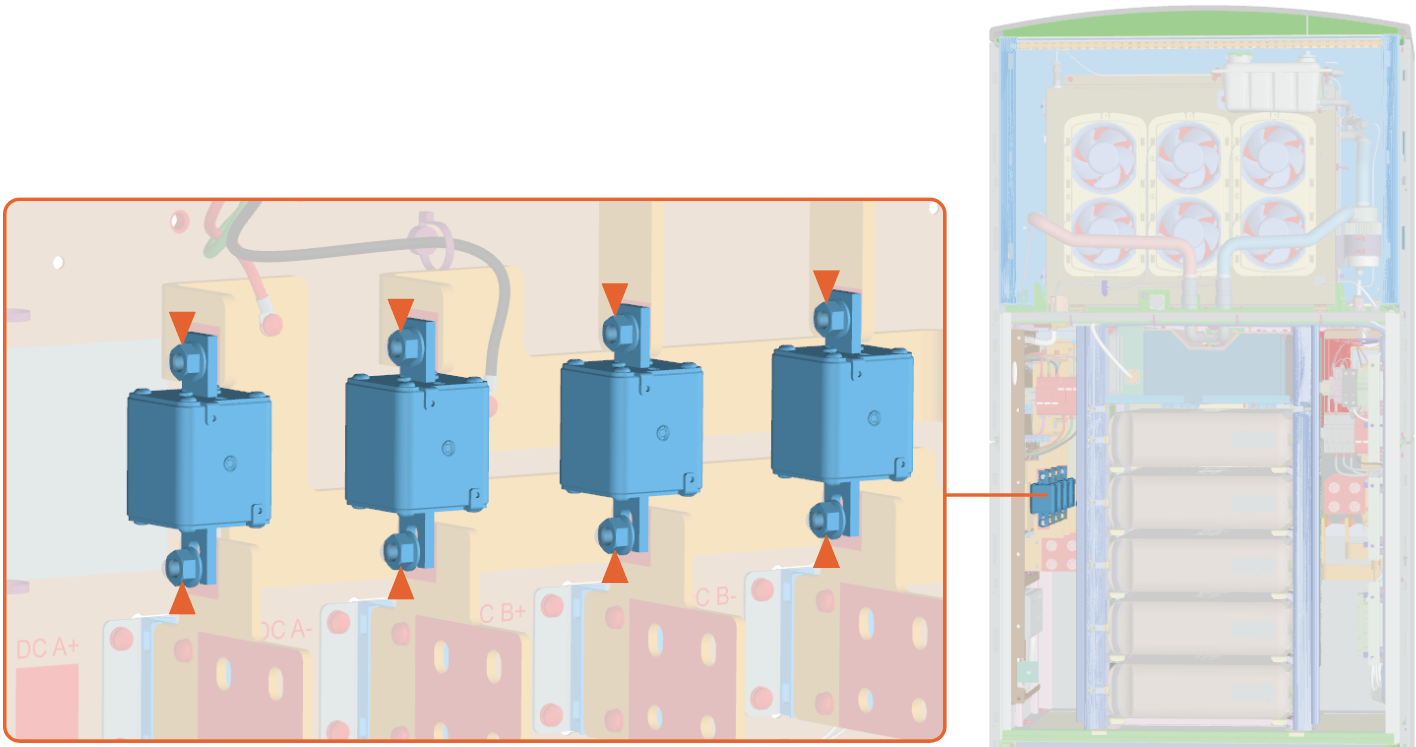
Remove the nuts (x8) to remove the fuses (x4). Use 17 mm hex socket.
-
Install the new fuses using the new nuts. Torque the nuts to 19 Nm (168.1 in-lb).
-
Affix the new power rating labels on top of the existing labels.
Front Side Rear Side 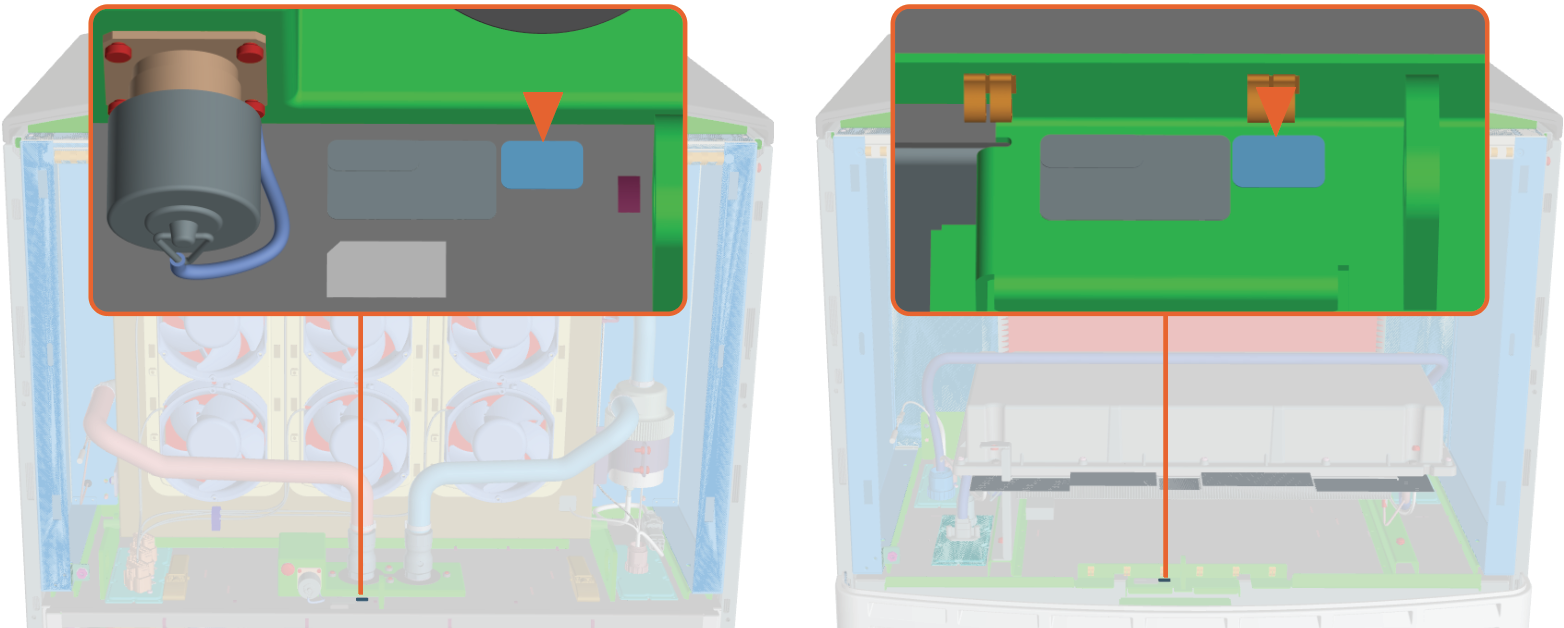
- To adhere to ChargePoint best practices, complete the post-service checklist before you leave the site.
-
For assistance or to return a faulty part to ChargePoint, go to chargepoint.com/support and contact technical support using the appropriate region-specific number.
