Install Cable Management Kit (CMK)
To install the Cable Management Kit (CMK Cable Management Kit), complete the following steps:
Install Overhead CMK
If the site plan calls for the Power Link 2000 to be configured with an overhead CMK Cable Management Kit, follow procedures in this section to install the CMK Cable Management Kit.
The structure to which the overhead CMK Cable Management Kit mounts must meet the design specifications given in the Express PlusPower Link 2000 Site Design Guide.
Inspect the Box for Contents
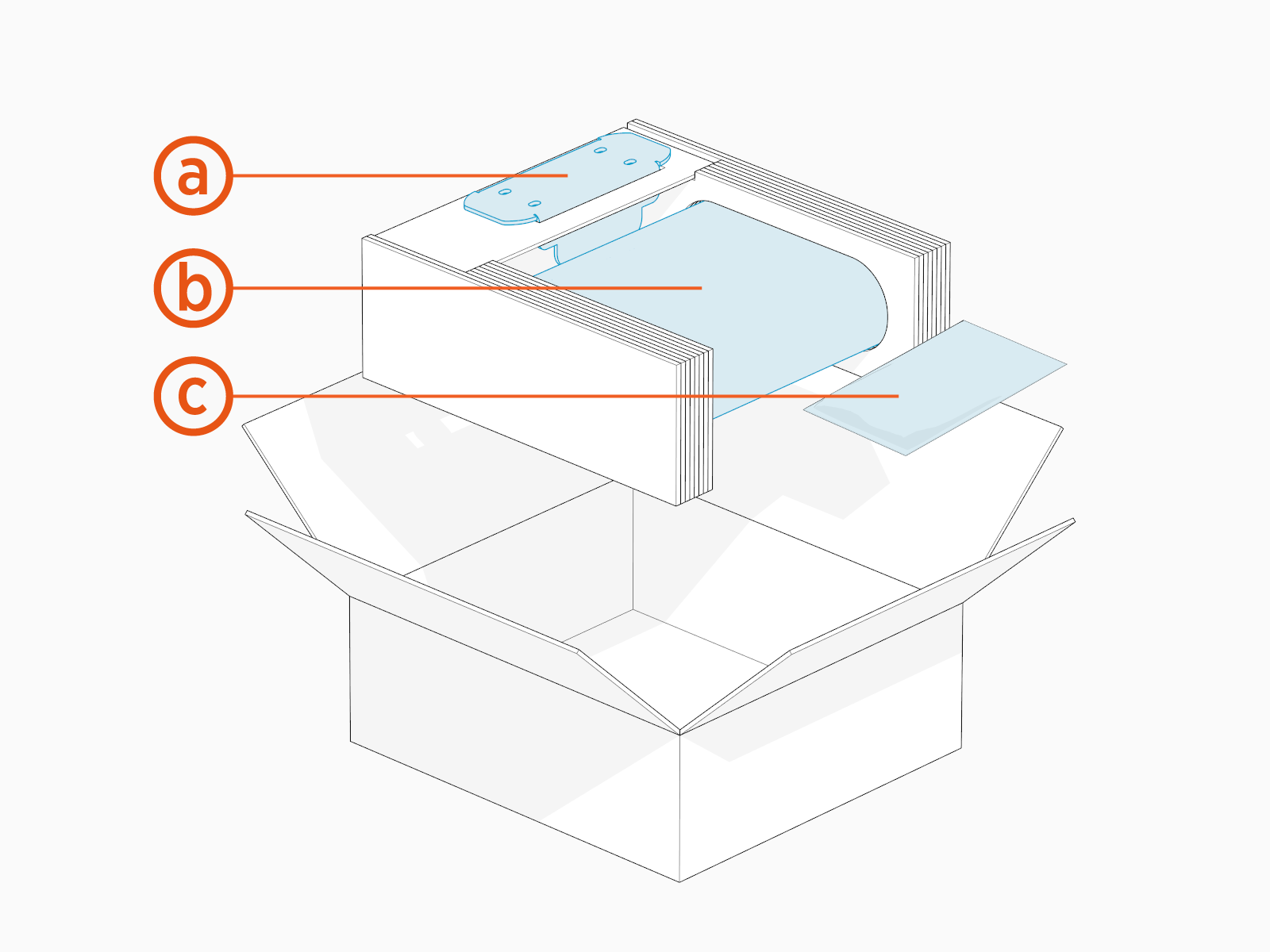
Check the overhead CMK Cable Management Kit package for the following components:
For any missing component, contact ChargePoint support at chargepoint.com/support.
-
Mounting bracket
-
Overhead CMK
Cable Management Kit -
Hardware kit with M8 hex nuts (x4) and M6 Torx screws (x4)
Install Overhead CMK
To install the overhead CMK Cable Management Kit, complete the following steps:
-
Find the M8 hex nuts (x4) and M6 Torx screws (x4) shipped in the overhead CMK package.
-
Position the CMK
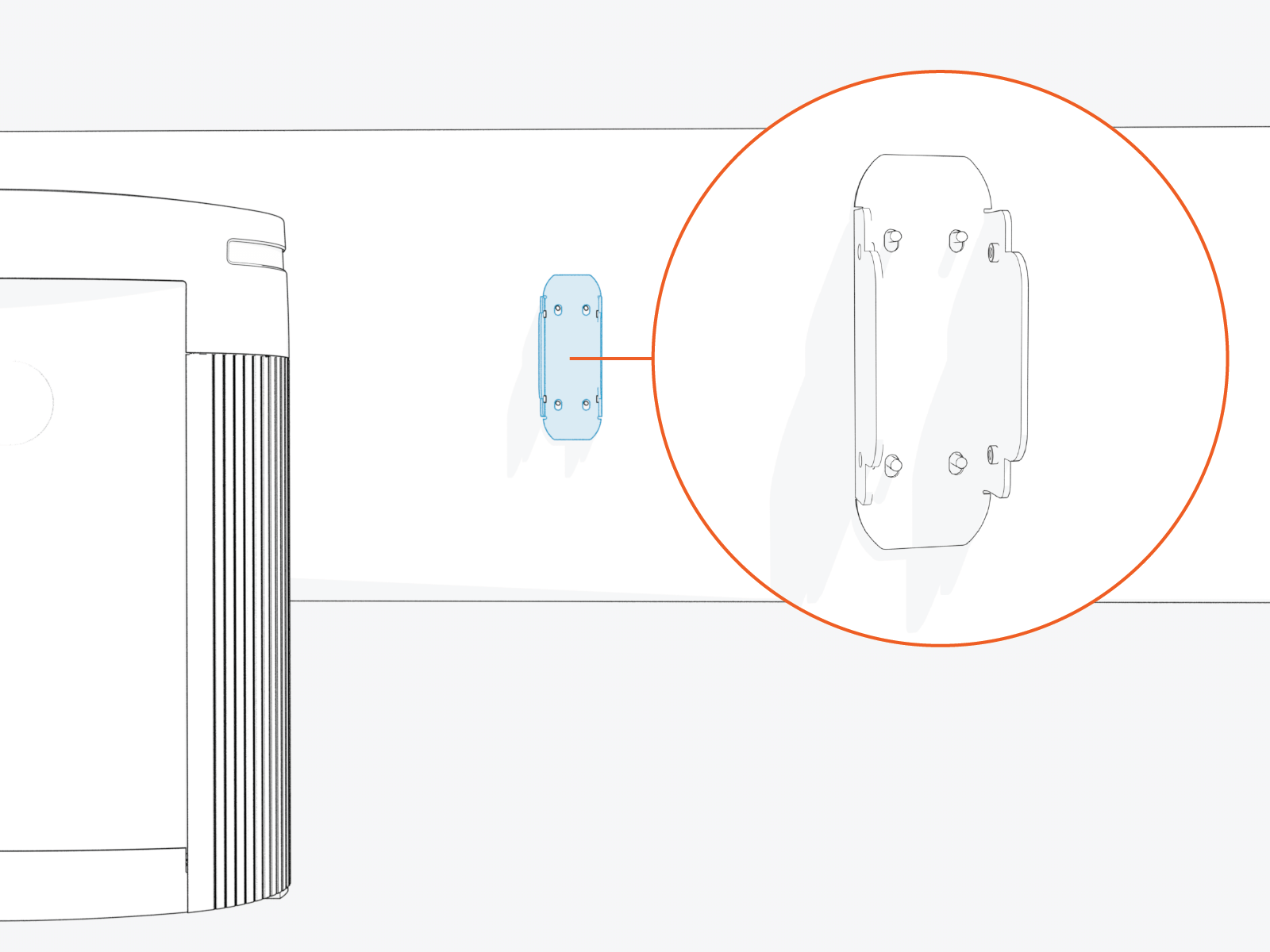
Cable Management Kit bracket as specified by the site plan.Mounting studs are provided by the customer. See the Express Plus Power Link 2000 Site Design Guide.
-
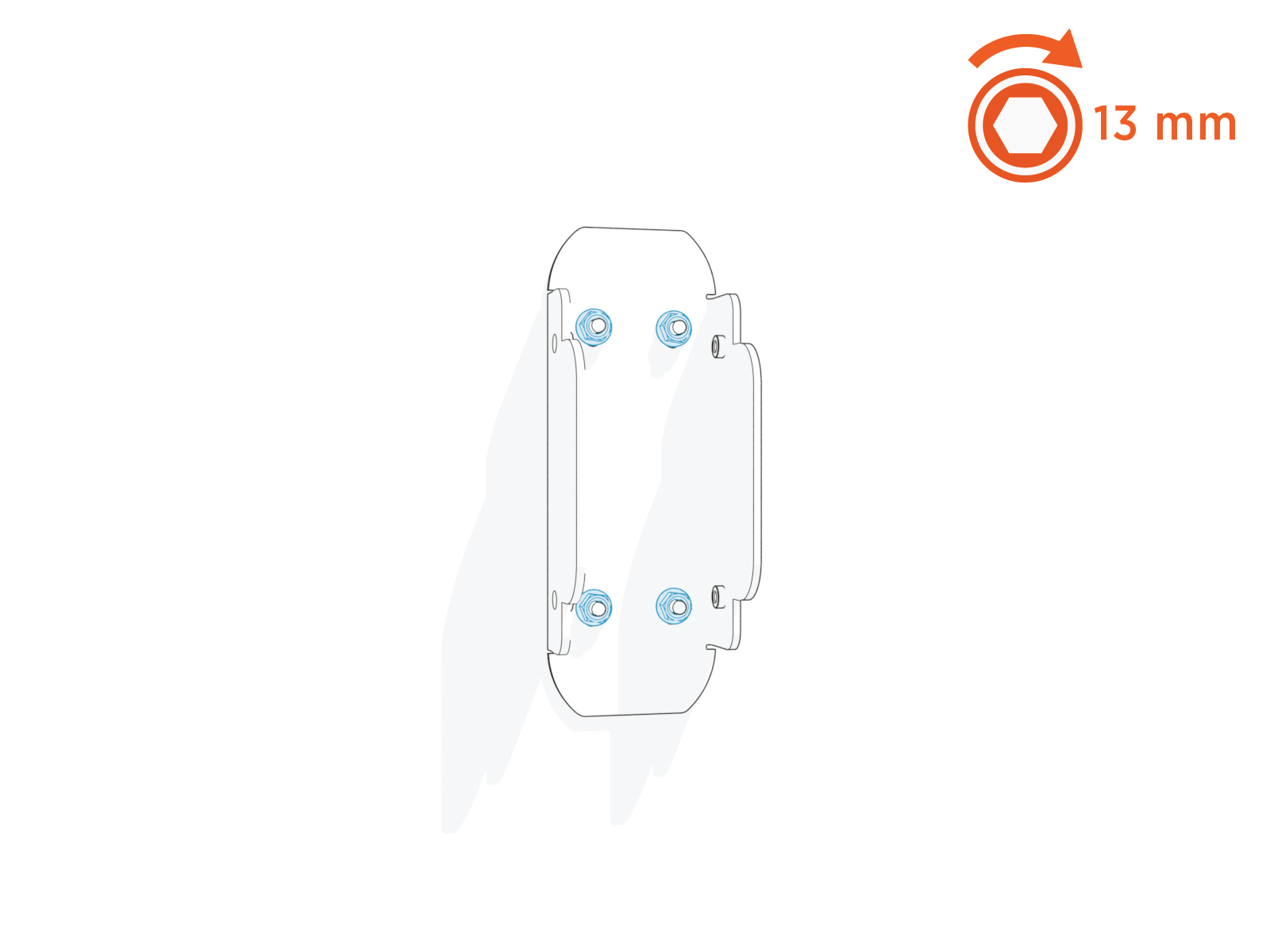
Install and torque M8 hex nuts (x4) to 11 Nm (97 in-lb) to secure the bracket.
-
Align the overhead CMK
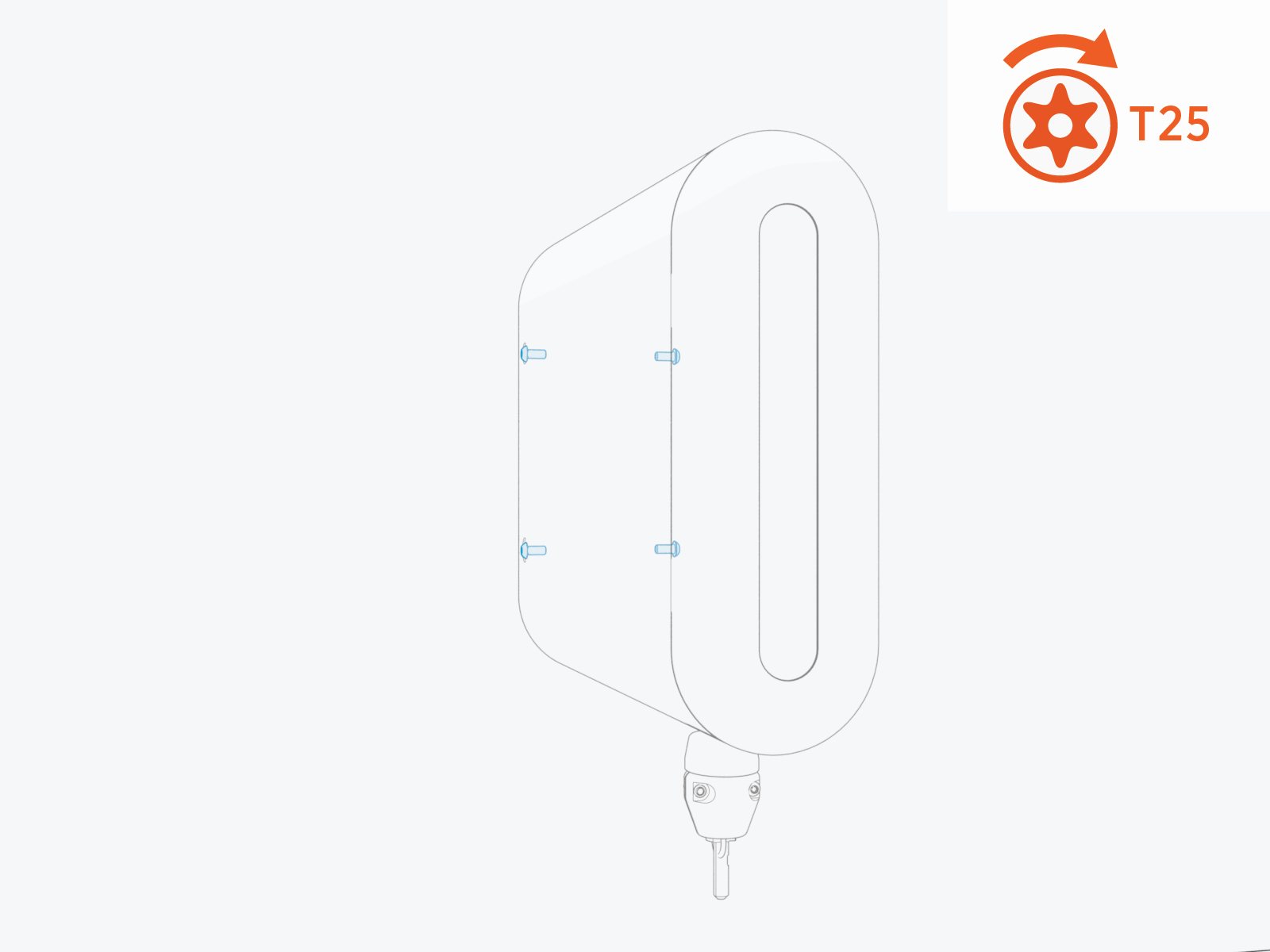
Cable Management Kit onto the bracket and install M6 Torx screws (x4: x2 on the left side and x2 on the right side).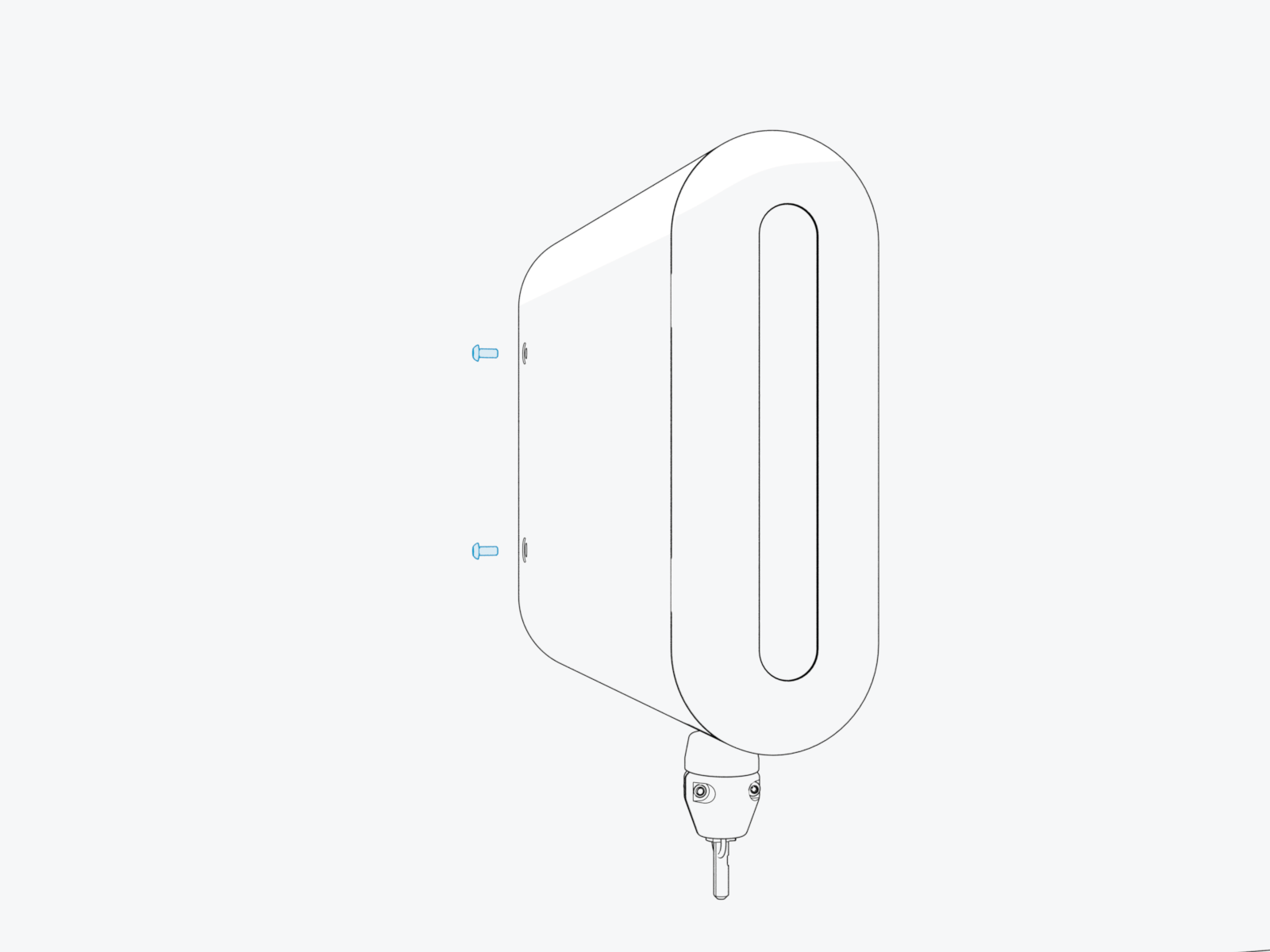
-
Torque the screws to 3.4 Nm (30 in-lb).
-
If the Power Link 2000 is equipped with two charging cables, repeat the procedure to install an overhead CMK
Cable Management Kit for the second cable.
Install Tetherball
Standard length (5.8 m or 19 ft) charging cables come with a tetherball preinstalled onto the cable. For non‑LCC Liquid Cooled Cable medium length (7.6 m or 25 ft) charging cables, a tetherball is not preinstalled onto the cable. It must be installed after installing the charging cable or while installing the CMK Cable Management Kit.
-
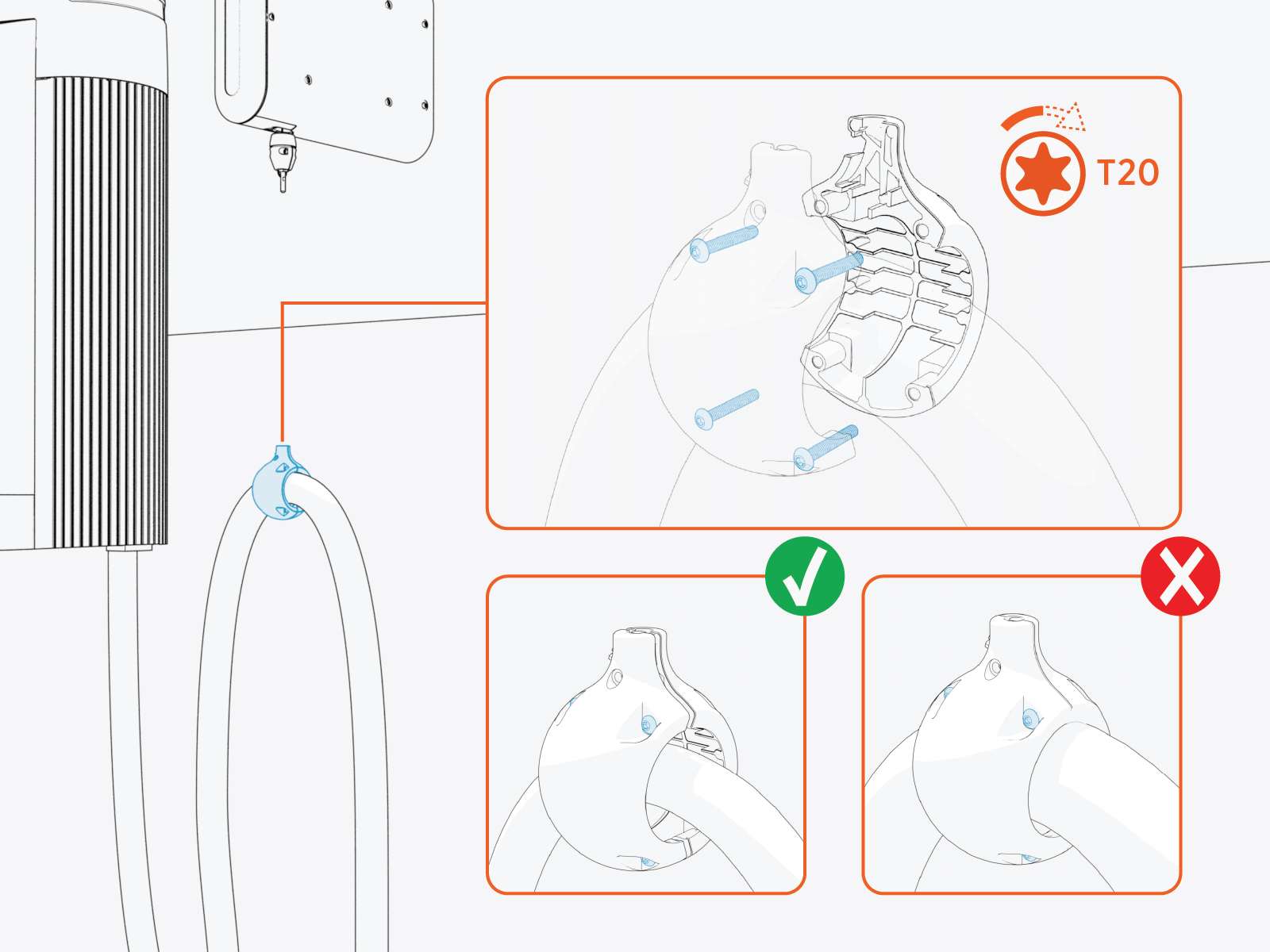
Loosely install the ball clamp onto the cable.
-
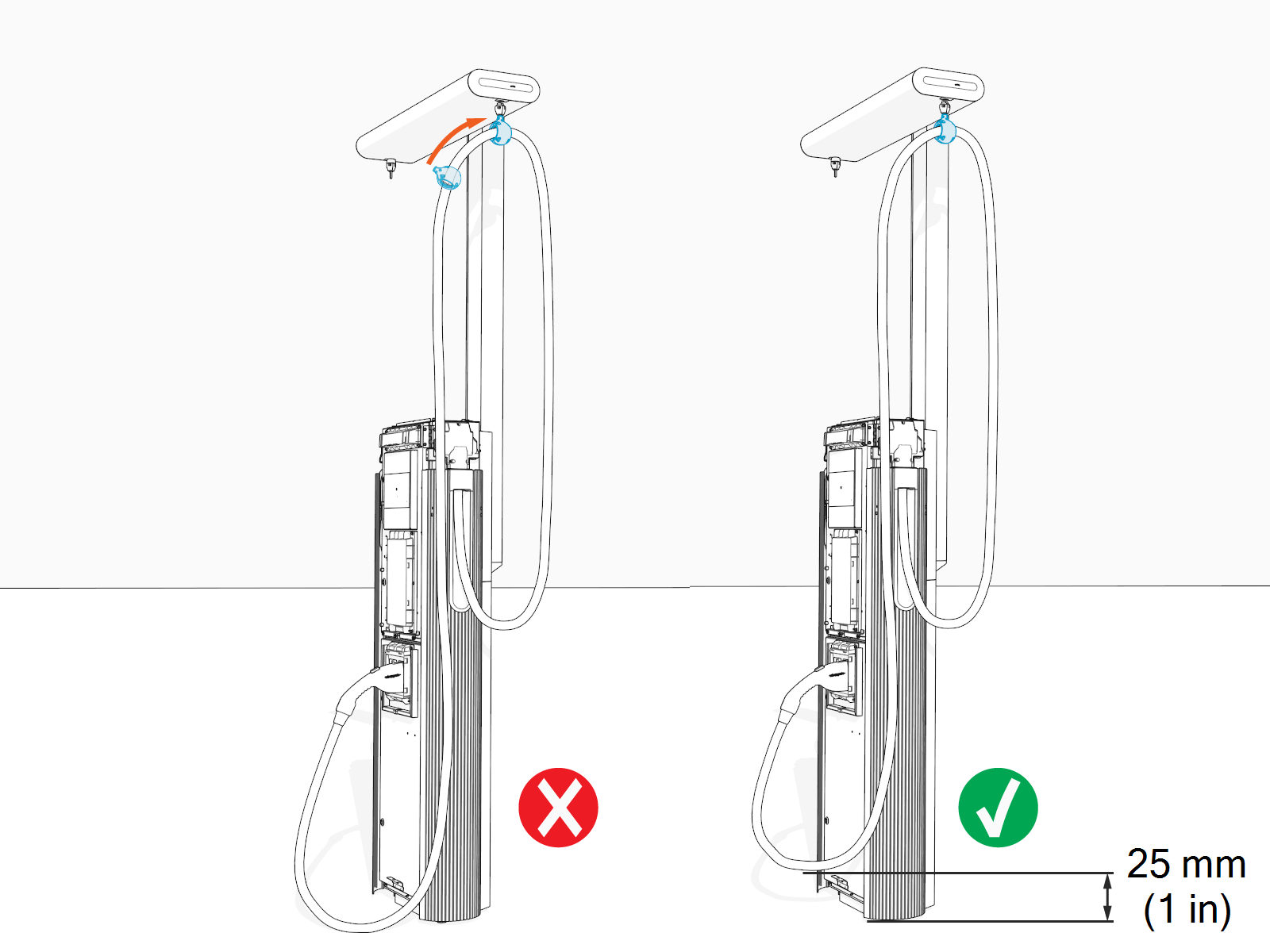
Slide the ball clamp to a position on the cable such that when the cable is in its final resting position, the charging connector hangs above the ground at a height specified by the site plan.
-
Torque the screws (x4) to 2.8 Nm (25 in-lb).
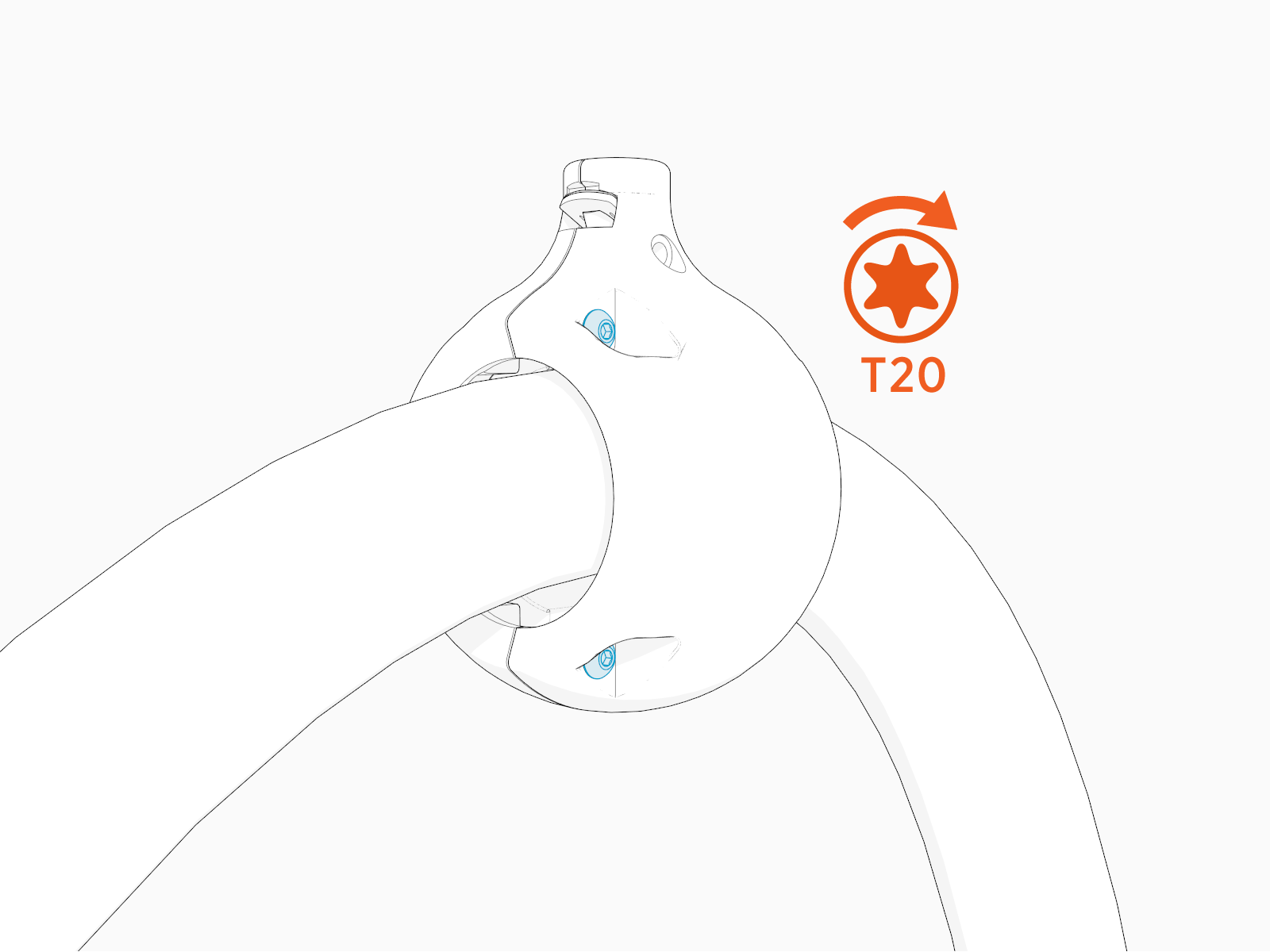
Suspend Charging Cable
To suspend charging cable, complete the following steps:
-
Loosen the screw if it is not loose.
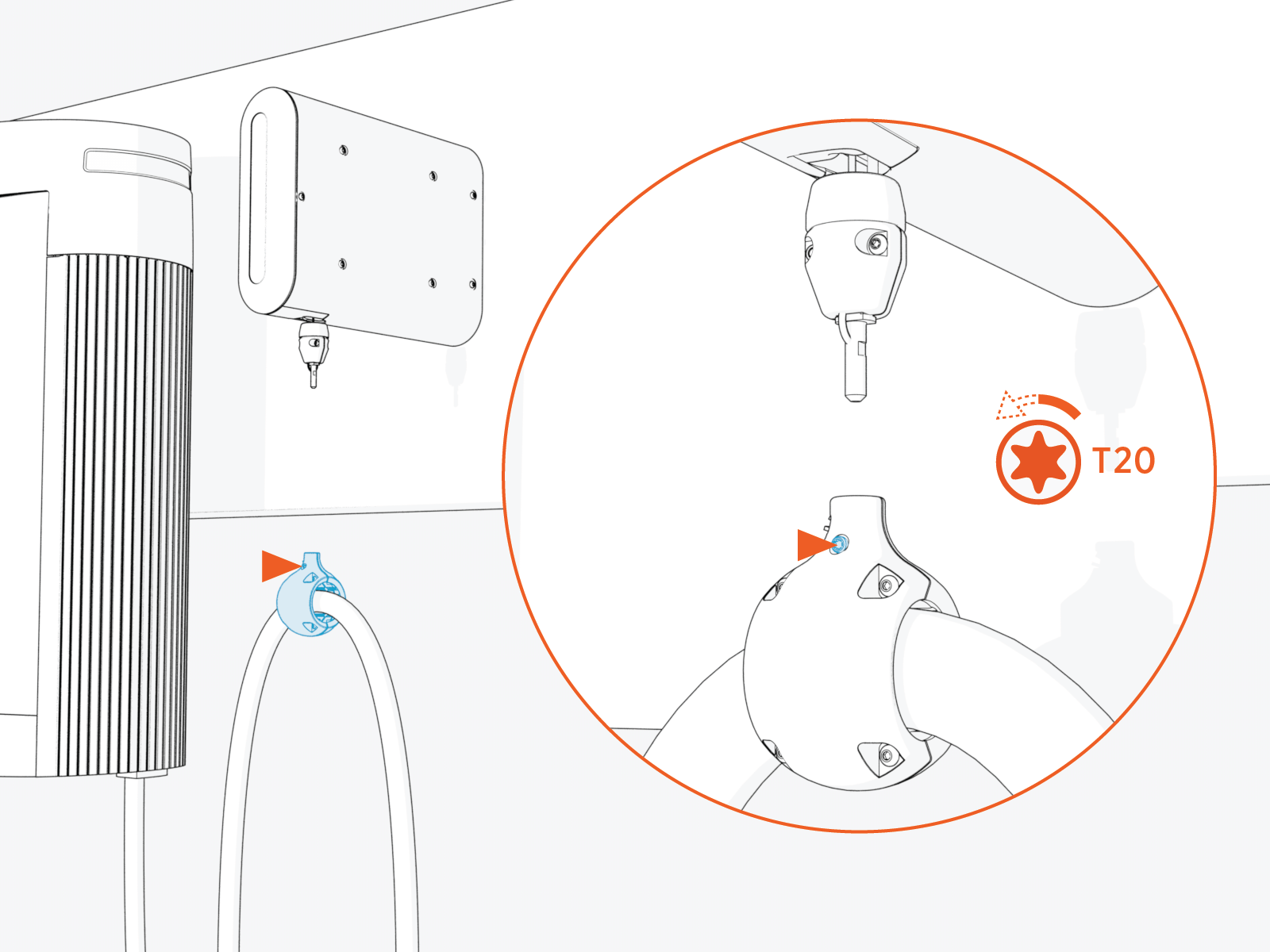
-
Align spring in the ball clamp with flat notch on the anchor pin. While aligned, gently push ball clamp onto the anchor pin.
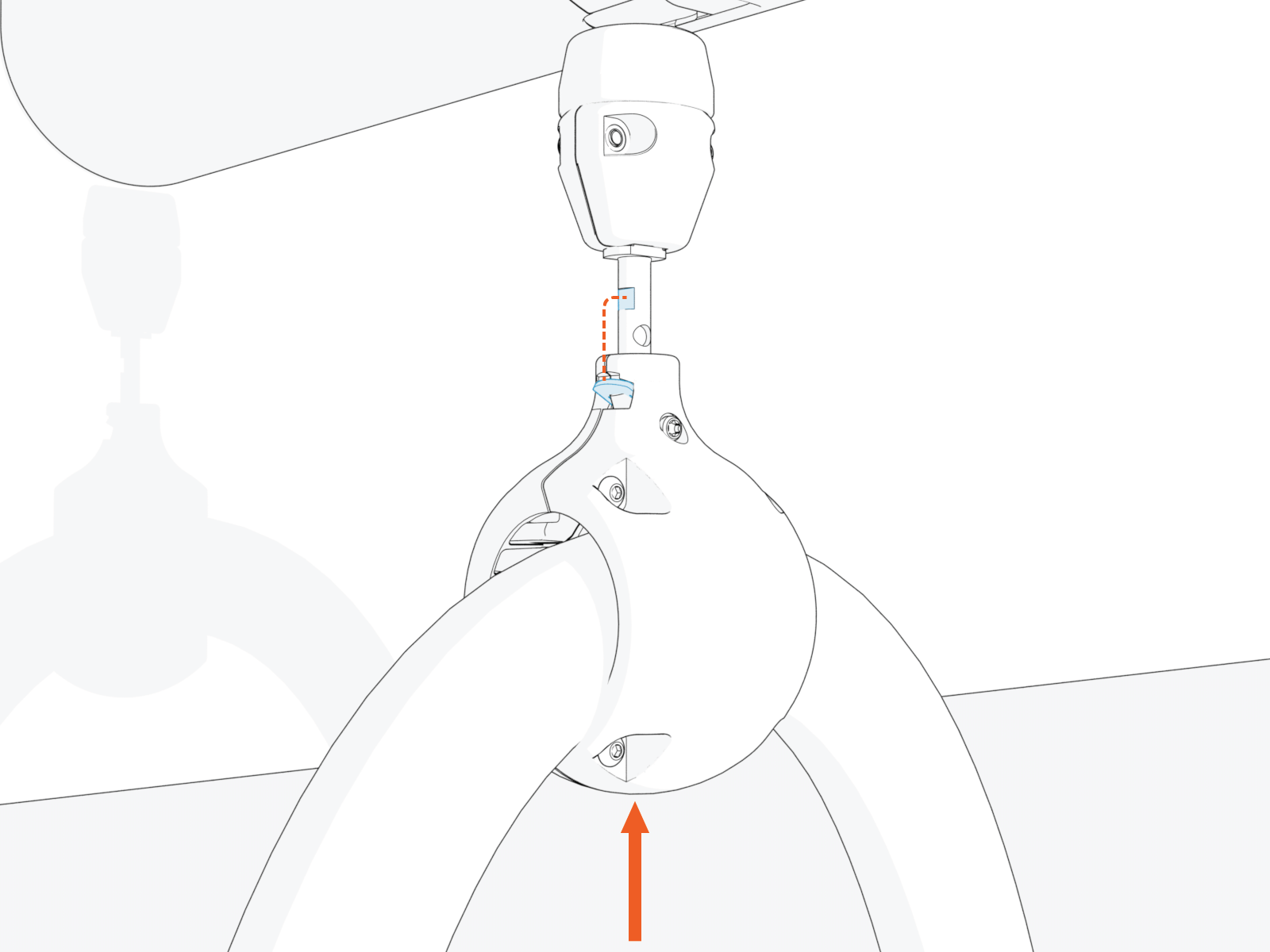
-
Torque the screw to 2.8 Nm (25 in-lb).
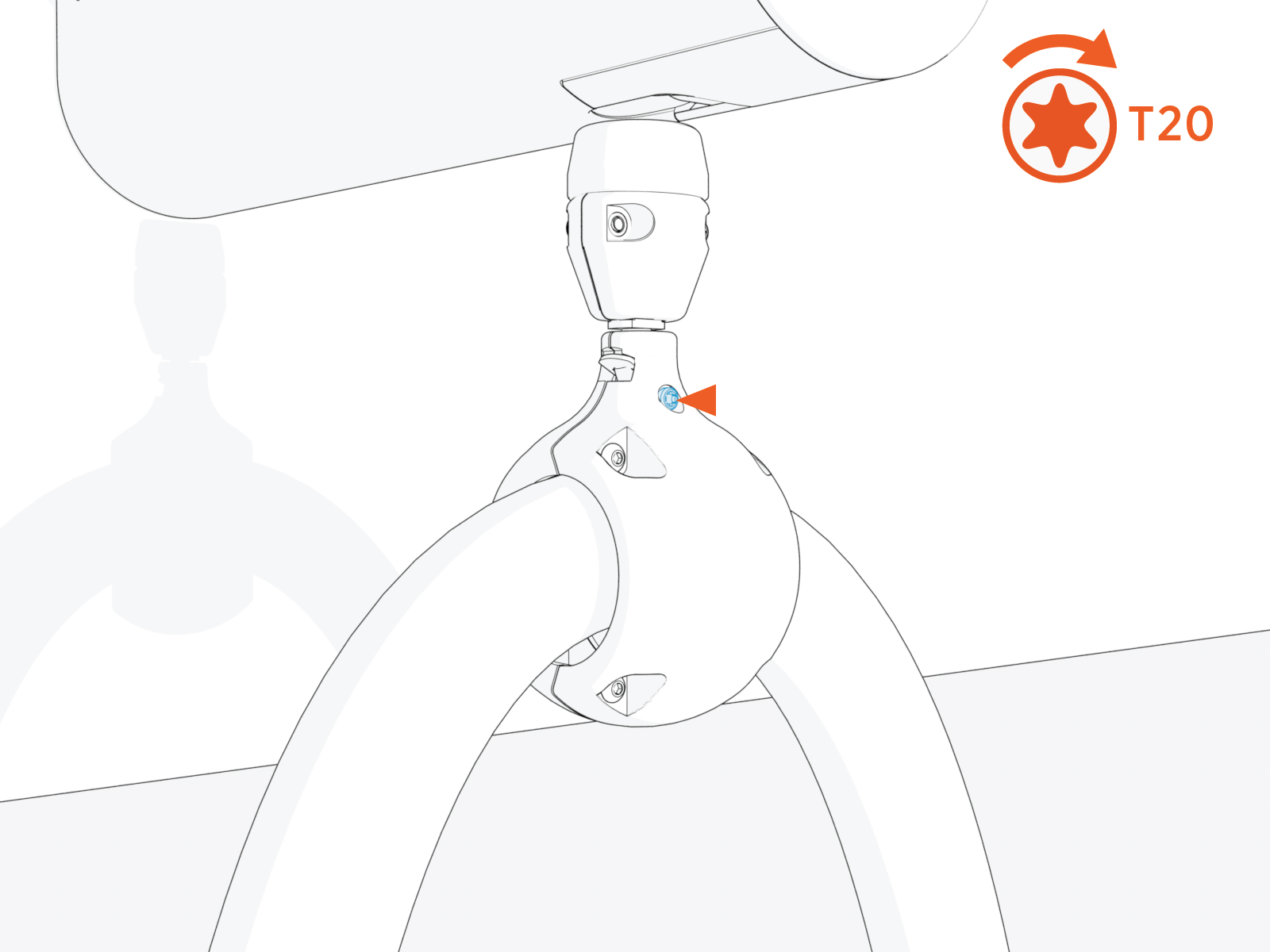
-
Tug on the cable to check that it is securely attached and that it extends and retracts properly. If you find limited motion or retraction, contact chargepoint.com/support.
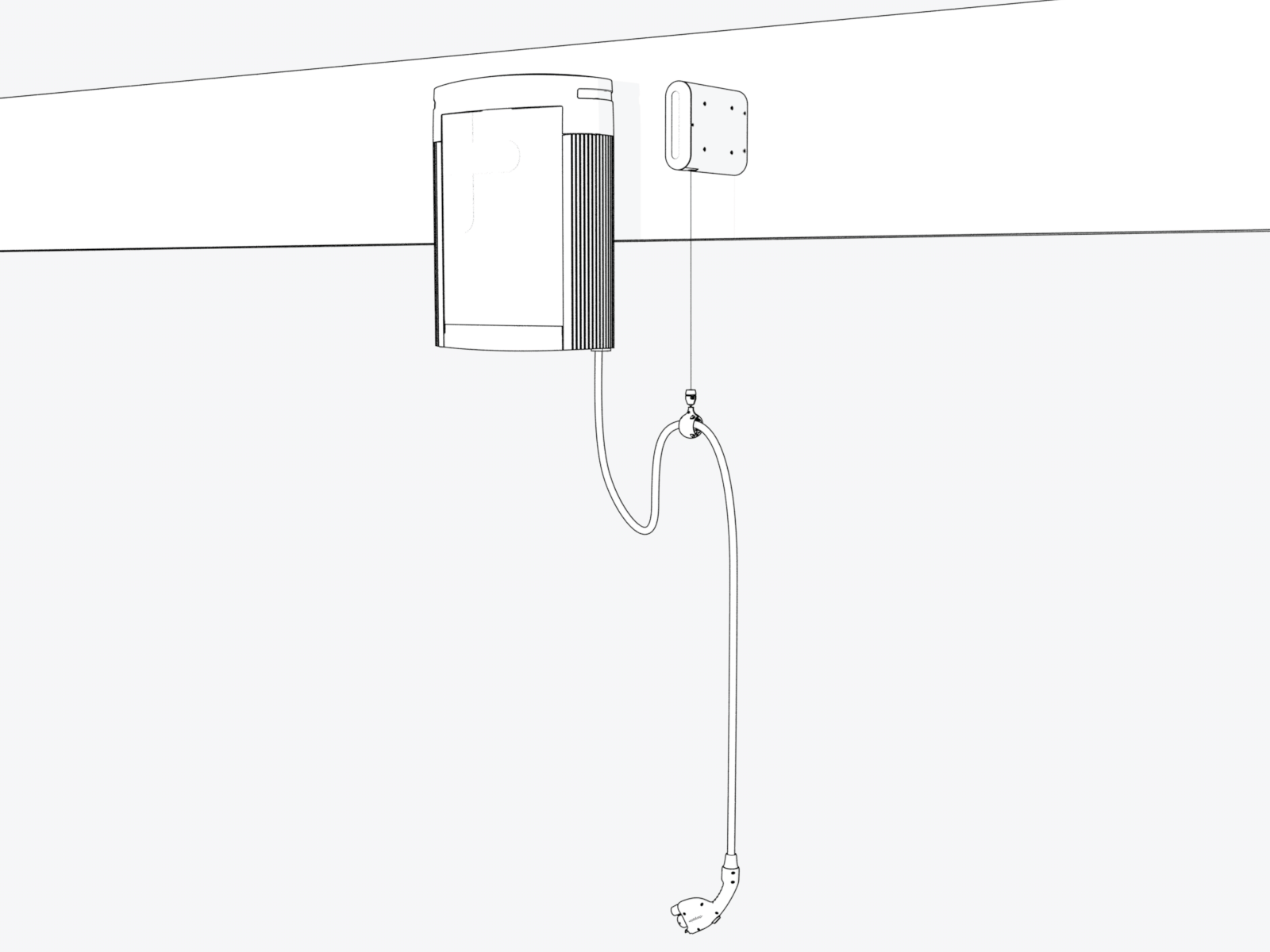
-
If two charging cables have been installed, repeat for the other side.
Install Tether Hook
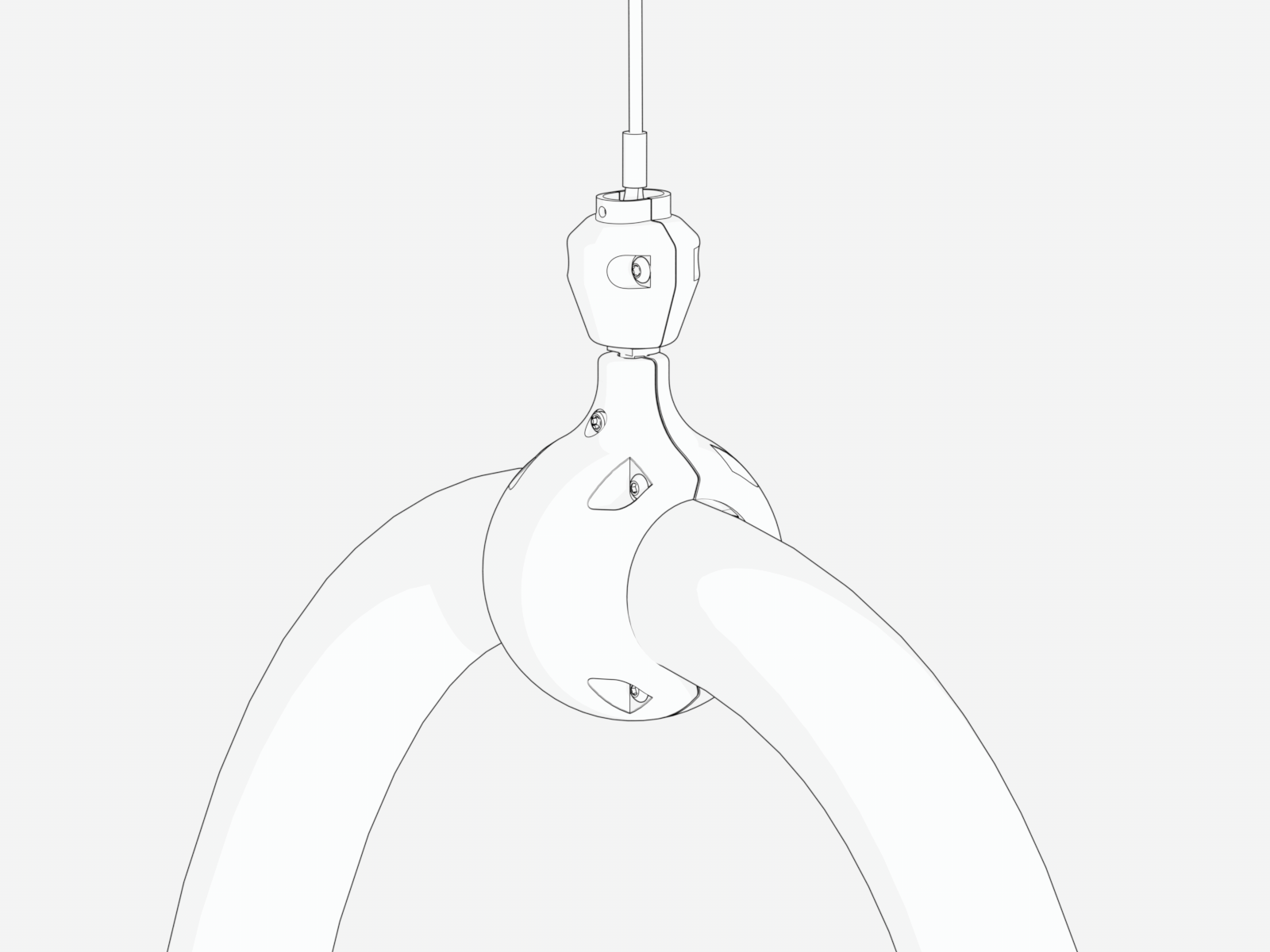
Use tether hooks as additional support for overhead CMKs or to enable the use of third-party hoist or cable management solutions. The tether hook can be attached to either a fixed point or to an alternate cable management mechanism such as a winch.
To install the tether hook, perform the following steps:
-
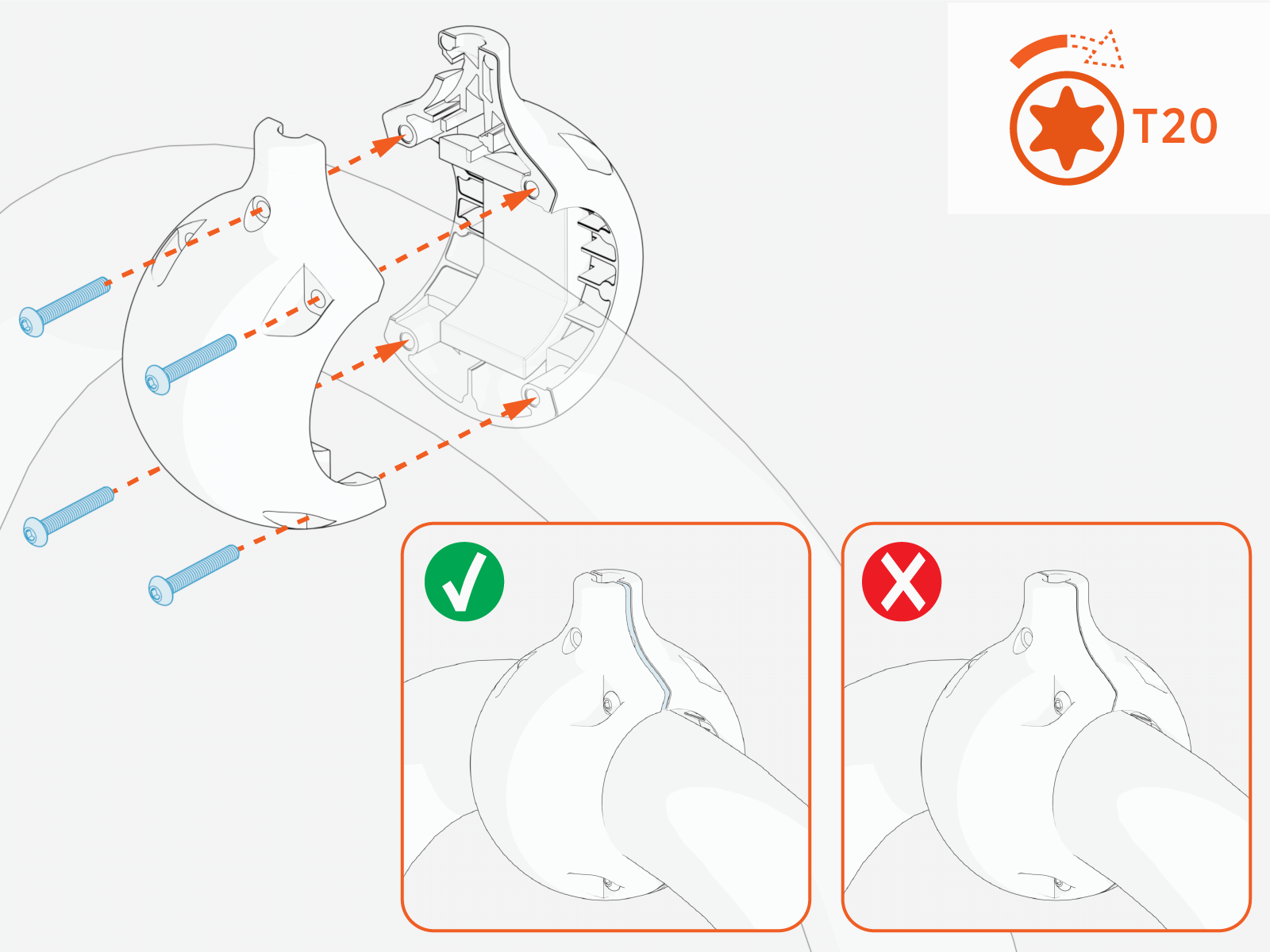
Loosely install the tetherball onto the cable. Slide and position the tetherball onto the charging cable to an appropriate suspension position (prior to tightening the tetherball).
-
Torque the screws (x4) to 2.8 Nm (25 in-lb).
-
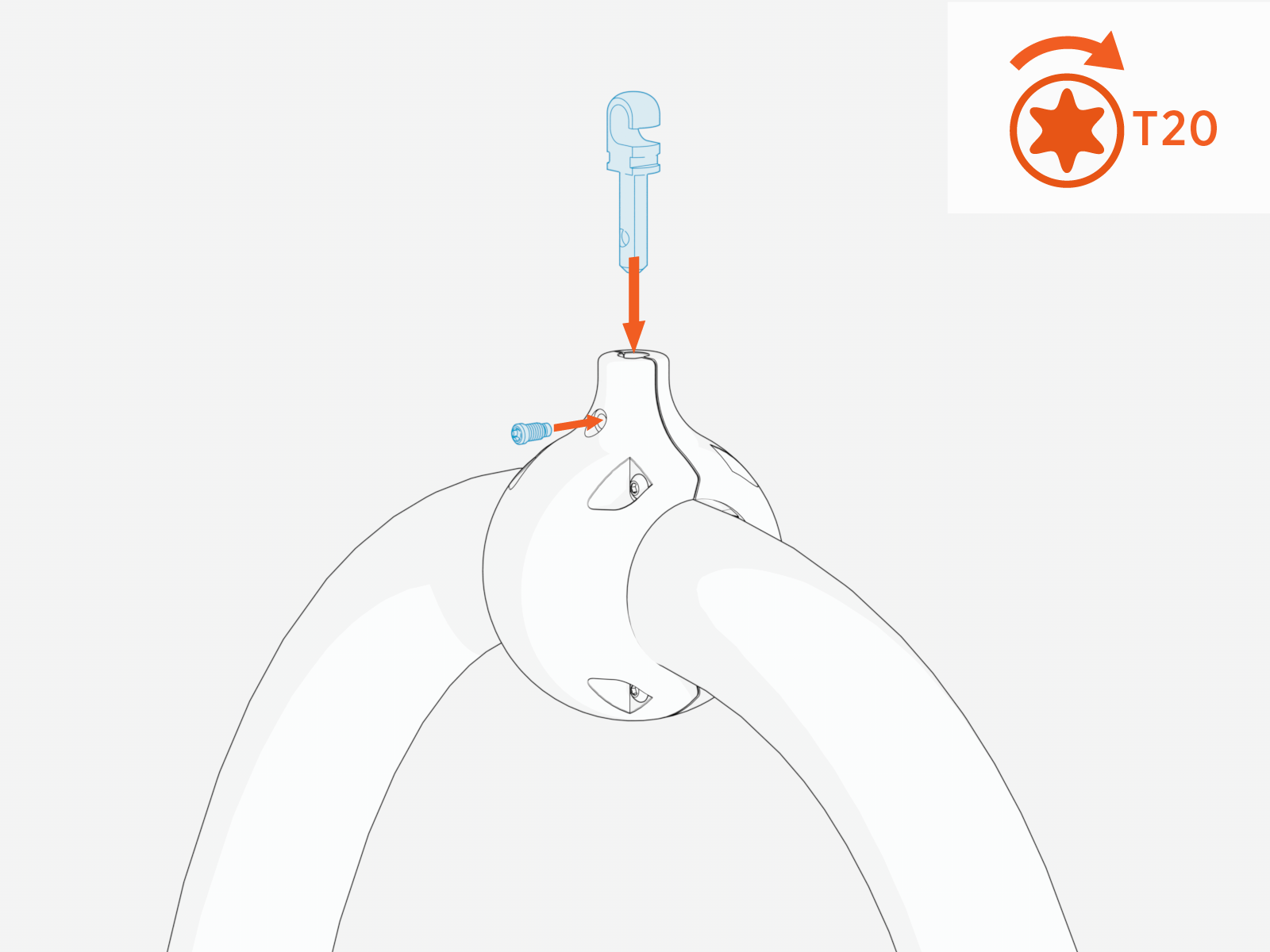
Push the tether hook into the tetherball and tighten set screw.
-
Use steel cable (recommended 1/8” OD) and associated eyelet/thimble to connect to tether hook. Wrap the steel cable and eyelet around tether hook.
Images are not to scale. Measurements appear in metric units (mm) followed by imperial equivalents (inches).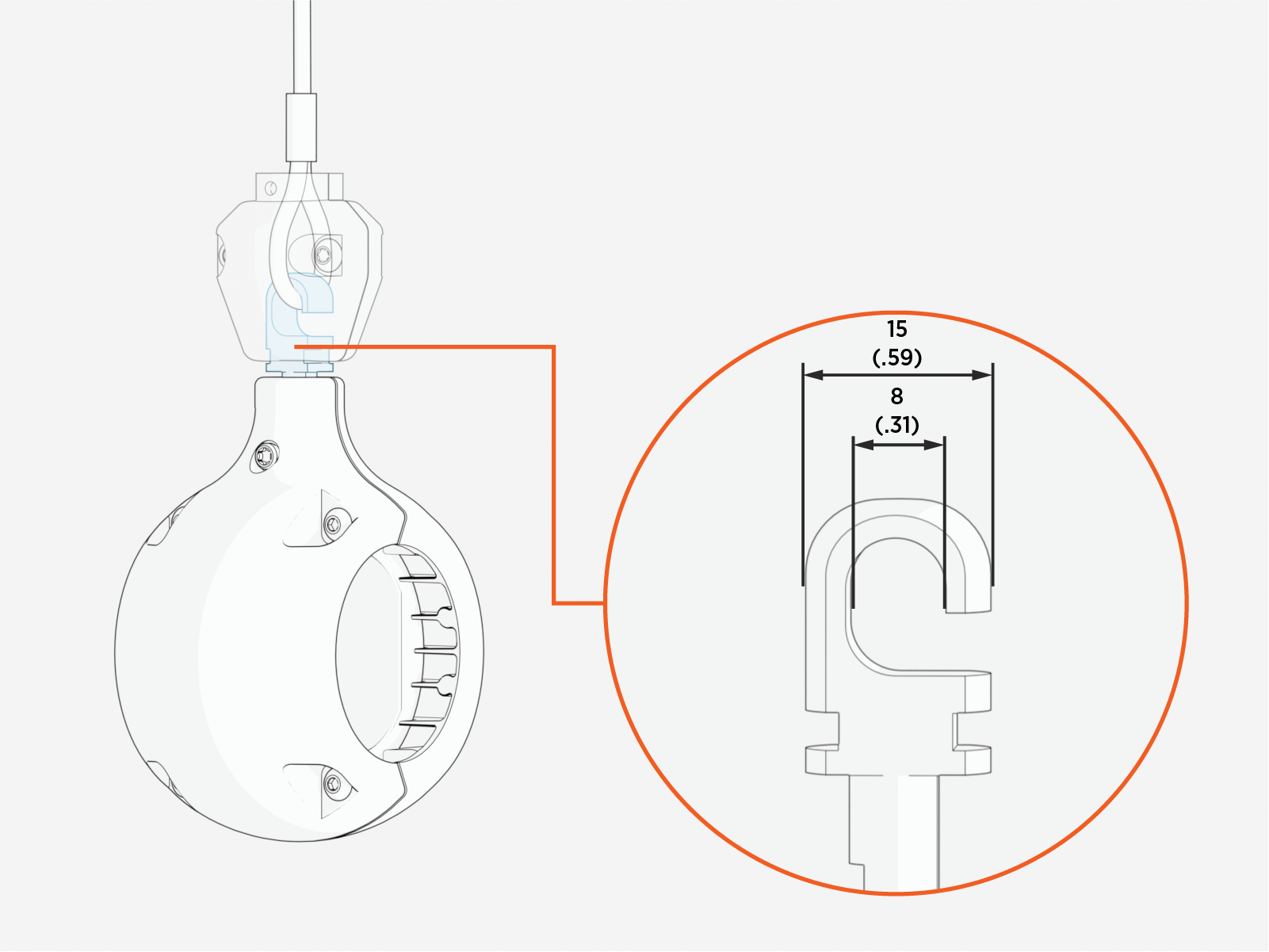
-
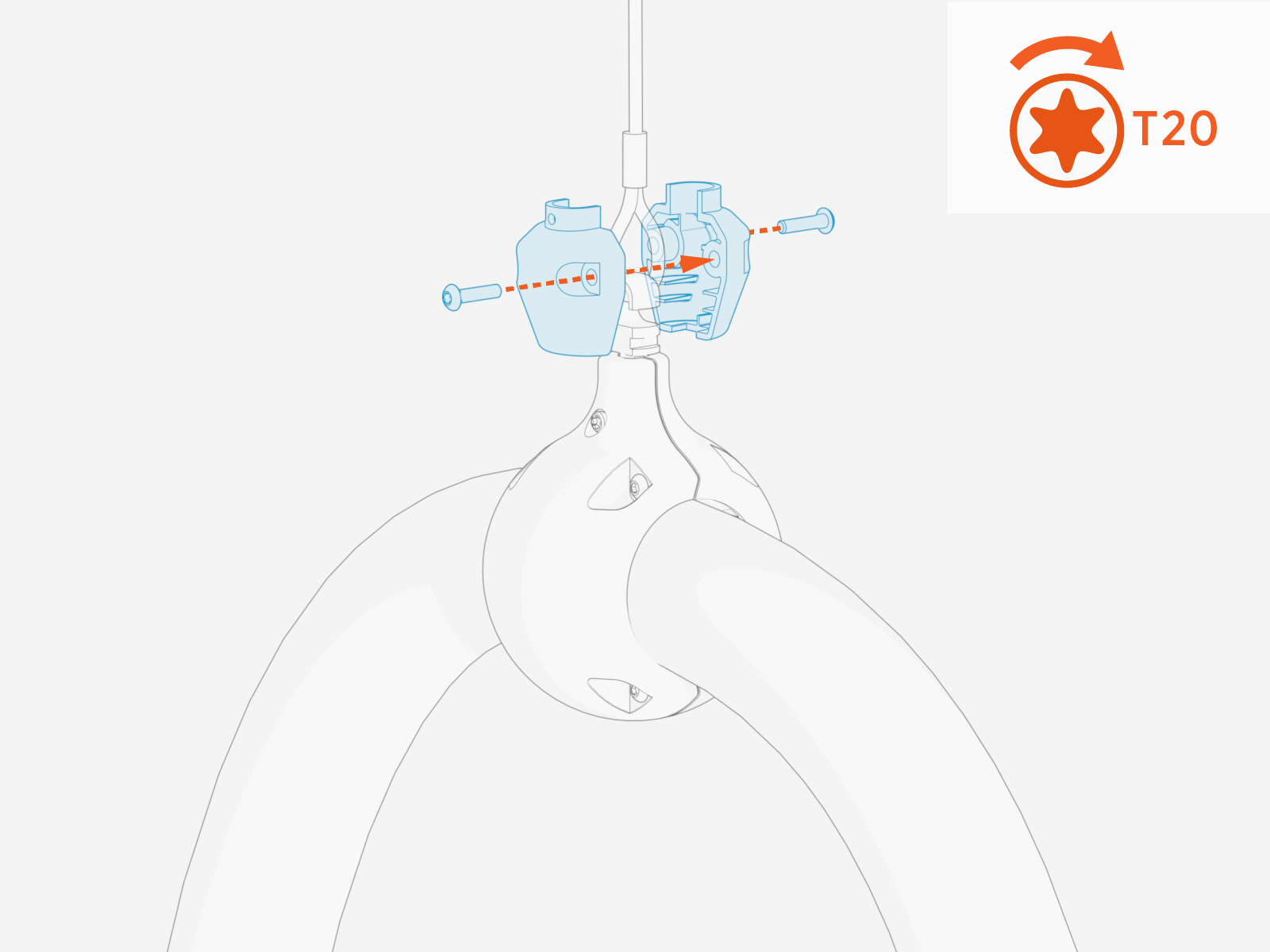
Secure the plastic housing around the tether hook. Torque the T20 screws (x2) to 1.3 Nm (10 in-lb). This ensures the steel cable is retained on the tether hook.
-
Ensure the tether hook is securely fastened and the cable is properly supported.