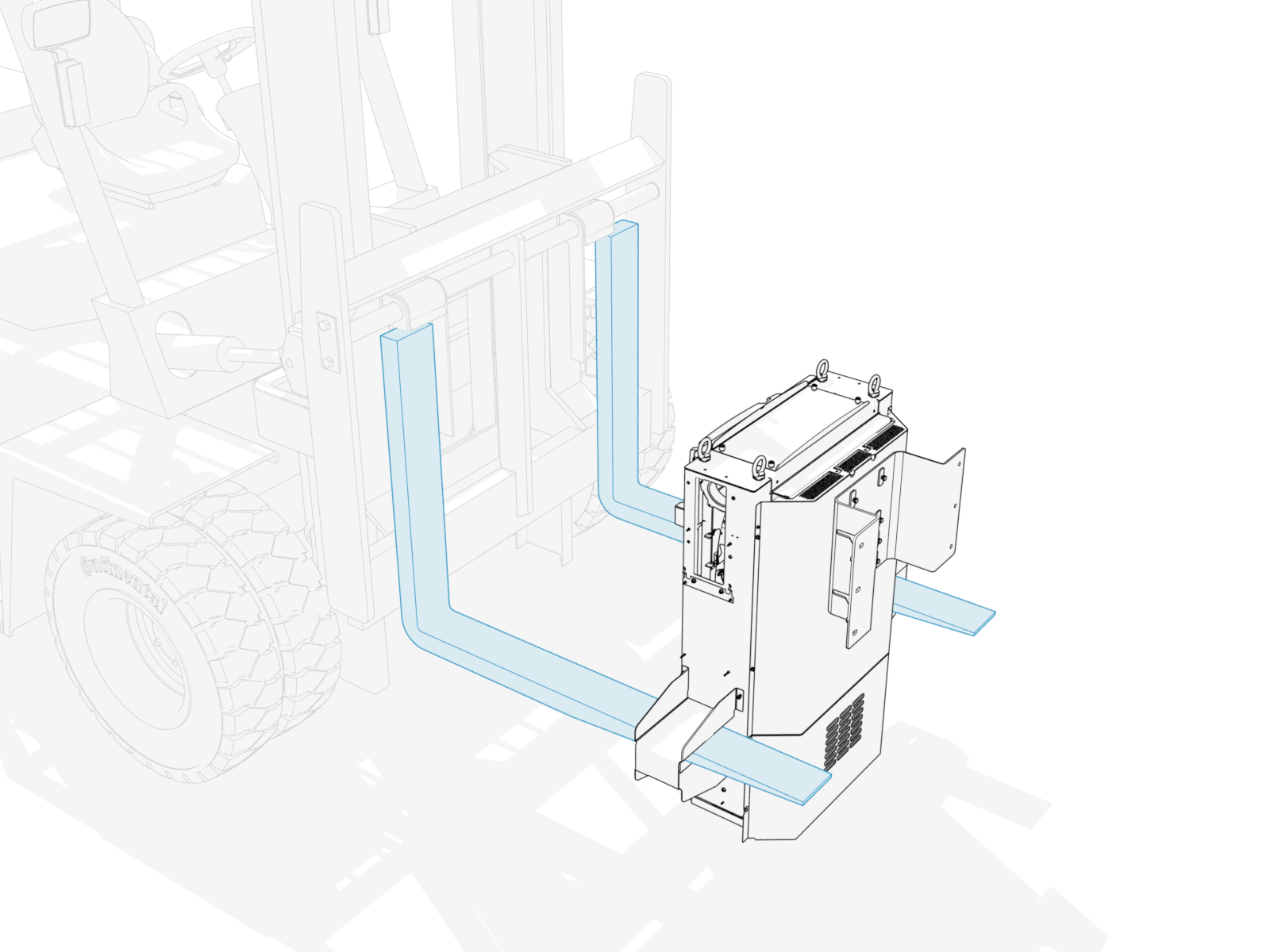
Appendix: Install Forklift Brackets
Forklift brackets may be installed on the Power Link 2000 to enable product installation at a location where the overhead clearance does not meet the minimum requirement (305 mm or 12 in from top of Power Link 2000).
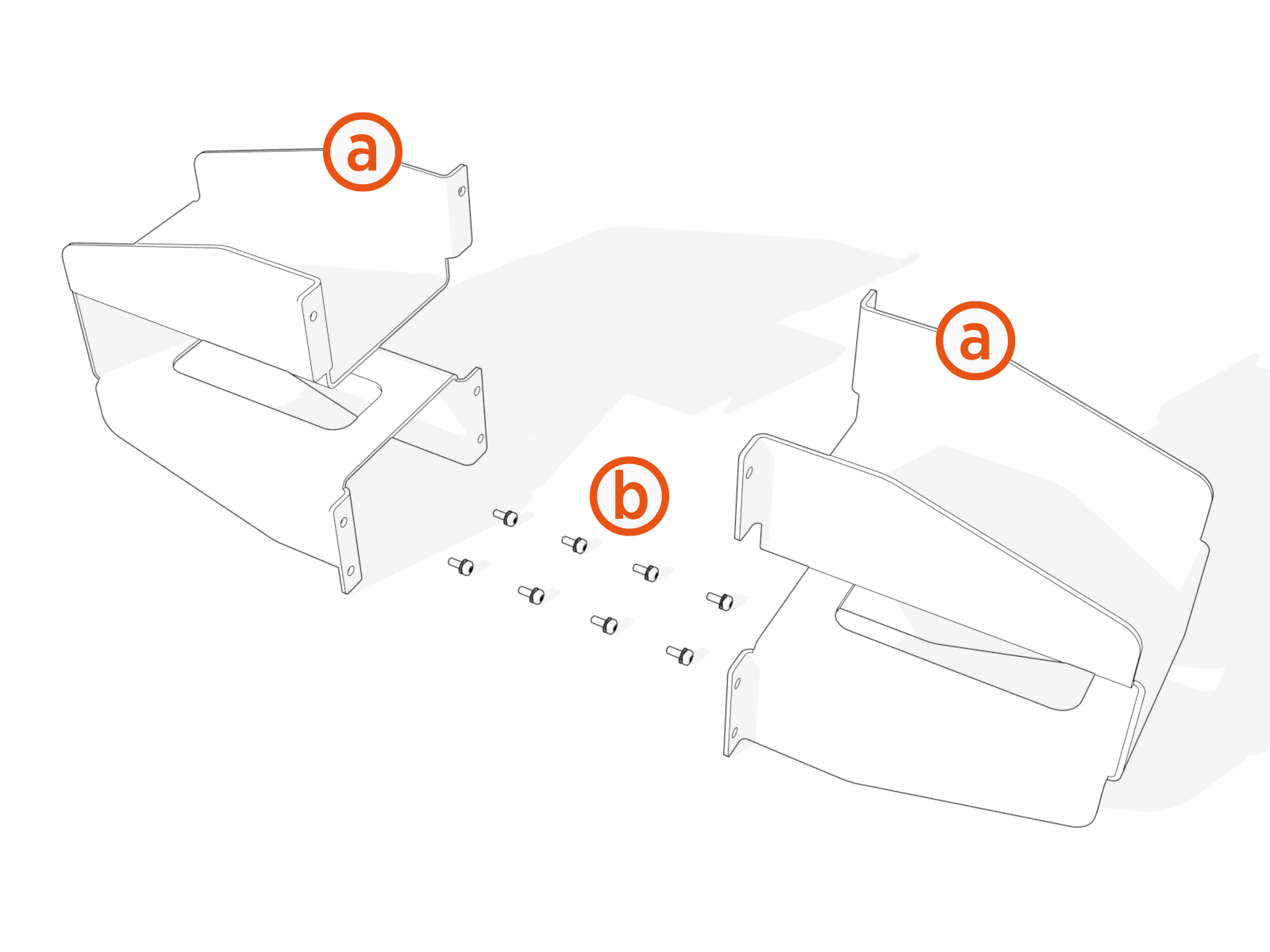
Inspect the Box for Contents
-
Forklift brackets (x2)
-
M5 screws (x8)
Remove Side Panels
To remove the side panels, complete the following steps:
-
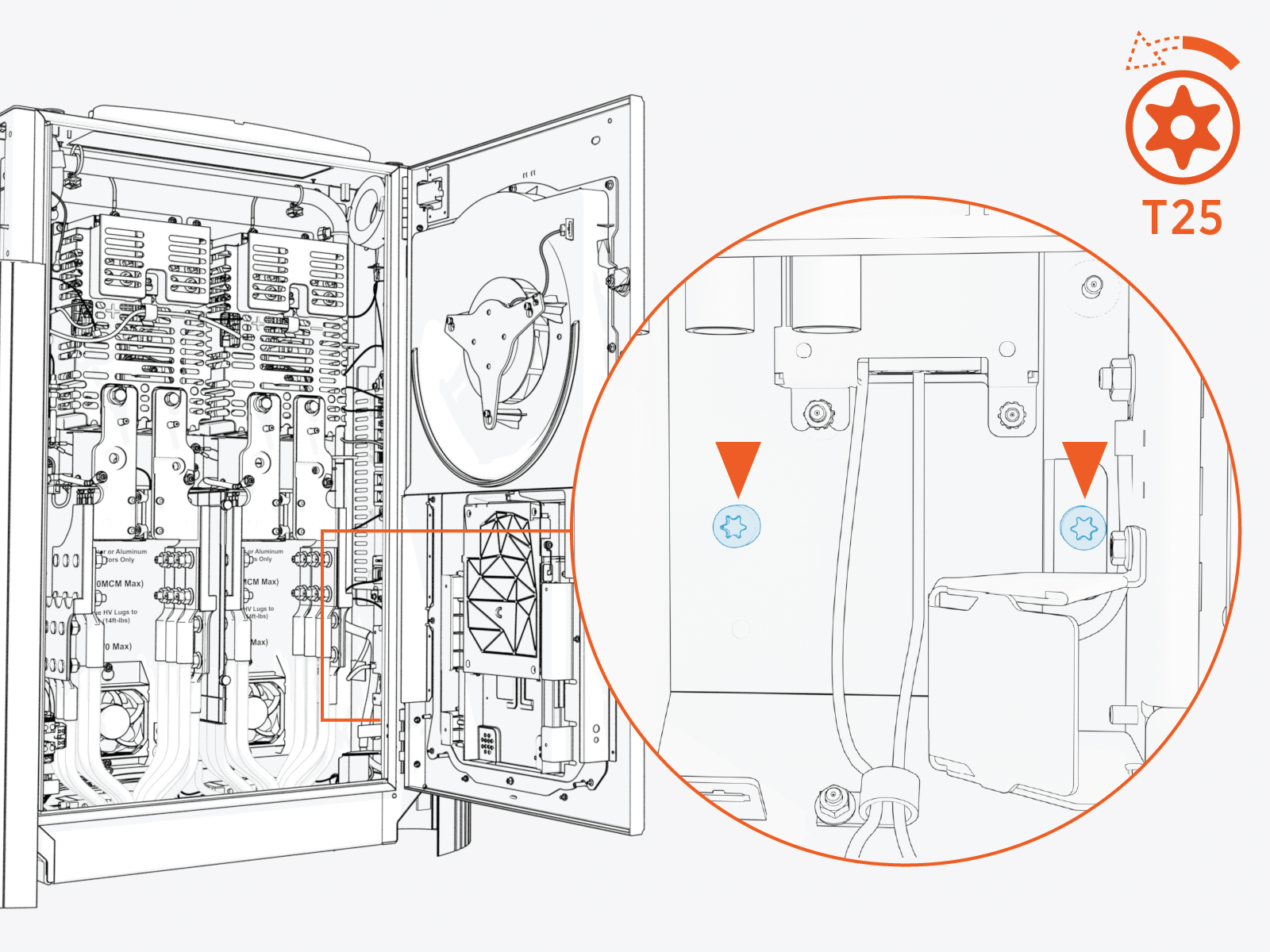
Loosen the screws (x2).
-
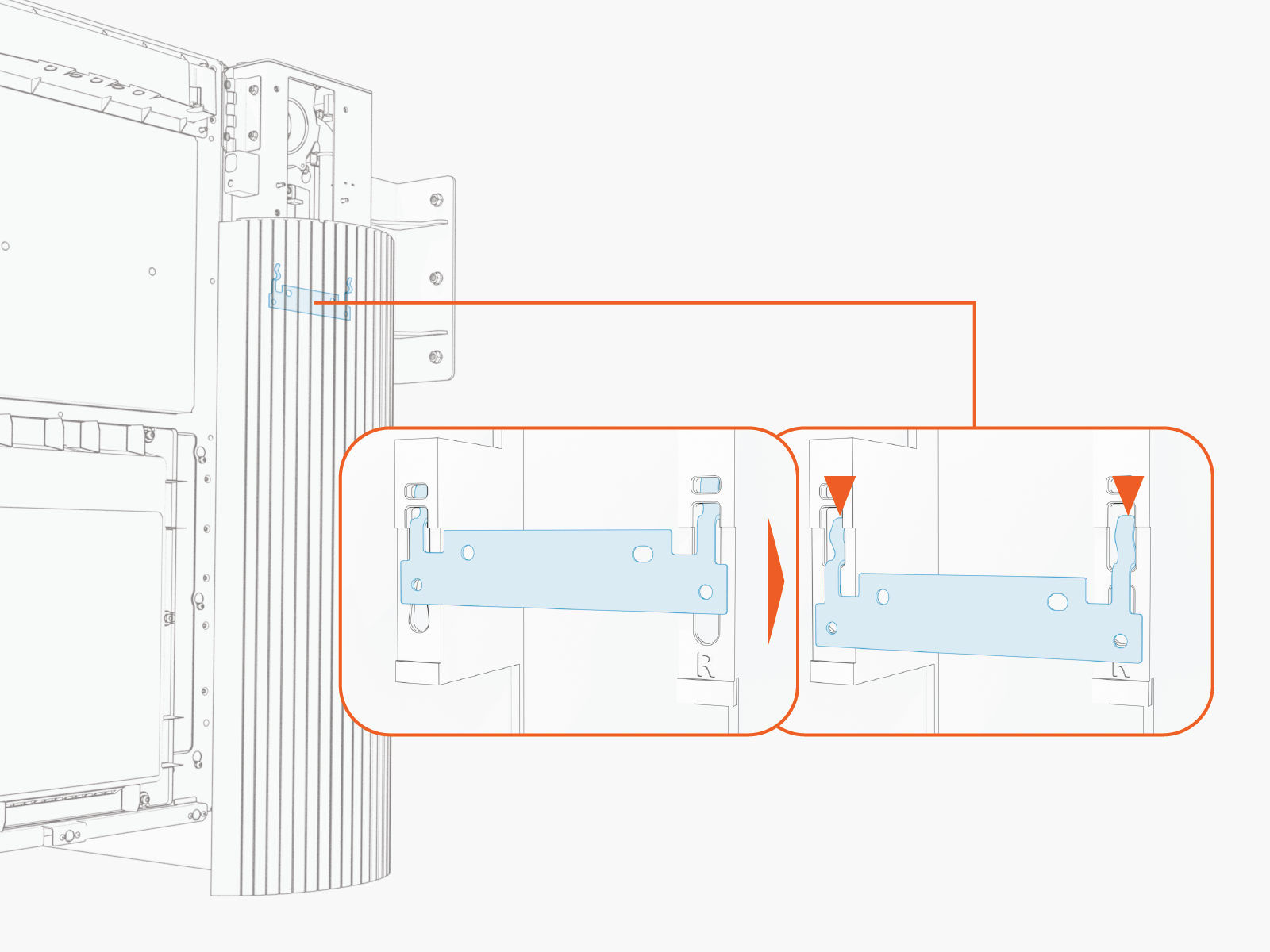
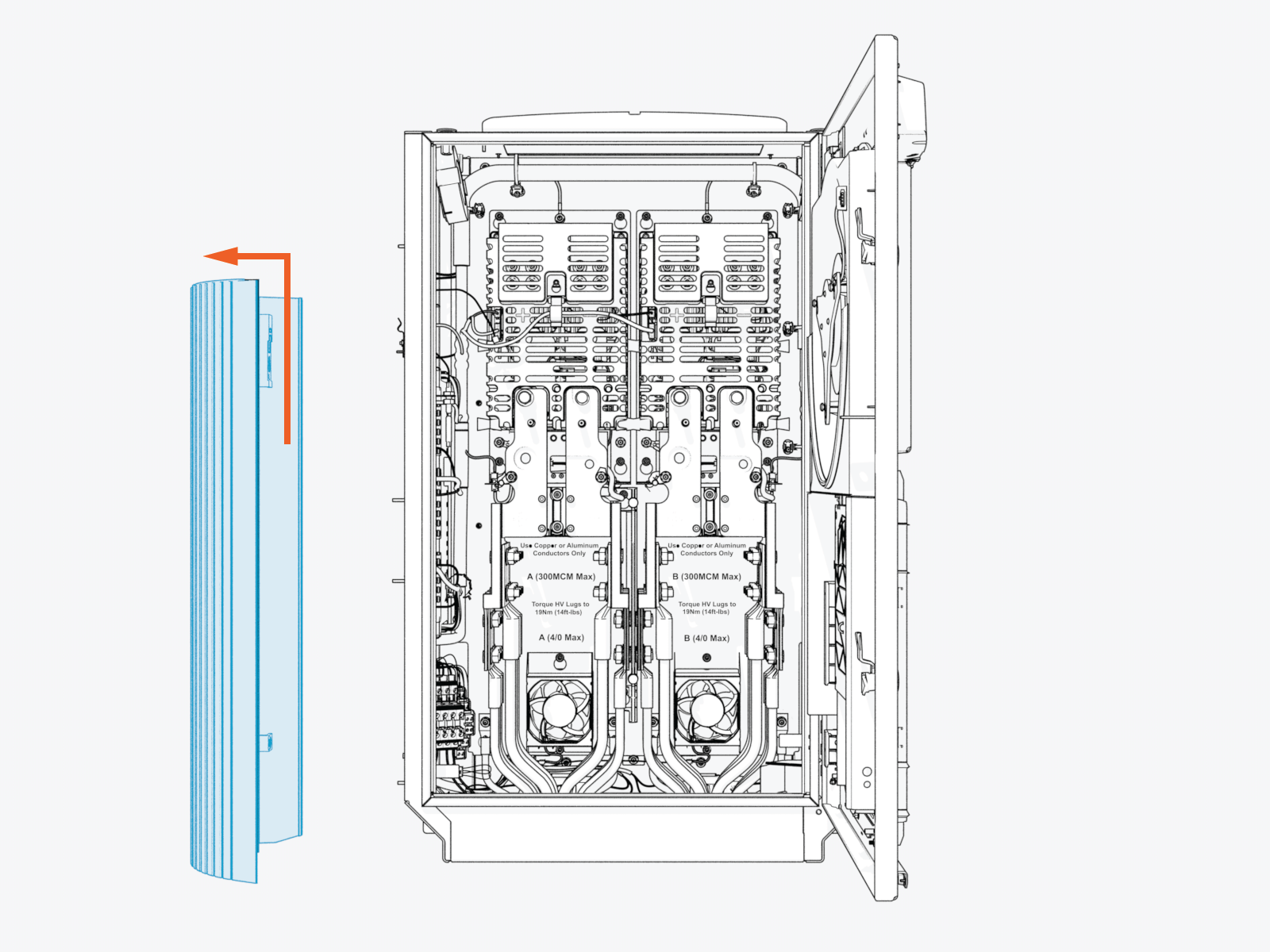
Slide the panel up to disengage it from hooks (x2) on the frame.
-
Remove the side panel. Set it aside for later reinstall.
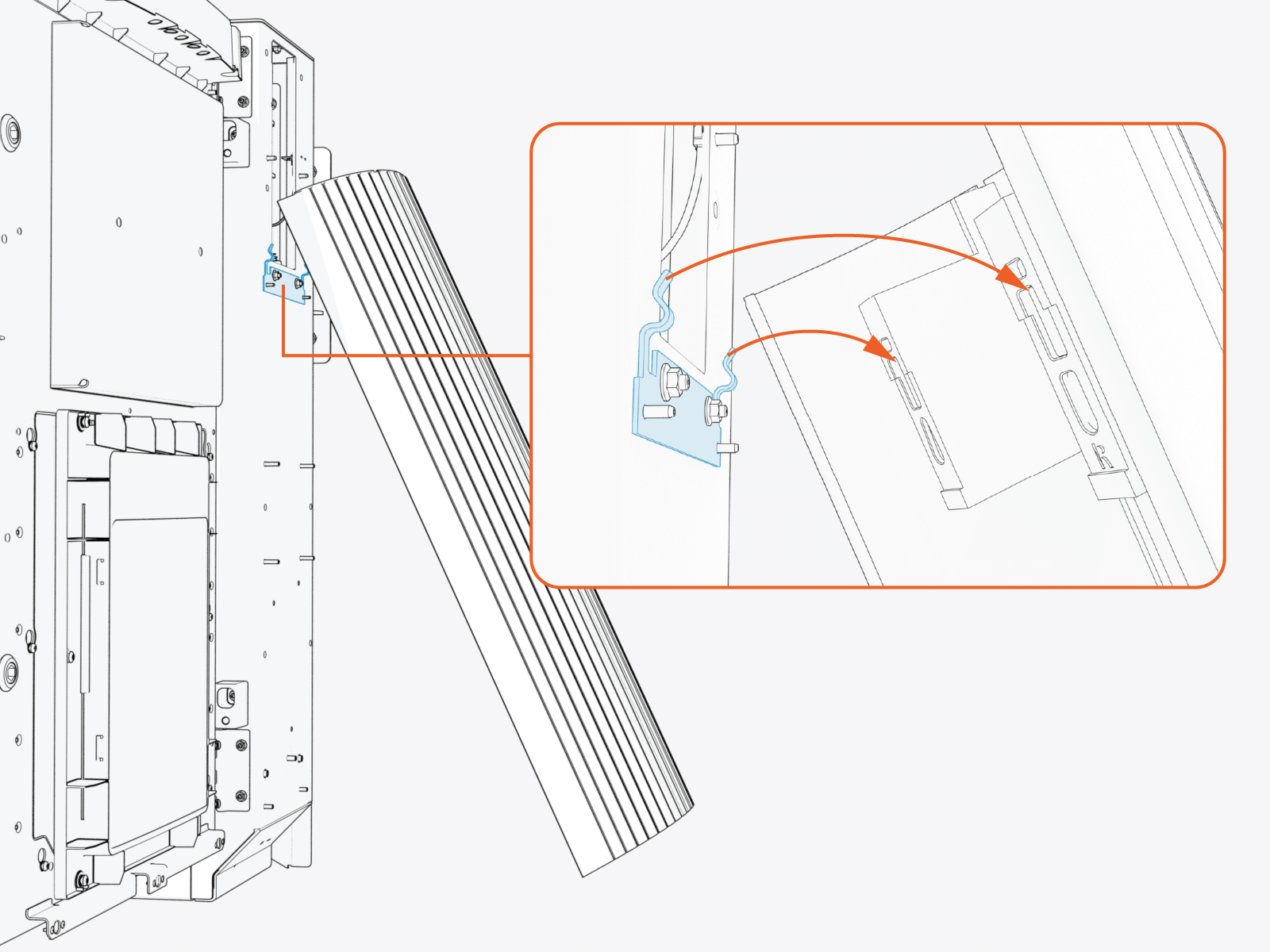
Repeat procedure to remove the other side panel.
Install Forklift Brackets
To install the forklist brackets, complete the following steps:
-
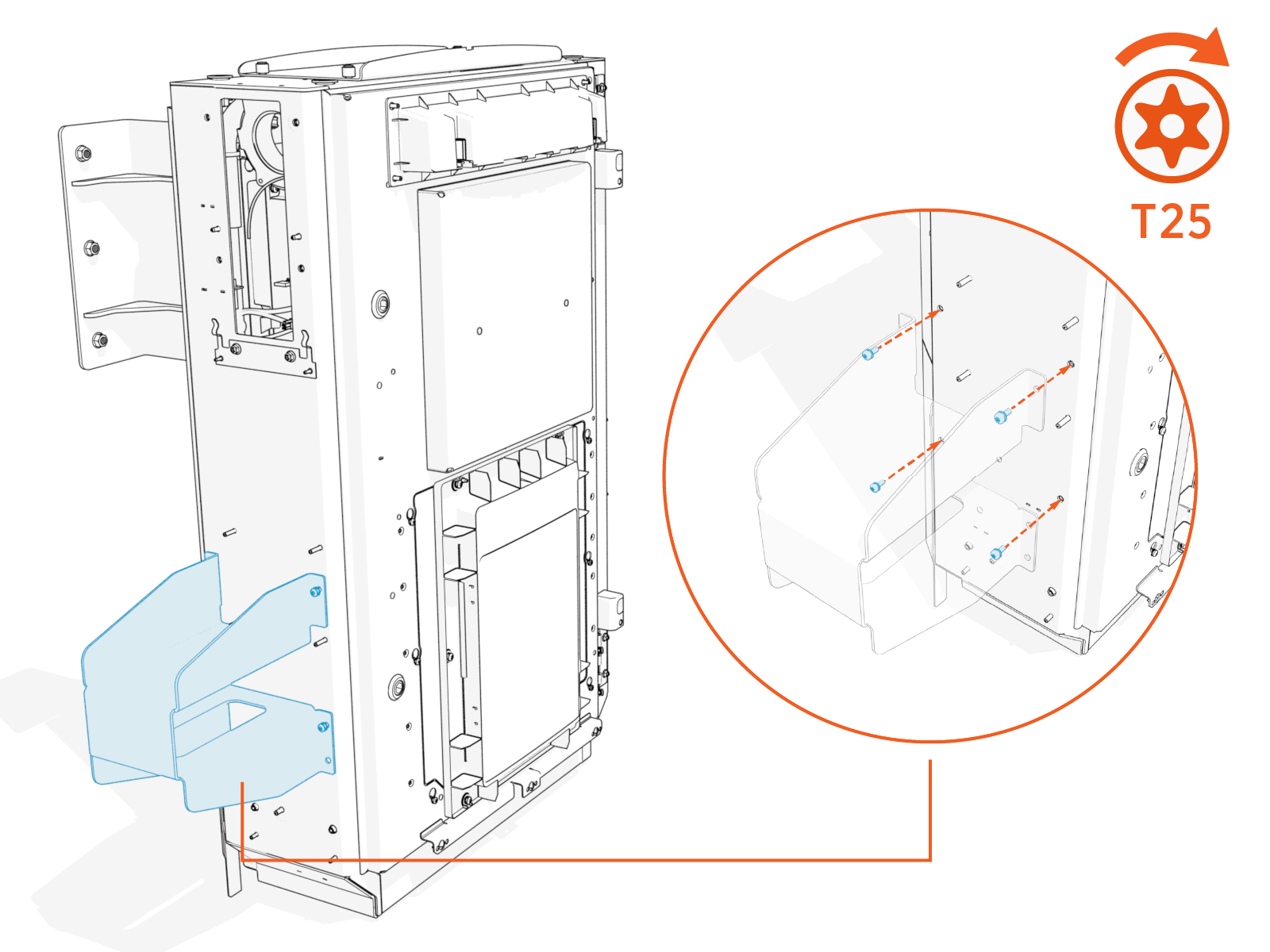
Install left forklift bracket with M5 screws (x4). Torque to 4.5 Nm (40 in-lb).
-
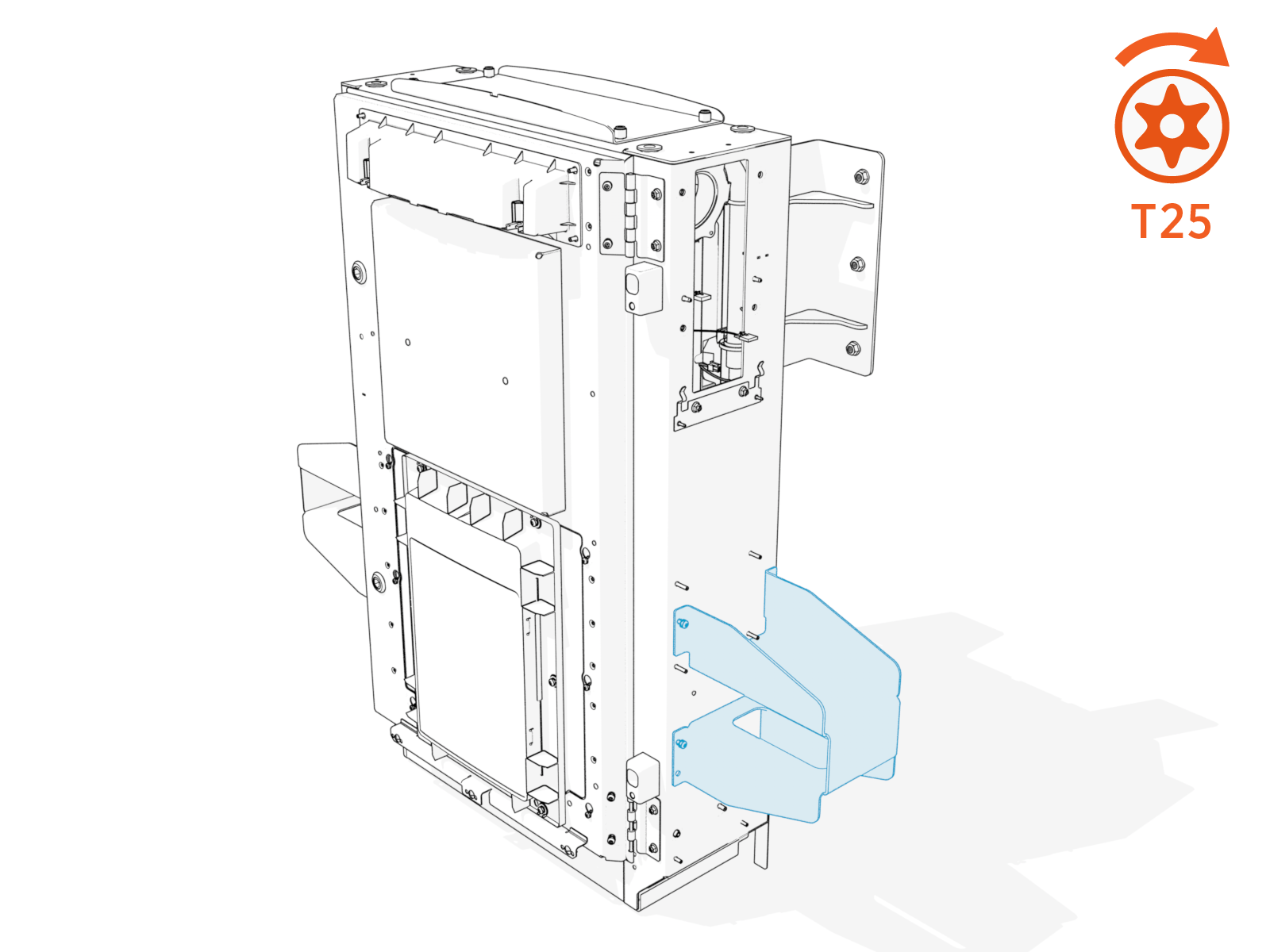
Install right forklift bracket with M5 screws (x4). Torque to 4.5 Nm (40 in-lb).
Transfer Enclosure to Forklift
To transfer enclosure to forklift, complete the following steps:
-
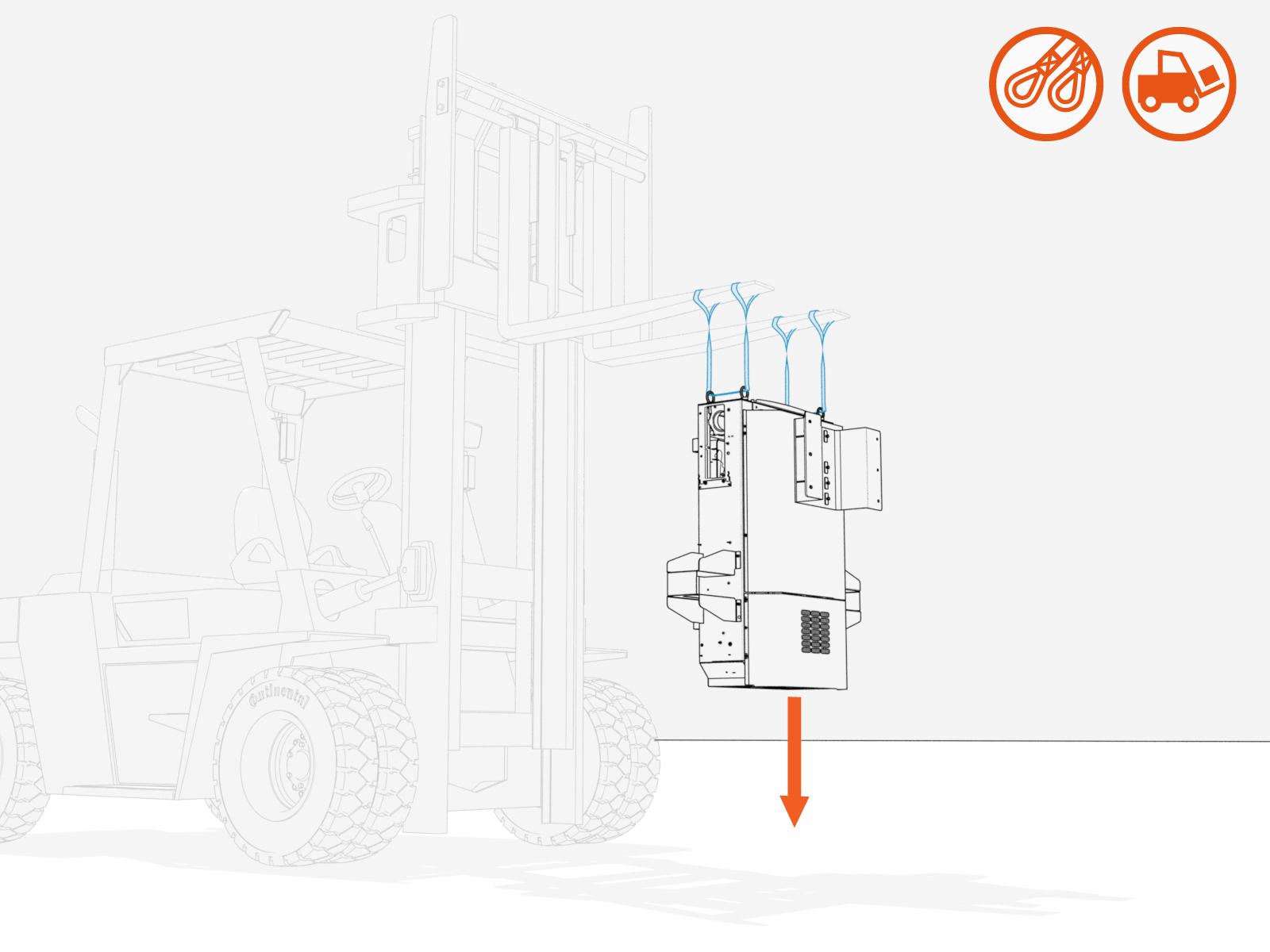
Lower the Power Link 2000 to stand on a level ground surface.
Ensure the enclosure is stable on the ground and does not wobble.
-
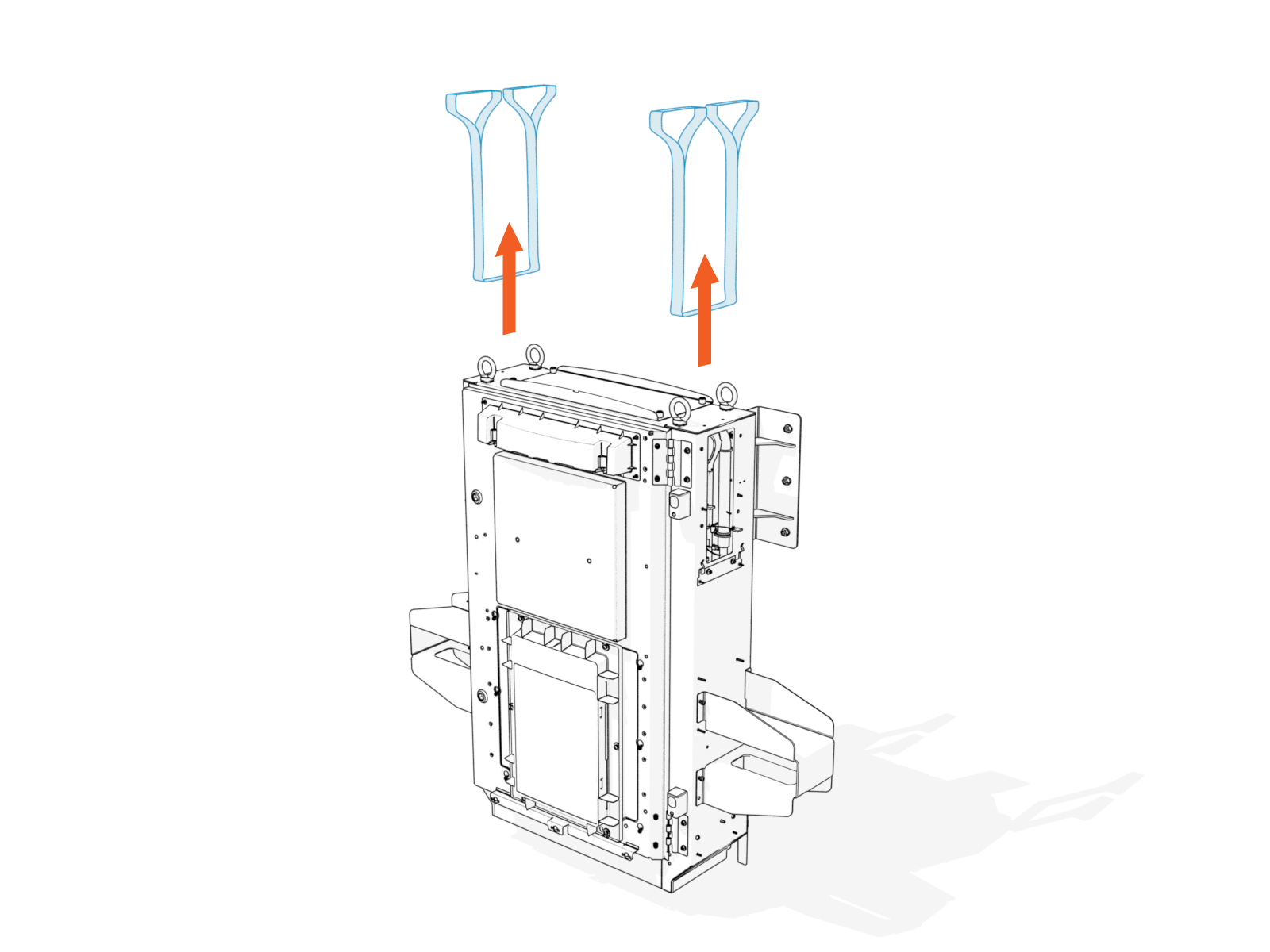
Remove the lifting straps.
-
Slot the forklift tines into the forklift brackets for lifting the Power Link 2000.