Complete the Installation
To complete the installation, carry out the following steps:
Do not reconnect the power after completing the installation (after installing the covers). An Authorized Commissioning Partner will commission, power on, pinpoint, and configure Power Link 2000 after installation.
Reinstall Rear Upper Cover
To reinstall the rear upper cover, complete the following steps:
-
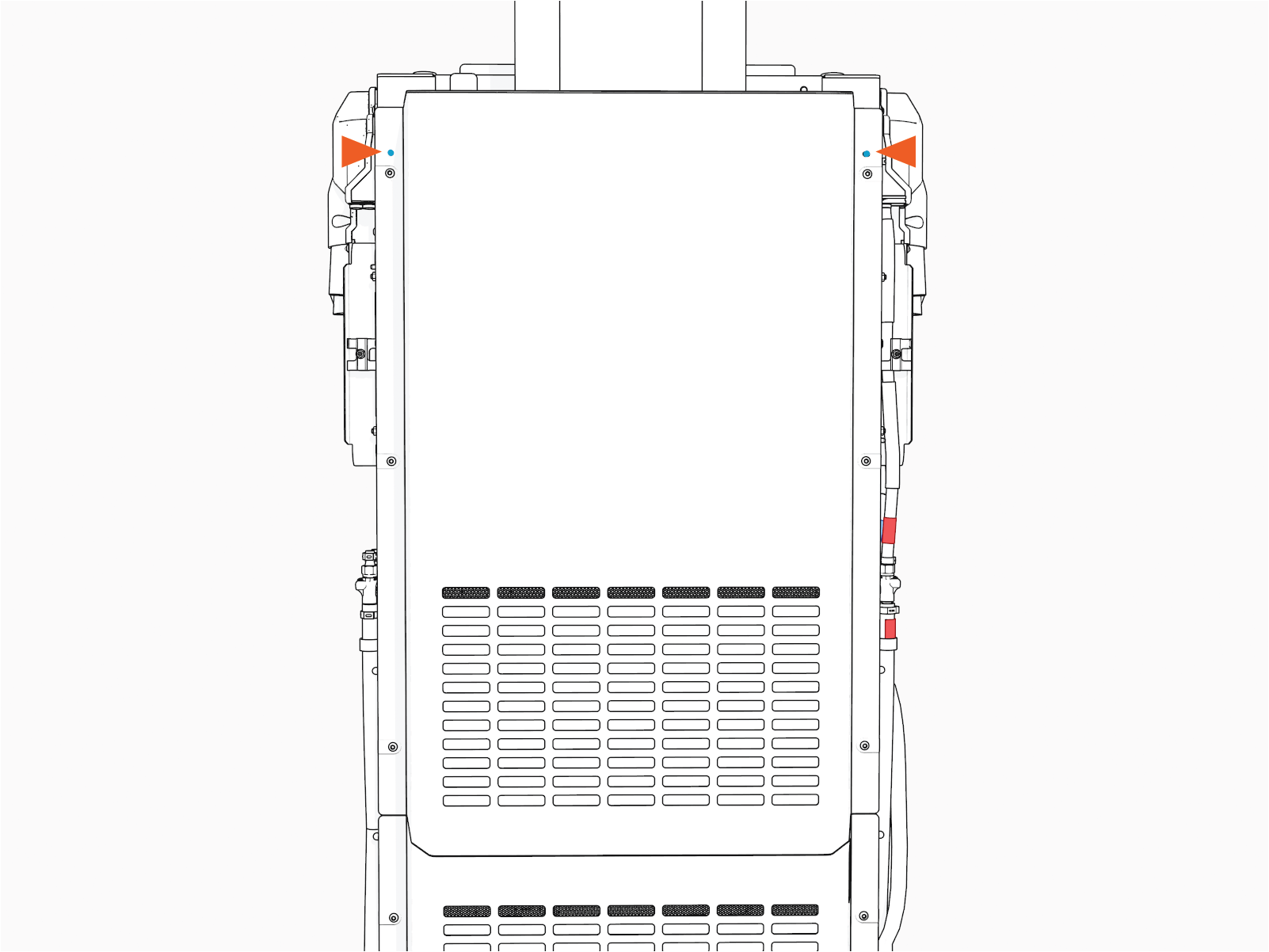
Align and seat cover onto the alignment pins (x2) on the frame.
-
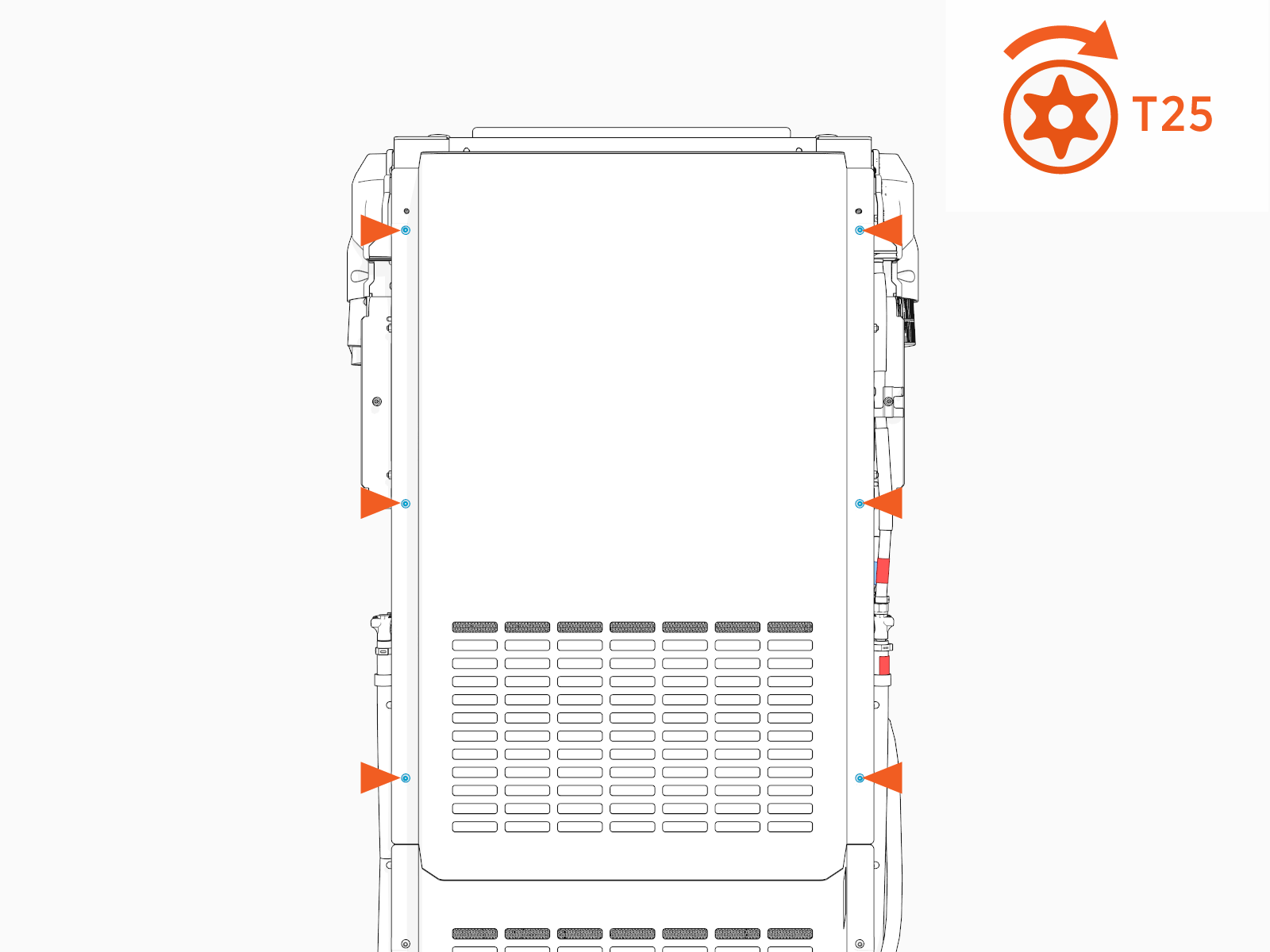
Torque the screws (x6) to 4.5 Nm (40 in-lb).
Reinstall Side Panels
To reinstall the side panels, complete the following steps:
-
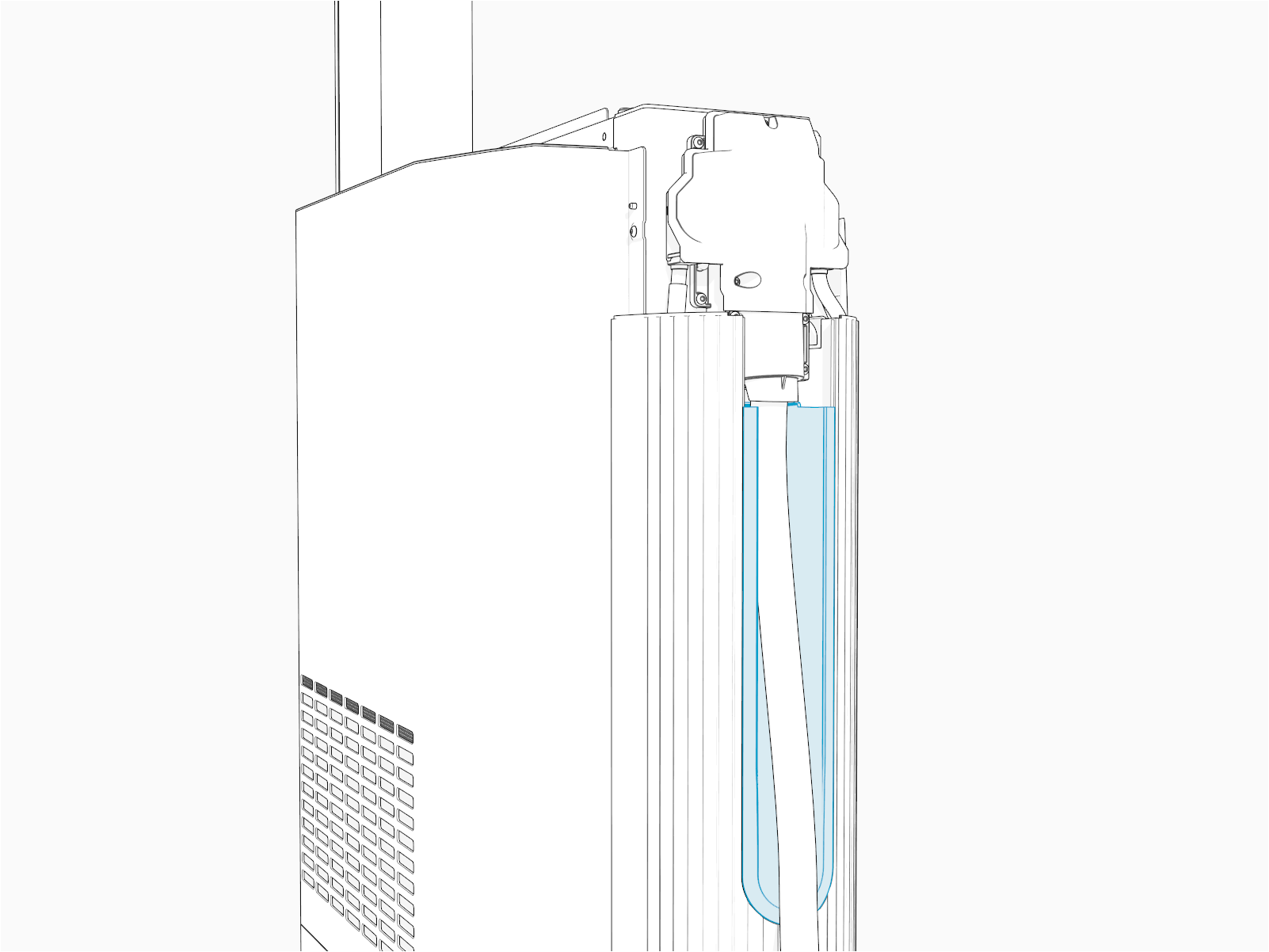
Hold the charging cable up and place it into the cable way on the side panel.
-
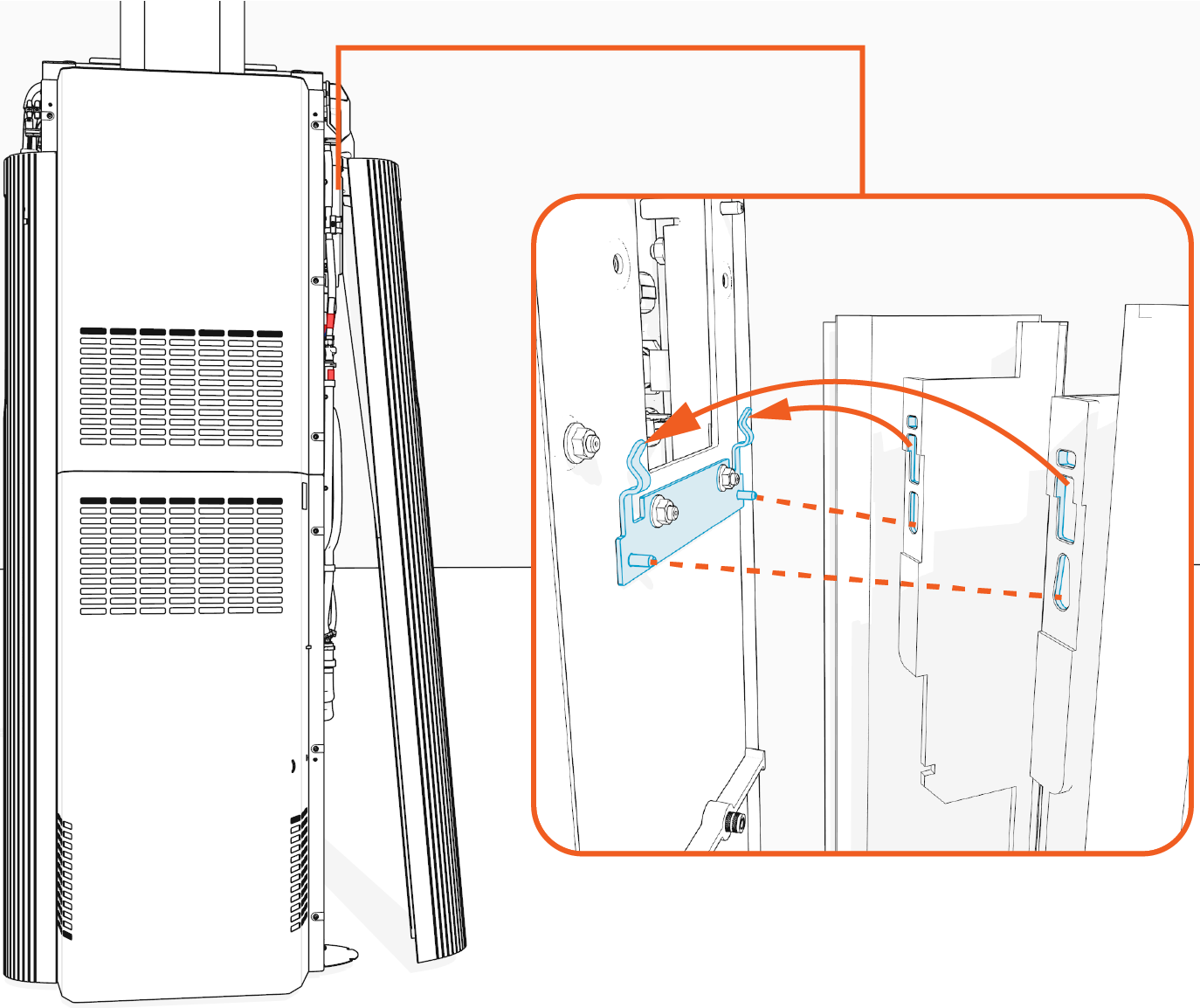
Align and install the side panel onto the hooks (x2) and alignment pins (x2) on the frame.
-
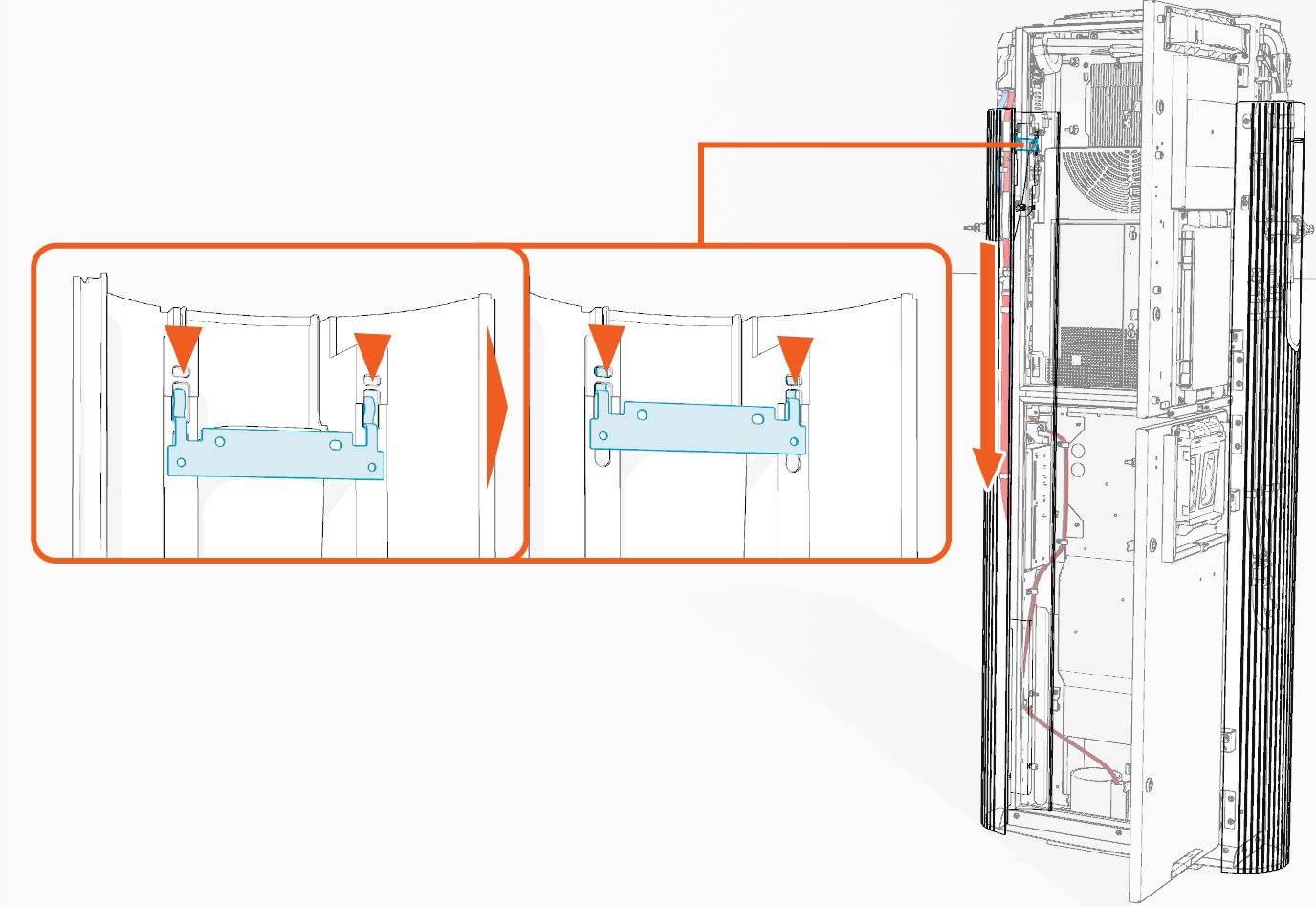
Slowly slide the side panel down to engage the hooks (x2) on the frame.
-
Align the screw holes (x2) on the rear side of the side panel with the screws (x2) inside the lower enclosure and torque them to 4.5 Nm (40 in-lb).
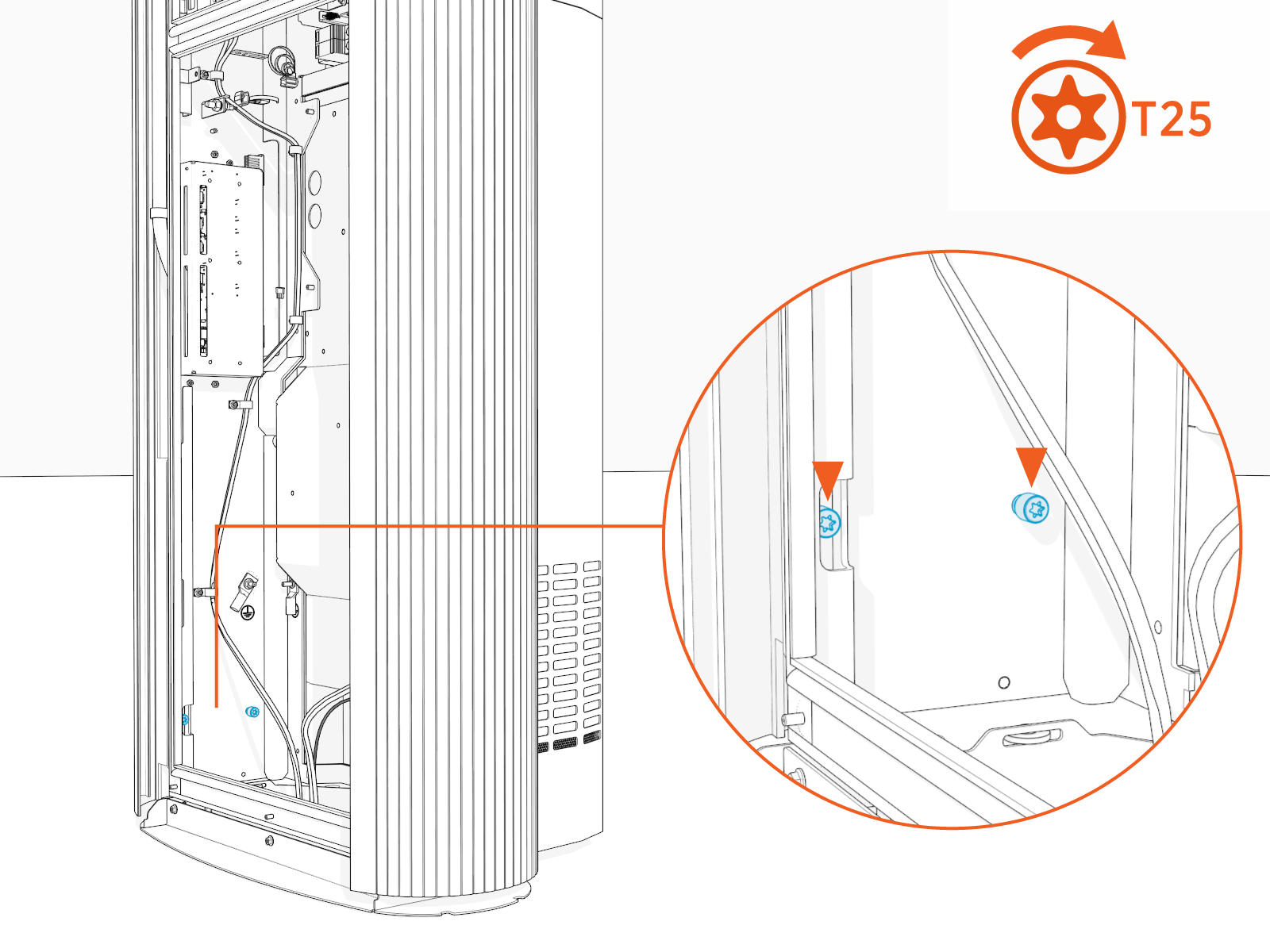
If two charging cables have been installed, repeat for the other side.
Reinstall Cable Cap
To reinstall the cable cap, complete the following steps:
-
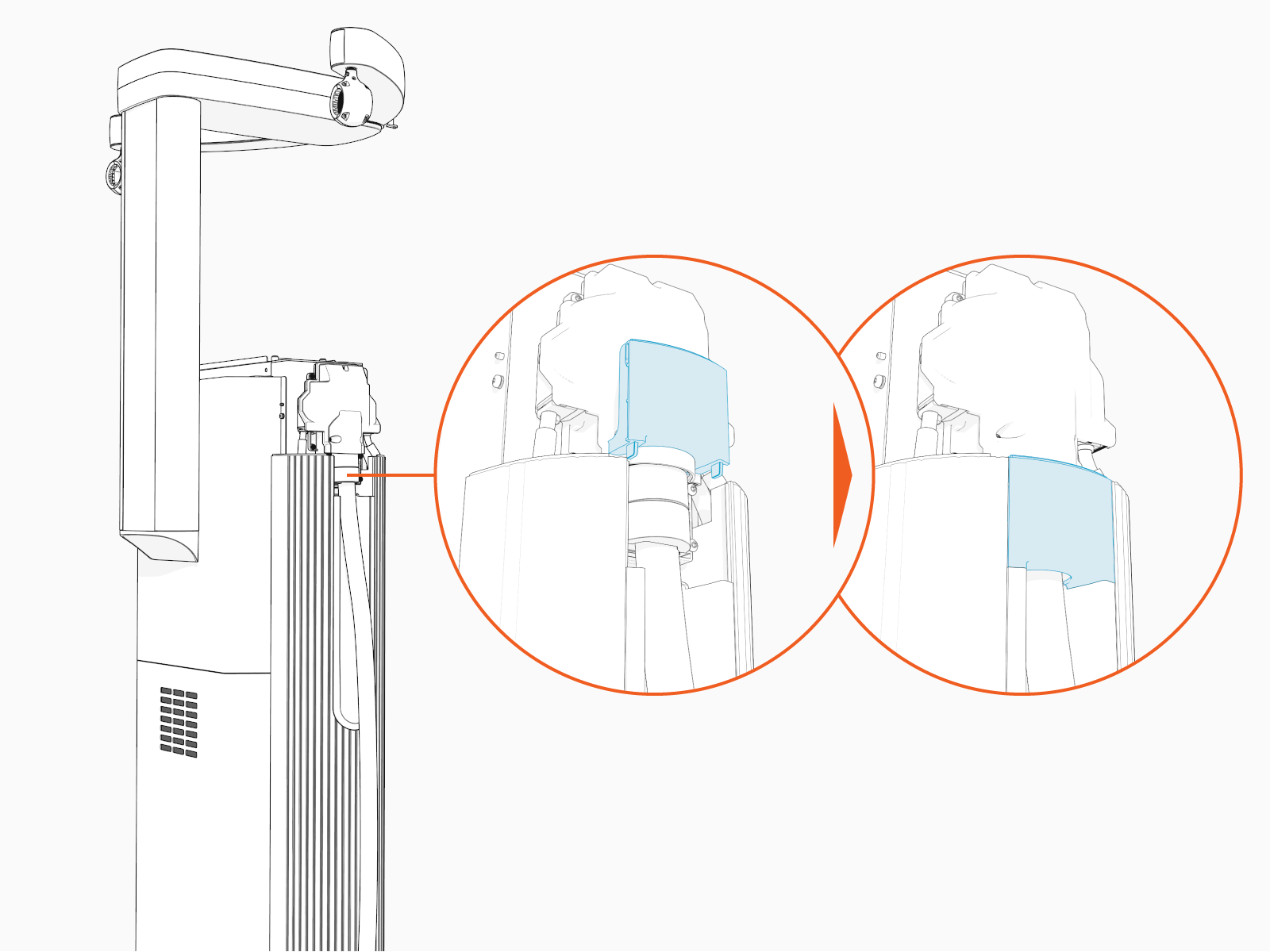
Align and slide the cable cap down to reinstall.
-
If two charging cables have been installed, repeat for the other side.
Reinstall HV DC Input Bus Bar Safety Cover
To reinstall the HV DC High Voltage Direct Current input bus bar safety cover, complete the following steps:
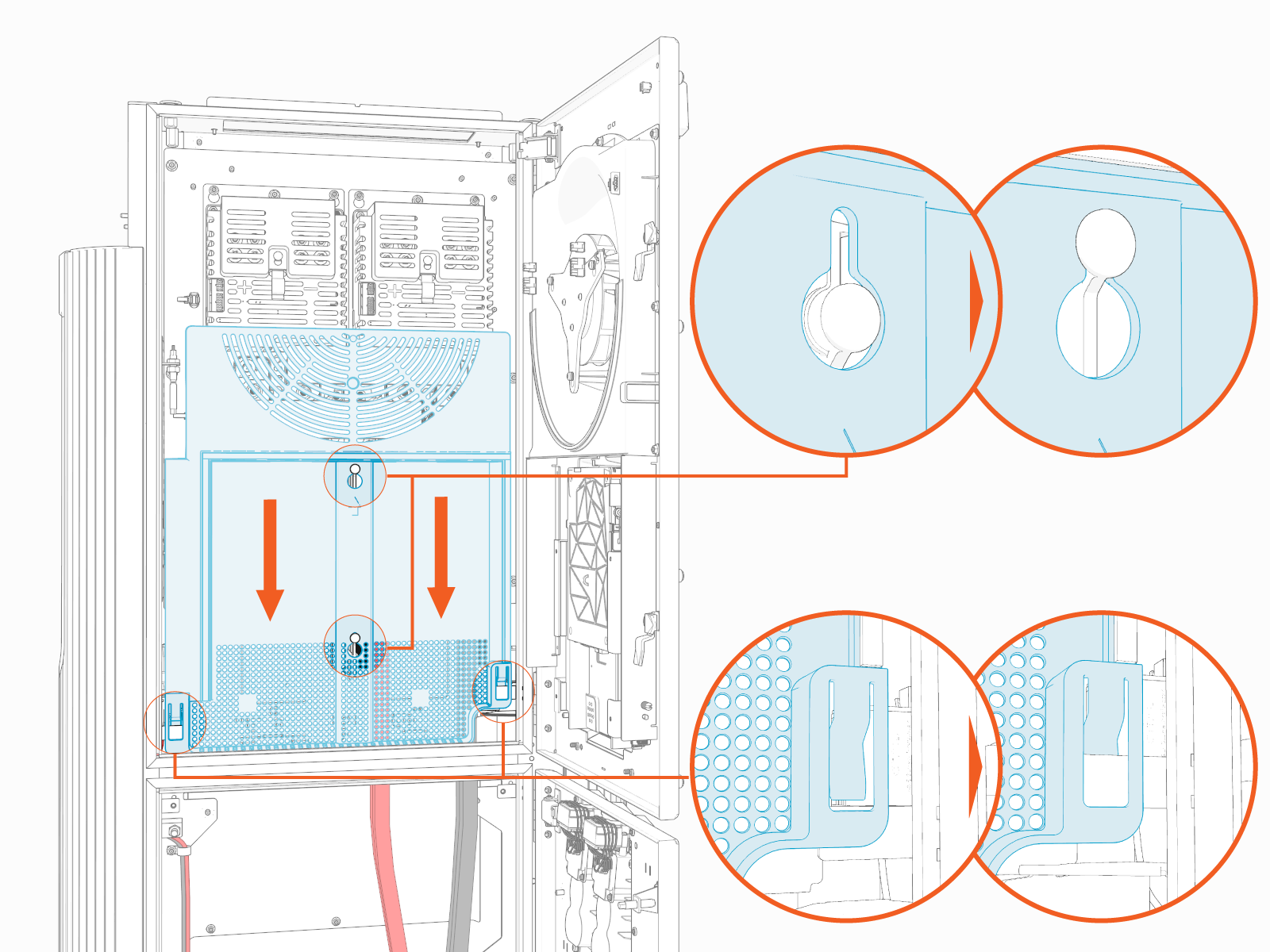
Install cover onto the hooks (x2) and brackets (x2) and then slide it down.
Record MAC Address
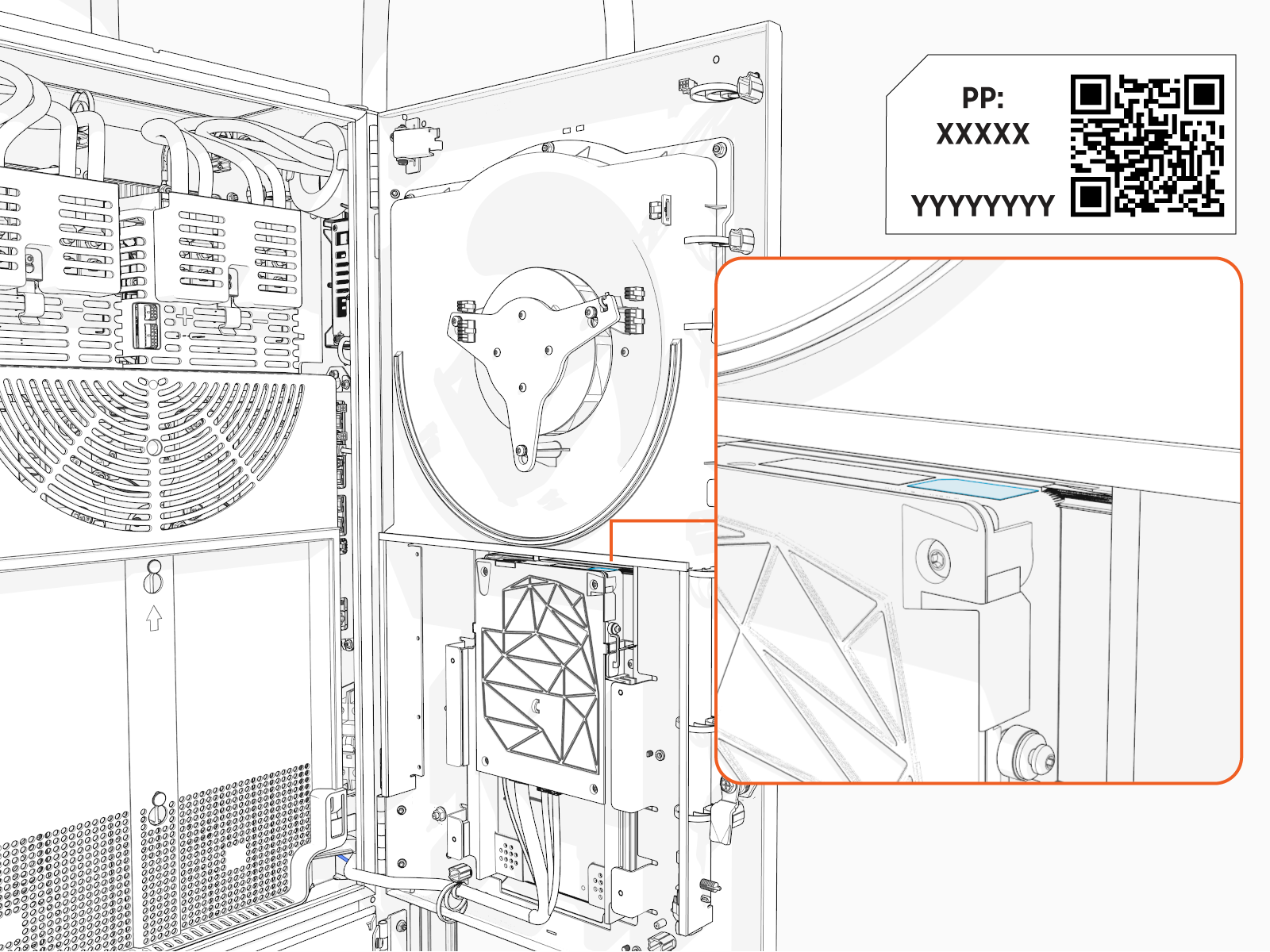
Take a photograph of the Power Link 2000 activation QR Quick Response code and MAC Message Authentication Code address, which can be found on the label affixed to the top of the Control and Communications Module (CCOM Control and Communications Module). This information is used while setting up Power Link 2000 (see Set Up Power Link 2000).
Close Enclosure Doors
To close enclosure doors, complete the following steps:
-
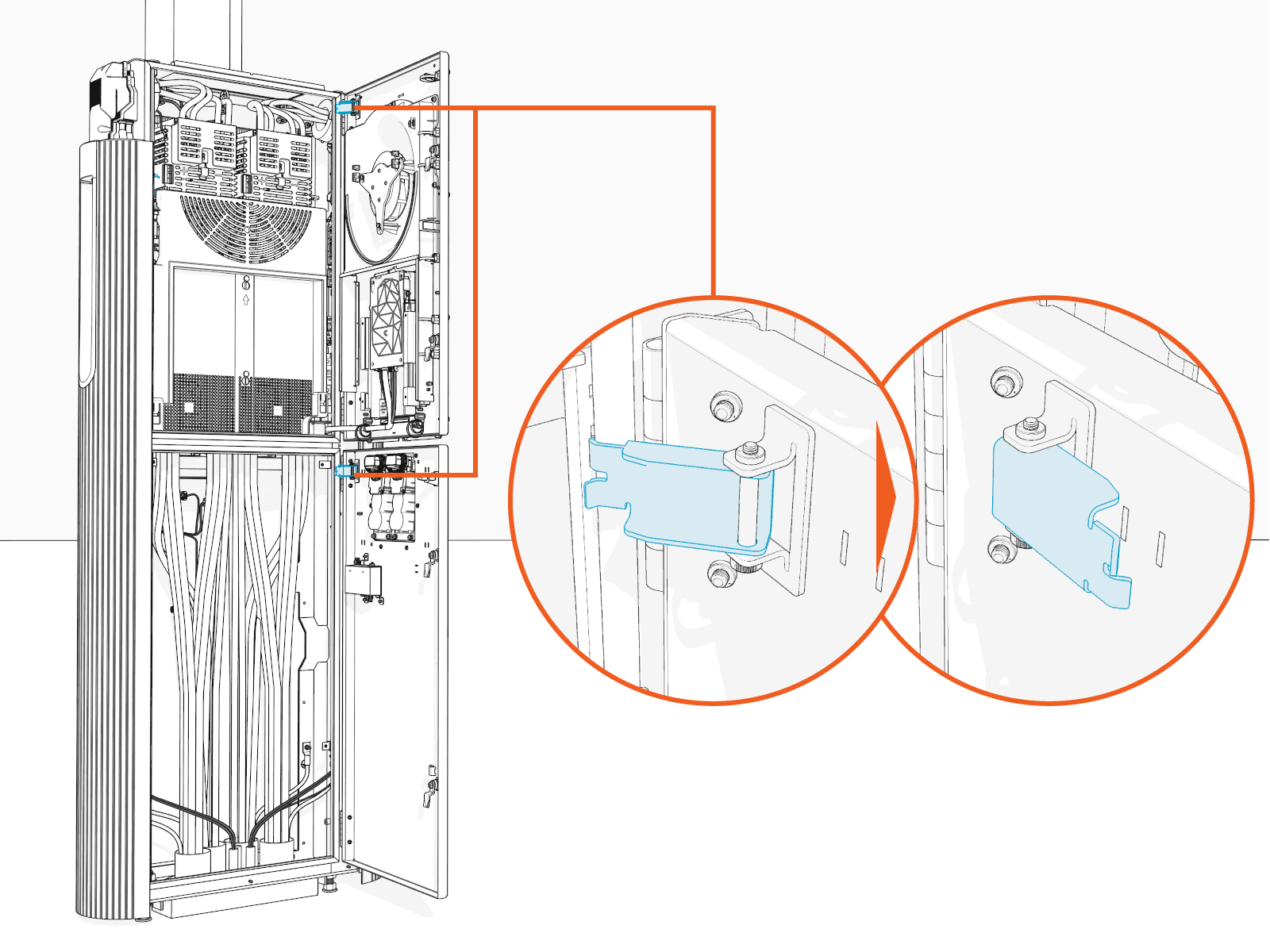
Disengage the door stopper (x1 per upper and lower enclosure door).
-
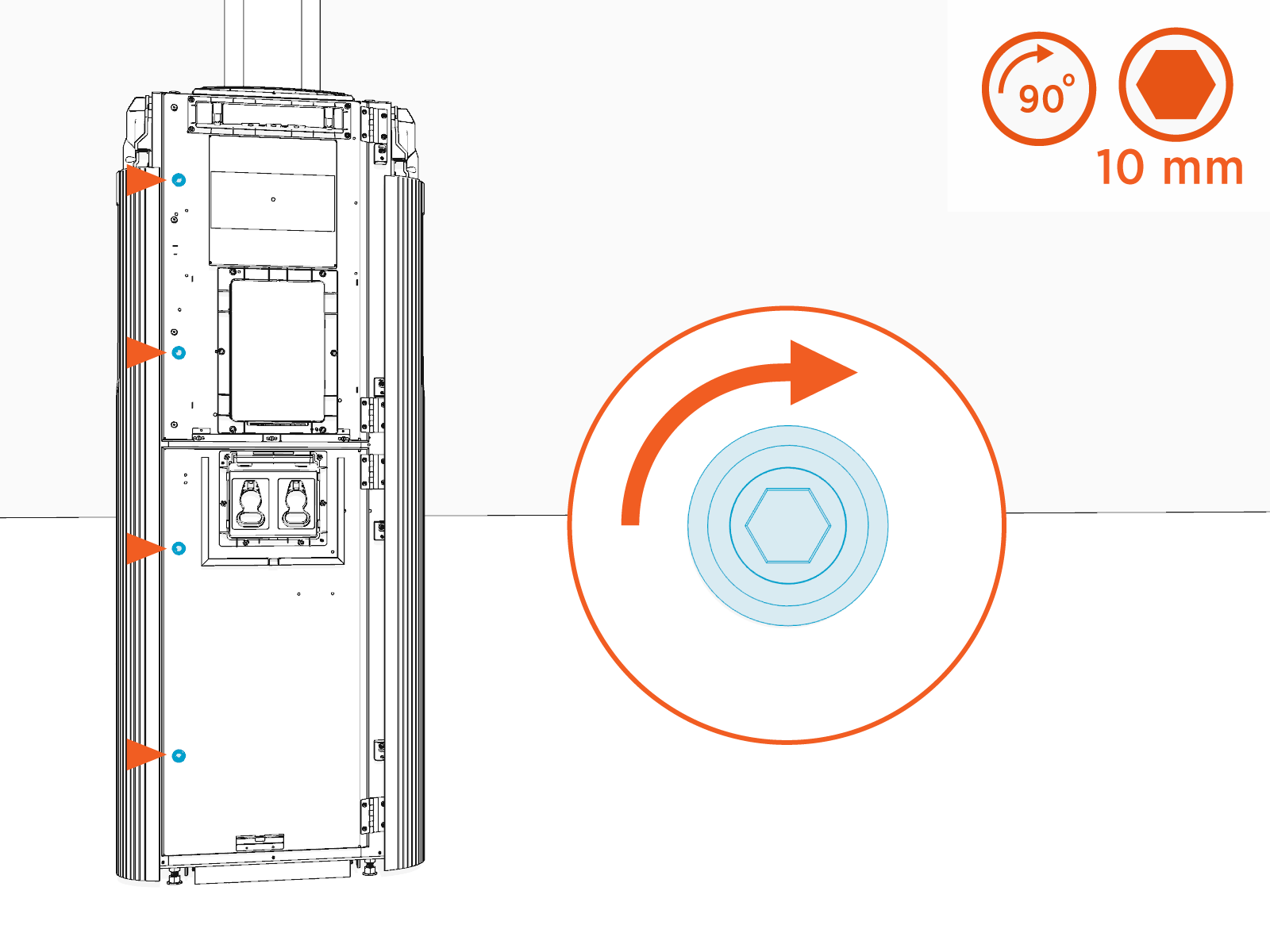
Quarter turn the door latches (x2 per upper and lower enclosure door).
Install Front Upper Cover
To install the front upper cover, complete the following steps:
-
Insert any one side of the cover into the groove on the side panel.
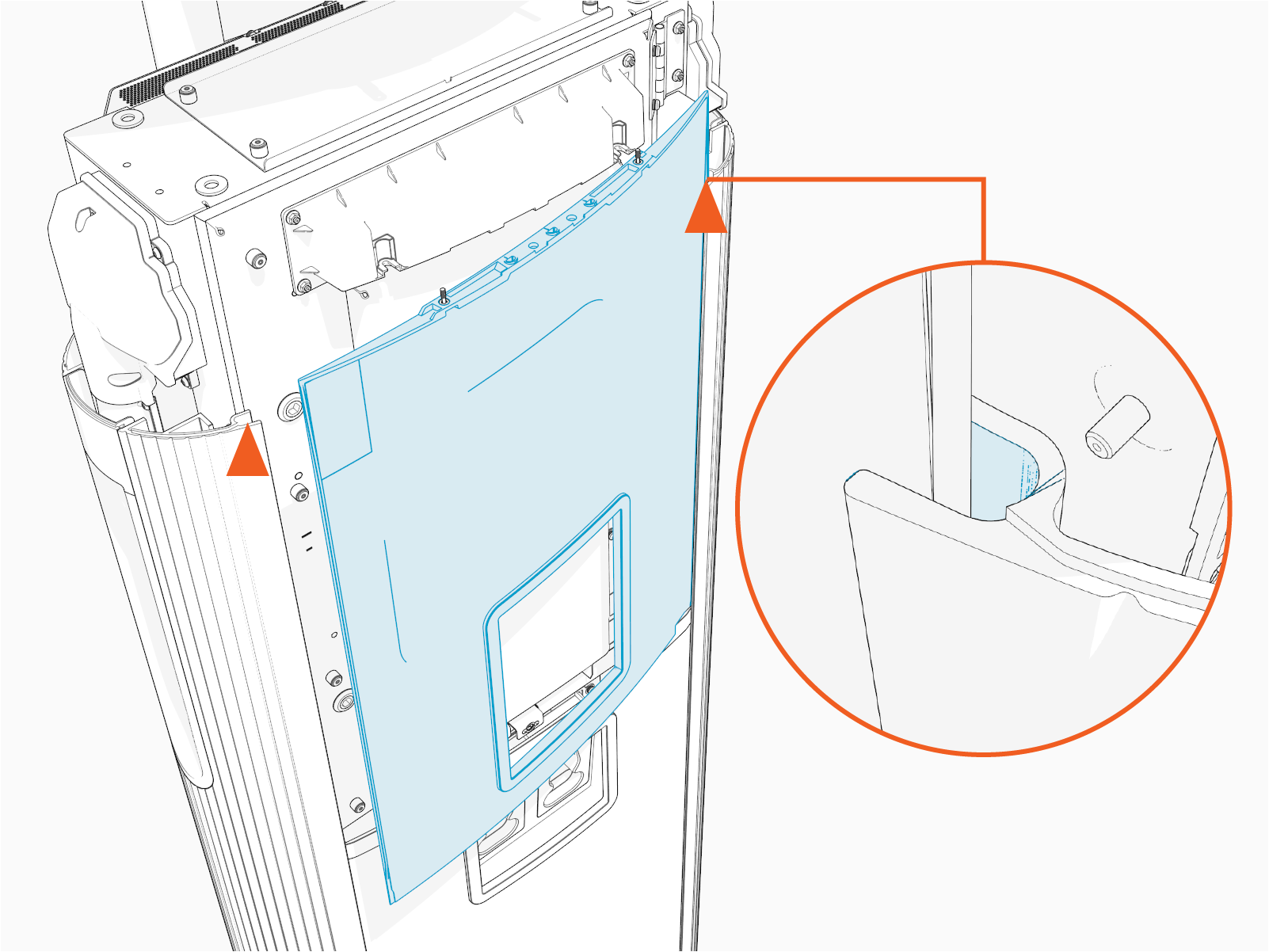
-
Gently flex the cover to insert its other side into the groove on the other side panel. At the same time, align and hook the ball studs (x3) behind the cover into the holes (x3) in a bracket on the upper door.
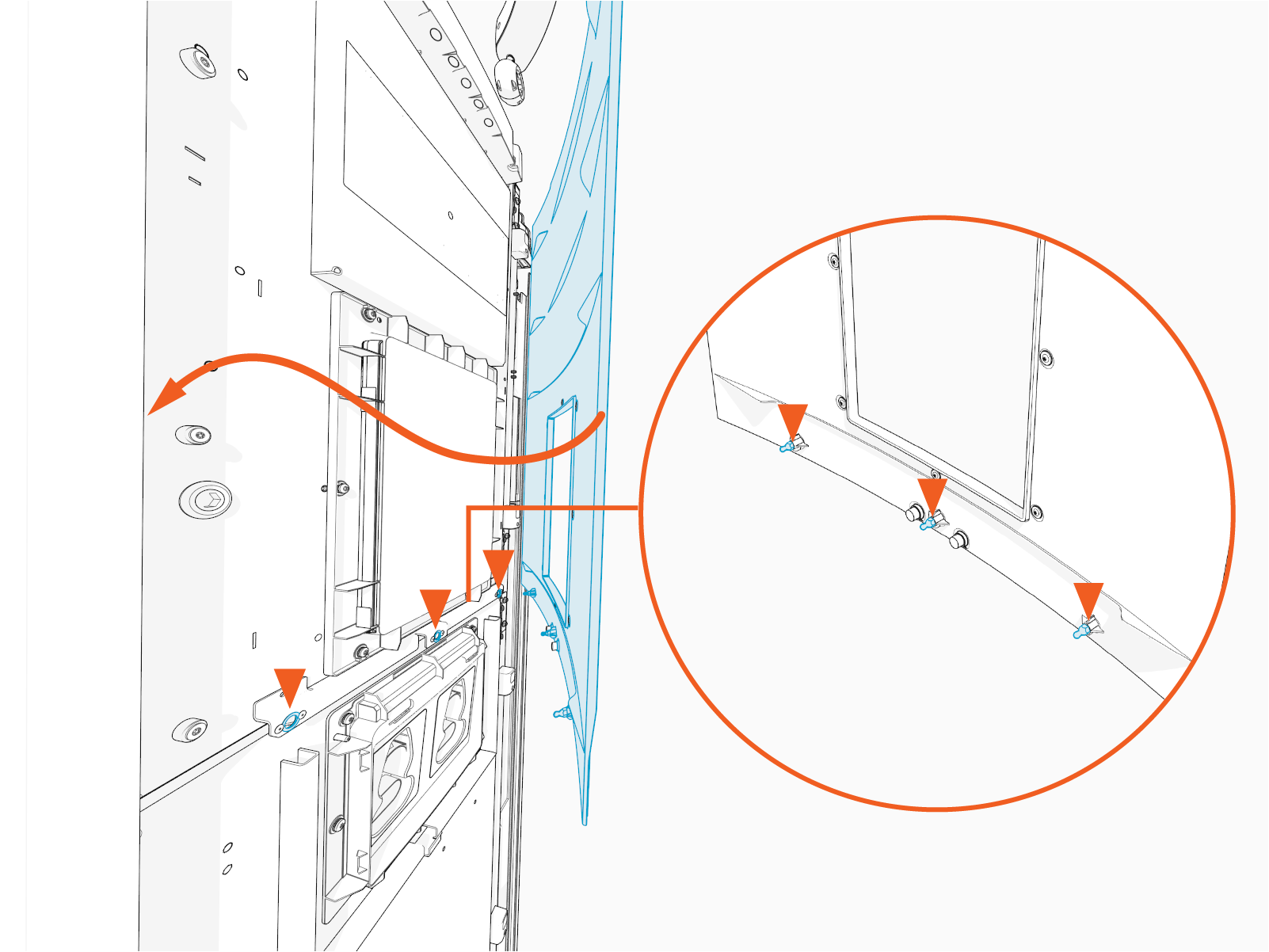
-
Alternatively, you can hold and flex the lower side of the cover slightly outward. While flexed, align the ball studs (x3) behind the cover with the holes (x3) in the bracket on the upper door and press in.
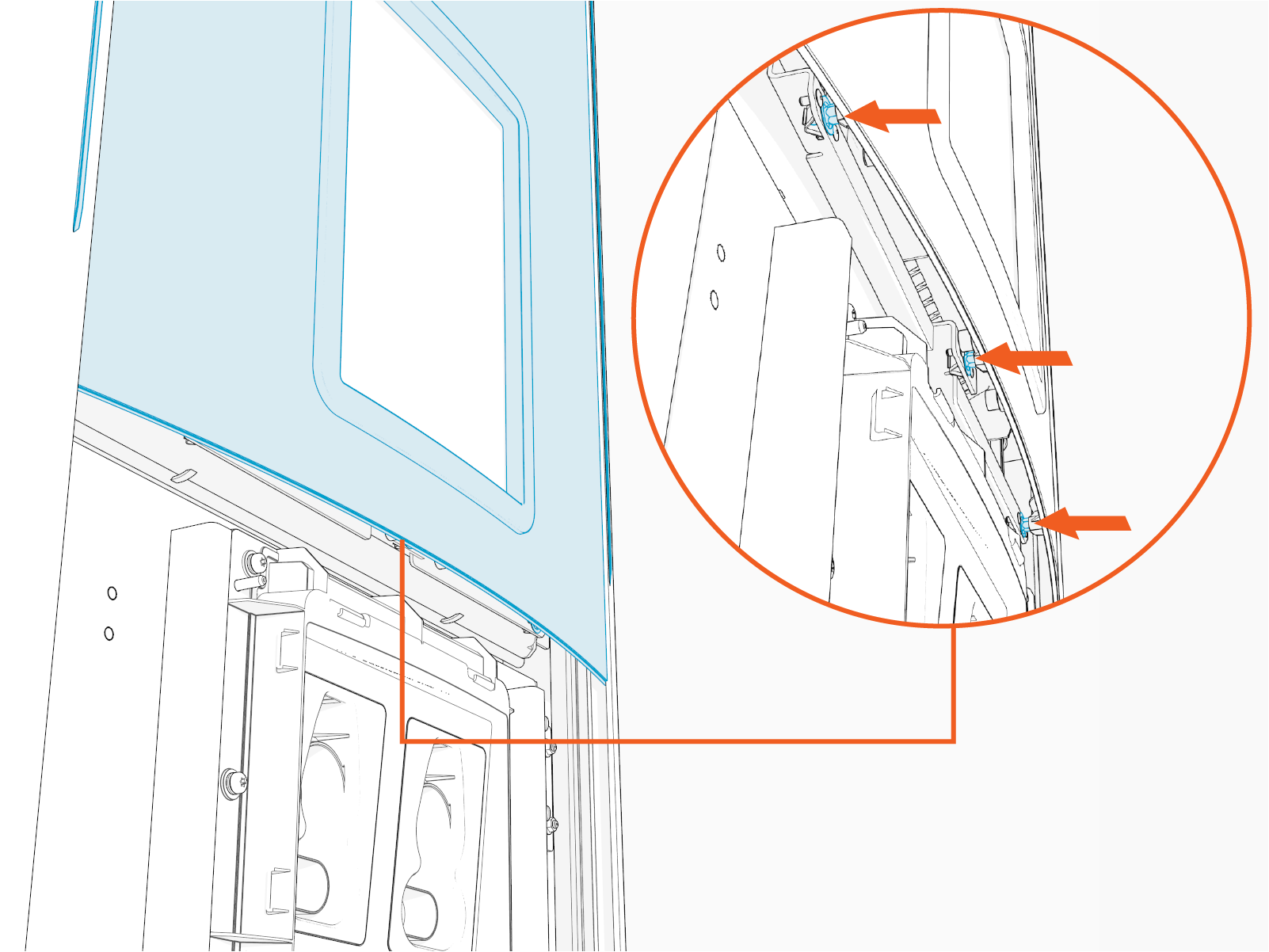
-
Make sure that the screws (x2) on the front upper cover are seated in their slots in the area light housing.
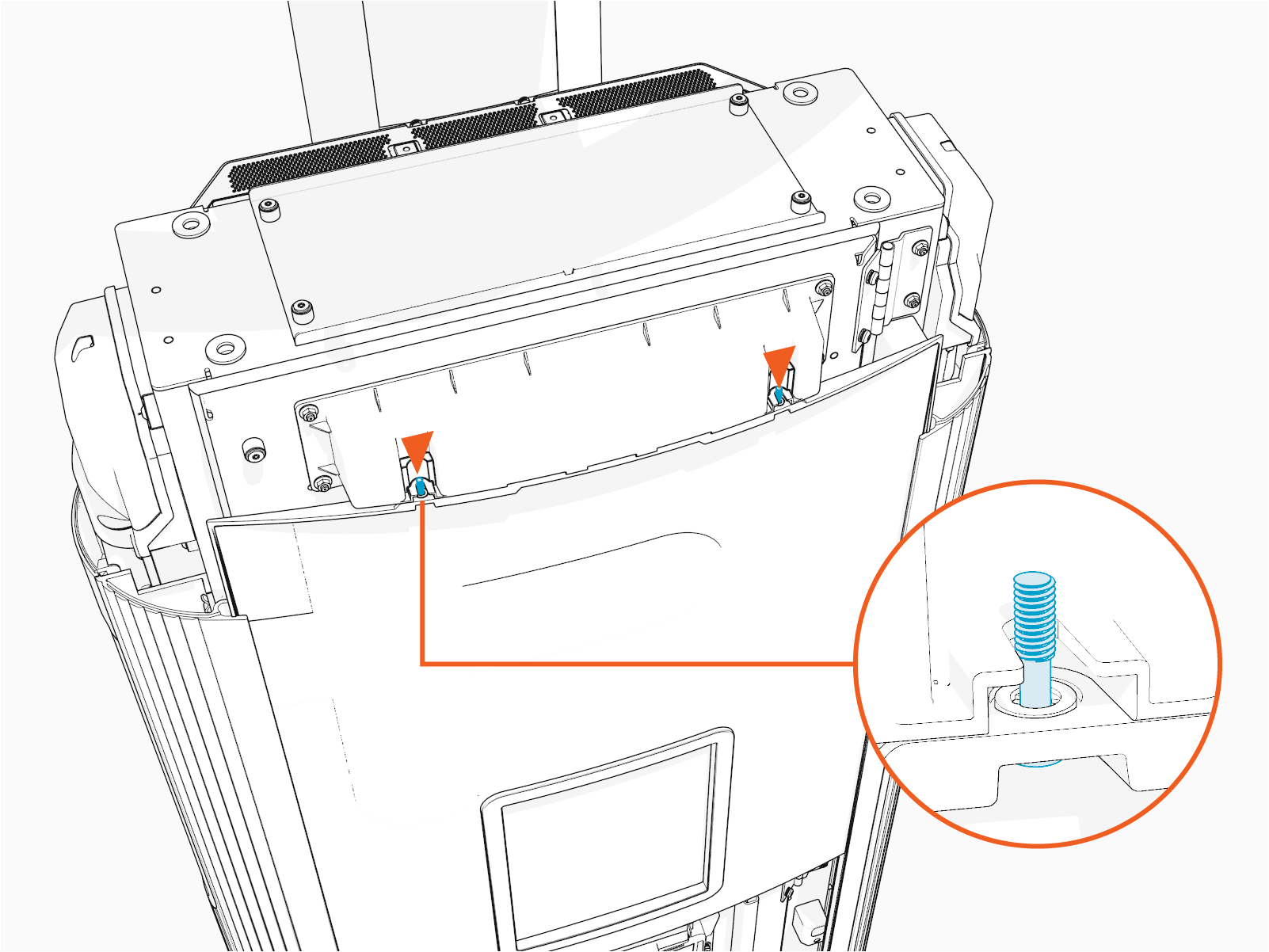
Install Front Lower Cover
To install the front lower cover, complete the following steps:
-
Align top edge of the lower cover with the lower edge of the Control and Communication Module (CCOM
Control and Communications Module) trim.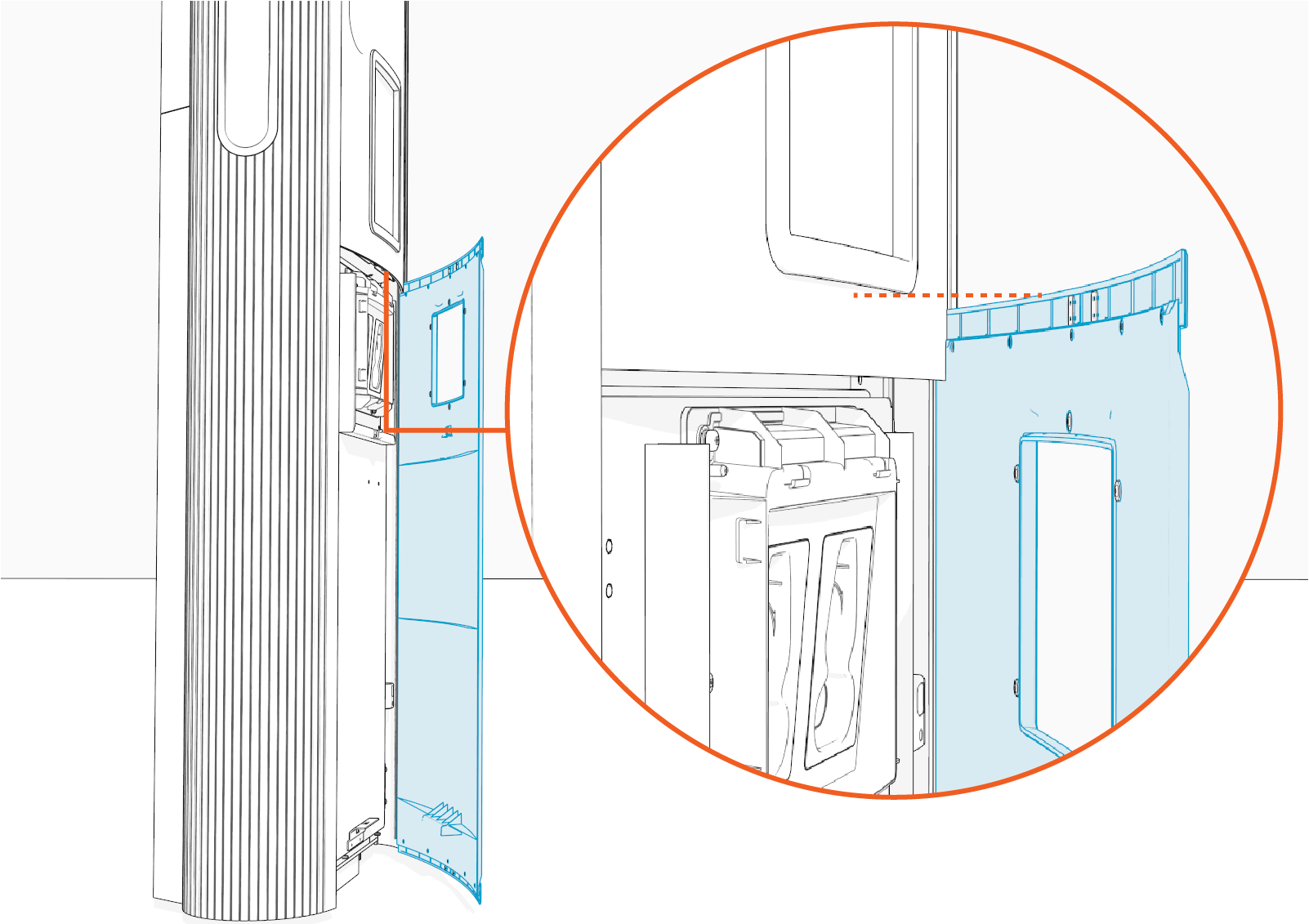
-
While overlapped with the upper cover, insert any one side of the cover into the groove on the side panel.
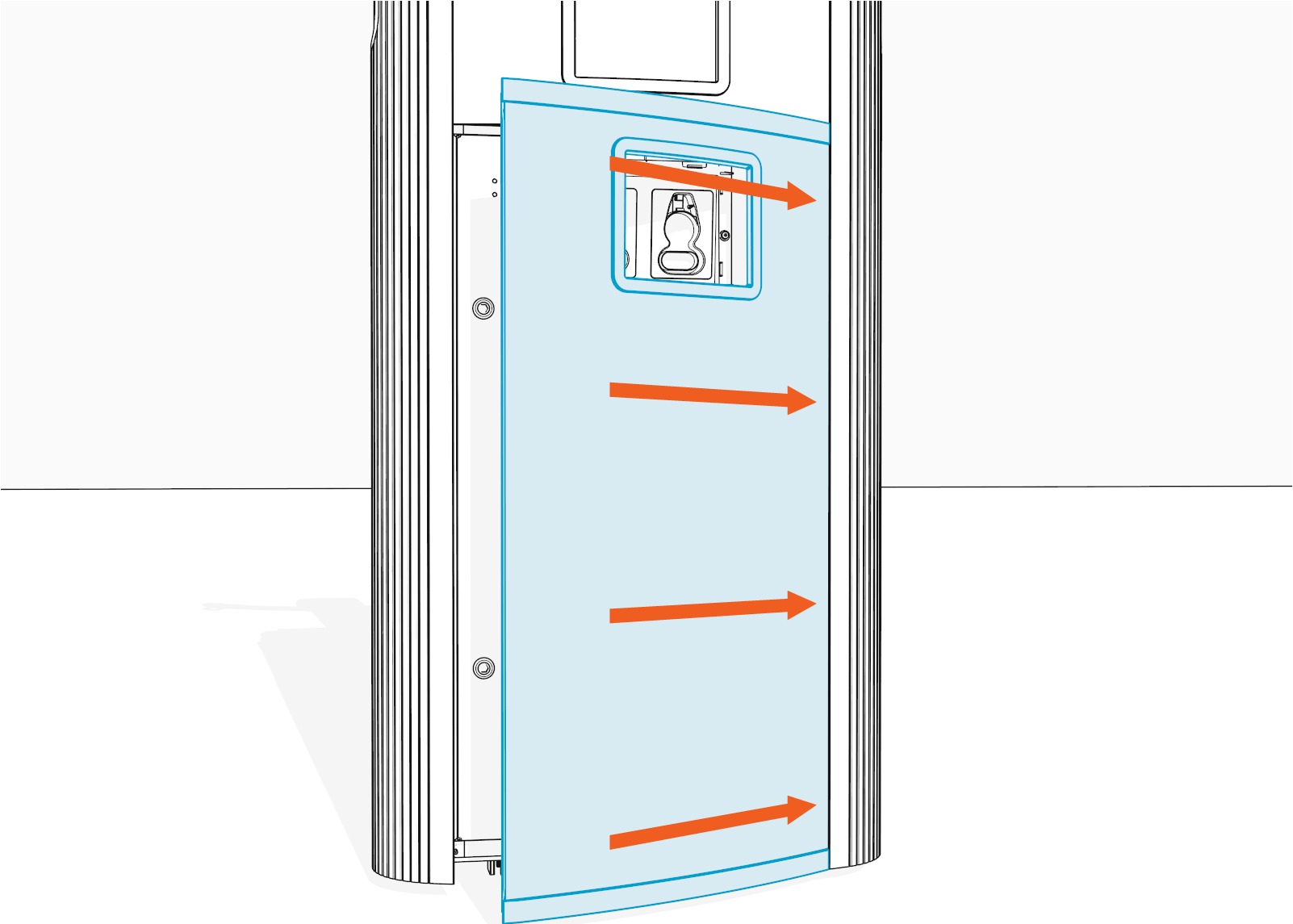
-
Gently flex the cover to insert its other side into the groove on the other side panel. Make sure that the top and bottom corners of the cover are seated in the groove.
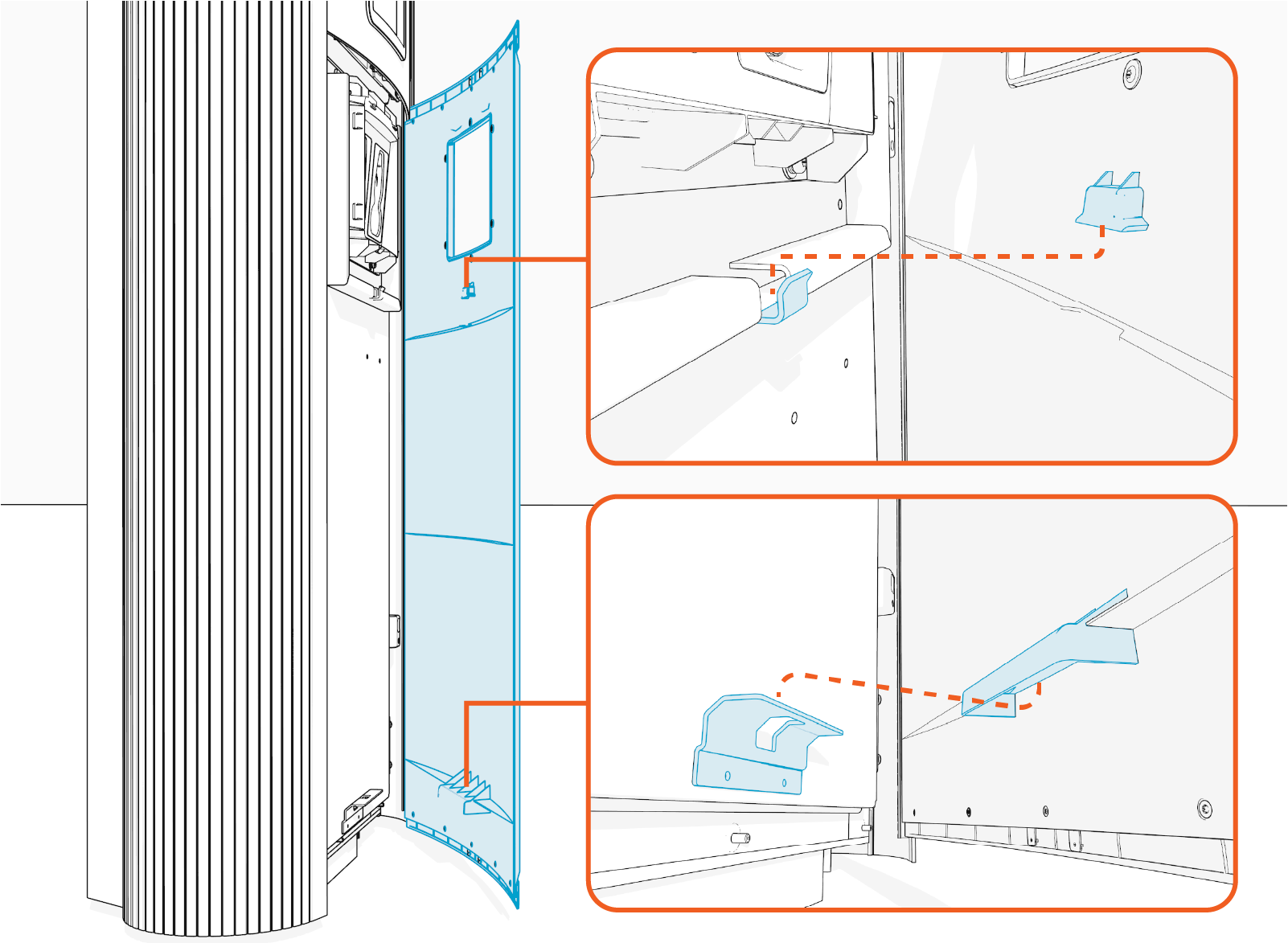
-
Press in below the holster trim and lower side of the cover; while pressed in, slide the cover down to engage the hooks (x2) behind the cover. See the previous step for the exact location of the hooks.
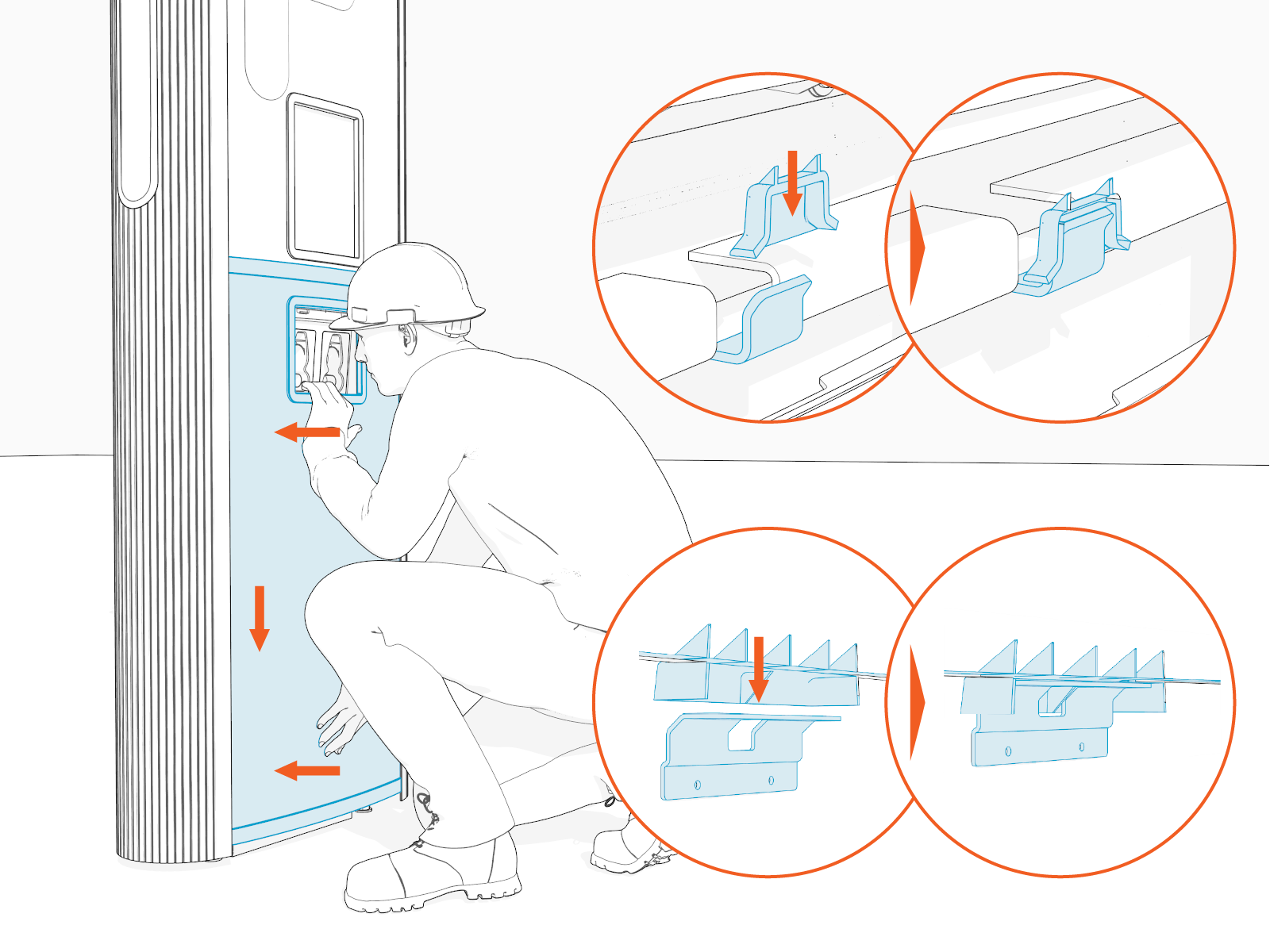
-
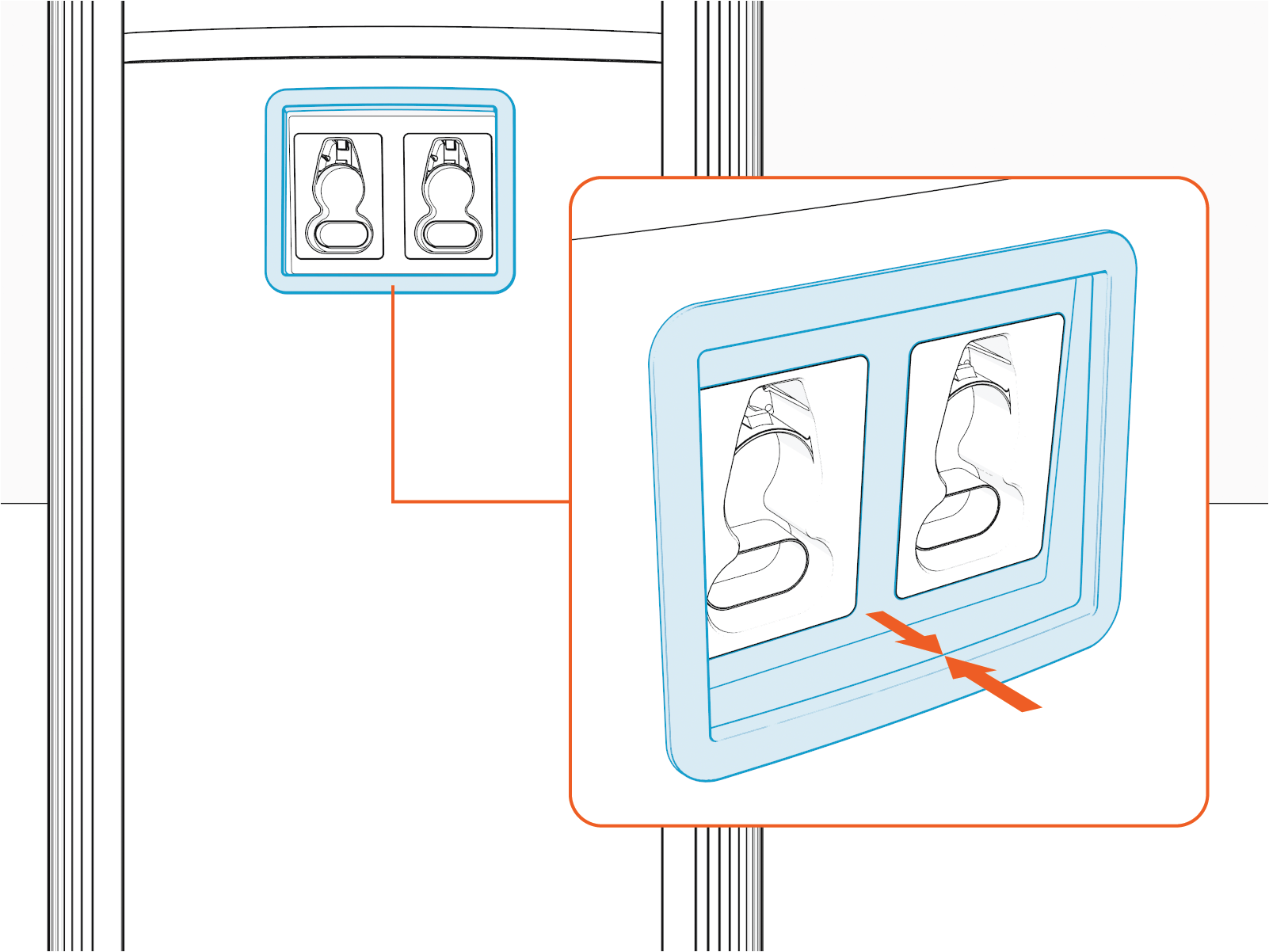
Make sure that the lower edge of the holster bracket and holster trim are aligned.
-
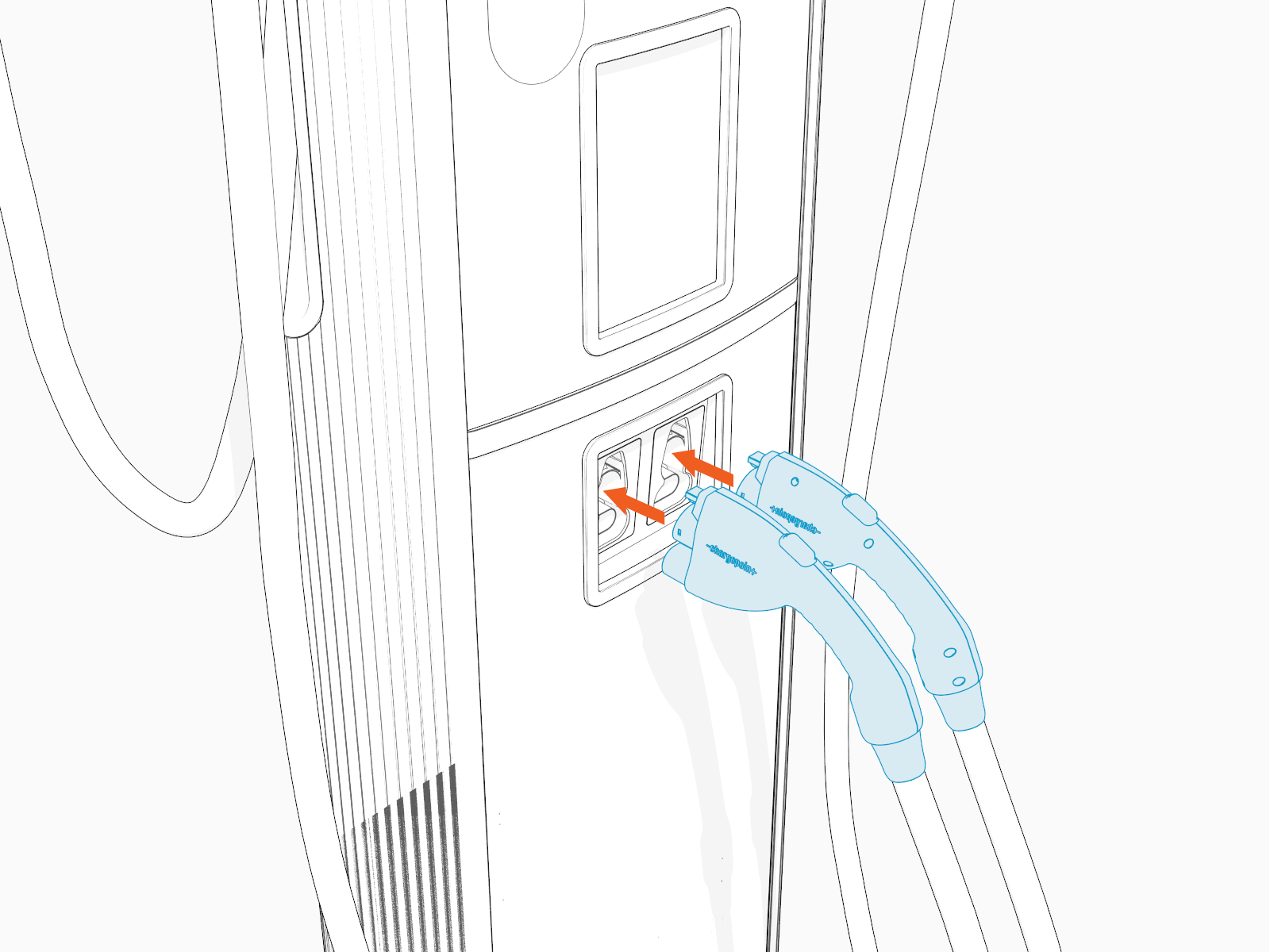
Place charging cable connectors into the holsters.
Install Top Cap
To install the top cap, complete the following steps:
-
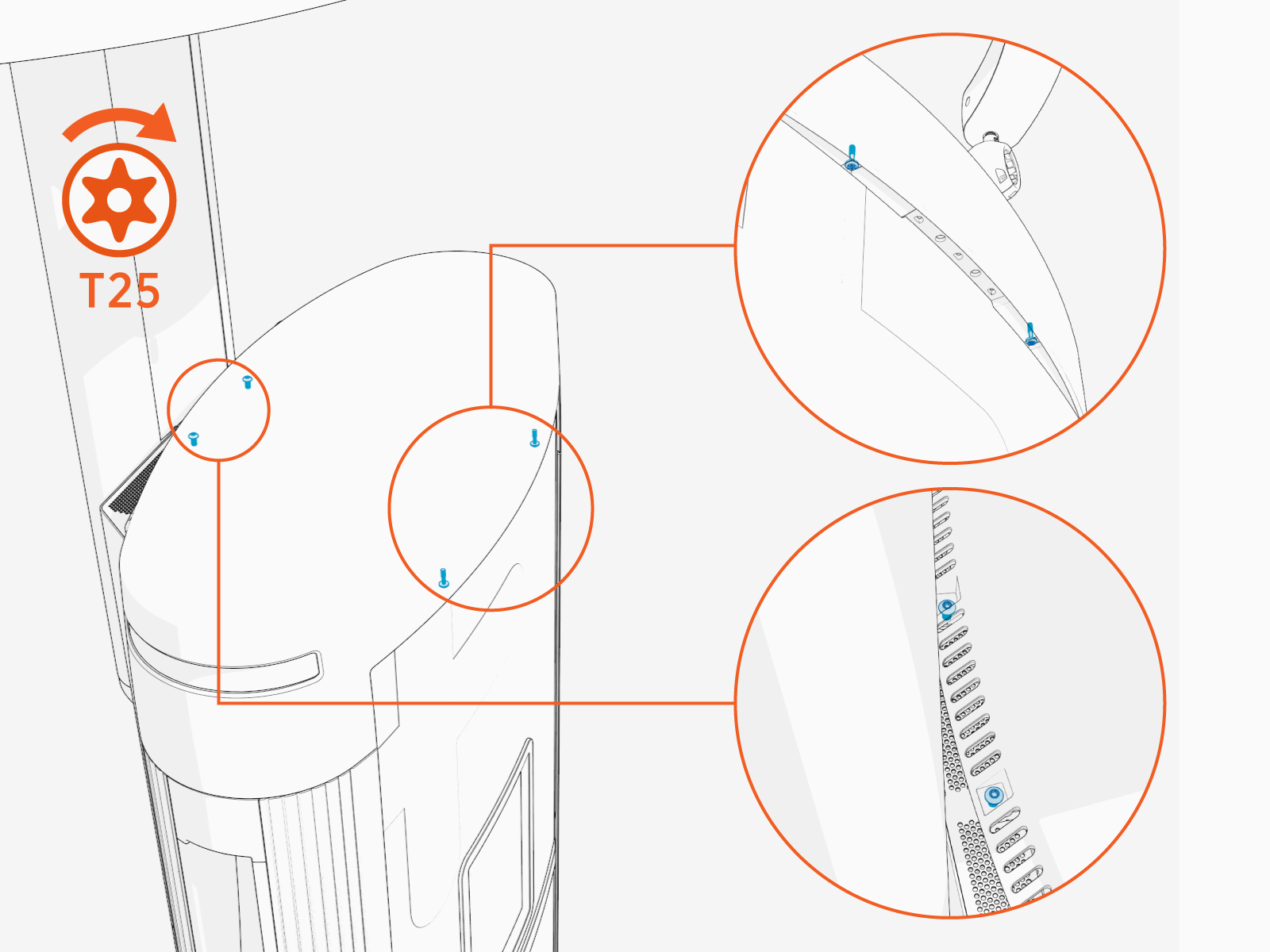
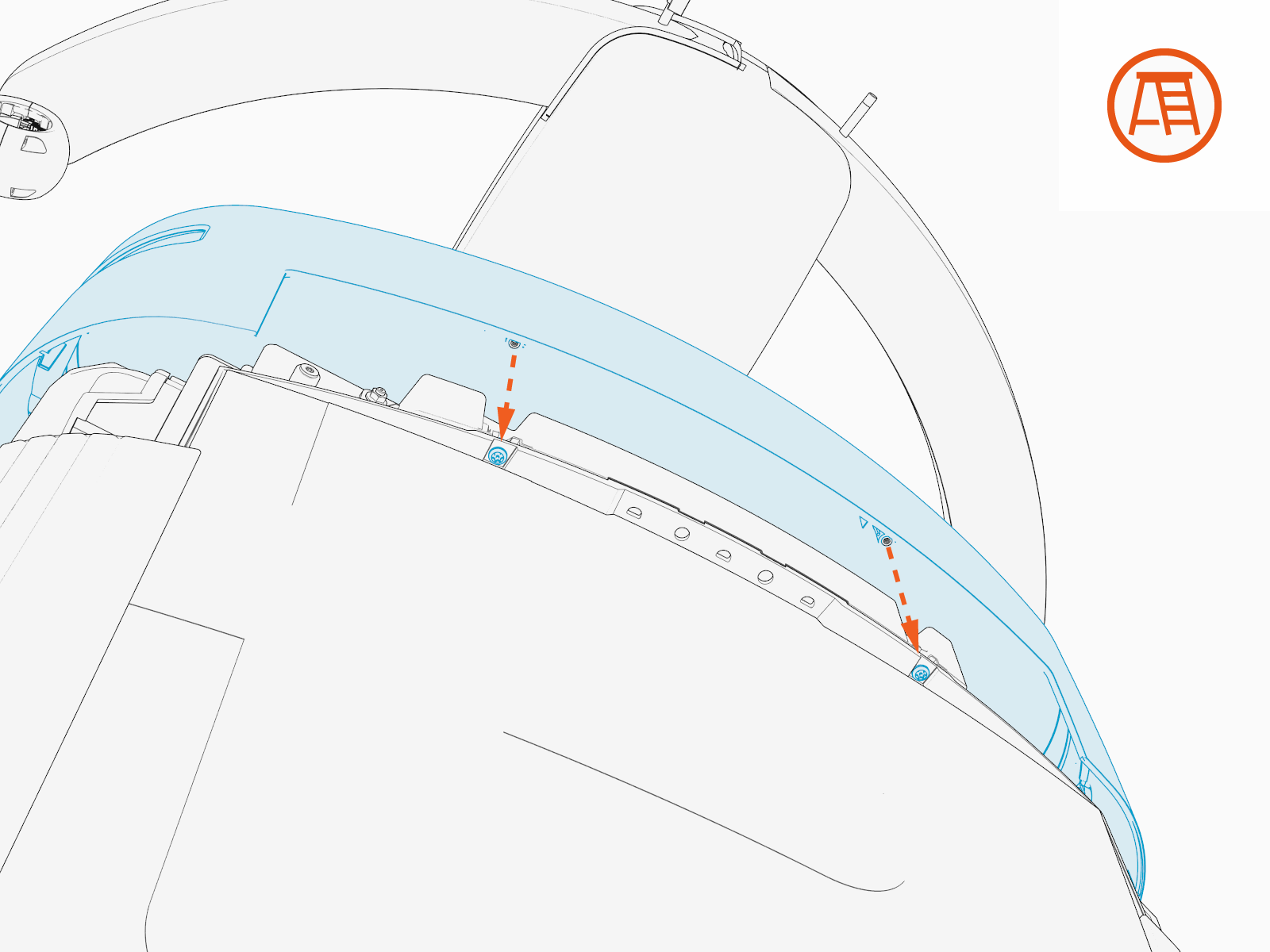
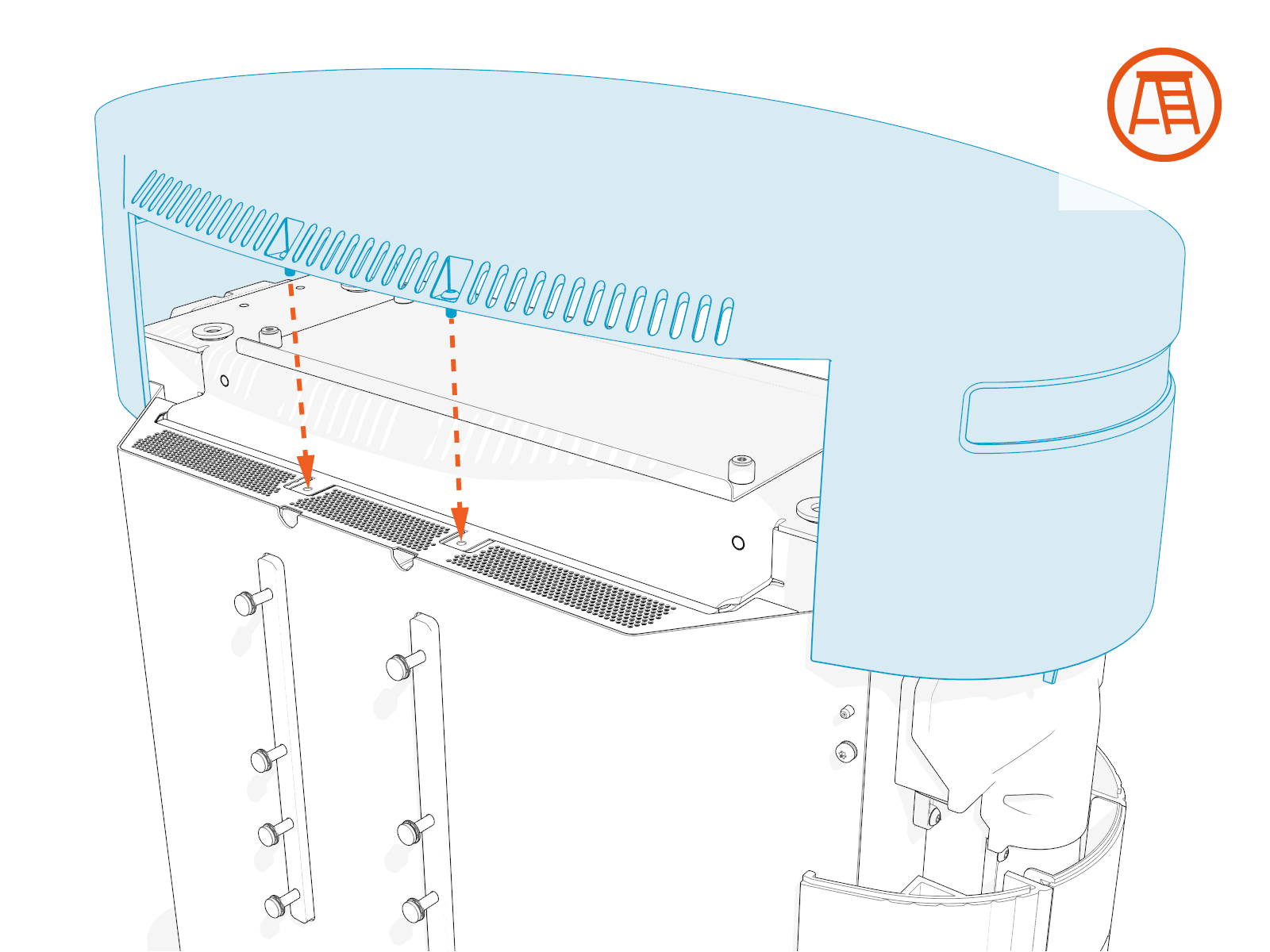
Align the screws (x4) and install the top cap.
-
Front screws (x2)
-
Rear screws (x2)
-
-
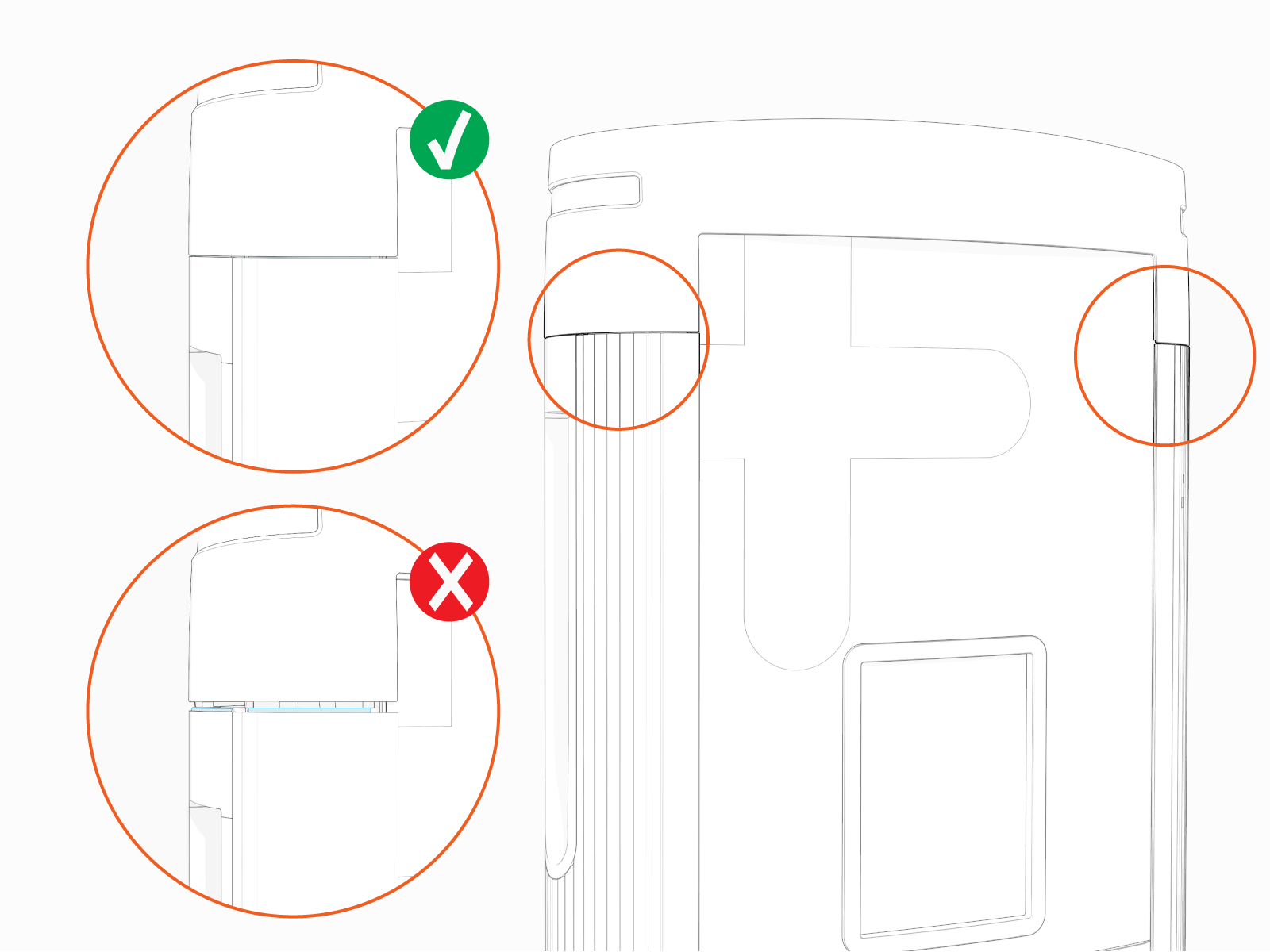
Make sure that the top cap sides are seated on edges on top of the side panels (x2).
-
Torque the rear screws (x2) to 2.8 Nm (25 in-lb) and front screws (x2) to 1.7 Nm (15 in-lb).