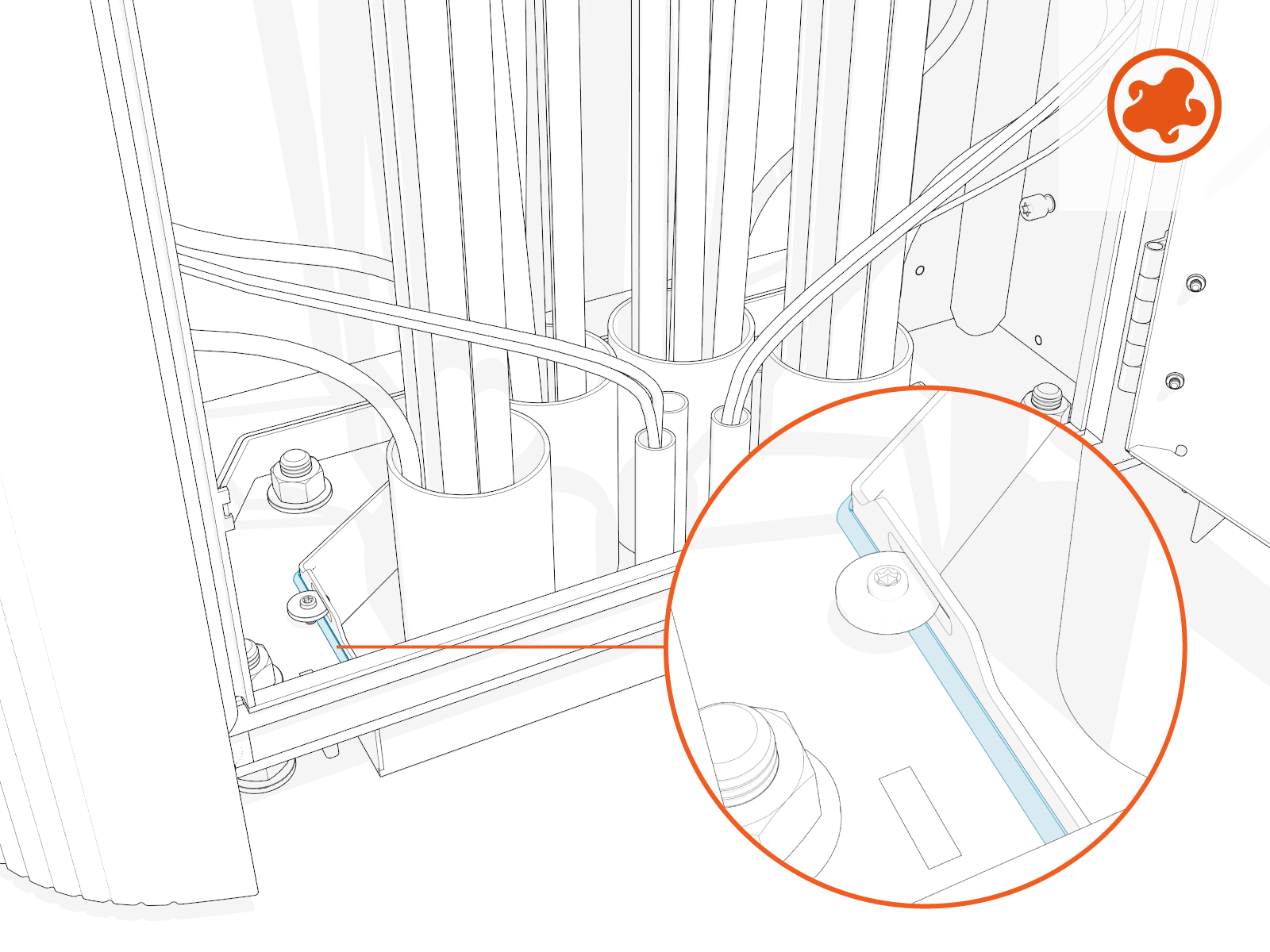
Install Power Link 2000
To install Power Link 2000, complete the following set of steps:
- If the charging station is not installed, commissioned, or serviced by a ChargePoint certified technician using a ChargePoint-approved method, it is excluded from all ChargePoint and other warranties and ChargePoint is not responsible.
- You must be a licensed electrician and complete training at https://www.chargepoint.com/partners/training-certification to become ChargePoint certified and to access ChargePoint's web-based installer tools or ChargePoint Installer app.
If the site has height constraints for installation, contact ChargePoint to get instructions and clearances that you will need for the modified process.
Alternatively, you may use a forklift bracket kit, or a crane with lifting shackles and a spreader bar (constraints may differ among sites).
Install Leveling Nuts
To install leveling nuts, complete the following steps:
-
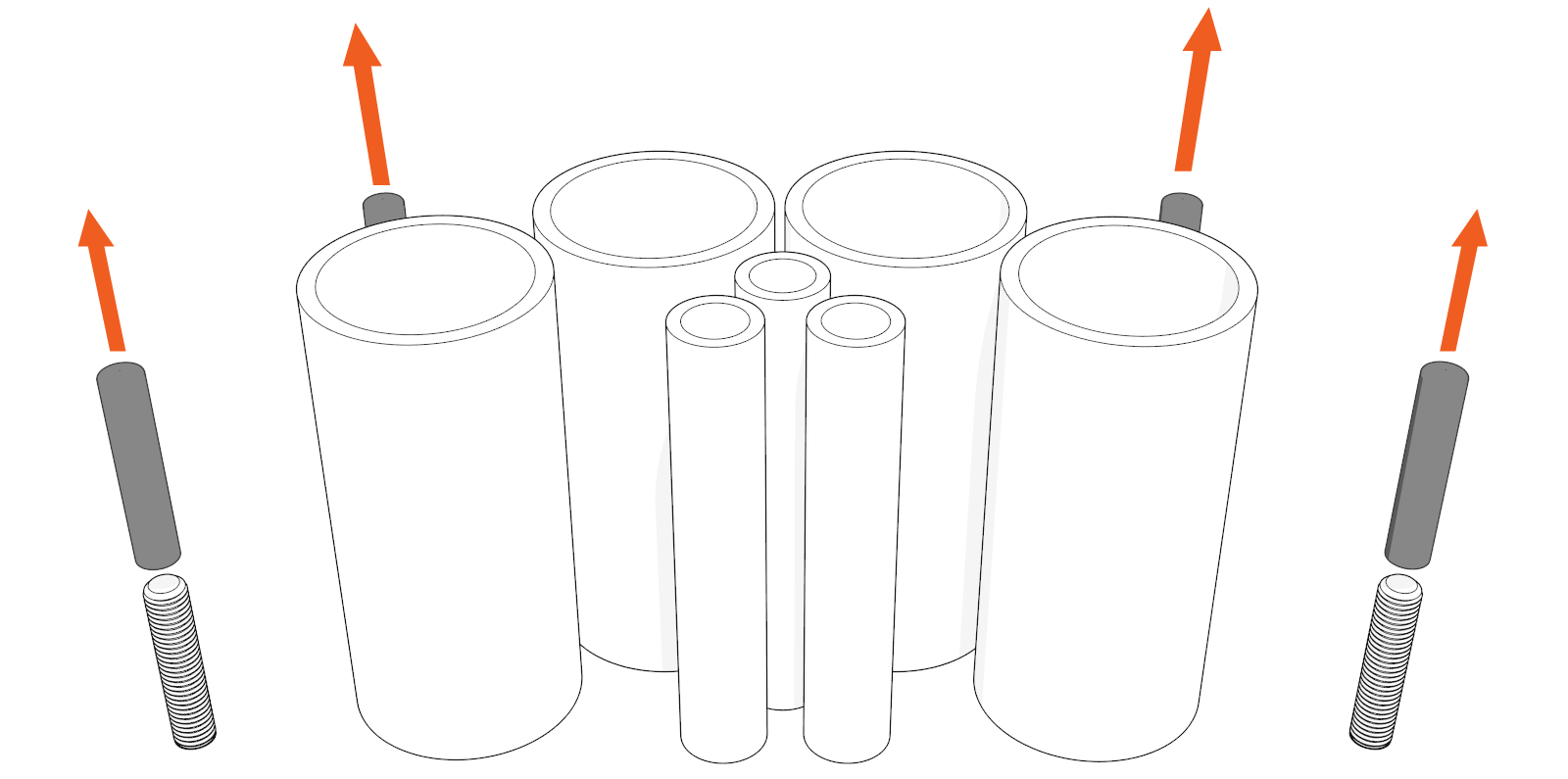
If applicable, remove protective caps (x4).
-
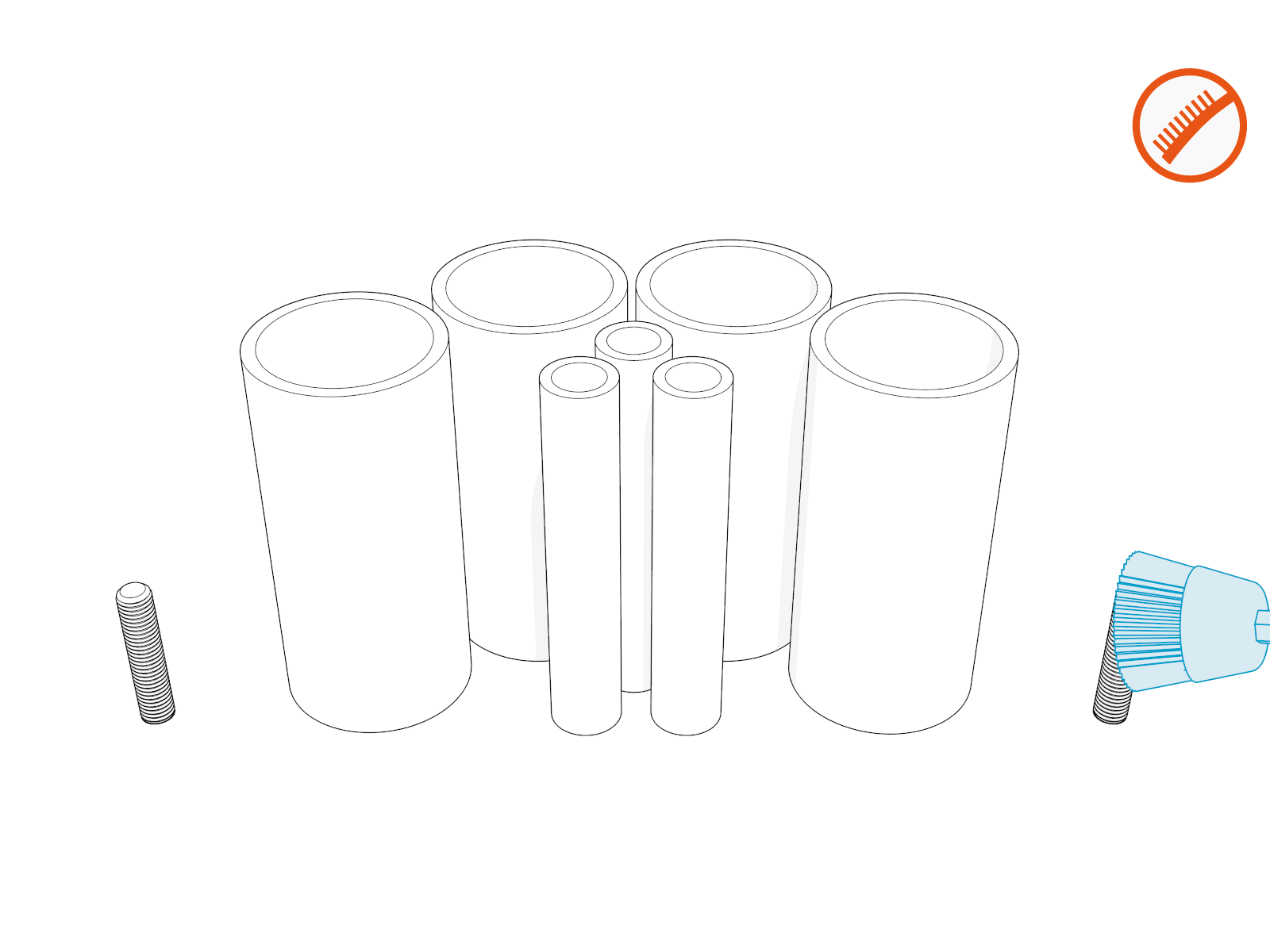
Clean away residue, if any.
-
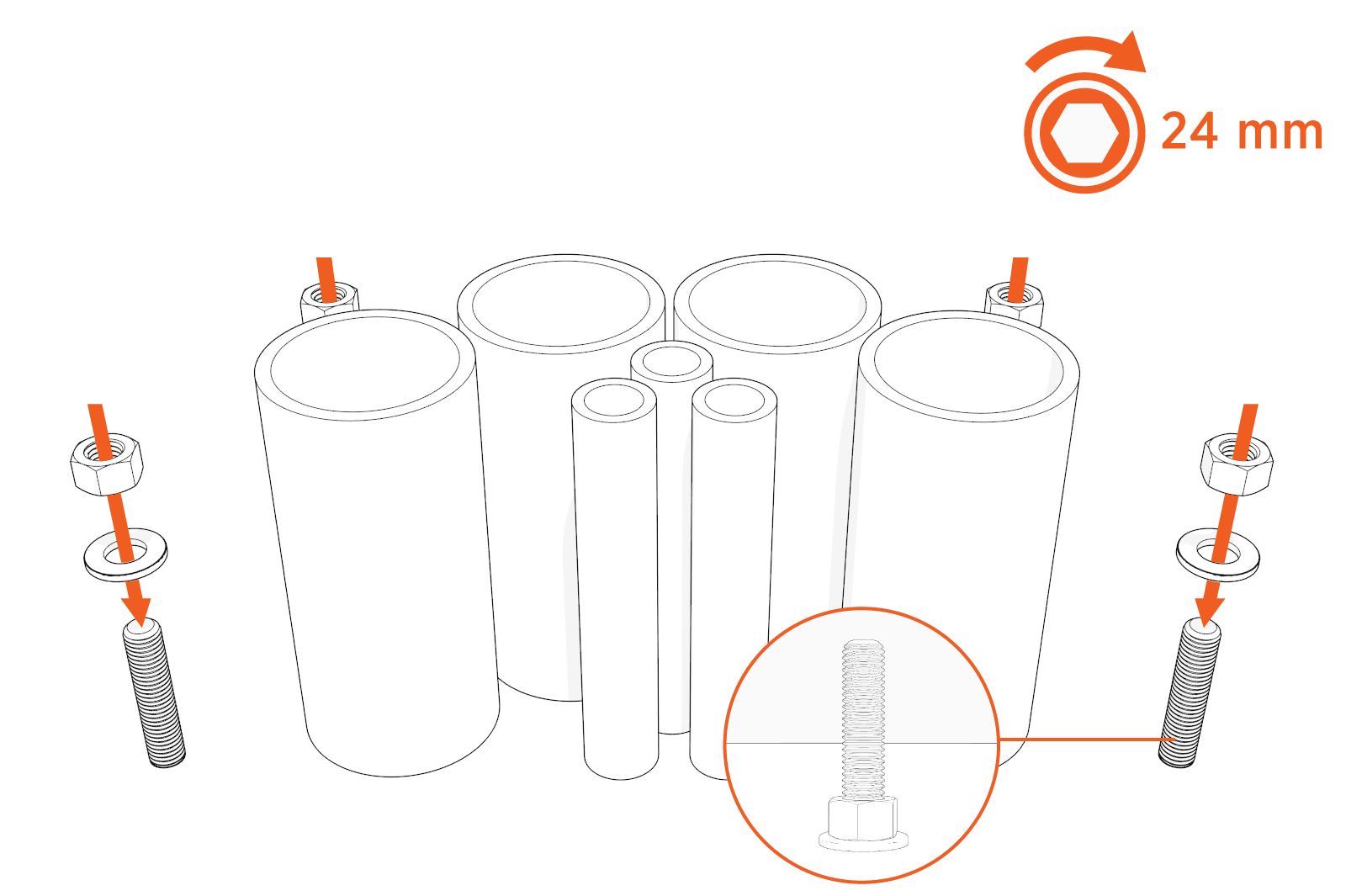
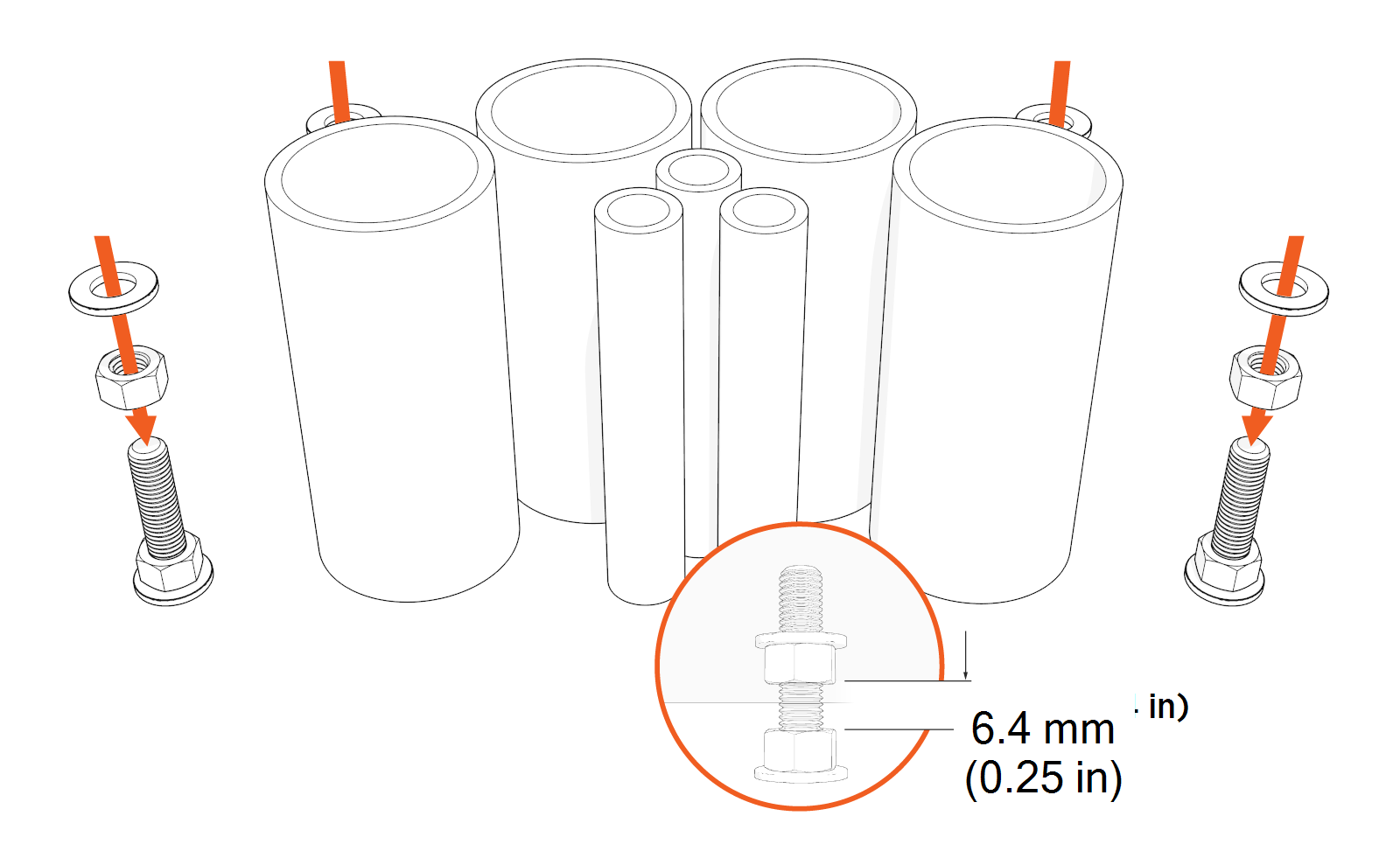
Find the M16 hex nuts and washers shipped with the Power Link 2000.
-
Install M16 washers (x4) and hex nuts (x4) onto the anchor bolts, and flush them against the base. Torque to 54.2 Nm (40 ft-lb).
-
Install another set of M16 hex nuts (x4) and washers (x4) onto the anchor bolts and leave a 6.4 mm (0.25 in) gap between the nuts for leveling the Power Link 2000.
-
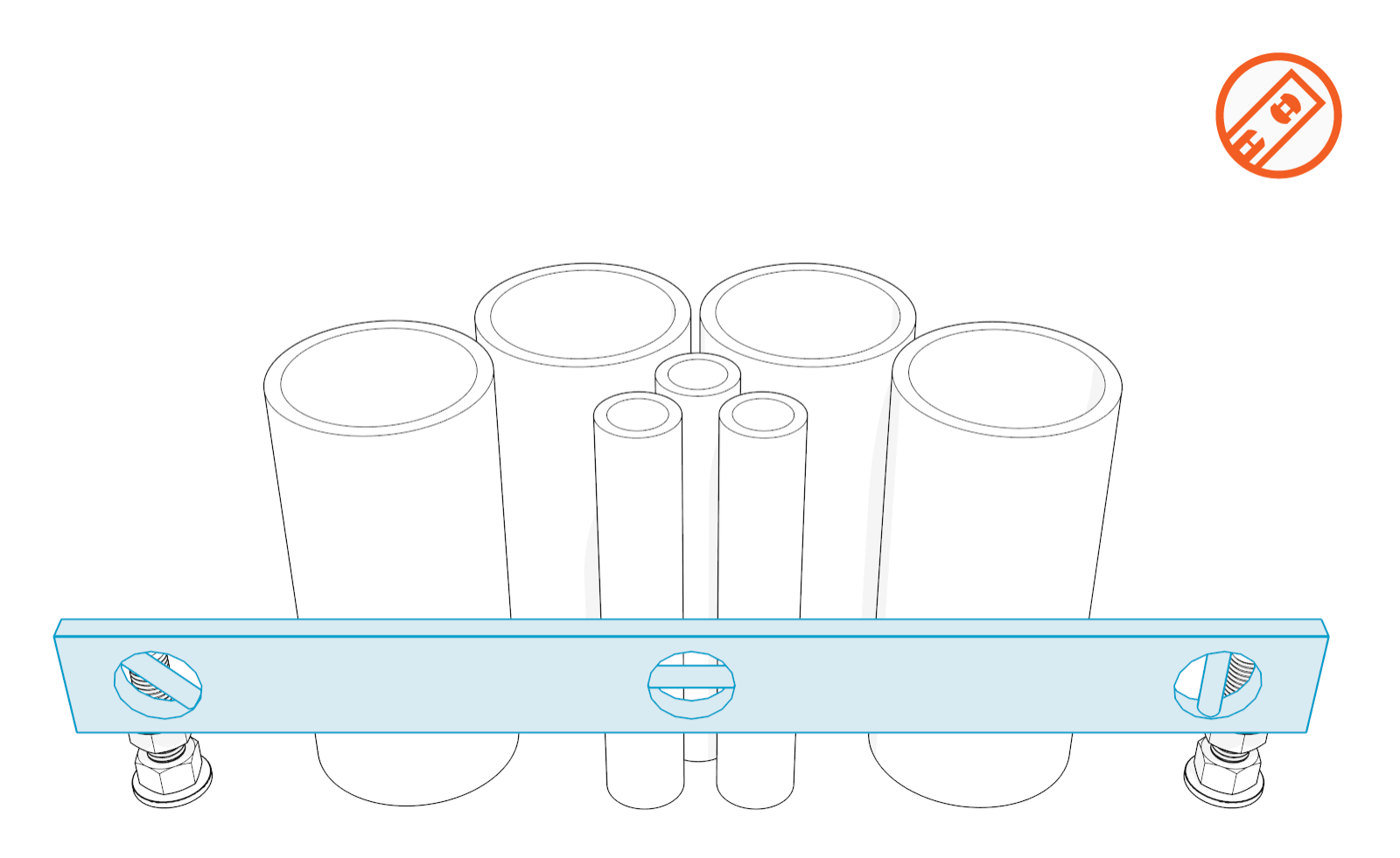
Ensure the nuts are level.
Install Power Link 2000 Assembly
To install the Power Link 2000 assembly, complete the following steps:
Position Power Link 2000 Assembly over Anchor Bolts
-
Open and unpack the Power Link 2000 package (see Power Link 2000 with non-LCC or Power Link 2000 with LCC).
-
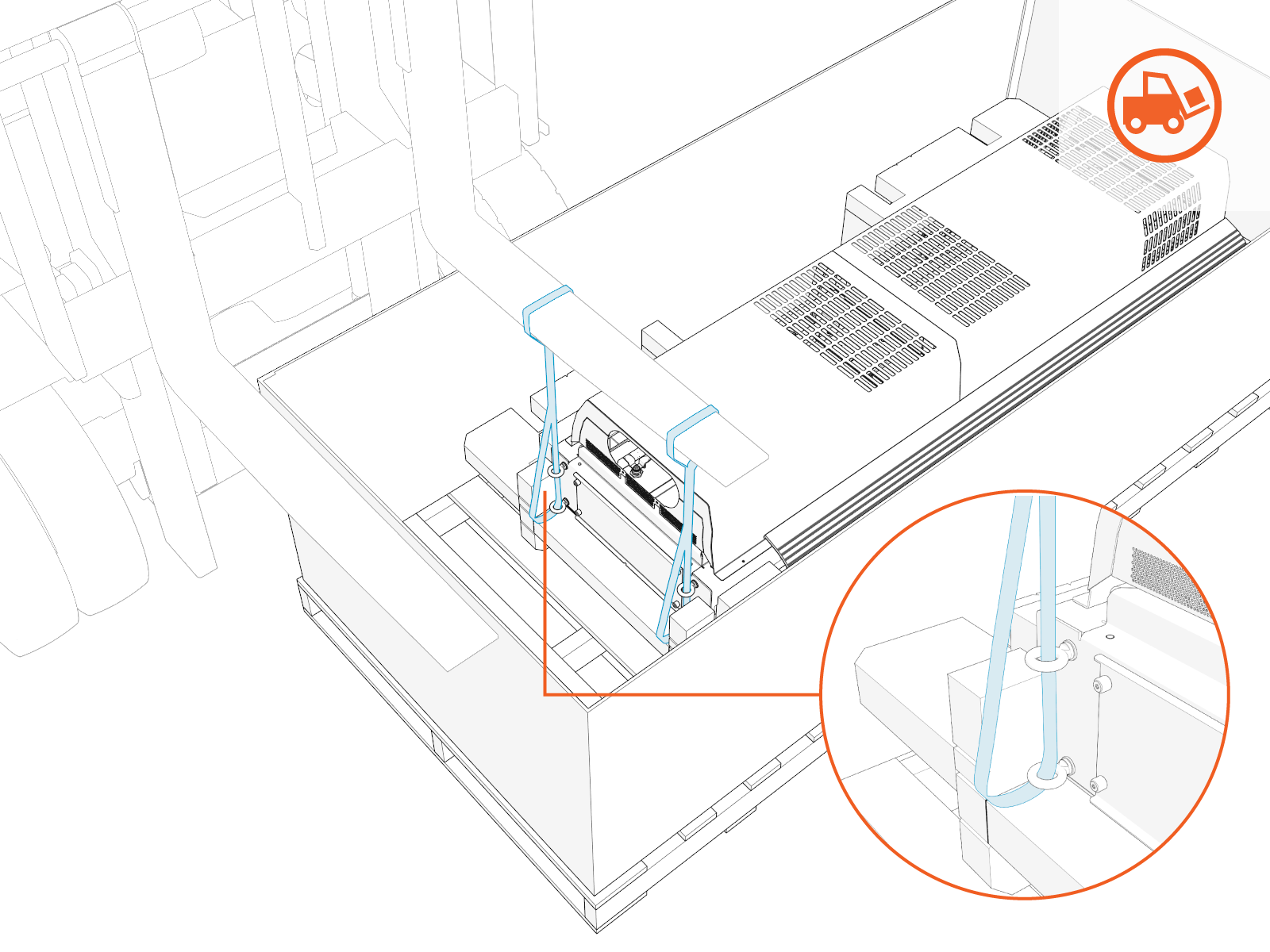
Position the forklift to insert strap loops onto the forks. Make sure that the straps are not near the open ends of the forks. Power Link 2000 comes with straps and eye bolts attached for lifting.
-
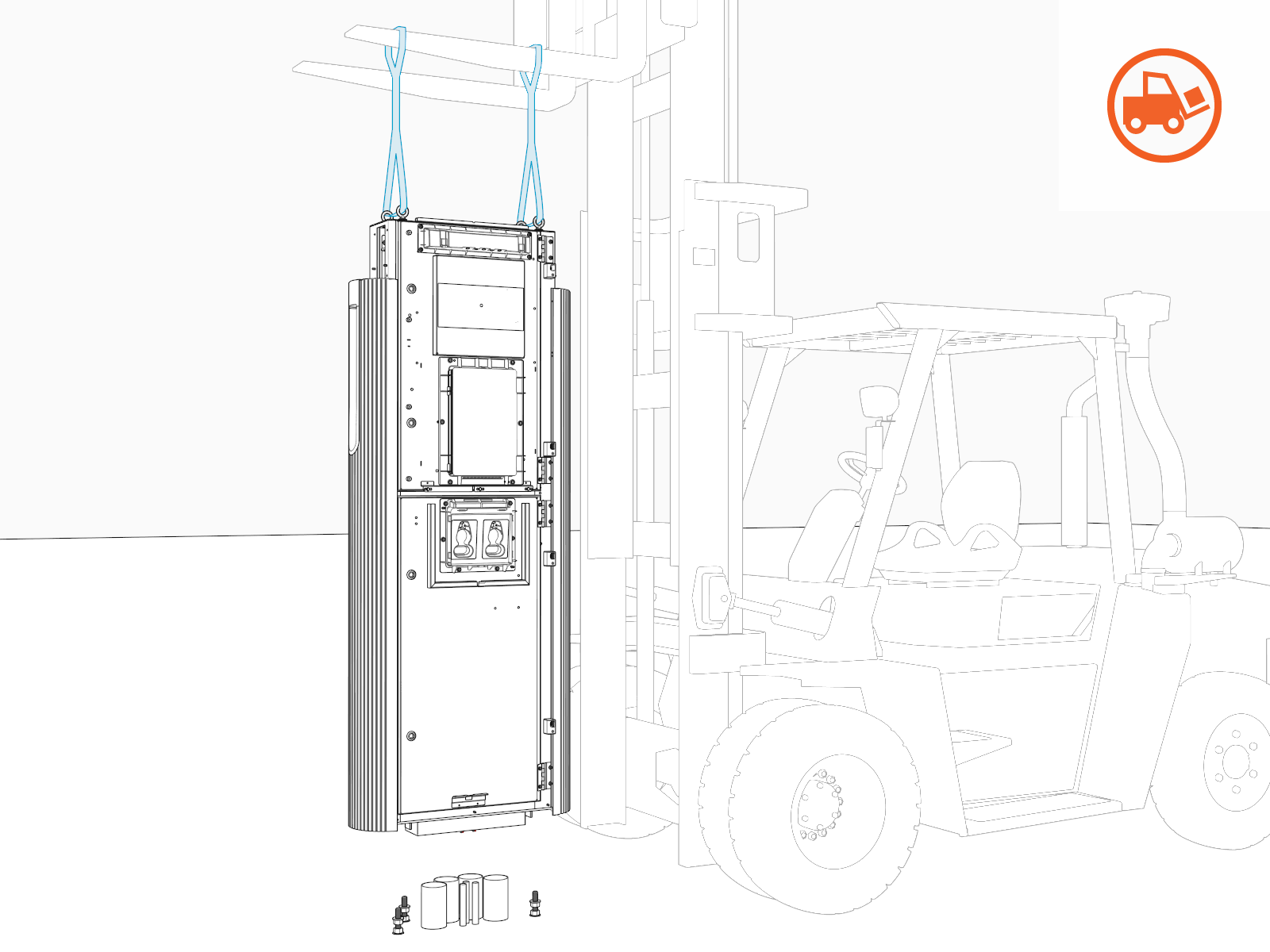
Gradually lift and position Power Link 2000 over the anchor bolts.
Open Enclosure Door
To open the enclosure door, complete the following steps:
-
Quarter turn the door latches (x2 per upper and lower enclosure door).
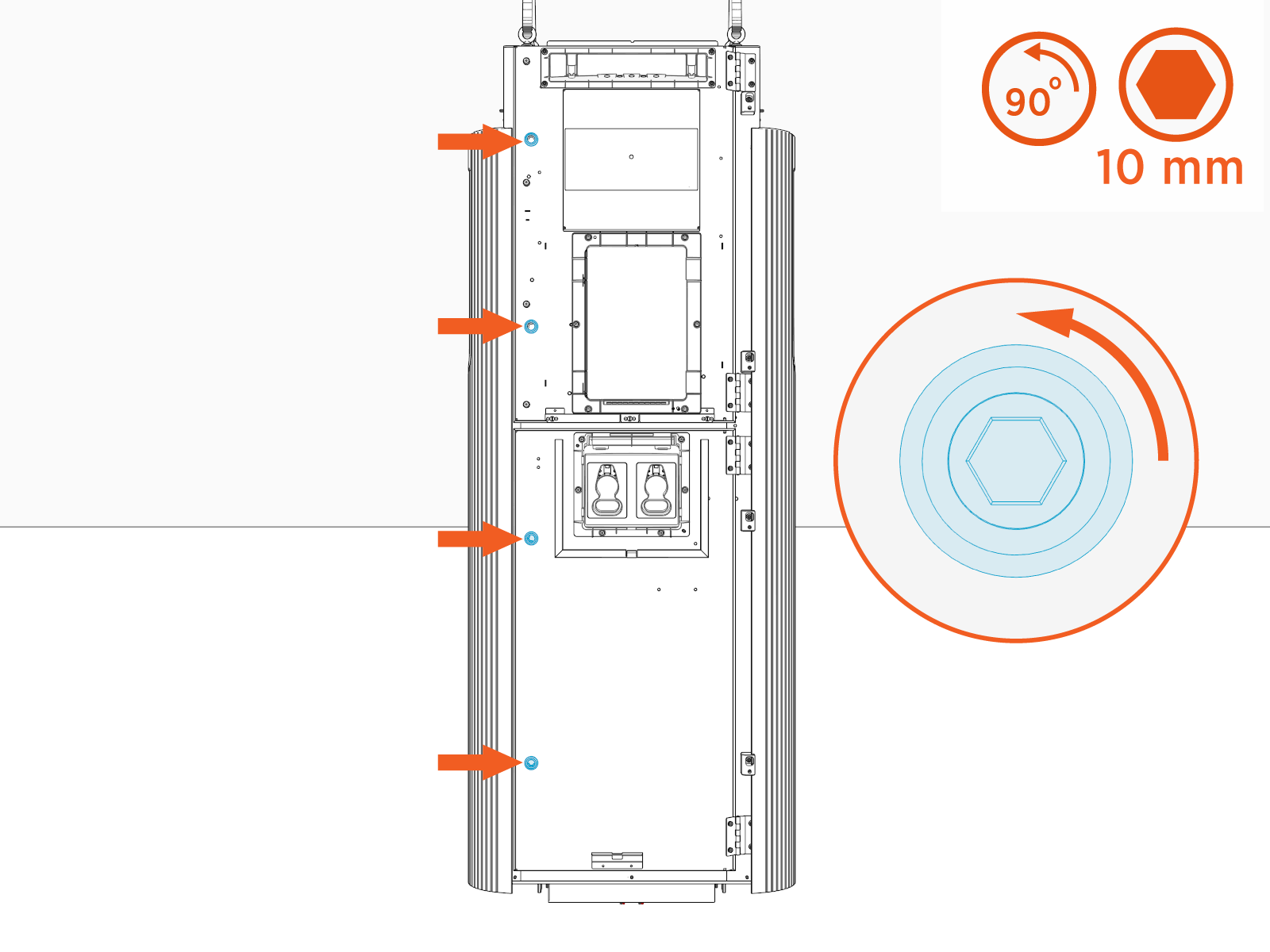
-
Open the door and engage the door stopper (x1 per upper and lower enclosure door).
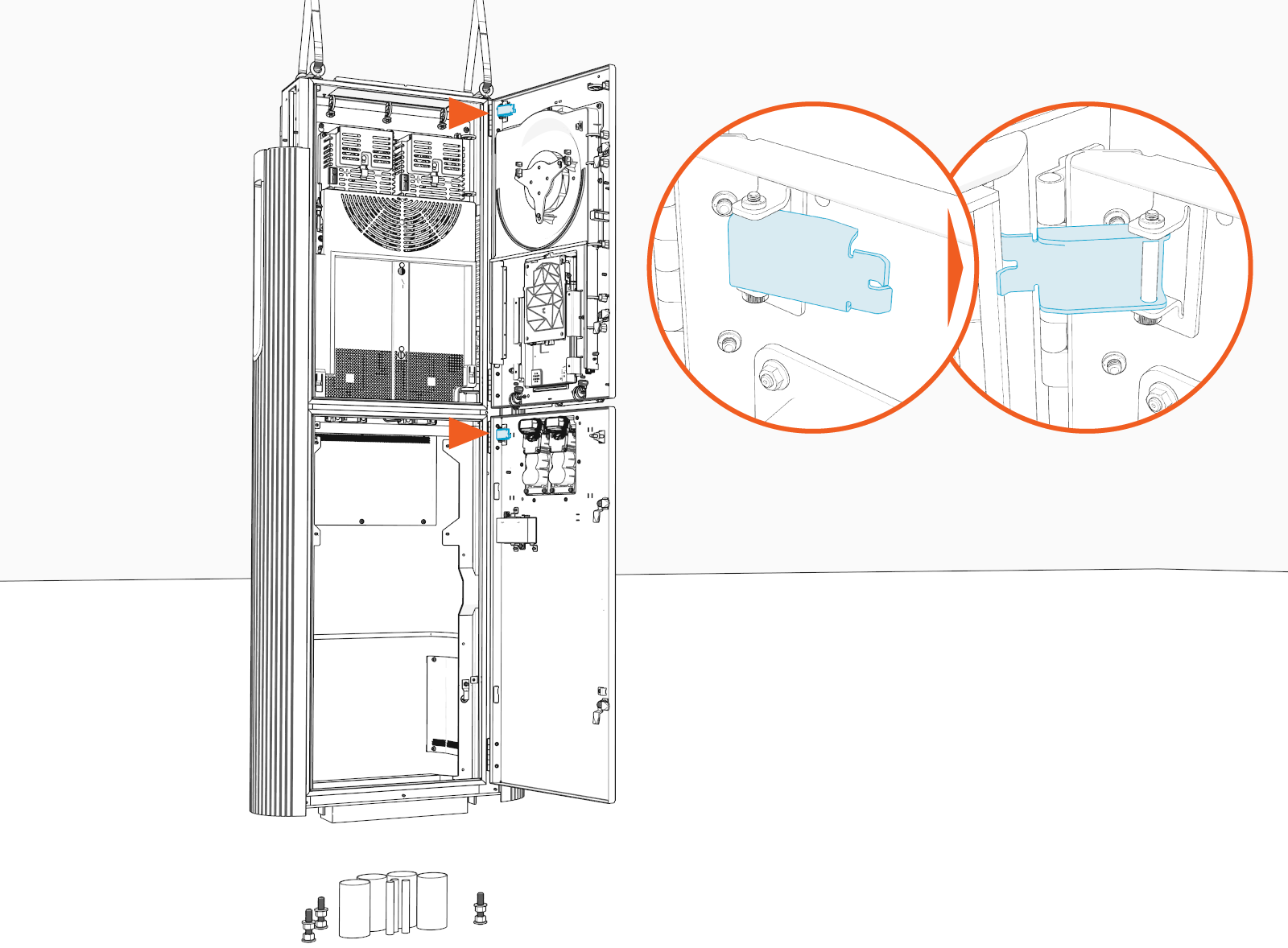
Install Power Link 2000 onto Anchor Bolts
-
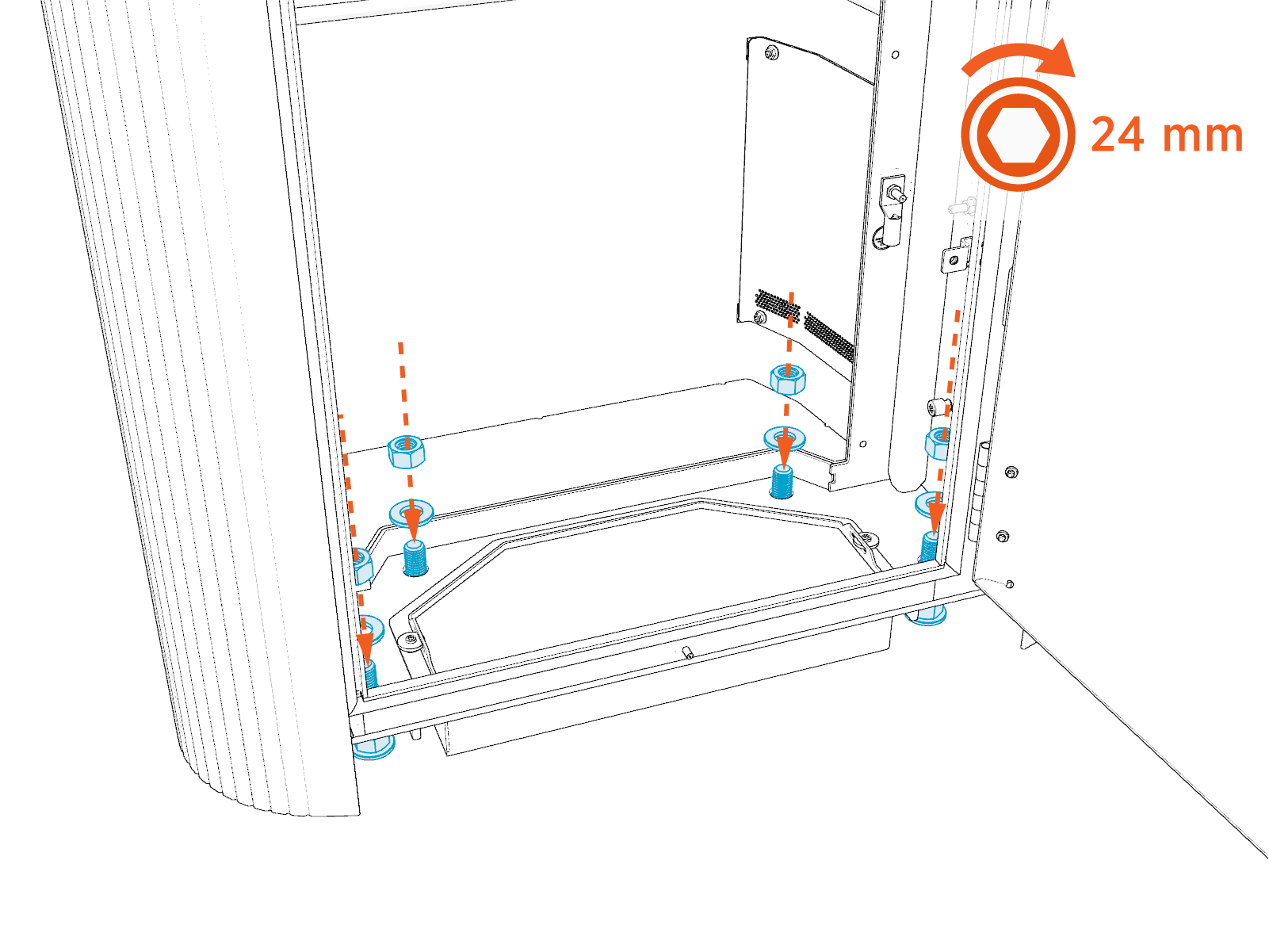
Align the anchor bolt holes (x4) on the Power Link 2000 with the anchor bolts and slowly move the Power Link 2000 down to rest it on the leveling nuts.
If the wires have been pulled before mounting the Power Link 2000 or if the site is using armored cables directly buried and exposed from underground without conduits, route wires through conduit opening at the bottom of the Power Link 2000.
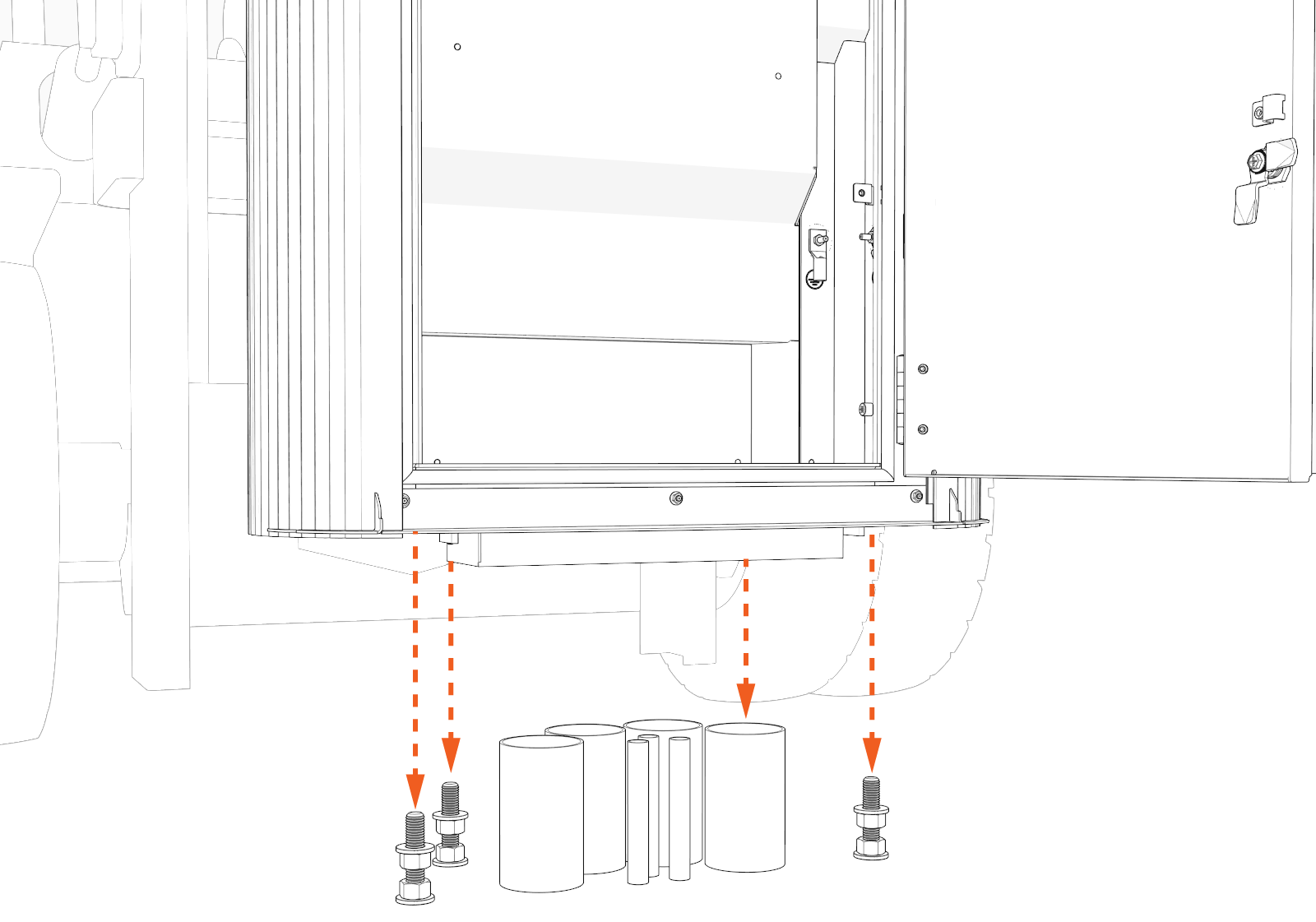
-
Make sure that the Power Link 2000 is resting on the leveling nuts and is level and plumb. If not, adjust the leveling nuts.
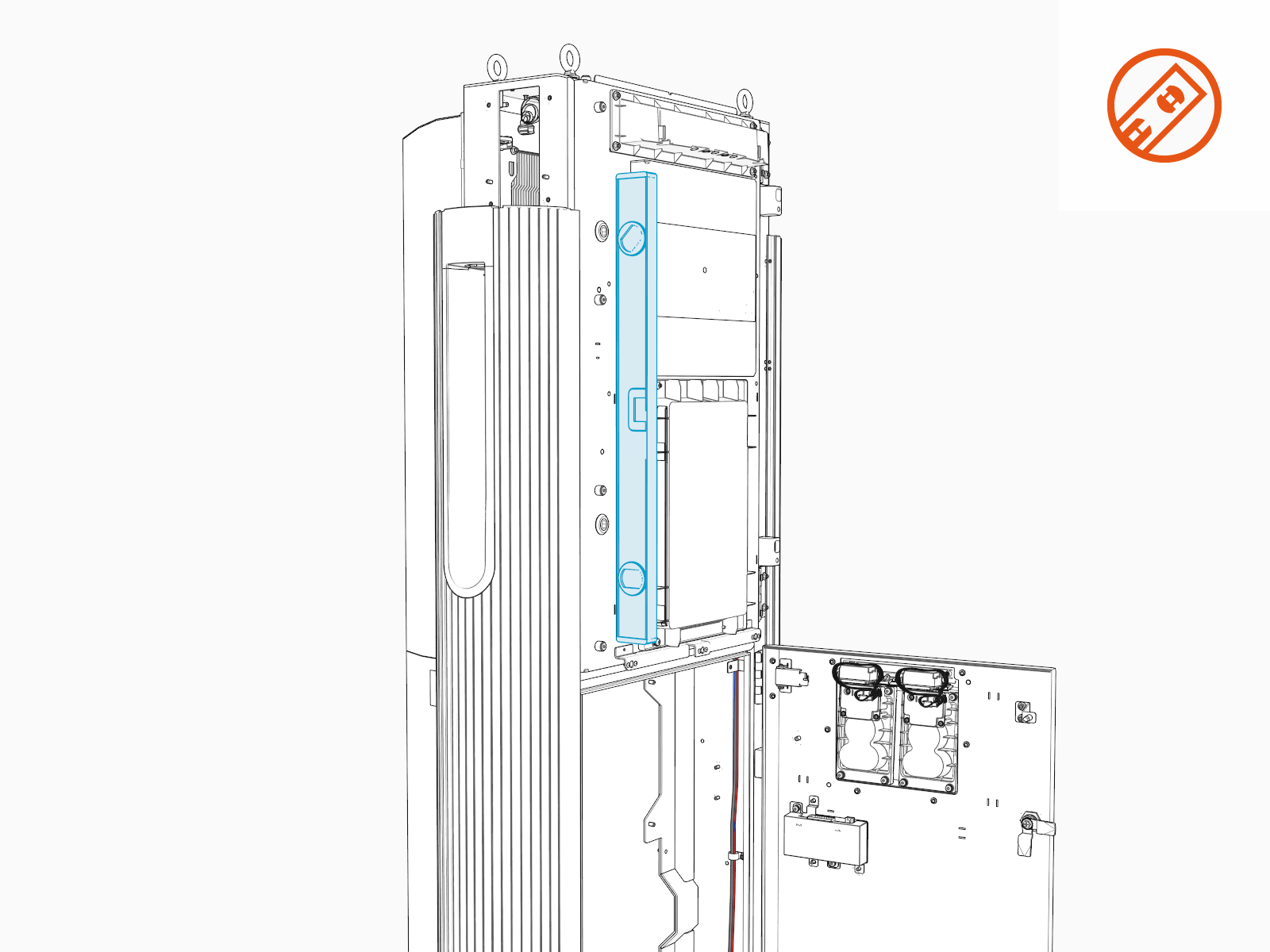
-
When the Power Link 2000 is level and plumb, install another set of M16 washers (x4) and hex nuts (x4) onto the anchor bolts. Torque to 94.9 Nm (70 ft-lb).
-
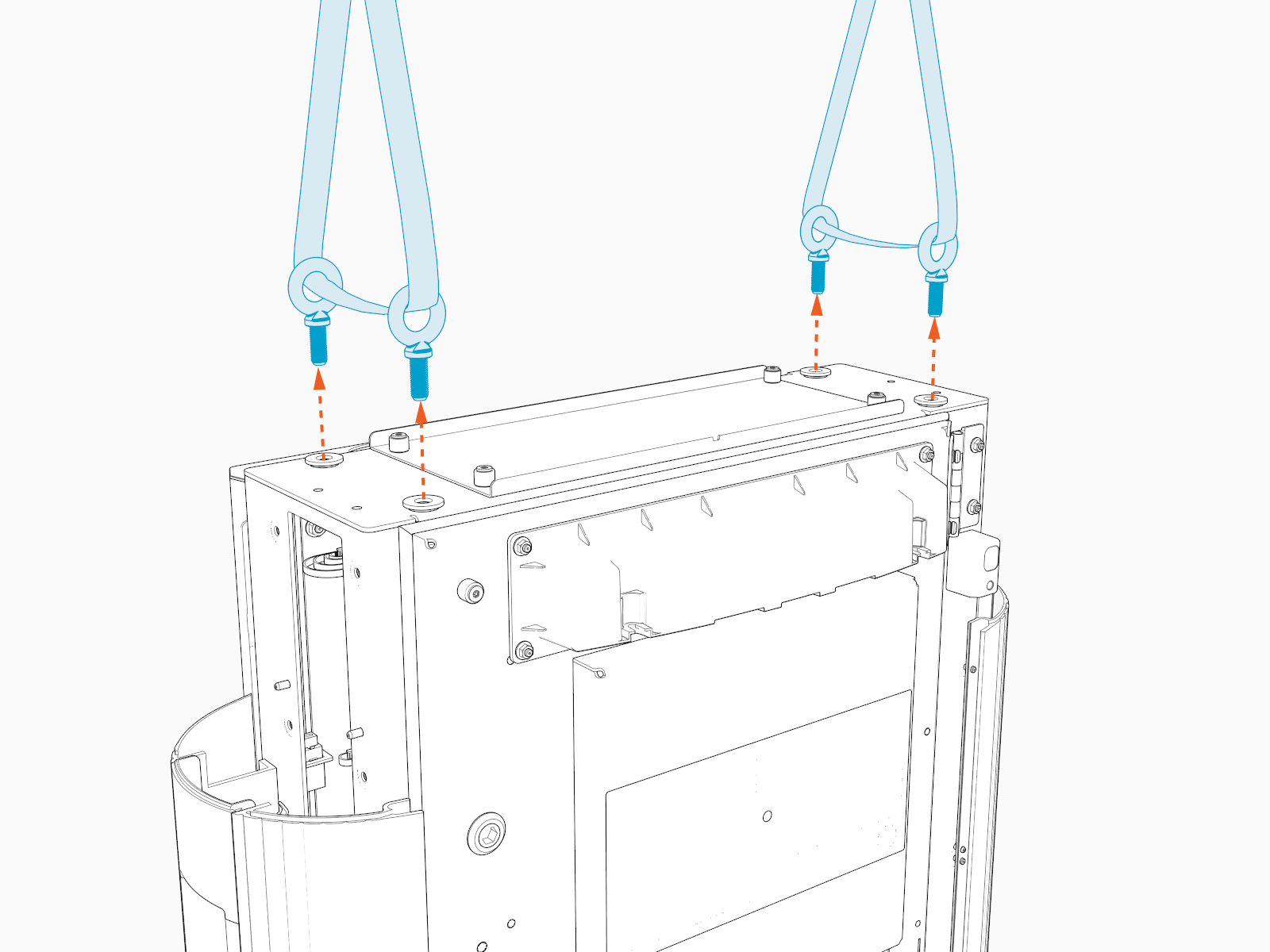
Release the lifting straps, and remove the eye bolts (x4) and rubber washers (x4). Use either an adjustable wrench or screwdriver shaft to loosen the eye bolts.
Access HV DC Input Bus Bars
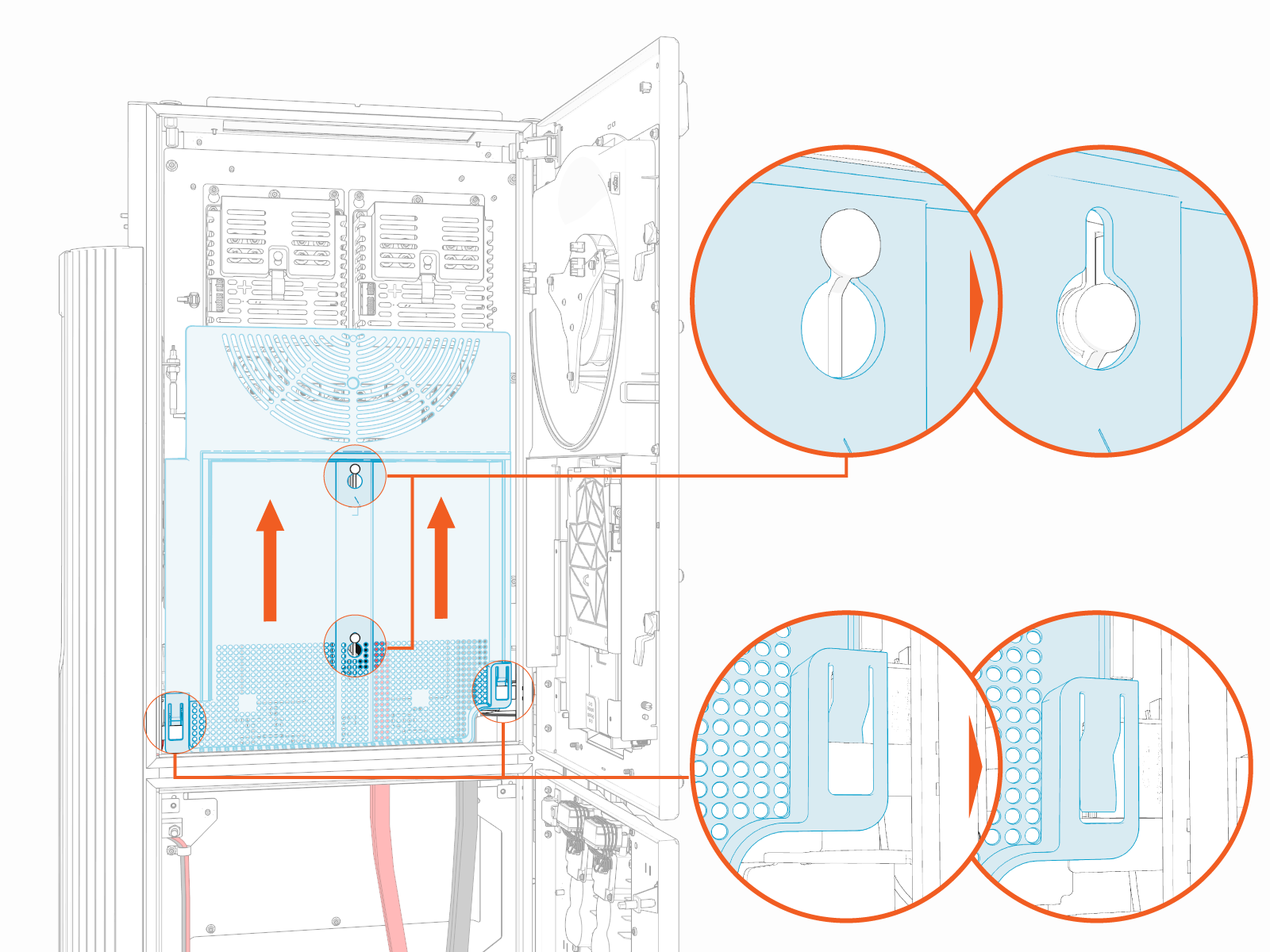
To access the HV DC High Voltage Direct Current input bus bars, complete the following steps:
Plan for HV DC Wire Connect
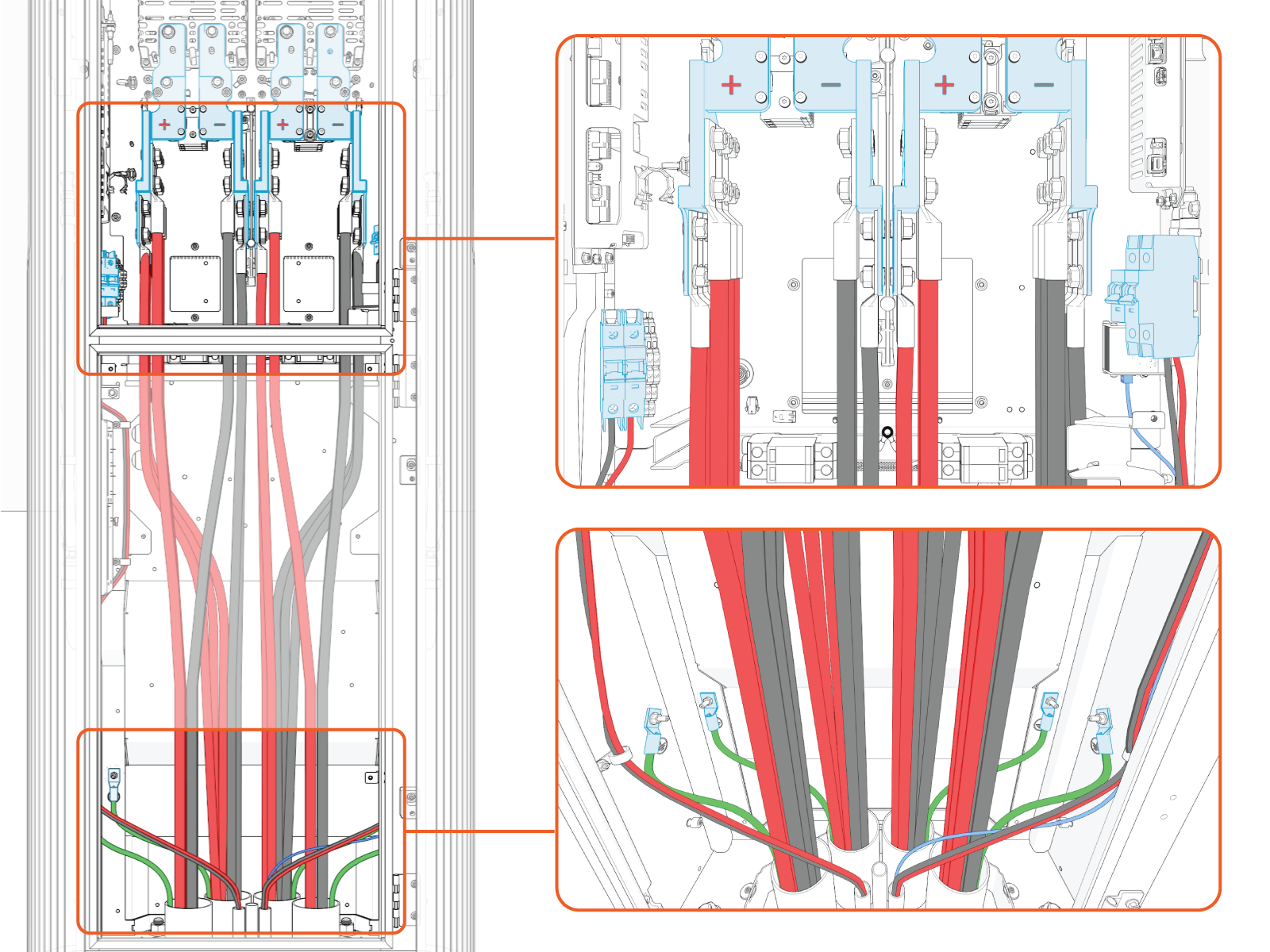
The physical locations for landing HV DC High Voltage Direct Current and high power ground wires are shown below. Use this information to plan for the connection of HV High Voltage DC wires.
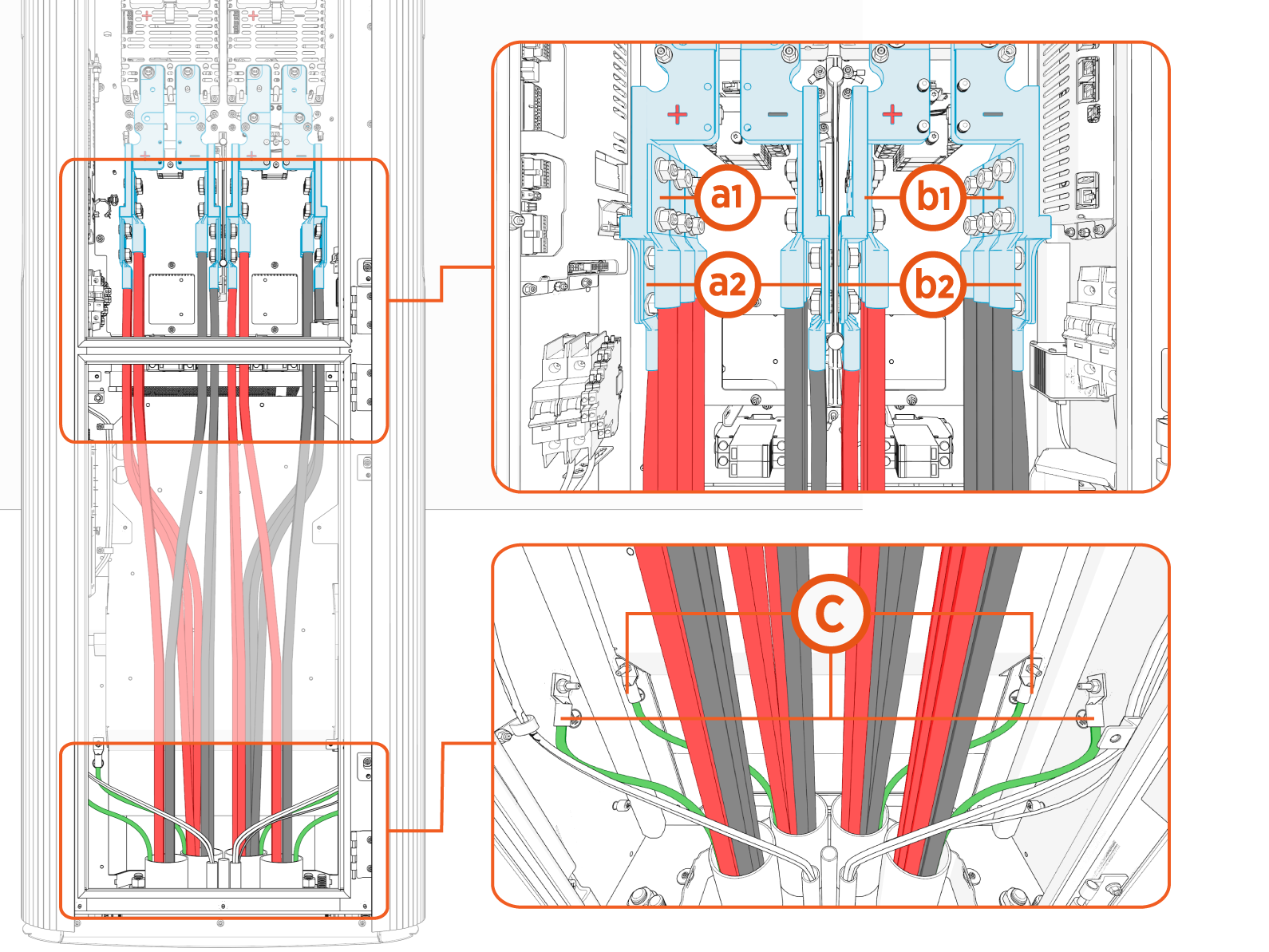
(a1) Path A, upper landing
(a2) Path A, lower landing
(b1) Path B, upper landing
(b2) Path B, lower landing
(c) Ground
Depending on its configuration, a Power Link 2000 will have one or two independent HV DC High Voltage Direct Current power paths, A and B. Power Link 2000s with a single charging cable are configured with Power Path B only.
The Power Block has two HV DC High Voltage Direct Current outputs, also named A and B. Although the Power Link 2000 power paths and Power Block outputs are named alike, it does not mean that Output A of a Power Block must connect to Power Path A of a Power Link 2000. Output A of a Power Block may connect to either Power Path A or B of a Power Link 2000. Likewise, Output B of a Power Block may connect to either Power Path A or B of a Power Link 2000. The A and B designations serve only to identify separate power paths and outputs in each product.
The upper and lower landings may be used to connect a single power path to multiple Express Plus products in an orderly manner. For example:
-
In some Express Plus architectures, a single Power Link 2000 power path receives HV DC
High Voltage Direct Current input from two separate Power Blocks. This may be achieved by connecting wires from one Power Block at one landing level and connecting wires from the other Power Block at the other landing level. -
In some Express Plus architectures, a single Power Link 2000 power path receives HV
High Voltage DC input from a Power Block and also provides HV DC High Voltage Direct Current output to another Power Link 2000. This may be achieved by connecting wires from the Power Block at one landing level and connecting wires going to the other Power Link 2000 at the other landing level.
How exactly to make connections within a cluster of Power Block(s) and Power Link 2000(s) is determined by the Express Plus architecture chosen for the site. Use the site plan single line diagram to understand and plan how to land the HV DC High Voltage Direct Current wires on the Power Link 2000 terminals. If you require further assistance in this matter, go to chargepoint.com/support and find your region’s technical support number.
Pull and Cut Wires
In regions that use conduits, wires can be pulled before or after mounting the Power Link 2000. Skip this procedure if the wires have been pulled before mounting or if the site is using armored cables directly buried and exposed from underground without conduits.
-
Arrange wires such that the positive wires (red) arrive on the left side and negative wires (black) arrive on the right side within the Power Link 2000. This arrangement will help you land wires on their respective poles.
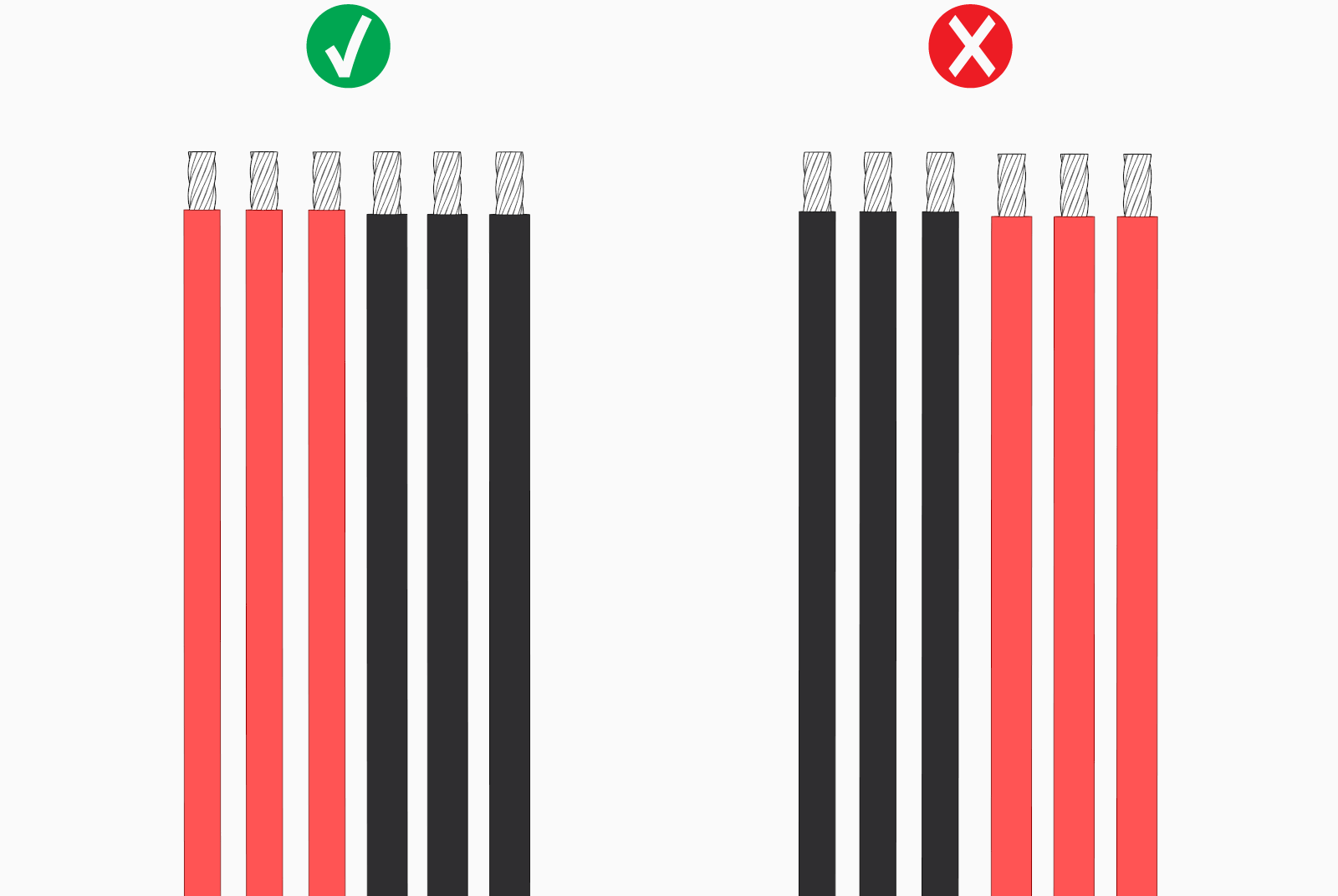
-
If necessary, apply a non-conductive wire pulling lubricant.
-
Pull wires through the rear conduits to connect them to the bus bars' lower landing locations (see Connect Wires).
-
Do not pull wires through the front conduits first; they may restrict access to the rear conduits, and if connected, also to the bus bars' lower landing locations.
-
Before pulling wires through the front conduits, connect the pulled wires to prevent them from causing interference while pulling another set of wires.
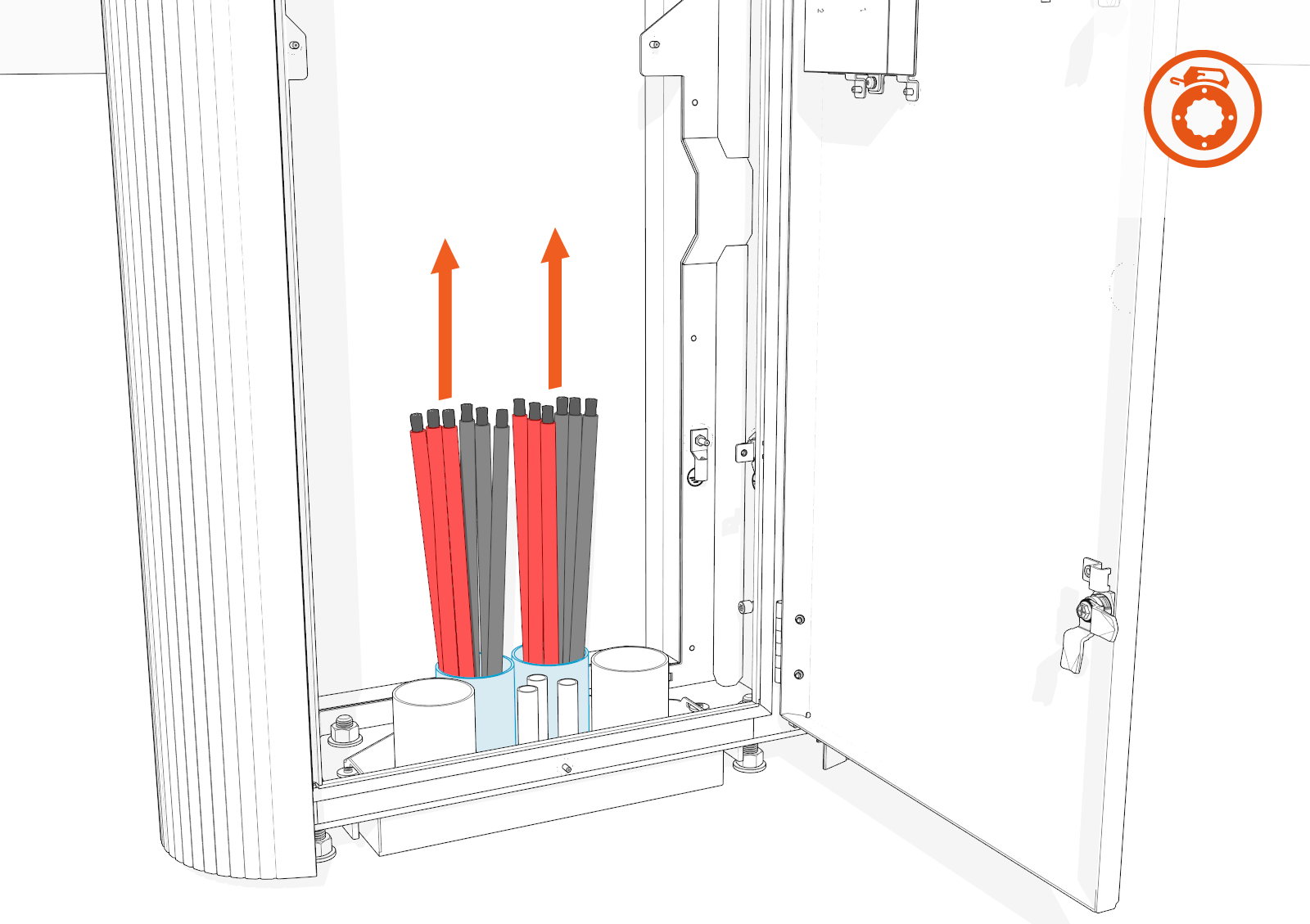
-
-
Pull wires through the front conduits to connect them to the bus bars' upper landing locations (see Connect Wires).
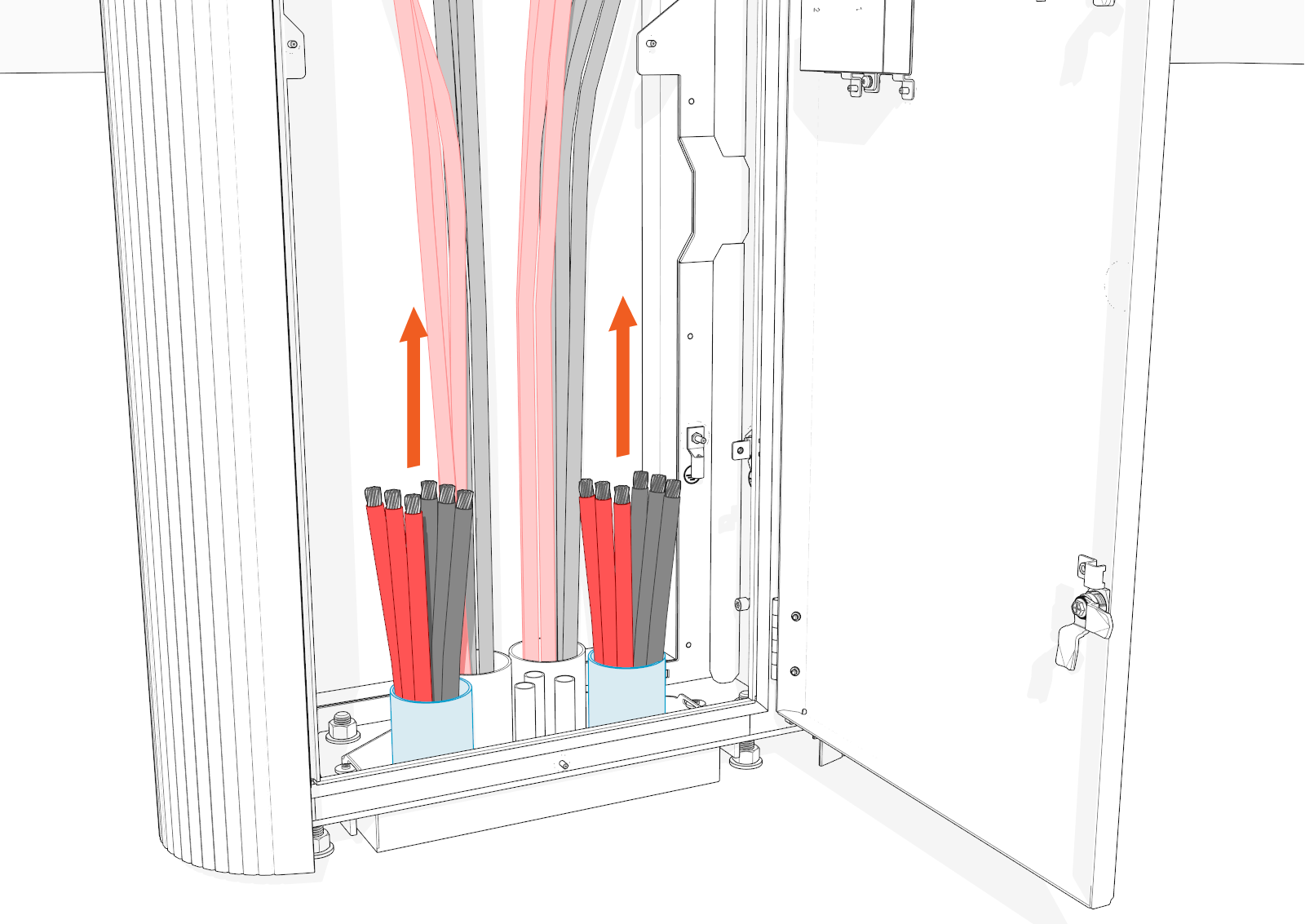
-
Cut the additional length of wires (if pulled) so that their terminals reach up to the lug's barrel height without having to bend them.
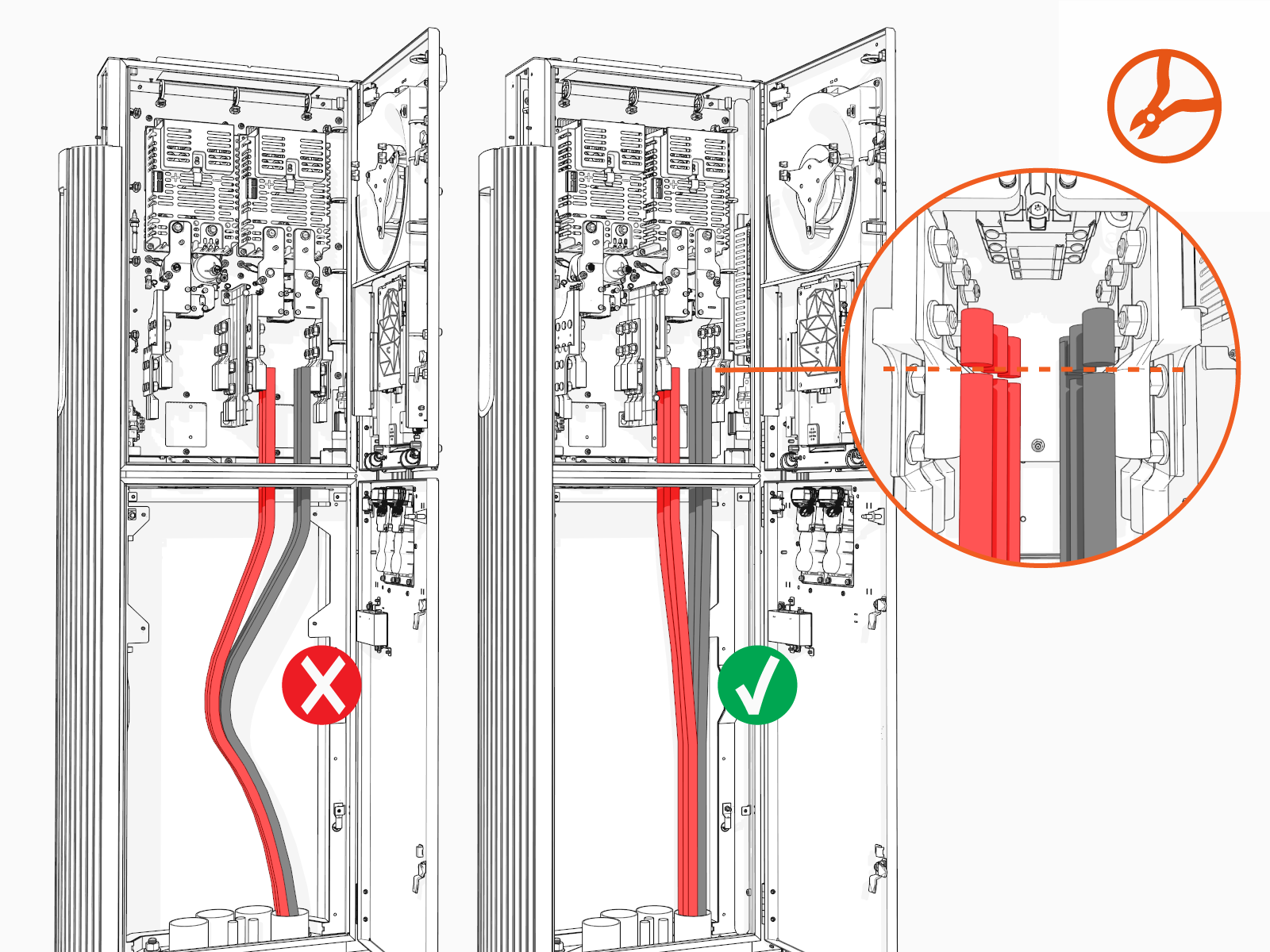
-
Perform insulation resistance test on the HV DC
High Voltage Direct Current wires. Refer to the Express Plus High Voltage Wire Insulation Resistance Test Field Guide.
Connect Wires
To connect wires, complete the following steps:
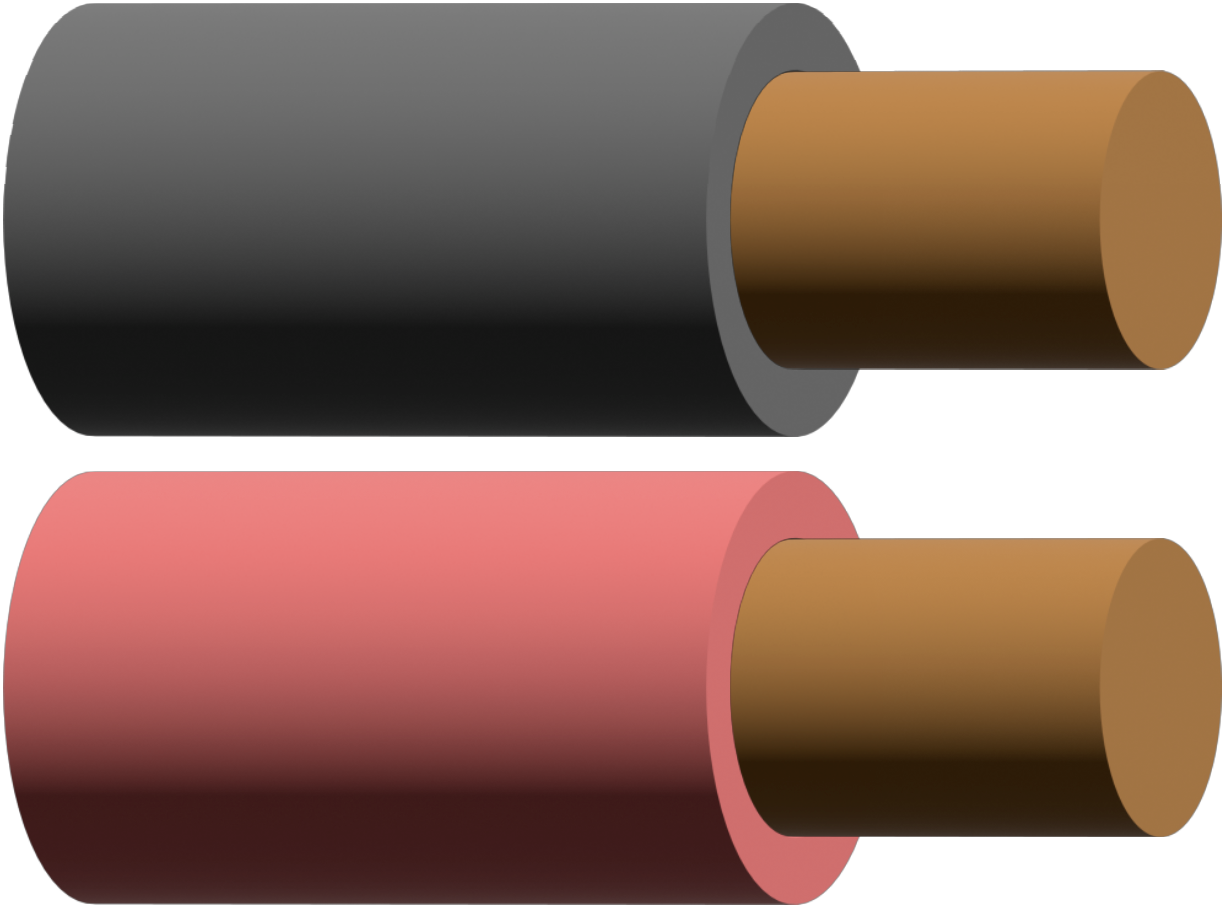
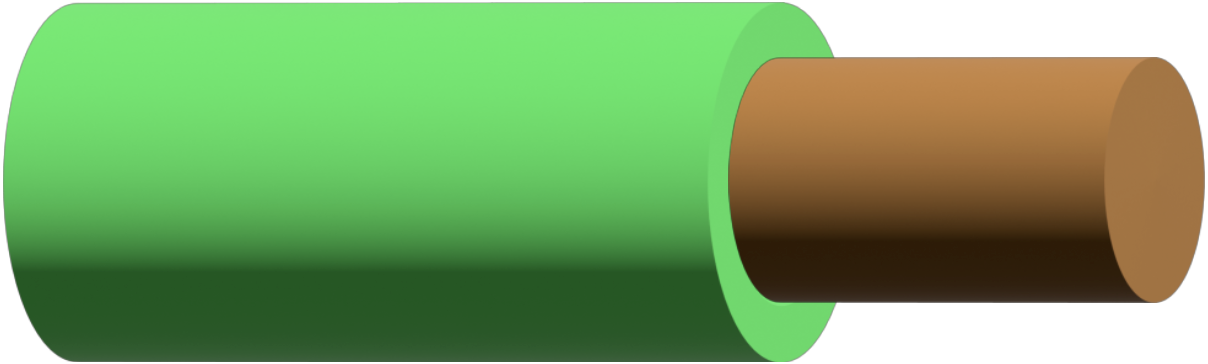
See Wires and Terminations Required for Site for the wire and lug specifications.
|
|
HV DC |
|
|
|
Ground wires (one per Power Block) |
|
|
|
LV DC NOTE: Primary LV DC |
|
|
|
Ethernet cable |

Connect HV DC Input and Ground Wires
To connect HV DC High Voltage Direct Current input and ground wires, complete the steps:
Before you begin, make note of the following:
-
See Connect Wires for the wire landing locations.
-
Make sure no bare conductor is exposed below the lug's barrel. If necessary, heat shrink or tape the exposed area to meet the local code requirements.
-
Wipe off any remains of wire pulling lubricant if applied.
Prepare Wires
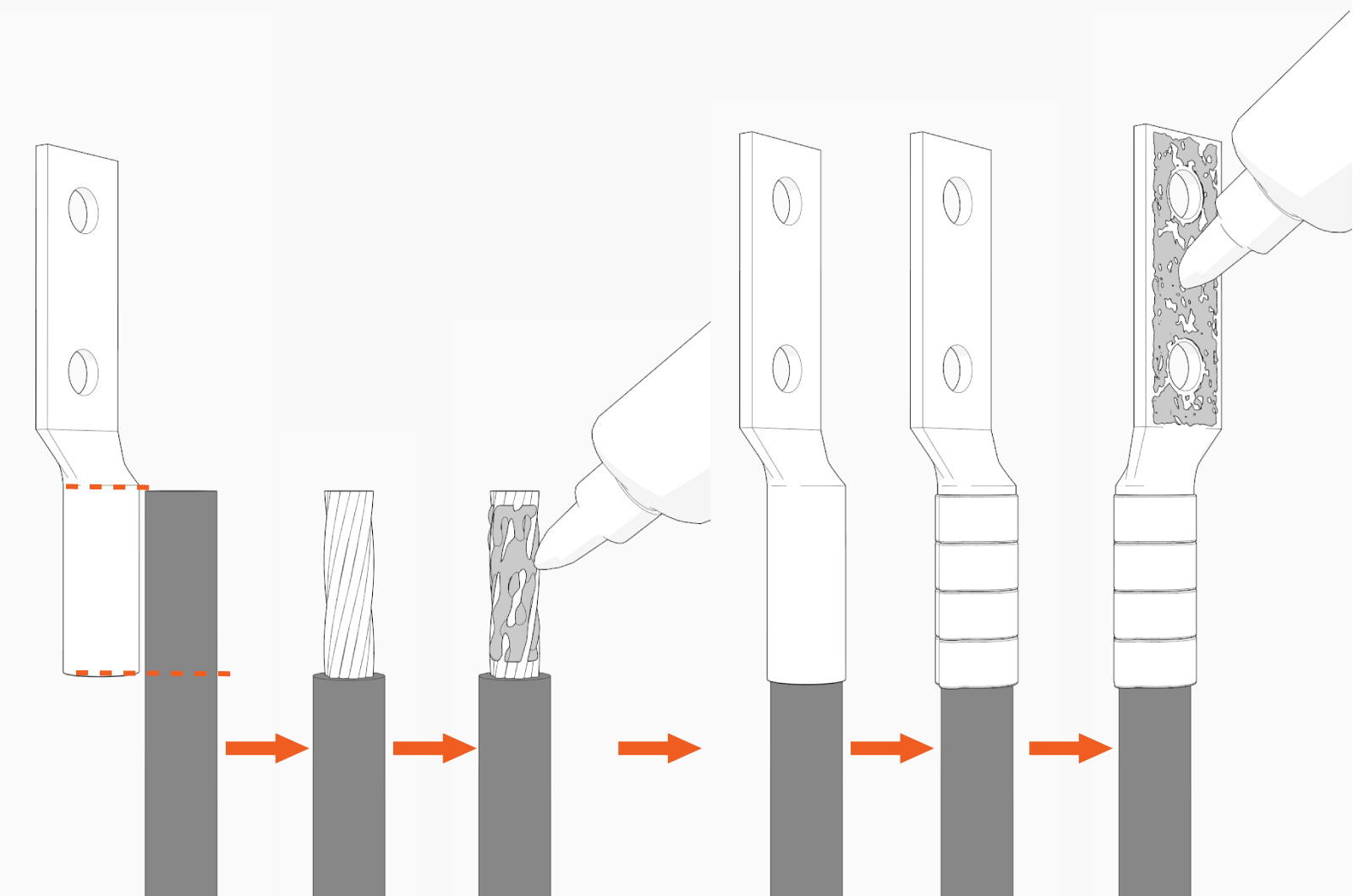
-
Mark the lug's barrel height on the wire terminal.
-
Strip the jacket on the marked terminal. Use a suitable wire stripper, such as Klein tool.
-
If recommended by the wire manufacturer or local code, apply an anti-oxidant joint compound to the stripped wire material to make a gastight joint with the lug.
-
Insert the stripped terminal into the lug's barrel and crimp it. Use a suitable lug crimping tool and/or die recommended by the lug manufacturer.
-
Apply dielectric grease to the lug's tongue surface that comes in contact with the bus bars.
Connect Wires
-
Remove lug nuts (see Connect Wires for the wire landing locations).
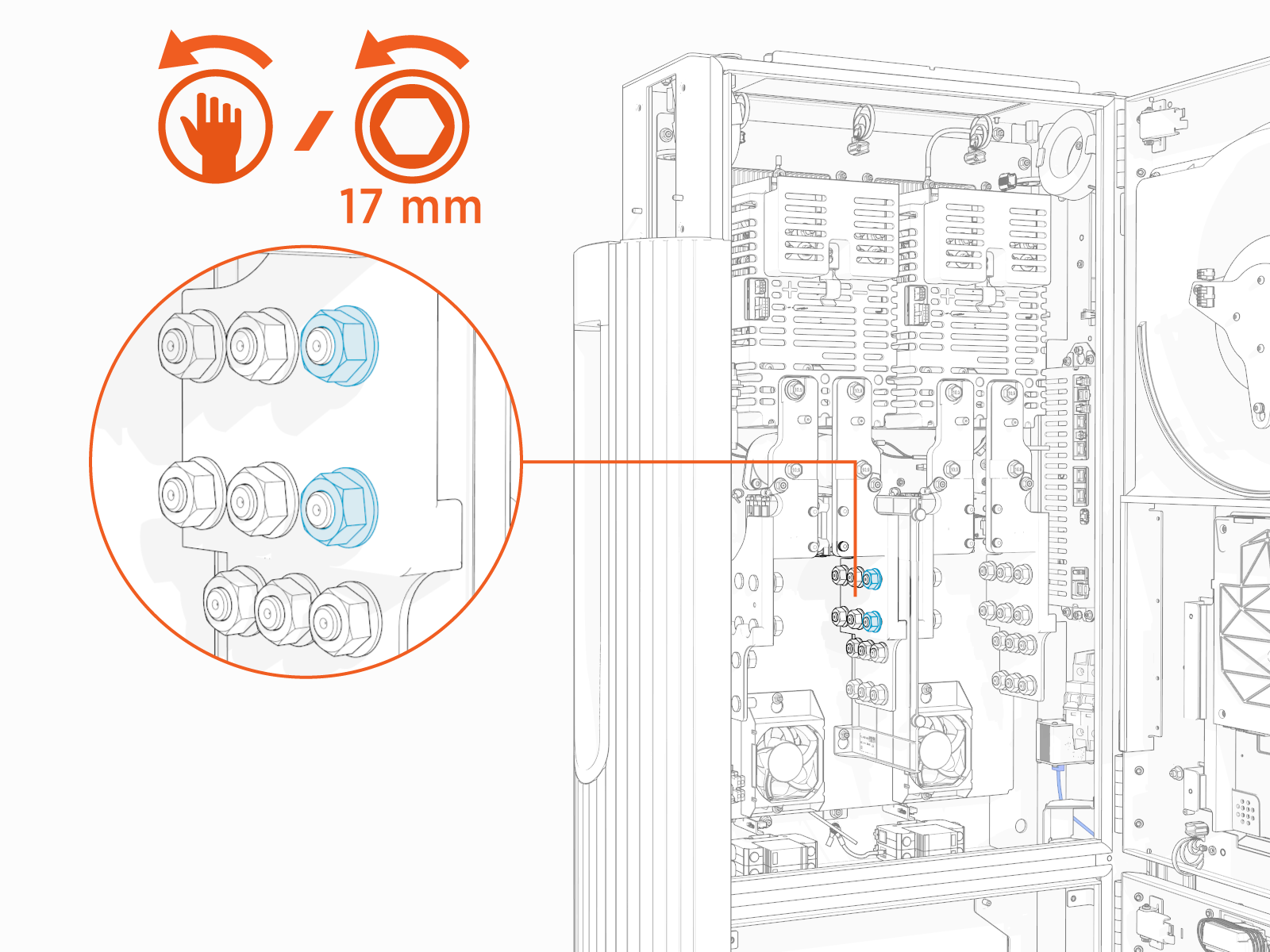
-
Install the prepared wire onto the studs (see Prepare Wires).
When connecting the HV DC
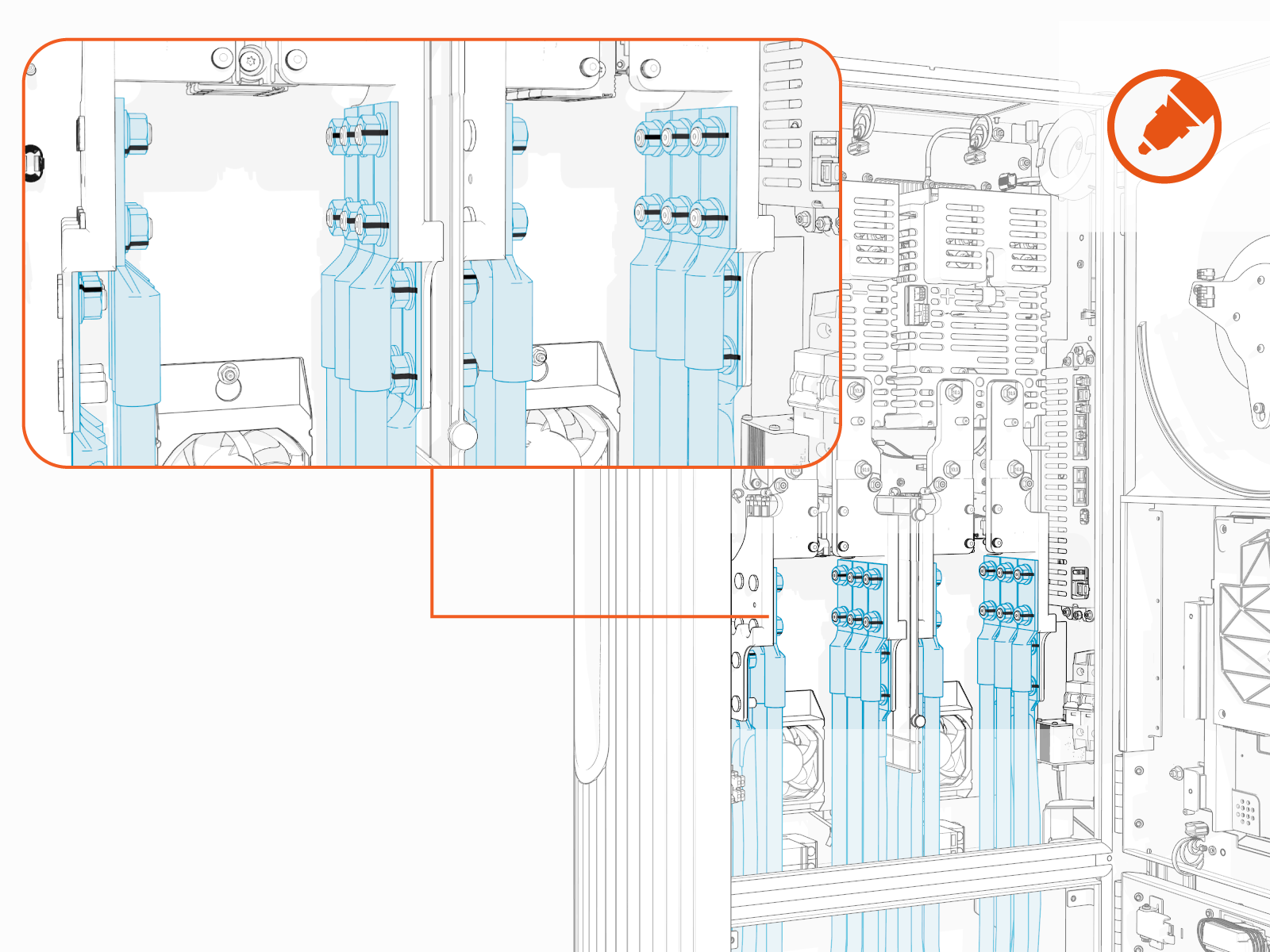
High Voltage Direct Current input wires, install the red (+) wire's lug onto the bus bars' positive (+) pole and black (-) wire's lug onto the bus bars' negative (-) pole.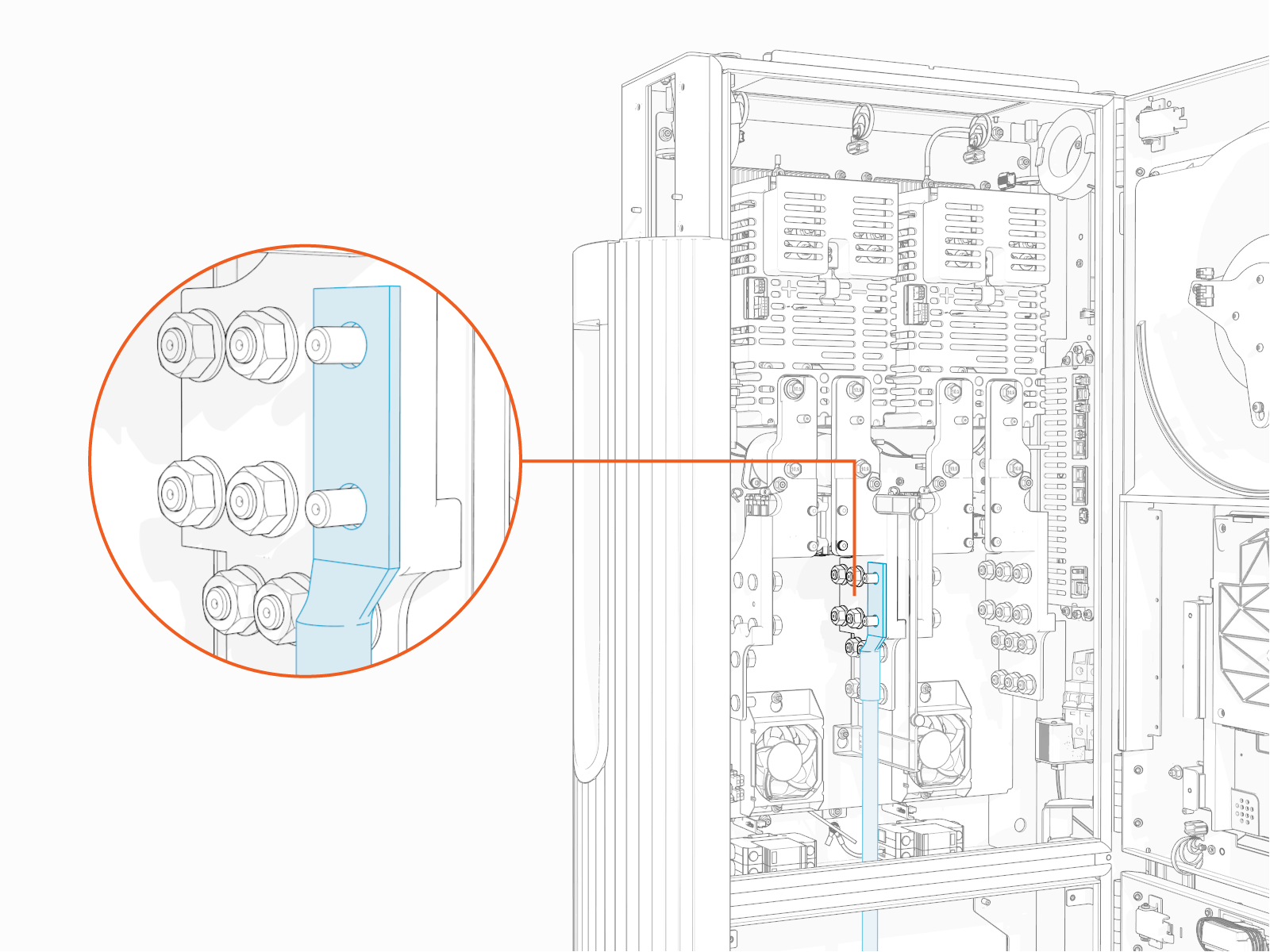
-
Reinstall the lug nuts and torque them.
Torque the HV DC
High Voltage Direct Current input wire lug nuts to 19 Nm (14 ft-lb) (use 17 mm socket) and ground wire lug nuts to 5.6 Nm (50 in-lb) (use 10 mm socket).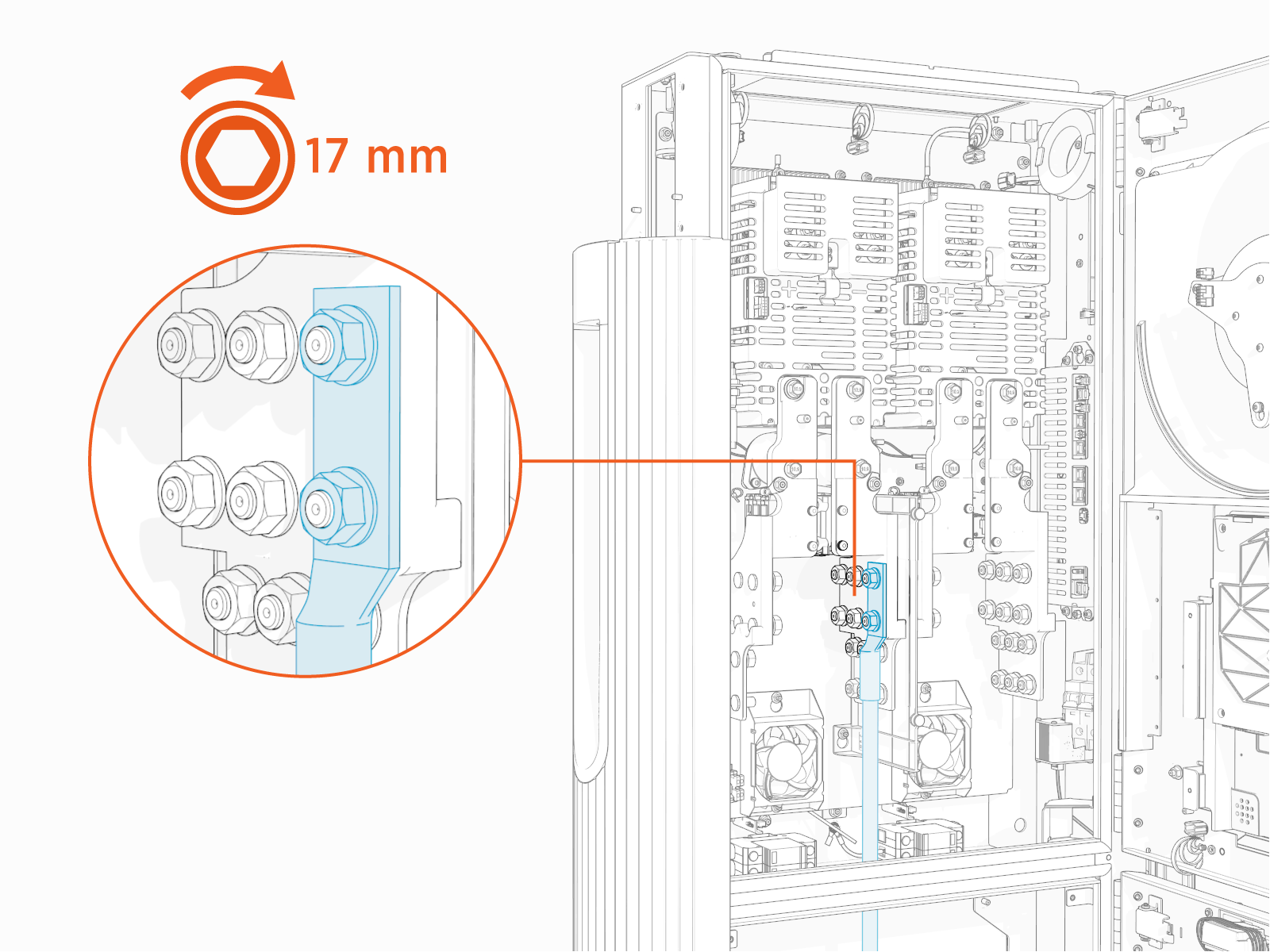
-
Repeat for other wires.
-
Mark all torqued connections to ensure all lug nuts have been tightened. This is also for inspection purposes.
-
Repeat the above steps for ground wires.
Connect LV DC Input Wires
To connect LV DC Low Voltage Direct Current input wires, complete the following steps:
-
Strip the jacket on the wire terminals (x2).
If the wire terminals do not appear as pictured here, you are using the wrong installation guide. See About This Guide for more information.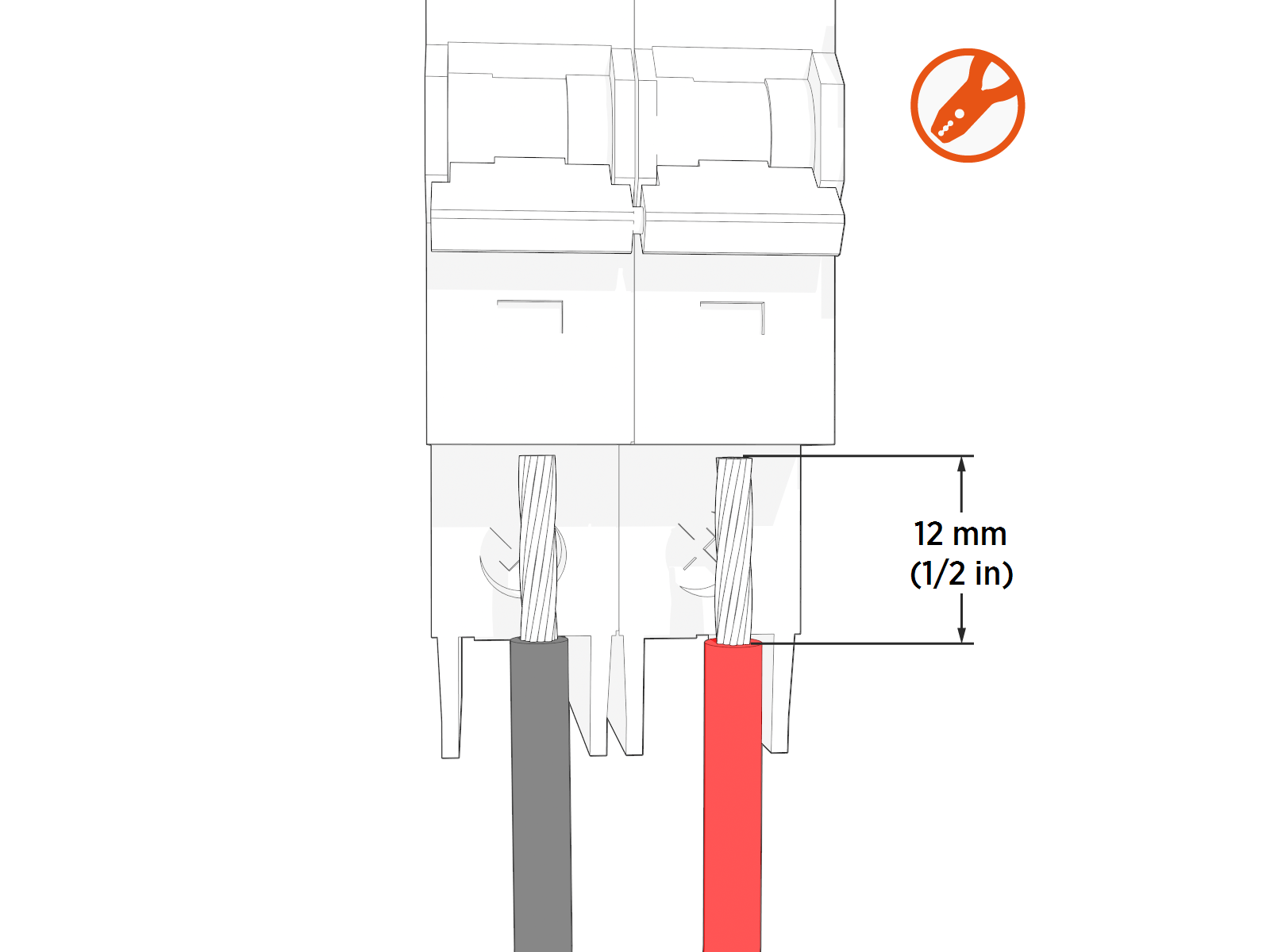
-
Loosen the terminal screws (x2).
-
Route wires (x2) through the wireway clamps (if necessary use cable ties) and insert them into the LV
Low Voltage circuit breaker (red (+) into right and black (-) into left terminal).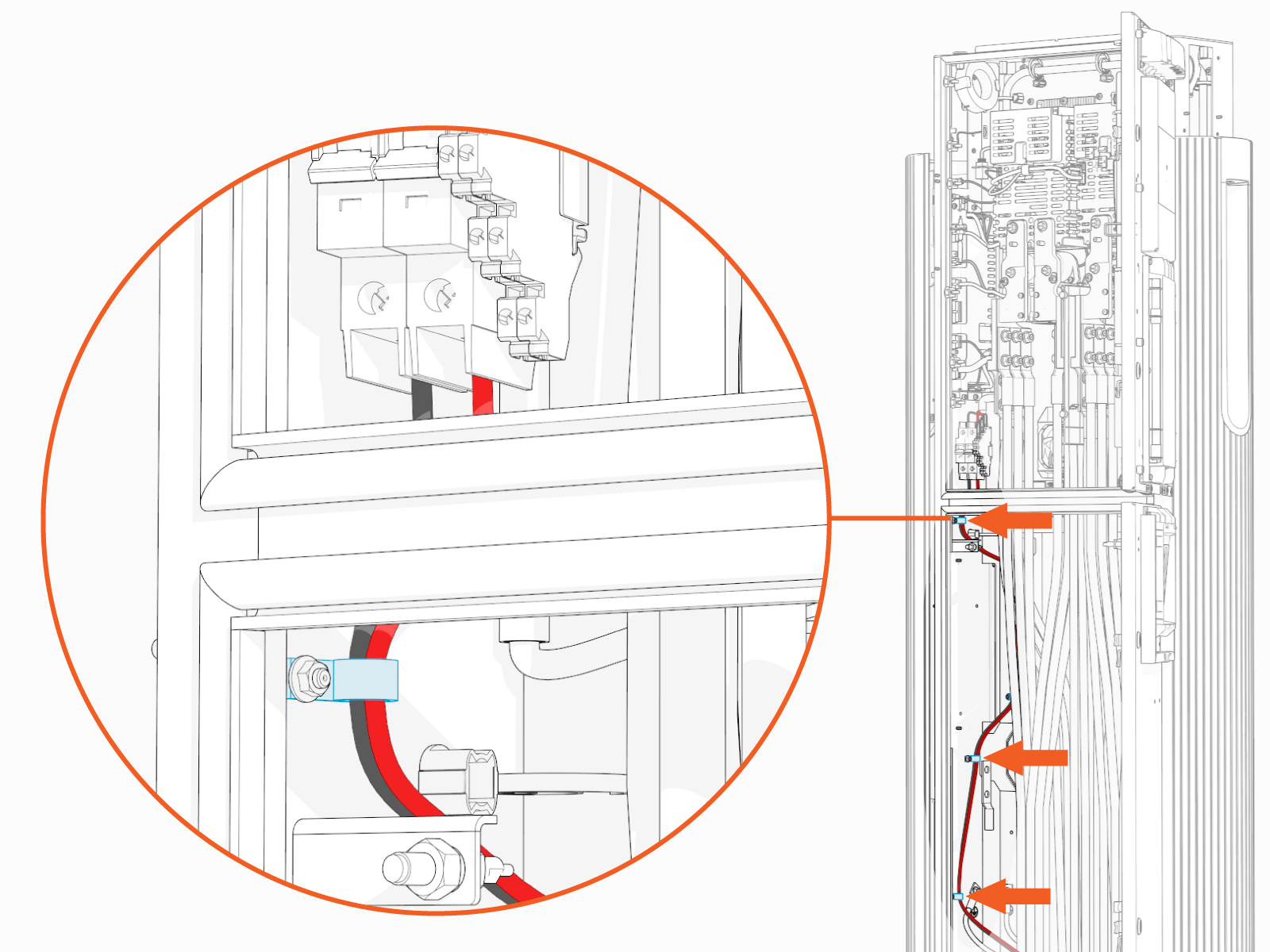
-
Torque the screws (x2) to 4 Nm (36 in-lb). Push-pull to test that both (+ and -) wires are secured.
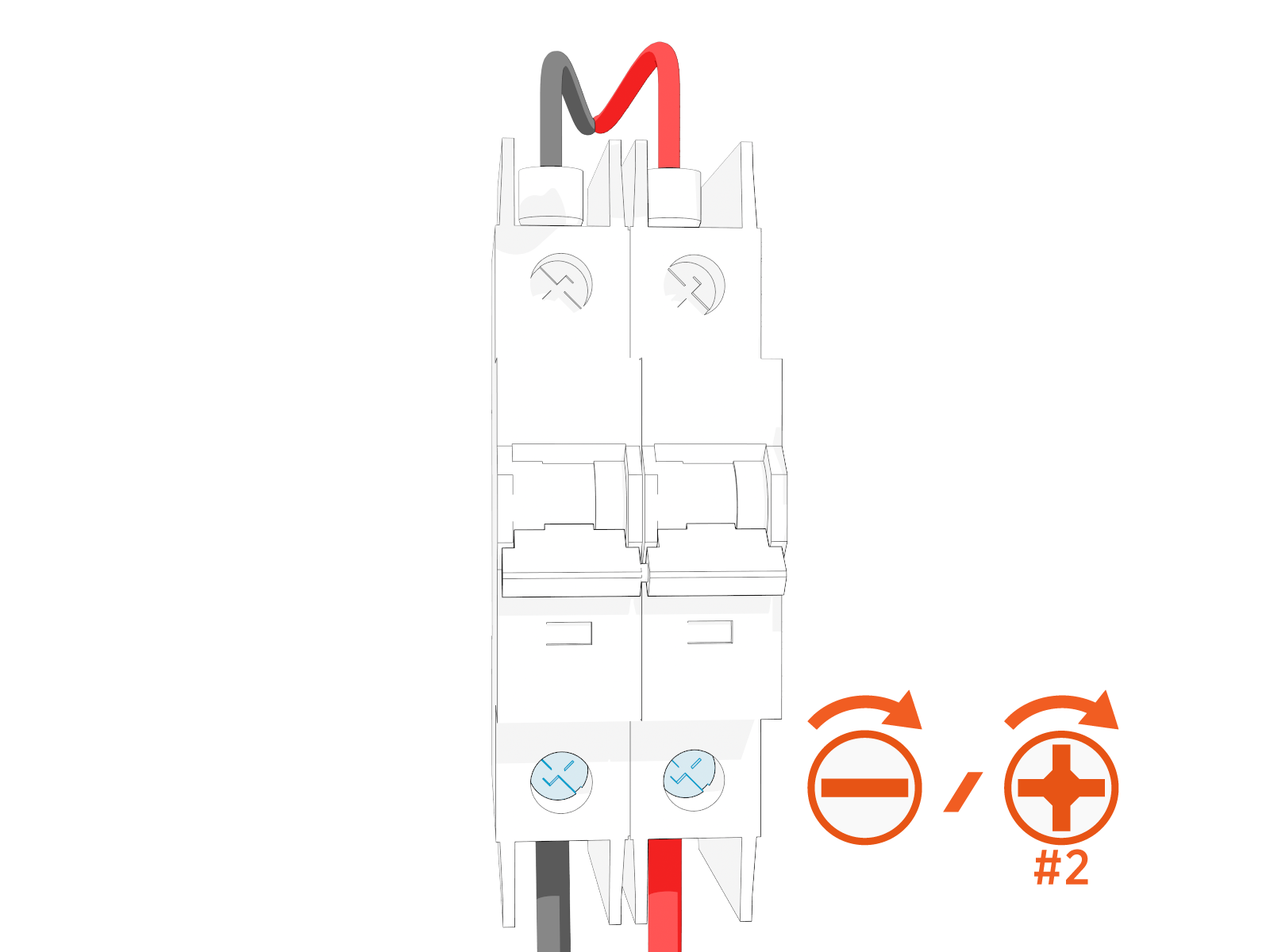
-
Flip the switches (x2) up to turn the LV
Low Voltage power supply on.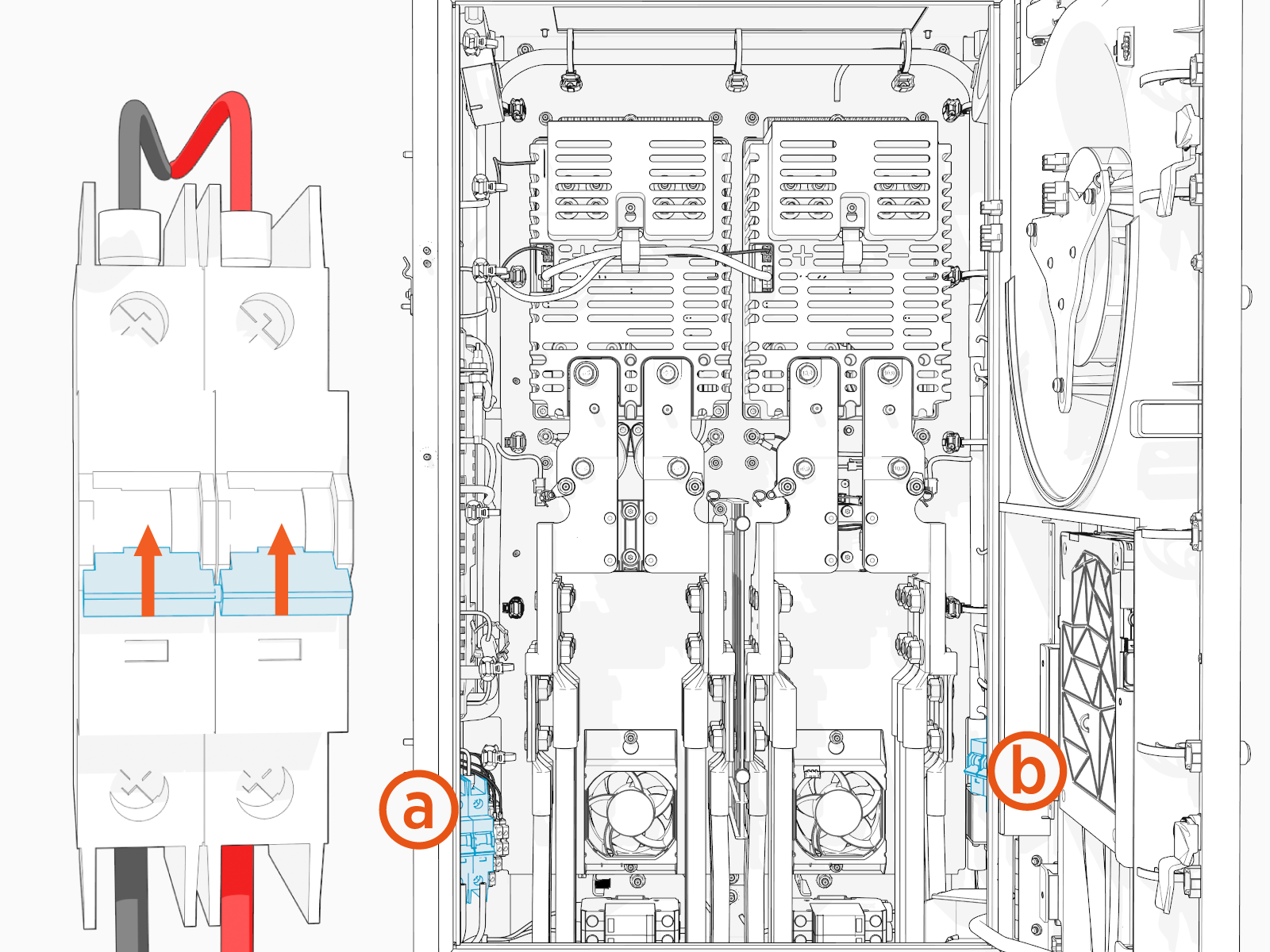
-
Primary LV
Low Voltage circuit breaker -
Secondary LV
Low Voltage circuit breaker (if present)
-
Connect Ethernet Cable
To connect the Ethernet cable, complete the following steps:
-
Trim Ethernet (Cat6 STP
Shielded Twisted Pair) cable to length, allowing for a service loop. -
Field crimp a shielded RJ45 connector onto the Ethernet cable. Use straight-through T568B pattern.
Do not ground the shield at this end of the cable. The cable shield must be grounded only at the cable end terminating at the Power Block.

-
Test the Ethernet cable for functionality.
If using a Paige OSP Shielded GameChanger cable for a wire run length greater than 100 m (328 ft), follow the test procedure specified by Paige. See Paige GameChanger Resources.

-
Route the cable through the wireway clamps and connect to the Ethernet surge suppressor. To establish a secure connection, the RJ45 connector's latch must click into the Ethernet surge suppressor.
If the wire terminals do not appear as pictured here, you are using the wrong installation guide. See About This Guide for more information.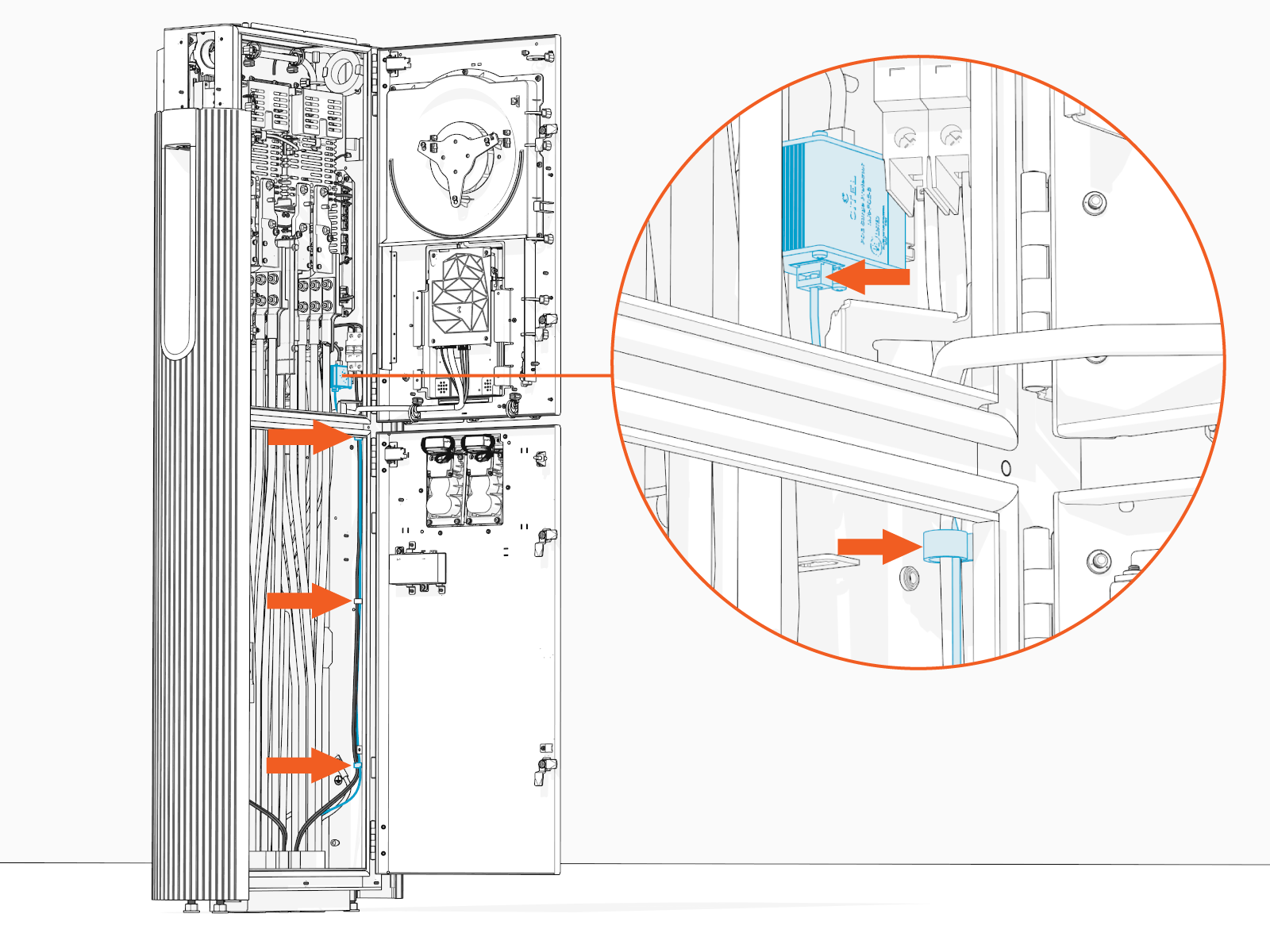
Install Ethernet to USB Kit
If the site plan indicates the Power Link 2000 must be configured with a hardwire Ethernet connection to a network server, follow procedures in this section to install the Ethernet to USB Universal Serial Bus Kit and the hardwire connection.
Mount Ethernet to USB Module
To mount the Ethernet to USB Universal Serial Bus module, complete the following steps:
-
Unpack the Ethernet to USB
Universal Serial Bus Kit. Confirm all parts listed below are present.For any missing component, contact chargepoint.com/support.

-
Ethernet to USB
Universal Serial Bus module -
M5 star washer nuts (x2)
-
Zip ties (x5)
-
USB
Universal Serial Bus 3.0 Type B to Type C cable
-
-
Locate a grounding stud on the Power Link 2000 frame.
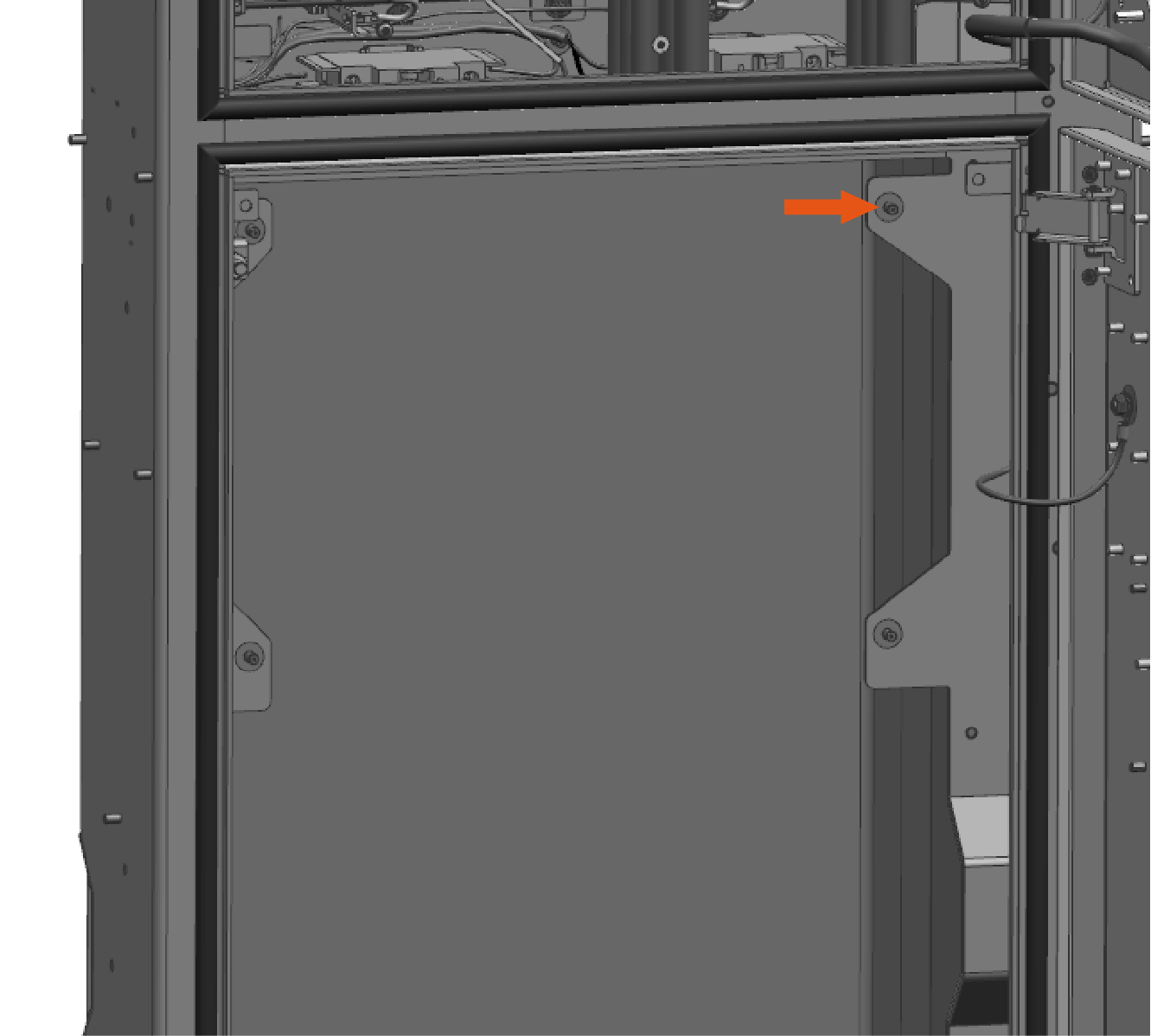
-
Install one of the provided M5 star washer nuts partially onto the stud. Thread the nut only halfway onto the stud.
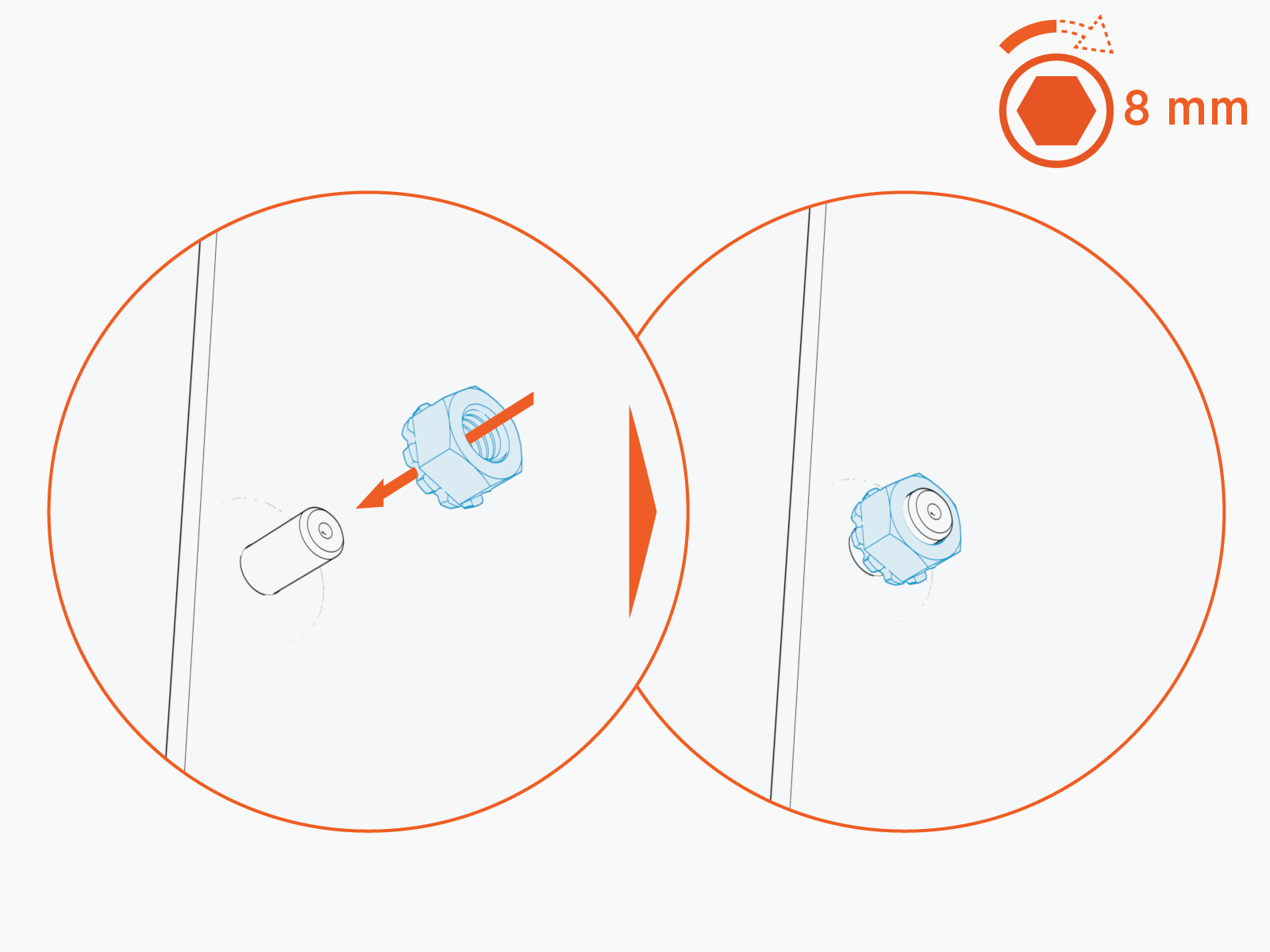
-
Mount the Ethernet to USB
Universal Serial Bus module onto the stud. Slide the module down to secure the keyhole tab to the stud.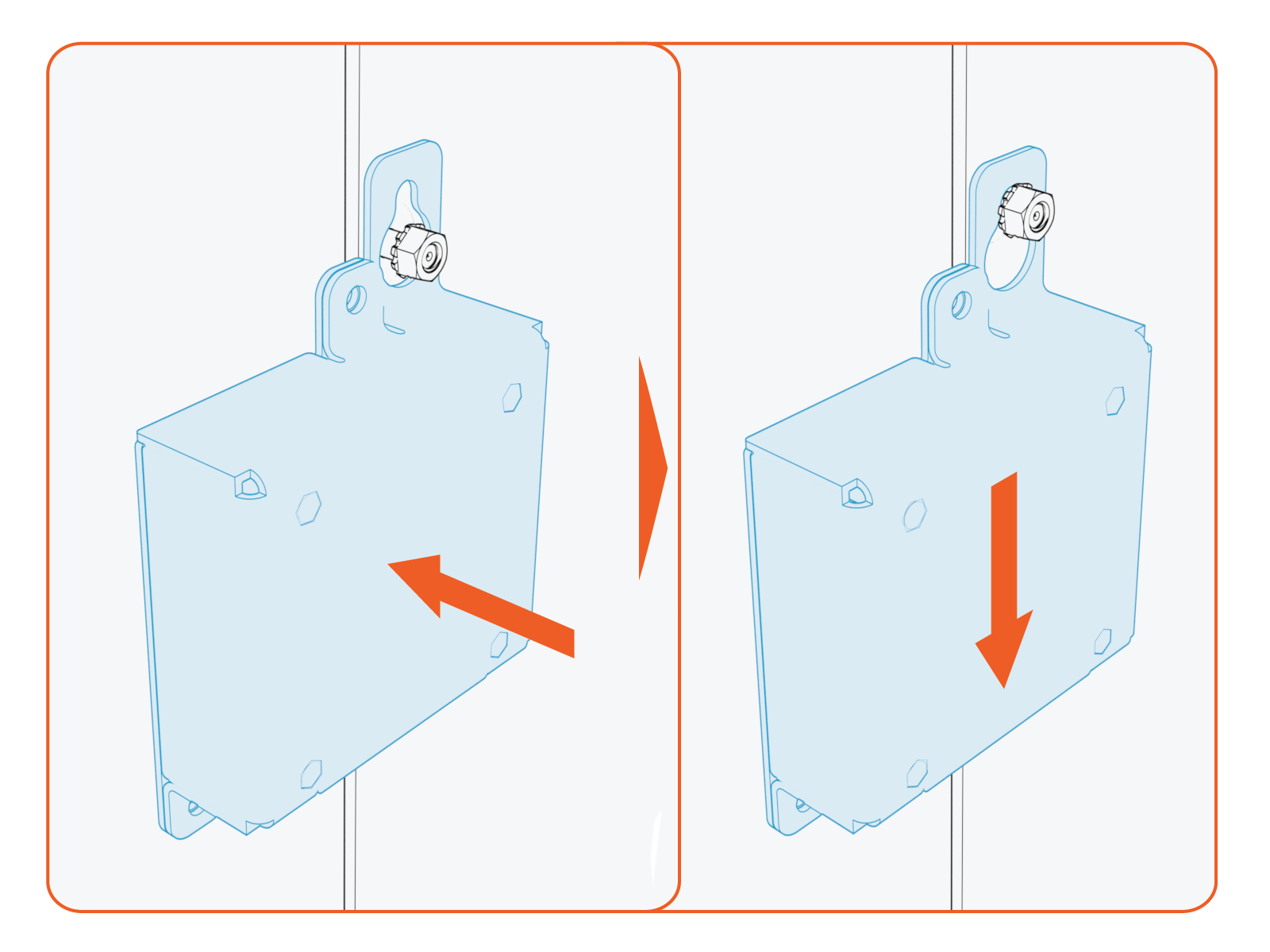
-
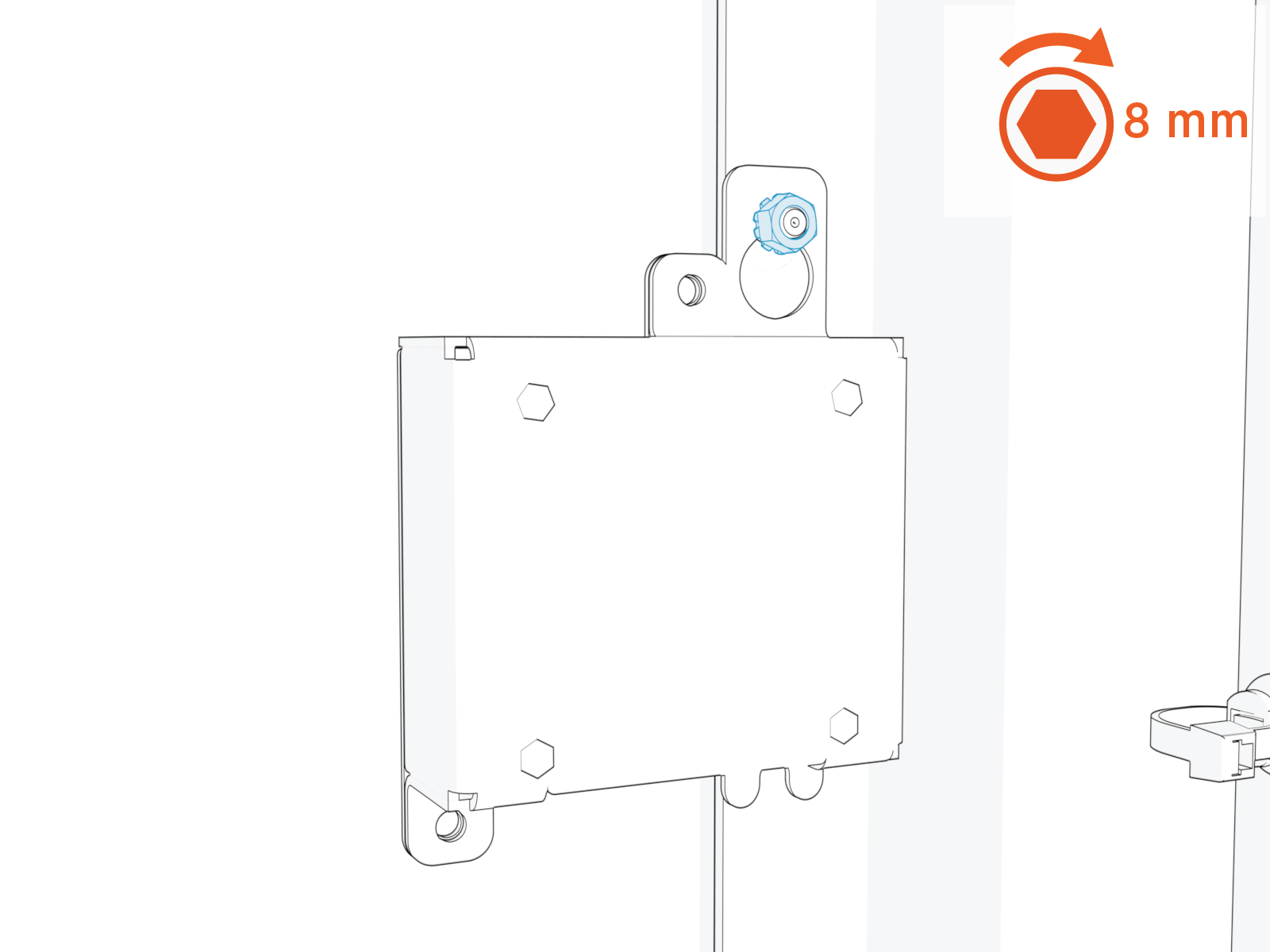
Torque the nut to 4.5 Nm (40 in-lb).
-
Plug the USB
Universal Serial Bus-B end of the USB Universal Serial Bus cable into the module.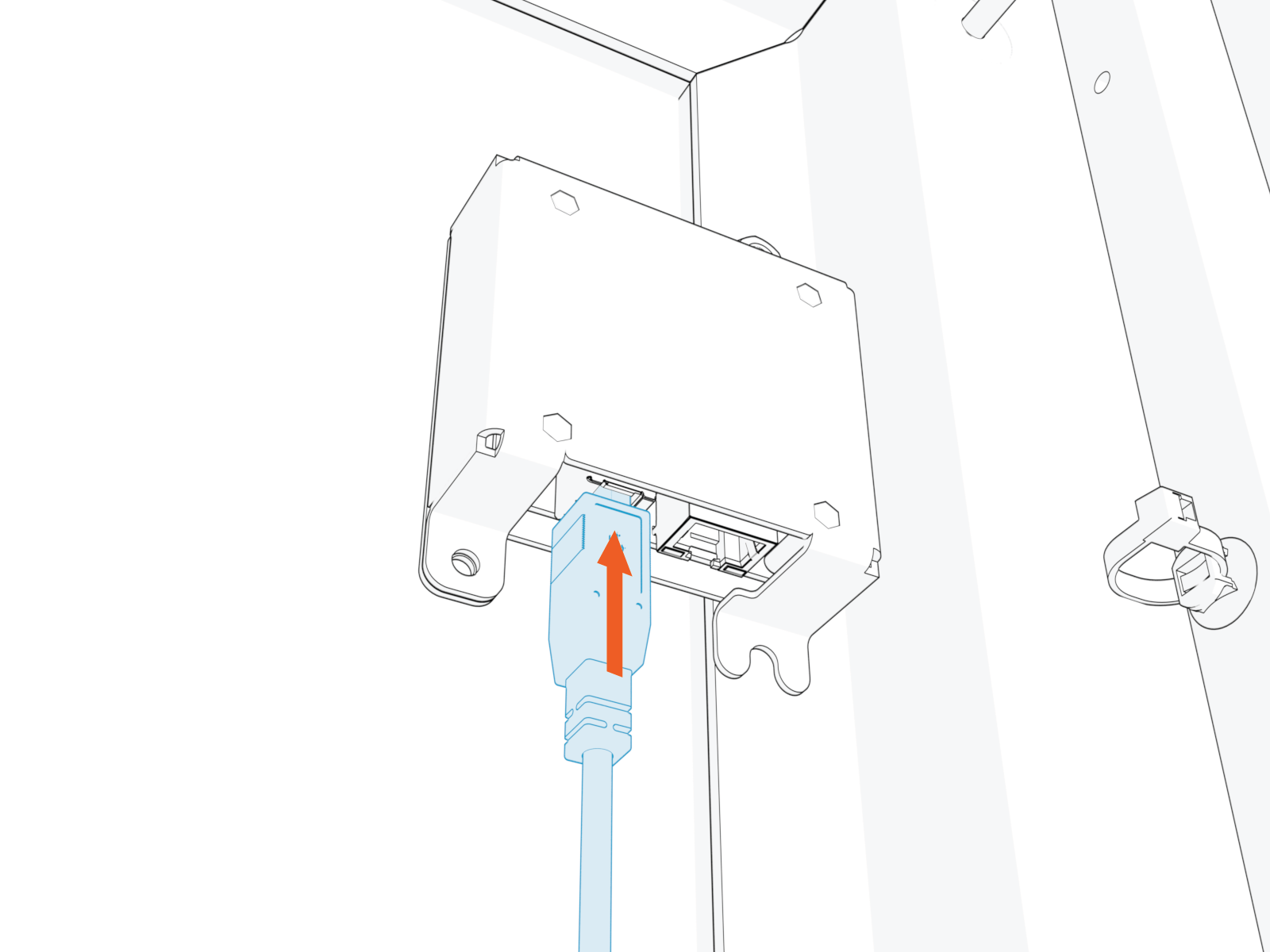
-
Route the cable through the door cable guide and along the main cable harness to the Control and Communication Module (CCOM
Control and Communications Module) located on the upper front door.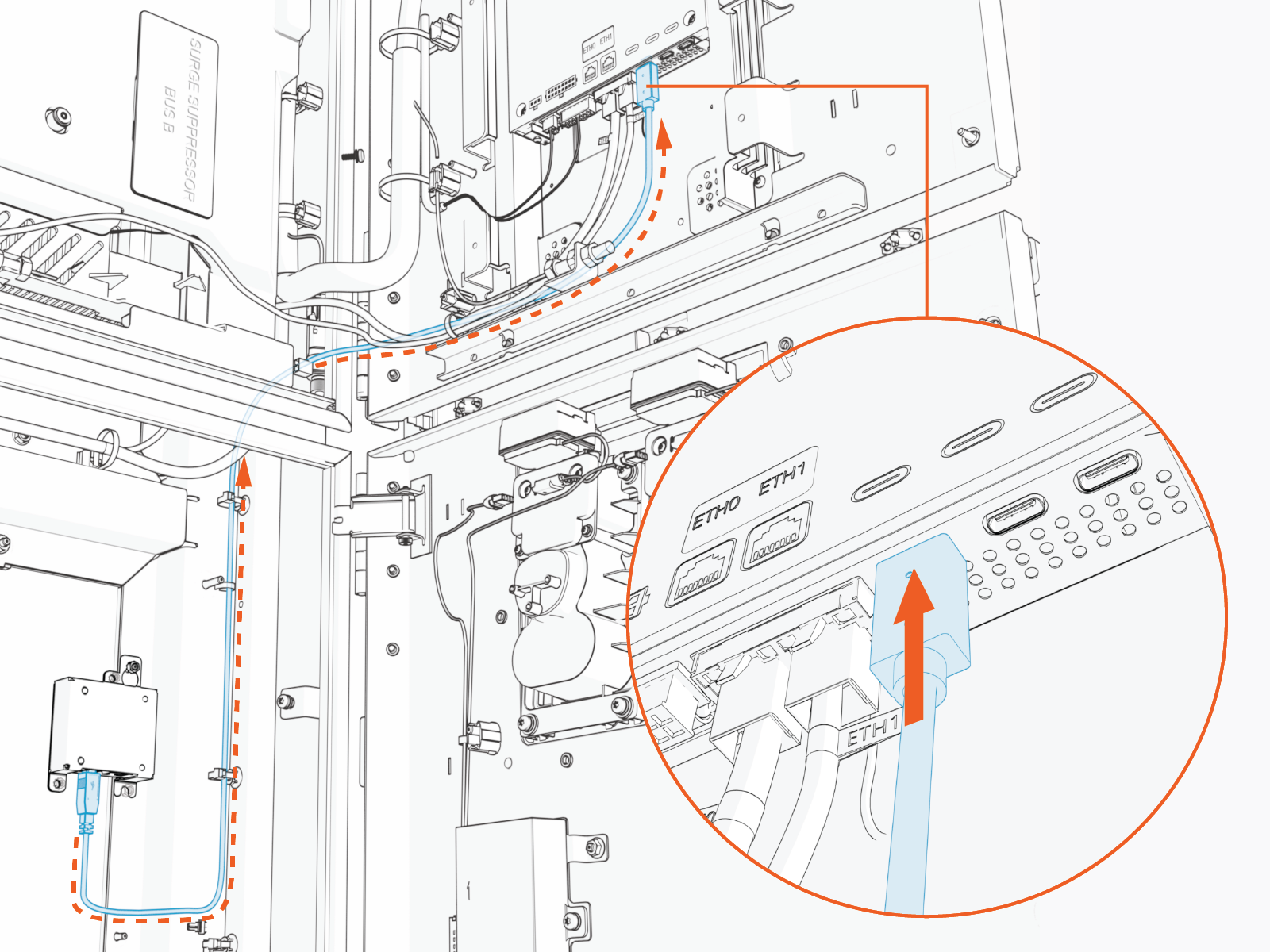
-
Connect the cable to the CCOM
Control and Communications Module. -
Connection to 8-inch CCOM
Control and Communications Module
-
Connection to 15-inch CCOM
Control and Communications Module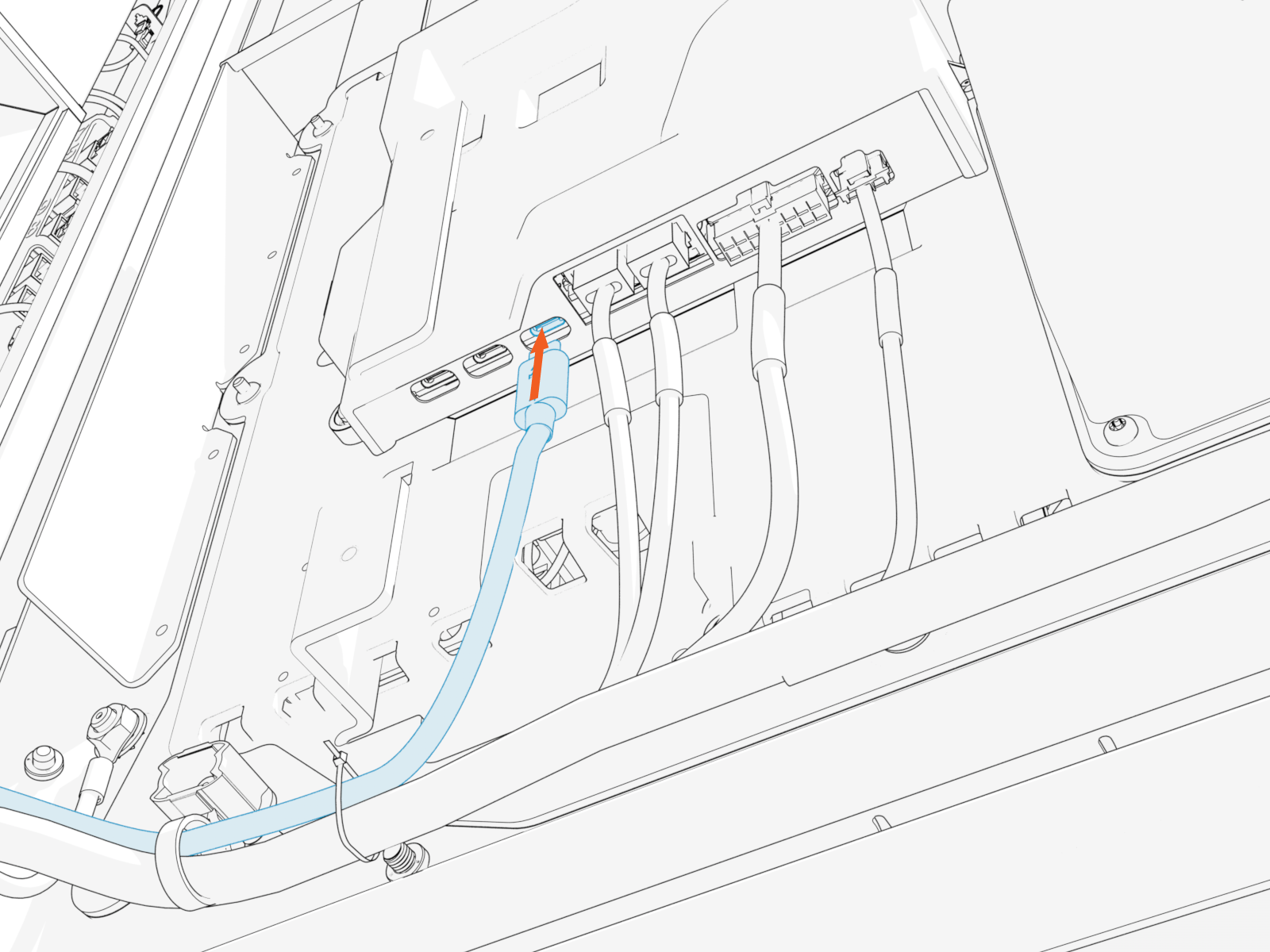
-
-
Secure the USB
Universal Serial Bus cable to the existing cable tie guides.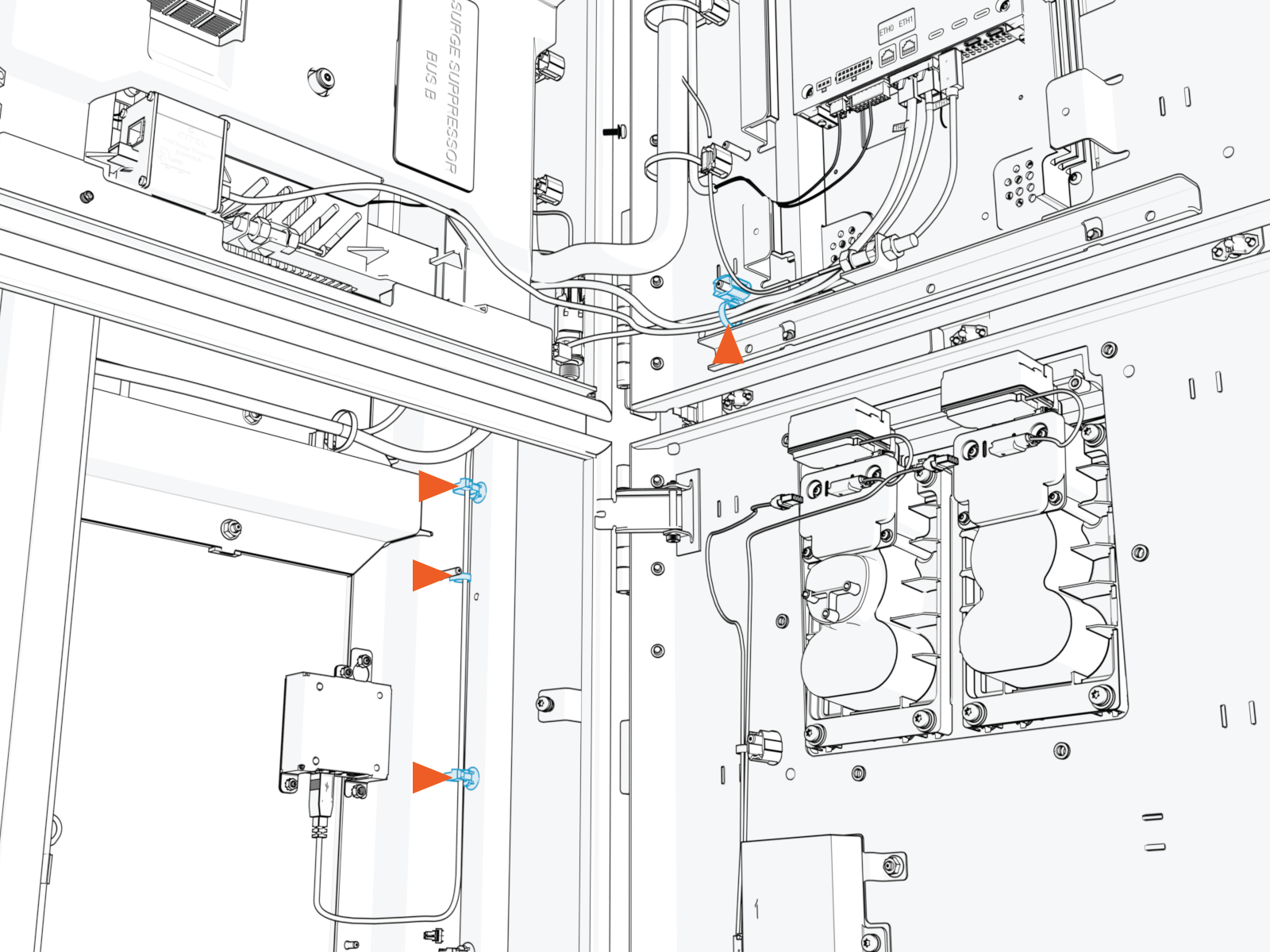
-
If needed, use the provided zip ties to secure the USB
Universal Serial Bus cable to the main cable harness.-
Ensure the door can open and close without pinching or pulling of any cables.
-
Ensure the USB
Universal Serial Bus cable does not touch the HV DC High Voltage Direct Current wires when the door is closed.
-
Install Ethernet Cable
To install the Ethernet cable, complete the following steps:
-
Pull the hardwire Ethernet cable into the enclosure and route it through existing cable guides to reach the Ethernet to USB
Universal Serial Bus module. Cut to length, allowing for a service loop.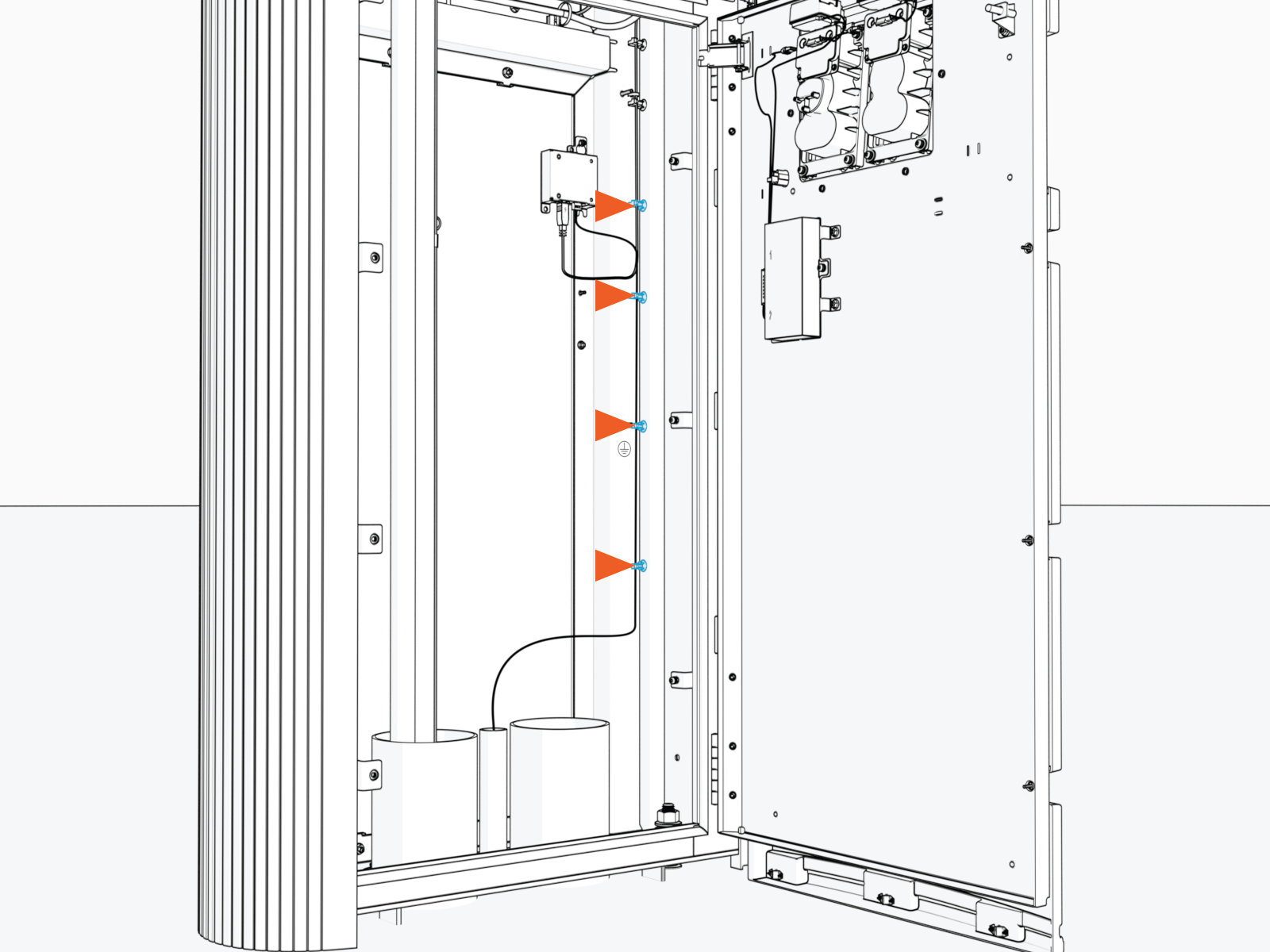
-
Field crimp an RJ45 connector onto the Ethernet cable. Use straight-through T568B pattern.
Do not ground the shield at this end of the Ethernet cable. Ground the shield at the end of the Ethernet cable that connects to the network server.
-
Test the Ethernet cable for functionality.
If using a Paige OSP Shielded GameChanger cable for a wire run length greater than 100 m (328 ft), follow the test procedure specified by Paige. See Paige GameChanger Resources.
-
Connect the Ethernet cable to the Ethernet to USB
Universal Serial Bus module.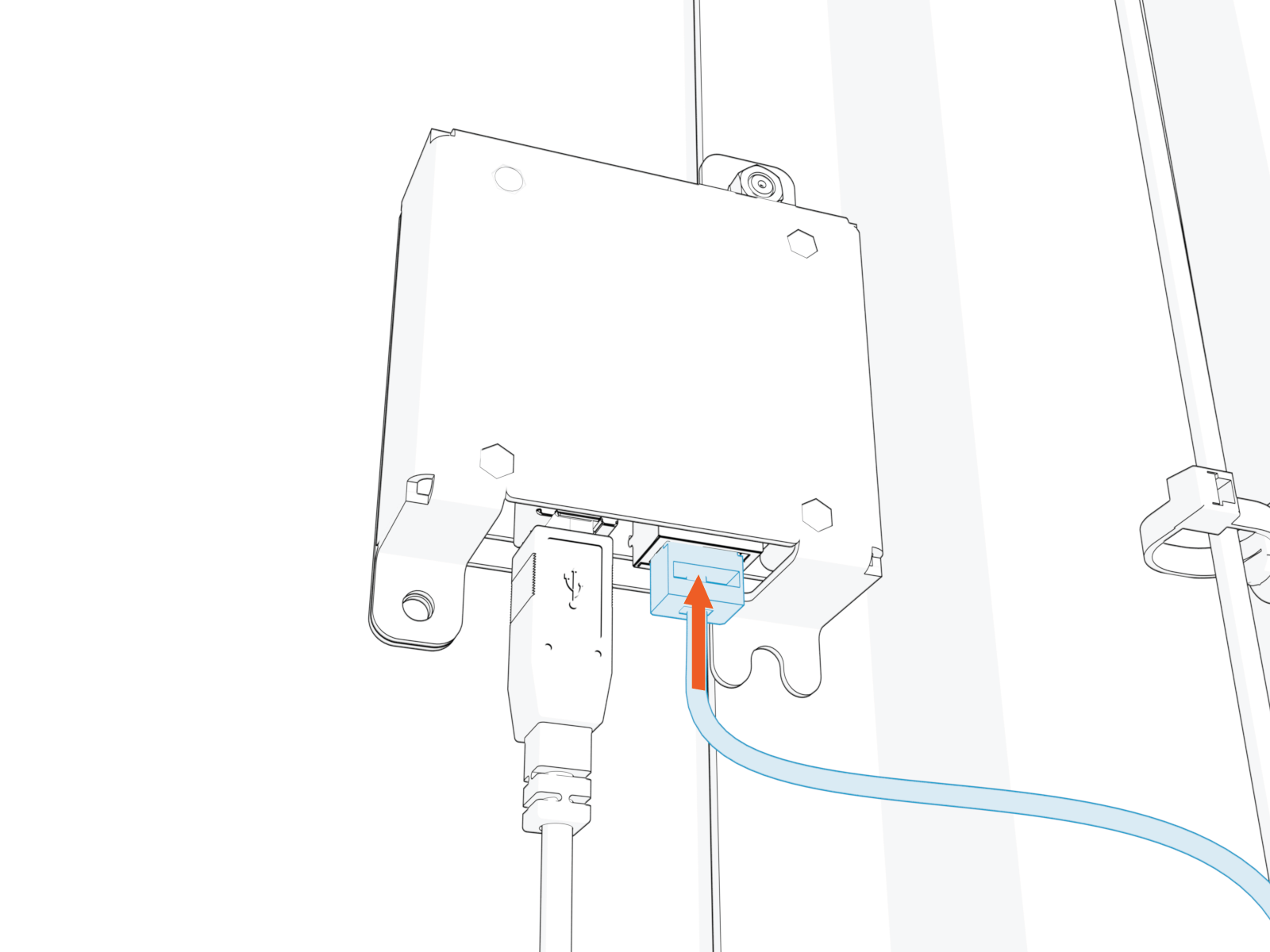
-
Route and plug the other end of the Ethernet cable into the network server.
Seal Conduit Opening
To seal the conduit opening, complete the following steps:
-
Find the duct seal compound shipped with the Power Link 2000 (see Power Link 2000 Packages).
-
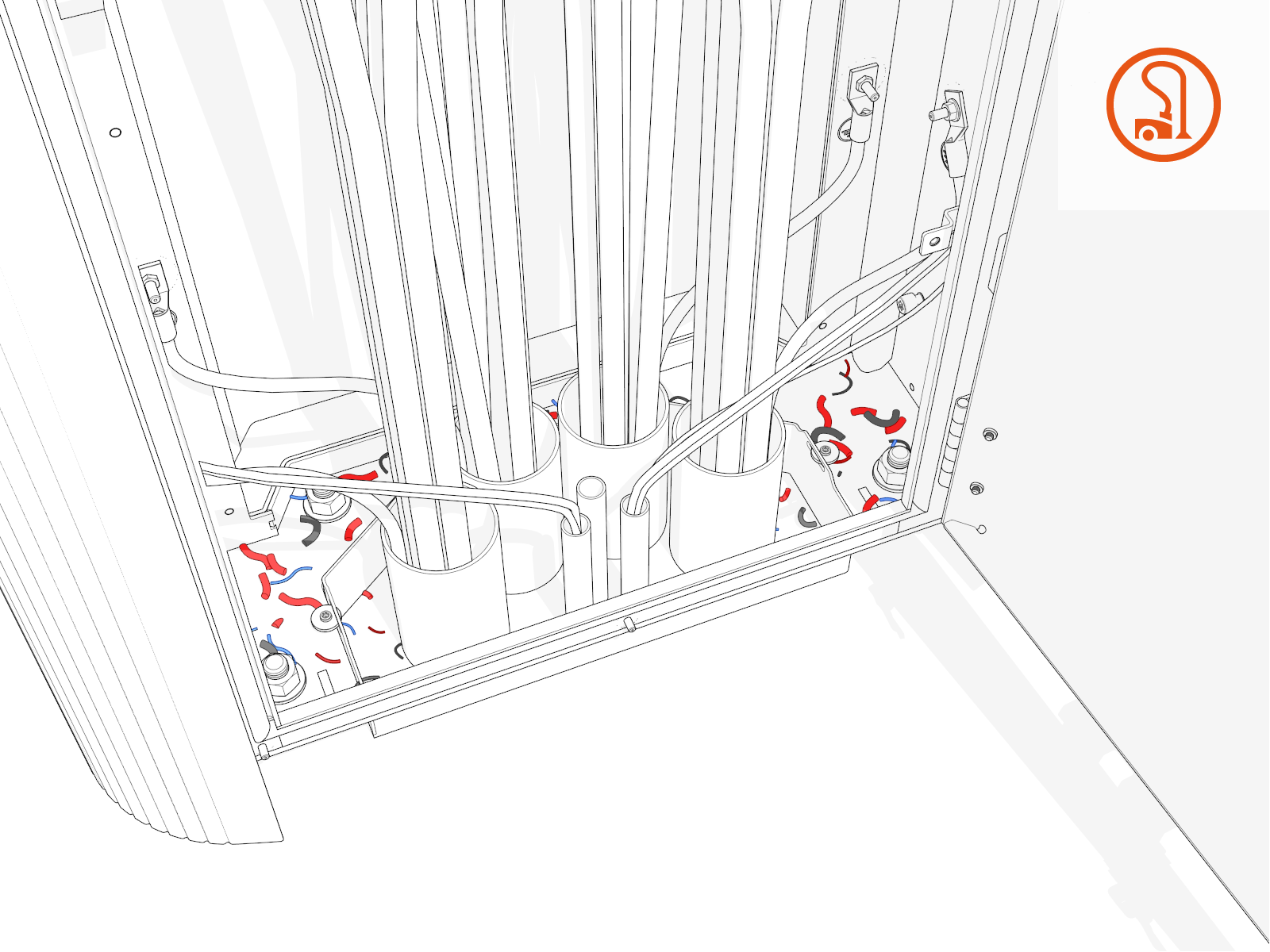
Vacuum any residue around the conduits.
-
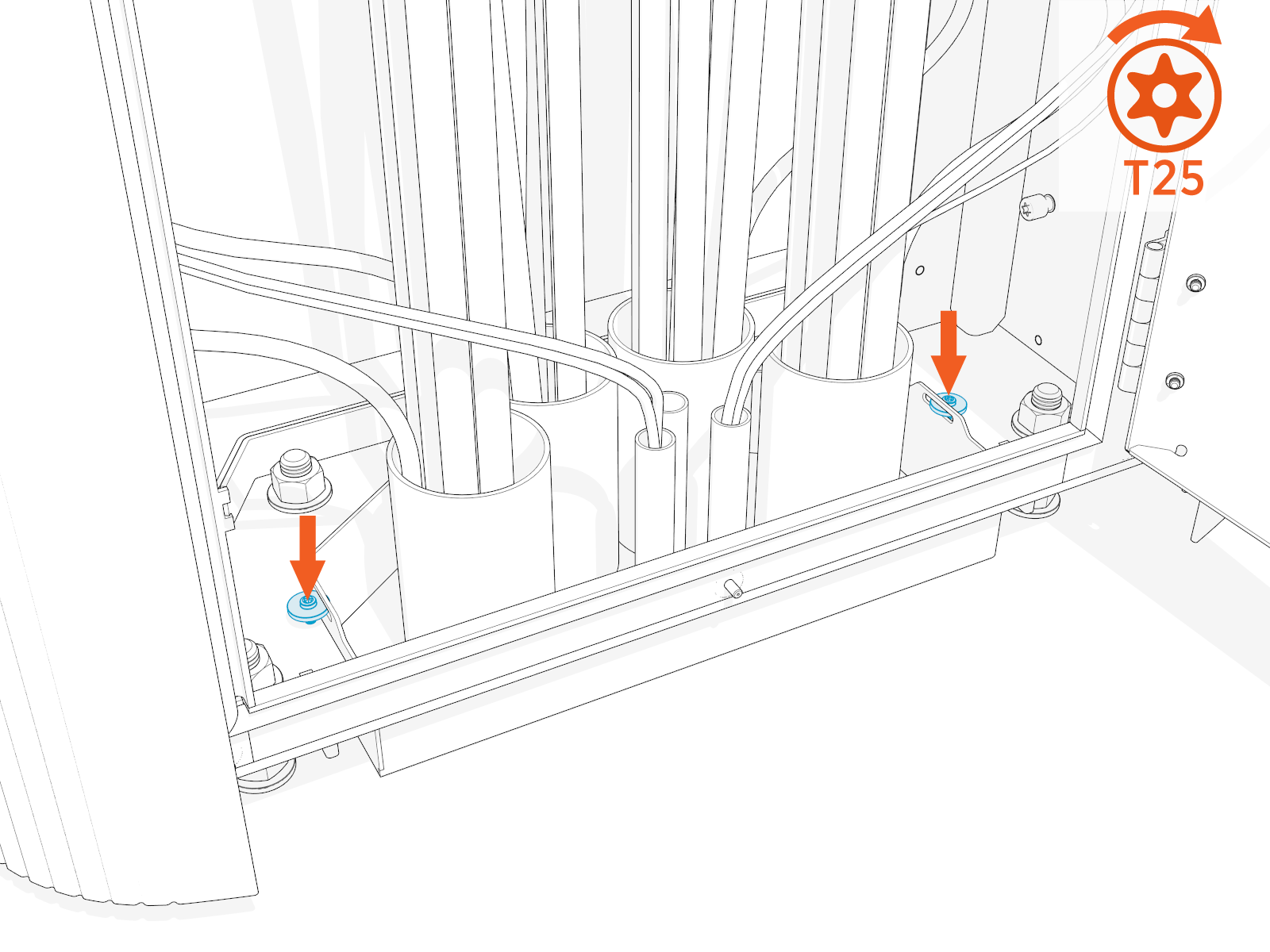
Torque the screws (x2) to 4.5 Nm (40 in-lb). The conduit sleeve must enclose the conduit opening space.
-
Use the duct seal compound and seal the space between the conduit sleeve and the bottom of the Power Link 2000 enclosure.