Appendix: Install the USB to Ethernet Module
Install the USB Universal Serial Bus to Ethernet module to enable the CP6000 charging station to connect to a local Ethernet network for LAN Local Area Network based data communication.
The module has a USB Universal Serial Bus port connector on one end to plug into the USB Universal Serial Bus port of the CP6000 charging station and a RJ45 Ethernet port on the other end to connect an Ethernet cable.
Important Considerations
The Network Readiness Guide available at ChargePoint Product Reference Documentation is the authoritative source for all site qualification, cable specifications, network requirements, and pre-install checks.
The IT administrator must complete the Site Qualification Form (Ethernet or Wi-Fi Wireless Fidelity) from Network Readiness Guide available at ChargePoint Product Reference Documentation prior to the deployment of the USB Universal Serial Bus to Ethernet Module or Wi-Fi Wireless Fidelity.
The station owner must complete and return to a ChargePoint representative a completed and signed Site Qualification Form (Ethernet or Wi-Fi Wireless Fidelity) from Network Readiness Guide available at ChargePoint Product Reference Documentation prior to the installation of the USB Universal Serial Bus to Ethernet Module or Wi-Fi Wireless Fidelity.
Install the Module
Complete the following steps to install the USB Universal Serial Bus to Ethernet Module:
-
Cut the zip tie securing the USB
Universal Serial Bus-C cable to the holster frame.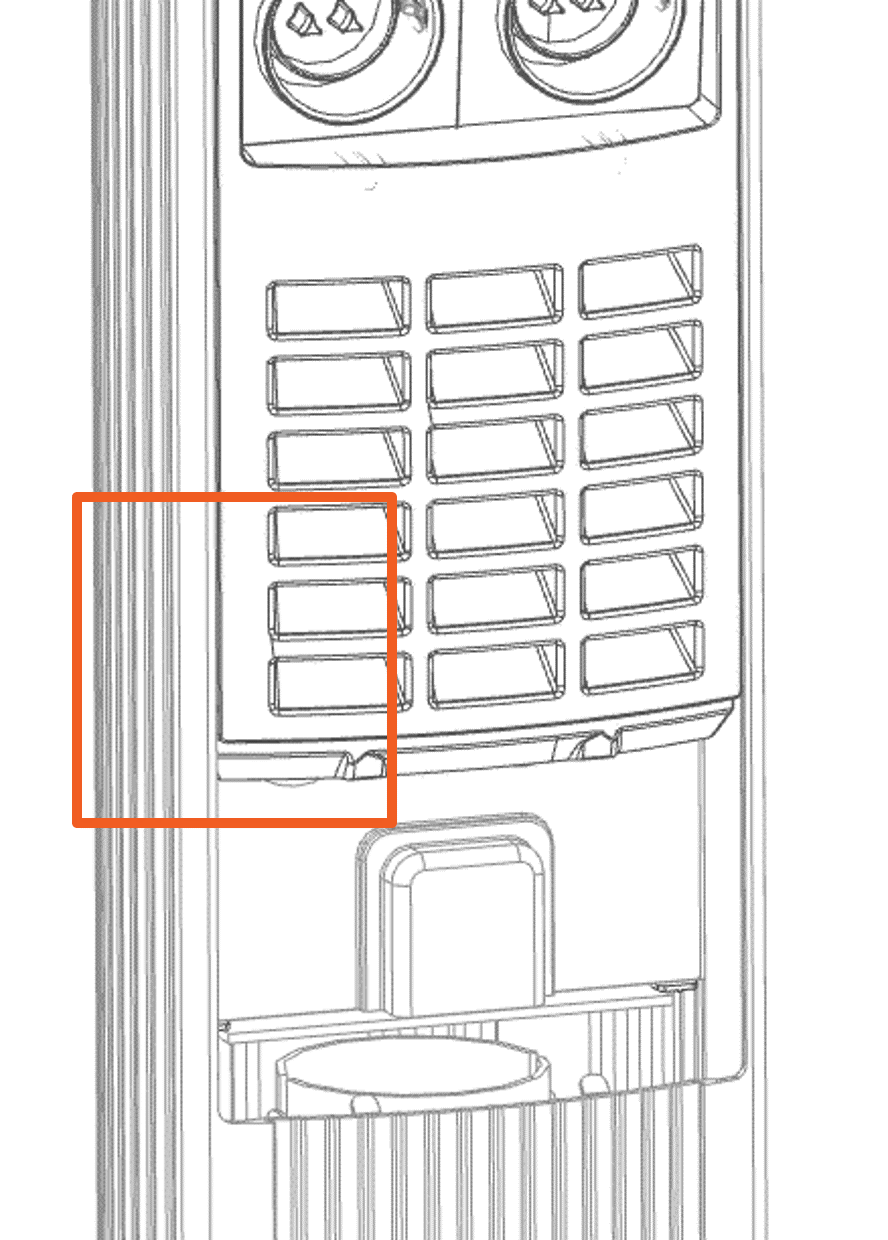

-
Remove the dust cover from the USB
Universal Serial Bus cable and discard it.
-
Install the cables and accessories.
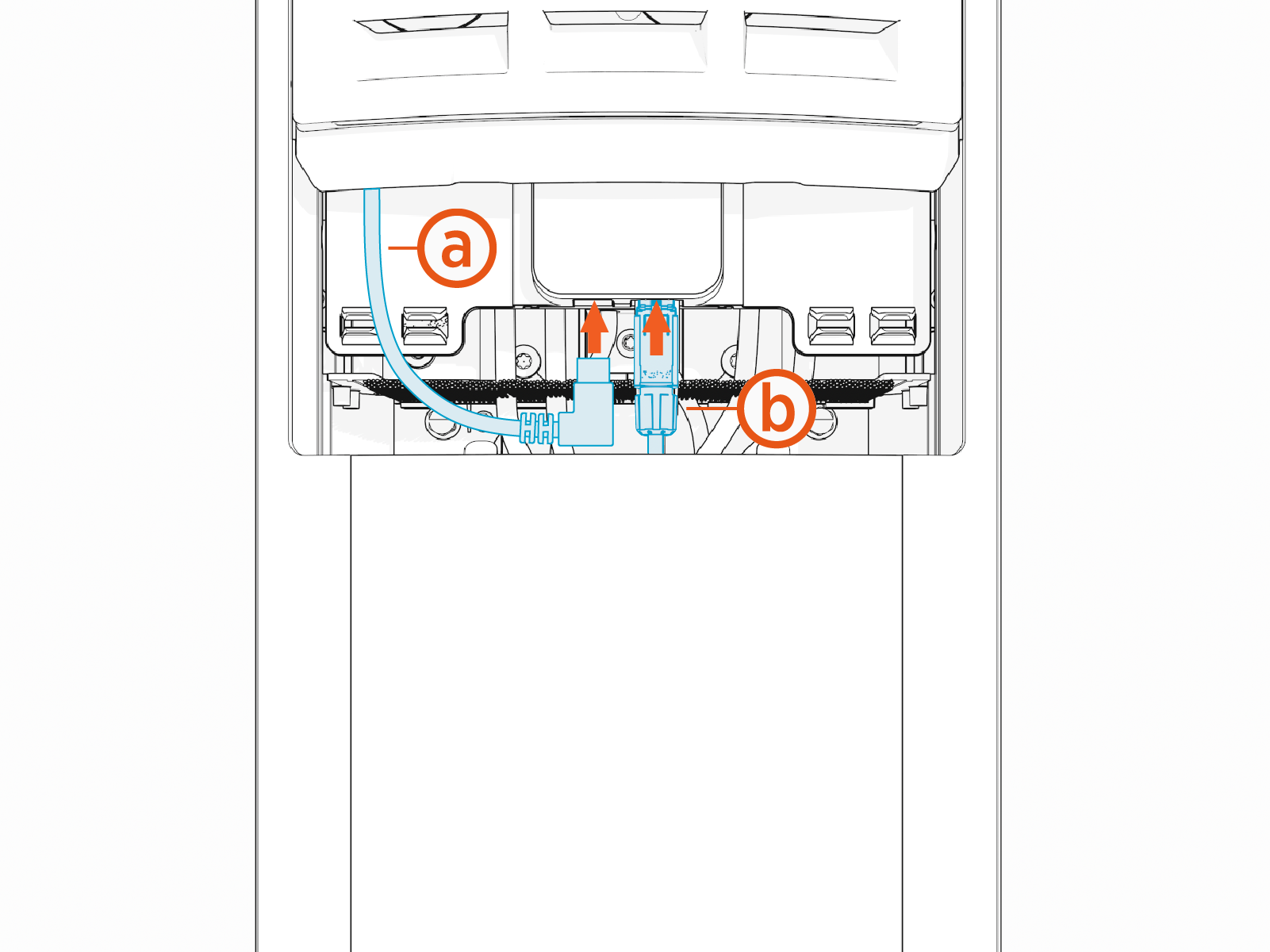
(a) Connect the USB
Universal Serial Bus cable to the Ethernet module.(b) Attach (terminate) the Ethernet connector to the Ethernet cable and then connect the Ethernet cable to the Ethernet module.
