Install a Wall Mount
To install a wall mount, perform the following steps:
Mount the Brackets
To mount the brackets, perform the following steps:
-
Select rear brackets depending on if the station will include a CMK
 Cable Management Kit.
 -
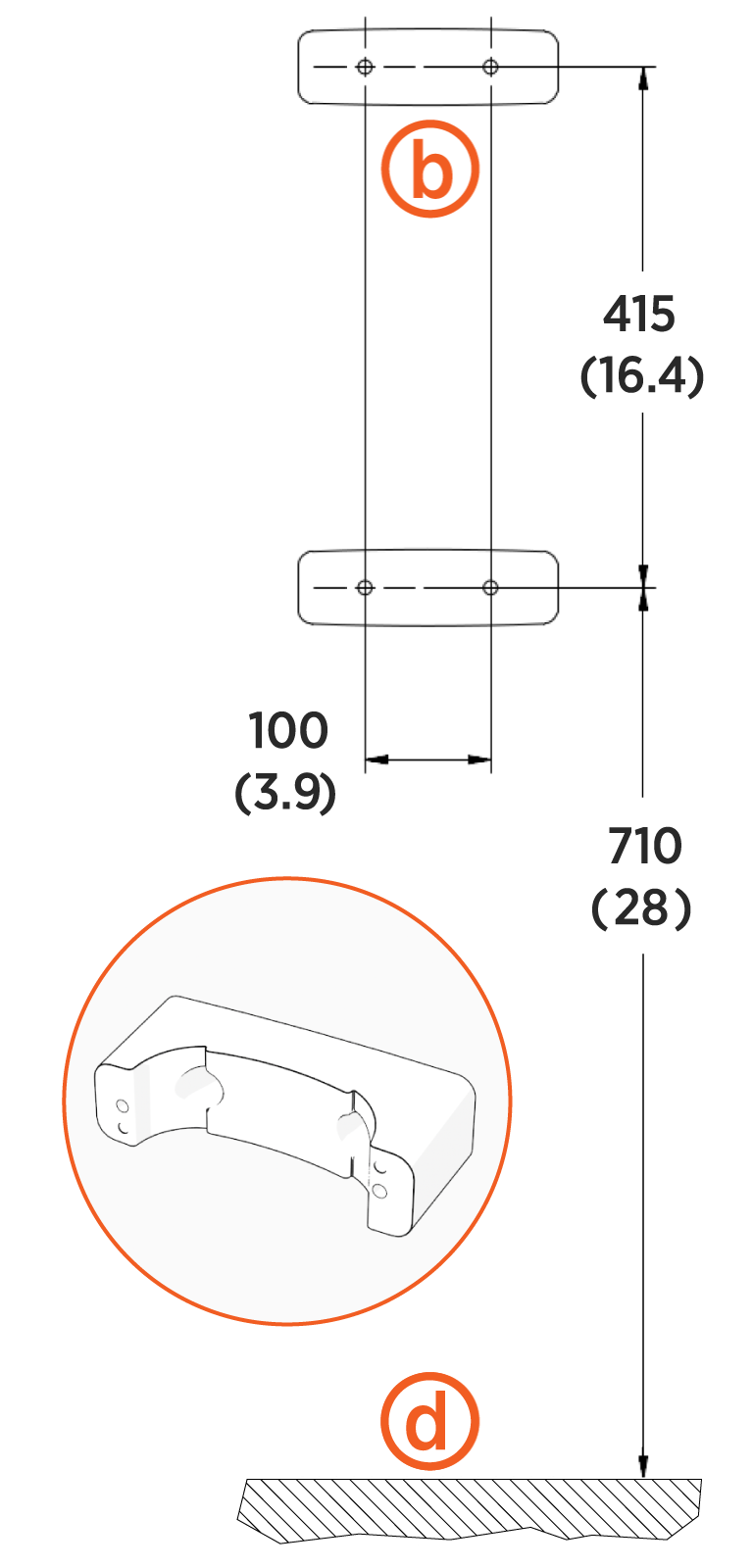
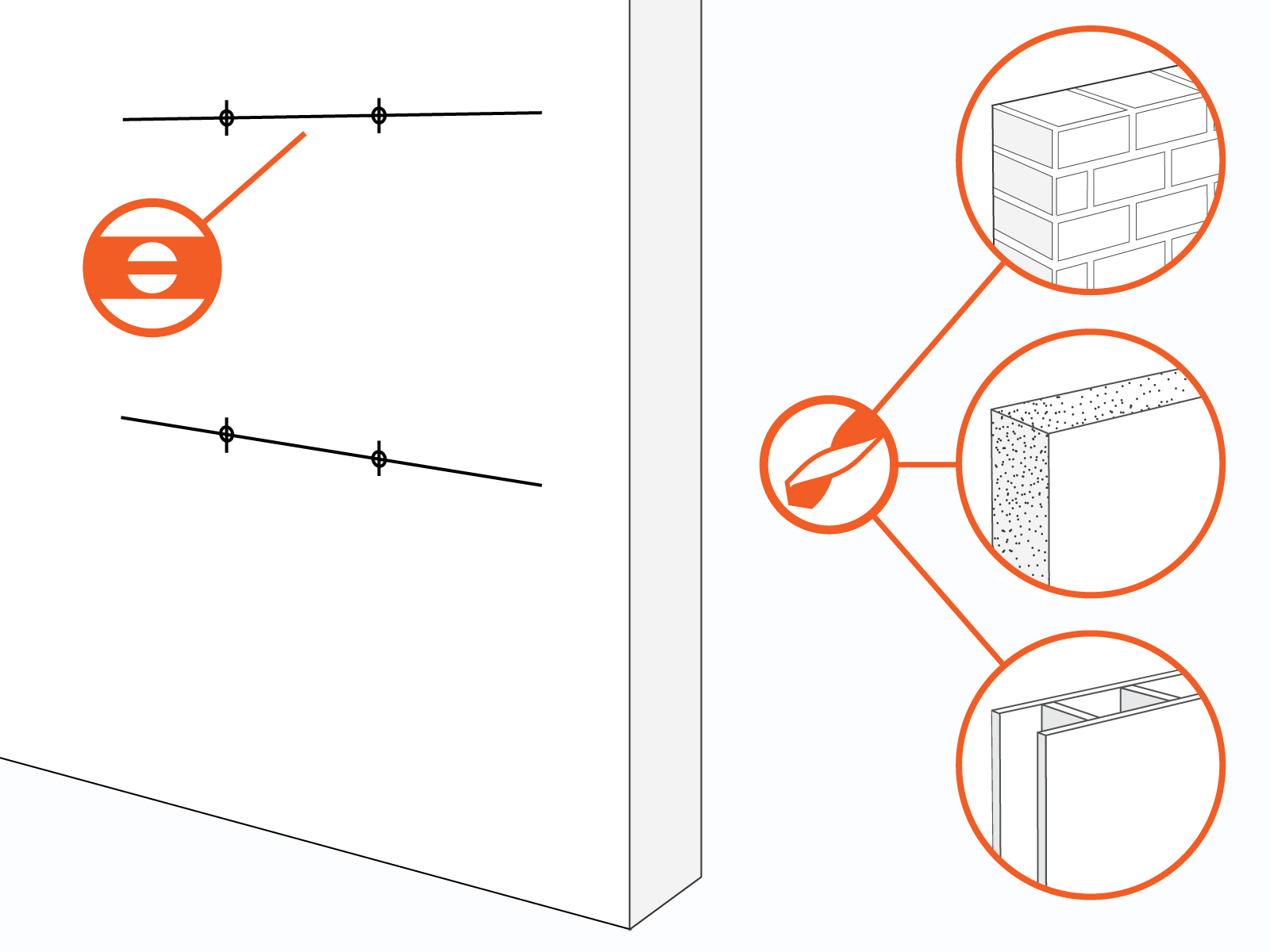
Mark holes and ensure they are level.
Images are not to scale. Measurements appear in metric units (mm) followed by imperial equivalents (inches).Wall Mount Stations
Without CMK Cable Management KitWall Mount Stations
With CMK Cable Management Kit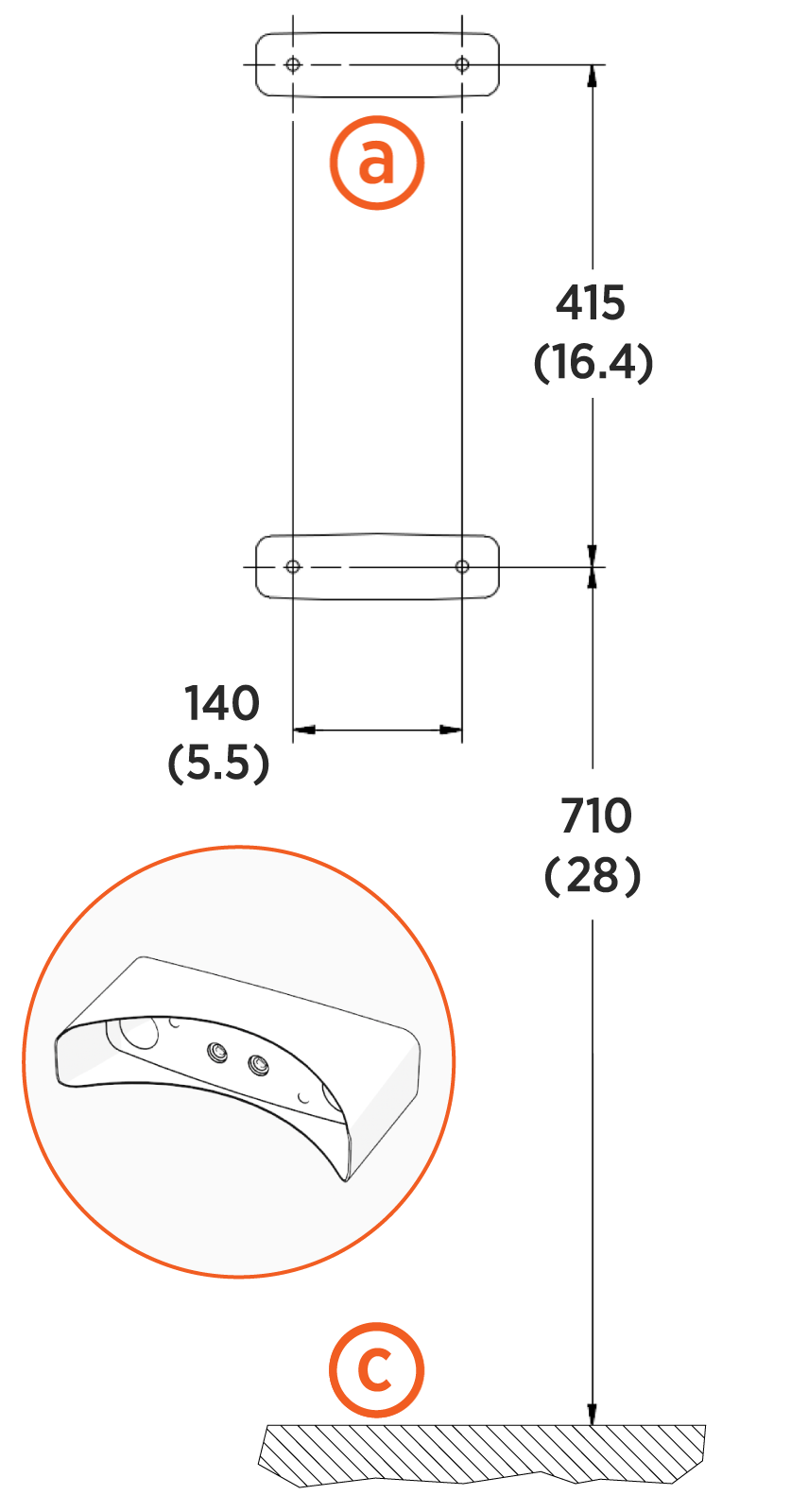
(a) Hole locations for wall mount stations without CMKs
(b) Hole locations for wall mount stations with CMKs
(c) Ground level
(d) Ground level
-
Use a drill and bit appropriate for the type of wall to drill four holes.
-
For masonry or concrete walls, insert masonry anchors (not included) rated for at least 318 kg (700 lb) of pull-out force.
Parts and Dimensions Parts
Dimensions
Hollow wall -
Bridge two studs with channel strut
Wood studs -
10 mm (3/8 in) lag bolts; at least 64 mm (2-1/2 in) long
-
10 mm (3/8 in) washers,
-
Appropriate channel strut nuts
Masonry wall -
10 mm (3/8 in) expanding masonry fasteners
Wood wall -
10 mm (3/8 in) x 75 mm (3 in) lag bolts
-
-
Mount brackets and ensure they are level.

