Install a Wall Mount CT4000
To install a CT4000 wall mount, follow these instructions:
Required Tools and Materials
|
|
Ratchet |
|
15 mm (9/16 in) deep socket |
|
|
#2 and #3 Philips screwdriver |
|
Flathead screwdriver |
|
|
Measuring tape |
|
Level |
|
|
Permanent marker |
|
Wire stripper |
|
|
Wire cutter |
|
Drill and tap for appropriate wall attachment hardware |
|
|
Voltage tester |
|
Attachment hardware NOTE: This varies based on surface. For example, use 10 x 75 mm (3/8 x 3 in) lag bolts if mounting on a wooden wall. |











Inspect the Boxes for Correct Contents
The wall mount CT4000 ships in four boxes.
Housing
The station’s housing box contains:
-
Housing
-
Mounting brackets with pre-installed 6 mm (1/4 in) -20 screws and 9.5 mm (3/8 in) x 406 mm (16 in) x 19 mm (3/4 in) flange bolts
-
2 slot covers
Do not discard the bracket packing box until you have completed drilling holes in the wall. The packing box serves as a template for drilling mounting holes.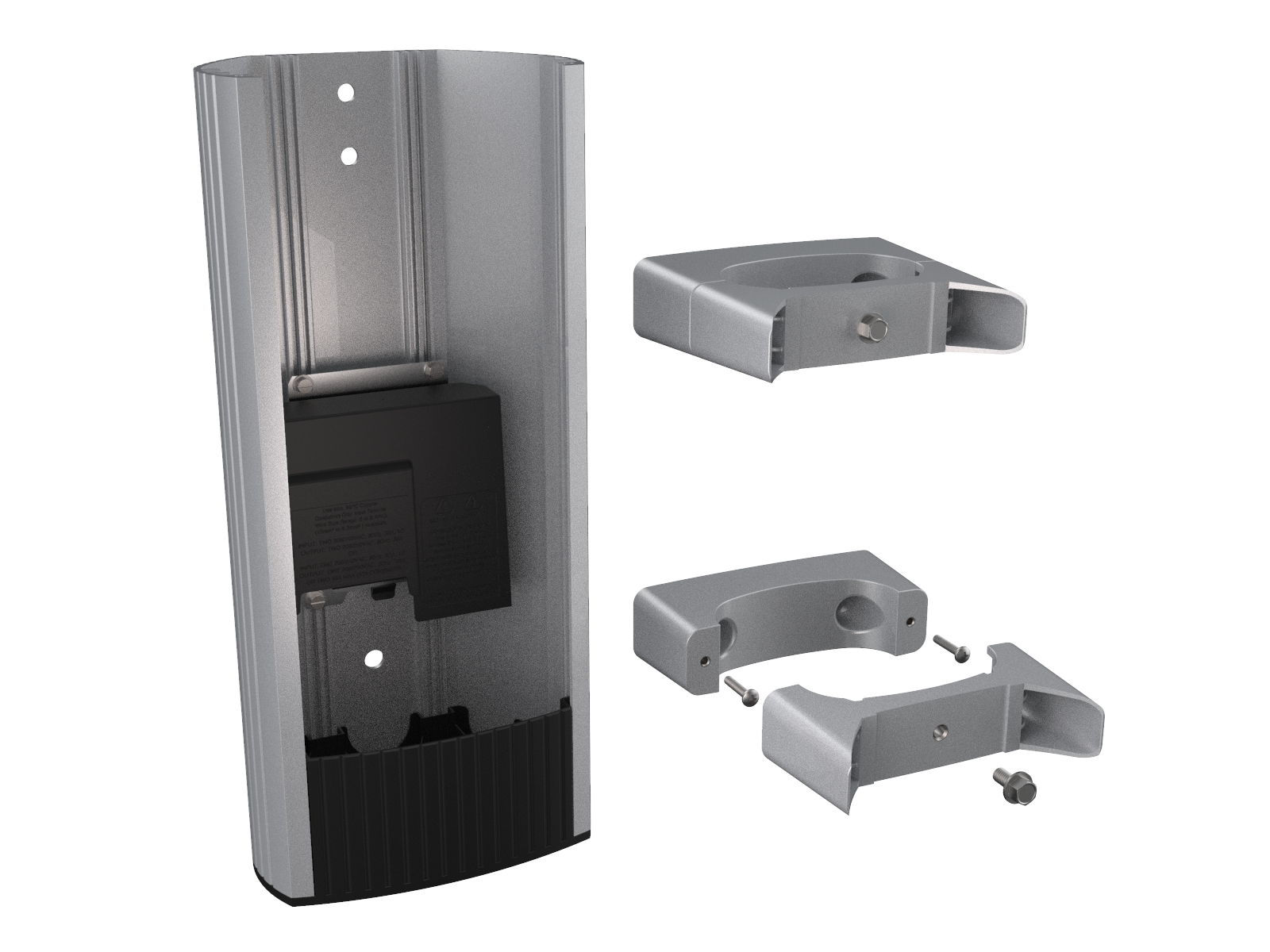
CMK
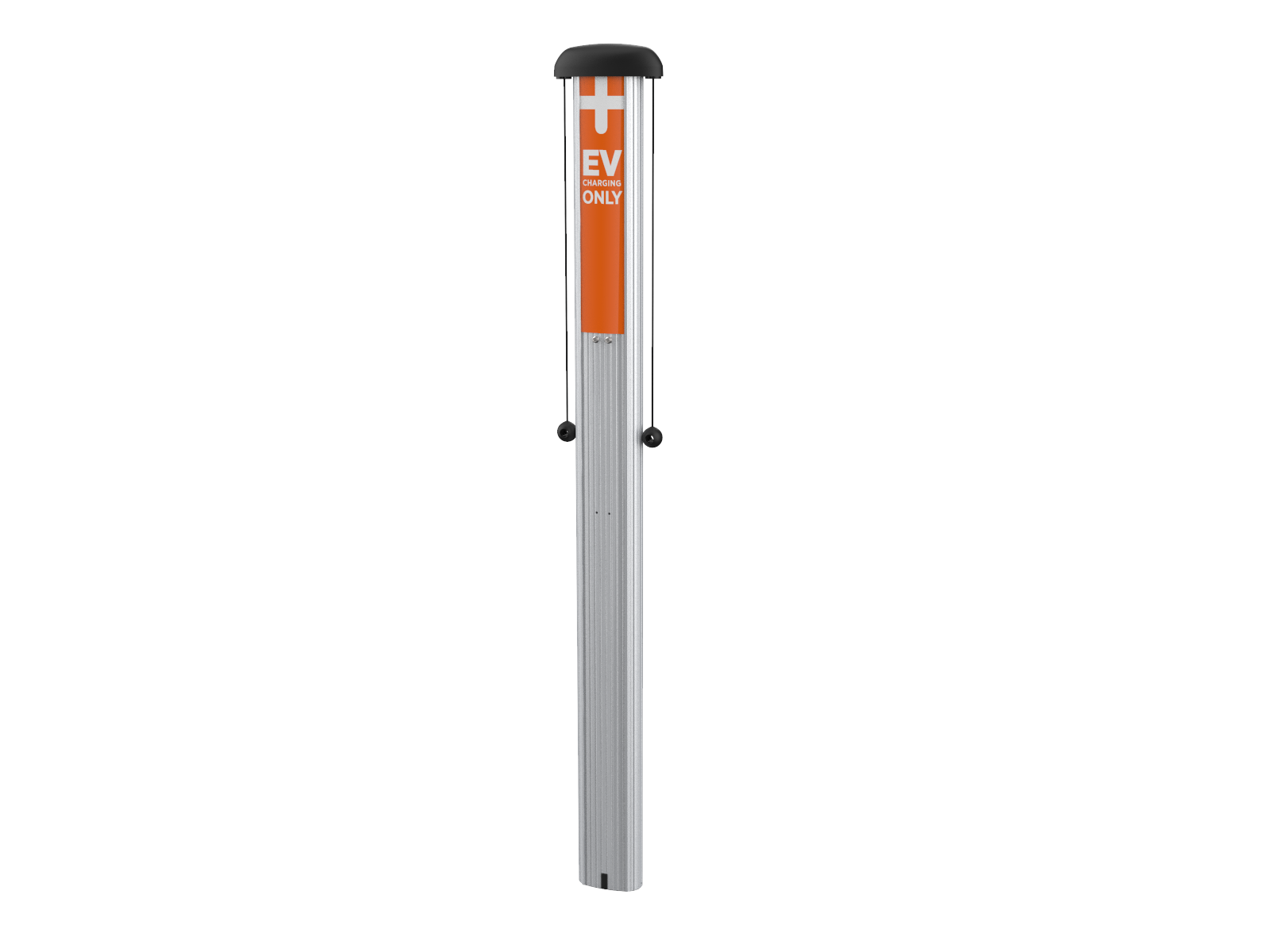
The station’s CMK Cable Management Kit box contains:
-
Cable Management Kit (CMK
Cable Management Kit) pre-installed with EV Electric Vehicle Charging Only sign -
Cable clamps (x2)
Top Cap
The station’s top cap box contains:
-
Top cap
-
Installation Guide
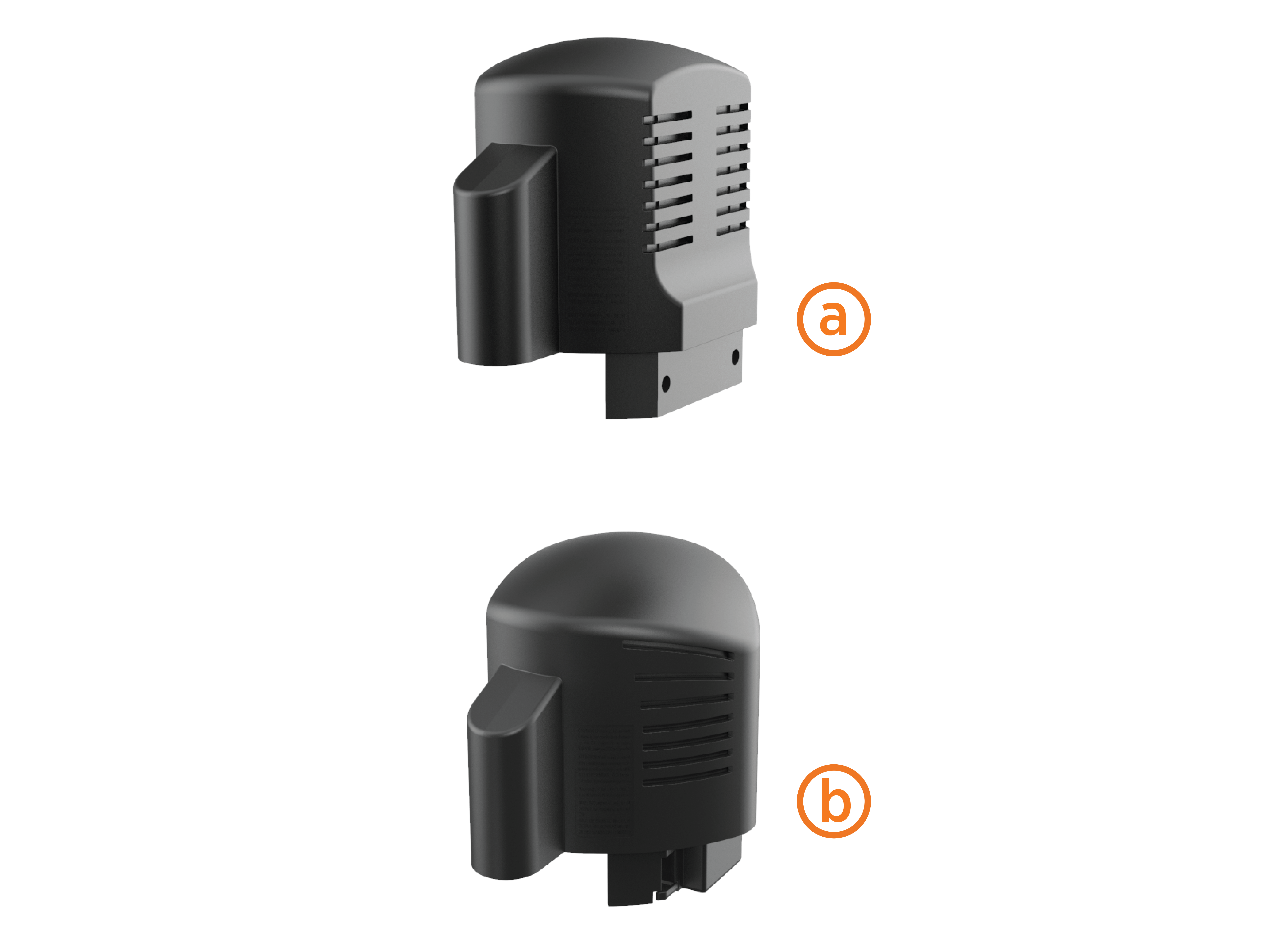
If installing both pedestal and wall-mount stations, also pay attention to the top cap’s shape.
-
The back of the top cap is flat for wall mount stations (a)
-
The back of the top cap is rounded for pedestal stations (b)
Head Assembly
The station’s head assembly box contains:
-
T25 security Torx L-wrench
-
Rubber plugs (x4)
-
Spare activation label
Keep the activation label for future reference. It contains critical information that is needed to activate the station on ChargePoint. You will also have 2 spare rubber plugs at the end of installation. Plan to return the spare activation label and rubber plugs to the station owner.
Drill Holes in the Wall
To drill holes in the wall, follow the steps below:
-
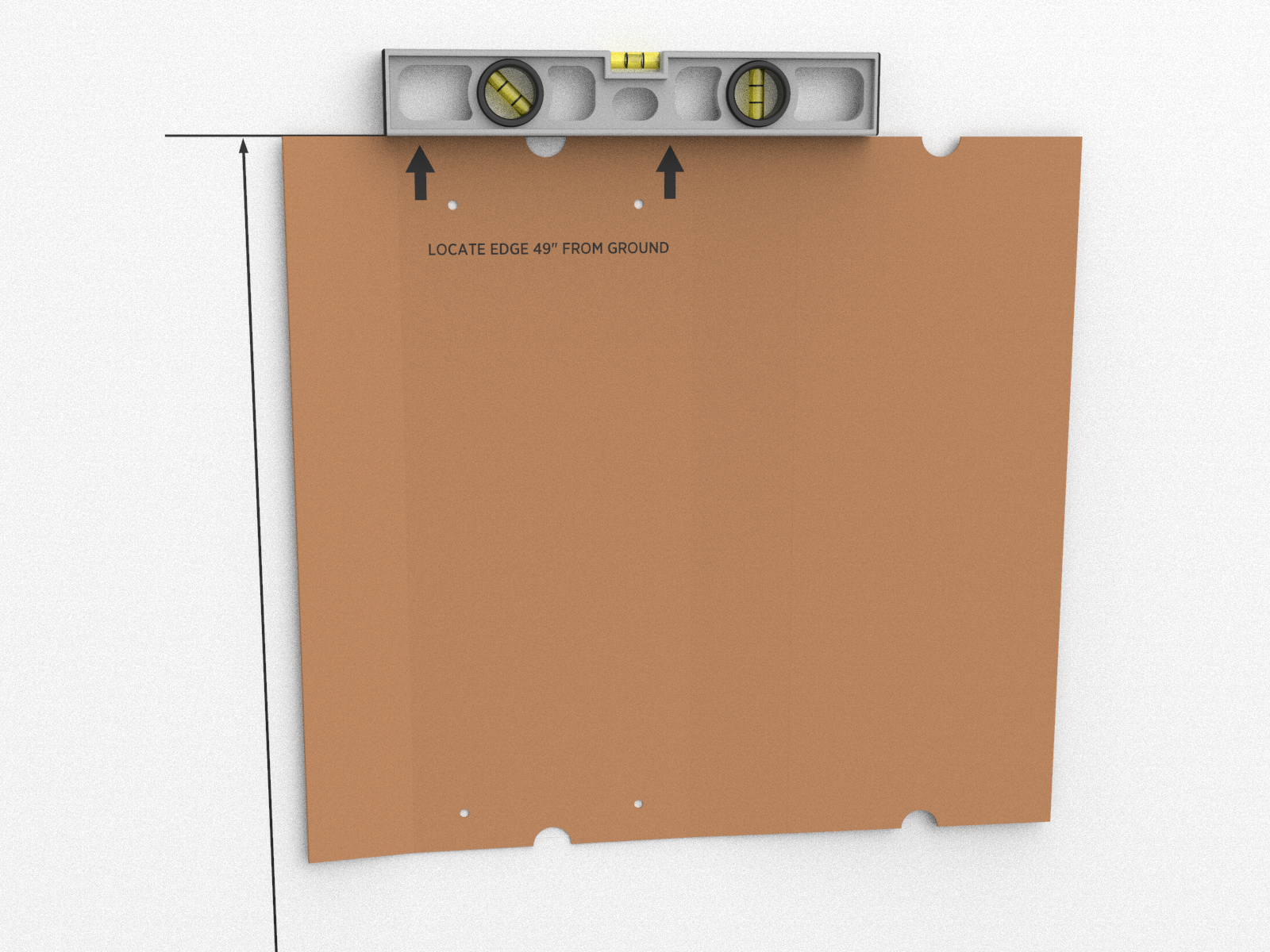
Tear the packing box along the perforation to allow it to lay flat.
-
Place the template against the wall. As described on the package insert, align the top where indicated, 1245 mm (49 in) above the floor or ground.
-
Ensure the template is level and the side of the packaging insert is plumb.
-
Mark the four mounting holes.
-
Drill four holes in the wall at the marked locations.
Mount Rear Brackets to the Wall
To mount rear brackets to the wall, follow the steps below:
-
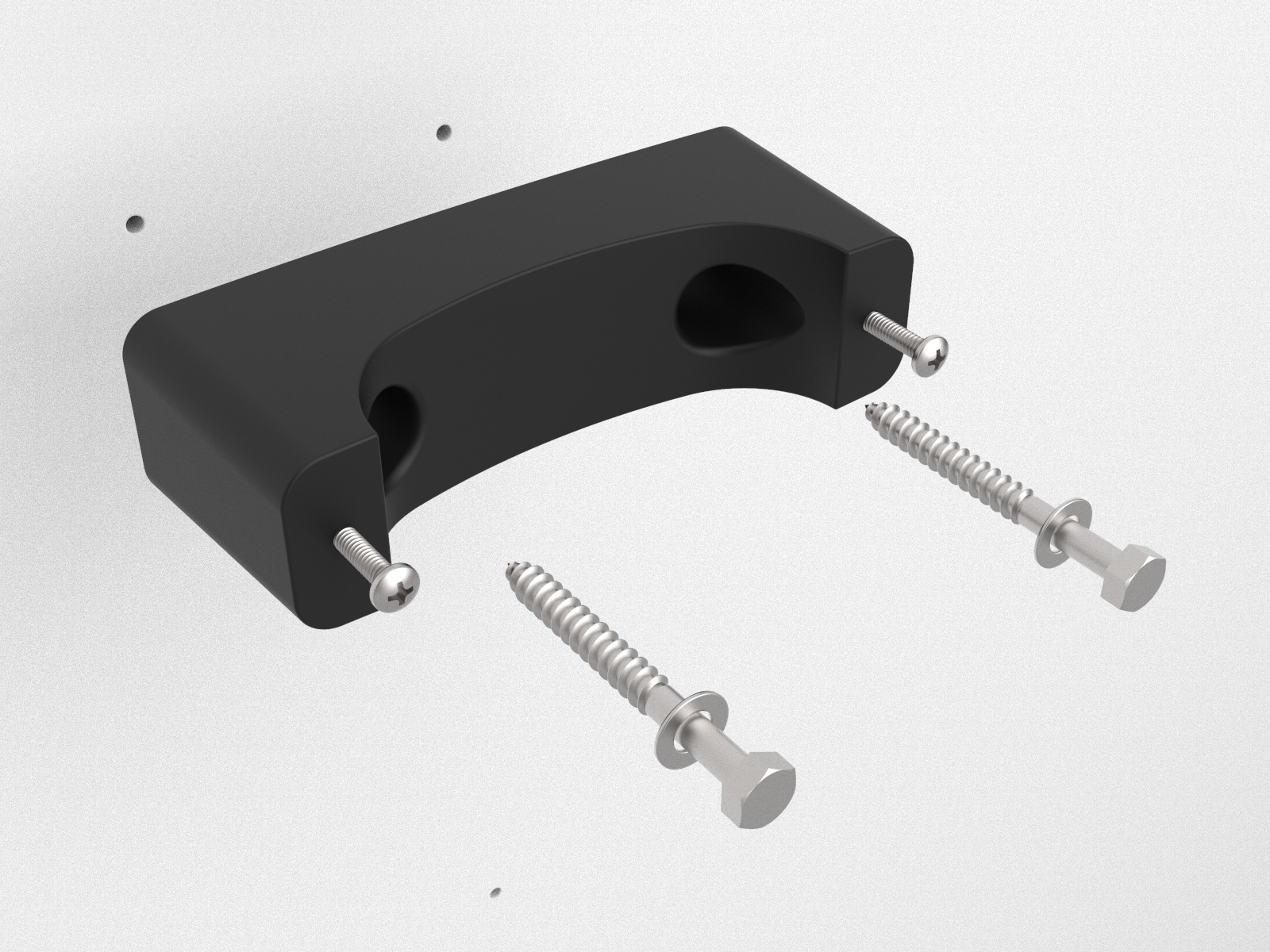
Separate the pre-assembled front and rear brackets by loosening (but not removing) the pre-installed screws. Leave about 19 mm (3/4 in) protruding.
-
Mount each rear bracket to the wall using screws appropriate for the type of wall material.
-
If mounting to a hollow wall, bridge at least two studs using a 41 mm (1-5/8 in) channel strut.
-
For wood studs, use 10 mm (3/8 in) lag bolts that are long enough to penetrate at least 64 mm (2 1/2 in) into the stud. Then mount the supplied brackets to the channel strut using 3/8-16 x 1 in long bolts, 3/8 ID x 13/16 in OD washers, and 3/8-16 channel strut nuts.
-
If mounting to a masonry wall, use 10 mm (3/8 in) expanding masonry fasteners.
-
If mounting to a wood wall, use 3/8 x 3 in lag bolts.
-
Prepare the CMK for Mounting
To prepare the CMK Cable Management Kit for mounting, follow the steps below:
-
Position the Cable Management Kit (CMK
Cable Management Kit) packaging so that the bottom of the CMK Cable Management Kit is near the base of the pedestal.Do not unwrap the ropes. -
Remove and discard the two shipping screws.
When you remove the shipping screws, the counterweights are free to move in either direction. To prevent damage or injury, always carry the assembly with the top end higher than the bottom end. -
Remove the foam packaging.
If you are replacing the EV Electric Vehicle PARKING signage with your own custom signage, it is easier to do it now. Refer to the replacement guide for signs available at ChargePoint Product Reference Documentation.
Mount the CMK
To mount the CMK Cable Management Kit, follow the steps below:
-
Place the two front brackets where you can easily reach them.
-
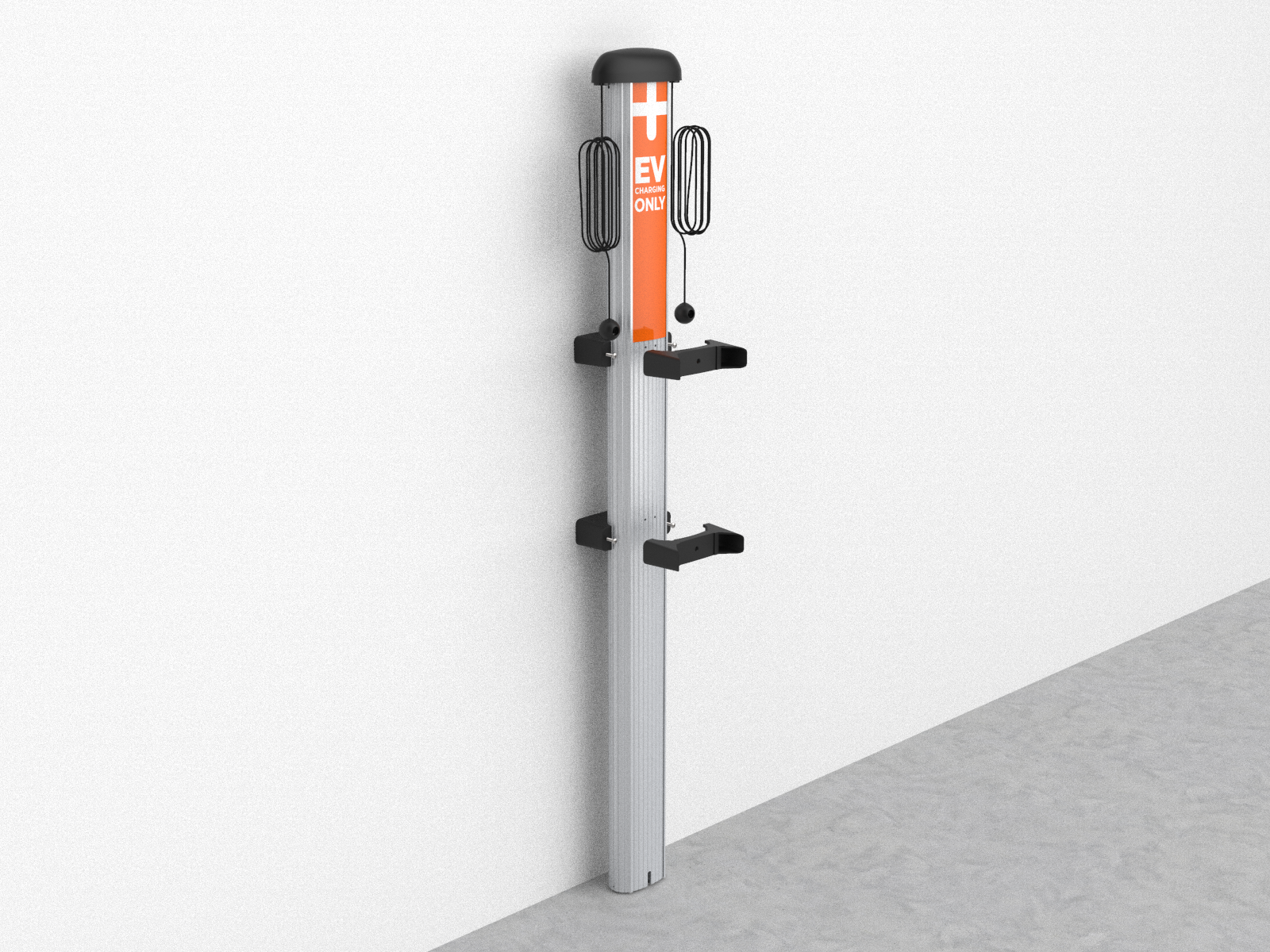
Tilt the CMK
Cable Management Kit up against the rear brackets, with the front of the CMK Cable Management Kit facing towards you. Rest the bottom of the CMK Cable Management Kit on the ground. -
Place the top front bracket over the two corresponding screws protruding from the top rear bracket. Steady the CMK
Cable Management Kit with one hand while using the other hand to position the bracket. -
Repeat step 3 for the bottom bracket.
-
Tighten all four screws to 7 Nm (5 ft-lb) using the Phillips screwdriver.
-
Insert the slot cover, bottom first, into the slot at the bottom of the CMK
Cable Management Kit.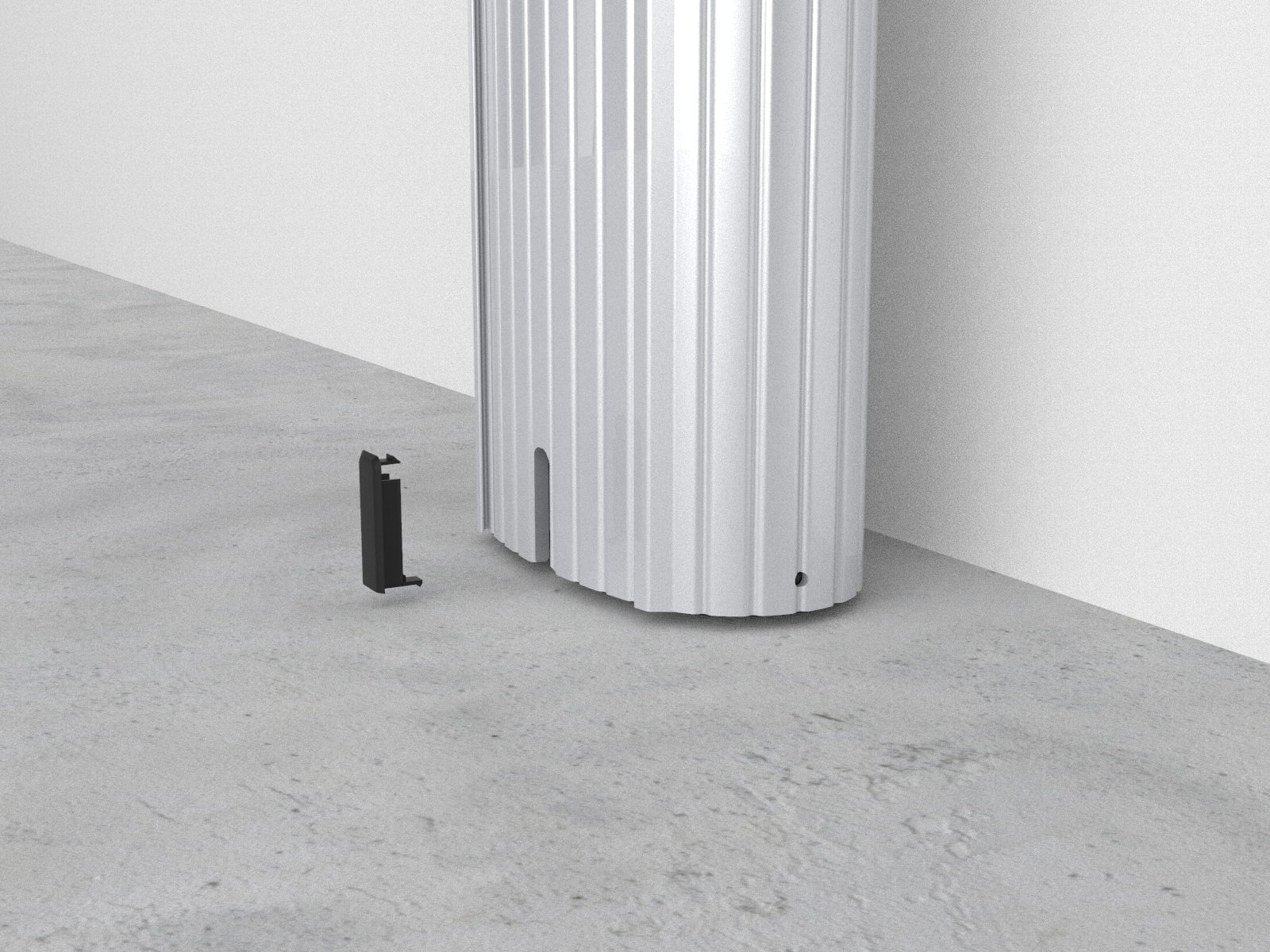
Install the Housing
To install the housing, follow the steps below:
-
Push the tab on the terminal block cover to slide the cover up and expose the pre-drilled hole below the terminal block. Slide the cover upwards until it stays in position.
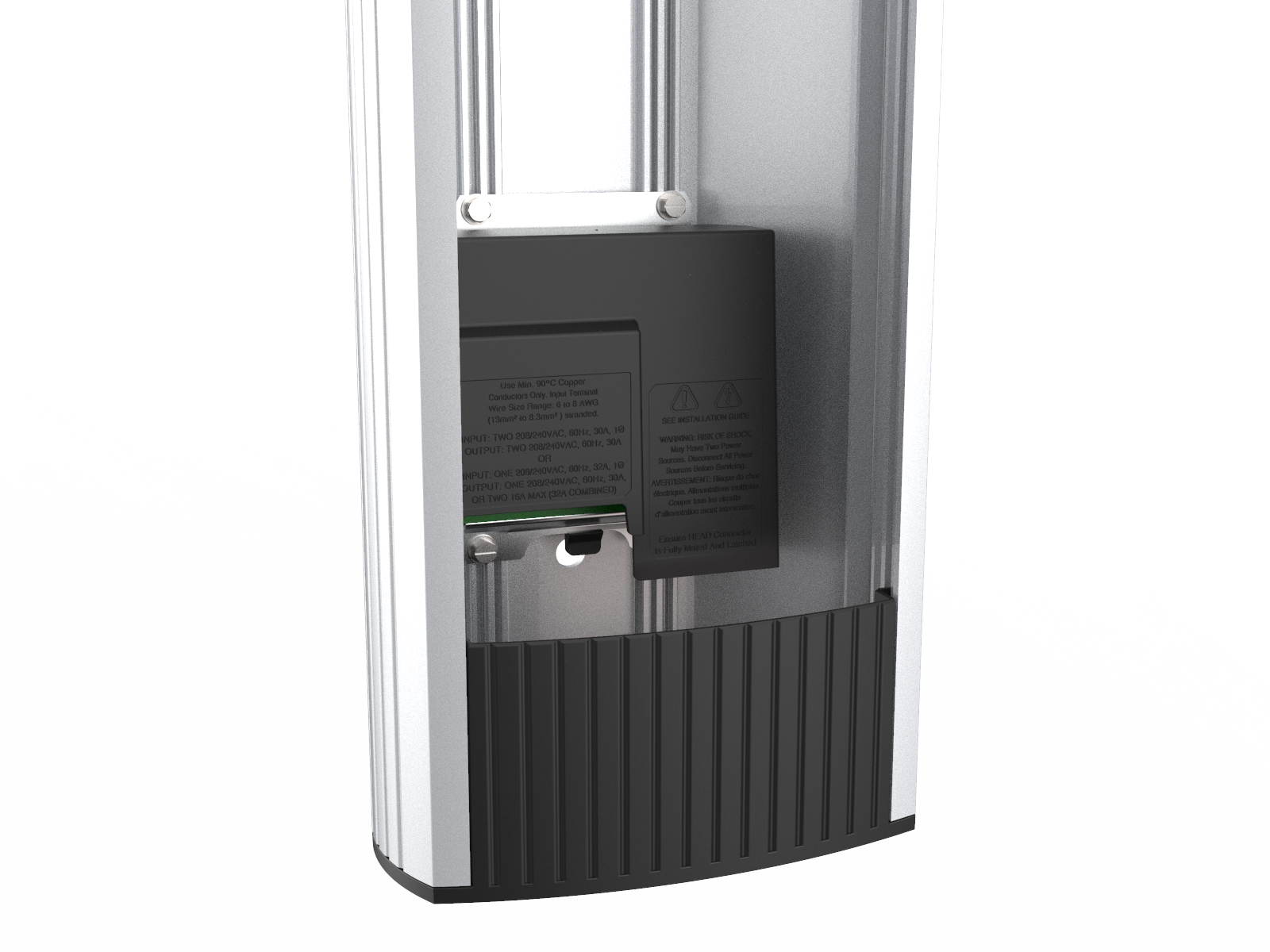
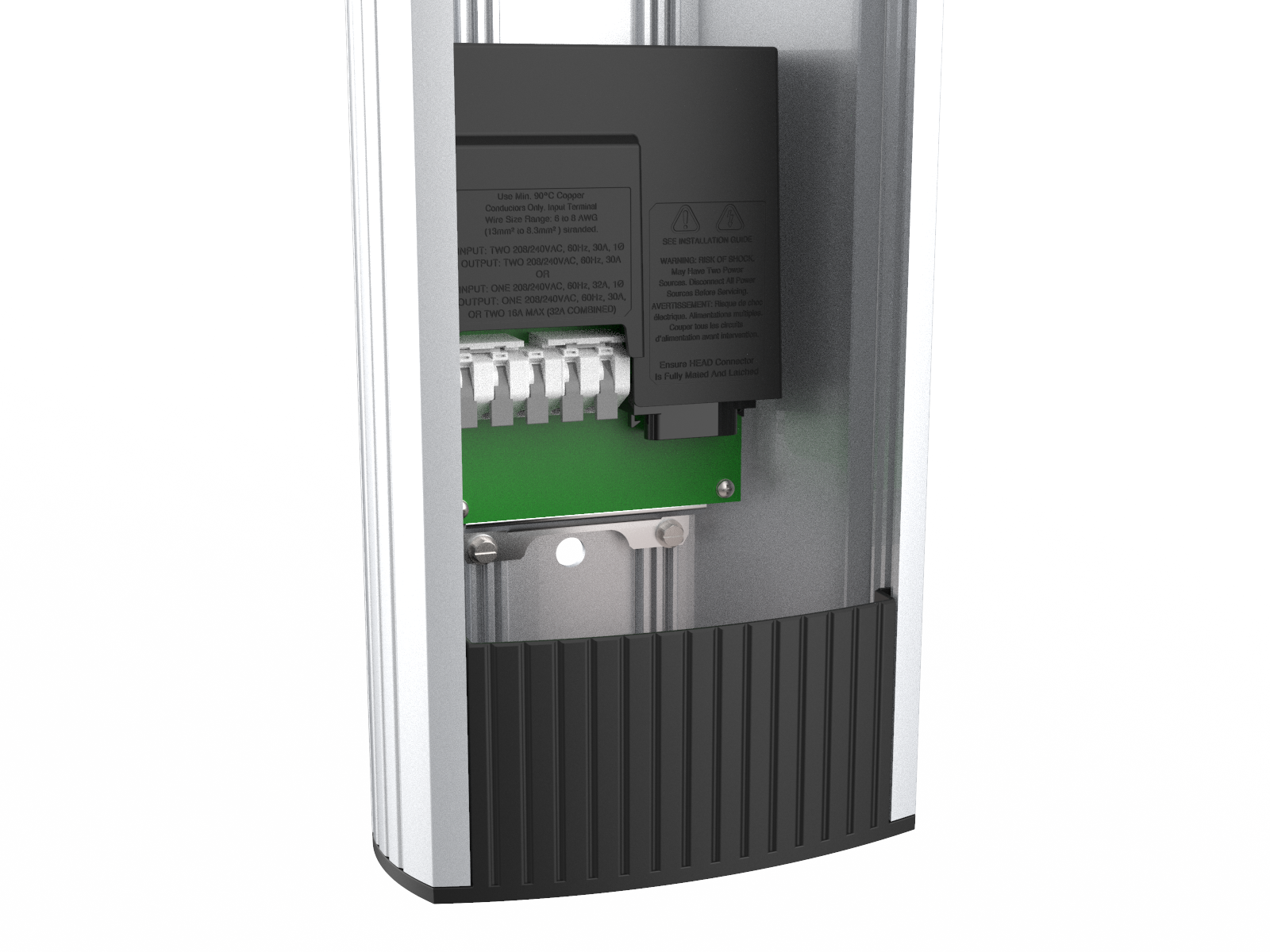
-
Remove the pre-installed flange bolts from the front brackets using a 10 mm (3/8 in) socket.
-
Position the housing so that the top hole aligns with the top CMK
Cable Management Kit bracket. -
Re-insert the flange bolts into the top and lower mounting holes.

-
Use a 10mm socket, torque these bolts to 117 Nm (86 ft-lb).
Install the Conduit
To install the conduit, follow the steps below:
-
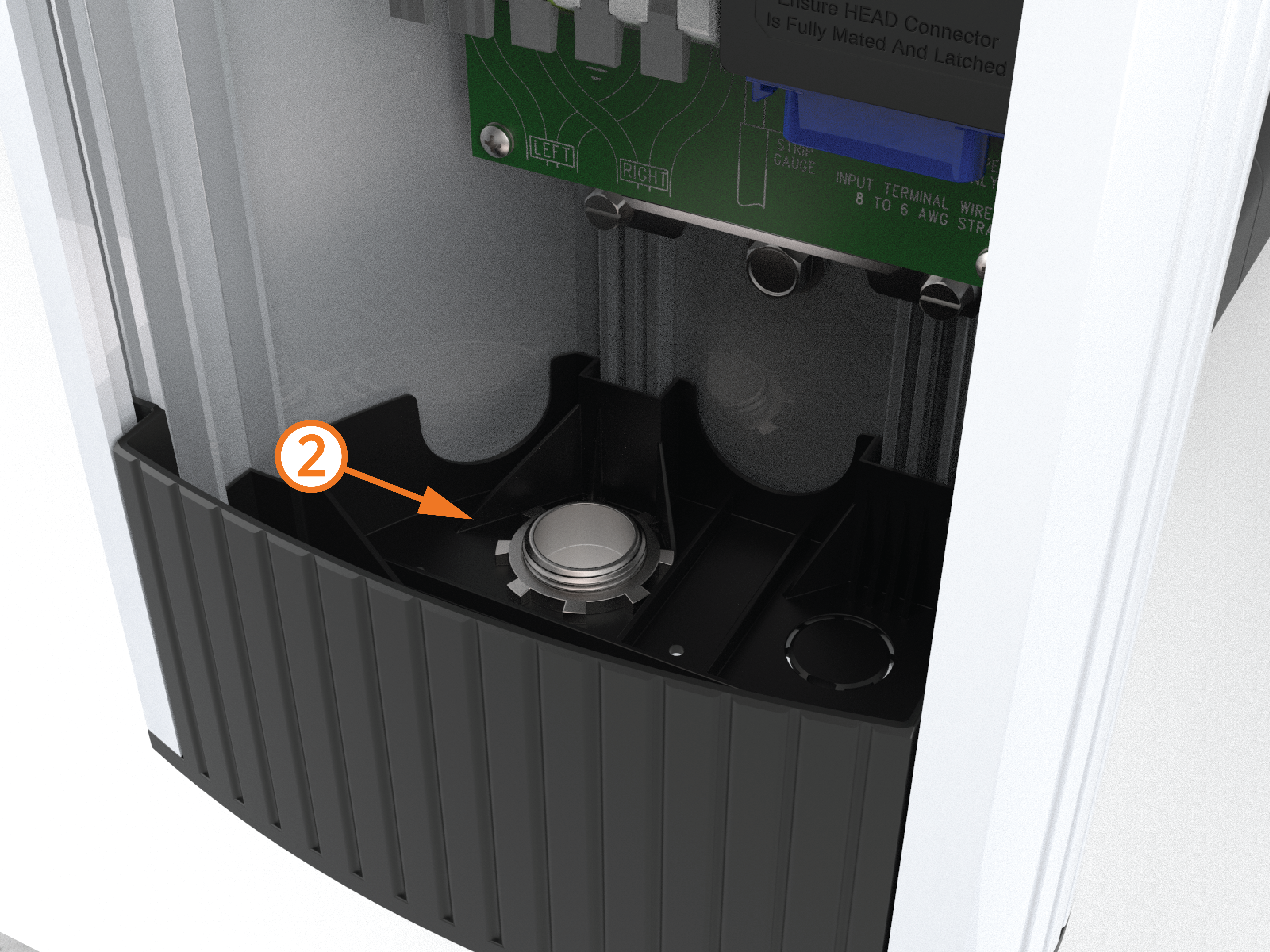
Use a flat-head screwdriver to remove the knockout for the appropriate conduit size, 25 mm or 20 mm (1 in or 3/4 in).

-
(2) Install and seal the conduit following local codes.