Install a Pedestal Mount CT4000
To install a CT4000 pedestal mount, follow these instructions:
Required Tools and Materials
|
|
Ratchet |
|
10 mm (3/8 in) hex nut driver |
|
|
Level |
|
#2 Philips screwdriver |
|
|
#3 wire cutter |
|
Wire stripper |
|
|
Adjustable wrench |
|
Voltage tester |








Inspect the Boxes for Correct Contents
The pedestal mount CT4000 ships in four boxes.
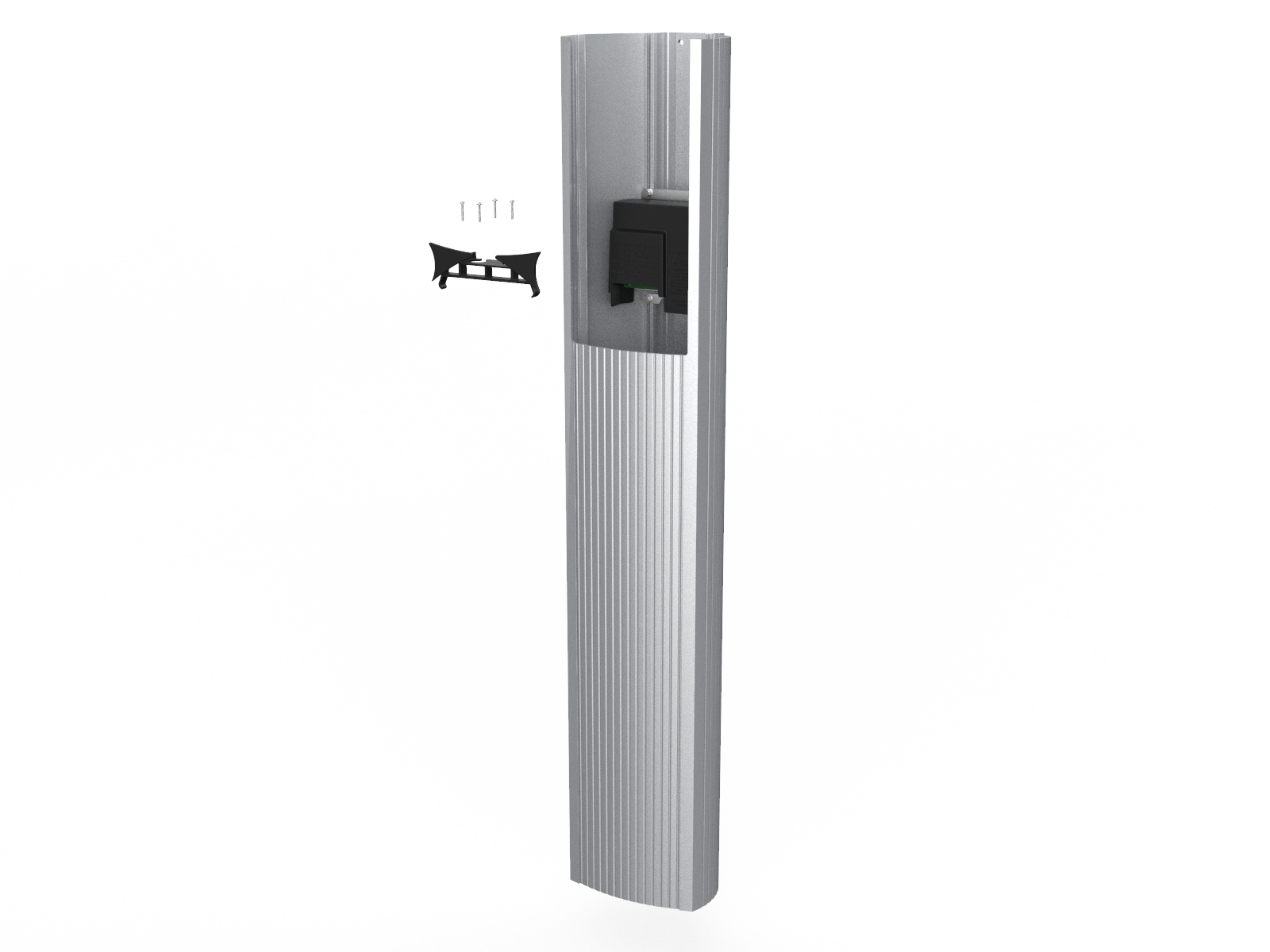
Housing
The station’s housing box contains:
-
Housing with pedestal inside
-
Rubber spacer
-
Adapter plastic cap
-
Phillips screws (x 4)
CMK
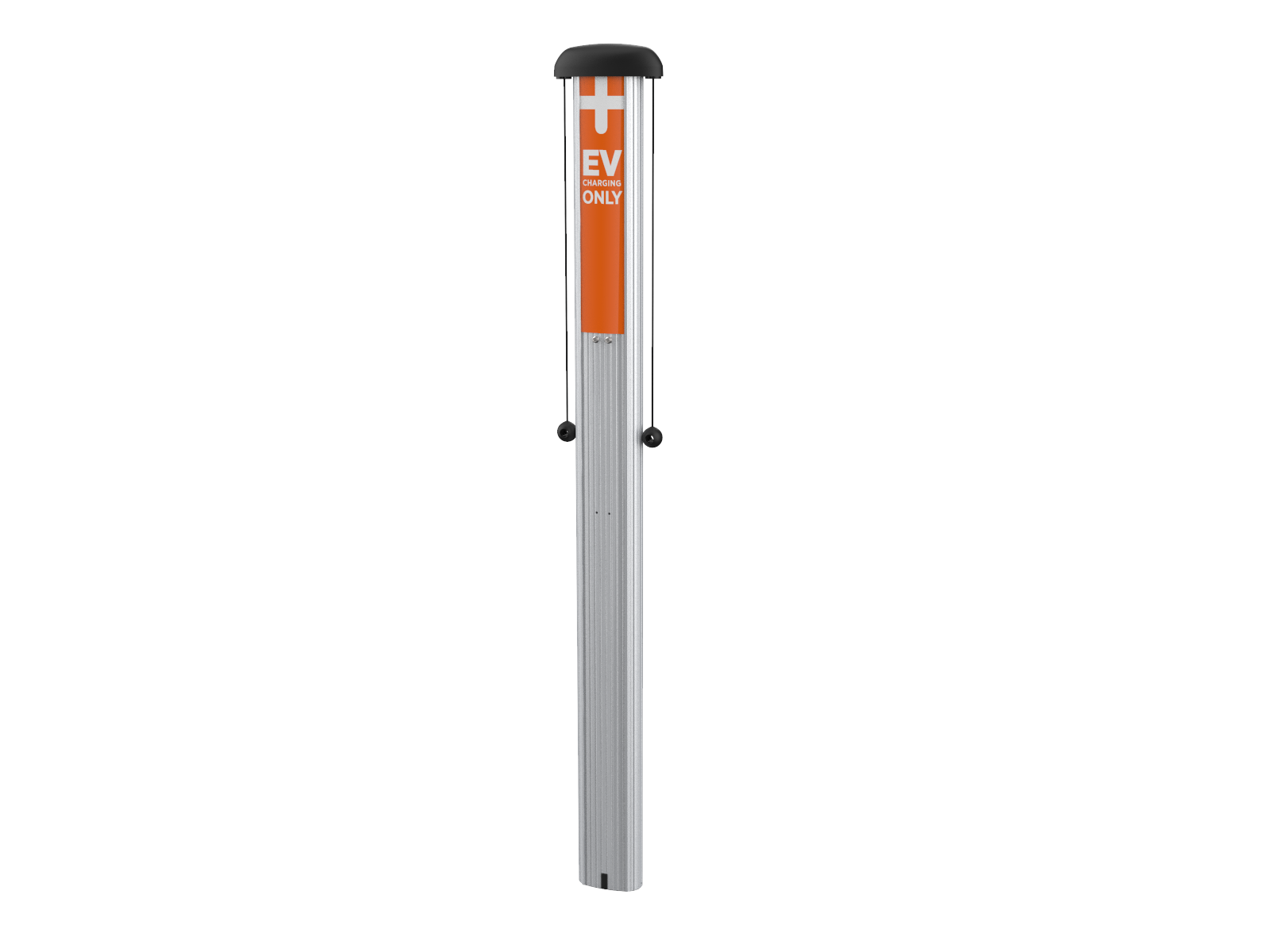
The station’s CMK Cable Management Kit box contains:
-
The Cable Management Kit (CMK
Cable Management Kit) -
Pre-installed EV
Electric Vehicle Charging Only sign -
Cable clamps (x2)
Top Cap
The station’s top cap box contains:
-
Top cap
-
Installation Guide
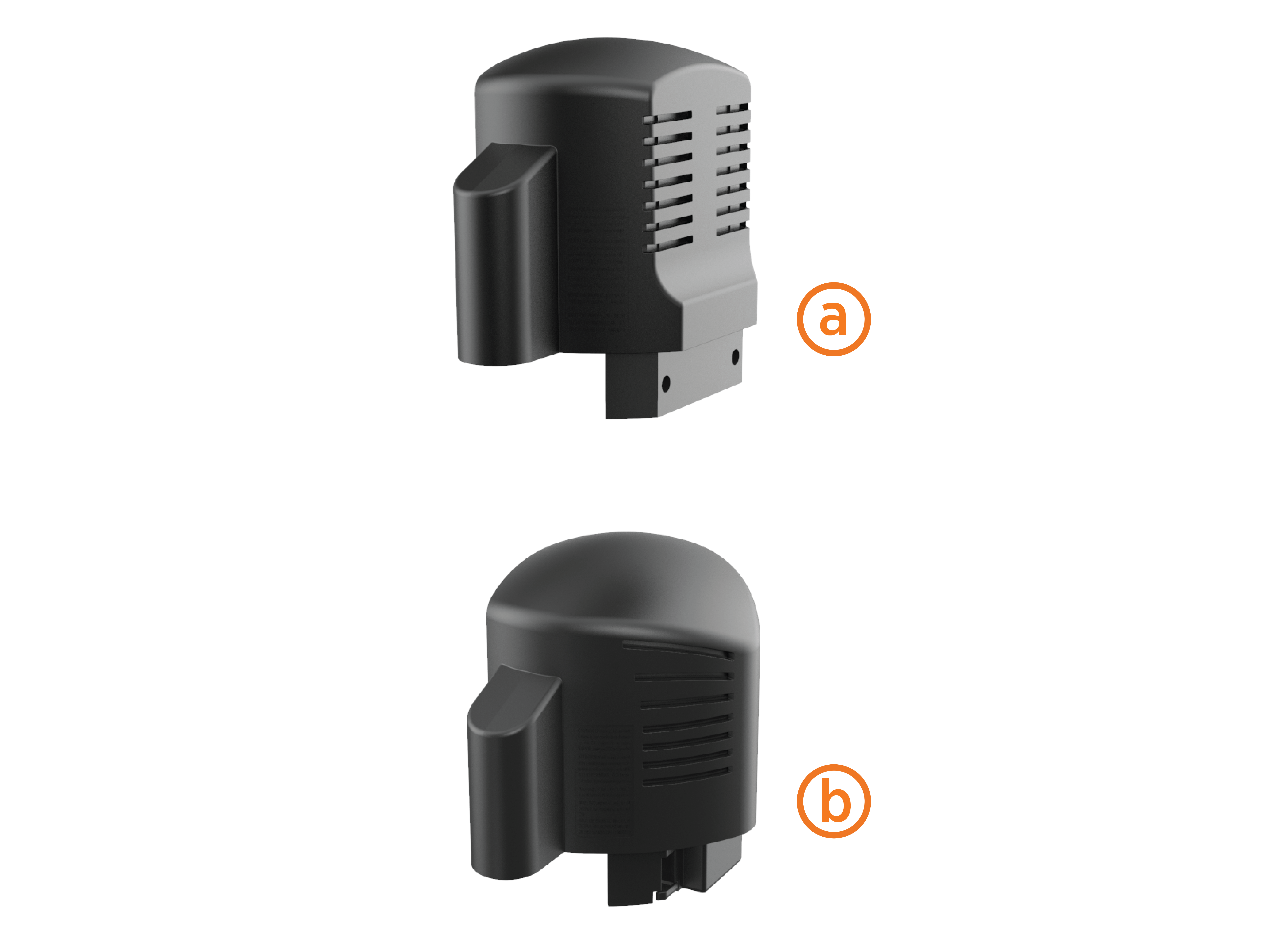
If installing both pedestal and wall-mount stations, also pay attention to the top cap’s shape.
-
The back of the top cap is flat for wall mount stations (a).
-
The back of the top cap is rounded for pedestal stations (b)
Head Assembly
The station’s head assembly box contains:
-
T25 security Torx L-wrench
-
Rubber plugs (x4)
-
Spare activation label
Keep the activation label for future reference. It contains critical information that is needed to activate the station on ChargePoint. You will also have two spare rubber plugs at the end of installation. Plan to return the spare activation label and rubber plugs to the station owner.

Prepare the Pedestal for Mounting
To prepare the pedestal for mounting, follow the steps below:
-
Using a 10 mm (3/8 in) socket wrench, loosen (but do not remove) the two screws holding the pedestal inside the housing.
-
Remove and discard the cardboard shipping spacer.

-
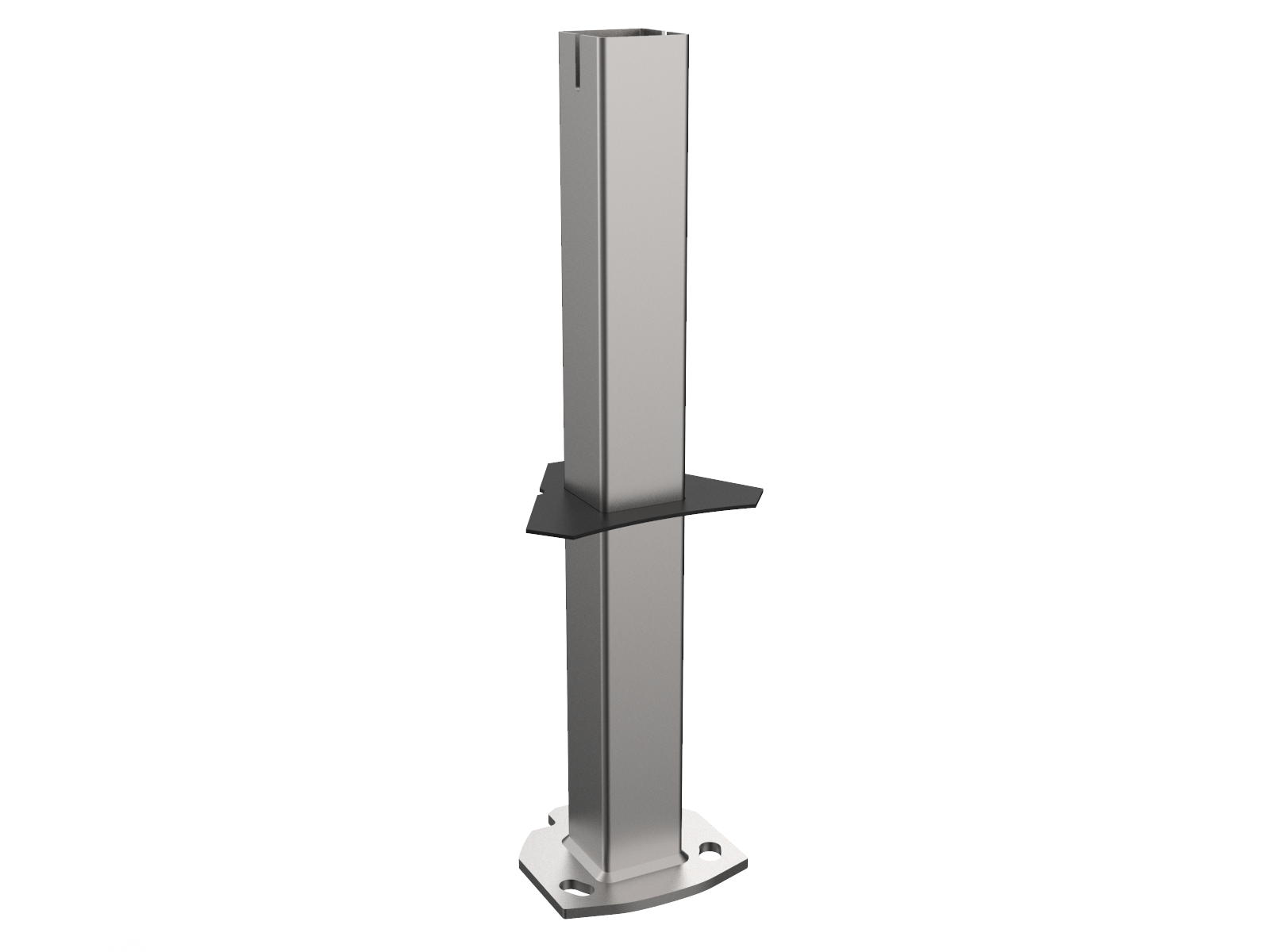
Remove the pedestal from the housing by pulling it out from the bottom of the housing. Keep the rubber spacer in place over the pedestal.
Mount the Pedestal
To mount the pedestal, follow the steps below:
-
Pull wires through the conduit.
-
Place the pedestal over the conduit, ensuring the curved front edge of the pedestal base is located where you want the front of the charging station.
If the conduit is not coming up through the center of the pedestal, install the conduit in the side of the housing after mounting the pedestal.
-
Adjust the lower nuts as necessary to ensure the pedestal is level.
-
Tighten the nuts on top of the pedestal to at least 160 Nm (118 ft-lb).
Ensure that the pedestal is plumb by adjusting the nuts underneath the pedestal base. Verify accuracy after each adjustment by positioning the level at various locations on the pedestal, above each bolt.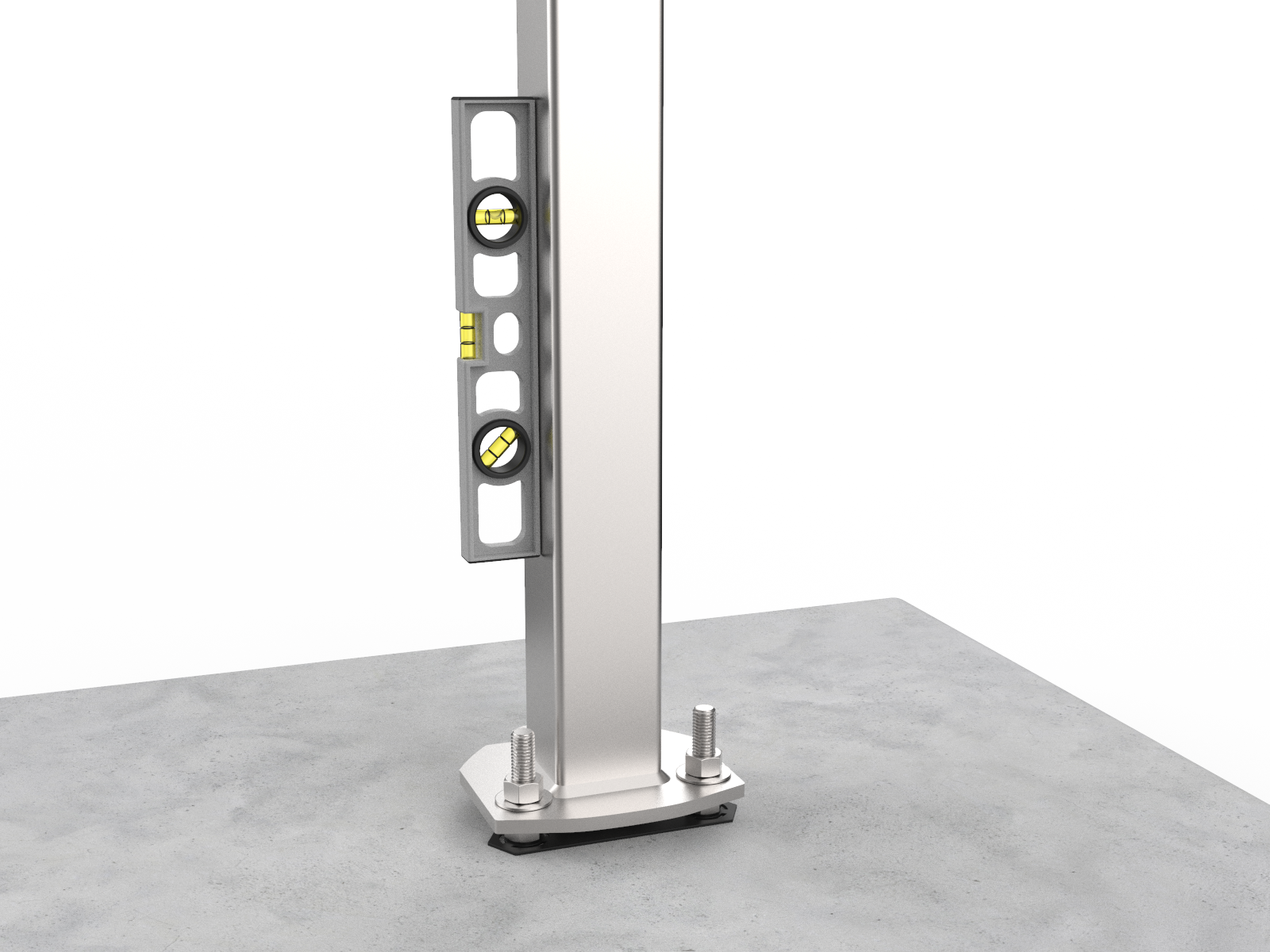
Alternative Installation: Side Mounted Conduit
In situations where the conduit cannot come up from below the pedestal (existing concrete, parking garage, etc.), continue here after mounting the pedestal, ensuring it is level and tight.
You will need a hole saw or a Greenlee® knockout punch.
-
Determine a conduit entry point on either side of the housing 715-785 mm (28-31 in) from the bottom, in a location that does not intersect any internal ribs.
-
Drill or punch a hole for a 21 mm (3/4 in) or 27 mm (1 in) trade size knockout.
-
Pull wire through the conduit, protecting the wires from sharp edges of the internal structural components.
-
Seal the conduit entry into the bollard housing using an approved sealing method such as Thomas and Betts PN# 5263.
Ensure that the installation complies with all applicable codes and ordinances.
Install the Housing
To install the housing, follow the steps below:
-
Align the notches on the rubber spacer with the front mounting nuts.
-
Slide the rubber spacer all the way down the pedestal until it is flush with the pedestal base. This prevents any rocking motion between the housing and the pedestal.
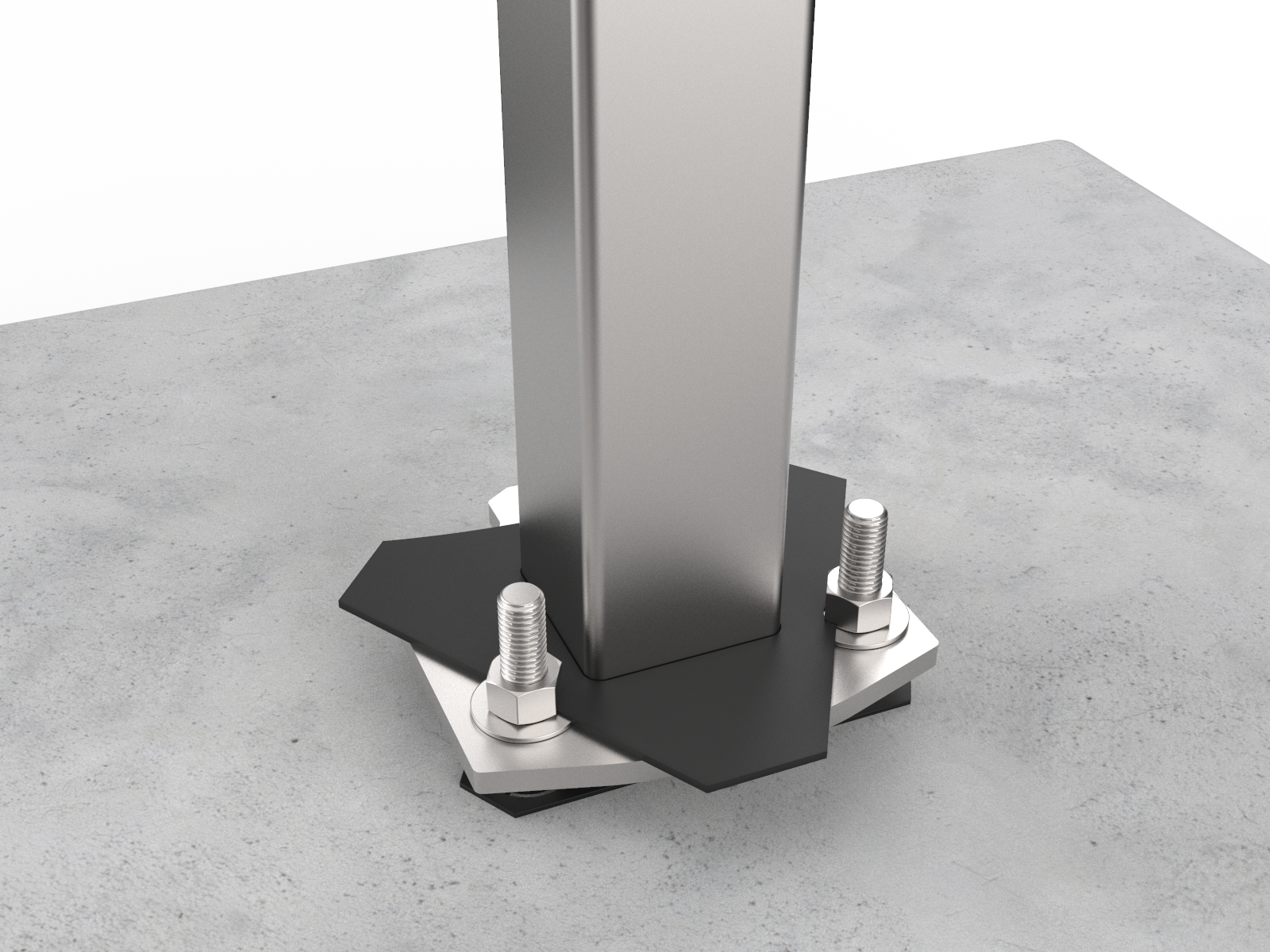
-
Slide the housing over the pedestal.
Ensure that the housing is firmly aligned to the bottom surface and that no rocking movement can take place, even when significant pressure is applied.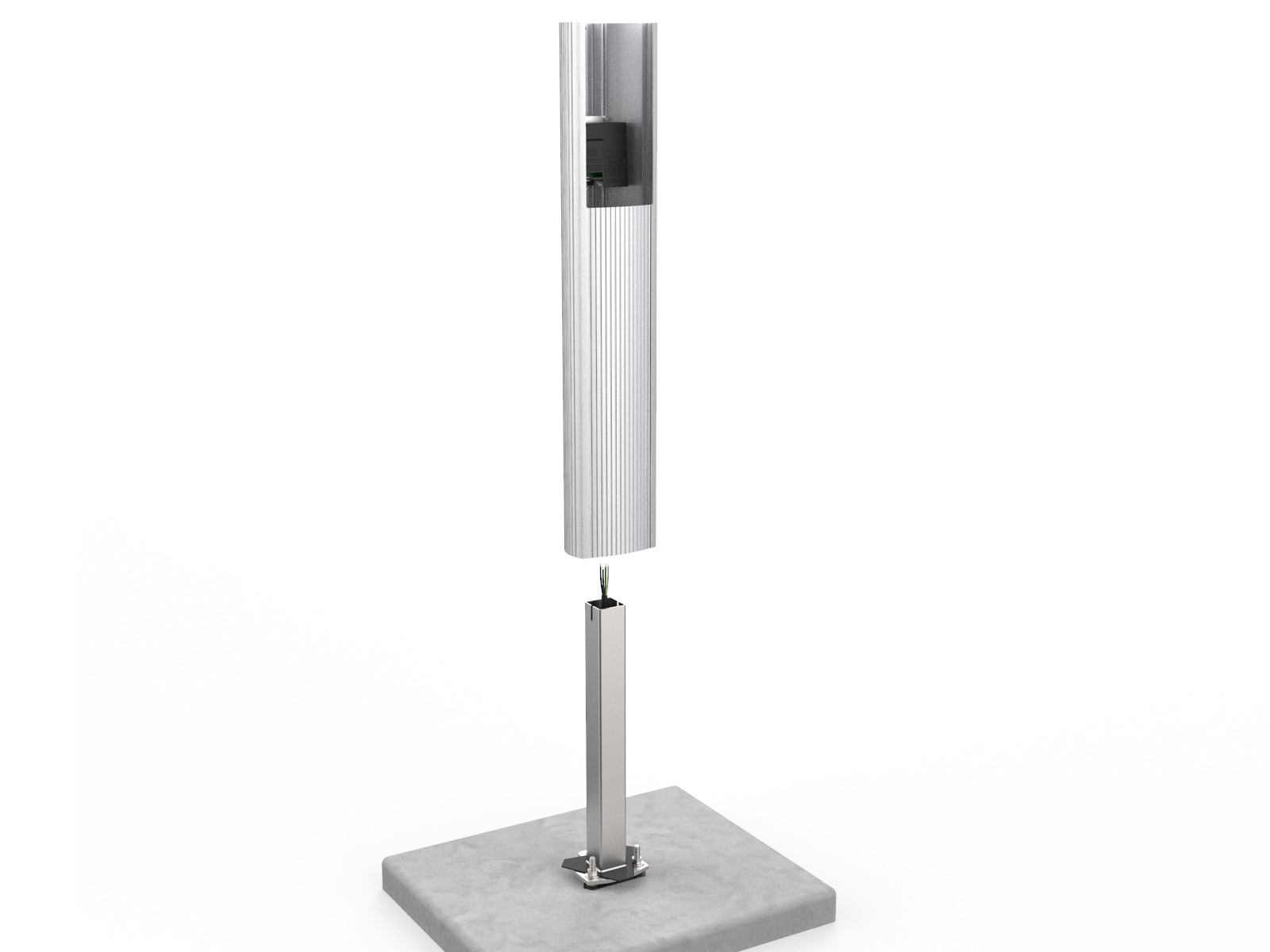
-
Re-tighten the mounting screws loosened when preparing the pedestal for mounting to approximately 9 Nm (6.6 ft-lb) using a 10 mm (3/8 in) socket wrench.
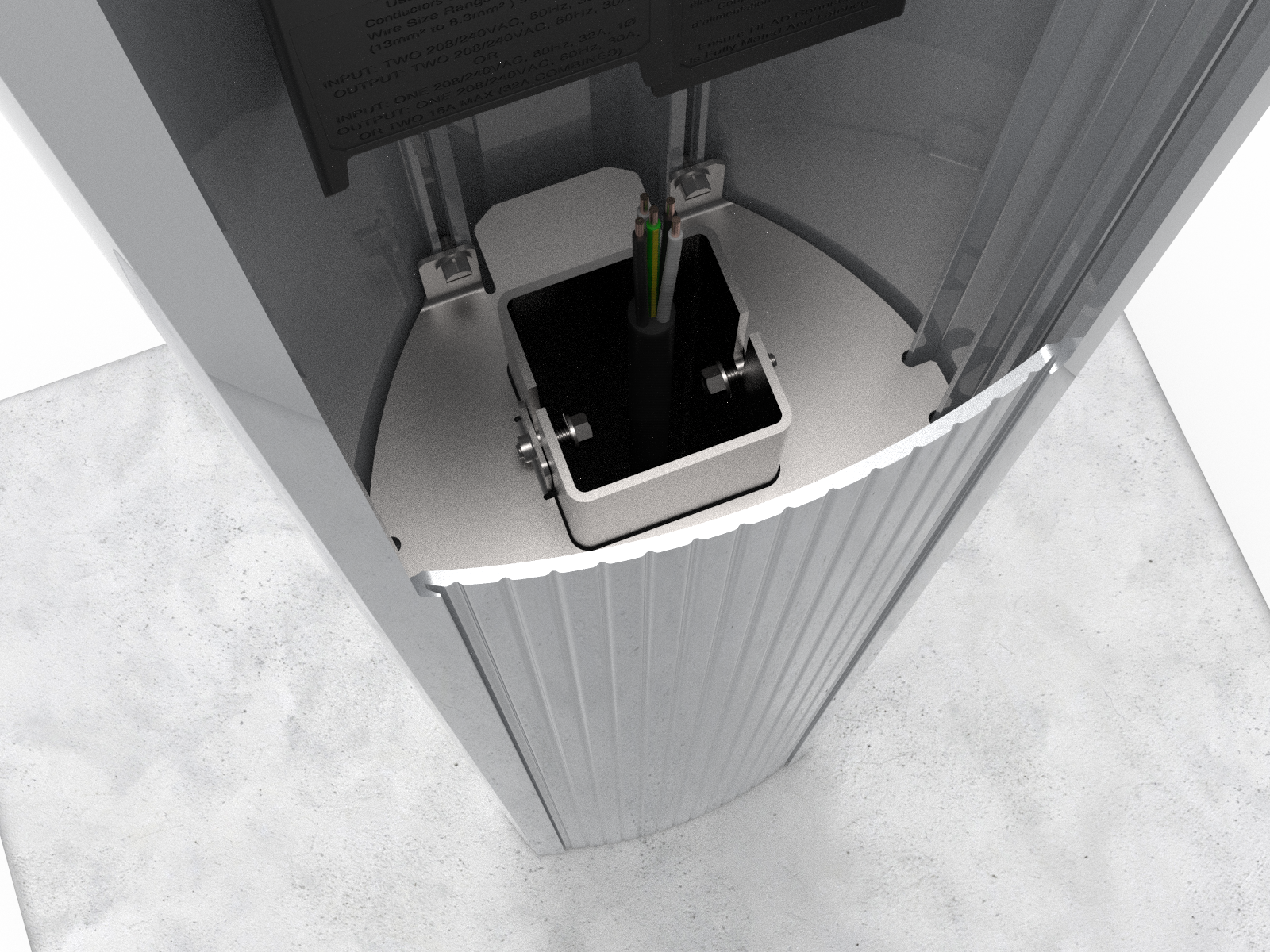
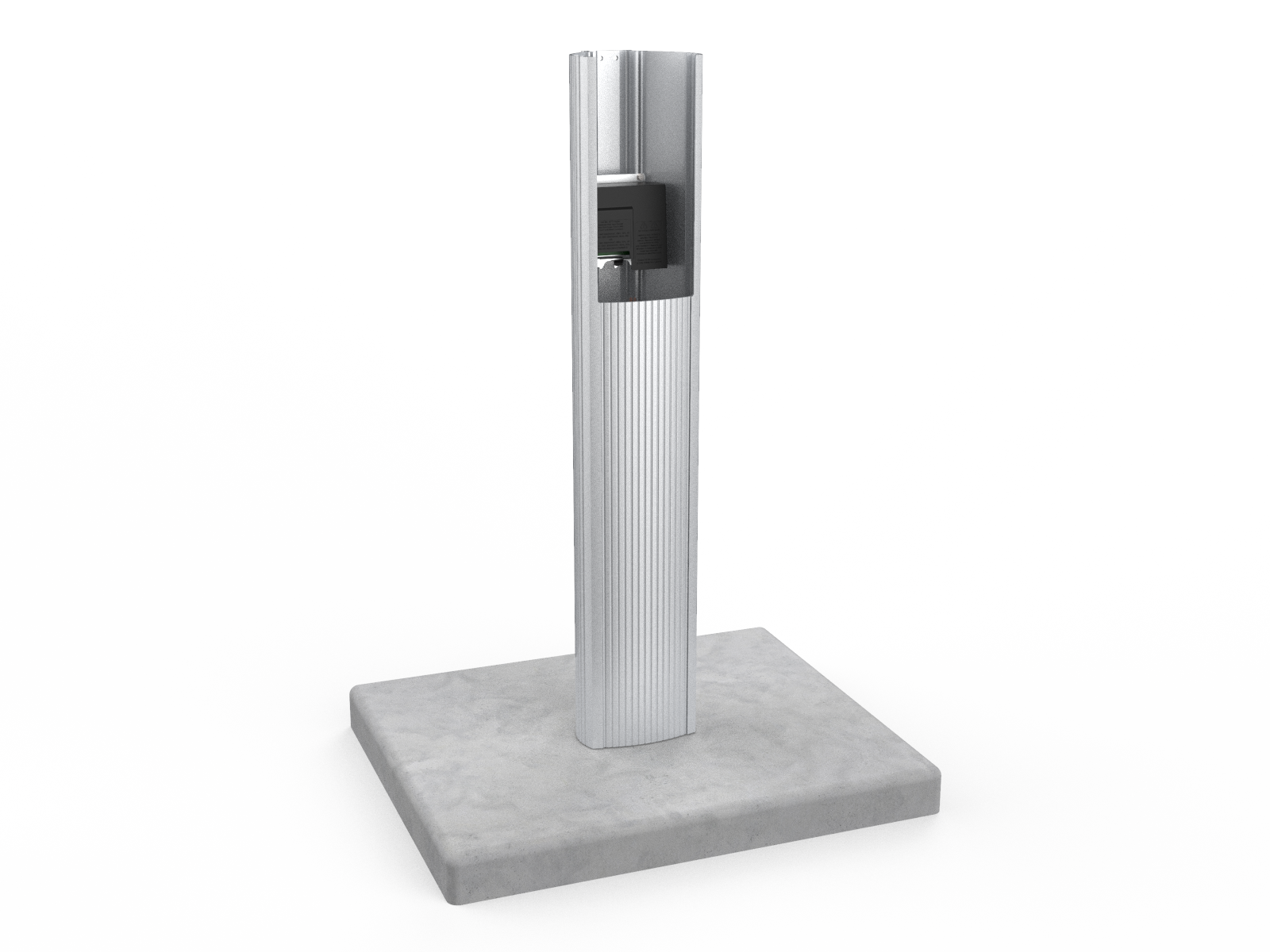
When complete, the housing appears as shown.
Prepare the CMK for Mounting
To prepare the CMK Cable Management Kit for mounting, follow the steps below:
-
Position the Cable Management Kit (CMK
Cable Management Kit) packaging so that the bottom of the CMK Cable Management Kit is near the base of the pedestal.Do not unwrap the ropes. -
Remove and discard the two shipping screws.
When you remove the shipping screws, the counterweights are free to move in either direction. To prevent damage or injury, always carry the assembly with the top end higher than the bottom end. -
Remove the foam packaging.
If you are replacing the EV Electric Vehicle PARKING signage with your own custom signage, it is easier to do it now. Refer to the replacement guide for signs available at ChargePoint Product Reference Documentation.
Install the CMK
To install the CMK Cable Management Kit, follow the steps below:
-
Insert the black cap into the space at the top of the housing, between the housing and the CMK
Cable Management Kit.
-
With a #3 Phillips screwdriver and at least one of the four screws (provided) in hand, position the CMK
Cable Management Kit against the back of the housing. -
Place the slot at the bottom of the CMK
Cable Management Kit over the knob at the bottom of the housing, pushing down until flush with the ground.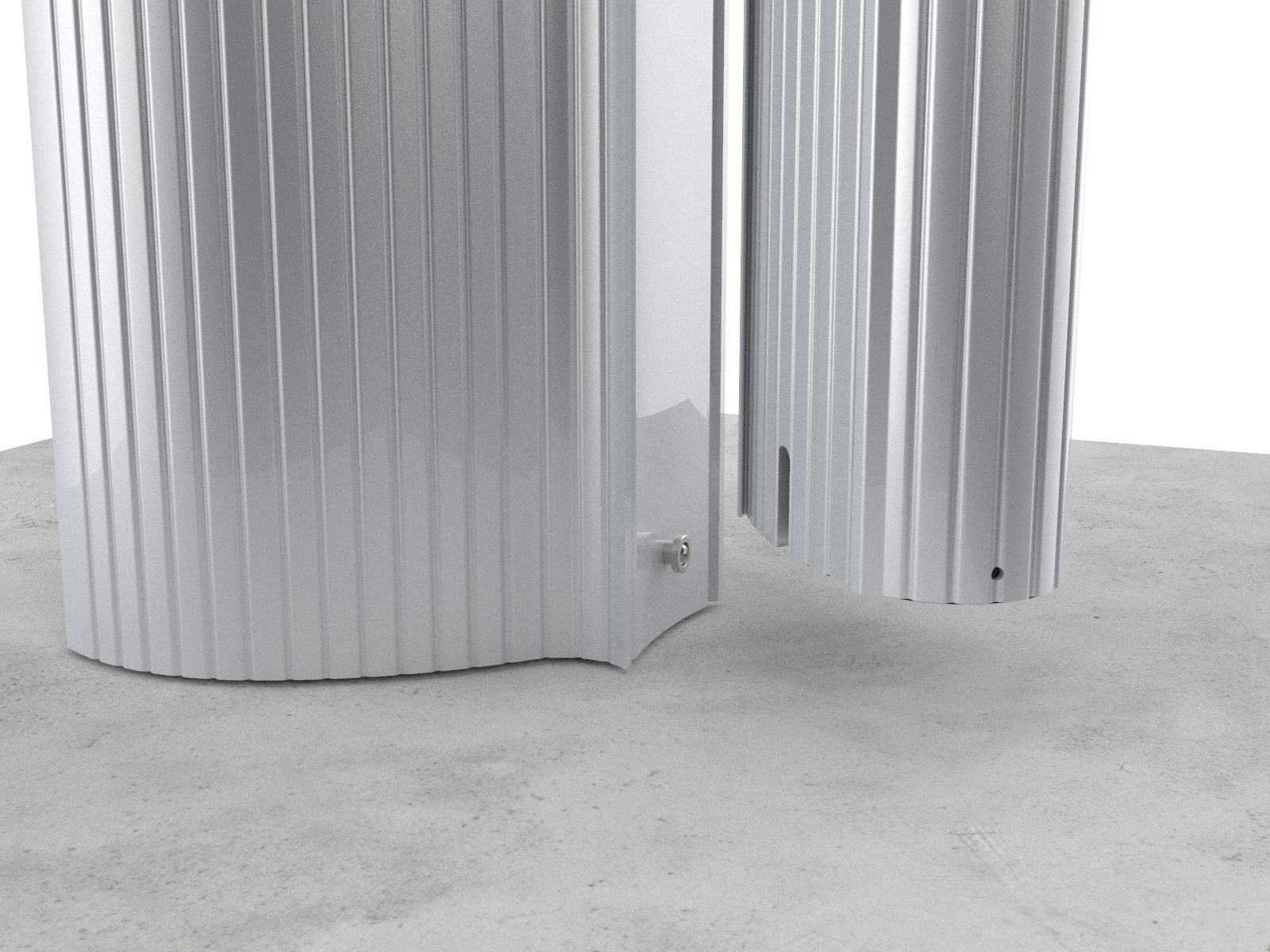
-
From inside the housing, insert the four screws through the housing and the CMK
Cable Management Kit.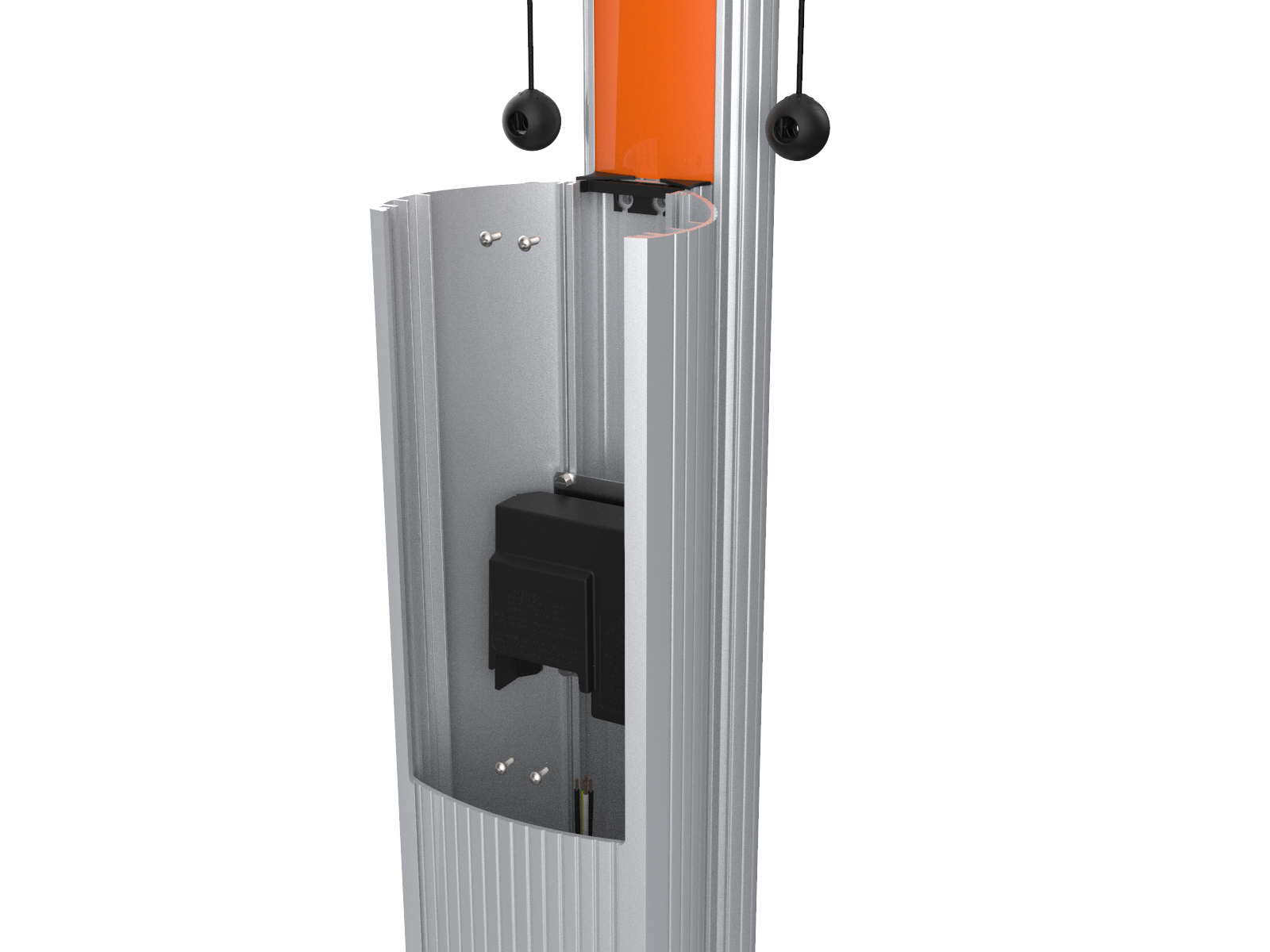
-
Tighten the four screws to 7 Nm (5 ft-lb).
Hold the CMK Cable Management Kit in place until you have secured it with at least one screw.
When complete, proceed to Connect wiring to the station.
