Install the Charging Station
Complete the following steps to install the charging station on the backplate:
-
Ensure the upstream breaker in the circuit breaker cabinet is OFF.
-
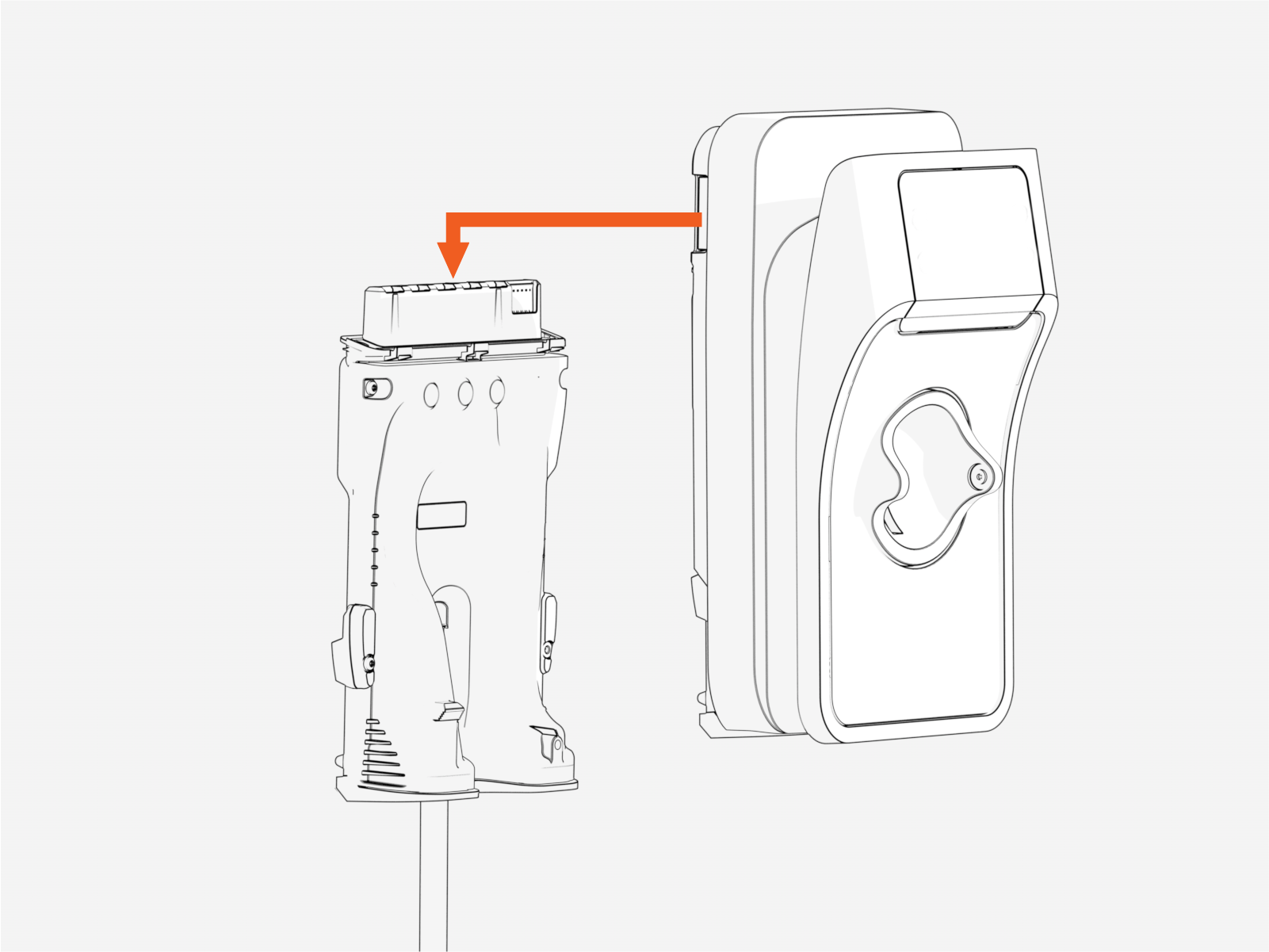
Slide charging station onto backplate and press down firmly until you hear the station click into position.
-
Press the station down firmly into position.
-
Turn power ON at the circuit breaker panel.
Status LEDs should be visible within 30 seconds.
The station should be ready to start the installation and commissioning procedure two minutes after applying power.
Lock the Charging Station (Optional)
To provide security, charging stations can be locked onto the backplate. If you want to install a locking screw, complete the steps in this section. If you do not plan to lock the charging station, skip to Uncoil Charging Cables.
-
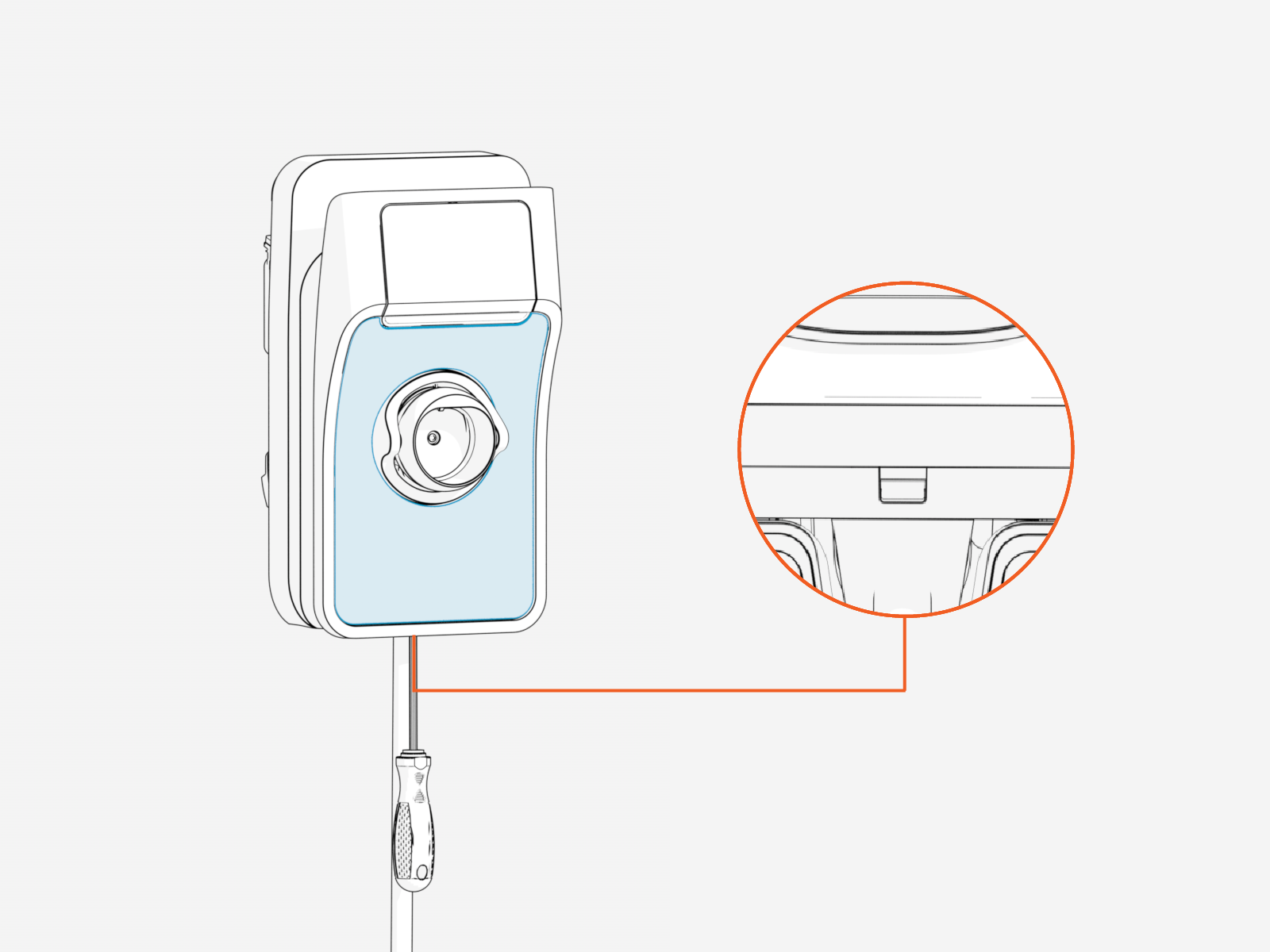
To remove the faceplate, insert a screwdriver into the slot on the bottom.
-
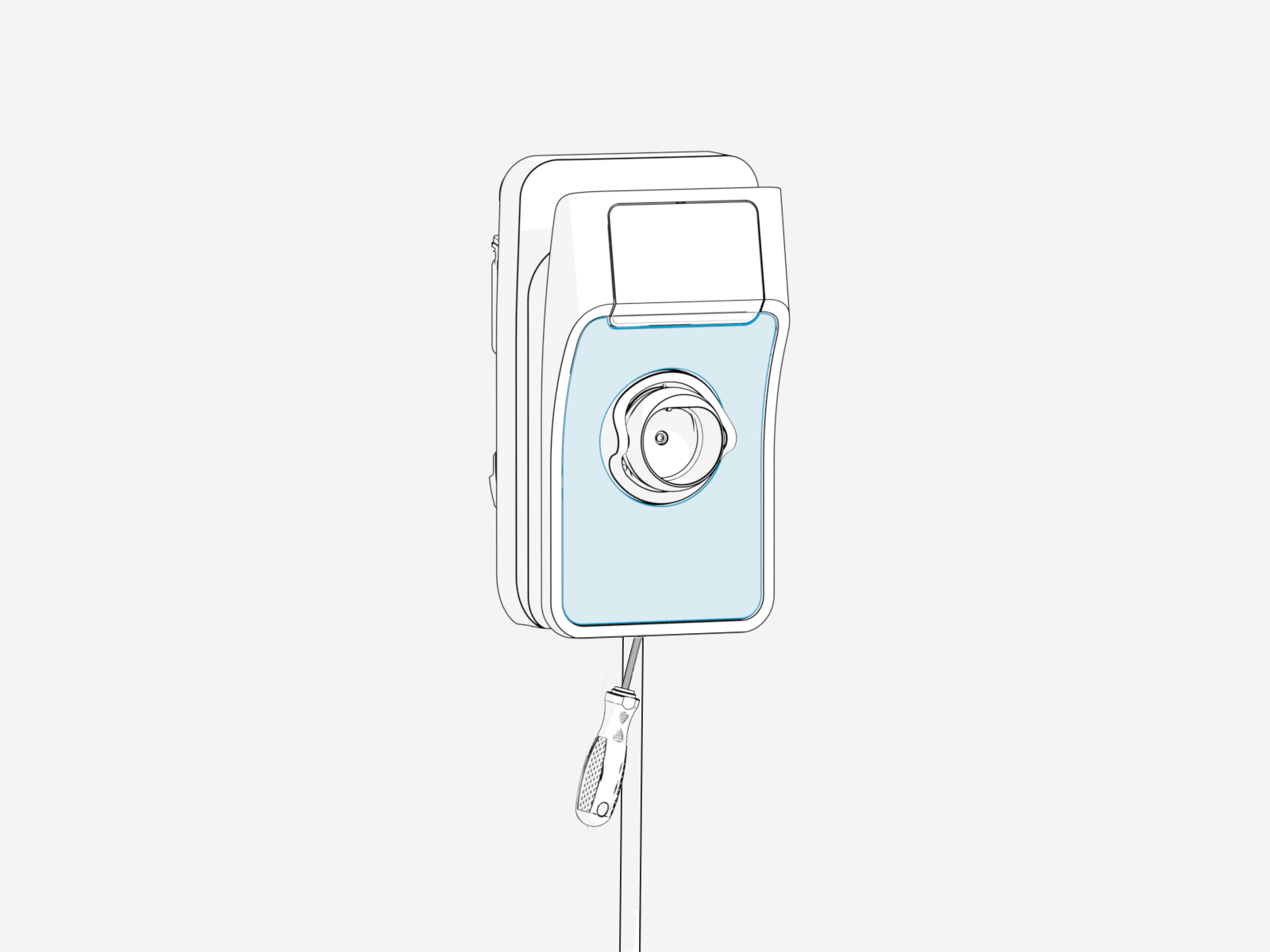
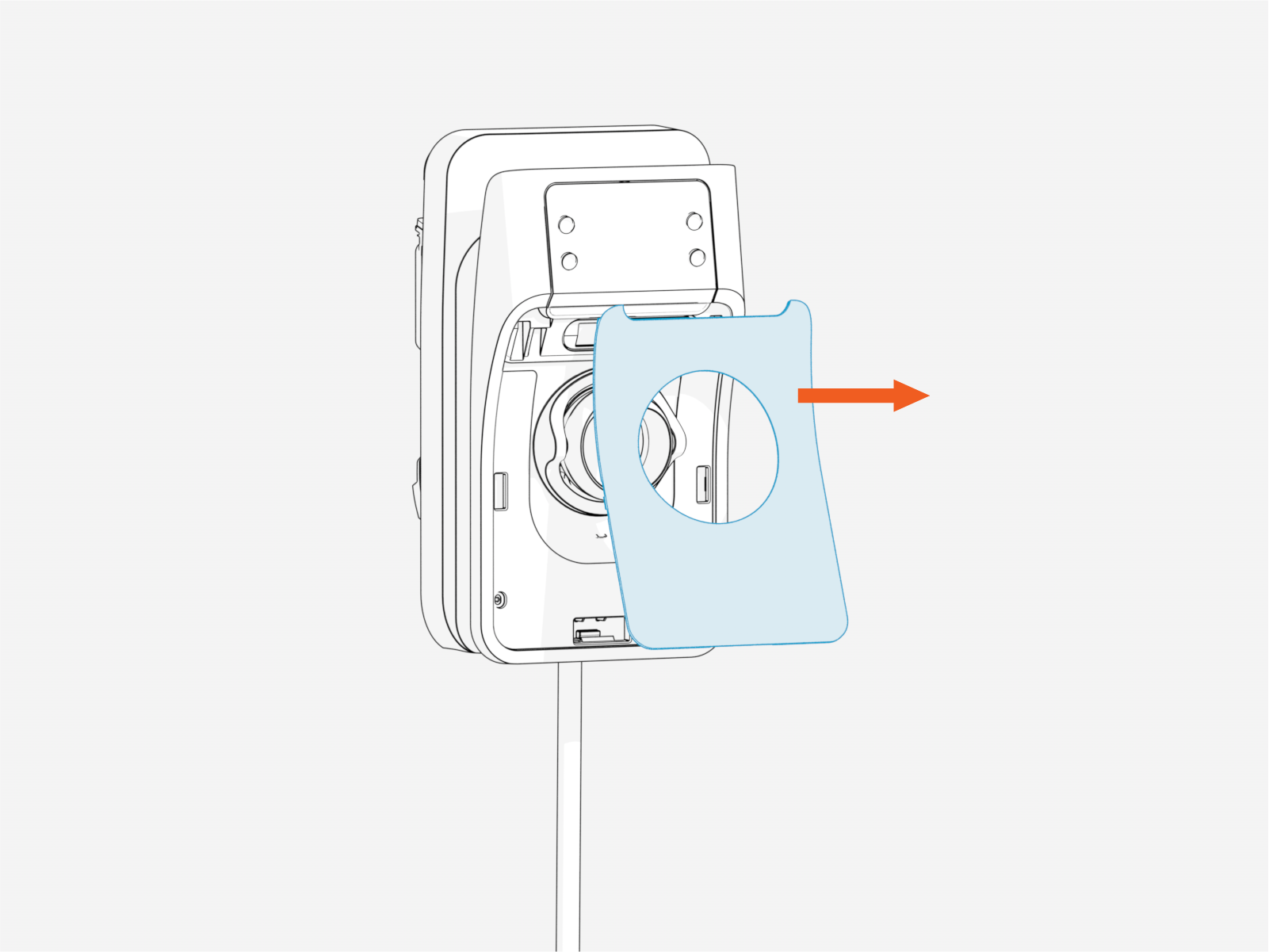
Push the screwdriver upward at an angle to release the faceplate.
-
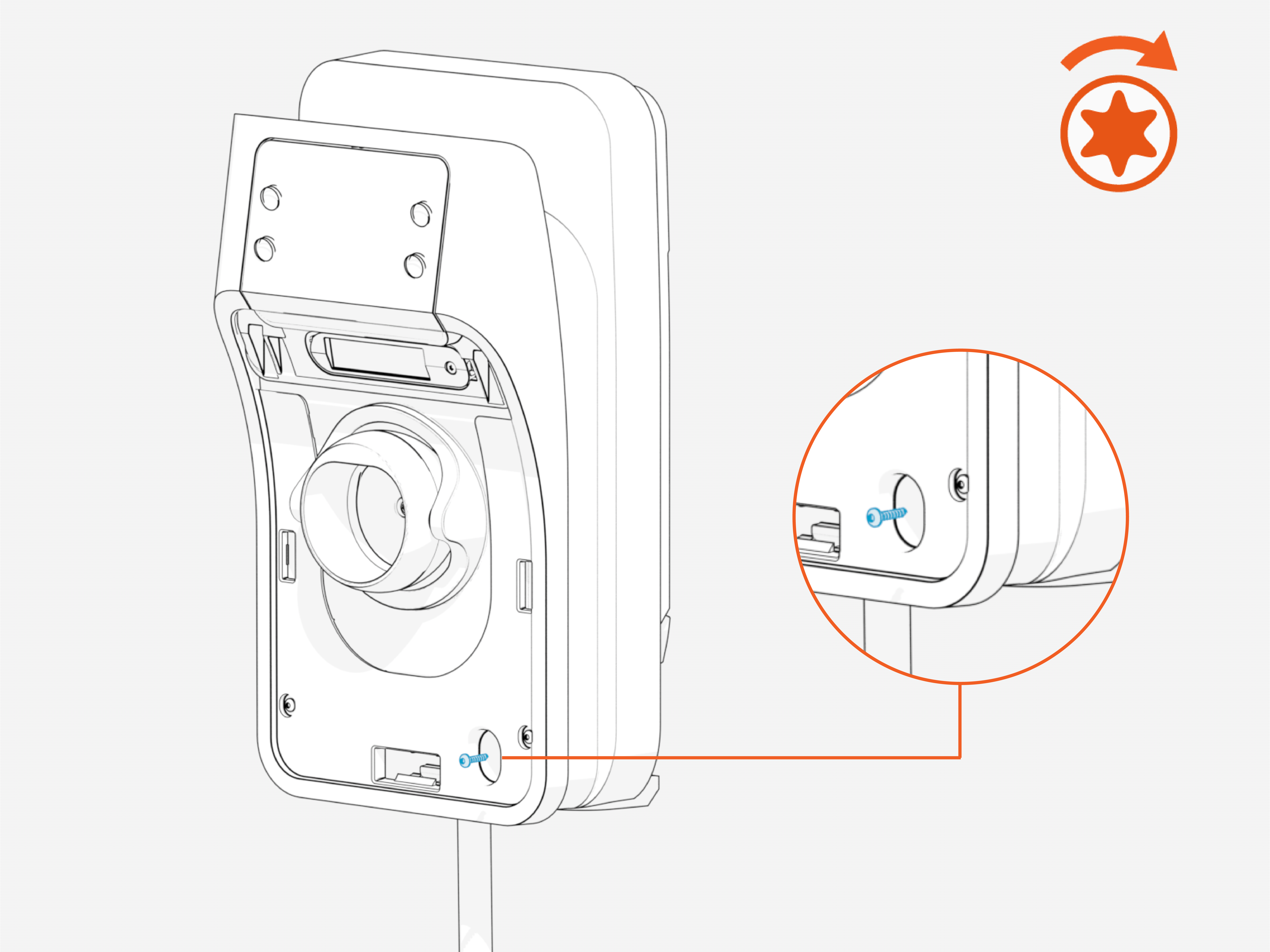
Insert the locking screw into the hole on the lower right side of the station. Use a T20 driver to tighten the locking screw.
 Opening the SIM access flap will trigger a tamper alarm and lock the unit from functioning.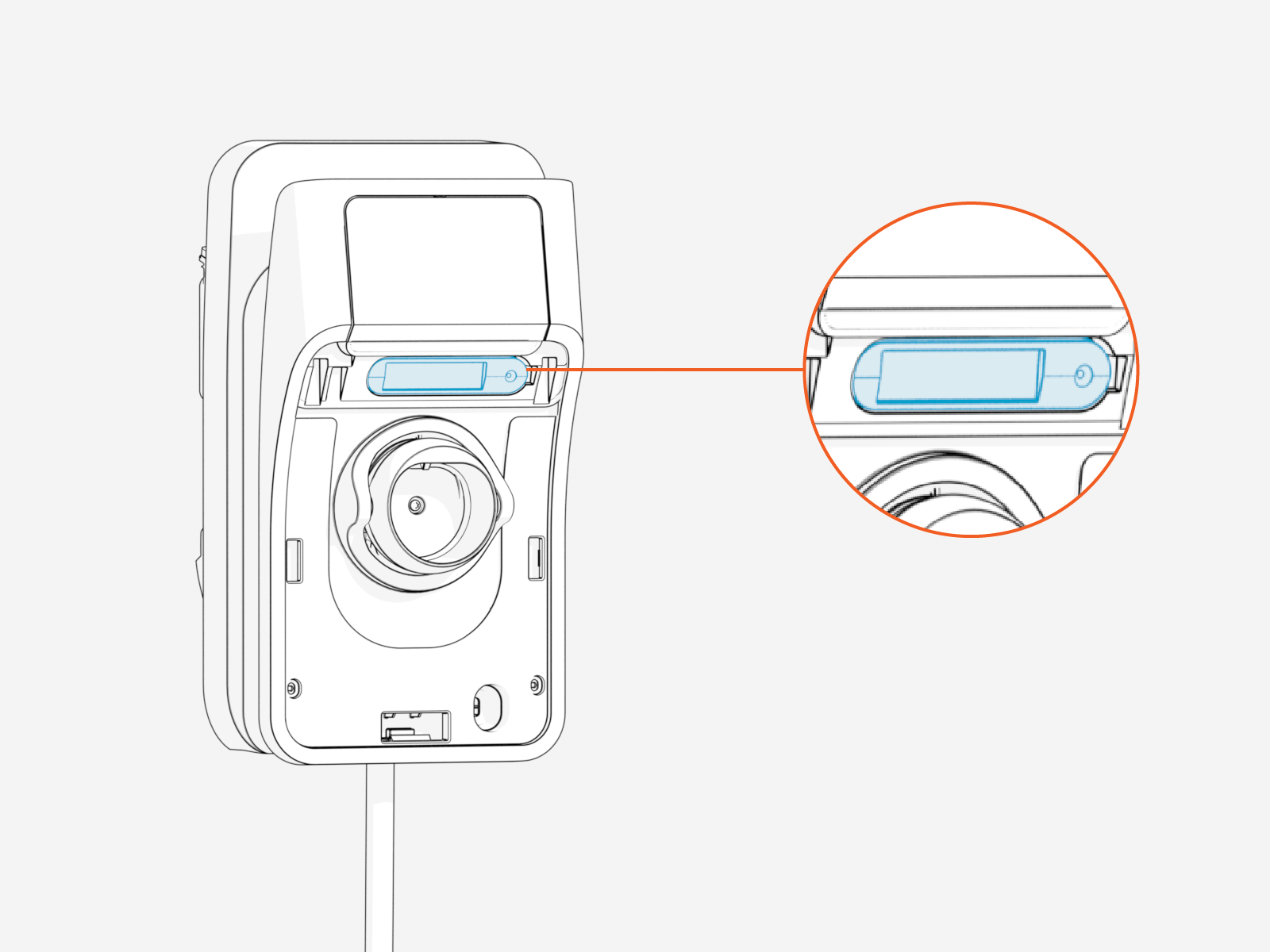
-
Reinstall the faceplate.
-
Align the top two hooks on the faceplate with the station.
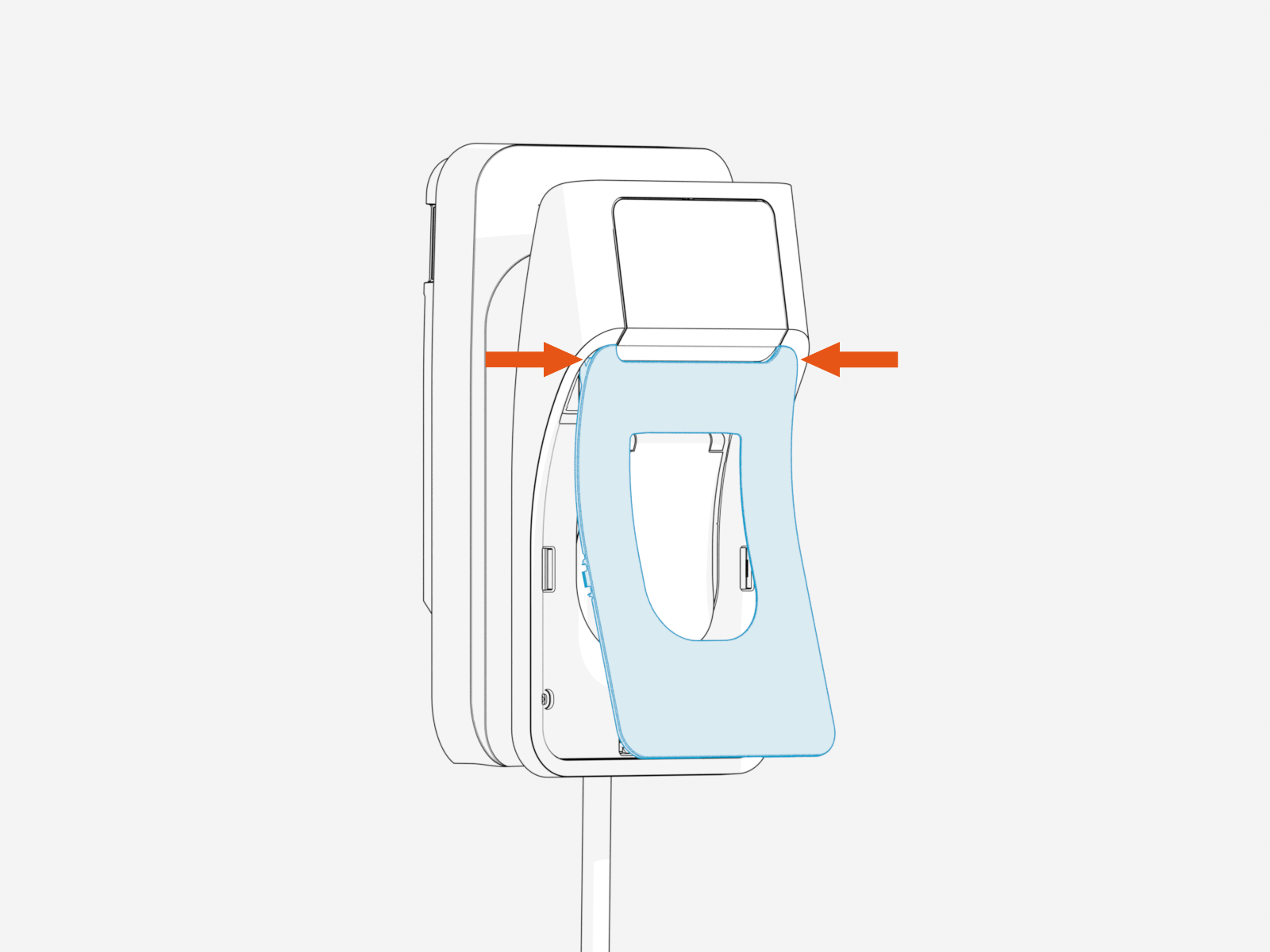 If you are installing the faceplate on a socketed station, lift the socket flap before snapping the faceplate into its place.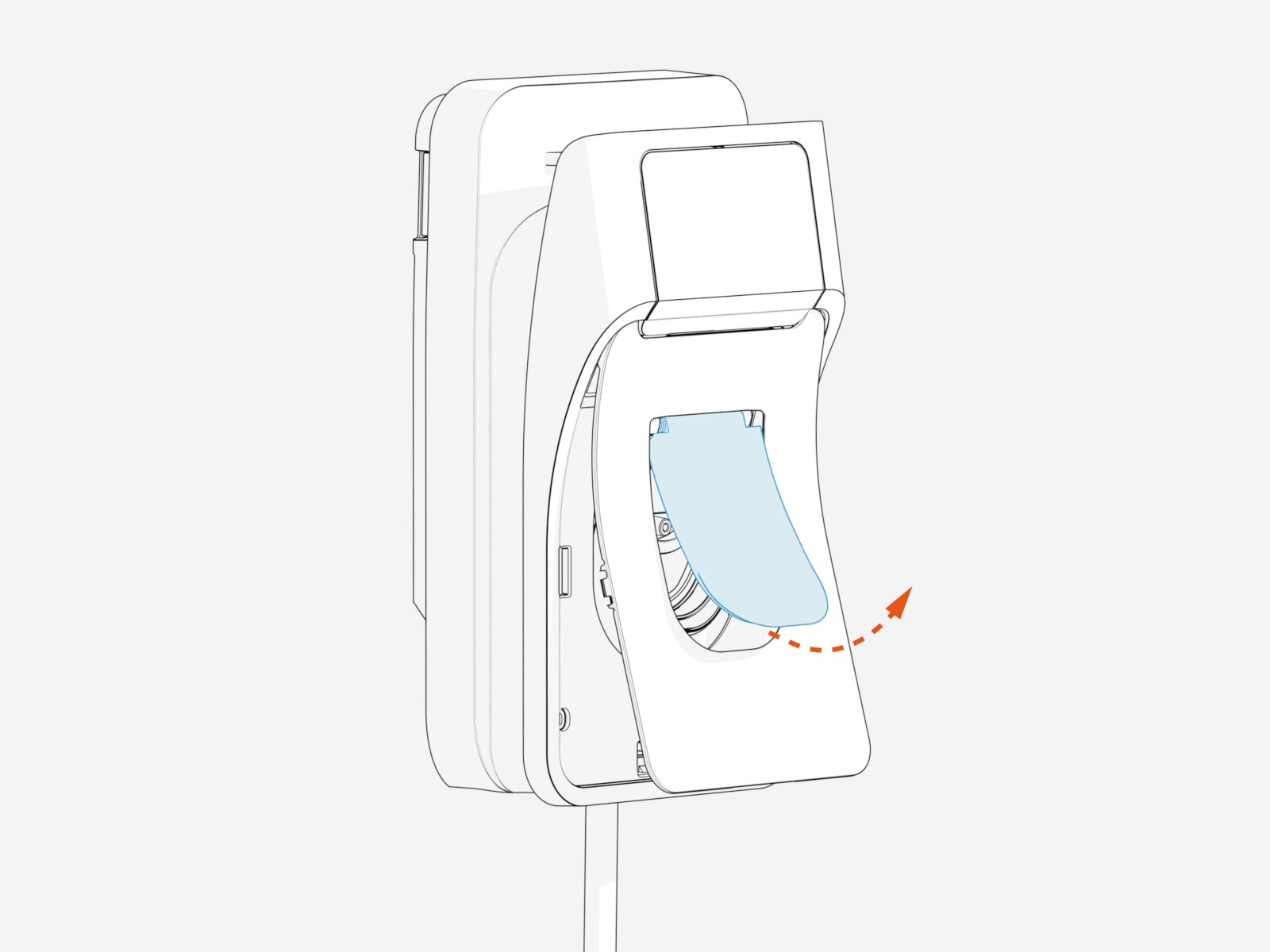
-
Hinge on these hooks and press the bottom edge of the faceplate against the station until it snaps securely into place.
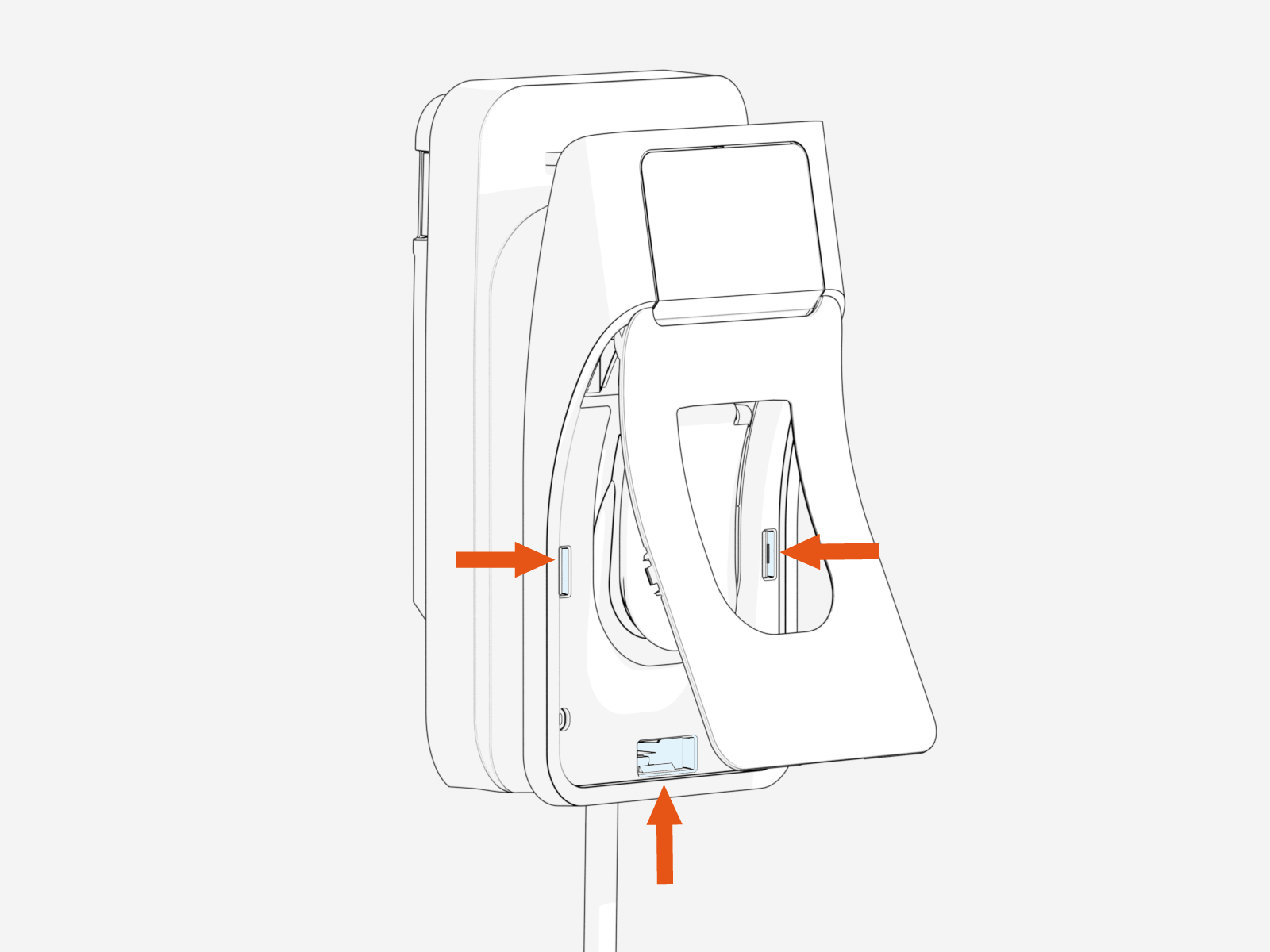 If unlocking is required, the steps should be reversed to remove the locking screw.
-
Uncoil Charging Cables
If your station does not have a tethered/connected charging cable, skip to Complete Station Setup.
-
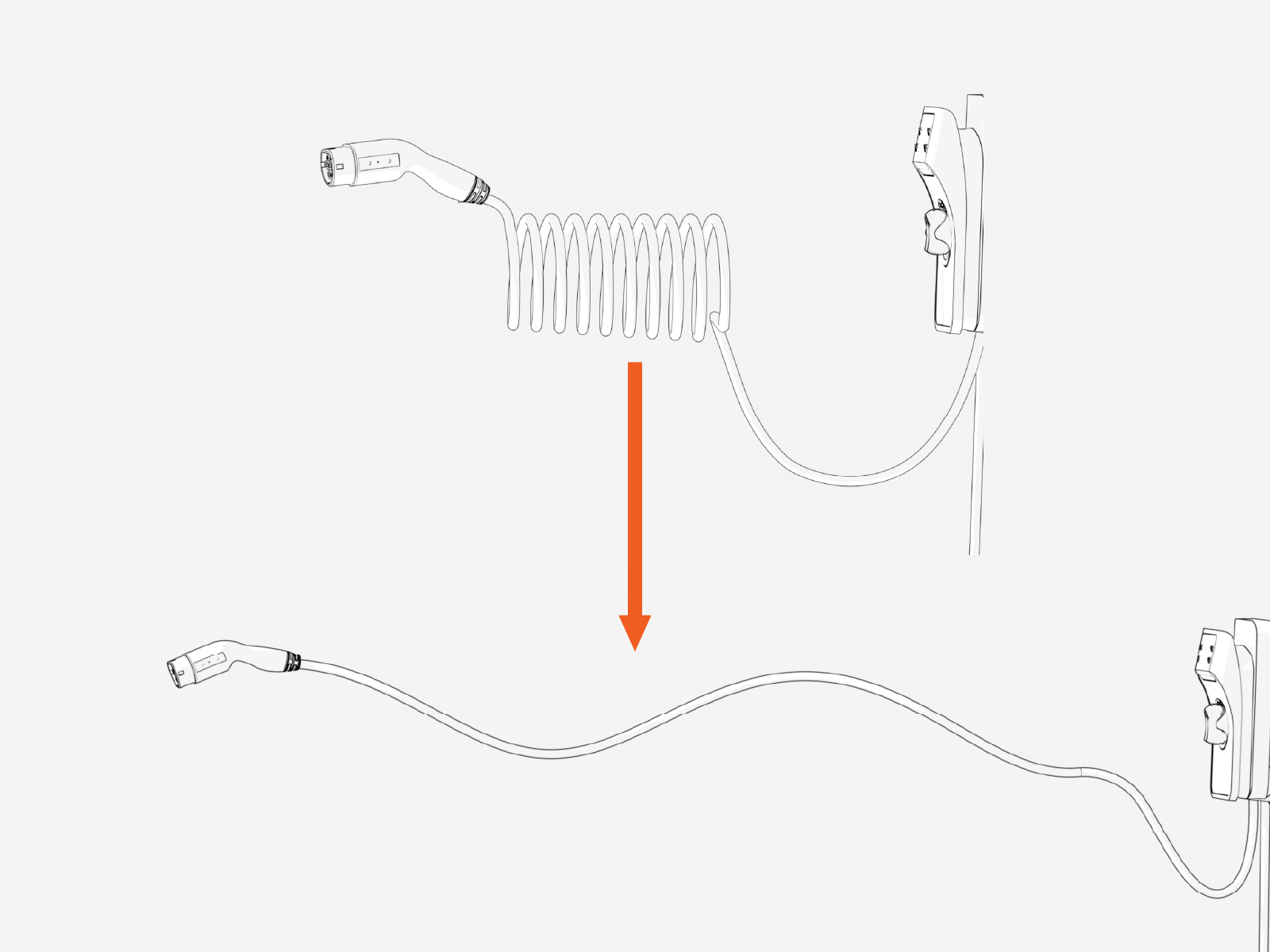
Stations with cables only - Uncoil the charging cable by gently extending it all the way out and away from the station. Rotate the plug as needed to remove any twist or kinks.
-
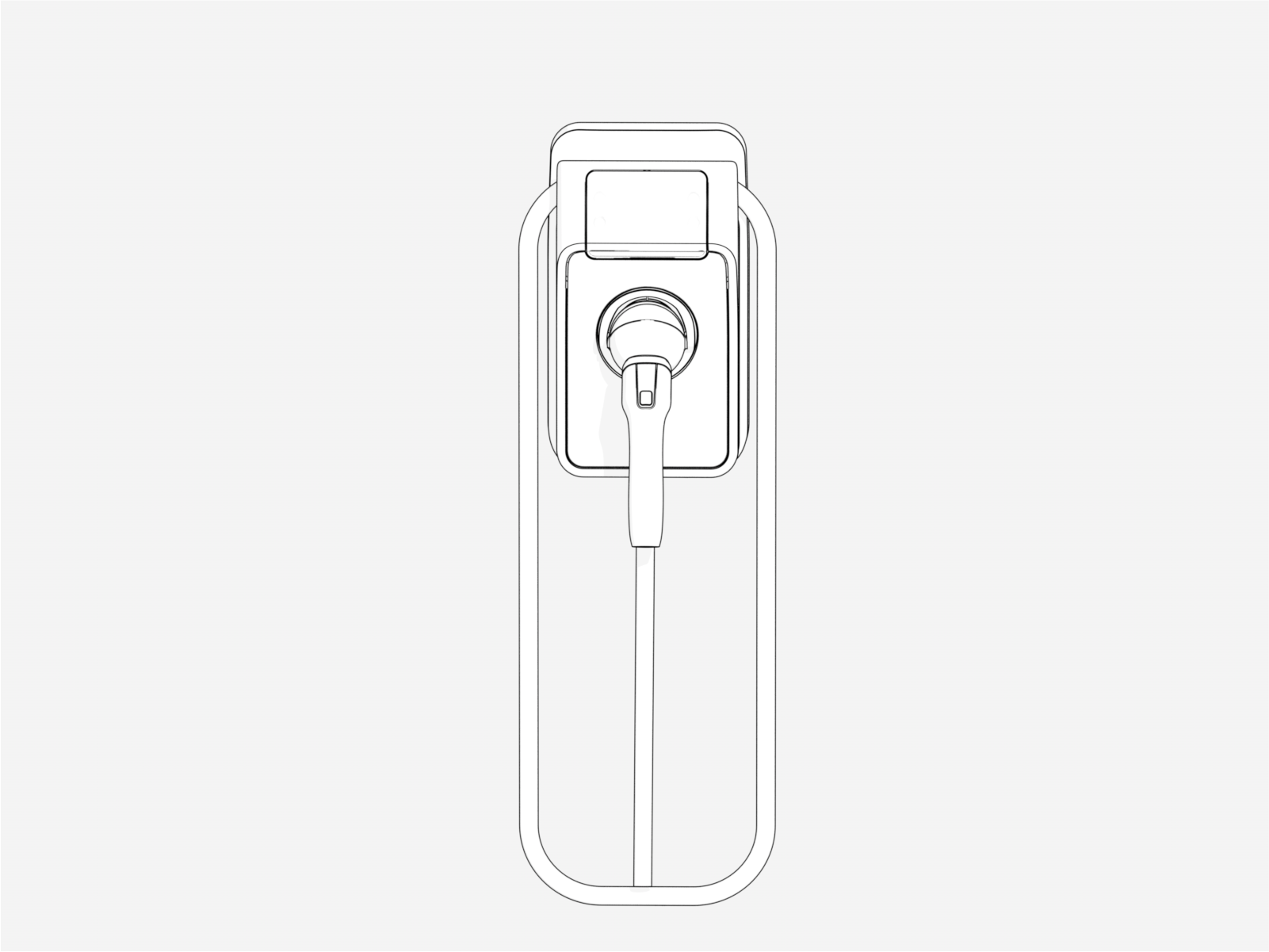
Stations with cables only - Drape the charging cable over the top of the charging station.
-
Stations with cables only - Insert the connector in its holster.
-
Continue to Complete Station Setup.
