Unlock Charging Station
Unlock the Charging Station (Optional)
To provide security, charging stations can be locked onto the backplate.
If you need to unlock a station, follow these steps:
-
Disconnect power to the charging station.
Risk of shock
-
Before any procedure, the technician must disconnect the power.
-
Follow local code to de-energize the applicable circuit and lock out/tag out the disconnect before proceeding. Use a multimeter to test that power is off.
-
Keep power off until the top cap is correctly reinstalled and the work is complete.
Failure to follow these instructions can result in serious injury, loss of life, or property damage.
-
-
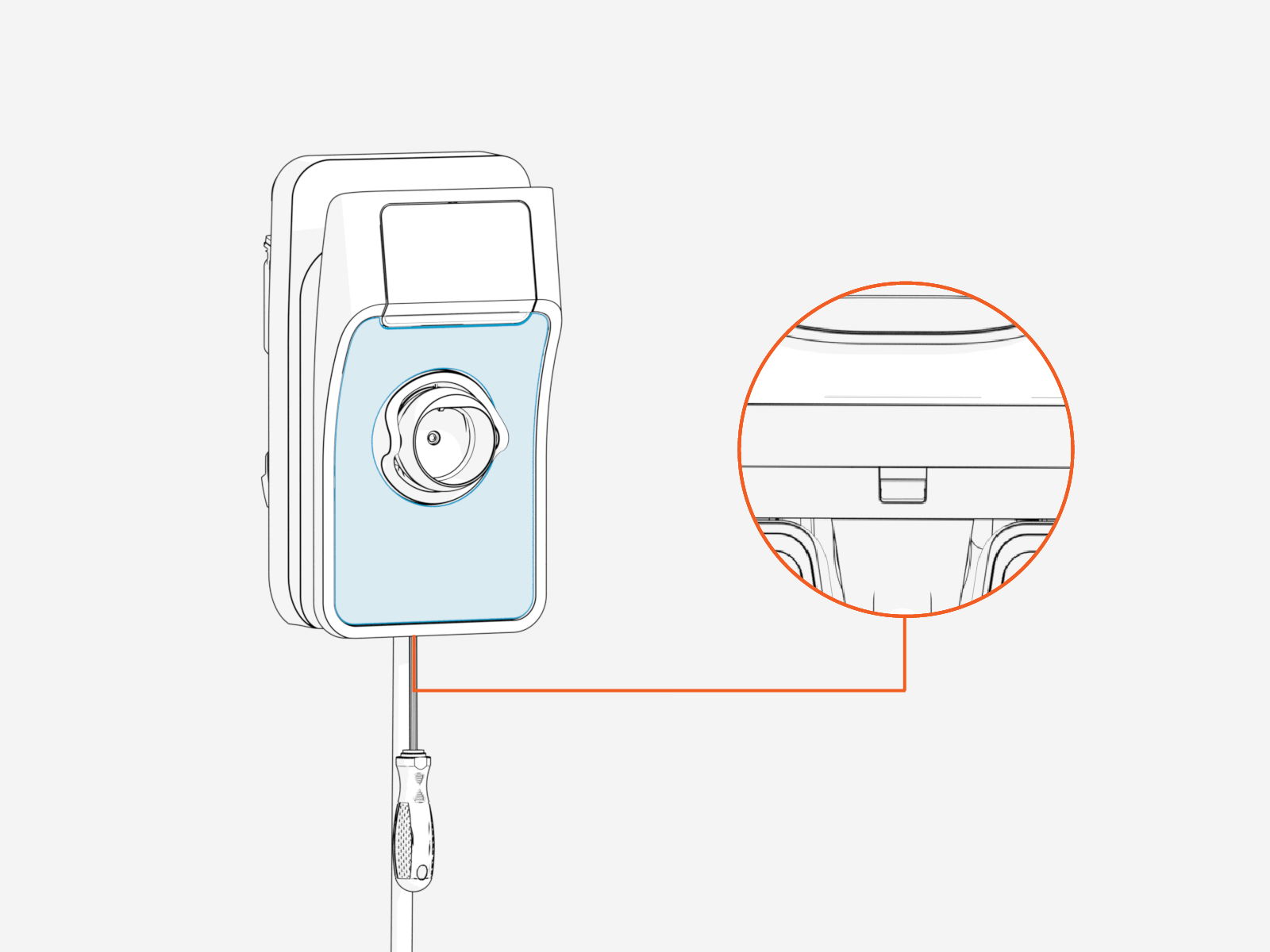
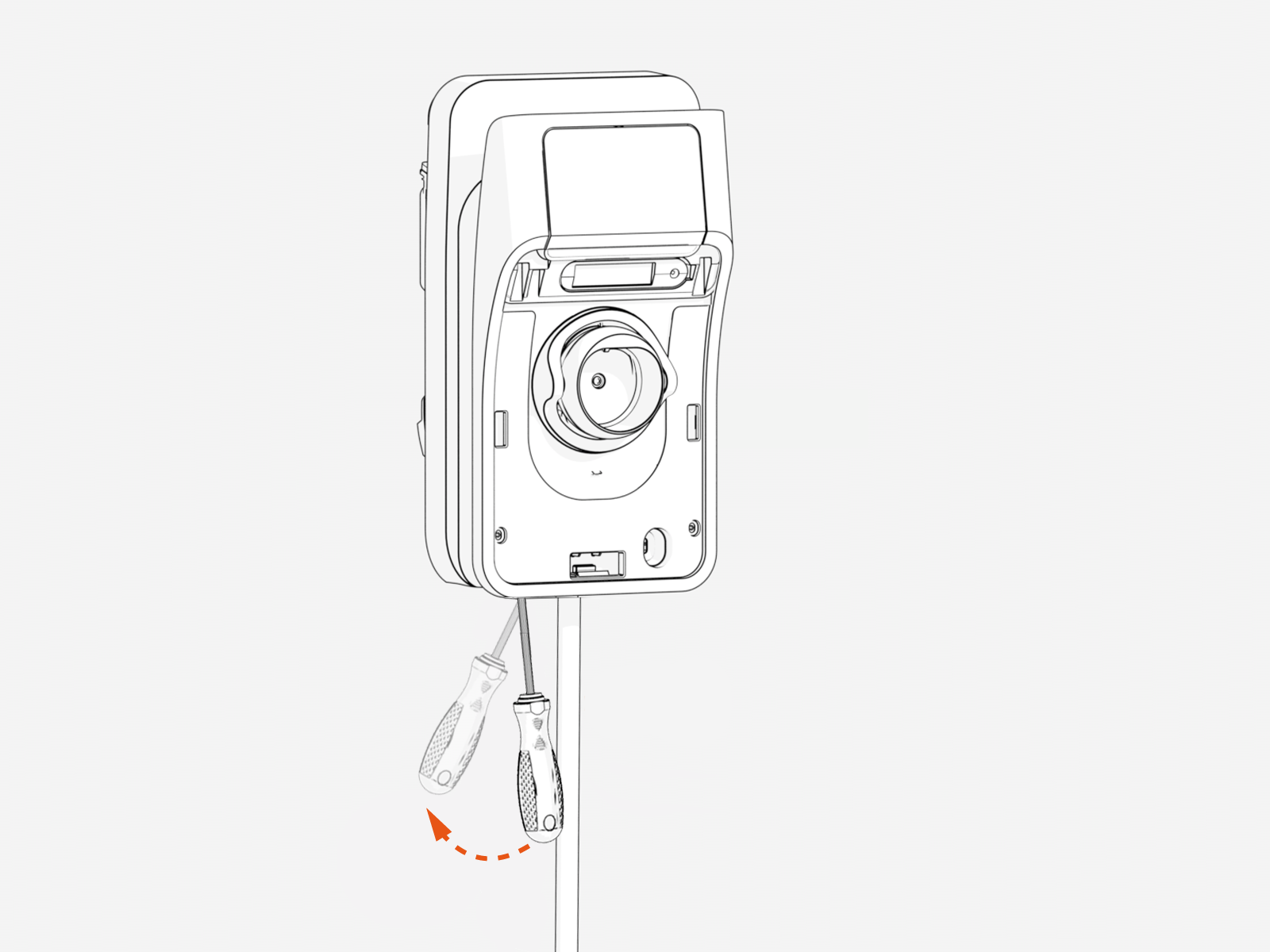
Insert a screwdriver into the slot on the bottom of the station.
-
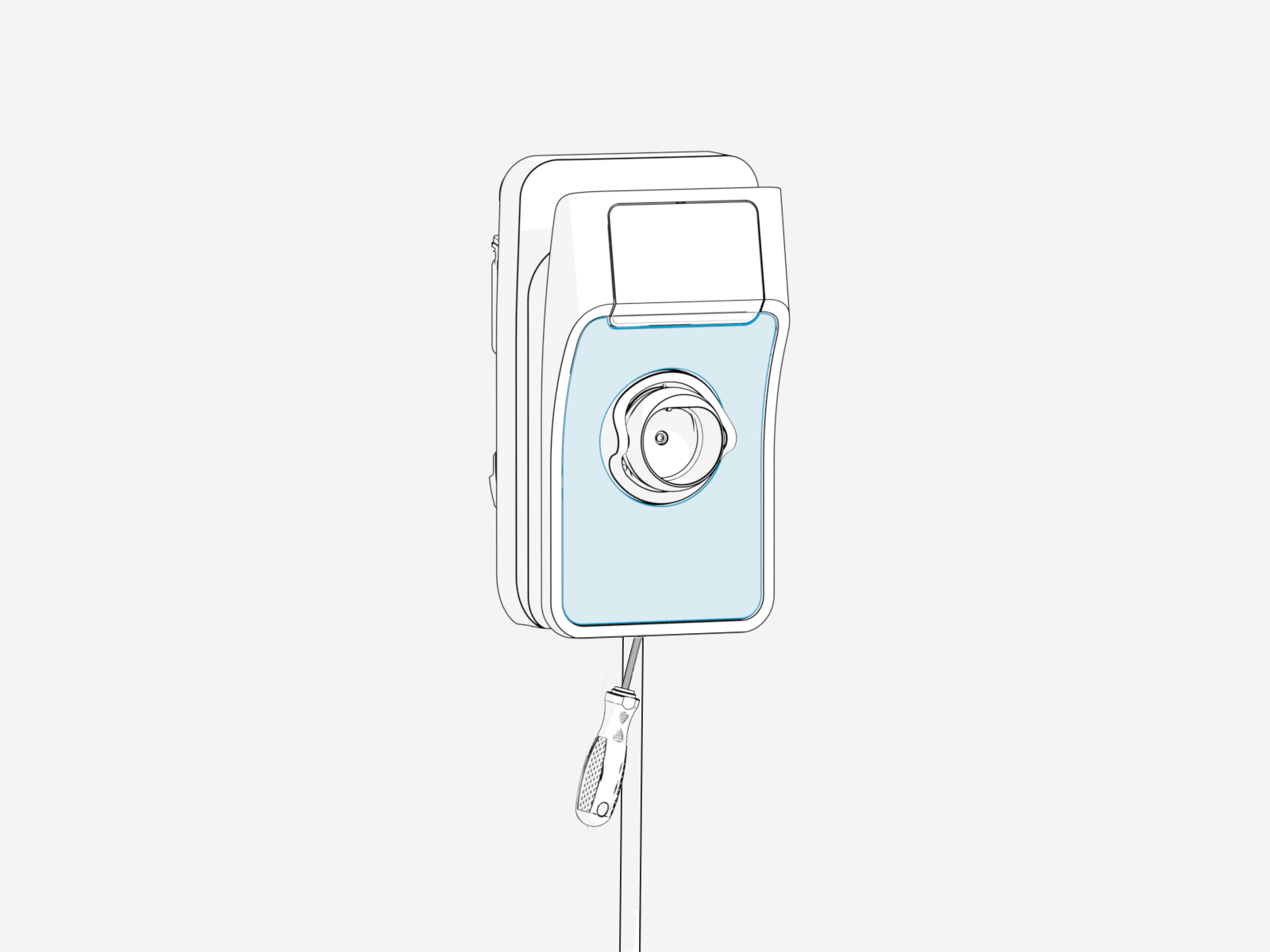
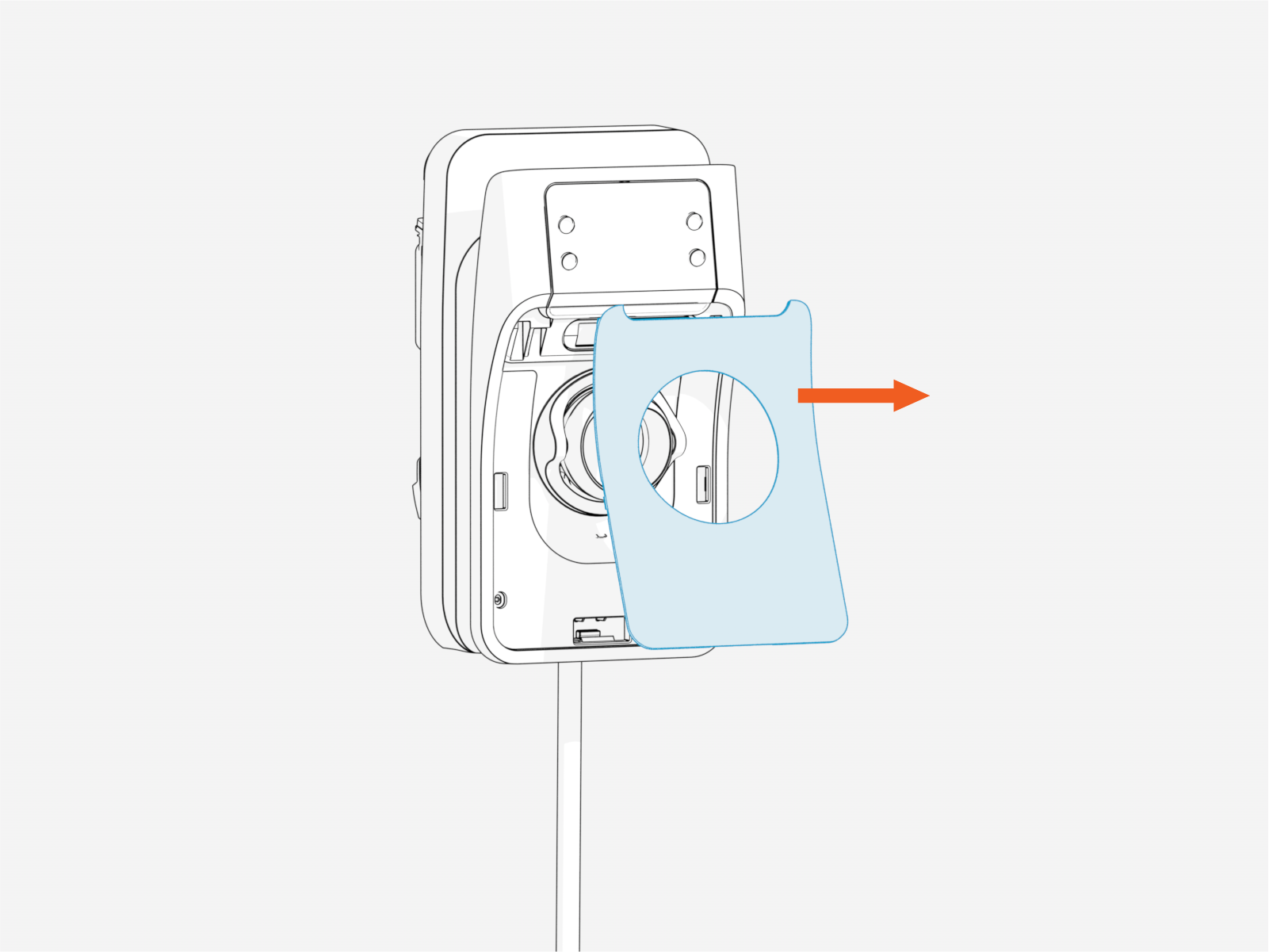
Push the screwdriver upward at an angle to release the faceplate.
-
Remove the locking screw on the lower right side of the charging station.
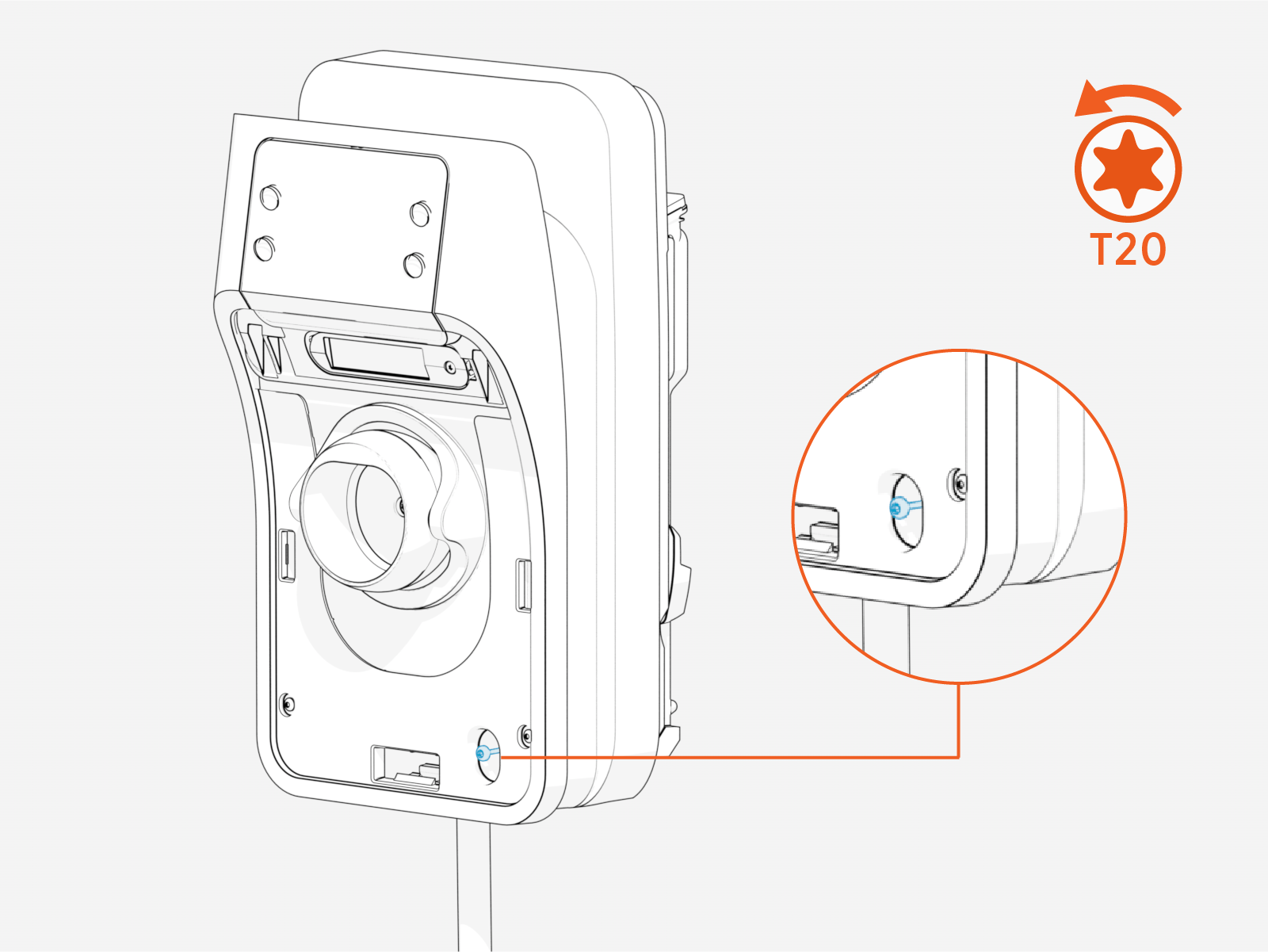
-
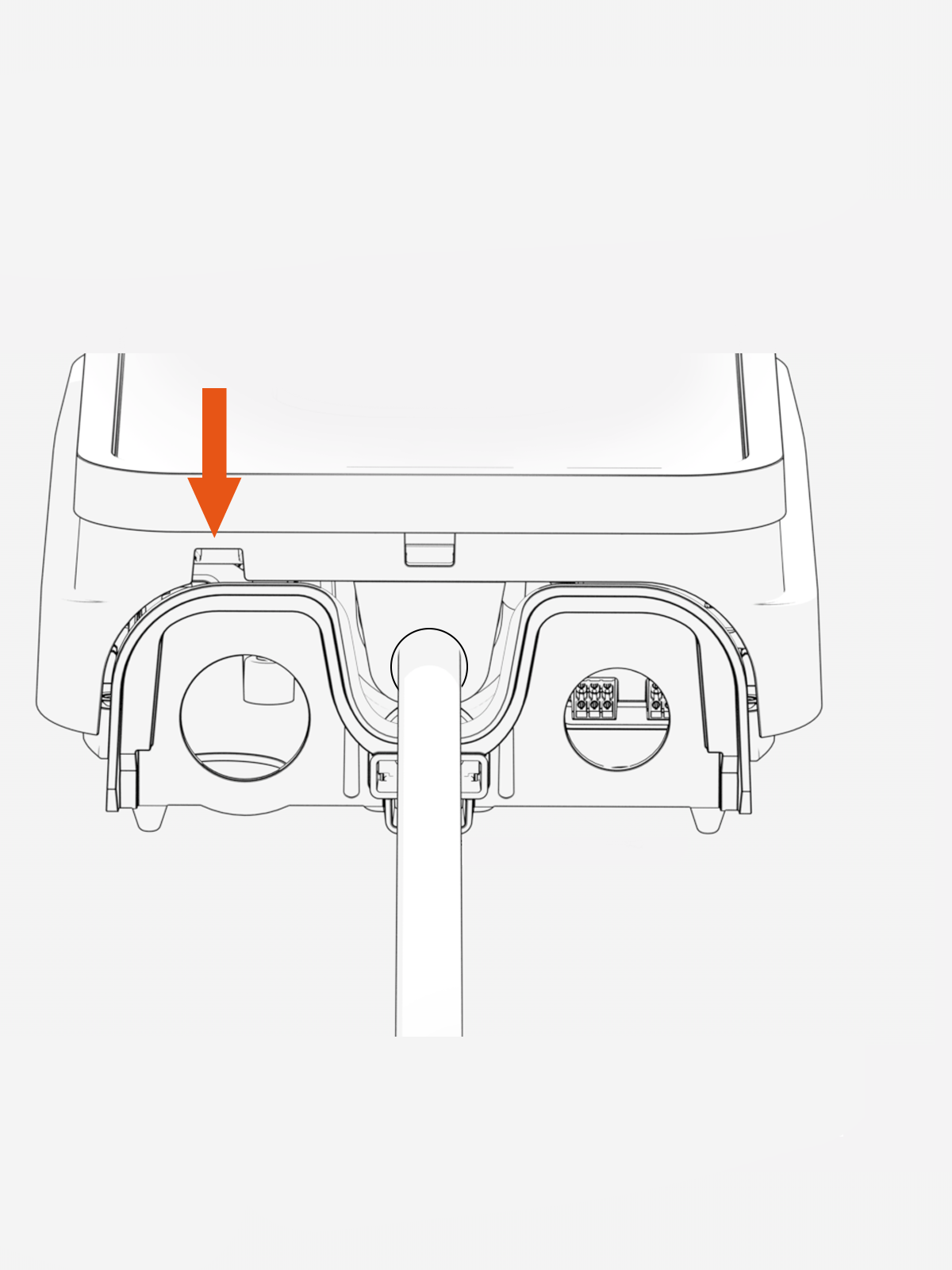
Insert a screwdriver into the left-most hole underneath the station and push the driver towards the wall to release the security latch.
-
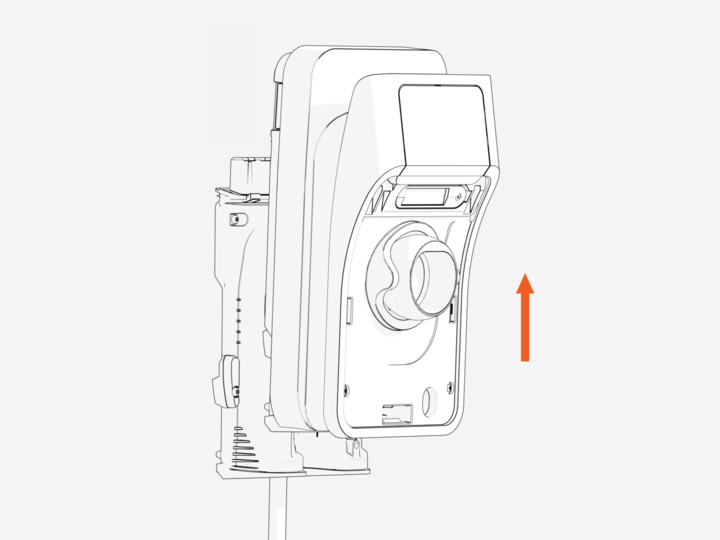
Push the station up to remove it.
The station weighs approximately 6.44 lbs (2.92 kg). Please exercise caution while handling it.