Mount the Charging Station
Plug-in Installation
For a plug-in installation, complete the following steps:
-
Remove the faceplate and the wire cover from the charging station and set them aside.
-
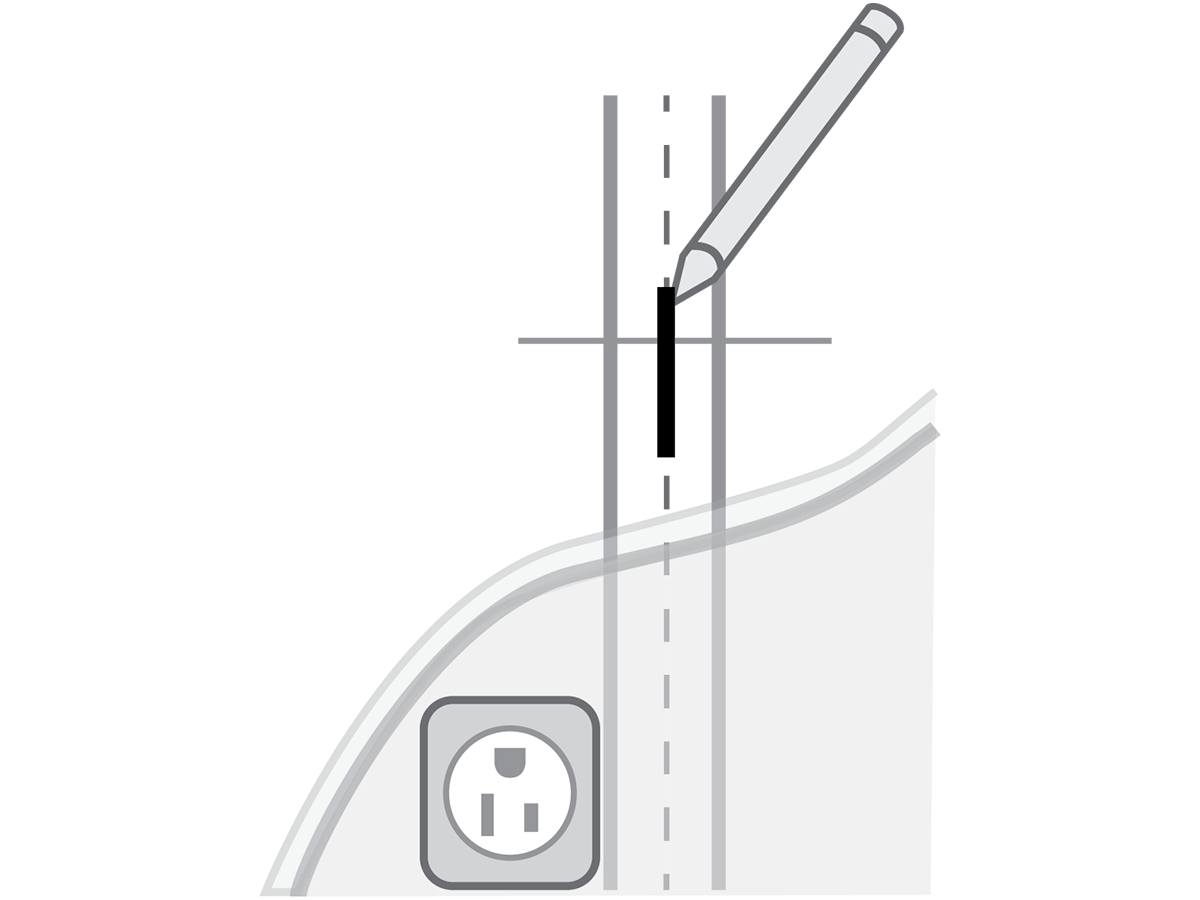
Mark the center of the mounting location with a vertical line at a height between 1-1.1 m (39‑43 in) above the floor. This must be centered on a stud or other structurally suitable surface.
-
To determine the ideal mounting height of the charging station, connect the input power cable to the outlet.
If the front status light turns on when the charging station is plugged in, the circuit is not off. STOP IMMEDIATELY. Unplug the charging station and turn off the power to the outlet at the circuit breaker until the installation is complete.
-
Hold the station against the wall centered on the mark you just made.
Ensure that the input power cable has a slight curve and is not stretched.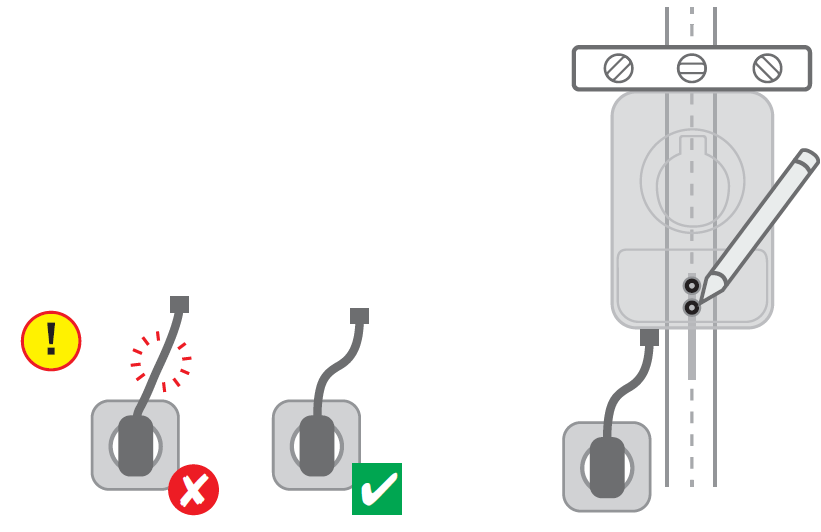
-
Mark the two lower mounting holes through the holes in the station, then unplug the charging station and set aside.
-
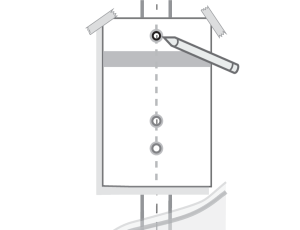
Place the template on the wall, aligning the lower template holes with the two marks you made.
-
Mark the top mounting hole on the wall using the top hole in the template. All three marks should be on the vertical line you first made.
-
Remove the template from the wall.
-
Drill the three mounting holes on the marks using the included drill bit.
-
Use the driver bit to drive a screw into the top-most mounting hole, leaving a 3 mm (1/8 in) gap to hang the charging station on.
-
Hang the charging station on the screw using the top notch on the back.
Do not plug the charging station in yet. -
Drive the remaining two lag screws into the bottom mounting holes to secure the charging station.
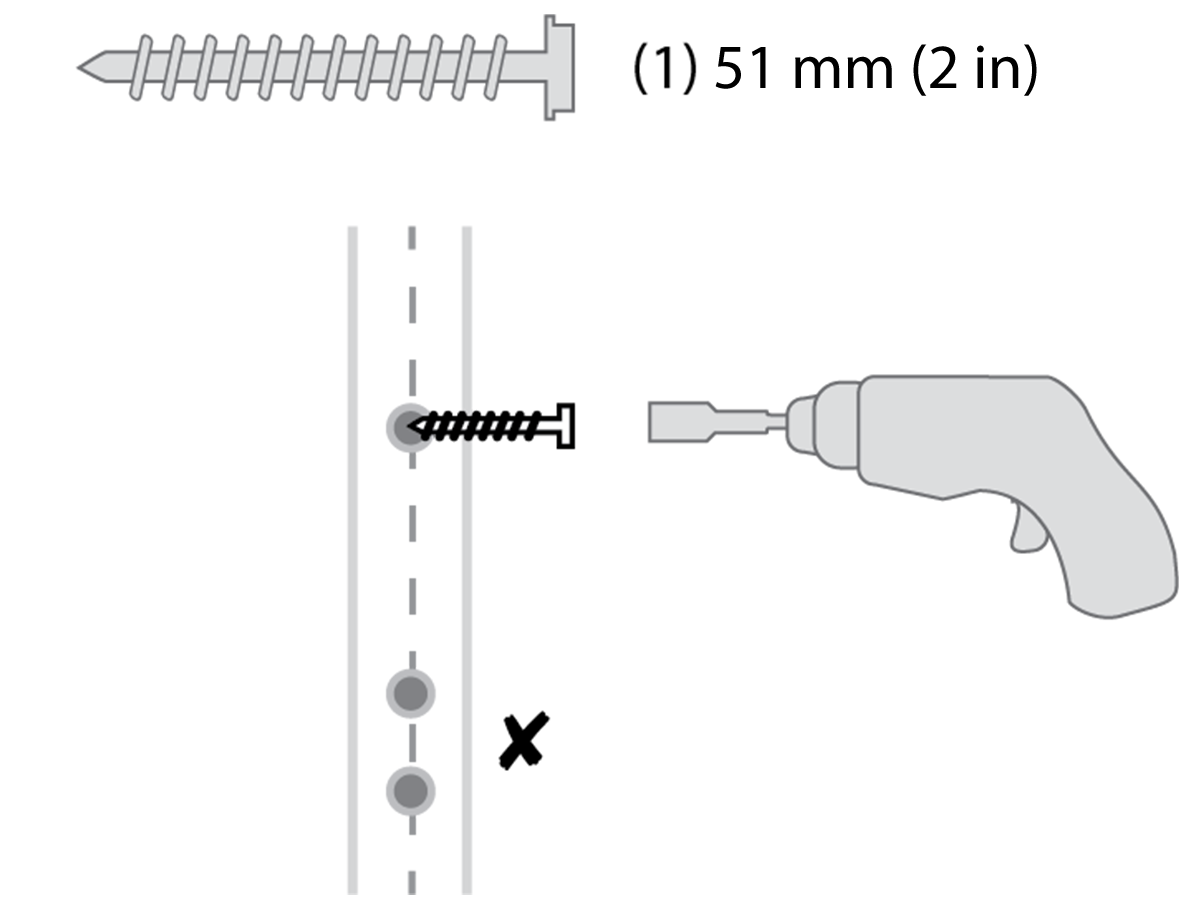
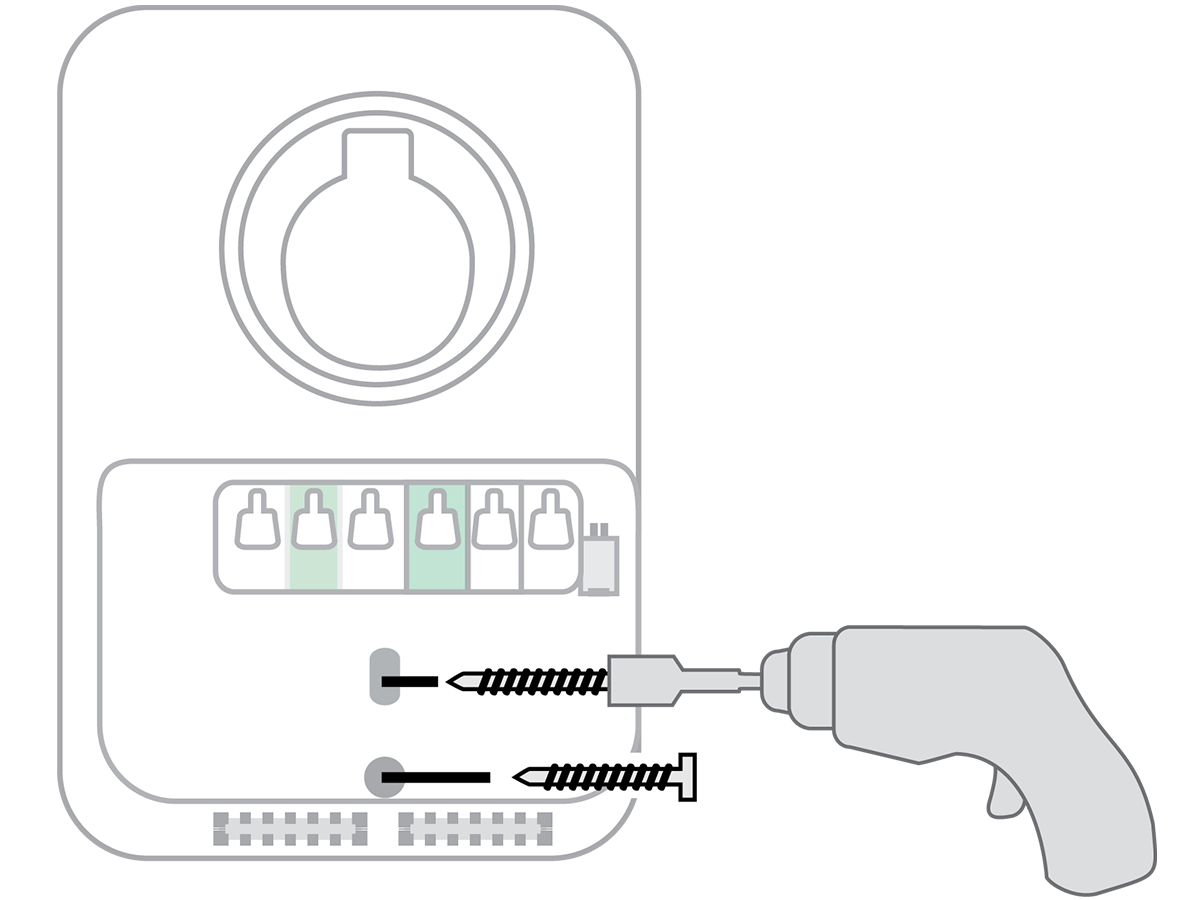
For more information, see Install the Charging Cable section.
Hardwired Installation
For hardwired installation, complete the following steps:
-
Remove the faceplate and the wire cover from the charging station and set them aside.
-
Mark the center of the mounting location with a vertical line at a height between 1.0-1.1 m (39-43 in) above the floor. This must be centered on a stud or other structurally suitable surface.
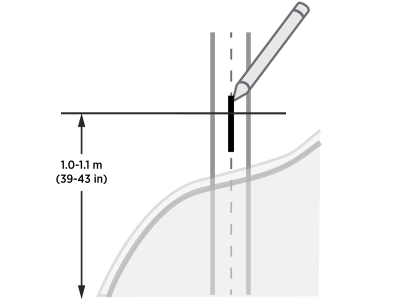
-
Hold the station against the wall, centered on the mark you just made. The top of the station should be approximately 1.3 m (50 in) above ground level.
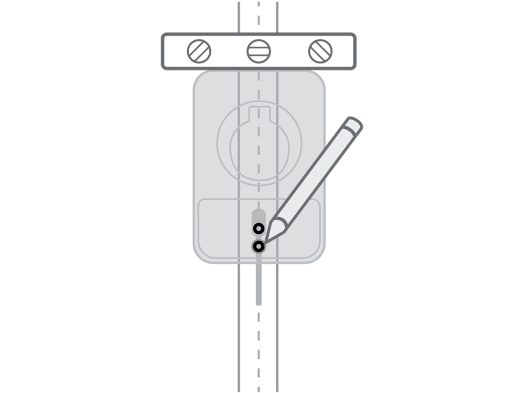
-
Mark the two lower mounting holes through the holes in the station, set aside.
-
Place the template on the wall, aligning the lower template holes with the two marks you made.
-
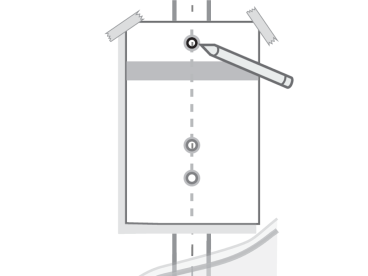
Mark the top mounting hole on the wall using the top hole in the template. All three marks should be on the vertical line you first made.
-
Remove the template from the wall.
-
Drill the three mounting holes on the marks using the included drill bit.
-
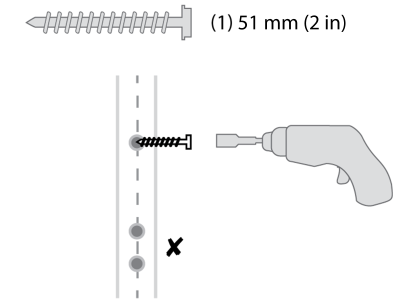
Use the driver bit to drive a lag screw into the top-most mounting hole, leaving a 3 mm (1/8 in) gap to hang the charging station on. Keep the remaining two screws for later use.
-
If you bring power through the back of the station, remove the rear knockout plug and route the wires through before hanging the station.
If you are mounting on an exterior wall and bringing power through the rear knockout, apply sealant around the rear knockout to prevent water ingress. -
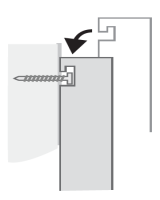
Hang the charging station on the screw using the top notch on the back.
-
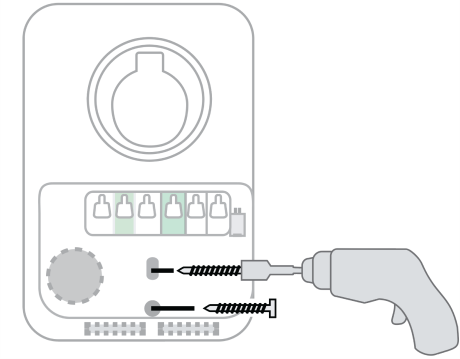
Drive the remaining two lag screws into the bottom mounting holes to secure the charging station.
-
Ensure the service wiring can easily reach the connectors on the charging station’s input terminal block.
-
Tighten the locknut on the conduit fitting.
-
Strip each wire 12 mm (1/2 in).
-
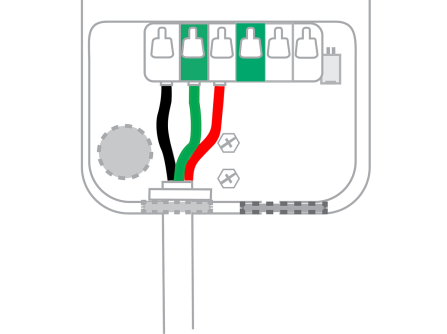
Lift the white levers to open the terminal block. Fully insert the wires into the connectors on the left side of the terminal block with the ground wire in the center. Ensure to insert the wires in the correct order, where left terminal corresponds to Line 1 (L1), middle terminal is Ground (GND
 Ground), and right terminal is Line 2 (L2).
 -
Press the levers down until they snap into place to secure the wires in the terminal block. Pull on the wires to ensure they are properly secured.
The levers will snap shut with great force. Keep fingers away from underneath the levers.
National Electrical Manufacturers Association) power cord, remove the plug by lifting the three white levers on the left of the terminal block, lifting and pulling out the cable clip. A pair of needle-nose pliers makes removing the clip easier.