Install the Charging Cable
To install the charging cable, complete the following steps:
-
Turn off the circuit breaker to the 240 V outlet.
-
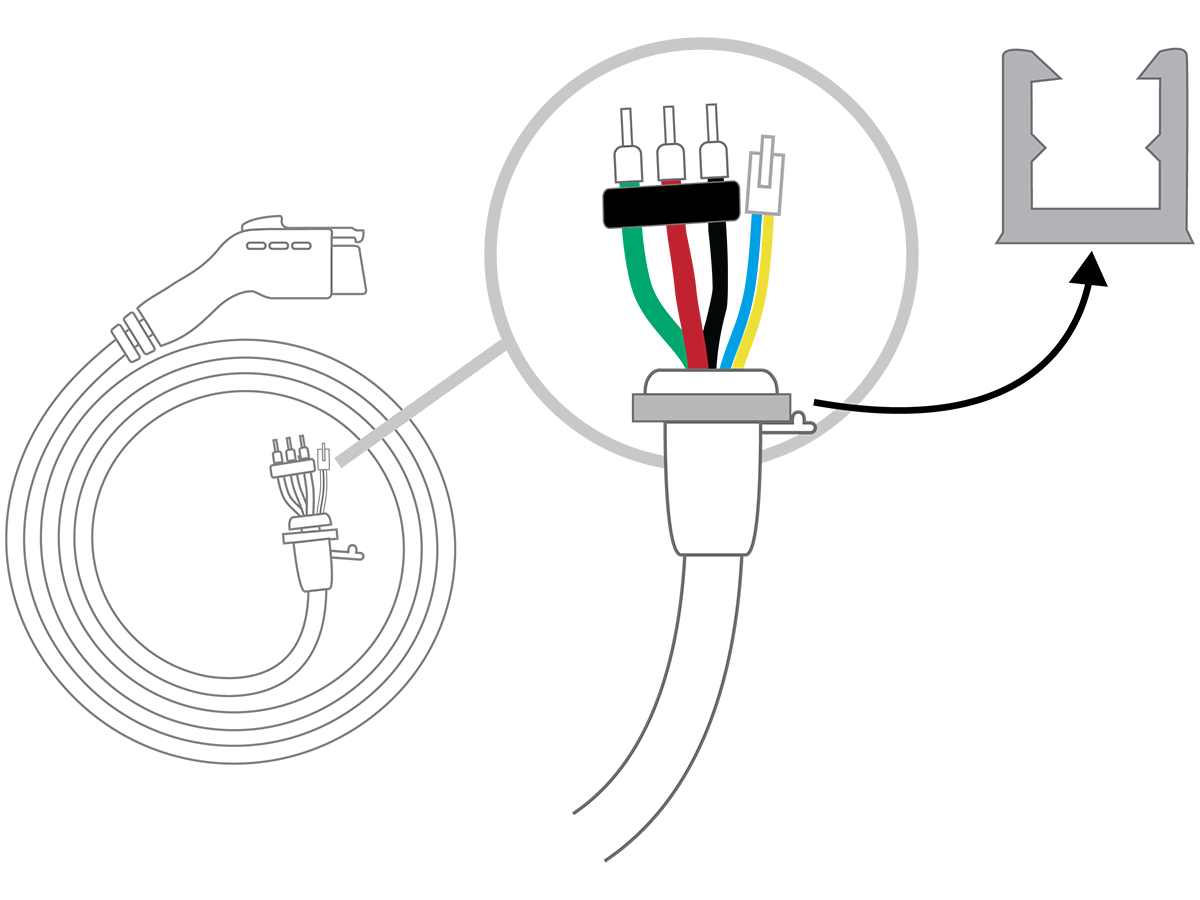
Remove the cable clip from the wire end of the cable, but do not discard it.
-
Lift the white levers to open the terminal block.
-
Insert the wires of the charging cable through the bottom hole of the charging station.
-
Match the green wire to the ground terminal on the left side of the output block.
-
Insert the ends of the wires into the corresponding holes, pushing the cables up until the silver conductors are no longer visible.
-
Press the three levers down until they snap into place.
The levers will snap shut with great force. Keep fingers from underneath the levers.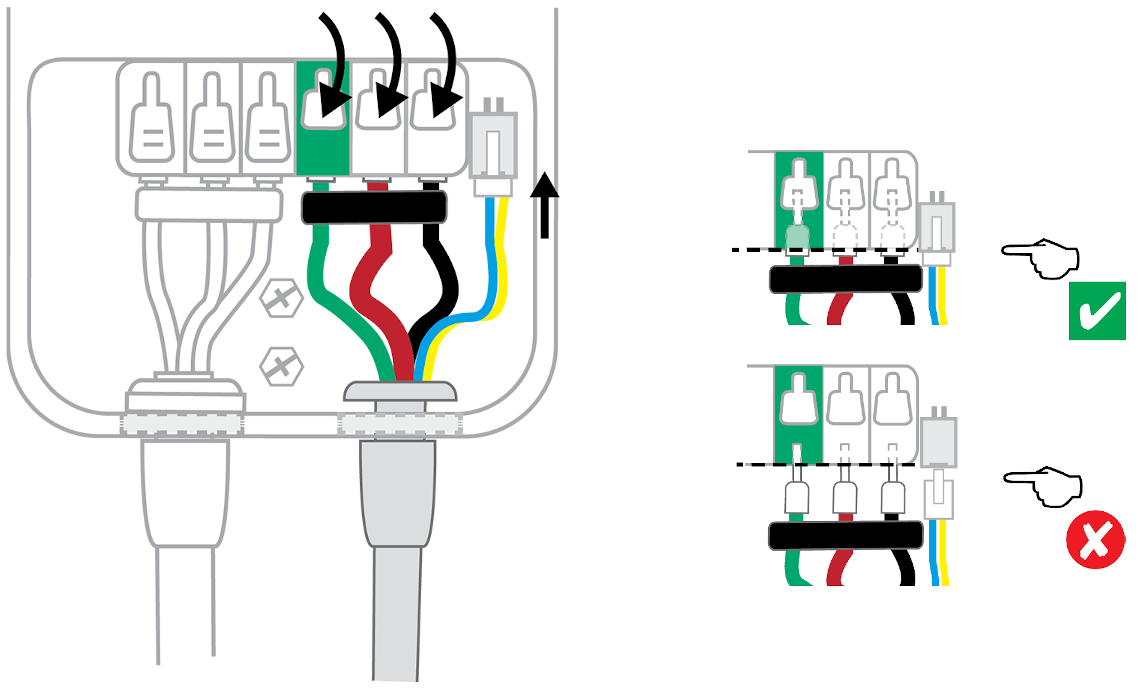
-
Insert the white plug into the connector towards the right of the terminal block.
-
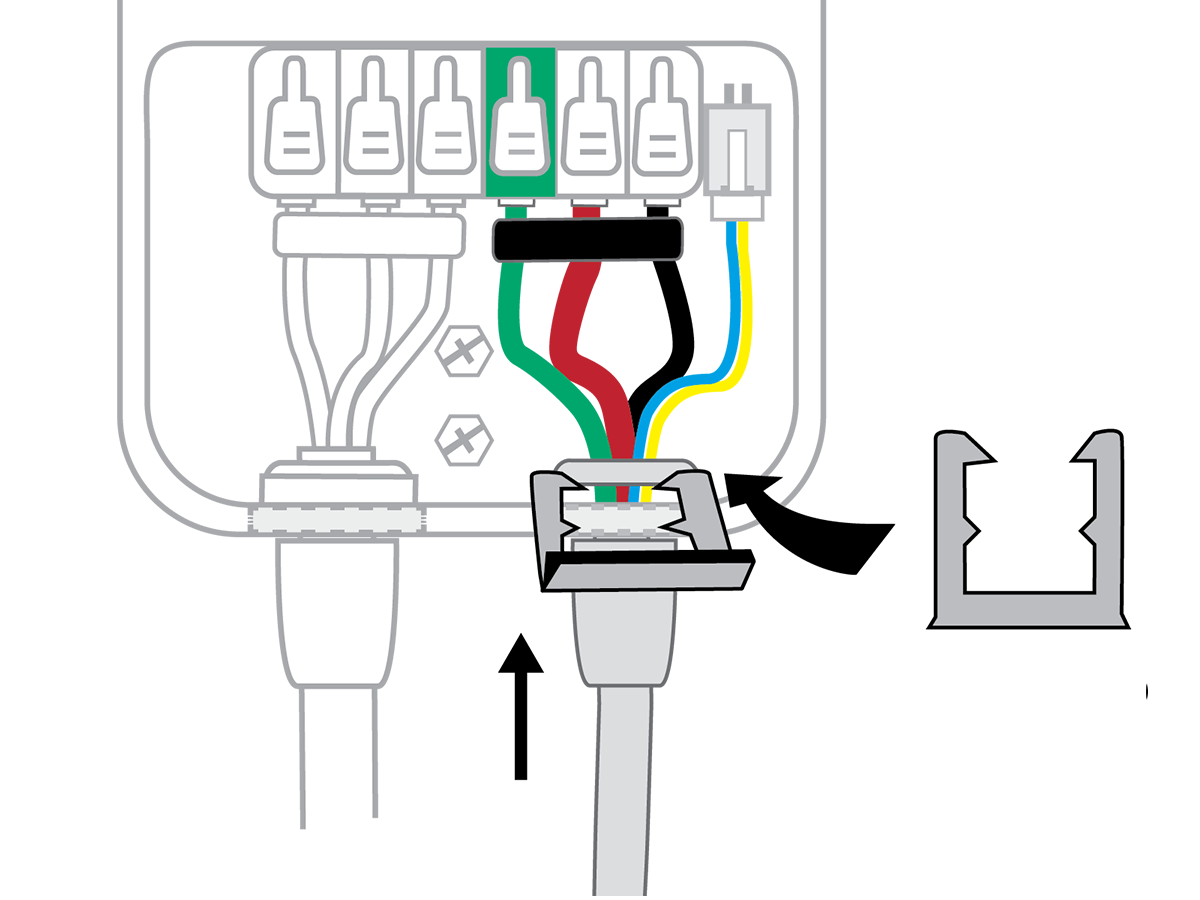
Push up on the charge cable strain relief and slide the cable clip into the slot. This secures the cable in place.
-
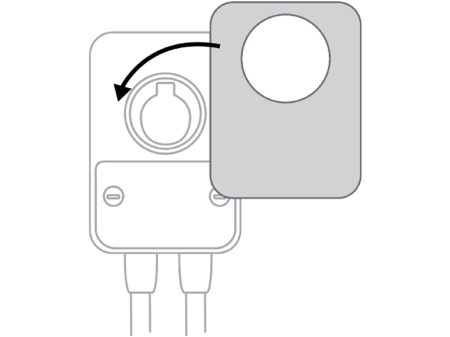
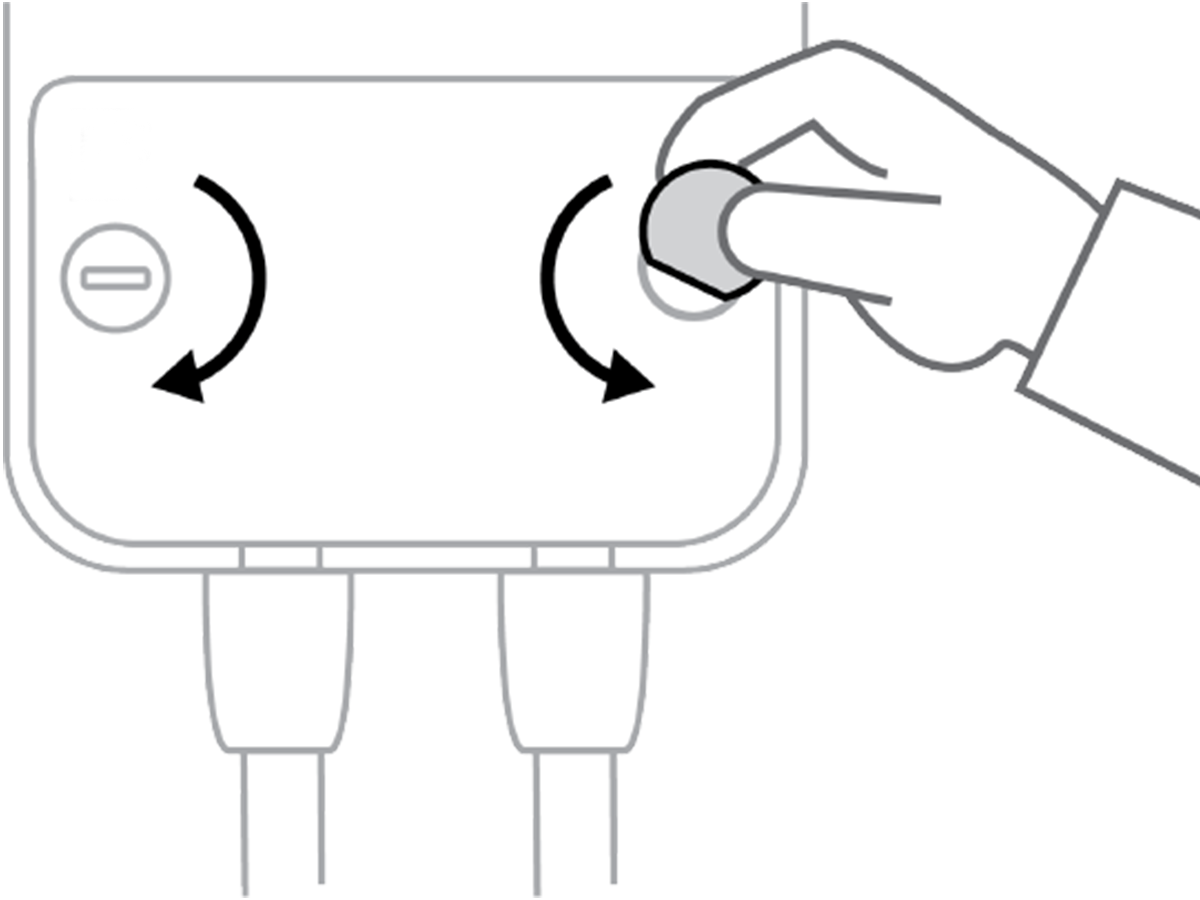
Install the wire cover using a coin to lock it in place.
-
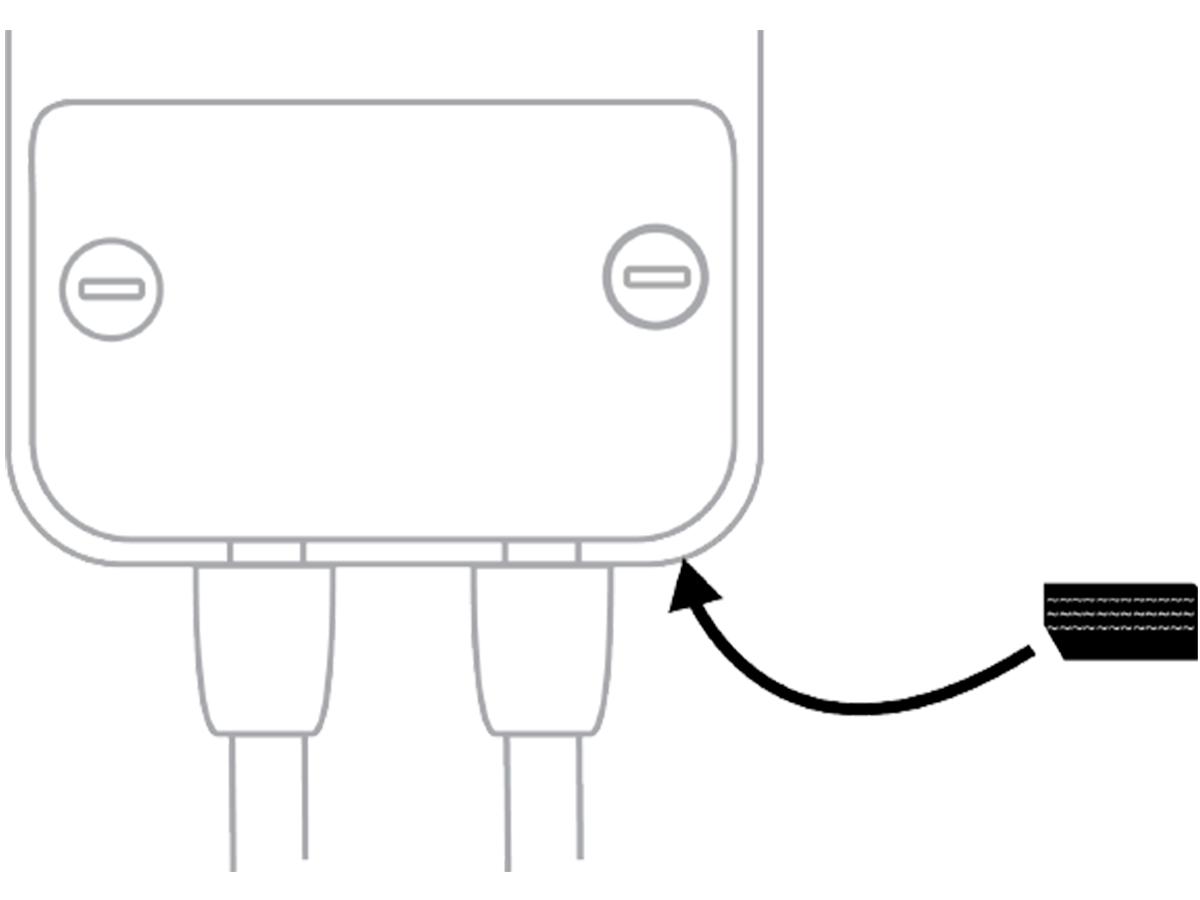
Locate the rating label on the bottom of the station. Apply the new rating label that matches the station's circuit.
-
Snap the faceplate onto the charging station.