Replace the Power Cord
This topic provides instructions for replacing an input power cord in Home Flex charging stations.
Do not install the kit until you have read the instructions in this topic.
Remove the Cover
Complete the following steps to remove the cover:
-
Turn off power to the charging station at the circuit breaker.
-
Unplug the power cord, if present.
RISK OF SHOCK. Before performing any procedure, you must disconnect the power to the charging station at the service panel. Follow local code to de-energize the applicable circuit and lock out/tag out the disconnect before proceeding. Use a multimeter to test that power is off. Keep power off for the circuit until all cover panels are correctly reinstalled and the work is complete. FAILURE TO FOLLOW THESE INSTRUCTIONS CAN RESULT IN SERIOUS INJURY, LOSS OF LIFE, AND/OR PROPERTY DAMAGE.Do not plug the new power cord in before completing the replacement procedure.

-
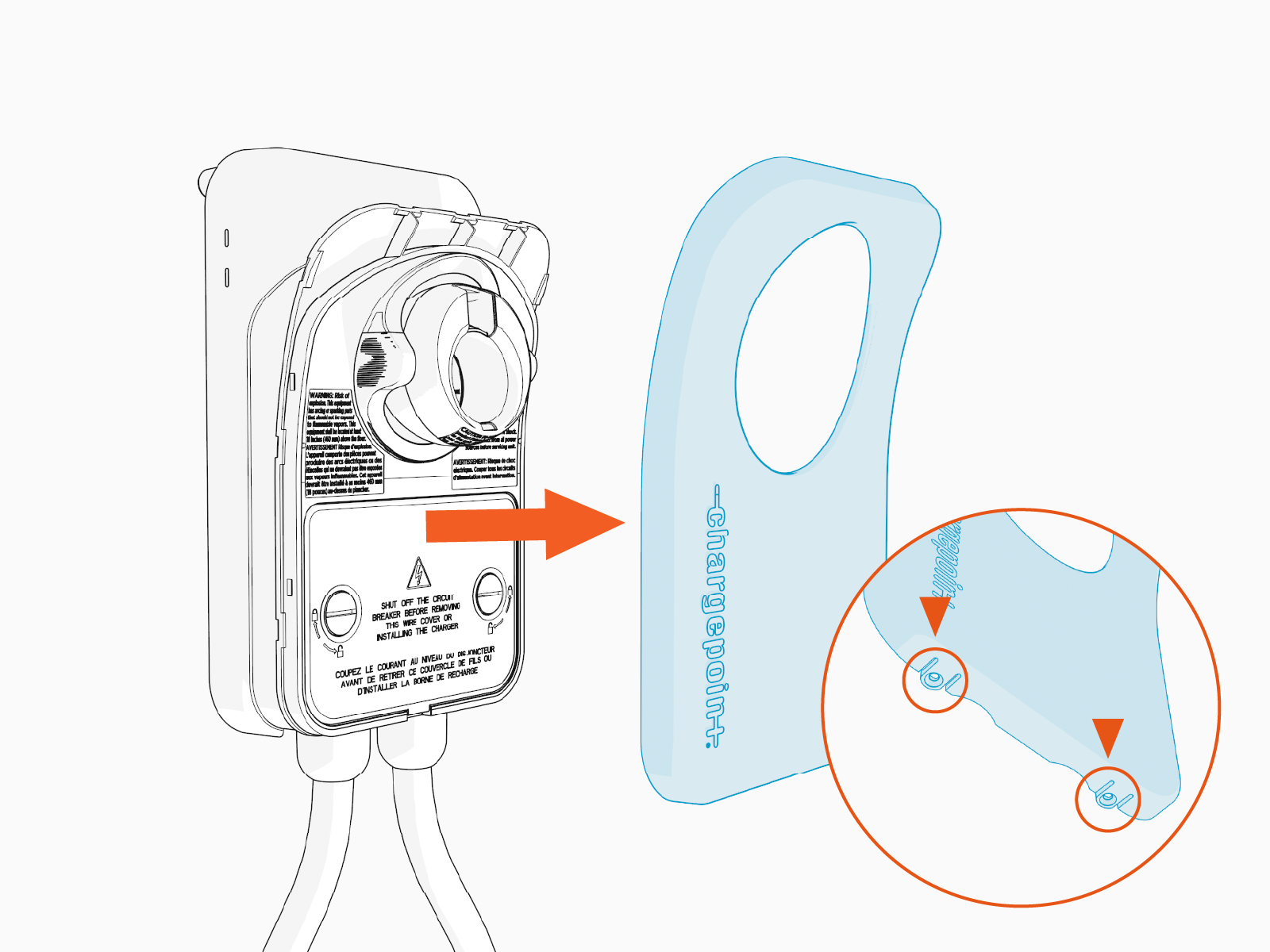
Remove the faceplate.
Pull down on the two tabs located on the bottom of the faceplate, then pull the faceplate away from the charging station.
-
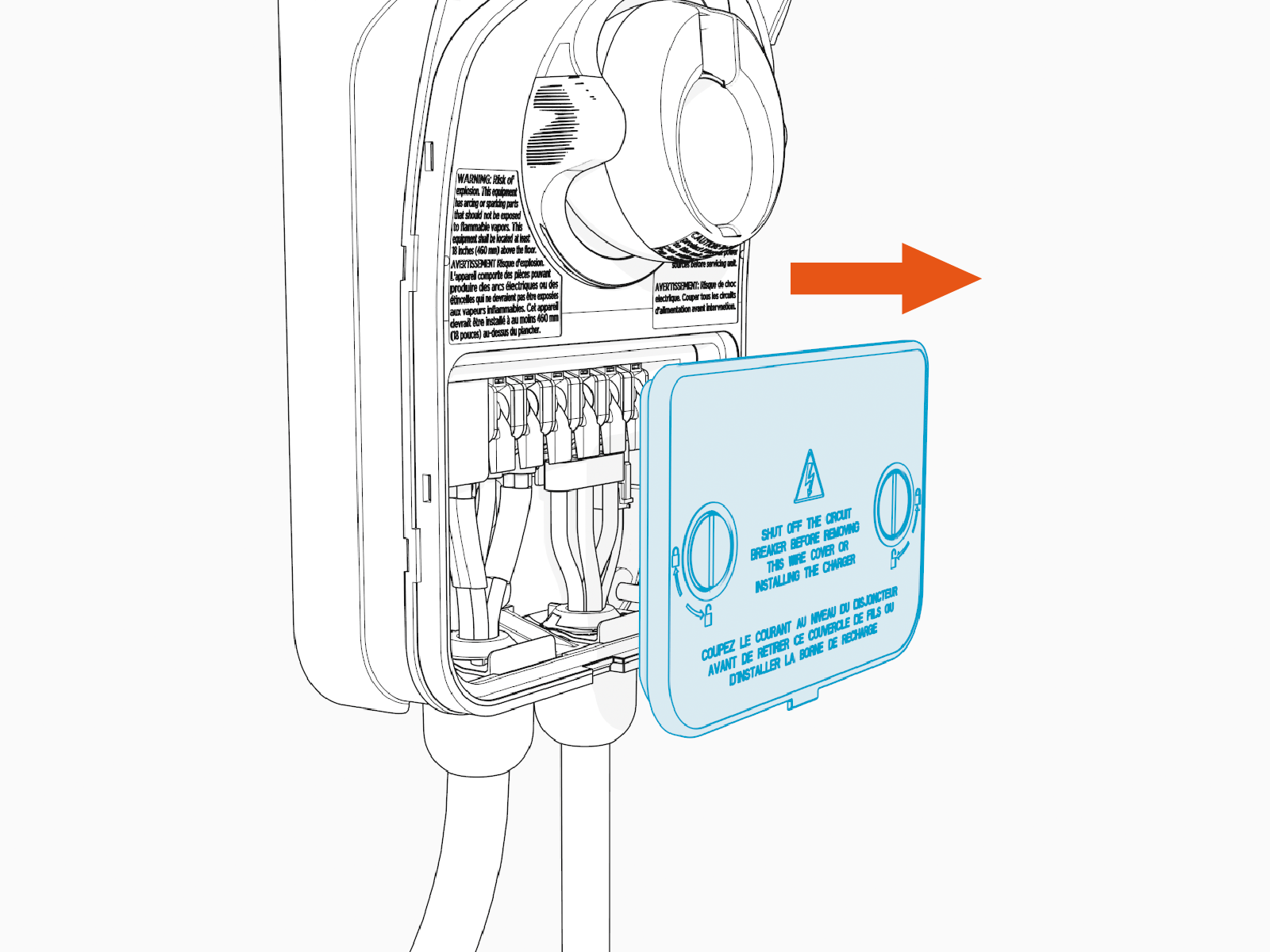
Use a coin or a large screwdriver to unlock the wire cover.

-
Lift the wire cover off.
Remove the Existing Power Cord (If Present)
Complete the following steps to remove the existing power cord (if present):
-
Lift the three levers on the left side of the terminal block.
Lift only the three left-most levers and wires when replacing the power cord. Do not lift or remove the three right-most levers and wires.
-
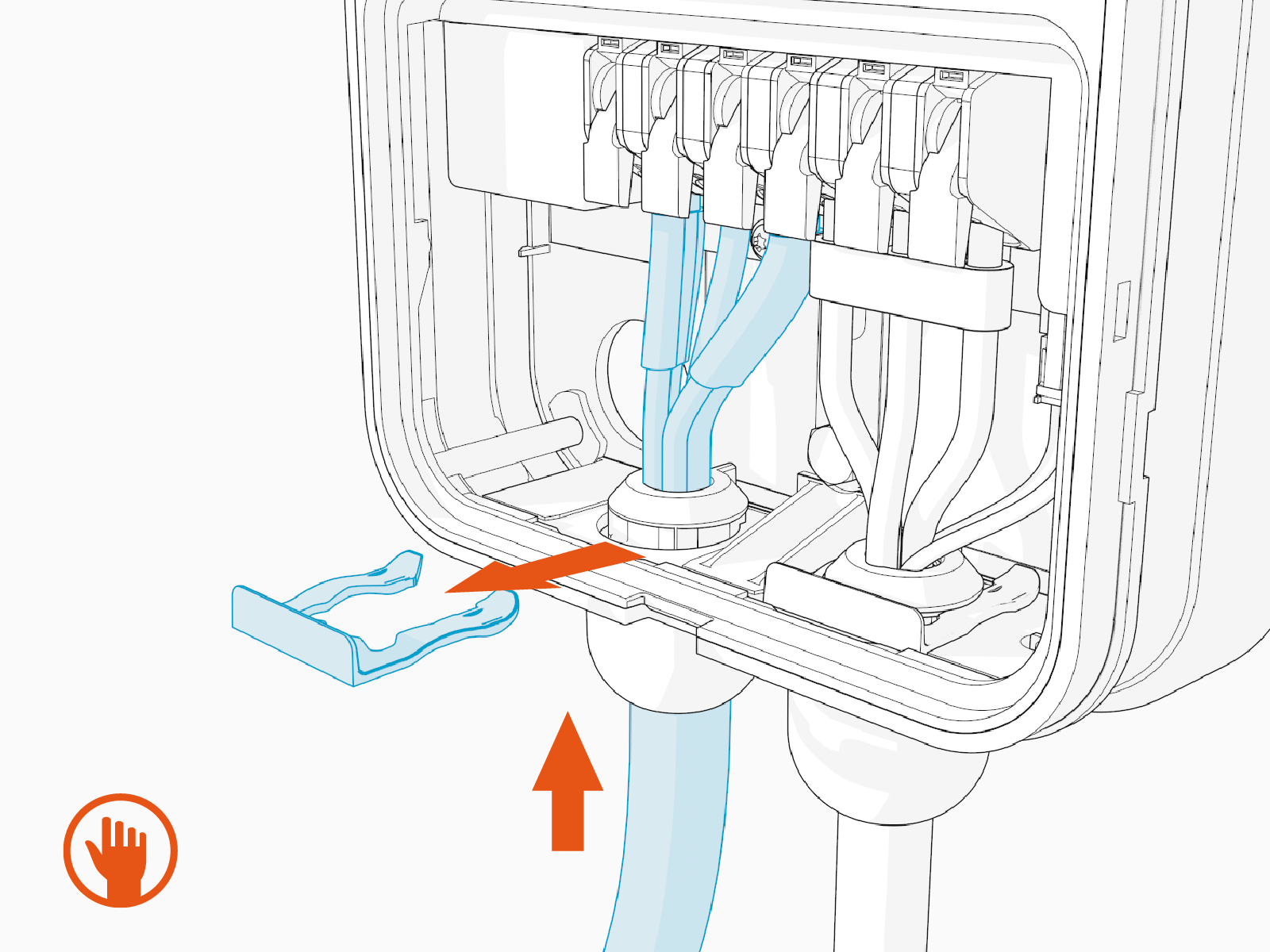
Push up on the power cord to relieve tension, then slide the cable clip out.
-
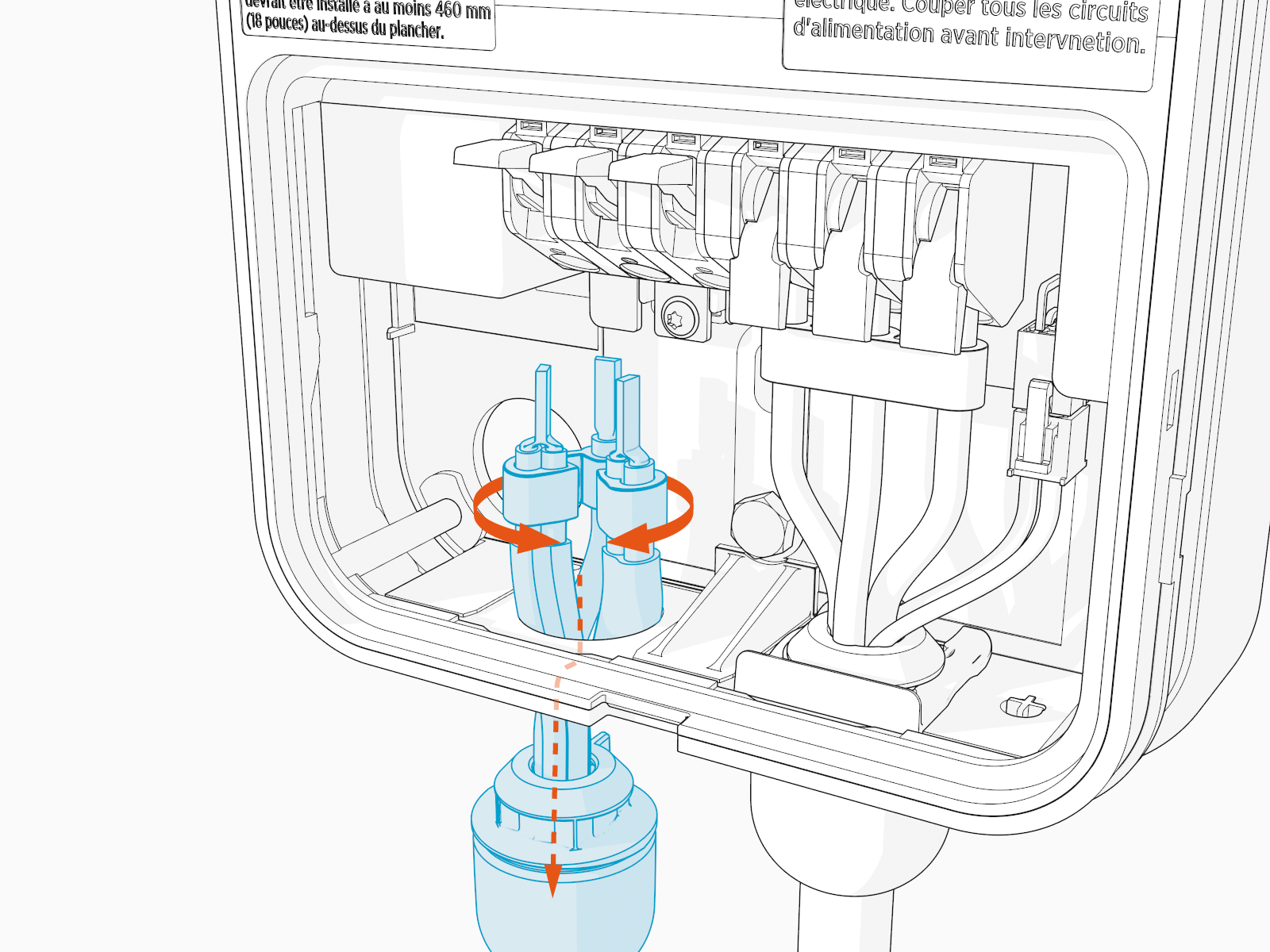
Squeeze the black wire harness that holds the three wires together and slide the power cord out through the hole at the bottom of the station.
Follow recommended product disposal guidelines when discarding the cable.
Install the New Power Cord
To install the new power cord, complete the following steps:
-
Remove the new power cord from the packaging.
-
Remove the cable clip from the cord.
-
Ensure the three left-most levers are in the raised position.
-
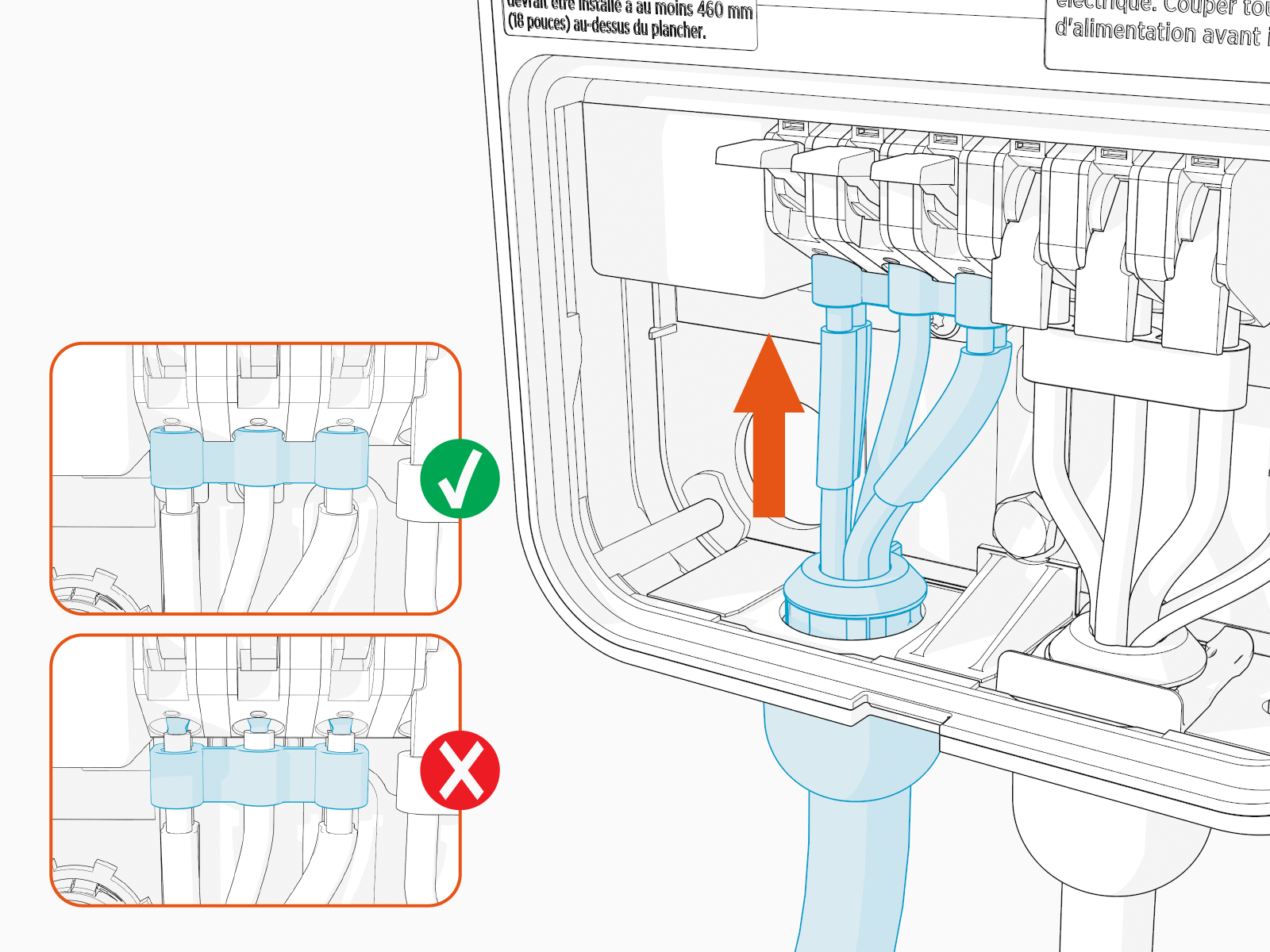
Squeeze the wires and black wire harness and insert them into the opening on the lower left side of the station, pushing up until the cable collar is flush against the enclosure.
Ensure that the guide ridge on the cable collar goes into the corresponding slot at the back of the hole. -
Insert the three wires into the terminal block in the following positions:
-
Black wire in the left-most terminal (L1)
-
Green wire in the second terminal from the left (GND
 Ground)
 -
Red wire in the third terminal from the left (L2/N)

-
-
Push the cables up until they are fully inserted and the silver conductors are no longer visible.
-
Snap the white levers all the way down on each wire.
The levers snap shut with great force. Keep fingers away from underneath the levers.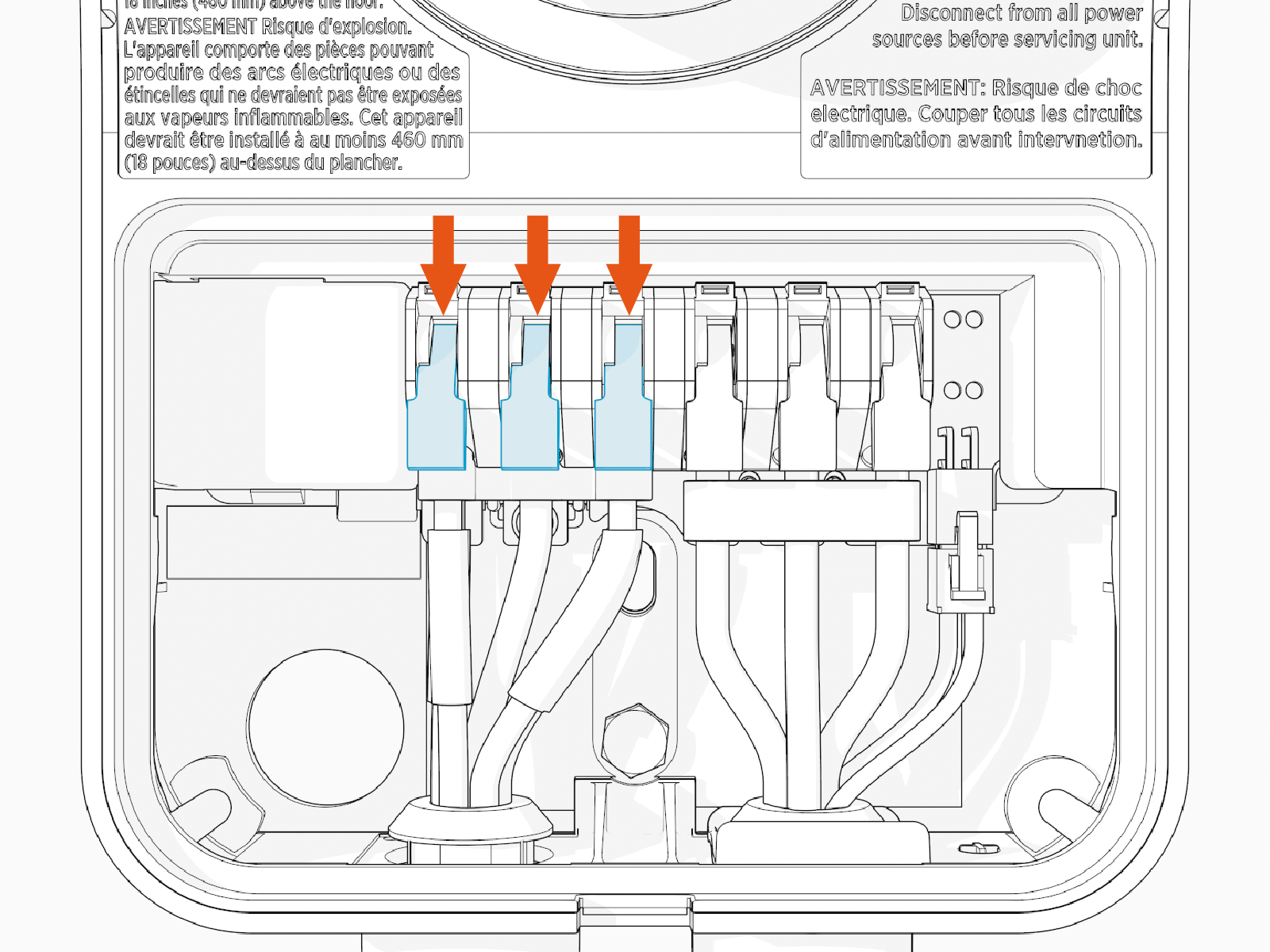
-
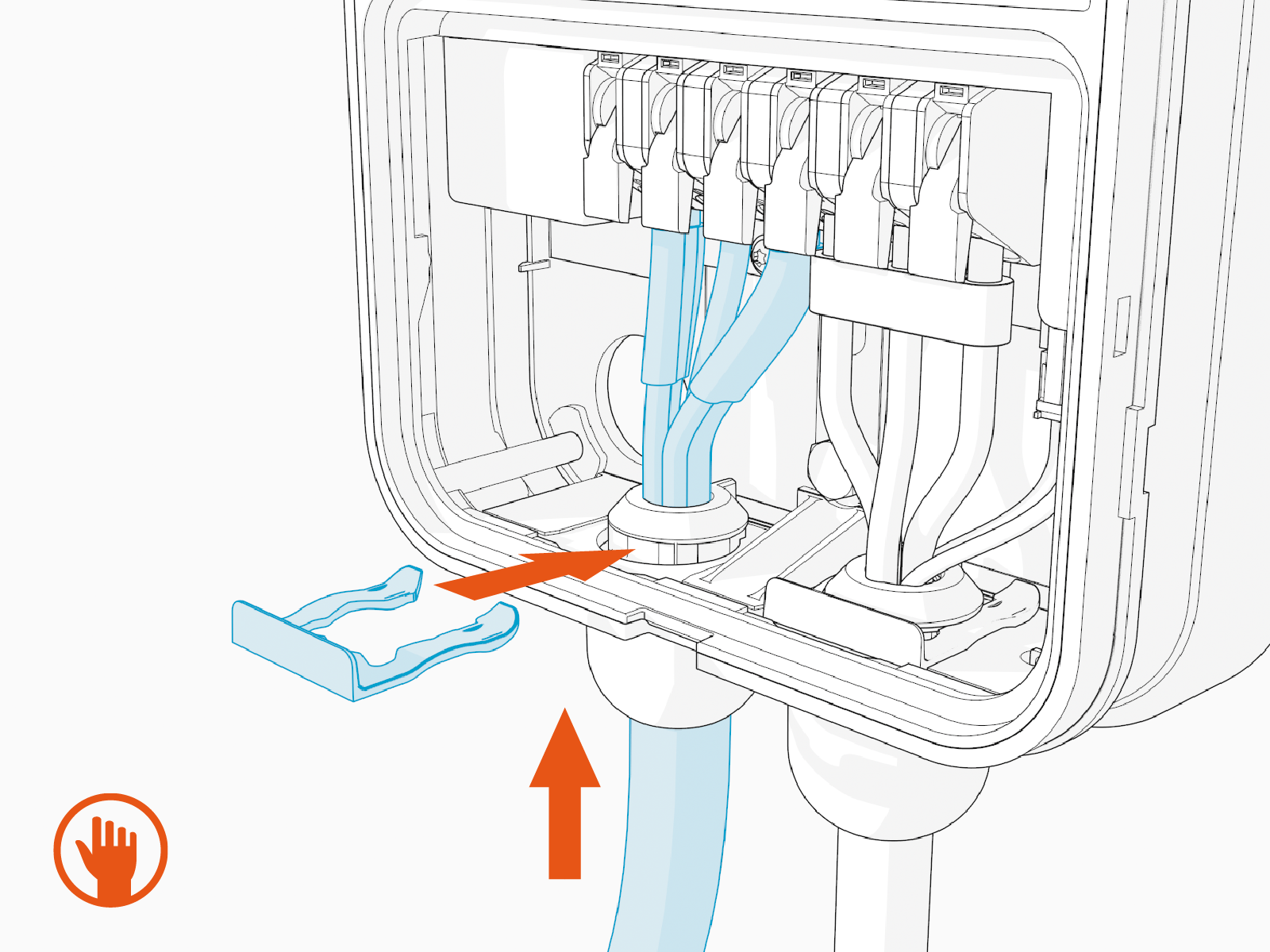
Push up on the power cord to relieve tension and then slide the cable clip in. This secures the cord and provides strain relief.
Attach the Wire Cover and Faceplate
To attach the wire cover and faceplate, complete the following steps:
-
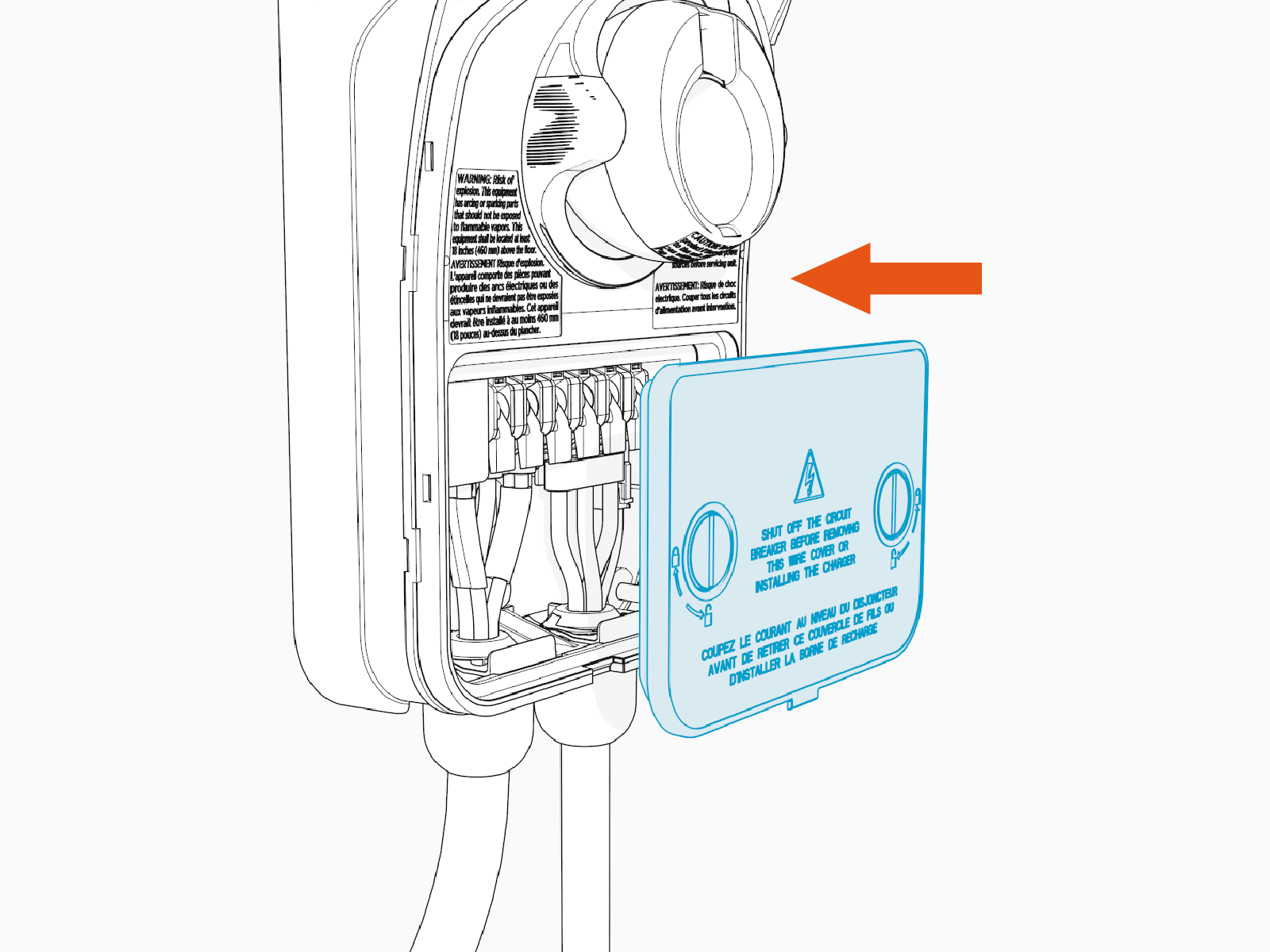
Replace the wire cover.
-
Use a coin or a large screwdriver to lock the wire cover in place.
-
Snap the faceplate onto the charging station. Ensure the entire faceplate is snapped in place.
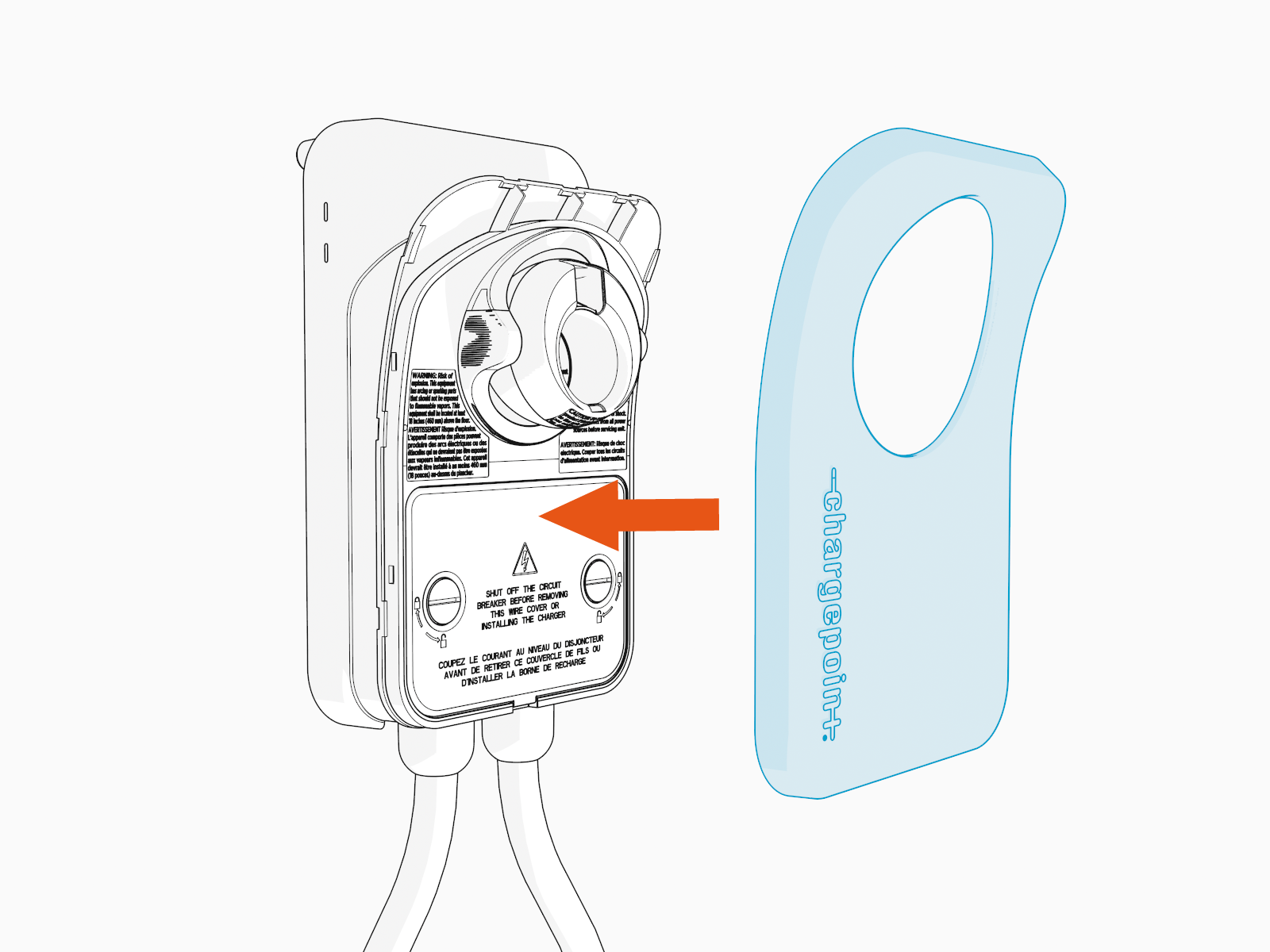
Mount the Station and Plug the Cord In
To mount the station and plug the cord in, complete the following steps:
-
Remove the warning tag.
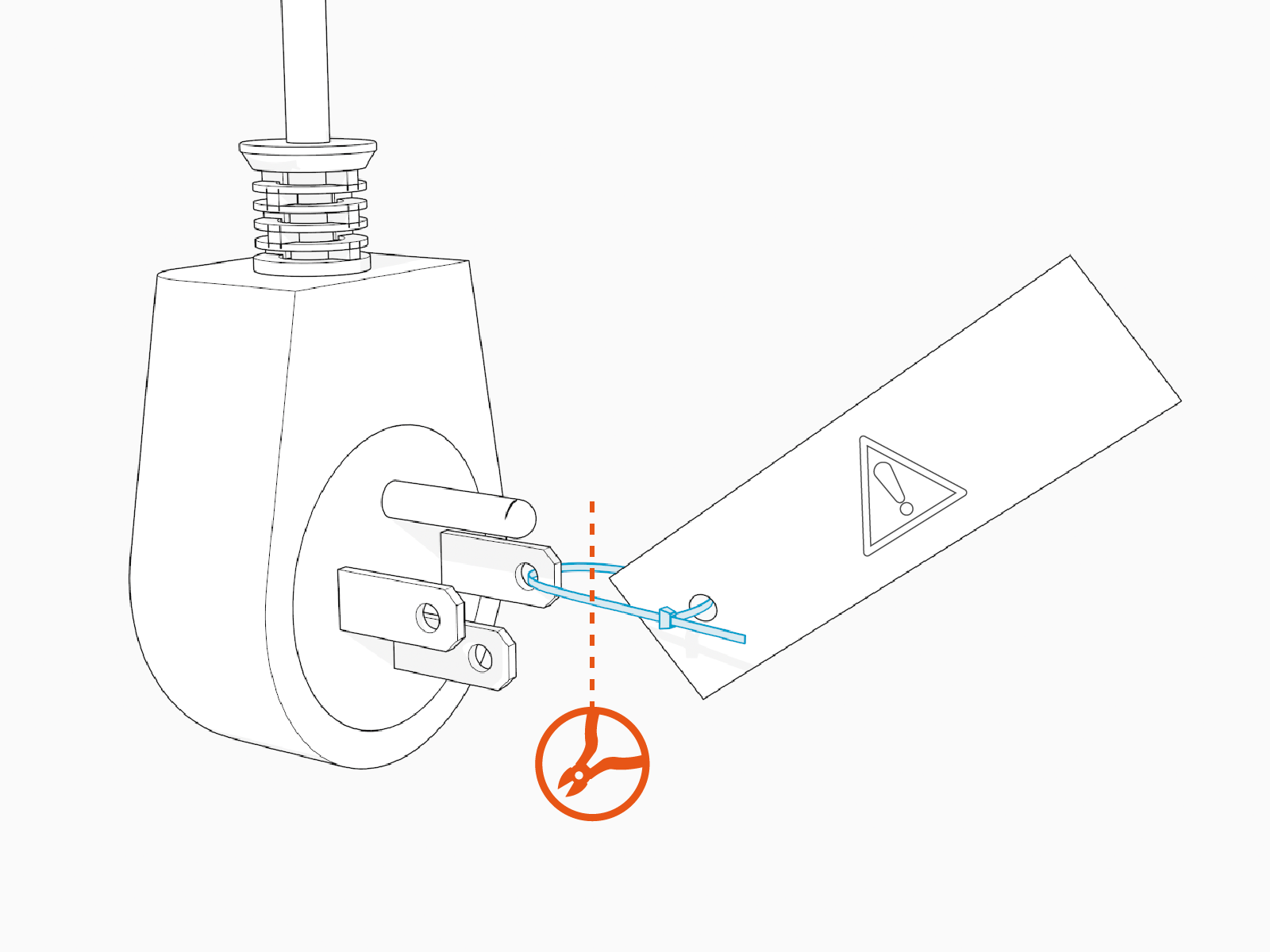
-
If the station is already mounted to a wall, plug the power cord into an outlet.
If the station has not already been mounted to a wall, mount the station before plugging the power cord into an outlet. For details on mounting a Home Flex station, see Home Flex Installation Guide.
If the new cord is longer than the cord it replaces, re-mount the station in a higher position to eliminate kinks in the power cord.
Restore Power
To restore power, complete the following steps:
-
Restore power to the station at the circuit breaker.
-
Verify that the charging cable functions now by starting a test session.
-
Initiate a charging session.
-
Plug the handle into a vehicle.
-
Verify that the vehicle is charging.
-
Insert the connector in its holster.
-
