Mount the Charging Station
To mount the charging station, perform the following steps:
 Miniature Circuit Breaker and RCD Residual Current Device cannot be reactivated during installation.
 Check the Box Contents
Find Box #1, the CP4300 Charging Station, and ensure you have all components (graphics not to scale).
|
Grounding plate (1) |
|
|
Installation kit (1) |
Contains:
|
|
Box of rubber grommets (1) |
Contains 1 large and 2 small rubber grommets |
|
Power management jumper (1) (Dual port stations only) |
|
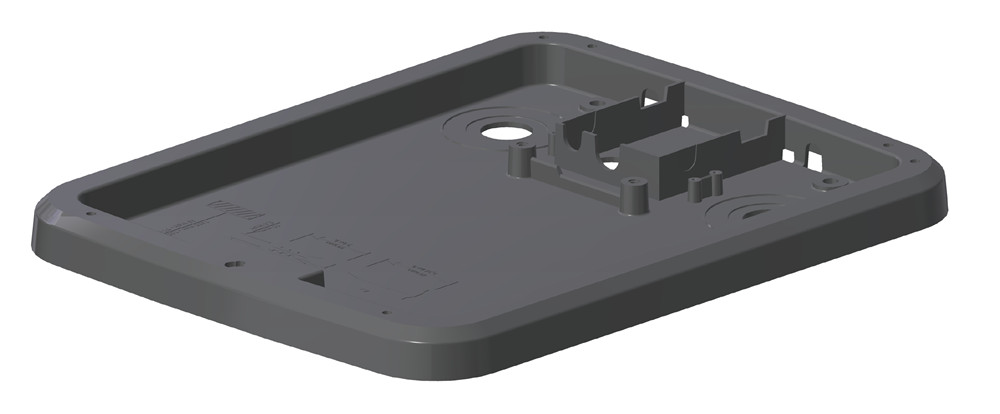

Install the Grounding Plate
-
Locate the grounding plate. Using a utility knife, drill, or Dremel tool, carve out two notches in the front of the grounding plate (a) and two in the back (b).
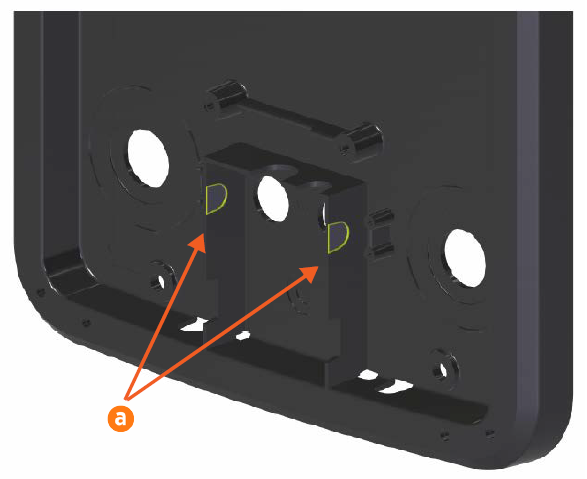

-
Locate the box of rubber grommets. Use an Exacto knife to cut a slit in one of the smaller grommets. The cut only needs to be large enough to slide the end of a grounding cable with ring lug through the slit.
Cut the slit in the smaller grommet before installing the grommets in the station. -
Fit the grommets into the three holes (one larger, two smaller) in the back of the charging station.
-
Align the grounding plate (a) with the station mounting bracket.
-
Feed the power cables (b) through the holes in the back of the grounding plate.
-
Feed the loose ends of the grounding cables from the cable cover clamp (c) and the pedestal hole plate (d) through the grounding plate.

-
Fit the grounding plate onto the station mounting bracket.
-
Using four 14 mm M6 socket head screws, secure the grounding plate to the station mounting bracket. Torque the screws to 16.5 Nm.
-
Using a 5 mm hex driver, a 10 mm M8 button head hex screw, and an M8 toothed washer, connect the loose end of the grounding cable from the cable cover to the station mounting bracket. Torque the screw to 16 Nm.
Mount the Charging Station
-
Gently lay the charging station face up on the padded ground covering.
-
Use the station key to unlock and open the door.
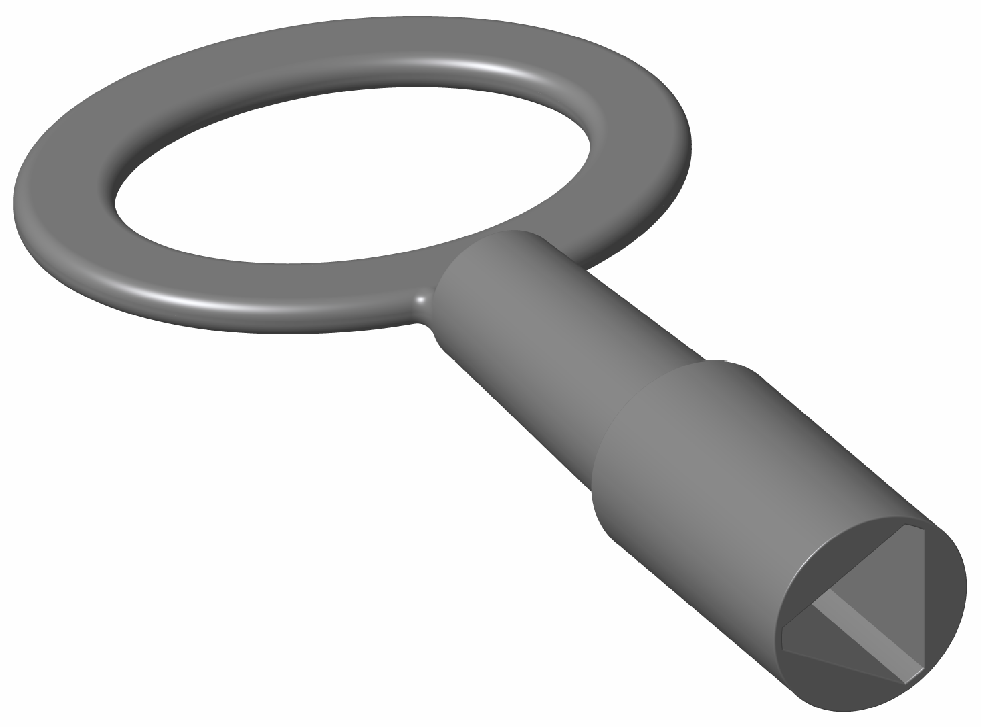
-
Use a screwdriver to remove the screw holding the component cover in place.
-
Remove the component cover and put it in a safe place for later reuse.
-
Gently lay the charging station face down on the padded ground covering, with the top of the station facing away from the wall.
-
Lift the station and slowly begin to tilt it towards the upright position, carefully allowing the door to swing open.
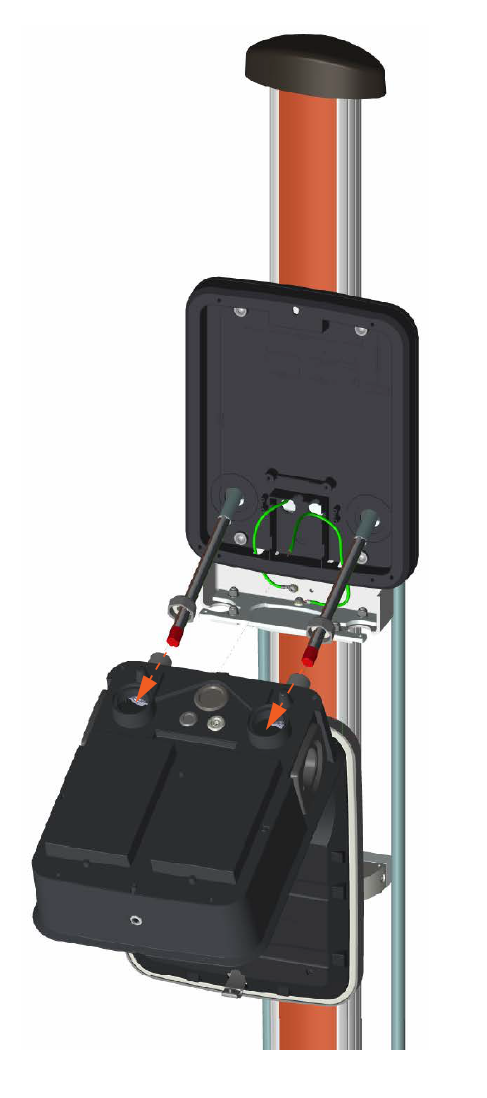
-
Feed the power cables into the holes on the back of the station.
-
Guide the loose end of the grounding cable through the slit in the right-hand grommet.
-
As the power cables are fed through, slowly tilt the charging station until it is fully upright.
-
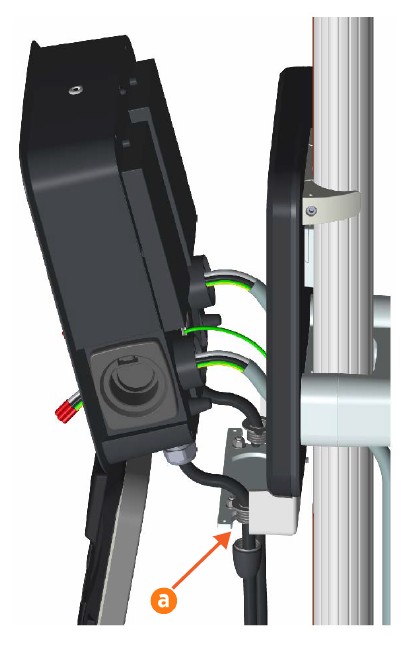
Holding the charging station close to the grounding plate, move both charging cables into the holes in the station mounting bracket (a).
-
When the charging cables are in place, seat the charging station in the grounding plate.
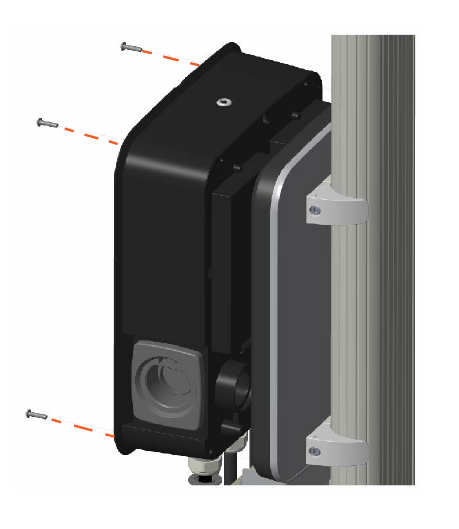
Continue to support the charging station until it is secured in place with mounting screws. -
Using a 6 mm hex driver and four 25 mm M6 screws, secure the charging station in place. Torque the screws to 6.5 Nm.
-
Connect the loose end of the grounding wire to PE between the two terminal blocks inside the charging station.
