Introduction
The ChargePoint CP6000 is an all-purpose charging station for property owners, businesses, and municipalities. It can be mounted on a pedestal or a wall.
CP6000 charging stations are alternating current (AC) supply equipment. Once they are installed and activated, they are connected to the AC network.
Follow this guide to properly operate and maintain the ChargePoint® CP6000 charging station.
- If the charging station is not installed, commissioned, or serviced by a ChargePoint certified technician using a ChargePoint-approved method, it is excluded from all ChargePoint and other warranties and ChargePoint is not responsible.
- You must be a licensed electrician and complete training at https://www.chargepoint.com/partners/training-certification to become ChargePoint certified and to access ChargePoint's web-based installer tools or ChargePoint Installer app.
CP6000 Guides
Access documents at ChargePoint Product Reference Documentation.
|
Document |
Content |
Primary Audiences |
|
Datasheet |
Full station specifications |
Site designer, installer, and station owner |
|
Site Design Guide |
Civil, mechanical, and electrical guidelines to scope and construct the site |
Site designer or engineer of record |
|
Construction Signoff Form |
Checklists used by contractors to ensure the site is correctly completed and ready for product installation |
Site construction contractor |
|
Installation Guide |
Anchoring, wiring, and powering on |
Installer |
|
Operation and Maintenance Guide |
Operation and preventive maintenance information |
Station owner, facility manager, and technician |
|
Service Guide |
Component replacement procedures, including optional components |
Service technician |
|
Declaration of Conformity |
Statement of conformity with directives |
Purchasers and public |
Service Menu
The service menu is reserved for authorized installers or service personnel. It can be accessed after entering a 5-digit PIN on the display of a CP6000. The PIN is unique for each CP6000. The current PIN for a charging station can be found in the ChargePoint backend. After each incorrect attempt, the interface for entering the PIN will be locked out for an increasing duration; Maxing out at 15 minutes after the 5th failed attempt and for each failed attempt thereafter. The locked state does not affect any ongoing charging sessions. The following options are available: (not relevant for Eichrecht):
-
Show errors and/or lift station lockdown (top cap alarm)
-
Restart
-
Factory reset
For assistance, navigate to chargepoint.com/support and contact technical support using the appropriate region-specific number.
Eichrecht Compliance
The CP6000 station is Eichrecht compliant. Therefore, it is allowed to invoice for the amount of energy measured in this station.
It is equipped with up to two ports and measures energy with the integrated ChargePoint CPIM1000 MID Measuring Instruments Directive meter.
The maximum power is 22 kW per port and the ports can be equipped as a cabled version or as a socketed version.
Station receipts appear on the display after charging sessions and can be retrieved from the ChargePoint driver portal.
The type label is located behind the flap with the label “Typenschild hinter der Klappe”.
Serial Number Location
On the Station
Perform the following steps to locate the serial number on the station:
-
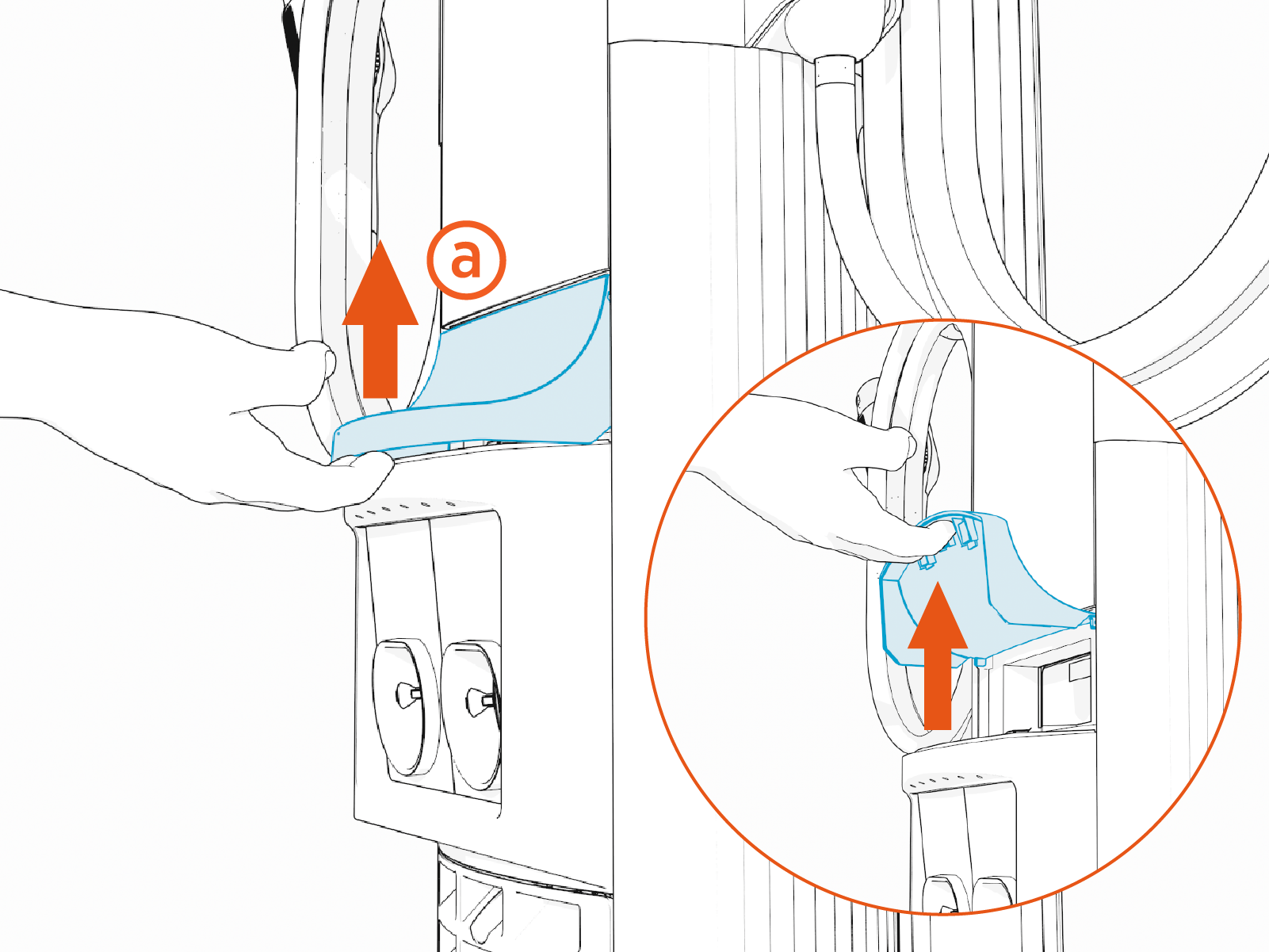
Raise the flip door (a) on the front of the CP6000 charging station.
-
Locate the serial number label (b).
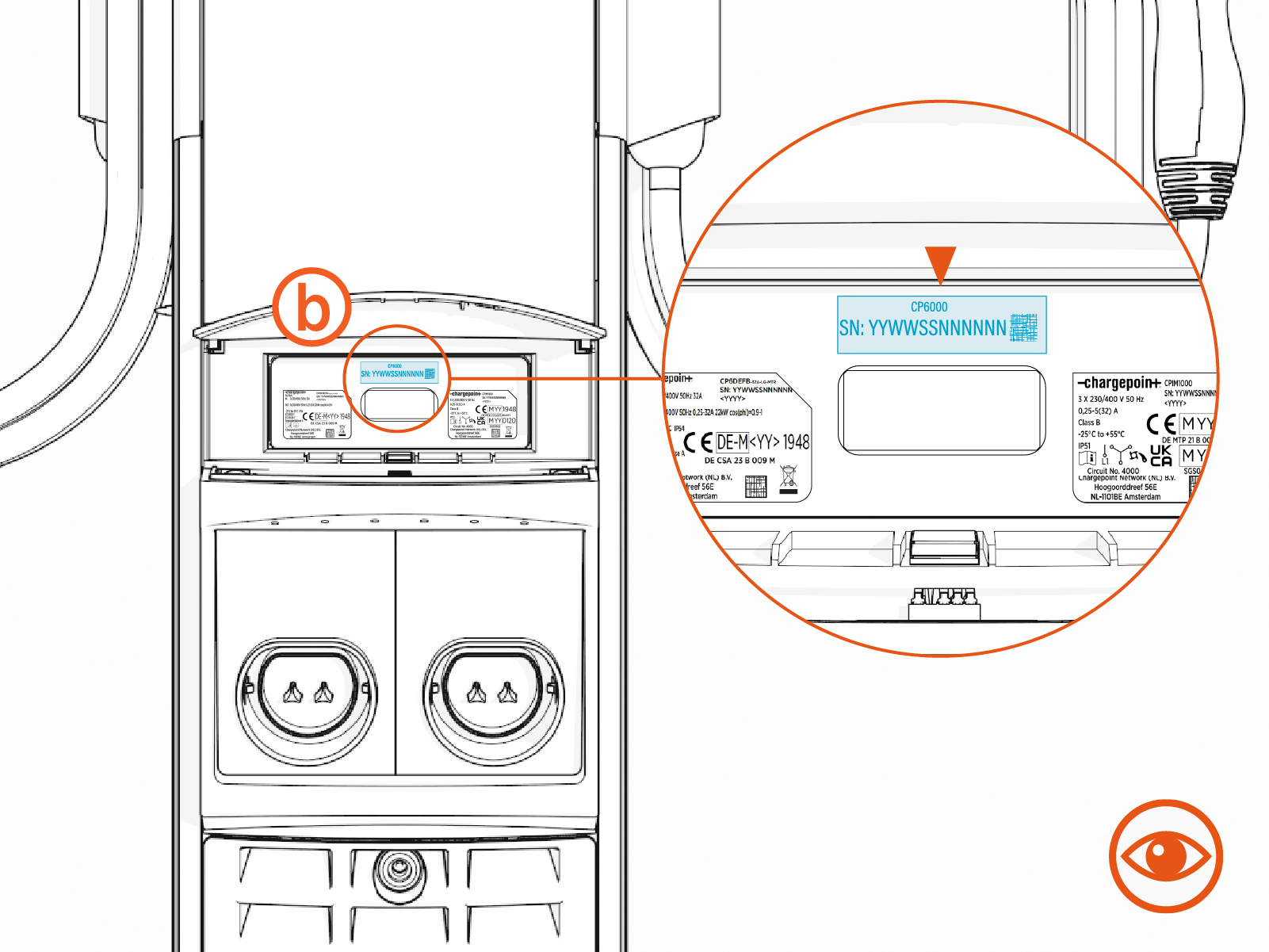
To find the serial number of an Eichrecht-compliant CP6000 charging station, visit Eichrecht Type Label.
From the ChargePoint Cloud Dashboard
Perform the following steps to locate the serial number from the cloud dashboard:
-
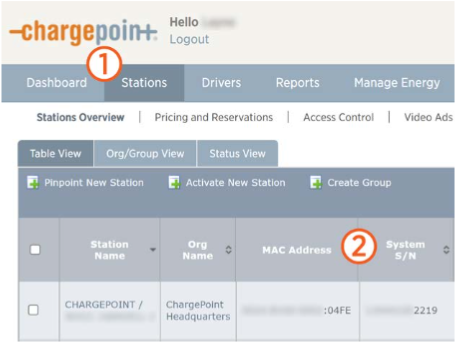
Log in to ChargePoint and select Stations.
-
Find the MAC
Message Authentication Code address and serial number (System S/N) next to the station name in the Stations Overview table.