RFID Antenna Assembly
Required Tools and Materials
|
|
10 mm hex socket |
|
Mobile elevating work platform (scissor lift), as needed |
|
|
13/16 in wrench |
|
|



Before You Begin
Replace the RFID Antenna Assembly
To replace the RFID Radio Frequency IDentification antenna assembly, perform the following steps:
-
Disconnect the RFID
Radio Frequency IDentification antenna cable from the RFID Radio Frequency IDentification antenna assembly.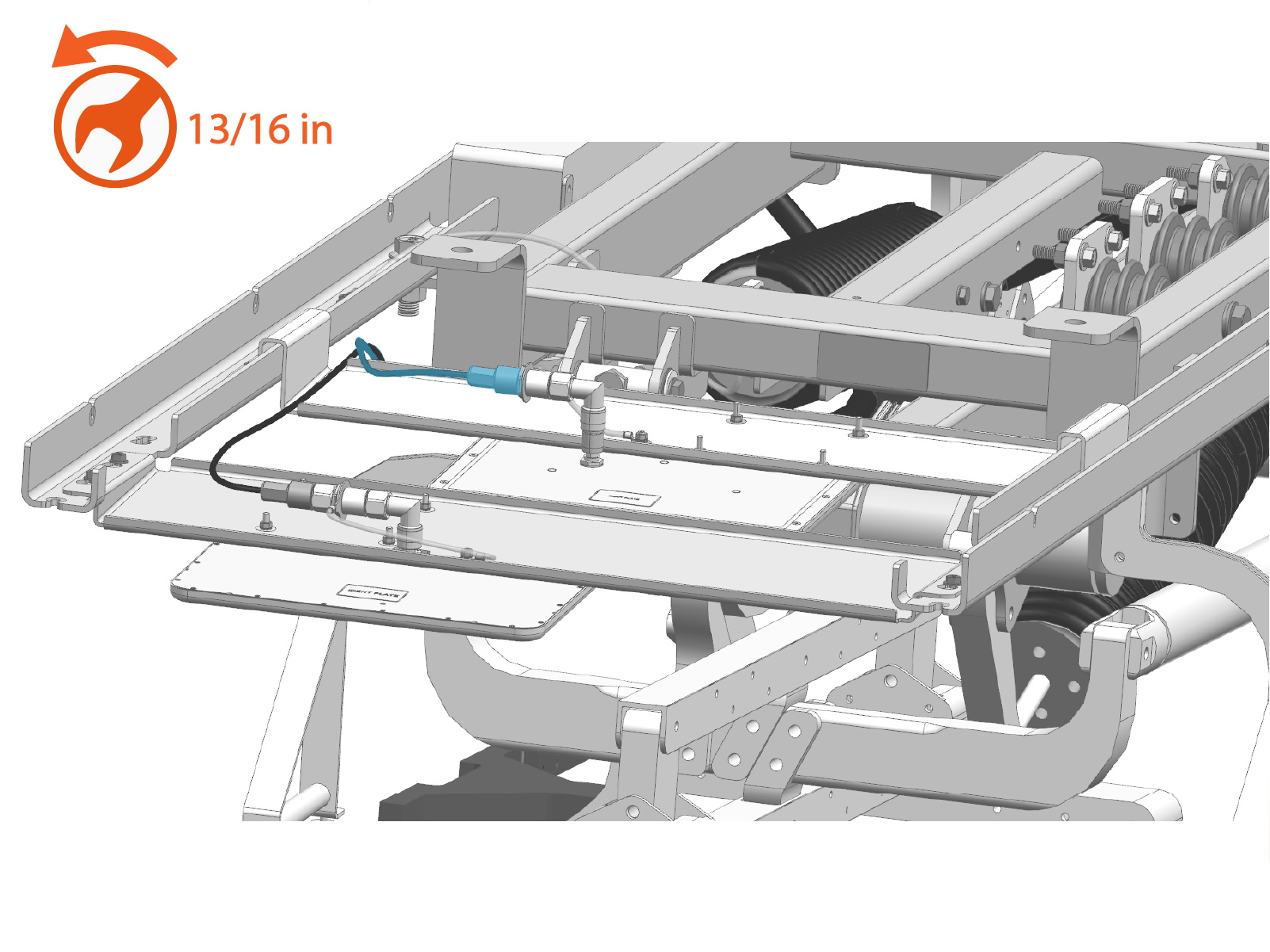
Torque to 1.5 Nm (13.3 in-lb).
-
Loosen the M6 nuts (x4) securing the RFID
Radio Frequency IDentification antenna assembly to the left and right rails.
Torque these nuts to 5.6 Nm (50 in-lb).
-
Slide the RFID
Radio Frequency IDentification antenna assembly away from the keyhole slots until the mounting studs disengage from the rails.
-
Carefully remove the RFID
Radio Frequency IDentification antenna assembly from the left and right rails. -
Reverse the above steps to reinstall with replacement RFID
Radio Frequency IDentification antenna.
- To adhere to ChargePoint best practices, complete the post-service checklist before you leave the site.
-
For assistance or to return a faulty part to ChargePoint, go to chargepoint.com/support and contact technical support using the appropriate region-specific number.
