Power Off
This section desribes how to power off the Power Hub
Required Tools and Materials
|
|
Multimeter (meter and probes rated for 1000 V) |
|
Lockout/tagout equipment |
|
|
Stepladder |
|


Overview
You must be a ChargePoint certified installer or technician to power off the Power Hub, or warranty limitations apply.
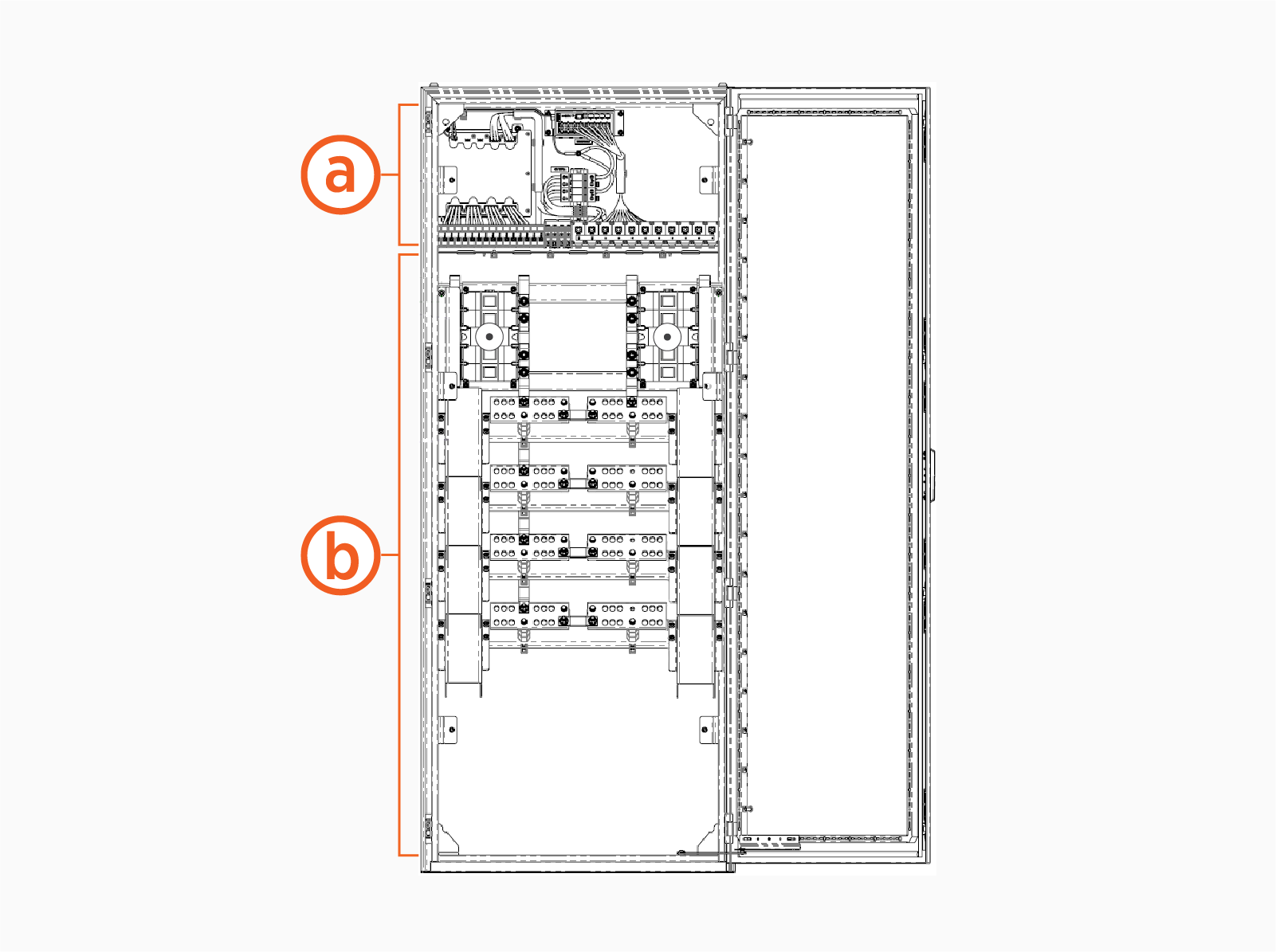
Power Hub is partitioned into two cabinets: a low voltage cabinet and a high voltage cabinet.
|
|
|
-
You must de-energize the low voltage cabinet prior to performing service within. The high voltage cabinet may remain energized, so long as its deadfront remains installed.
-
You must de-energize the high voltage cabinet prior to performing service within. The low voltage cabinet may remain energized, so long as its deadfront remains installed.
Prior to performing service in either cabinet, you must end charging sessions at all Power Link 1000s powered through the Power Hub (downstream Power Link 1000s).
End Charging Station Sessions
To end charging station sessions, complete the following steps:
-
Refer to the site single line diagram (SLD) and identify the Power Hub to be serviced.
-
Using the SLD diagram, identify all downstream Power Link 1000s.
-
End all charging sessions at the downstream Power Link 1000s.
De-Energize Low Voltage Cabinet
To de-energize low voltage cabinet, complete the following steps:
-
Open the front door of the Power Hub.
-
Remove low voltage deadfront from the Power Hub.
-
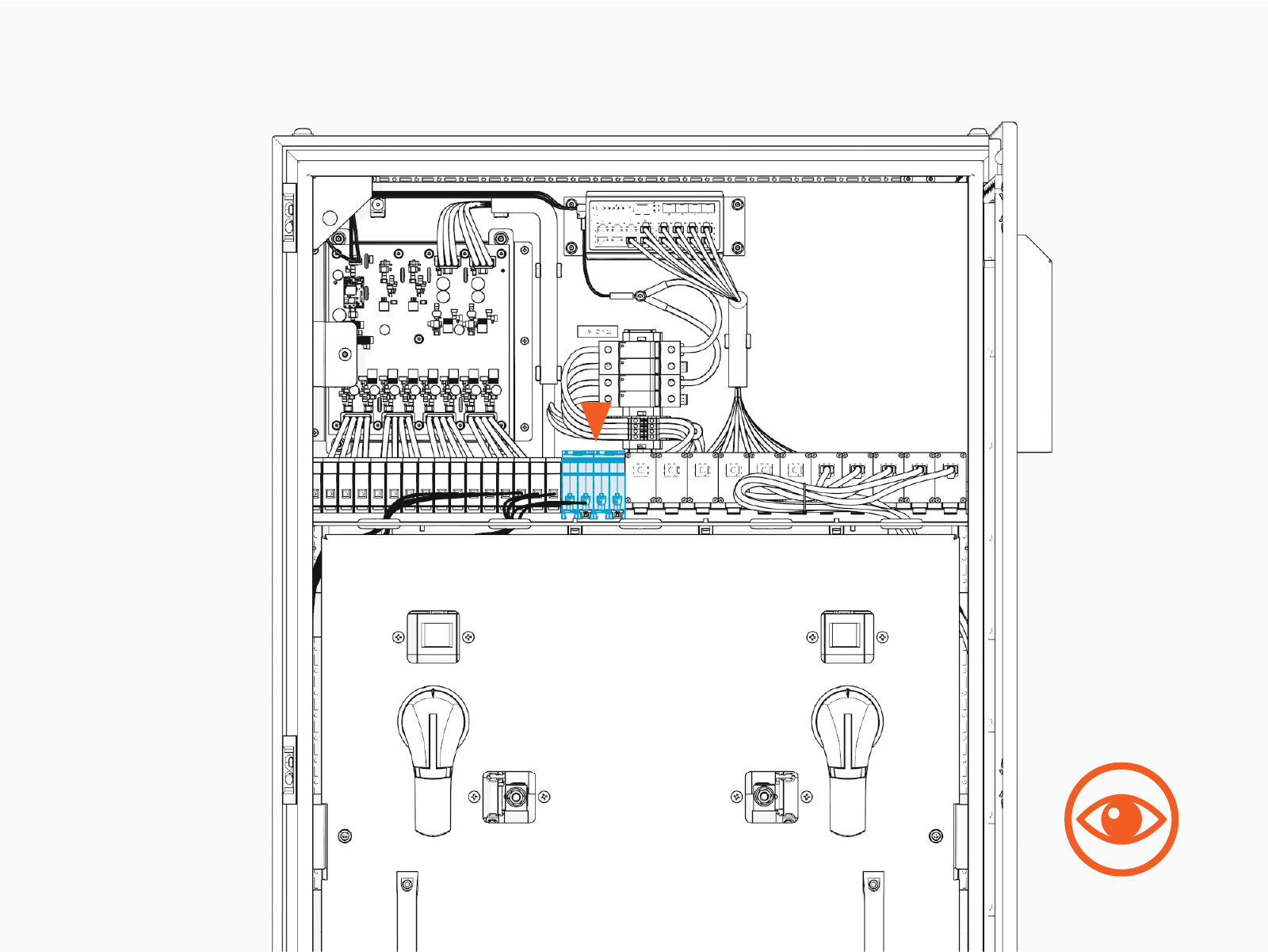
Locate the input 48 V DC circuit breakers.
-
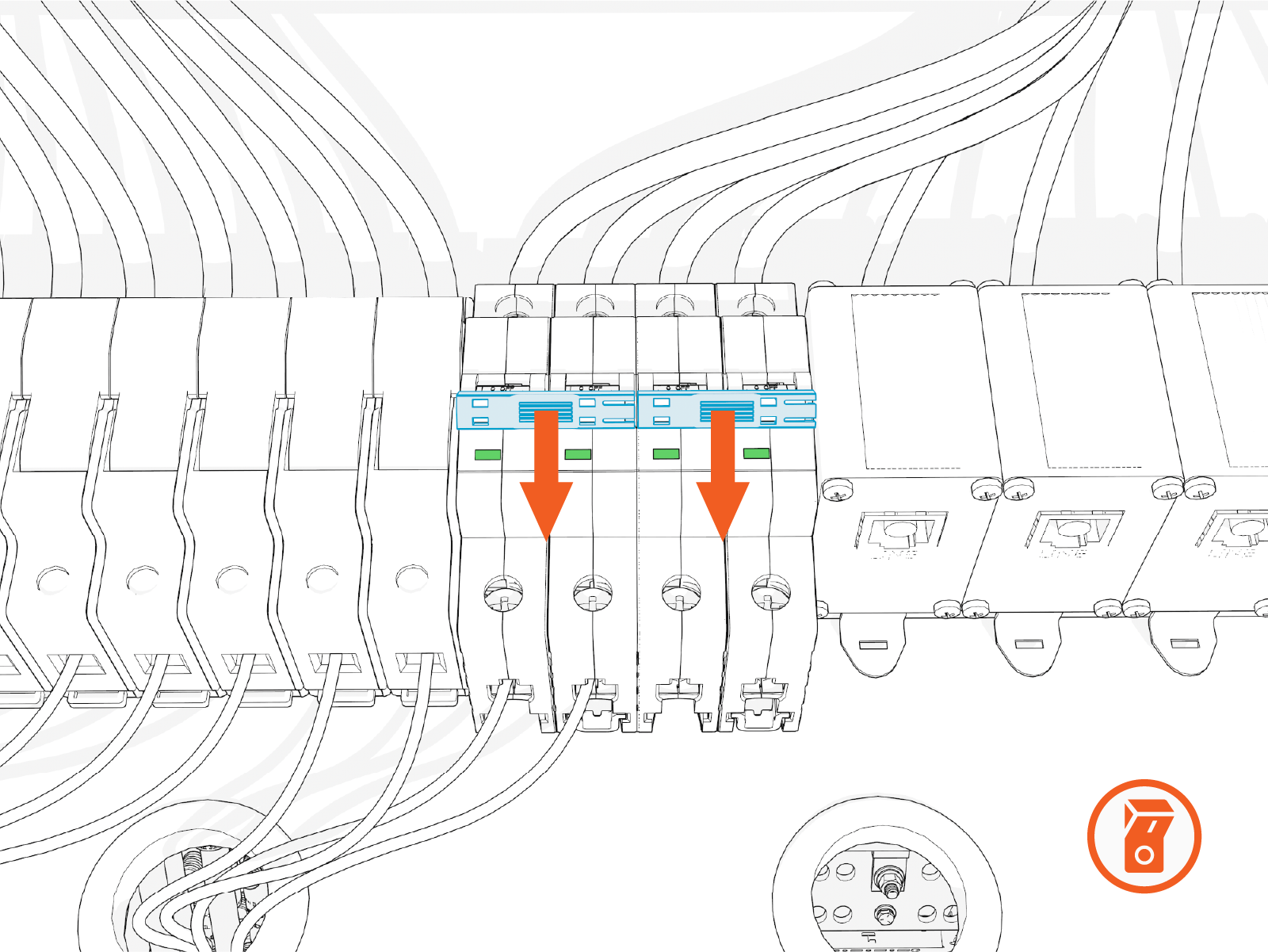
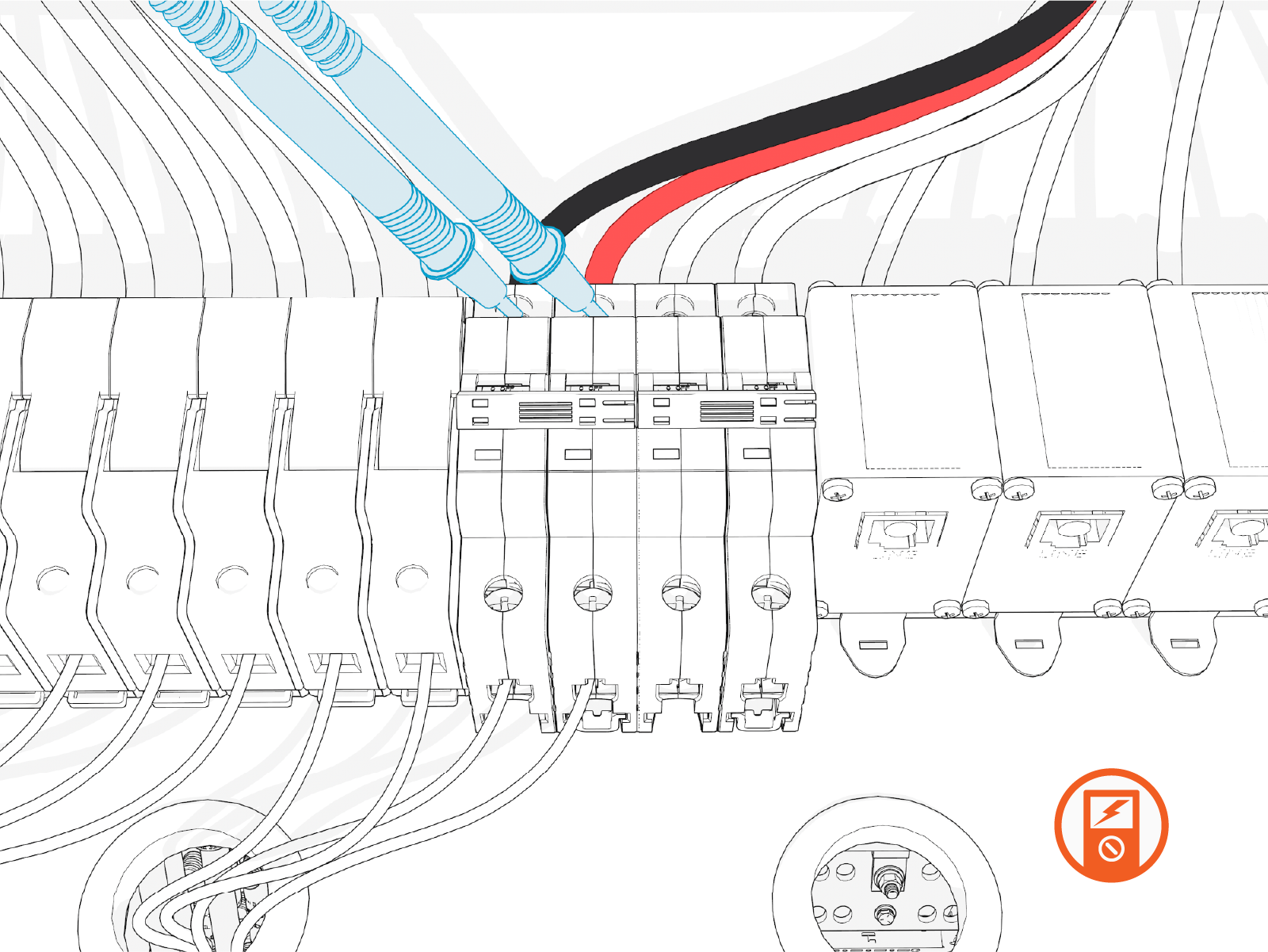
Flip the circuit breaker switches to OFF. The indicator window should turn green.
-
Use the probes of a multimeter at the circuit breaker’s output terminal screws to verify the voltage is zero. Test all breaker pairs in use.
De-Energize High Voltage Cabinet
To de-energize high voltage cabinet, complete the following steps:
-
Refer to the site single line diagram (SLD) and identify the Power Hub to be serviced.
-
Using the SLD diagram, identify all Power Blocks feeding power to the Power Hub (upstream Power Blocks). Upstream Power Block(s) must be de-energized.
-
Determine where to disconnect power to the Power Block(s). Identify the location of control elements such as circuit breakers and disconnect switches.
-
If you want to power off all Power Blocks and Power Link 1000s at the site, turn the AC circuit breaker switch at the site electrical panel to the off position.
-
If an AC disconnect switch has been installed between a Power Block and the site electrical panel, and you want to power off solely that Power Block, turn the AC disconnect switch to the off position.
IMPORTANT:
-
Account for all Power Link 1000s that will be affected by power off, and end charging sessions at those Power Link 1000s prior to power off.
-
Follow standard practice and local code to de-energize the applicable circuit and lockout/tagout the disconnect before proceeding.
-
-
Wait for energy to dissipate (approximately five minutes).
-
Check the status light at each de-energized Power Block:
-
Open the security panel to check the status light.

-
The status light must be off (unlit). If the status light is on (glowing any color), do not proceed with further servicing. Wait the required time for energy to dissipate.
-
