Apply NTEP Label
The NTEP label carries the Certificate of Conformance (CC) number required for legal-for-trade metering compliance. It is located on the underside of the head assembly lip, directly above the holster opening.
Required Tools and Materials
| Item | Qty | Notes |
|---|---|---|
| NTEP Label Kit | 1 | SKU Stock Keeping Unit CT4000-NTEP-LABEL — includes 4 labels and alcohol wipes Stock Keeping Unit CT4000-NTEP-LABEL — includes 4 labels and alcohol wipes |
Apply New Label
To apply the new label, follow these steps:
-
Locate the underside of the lip directly above the holster.
-
If an existing serialized label is present, identify an available area adjacent to the label.
Do not remove, obscure, or place the new label over the existing one, as it must remain visible to maintain the station's serialization record.
-
Clean the intended label application area using the provided alcohol wipe and allow the surface to dry completely.
-
Remove the backing from the new NTEP label.
-
Apply the new label to the underside of the lip, ensuring it is positioned flush against the surface. If an existing label is present, place the new label beside it rather than over it.
-
Apply firm pressure across the entire label surface for a minimum of 10 seconds to ensure proper adhesion.
-
Verify that the label is securely attached, lies flat against the surface, and remains fully legible. If an existing label is present, confirm that both labels are clearly visible and readable.
If the label does not adhere properly, discard it and apply a new label. The CT4000-NTEP-LABEL kit includes four labels.
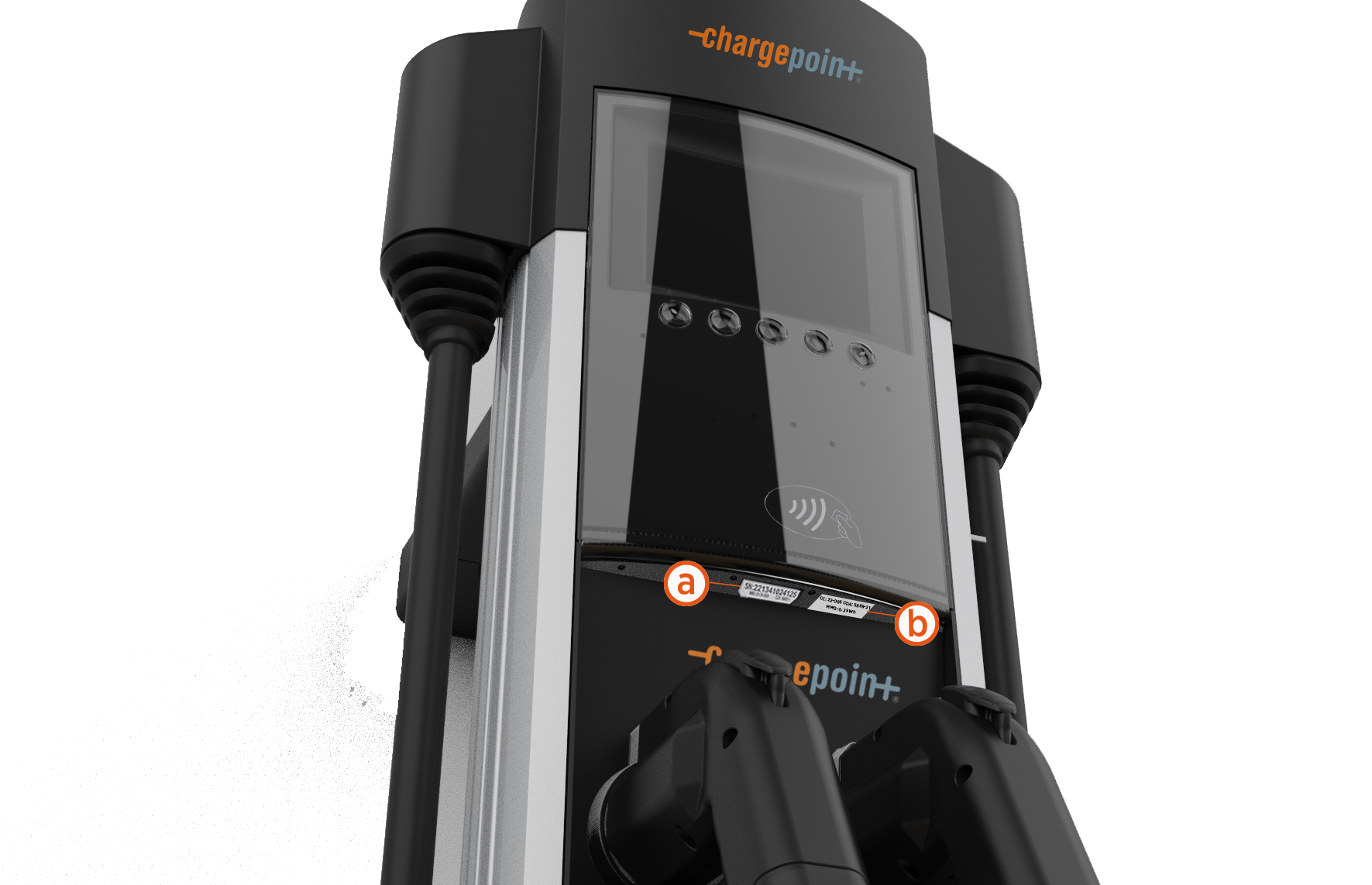
-
Existing trapezoidal Label
-
New rectangular NTEP Label