Connect AC Wiring
To connect AC wiring, complete the following steps:
Before performing any procedure, the technician must disconnect the power to the charging station at the service panel. Follow local code to de-energize the applicable circuit and lockout/tagout the upstream breaker before proceeding. Use a multimeter and check that the power is off. Keep power off for the circuit until all cover panels are correctly reinstalled and the work is complete.
FAILURE TO FOLLOW THESE INSTRUCTIONS CAN RESULT IN SERIOUS INJURY, LOSS OF LIFE, OR PROPERTY DAMAGE.
Ensure a grounding conductor that complies with local codes is properly grounded to earth at service equipment or, when supplied by a separate system, at the supply transformer. Ensure neutral ground bond.
Ensure no bell ends are left on any conduit after all wires are pulled. Bell ends can interfere with station placement.
The AC terminal block on the Express 280 accepts a maximum wire size of 55 mm2 (1/0 AWG American Wire Gauge) stranded wires. If using a larger gauge wire to accommodate a long run, reduce the wire size at the local external disconnect.
Route Ground Wire and AC Conductors
To route ground wire and AC conductors, configure the following:
-
If the installation requires above-ground conduit, visit Surface Conduit Entry Box for steps to install a Surface Conduit Entry (SCE
Surface Conduit Entry) kit. -
Route the AC wiring bundle through the larger rodent bracket grommet.

-
Route the shunt trip wiring through the smaller rodent bracket grommet.

-
Align the rodent guard bracket to ensure it rests on the conduit opening.
Use a T25 Torx screwdriver and two screws to secure the rodent guard bracket. Torque screws to 4.5 Nm (40 in-lb).

Trim Wires and Connect Ground Wire
To trim wires and connect ground wires, configure the following steps:
-
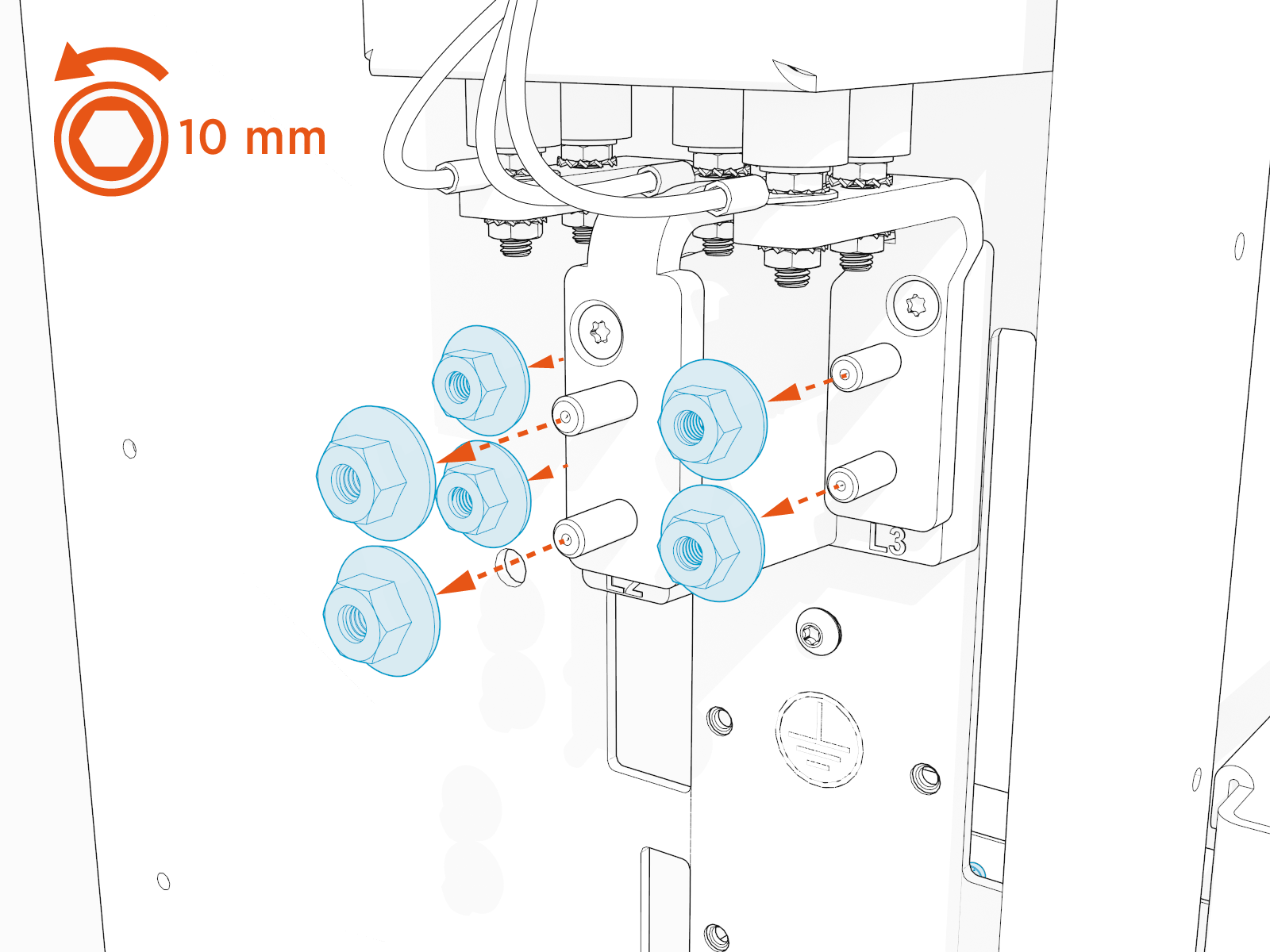
Remove the installed nuts from the AC terminal blocks.
-
Measure and mark the length needed to extend the ground and AC conductors from the conduit opening to the Express 280 terminal blocks.

-
Trim the excess wire.

-
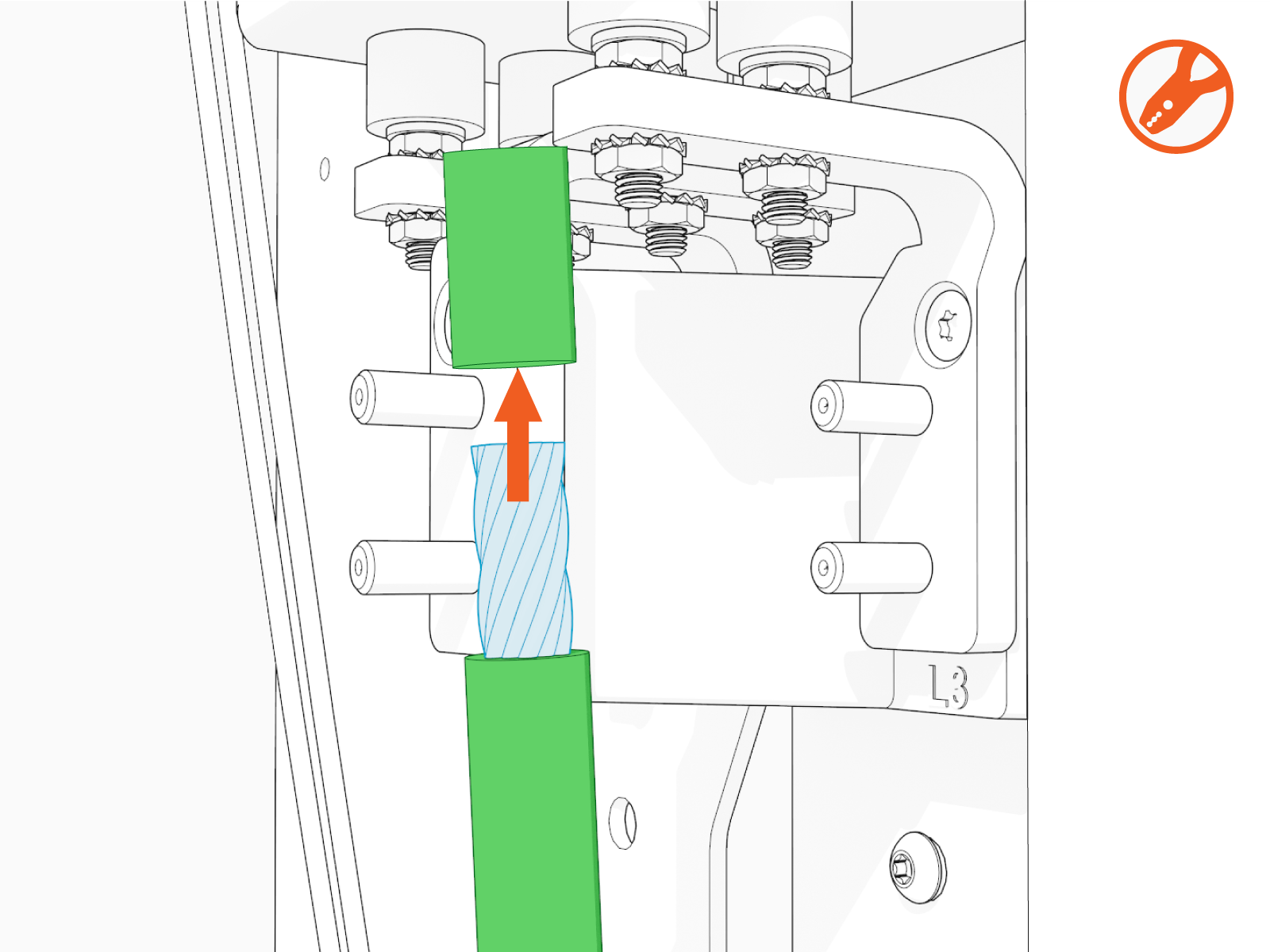
Mark the height of the lug on the end of the ground wire.

-
Use a wire stripper to remove the outer jacket of the wire to the marked length.
-
Insert the stripped end of the ground wire into the lug.
Ground wires do not need to be crimped.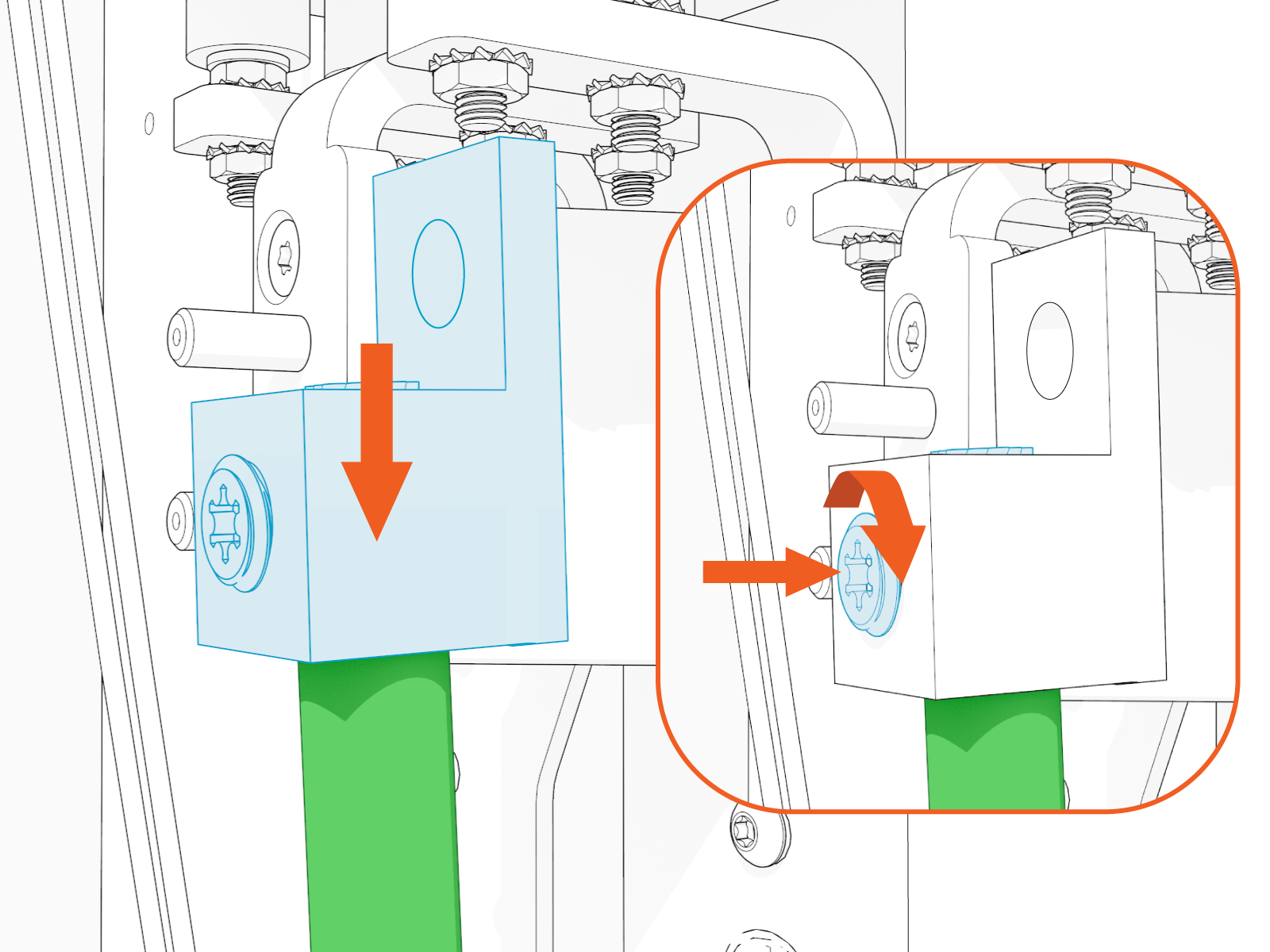
-
Use a T25 Torx screwdriver to mount and secure ground lug to the terminal block.

Connect AC Conductors
To connect AC conductors, configure the following steps:
-
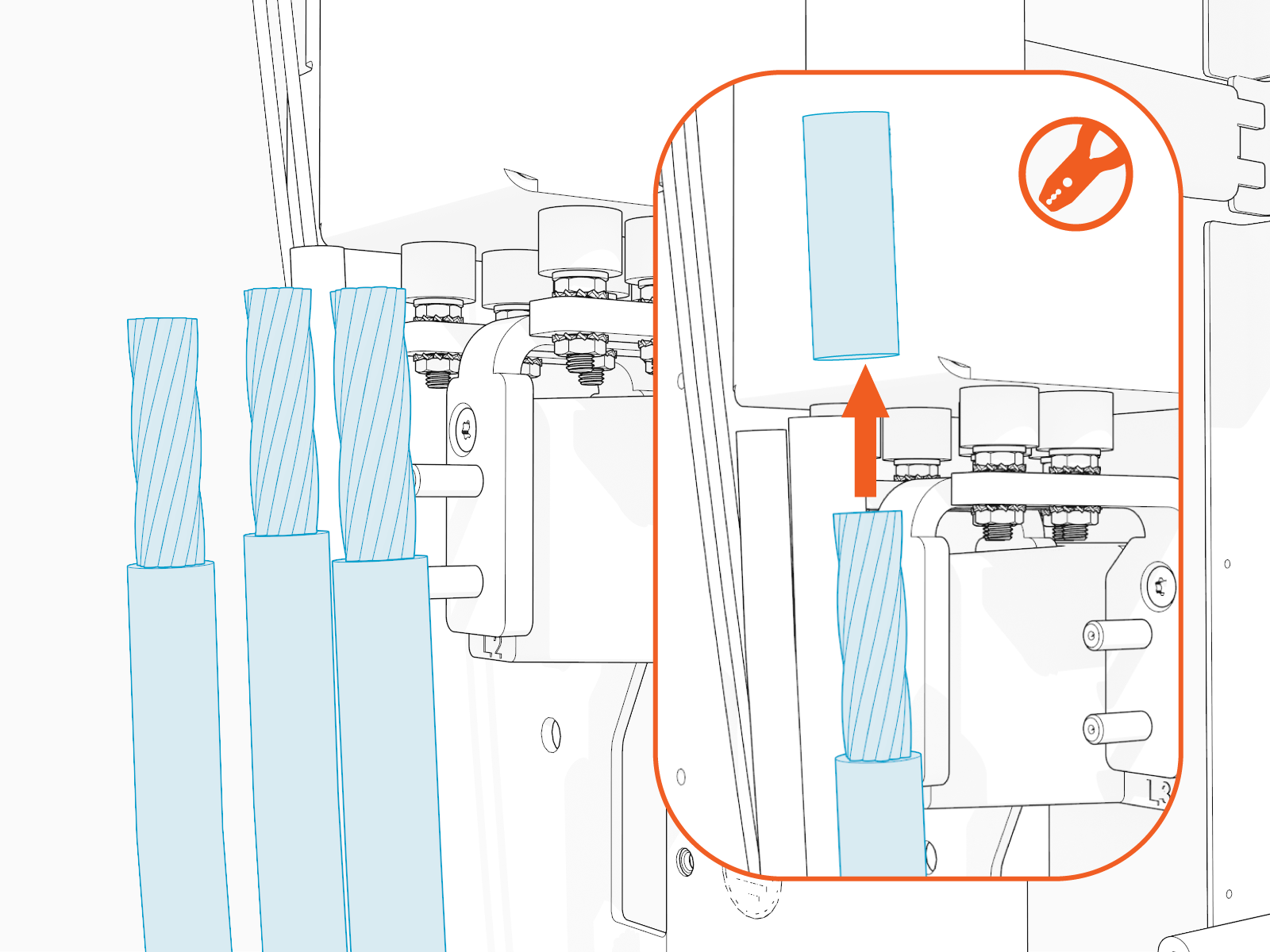
Mark the barrel height of the lug on the end of each service wire.

-
Use a wire stripper to strip the jacket on the marked wire.
-
Insert the stripped end of the wire into the lug barrel and crimp the barrel.

-
Apply dielectric grease to the lug mating surface.

-
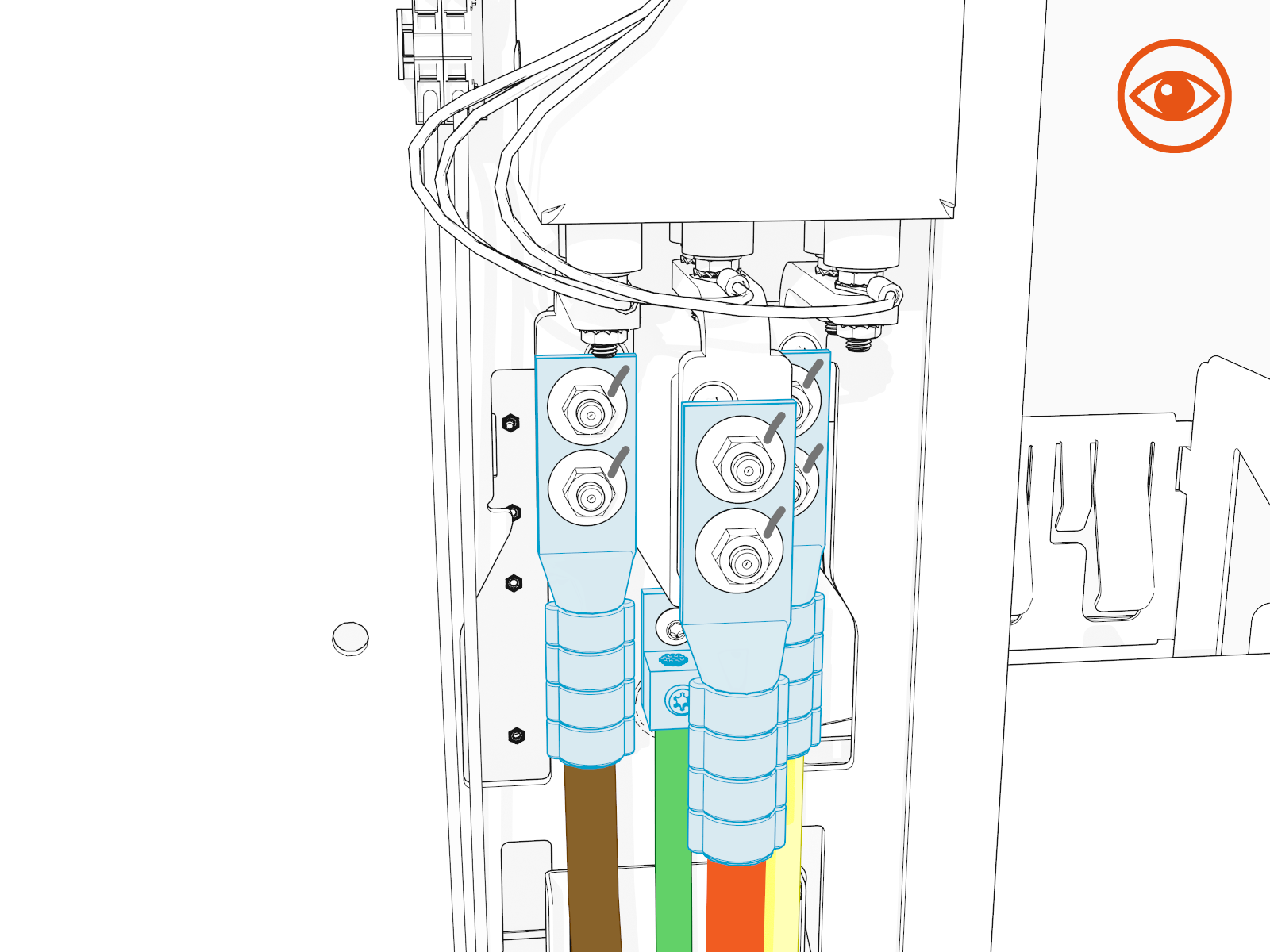
Use a 10 mm (3/8 in) socket wrench to mount and secure L1 , L2 , and L3 lugs to the terminal block. Torque conductor nuts to 5.6 Nm (50 in-lb).
Do not use impact torque drivers.

-
Ensure that terminal fasteners are torqued correctly.
-
Mark all torqued terminal fasteners.

-
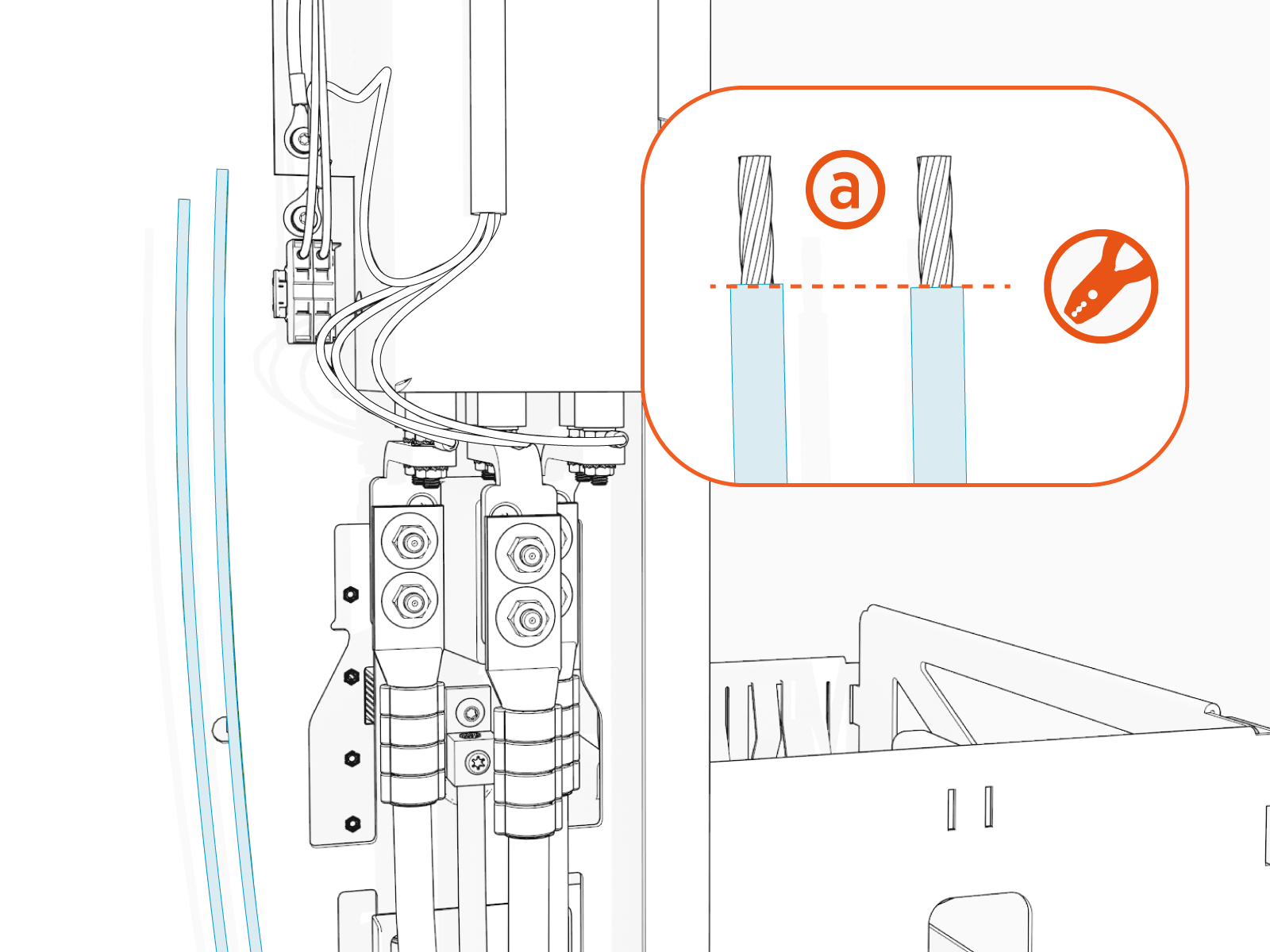
Use a wire stripper to remove 8 mm (5/16 in) the outer jacket (a) of the shunt trip wire.
-
Insert the shunt trip wires.
-
Insert a small (SL4) flat-blade screwdriver into the upper slot on each of the two shunt trip terminals above the AC terminal block.
-
Insert the shunt trip wire from the smaller conduit into the lower slot. Shunt wires are interchangeable.
-
Remove the screwdriver.
-
Insert the second shunt trip wire.
-
Perform a pull-push test to confirm the wires are secure.

-
-
Use cable ties to bundle shunt trip and Ethernet wires together.
-
Use a multimeter and ensure no continuity exists between terminals.
Ground Conduit Entry
Surface Conduit Entry

IMPORTANT: You should not see any copper wire outside the terminal block.

-
Use the supplied duct seal compound to completely seal the following AC openings against pest ingress:
-
The inside of the conduit opening
-
Within the rodent guard bracket openings for wiring
-
Around the edges of the rodent guard bracket where it will meet the side panel
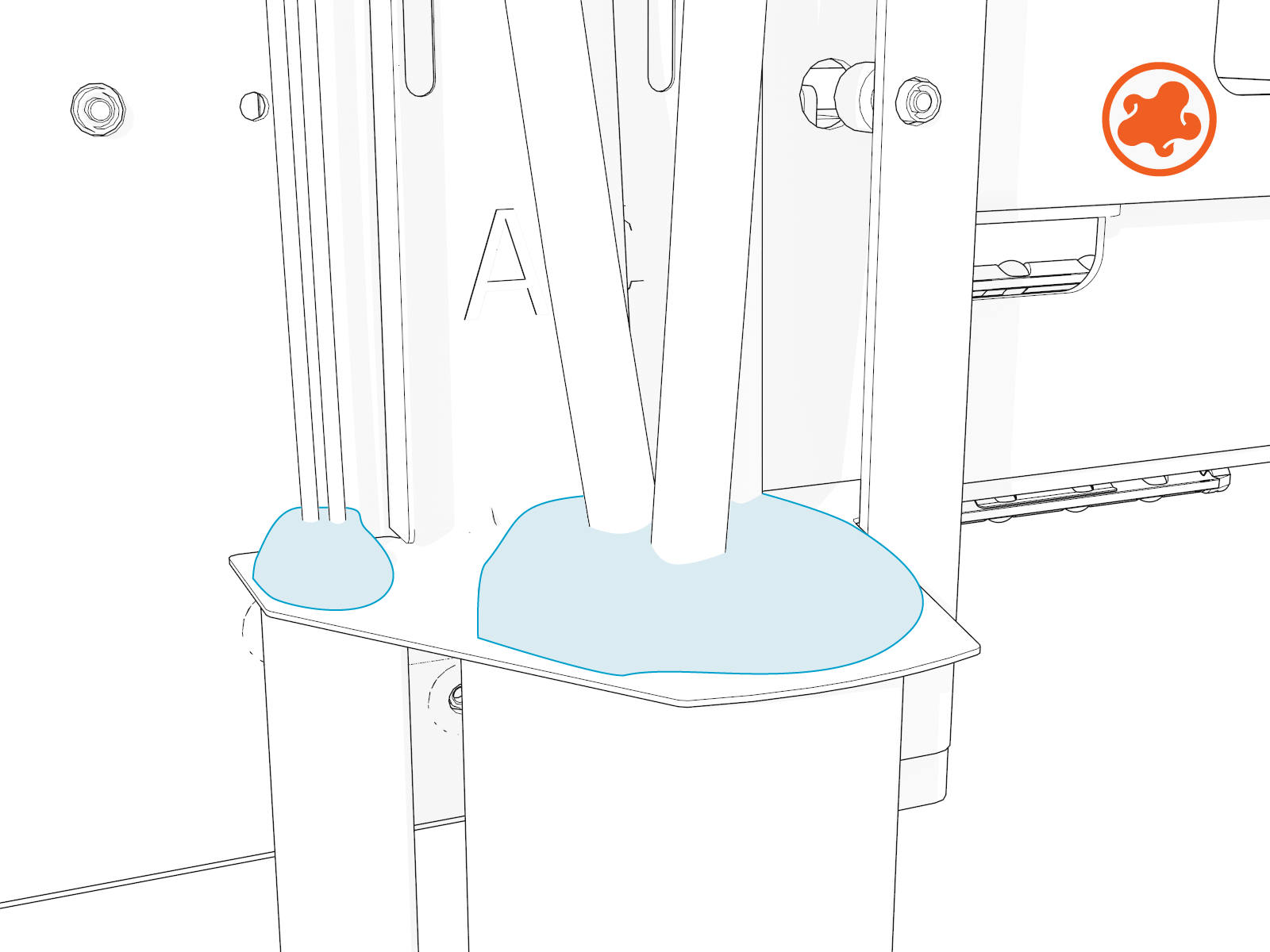
The conduit opening must be sealed to protect the wiring from the environment.
-
-
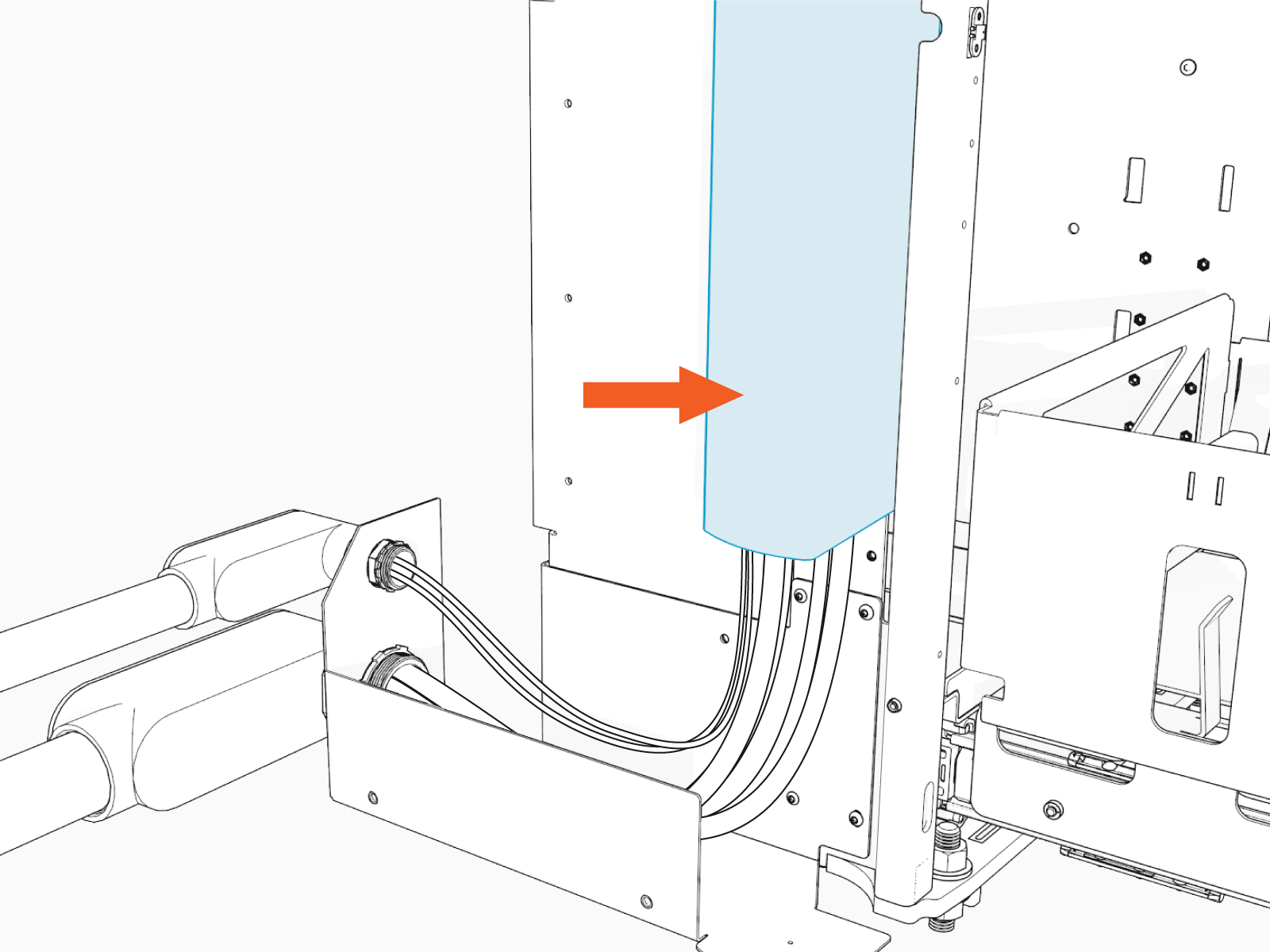
Install the AC wire cover.
-
Squeeze the sides of the wiring cover and guide the tabs into the slots on the station.
-
Slide the wiring cover up until it snaps into place. Ensure no wires get pinched.
Ground Conduit Entry

Surface Conduit Entry
-
