Install Surface Conduit Entry Box
Surface Conduit Entry (SCE Surface Conduit Entry) kits allow above-ground conduit in Express 280 charging station installations where new concrete pads or underground conductors are not possible. The SCE Surface Conduit Entry kit also supports adding above-ground conduit to pair an already-installed standalone Express 280 station with another Express 280 station for shared DC output.
Follow these instructions to install a SCE Surface Conduit Entry kit on each Express 280 charging station. These steps are the same for both standalone and paired installations.
If the site has height constraints for installation, contact ChargePoint to get instructions and clearances that you will need for the modified process.
Prepare the Surface Conduit Entry (SCE) Box Base
To prepare the surface conduit entry (SCE Surface Conduit Entry) box base, configure the following steps:
-
Measure the diameter of the conduit.
-
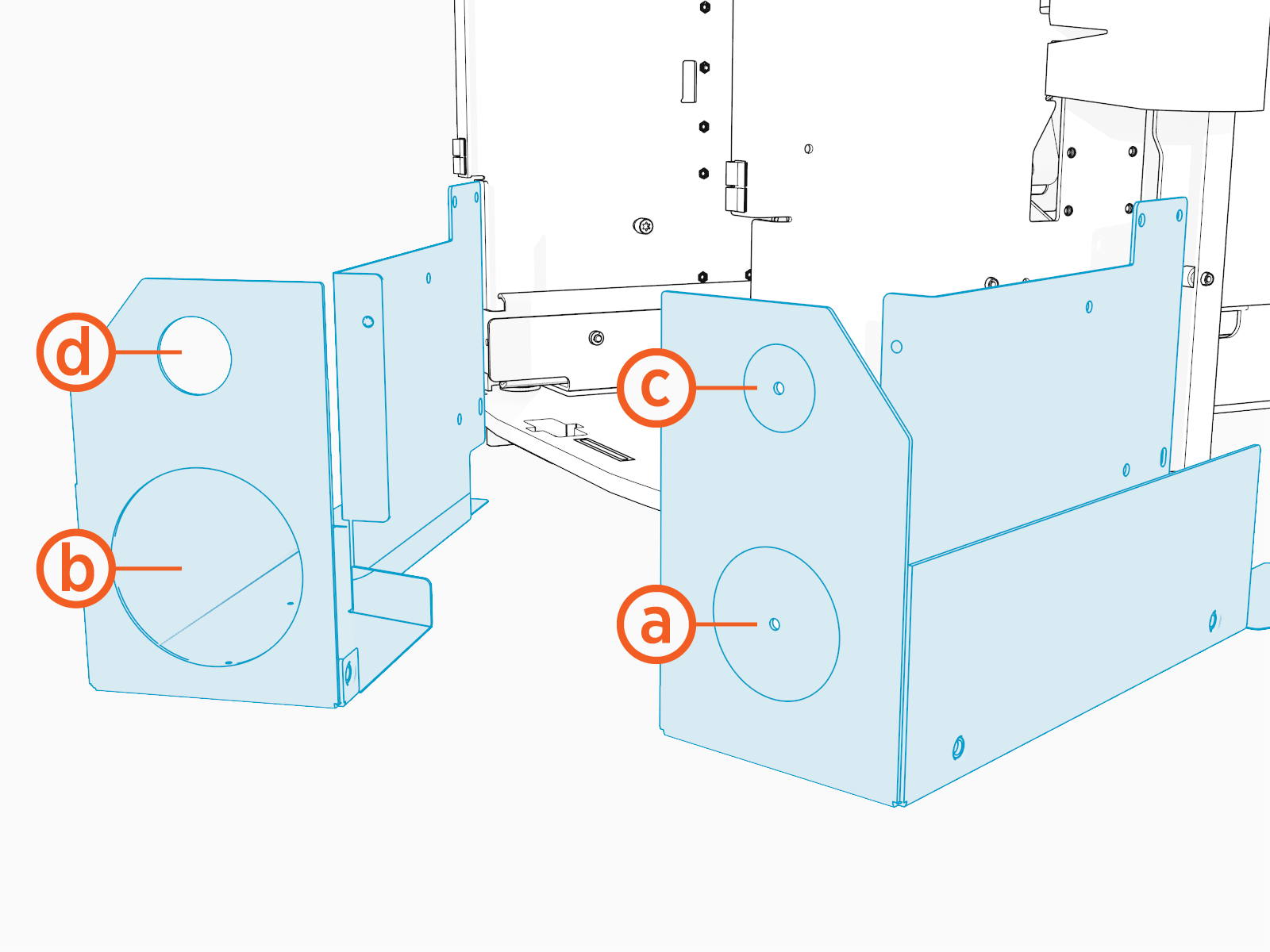
Using the pilot holes on the SCE
Surface Conduit Entry box base as a guide, use a sheet metal drill bit to create a hole in the rear face of the box for AC wires (a). Drill the circle for DC wires (b) only if the station will be paired.If the station will have shunt trip wiring (c) or Ethernet (d), use a 45 mm (1-3/4 in) core bit to drill holes based on the pilot hole markings.
Attach SCE Box Base
To attach the SCE Surface Conduit Entry Box Base, configure the following steps:
-
Align the pin on the SCE
Surface Conduit Entry box base to hole on the station frame.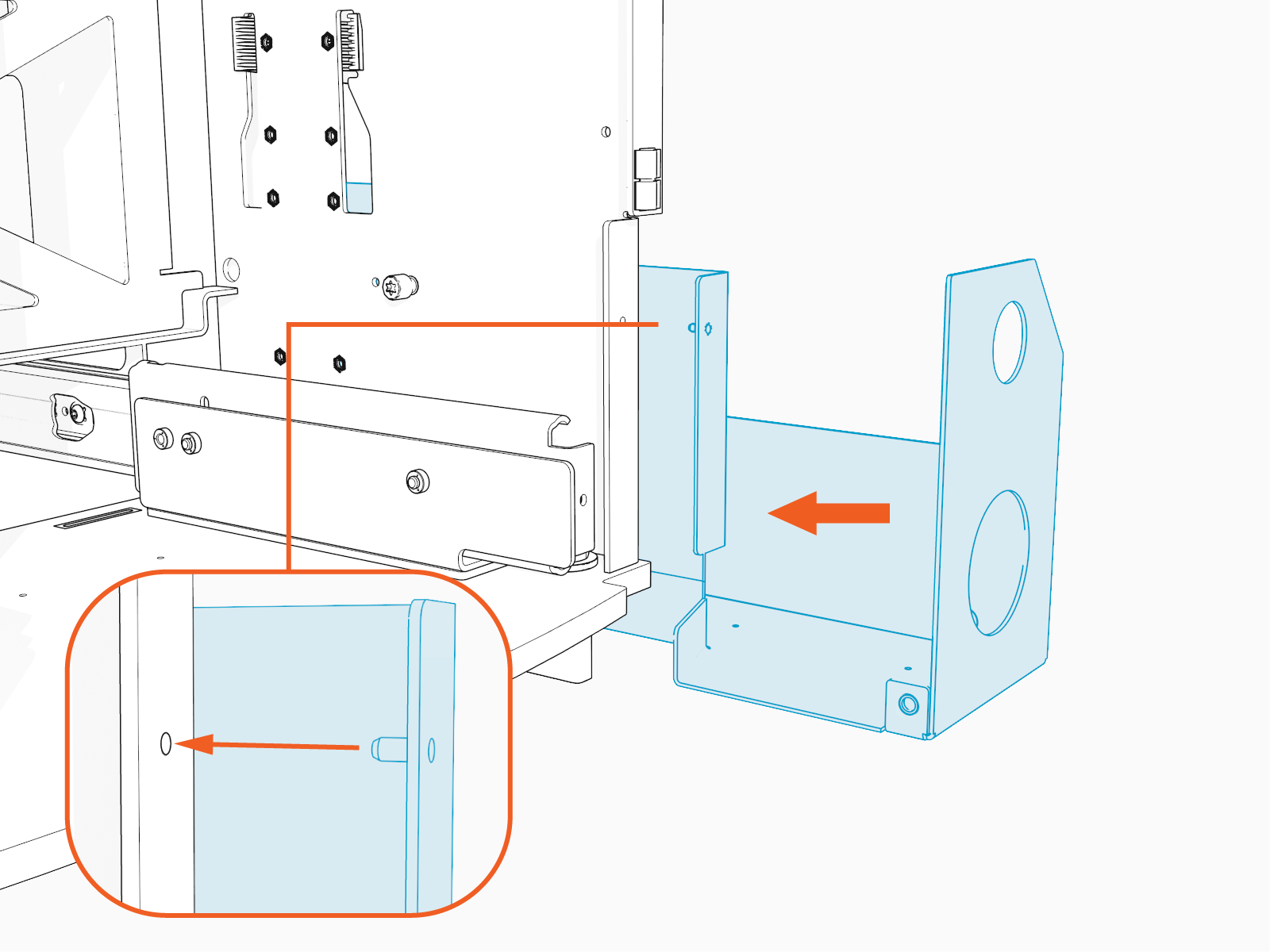
-
Use a T25 Torx screwdriver to tighten the thumb screw to secure the SCE
Surface Conduit Entry box base to the station frame.
-
Use a T25 Torx screwdriver and four screws to secure the SCE
Surface Conduit Entry box base to the frame. Torque to 4.5 Nm (40 in-lb).
-
Secure the AC conduit to the SCE
Surface Conduit Entry box base.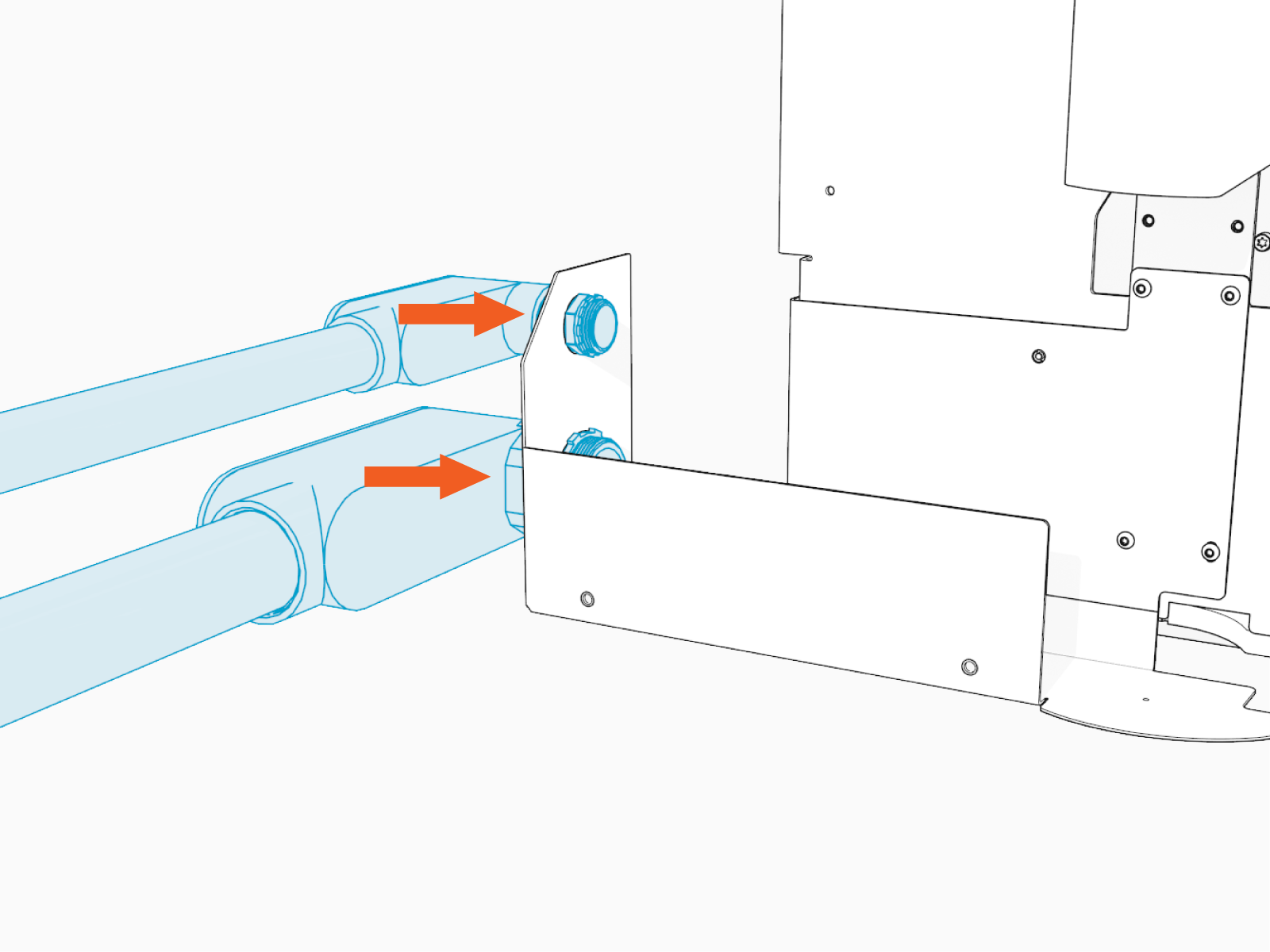
-
Feed AC conduit through the hole in the SCE
Surface Conduit Entry box base.
-
Paired stations only - If you are pairing two Express 280 stations, complete the previous steps to secure the SCE
Surface Conduit Entry box base for DC conduit.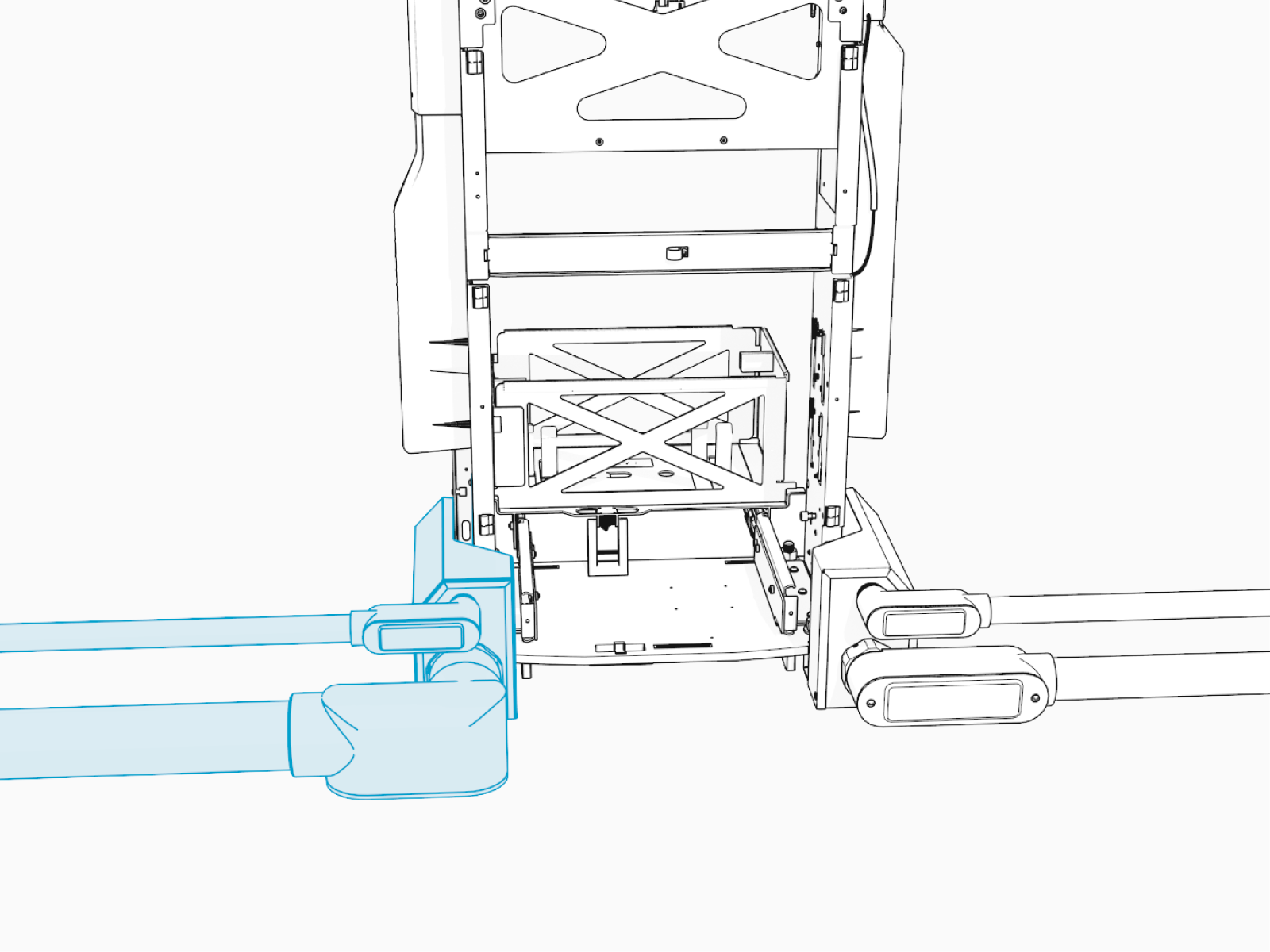
-
Paired stations only - Feed DC conduit through the hole in the SCE
Surface Conduit Entry box base. -
Go to Trim AC Wires and continue to connect AC wiring to the station.
Install the SCE Box Cover
To install the SCE Surface Conduit Entry Box Base Cover, configure the following steps:
-
Slide the SCE
Surface Conduit Entry box cover into place.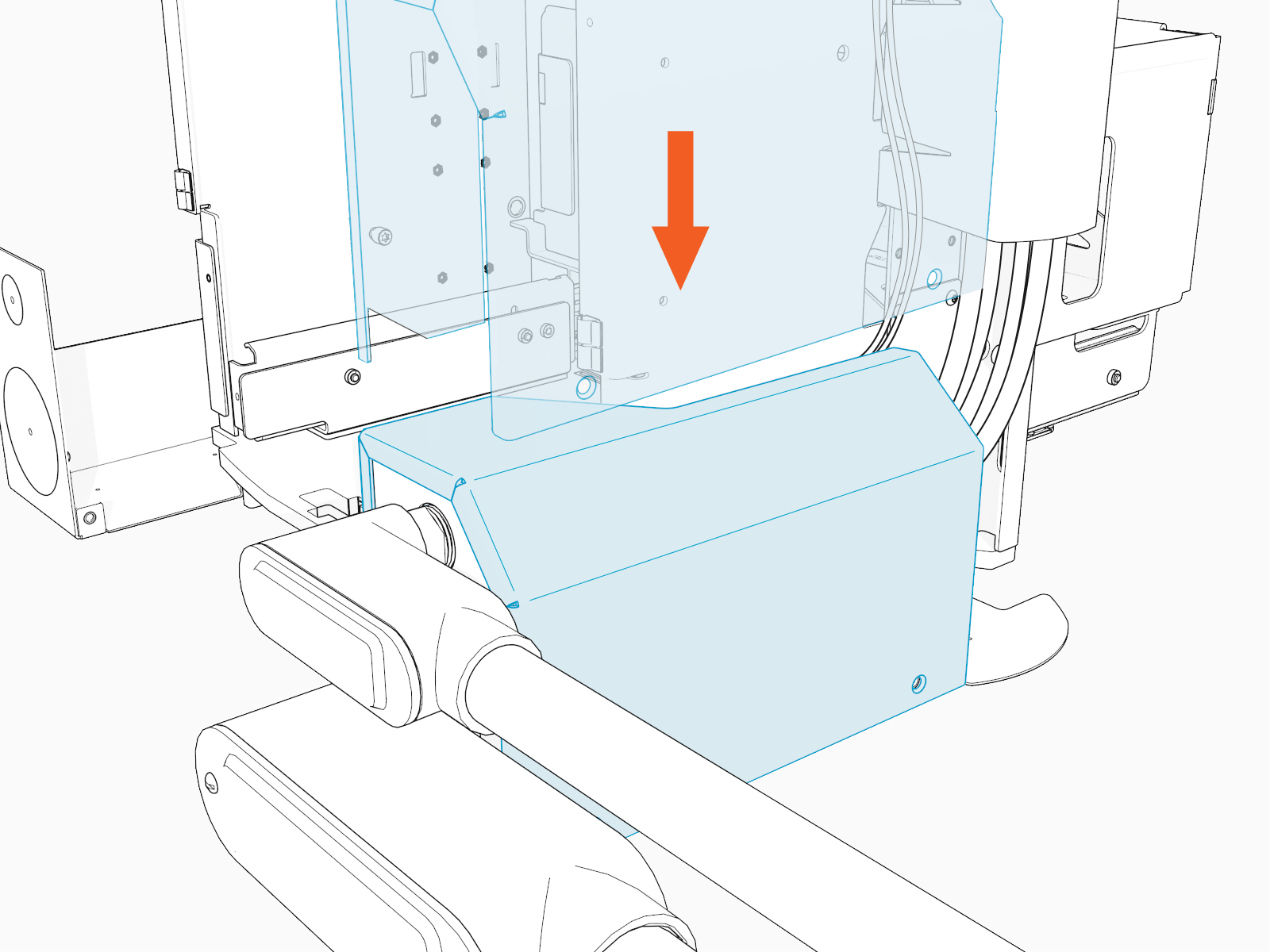
-
Use a T25 Security screwdriver and three screws to secure slide the SCE
Surface Conduit Entry box cover.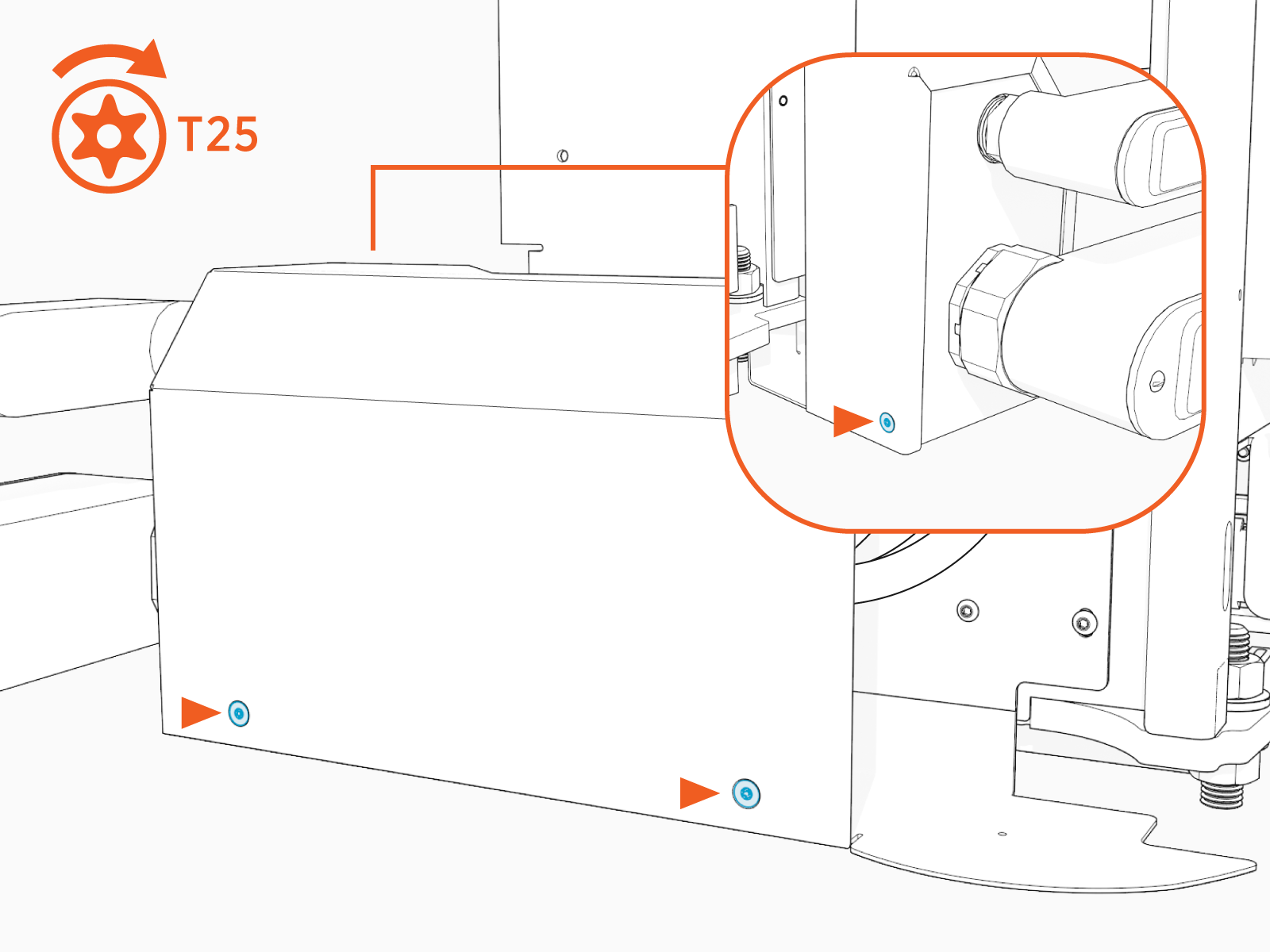
-
Go to Install Side Panels.
