Install Cable Management Kits (CMK)
Cable Management Kits (CMK Cable Management Kit) are available in two heights: standard 2.4 m (8 ft) and tall 3 m (10 ft). If you are installing a tall CMK Cable Management Kit, refer to Install Tall Cable Management Kits for instructions.
Install the Mast - Standard and Tall CMK
To install the Mast-Standard and Tall Cable Management Kits, complete the following steps:
-
Using a T30 Torx screwdriver, remove four pre-populated screws.

-
Hook mast on to the two existing screws.
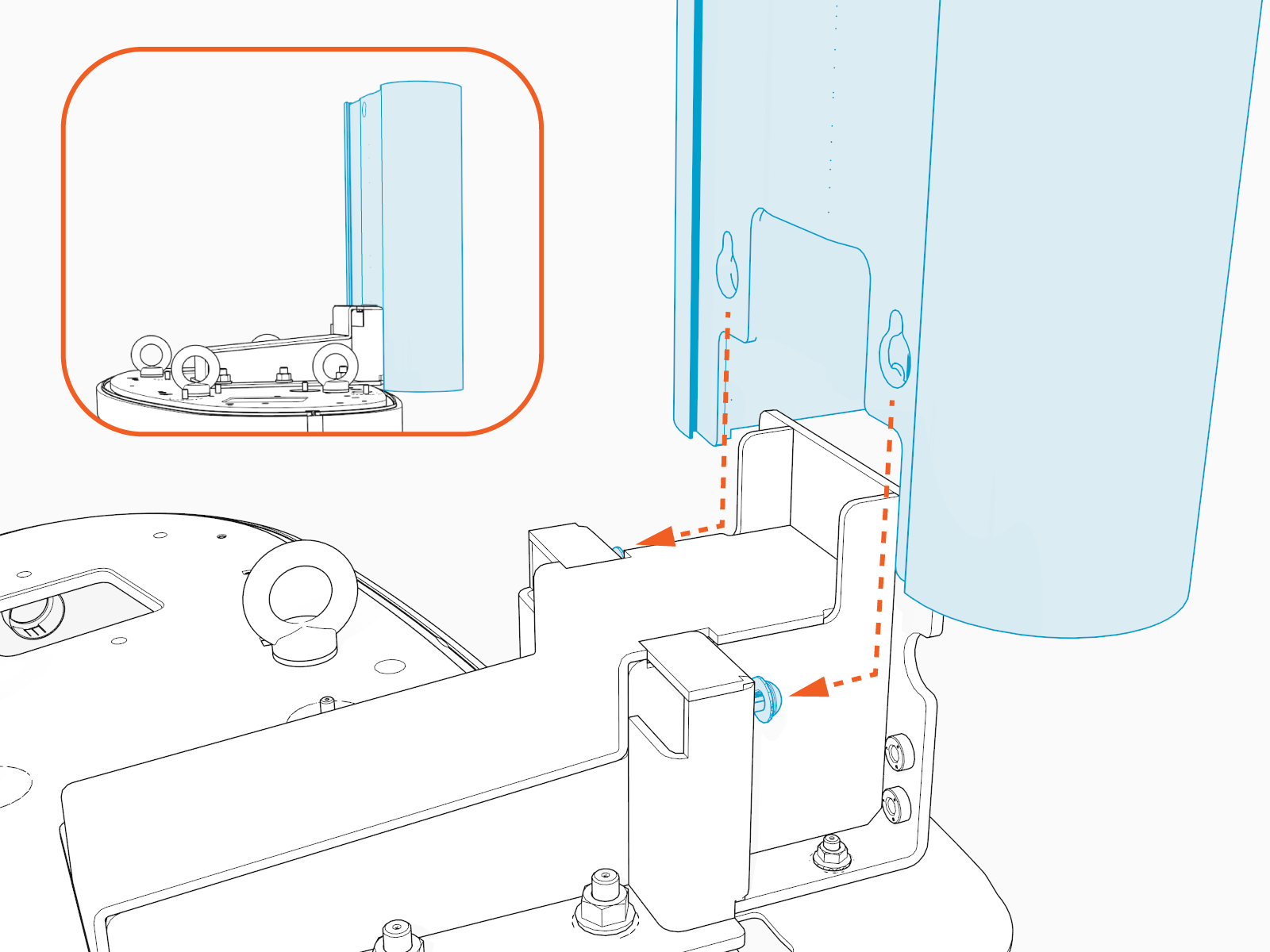
-
Use T25 Torx screwdriver to tighten two screws.
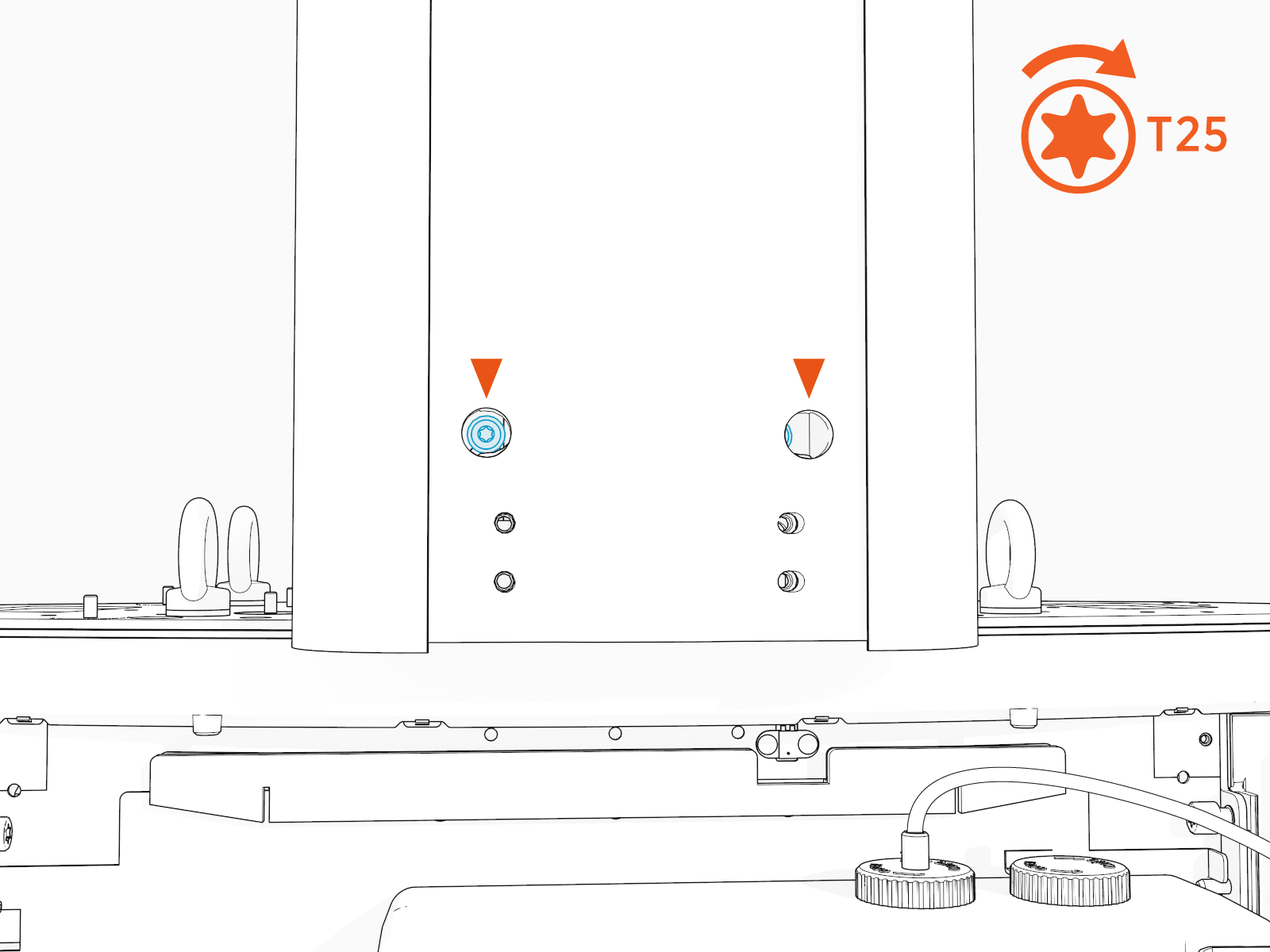
-
Insert the four screws removed earlier and use a T30 Torx screwdriver to secure the mast.
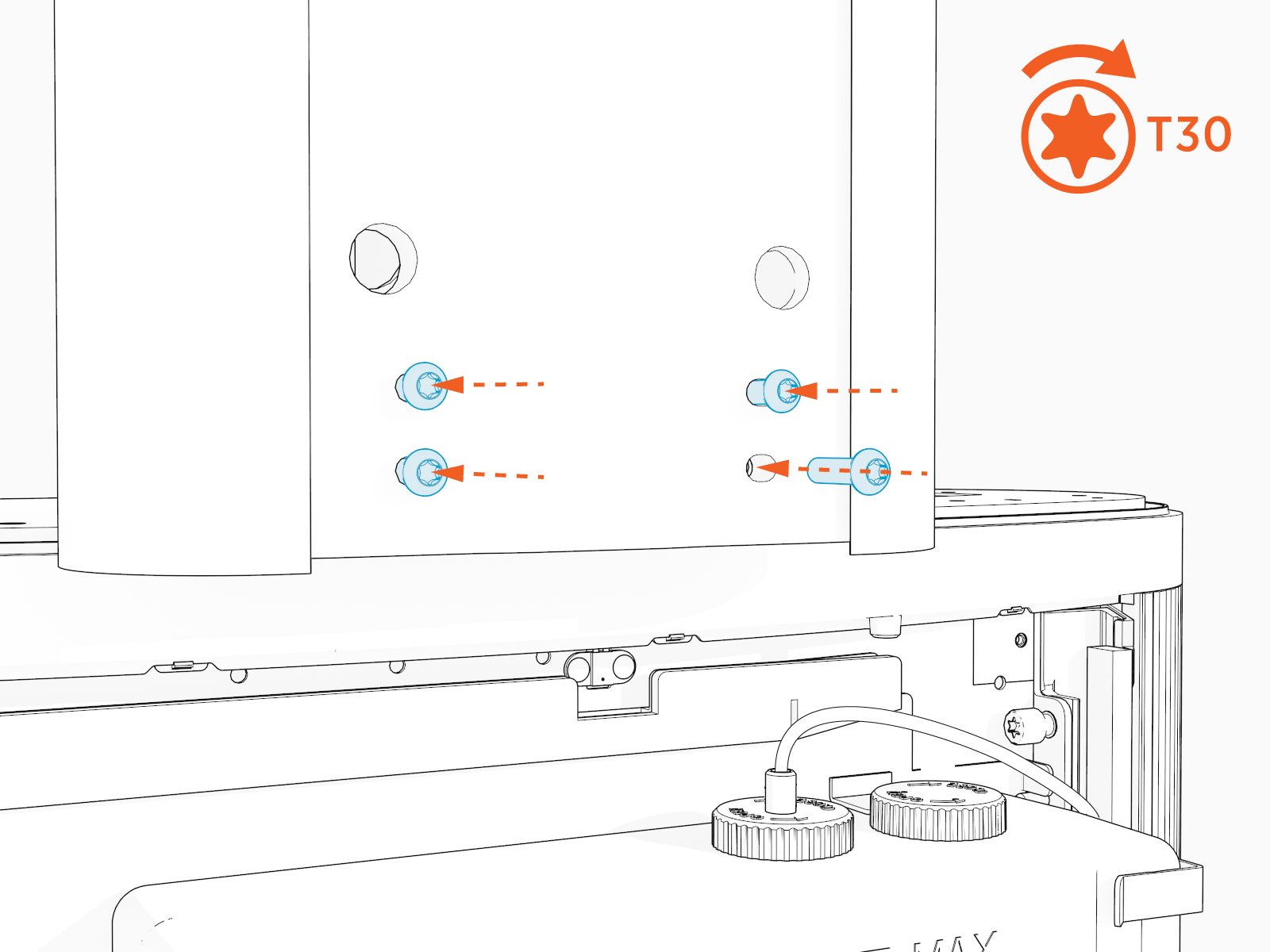
-
Using a T25 Torx screwdriver, torque the two upper screws (a) to 5.6 Nm (50 in-lbs).
Using a T30 Torx screwdriver, torque the four lower screws (b) to 5.6 Nm (50 in-lbs).

Install the Swingarm Assembly - Standard CMK
If you are installing a tall CMK Cable Management Kit, jump to Install the Tool Balancer Assembly - Tall CMK for instructions.
To install the swingarm assembly-standard CMK Cable Management Kit, complete the following steps:
-
Align the placement pins (a) and hook the swingarm assembly onto the studs (x2) on the mount bracket.

-
Use a T25 Security screwdriver and five screws (four at rear and one at front side) to secure the swingarm to the mounting bracket. Torque to 5.6 Nm (50 in-lb).
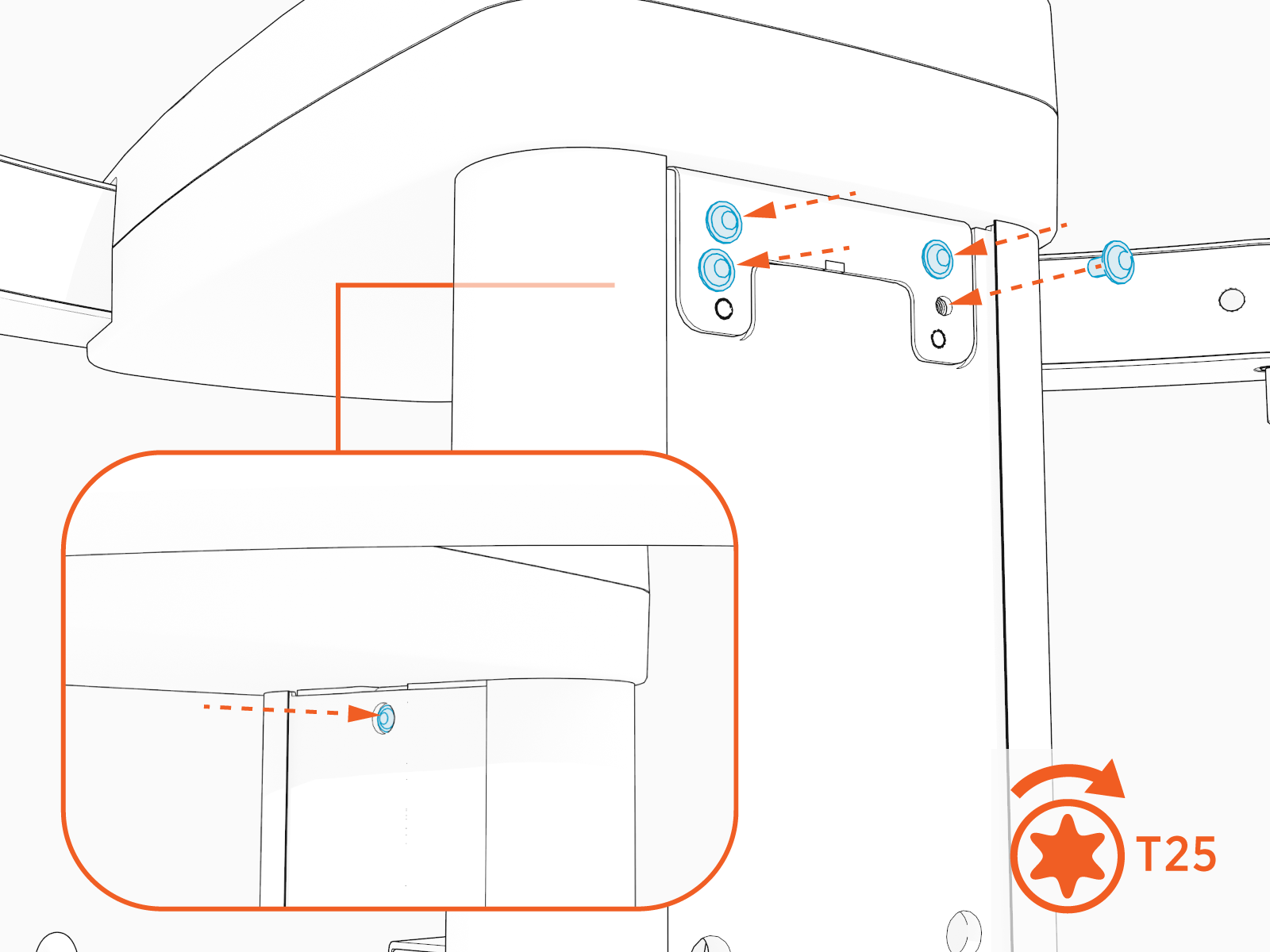
-
Jump to Install CMK Covers and continue.
Install the Tool Balancer Assembly - Tall CMK
To install the Tool Balancer Assembly - Tall CMK Cable Management Kit, complete the following steps:
-
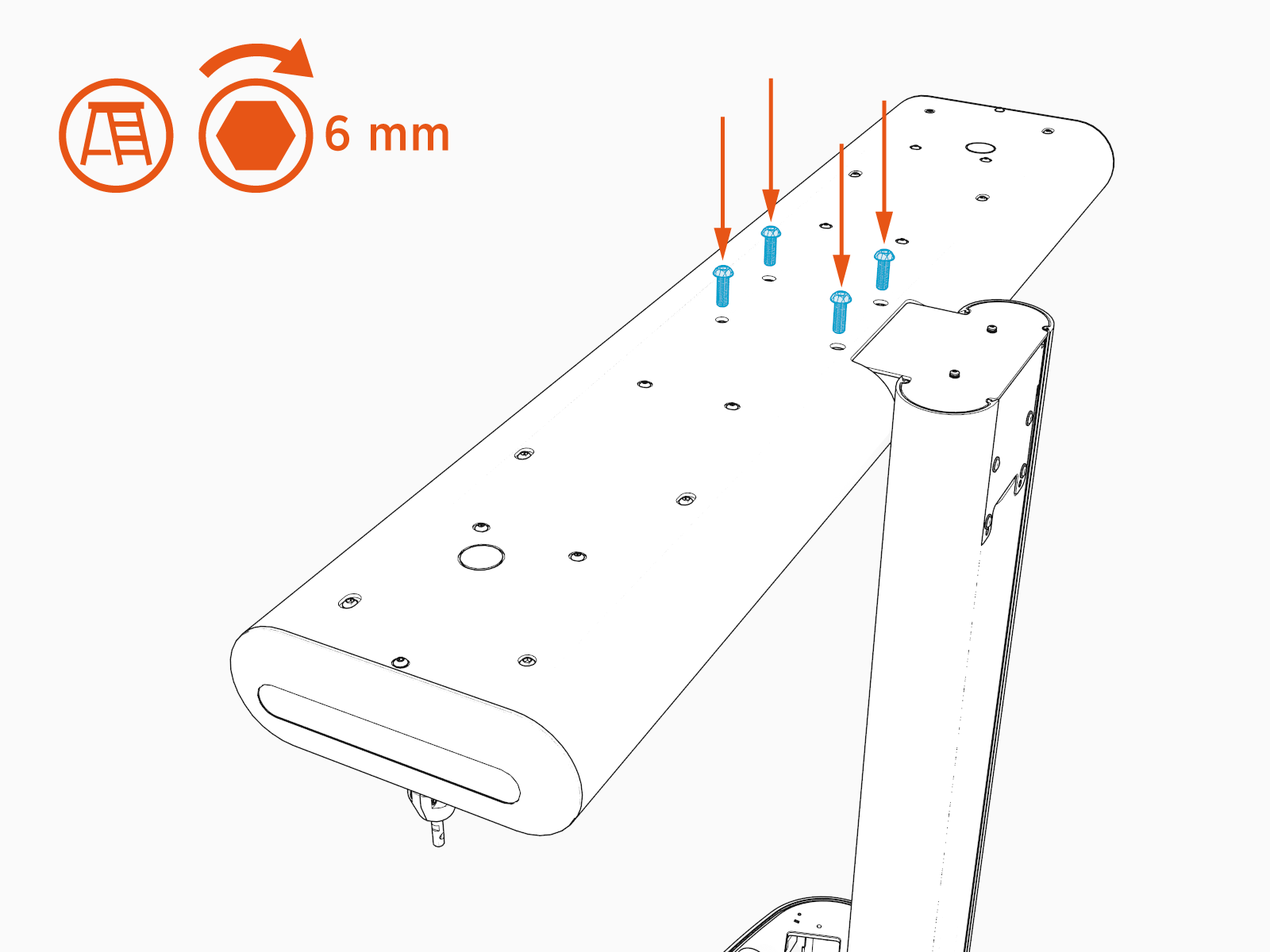
Find the M10 hex screws (x4) included in the tall CMK
Cable Management Kit package. -
Slide the tool balancer assembly (a) onto the mast (b).

-
Use a 6 mm hex driver and four screws to secure the swingarm to the mounting bracket. Torque to 5.6 Nm (50 in-lb).
Install the CMK Covers - Standard and Tall CMK
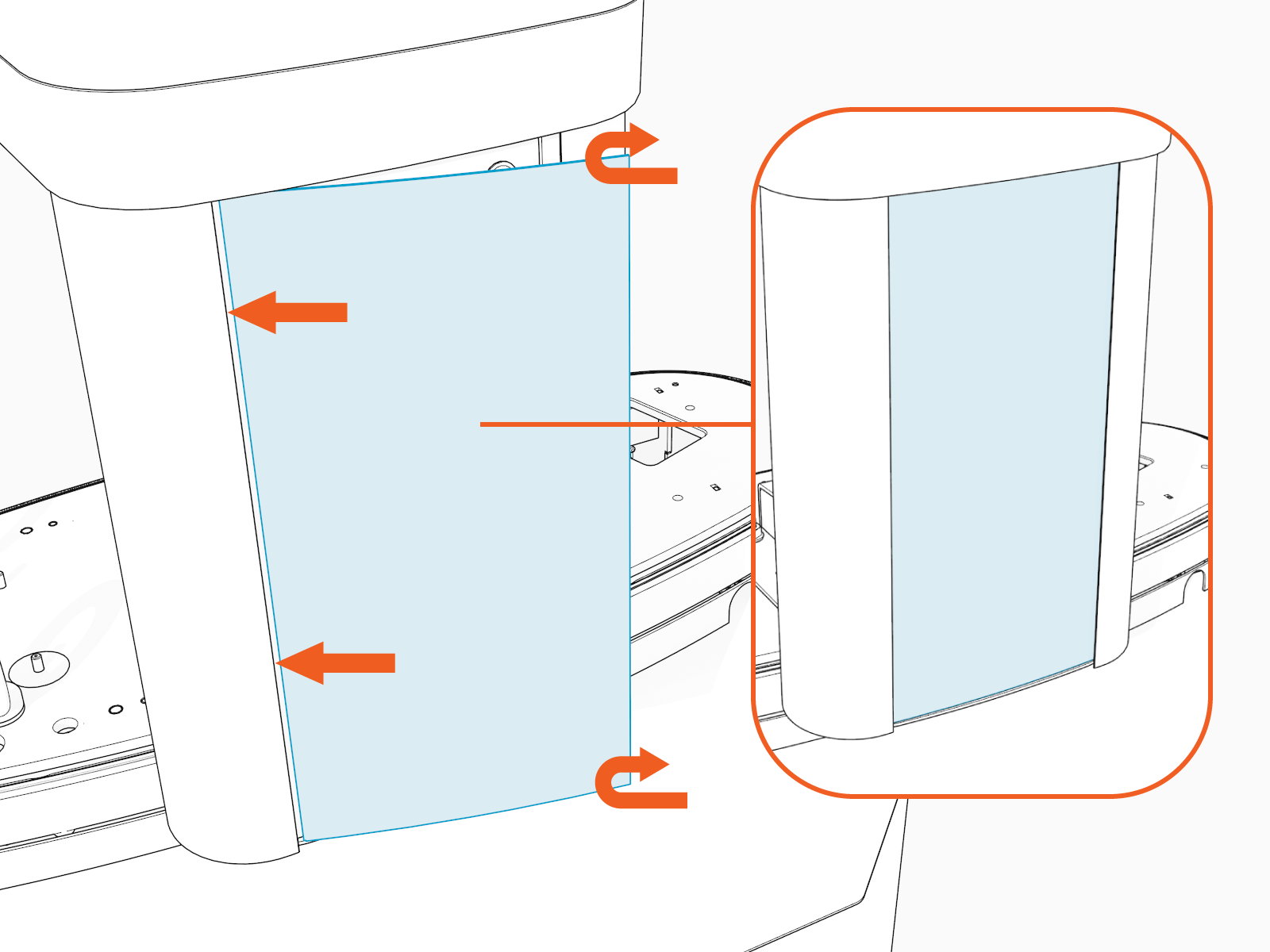
To install the CMK Cable Management Kit Covers - Standard and Tall CMK Cable Management Kit, complete the following steps:
-
Remove the protective film.

-
Insert one side of the rear cover into the groove on the rear side of mast.
Bend the other side of the cover into the groove on the other rear side of mast.
-
Repeat for the front cover.

