Secure Charging Station
Follow these instructions to anchor each Express 280 charging station.
If the site has height constraints for installation, contact ChargePoint to get instructions and clearances that you will need for the modified process.
Alternatively, you may use a forklift bracket kit, or a crane with lifting shackles and a spreader bar (constraints may differ among sites).
Disconnect Power
To disconnect power, complete the following steps:
- Before any procedure, disconnect the power.
- Follow local code and site lockout/tagout procedure to de-energize the station.
- Wait for energy to dissipate (approximately five minutes).
- Keep power off until all covers and panels are reinstalled and the work is complete.
-
Disconnect power at the site electrical panel.
Follow standard practice and local code to de-energize the applicable circuit and lock out/tag out the disconnect before proceeding.
-
Use a multimeter to test that the unit is de-energized.
Prepare Mounting Pad
To prepare the mounting pad, configure the following steps:
-
Ensure AC and DC conduit stub-ups (if applicable) are 76.2 mm (3 in) (a) above grade.

(a) All conduit must be cut to 76.2 mm (3 in) above grade
(b) AC wiring conduit (max 50.8 mm / 2 in trade size)
(c) Shunt trip wiring (max 19.1 mm / 3/4 in size)
(d) Ethernet conduit (max 19.1 mm / 3/4 in size)
(e) DC wiring conduit (max 76.2 mm / 3 in trade size)
-
If not already done, pull service wiring through the conduit in the installation pad as described in the Express 280 Site Design Guide.
-
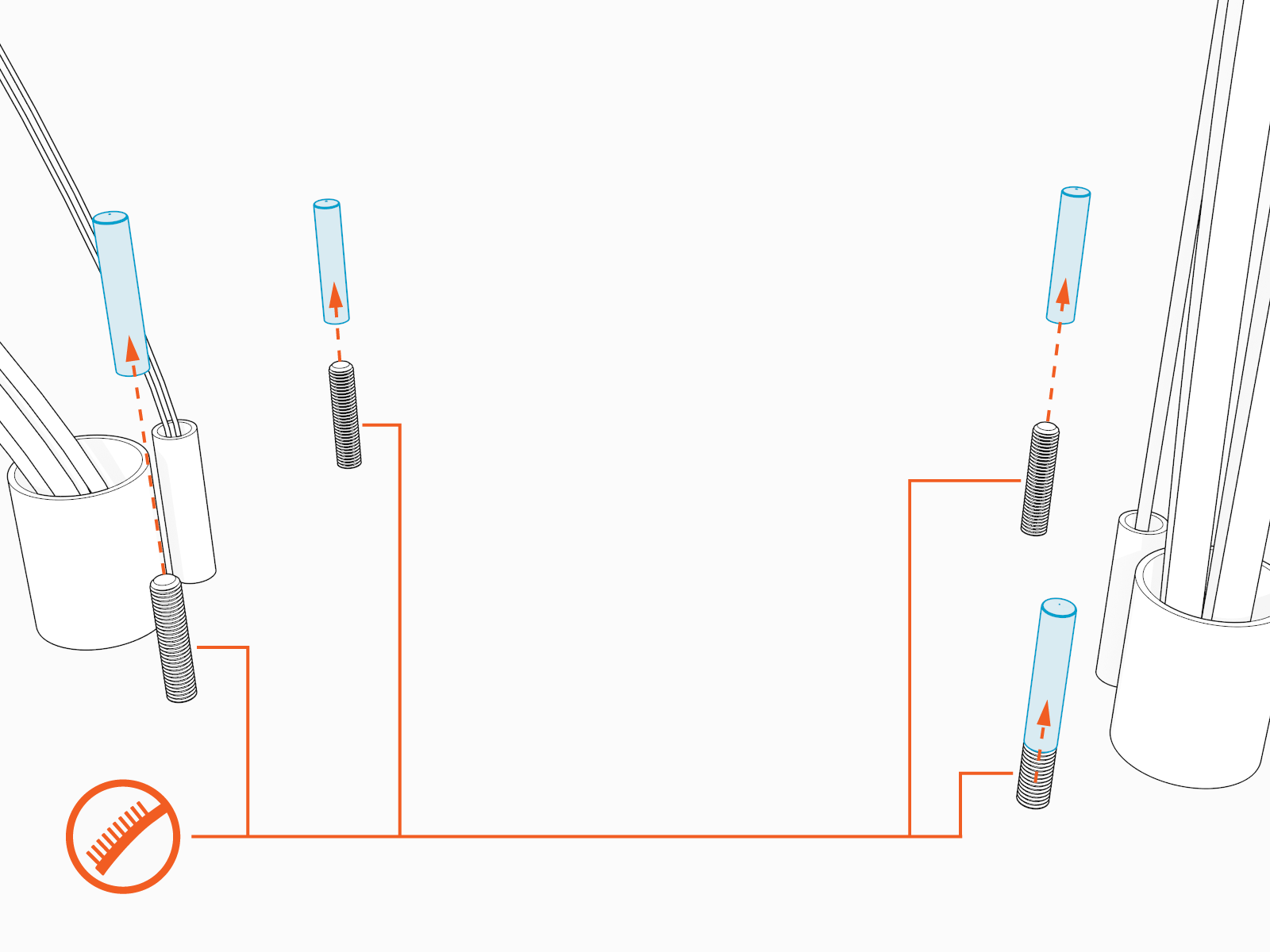
Remove the plastic caps.
Use a wire brush to clean bolt threads.
-
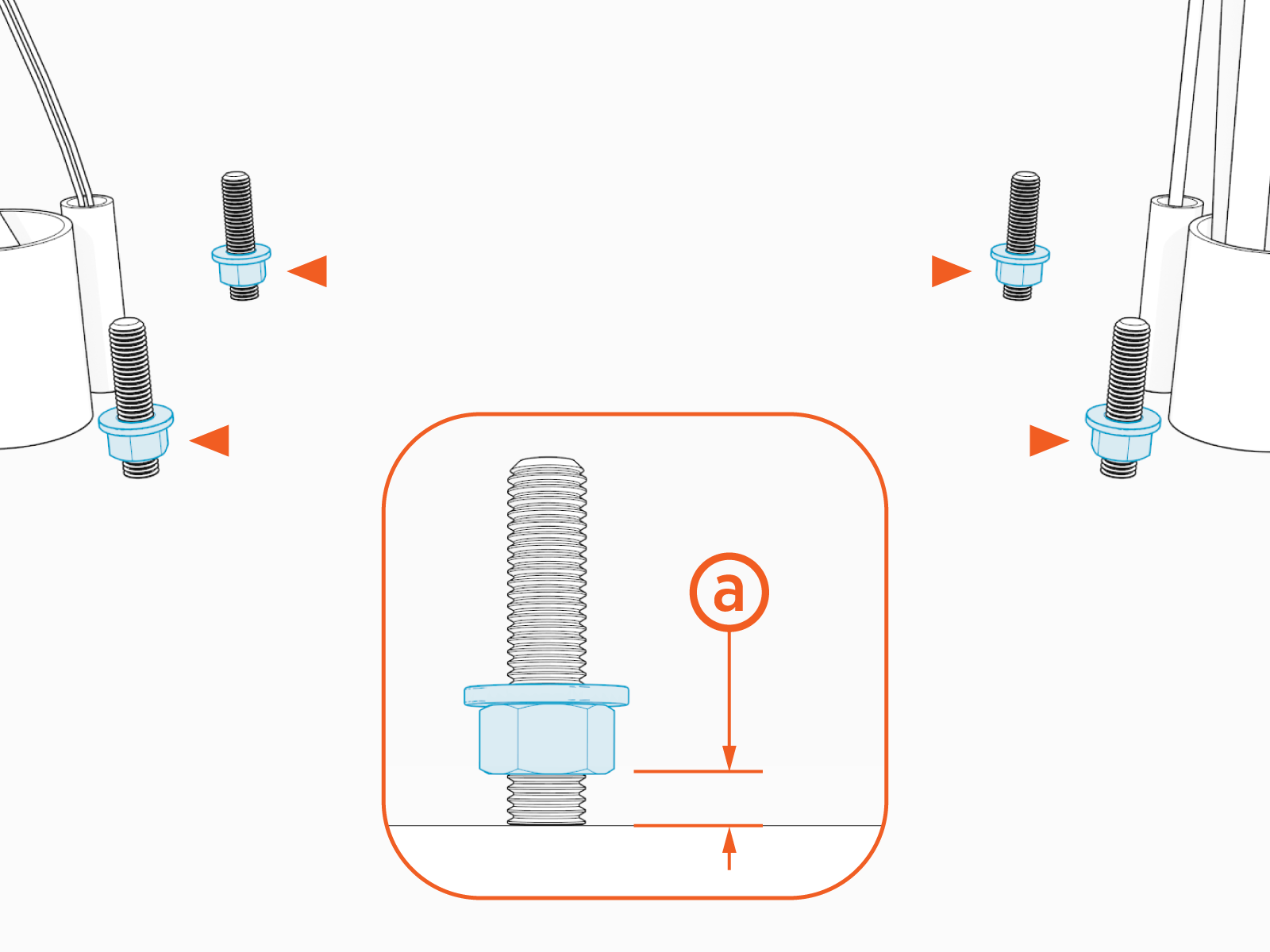
Install leveling nuts and washers onto the bolts.
Maintain a space of ~6.4 mm (1/4 in) (a) between the bottom of each leveling nut and the concrete.
-
Check that the nuts are level with each other.

Unpack the Station
To unpack the station, configure the following steps:
-
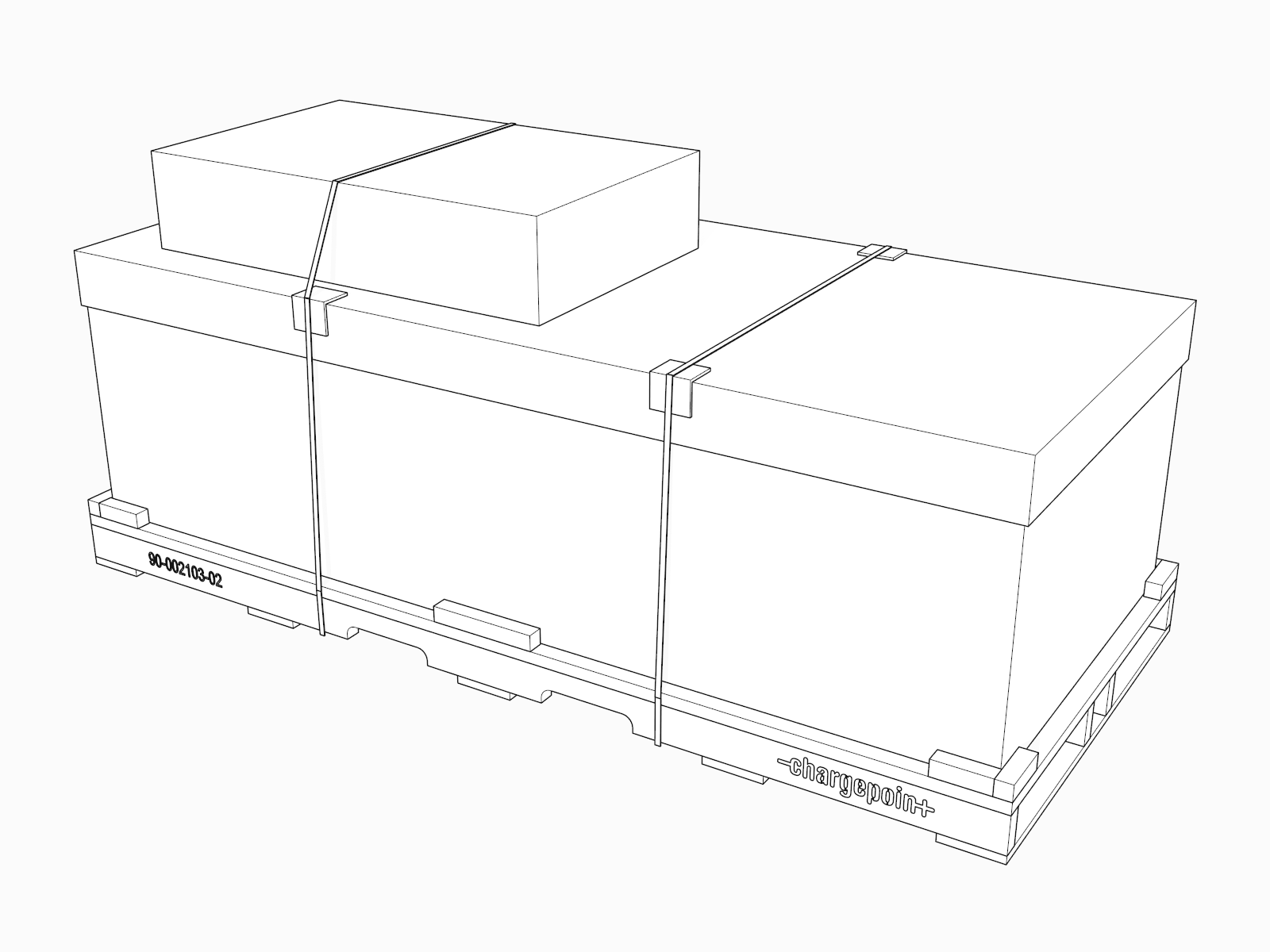
Transport the box horizontally to the installation site.
-
Lift the top of the box off.
Save the top of the box for later use.

-
Remove the smaller boxes and the outer box.

(a) Top cap
(b) Front covers
(c) Touchscreen
(d) Installation kit
(e) Outer box
-
Remove the bolts securing the packing braces.
Remove the braces.

-
Remove the bolts securing the brace underneath the station.
Remove the brace.

Prepare the Station
To prepare the station, configure the following steps:
-
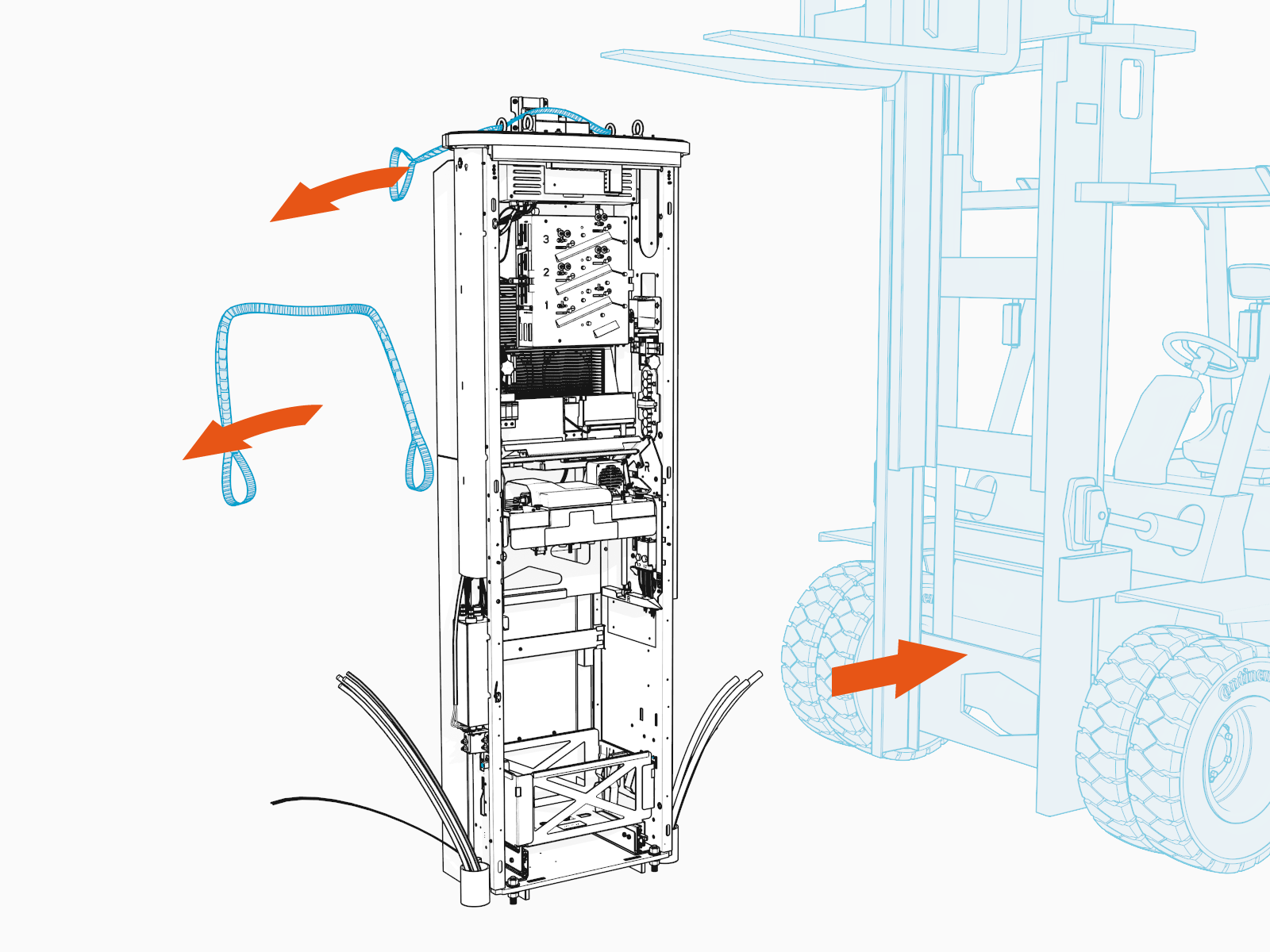
Locate the eye bolts and lifting straps at the top of the Express 280.

-
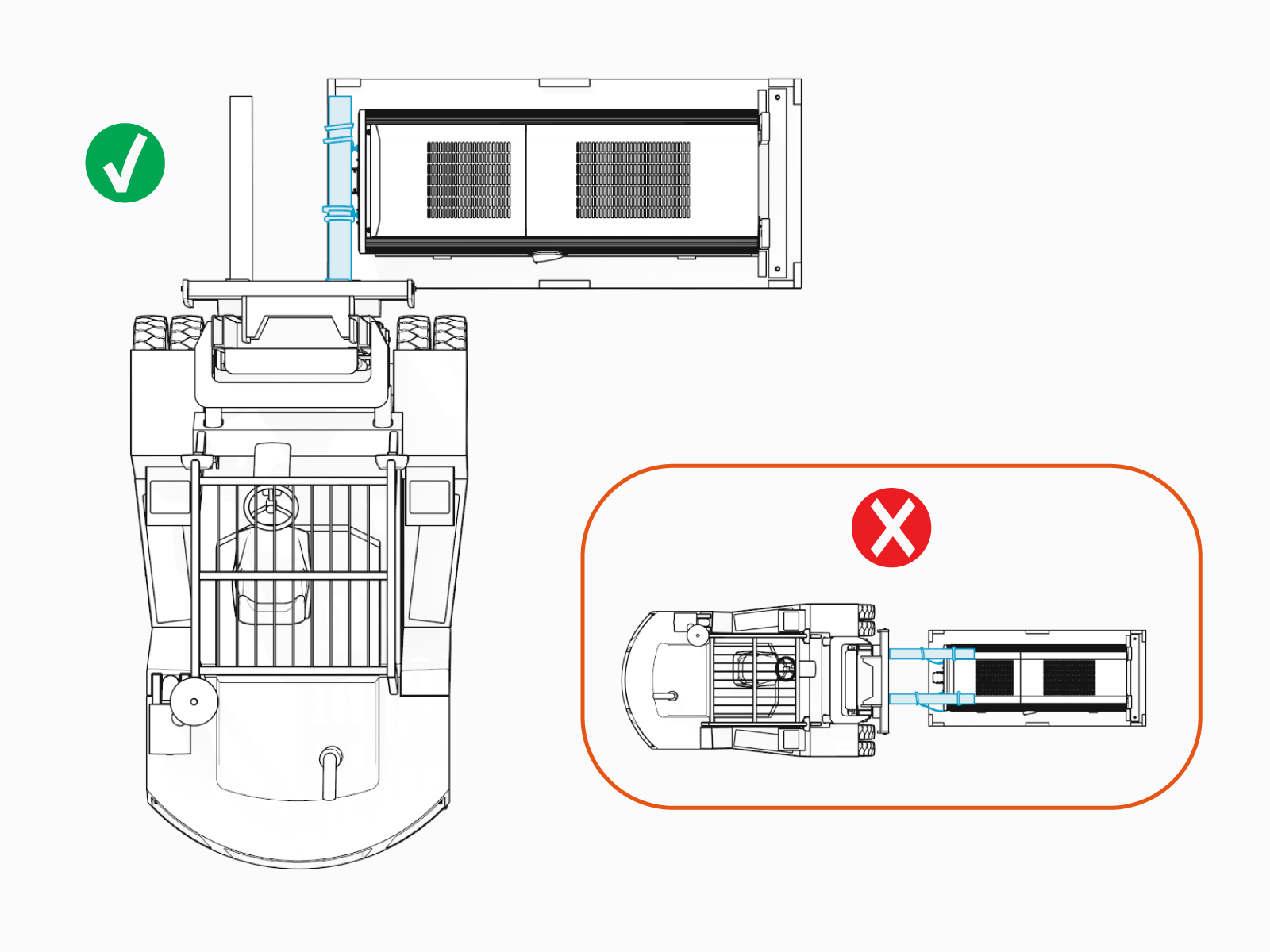
Position the forklift so the lift is perpendicular to and near the top of the station.
Place both lifting straps on one blade of the forklift.
-
Ensure there is sufficient height clearance.

-
Carefully tilt the Express 280 up until vertical. Lift the station.

-
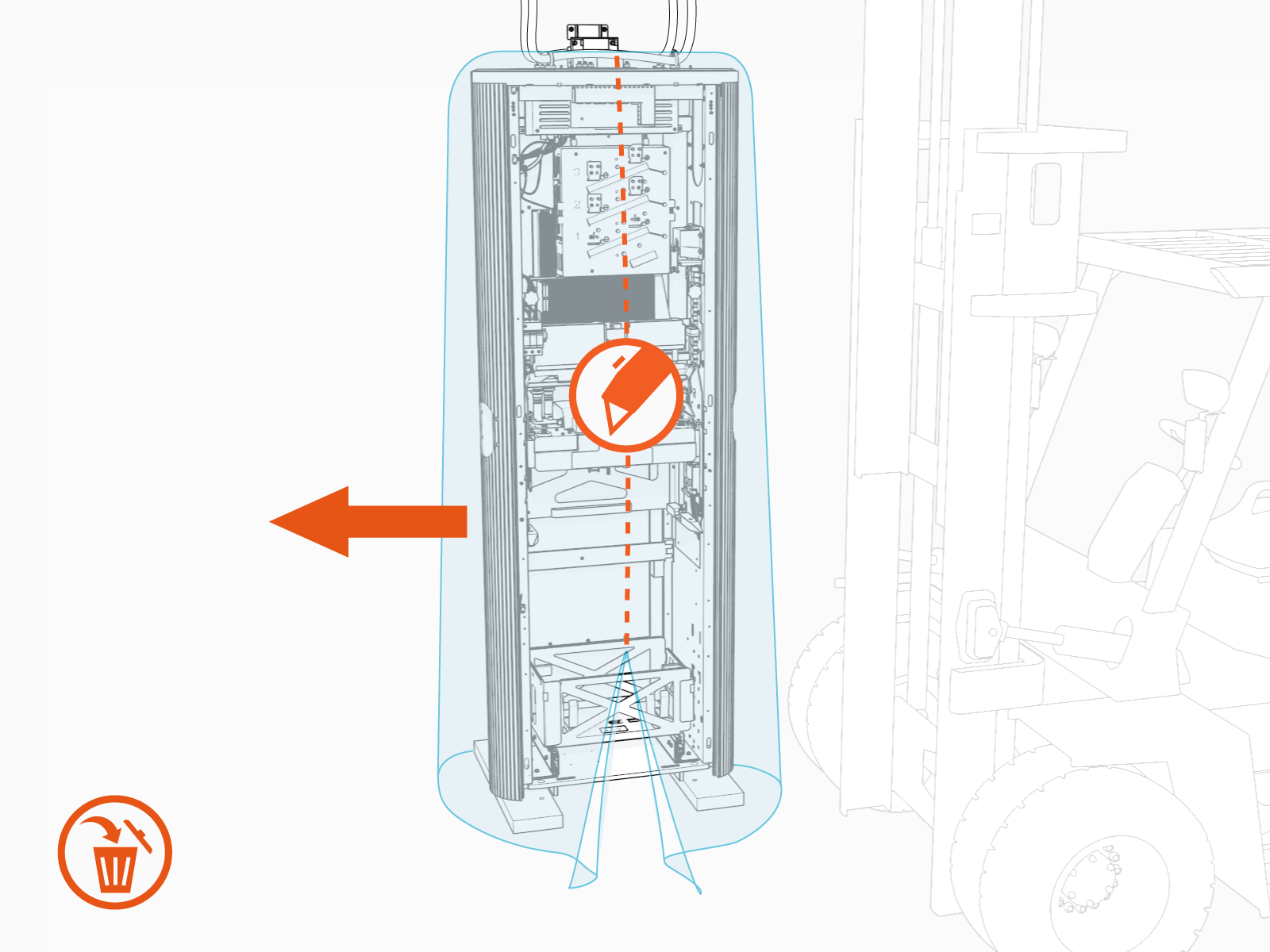
Slide the bottom of the shipping crate aside.

-
Remove the plastic shipping bag.

-
Set the station down gently on the concrete near, but not on, the anchor bolts. Keep the lifting straps taut. Do not remove them.

Remove the Back Panels
To remove the back panels, configure the following steps:
-
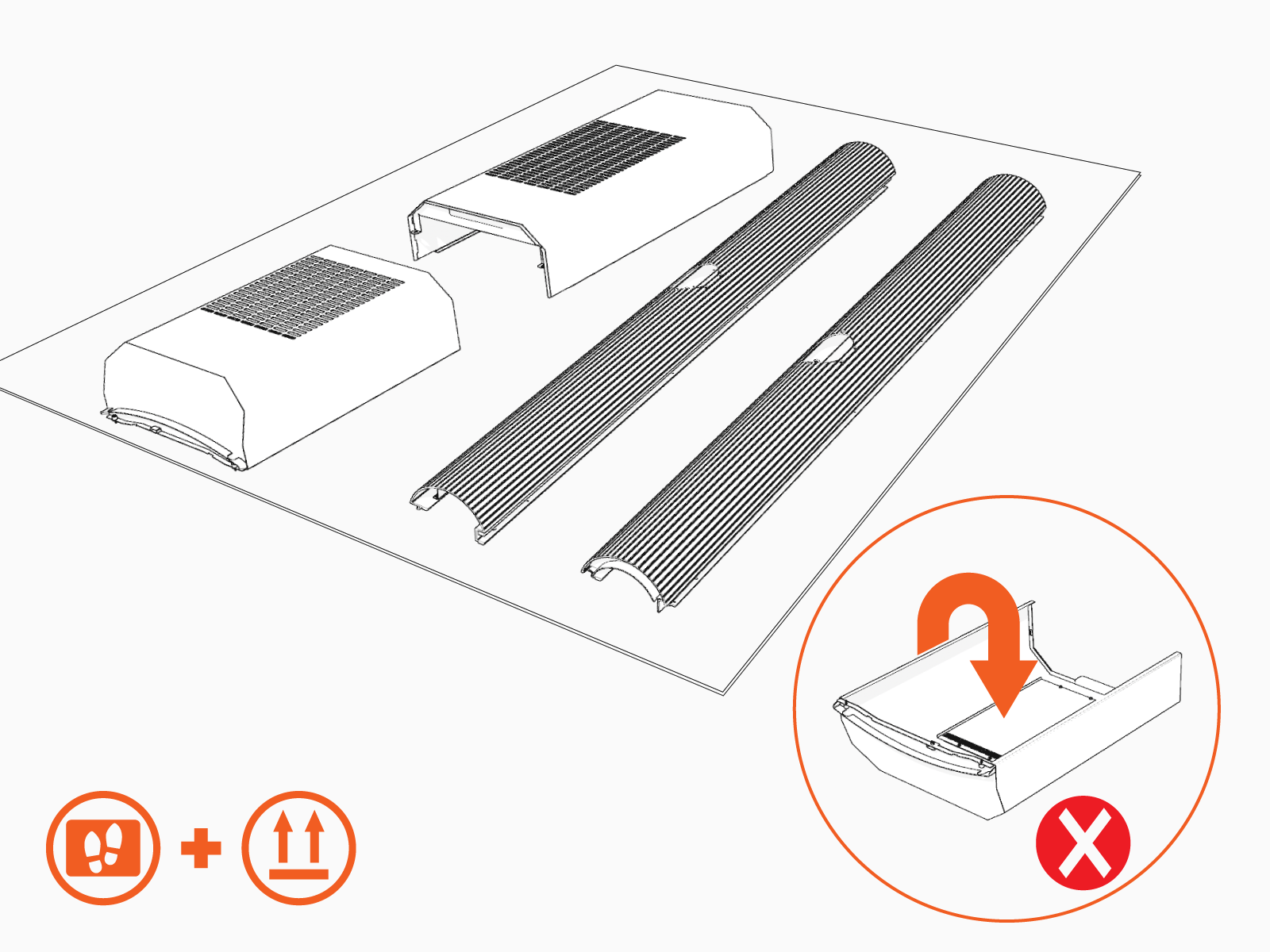
Using a T25 Security screwdriver, loosen the two screws on the upper back panel.

-
Tilt the panel away and lift up to remove it.
Wear cut-resistant gloves and hold the sides of the panel gently when removing it.

-
Set the panels gently on the shipping box lid. Position panels with the outside surfaces facing up to avoid scratches.
-
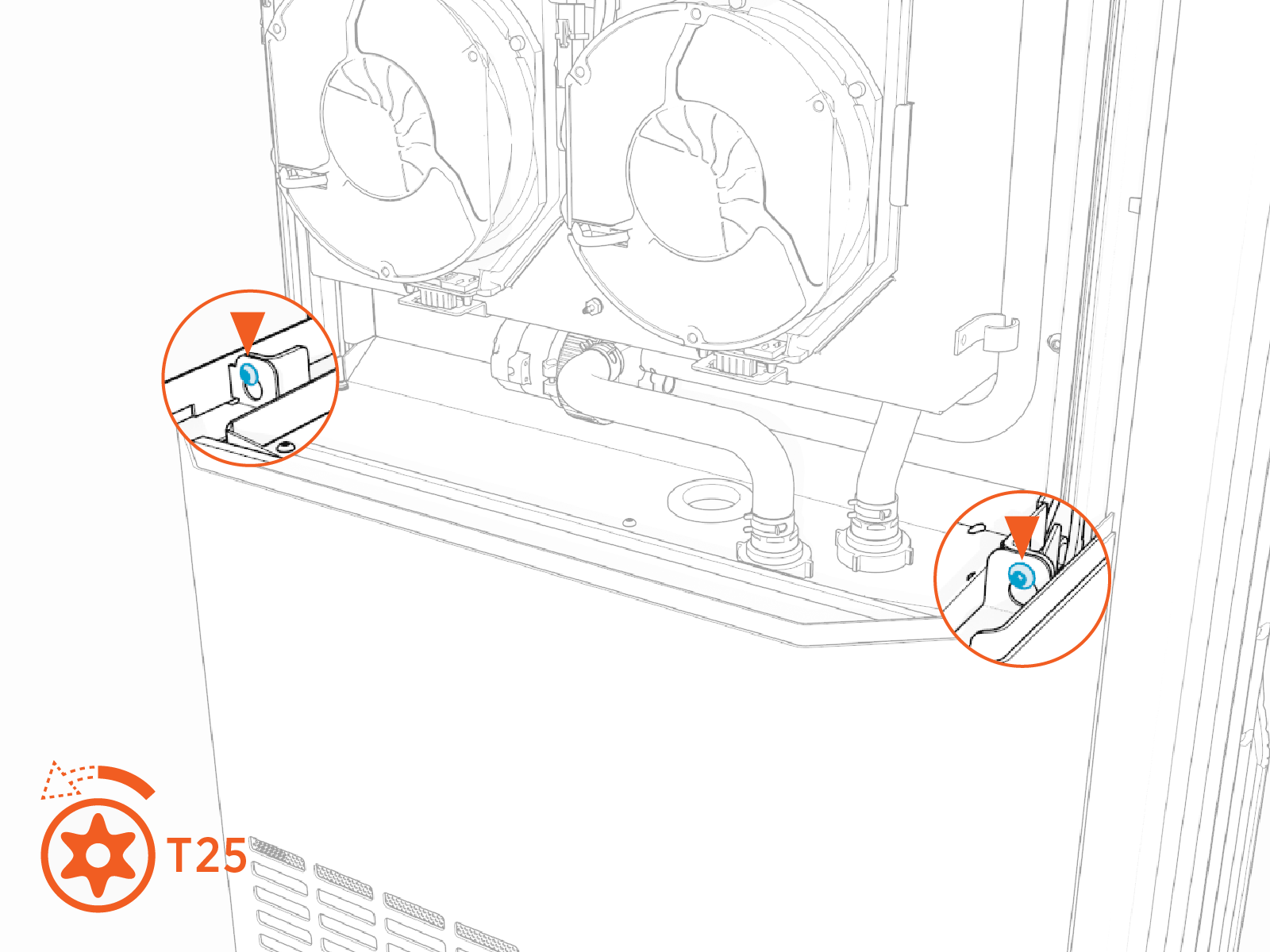
Using a T25 Torx screwdriver loosen, but do not remove, the two screws on the lower back panel.
-
Lift the panel up and pull it away to remove it.
Wear cut-resistant gloves and hold the sides of the panel gently when removing it.

Remove the Side Panels
To remove the side panels, configure the following steps:
-
Using a T25 Torx screwdriver, loosen the top four screws (a), two on each side.
You might need a step ladder to reach the top screws.
-
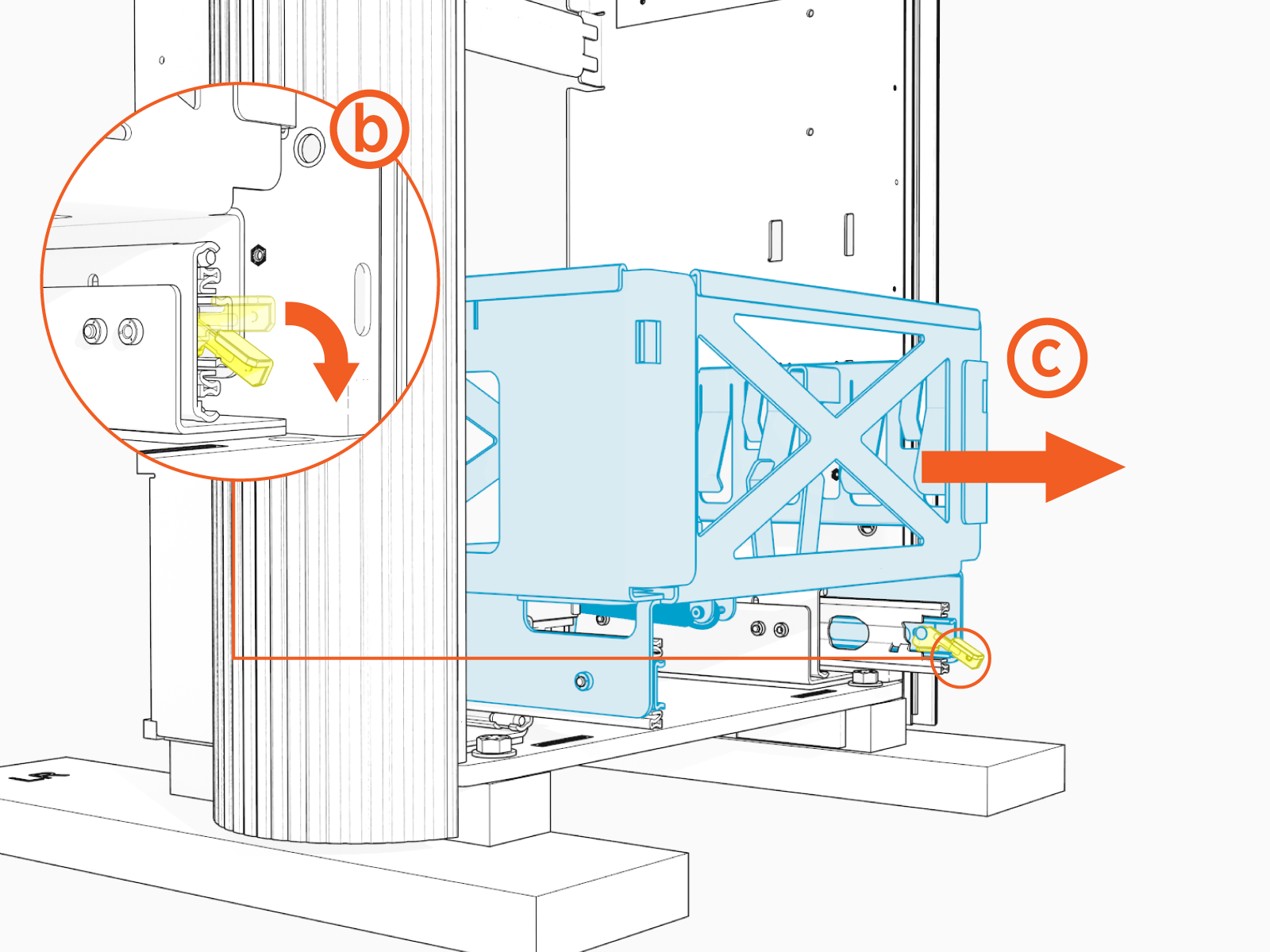
Press down on the Power Module yellow release latch (b) and slide the tray out (c).
-
Loosen the two middle (d) and two lower captive screws (e).

-
Tilt the bottom of the right side panel out slightly to extract its top edge from under the bottom edge of the area light bar. Lift the side panel off the guide pins on each side of the frame and remove it.
Set the panel aside gently.

-
Remove the left side panel.

-
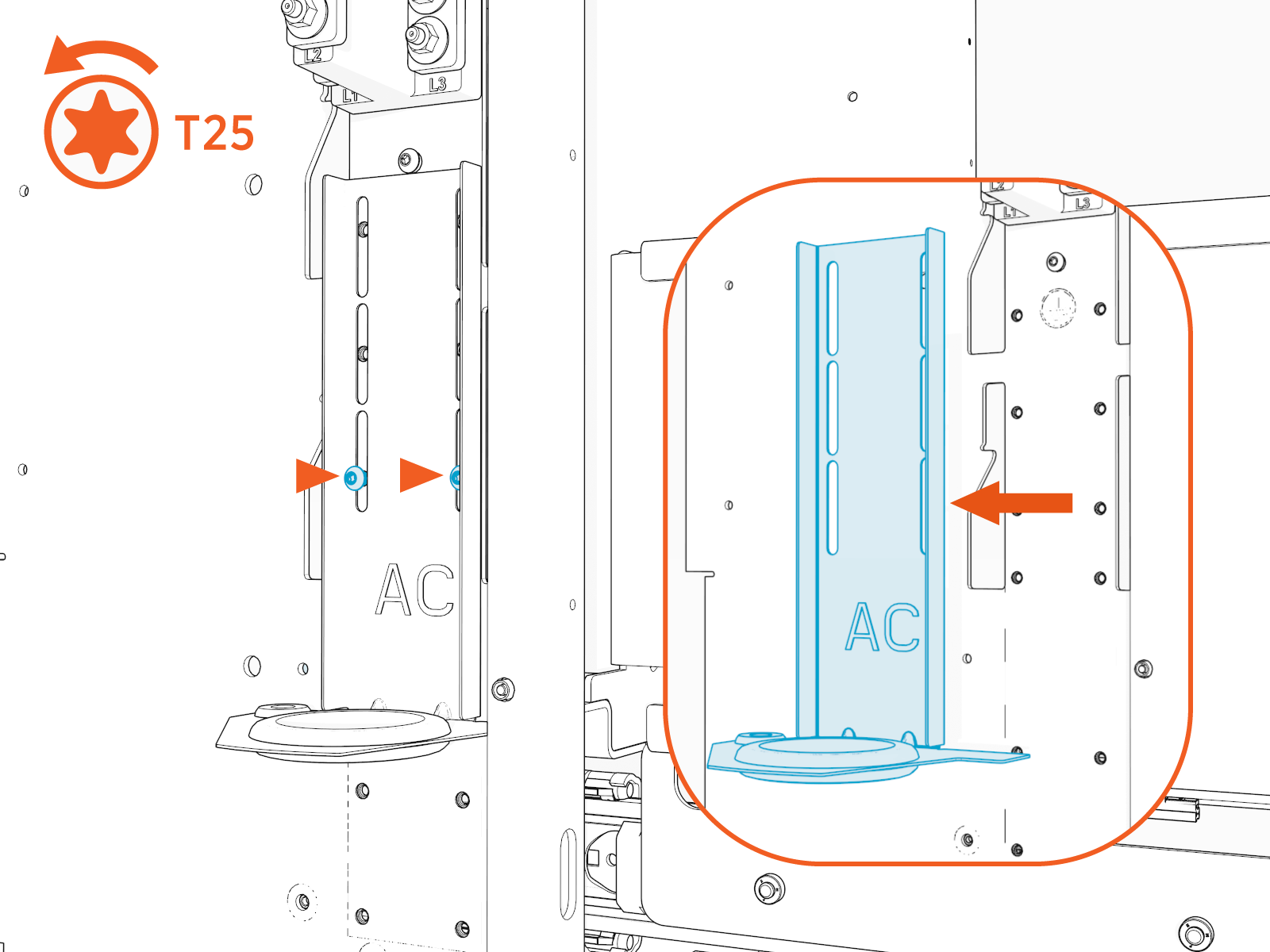
Remove the AC wire cover on the left side of the Express 280 by pressing on its sides and sliding it downward and away from the station.

-
Use a T25 Torx screwdriver to remove the two screws and the AC rodent guard bracket.
-
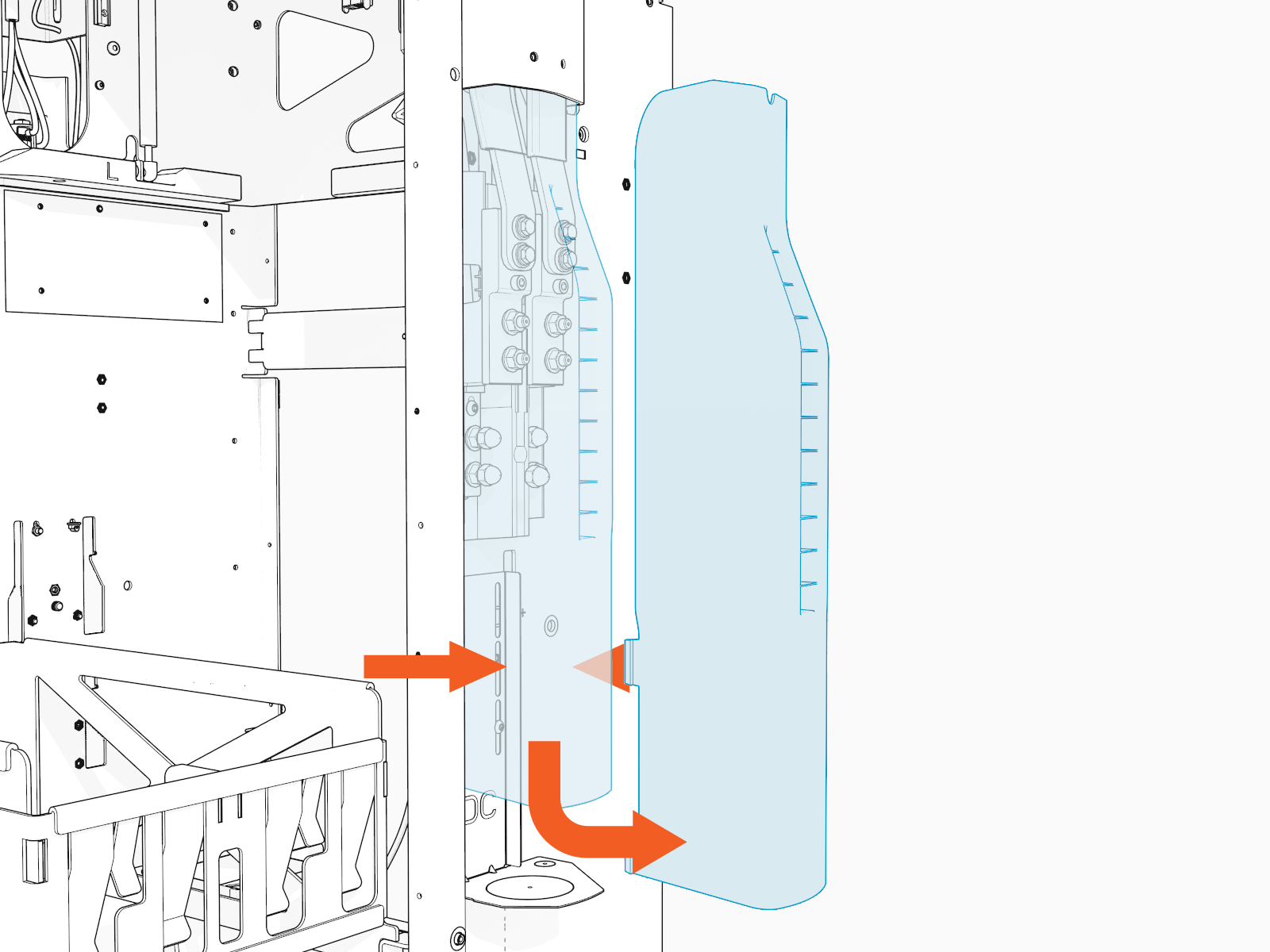
Paired stations only - Remove the plastic DC wiring cover on the right side of the Express 280 by pressing on its sides and pulling it away.
-
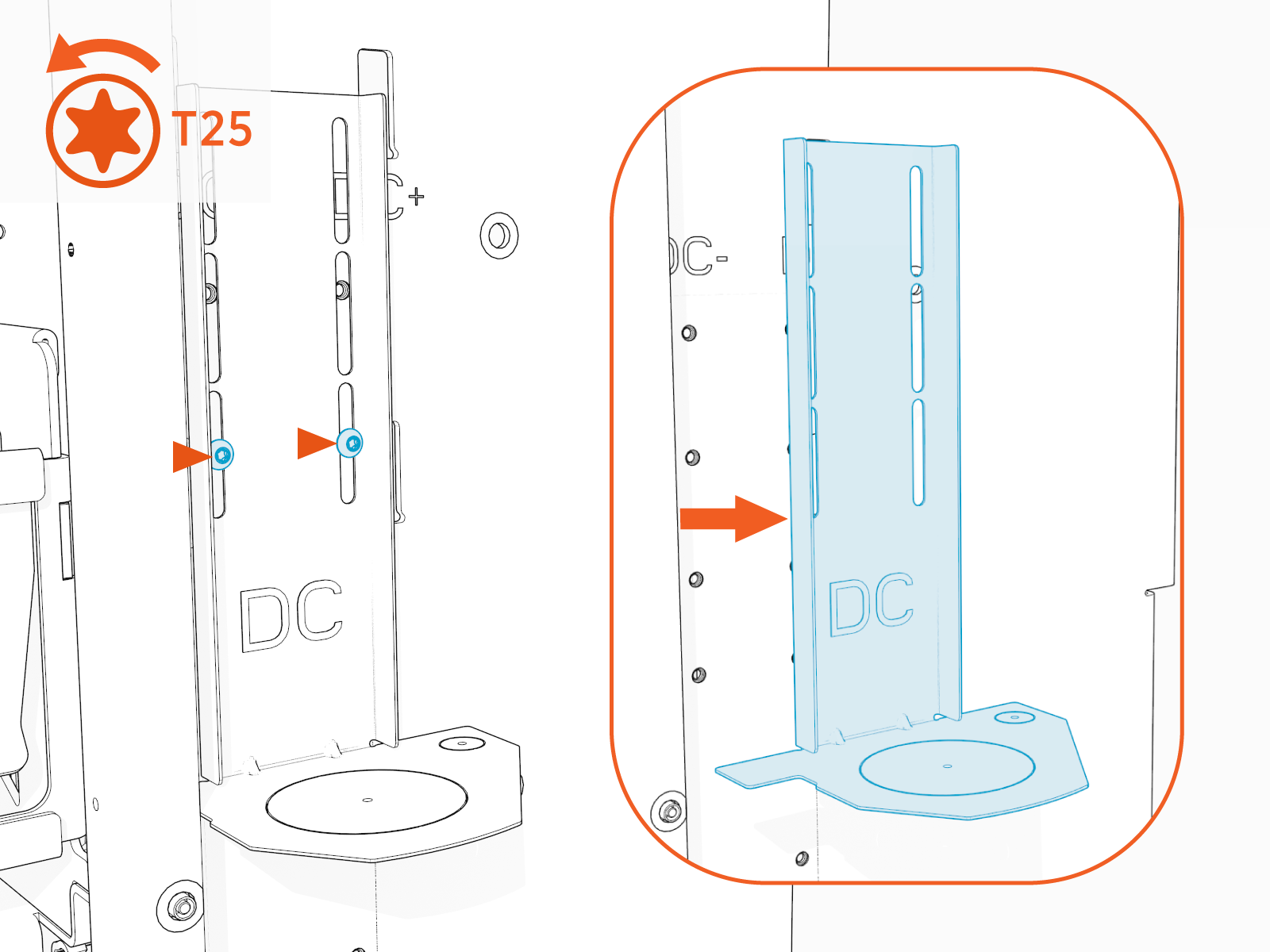
Paired stations only - Use a T25 Torx screwdriver to remove two screws and the DC rodent guard bracket.
Position the Station
To position the station, configure the following steps:
-
Use the forklift to lift the station off the ground.

-
Using a 19 mm (3/4 in) socket wrench, remove the bolts from the base of the station.

-
Remove the wooden stands.

-
Position the Express 280 over the mounting bolts, ensuring the bolts align with the corresponding holes in the bottom of the Express 280.
Move the service wiring out of the way to ensure it is not pinched or trapped.

Ensure the station position is consistent with the site design plans. Refer to the Express 280 Site Design Guidelines for more information.
-
Lower the Express 280 onto the anchor bolts. Do not remove the forklift.
The Express 280 should rest on the leveling nuts and washers, not on the rails.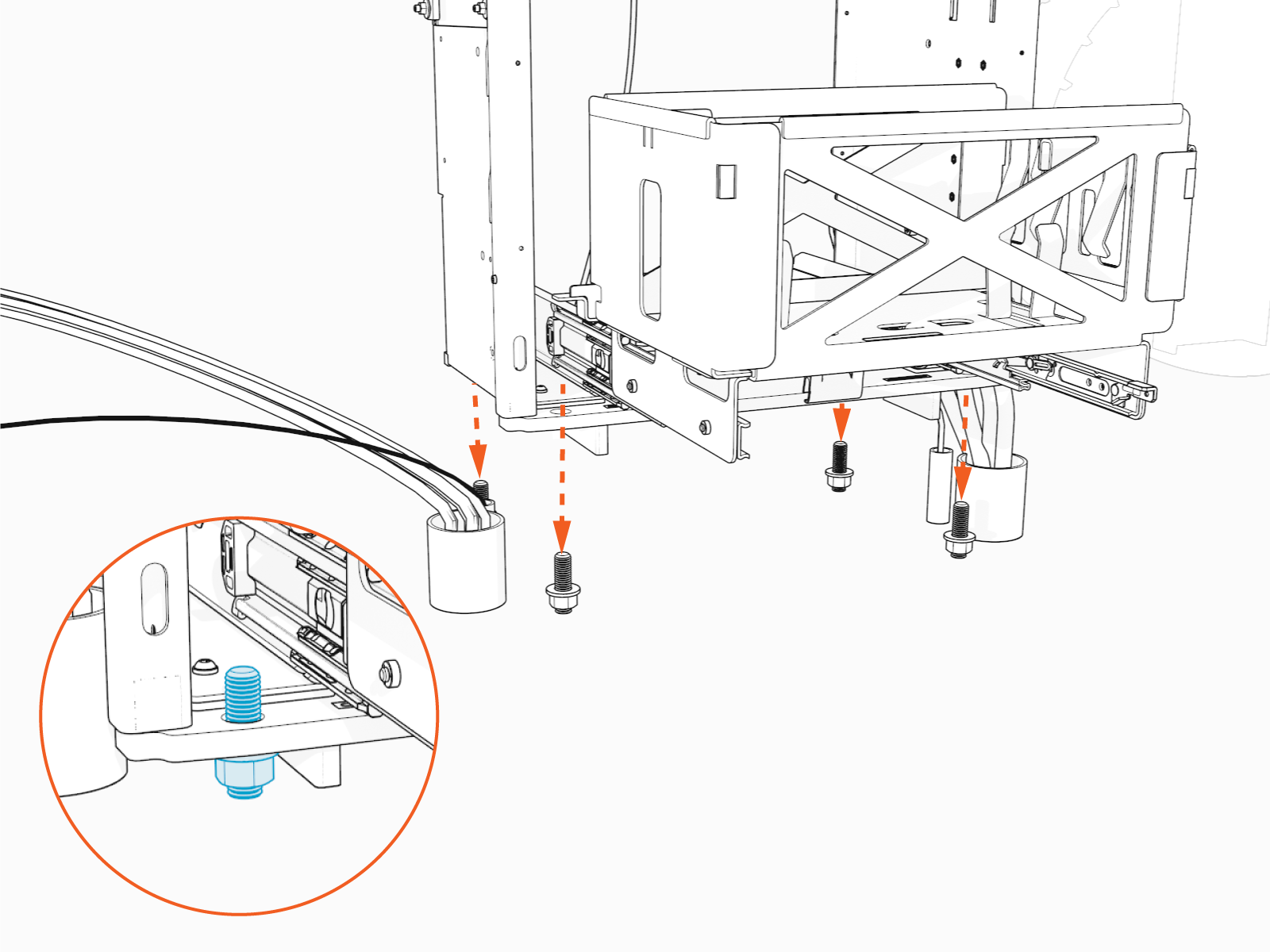
Level and Secure the Station
To level and secure the station, configure the following steps:
-
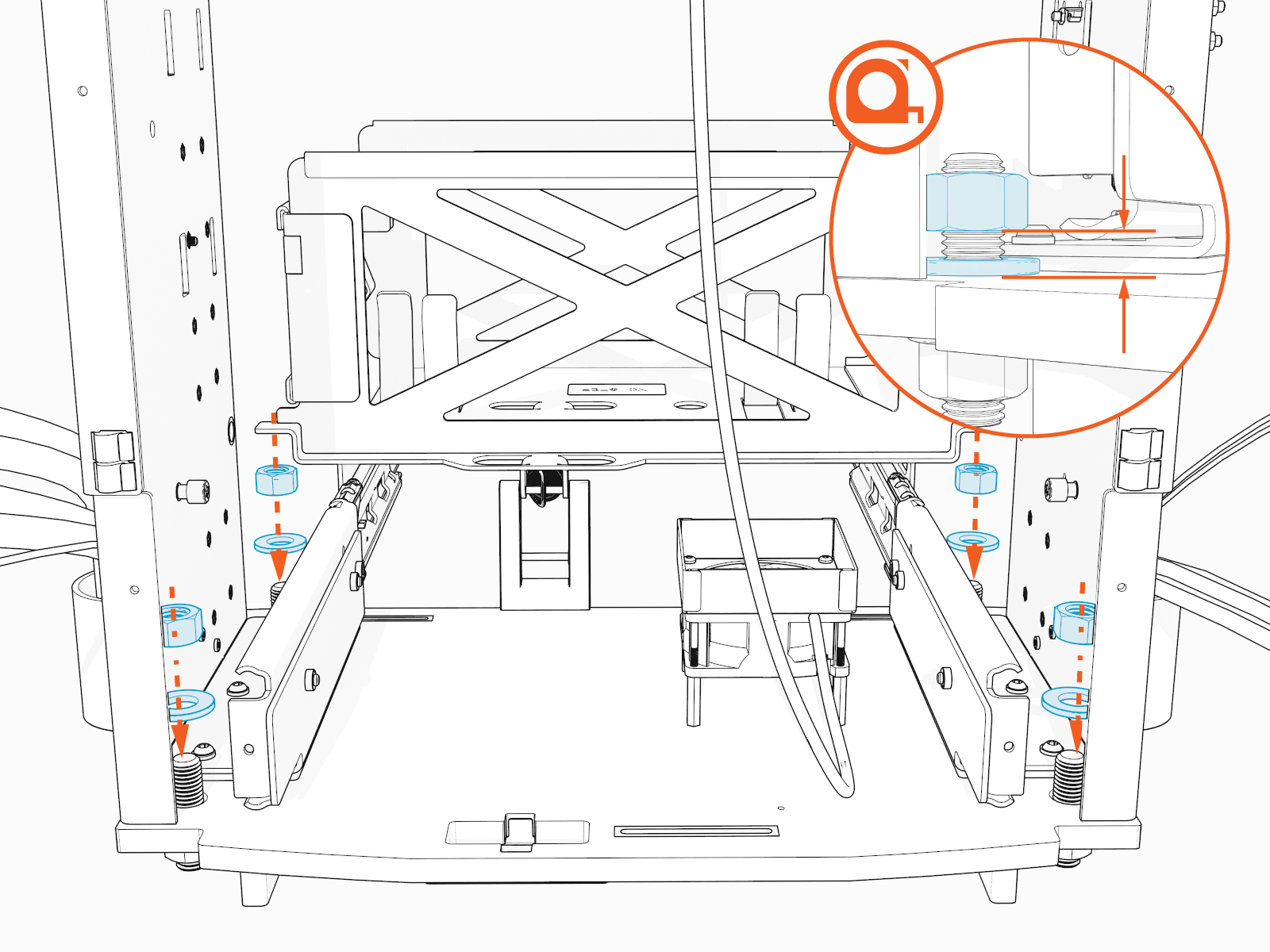
Install a washer and nut onto each of the four mounting bolts.
For easier leveling, leave a 6.4 mm (1/4 in) gap between the bottom of these top nuts and the base plate of the frame.
-
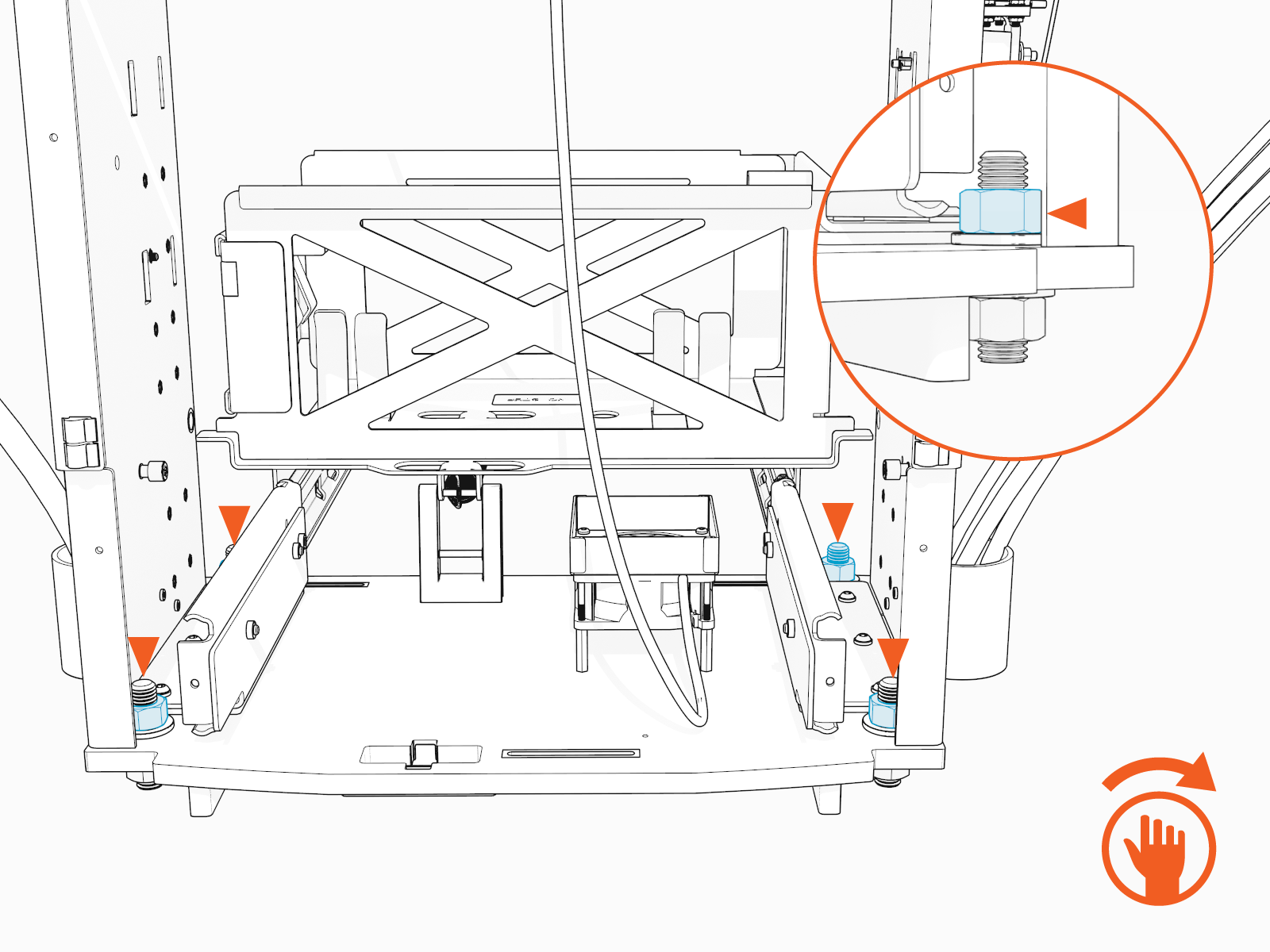
Using a level on all four sides, adjust the bottom corner leveling nuts to ensure that the Express 280 is level both horizontally and vertically.

-
When level, tighten top nuts by hand.
-
Use a 24 mm (15/16 in) socket wrench to torque all top nuts to 94.9 Nm (70 ft-lb).

-
Using a level, re-check the vertical and horizontal alignment to ensure the tightening of the nuts did not cause the Express 280 to shift.
Make any adjustments to ensure the Express 280 is level and all nuts are tightly secured.

-
Remove the lifting straps.