Mount Power Link 2000 and PD Controller
Parts Needed
To prepare for Power Link 2000 and PD Controller mount, find the following parts:
-
Parts from the Mast Installation Parts Crate:
-
Unistruts (x2)
-
Power Link 2000 mouting base
-
1/2 in bolts, 1/2 in washers, and 1/2 in nuts (x6 each)
-
M6 x 25 mm screws (x8)
-
1/2 in bolts, 1/2 in washers, 1/2 in nuts (x4 each)
-
5/16 in bolts and 5/16 in washers, 5/16 in spring nuts (x4 each)
-
-
3-1/2 in strut pipe strap (contractor provided)
Install Power Link 2000 Mounting Base
-
Remove fasteners (x2) to release the HV DC
 High Voltage Direct Current conduit shipping bracket from the mast.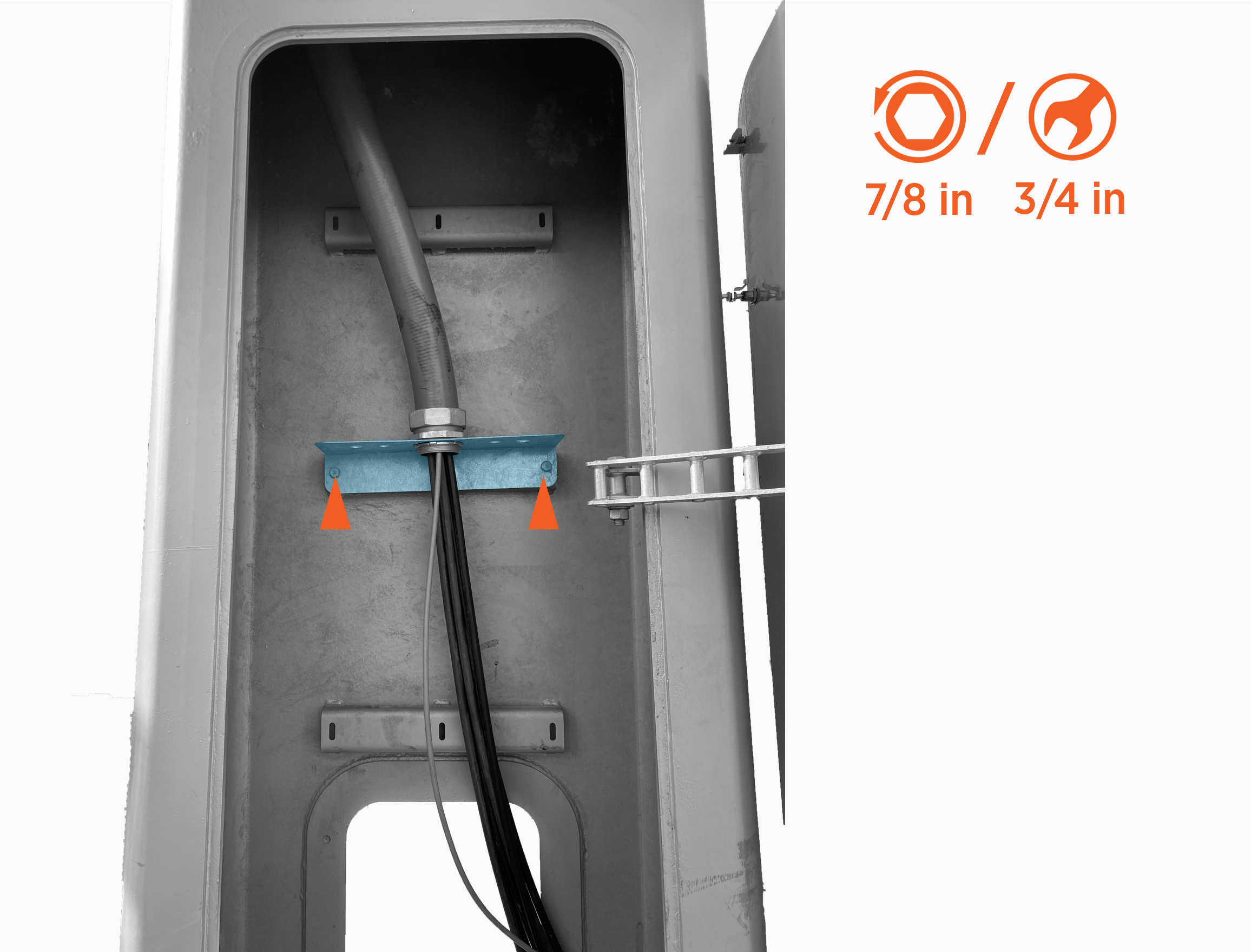
-
Remove the lock nut to release the HV DC
High Voltage Direct Current conduit from the shipping bracket. Slide the nut and shipping bracket off the HV DC High Voltage Direct Current conduit and wires.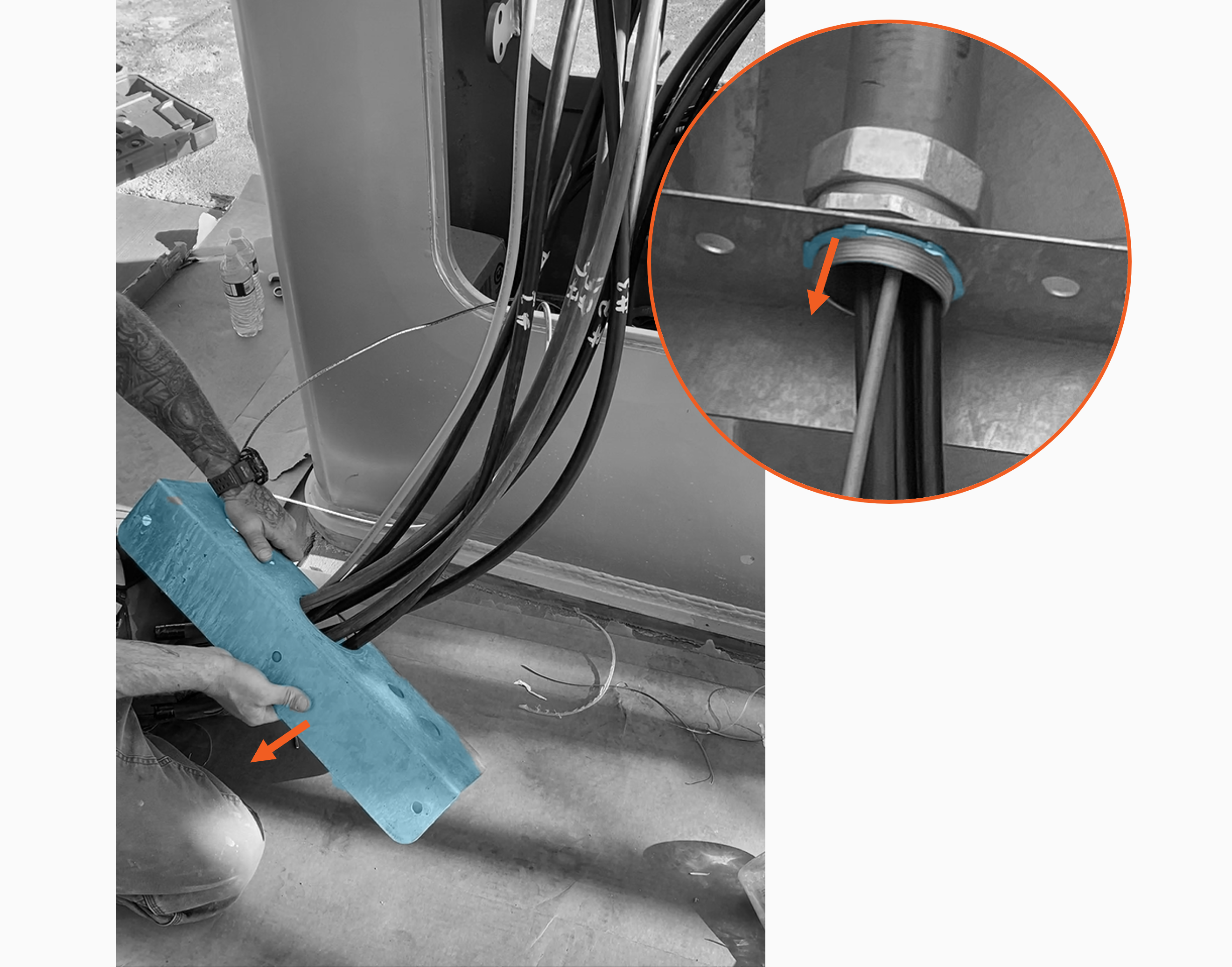
-
Remove the remaining fitting from the HV DC
High Voltage Direct Current conduit.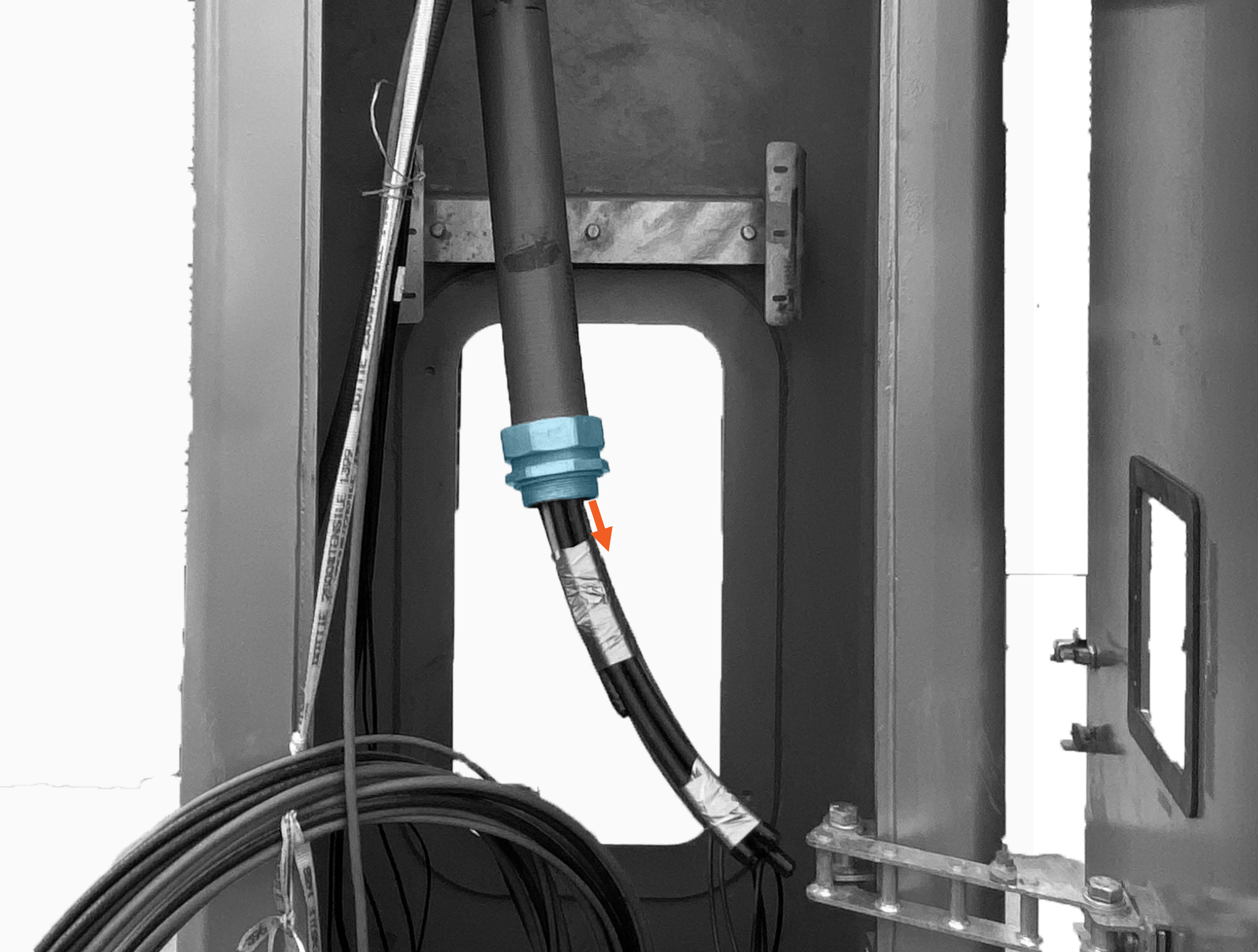
-
At the top of the mast, pull the HV DC
High Voltage Direct Current wires out the pantograph access opening to fully retract wires into the lower end of the wire conduit. This clears space in the mast for mounting the Power Link 2000.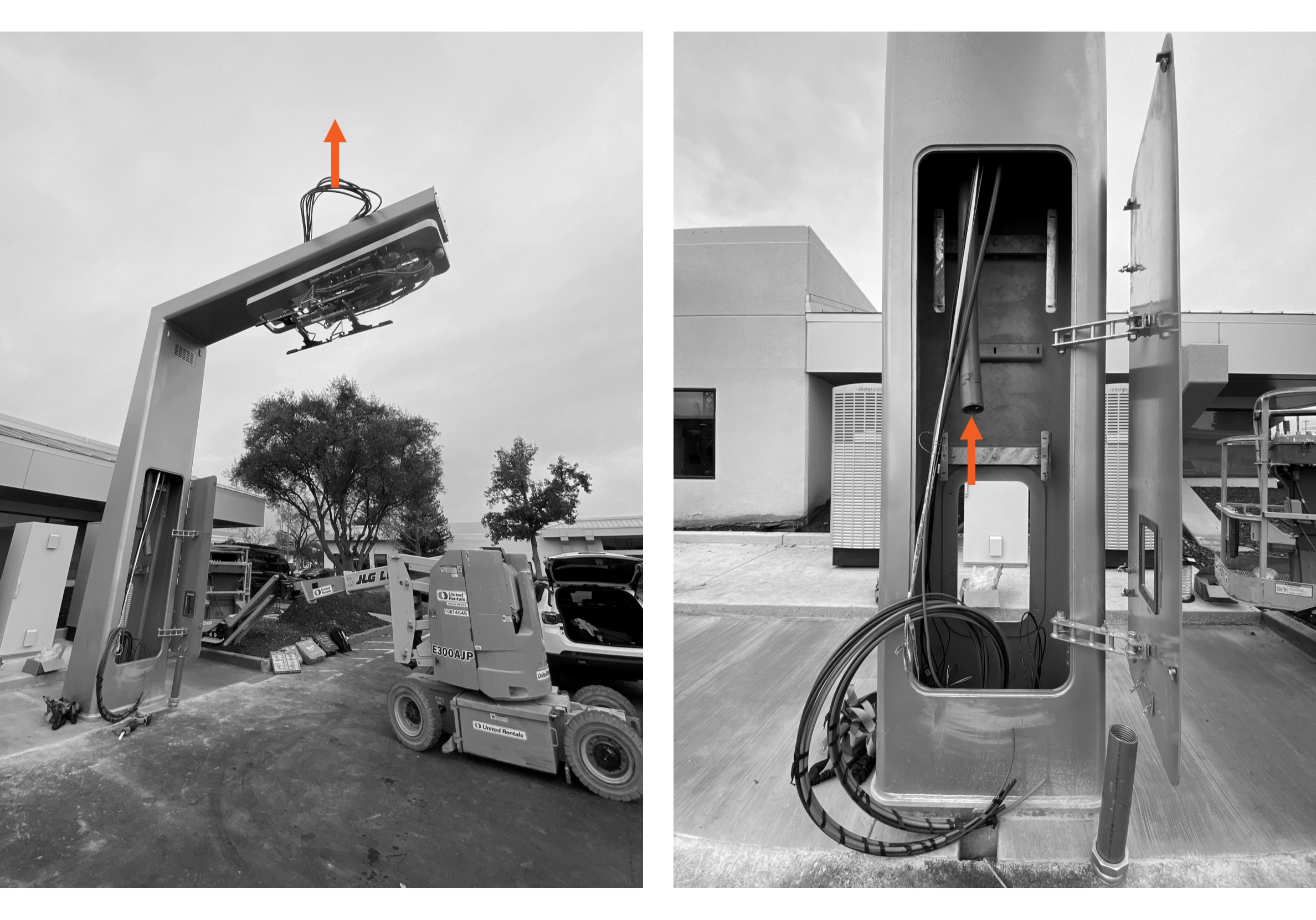
-
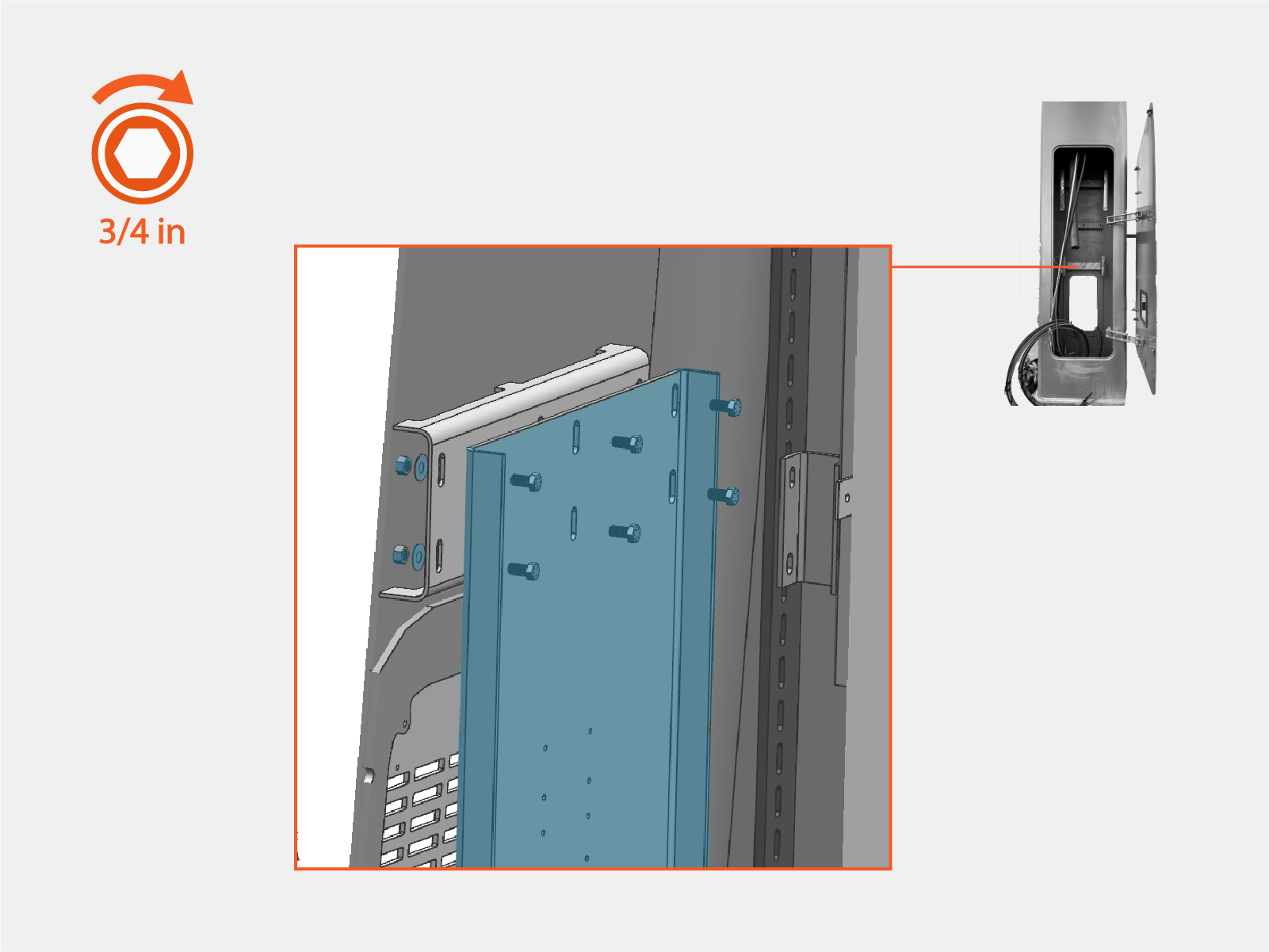
Install the Power Link 2000 mounting base using 1/2 in bolt, 1/2 in washer, and 1/2 in nut (x6 each). Ensure the base is level.
-
Torque fasteners (x6) to 50 Nm (37 ft-lb).
After mounting the base, double-check the fasteners to ensure they are torqued to the correct value.
Lift Power Link 2000
-
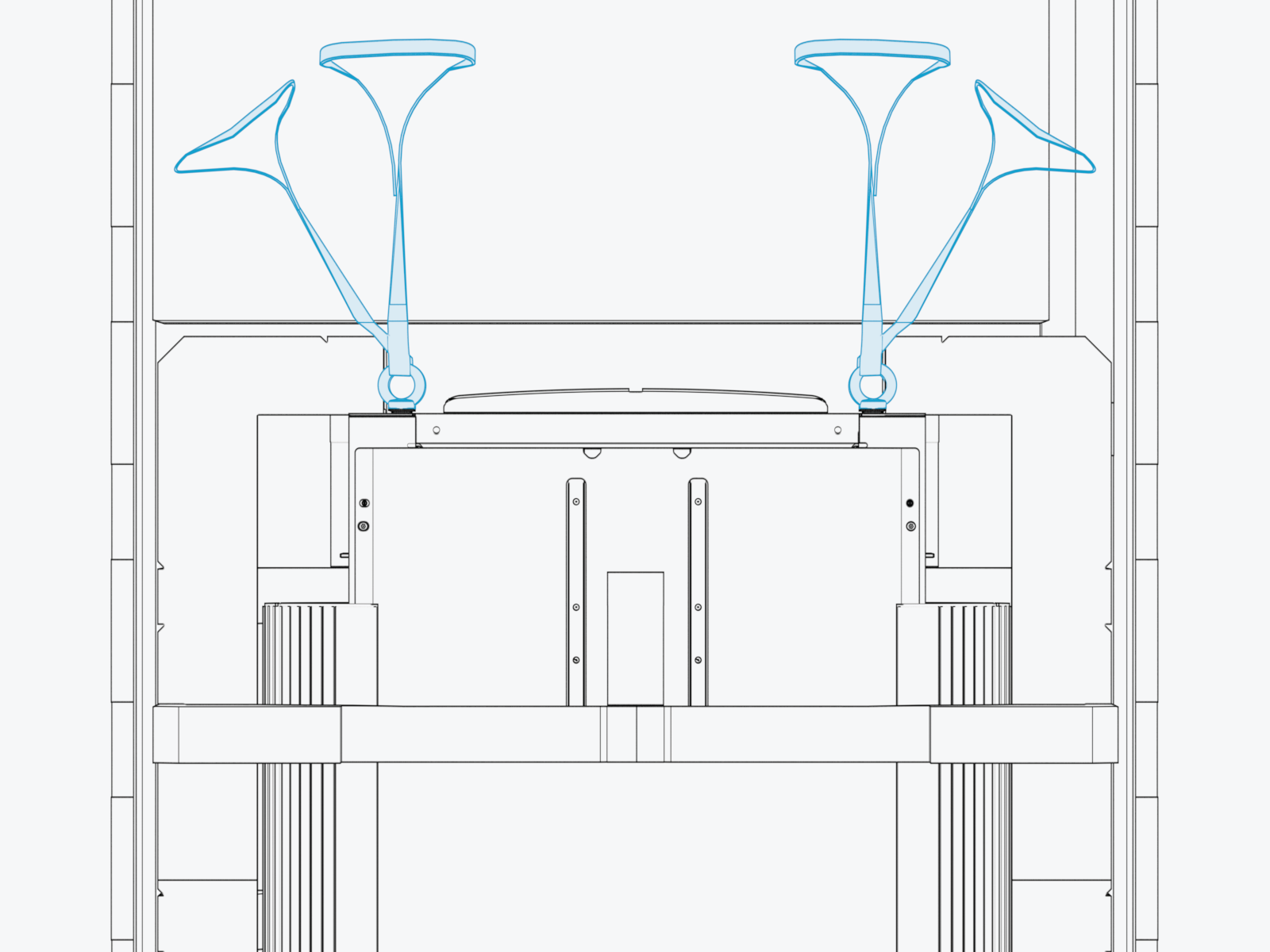
At the top of the Power Link 2000, locate four preinstalled eye bolts and lifting straps.
-
Lift up the Power Link 2000 by the lifting straps to eye level.
Use a forklift or service cart with retaining straps.

Open Power Link 2000
-
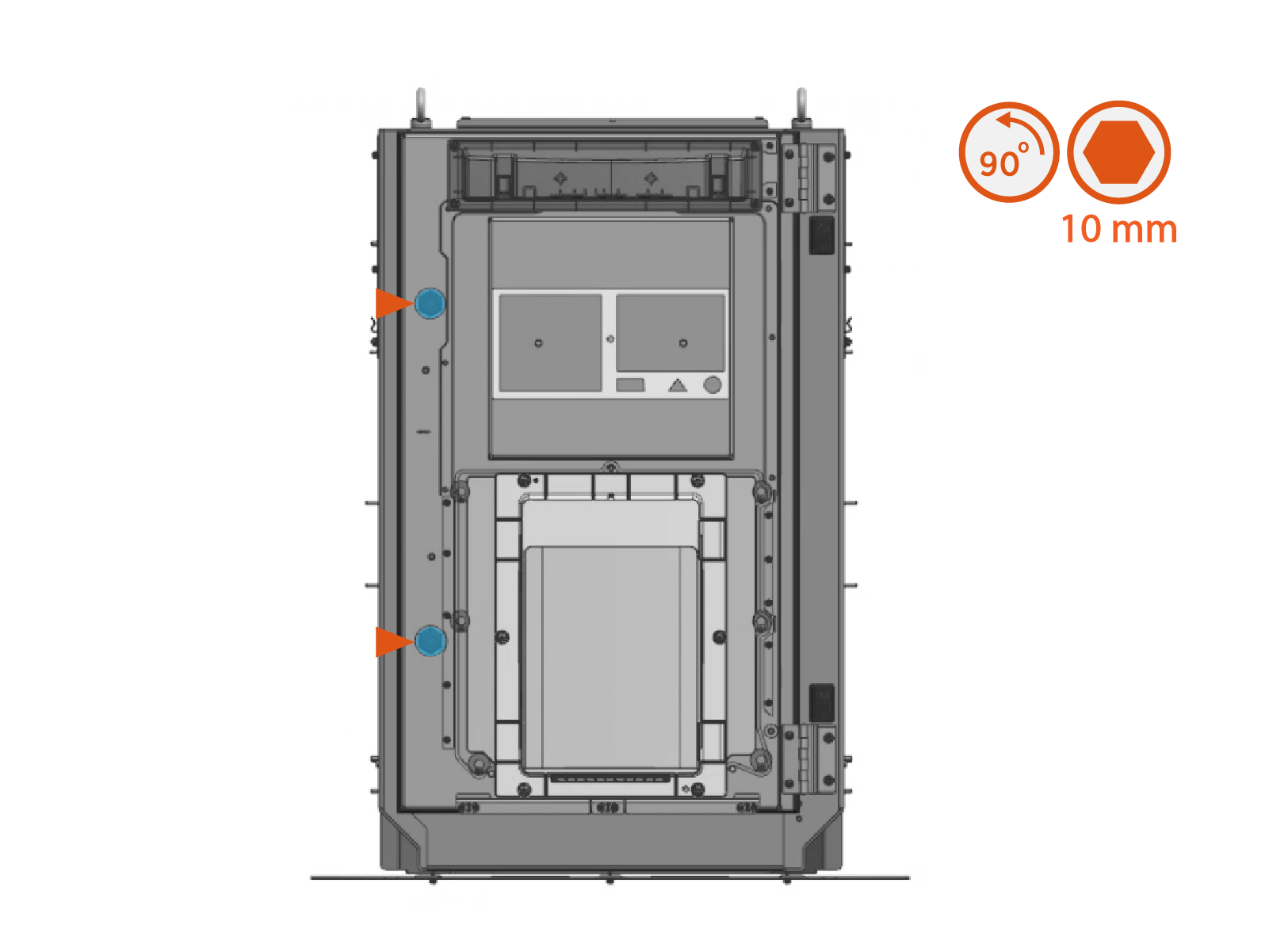
Quarter turn the door latches (x2) to unlock the door.
-
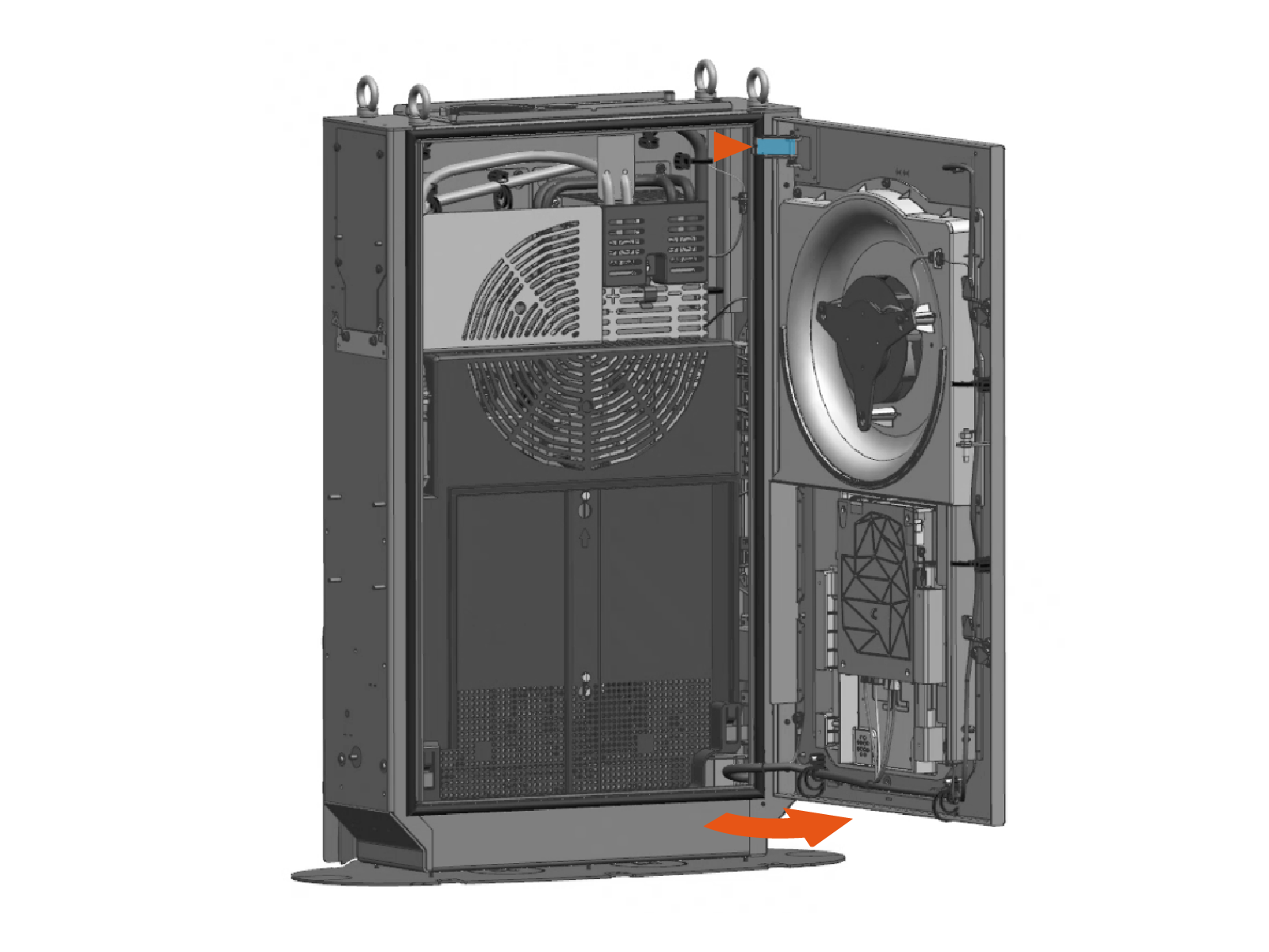
Open the door and engage the door stopper.
-
Slide the bus bar safety cover up to remove from hooks (x2) and latches (x2).
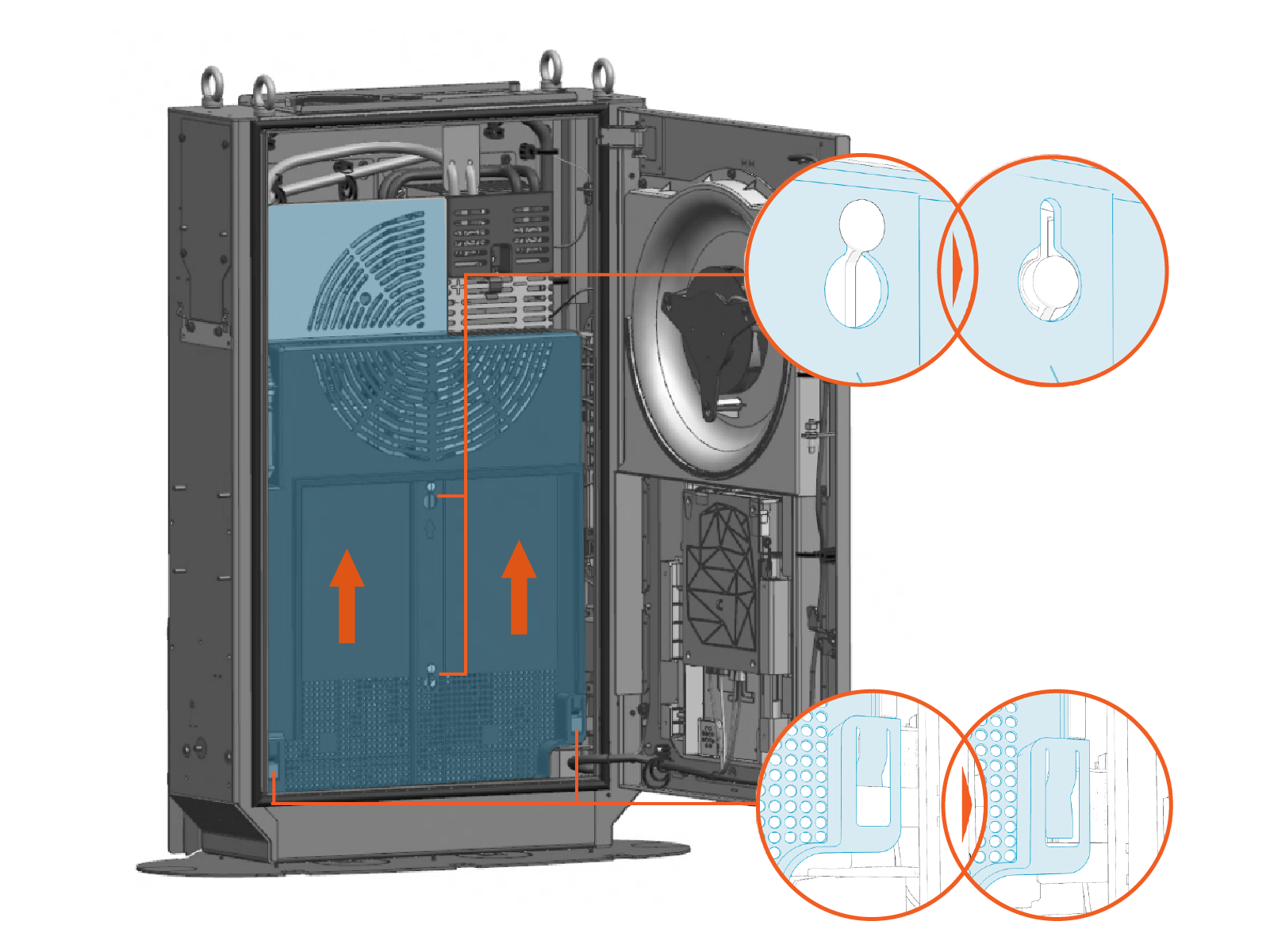
Save Parts
Safely set aside the bus bar safety cover. This part will be reinstalled when completing the Pantograph Down 2000 system install.
Prepare Power Link 2000 Gland Plate
-
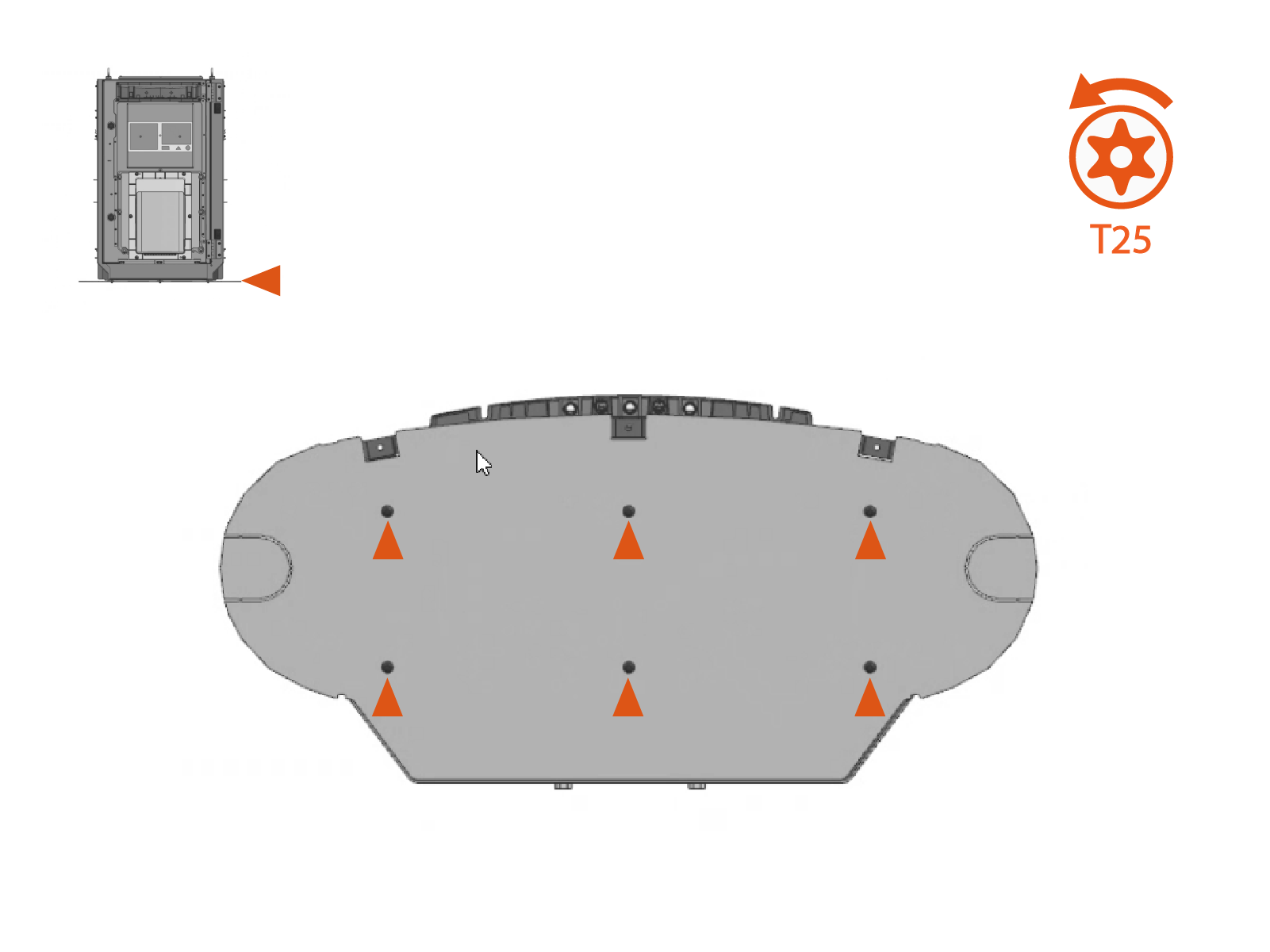
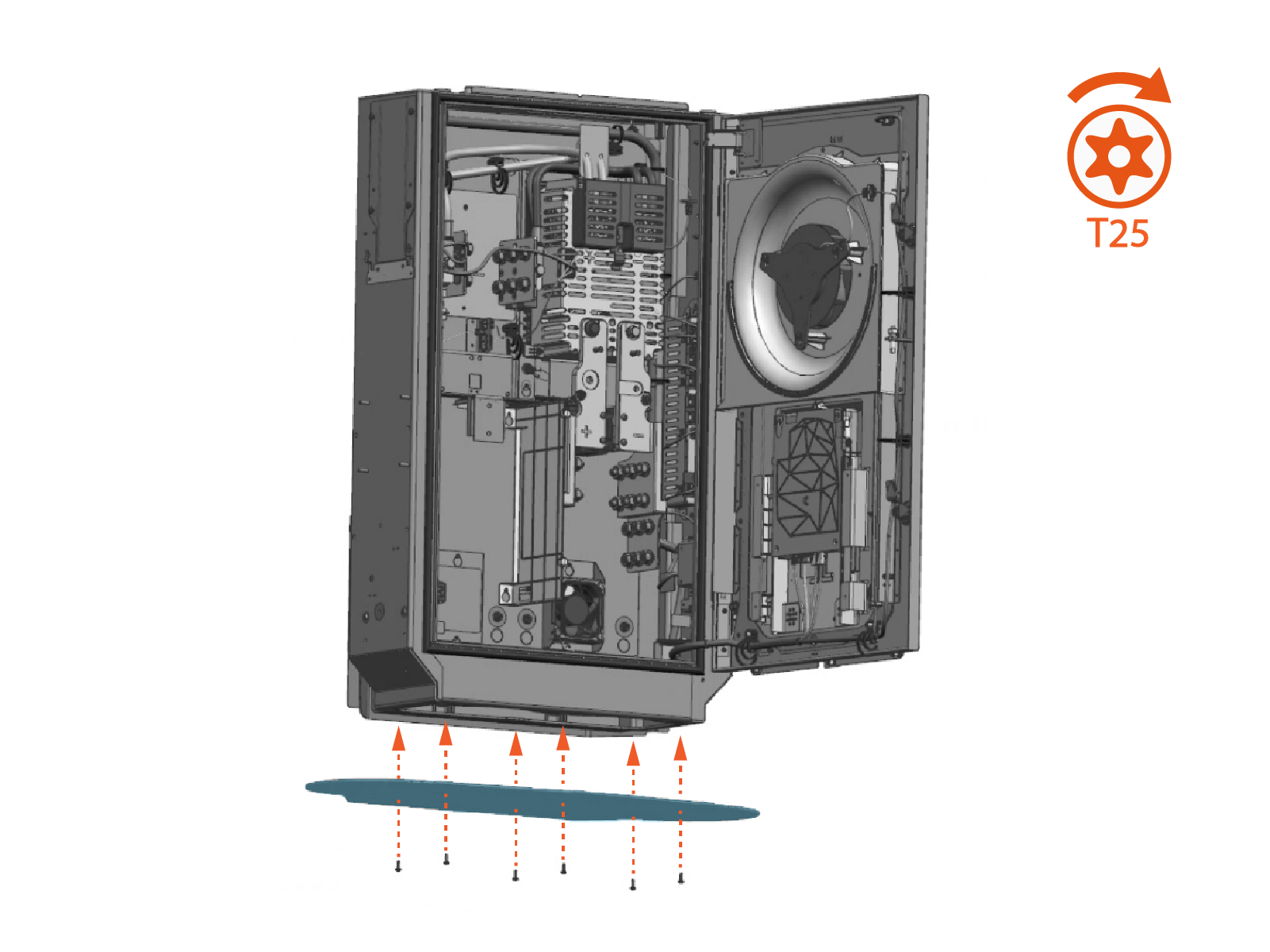
Remove screws (x6) from the Power Link 2000 bottom gland plate. Save screws for later reinstall.
-
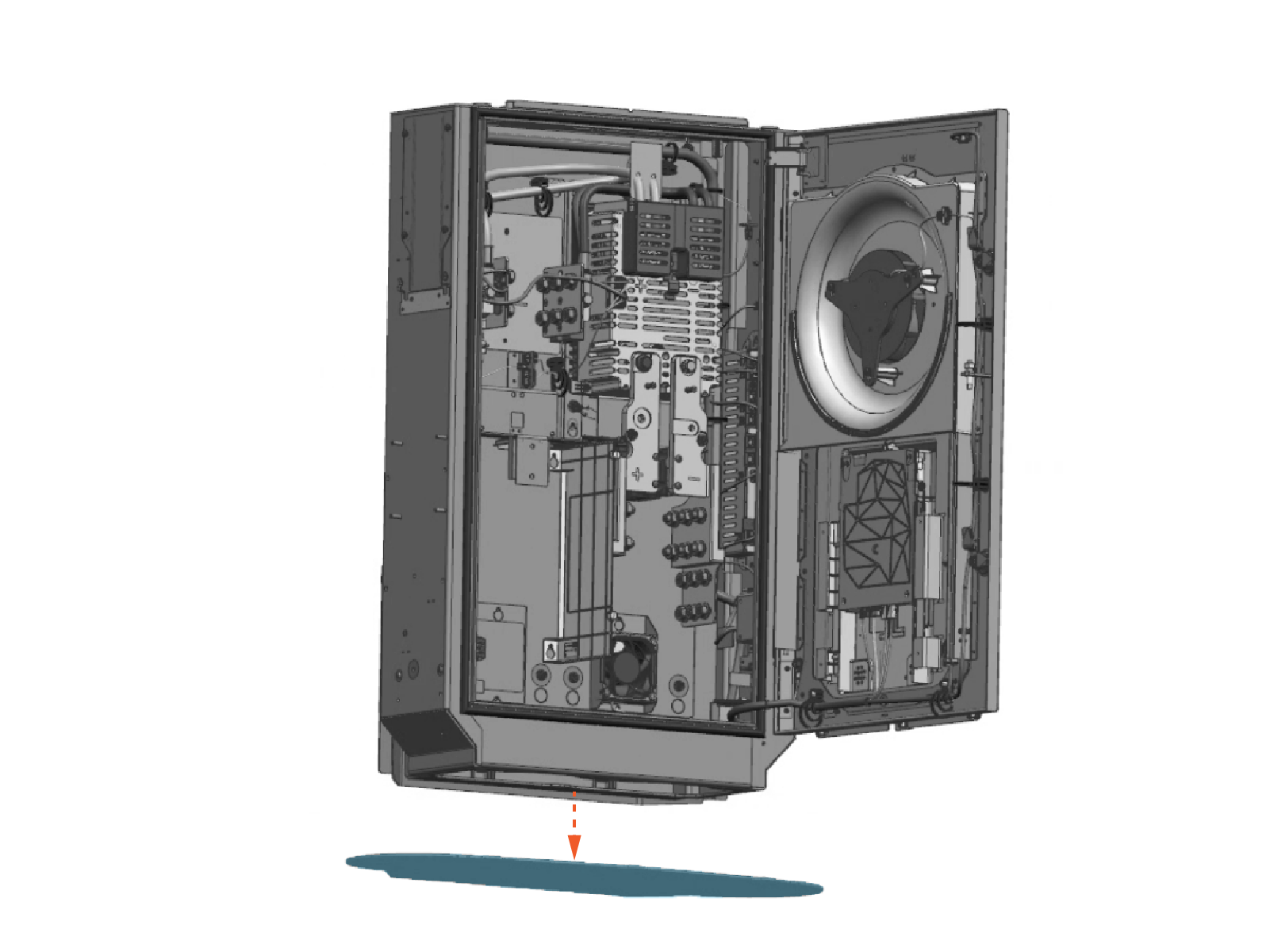
Remove the gland plate.
-
Consult the site plan to identify the remaining HV DC
High Voltage Direct Current conduits, LV DC Low Voltage Direct Current conduits, and cable gland required for the Power Link 2000. Use a hydraulic hole punch to create the needed openings.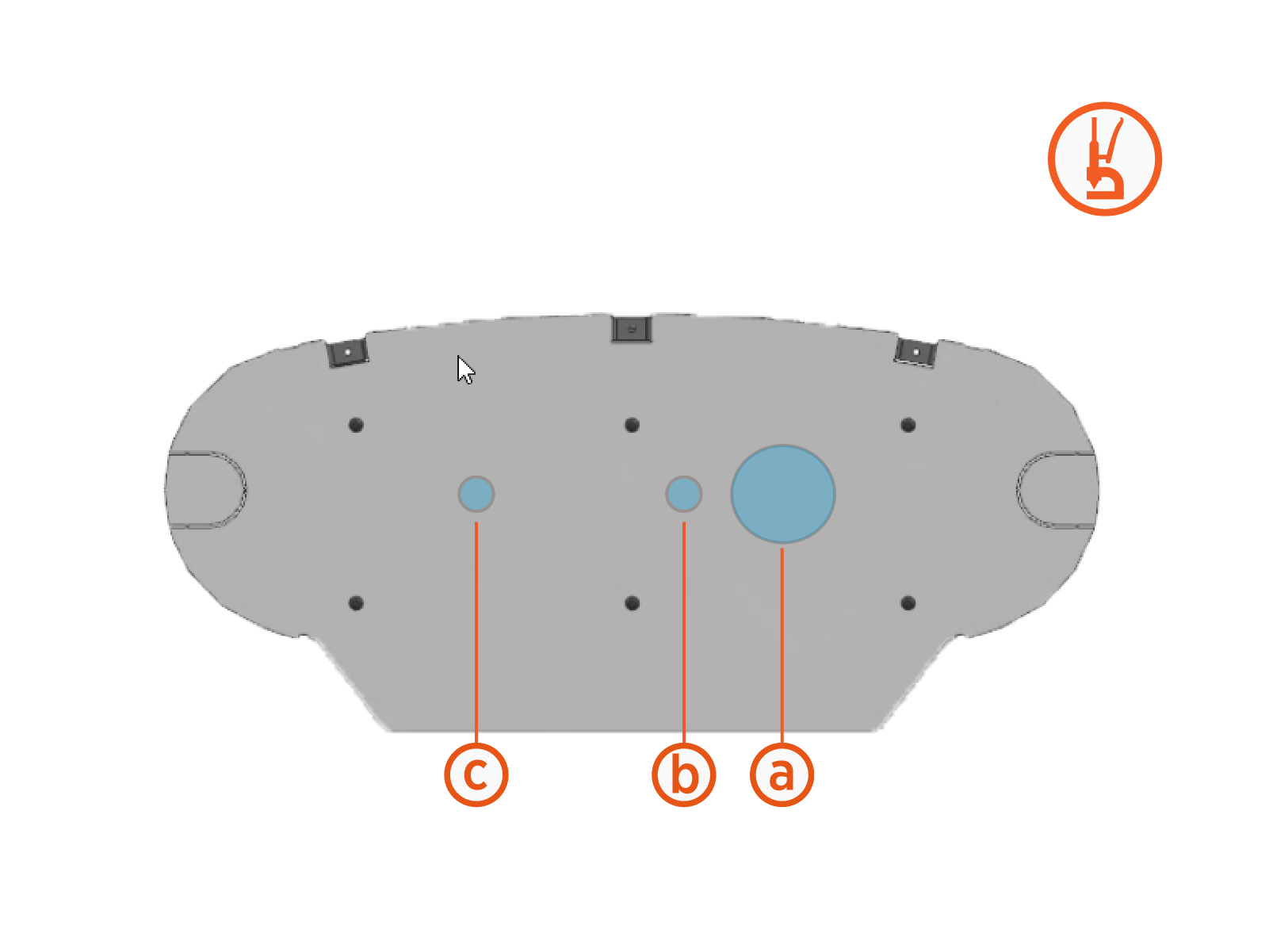
Sample conduit and cable gland hole pattern:
-
HV DC
High Voltage Direct Current input from Power Block -
LV DC
Low Voltage Direct Current input from Power Block -
Ground to mast
-
There is limited space within the Power Link 2000 for bending HV DC
High Voltage Direct Current wires. HV DC High Voltage Direct Current conduit holes must be punched at a location that aligns wire entry with their intended bus bar landings. See Wiring Overview for more information. - Illustrations in this guide depict a sample conduit configuration. Actual conduit quantity, size, and position at the gland plate will vary by site.
-
-
Reinstall the gland plate. Torque screws (x6) to 4.5 Nm (40 in-lb).
-
Disengage the door stopper and close the Power Link 2000 door.
Mount Power Link 2000
-
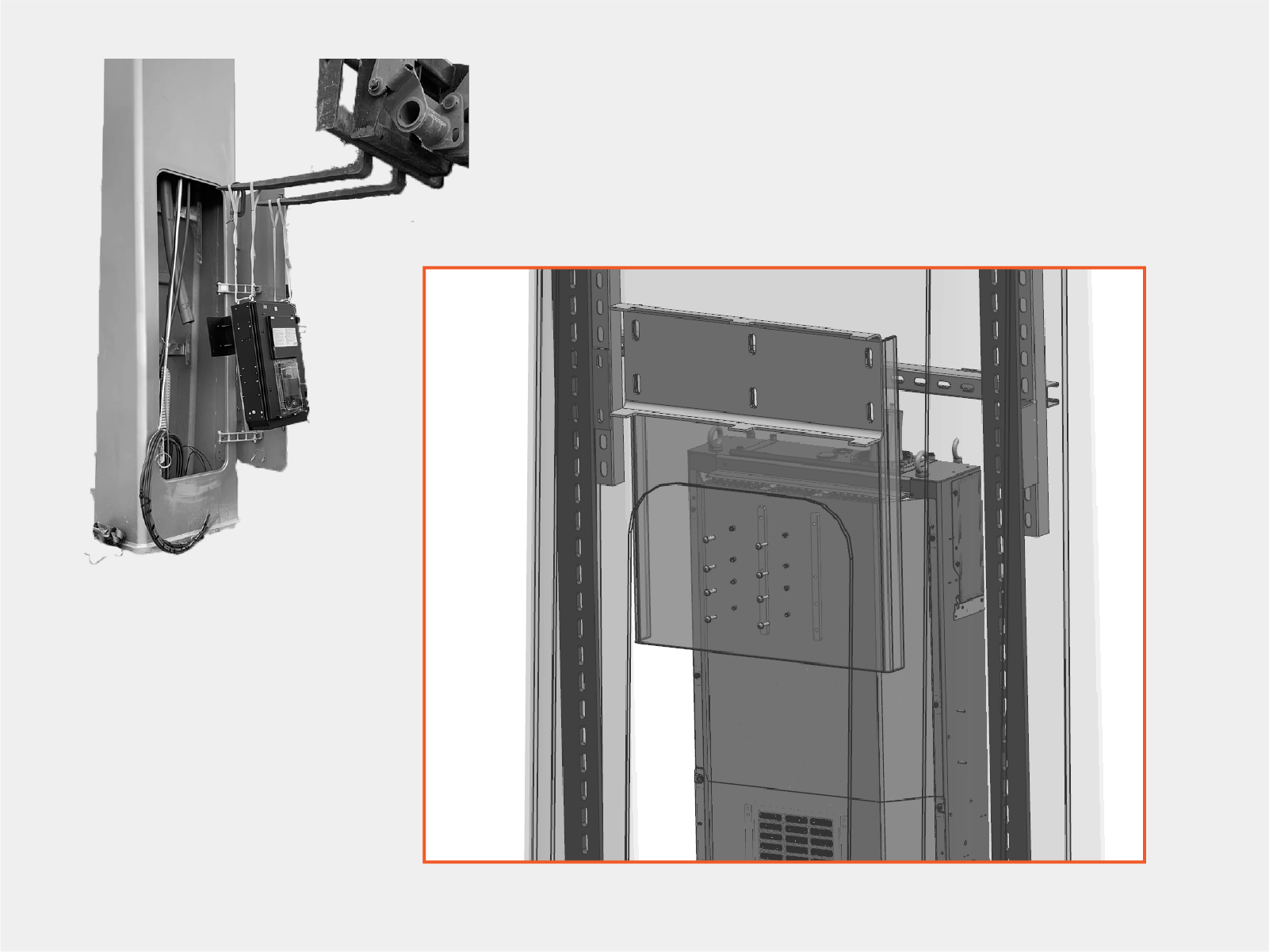
Transport the Power Link 2000 to the mast. Align mounting holes on the rear of the Power Link 2000 to the mounting base.
-
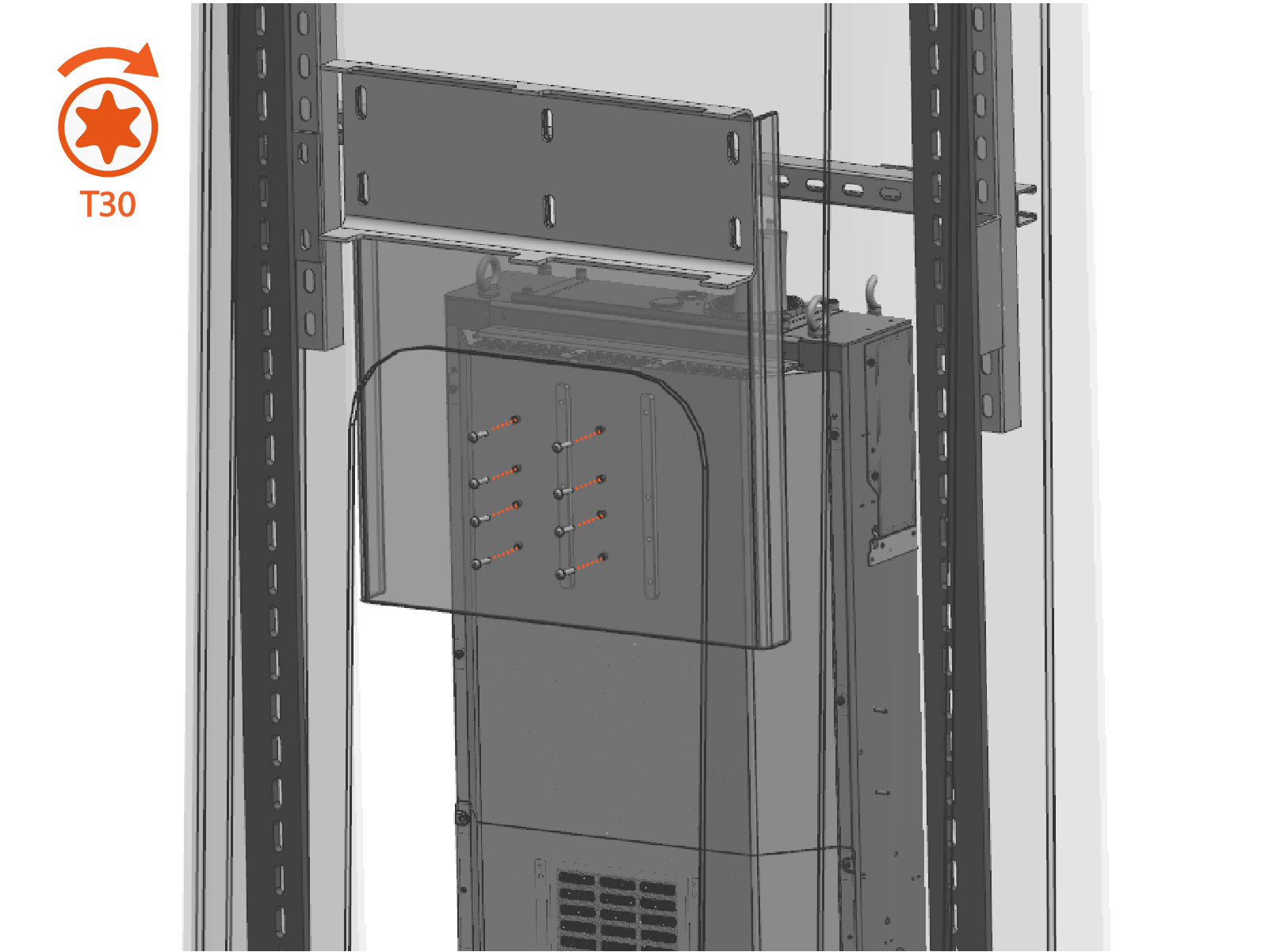
Mount the Power Link 2000 to the base with M6 x 25 mm screws (x8).
-
Torque the fasteners to 5.6 Nm (50 in-lb).
After mounting the enclosure, double-check the fasteners to ensure they are torqued to the correct value. -
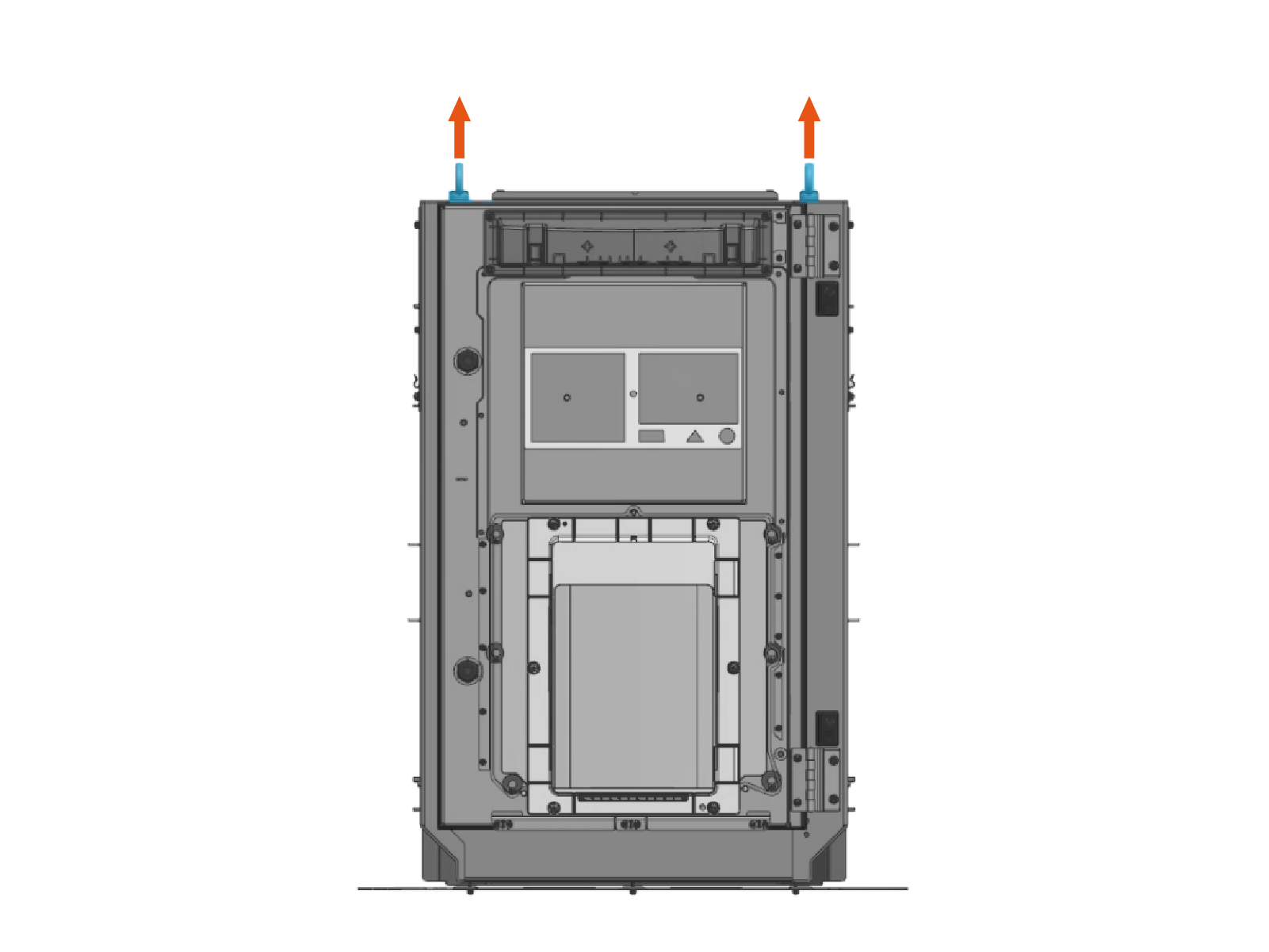
Release the lifting straps and remove the eye bolts (x4) and rubber washers (x4). Use either an adjustable wrench or screwdriver's shaft to loosen the eye bolts.
Connect Power Link 2000 HV DC Output Conduit
-
Connect HV DC
High Voltage Direct Current output conduit to the Power Link 2000 top plate.Ensure the conduit fitting is installed with no gaps at the top plate. A tight fit is required to prevent moisture and water from entering the enclosure.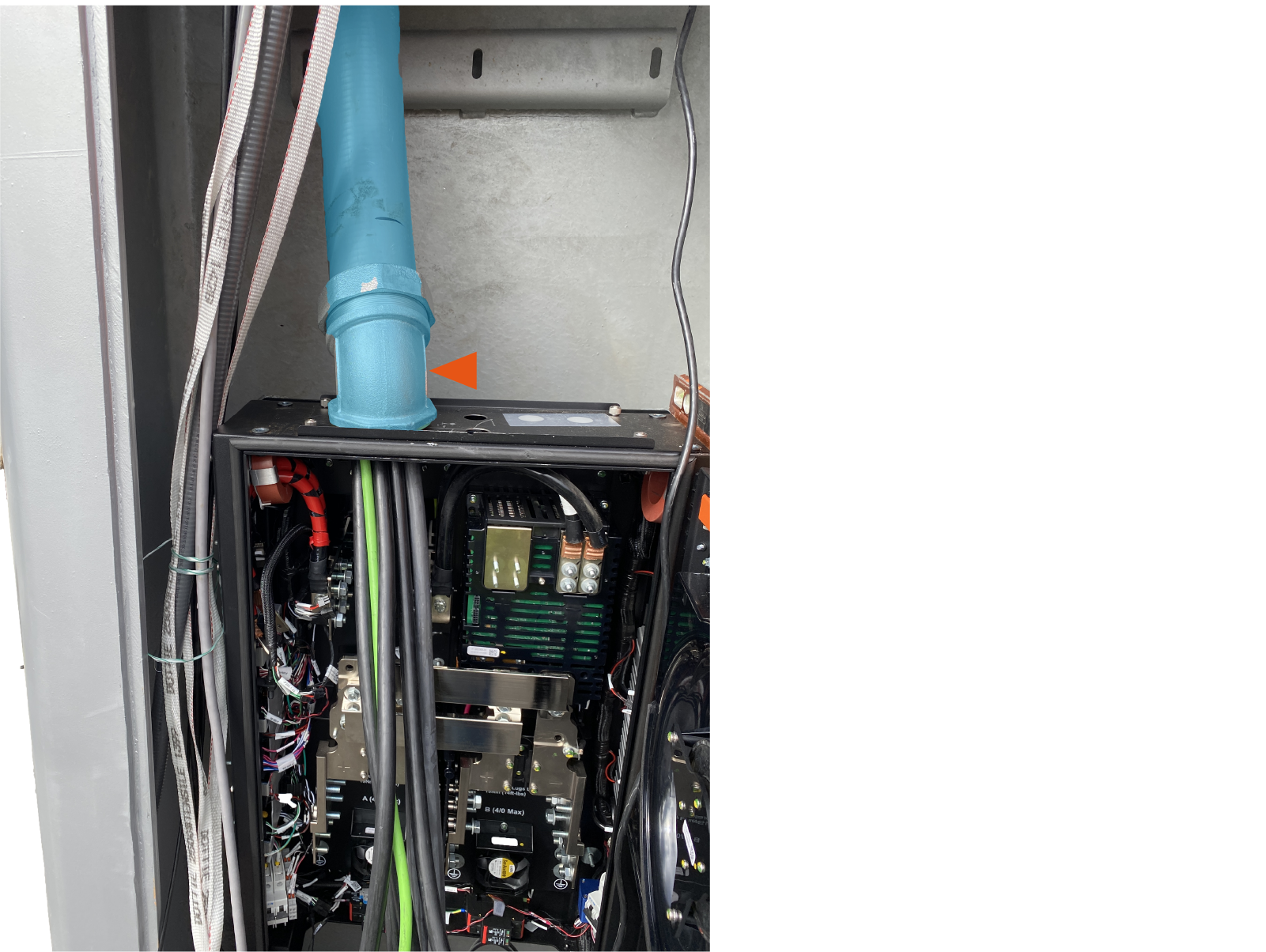
-
Use 3-1/2 in strut pipe strap (contractor-supplied) to secure the HV DC
High Voltage Direct Current conduit to the strut channel. 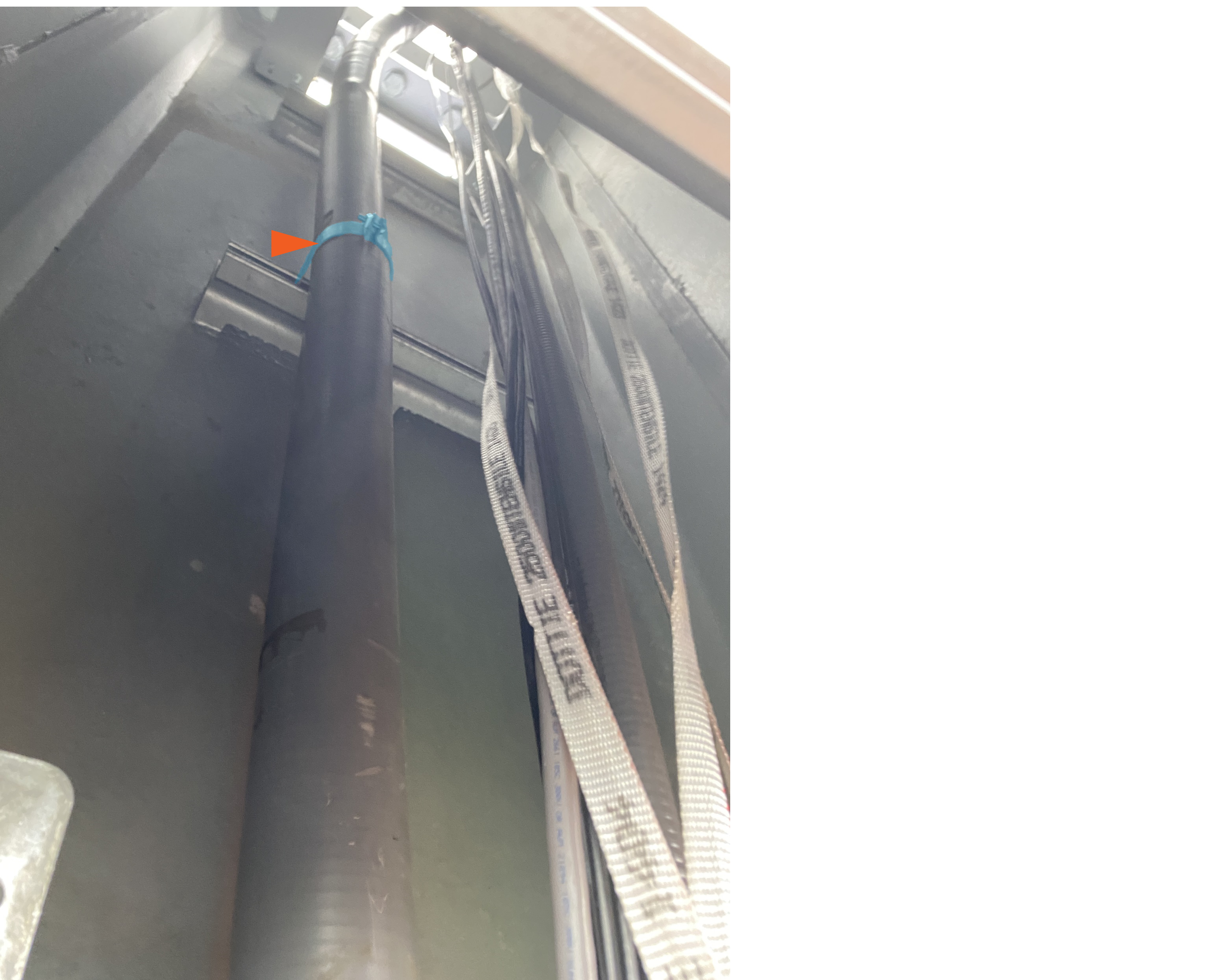
Install PD Controller Mounting Struts
-
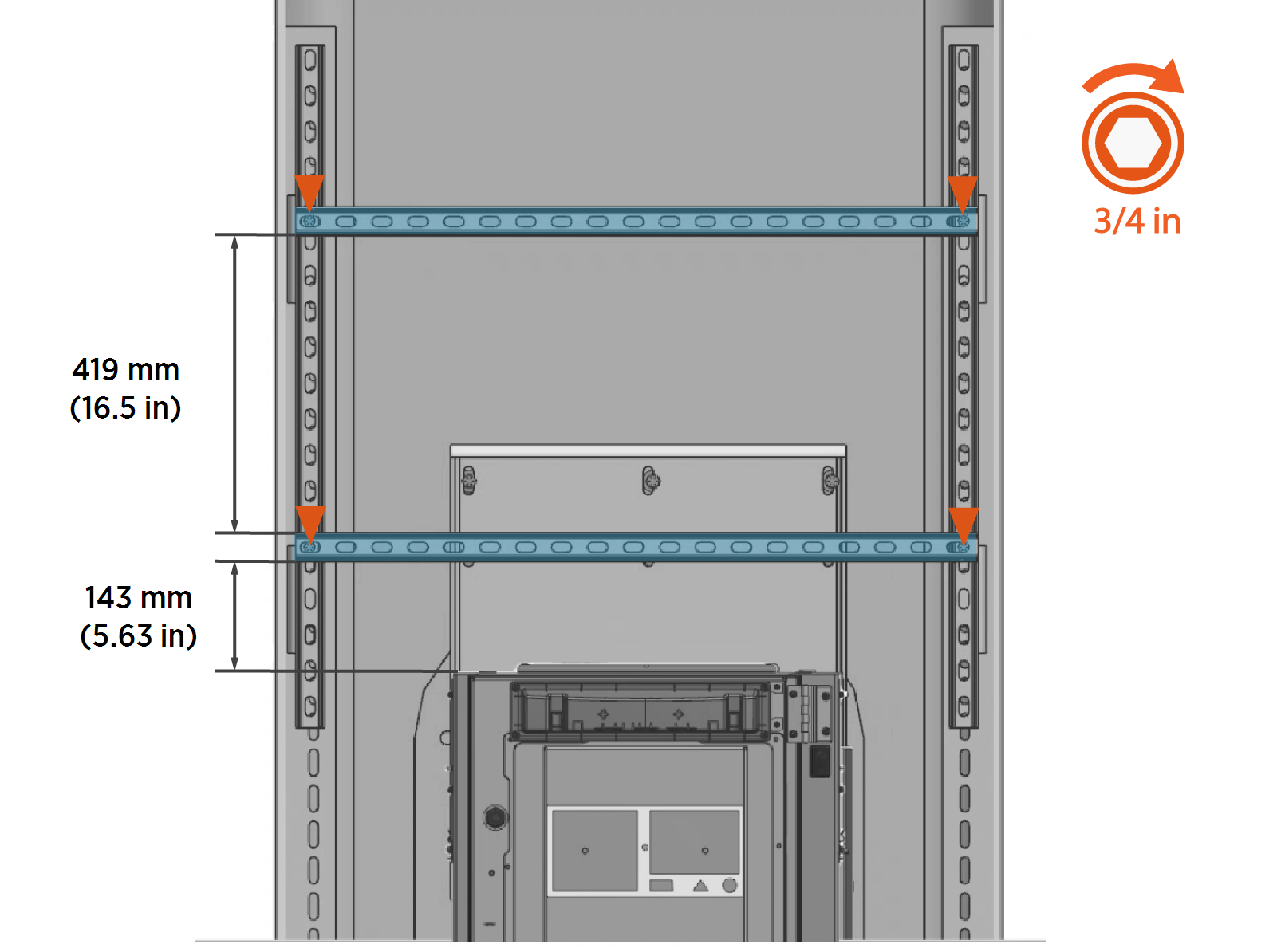
Install PD Controller mounting unistruts:
-
Position the lower unistrut approximately 143 mm (5.63 in) above the top of the Power Link 2000.
-
Position the upper unistrut such that there is 419 mm (16.5 in) separation between the unistruts.
-
Ensure the struts are level.
-
Fasten the unistruts with 1/2 in bolt, 1/2 in washer, 1/2 in nut (x2 each per unistrut).
-
-
Torque fasteners to 50 Nm (37 ft-lb).
After mounting the struts, double-check the fasteners to ensure they are torqued to the correct value. -
Slide 5/16 inch spring nuts (x2) into each unistrut.
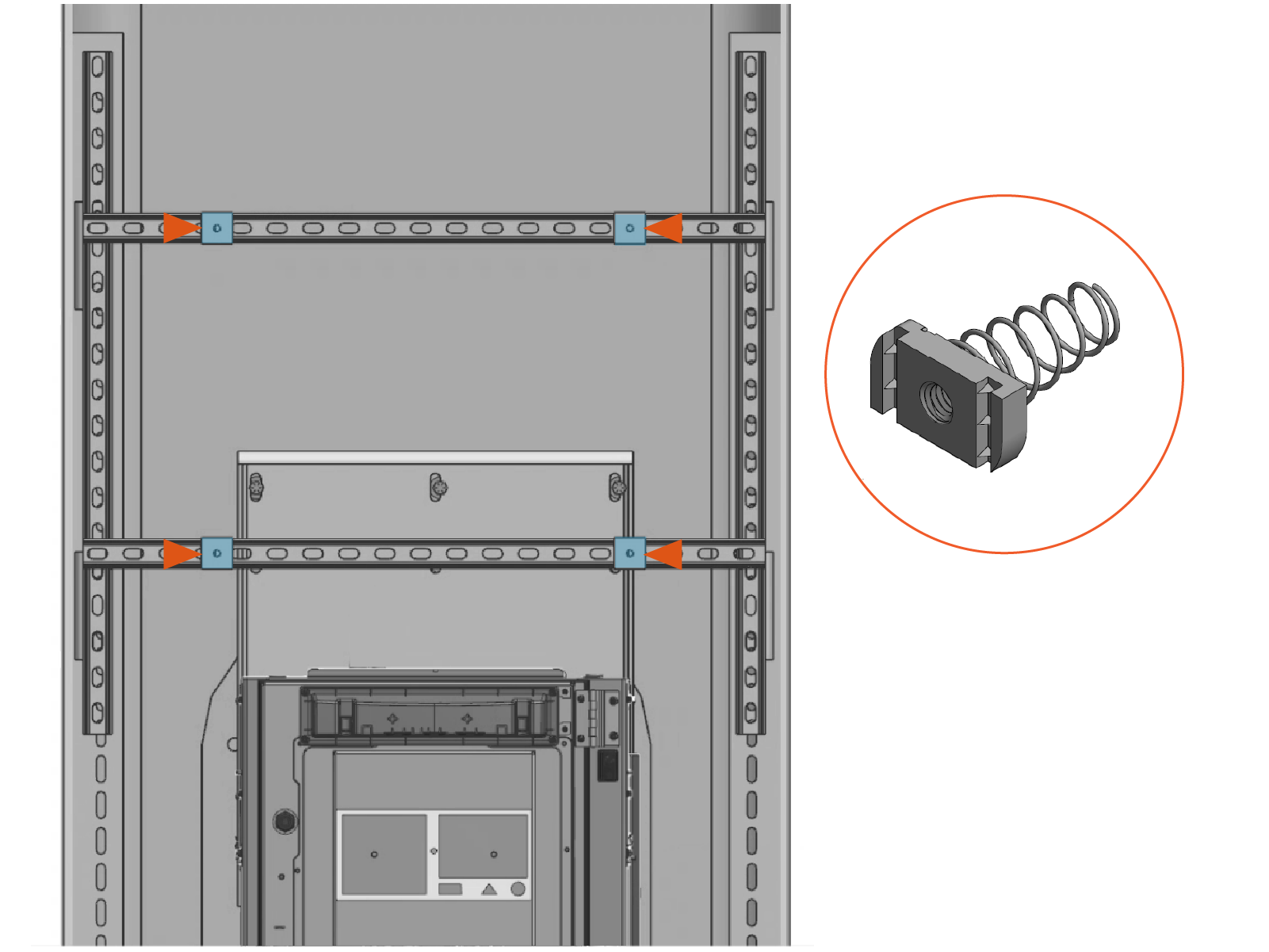
Mount PD Controller
-
Lift the PD Controller out of its package and stand it vertically on level ground.
The PD Controller weighs 32.2 kg (71 lb) and can be lifted by two people.
-
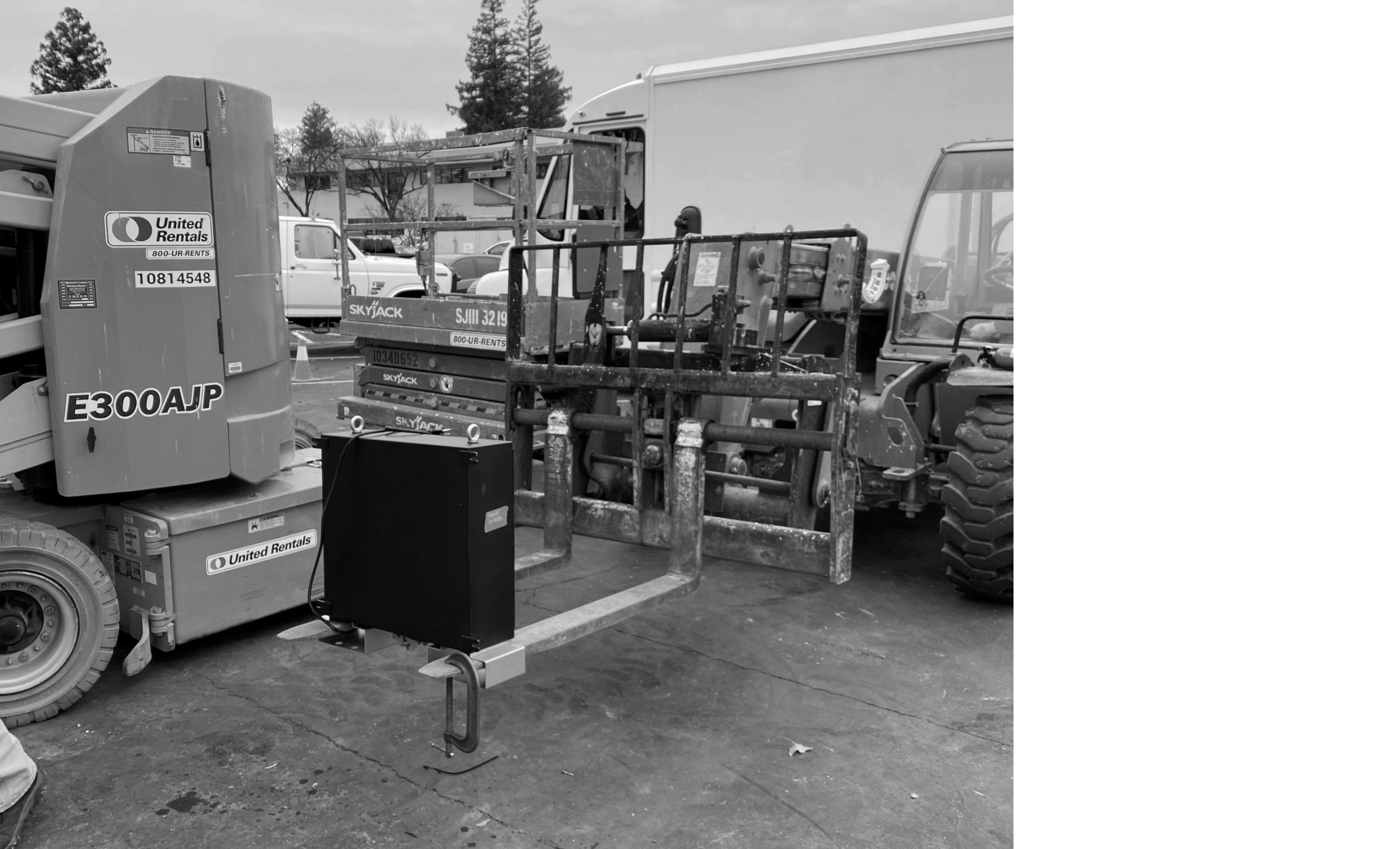
Insert forklift tines into the lifting brackets.
-
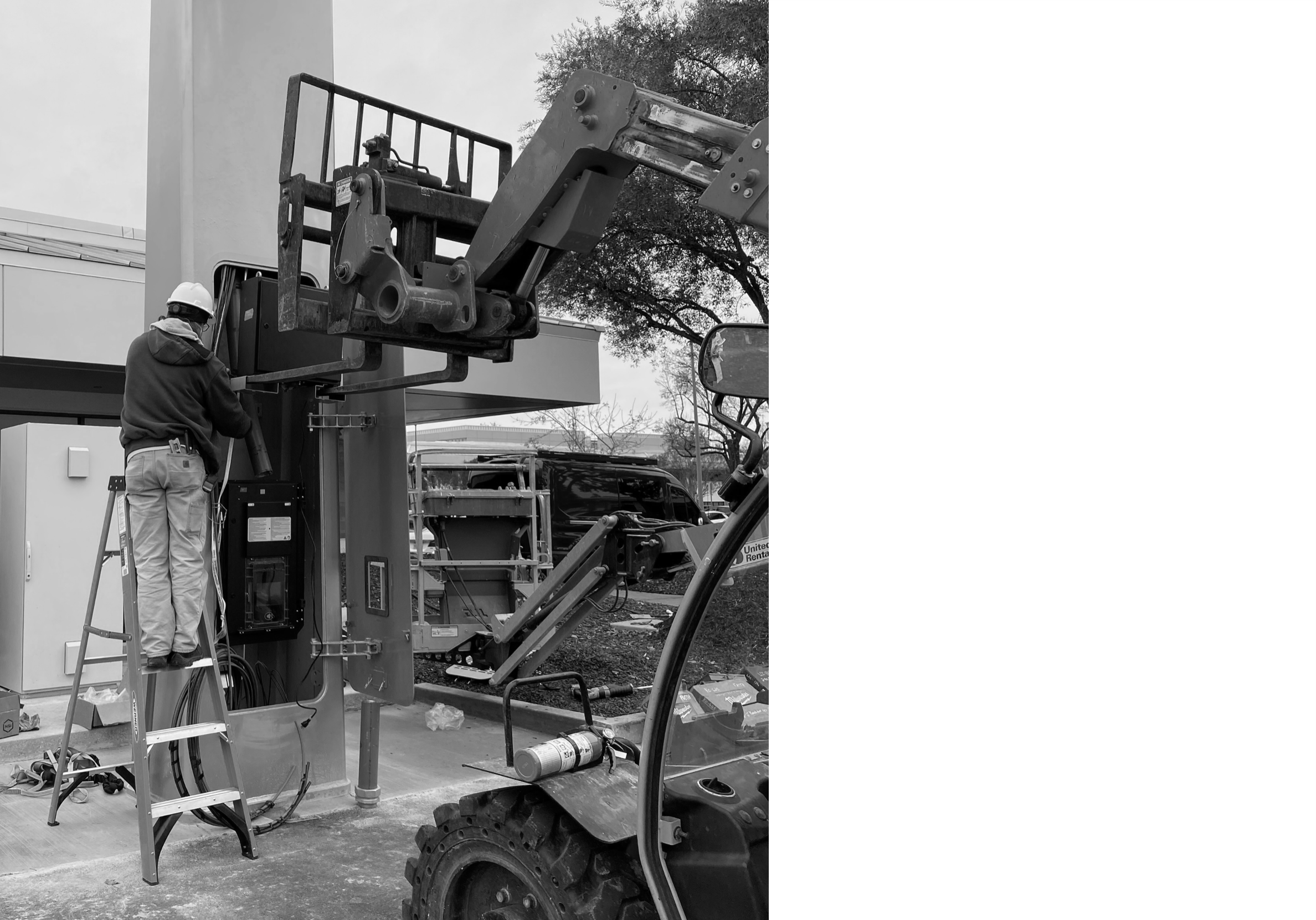
Lift and transport the enclosure to the mast. Center the PD Controller in front of the mounting struts.
-
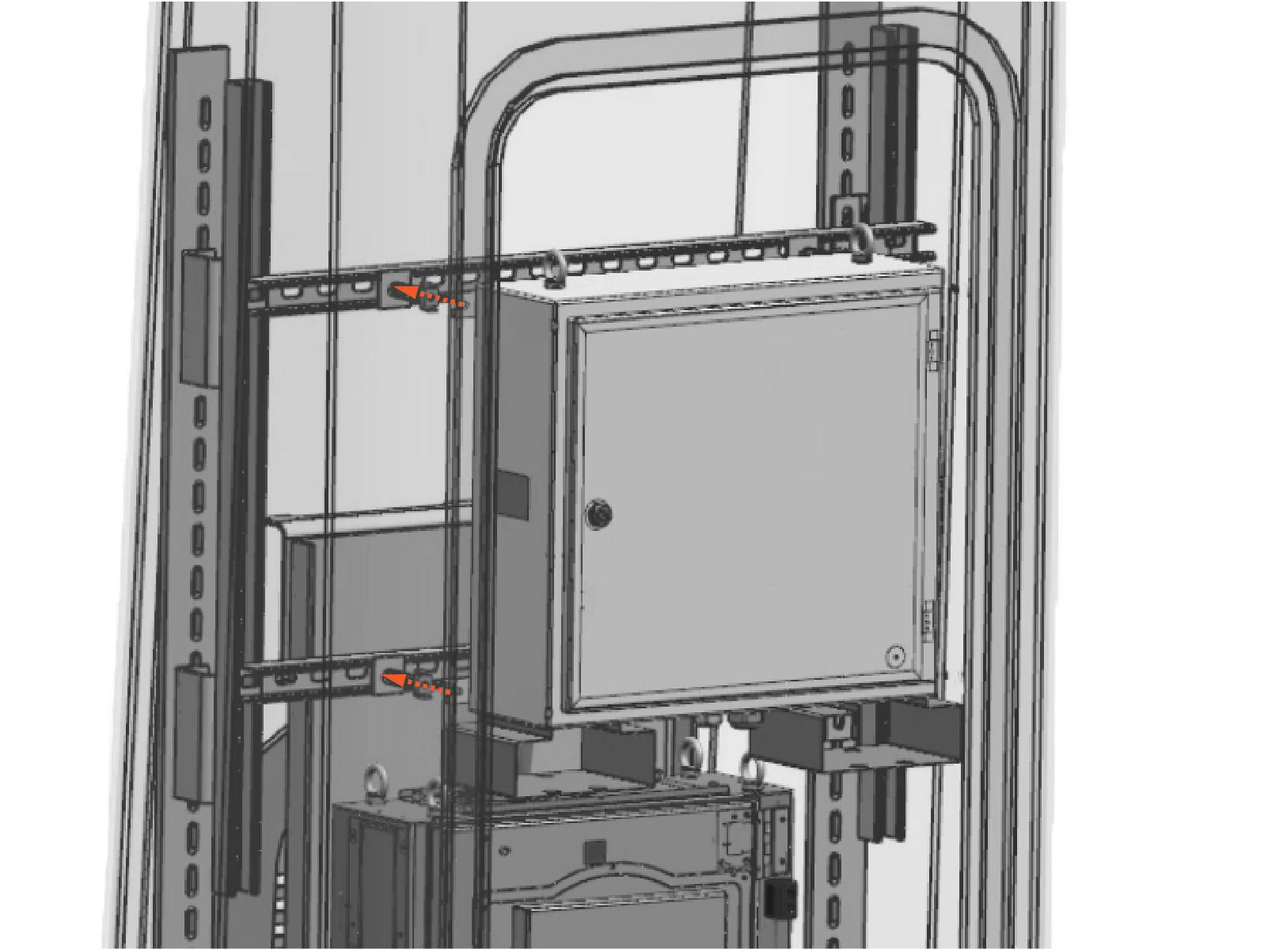
Align the spring nuts with the PD Controller mounting tabs.
-
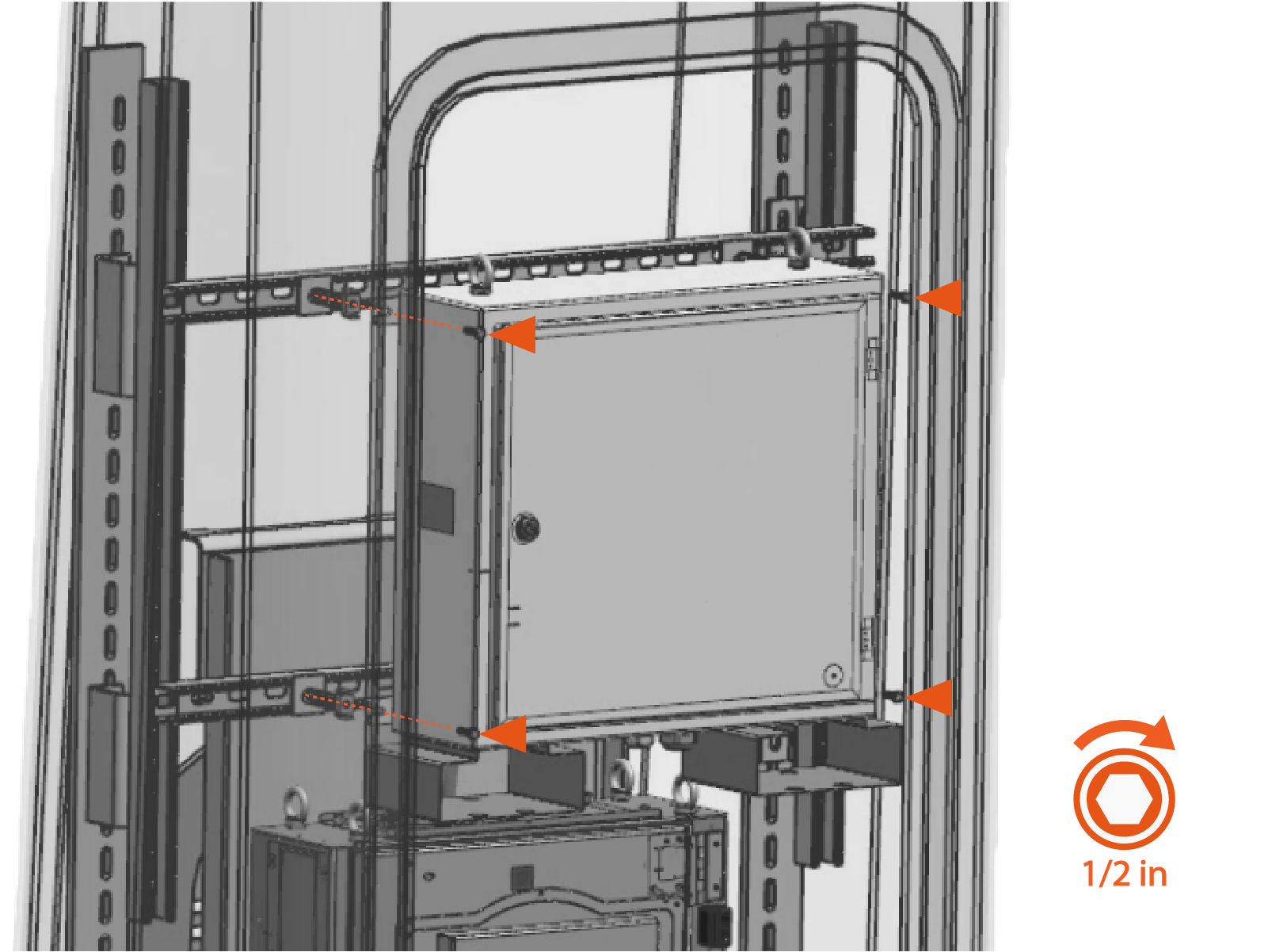
Fasten the PD Controller to the mounting base with 5/16 in bolt and 5/16 in washer (x4 each).
-
Torque fasteners to 10 Nm (90 in-lb).
After mounting the enclosure, double-check the fasteners to ensure they are torqued to the correct value. -
Remove the forklift.
-
Remove nuts at lifting brackets (x4 nuts per bracket).

-
Remove lifting brackets.
Keep lifting brackets for any future removal of the PD Controller (as needed).

-
Remove the eye bolts and washers (optional). Use either an adjustable wrench or screwdriver's shaft to loosen the eye bolts.
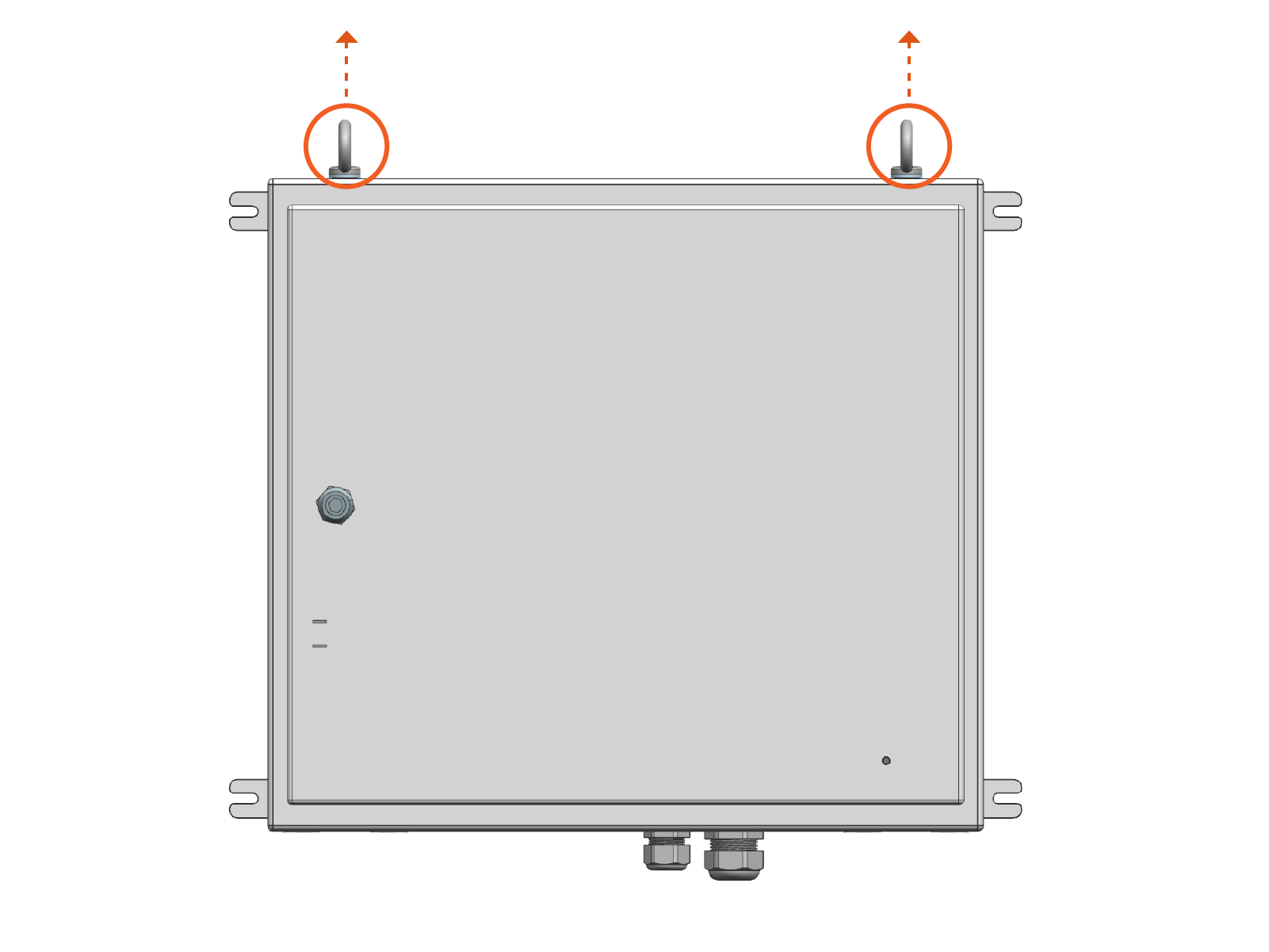
Connect Remaining Power Link 2000 Conduits
-
Connect remaining conduits to the top and bottom gland plates.
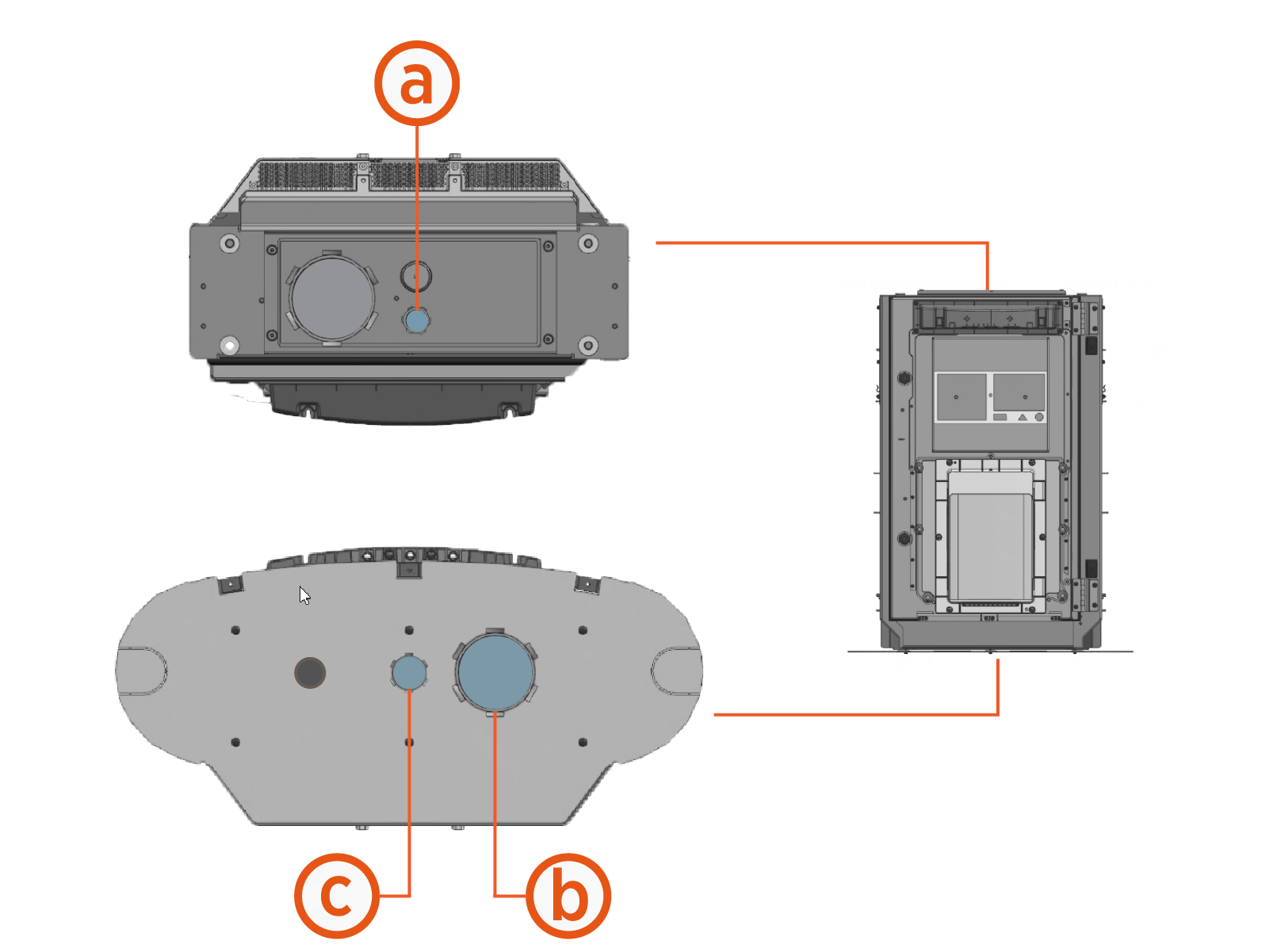
Conduit at top plate:
-
LV
Low Voltage output to PD Controller
Conduits (sample pattern) at bottom plate:
-
HV DC
High Voltage Direct Current input from Power Block -
LV DC
Low Voltage Direct Current input from Power Block
-
Use suitable fittings to secure and seal conduits to the enclosure. Conduits must be sealed to maintain a Pollution Degree 2 environment.
-
Illustrations in this guide depict a sample conduit configuration at the bottom gland plate. Actual conduit quantity, size, and position at the gland plate will vary by site.
-
Open PD Controller
-
Quarter turn the door latch to unlock the door.

-
Open the enclosure.

Connect PD Controller Conduits
-
Connect AC and LV
Low Voltage input conduits to the bottom of enclosure.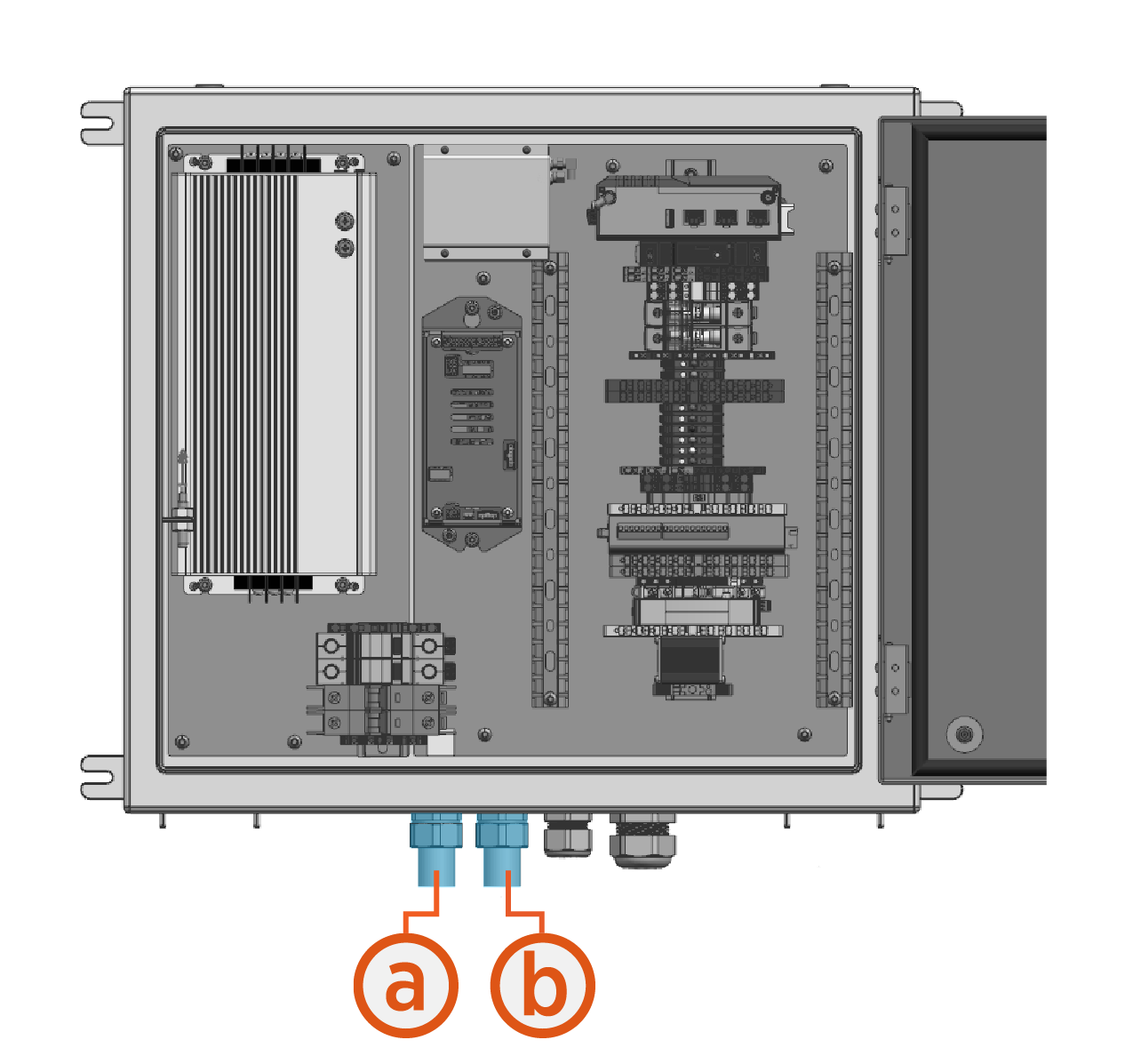
-
AC input conduit
-
LV
Low Voltage input conduit
-
