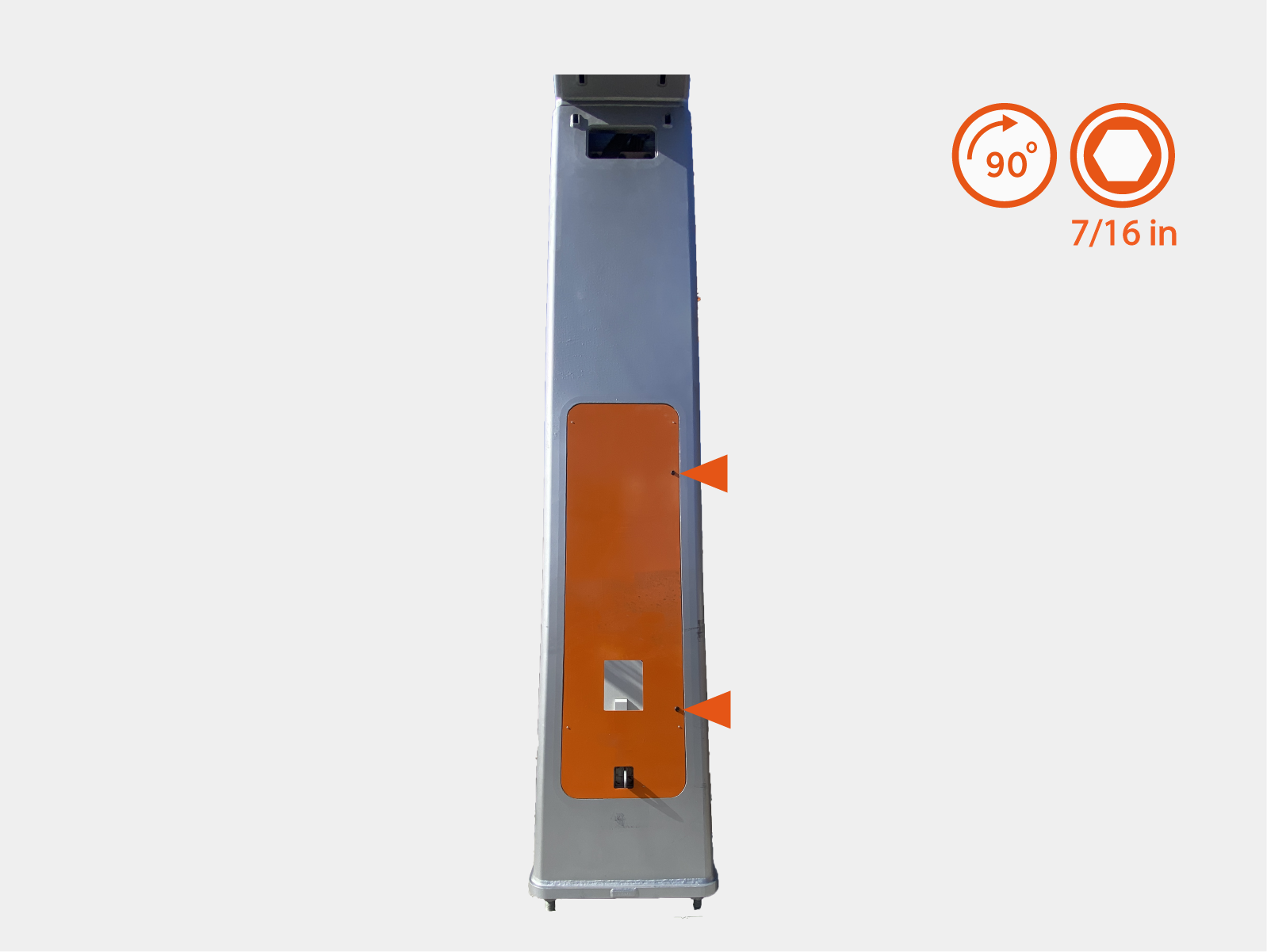
Complete the Install
Do not reconnect the power after completing the installation (after installing the covers). An Authorized Commissioning Partner will commission, power on, pinpoint, and configure Power Link 2000 after installation.
Complete Schunk SLS 201.102 Auxiliary Components Frame
Parts Needed
The following parts are needed from auxiliary components mounting frame install:
-
Rear cover
-
Side covers
Install Rear Cover
-
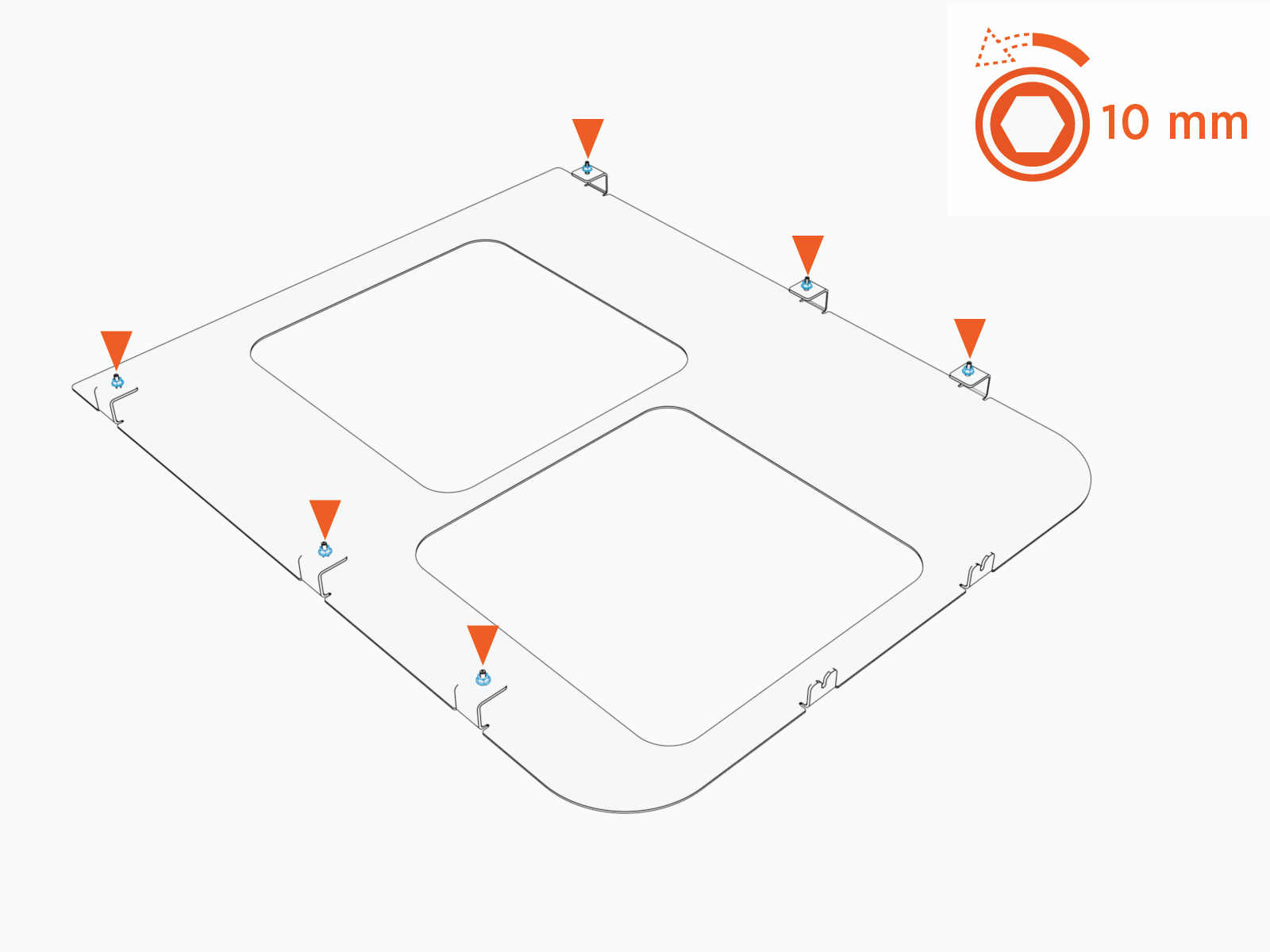
Loosen (do not remove) M6 nuts (x6) on the rear cover.
-
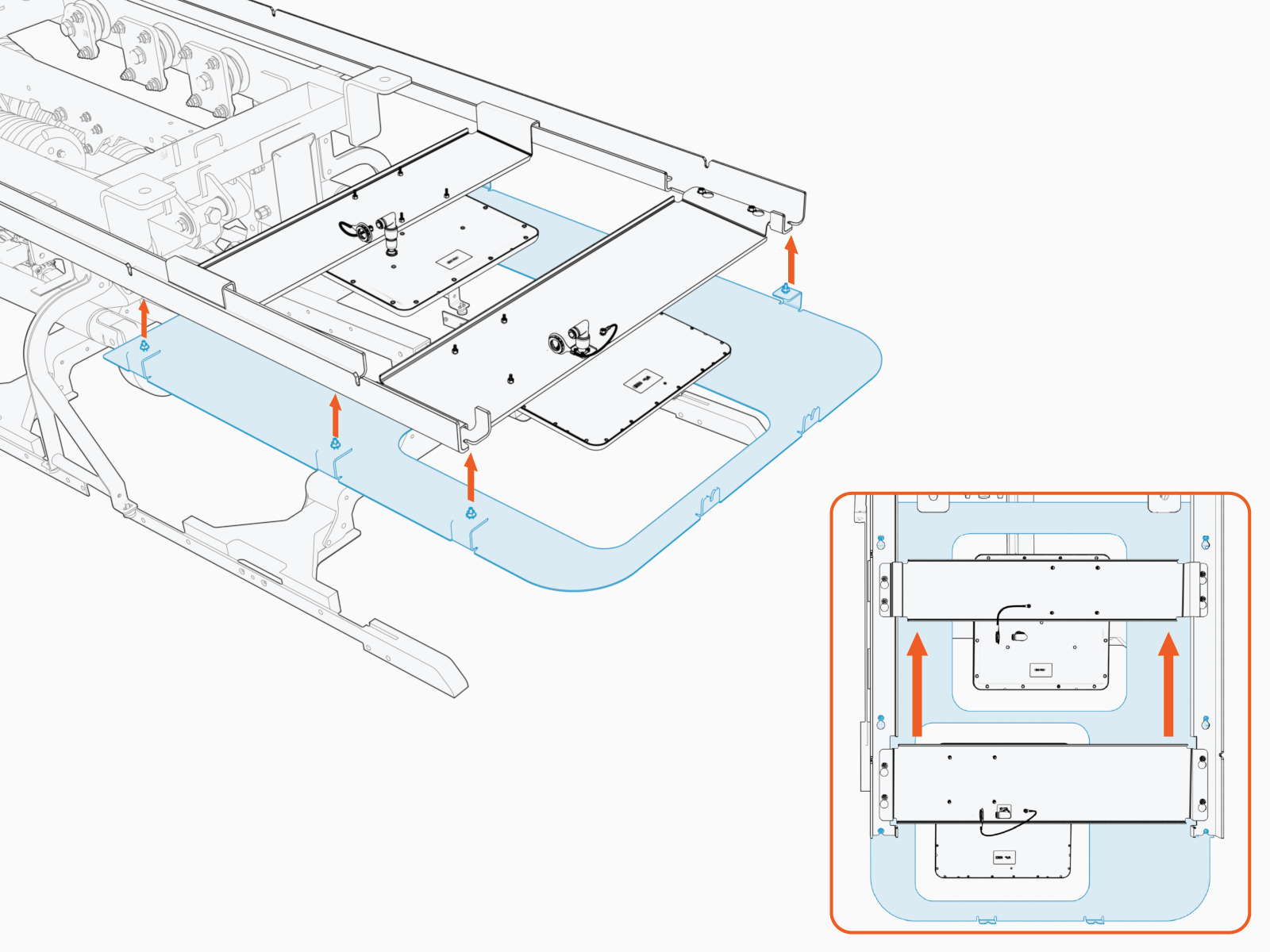
Install the rear cover onto the left and right rails. Slide the cover until it locks into the keyholes.
-
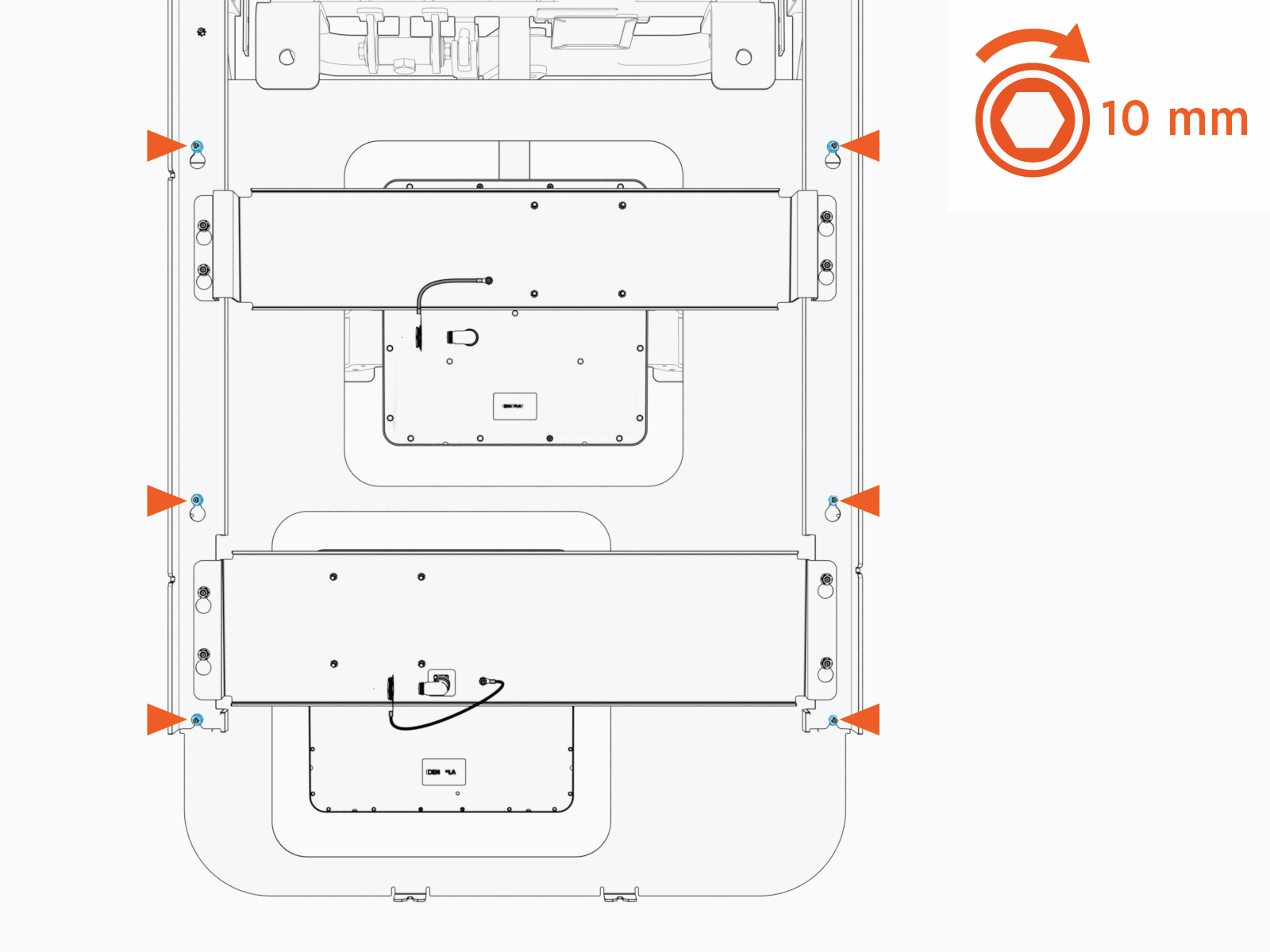
Tighten the M6 nuts (x6). Torque to 5.6 Nm (50 in-lb).
Install Side Covers
-
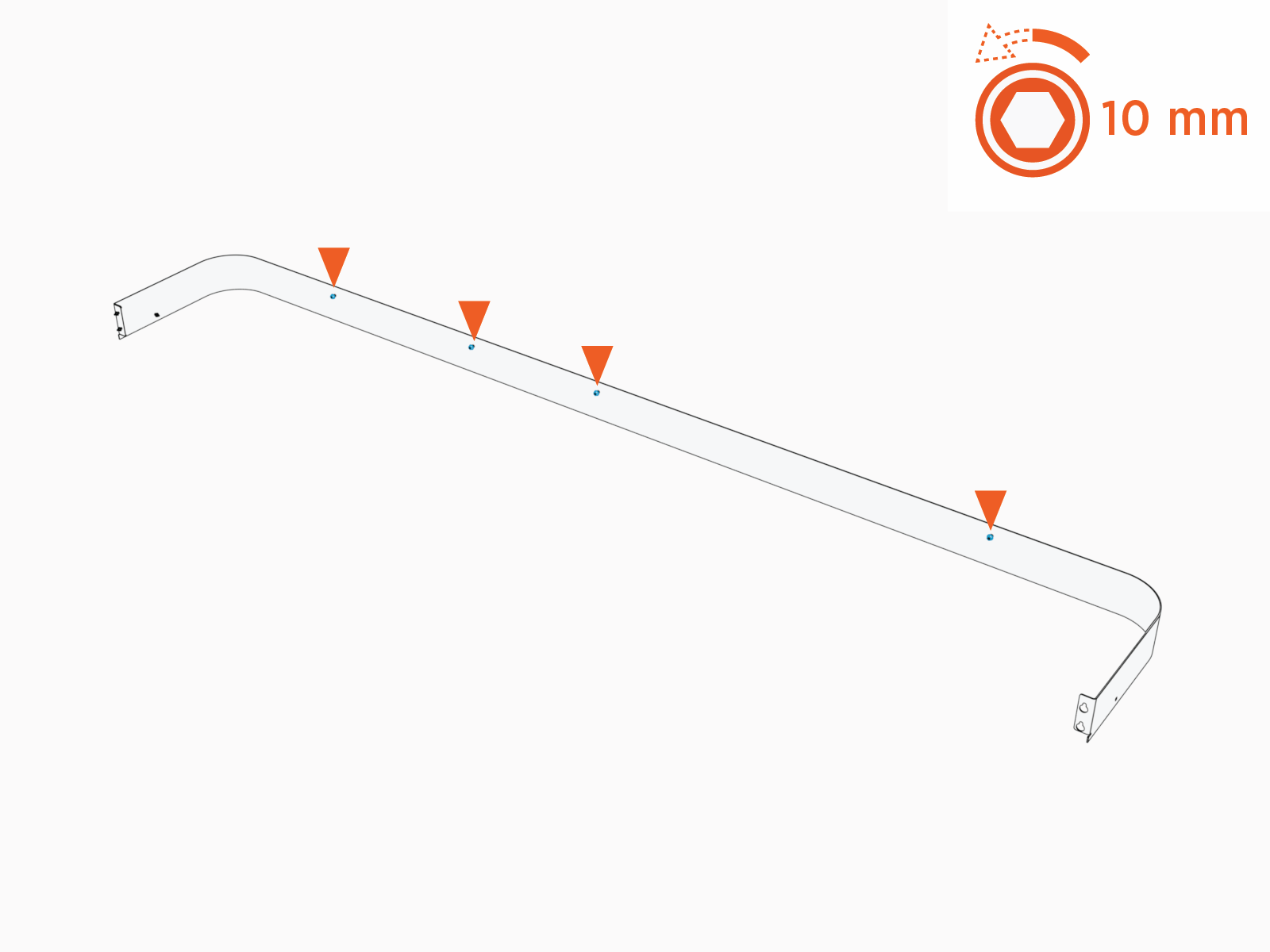
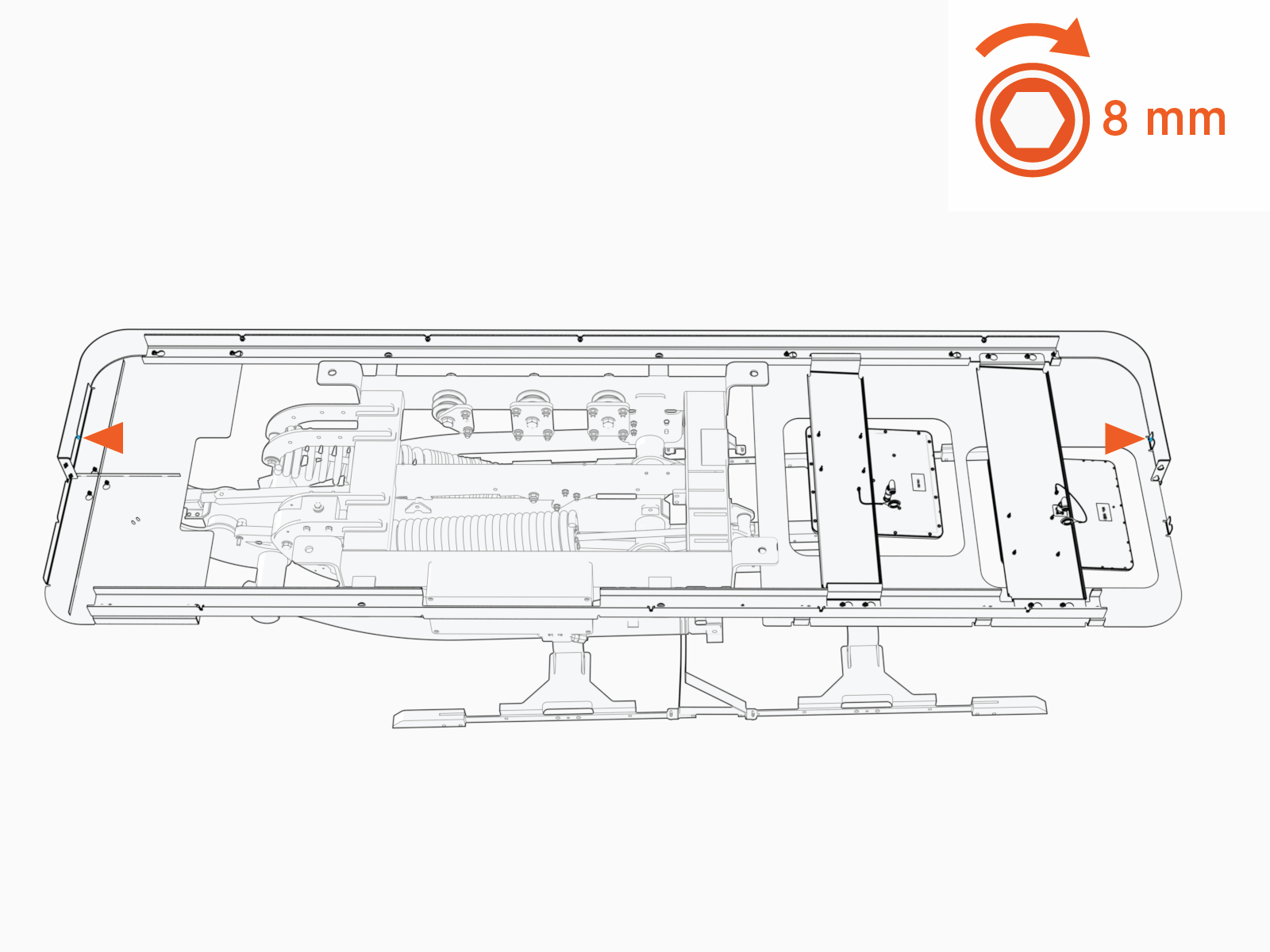
Loosen (do not remove) the M6 nuts (x4) on the length of the left side cover.
-
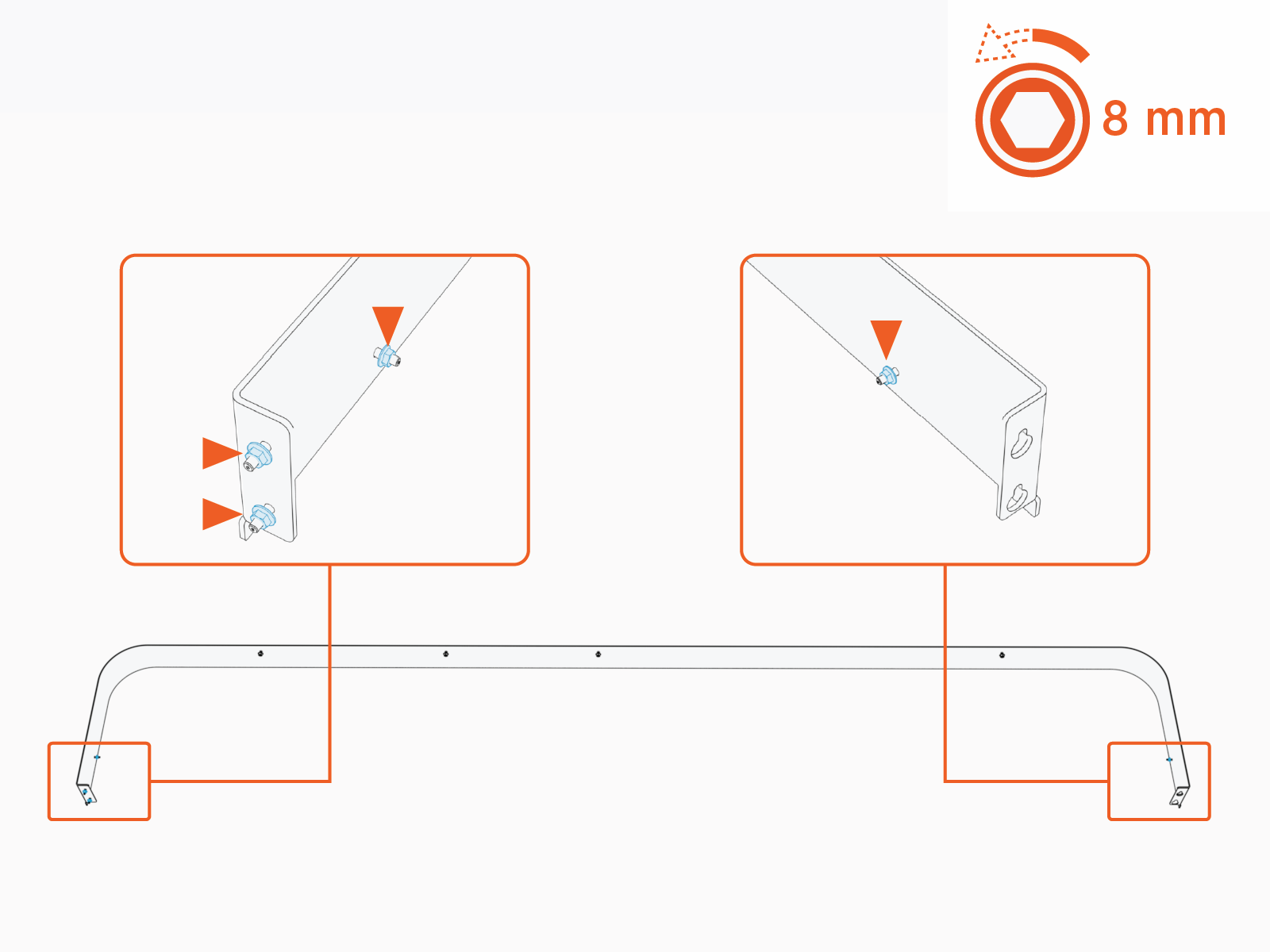
Loosen (do not remove) M5 nuts (x4) on the side cover.
-
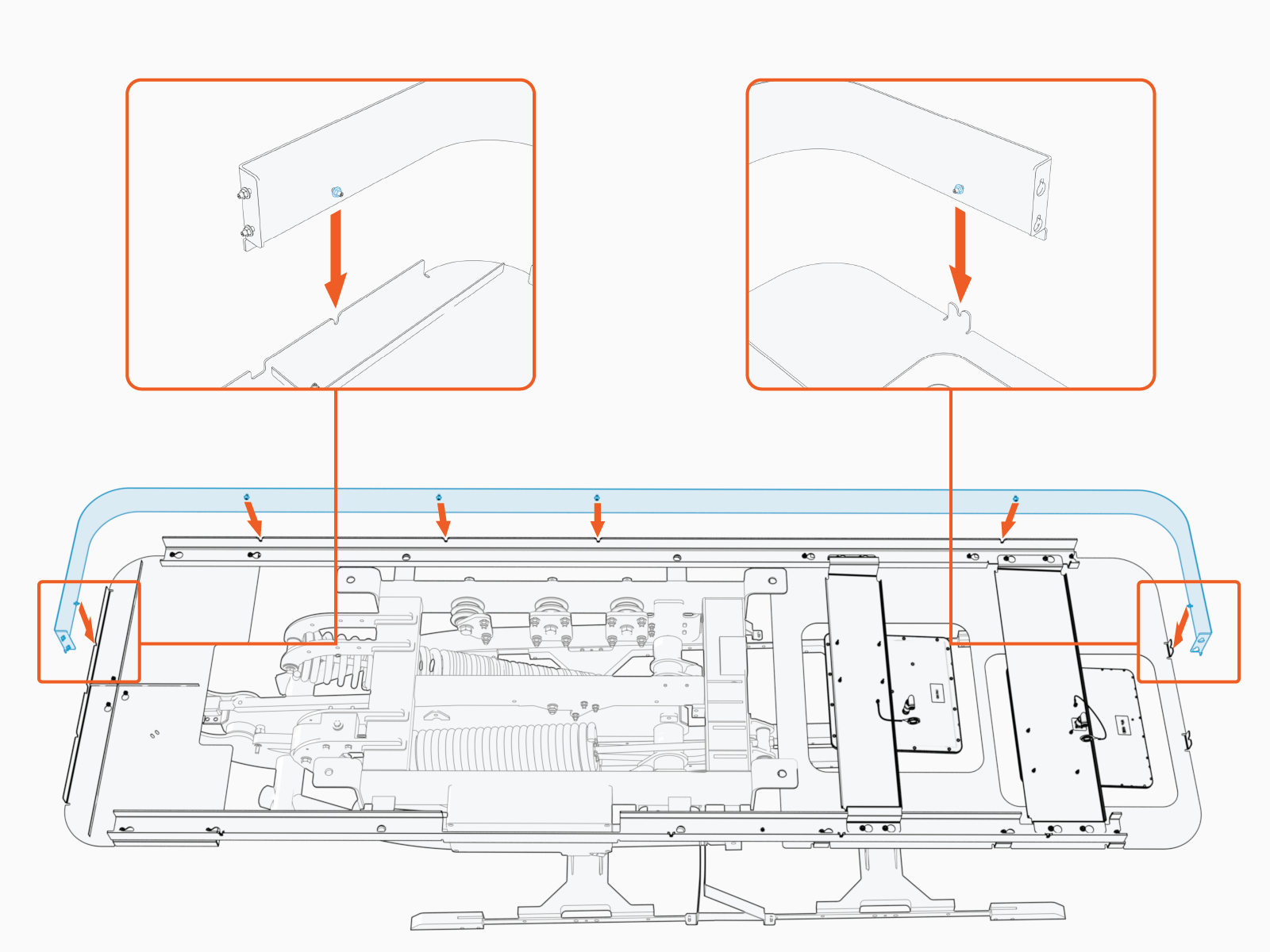
Install the left side cover. Make sure the cover seats into slots (x6).
-
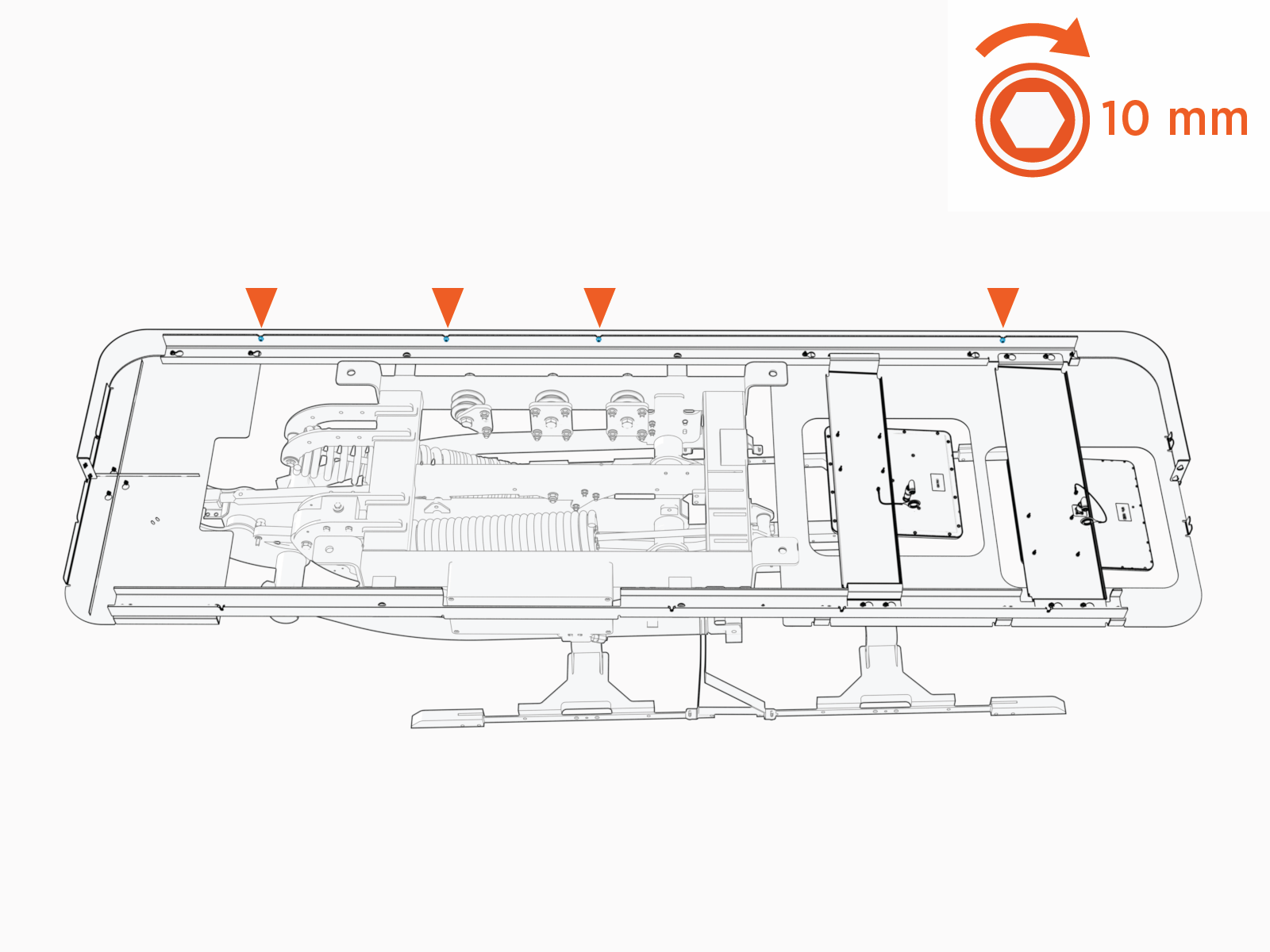
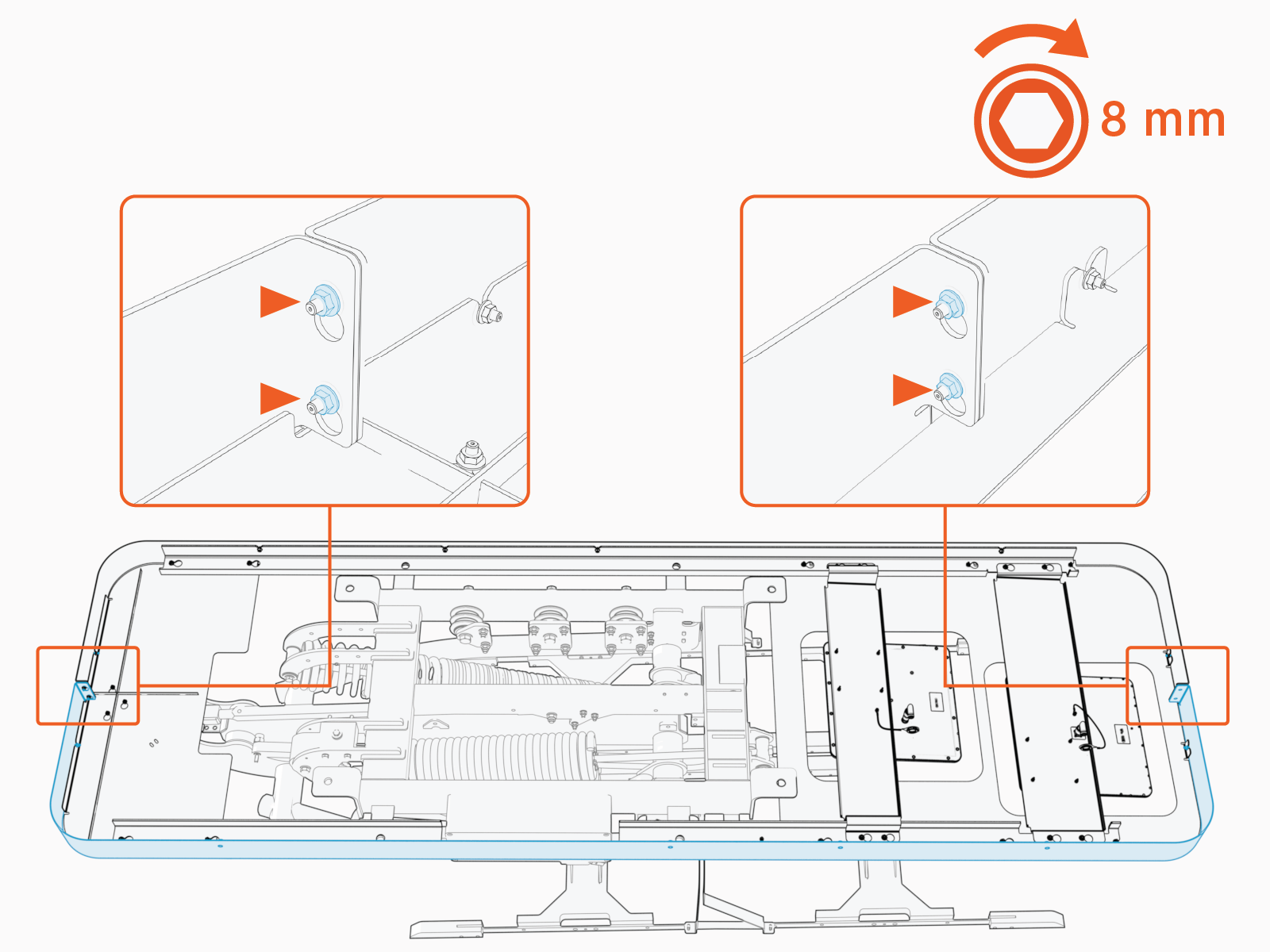
Tighten M6 nuts (x4) to fasten the side cover. Torque to 5.6 Nm (50 in-lb).
-
Tighten M5 nuts at each end of the side cover (x1 nut per end). Torque to 4.5 Nm (40 in-lb).
-
Repeat above steps to install the right side cover. At the front and rear ends of the frame, align and fasten the left and right side cover together with nuts (x2 each end).
Close Power Link 2000
Parts Needed
The following part, saved from Power Link 2000 mount, is needed:
-
HV DC
 High Voltage Direct Current bus bar safety cover
Reinstall Internal Bus Bar Safety Cover
-
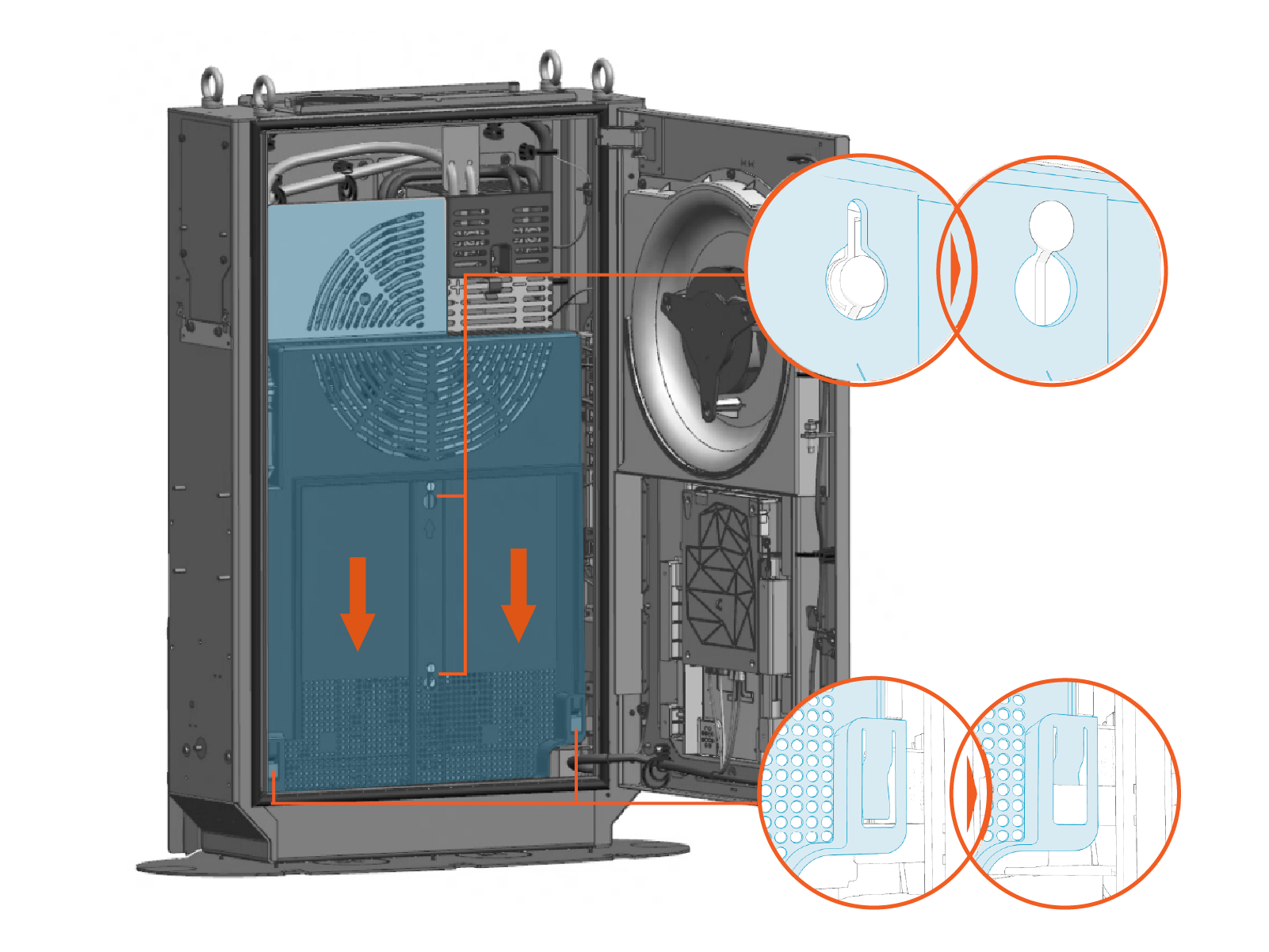
Vacuum any residue from the bottom of the enclosure.
-
Install internal bus bar safety cover onto the hooks (x2) and latches (x2). Slide the cover down to engage the latch.
Record MAC Address
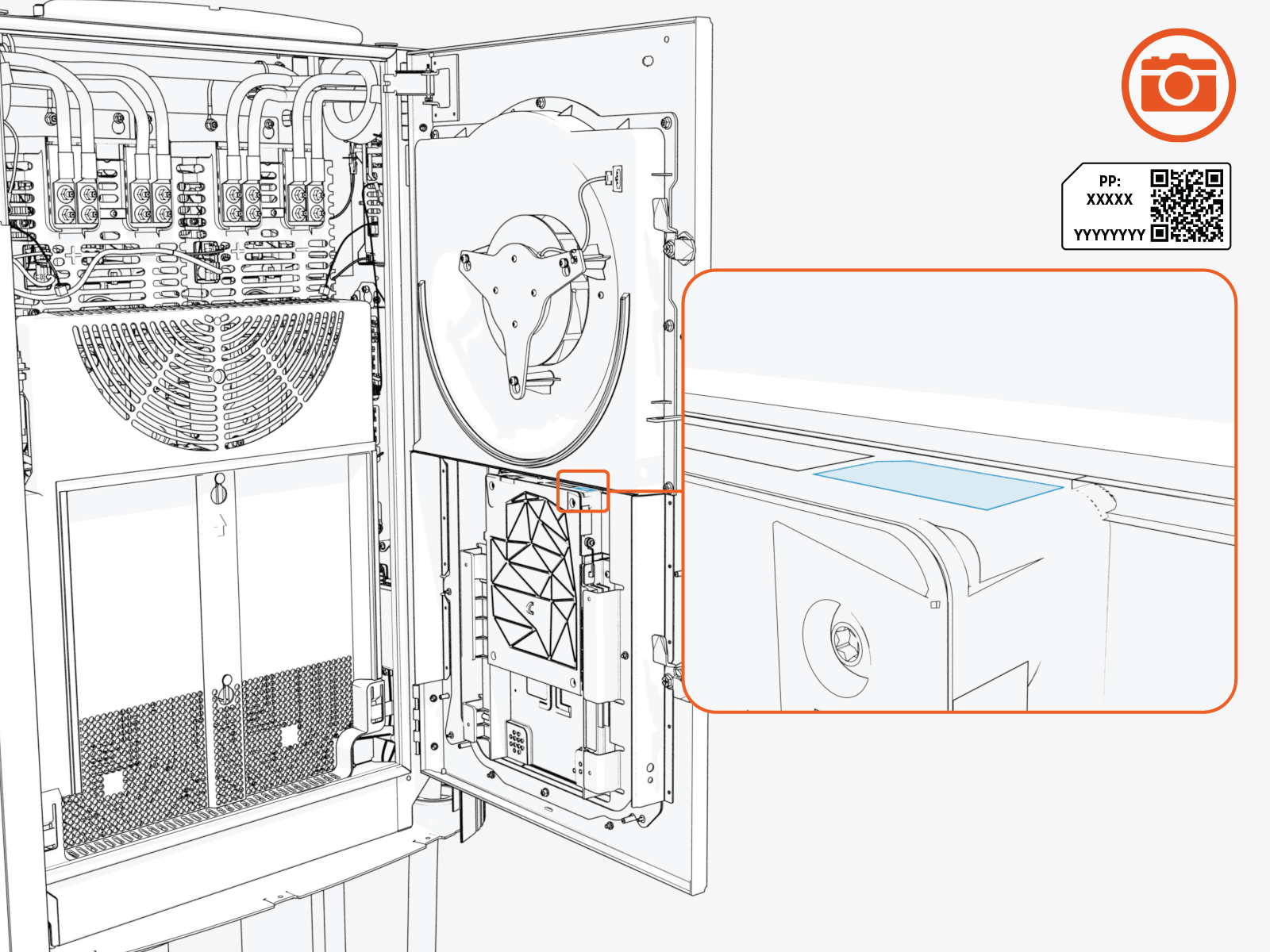
Take a photograph of the Power Link 2000 activation QR Quick Response code and MAC Message Authentication Code address, which can be found on the label affixed to the top of the Control and Communications Module (CCOM Control and Communications Module). This information is used at Power Link 2000 setup.
Close and Lock Door
-
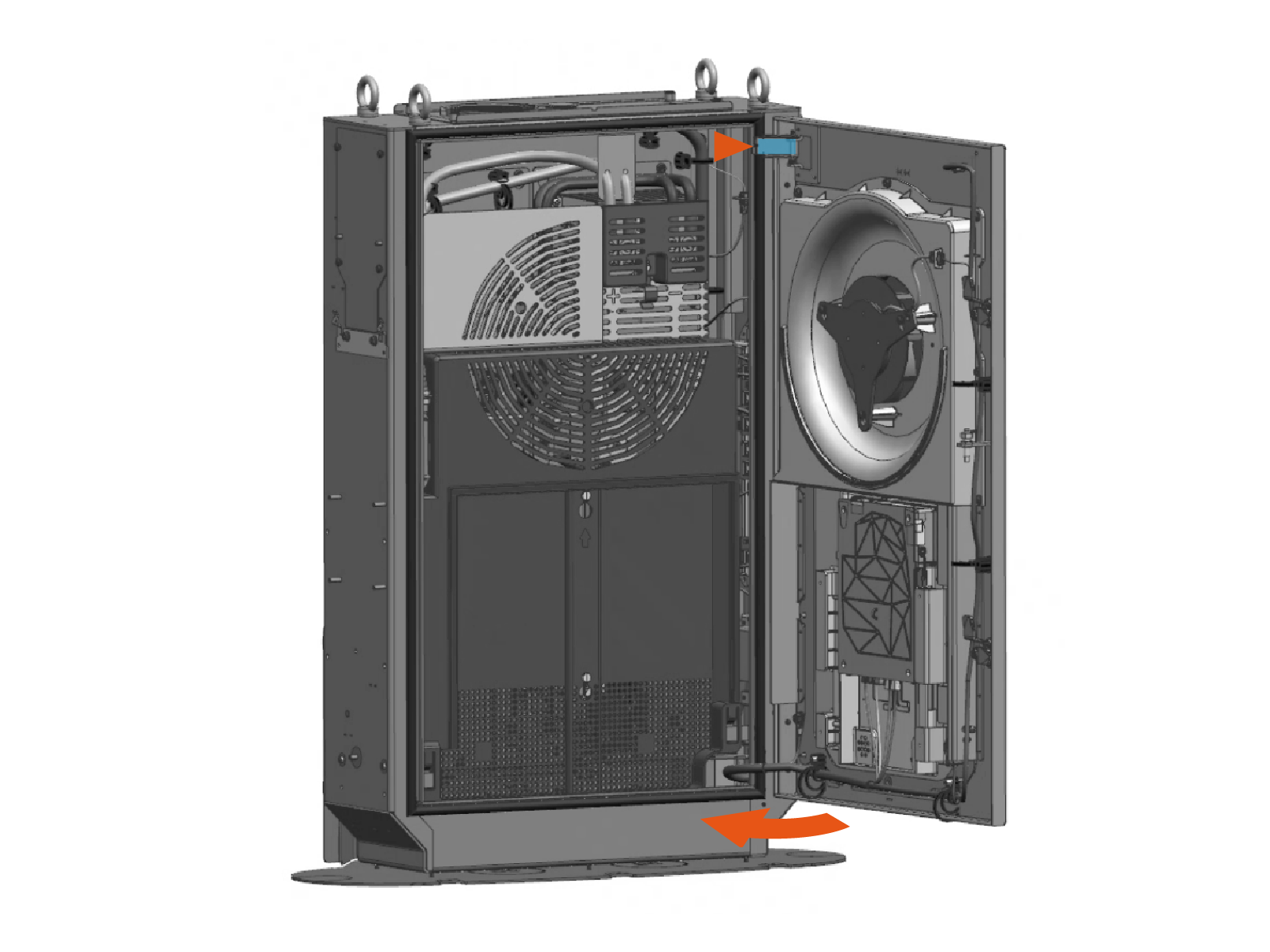
Disengage the windstop and close the door.
-
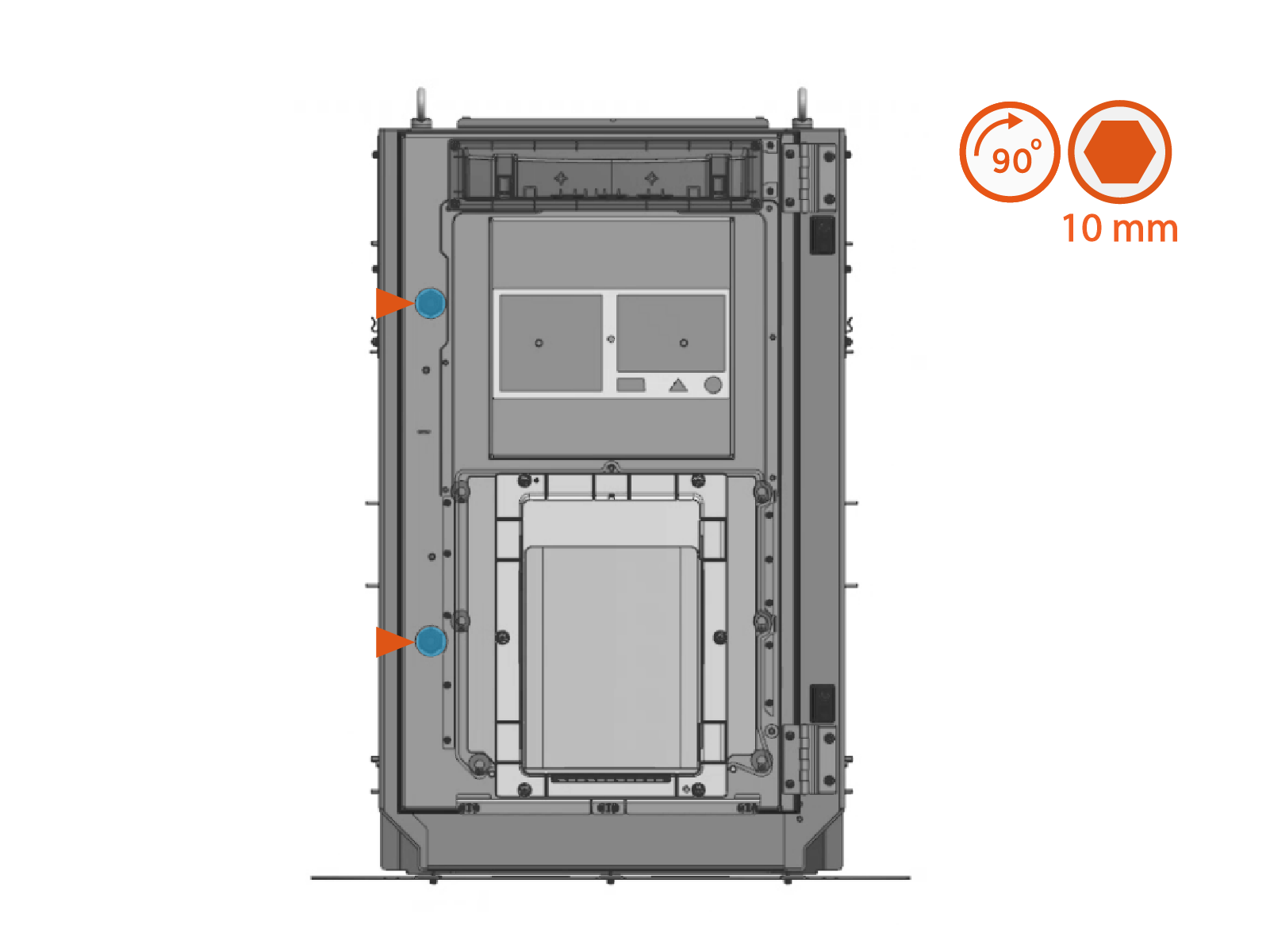
Quarter turn the door latches (x2).
Close and Lock PD Controller
-
Vacuum any residue from the bottom of the enclosure.
-
Close the door.

-
Quarter turn to lock the door.

Install Mast Panels and Covers
Parts Needed
The following parts are needed:
-
All parts from Mast Panels and Covers Crate
-
Parts from the Mast Installation Parts Crate:
-
Pivot hinge plugs (x2)
-
3/8 in button-head screws (x16)
-
Lanyards with caribiner clips (x3)
-
-
Parts from the Mast Components Kit:
-
Door window cover
-
Mesh screens, small (x2)
-
Mesh screen, large
-
M4 screws and M4 oversized washers (x10 each)
-
M6 screws and M6 nuts (x18 each)
-
-
Saved mast part:
-
Pins (x2) (originally used to secure pivot yokes)
-
Install Covers and Panels
-
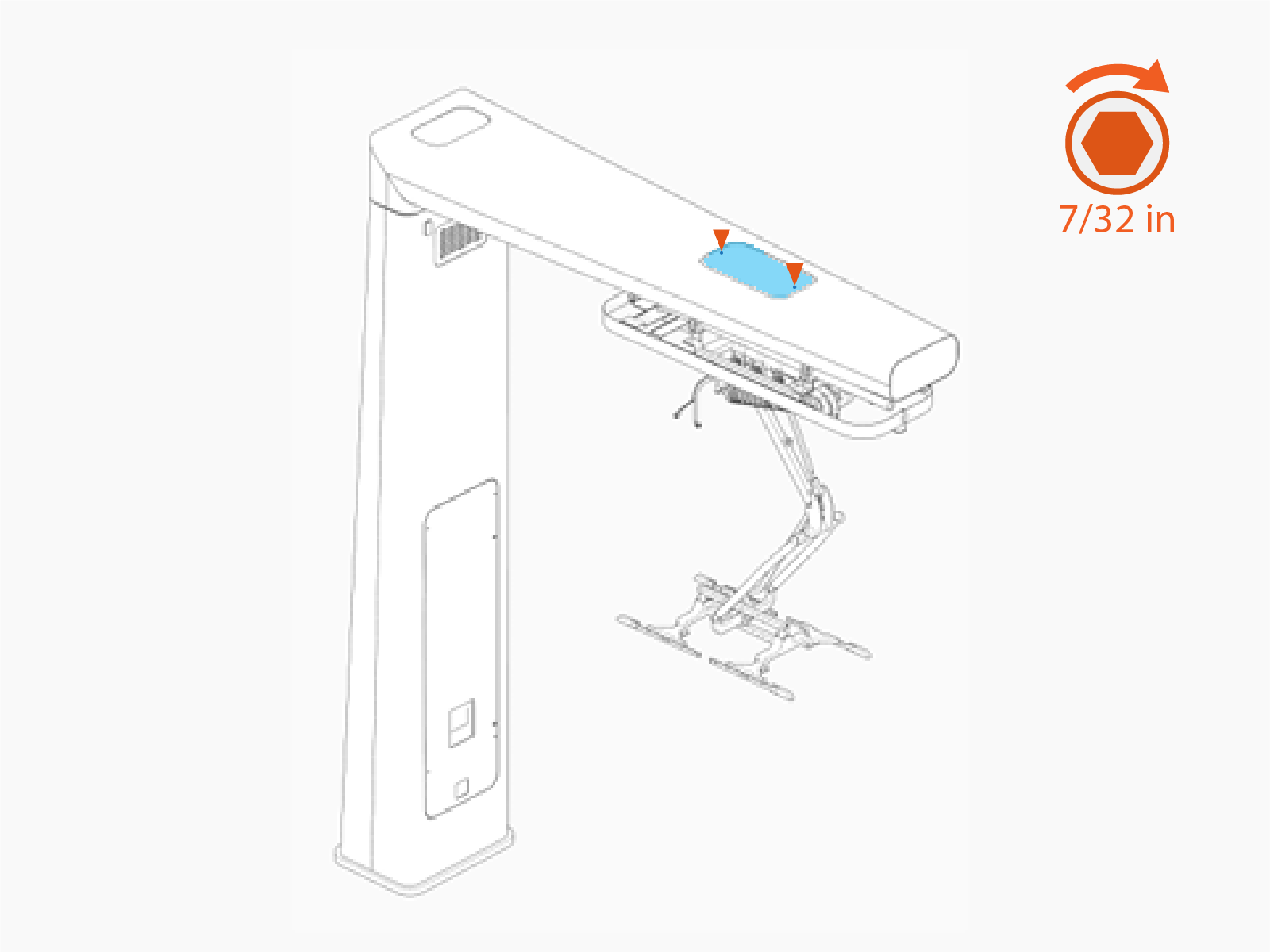
Install the pantograph access cover. Secure with 3/8 in button-head screws (x2). Torque to 5.6 Nm (50 in-lb).
-
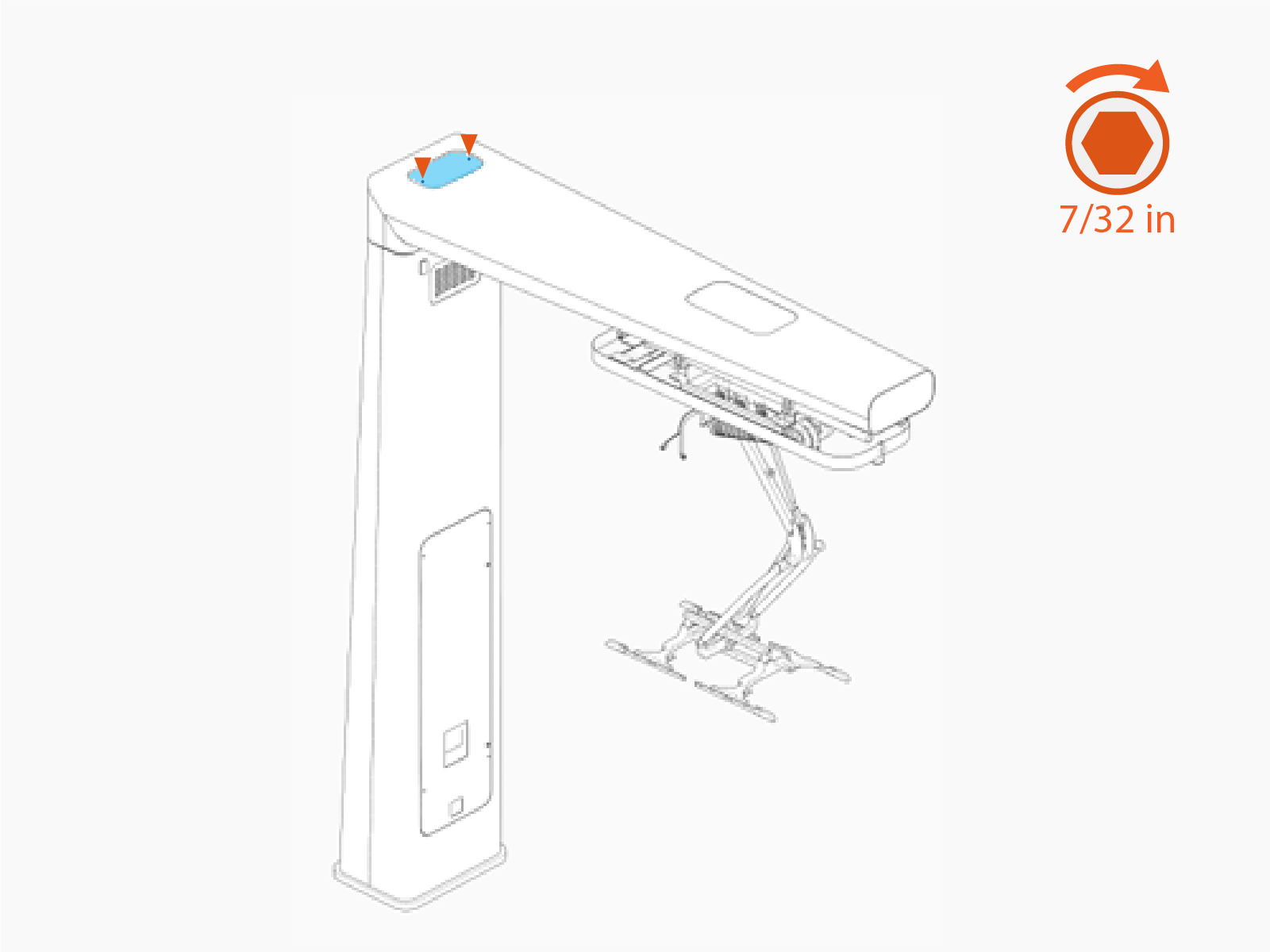
Install the hinge access cover. Secure with 3/8 in button-head screws (x2). Torque to 5.6 Nm (50 in-lb).
-
Position the mast endcap close to the mast arm. Clip one end of a lanyard to the endcap bracket. Clip the other end of the lanyard just inside the mast arm.
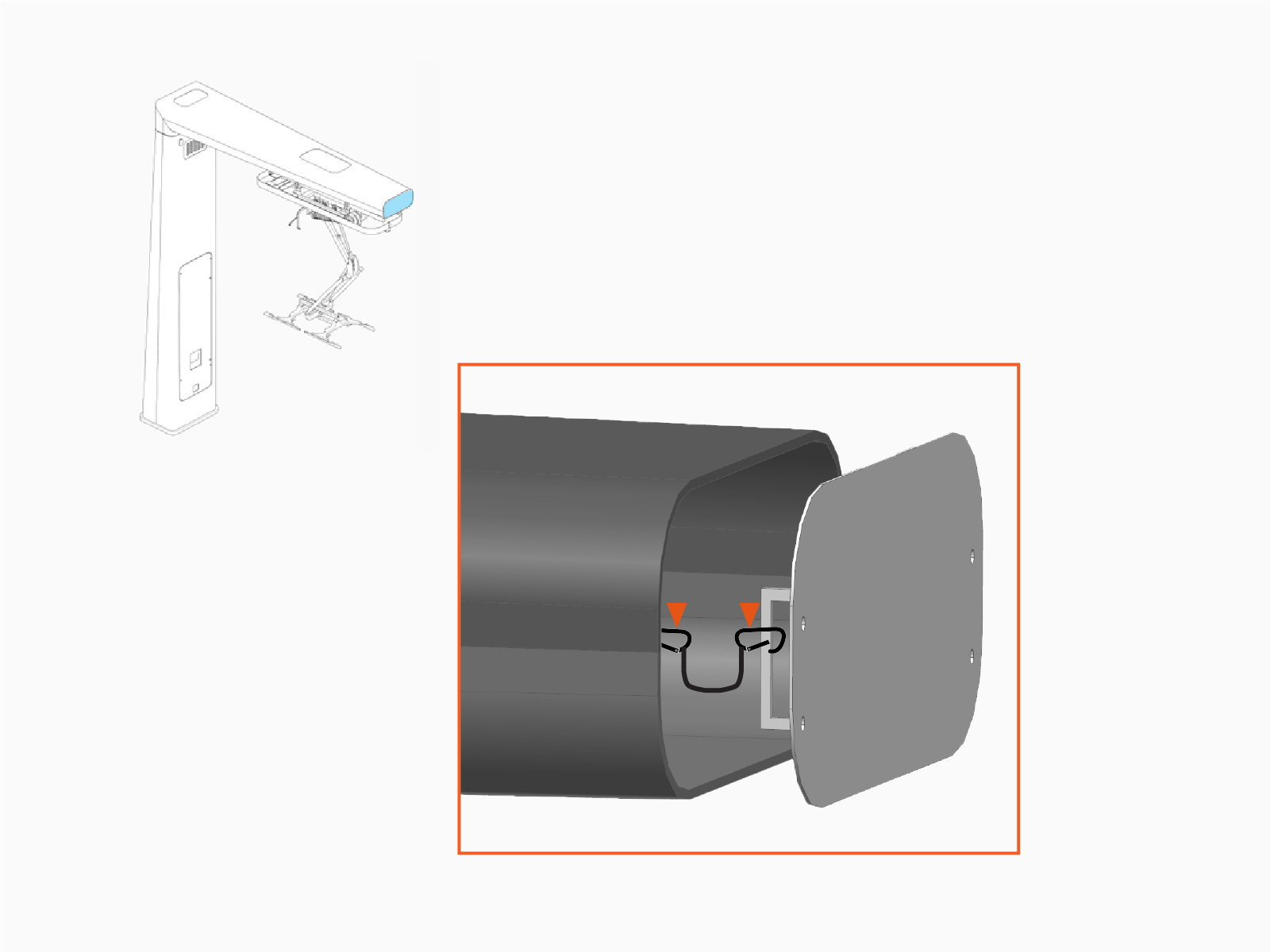
-
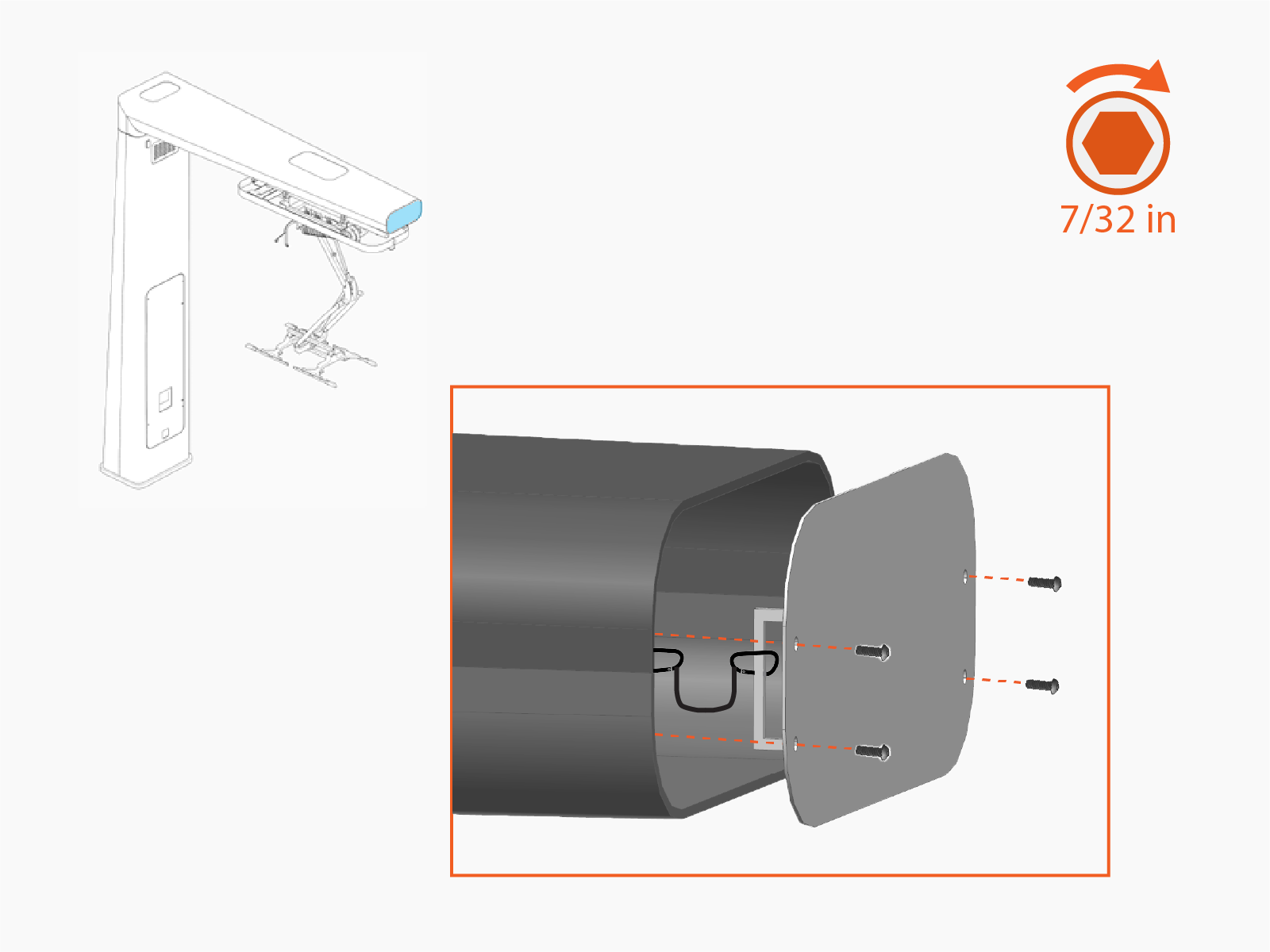
Install the endcap. Secure with 3/8 in button-head screws (x4). Torque to 5.6 Nm (50 in-lb).
-
Install pivot hinge plugs (x2). Inside the mast column, secure each plug with a pin.
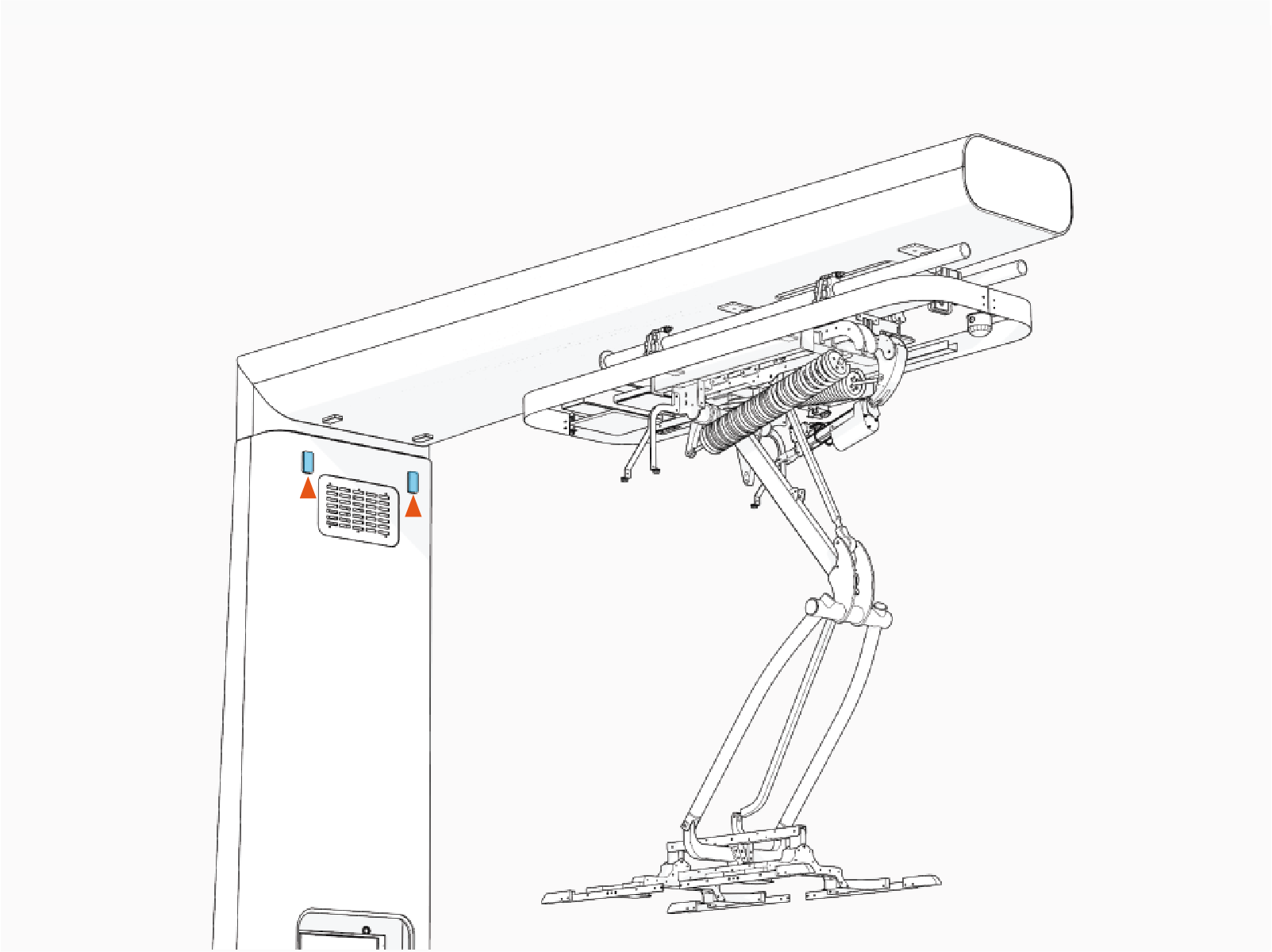
-
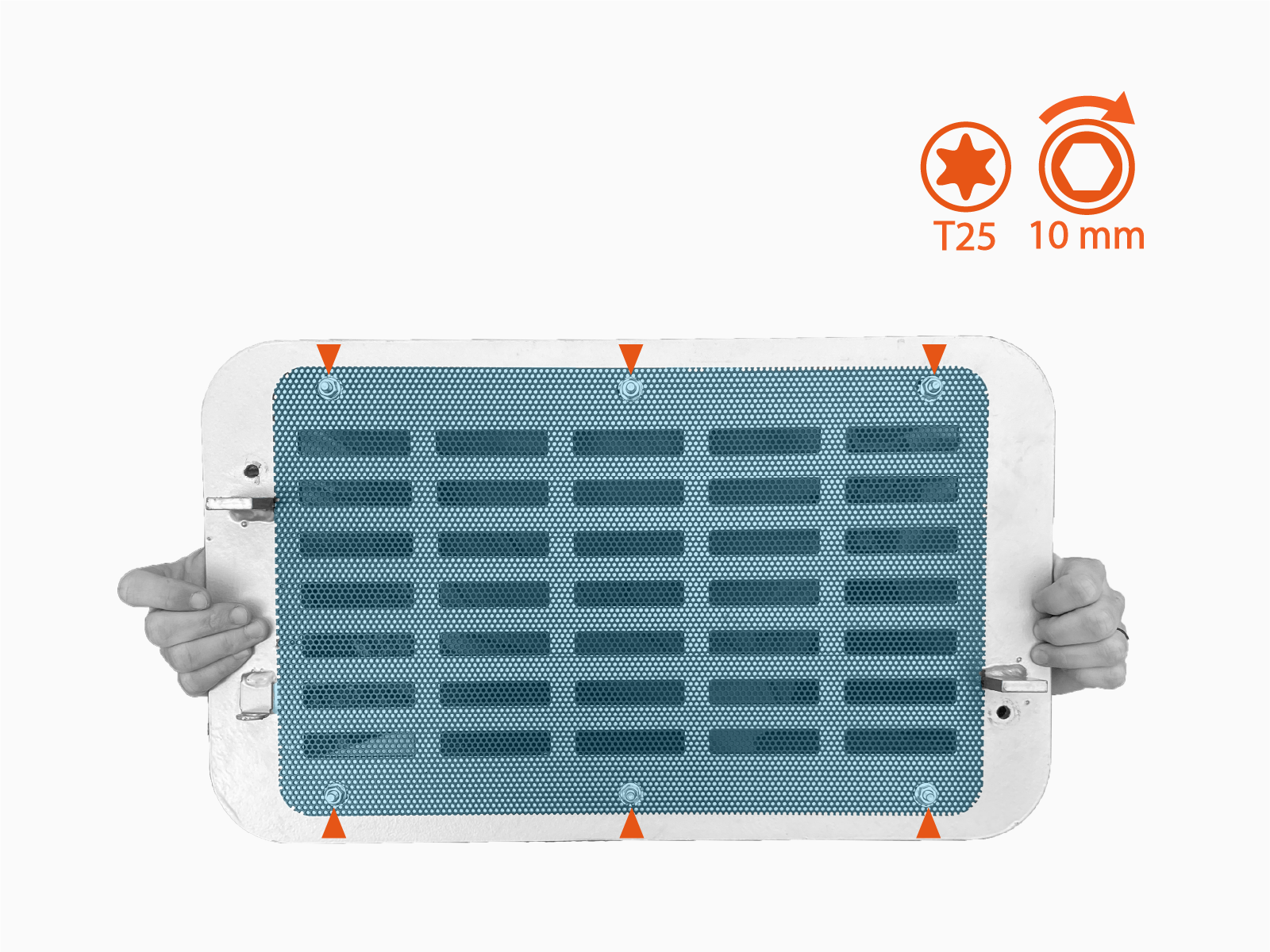
Find the upper vent panels. Identify the side of the panel with a bracket (a). This is the rear side of the panel (the panel side that installs facing inside the mast).
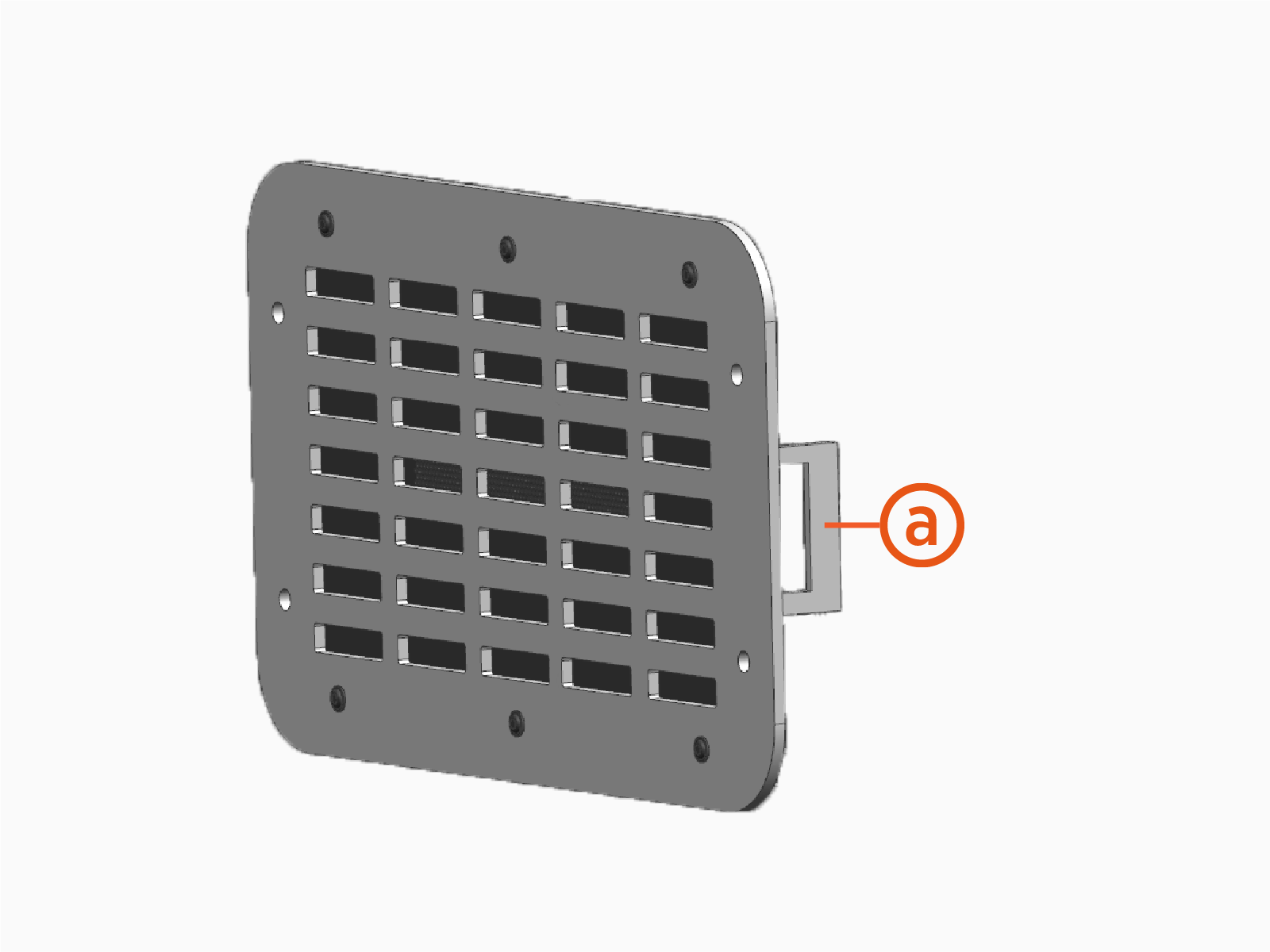
-
Fasten small mesh screens to the rear side of the upper vent panels (x2). Use M6 screws and flange nuts (x6 each screen). Torque to 5.6 Nm (50 in-lb).
-
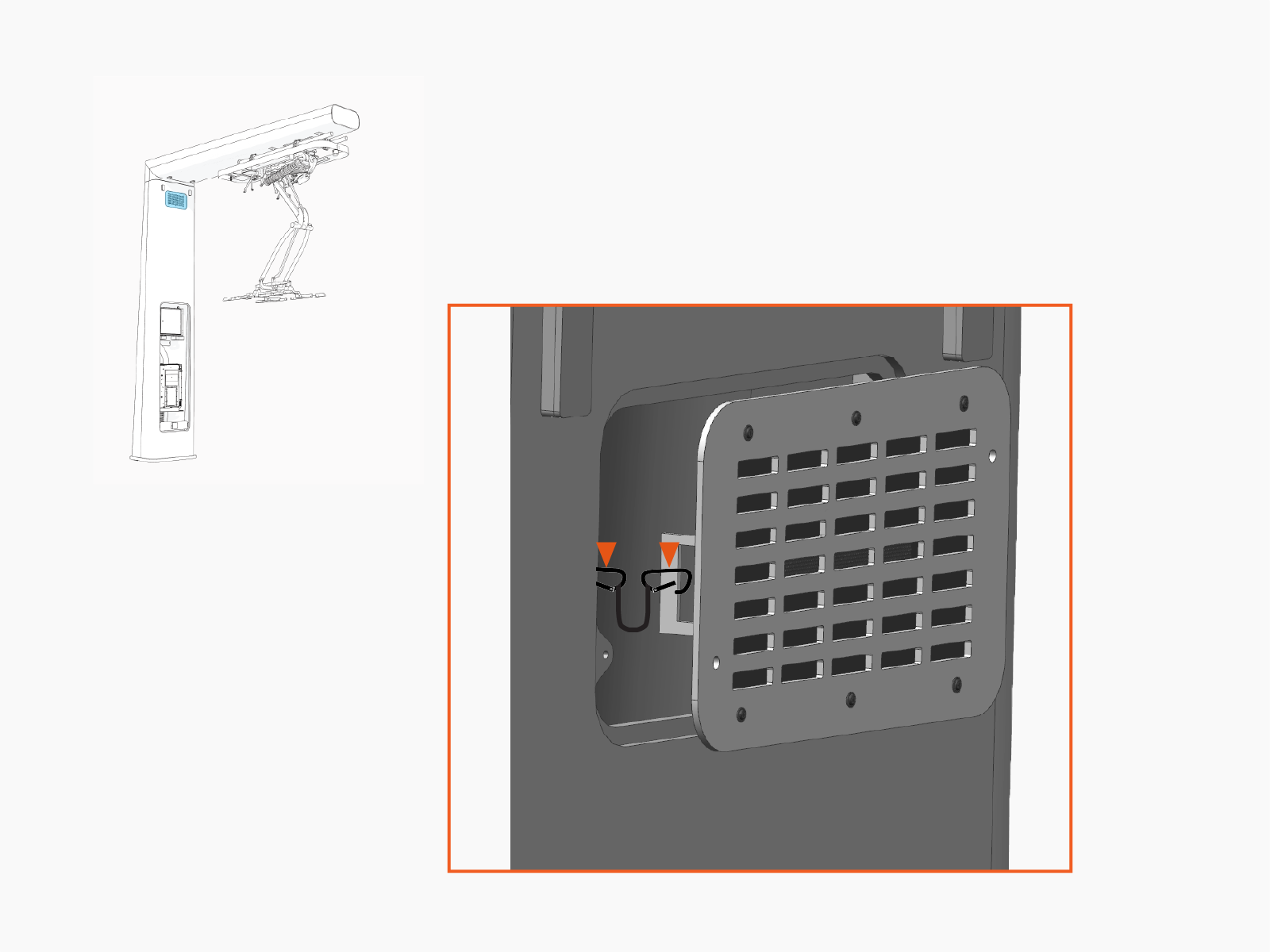
Position an upper vent panel at the front vent opening. Clip one end of a lanyard to the vent panel bracket. Clip the other end of the lanyard just inside the vent opening.
-
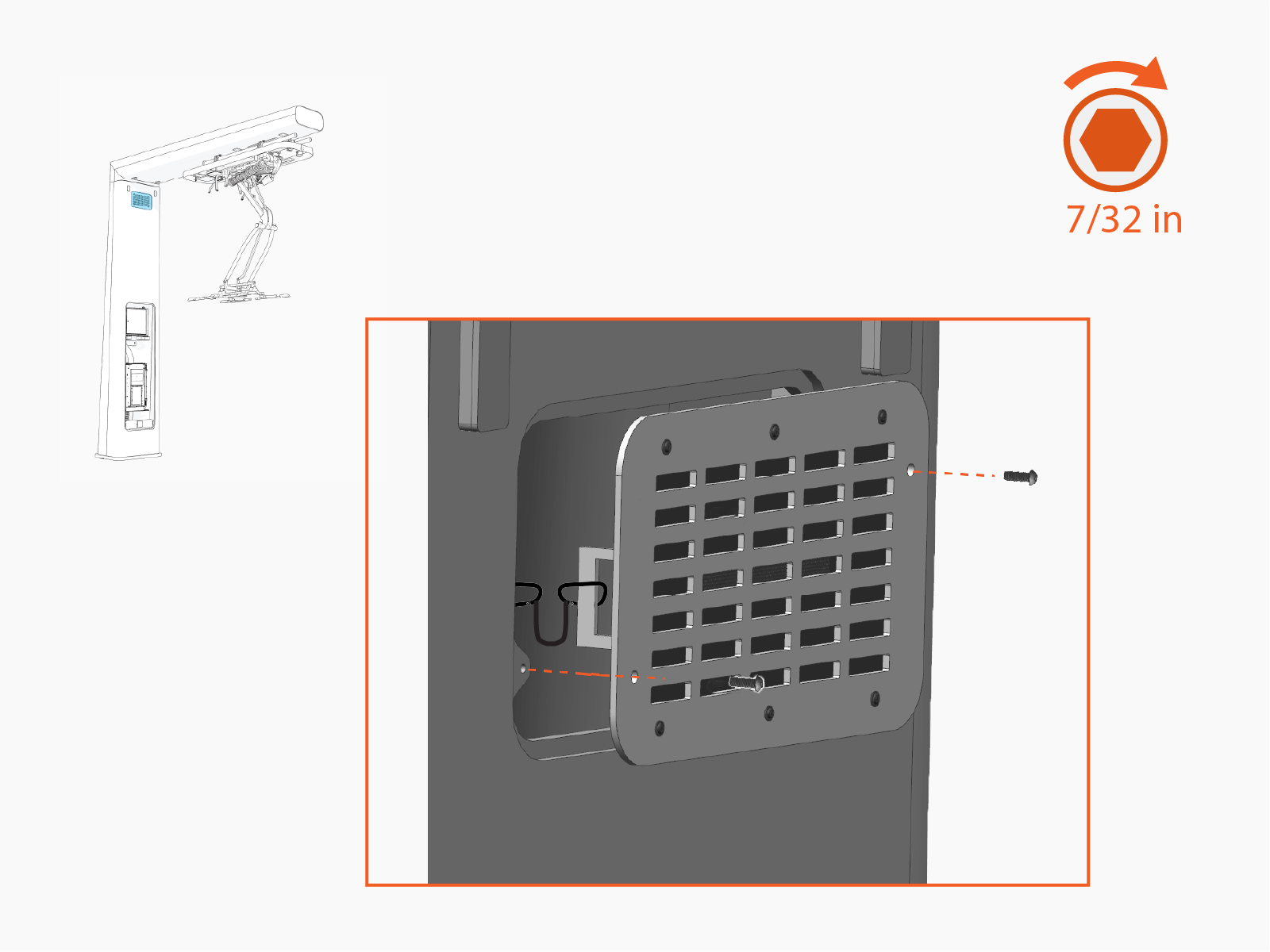
Install the vent panel. Secure with 3/8 in button-head screws (x2). Torque to 5.6 Nm (50 in-lb).
-
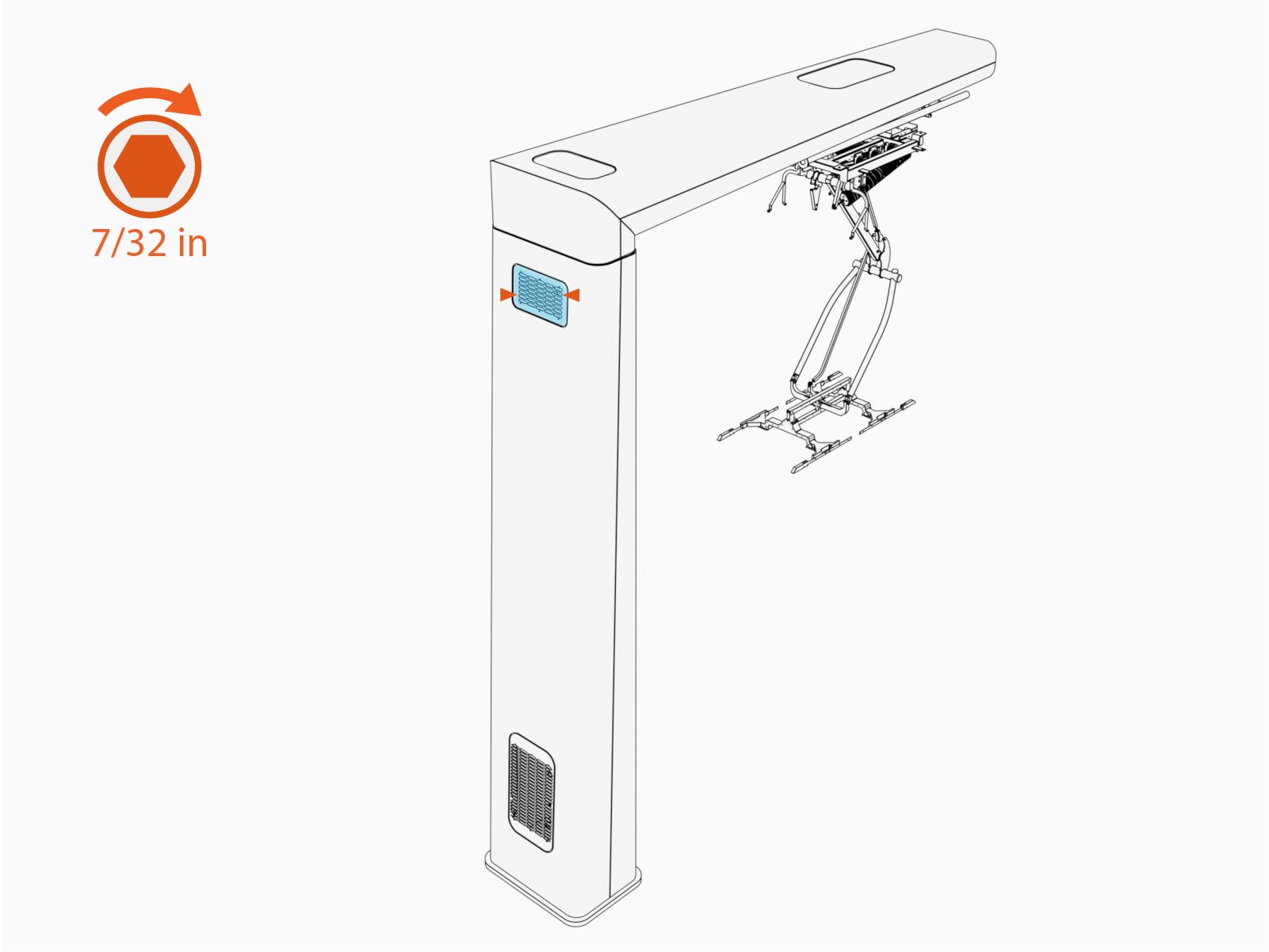
Repeat to install the remaining vent panel (with lanyard) at the upper rear vent opening. Torque fasteners (x2) to 5.6 Nm (50 in-lb).
-
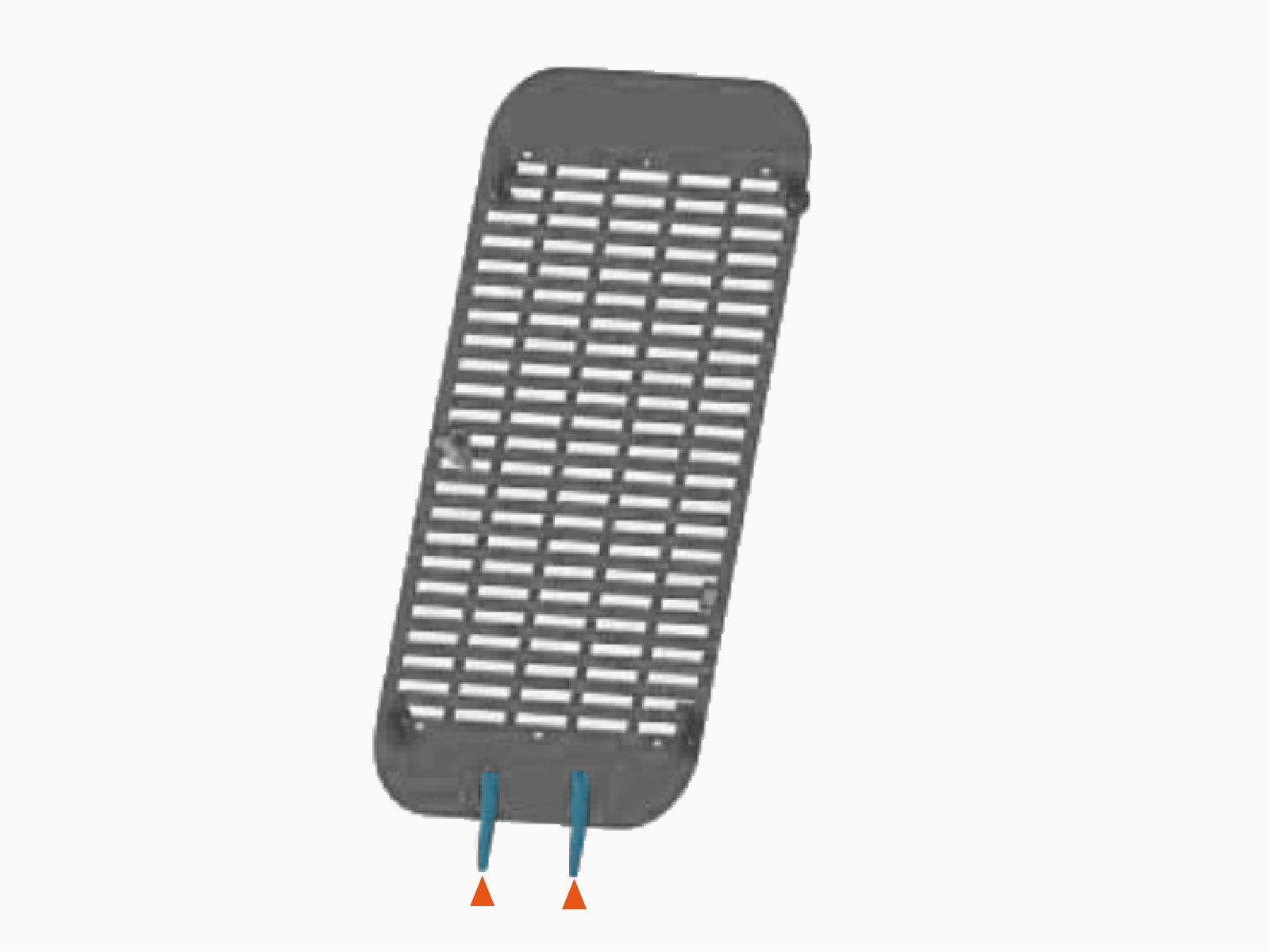
Find the lower rear vent panel. Identify the side of the panel with two brackets. This is the rear side of the panel (the panel side that installs facing inside the mast).
-
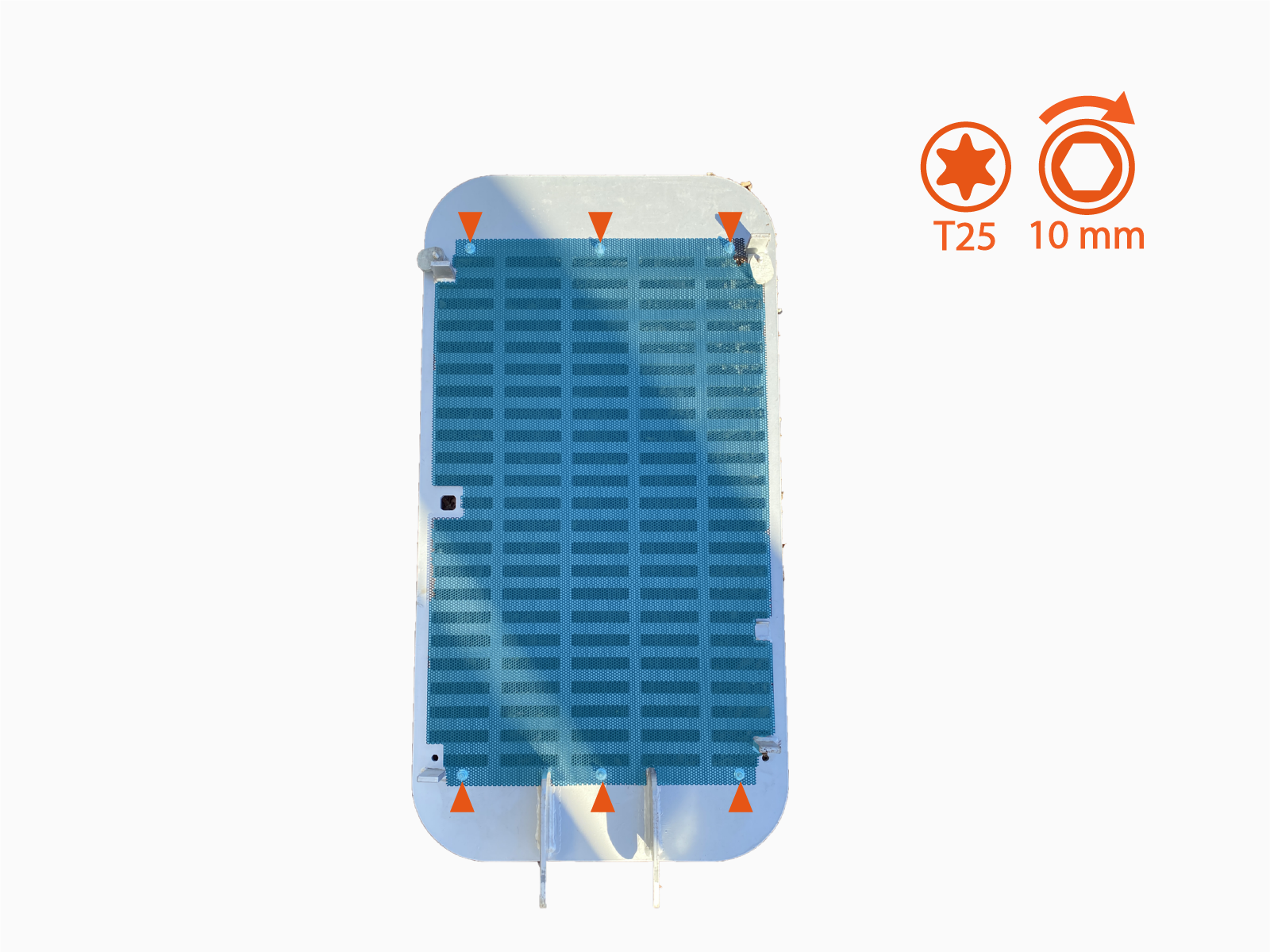
Fasten large mesh screen on the rear side of the lower rear vent panel. Use M6 screws and flange nuts (x6 each). Torque to 5.6 Nm (50 in-lb).
-
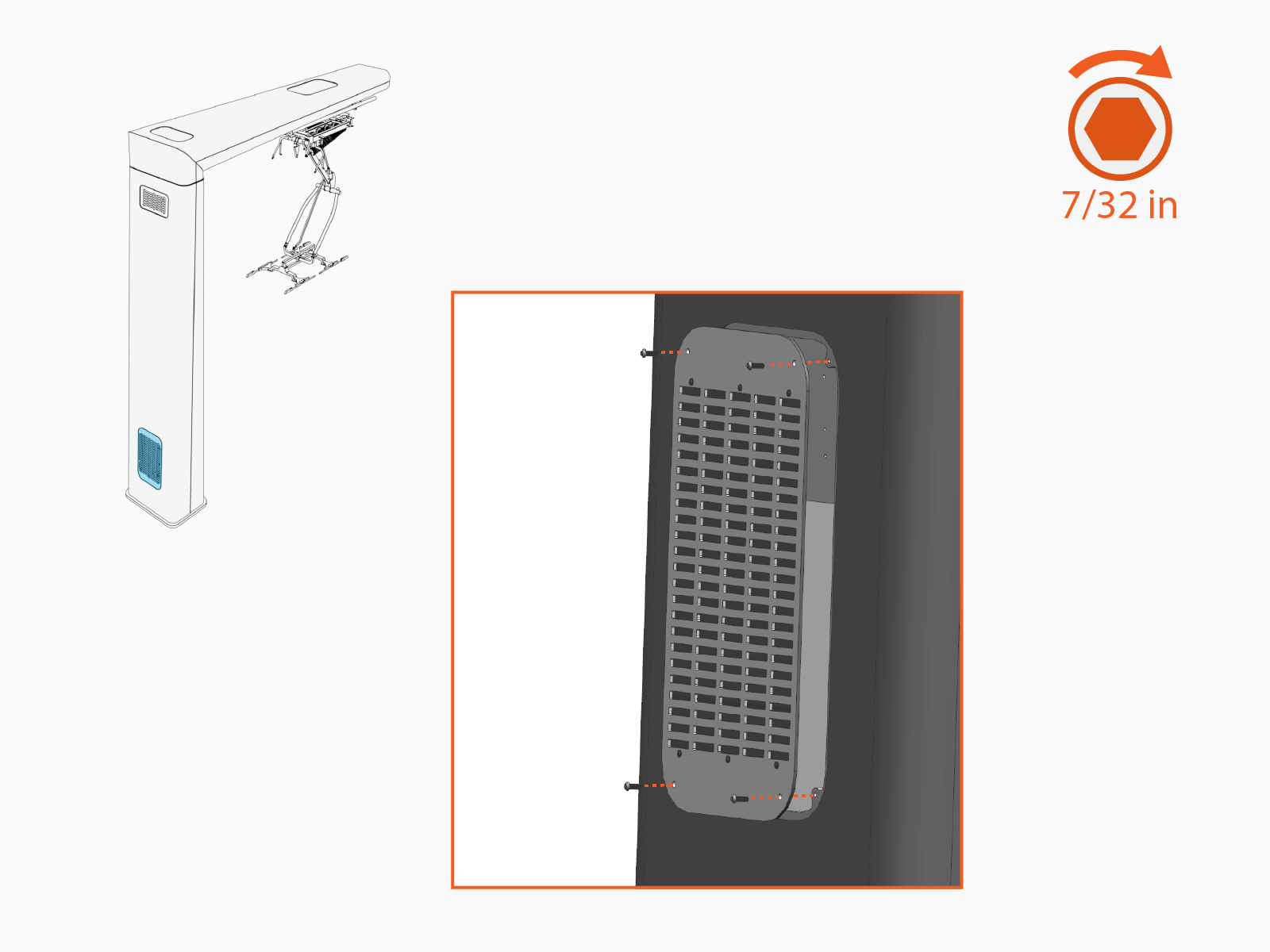
Install the lower rear vent panel. Secure with 3/8 in button-head screws (x4). Torque to 5.6 Nm (50 in-lb).
-
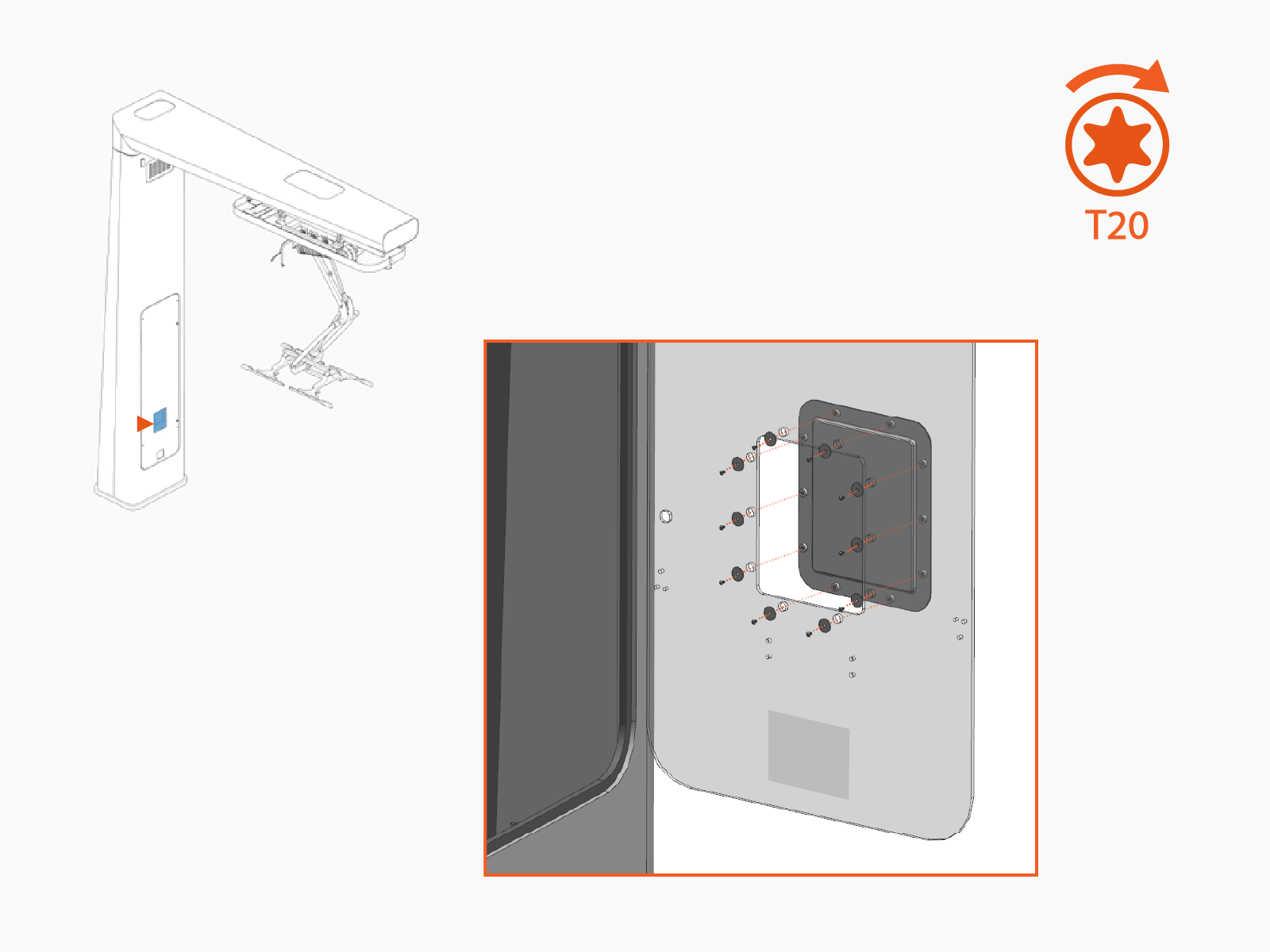
Install door window cover. Secure with M4 screw and M4 oversized washer (x10 each). Torque to 1.1 Nm (10 in-lb).
Seal Conduits
-
Vacuum any residue from inside the base of the mast.
-
Apply duct seal compound in conduit openings.
Close Door
-
Close the mast door.
-
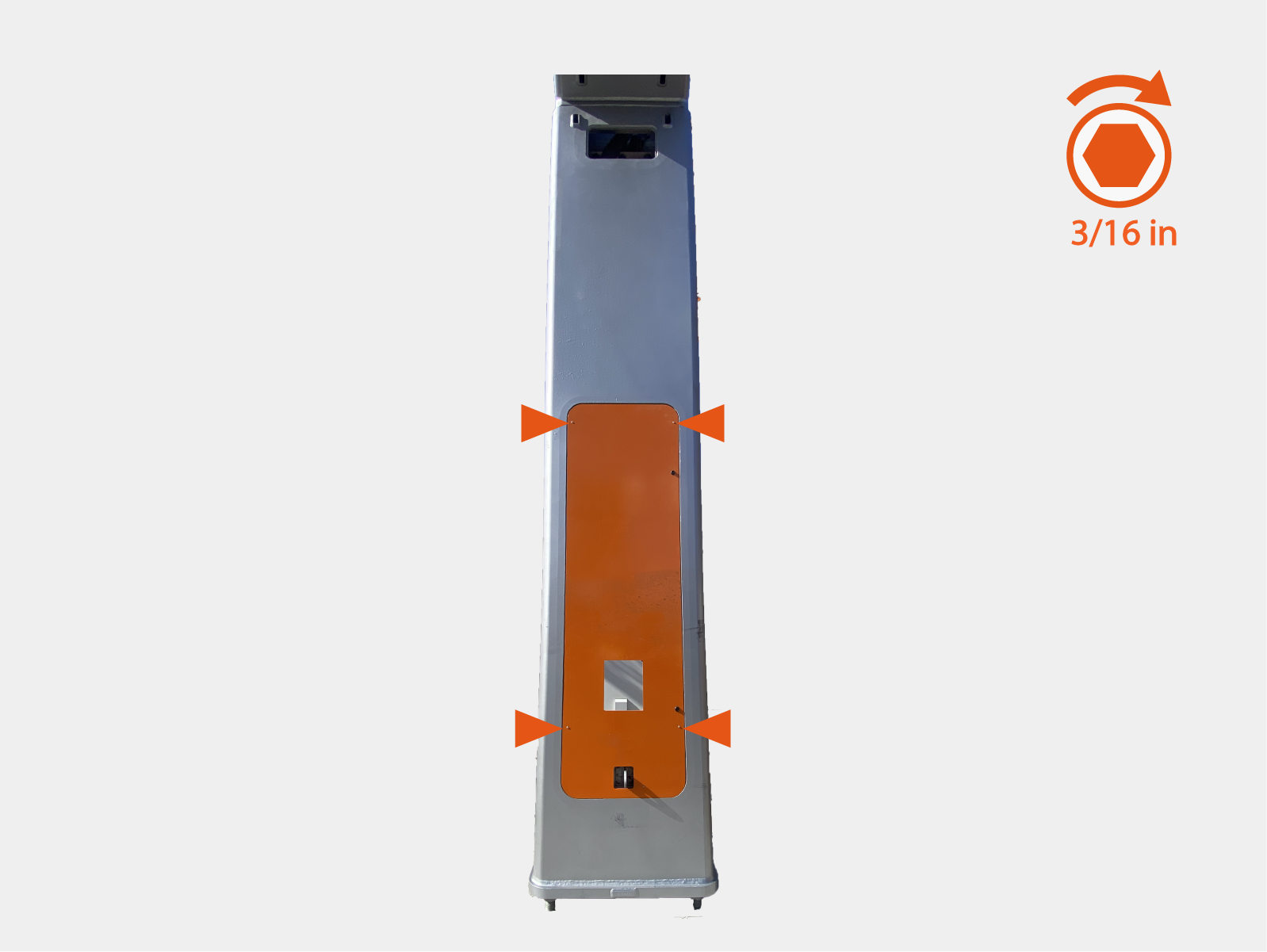
Hand tighten screws (x4) until latches lock onto the mast. Test door to ensure latches are secure.
-
Quarter turn to engage door cam locks (x2).