Mount Auxiliary Components to Schunk SLS 201
Overview and Parts Needed
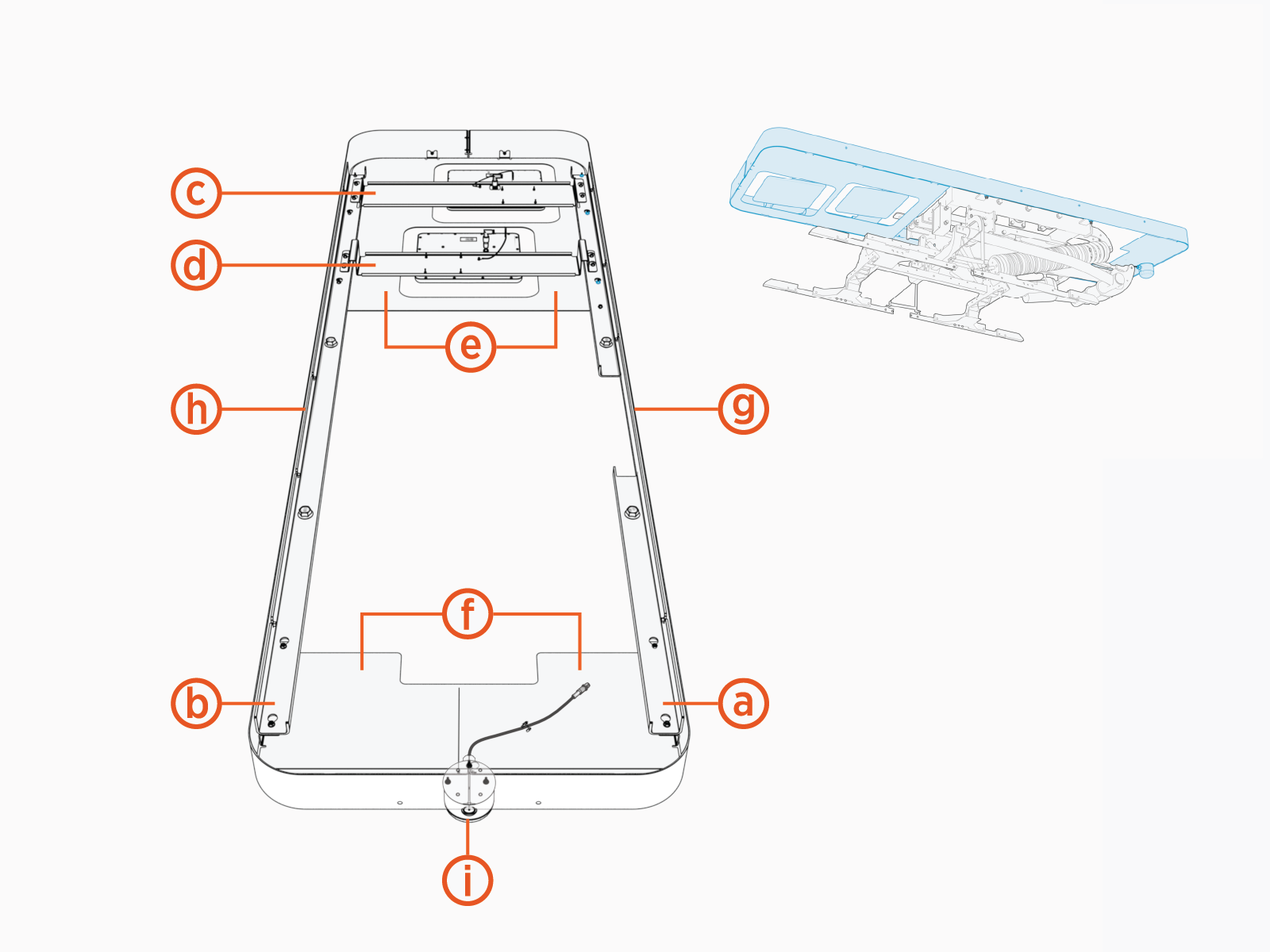
A mounting frame attaches the Wi-Fi Wireless Fidelity antenna, RFID Radio Frequency IDentification antenna, and status LED to the Schunk SLS 201 pantograph.
-
Mounting frame rail, right
-
Mounting frame rail, left
-
Wi-Fi
Wireless Fidelity antenna assembly -
RFID
Radio Frequency IDentification antenna assembly -
Mounting frame cover, rear
-
Mounting frame cover, front
-
Mounting frame side cover, right
-
Mounting frame side cover, left
-
Status LED
To prepare for auxiliary components installation, find the following parts from the Auxiliary Components Kit:
-
All parts listed above
-
M16 bolt and flange nut (x4 each)
Install Side Rails
-
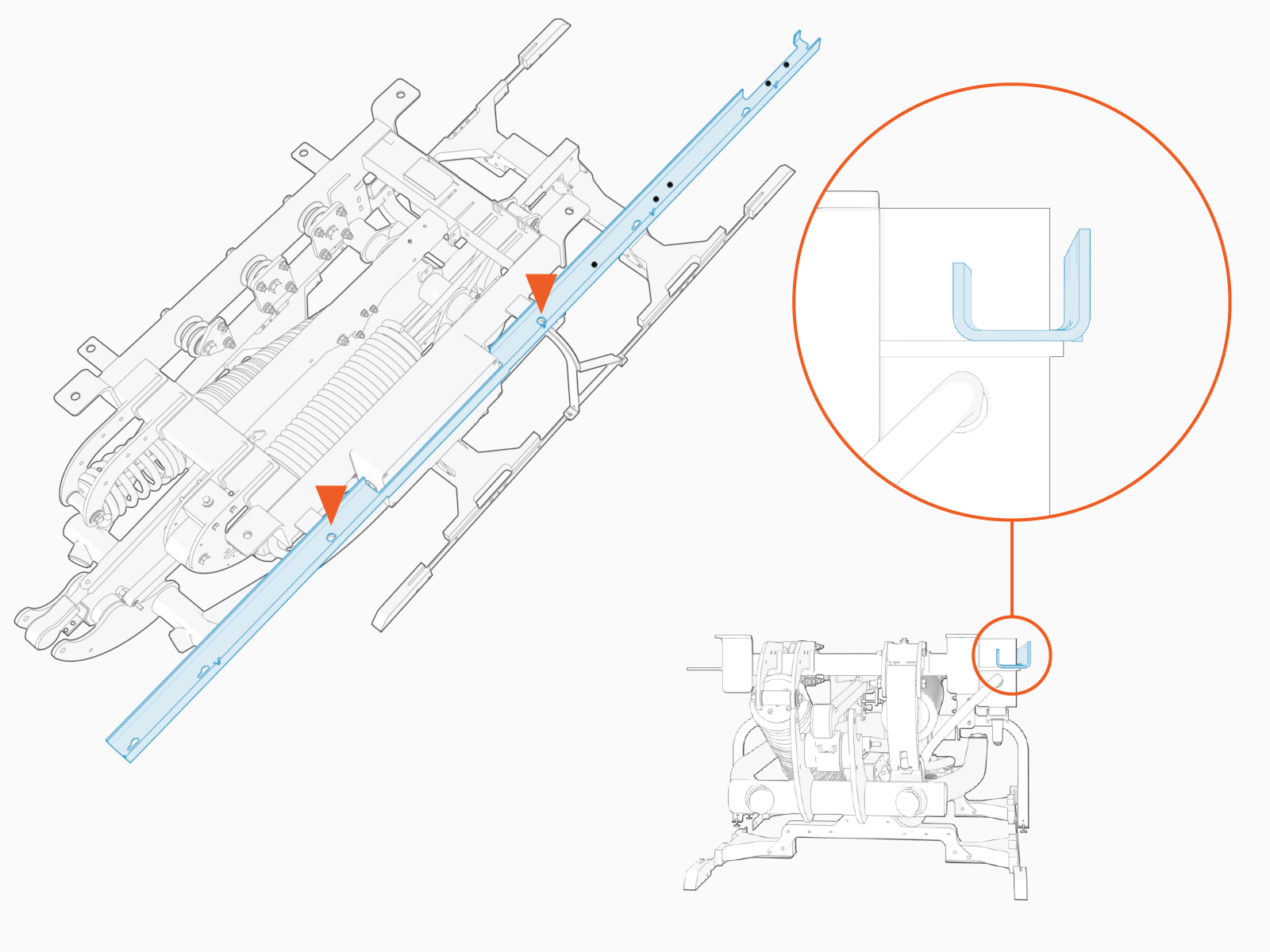
Align the right side rail to the pantograph aid mounting supports.
The right side rail has a cutout notch to accommodate the pantograph electric control unit. The left side rail does not.
-
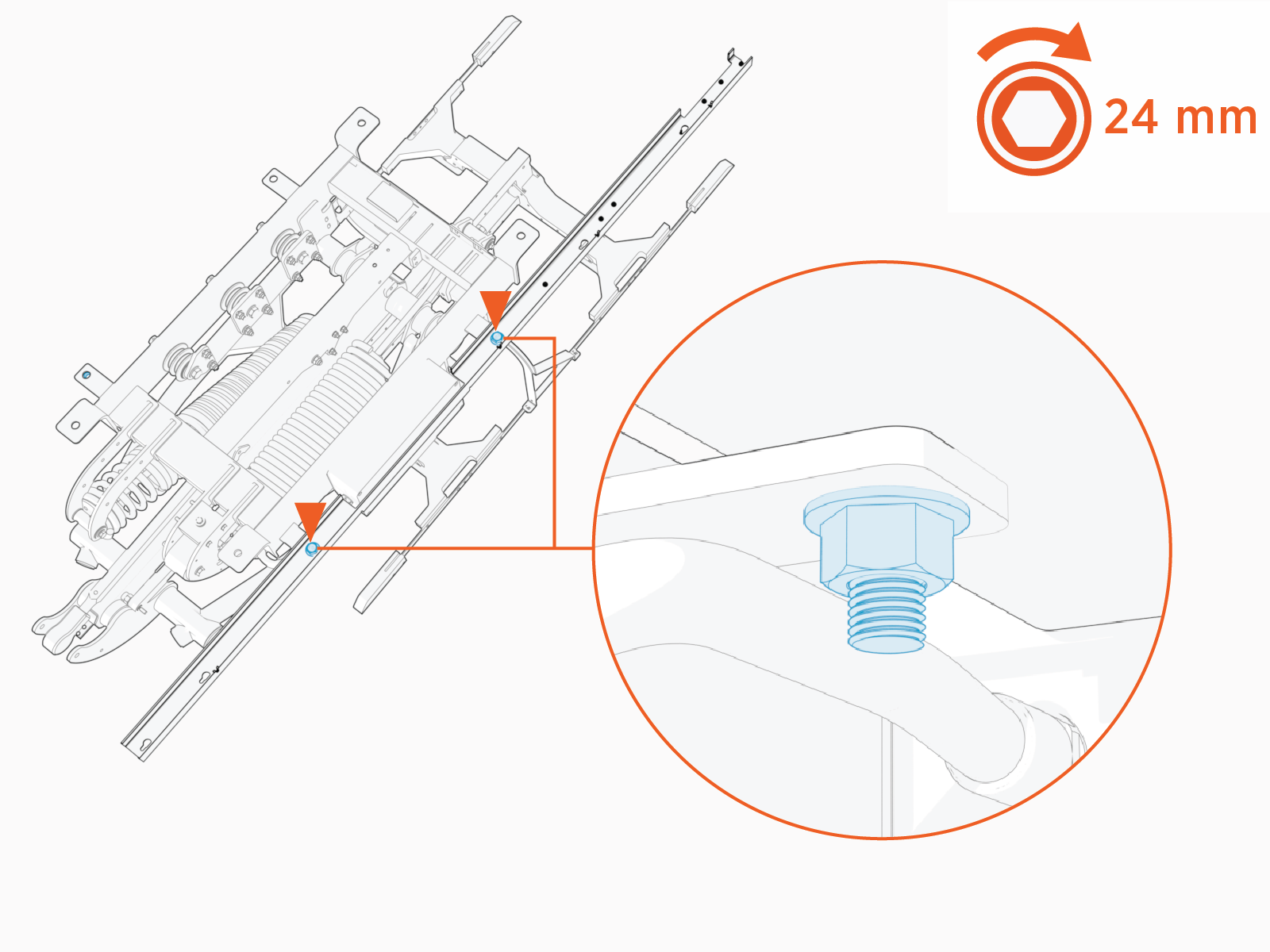
Install M16 bolt and flange nut at mounting supports (x2 fastener sets total) to fasten rail. Torque to 94.9 Nm (70 ft-lb).
-
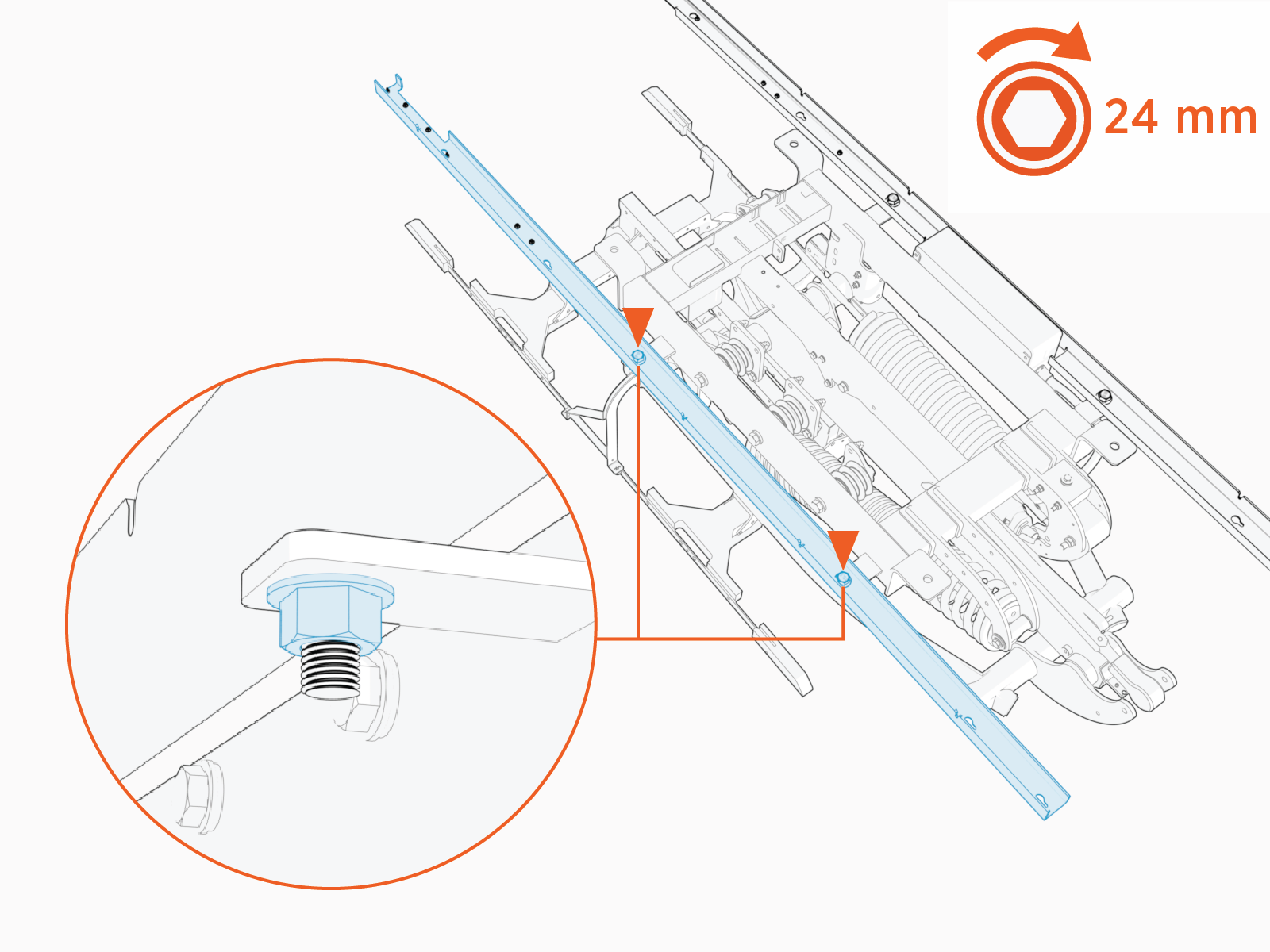
Repeat above steps to install the left side rail on the pantograph.
Install Wi-Fi and RFID Antenna Assemblies
-
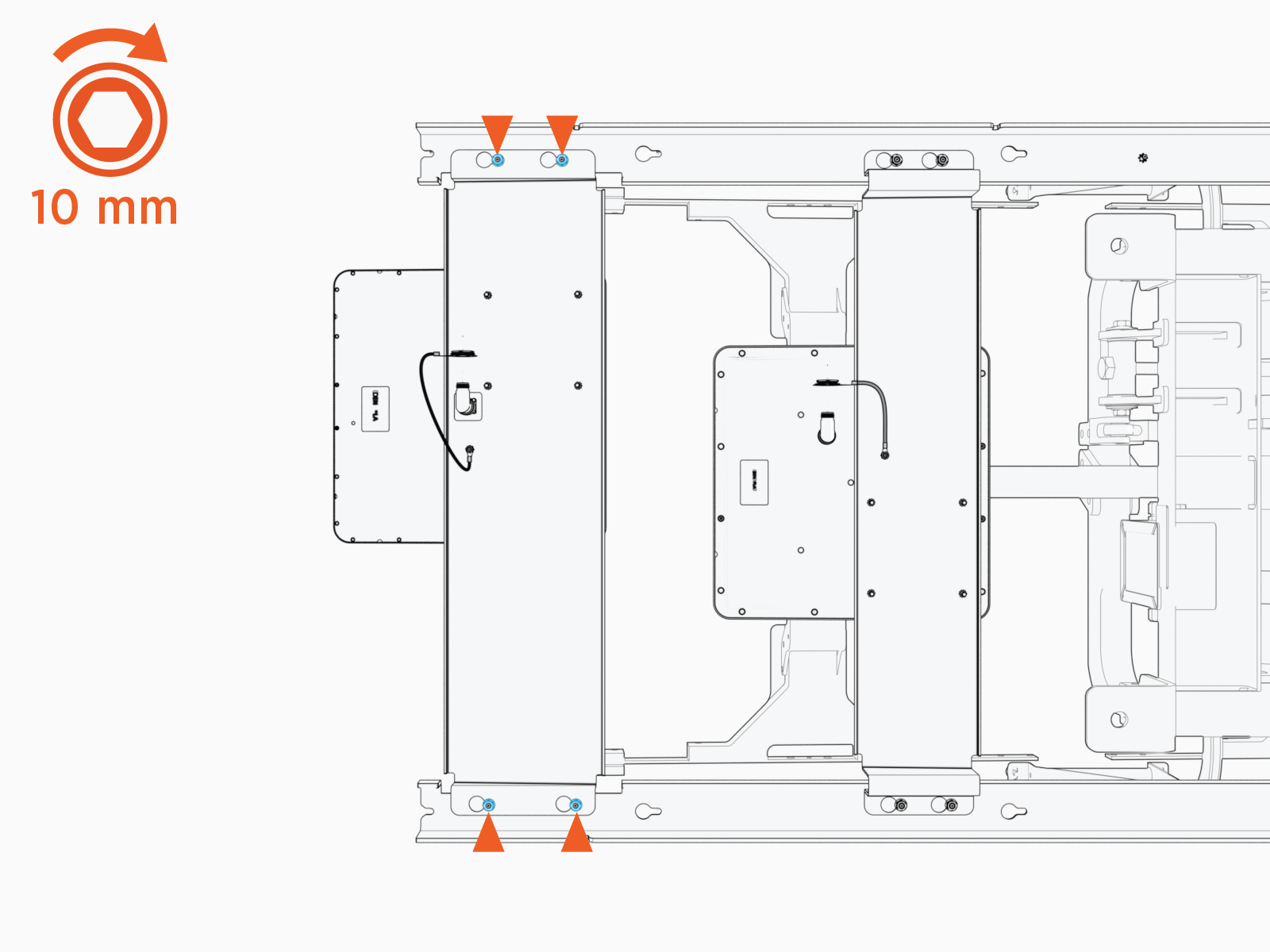
Loosen (do not remove) the M6 nuts (x8) at the rear of the left and right rails.
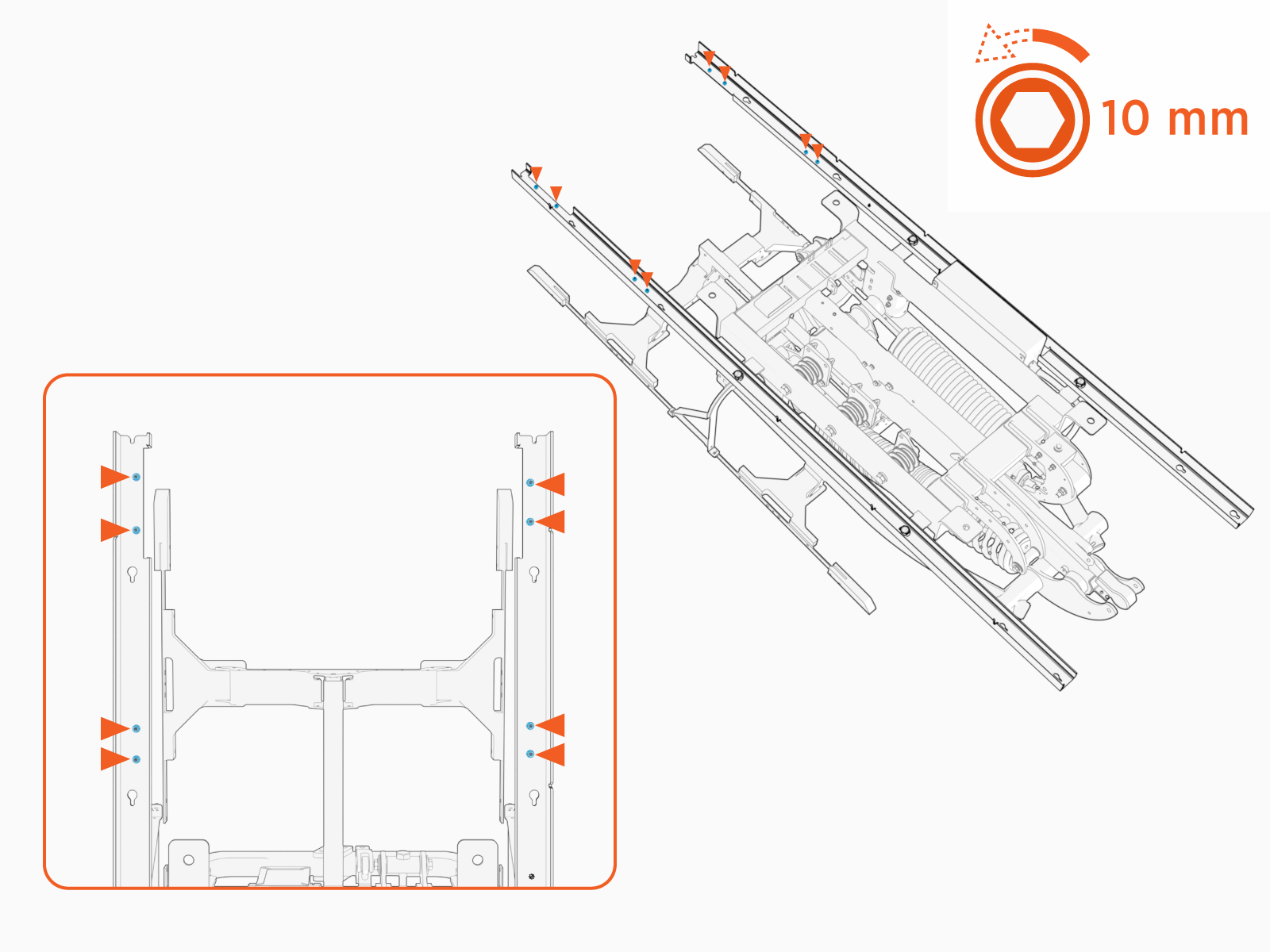
-
Install the RFID
Radio Frequency IDentification assembly onto the left and right rails. Slide the assembly until the keyholes lock on the mounting studs.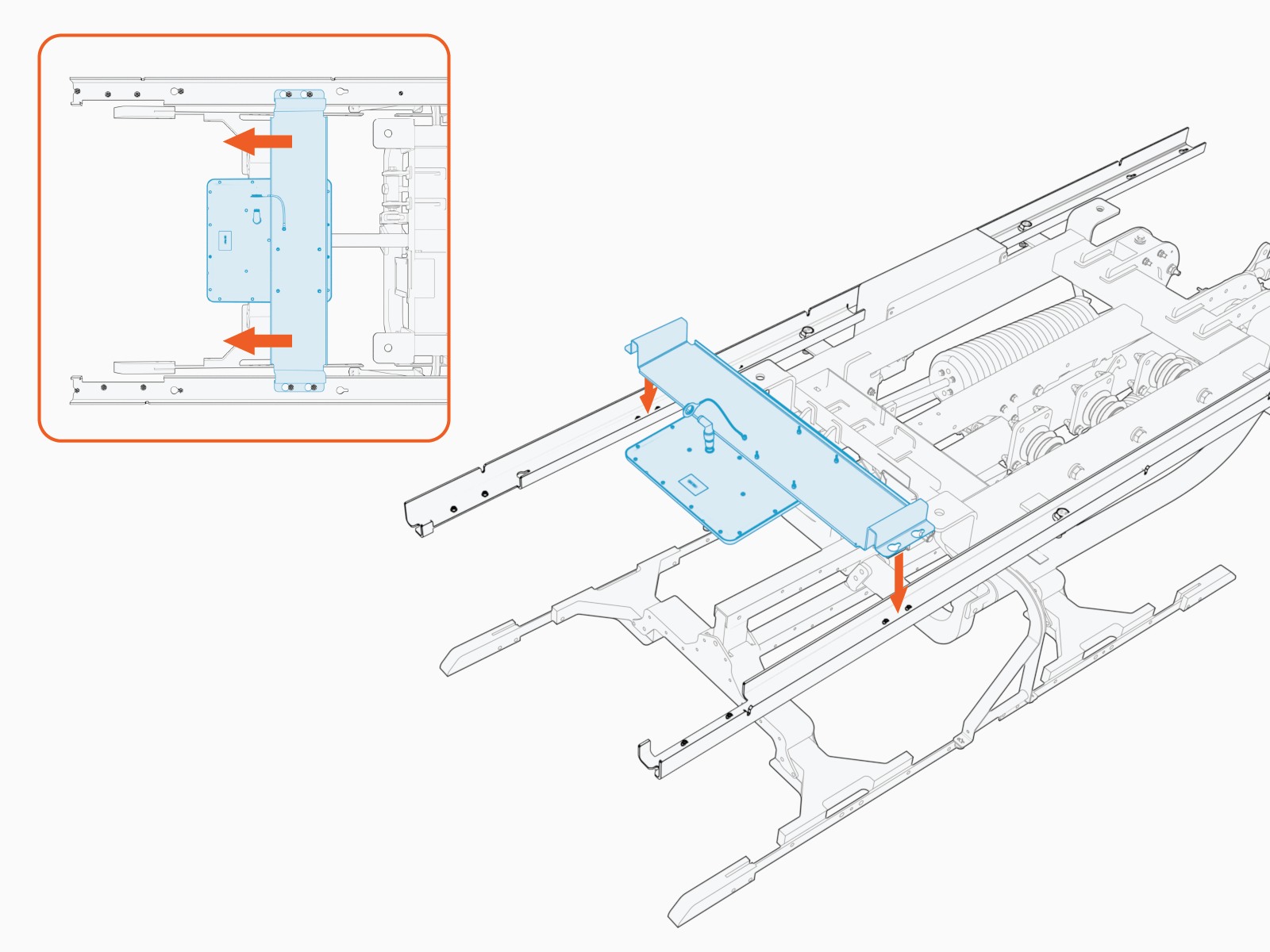
-
Tighten the M6 nuts (x4). Torque to 5.6 Nm (50 in-lb).
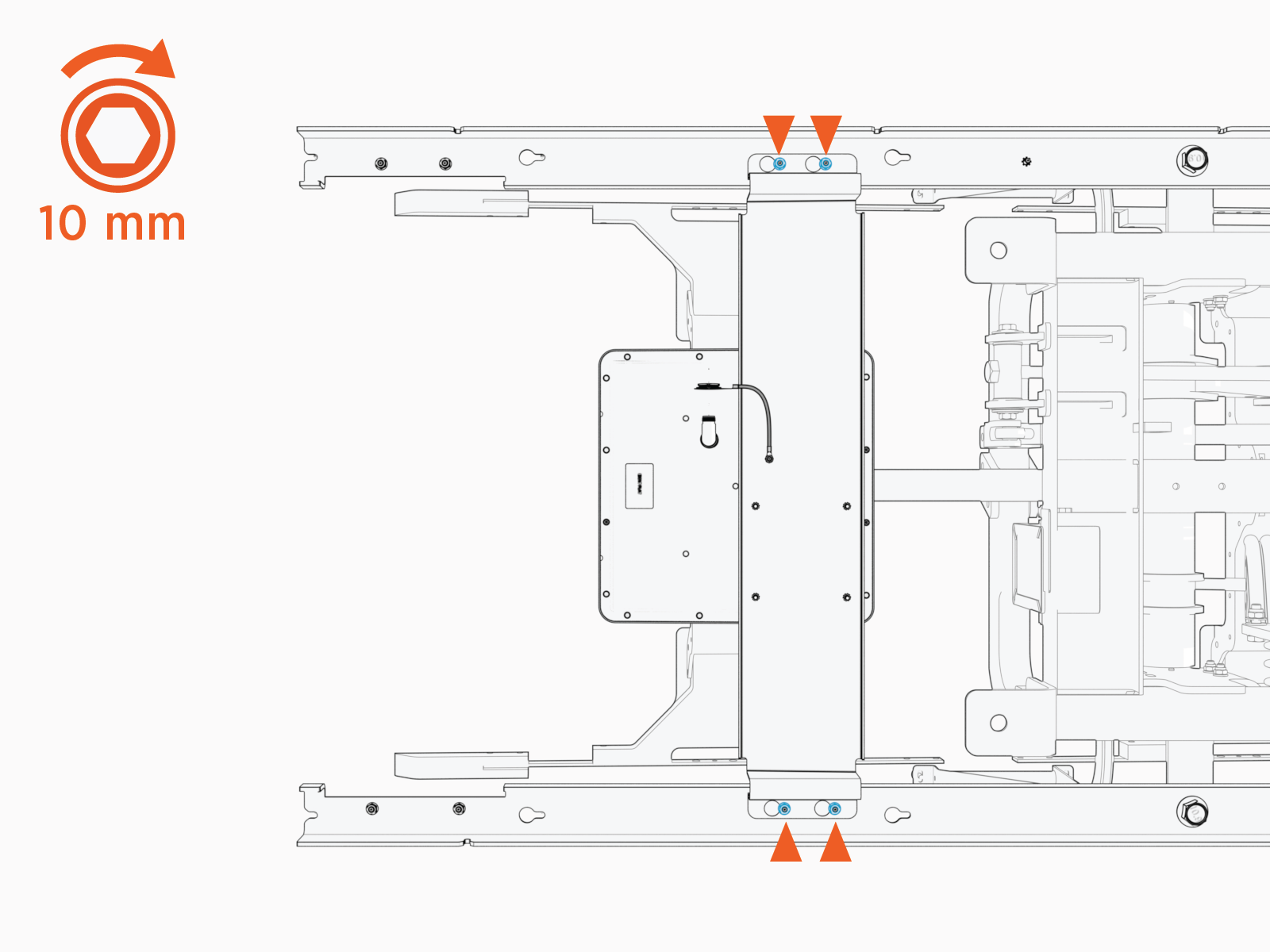
-
Install the Wi-Fi
Wireless Fidelity assembly onto the left and right rails. Slide the assembly until the keyholes lock on the mounting studs.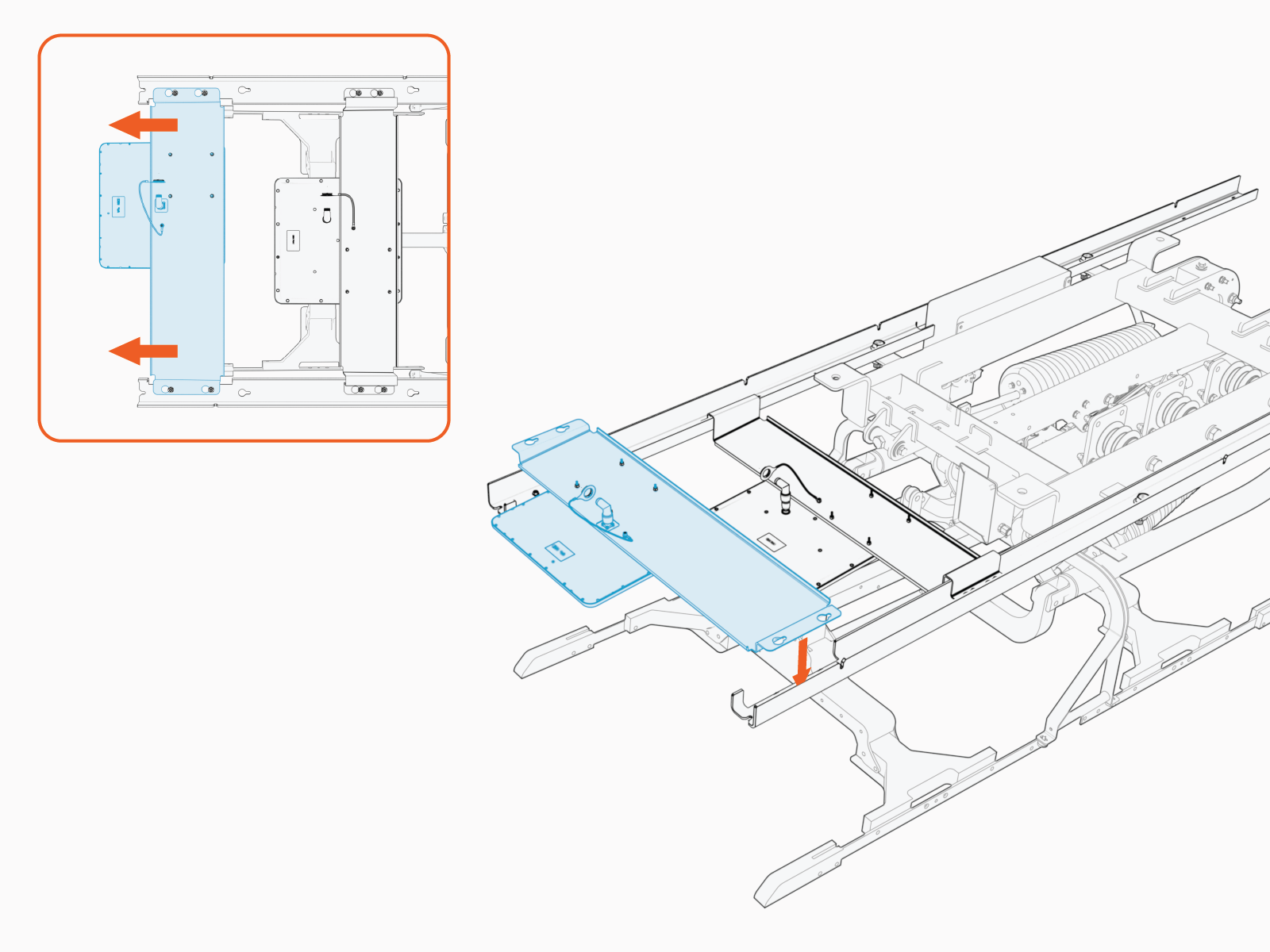
-
Tighten the M6 nuts (x4). Torque to 5.6 Nm (50 in-lb).
Install Front Cover and Status LED
-
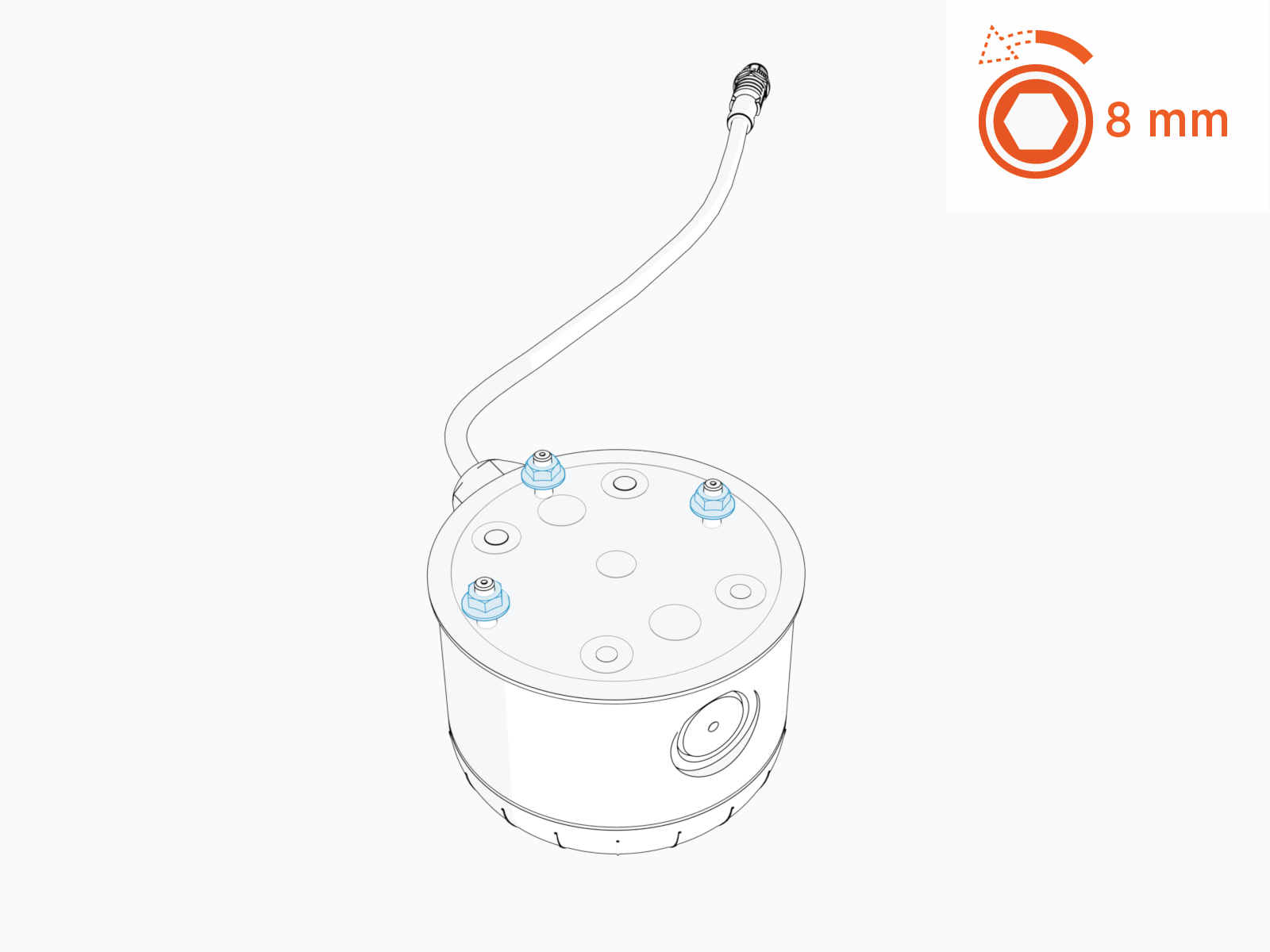
Loosen (do not remove) M5 nuts (x3) on the status LED.
-
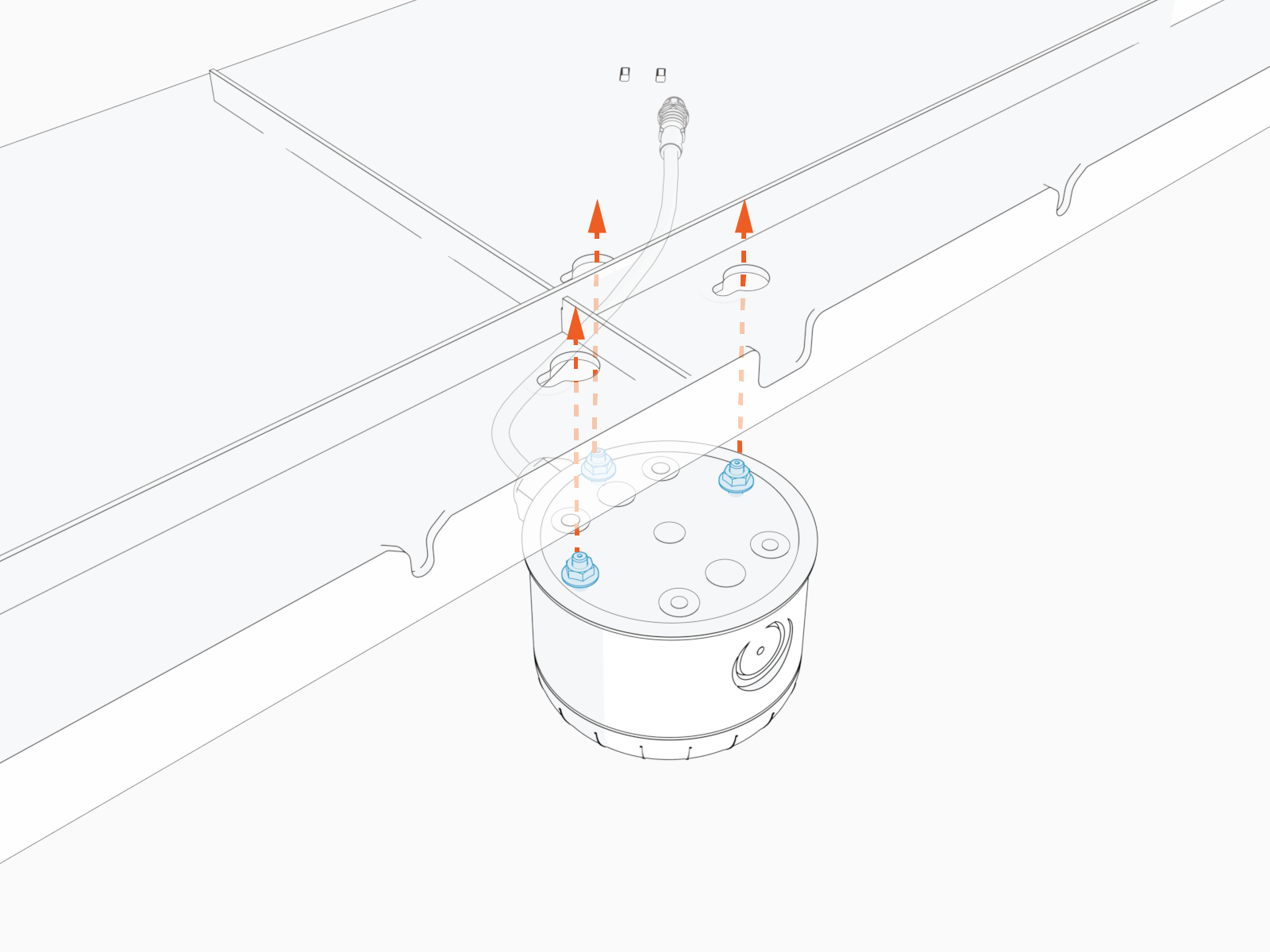
Install the status LED on the front cover at keyholes.
-
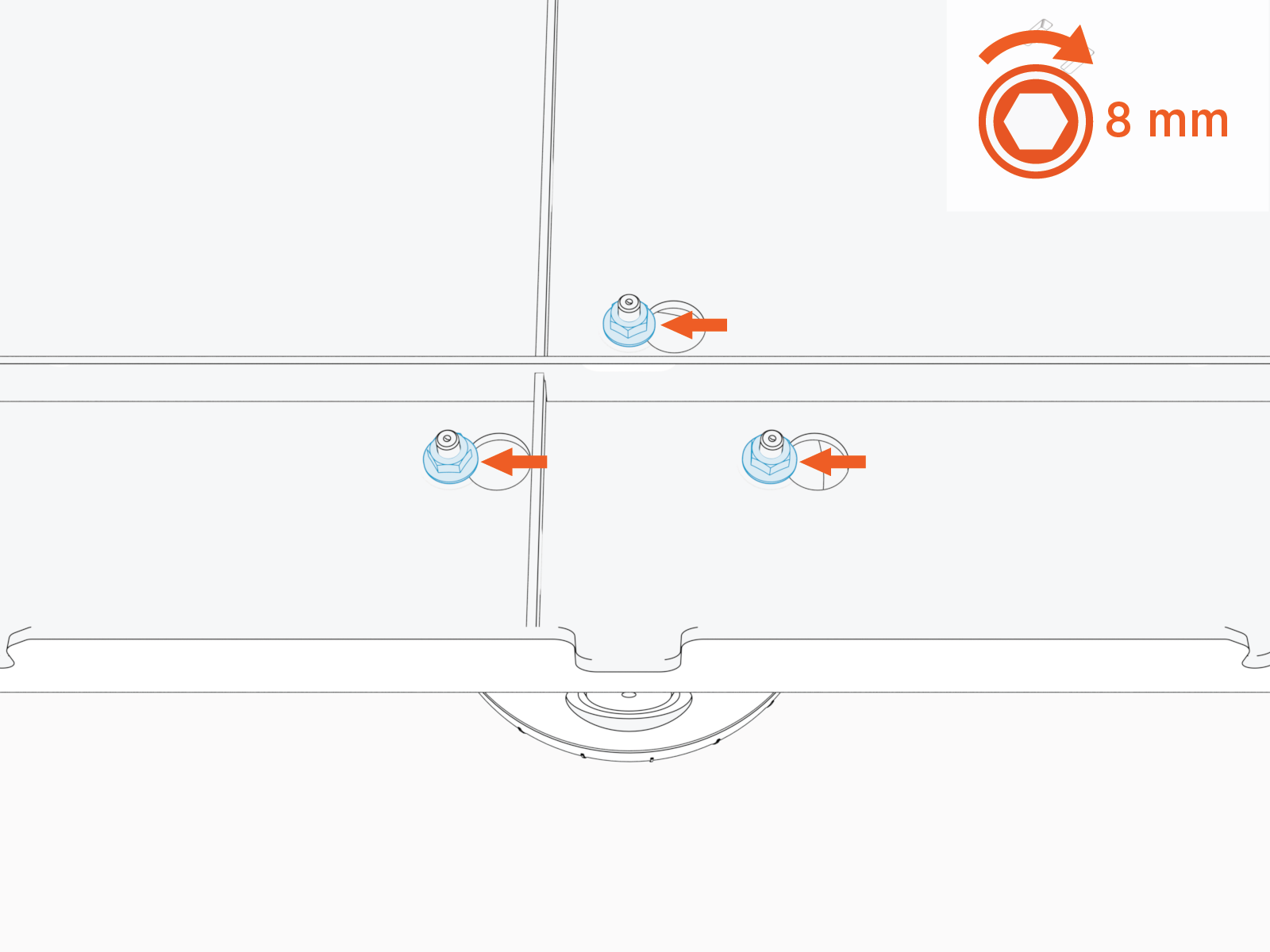
Slide the status LED until the mounting studs lock in the keyholes. Torque M5 nuts (x3) to 4.5 Nm (40 in-lb).
-
Loosen (do not remove) M6 nuts (x4) on the front cover.
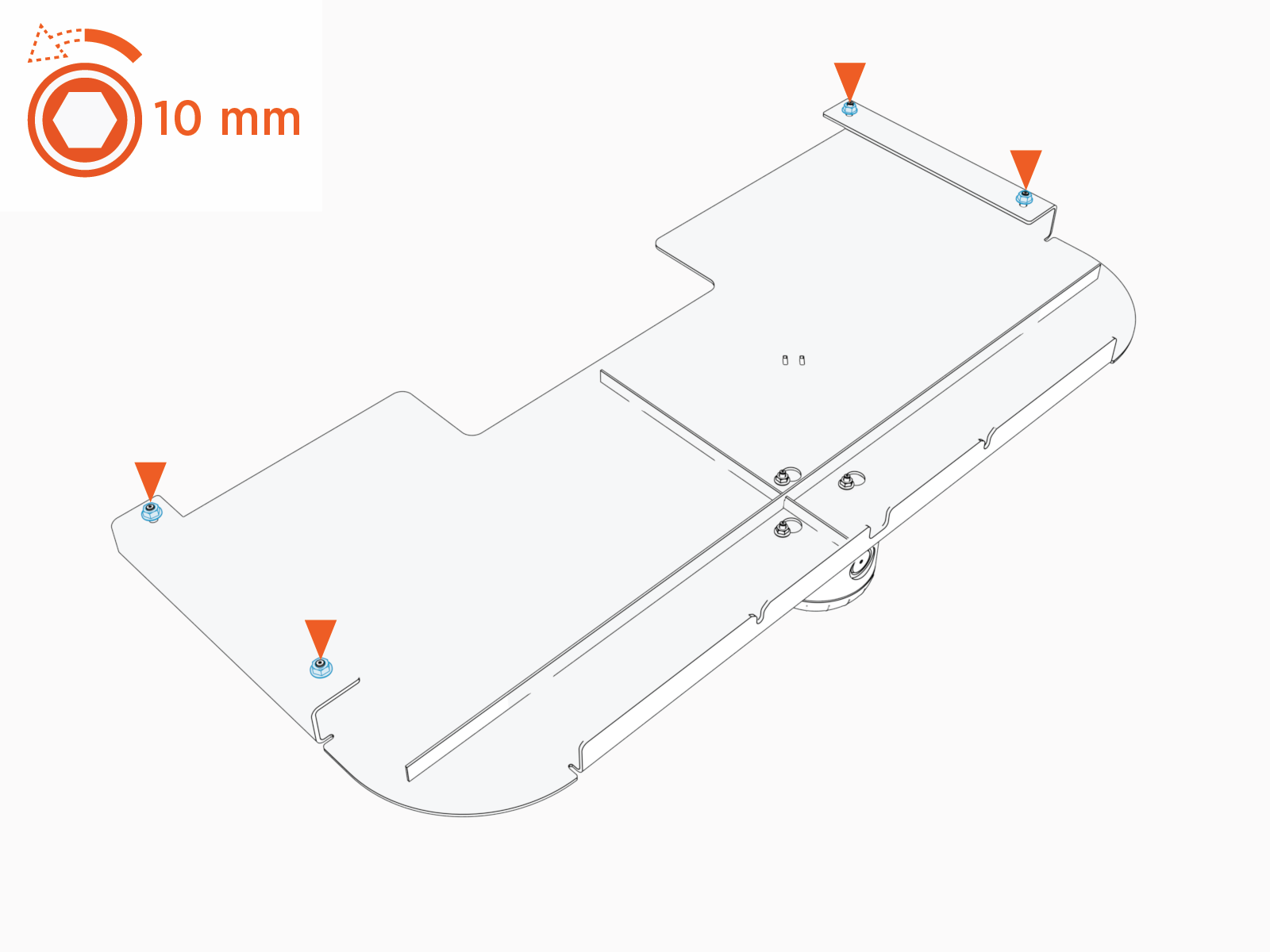
-
Install the front cover assembly onto the left and right rails. Slide the cover until it locks into the keyholes.
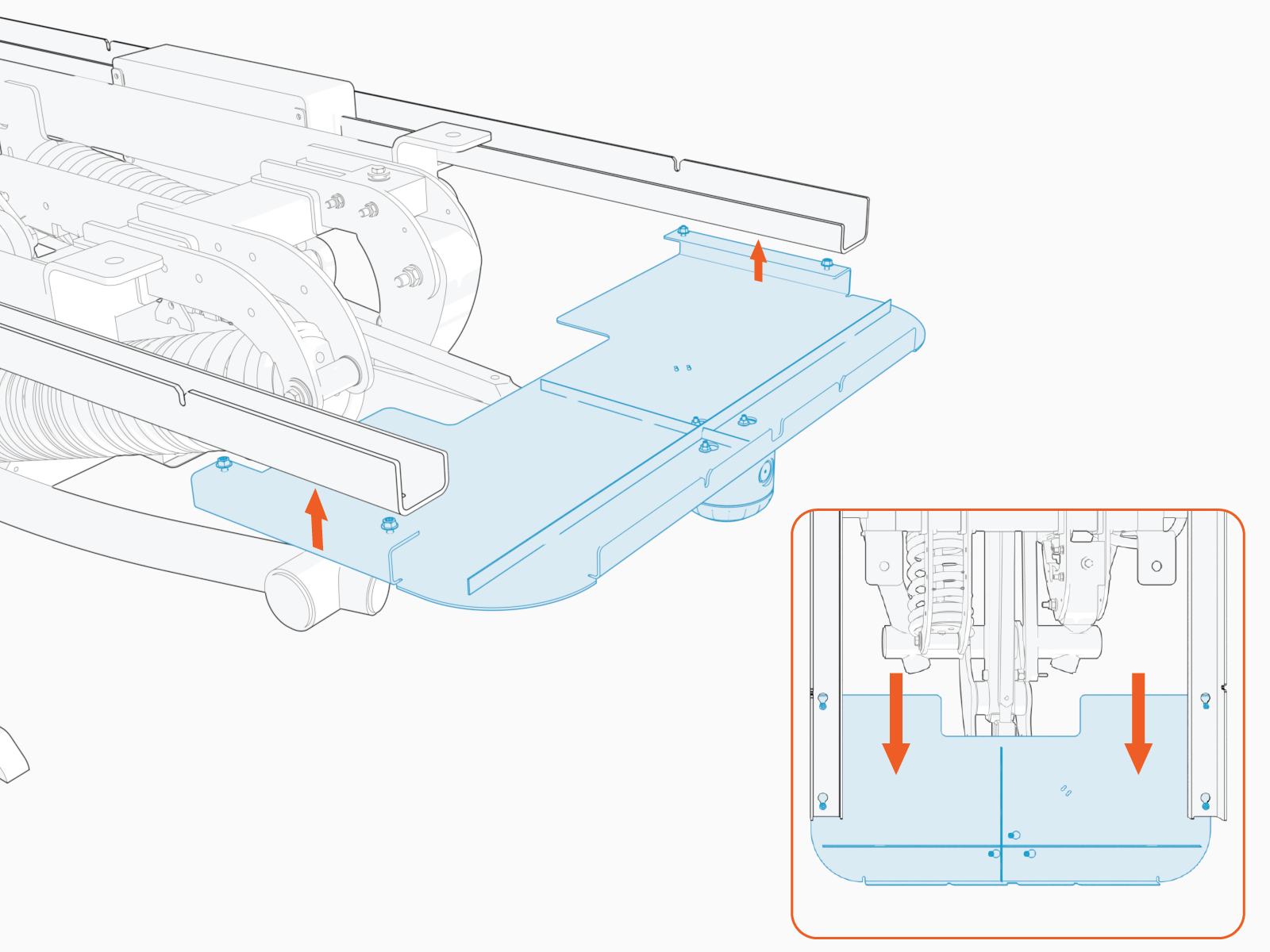
-
Tighten the M6 nuts (x4). Torque to 5.6 Nm (50 in-lb).
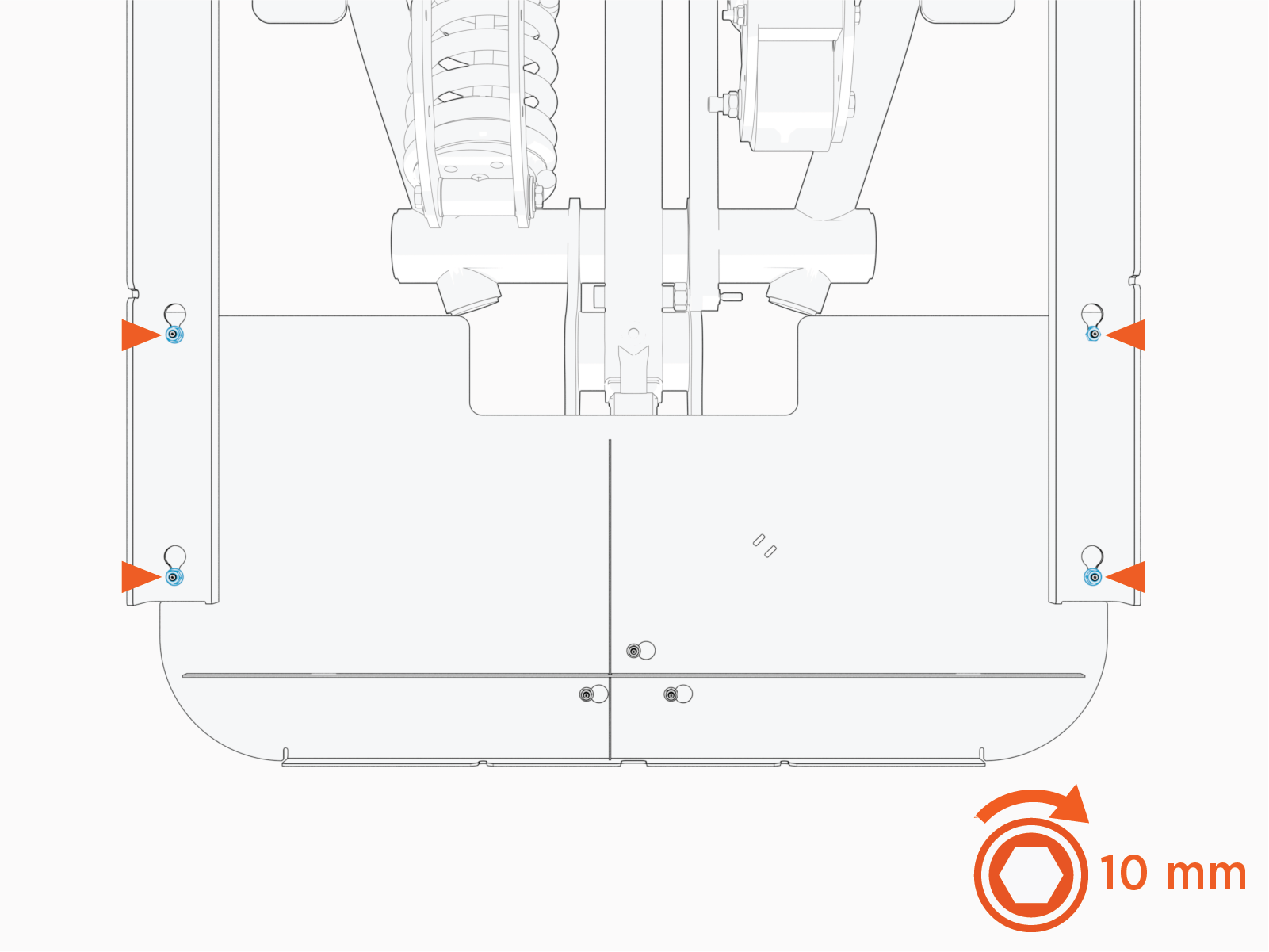
Save Parts
Save the following parts of the auxiliary components mounting frame for later installation:
-
Rear cover
-
Side covers
These parts will not install until after cables are connected to the antennas. See Complete Schunk SLS 201.102 Auxiliary Components Frame.
