Mount PD Controller
Parts Needed
Only one part is needed, the PD Controller.
Prepare PD Controller Site
-
Identify the PD Controller mounting location per the site plan.
-
Mark the locations of the mounting holes or studs. Ensure level placement.
-
Prepare the mounting holes or studs. Consult the site plan for any site-specific requirements.
Mount PD Controller
-
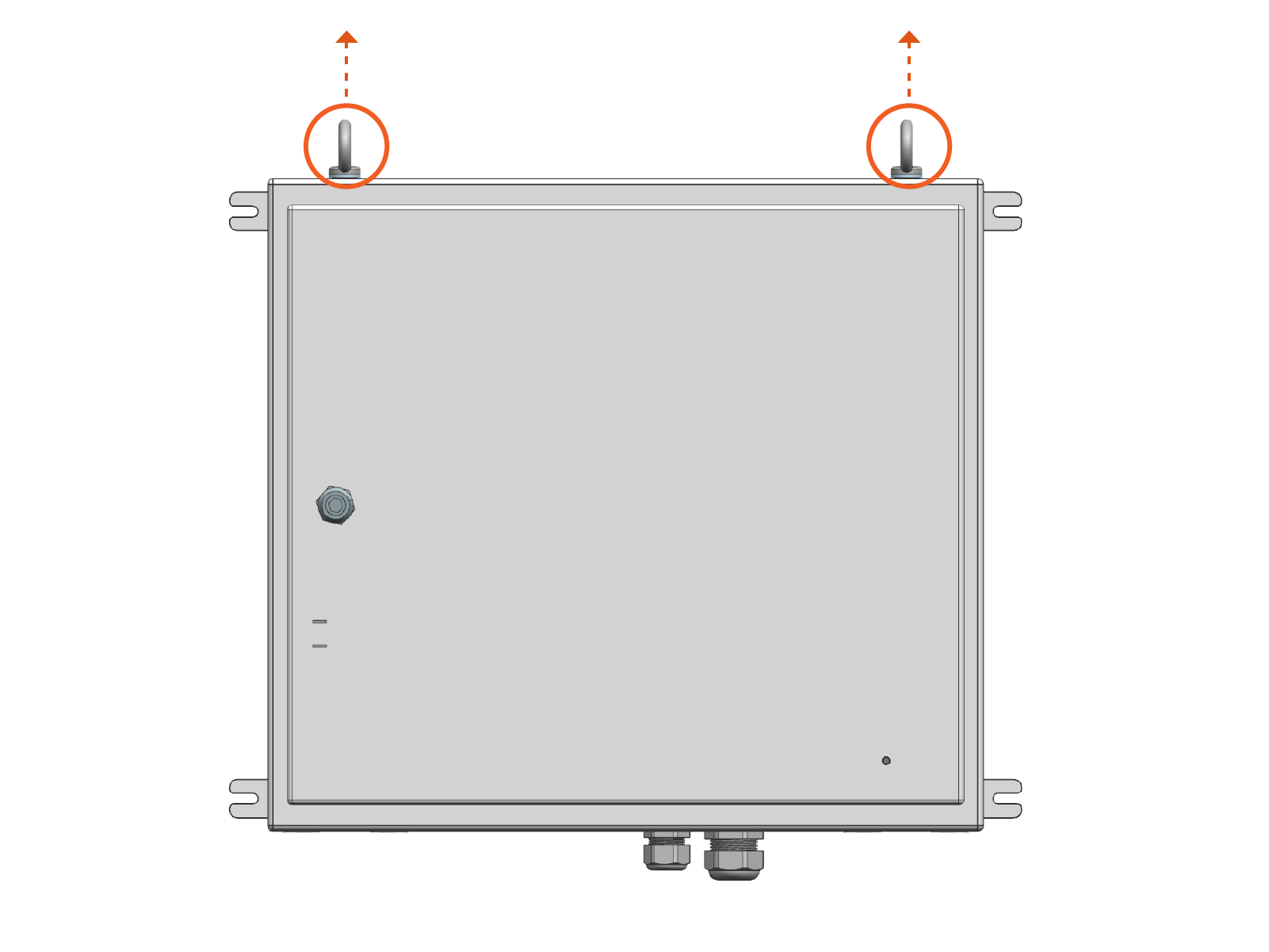
Based on the site configuration and available space, determine a method for lifting and transporting the PD Controller with a forklift. The enclosure can be transported using the hardware components shown below.

-
Eye bolts (x2): May be threaded with the lifting straps previously used to lift the Power Link 2000
-
Lifting brackets (x2): May be slotted onto forklift tines
-
-
Lift and transport the PD Controller to its mounting location.
-
Mount the PD Controller with fasteners (x4). Use fasteners specified by the site plan. Torque to the specification indicated by the site plan.
Contractor provides the fasteners. Site plans must specify fasteners appropriate for the mounting surface and rated to secure the weight of the PD Controller.

-
Remove the forklift.
-
Remove the nuts at lifting brackets (x4 nuts per bracket).

-
Remove the lifting brackets.
Keep lifting brackets for any future removal of the PD Controller (as needed).

-
Remove the eye bolts and washers (optional). Use either an adjustable wrench or screwdriver's shaft to loosen the eye bolts.
Open PD Controller
-
Quarter turn the door latch to unlock the door.

-
Open the enclosure.

Connect PD Controller Conduits
-
Connect AC and LV
 Low Voltage input conduits to the bottom of enclosure.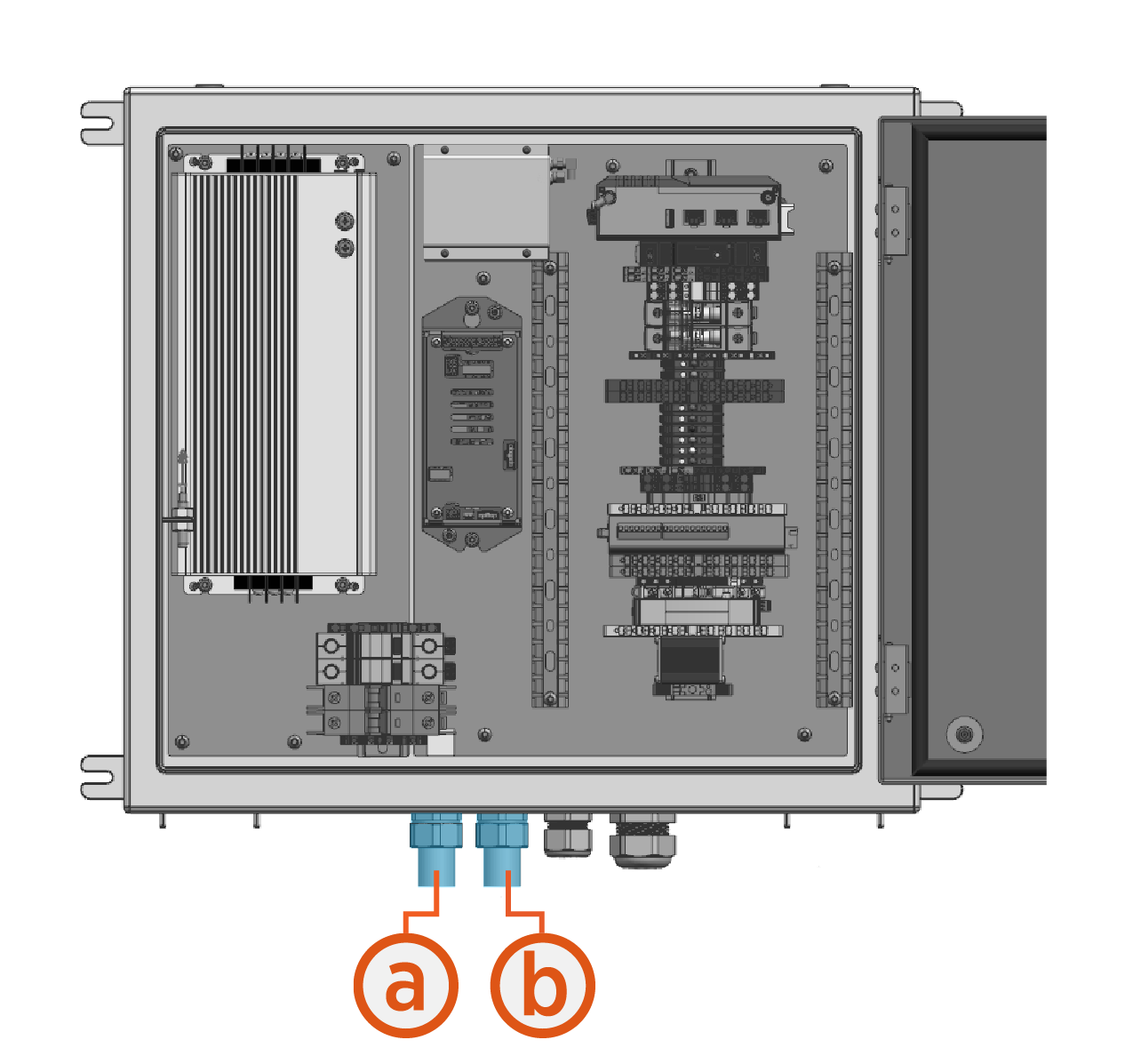
-
AC input conduit
-
LV
Low Voltage input conduit
-
-
If the site plan calls for the antenna cables or the controller interface cable to enter the PD Controller through conduit, take the following steps:
-
Remove the cable gland(s).
Save all conduit gland parts for later reuse. Do not discard.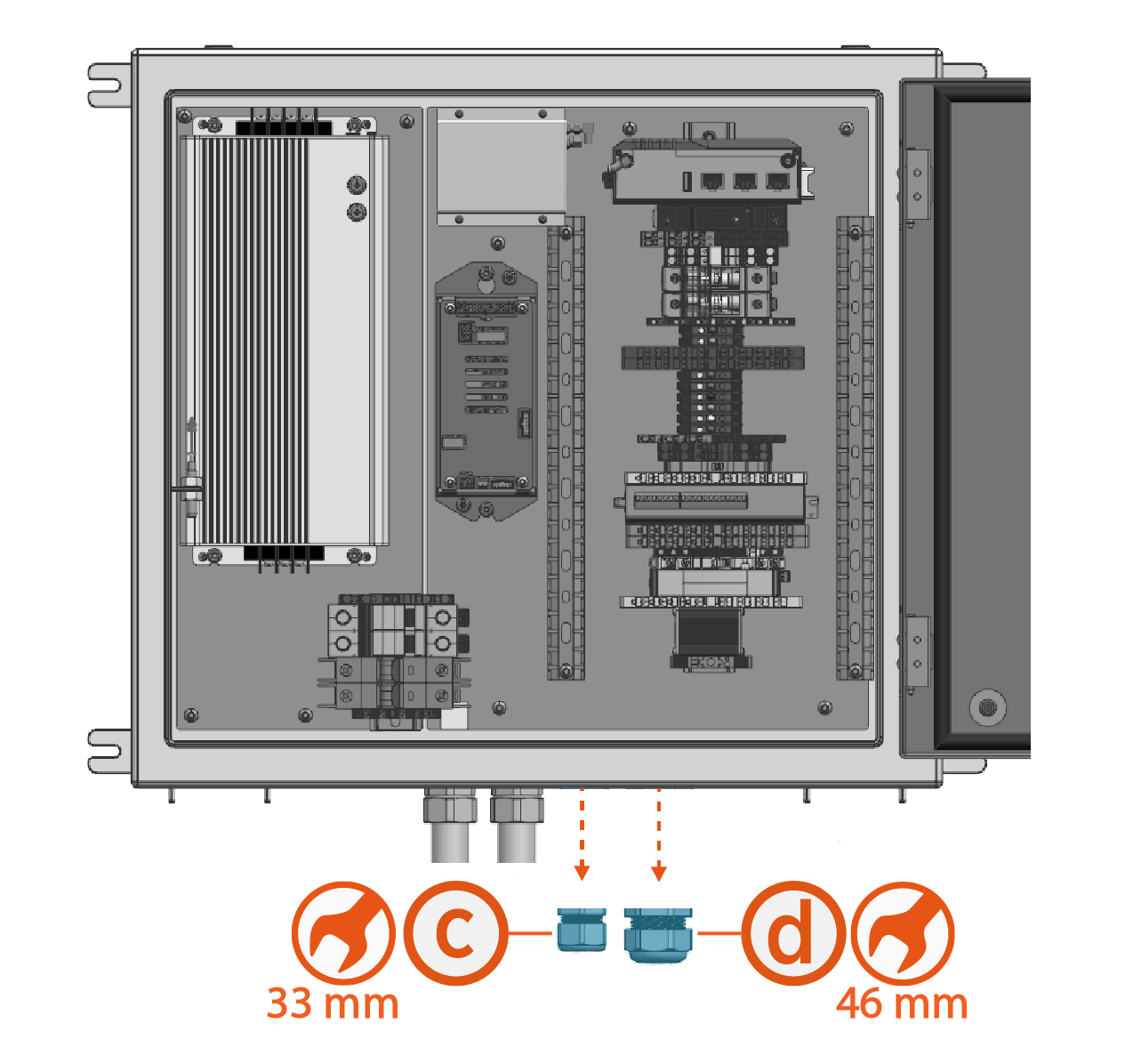
-
Wi-Fi
Wireless Fidelity and RFID Radio Frequency IDentification antenna cable gland -
Controller interface cable gland
-
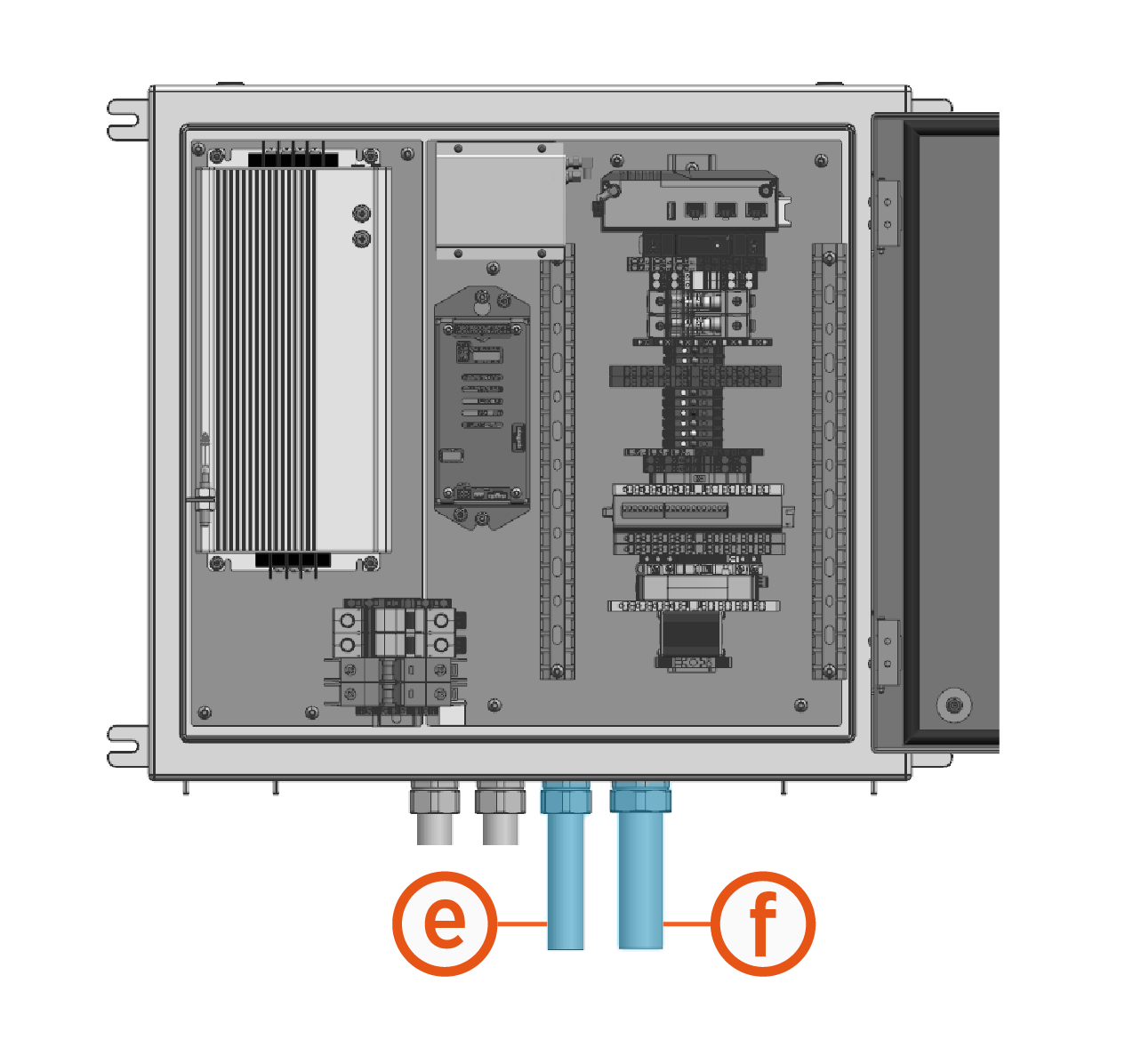
Connect conduits to the bottom of enclosure.
-
Wi-Fi
Wireless Fidelity and RFID Radio Frequency IDentification antenna cable conduit -
Controller interface cable conduit
-
-
Close PD Controller
Close the PD Controller and quarter turn to lock door.

The Pantograph Down 2000 system may take more than a single day to install. Close and lock the enclosure if leaving a site for the day.
