Connect Power Link 2000 Wires
Wiring Overview
In the Pantograph Down 2000 system, the Power Link 2000 has wiring connections to the pantograph, PD Controller, and to Power Block and/or other Power Link 2000s. Before pulling and connecting wires at the Power Link 2000, study and understand the wiring information provided below. For wire quantities, sizes, and terminations, see Wires and Terminations Required for Site and refer to the site drawing.
HV DC Output to Pantograph
Power Link 2000 provides HV DC High Voltage Direct Current output power for up to two pantographs, designated Pantograph L and Pantograph R. The HV DC High Voltage Direct Current output wires land on the exterior left and right sides of the Power Link 2000 at the terminals shown below.
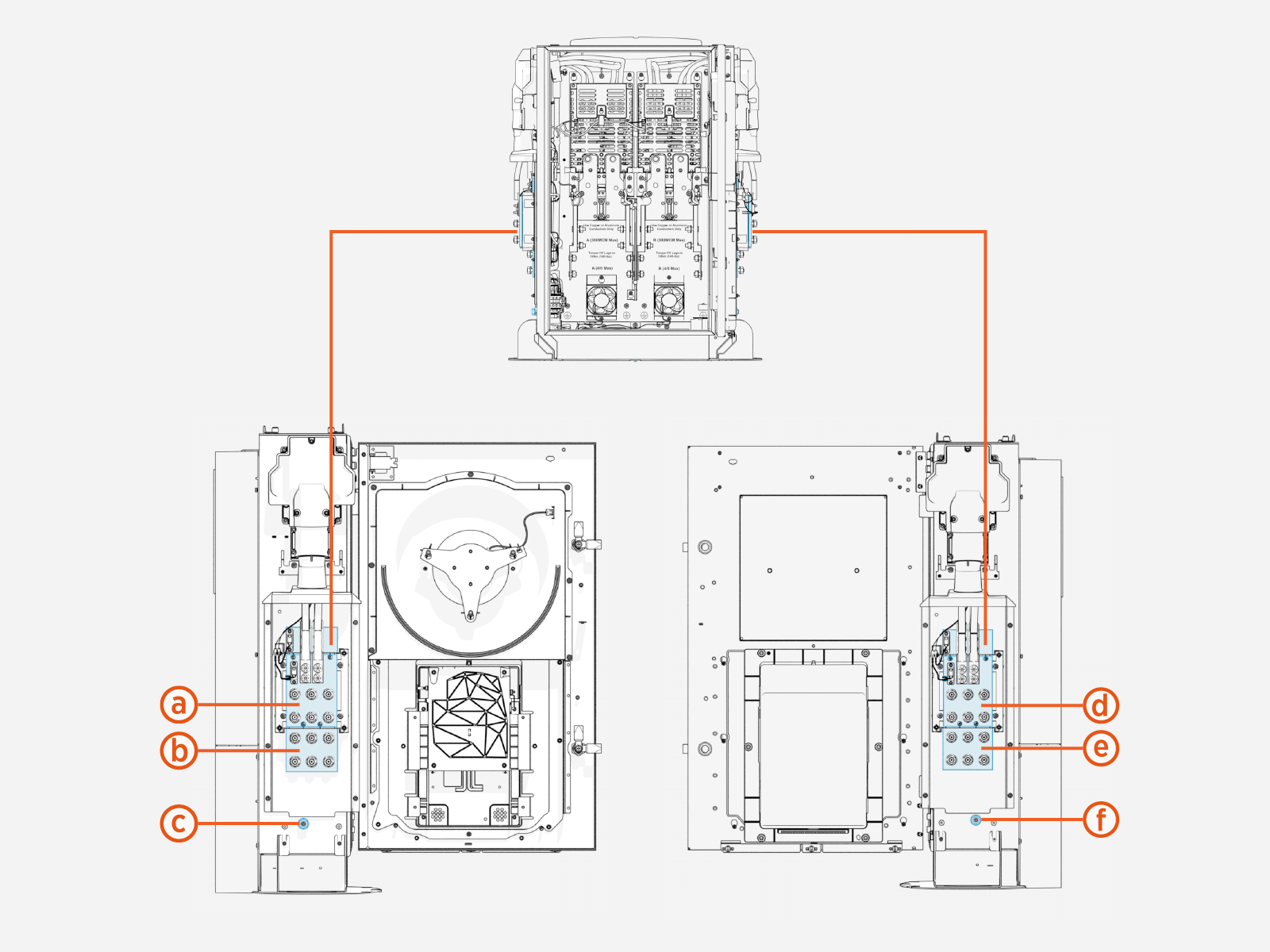
-
HV DC
High Voltage Direct Current out L, positive (+) -
HV DC
High Voltage Direct Current out L, negative (-) -
Ground L
-
HV DC
High Voltage Direct Current out R, positive (+) -
HV DC
High Voltage Direct Current out R, negative (-) -
Ground R
Two grounds wires land at each ground stud (c) and (f):
-
Ground to the pantograph PE rail
-
Ground to the pantograph frame
The ground wire lugs stack one on top of the other at the stud.
LV DC Output to PD Controller
Power Link 2000 is configured with LV DC Low Voltage Direct Current output, Ethernet, and chassis ground connection to each PD Controller paired with a pantograph. The wires and cables land within the interior of the Power Link 2000 enclosure at the terminals shown below.
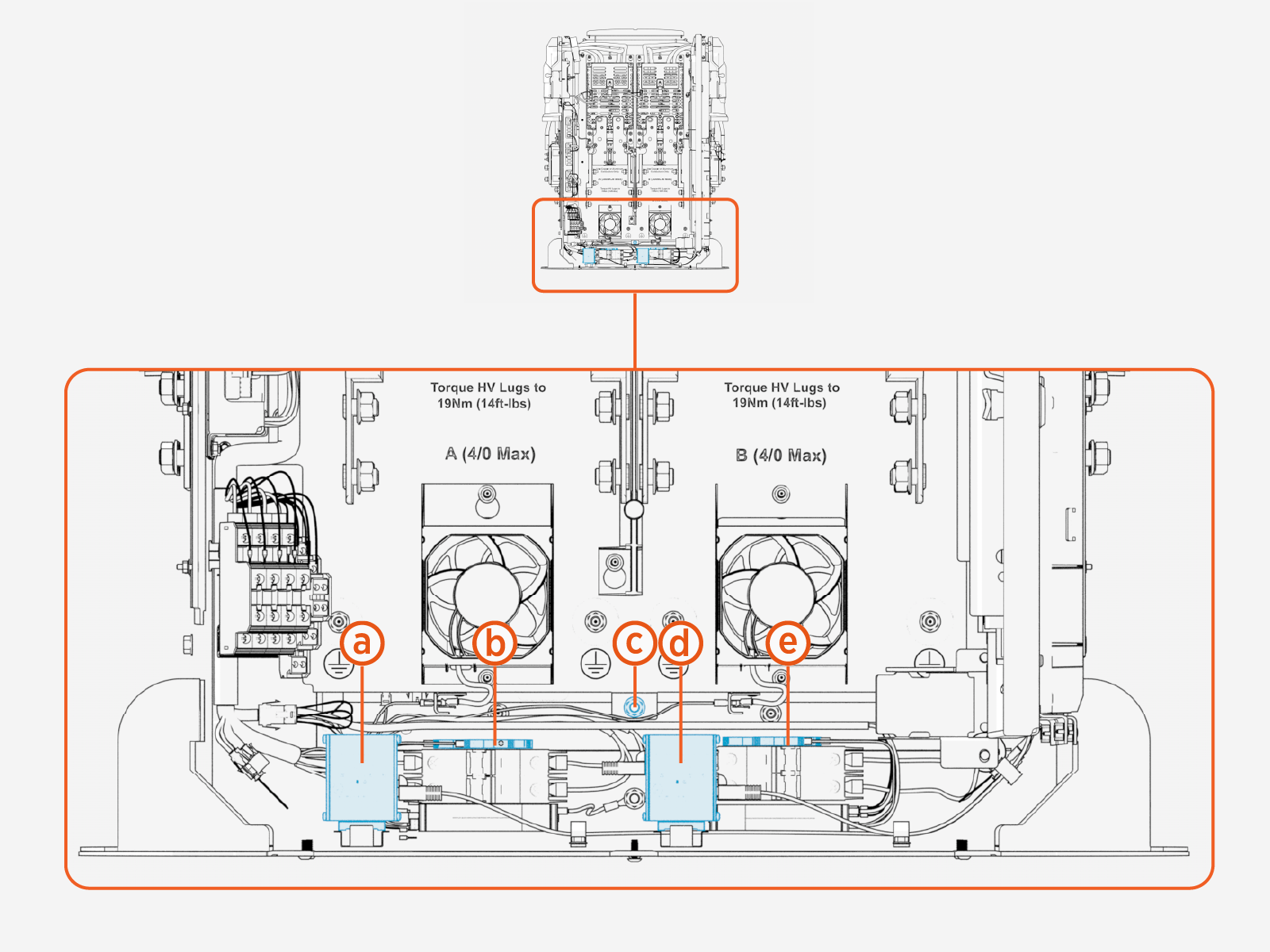
-
Ethernet, L
-
Chassis ground
-
Ethernet, R
Low Voltage Direct Current and Ethernet terminals designated L must connect to the PD Controller paired with Pantograph L. The LV DC Low Voltage Direct Current and Ethernet terminals designated R must connect to the PD Controller paired with Pantograph R.
If the Power Link 2000 powers two pantographs, there are two ground wires installed at stud (c) (one wire for each PD Controller). The wires stack one on top of the other at the stud.
HV DC from Power Block or Power Link 2000
Depending on its configuration, a Power Link 2000 has one or two independent HV DC High Voltage Direct Current power paths, Power Path A and Power Path B. Each power path can accept connection from Power Block outputs and/or can be connected to the power path of other Power Link 2000s.
High Voltage Direct Current power outputs, Output A and Output B. Although the Power Link 2000 power paths and Power Block outputs are similarly named, it does not mean Output A of a Power Block must connect to Power Path A of a Power Link 2000. Output A of a Power Block may connect to either Power Path A or B of a Power Link 2000. Likewise, Output B of a Power Block may connect to either Power Path A or B of a Power Link 2000. The A and B designations serve only to identify distinct power paths and outputs in each product. The same principle applies to the interconnection of power paths between Power Link 2000s.
Consult the site single line diagram carefully to understand the Power Block/Power Link 2000 interconnections specific for your site.
Single output Power Link 2000s (Power Link 2000s that support one pantograph only) ship with Power Path B only.
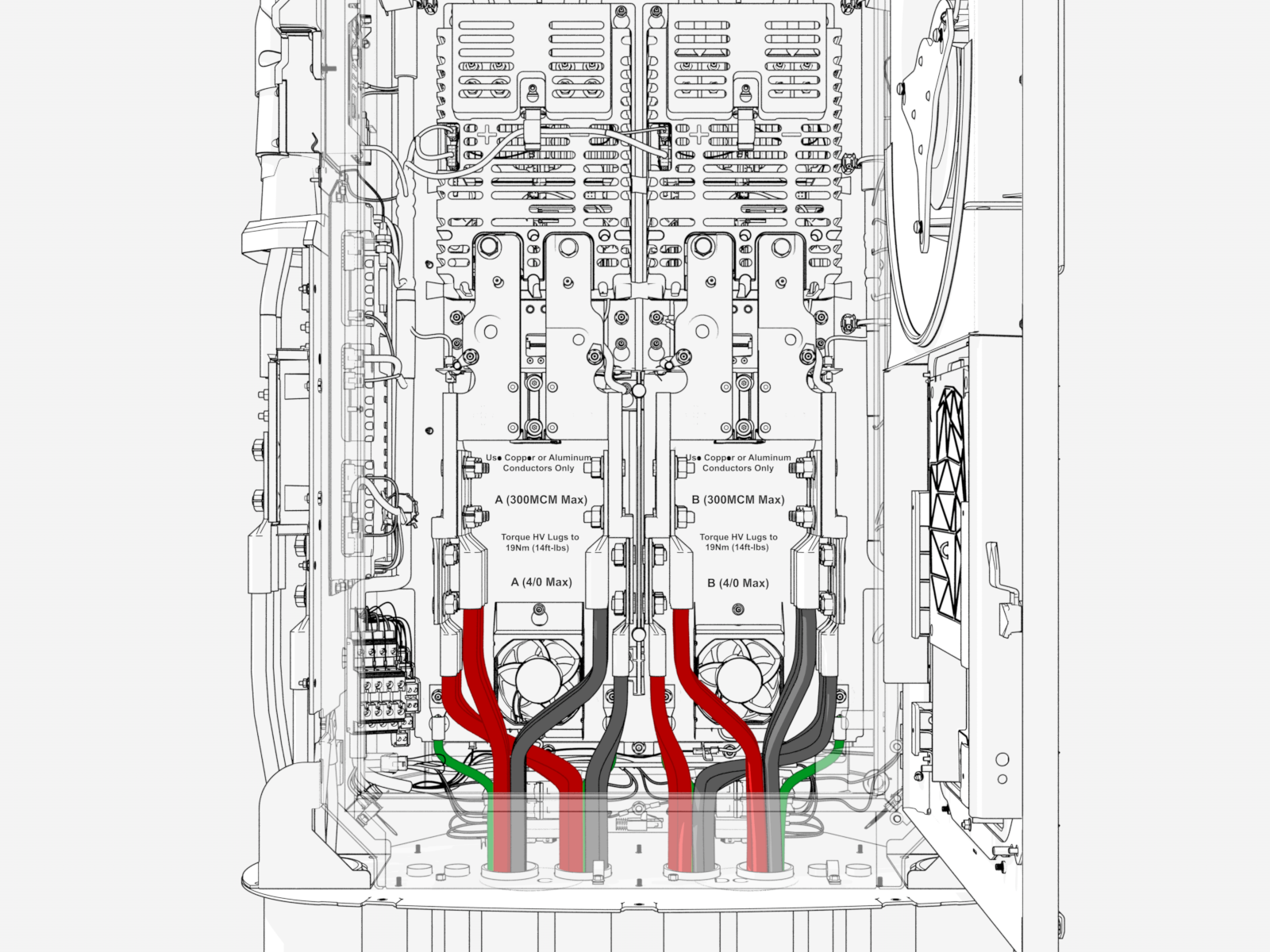
Wires connecting to Power Link 2000power paths land within the interior of the Power Link 2000 enclosure at the terminals shown below. Each power path has set of upper landings and a set of lower landings.
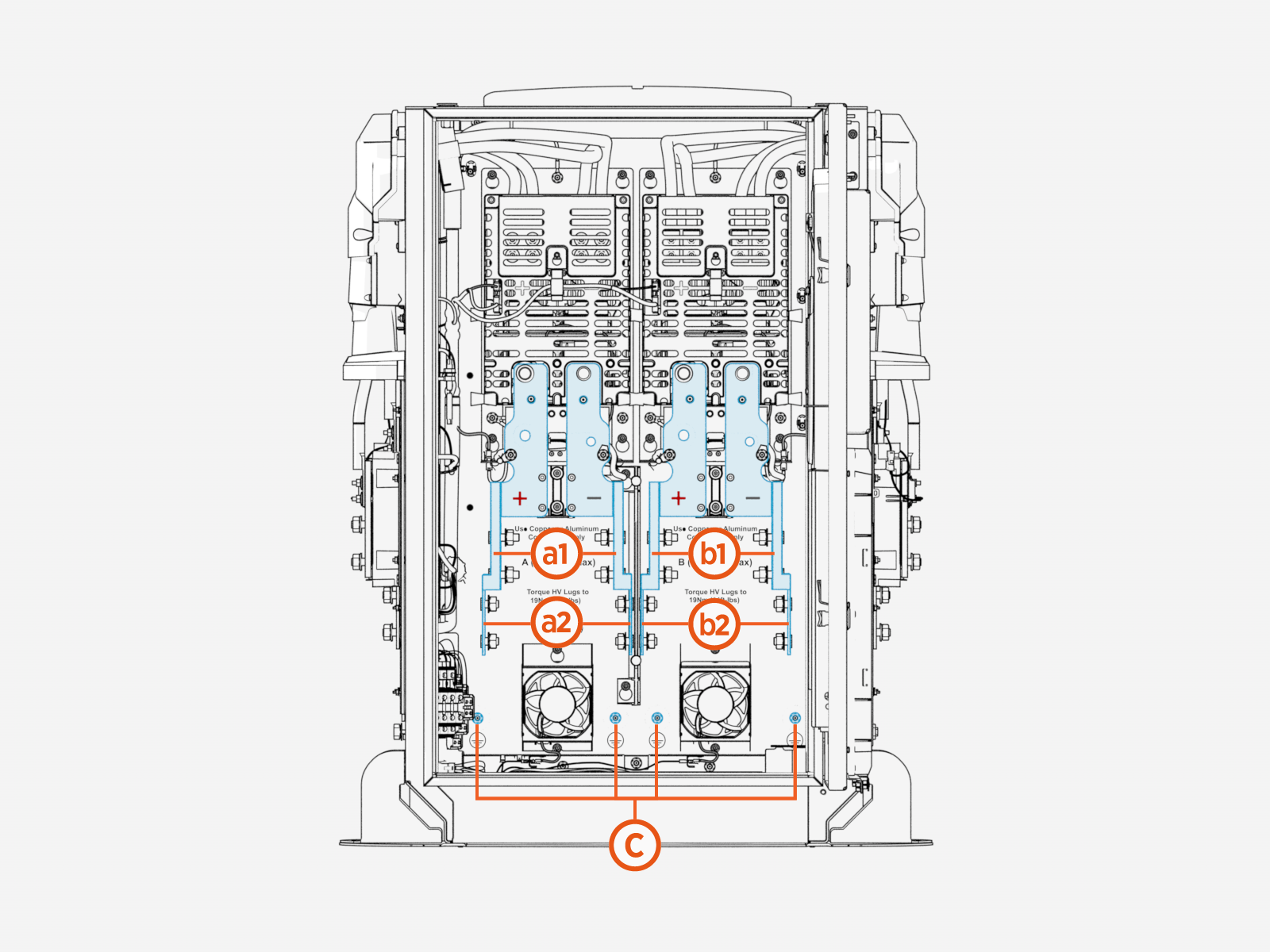
(a1) Power Path A, upper landing
(a2) Power Path A, lower landing
(b1) Power Path B, upper landing
(b2) Power Path B, lower landing
(c) Ground
There are four ground studs (c). In some architectures, a Power Link 2000 may need to accept more than four ground wires. In these cases, two ground wires may stack onto a single stud.
LV DC from Power Block or Power Link 2000
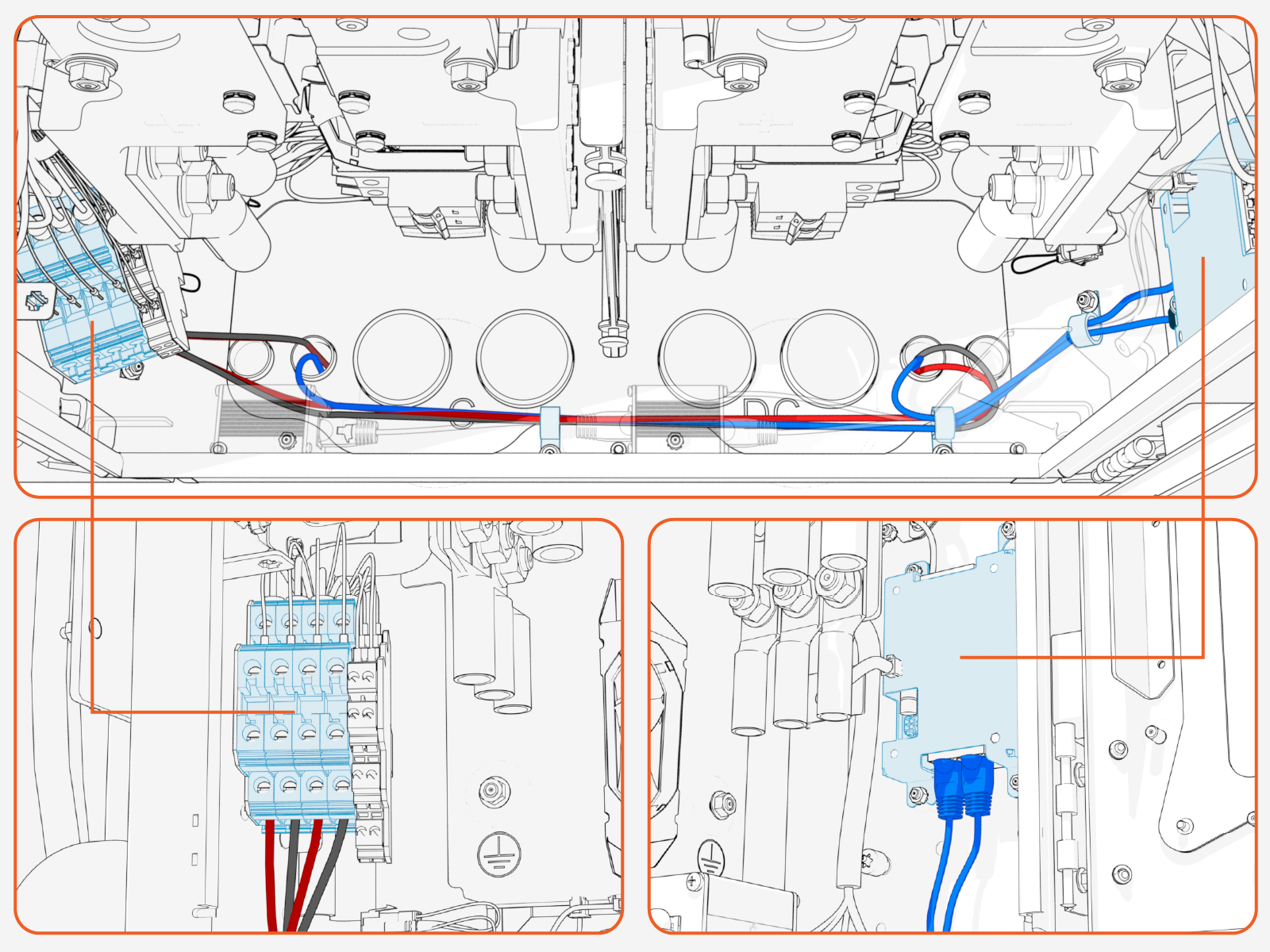
Each Power Link 2000 has two LV DC Low Voltage Direct Current input ports and two LV DC Low Voltage Direct Current output ports for connection to Power Blocks and/or other Power Link 2000s. Power Link 2000 also has three Ethernet ports for connection with Power Blocks and/or other Power Link 2000s. At minimum, each Power Link 2000 has one LV DC Low Voltage Direct Current input and one Ethernet connection to a Power Block or Power Link 2000. Consult the site drawing. Note that Ethernet cables typically share conduit with LV DC Low Voltage Direct Current connections coming from the same Power Block or Power Link 2000.
LV DC Low Voltage Direct Current wires and Ethernet cables associated with these types of connections land within the interior of the Power Link 2000 enclosure at the terminals shown below.
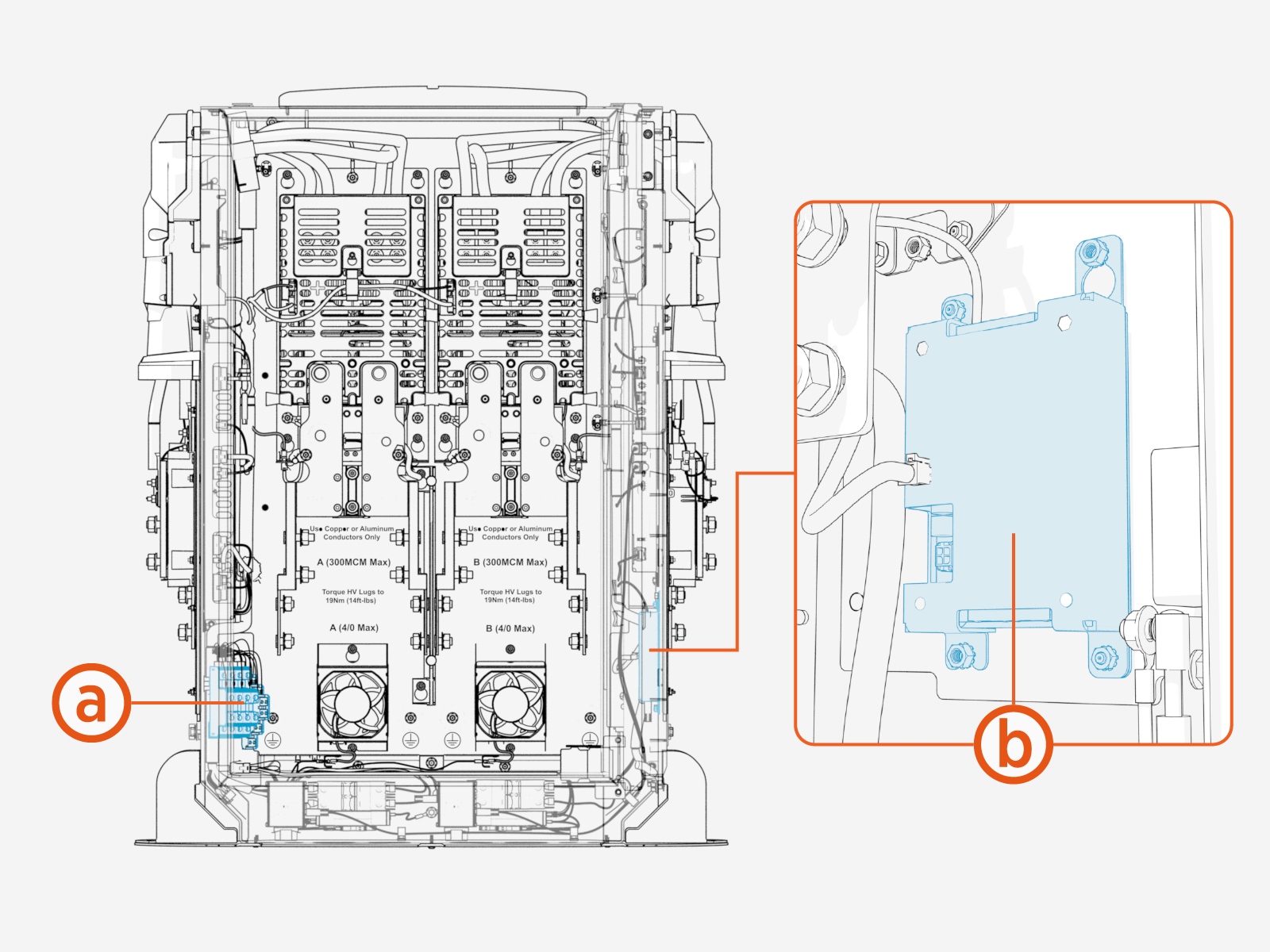
-
LV DC
Low Voltage Direct Current input/output -
Ethernet
Pull, Cut, and Connect Wires
Illustrations in this guide depict a sample conduit and wire configuration. Actual conduit and wire quantity, size, and placement will vary by site.
LV DC Output to PD Controller
-
Label the LV DC
Low Voltage Direct Current, Ethernet, and chassis ground wires at both ends. -
Pull the LV DC
Low Voltage Direct Current, Ethernet, and chassis ground wires into the enclosure. -
Connect the LV DC
Low Voltage Direct Current wires and Ethernet cables. See: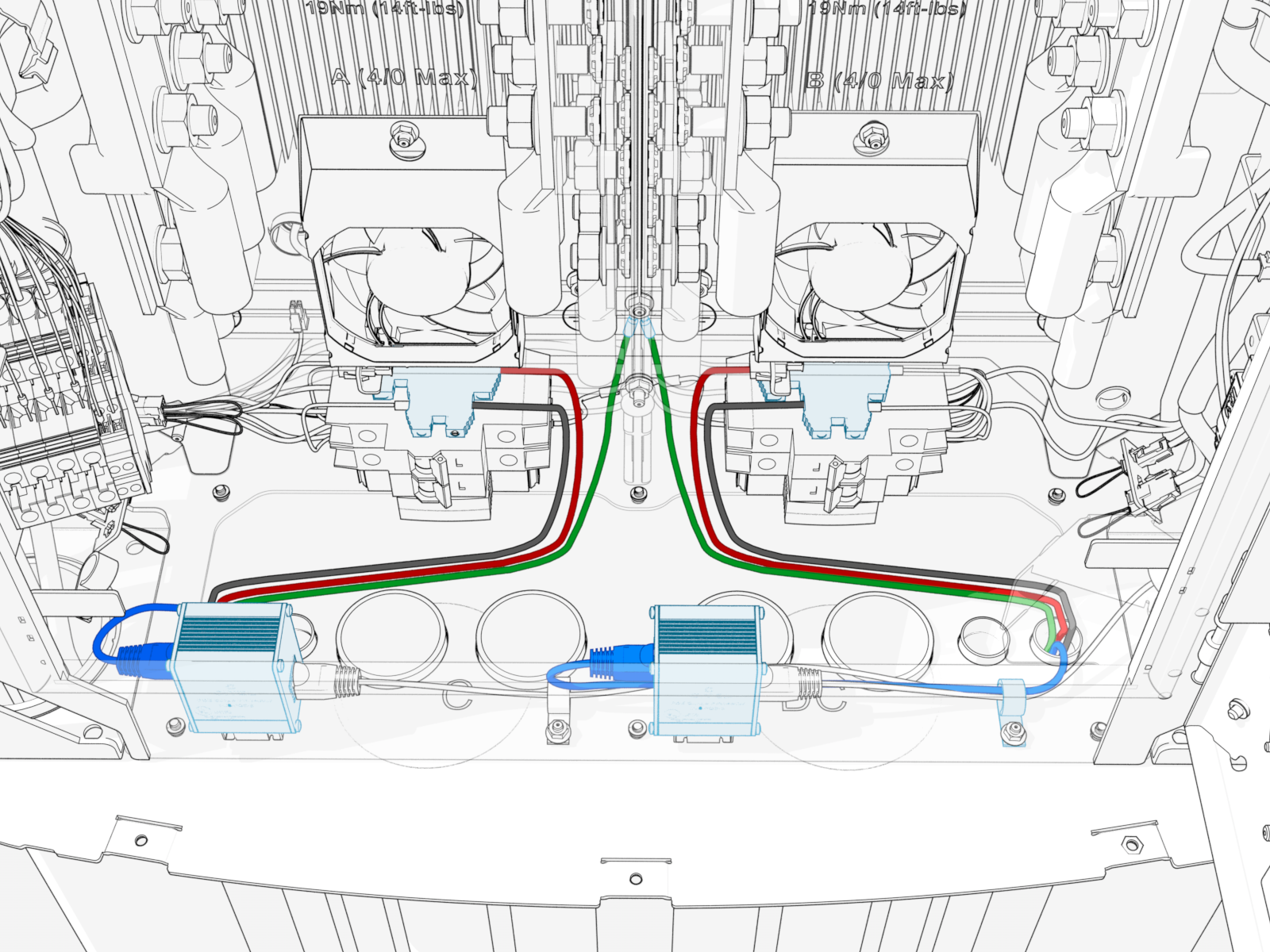
How to Connect LV DC Output to PD Controller Wires
Follow the procedure below for each LV DC Low Voltage Direct Current wire pair.
-
Identify the target terminal for landing the LV DC
Low Voltage Direct Current wire pair. The LV DC Low Voltage Direct Current terminal designated L must connect to the PD Controller paired with Pantograph L. The LV DC Low Voltage Direct Current terminal designated R must connect to the PD Controller paired with Pantograph R.
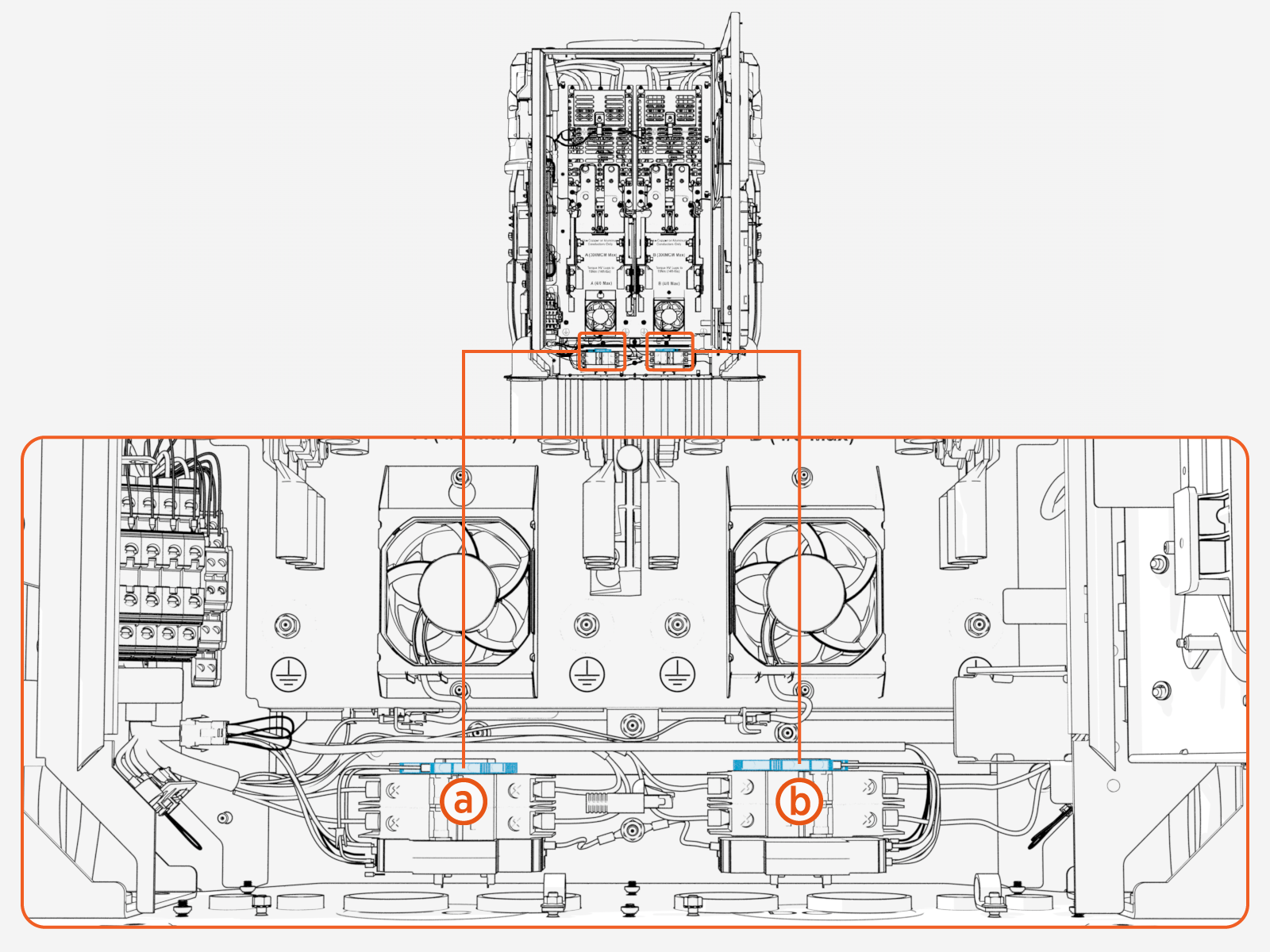
-
LV DC
Low Voltage Direct Current output, L -
LV DC
Low Voltage Direct Current output, R
-
-
Cut wires to length for landing at the terminal.
-
Strip the wire jackets.
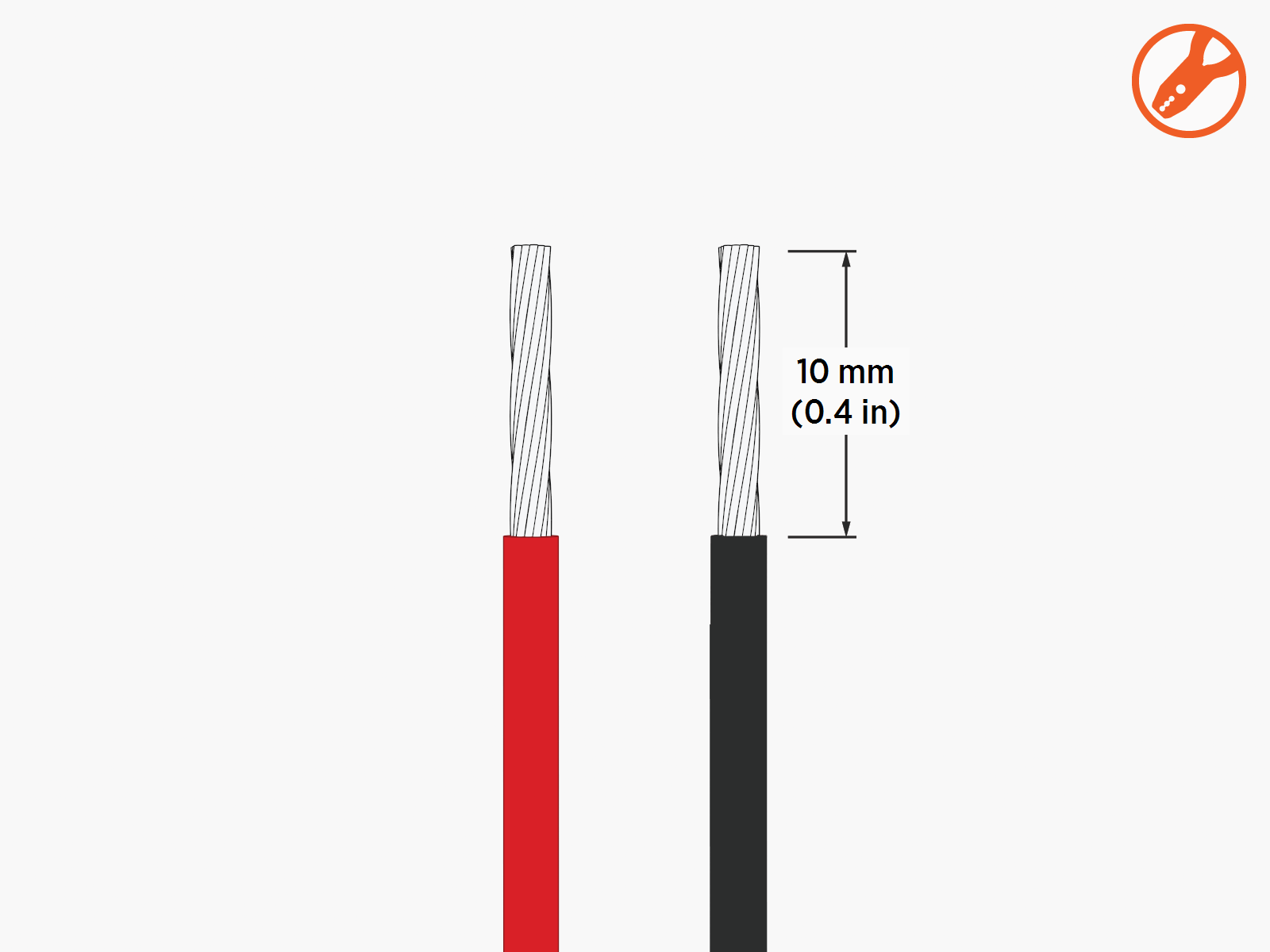
-
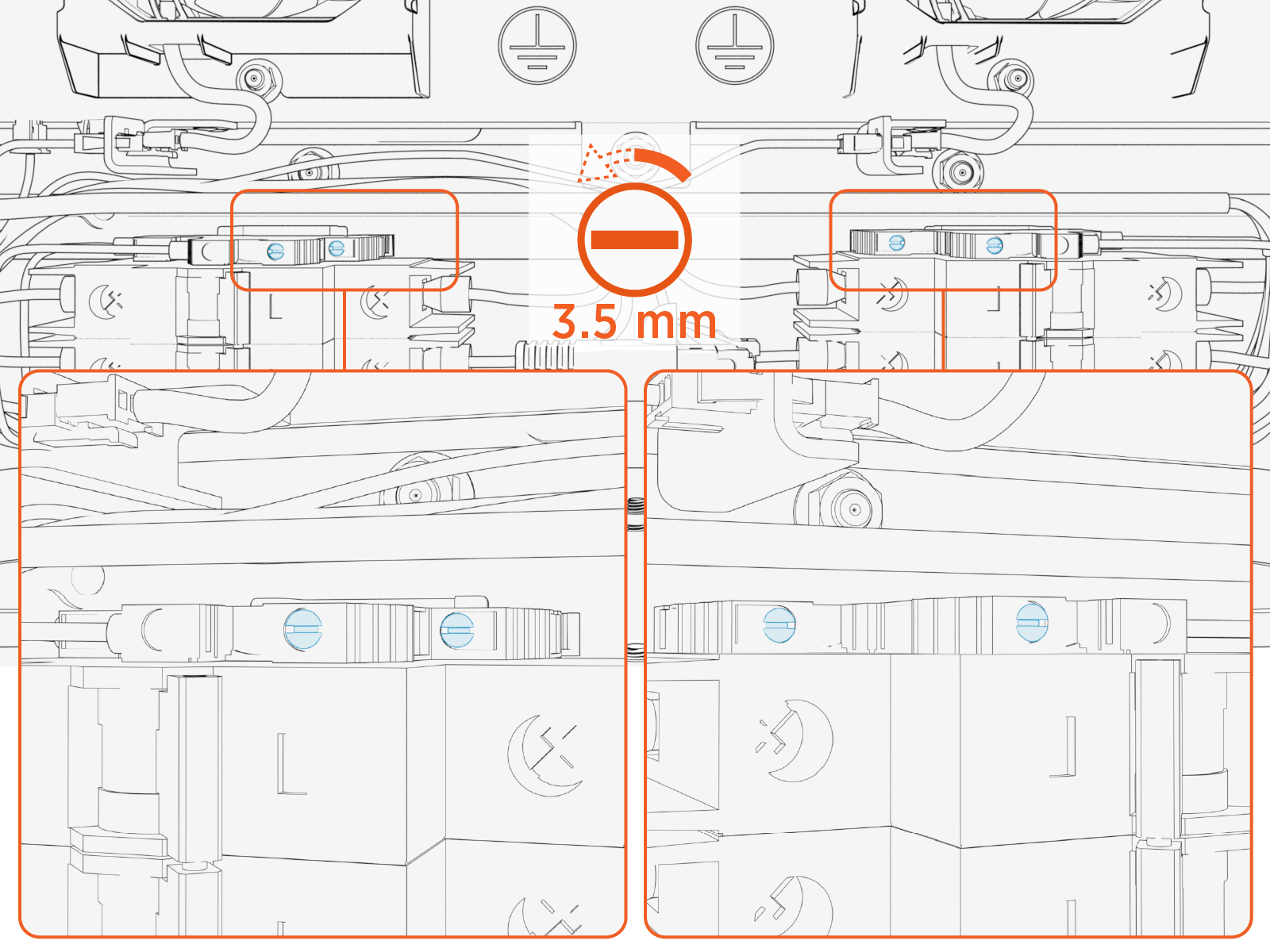
Loosen the terminal screws (x2).
-
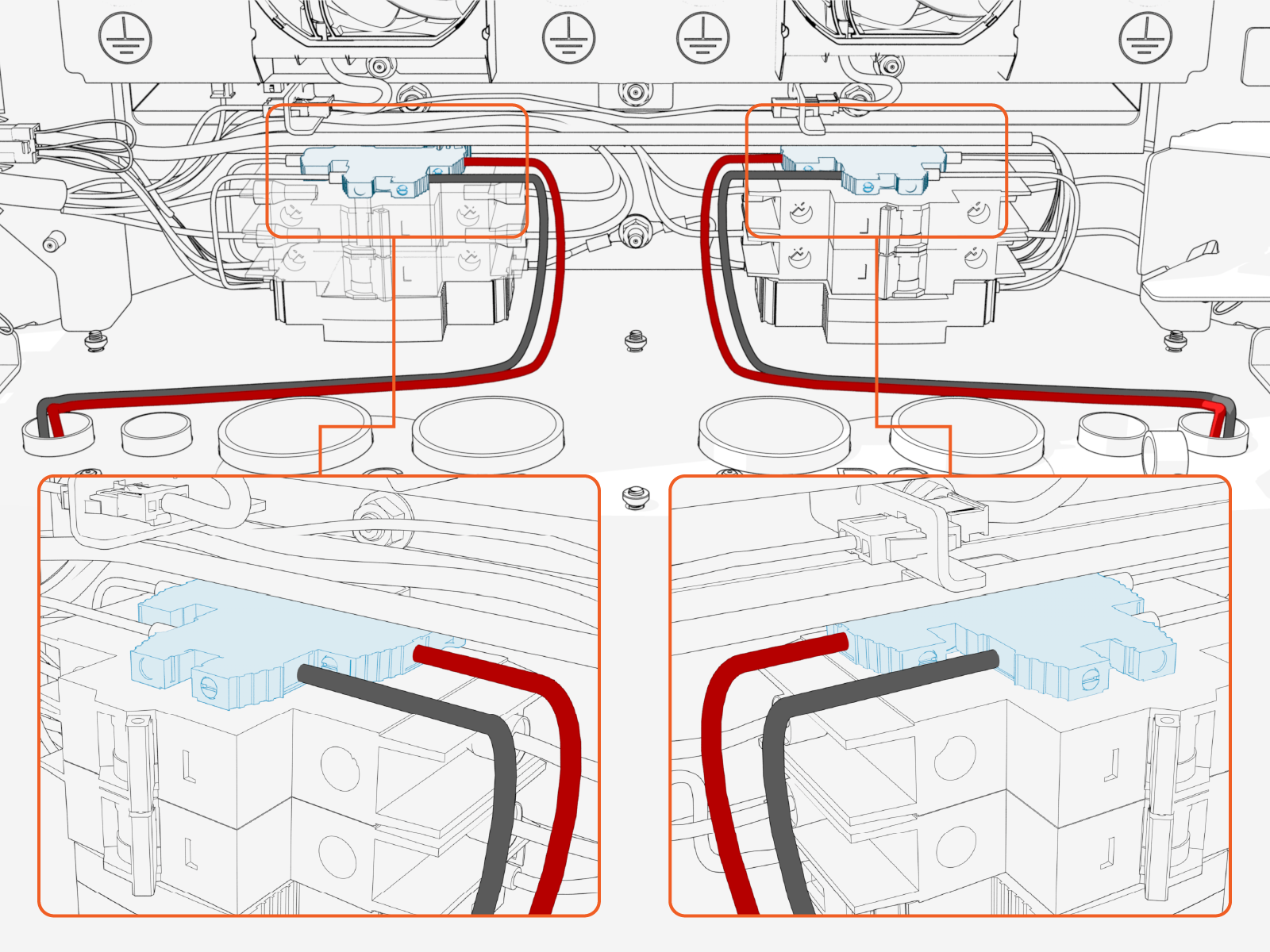
Insert positive (+) wire into lower terminal (terminal closest to rear of enclosure). Insert the negative (-) wire into upper terminal (terminal closest to front of enclosure).
-
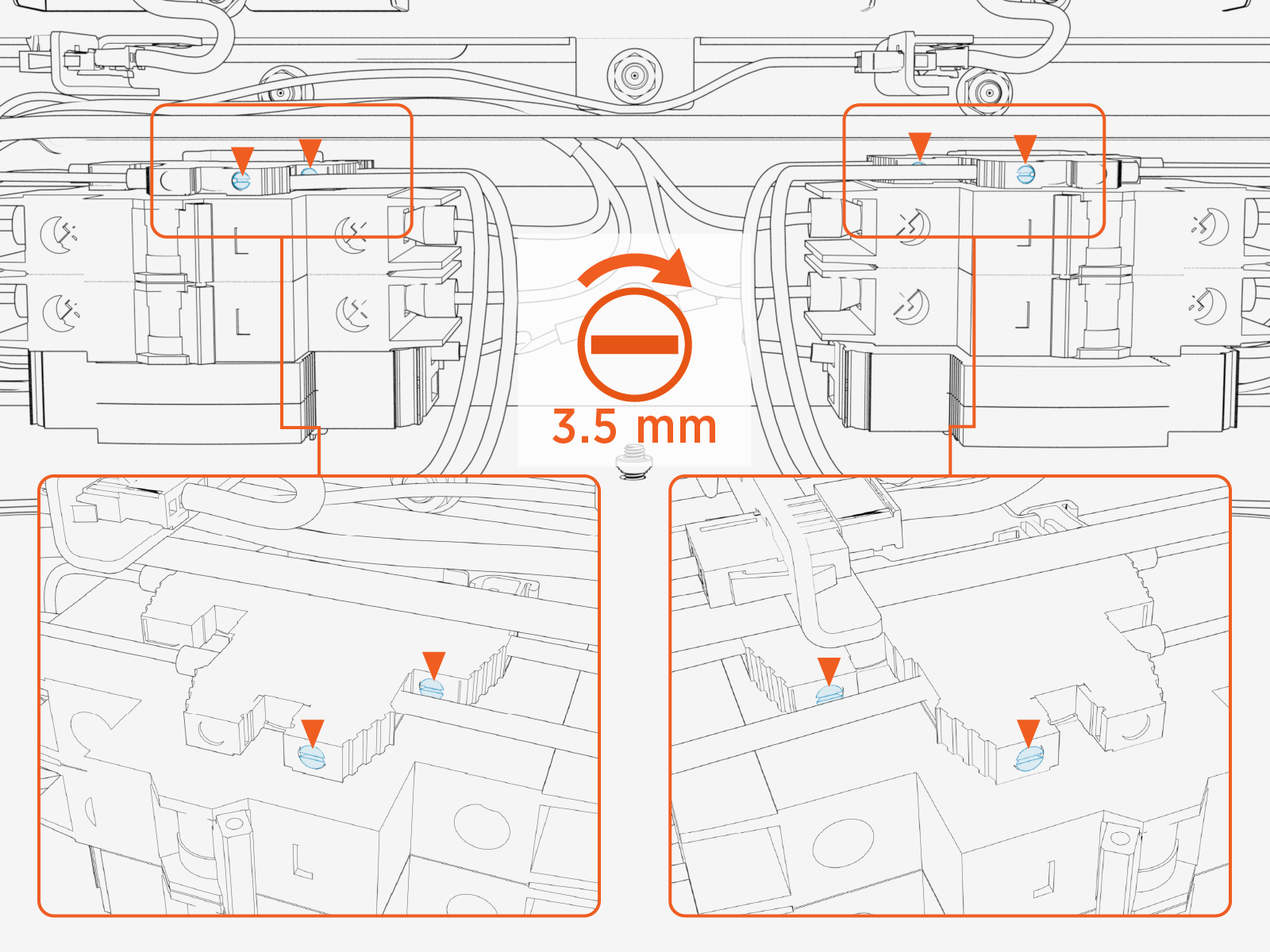
Torque the screws (x2) to 0.7 Nm (6.2 in-lb). Push-pull to test that both (+ and -) wires are secured.
How to Connect Chassis Ground to PD Controller Wire
Follow the procedure below for each chassis ground wire.
-
Cut wire to length for landing at the chassis ground stud. Take into account the length of the ring terminal that will terminate the wire.
-
Prepare the wire:
-
Strip the ground wire for installation of a ring terminal.
-
Crimp the ring terminal onto the wire end.
-
-
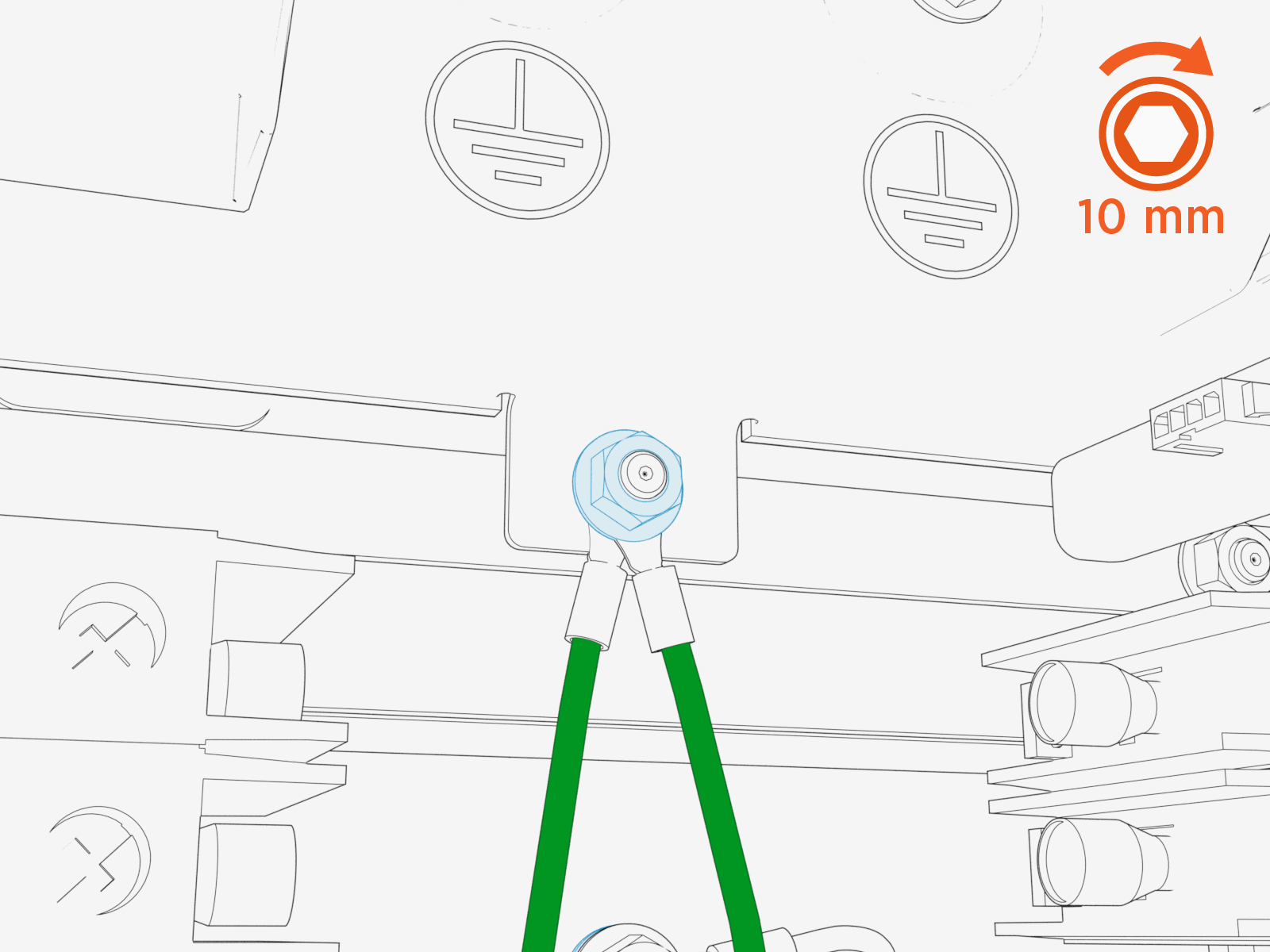
Remove the lug nut from the chassis ground stud.

-
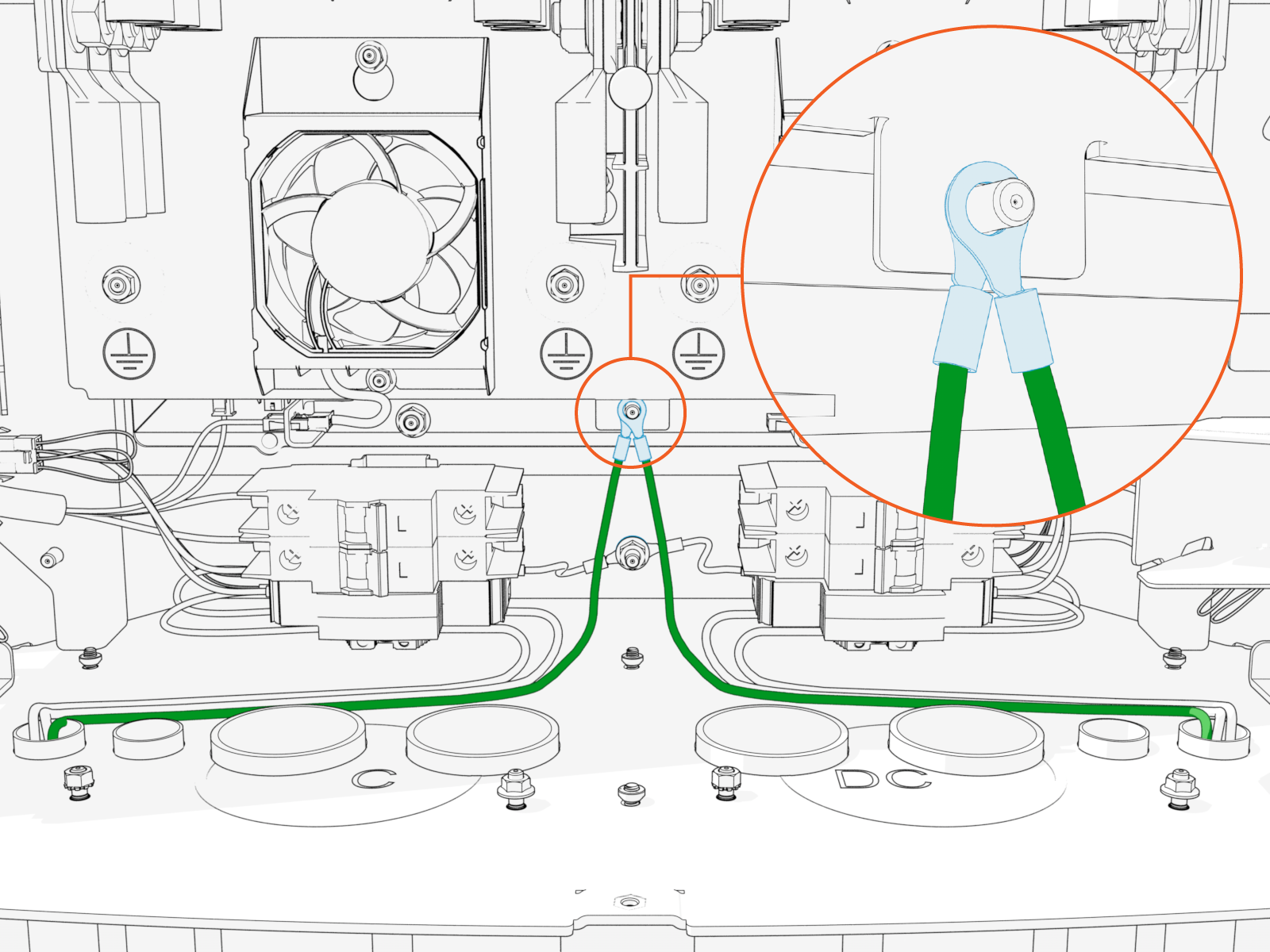
Install the prepared wire onto the stud.
If installing two chassis ground wires, stack both wires onto the stud.
-
Reinstall the lug nut. Torque to 5.6 Nm (50 in-lb).
How to Connect Ethernet Output to PD Controller Cable
Follow the procedure below for each Ethernet cable.
-
Identify the target terminal for landing the Ethernet cable.
The Ethernet terminal designated L must connect to the PD Controller paired with Pantograph L. The Ethernet terminal designated R must connect to the PD Controller paired with Pantograph R.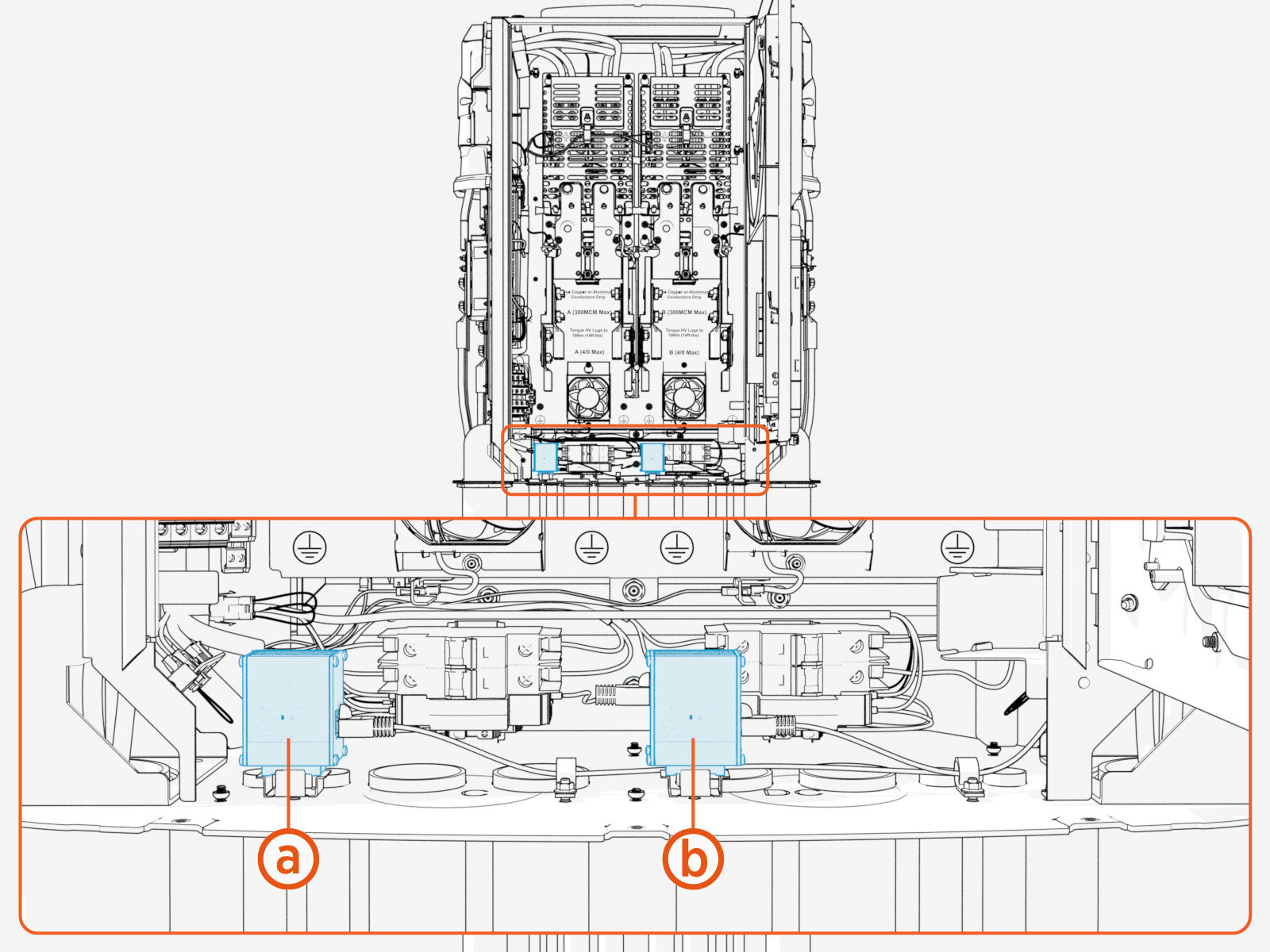
-
Ethernet output, L
-
Ethernet output, R
-
-
Trim Ethernet (Cat6 STP
Shielded Twisted Pair) cable terminal to length, allowing for a service loop. -
Field crimp a shielded RJ45 connector onto the Ethernet cable. Use straight-through T568B pattern.
Ground the shield at this end of the Ethernet cable. Do not ground the shield at the end of the cable that connects to the PD Controller.
-
Test the Ethernet cable for functionality.

-
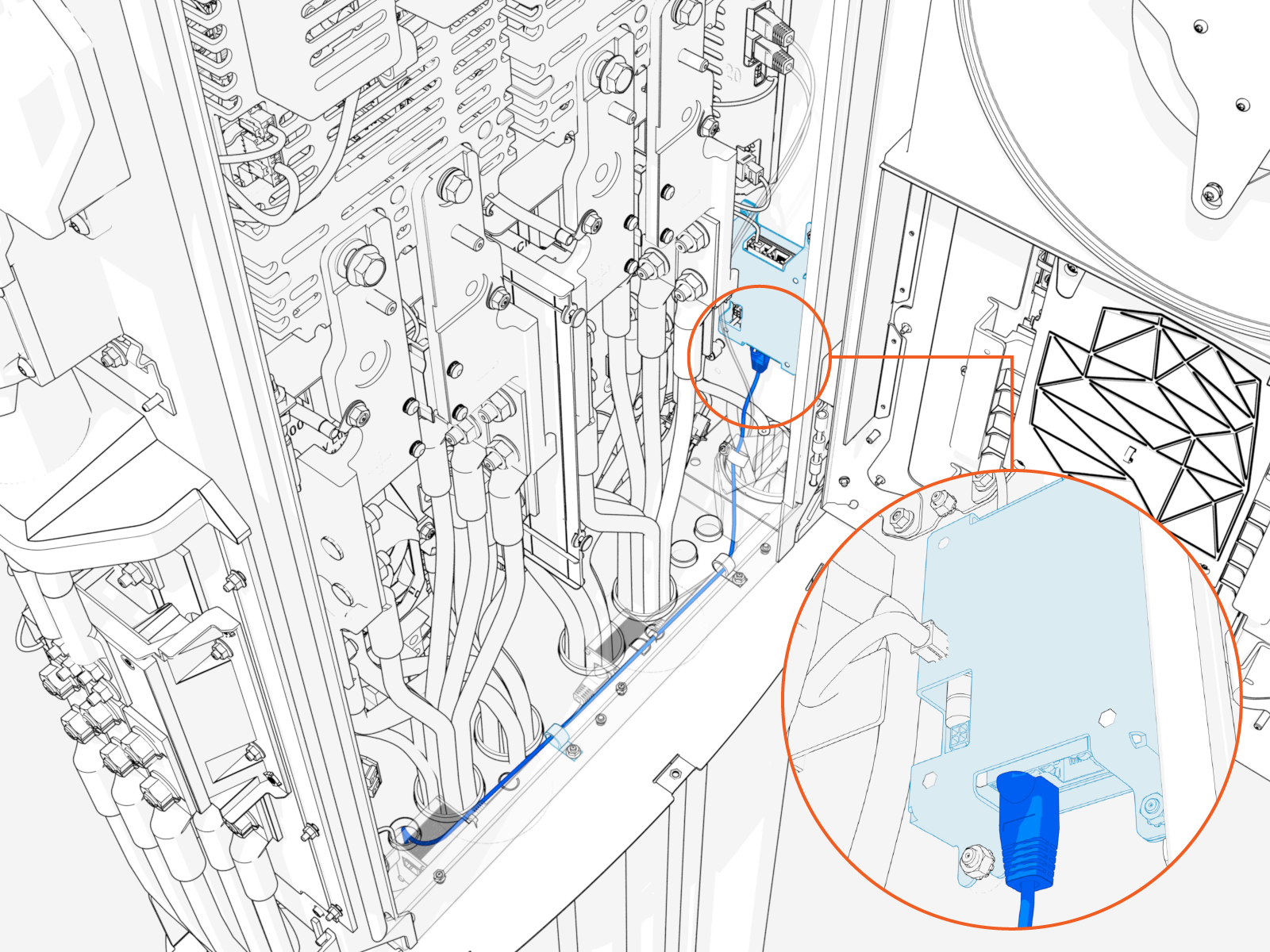
Route cable through wireway clamps and connect to the Ethernet surge suppressor.
To establish a secure connection, the RJ45 connector latch must click into the Ethernet surge suppressor.
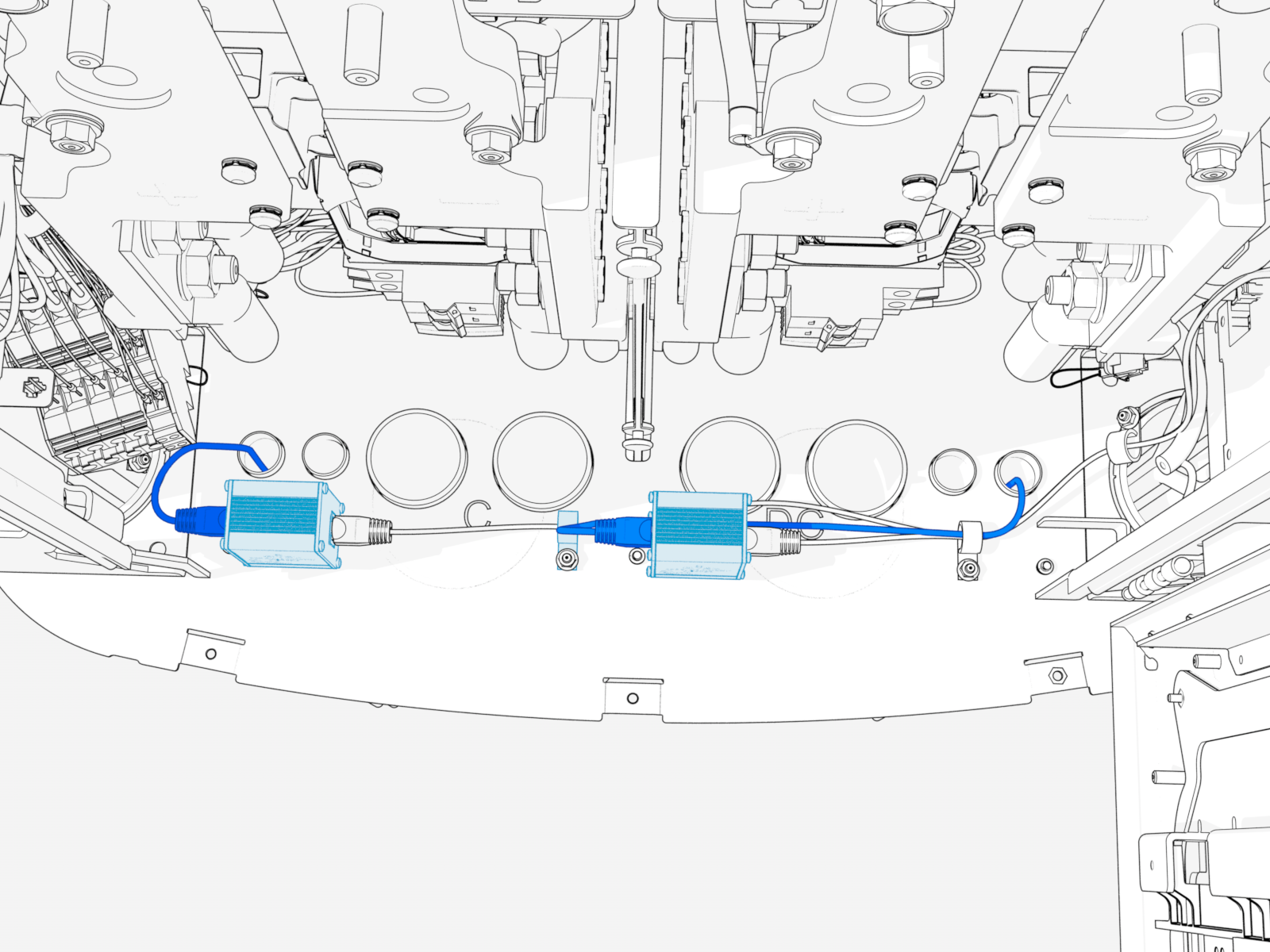
HV DC Output to Pantograph
-
Label the HV DC
High Voltage Direct Current and high power ground wires at both ends. -
Pull the wires through conduit. If necessary, apply a non-conductive wire pulling lubricant.
-
Perform insulation resistance test on the HV DC
High Voltage Direct Current wires. Refer to the Express Plus High Voltage Wire Insulation Resistance Test Field Guide. -
Cut the HV DC
High Voltage Direct Current wires to length for landing on the HV DC High Voltage Direct Current bus bars. See Wiring Overview for landing locations. Take into account the length of the lug that will terminate each wire. -
Connect the HV DC
High Voltage Direct Current and high power ground wires. See How to Connect High Power Ground Wires and How To Connect HV DC Wires.Connect wires in the following order:Ground wires
Negative (-) wires
Positive (+) wires
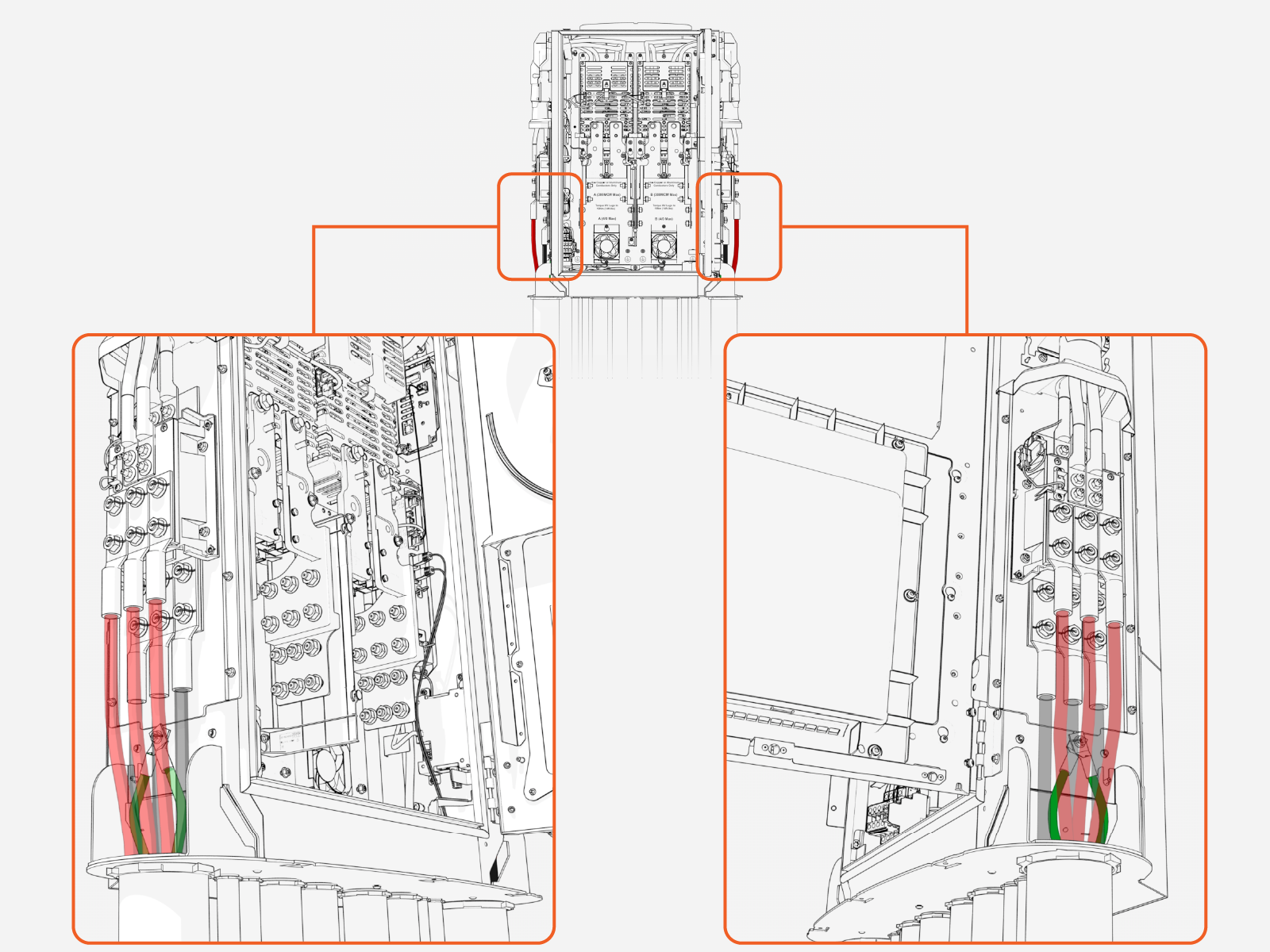
How to Connect High Power Ground Wires
Follow the procedure below for each ground wire.
Make sure no wire material is exposed below the lug barrel. If necessary, heat shrink or tape the exposed area to meet the local code requirements.
Wipe off any remains of wire pulling lubricant if applied.
-
Prepare the wire:
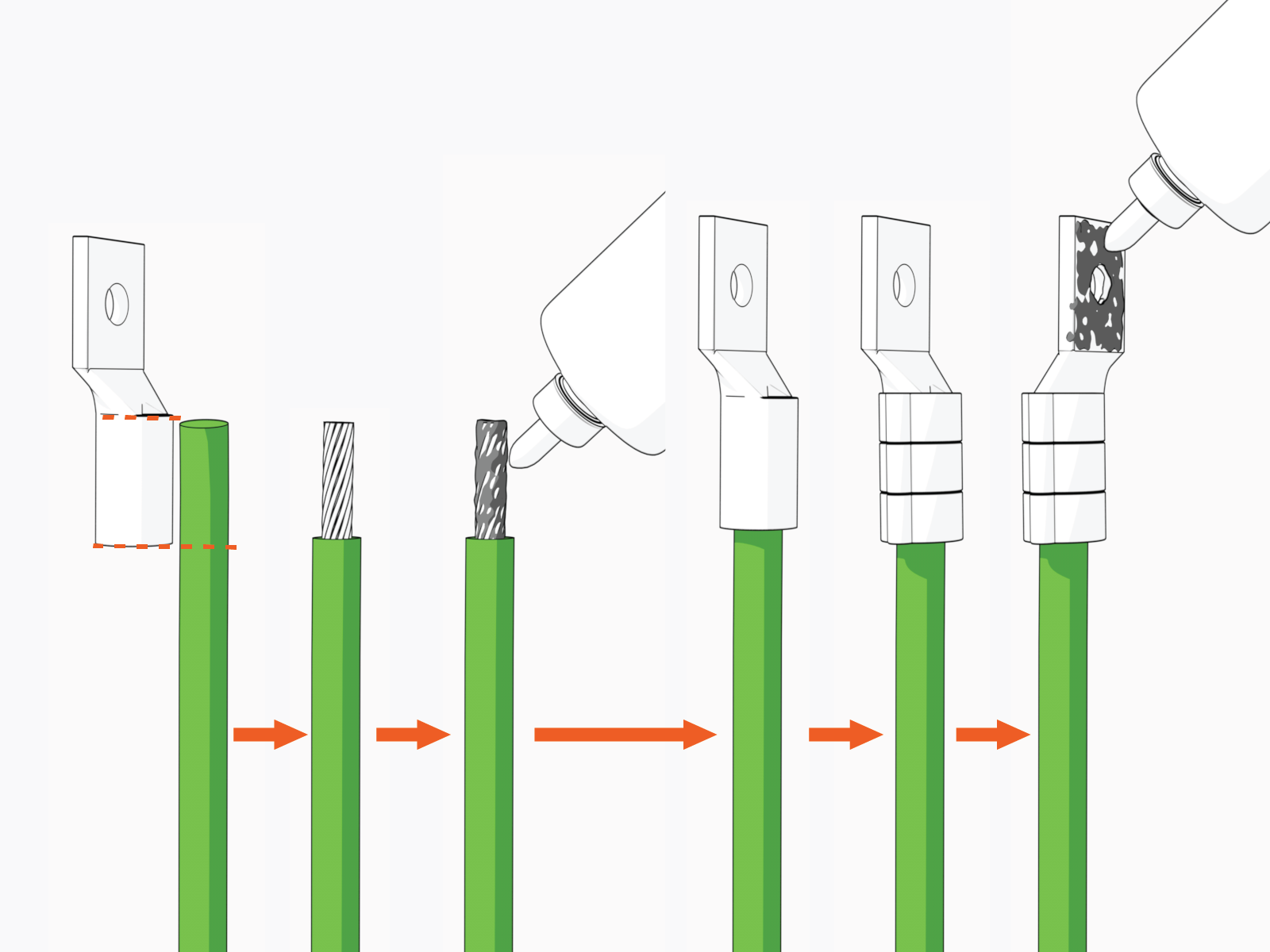
-
Mark the lug's barrel height on the wire terminal.
-
Strip the jacket on the marked terminal. Use a suitable wire stripper, such as Klein tool.
-
If recommended by the wire manufacturer or local code, apply an anti-oxidant joint compound to the stripped wire material to make a gastight joint with the lug.
-
Insert the stripped terminal into the lug's barrel and crimp it. Use a suitable lug crimping tool and/or die recommended by the lug manufacturer.
-
Apply dielectric grease to the lug's tongue surface that comes in contact with the bus bars.
-
-
Remove lug nut from the ground stud.
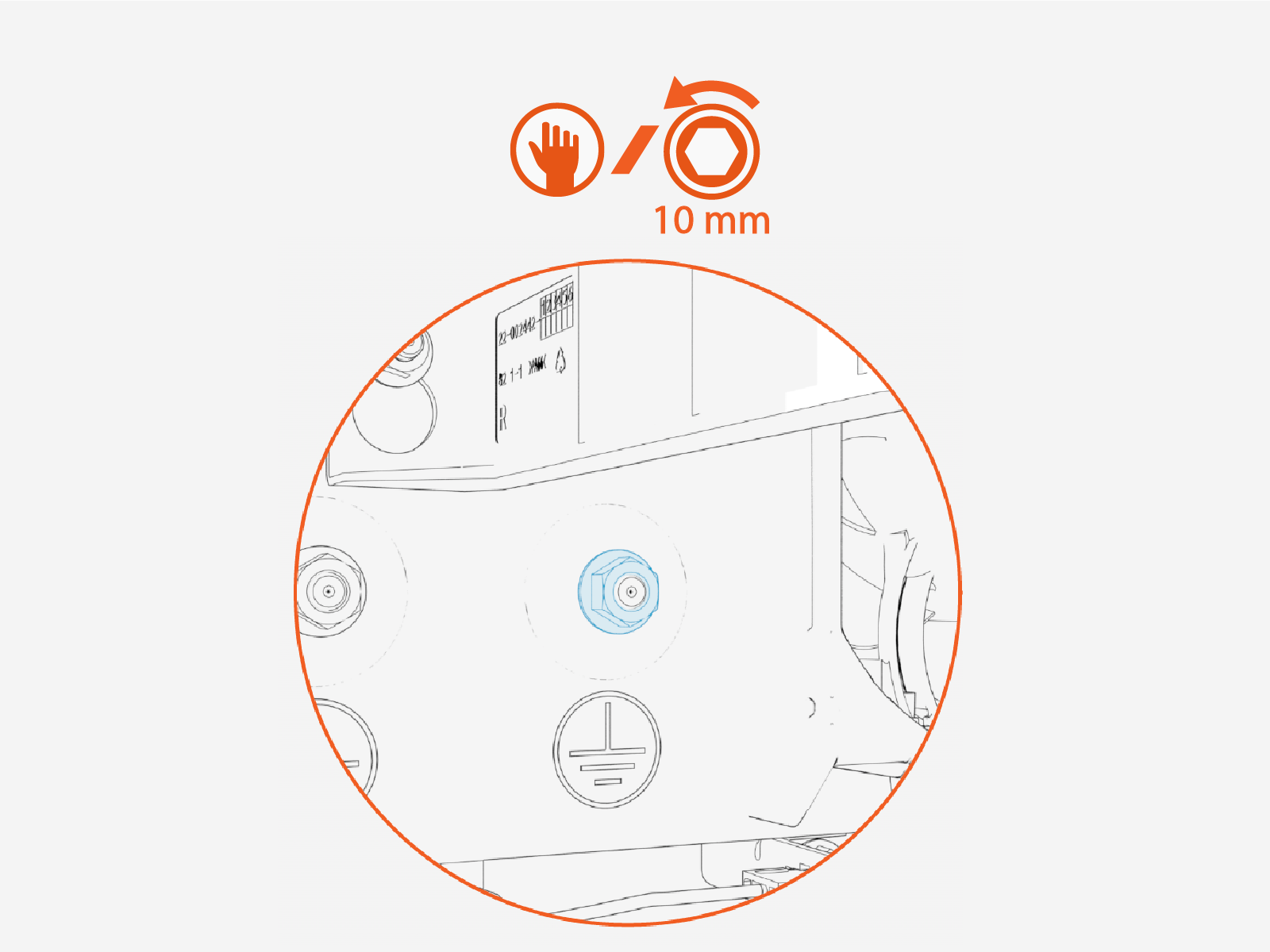
-
Install the prepared wire onto the stud.
If needed, two ground wires may stack onto a single stud.
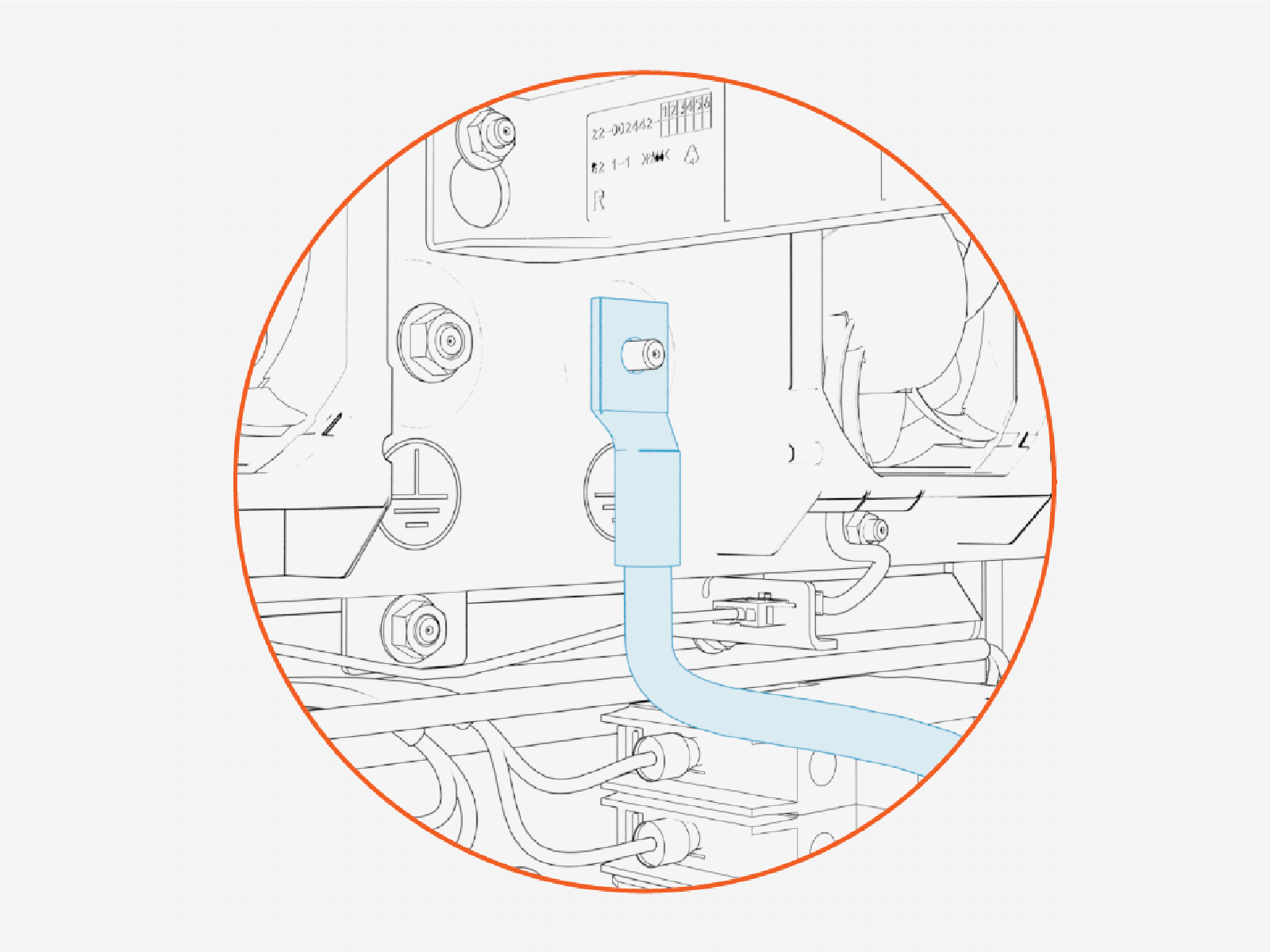
-
Reinstall and tighten the lug nut.
Torque the ground wire lug nuts to 5.6 Nm (50 in-lb).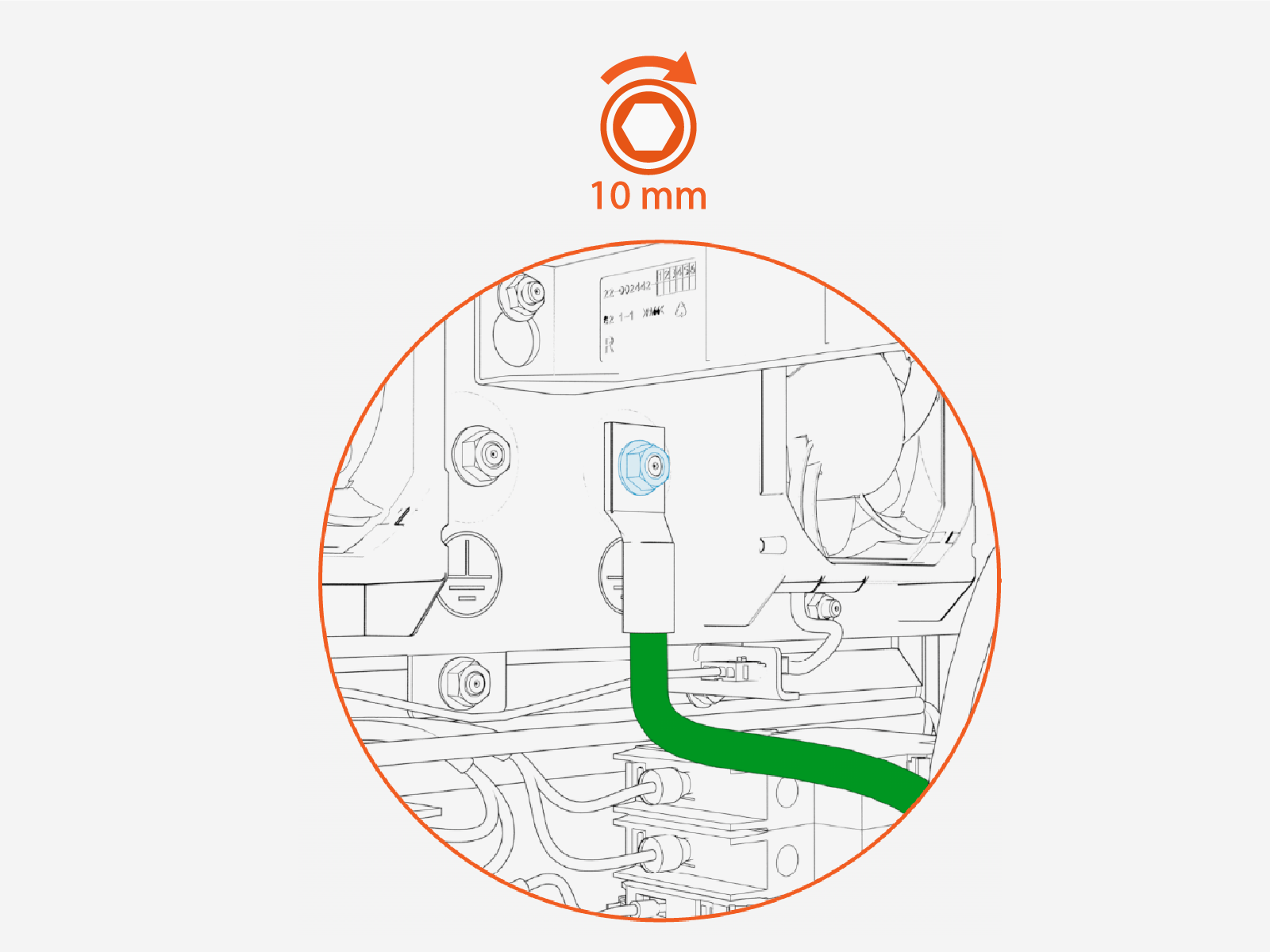
How to Connect HV DC Wires
Follow the procedure below for each HV High Voltage DC wire.
Make sure no wire material is exposed below the lug barrel. If necessary, heat shrink or tape the exposed area to meet the local code requirements.
Wipe off any remains of wire pulling lubricant if applied.
-
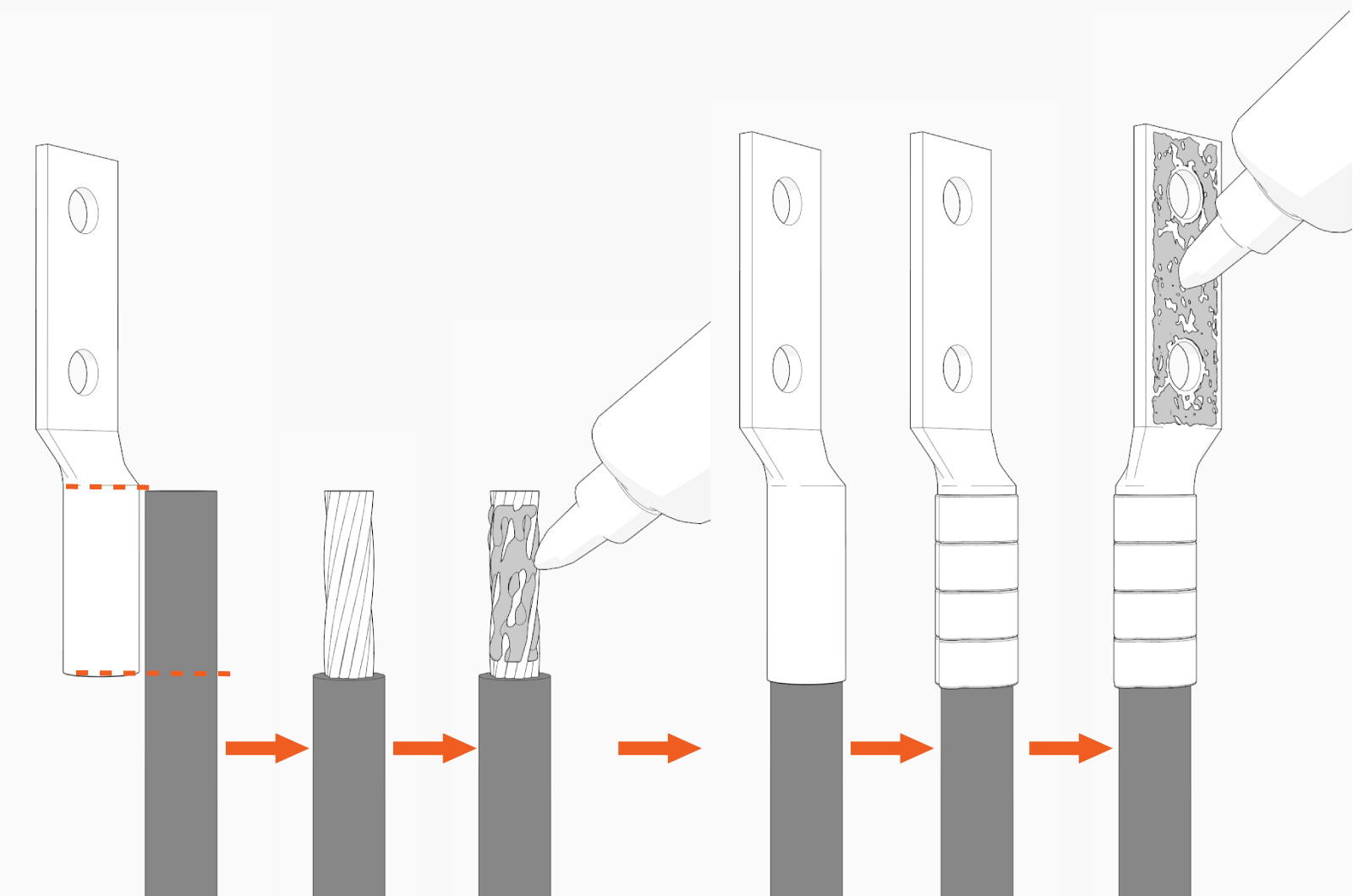
Prepare the wire:
-
Mark the lug's barrel height on the wire terminal.
-
Strip the jacket on the marked terminal. Use a suitable wire stripper, such as Klein tool.
-
If recommended by the wire manufacturer or local code, apply an anti-oxidant joint compound to the stripped wire material to make a gastight joint with the lug.
-
Insert the stripped terminal into the lug's barrel and crimp it. Use a suitable lug crimping tool and/or die recommended by the lug manufacturer.
-
Apply dielectric grease to the lug's tongue surface that comes in contact with the bus bars.
-
-
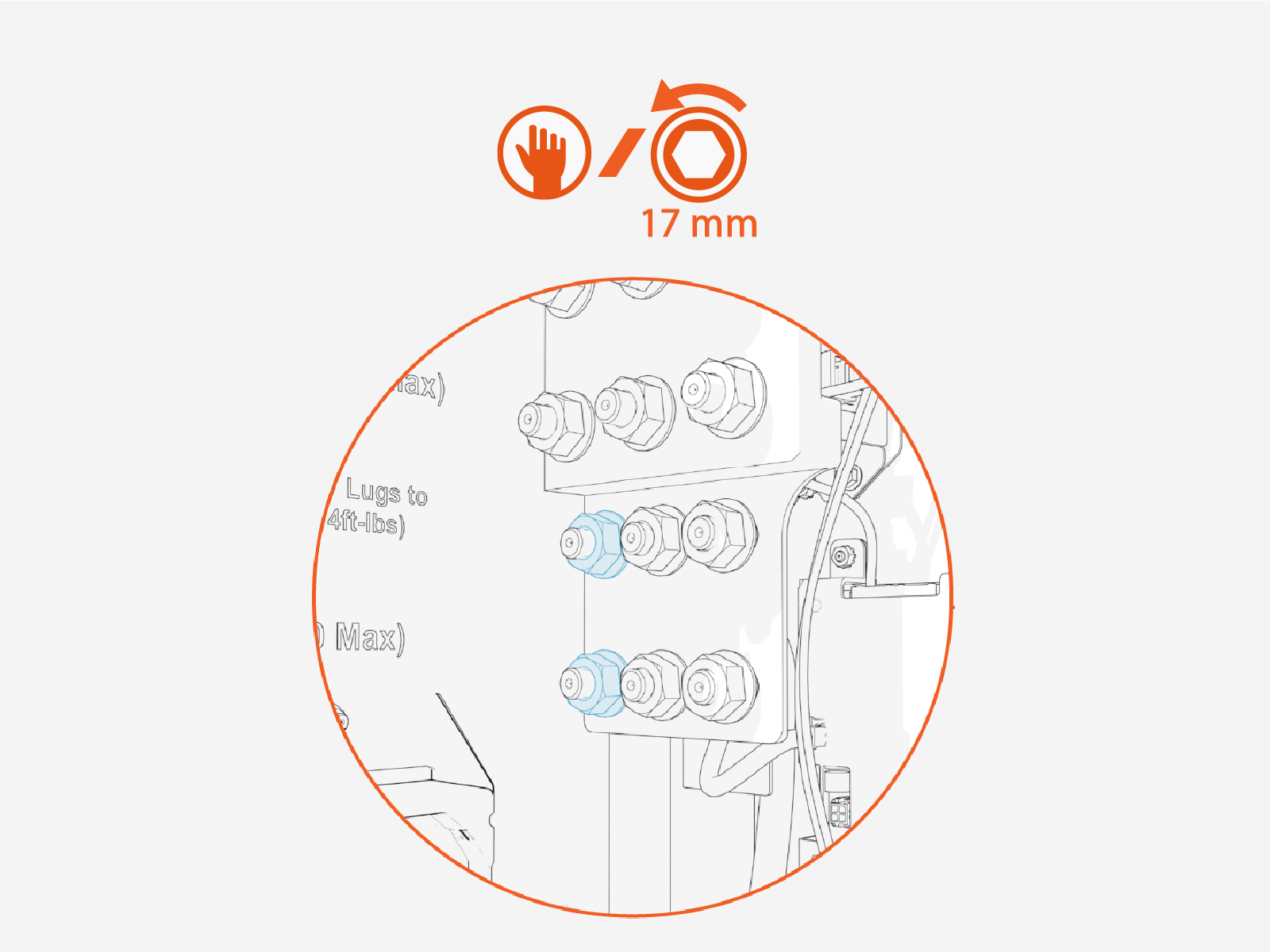
Remove lug nuts from the landing studs.
-
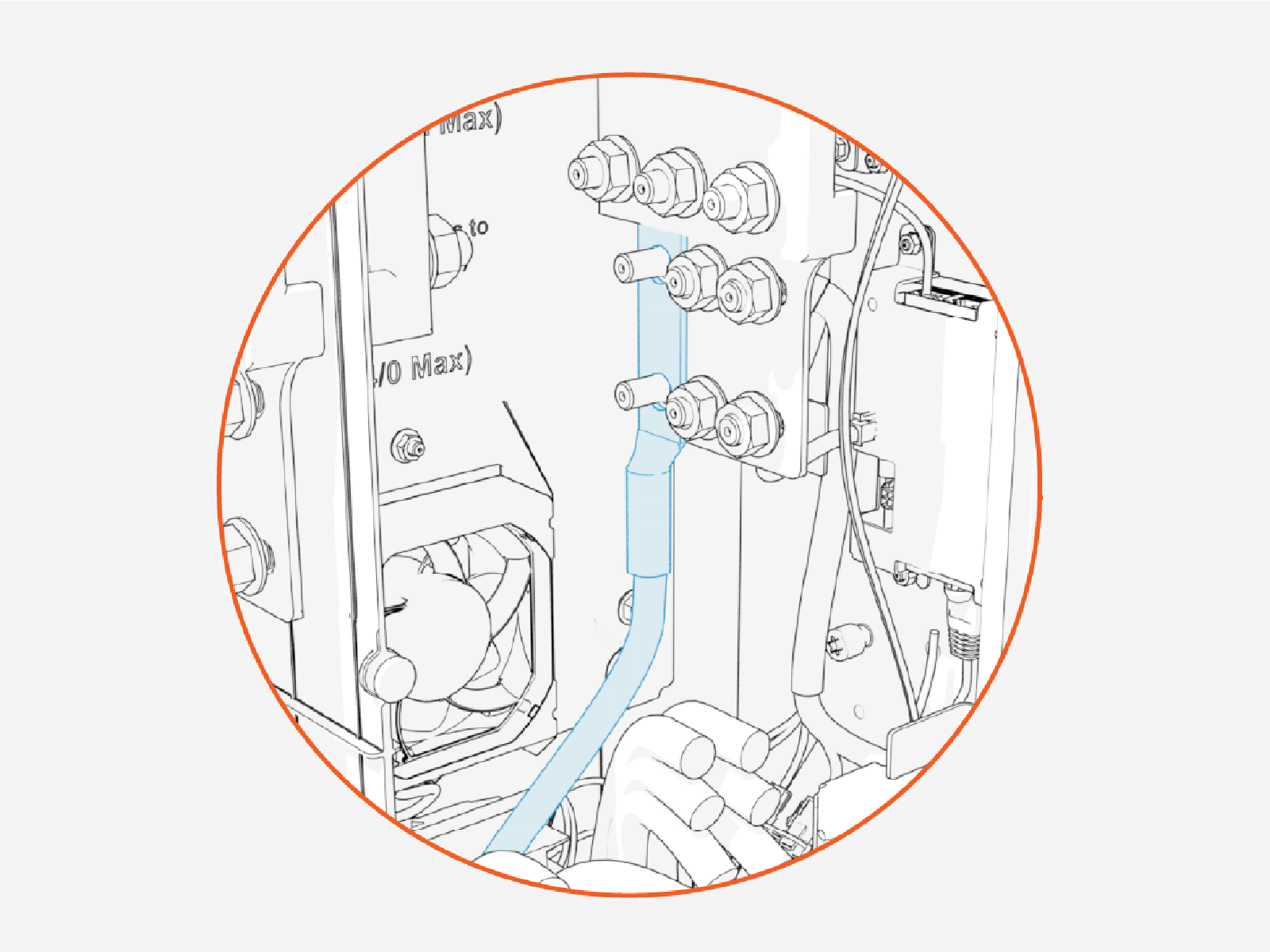
Install the prepared wire onto the studs.
When connecting the HV DC High Voltage Direct Current wires, install the red (+) wire's lug onto the bus bar's positive (+) pole and black (-) wires onto the bus bar's negative (-) pole.
-
Reinstall and tighten the lug nuts.
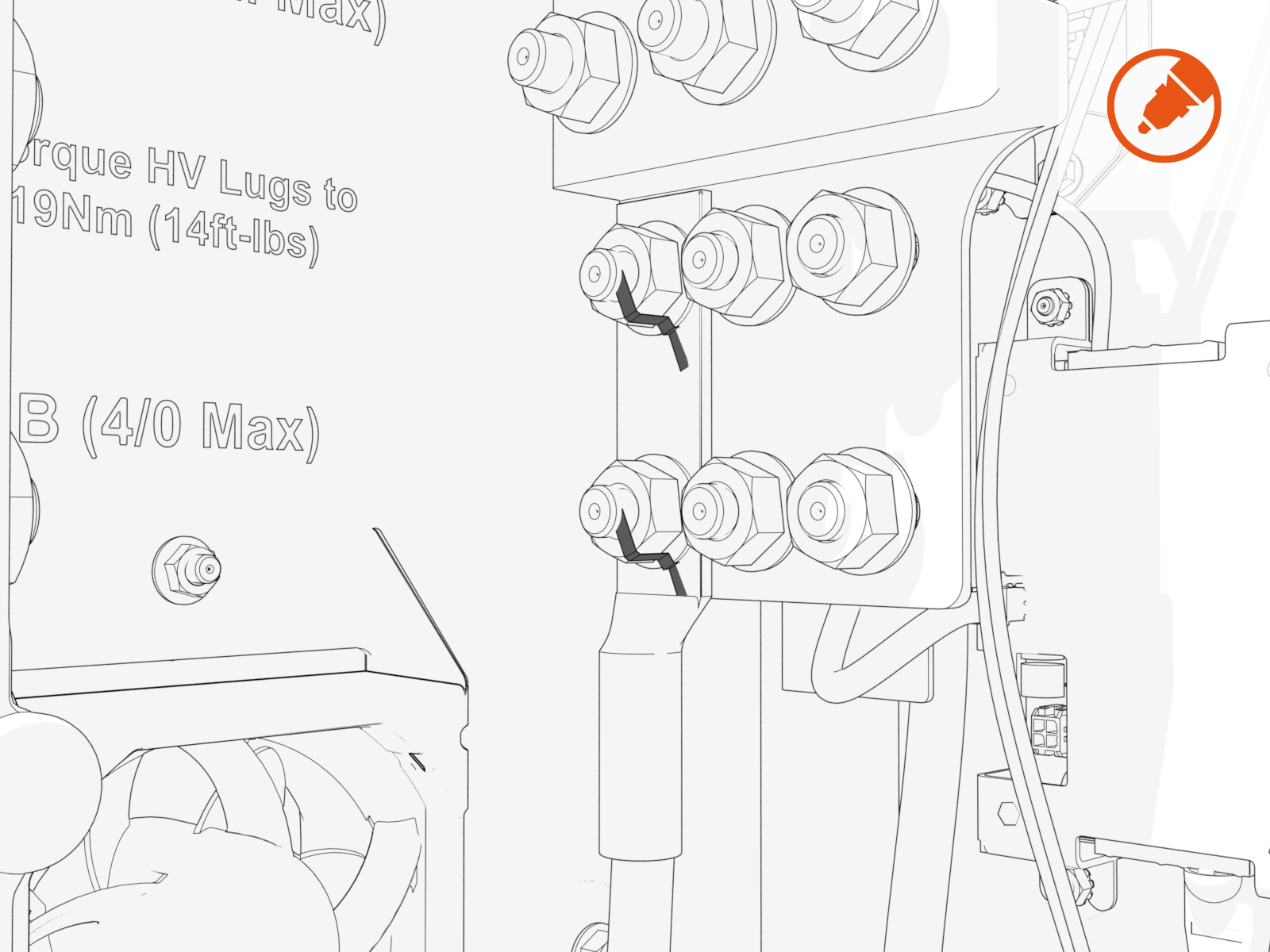
Torque the HV DC High Voltage Direct Current wire lug nuts to 19 Nm (14 ft-lb). 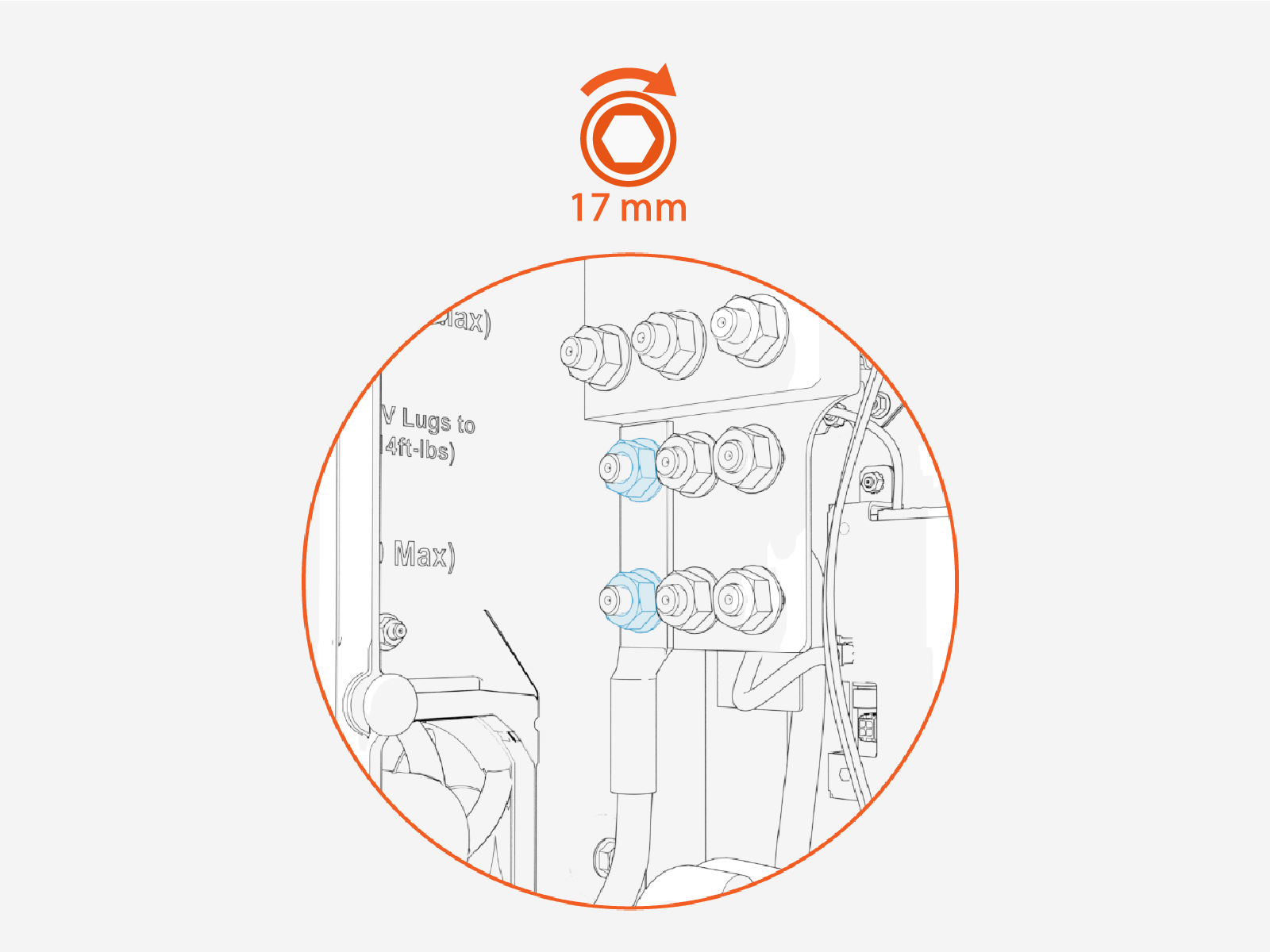
-
Apply torque marks. Torque marks are required to pass post-installation inspection.
HV DC from Power Block or Power Link 2000
-
Label the HV DC
High Voltage Direct Current and high power ground wires at both ends. -
Pull the wires through conduit. If necessary, apply a non-conductive wire pulling lubricant.
-
Perform insulation resistance test on the HV DC
High Voltage Direct Current wires. Refer to the Express Plus High Voltage Wire Insulation Resistance Test Field Guide. -
Cut the wires to length for landing on their respective terminals. See Wiring Overview for landing locations. Take into account the length of the lug that will terminate each wire.
-
Connect the HV DC
High Voltage Direct Current wires. See How To Connect HV DC Wires and How to Connect High Power Ground Wires.Connect wires in the following order:Ground wires
Lower landing wires
Upper landing wires
LV DC from Power Block or Power Link 2000
-
Label the LV DC
Low Voltage Direct Current and Ethernet wires at both ends to allow for wiring to be traced during installation and future servicing. -
Pull the LV DC
Low Voltage Direct Current and Ethernet wires into the enclosure. -
Connect the LV DC
Low Voltage Direct Current and Ethernet wires. See:-
How to Connect LV DC Wires From Power Block or Power Link 2000
-
How to Connect Ethernet Cables From Power Block or Power Link 2000
-
How to Connect LV DC Wires from Power Block or Power Link 2000
Follow the procedure below for each LV DC Low Voltage Direct Current wire pair.
-
Identify the target wire insertion points for landing the LV DC
Low Voltage Direct Current input wire pair.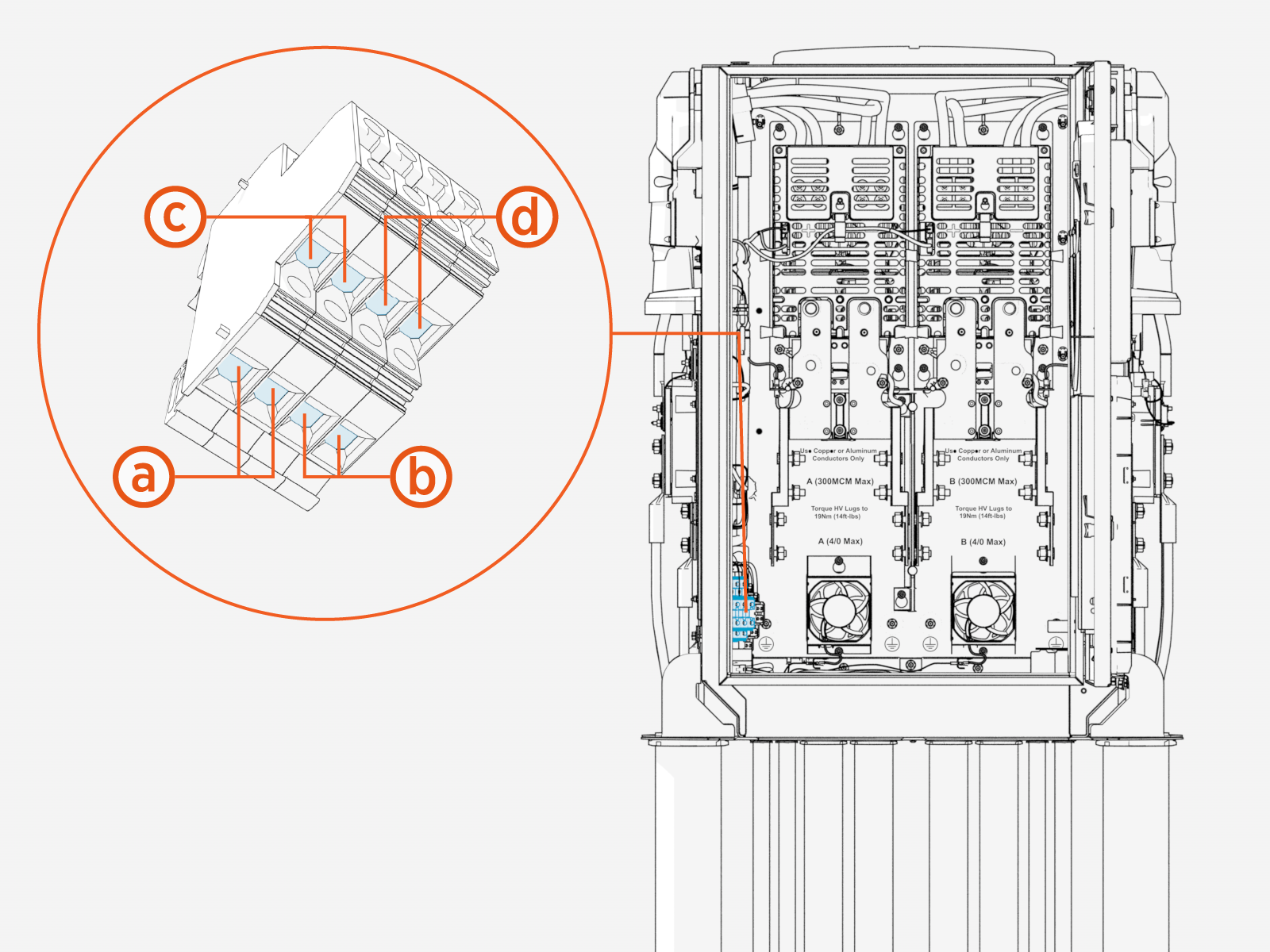
Input, primary
Input, secondary
Output, primary
Output, secondary
-
Cut wires to length for landing at the terminal.
-
Strip the wire jackets.
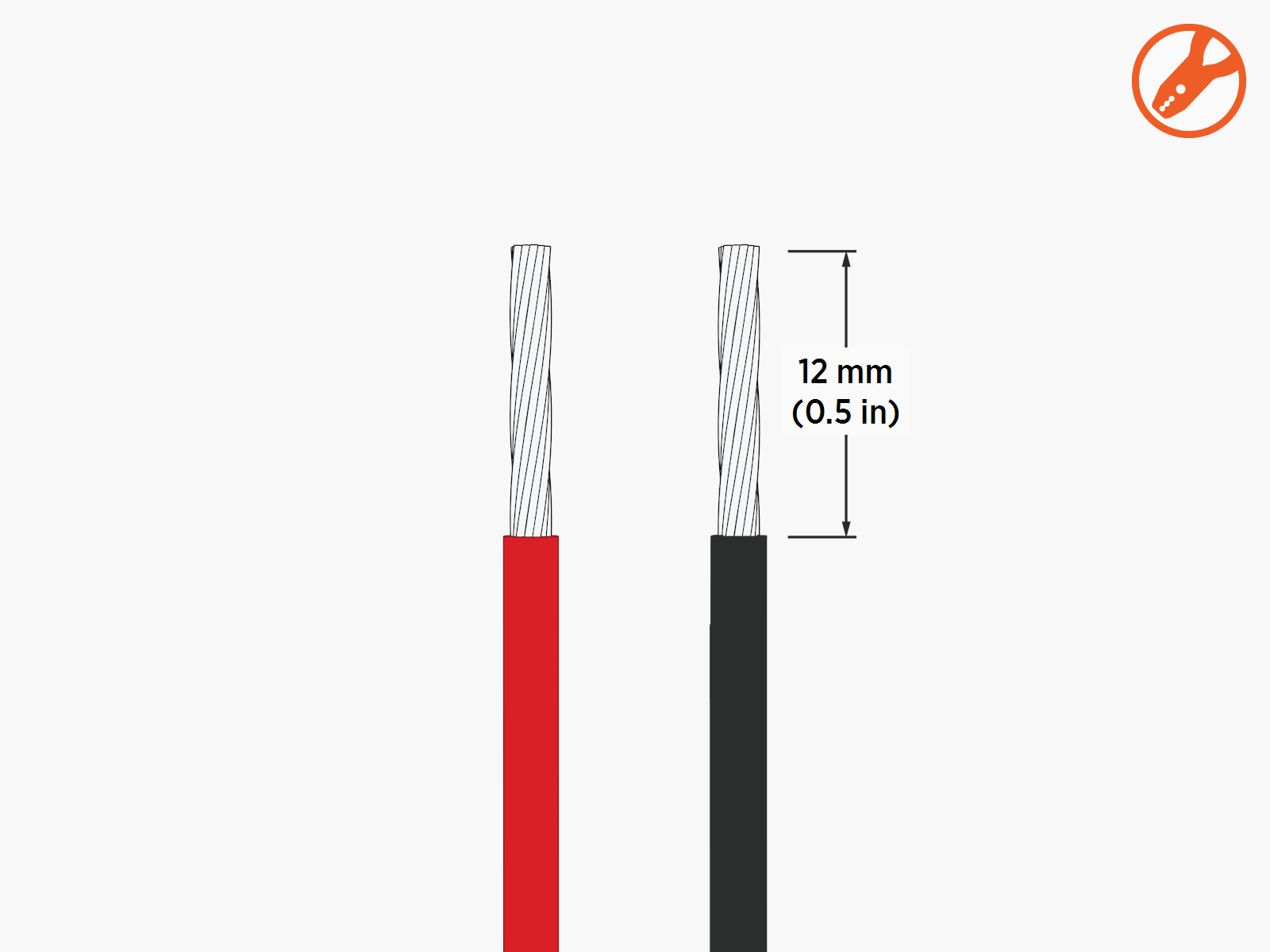
-
Loosen the wire set screws (x2).
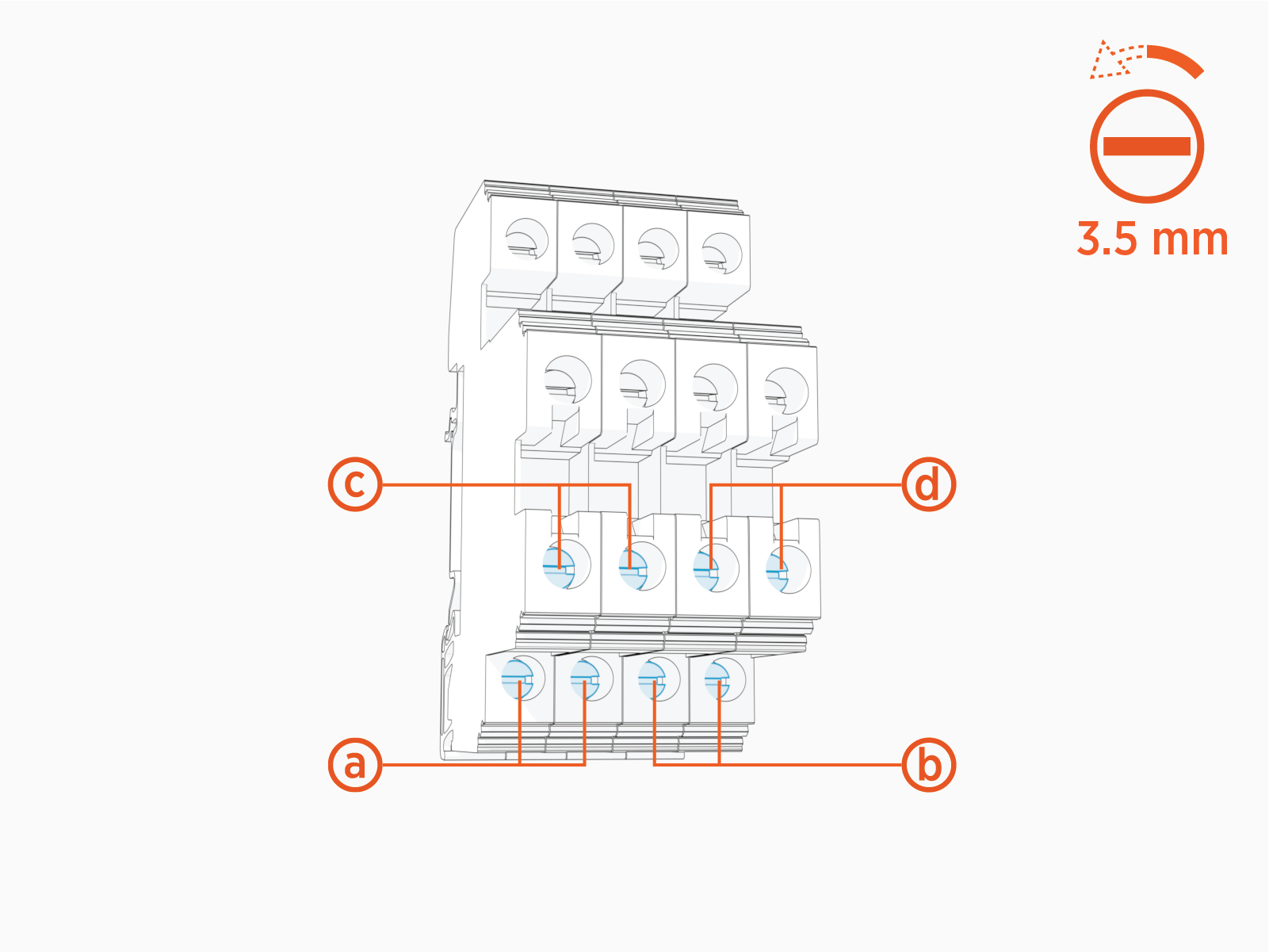
-
Input, primary
-
Input, secondary
-
Output, primary
-
Output, secondary
-
-
Route wires (x2) through the wireway clamps (if necessary use cable ties) and insert them into the LV
Low Voltage terminal block. For each wire pair, insert the positive (+) wire into the left terminal. Insert the negative (-) wire into the right terminal. -
Torque the screws (x2) to 1.5 Nm (13.3 in-lb). Push-pull to test that both wires (+ and -) are secured.
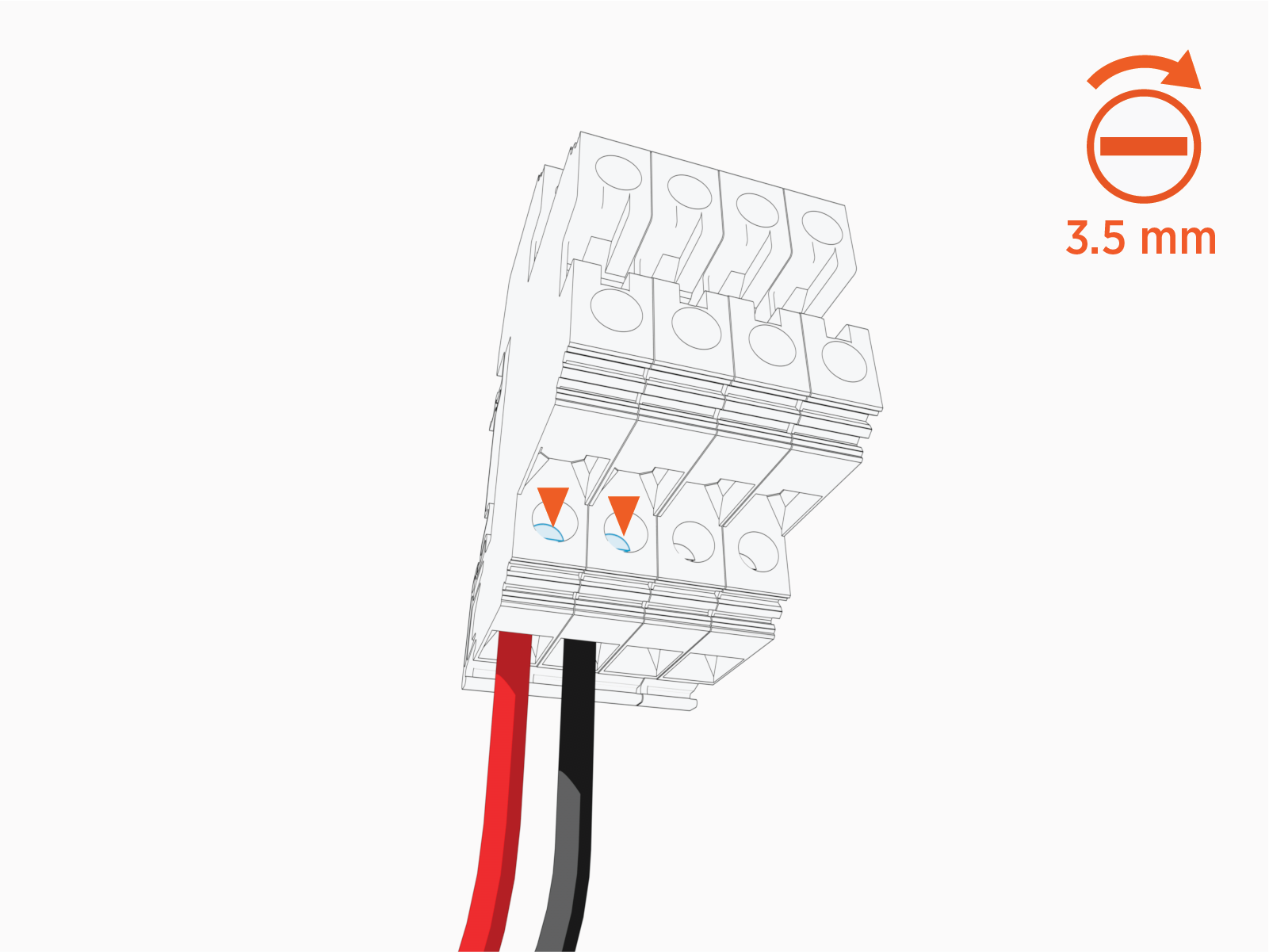
How to Connect Ethernet Cable from Power Block or Power Link 2000
Follow the procedure below for each Ethernet cable.
-
On the Smart Ethernet Switch, locate three ports for landing Ethernet cables.
Cables may plug into any available port.
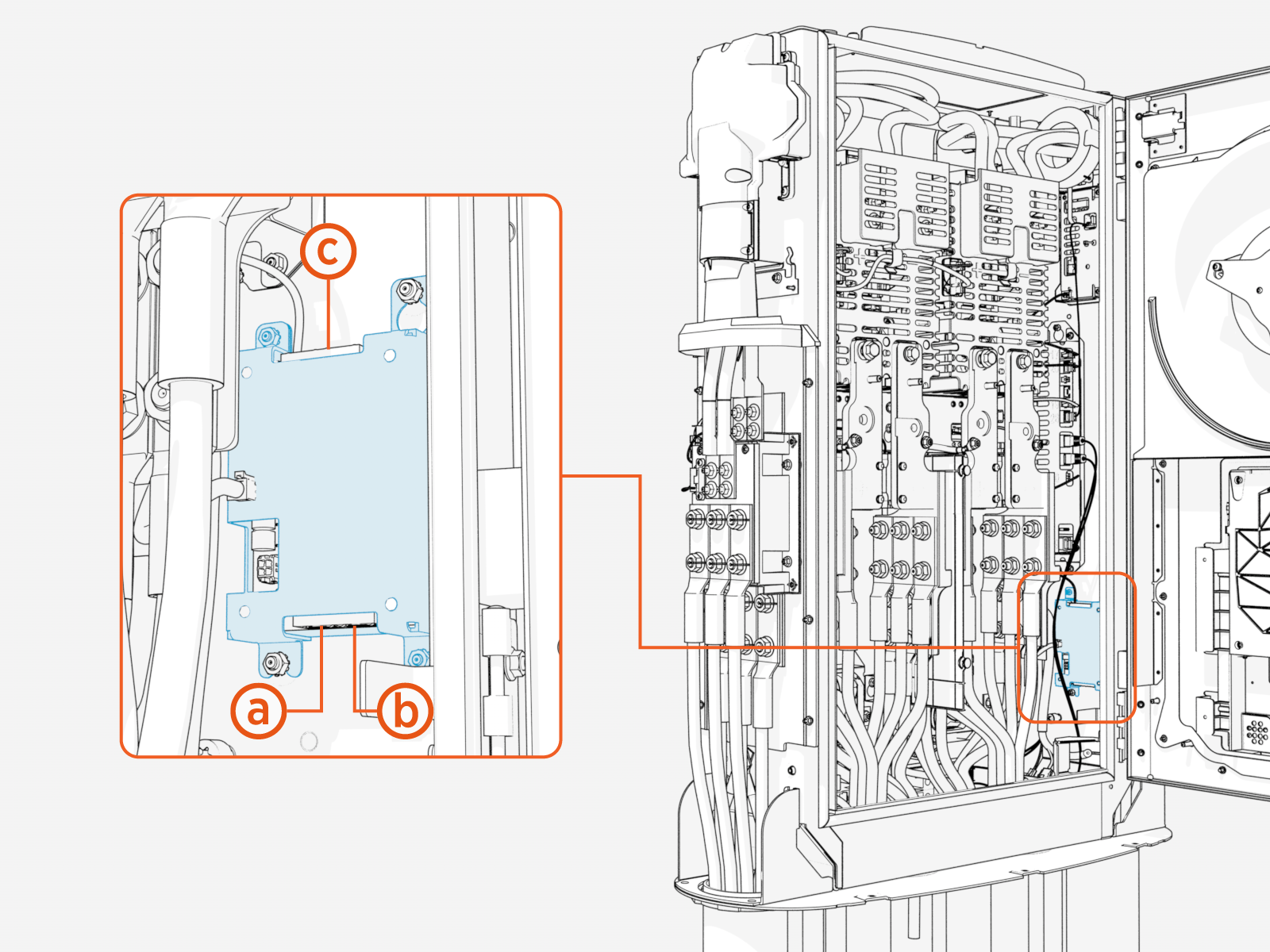
-
Lower left port
-
Lower right port
-
Upper port
-
-
Trim Ethernet (Cat6 STP
Shielded Twisted Pair) cable terminal to length, allowing for a service loop. -
Field crimp a shielded RJ45 connector onto the Ethernet cable. Use straight-through T568B pattern.
-
For an Ethernet cable connecting from Power Block to Power Link 2000, do not ground the shield at this end of the cable. Ground the shield at the end of the cable that connects to the Power Block.
-
For an Ethernet cable connecting between Power Link 2000s, ground the shield at the cable end nearer to the Power Block (per Ethernet topology for the Express Plus cluster). Do not ground the shield at the other cable end.
-
-
Test the Ethernet cable for functionality.
If using a Paige OSP Shielded GameChanger cable for a wire run length greater than 100 m (328 ft), follow the test procedure specified by Paige. See Paige GameChanger Resources.
-
Route the cable through the wireway clamps and connect the cable at the Smart Ethernet Switch.
To establish a secure connection, the RJ45 connector latch must click into the Smart Ethernet Switch port.