Connect Schunk SLS 201.102 Wires
Wiring Overview
Before connecting wires at the pantograph, study and understand the wiring information provided below. For wire quantities, sizes, and terminations, see Wires and Terminations Required for Site and refer to the site drawing.
The Schunk SLS 201.102 is configured with the following wiring:
-
HV DC
 High Voltage Direct Current and high power ground power wires connecting from Power Link 2000.
 -
Three sub-cables within the Controller Interface Cable, connecting from the PD Controller:
-
Control pilot
-
Rest sensor
-
Pantograph control
-
-
A ground wire connecting between the pantograph frame and the auxiliary mounting frame
The wires land on the pantograph at the locations shown below.

-
High power ground (PE)
-
HV DC
High Voltage Direct Current input, positive (+) -
HV DC
High Voltage Direct Current input, negative (-) -
Control pilot
-
Rest sensor
-
Pantograph frame ground
-
Pantograph control
There are two high power ground wires connecting from Power Link 2000:
-
One ground wire connecting to pantograph PE that lands at terminal (a).
-
One ground wire connecting to the pantograph frame that lands at terminal (f).
The wire that grounds the auxiliary mounting frame to the pantograph frame also lands at terminal (f).
Parts Needed
To prepare for Schunk SLS 201.102 wiring, find the following parts from the Auxiliary Components Kit:
-
M10 bolt and flange nut (x5 each)
-
Ground wire (0.5 m, 1.6 ft)
-
M8 bolt and flange nut (x1 each)
-
Controller interface cable (5 m)
-
Zip ties
Connect HV DC Wires
Prepare Wires
-
Cut the HV DC
High Voltage Direct Current and high power ground wires to length for reaching the bus bars on the pantograph. Account for the length of the lug that will terminate each wire.The positive (+) and negative (-) bus bars each have two holes for fastening wire lugs. One bolt at each hole can secure two wires, with one wire on each side of the bus bar.
-
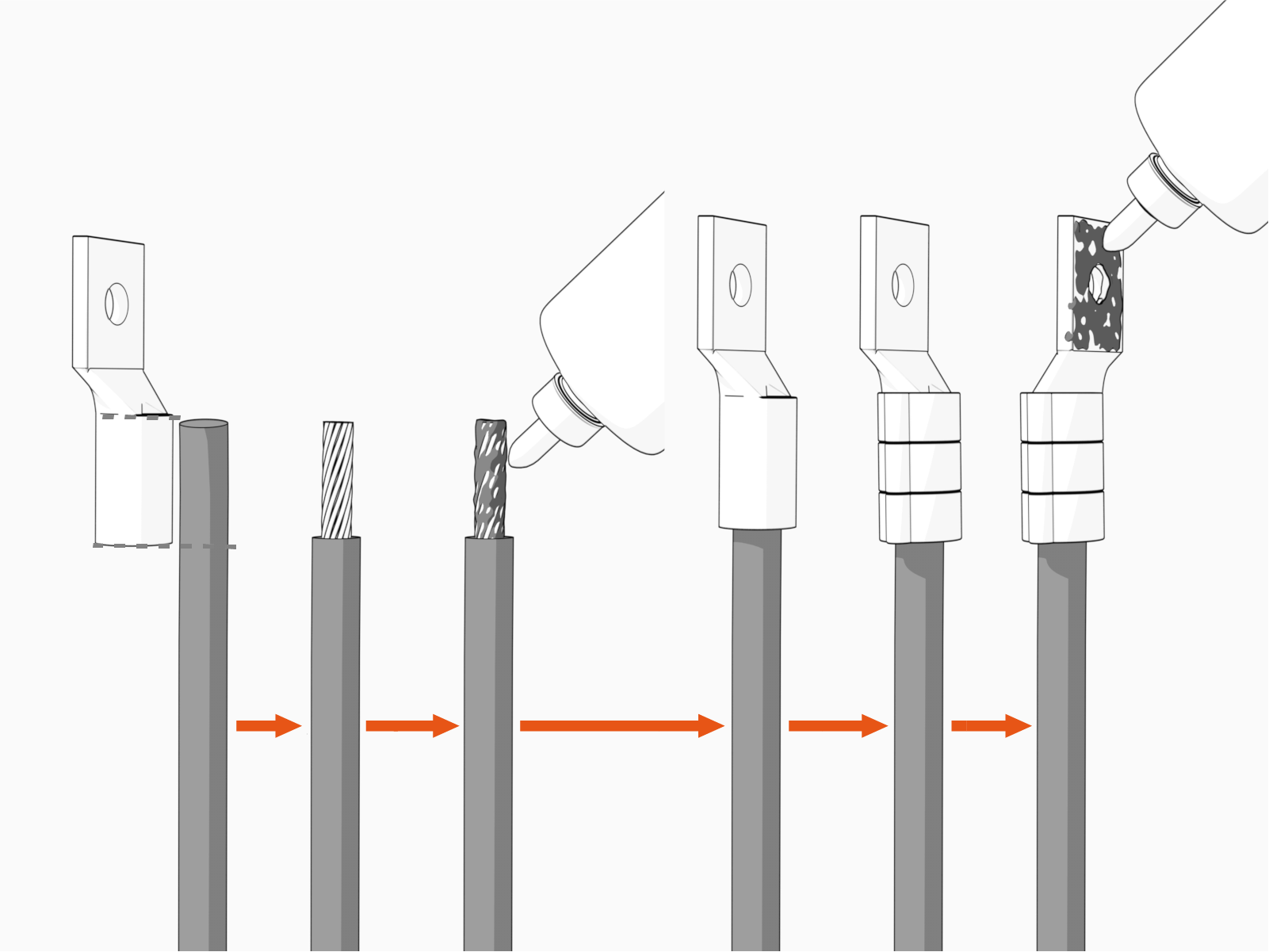
Install wire lugs.
-
Mark the lug's barrel height on the wire terminal.
-
Strip the jacket on the marked terminal. Use a suitable wire stripper, such as Klein tool.
-
If recommended by the wire manufacturer or local code, apply an anti-oxidant joint compound to the stripped wire material to make a gastight joint with the lug.
-
Insert the stripped terminal into the lug's barrel and crimp it. Use a suitable lug crimping tool and/or die recommended by the lug manufacturer.
-
Apply dielectric grease to the lug's tongue surface that comes in contact with the bus bars.
-
Connect Wires
-
Connect HV DC
High Voltage Direct Current wires (positive, negative, and PE). Use provided M10 bolts and flange nuts. Torque to 19 Nm (14 ft-lb).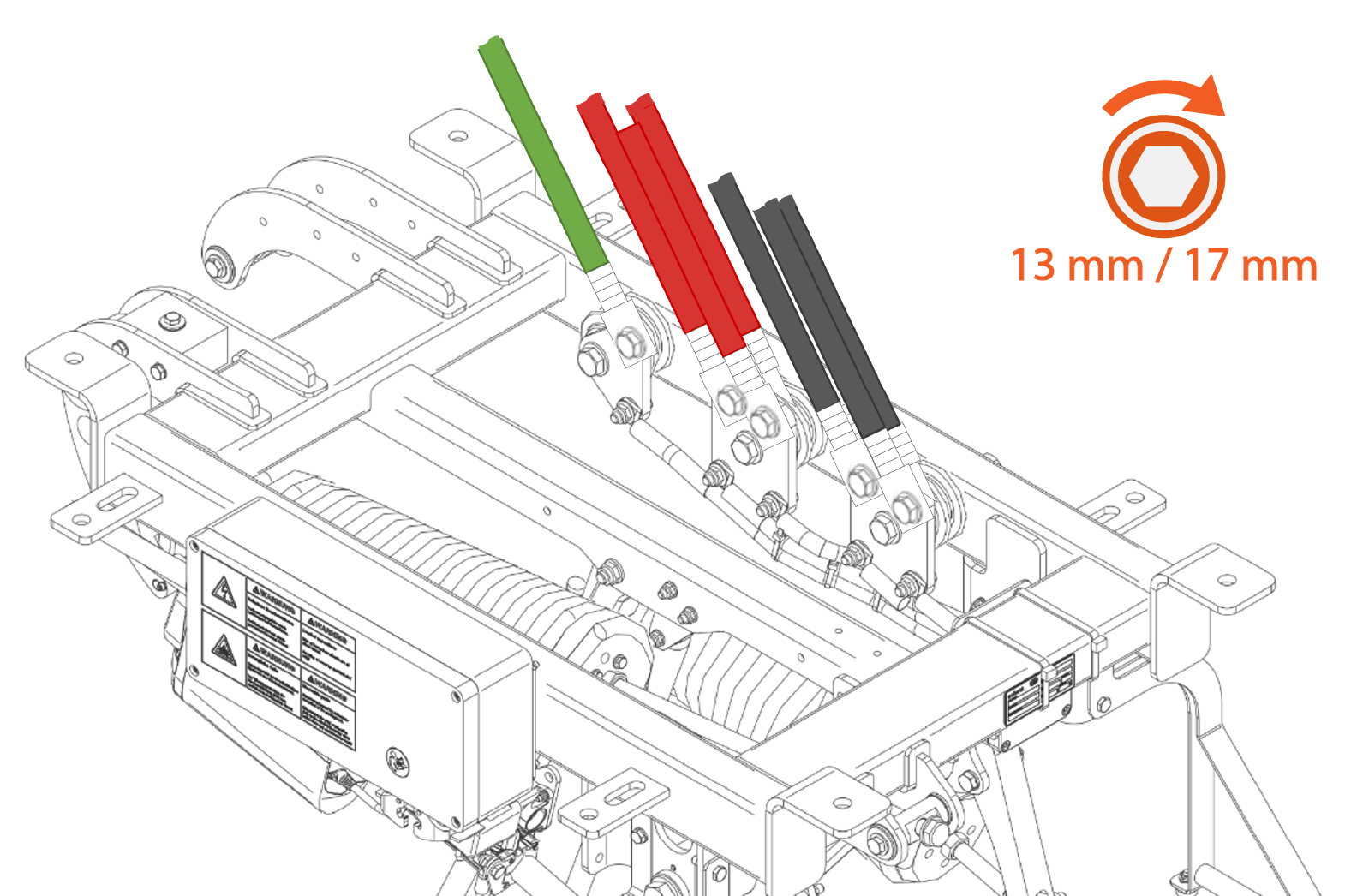
-
Mark all torqued connections. Torque marks are required to pass post-installation inspection.
Connect Pantograph Frame Ground Wires
Prepare Auxiliary Mounting Frame Ground Wire
-
Familiarize yourself with the ground cable from the Auxiliary Components Kit. See Pantograph Frame to Auxiliary Frame Ground Wire.
-
Mark the cable end with the larger ring terminal (sized for M8 (0.31 in) bolt). This is the end that installs at the pantograph.
Prepare Ground Wire from Power Link 2000
-
Identify the high power ground wire connecting from the Power Link 2000.
-
Route the wire to the pantograph frame ground landing and cut wire to length. Take into account the length of the lug that will terminate the wire.
-
Strip the wire end and install a lug.
Connect Ground Wires
-
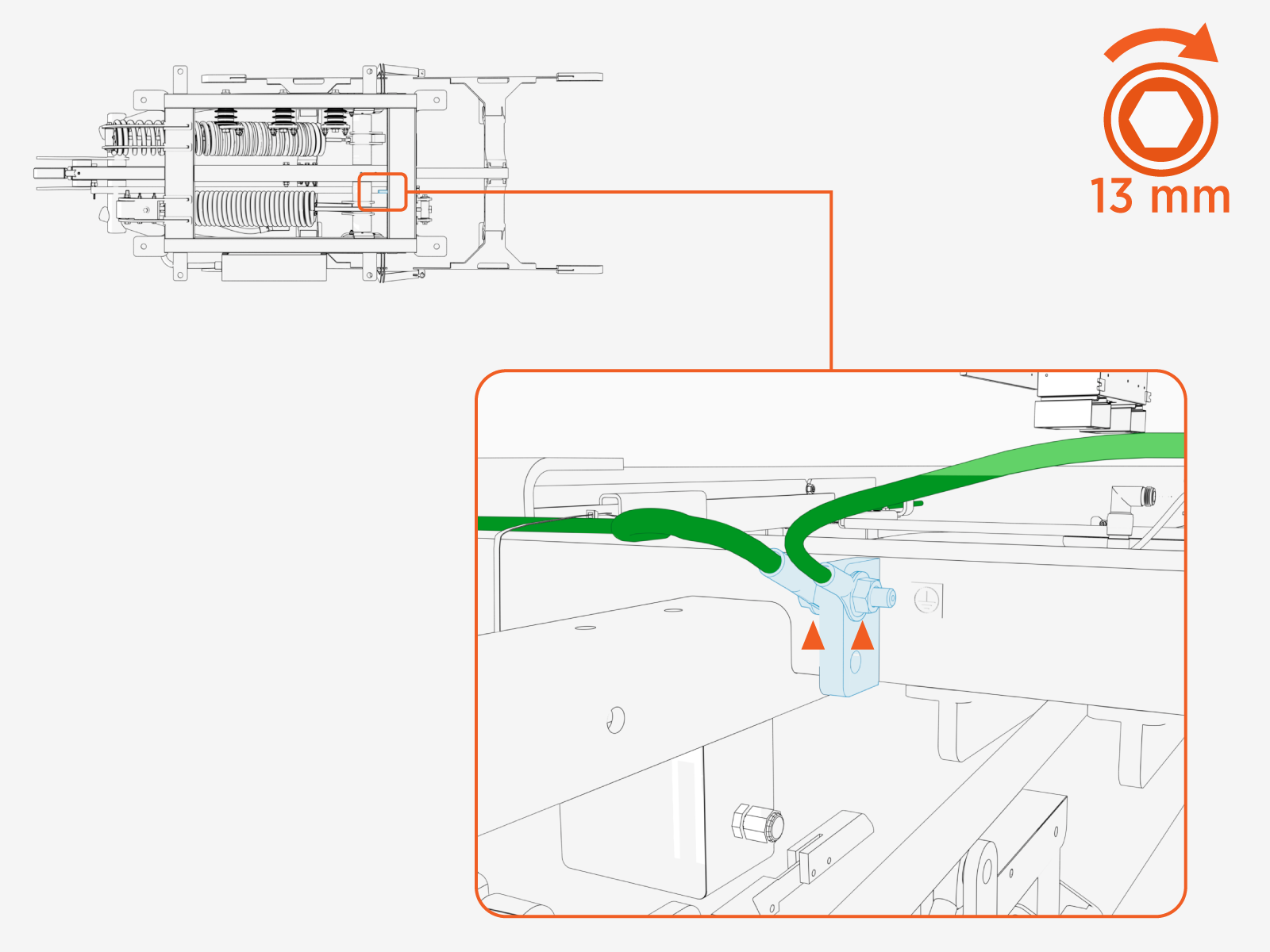
Connect the two ground wires to the pantograph frame ground landing. Use M8 bolt and flange nut. Torque to 12.2 Nm (108 in-lb).
-
Use a zip tie to secure the wires so that they are clear of the pantograph during operation. The wires must be kept away from the pantograph arms and charging rails.
Connect LV DC Cables
Route Controller Interface Cable
-
Familiarize yourself with the controller interface cable. See Controller Interface Cable Schunk SLS 201.102.
-
If the site plan calls for the controller interface cable to run within conduit, and the 1-1/4 in NPT
National Pipe Thread cable gland (provided with PD Controller) is used to seal the end of the conduit nearest to the pantograph, thread the cable gland onto the conduit using a 46 mm hex wrench. Torque to 10.2 Nm (90 in-lb). -
Route or pull (through conduit) the controller interface cable from the pantograph to the PD Controller.
-
The cable can be pulled through conduit in only one direction, from the pantograph to the PD Controller.
-
Ensure there is sufficient cable length to land the cable wires inside of the PD Controller. See Connect PD Controller Wires.
-
Connect Pantograph Control Cable
-
Route the pantograph control cable to the pantograph electric control unit. Ensure the cable is kept clear of high voltage exposed conductors and the pantograph arms through their full movement range.
-
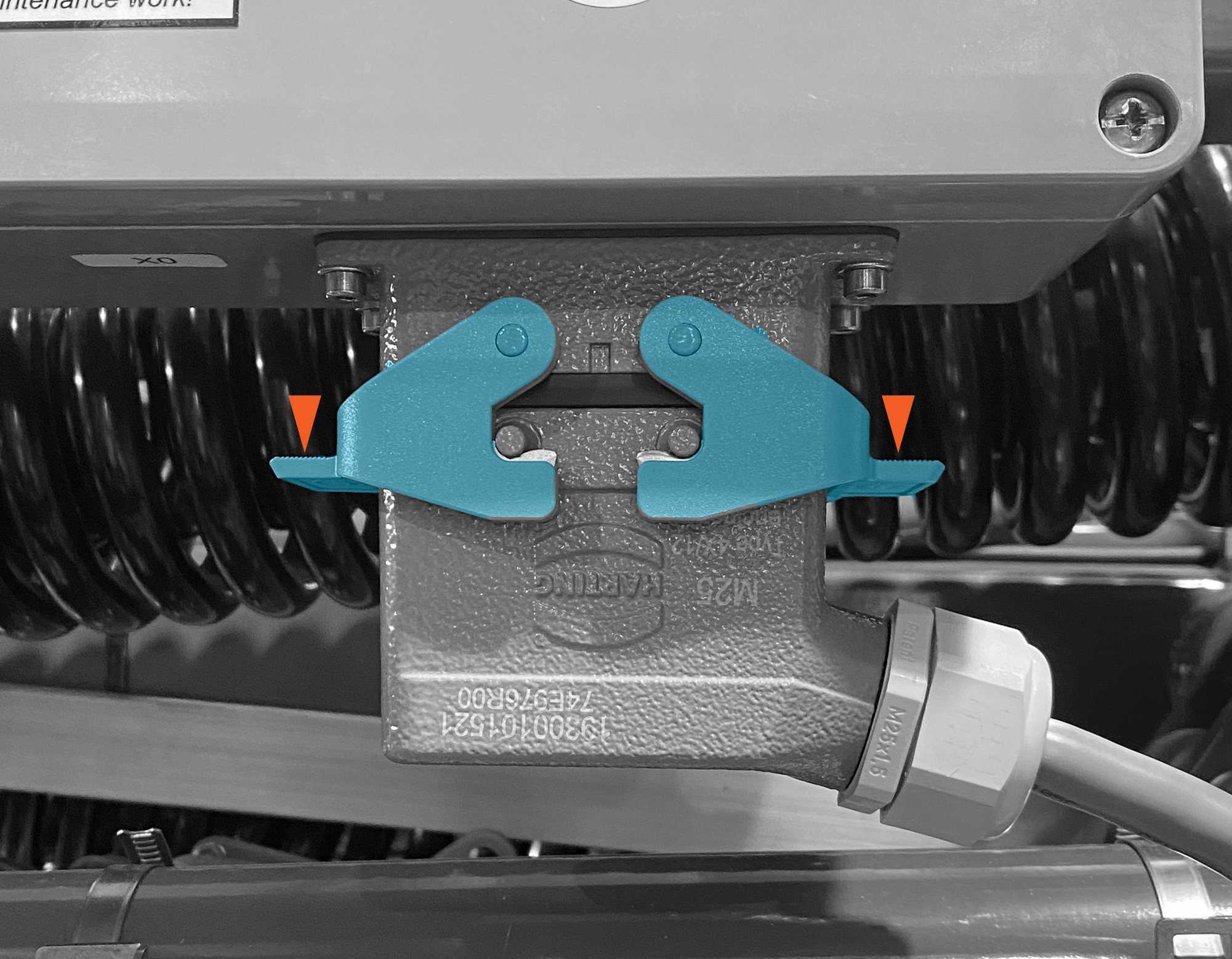
Connect the pantograph control cable.

-
Push down on the latch tabs to secure the connector.
-
Use a zip tie to secure the cable so that it is clear of the pantograph during operation. The cable must be kept away from the pantograph arms and charging rails.
Connect Control Pilot Cable
-
Route the pantograph control pilot cable to reach the pantograph control box. Ensure the cable is kept clear of high voltage exposed conductors and the pantograph arms through the entire movement range.

-
Quarter turn spring latches (x4) to open the pantograph control box.
The latches are operated with a Phillips head screwdriver but they are not screws. Gently push the latch head inwards with the screwdriver and initiate the turn. Part way through the turn, keep the screwdriver in contact with the latch, but discontinue application of inward pressure. Continue turning until the latch pin pops out.
Be gentle when operating the latches. The latches can break if the screwdriver applies significant torque.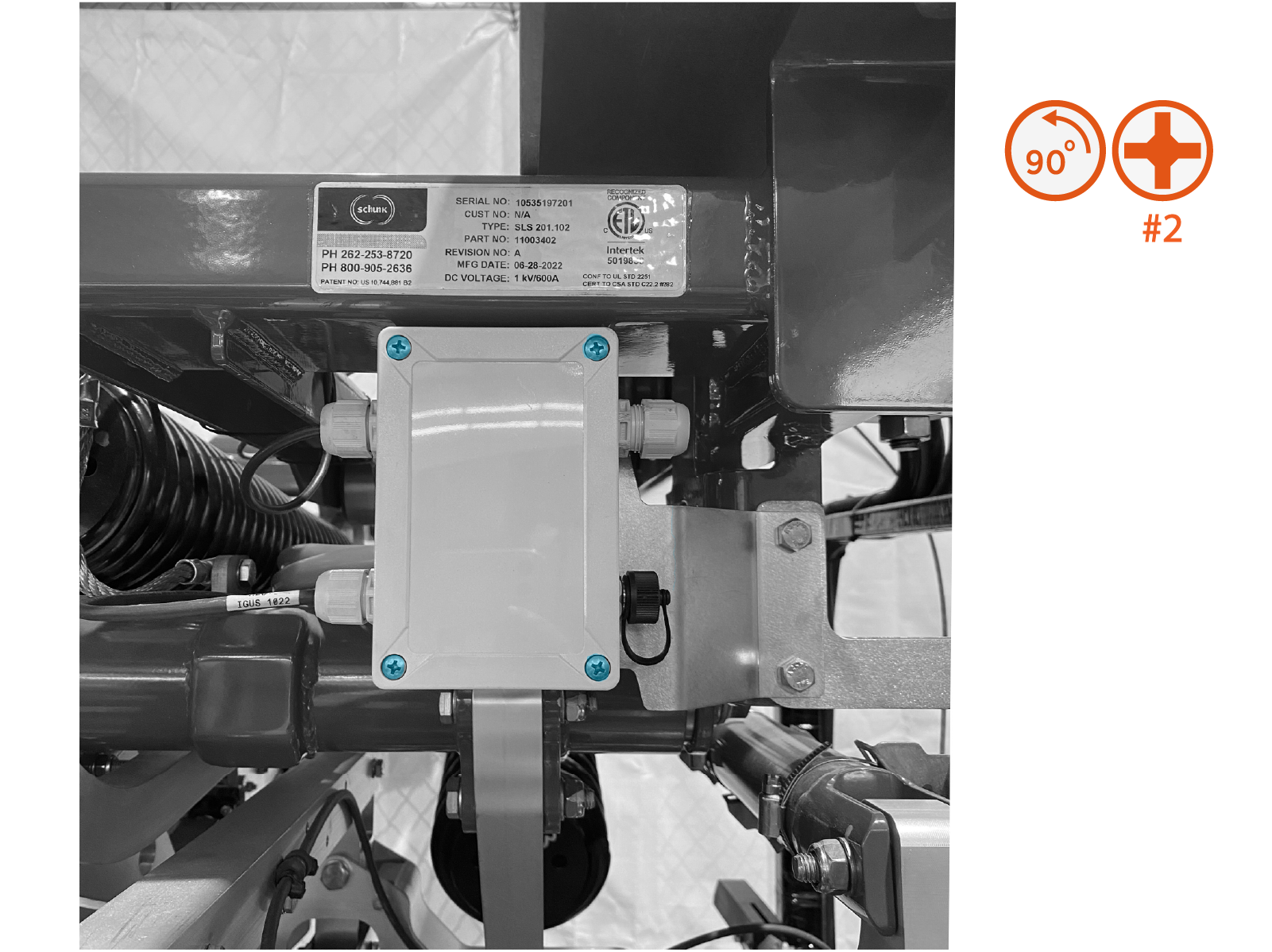
-
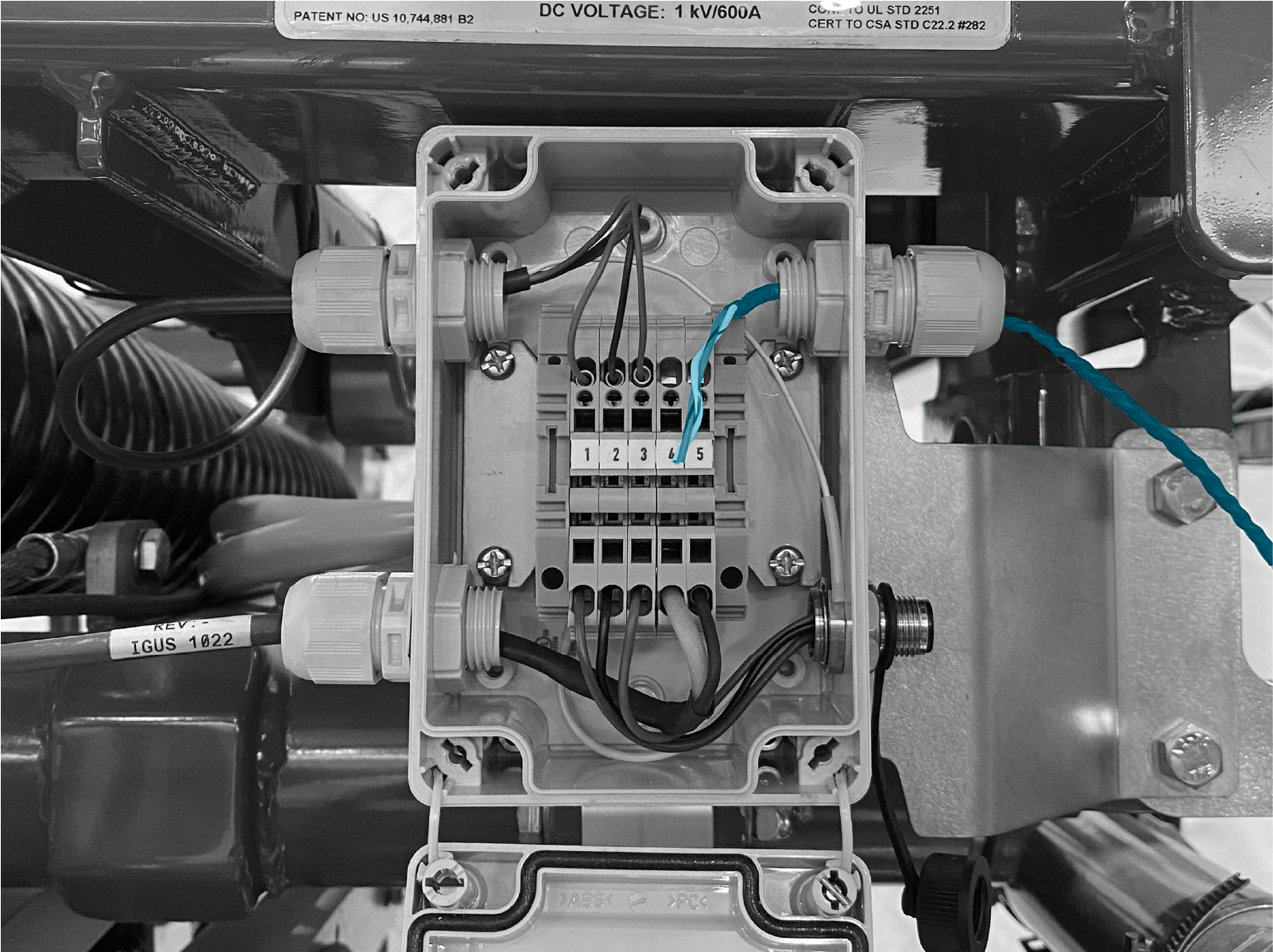
Route the control pilot cable though the cable gland.
-
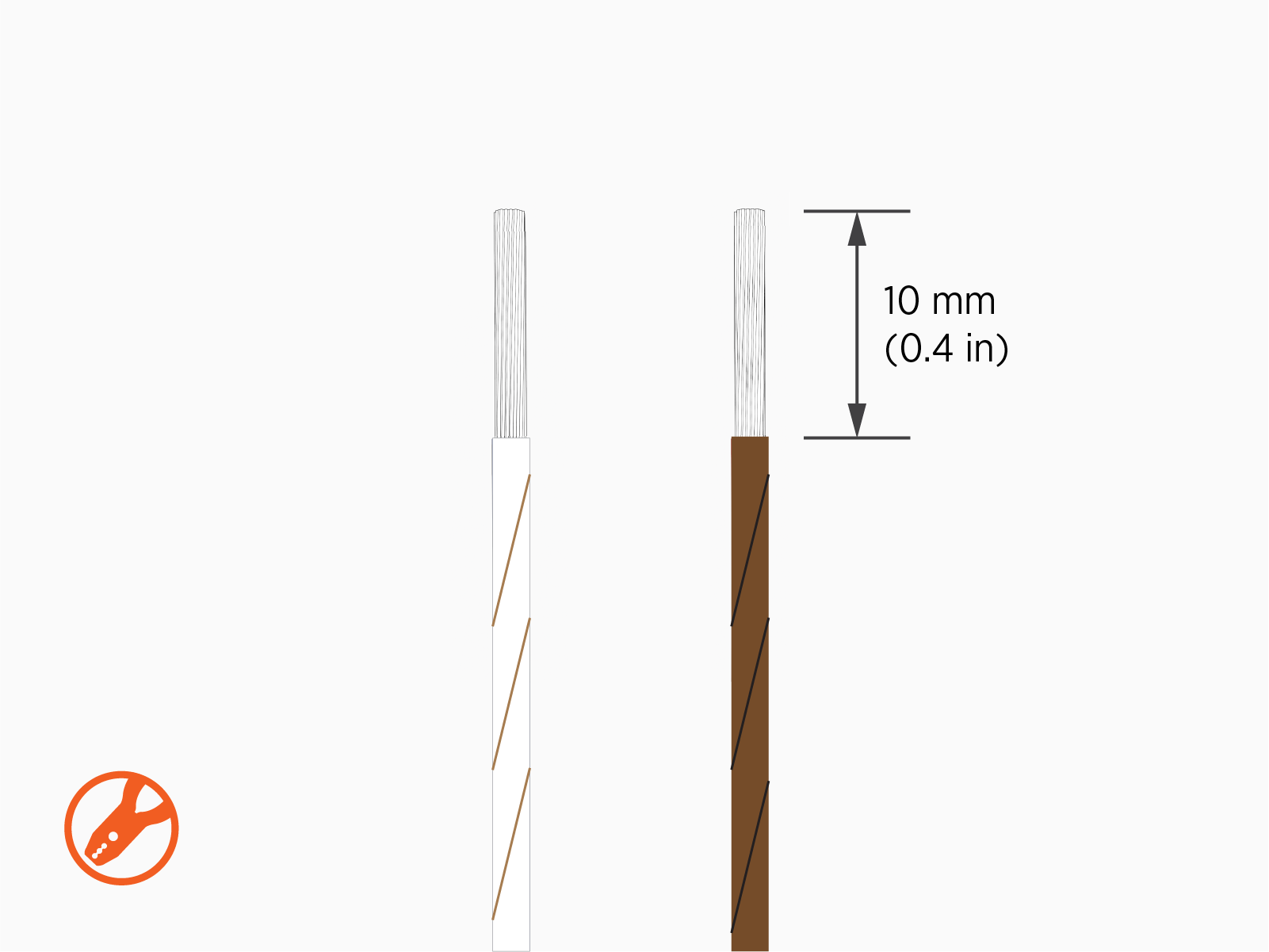
Strip the wire jackets.
-
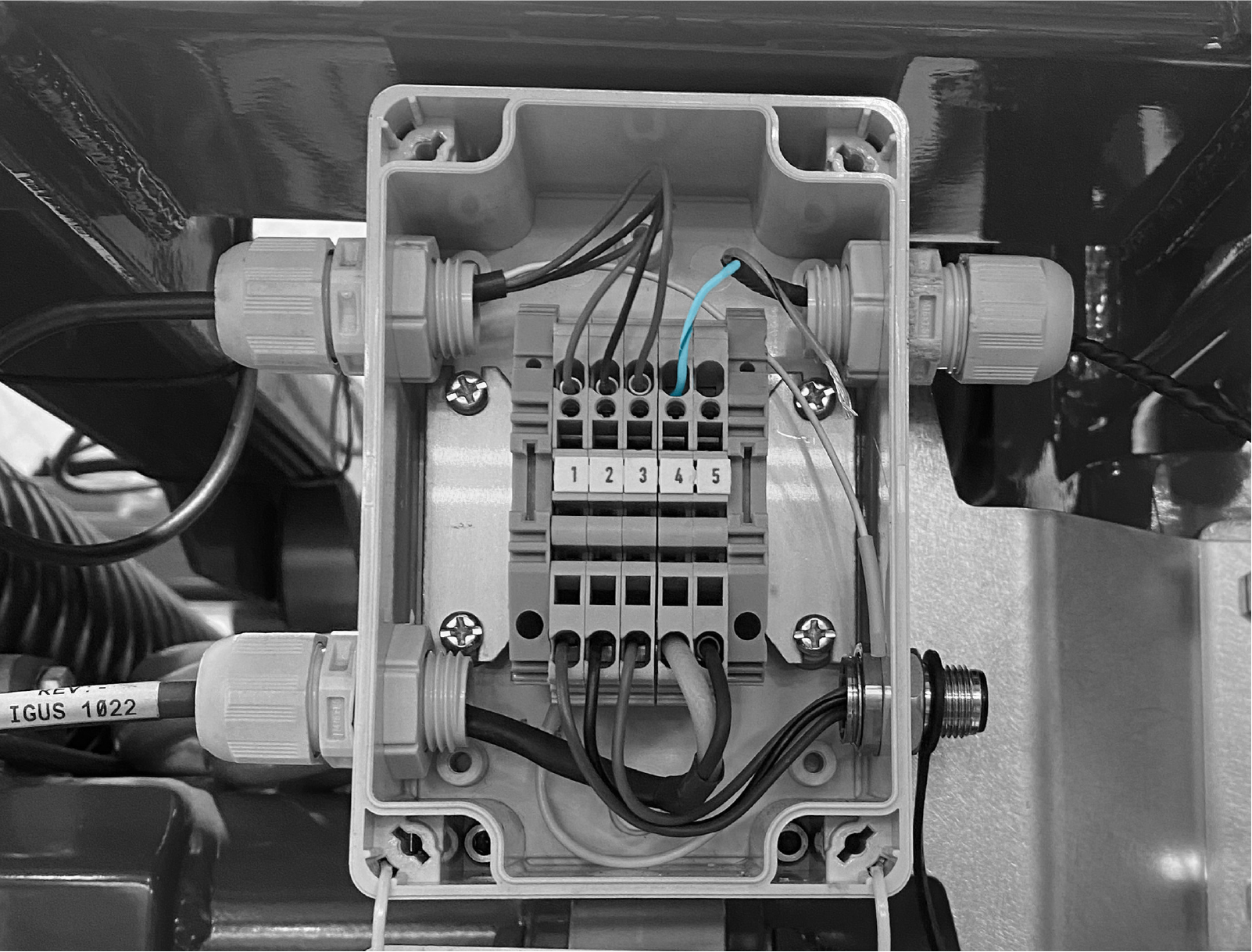
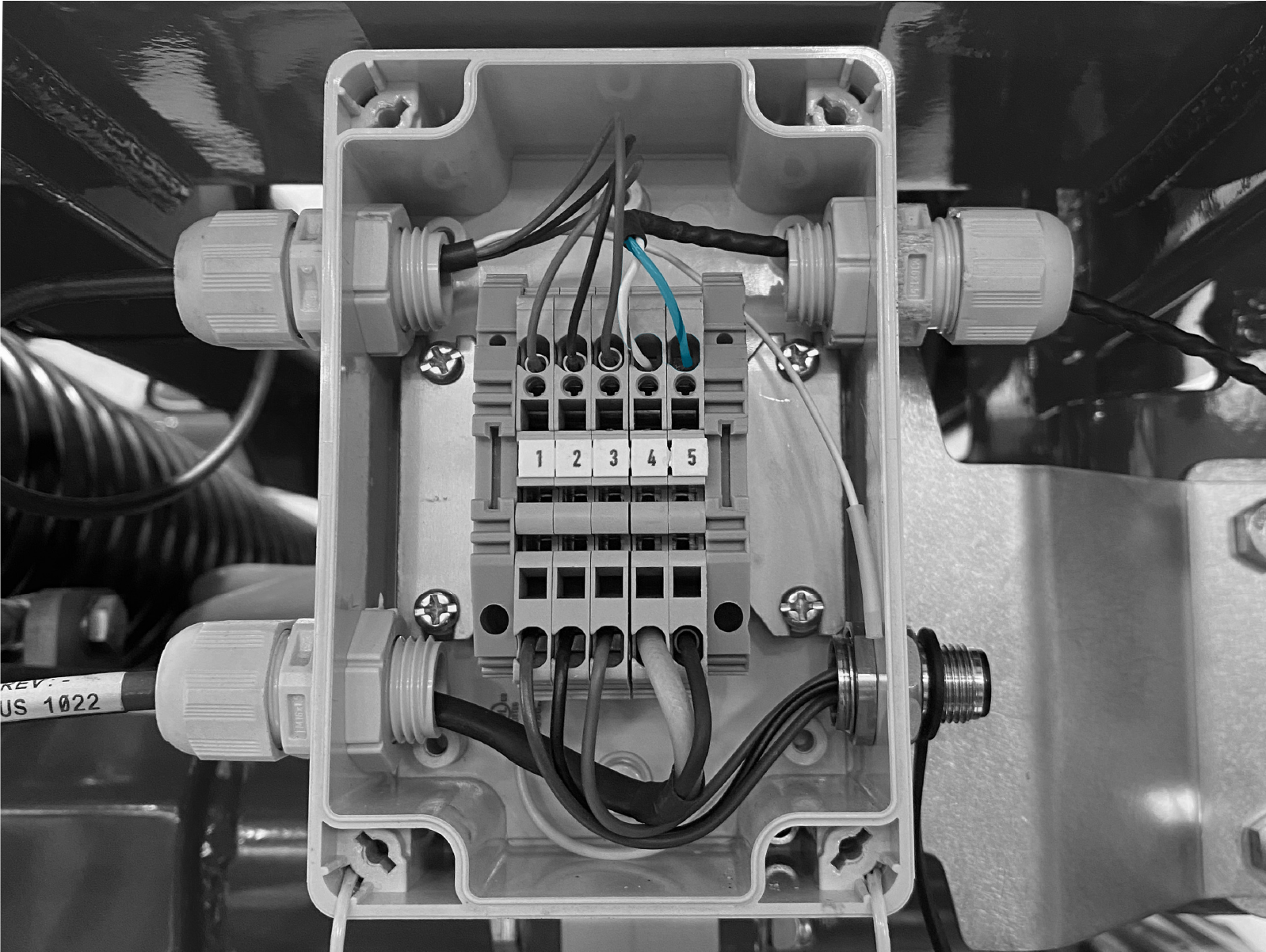
Insert the control pilot wire (white/brown) into terminal 4. Use the provided wire terminal operating tool or a flat head screwdriver to open the terminal port. Push-pull to test the wire is secured.
-
Insert the control pilot shield wire (brown/black) into terminal 5. Use the provided wire terminal operating tool or a flat head screwdriver to open the terminal port. Push-pull to test the wire is secured.
-
Close the box. Quarter turn spring latches (x4).
The latches are operated with a Phillips head screwdriver but they are not screws. Gently push the latch head inwards with the screwdriver and initiate the turn. Part way through the turn, keep the screwdriver in contact with the latch, but discontinue application of inward pressure. Continue turning until the latch pin latches into a locking groove.
Be gentle when operating the latches. The latches can break if the screwdriver applies significant torque.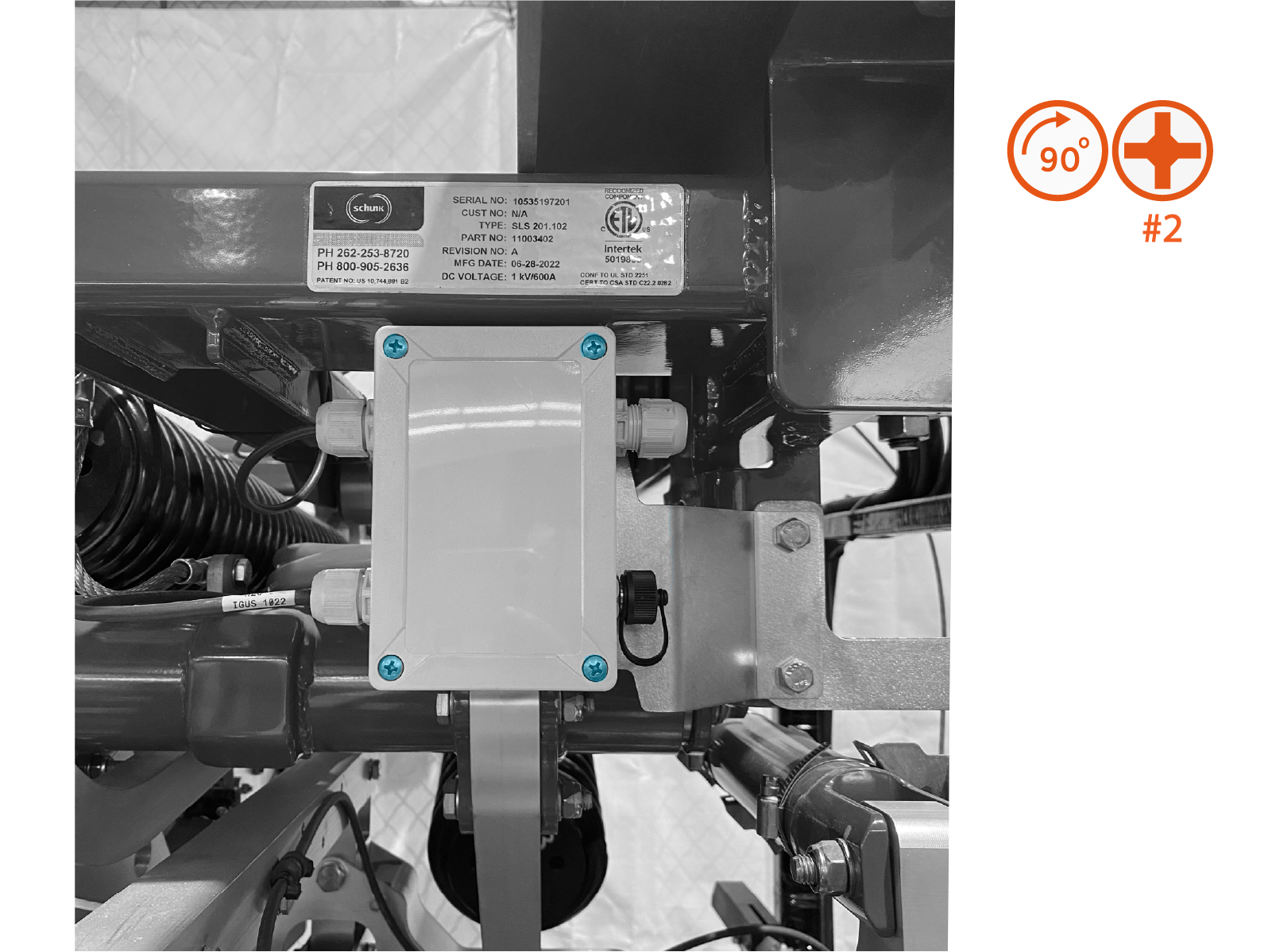
-
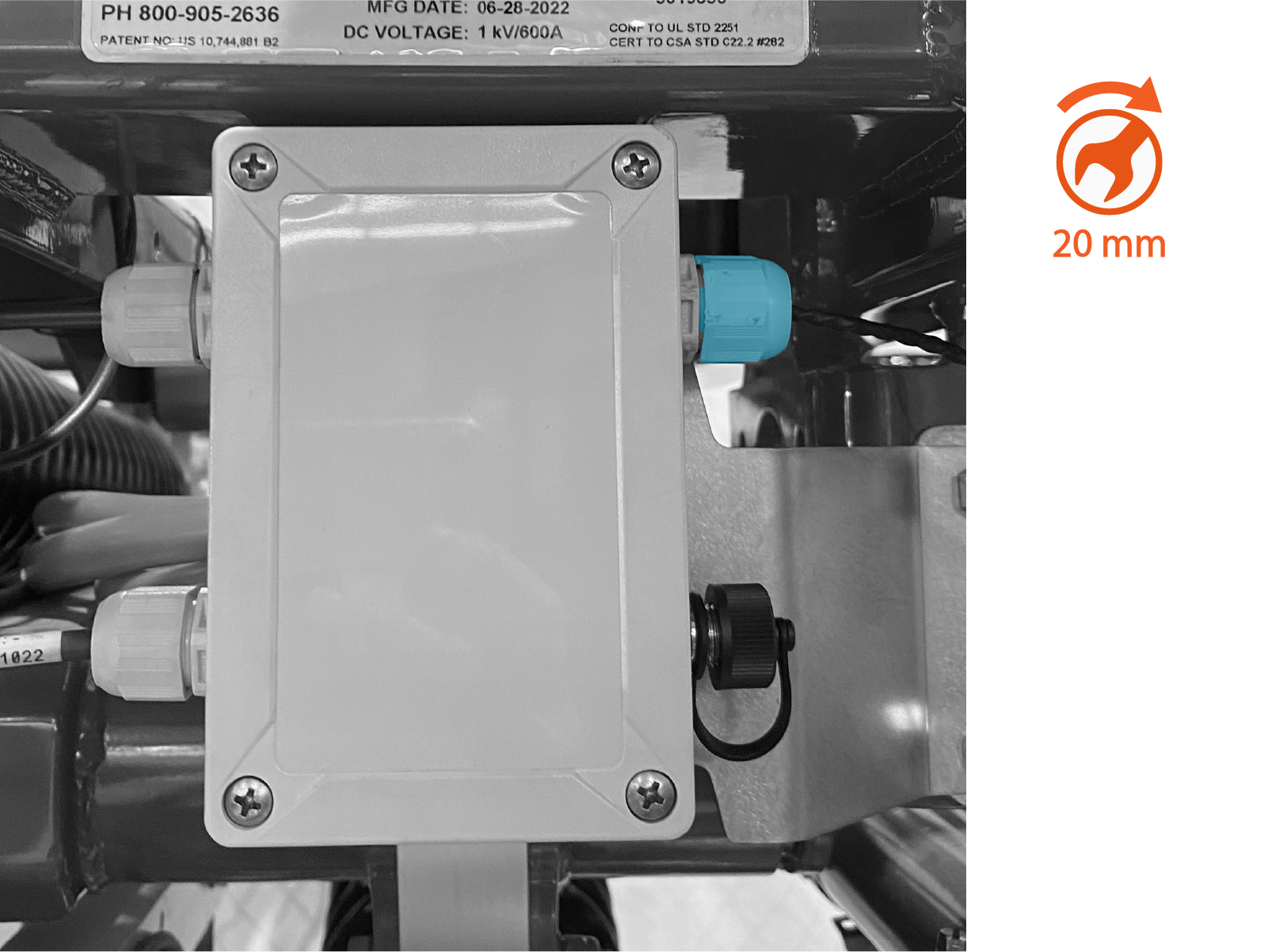
Tighten the cable gland. Torque to 1.5 Nm (13.3 in-lb).
-
Use a zip tie to secure the cable so that it is clear of the pantograph during operation. The cable must be kept away from the pantograph arms and charging rails.
Connect Rest Sensor Cable
-
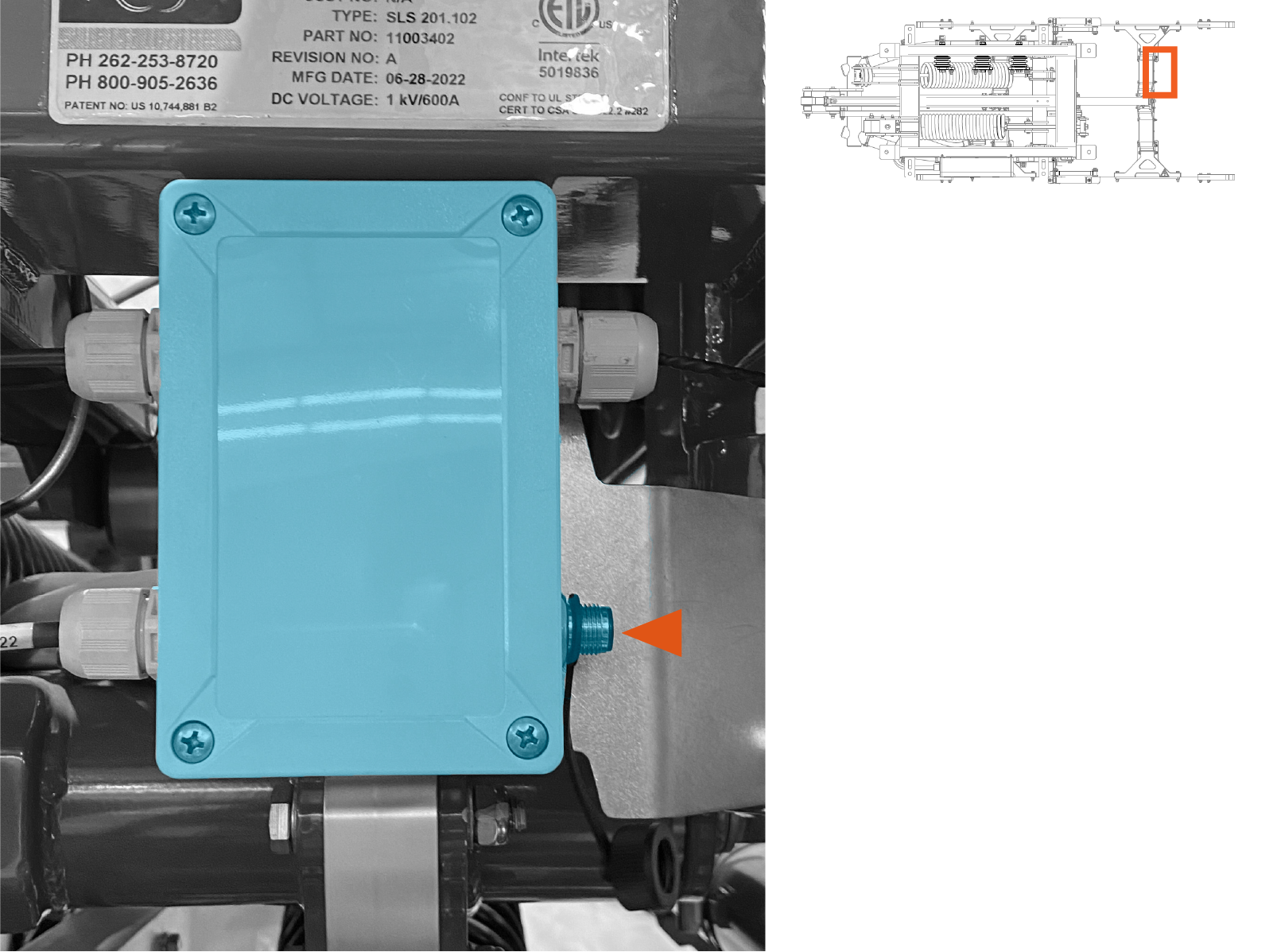
Route the pantograph rest sensor cable to the pantograph control box. Ensure the cable is kept clear of high voltage exposed conductors and the pantograph arms through their full movement range.
-
Connect the rest sensor cable. Hand-tighten.
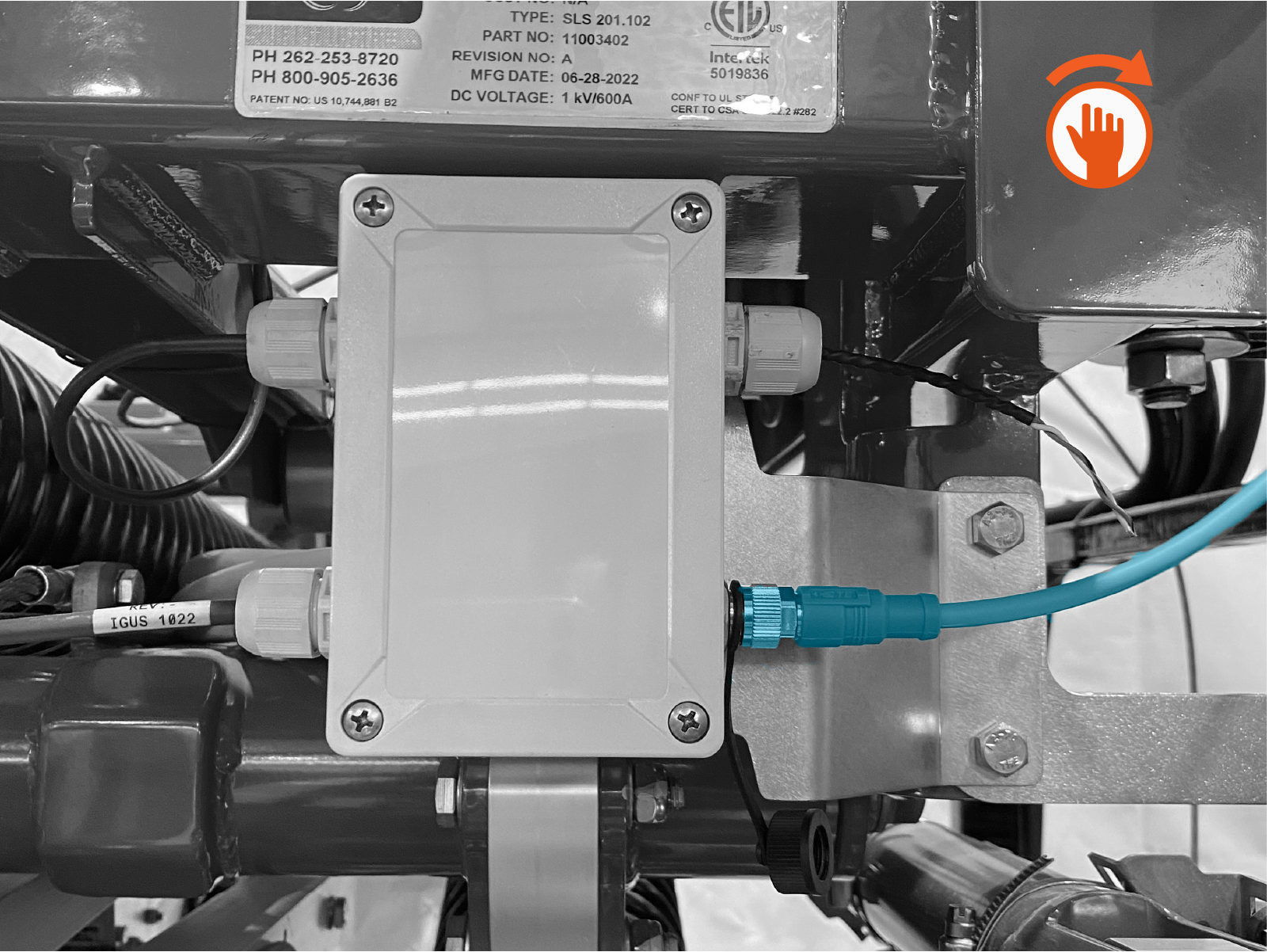
-
Use a zip tie to secure the cable so that it is clear of the pantograph during operation. The cable must be kept away from the pantograph arms and charging rails.
