Install the Power Plate
To install the power plate, perform the steps below:
-
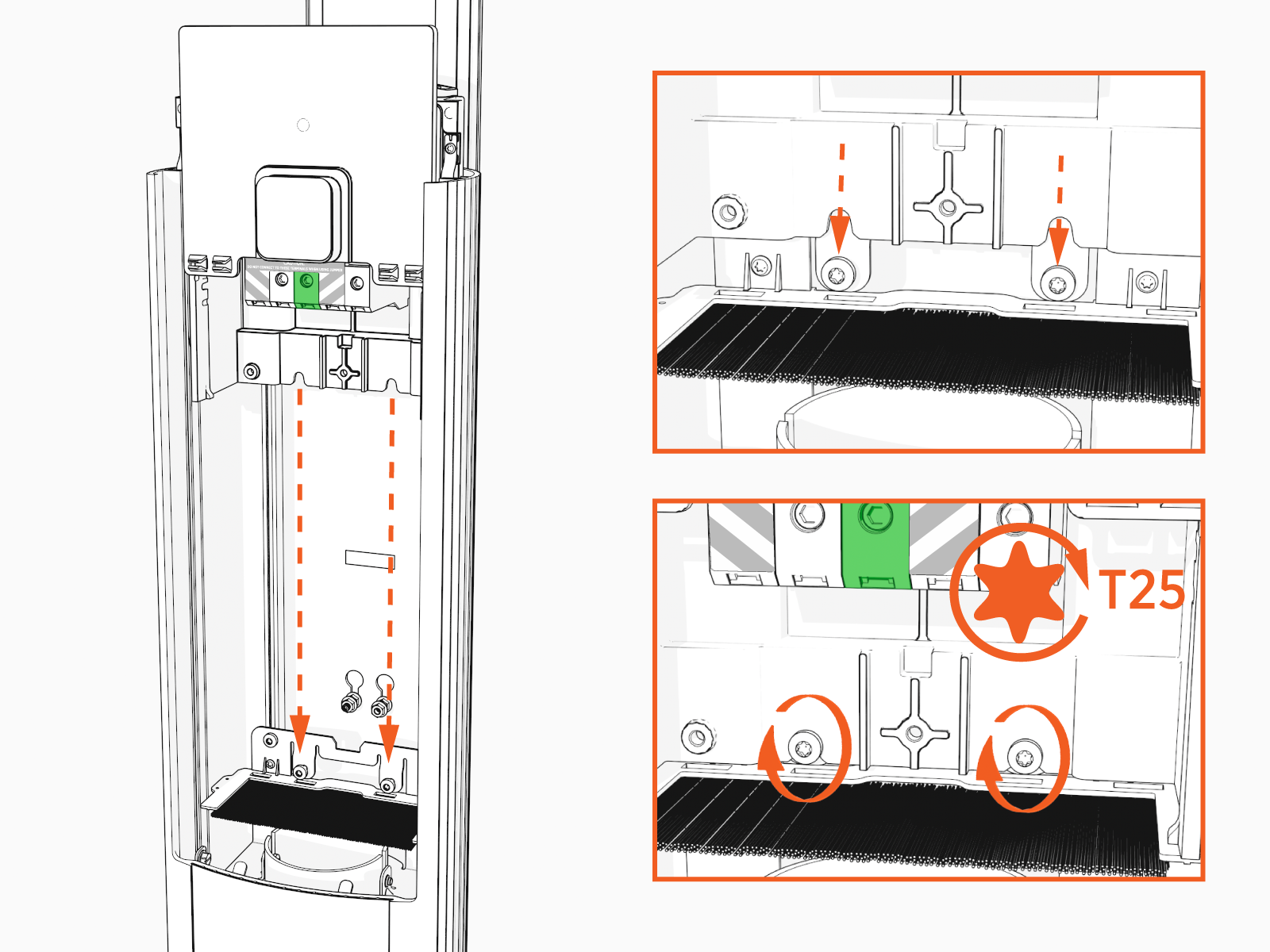
Align the power plate with the housing and slide it down until it touches the metal bracket.
-
Ensure the power plate is seated correctly.
-
Slide the power plate cover up.
-
Using a T25 driver, torque the screws to 5.7 Nm (50 in-lb) to secure the power plate.
-
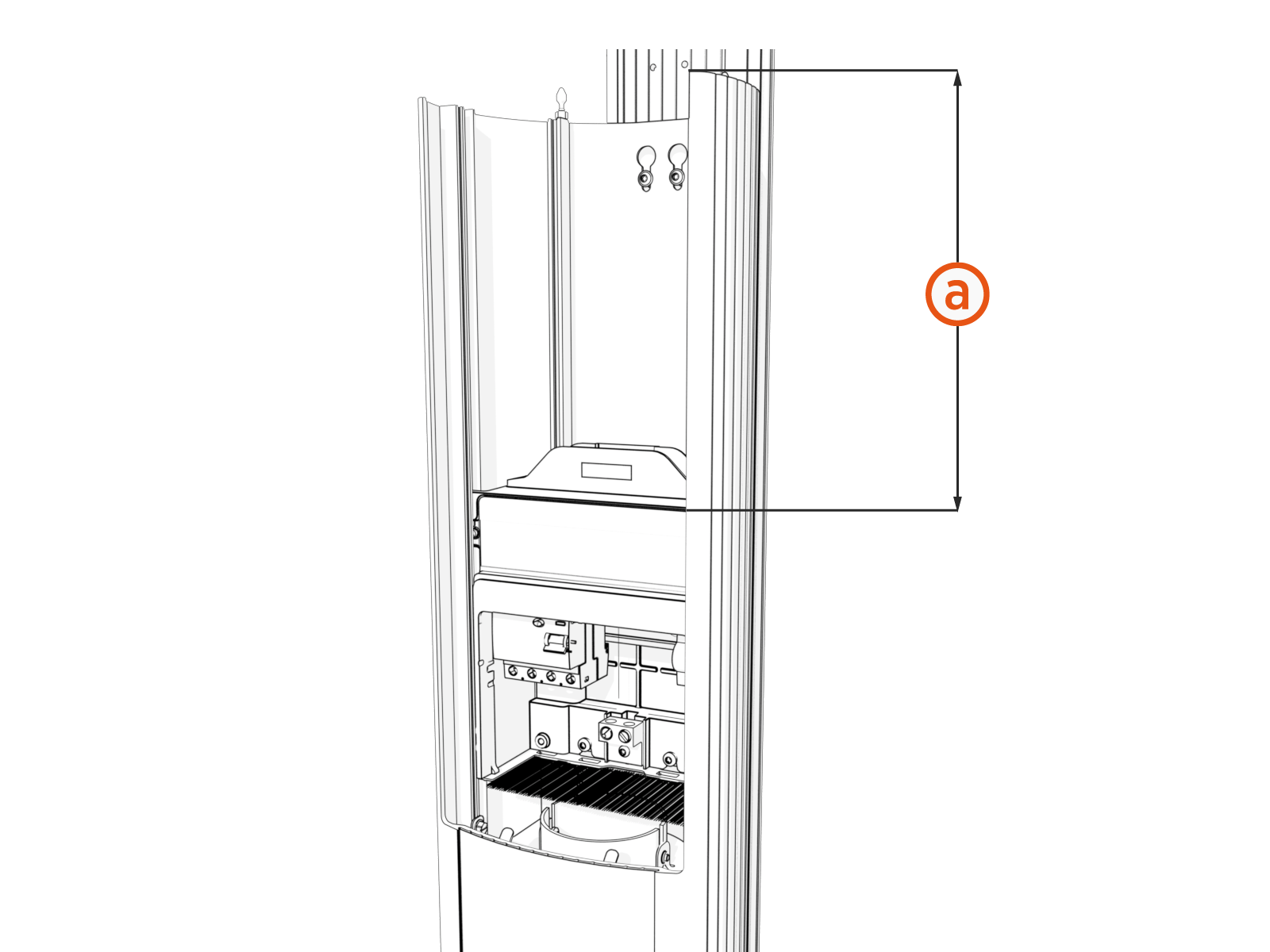
Ensure that the power plate is fully seated. The distance (a) from the top of the power plate to the top of the pedestal must be 286 ±1 mm (11.26 ± .04 in).
If the distance does not equal 286 ±1 mm (11.26 ± .04 in), contact ChargePoint Support.