Mount a Single Station Bracket and CMK
To mount a single station bracket and CMK Cable Management Kit, follow these steps:
Prepare the CMK
-
Position the CMK
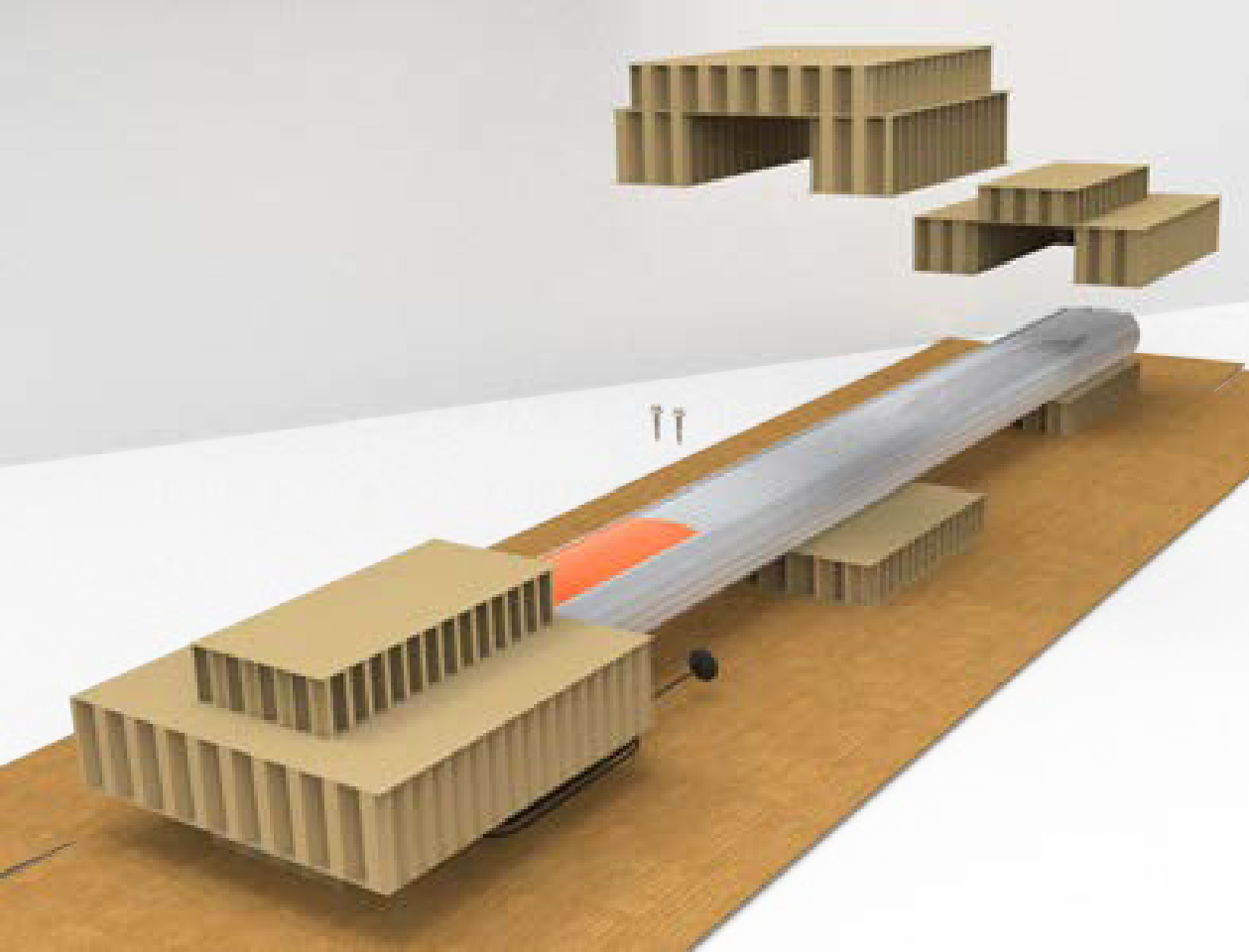
Cable Management Kit packaging in a way that the bottom is located near where the charging station will be installed.Do not unwrap the ropes. -
Remove and discard the two shipping screws from the front of the CMK
Cable Management Kit.When you remove the shipping screws, the counterweights are free to move in either direction. To prevent damage or injury, always carry the assembly with the top end higher than the bottom end. -
Remove the cardboard packaging.
Mount the Bracket and CMK
-
Use a 7/16 inch wrench and remove the ground lug from the pedestal. Save the screws to re-install later.
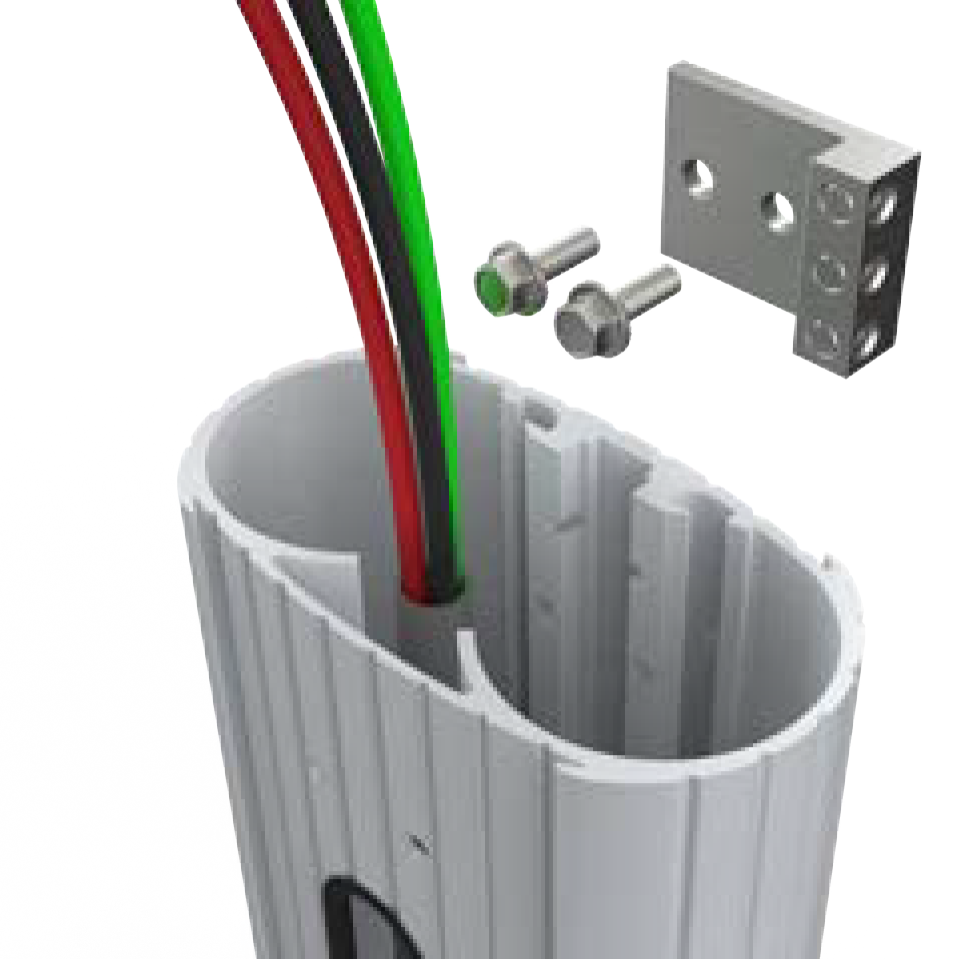
-
Connect the ground wire from the service wiring to the ground lug.
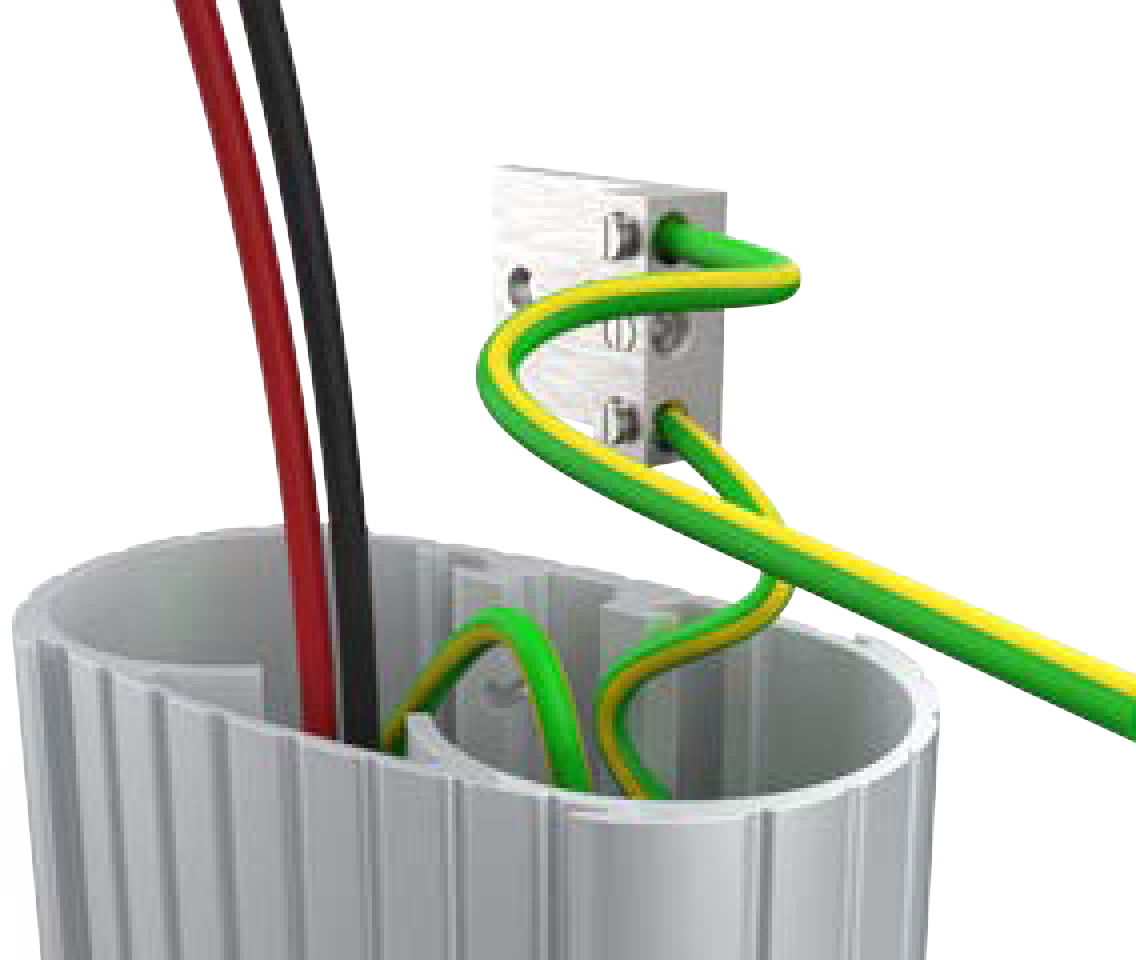
-
Run the ground wire from the ground lug through the wiring opening at the front of the pedestal.
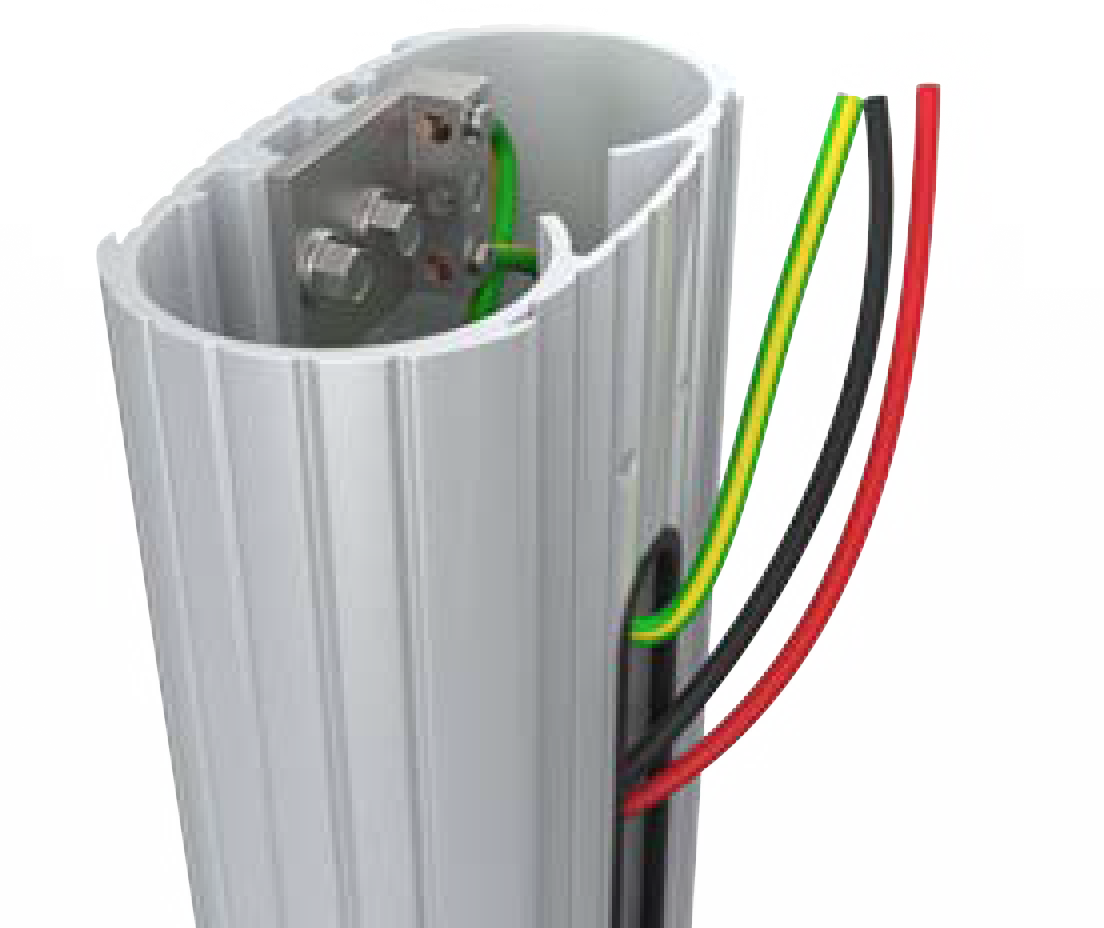
-
Use the 7/16 inch wrench and re-install the ground lug to the pedestal with the two screws you removed.
-
Slide the bracket over the pedestal while guiding the remaining service wiring through the opening at the front of the pedestal.
The bracket must slide over the service wiring. Lay the wiring as flat as possible against the pedestal to prevent damage. -
Align the two holes at the top and the two holes at the bottom of the bracket with the corresponding holes on the pedestal.
-
Insert four screws (4 inches) and four lock washers (#10) through the bracket at the pedestal.
The screws are loose until they are fastened to the CMK Cable Management Kit later.
-
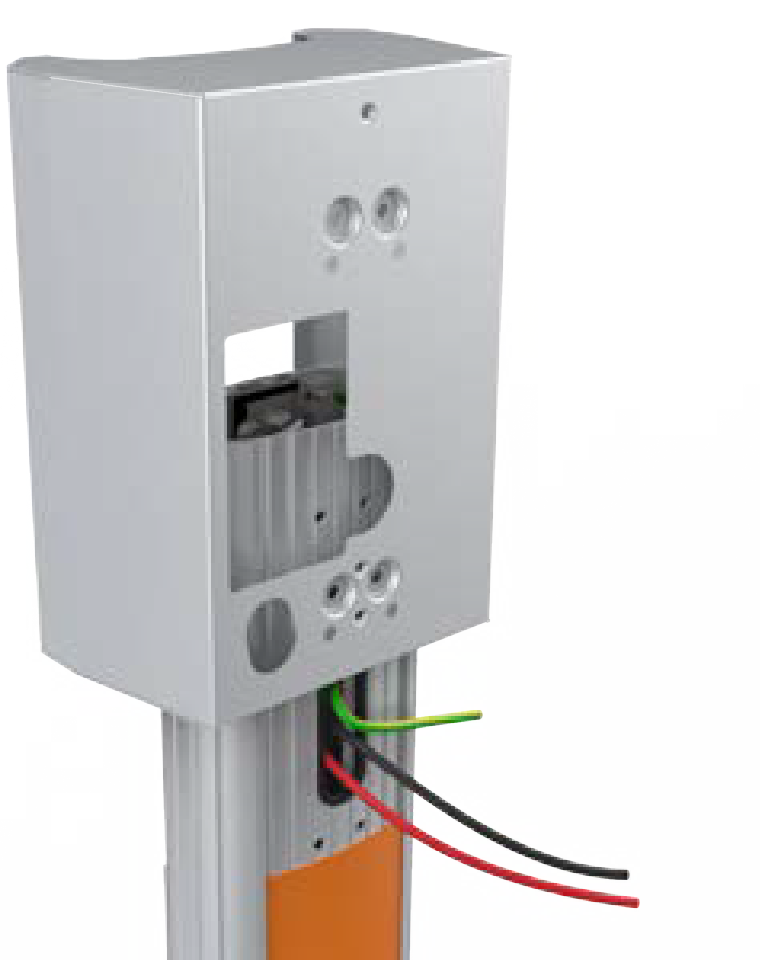
Route the service wiring through the wiring hole at the front of the bracket.
-
Slowly lift the CMK
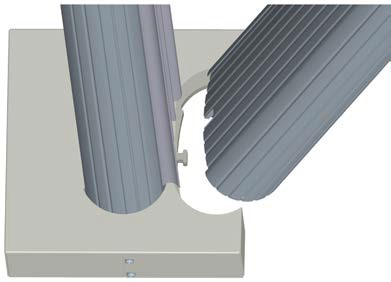
Cable Management Kit into position with the slot at the bottom of the CMK Cable Management Kit sliding onto the knob at the bottom of the pedestal.The ropes will rise as the weights inside the CMK Cable Management Kit lower. Guide the ropes to the top as you slowly lift the CMK Cable Management Kit.
-
Hold the CMK
Cable Management Kit against the back of the pedestal and align the four screws coming through the bracket and pedestal with the corresponding holes in the CMK Cable Management Kit.The spacer on the pedestal must slide into the ridges on the CMK Cable Management Kit.
-
Hold the bracket and CMK
Cable Management Kit in place and tighten the four screws with the 7/16 inch socket.
Proceed to Install the Station and Charging Cable to mount the station.
