Mount a Single Station Bracket (Without a CMK)
To mount a single station bracket without a CMK Cable Management Kit, follow these steps:
-
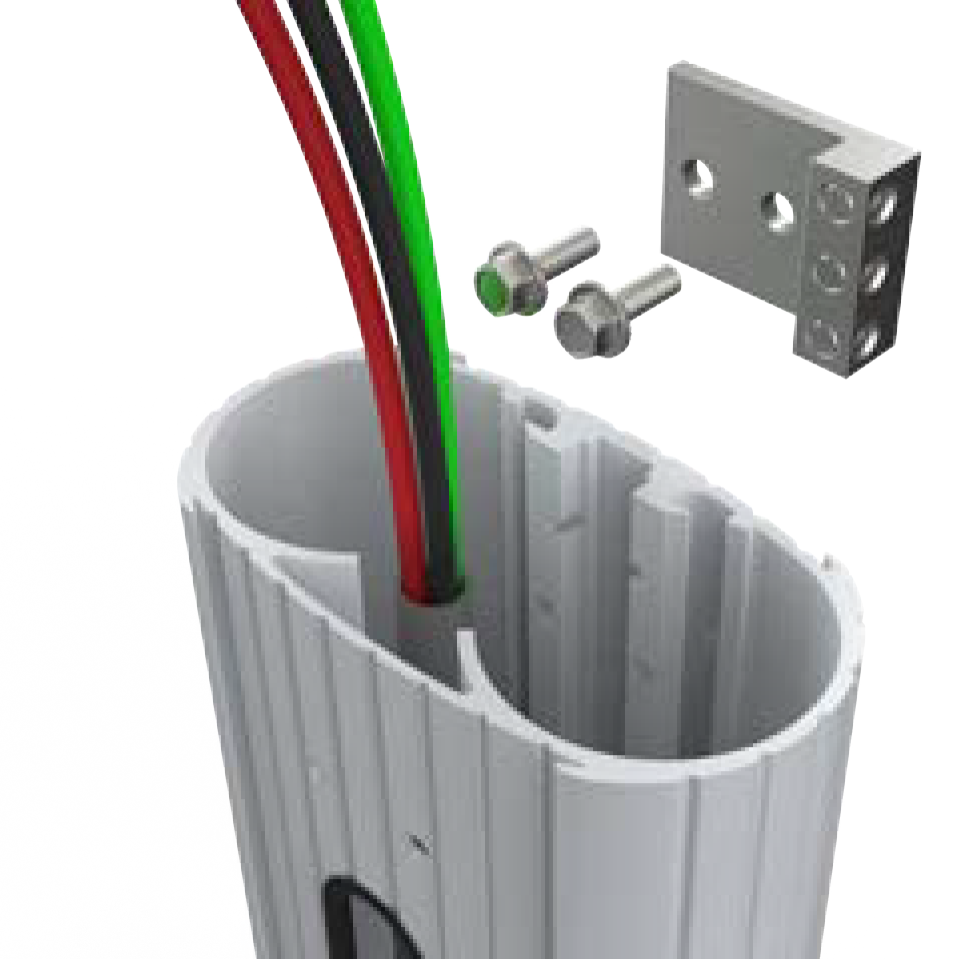
Use a 7/16 inch wrench and remove the ground lug from the pedestal. Save the screws to reinstall later.
-
Connect the ground wire from the service wiring to the ground lug.
-
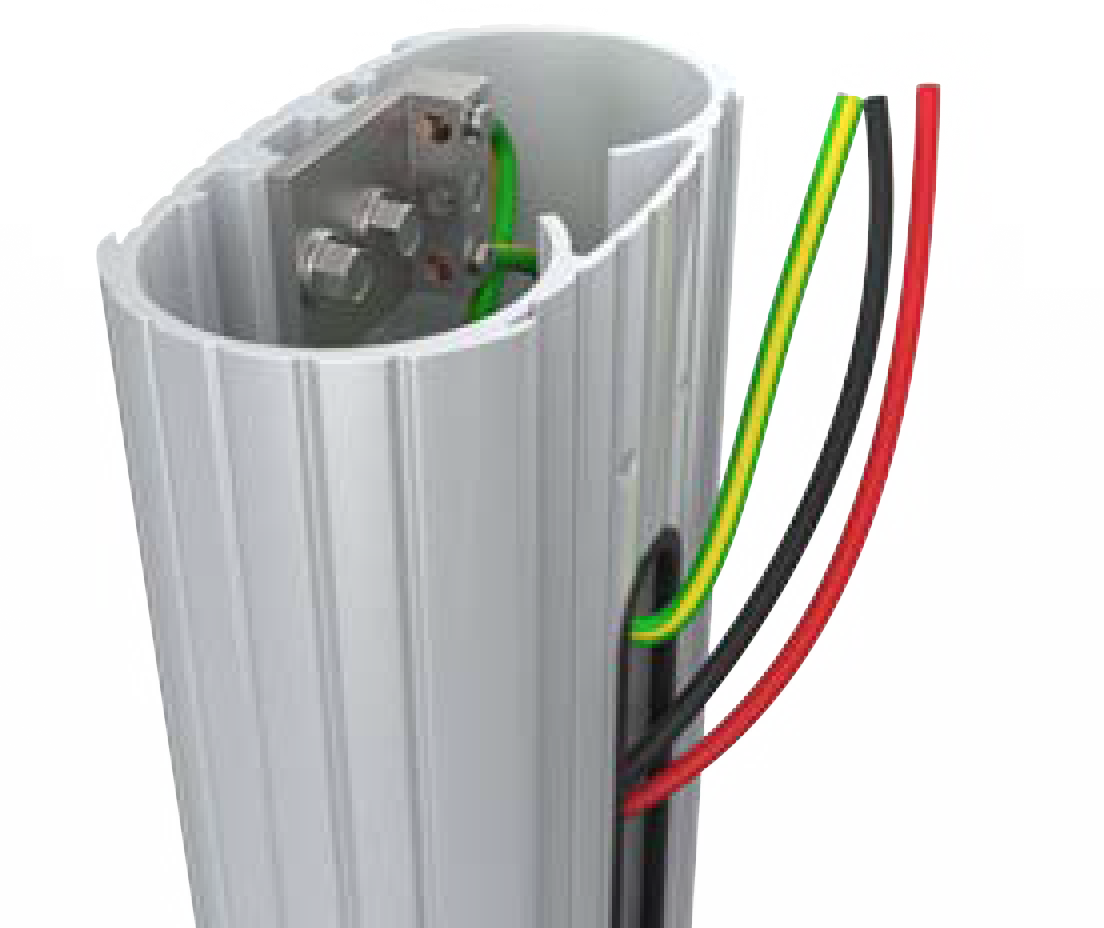
Run the ground wire from the ground lug through the wiring opening at the front of the pedestal.
-
Use the 7/16 inch wrench and reinstall the ground lug to the pedestal with the two screws you removed.
-
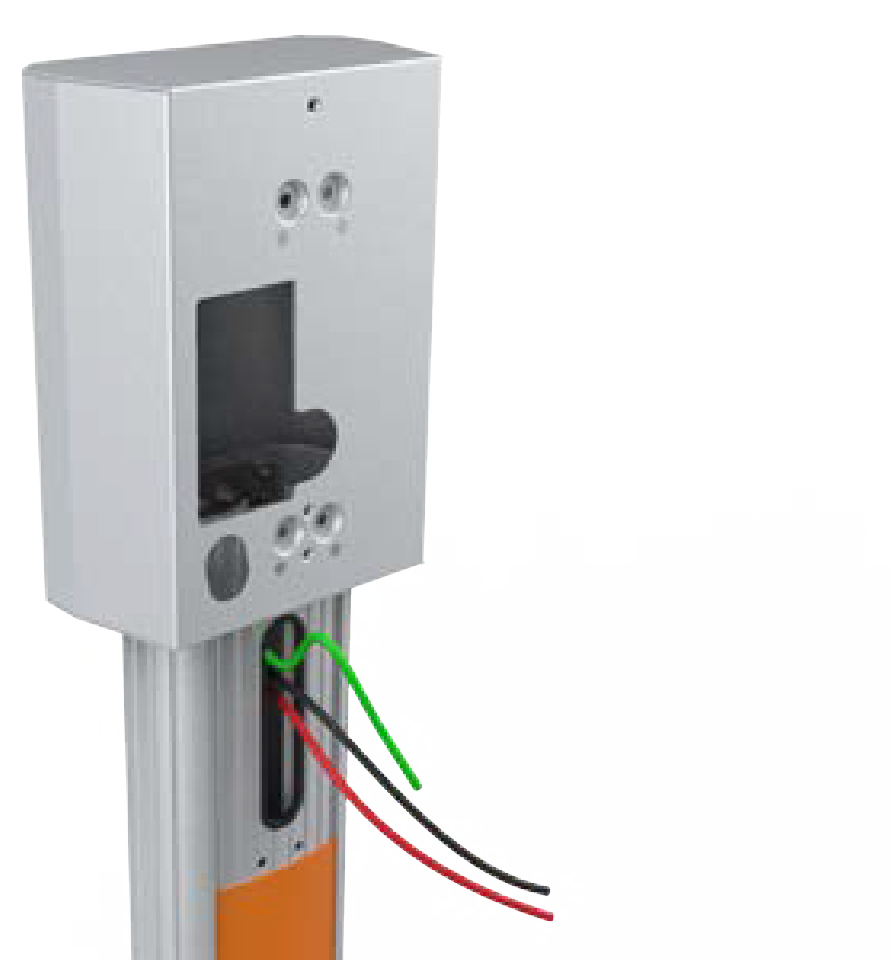
Slide the bracket over the pedestal and simultaneously guide the remaining service wiring through the opening at the front of the pedestal.
-
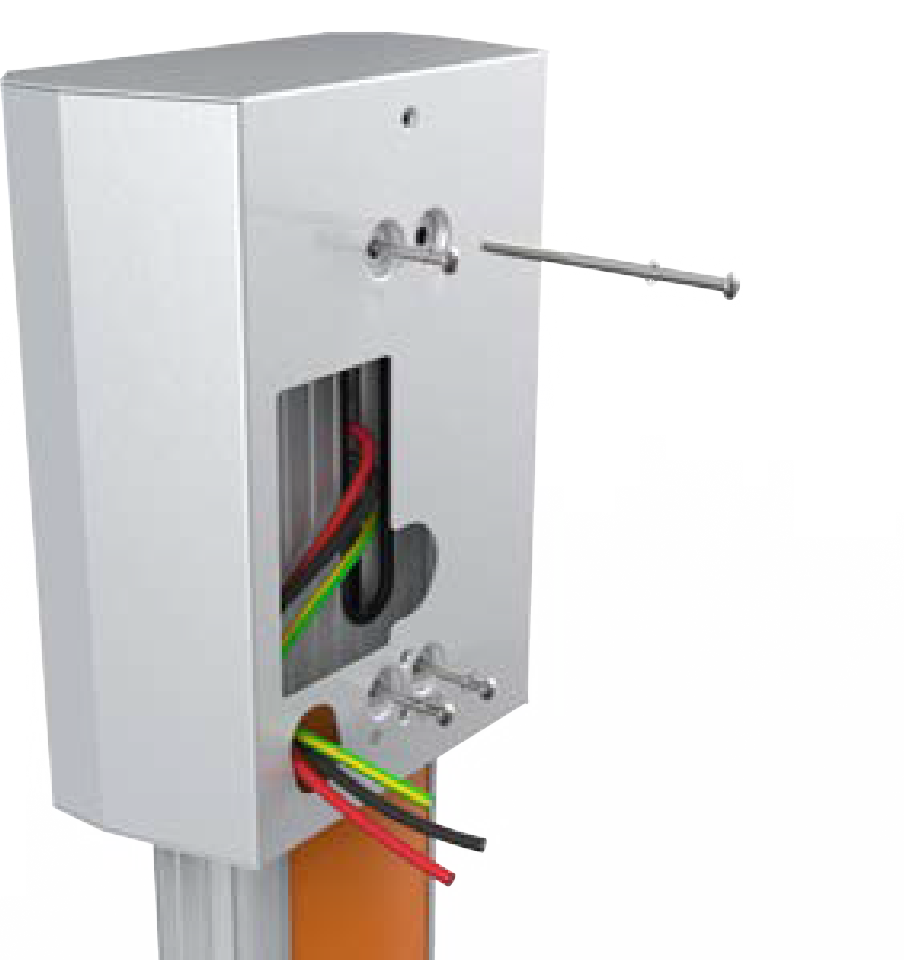
Insert four screws (4 inches) and four lock washers (#10) through the bracket and into the pedestal stand-offs to fasten the bracket to the pedestal.
-
Tighten the screws using a Phillips screwdriver.
-
Route the service wiring through the wiring hole at the front of the bracket.
Proceed to Install the Station and Charging Cable to mount the station.
