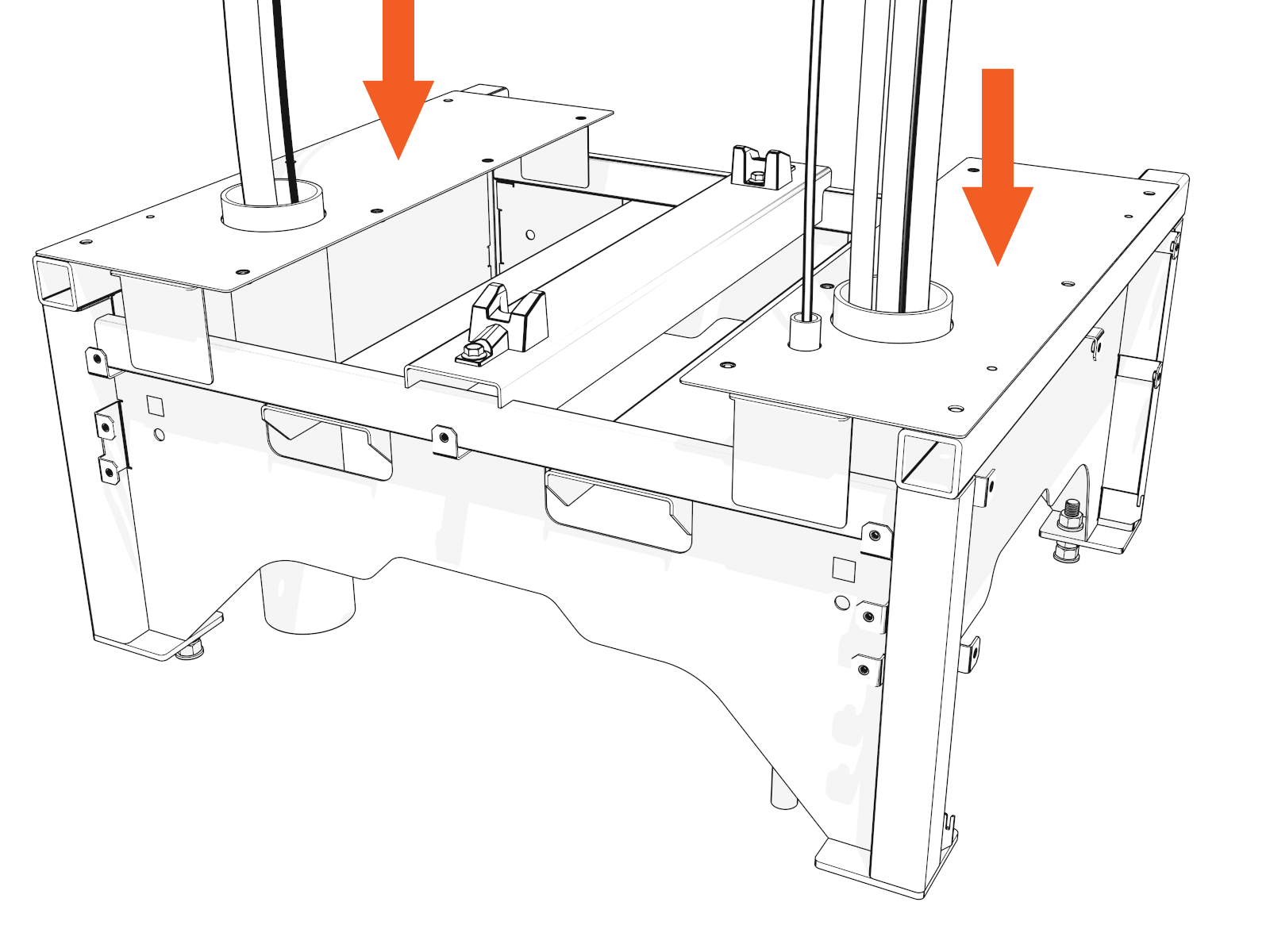
Install Power Block Pedestal
To install the Power Block pedestal, complete the following steps:
Uncrate the Pedestal
-
Unfasten and lift off the crate cover.
-
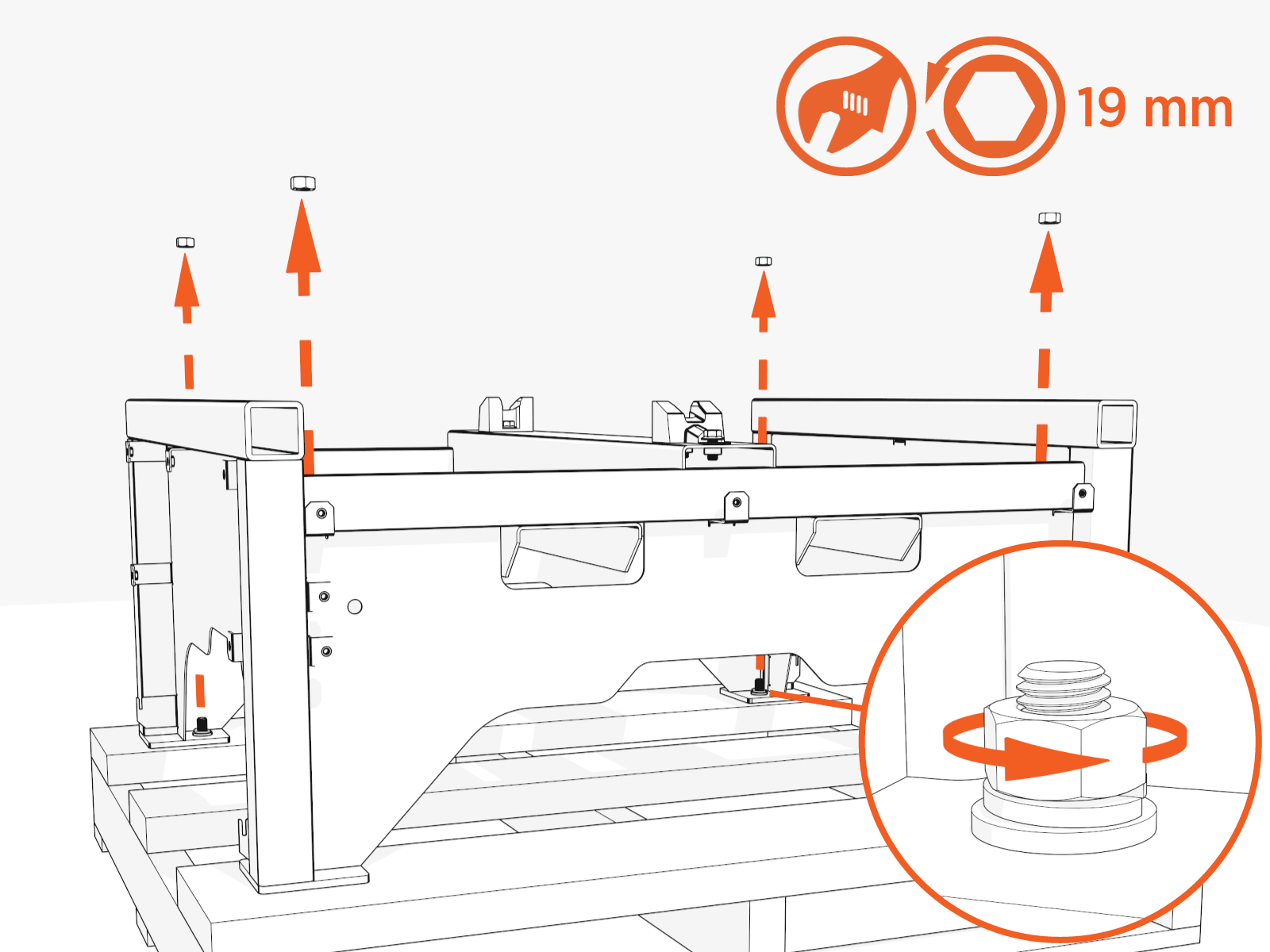
Uninstall four corner nuts and one center front nut. Discard nuts, washers, and bolts.
-
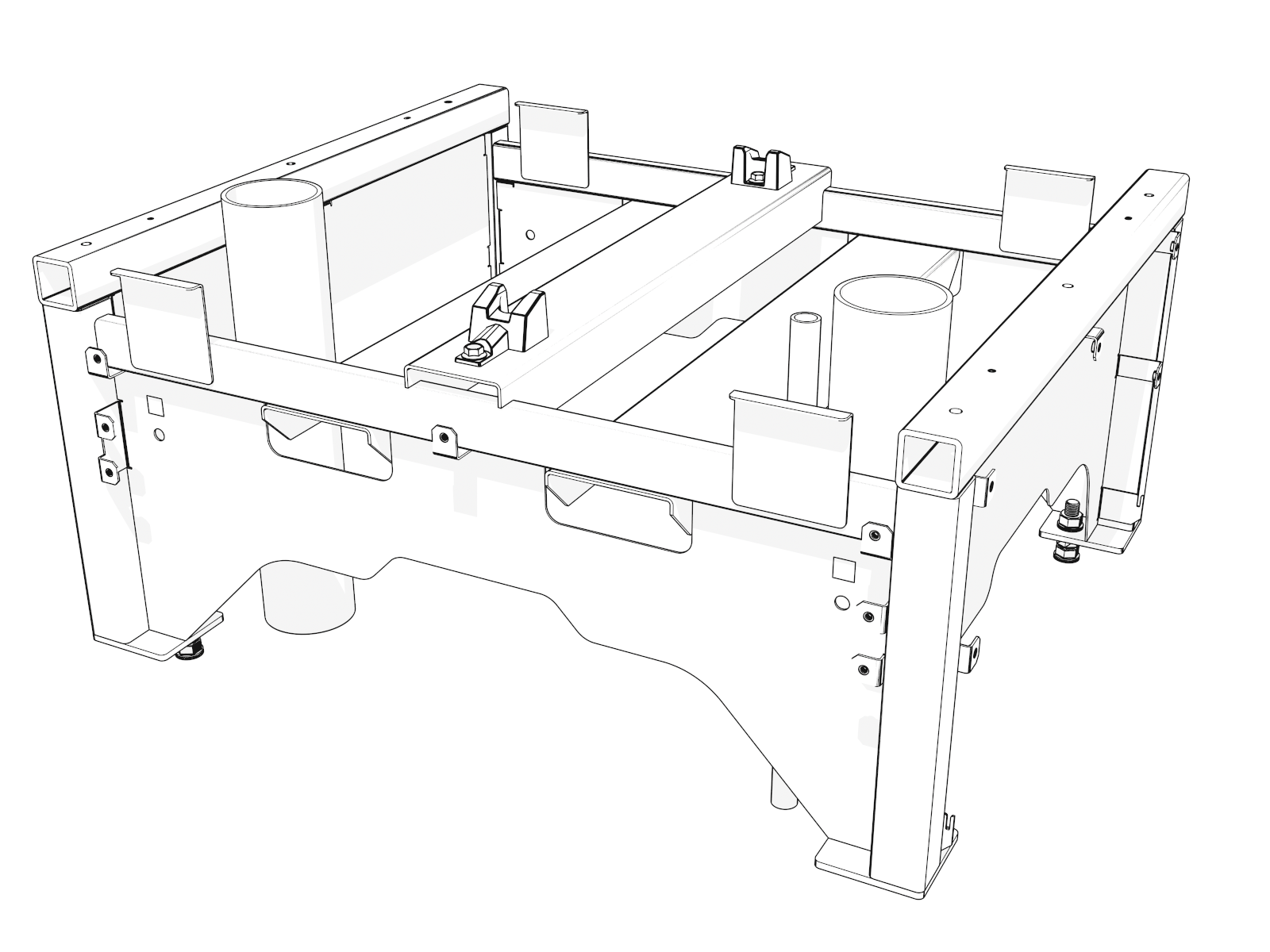
Uninstall three nuts and bolts from each gland plate. Remove the gland plates temporarily.
-
Check the rubber gaskets on the underside of the pedestal.
If you find any gaps, contact ChargePoint (chargepoint.com/support).
Mount and Secure the Pedestal
-
Before you move the pedestal onto the pad, adjust the forklift tines to 102-127 mm (4-5 in) width.
Insert the forklift tines through the rectangular openings at front and back.
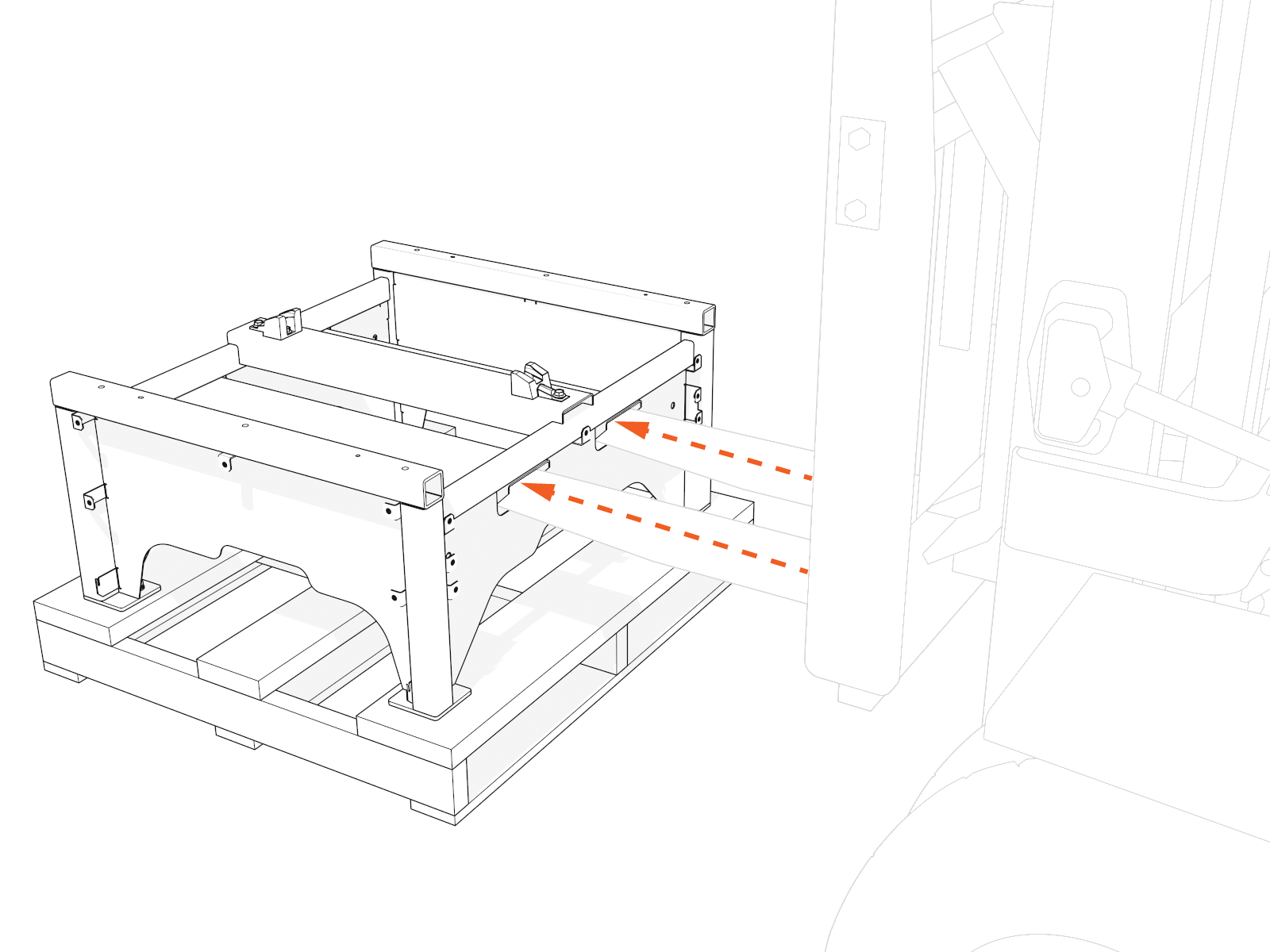 If any wider, the forklift tines may hit a conduit stub-up. Do not hit a wall or other obstacle that may be behind the Power Block pad.
 -
Suspend the pedestal above the pad. As you lower the pedestal down, align the holes in the pedestal feet to the anchor bolts.
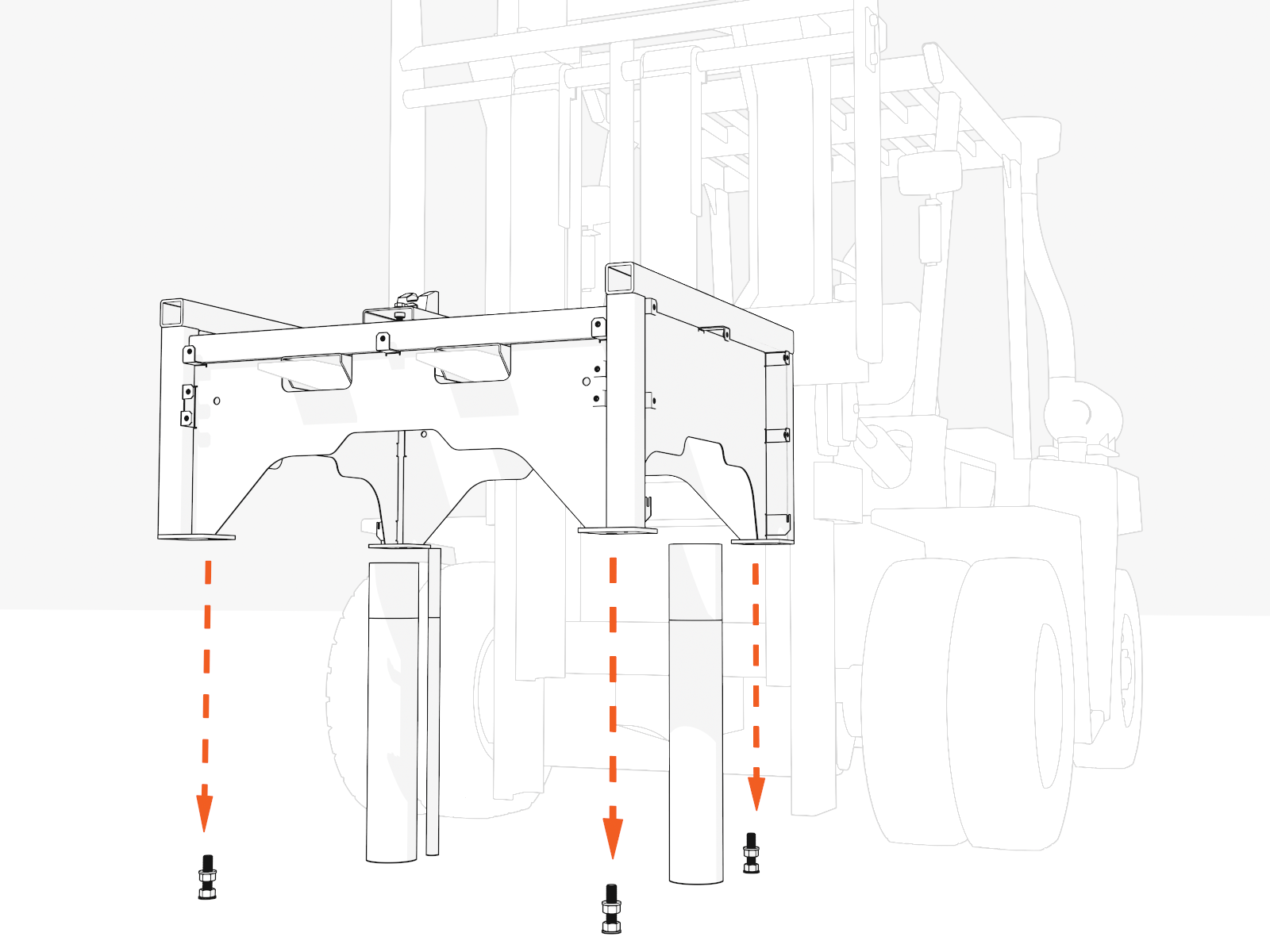 Move wiring out of the way.
 -
When the pedestal is fully seated, check that all sides are level. If not, adjust three of the leveling nuts.
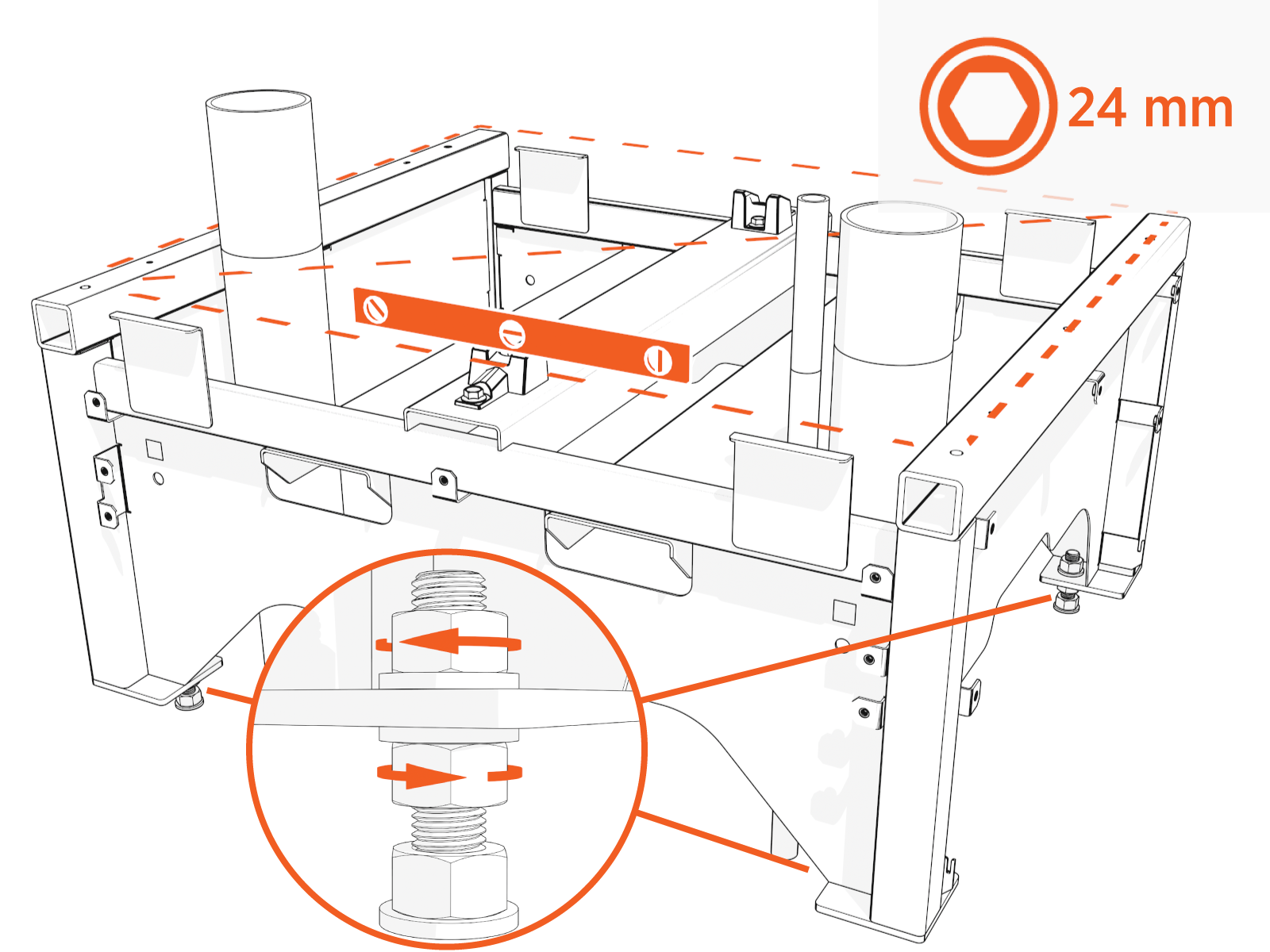
-
Partially install a washer and "top" nut.
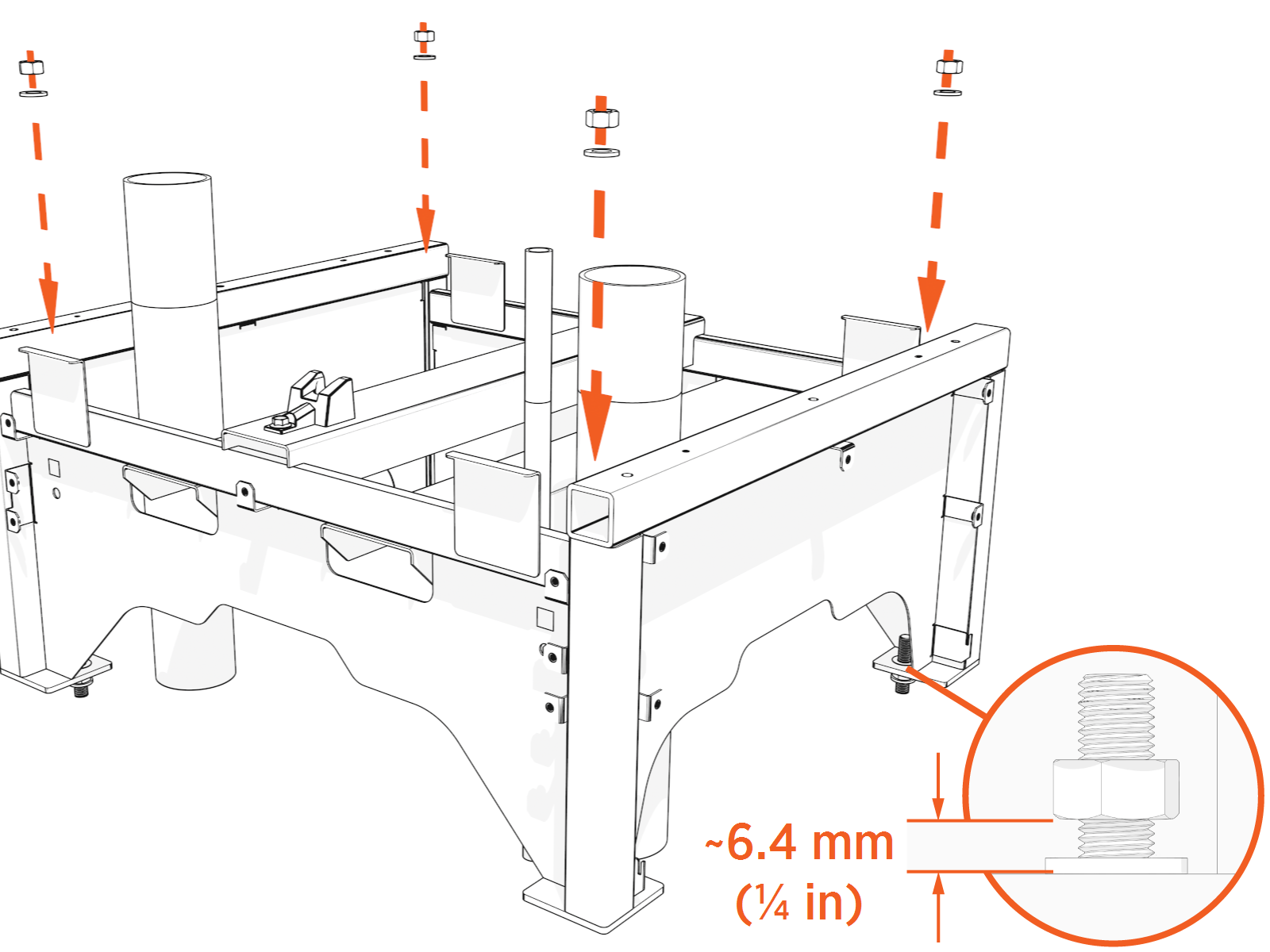 Do not tighten yet. Leave ~6.4 mm (1/4 in) gap between the top nut and the pedestal foot.
 -
Recheck and adjust leveling nuts again.
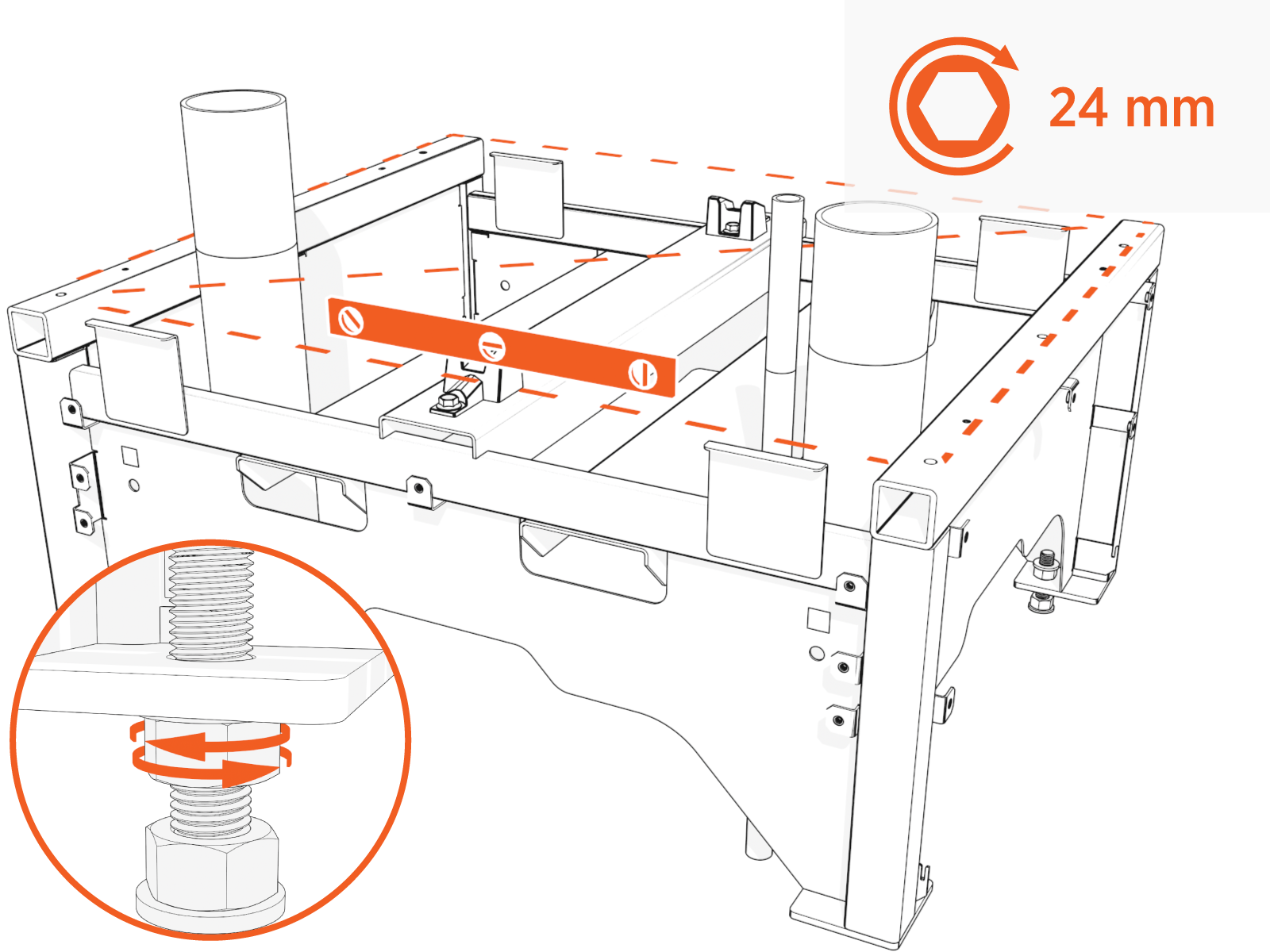
-
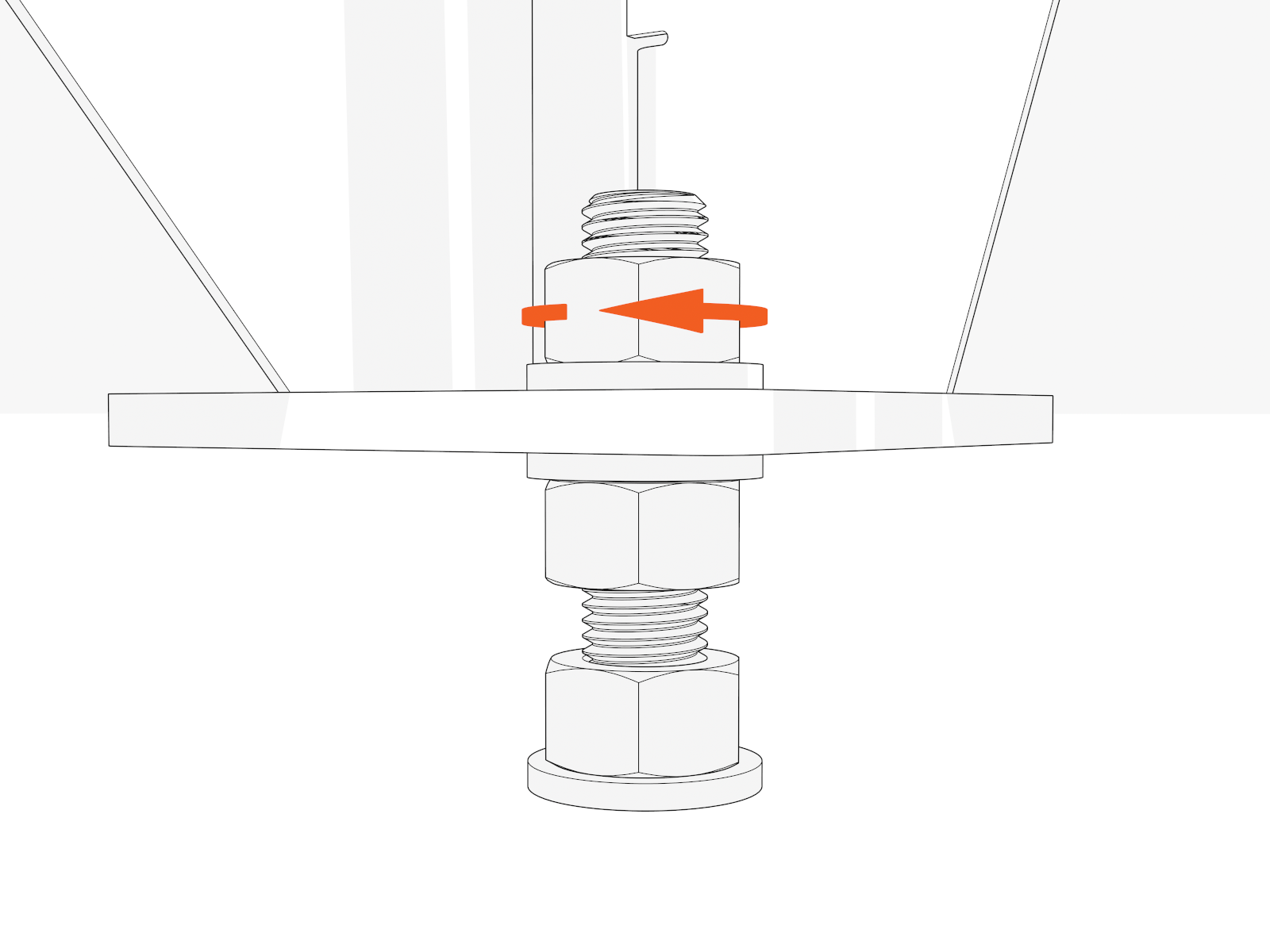
When the pedestal is level, tighten four top nuts by hand.
-
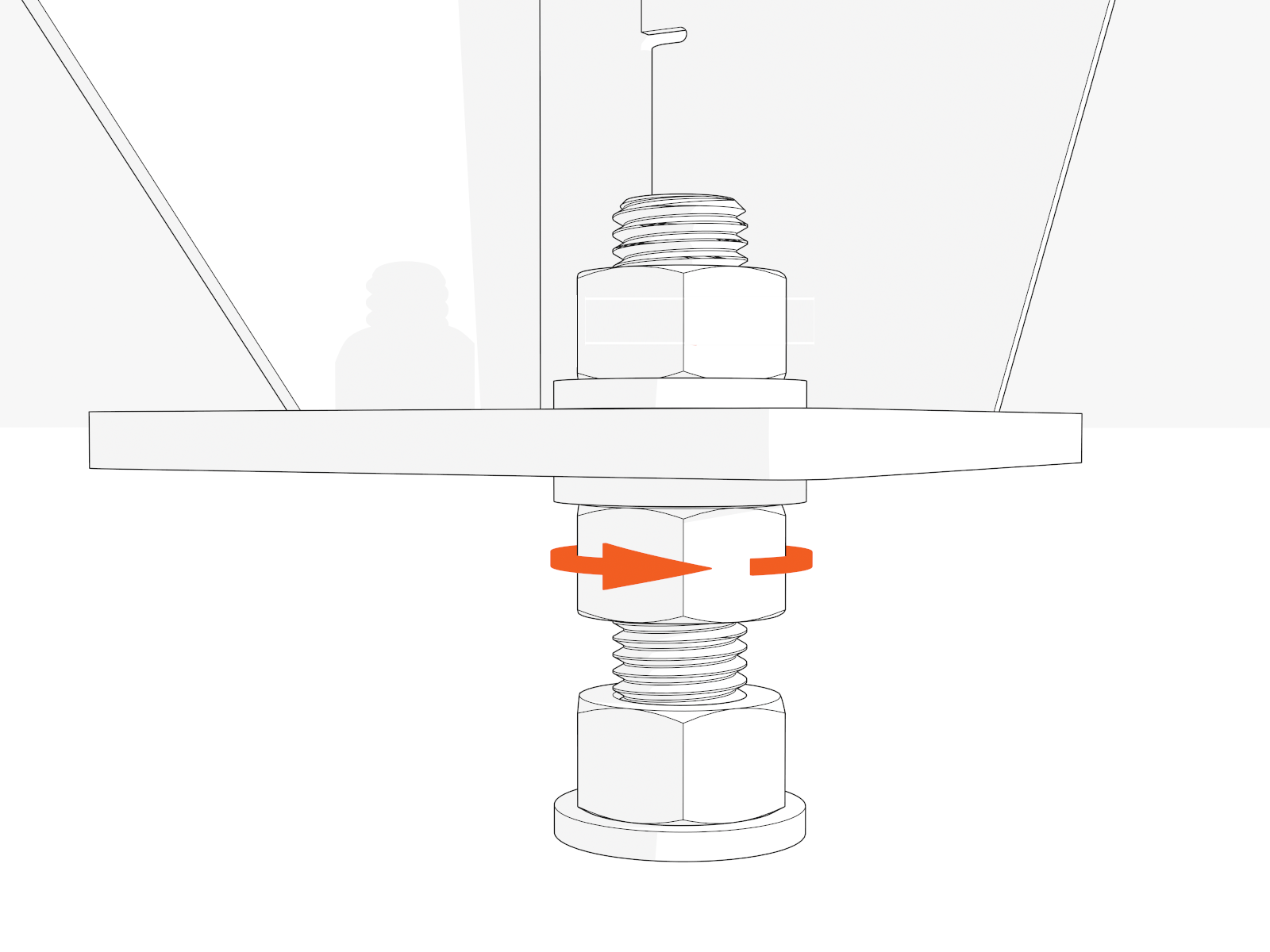
Rotate the fourth (last) leveling nut to be flush against the pedestal.
-
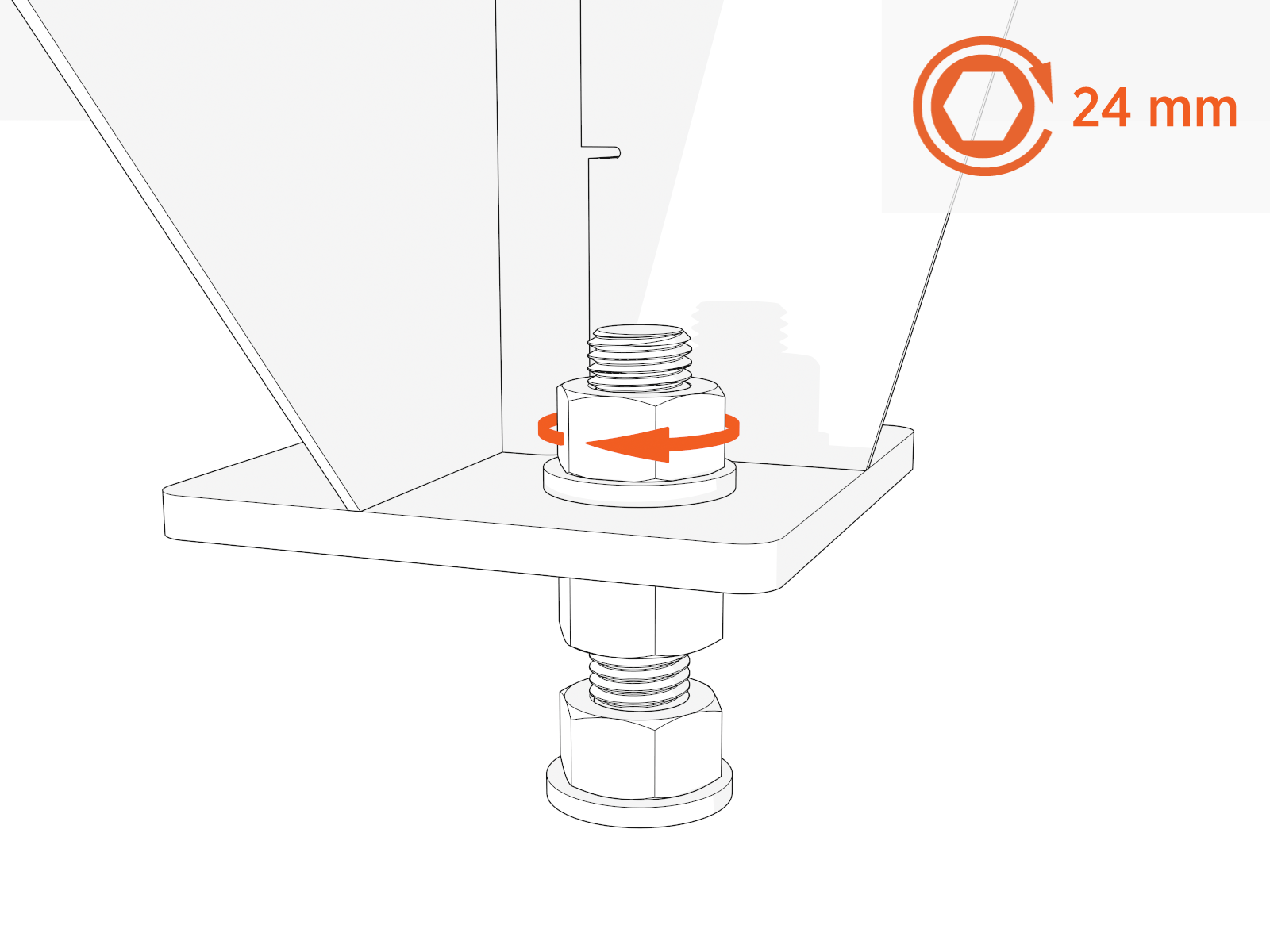
Torque all top nuts to 95 Nm (70 ft-lb).
Prepare Gland Plates
-
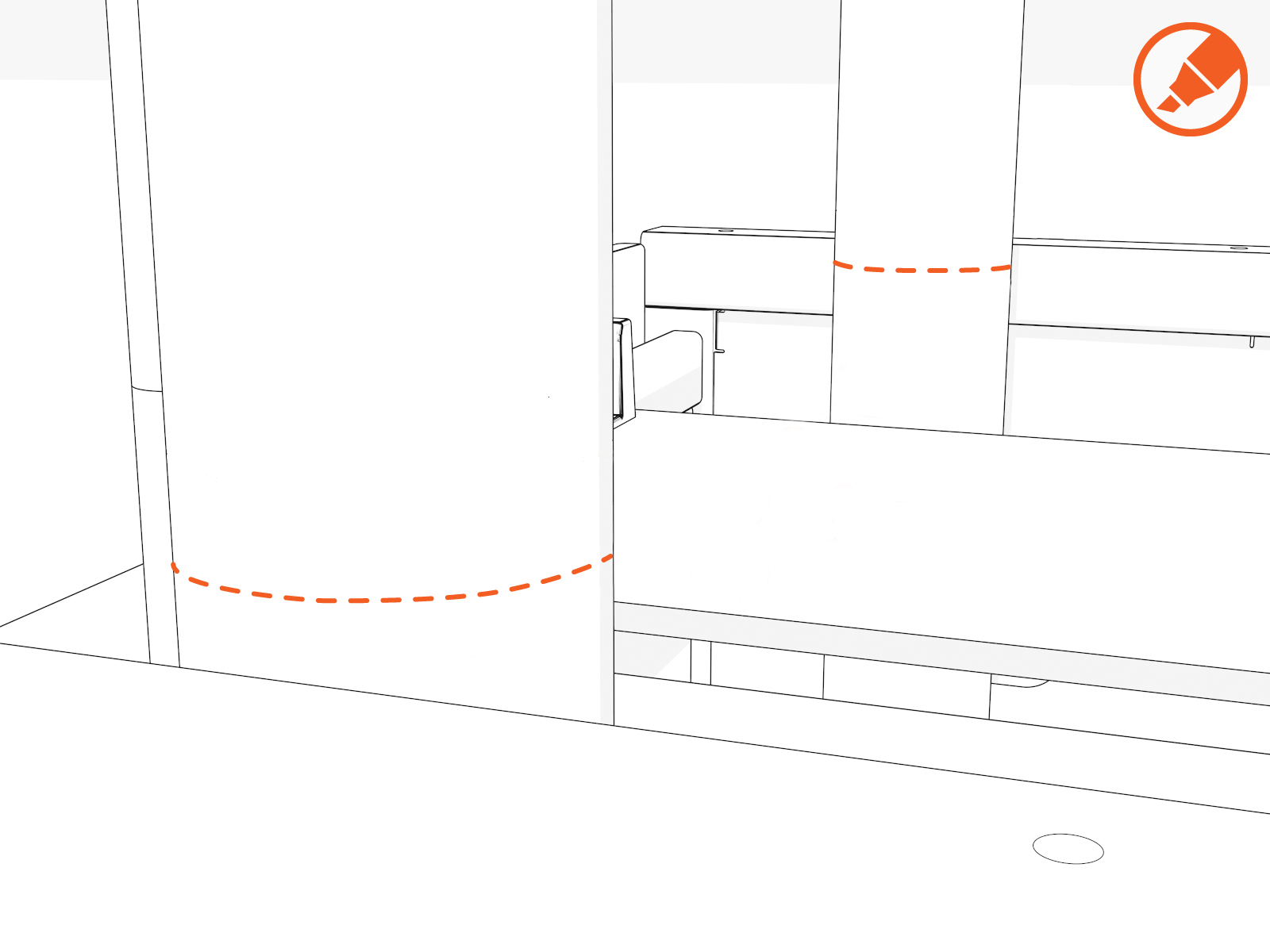
Mark the conduit stub-ups at the height of the pedestal top surface.
-
Measure and cut each conduit stub-up to a height of 25 mm (1 in) above the gland plate and file the edges smooth.
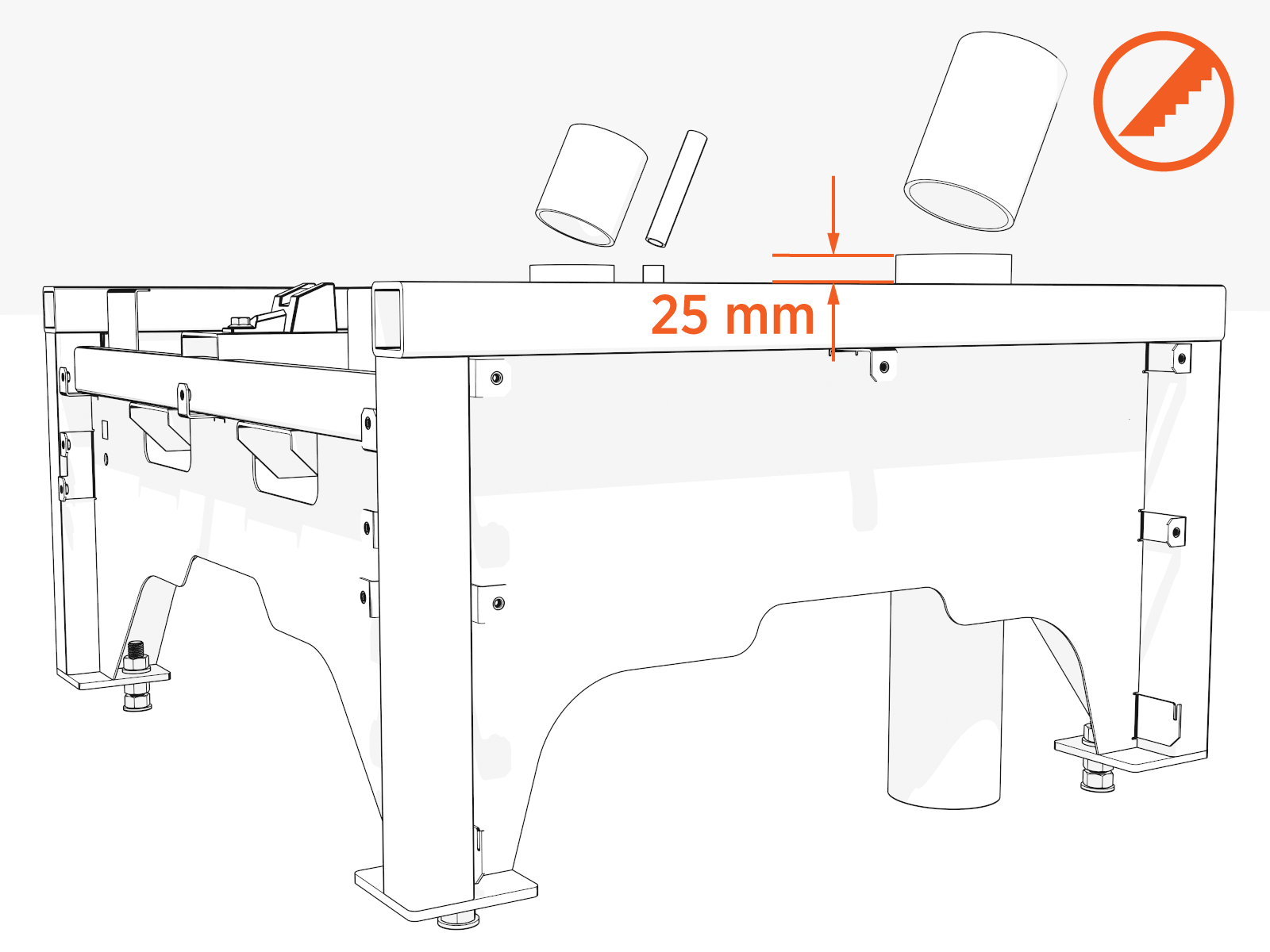 If you fail to file the edges, wires can be damaged by the stub-up.Do not use conduits with bell ends. They may interfere with tolerances inside the enclosure.
 -
Use the two outer pins to align each gland plate.
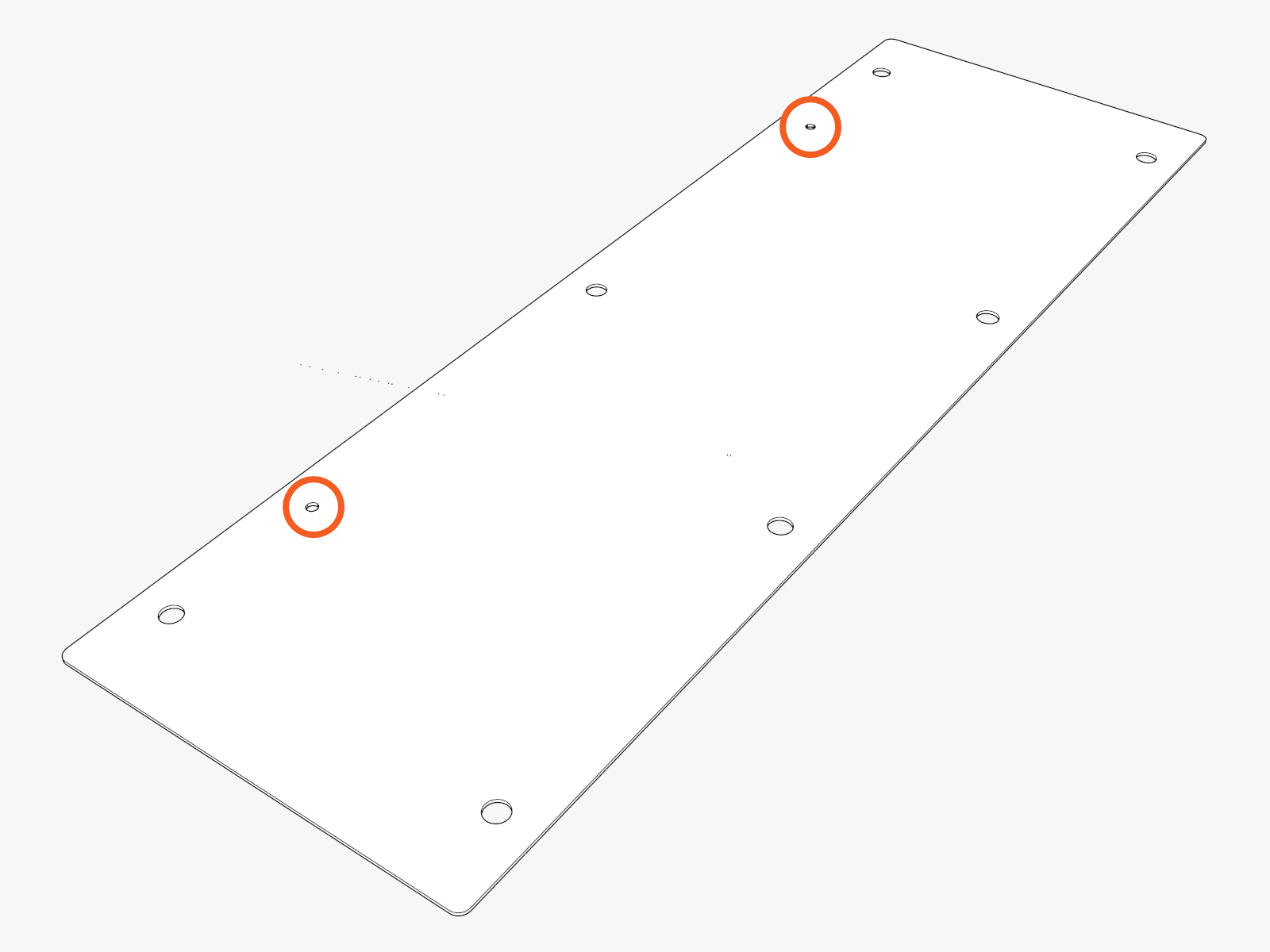
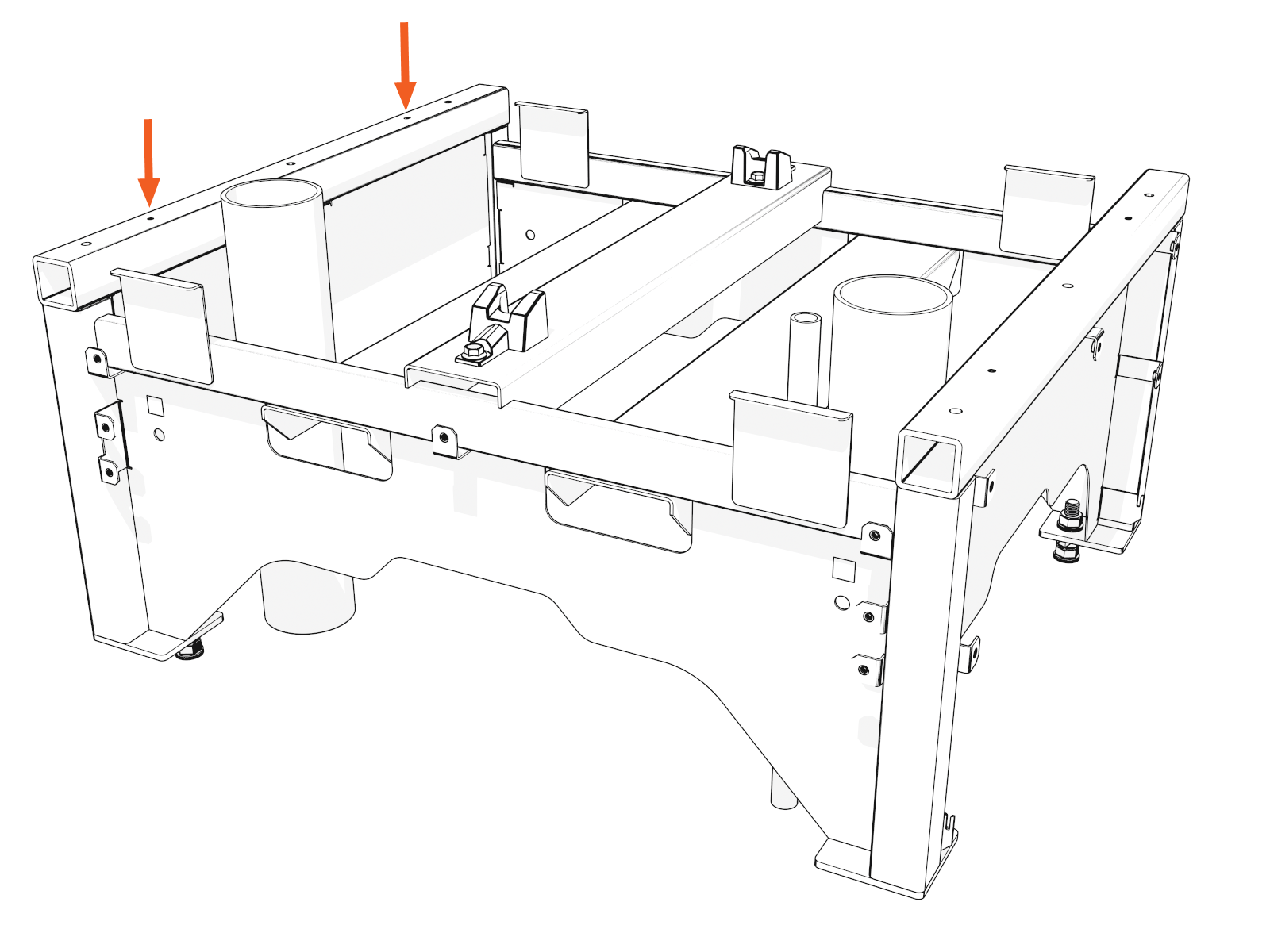
- Gland plates are directional.
- So, first determine the orientation of the gland plates prior to punching the gland plates.
-
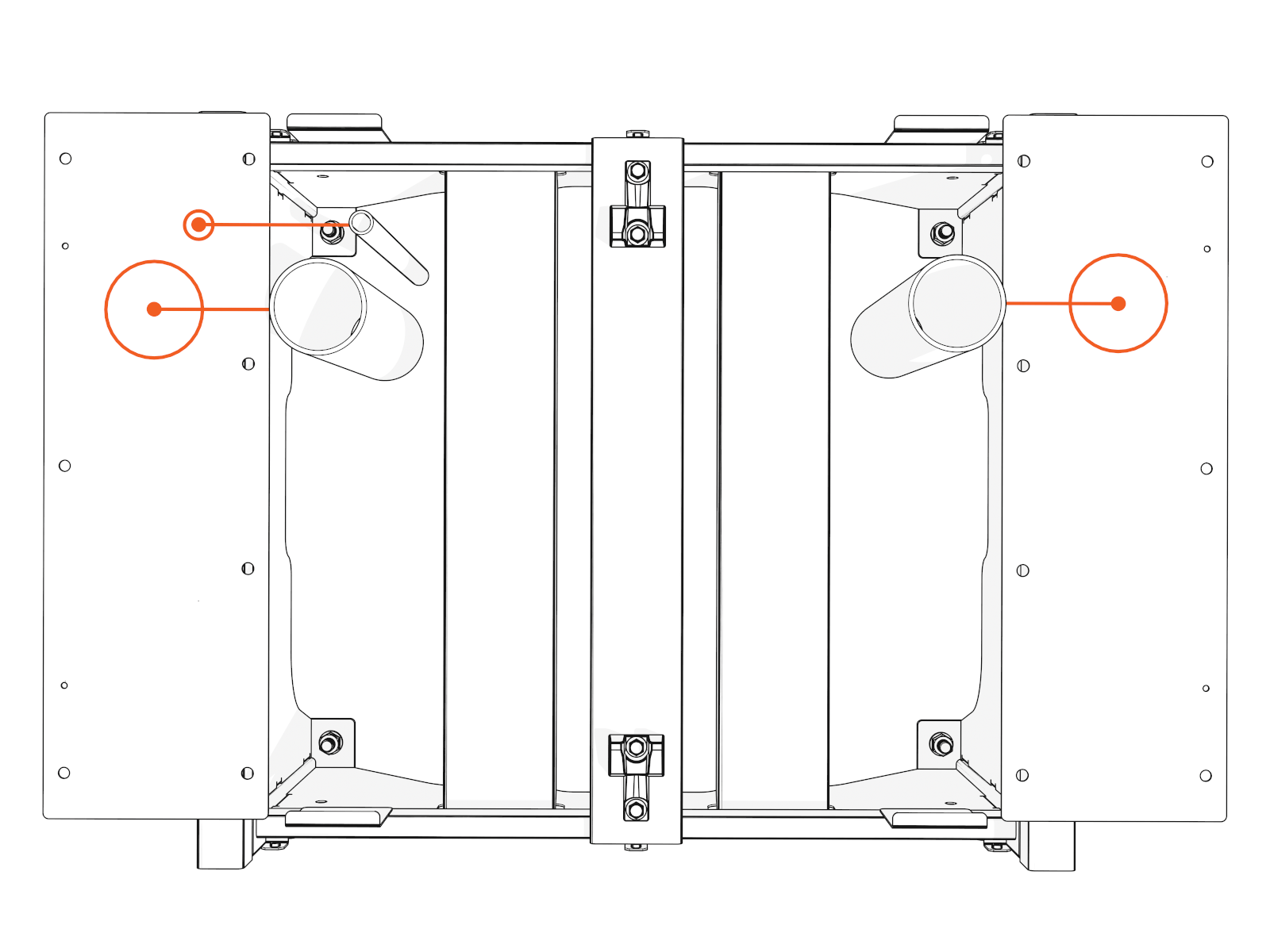
Mark the gland plate with the exact locations of each stub-up.
-
Mark a pilot point on the gland plates.
-
Use the hydraulic hole punch to create holes for all conduits.
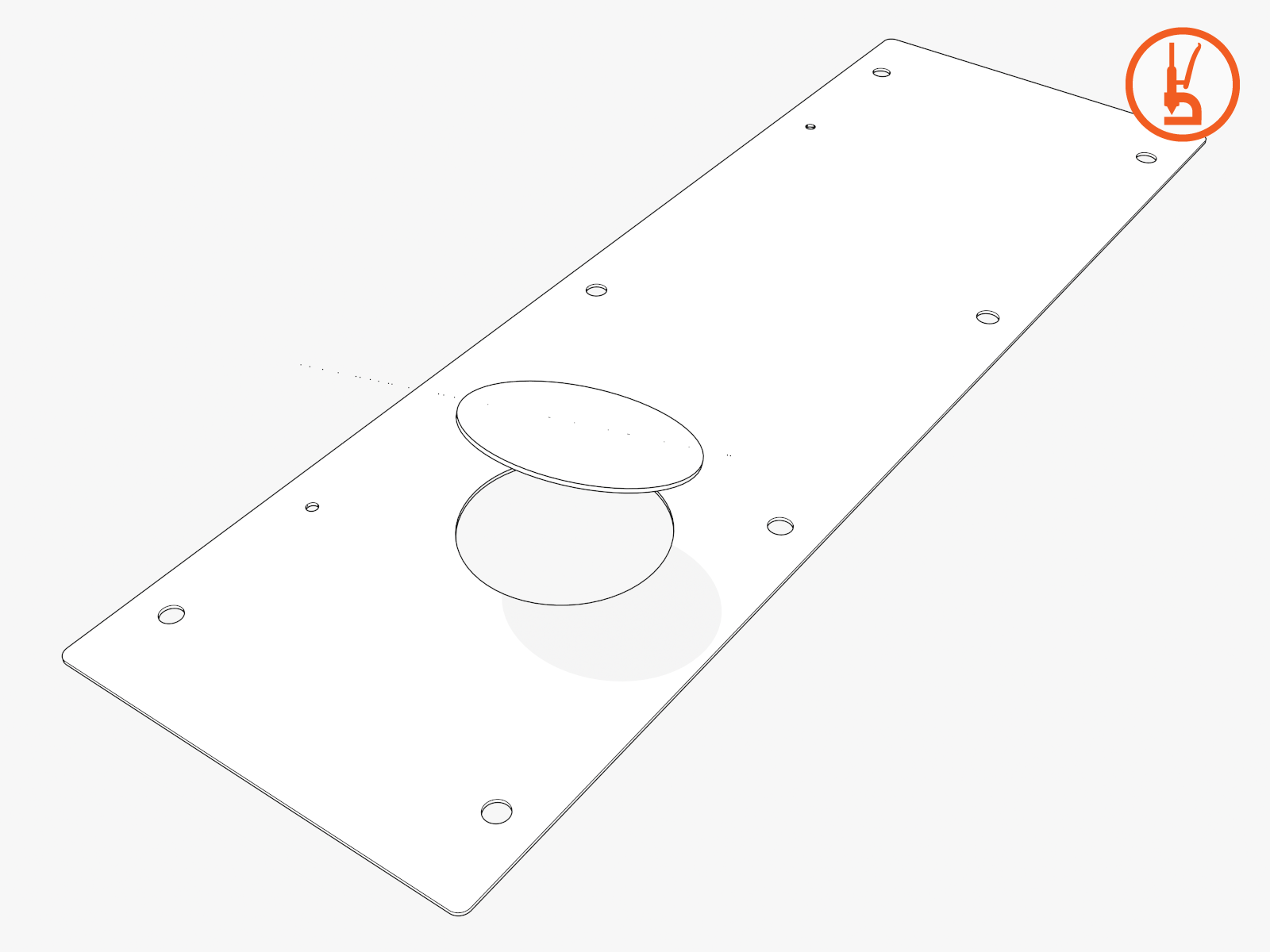
You must match the size of each conduit.
-
Vacuum all metal shavings and any other debris.
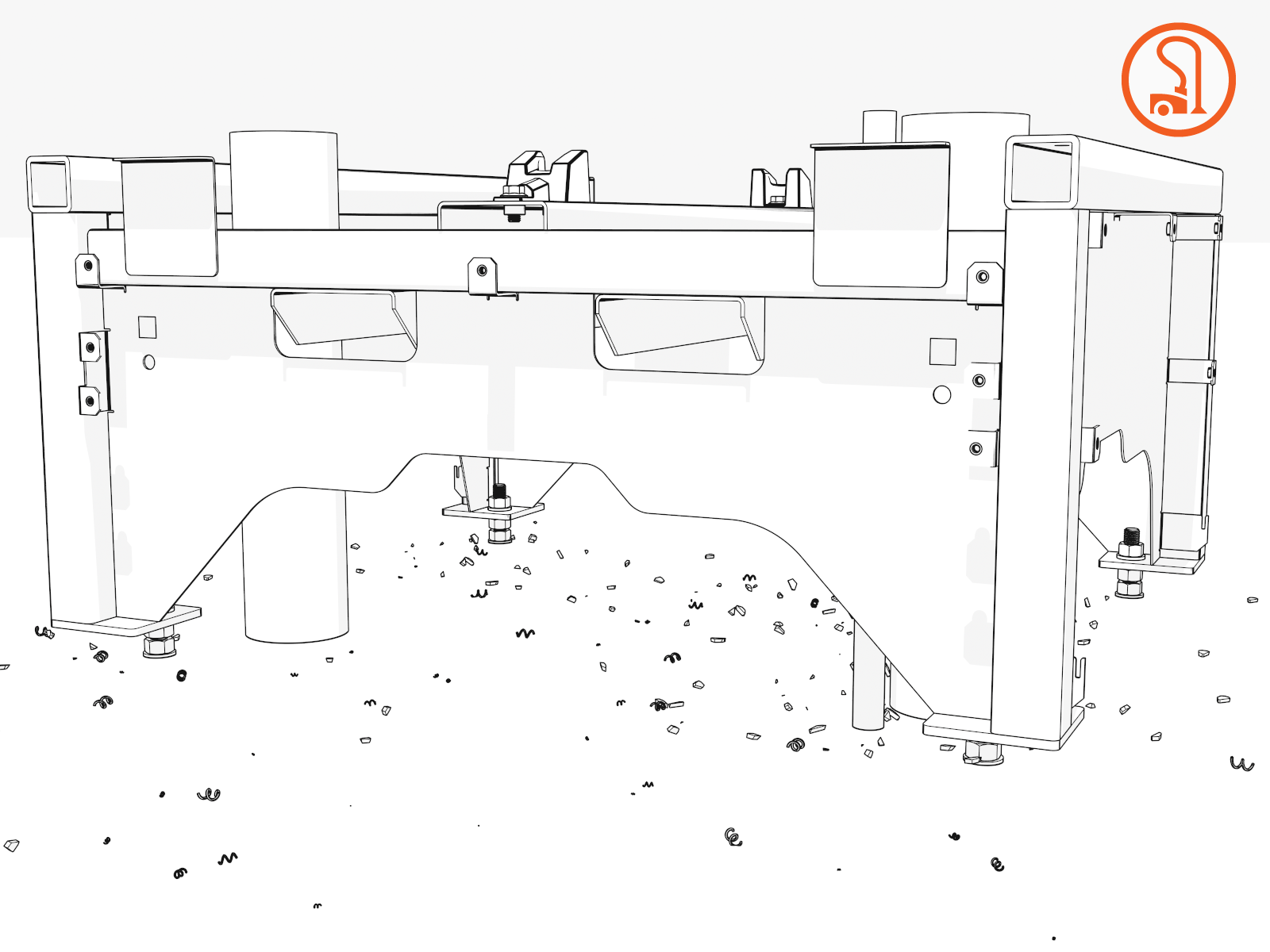
Pull Wiring Through Conduits
-
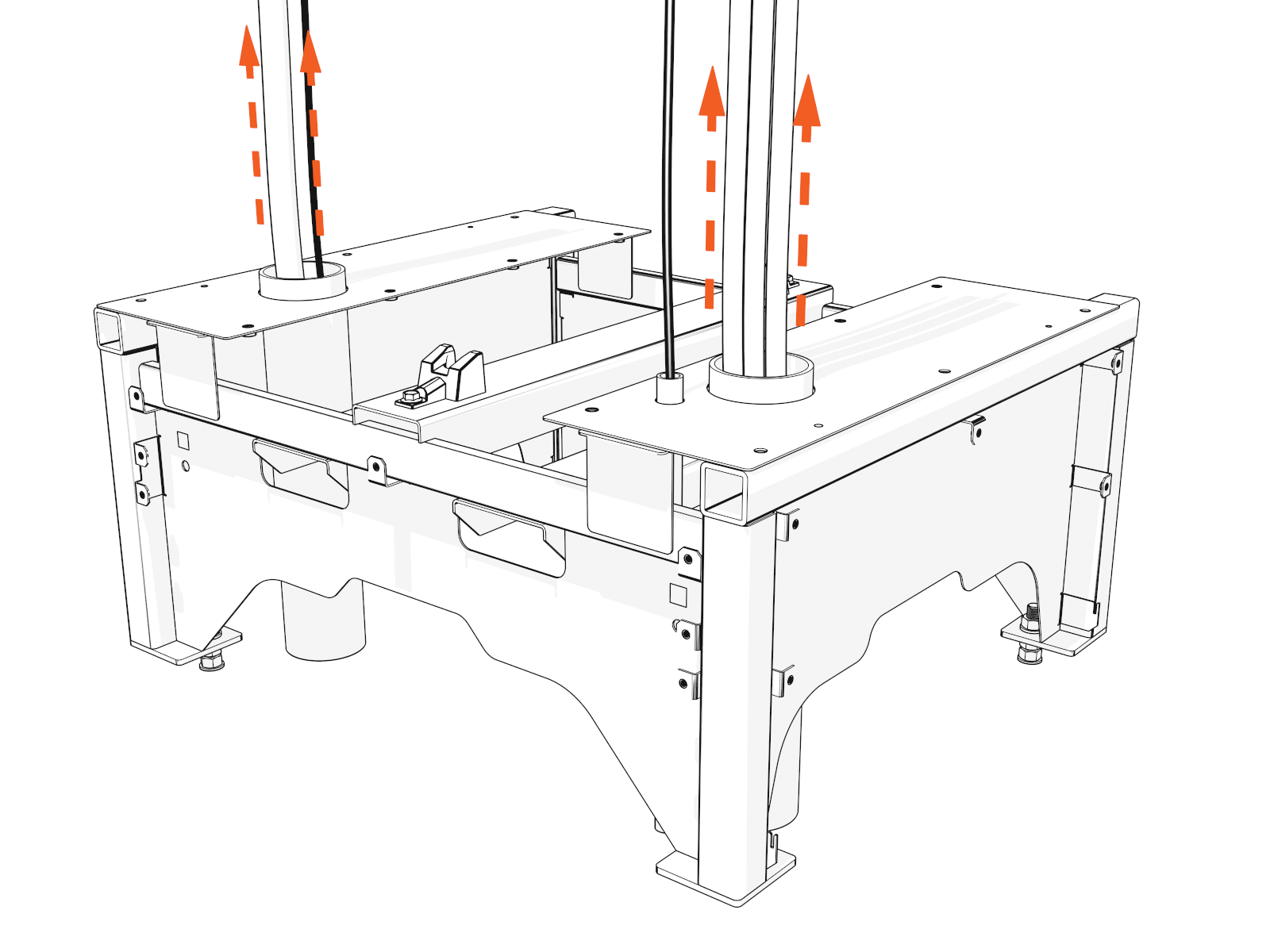
Pull all wires. Match the locations shown on the Power Block Concrete Mounting Template.
DC output
1 or 2 conduits
DC auxiliary input (optional)
1 conduit
AC input
1 conduit
48 V DC and Cat6 Shielded Twisted Pair (STP
 Shielded Twisted Pair) Ethernet conduits:
-
Shunt trip, if present
-
One Ethernet, one 48 V DC out
-
Two Ethernet, either one or two 48 V DC out
-
Three Ethernet, either one or two 48 V DC out
1, 2, 3, or 4 conduits
Check site drawings for the conduit configurations.
Do not pull a Neutral wire. -
-
Retain these lengths of service loops:
-
1219 mm (4 ft) of conductor and ground wire at Power Block
-
1524 mm (5 ft) of conductor and ground wire at Power Link
-
1829 mm (6 ft) of Ethernet and 48 V wire at each end
-
For maximum wire and ground sizes and their minimum conduit sizes, see the Express Plus Power Block and Power Link Site Design Guide.
-
To route surface conduit wiring, refer to Surface Conduit Entry (SCE) Kit Installation.
-
-
Perform a continuity check of wires. Repair any damaged wires.
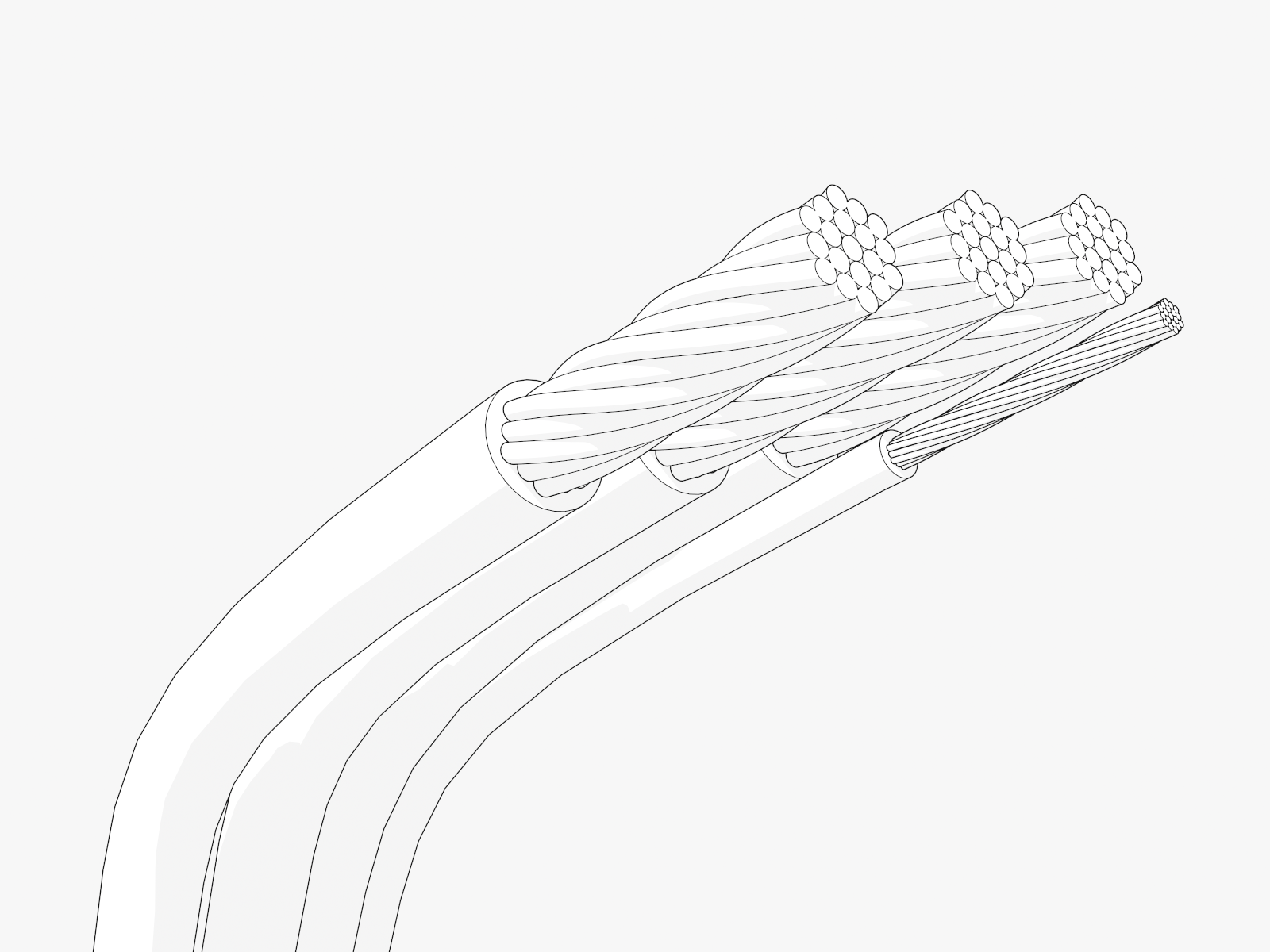 If you fail to repair damaged wires, you may impact site commissioning.Please ensure that AC and DC High Voltage wires have gone through Insulation Resistance Testing as per Electrical Readiness section.
 -
Reinstall gland plates.