Install Covers and Door
To install Power Block covers and doors, complete all steps given below.
Pedestal Covers
To install pedestal covers, complete the following steps:
Upper Covers (Front and Rear Pedestal)
-
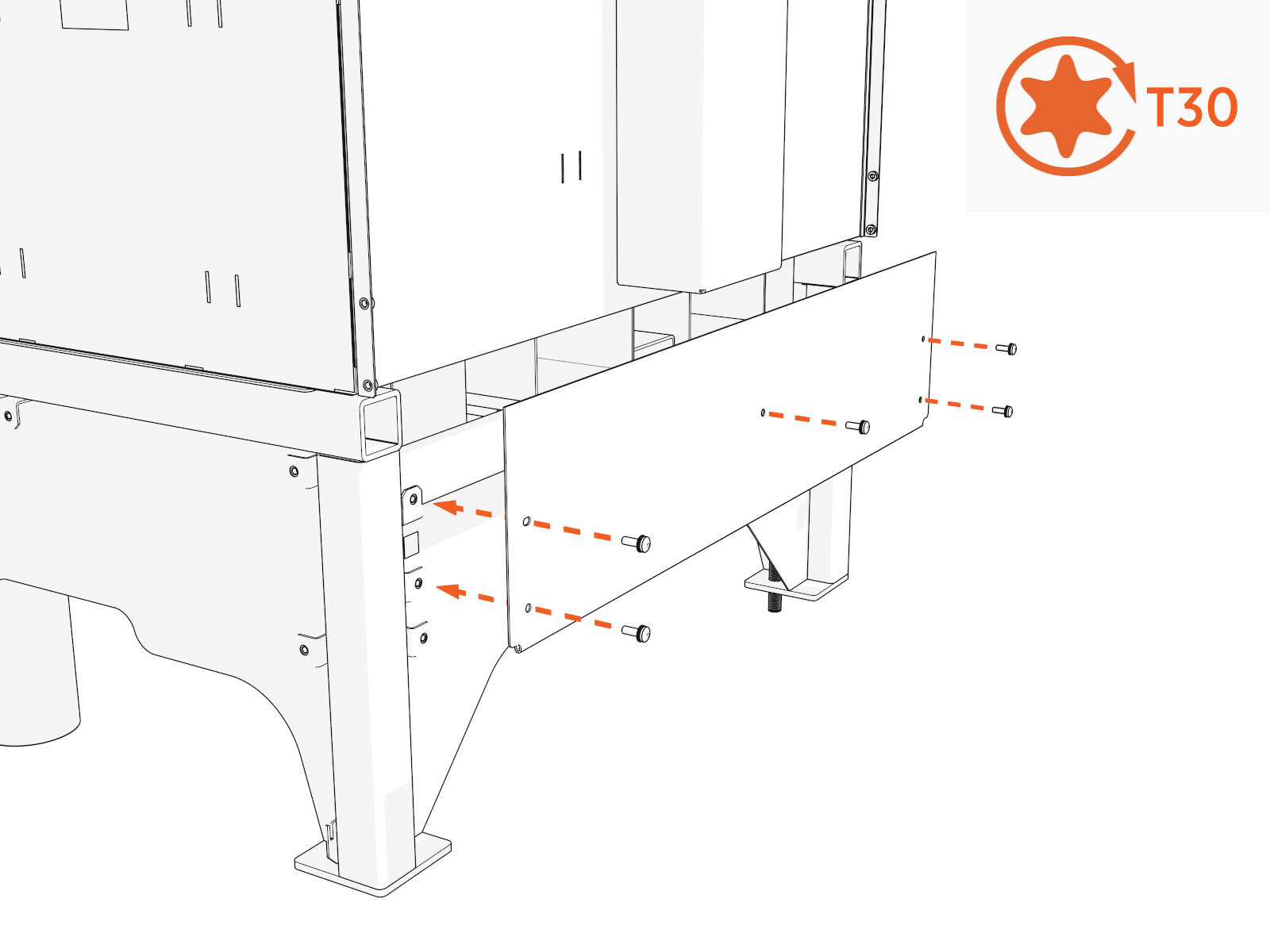
Align the rear upper cover and install screws. Torque to 7.0 Nm (62 in-lb)
-
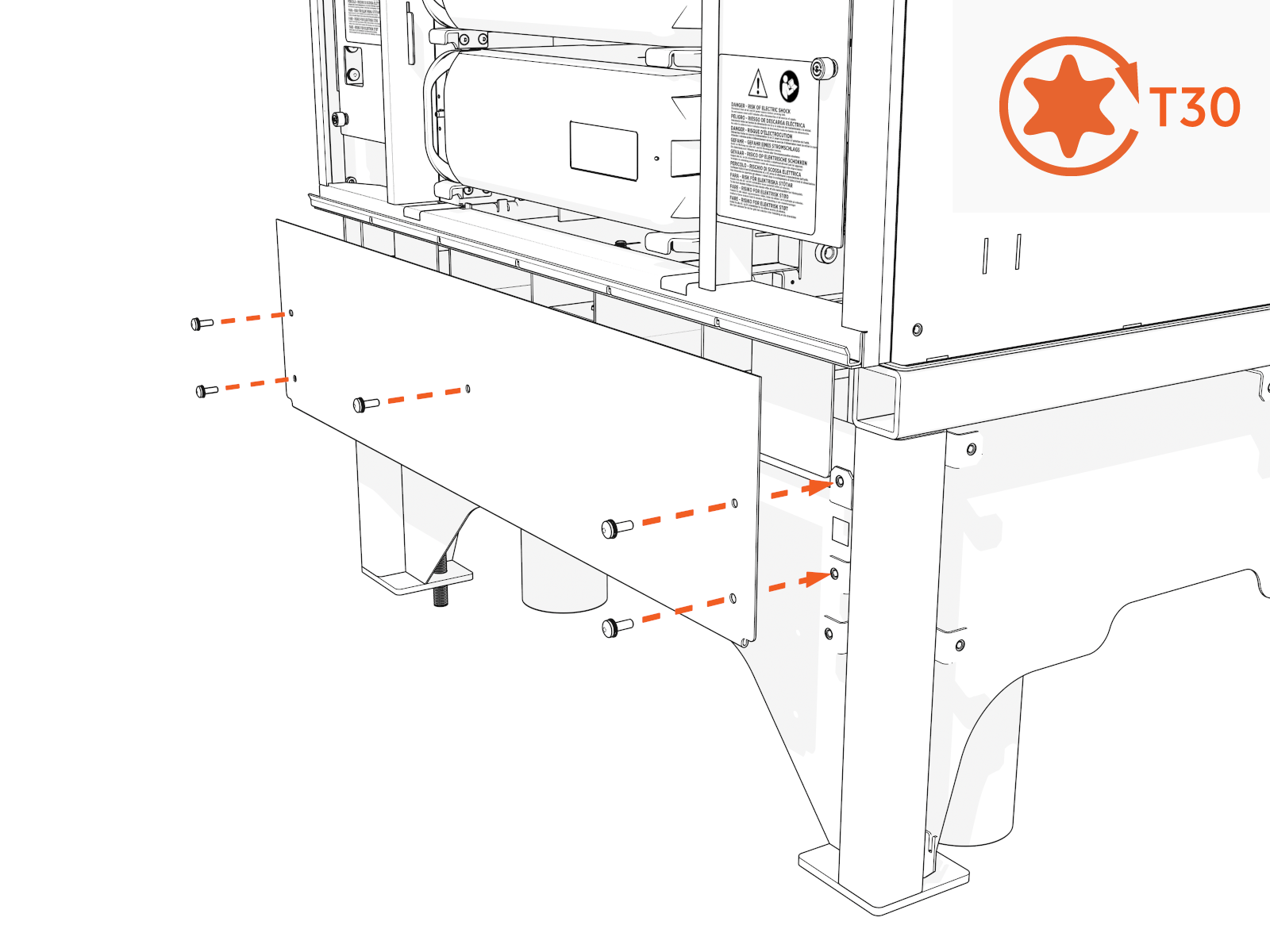
Repeat with the front upper cover.
-
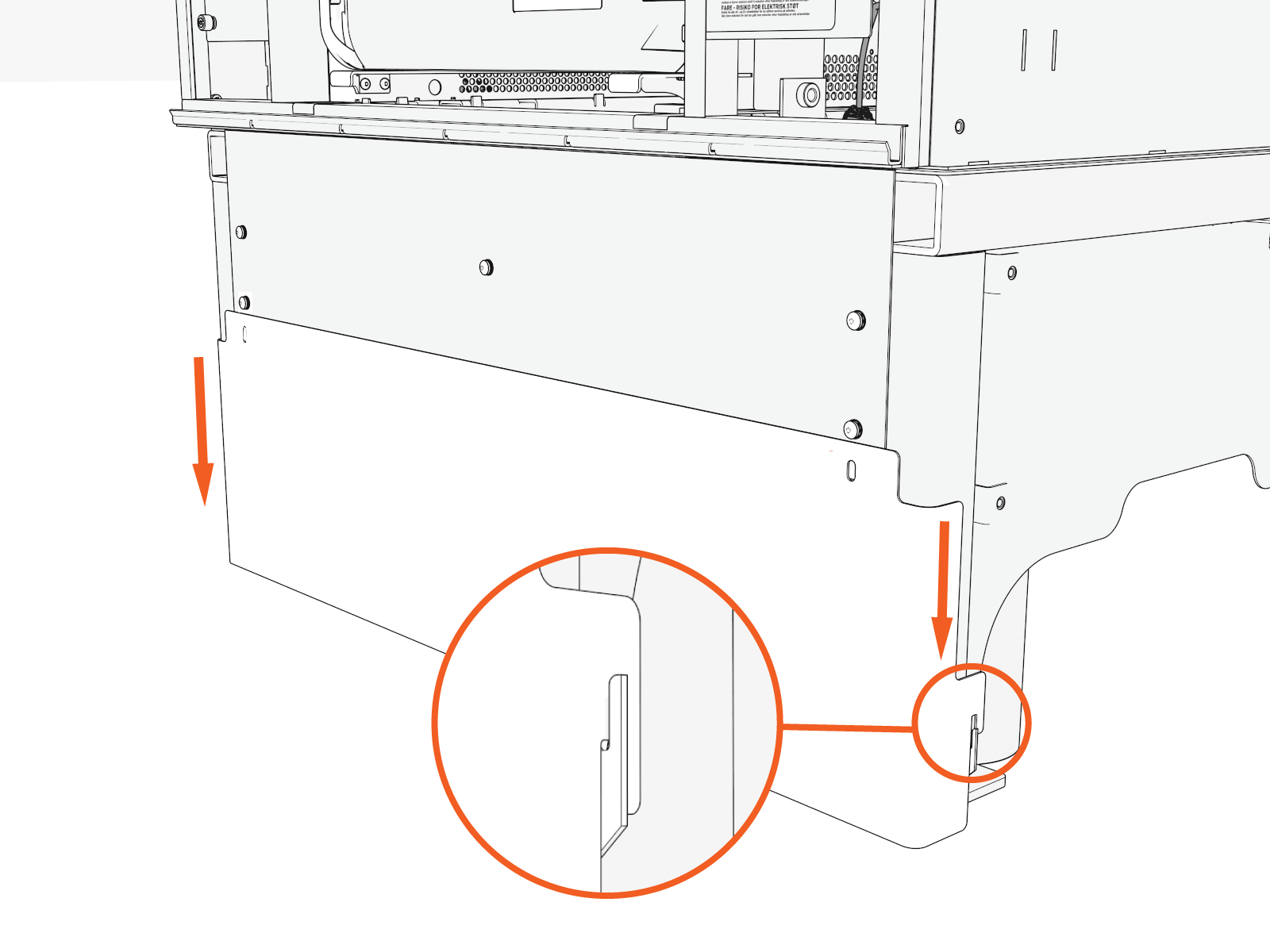
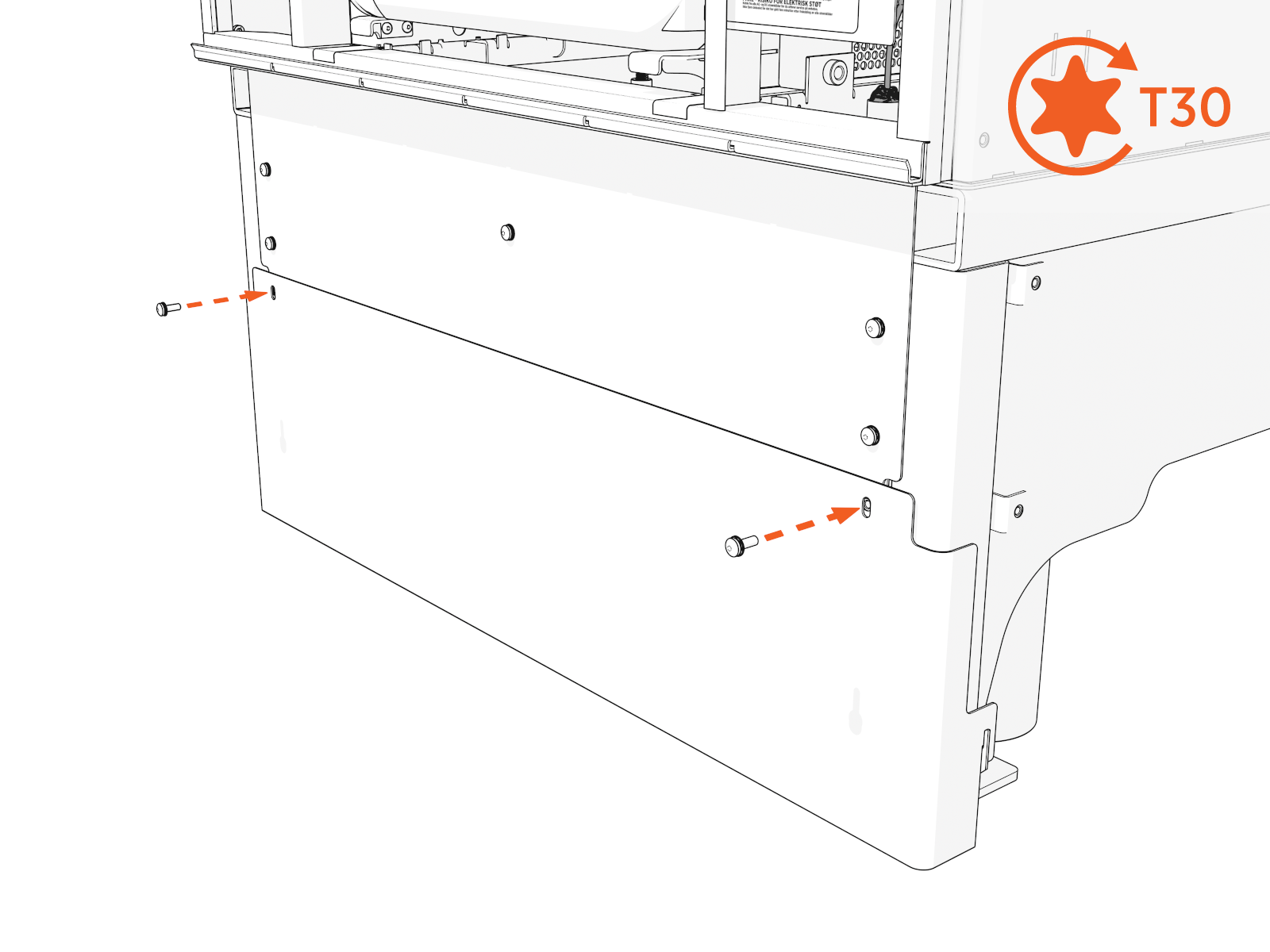
Notice the hooks near the bottom inside of the lower covers. Align the hooks. Slide each lower cover down onto the pedestal.
Ensure the two hooks (left and right) engage at the bottom.
-
Install the screws into each cover. Torque to 7.0 Nm (62 in-lb).
-
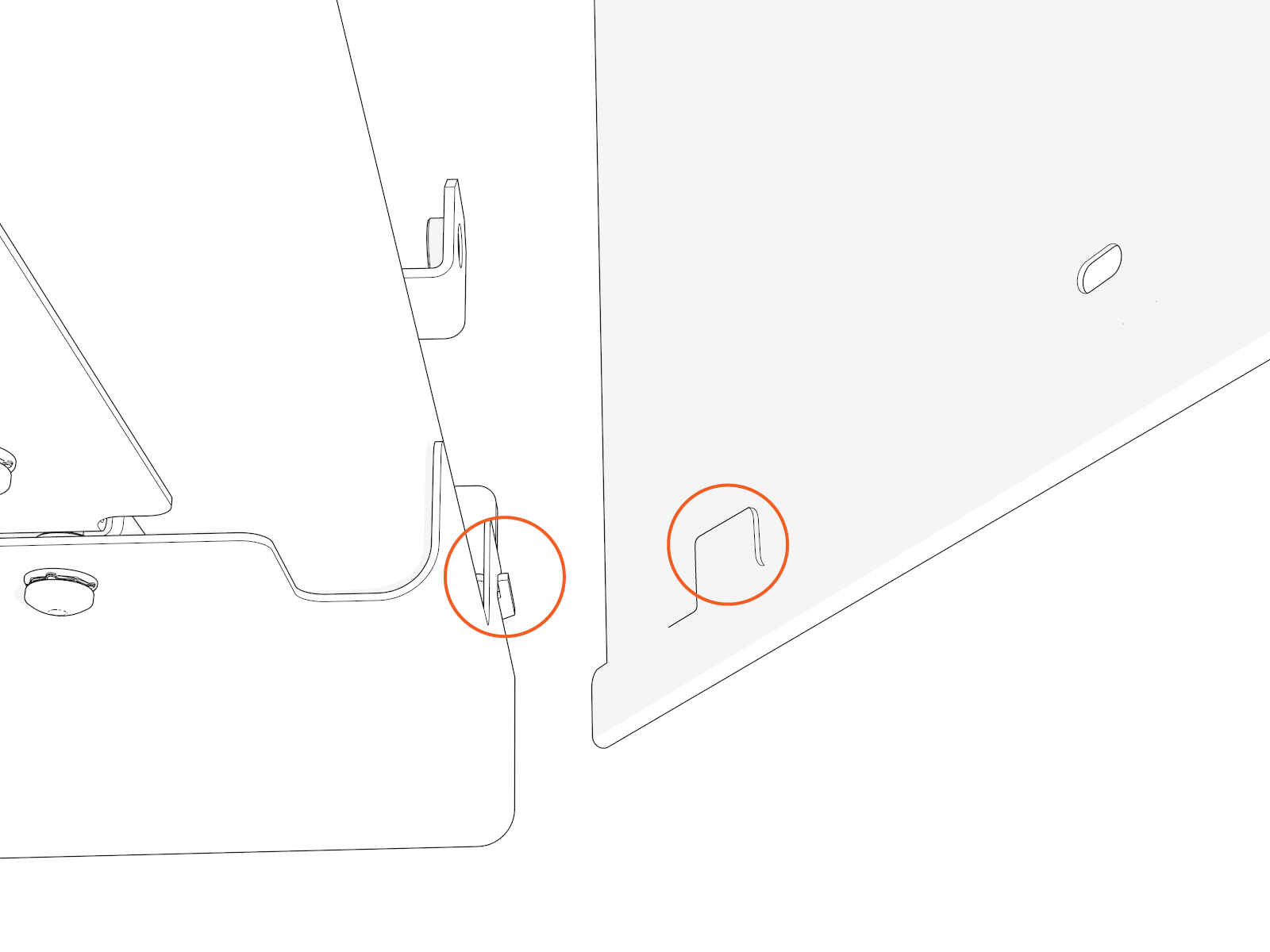
Notice the hooks near the bottom inside of the side covers. Align the hooks. Slide each side cover down onto the pedestal.
Ensure the two hooks (left and right) engage at the bottom.
-
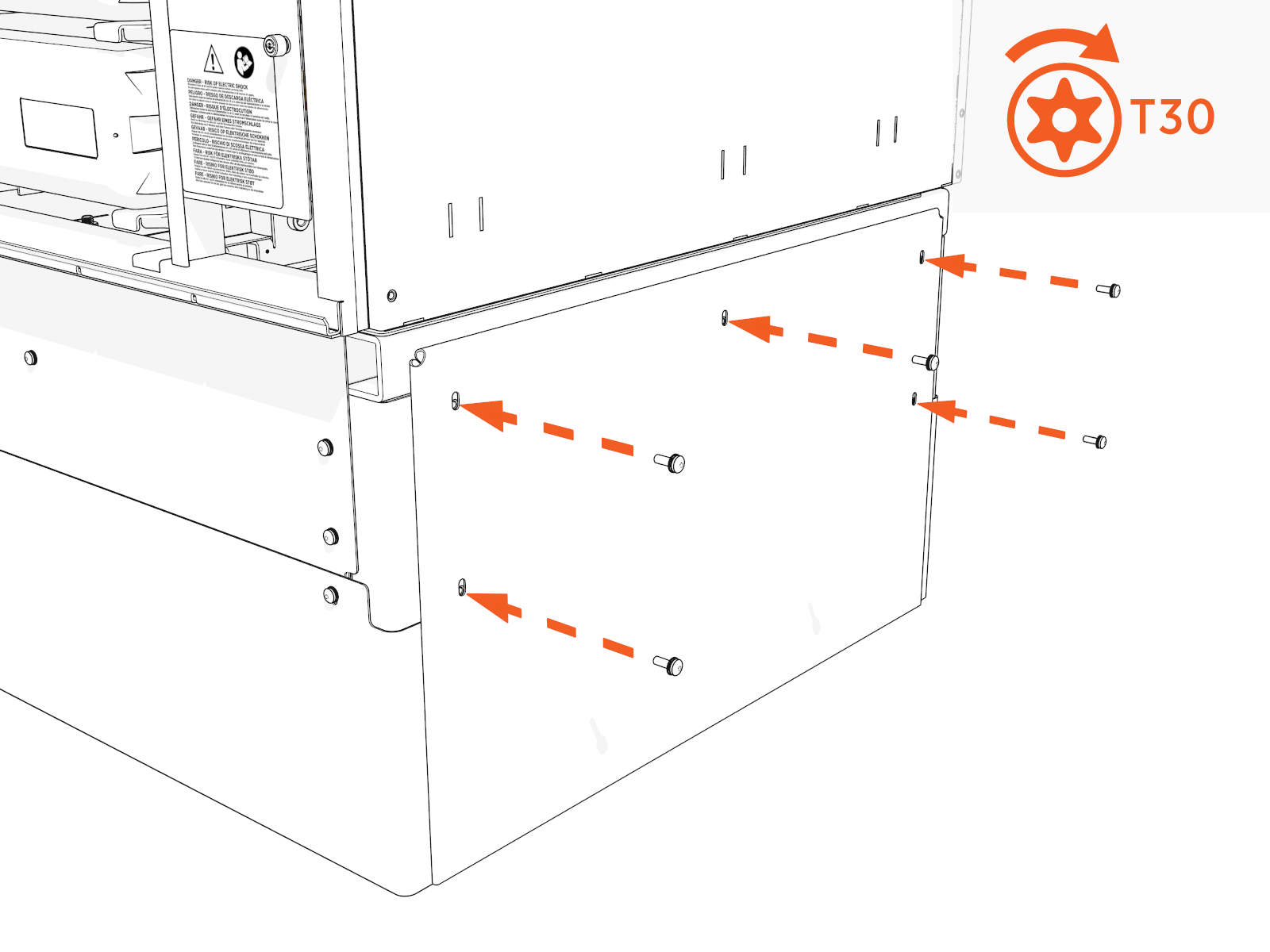
Install screws into each side cover. Torque to 7.0 Nm (62 in-lb).
Lower Front Door
To install the lower front door, complete the following steps:
-
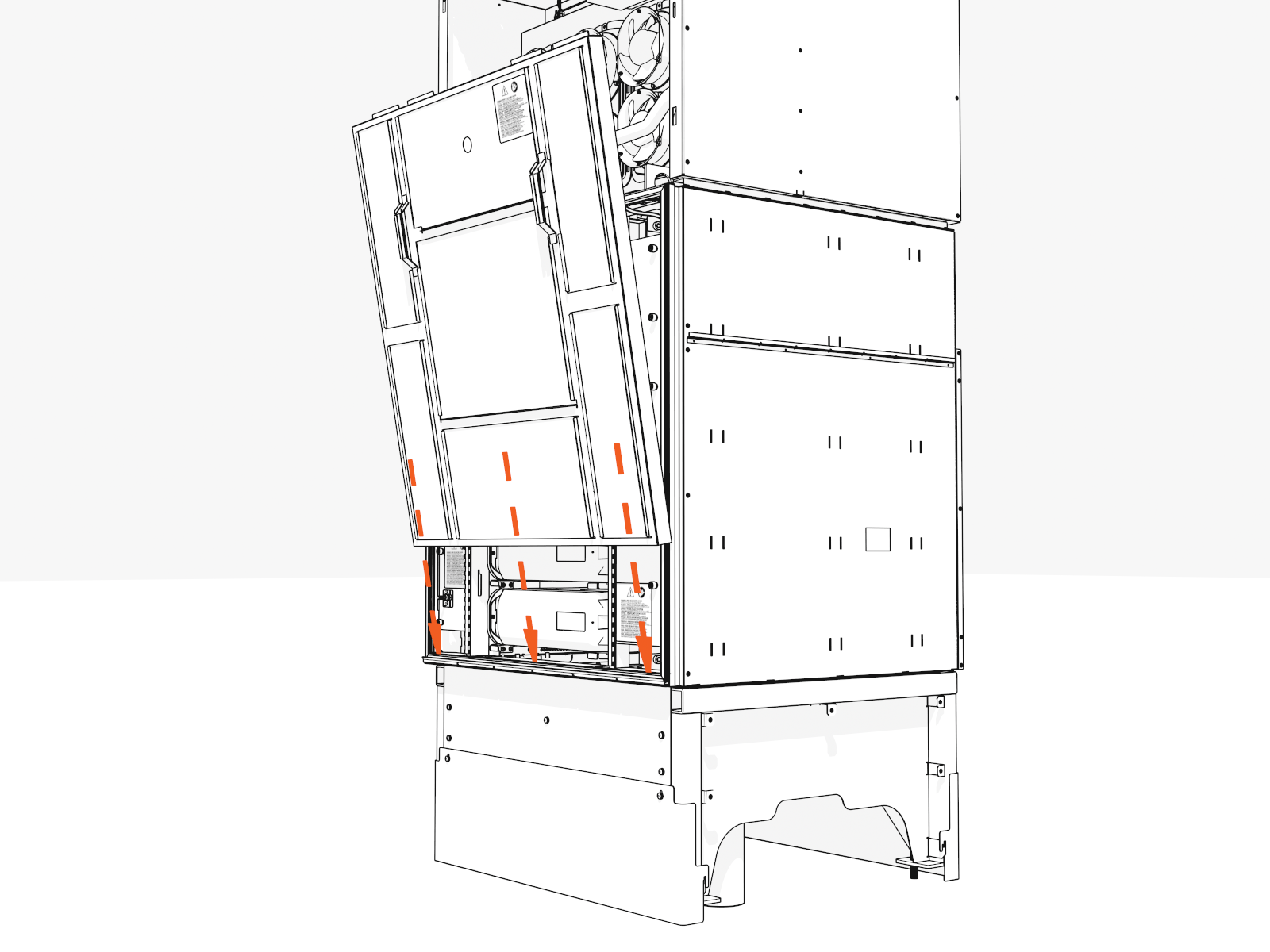
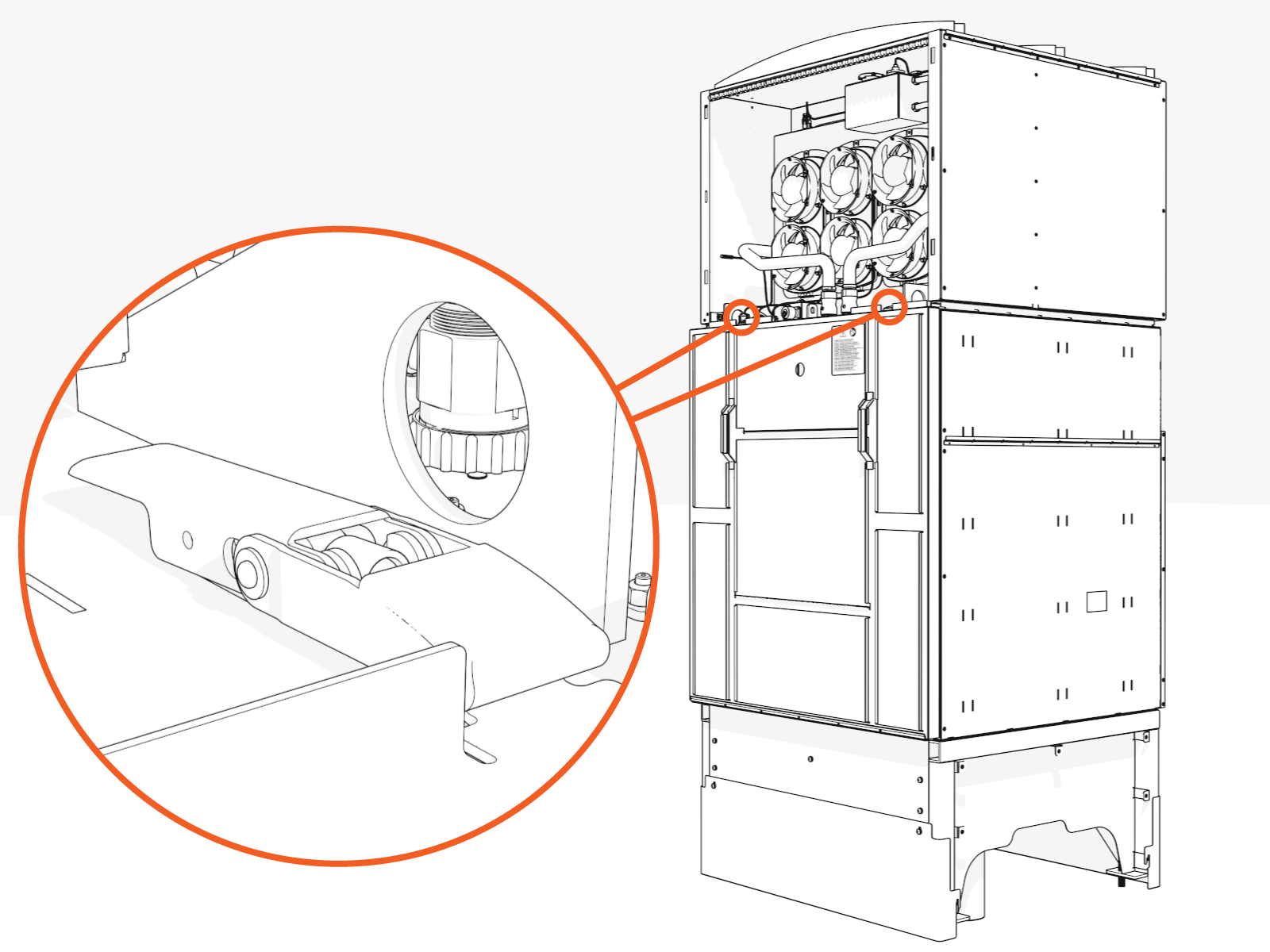
Hook the bottom of the door onto the lip of the cabinet.
-
Align and fasten the two latches at the top.
Enclosure Top Cover
To install the enclosure top cover, complete the following steps:
-
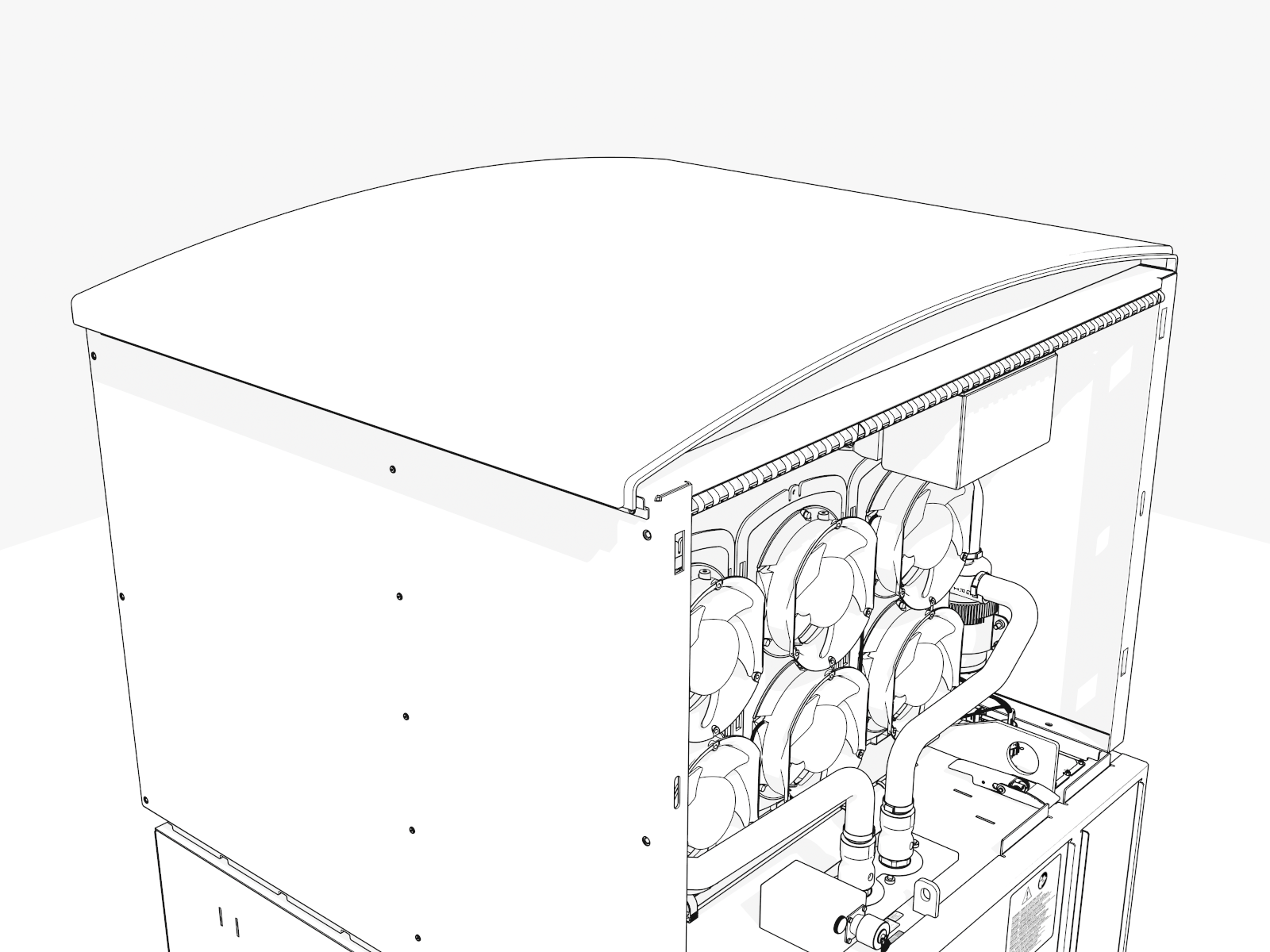
Align the top cover (arched).
-
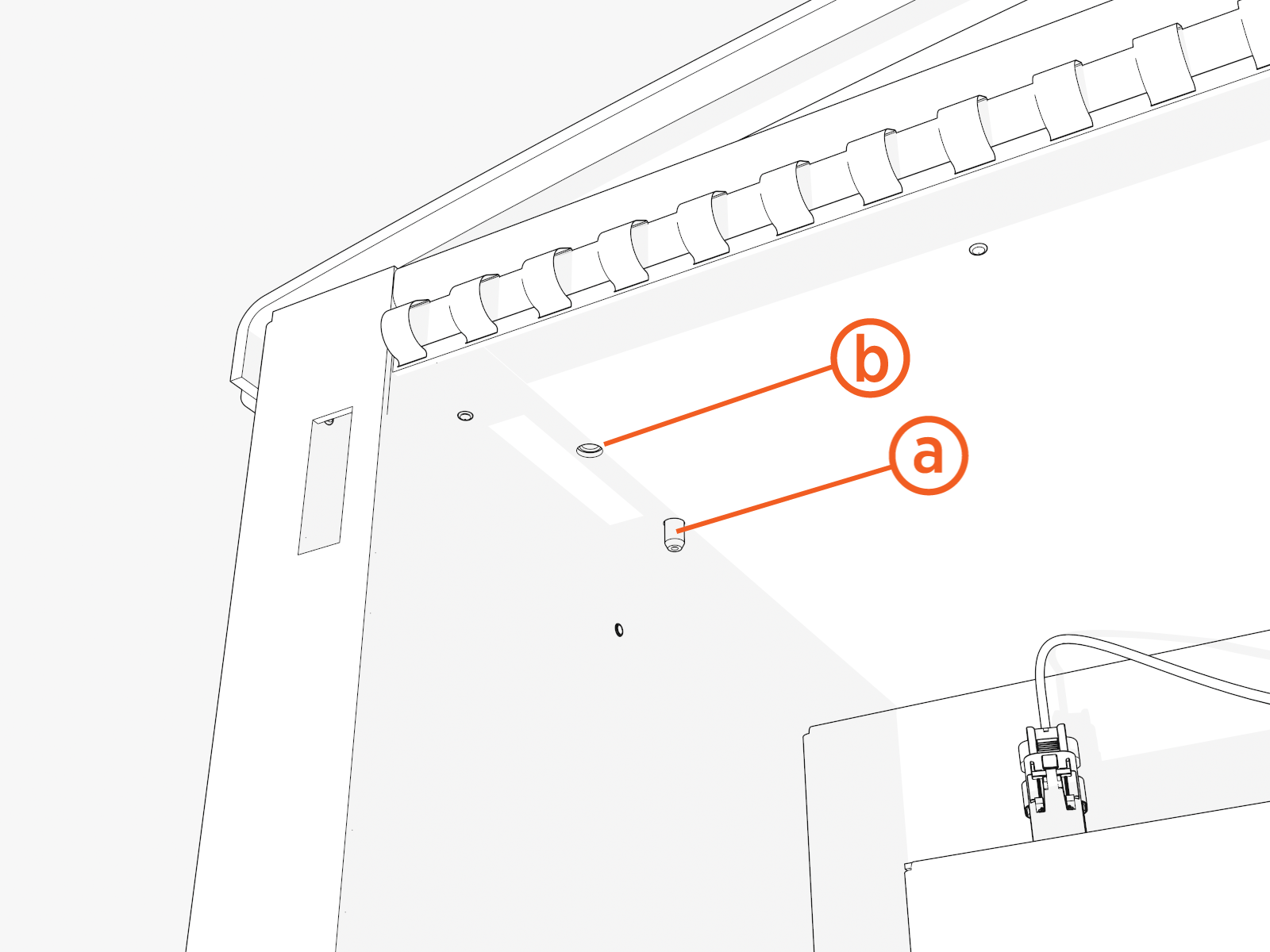
Follow these instructions to fit the locator pins (a) and install the M6 screws (b):
-
Fit four locator pins into the corners of the top inside.
-
Install four M6 screws into the corners of the top inside. Torque to 7.0 Nm (62 in-lb).
Enclosure Side Covers
To install side covers, complete the following steps:
-
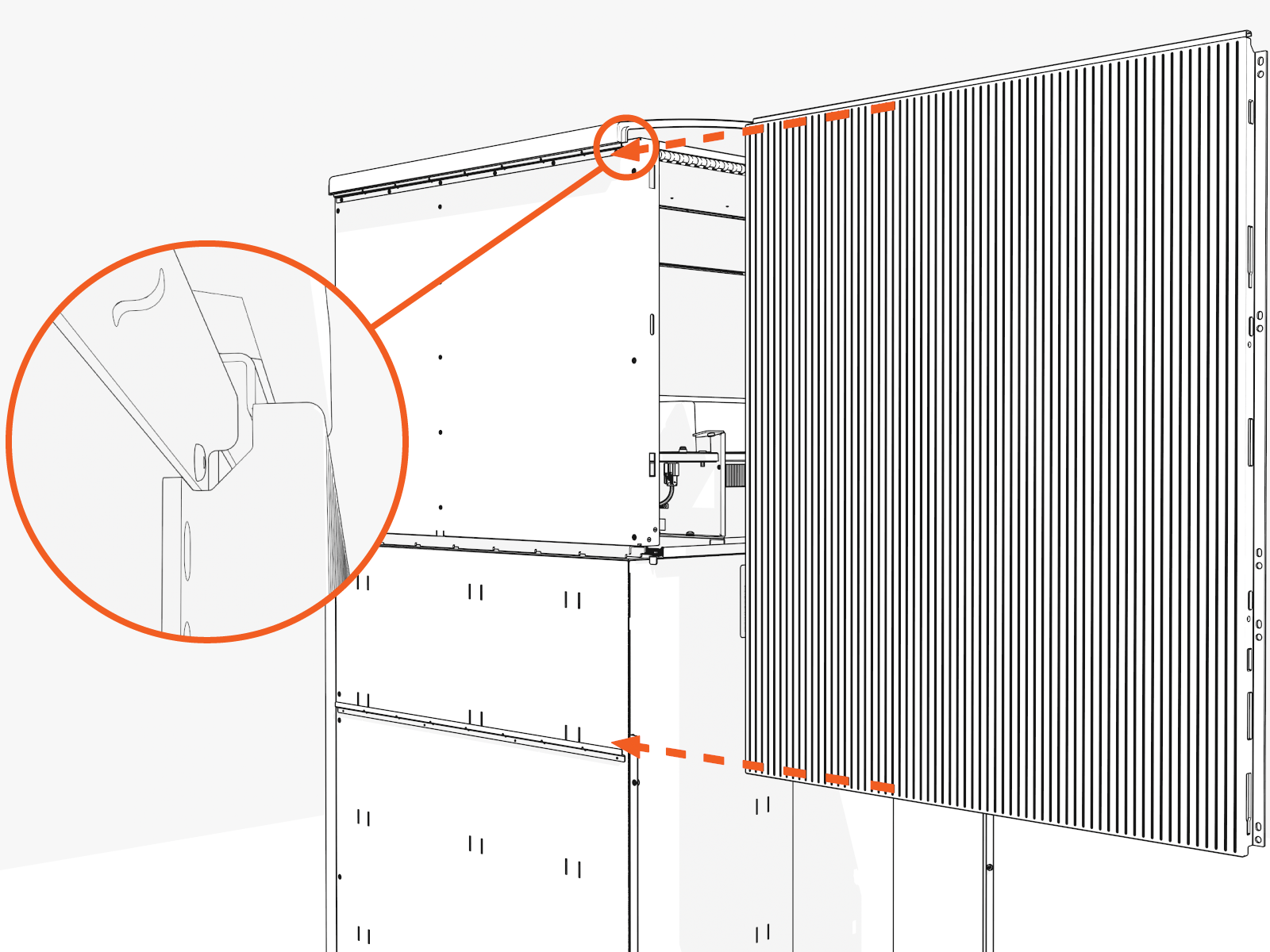
Slide the four side covers into the rails.
The panels are identical.
Upper Side Covers
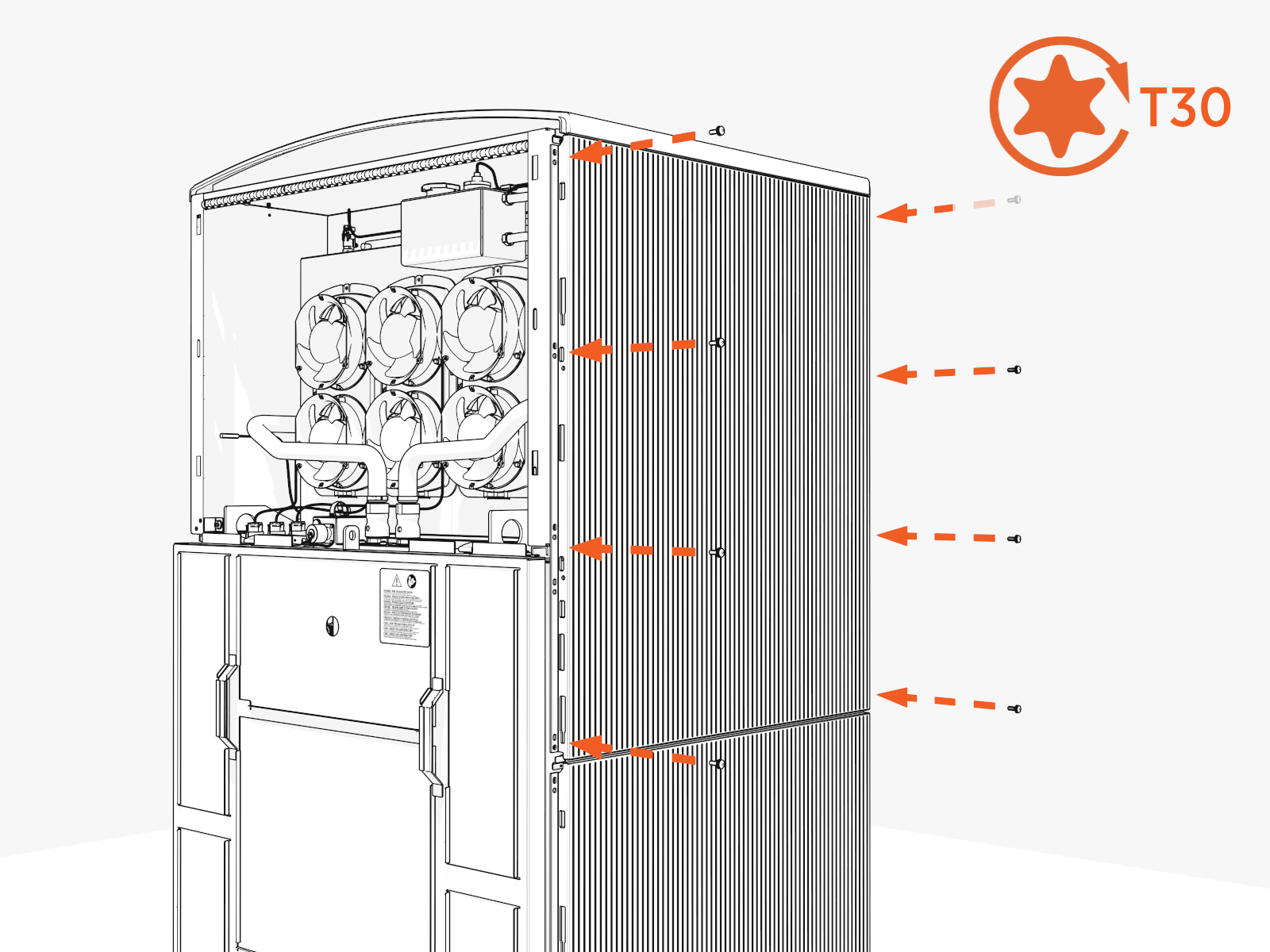
To secure the upper side covers, complete the following steps:
-
Install screws on the front and rear edges. Torque to 7.0 Nm (62 in-lb).
Start with the bottom corner.
-
Repeat on the second upper side cover.
Lower Side covers
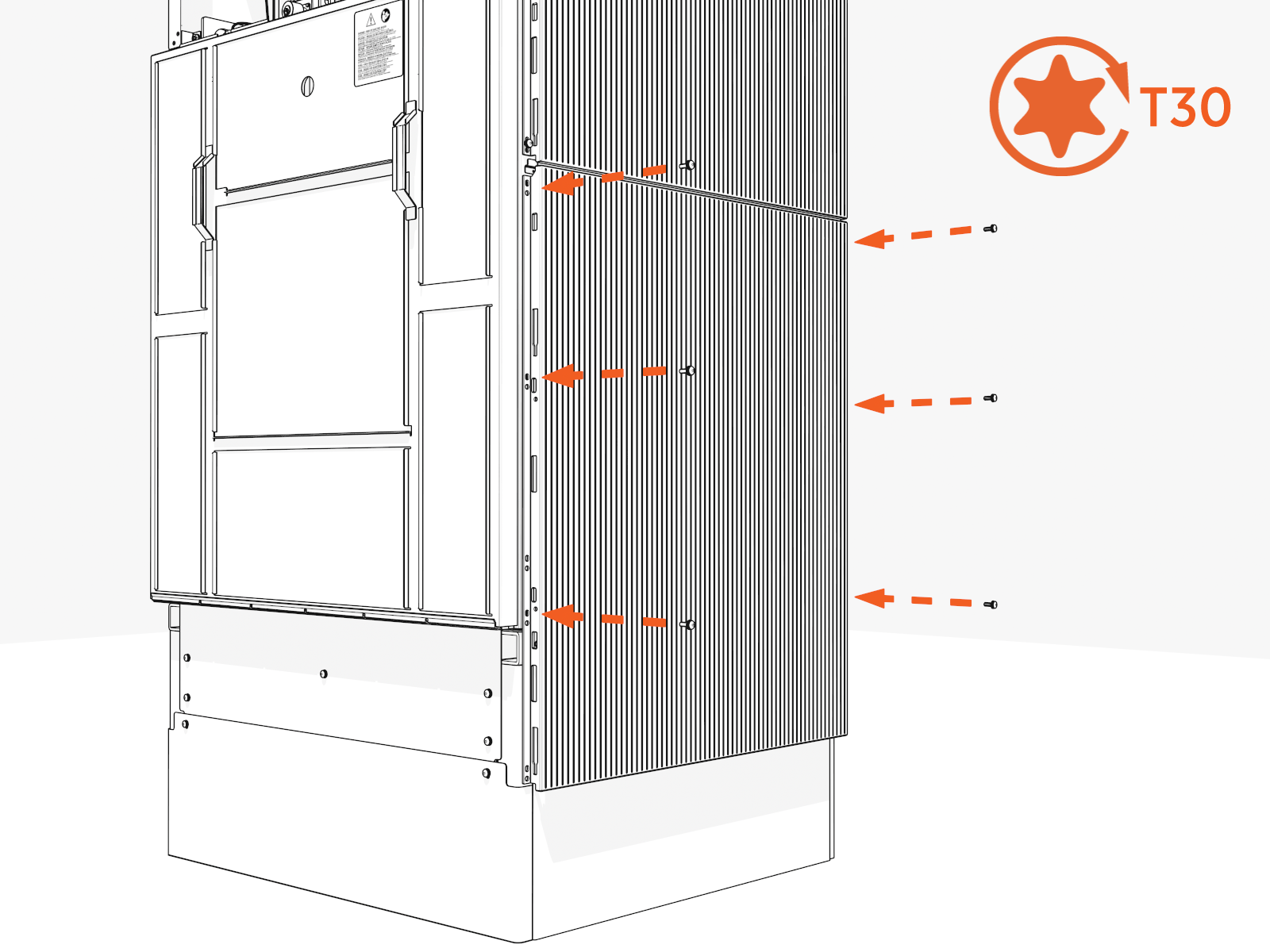
To secure the lower side covers, complete the following steps:
-
Install screws on the front and rear edges of both lower side covers. Torque to 7.0 Nm (62 in-lb).
You can access all four screws on each upper cover, but only three on each lower cover (because the pedestal overlaps the fourth screw).
-
Repeat on the second lower side cover.
Enclosure Front and Back Covers
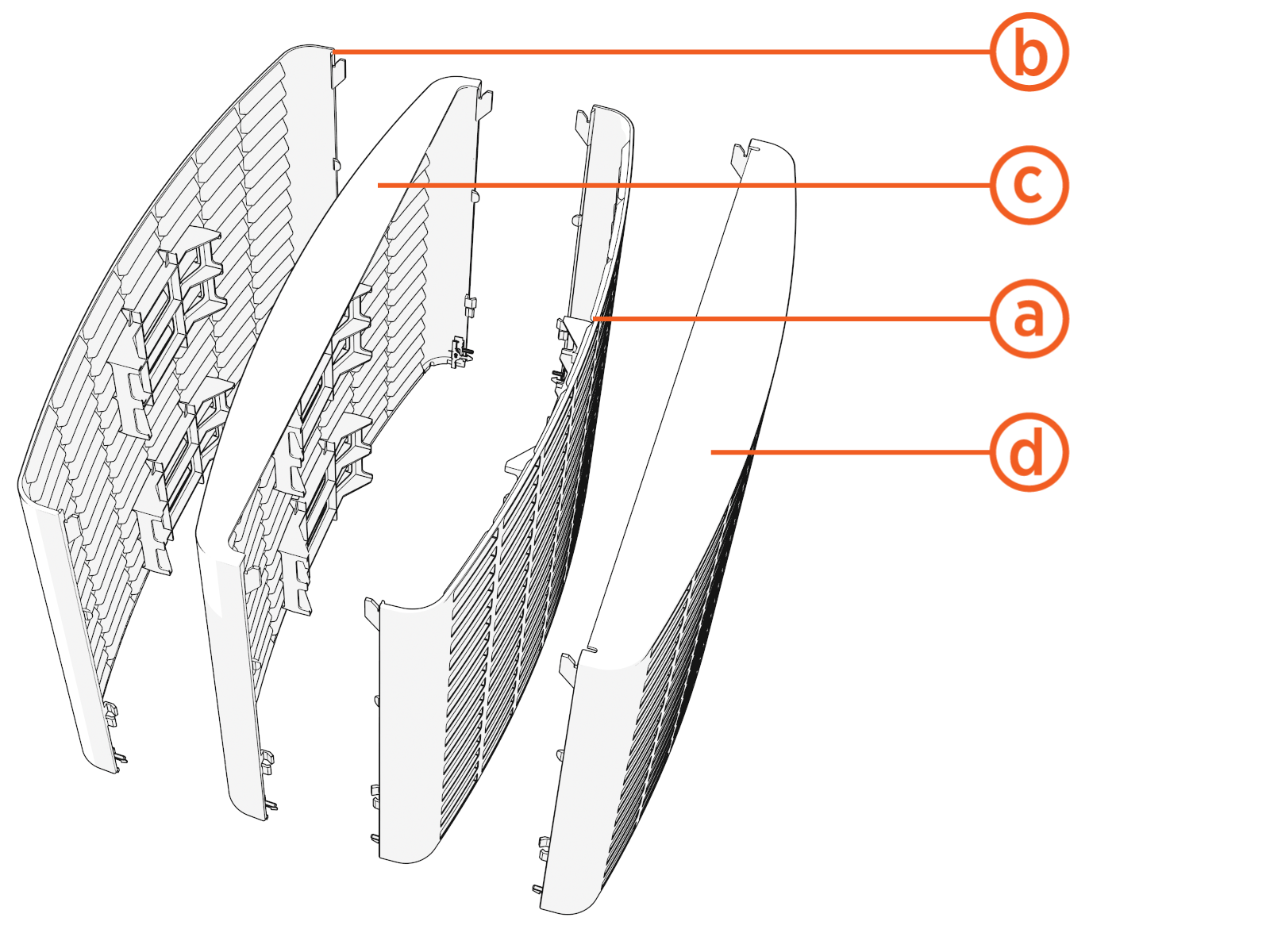
There are four front and back covers:
-
Upper
-
Middle
-
Lower front
-
Lower rear (notch on bottom right)
Lower and Middle Covers
-
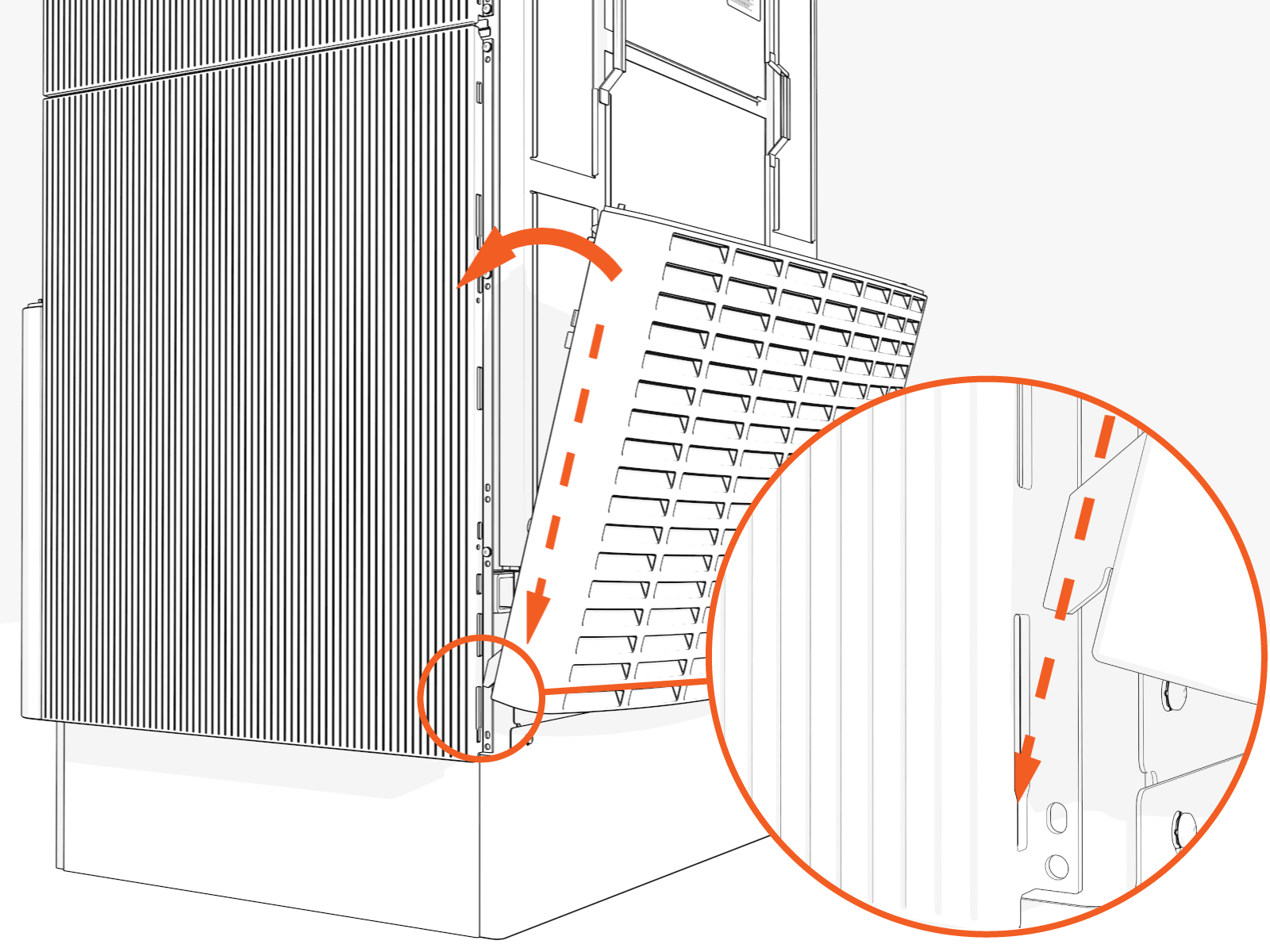
Start with the lower cover.
Rear lower cover has a small notch in the bottom right corner.
-
Align the four hooks at the bottom, then the top corners. Shift the cover into position.
-
Repeat with the middle cover.
Upper cover
-
Hang the upper cover at all four corners. Push down to engage.
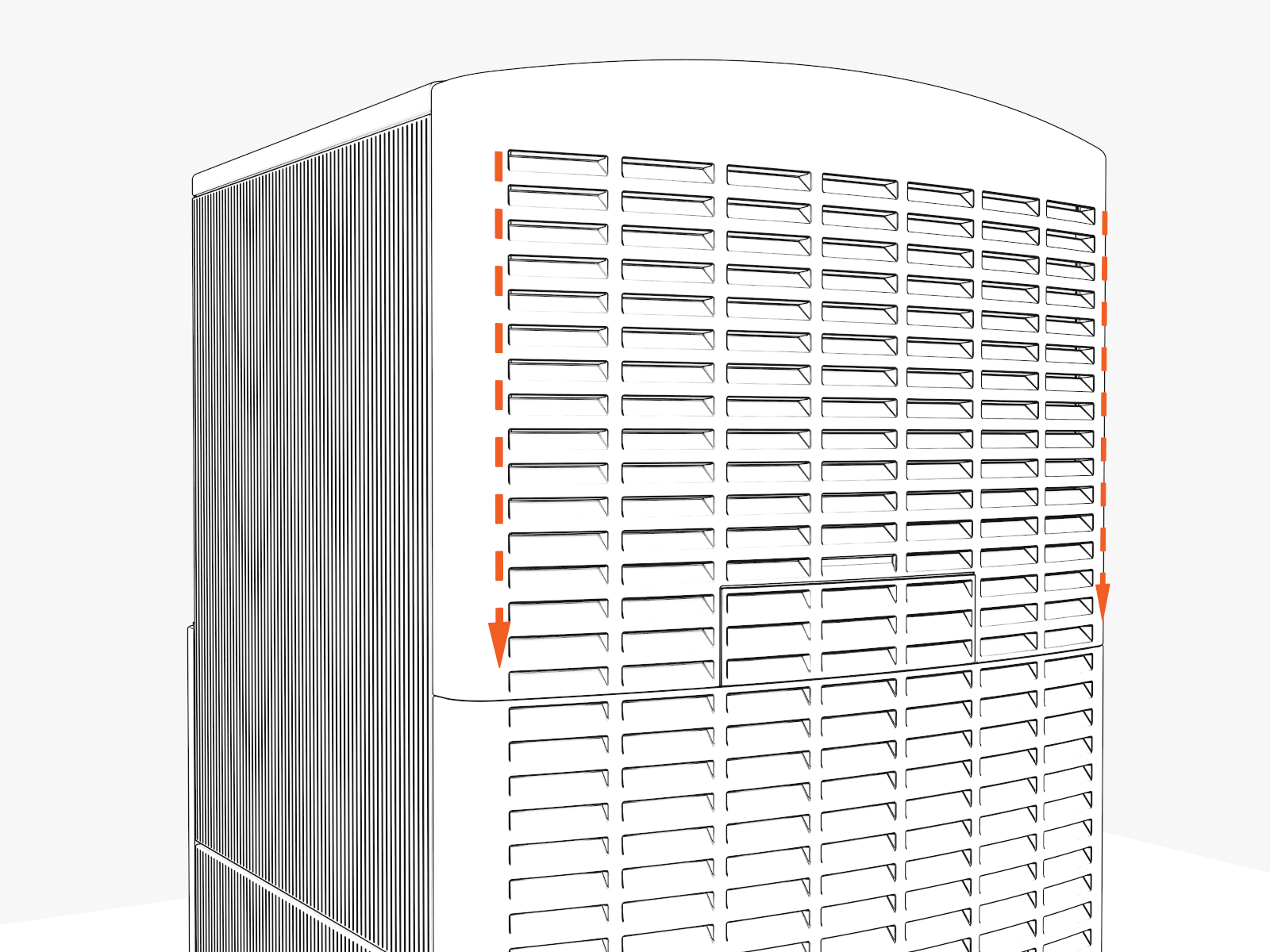
Lock
-
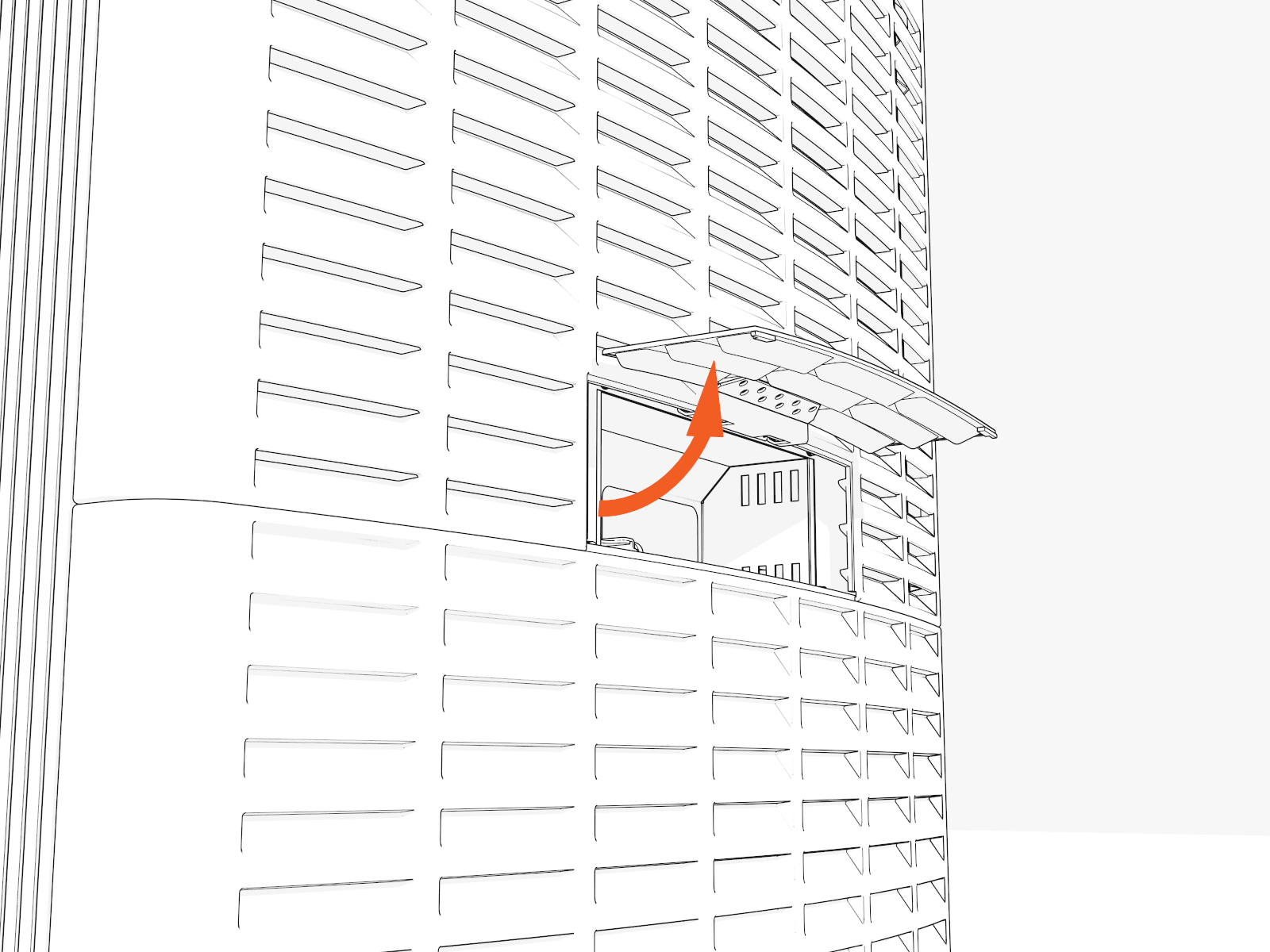
Lift open the security panel.
-
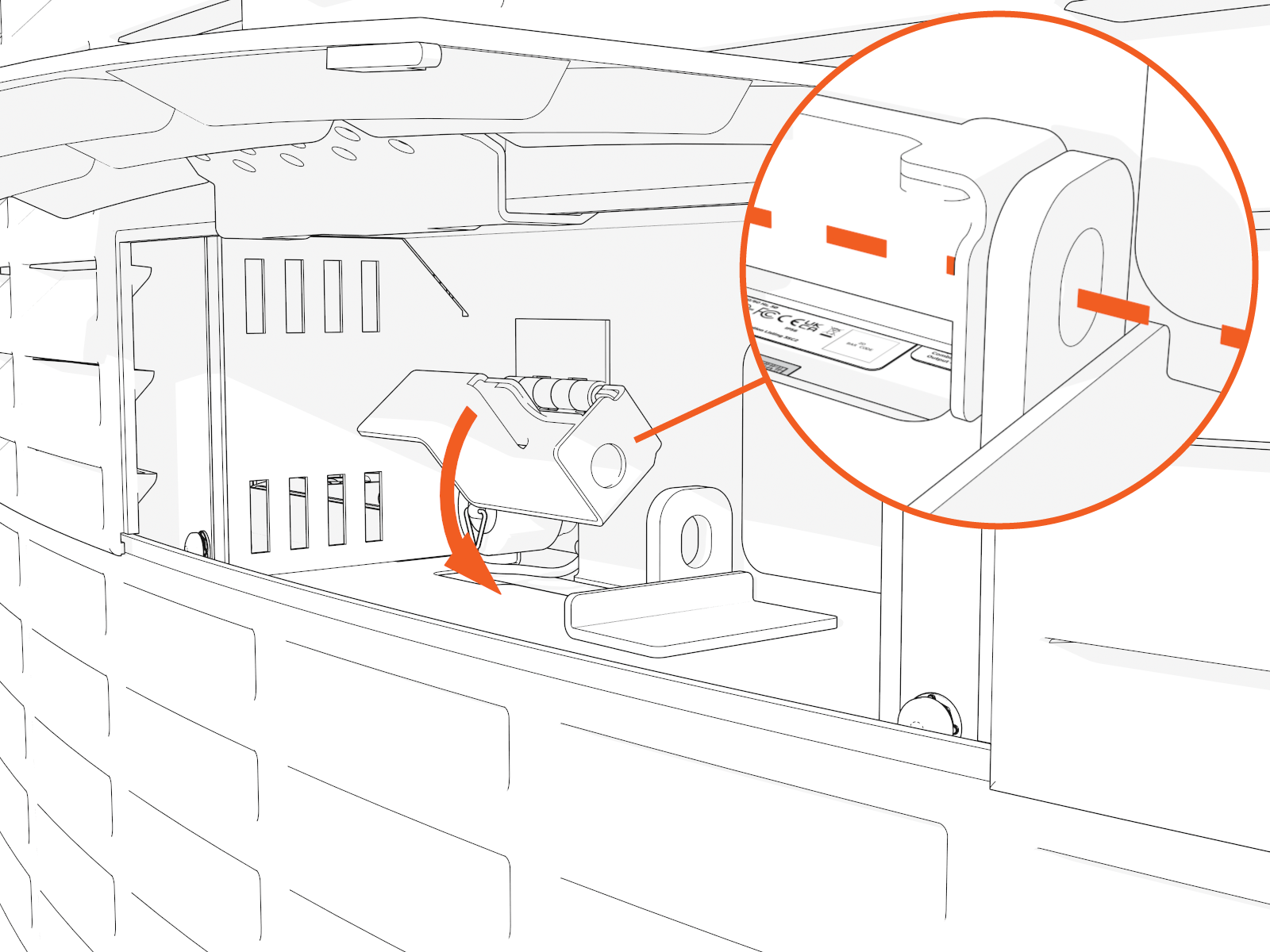
Lower the metal tab to align the two holes.
-
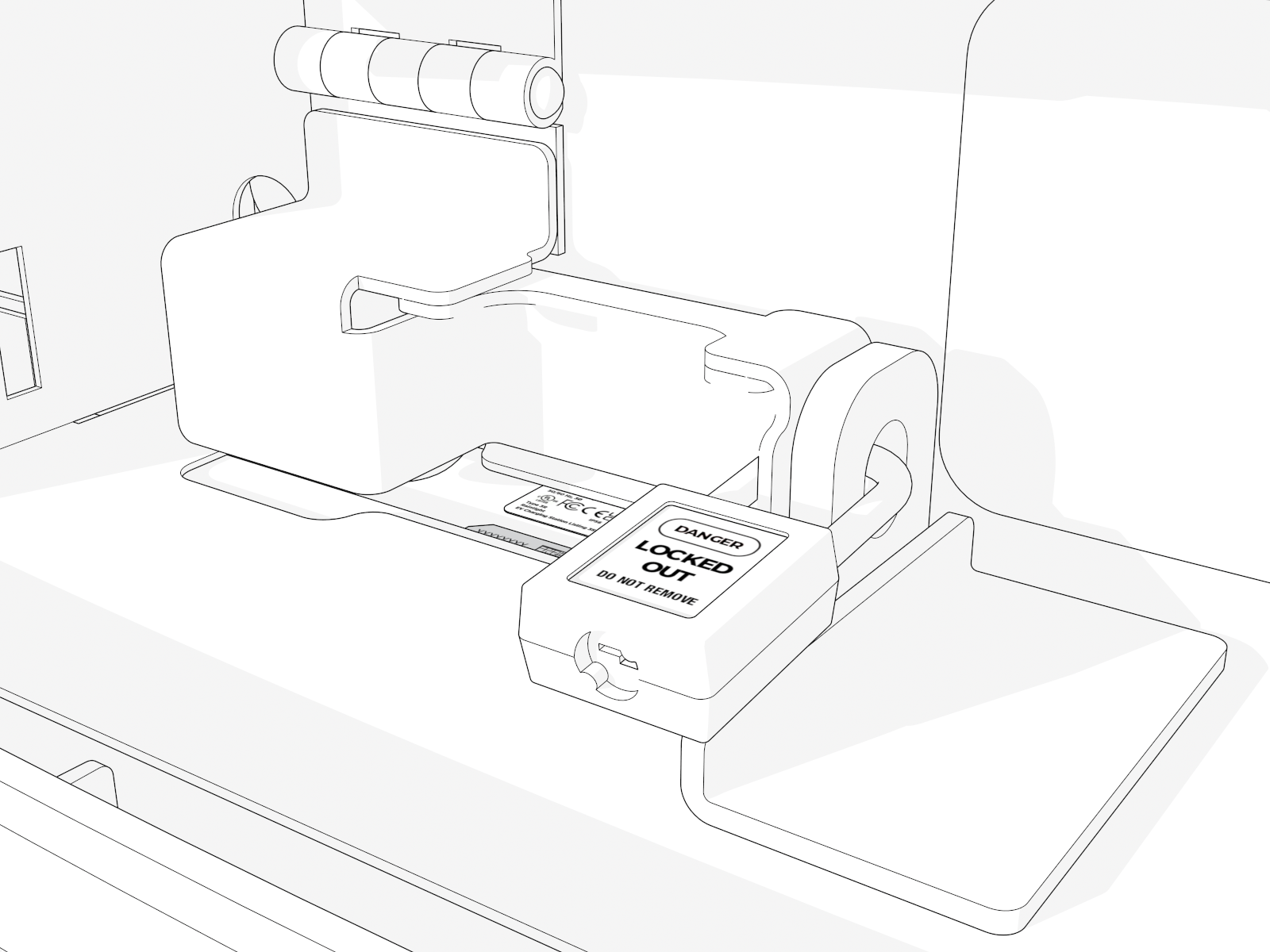
Insert the padlock through the two holes and lock it.